1.使用正则完成下列内容的匹配
-
匹配陕西省区号 029-12345
-
匹配邮政编码 745100
-
匹配身份证号 62282519960504337X
python
import re

# 1. 匹配陕西省区号 029-12345
area_code_pattern = r'^029-\d+$'
area_code = "029-12345"
print("陕西省区号匹配结果:", re.match(area_code_pattern, area_code) is not None)  # True

# 2. 匹配邮政编码 745100
postcode_pattern = r'^\d{6}$'
postcode = "745100"
print("邮政编码匹配结果:", re.match(postcode_pattern, postcode) is not None)  # True

# 3. 匹配邮箱 gxy230718@163.com
email_pattern = r'^[a-zA-Z0-9_]+@[a-zA-Z0-9.]+\.[a-zA-Z]{2,4}$'
email = "lijian@xianoupeng.com"
print("邮箱匹配结果:", re.match(email_pattern, email) is not None)  # True

# 4. 匹配身份证号 500227200409173925
id_card_pattern = r'^\d{17}[\dX]$'
id_card = "500227200409173925"
print("身份证号匹配结果:", re.match(id_card_pattern, id_card) is not None)  # True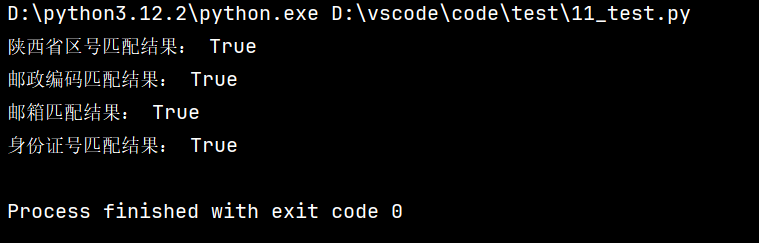
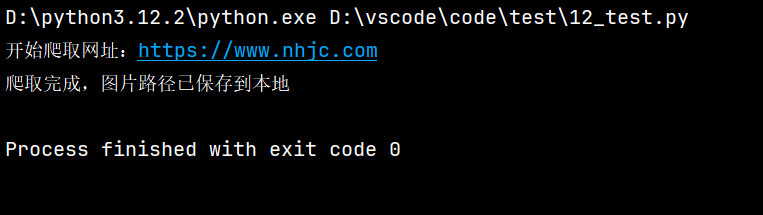
2.爬取学校官网,获取所有图片途径并将路径存储在本地文件中,使用装饰器完成
python
import requests
from bs4 import BeautifulSoup


# 定义装饰器:记录爬取日志+异常处理
def spider_decorator(func):
    def wrapper(url):
        print(f"开始爬取网址:{url}")
        try:
            # 执行原爬虫函数
            result = func(url)
            print("爬取完成,图片路径已保存到本地")
            return result
        except Exception as e:
            print(f"爬取失败,错误信息:{e}")
            return []

    return wrapper


# 被装饰的爬虫函数:爬取图片路径并保存
@spider_decorator
def get_school_images(url):
    # 请求头:模拟浏览器访问,避免被反爬
    headers = {
        "User-Agent": "Mozilla/5.0 (Windows NT 10.0; Win64; x64) AppleWebKit/537.36 (KHTML, like Gecko) Chrome/120.0.0.0 Safari/537.36"
    }
    # 发送请求获取网页内容
    response = requests.get(url, headers=headers, timeout=10)
    response.encoding = response.apparent_encoding
    soup = BeautifulSoup(response.text, "html.parser")
    # 提取所有img标签的src属性
    img_paths = [img.get("src") for img in soup.find_all("img") if img.get("src")]

    # 去重
    img_paths = list(set(img_paths))

    # 将路径保存到本地文件
    with open("image_paths.txt", "w", encoding="utf-8") as f:
        for path in img_paths:
            f.write(path + "\n")

    return img_paths

if __name__ == "__main__":
    school_url = "https://www.nhjc.com"
    get_school_images(school_url)