转载请注明出处:小锋学长生活大爆炸xfxuezhagn.cn
如果本文帮助到了你,欢迎点赞、收藏、关注哦~
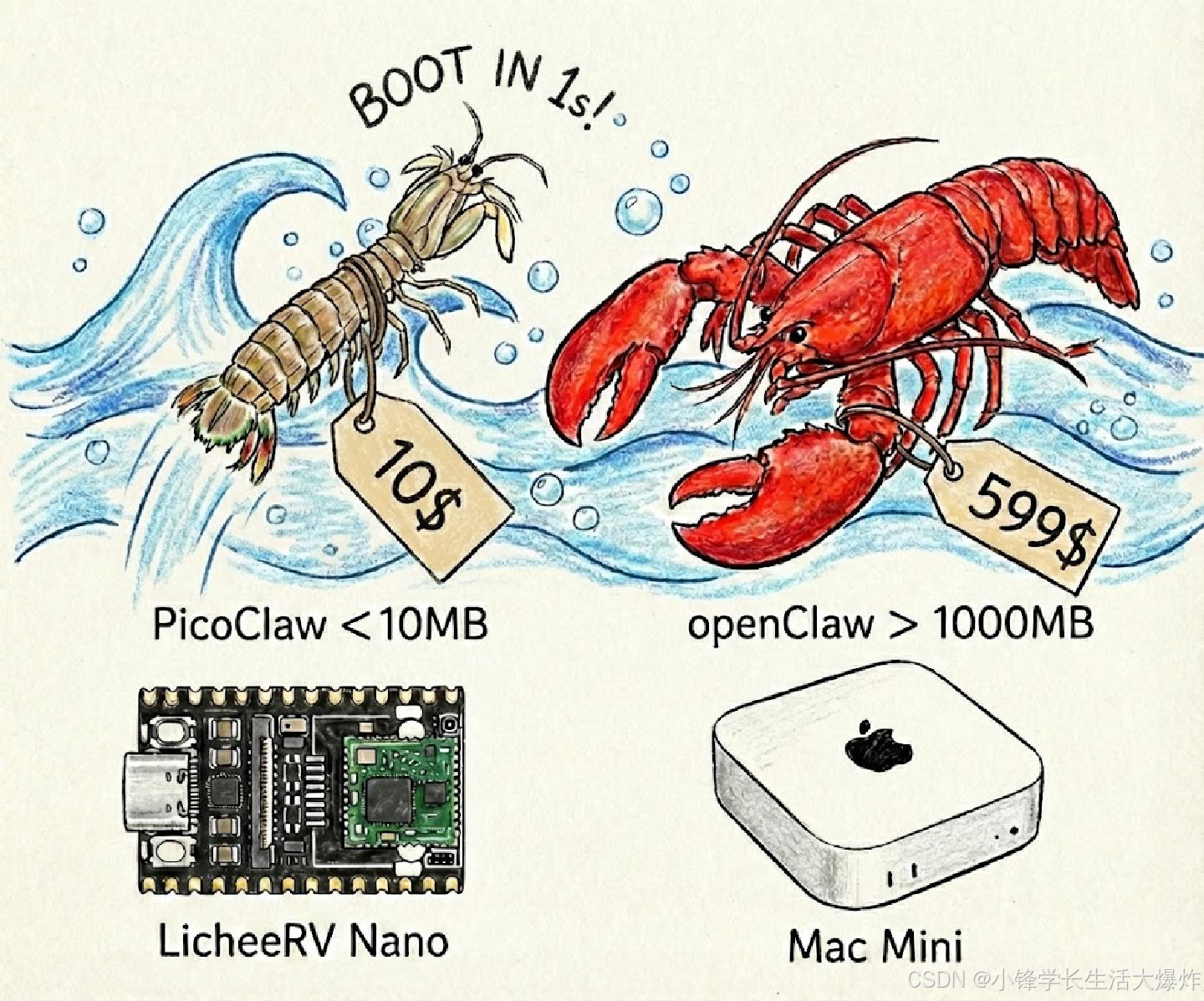
PicoClaw 是一个受 nanobot 启发的超轻量级个人 AI 助手。它采用 Go 语言 从零重构,经历了一个"自举"过程------即由 AI Agent 自身驱动了整个架构迁移和代码优化。
厉害得很,学长在手机上也部署成功了:
【教程】在安卓手机上部署OpenClaw
https://blog.csdn.net/sxf1061700625/article/details/158126625
极致轻量 :可在 10 美元 的硬件上运行,内存占用 <10MB。这意味着比 OpenClaw 节省 99% 的内存,比 Mac mini 便宜 98%!
| OpenClaw | NanoBot | PicoClaw | |
|---|---|---|---|
| 语言 | TypeScript | Python | Go |
| RAM | >1GB | >100MB | < 10MB |
| 启动时间 (0.8GHz core) | >500s | >30s | <1s |
| 成本 | Mac Mini $599 | 大多数 Linux 开发板 ~$50 | 任意 Linux 开发板 低至 $10 |
📦 安装
使用预编译二进制文件安装
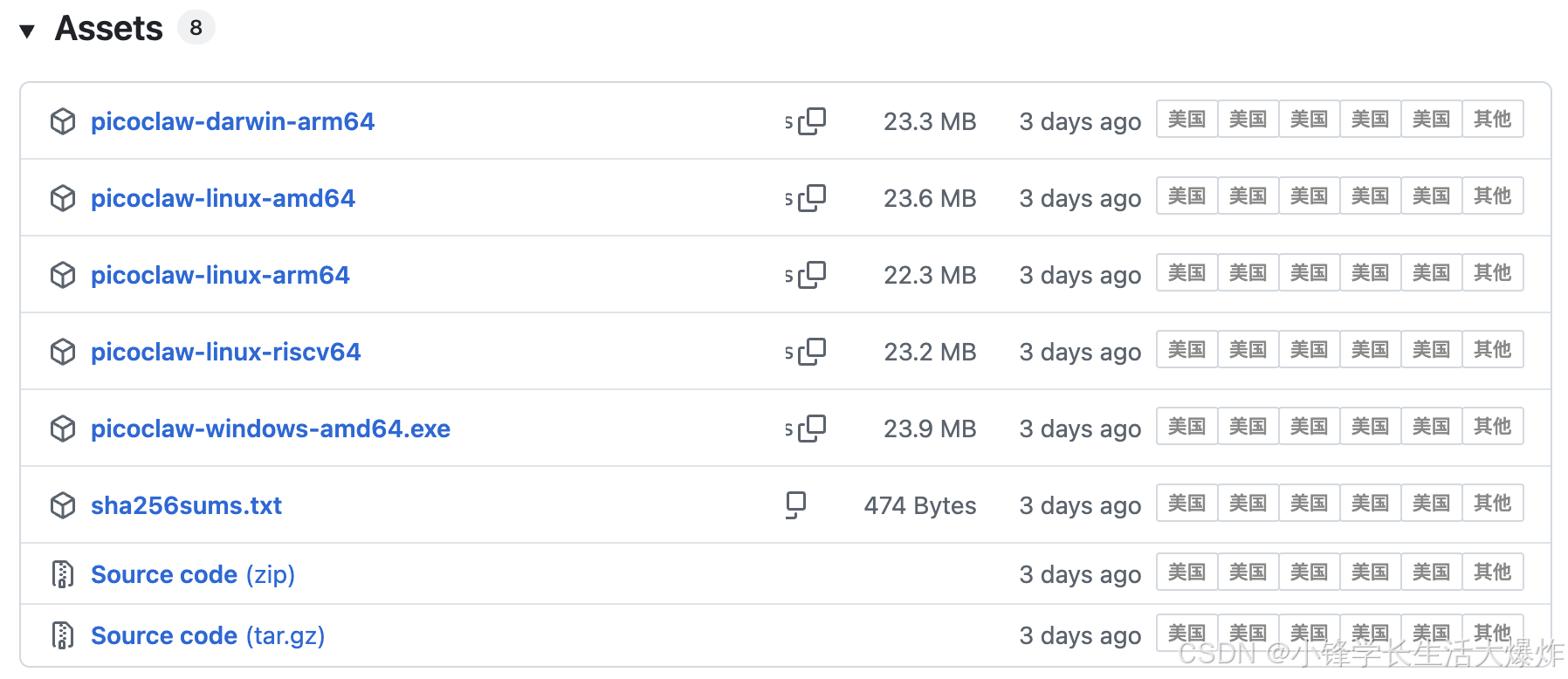
从 Release 页面 下载适用于平台的固件。
从源码安装(获取最新特性,开发推荐)
bash
git clone https://github.com/sipeed/picoclaw.git

cd picoclaw
make deps

# 构建(无需安装)
make build

# 为多平台构建
make build-all

# 构建并安装
make install
Docker Compose
也可以使用 Docker Compose 运行 PicoClaw,无需在本地安装任何环境。
推荐先配置一下Docker:
bashsudo bash -c "$(curl -sSL https://n3.ink/helper)
bash
# 1. 克隆仓库
git clone https://github.com/sipeed/picoclaw.git
cd picoclaw

# 2. 设置 API Key
cp config/config.example.json config/config.json
vim config/config.json      # 设置 DISCORD_BOT_TOKEN, API keys 等

# 3. 构建并启动
docker compose --profile gateway up -d

# 4. 查看日志
docker compose logs -f picoclaw-gateway

# 5. 停止
docker compose --profile gateway down
Agent 模式 (一次性运行)
bash
# 提问
docker compose run --rm picoclaw-agent -m "2+2 等于几?"

# 交互模式
docker compose run --rm picoclaw-agent
重新构建
bash
docker compose --profile gateway build --no-cache
docker compose --profile gateway up -d
🚀 快速开始
Tip
在 ~/.picoclaw/config.json 中设置 API Key。 获取 API Key: OpenRouter (LLM) · Zhipu (智谱) (LLM) 网络搜索是 可选的 - 获取免费的 Brave Search API (每月 2000 次免费查询)
1. 初始化 (Initialize)
bash
picoclaw onboard2. 配置 (Configure) (~/.picoclaw/config.json)
bash
{
  "agents": {
    "defaults": {
      "workspace": "~/.picoclaw/workspace",
      "model": "glm-4.7",
      "max_tokens": 8192,
      "temperature": 0.7,
      "max_tool_iterations": 20
    }
  },
  "providers": {
    "openrouter": {
      "api_key": "xxx",
      "api_base": "https://openrouter.ai/api/v1"
    }
  },
  "tools": {
    "web": {
      "search": {
        "api_key": "YOUR_BRAVE_API_KEY",
        "max_results": 5
      }
    }
  }
}
3. 获取 API Key
- LLM 提供商 : OpenRouter · Zhipu · Anthropic · OpenAI · Gemini
- 网络搜索 (可选): Brave Search - 提供免费层级 (2000 请求/月)
注意 : 完整的配置模板请参考
config.example.json。
4. 对话 (Chat)
bash
picoclaw agent -m "2+2 等于几?"就是这样!在 2 分钟内就拥有了一个可工作的 AI 助手。
更多配置说明:https://github.com/sipeed/picoclaw/blob/main/README.zh.md