061_插槽-默认插槽
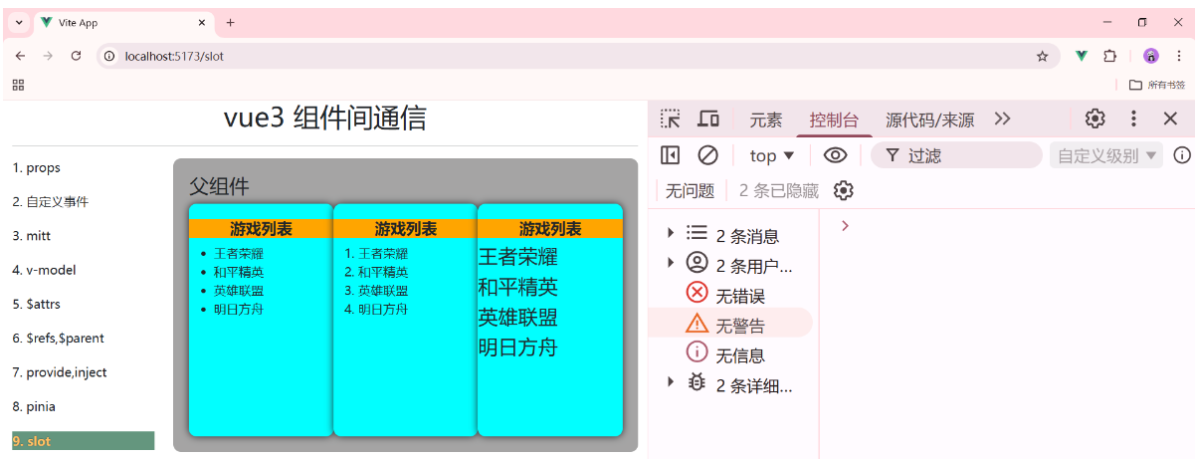
插槽分为三种:默认插槽,具名插槽,作用域插槽
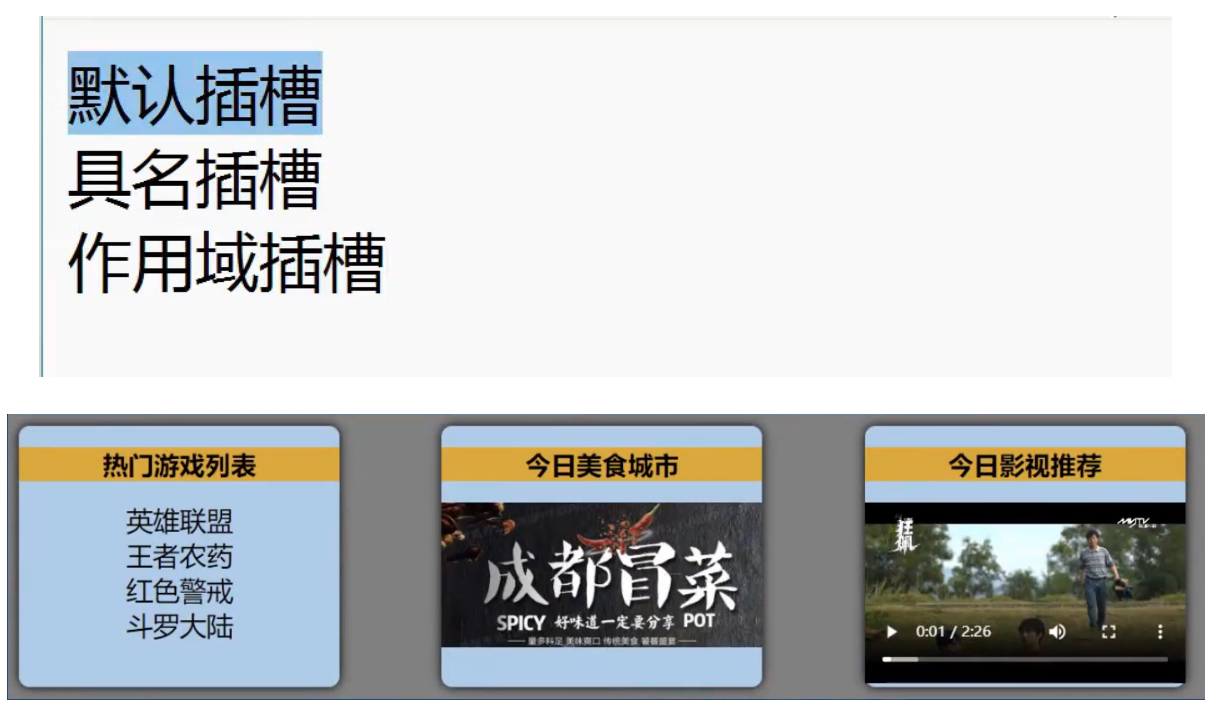
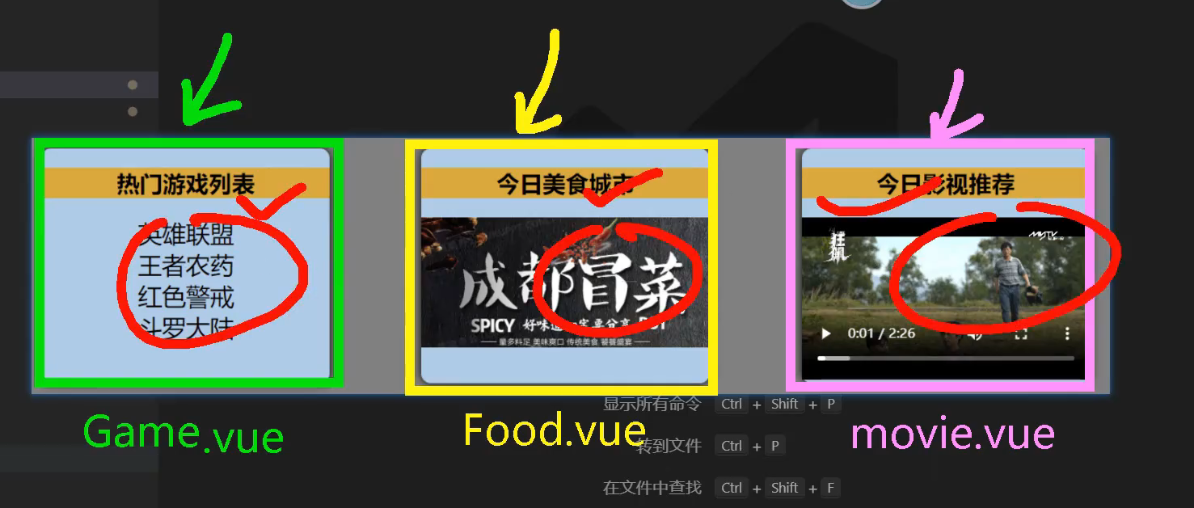
三个组件: Game.vue Food.vue Movie.vue
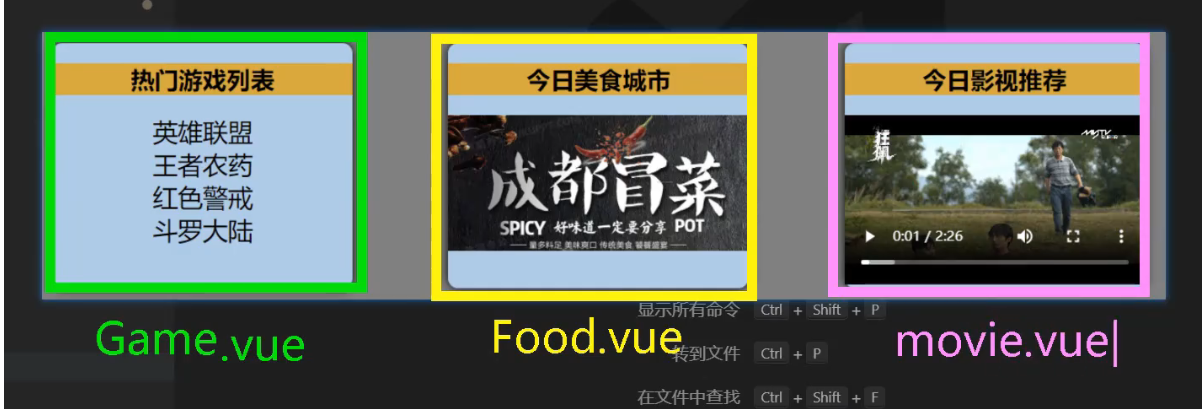
他们的形式结构很类似
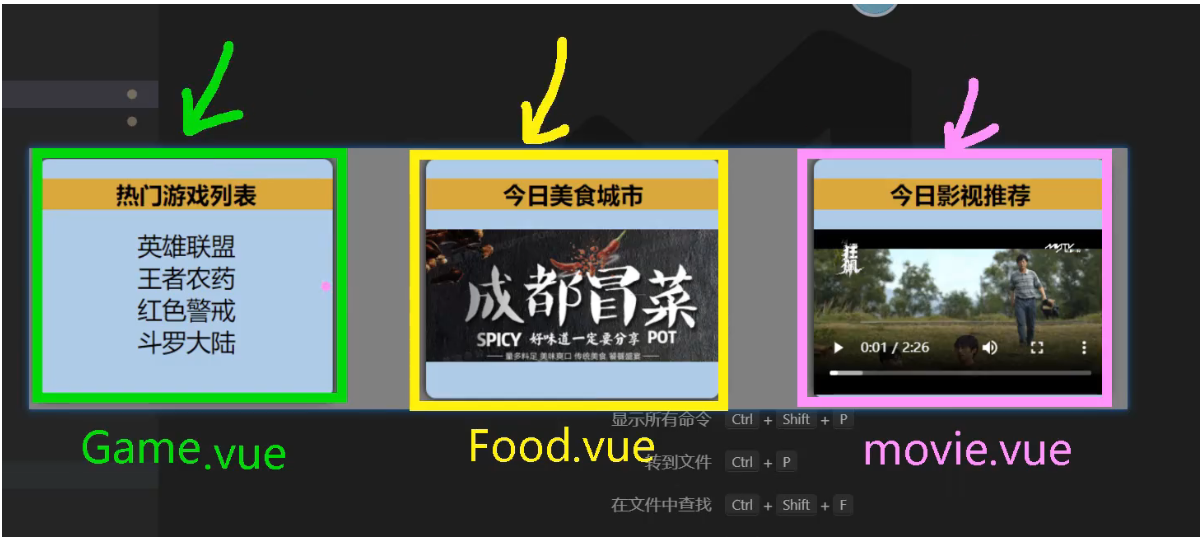
红色的==>上面是标题,下面是内容
万一是后台返回给我们28个分类,我们该如何处理
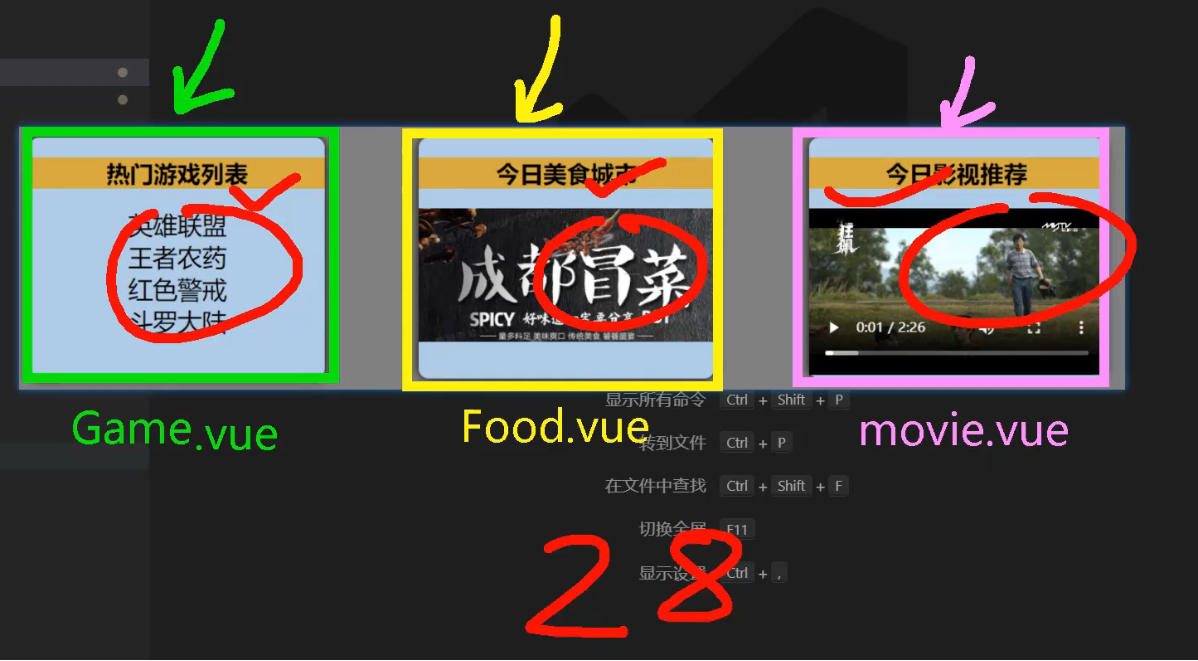
他们都是一个组件
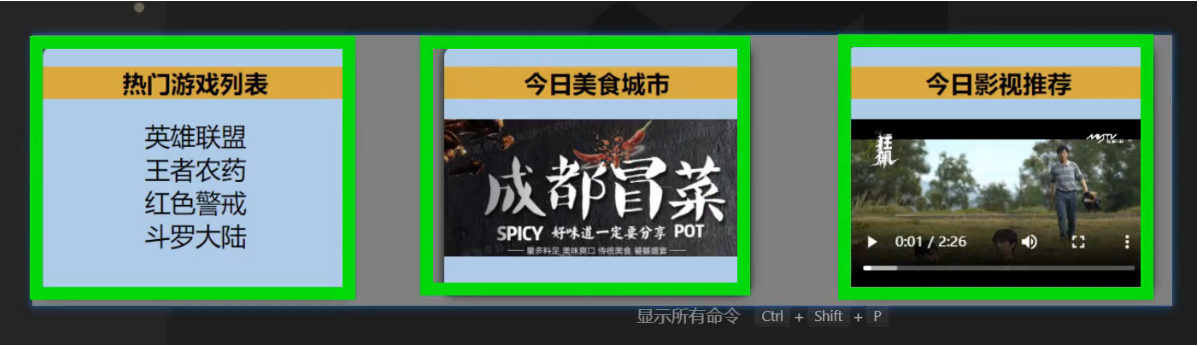
把下面的内容都放在一个 Category.vue 的文件中
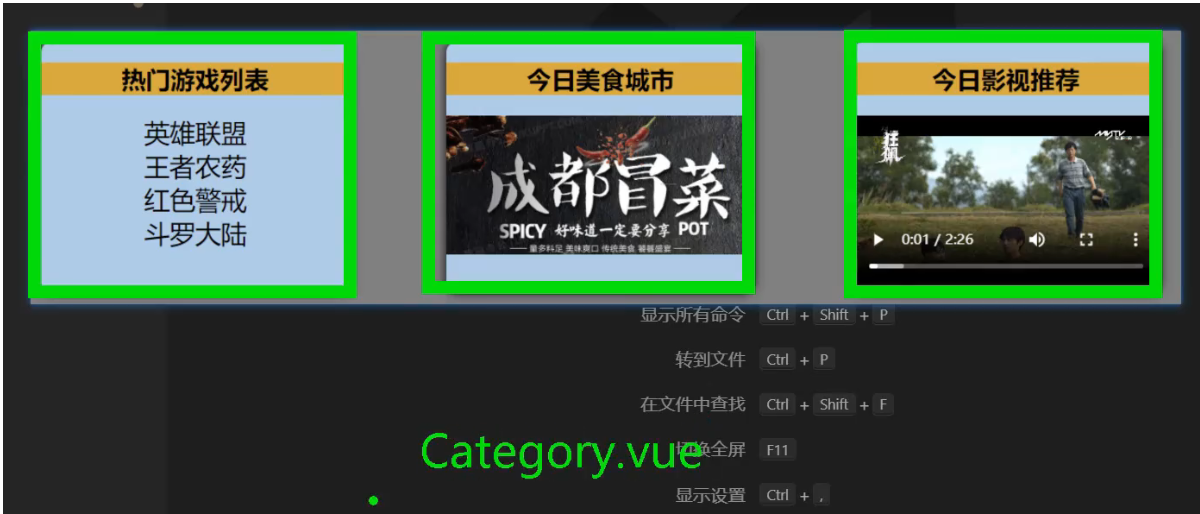
就是分类的意思
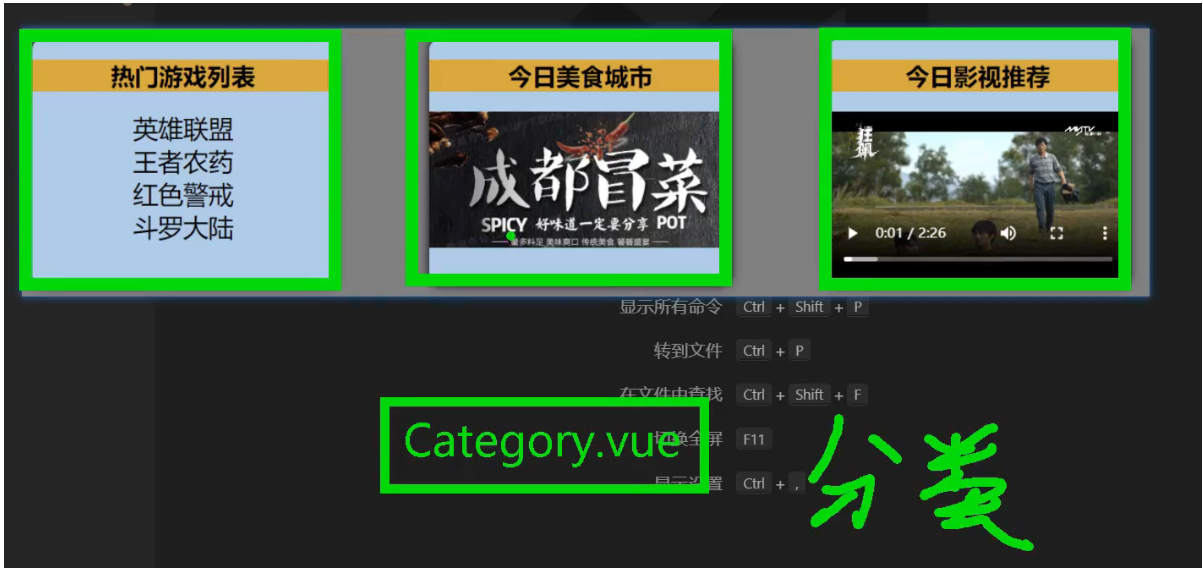
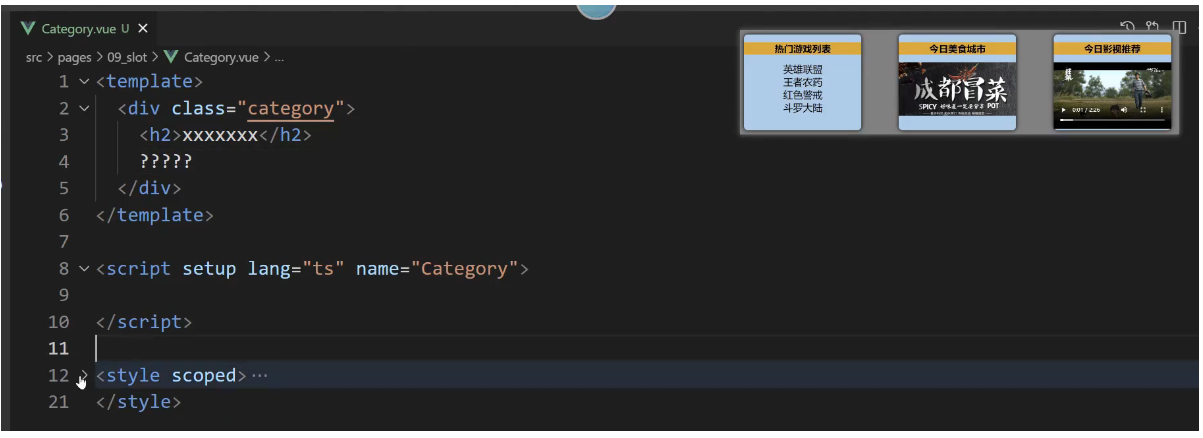
src/pages/09_slot/Category.vue
<template>
    <div class="category">
        <h2>xxxx</h2>
        ?????
    </div>
</template>

<script setup lang="ts" name="Category">

</script>

<style scoped>
    .category {
        background-color: skyblue;
        border-radius: 10px;
        box-shadow: 0 0 10px;
        padding: 10px;
        width: 200px;
        height: 300px;
    }
</style>
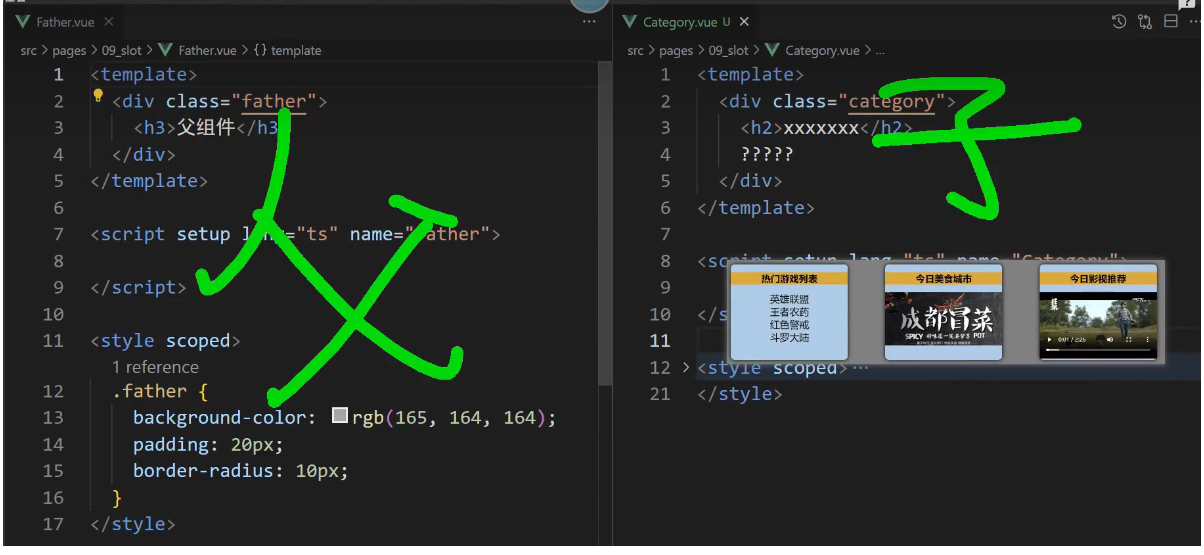
父组件-子组件
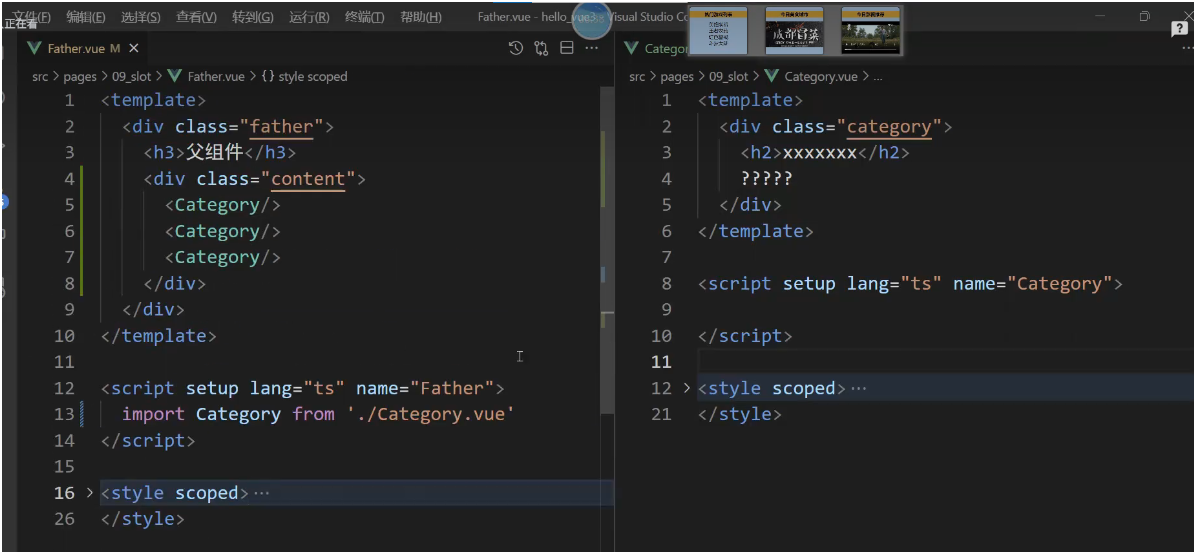
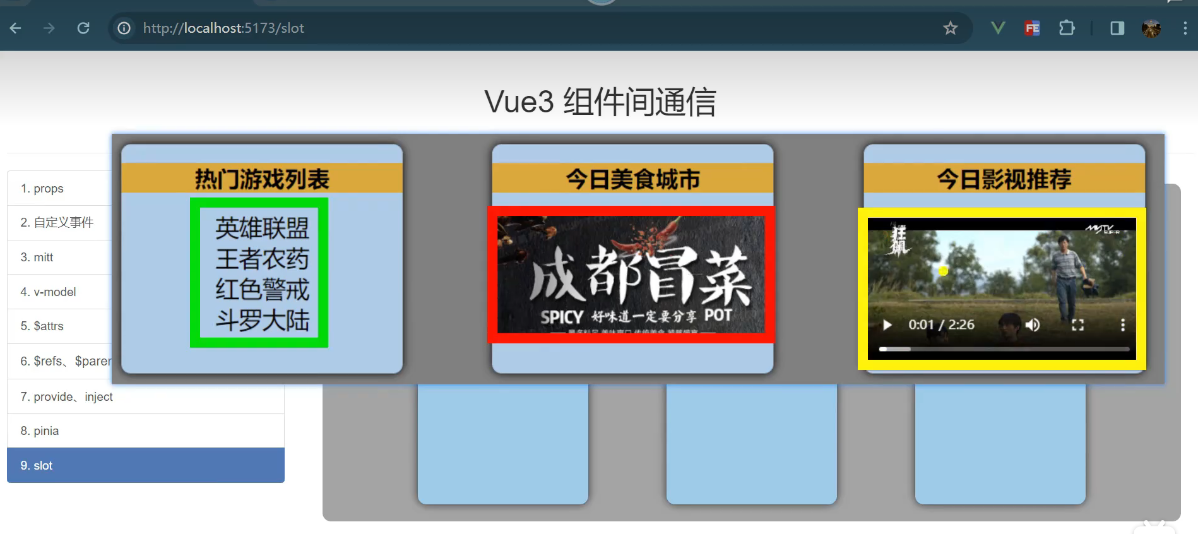
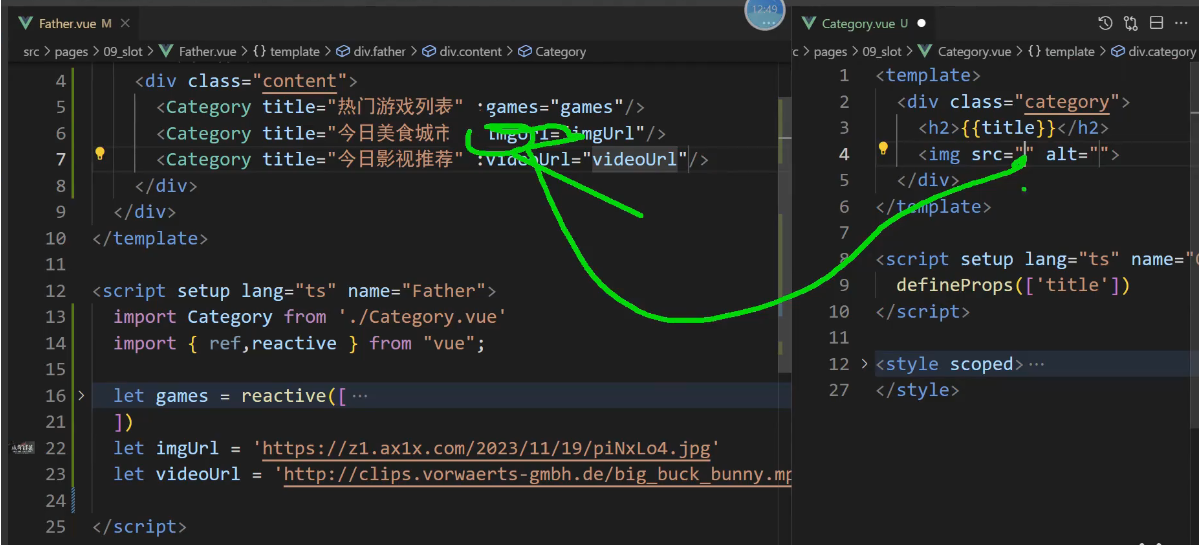
图片地址和电影地址
https://z1.ax1x.com/2023/11/19/piNxLo4.jpg
http://clips.vorwaerts-gmbh.de/big_buck_bunny.mp4

http://clips.vorwaerts-gmbh.de/big_buck_bunny.mp4
https://z1.ax1x.com/2023/11/19/piNxLo4.jpg

https://fd.aigei.com/pvvdo_fast/vdo/mp4/08/08a69b04e308469a81fbf008685eaadc.mp4?e=1770617040&token=P7S2Xpzfz11vAkASLTkfHN7Fw-oOZBecqeJaxypL:tyQ7mmfM3EJuwIsLRT4RK1ZKqhA=

https://fd.aigei.com/pvvdo_fast/vdo/mp4/24/240b2bfa5aa3421eb924a03c6ea60464.mp4?e=1770617040&token=P7S2Xpzfz11vAkASLTkfHN7Fw-oOZBecqeJaxypL:rjB85hxhoz2IeegsT5OYyRh7bFo=

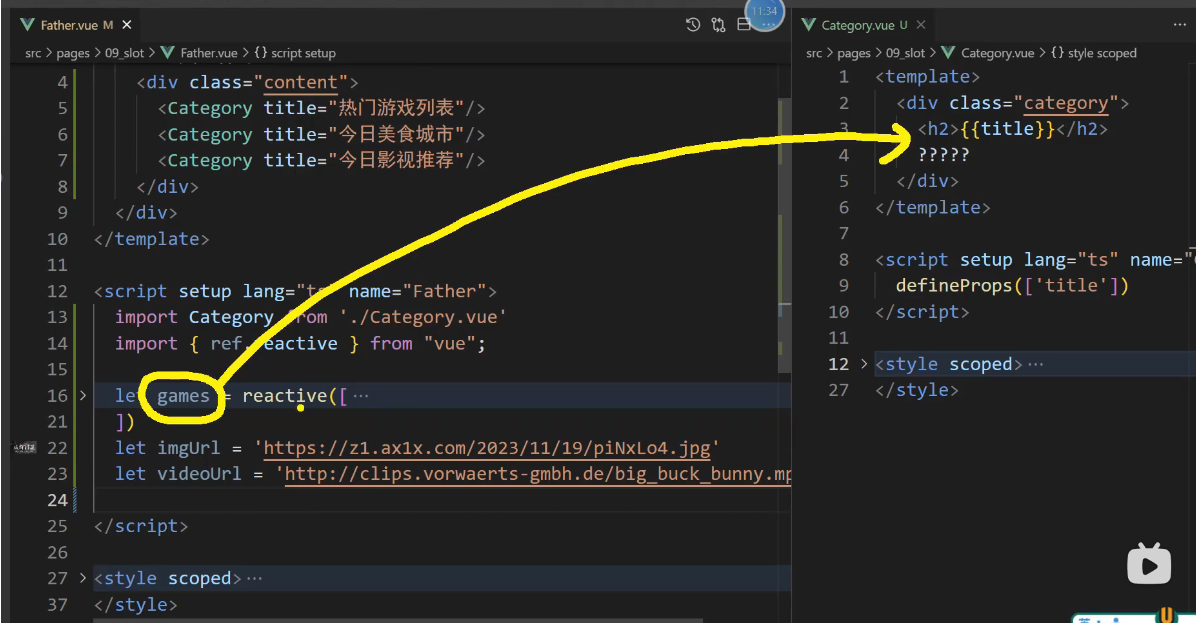
将游戏列表,图片,视频展示在???处
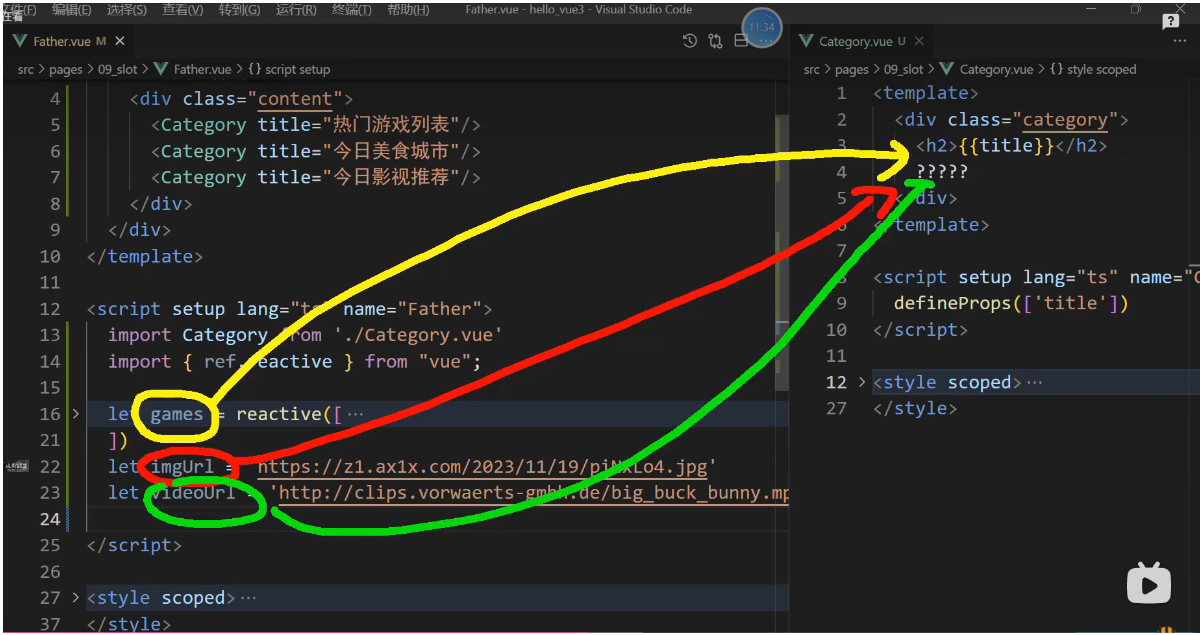
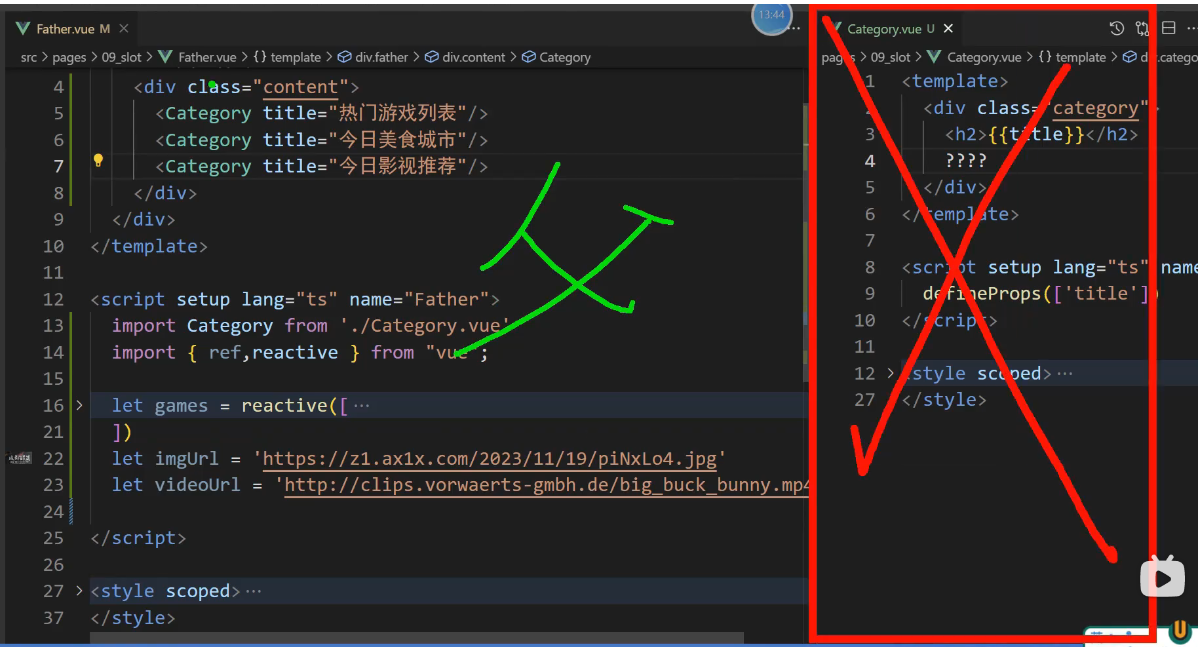
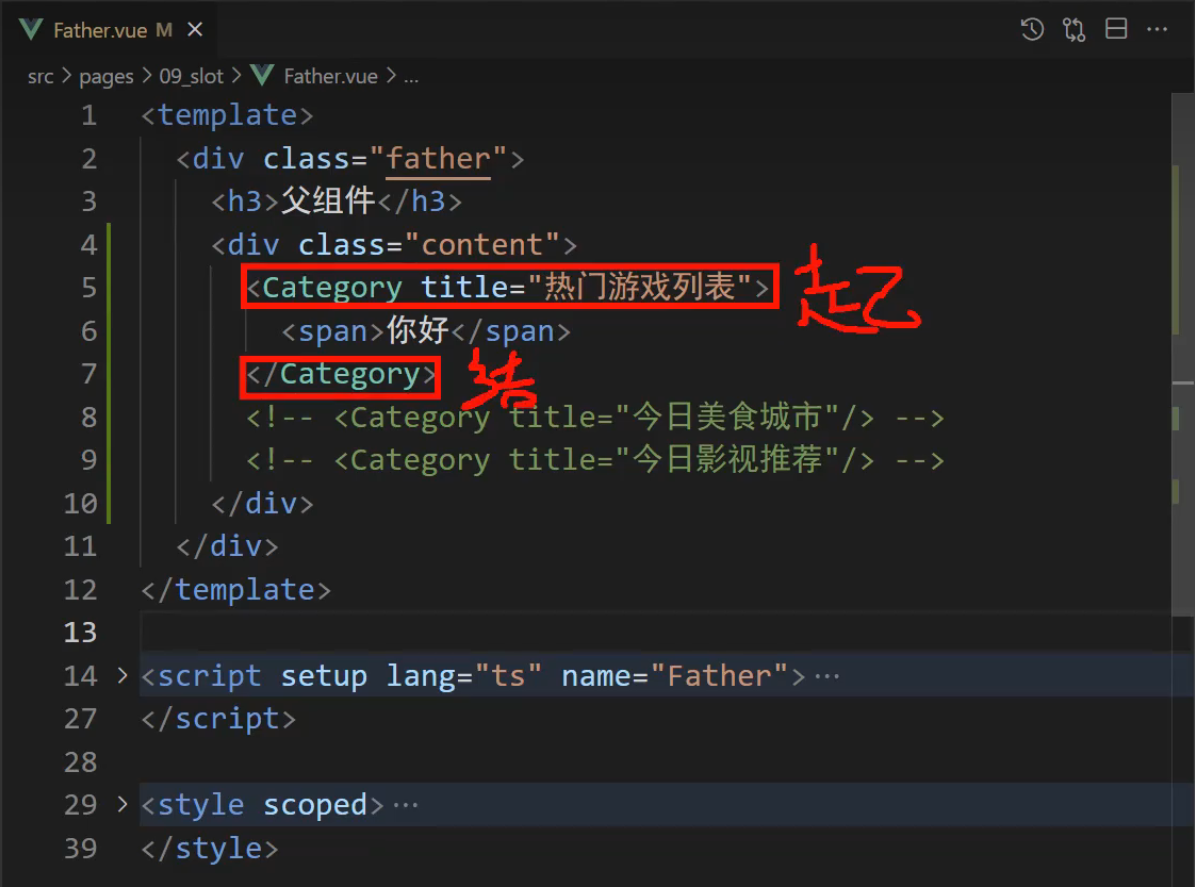
组件的起始标签,组件的结束标签 span标签里面的内容不会出现在页面
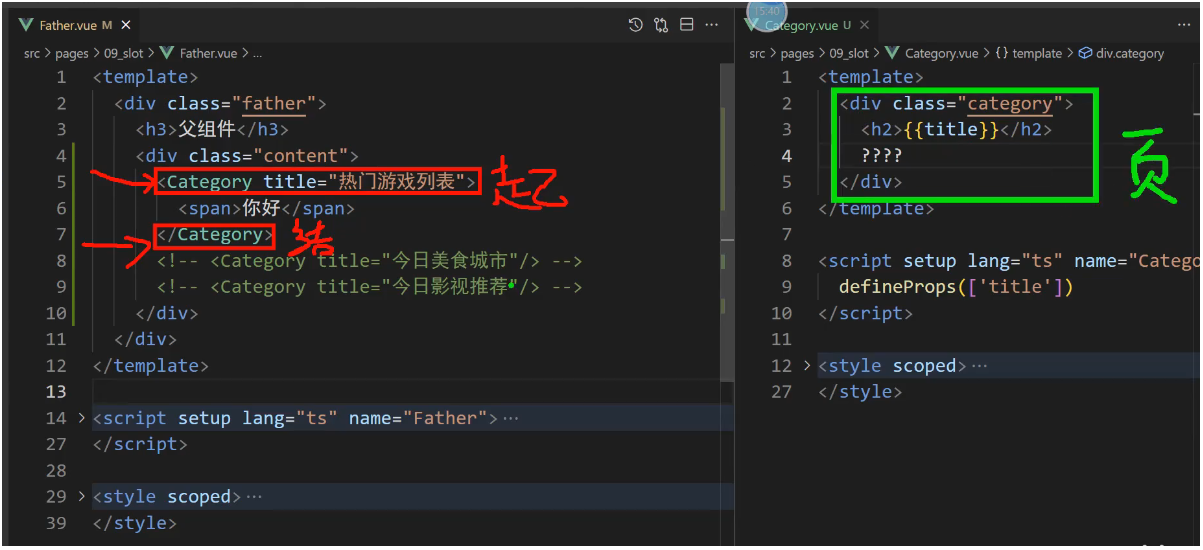
vue知道你是想用Category组件标签,于是就把Category.vue文件中绿色的div内容呈现在页面上。
你这个起始标签和结束标签既然夹着一个span,vue是如何认为span的
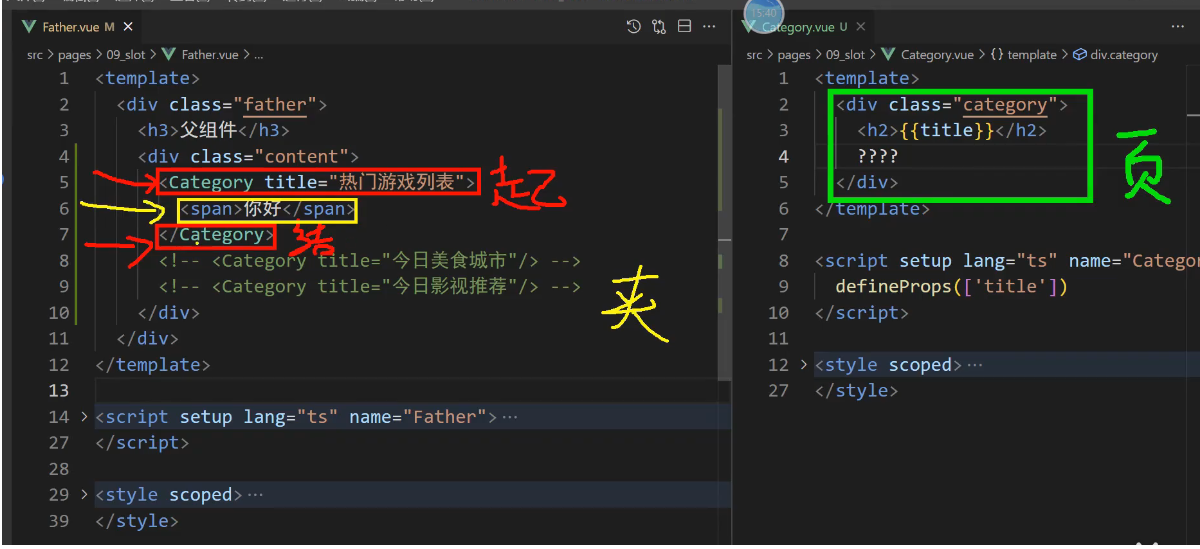
vue认为既然你把span放在起始标签和结束标签里面,那你需要把span塞到Category.vue文件中绿色结构里面
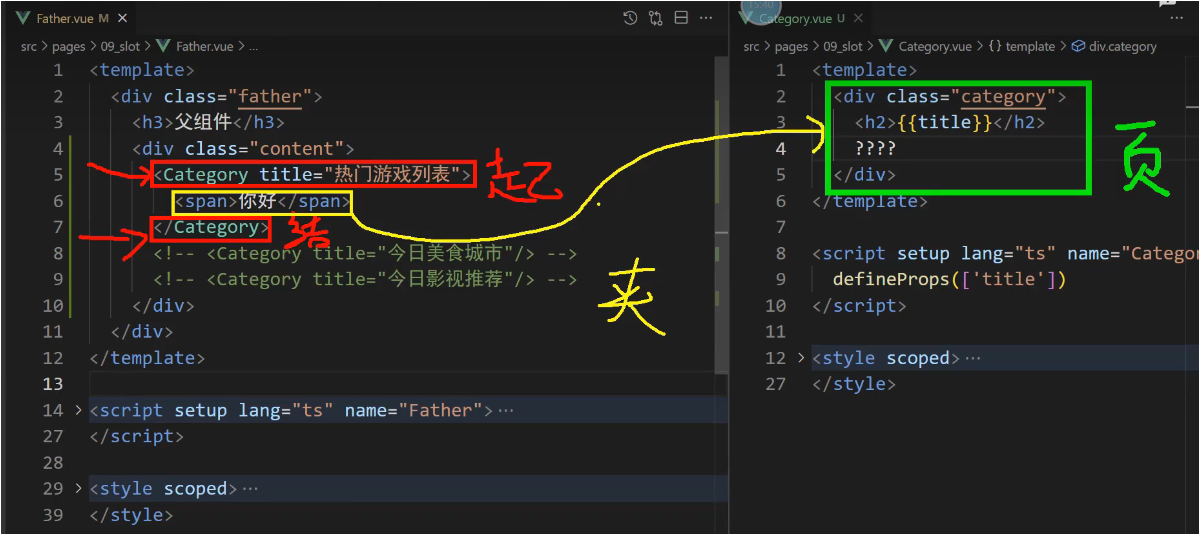
将 span 塞到哪里呢?
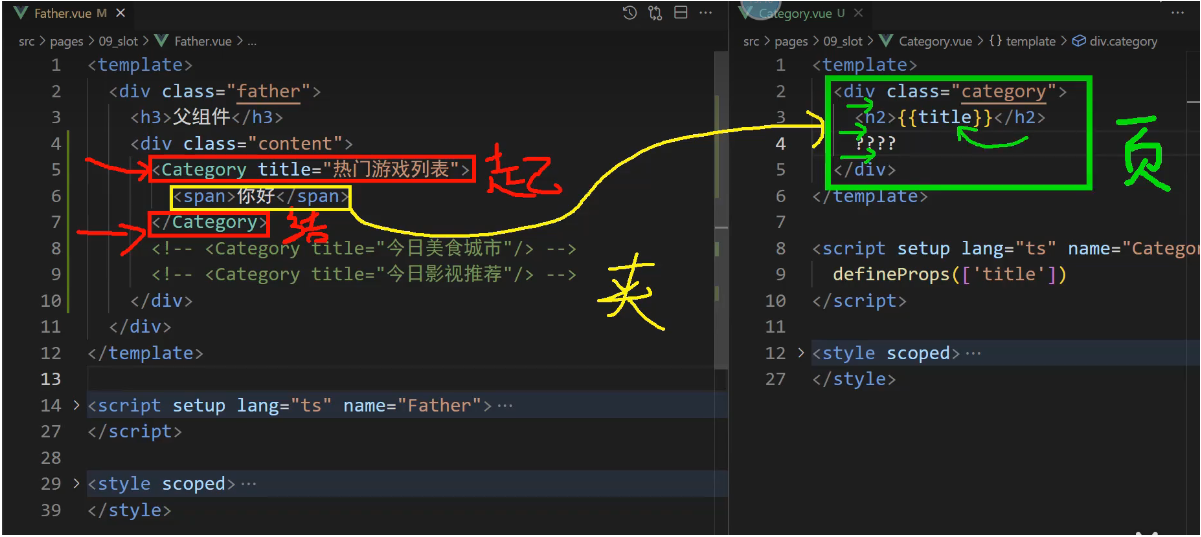
我不知道塞哪里?我就不塞了,直接扔掉
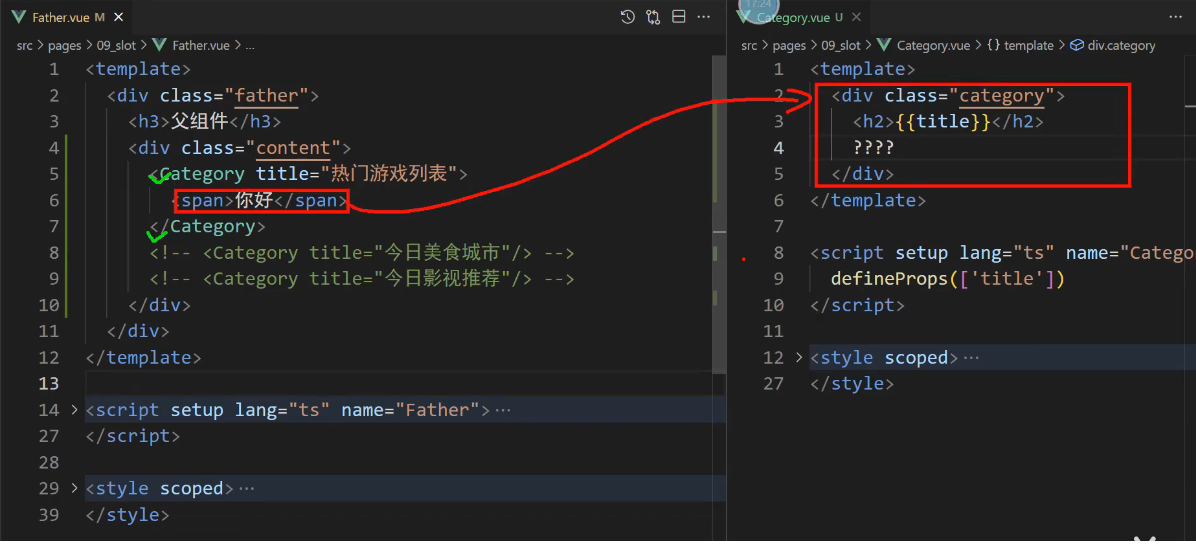
vue认为要将 span 标签就塞到 slot 标签所在的位置,然后就真摆在这里
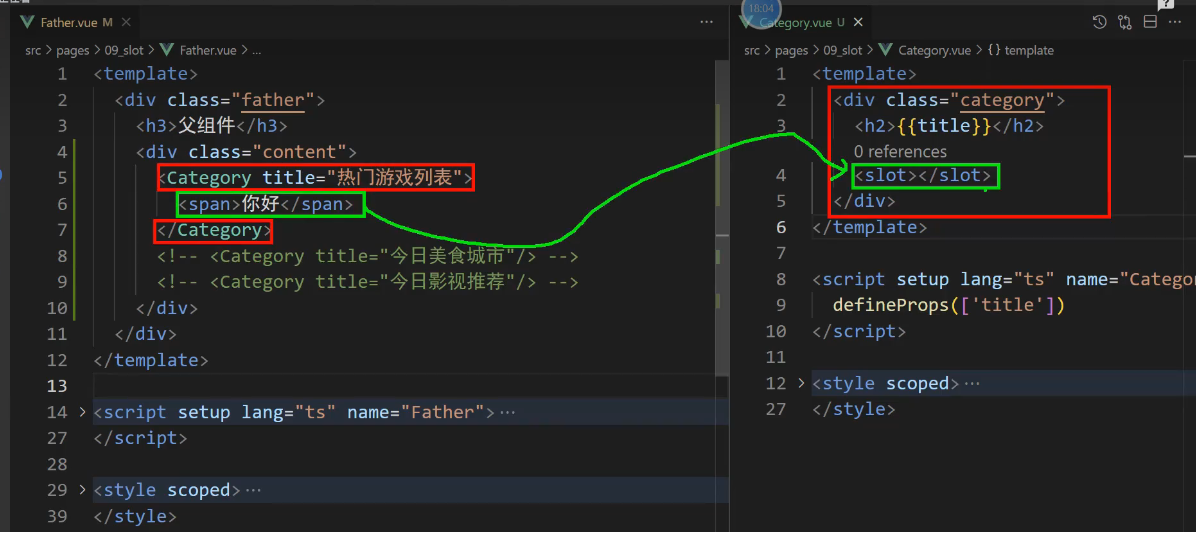
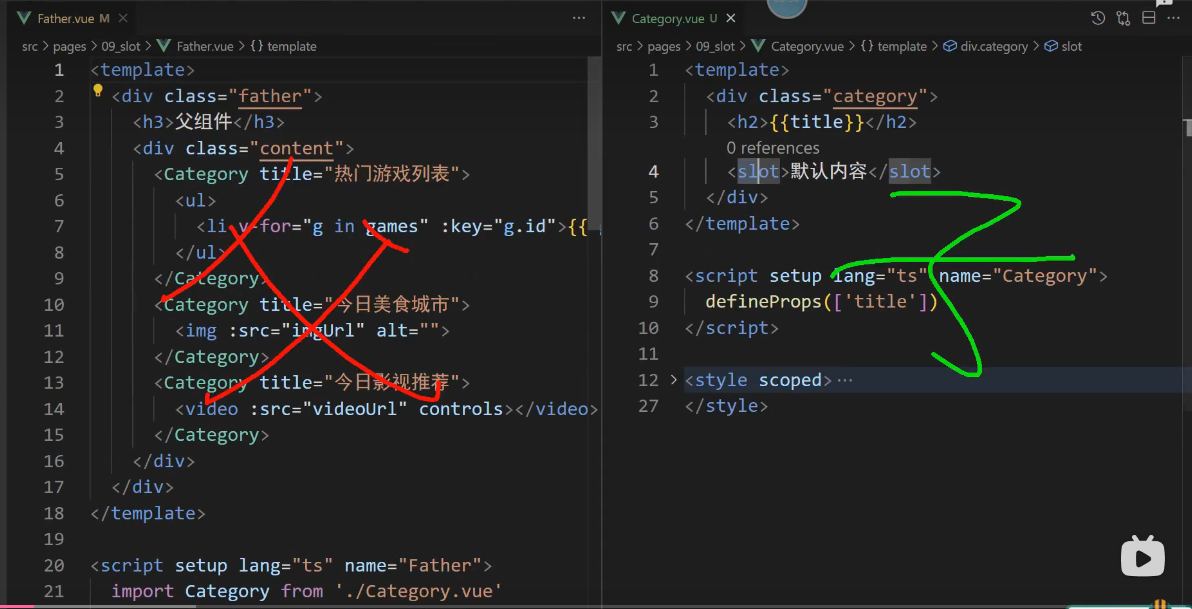
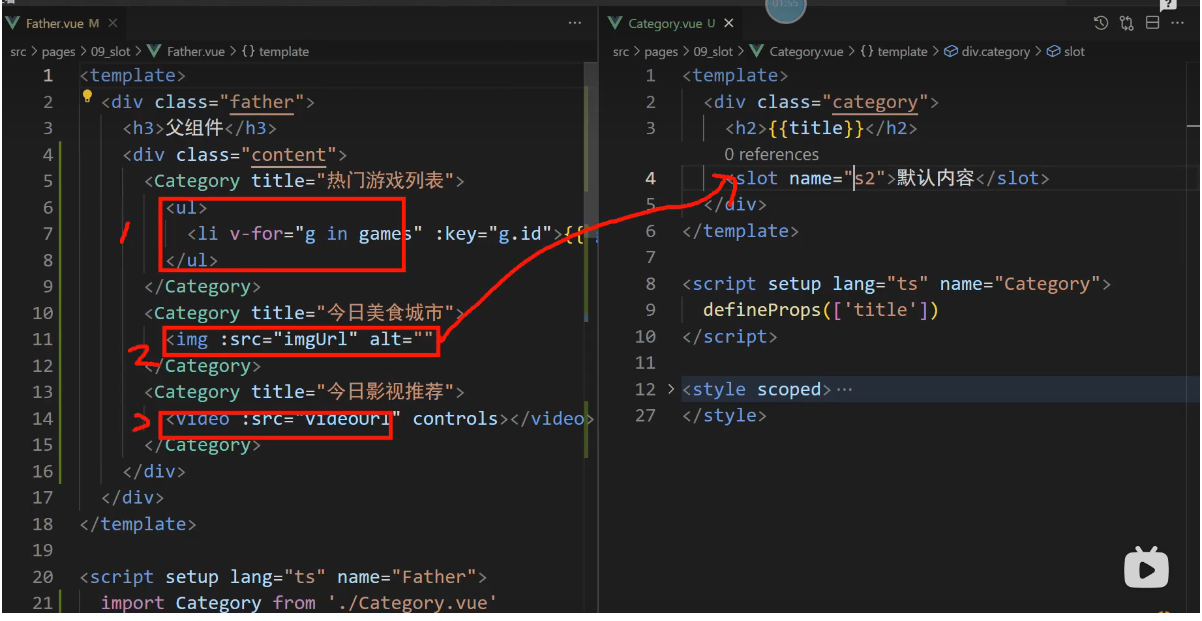
将ul里面的内容放到slot里面
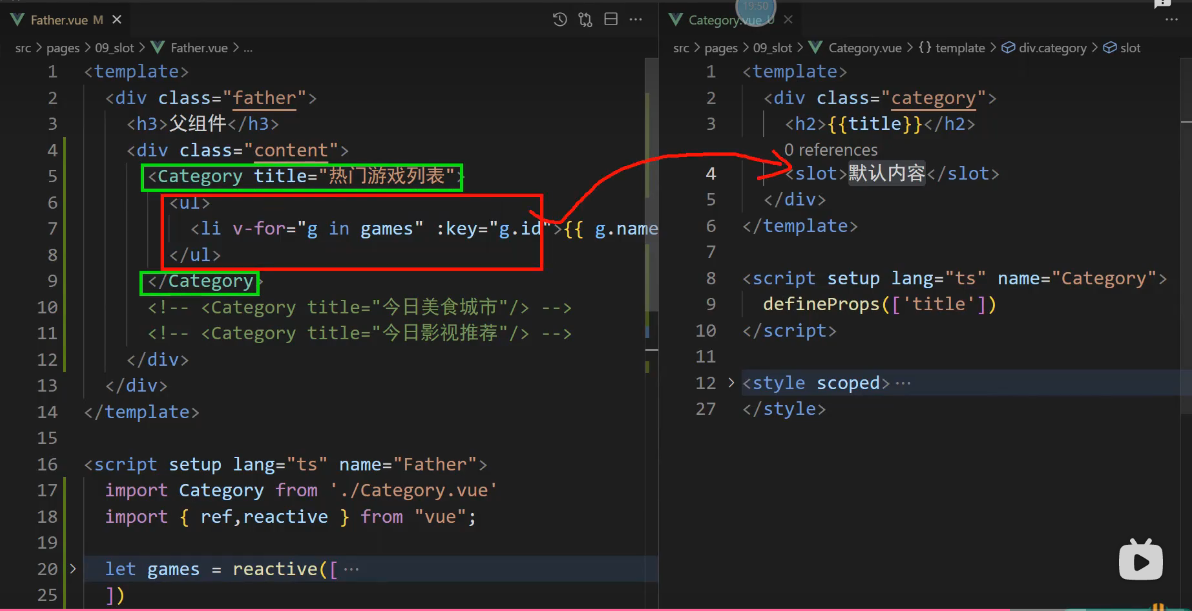
Categroy这个组件使用了三次
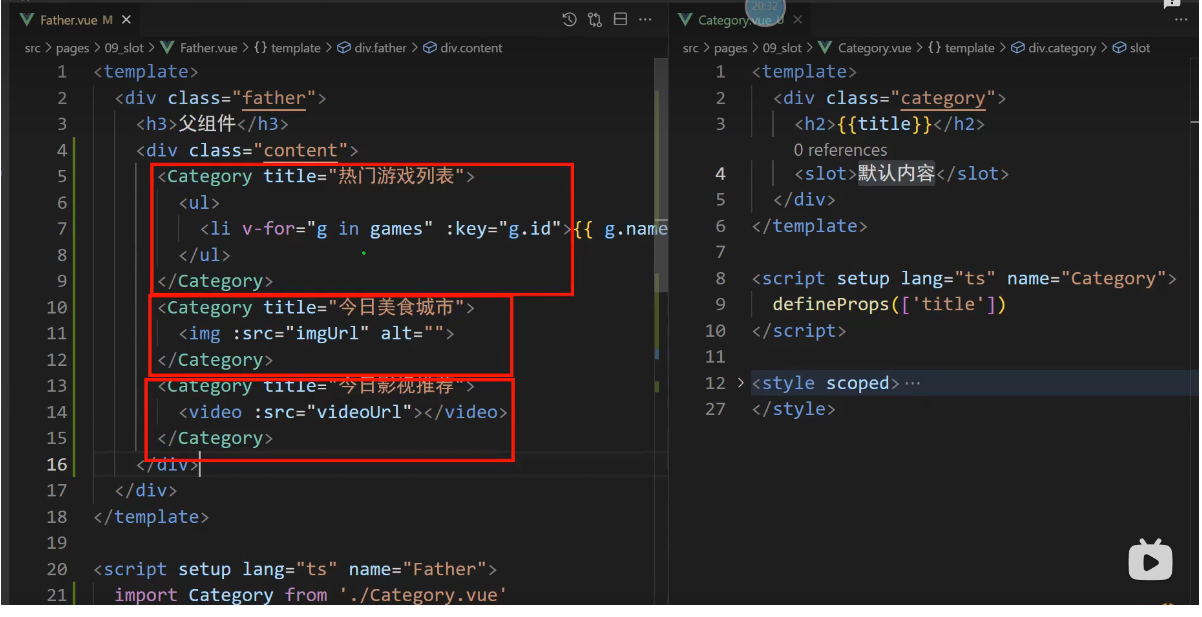
每次使用都是夹着不同的内容过去的
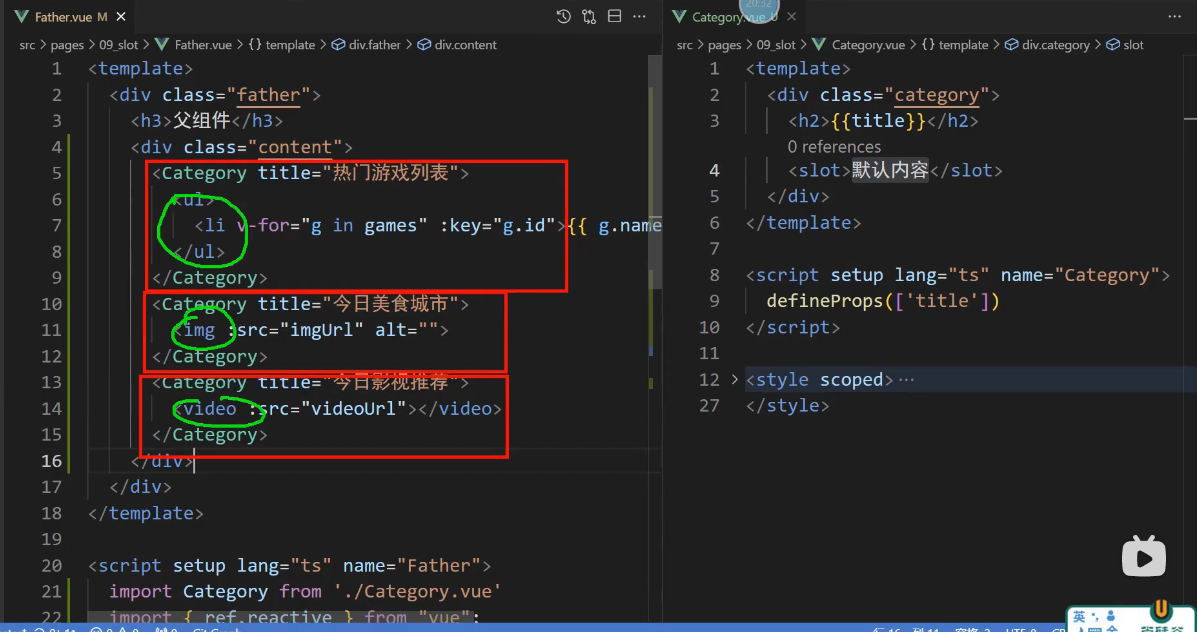
夹待的内容都分别放在 slot里面了
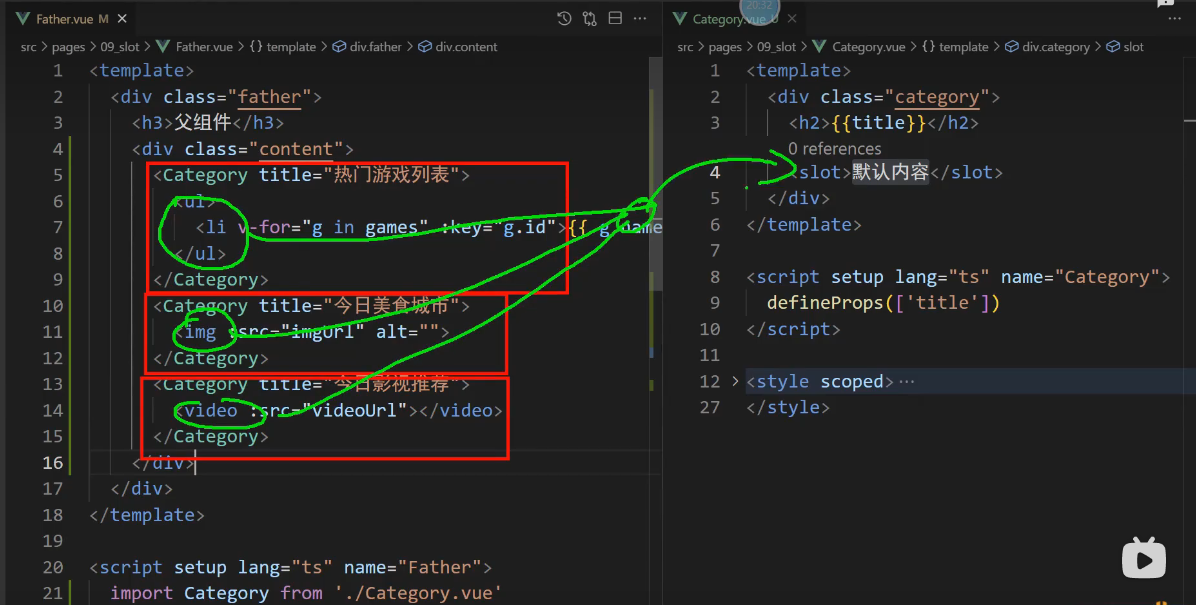
默认插槽
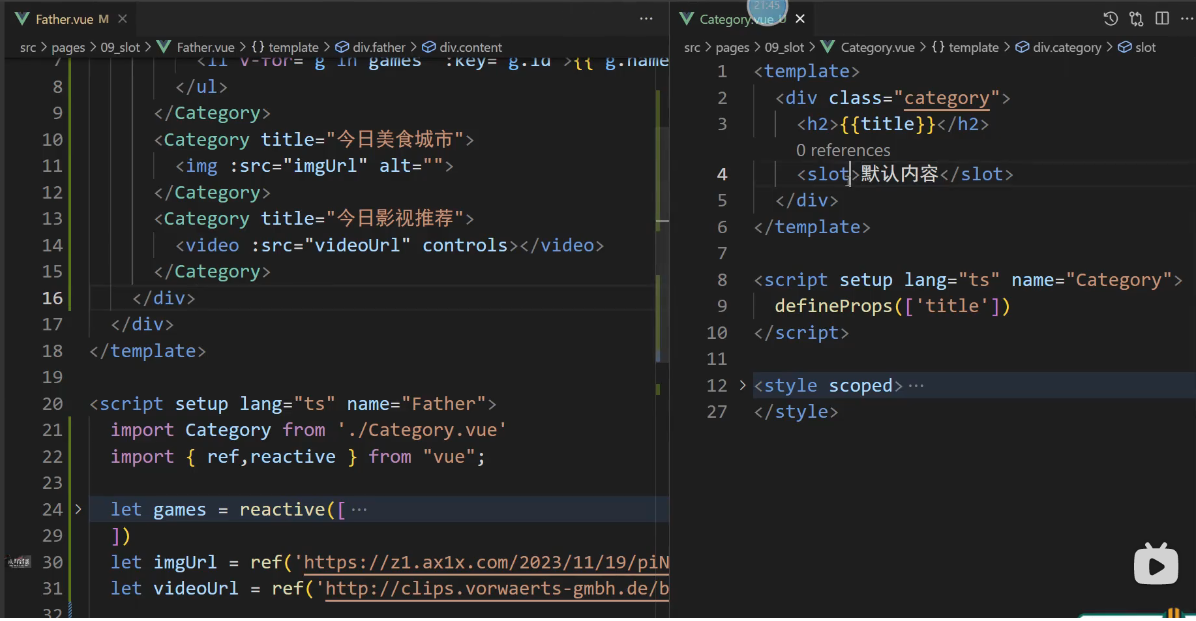
默认插槽slot只占位,ul,img,video的内容就都进去了
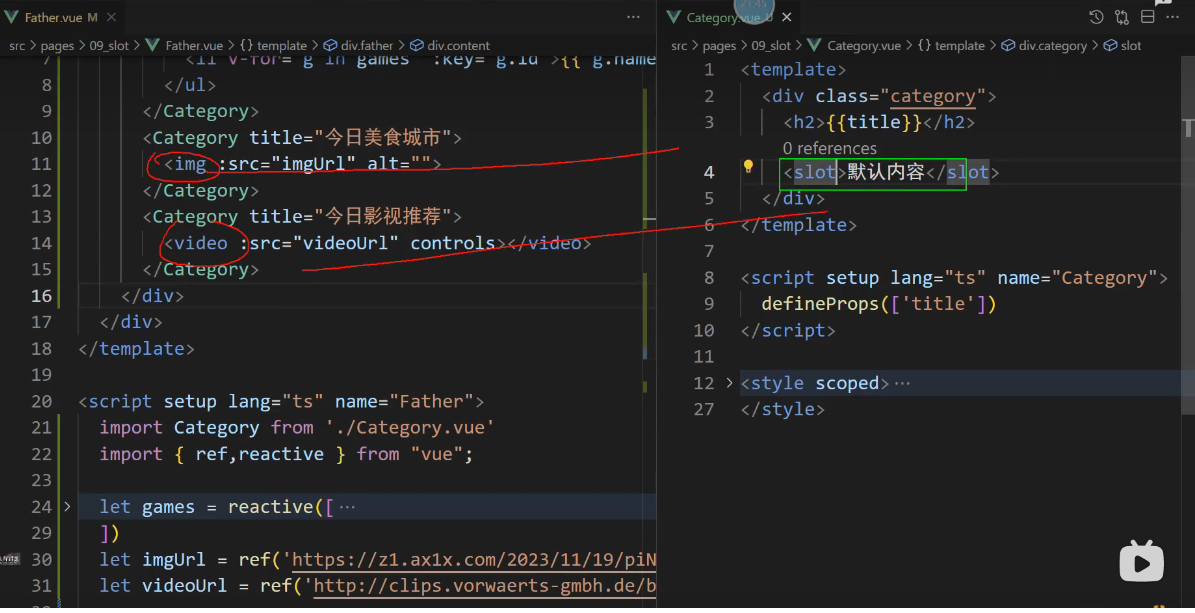
挖个垦占位,你们都到这里来玩游戏
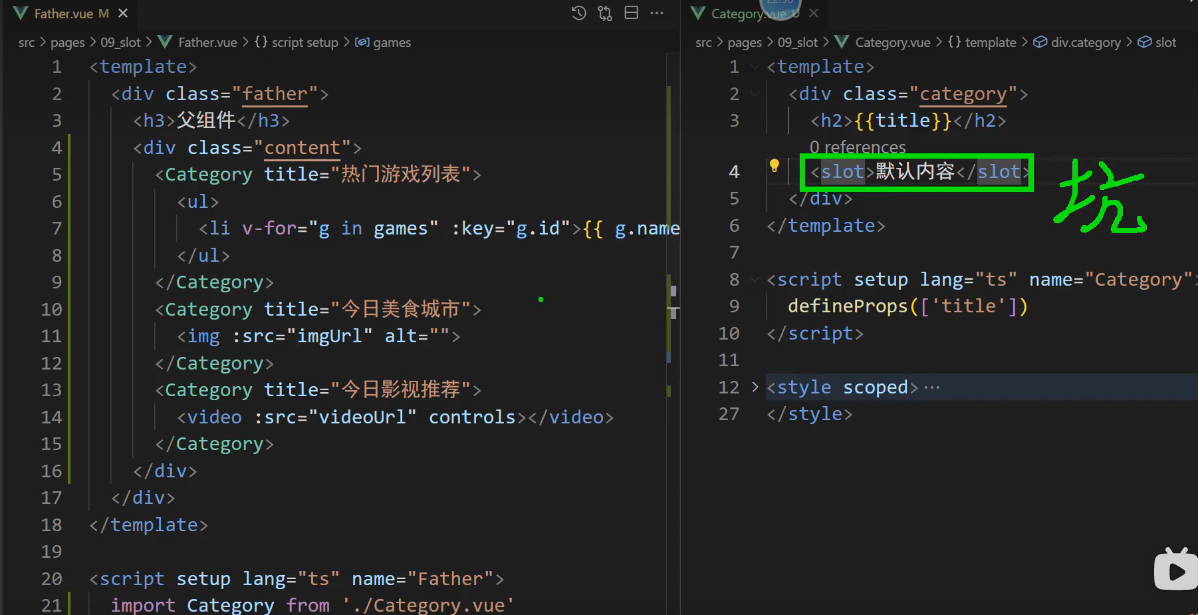
充值结束就可以玩游戏
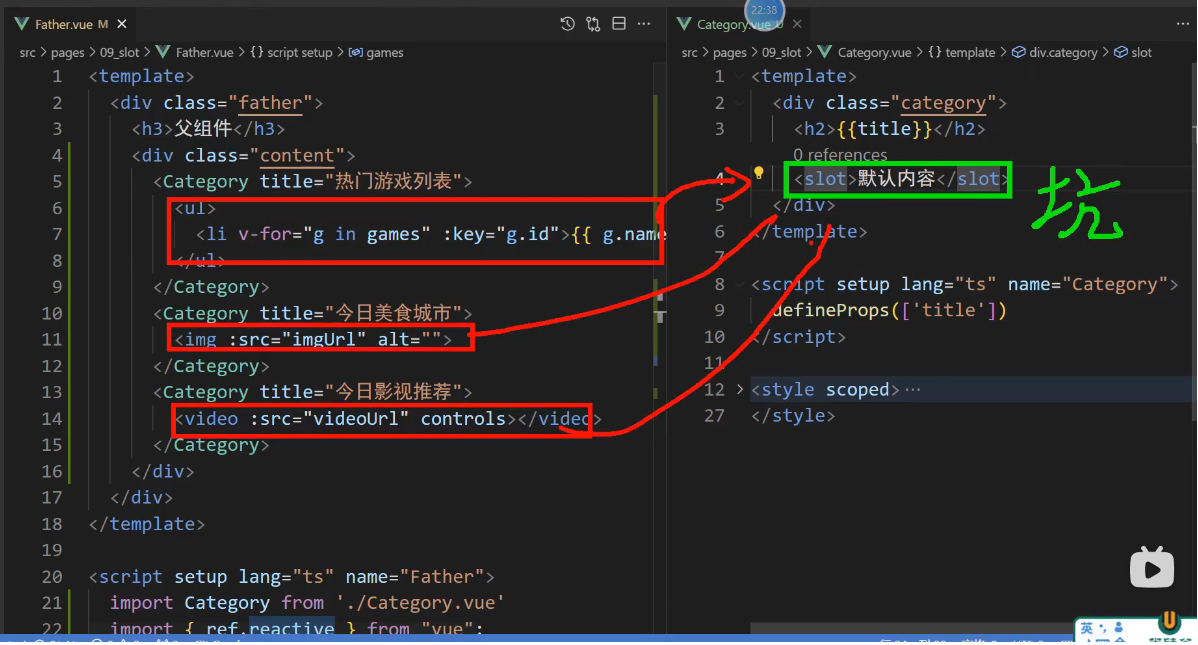
写三个占位符,内容跑三遍 一个萝卜一个垦 代码-效果
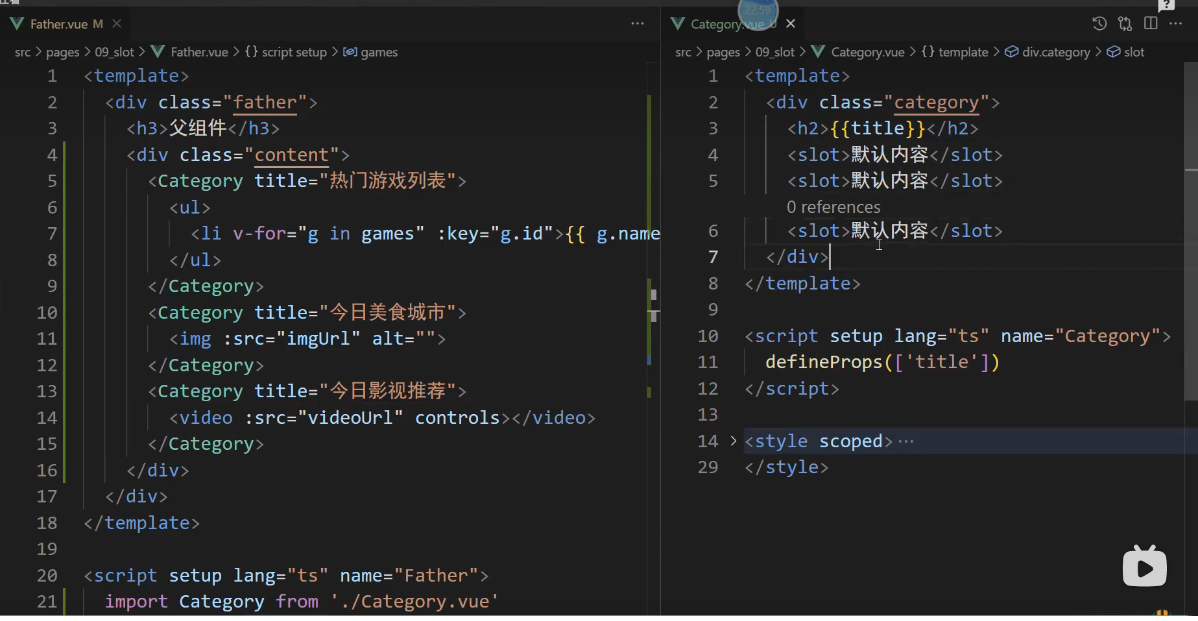
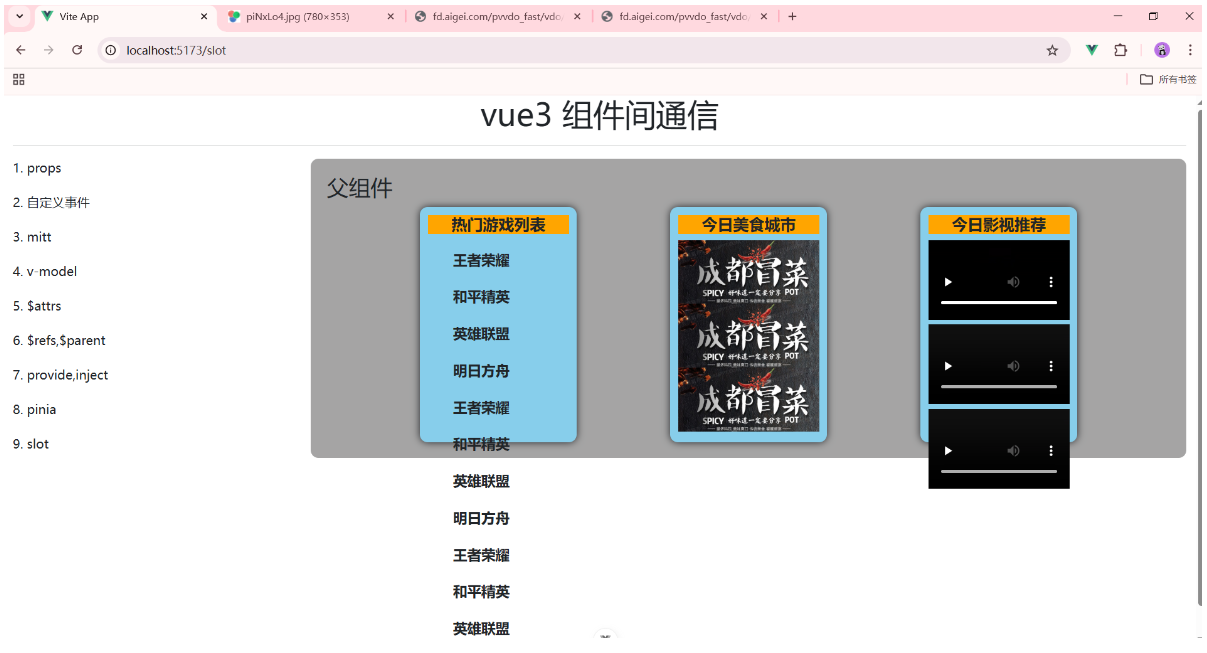
_插槽-默认插槽 实现代码如下
1, src/pages/09_slot/Category.vue

<template>
    <div class="category">
        <h2>{{ title }}</h2>
        <slot>默认内容</slot>
    </div>
</template>

<script setup lang="ts" name="Category">
    defineProps(['title'])
</script>

<style scoped>
    .category {
        background-color: skyblue;
        border-radius: 10px;
        box-shadow: 0 0 10px;
        padding: 10px;
        width: 200px;
        height: 300px;
    }
    h2 {
        font-size: 20px;
        font-weight: 800;
        background-color: orange;
        text-align: center;
    }
</style>


2, src/pages/09_slot/Father.vue
<template>
    <div class="father">
        <h3>父组件</h3>
        <div class="content">
            <Category title="热门游戏列表">
                <ul>
                    <li v-for="item in games" :key="item.id">{{ item.name }}</li>
                </ul>
            </Category>
            <Category title="今日美食城市">
                <img :src="imgUrl" alt="" />
            </Category>
            <Category title="今日影视推荐">
                <video :src="videoUrl" controls></video>
            </Category>
        </div>
    </div>
</template>

<script setup lang="ts" name="Father">
    import Category from '@/pages/09_slot/Category.vue'
    import { ref,reactive } from 'vue'

    let games = reactive([
        {id:'zg01',name:'王者荣耀'},
        {id:'zg02',name:'和平精英'},
        {id:'zg03',name:'英雄联盟'},
        {id:'zg04',name:'明日方舟'},
    ])

    let imgUrl = ref('https://z1.ax1x.com/2023/11/19/piNxLo4.jpg')
    let videoUrl = ref('https://fd.aigei.com/pvvdo_fast/vdo/mp4/08/08a69b04e308469a81fbf008685eaadc.mp4?e=1770617040&token=P7S2Xpzfz11vAkASLTkfHN7Fw-oOZBecqeJaxypL:tyQ7mmfM3EJuwIsLRT4RK1ZKqhA=')
</script>

<style scoped>
    .father {
        padding: 20px;
        background-color: rgb(165,164,164);
        border-radius: 10px;
    }
    .content {
        display: flex;
        justify-content: space-evenly;
    }

    ul {
        list-style: none;
    }
    li {
        font-size: 18px;
        font-weight: 600;
        margin: 20px 0;

    }
    img,video {
        width: 100%;
    }
</style>
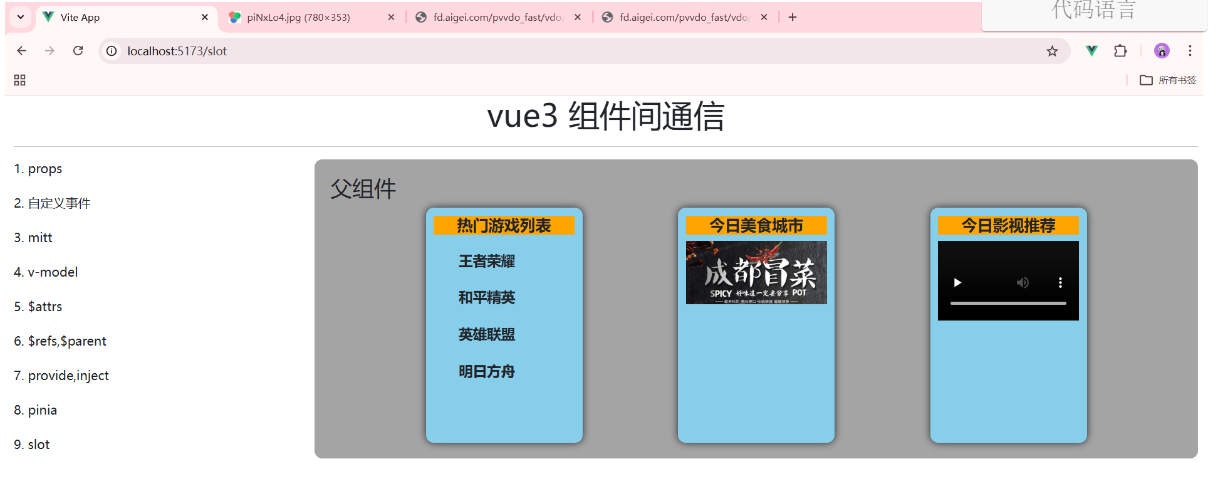
062_插槽-具名插槽 ==> 具有名字的插槽
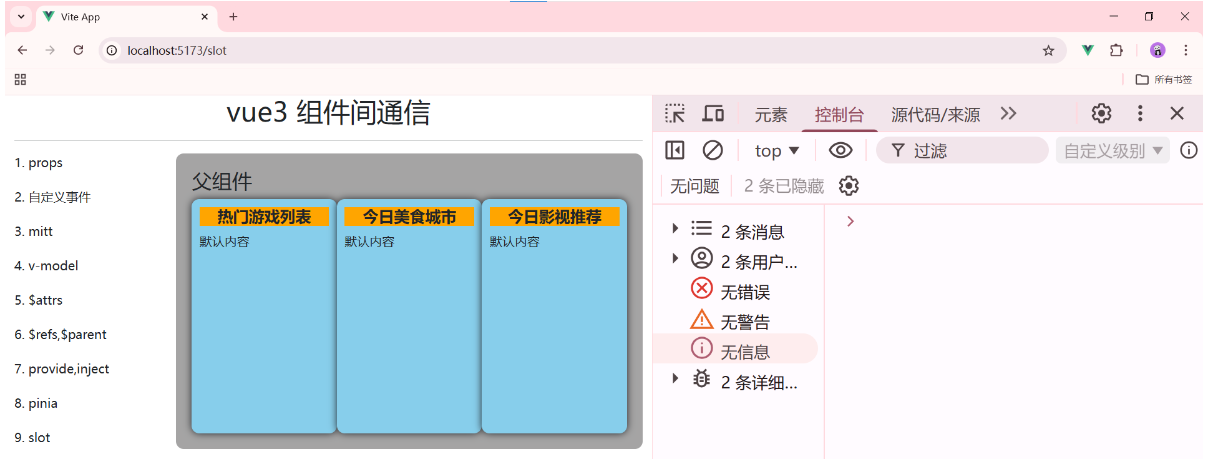
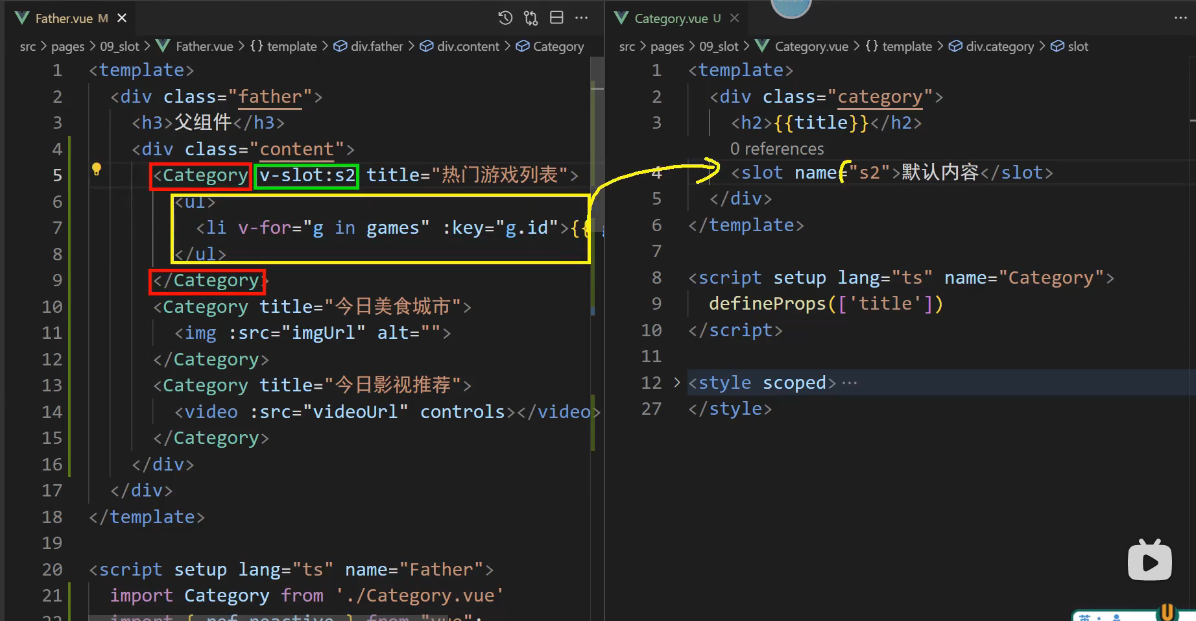
代码-效果 说明ul,img,video没有放到name="s2"的坑位里面,所以页面呈现是默认内容.
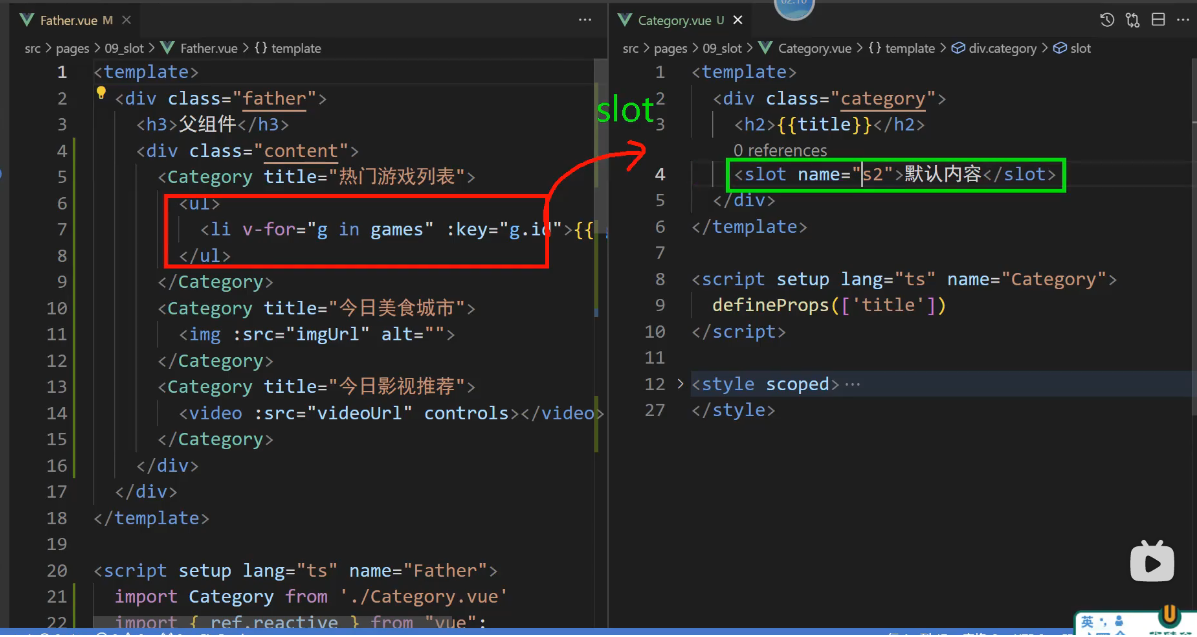
ul去找 默认的slot没有找到,因为那个是带名字的slot
我要将 ul 放在一个名为 s2 的插槽里面
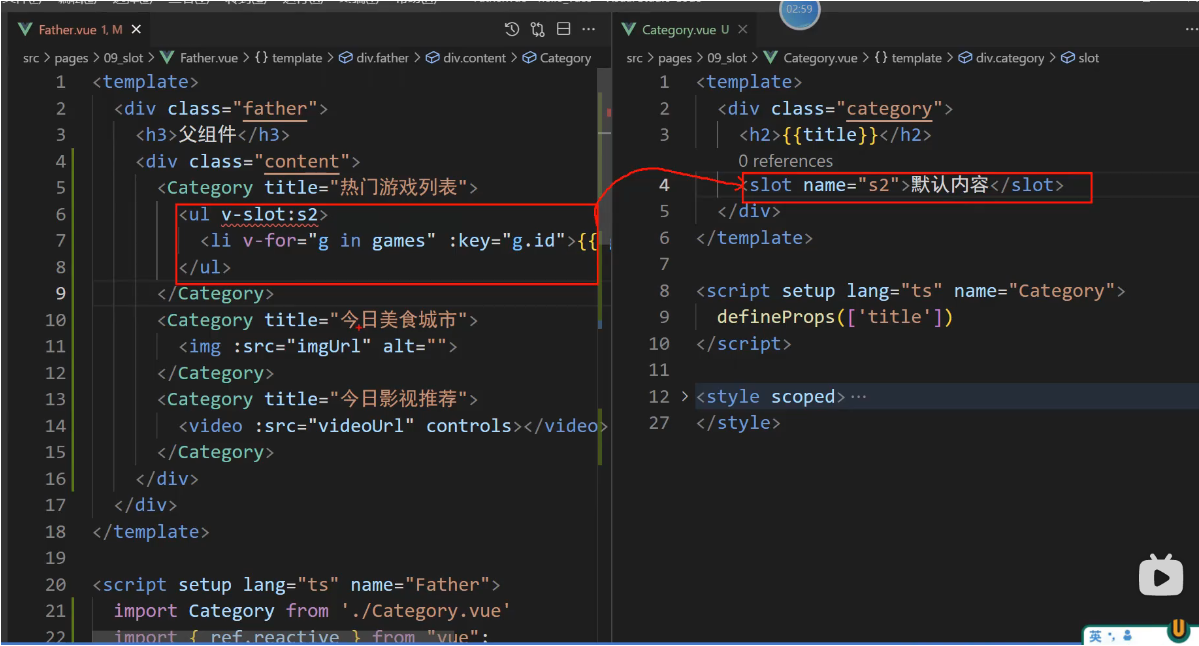
表示 ul 要放在 名为s2的插槽里面
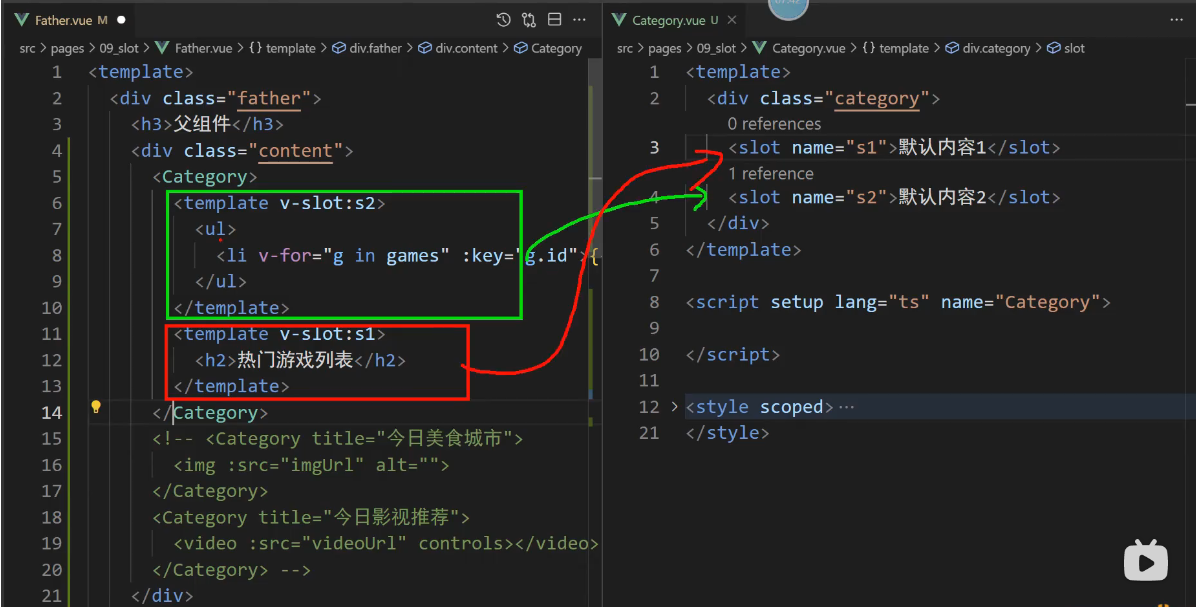
红的找s1,绿色的找s2
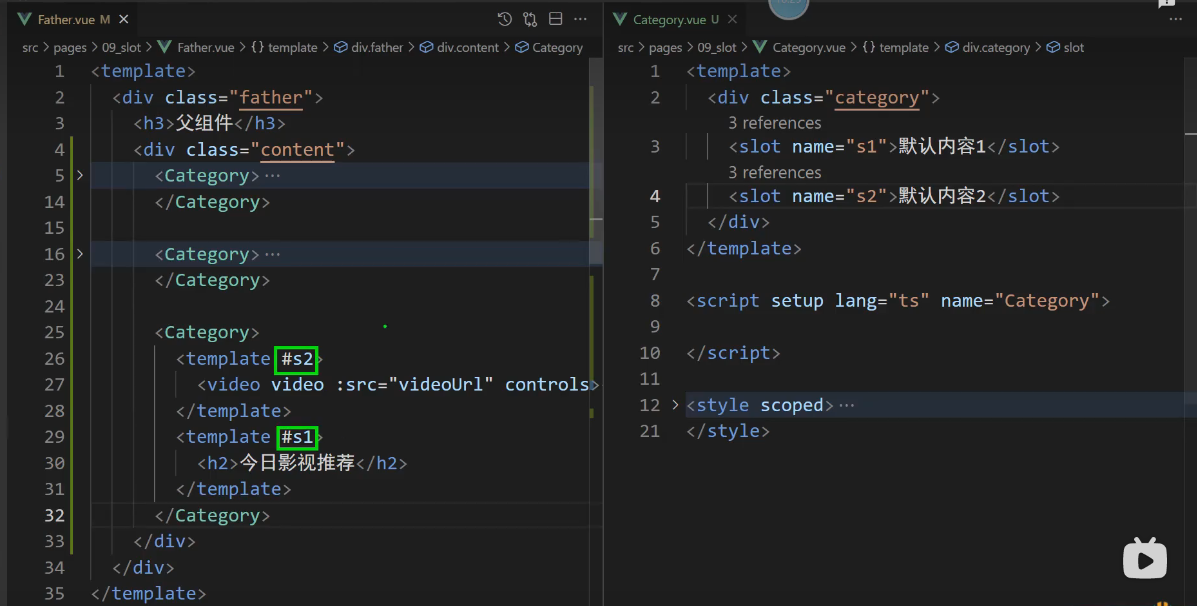
v-slot:s1 简写 #s1 插槽名
_插槽-具名插槽 实现代码如下:
1, src/pages/09_slot/Father.vue
<template>
    <div class="father">
        <h3>父组件</h3>
        <div class="content">
            <Category>
                <template v-slot:s2>
                    <ul>
                        <li v-for="item in games" :key="item.id">{{ item.name }}</li>
                    </ul>
                </template>
                <template v-slot:s1>
                    <h2>热门游戏列表</h2>
                </template>
            </Category>
            <Category>
                <template v-slot:s2>
                    <img :src="imgUrl" alt="" />
                </template>
                <template v-slot:s1>
                    <h2>今日美食城市</h2>
                </template>
            </Category>
            <Category>
                <template #s2>
                    <video :src="videoUrl" controls></video>
                </template>
                <template #s1>
                    <h2>今日影视推荐</h2>
                </template>
            </Category>
        </div>
    </div>
</template>


<script setup lang="ts" name="Father">
    import Category from '@/pages/09_slot/Category.vue'
    import { ref,reactive } from 'vue'

    let games = reactive([
        {id:'zg01',name:'王者荣耀'},
        {id:'zg02',name:'和平精英'},
        {id:'zg03',name:'英雄联盟'},
        {id:'zg04',name:'明日方舟'},
    ])

    let imgUrl = ref('https://z1.ax1x.com/2023/11/19/piNxLo4.jpg')
    let videoUrl = ref('')
</script>

<style scoped>
    .father {
        padding: 20px;
        background-color: rgb(165,164,164);
        border-radius: 10px;
    }
    .content {
        display: flex;
        justify-content: space-evenly;
    }

    ul {
        list-style: none;
    }
    li {
        font-size: 18px;
        font-weight: 600;
        margin: 20px 0;

    }
    img,video {
        width: 100%;
    }
    h2 {
        font-size: 20px;
        font-weight: 800;
        background-color: orange;
        text-align: center;
    }
</style>


2, src/pages/09_slot/Category.vue
<template>
    <div class="category">
        <!-- <slot name="default"></slot> -->
        <slot name="s1">默认插槽内容1</slot>
        <slot name="s2">默认插槽内容2</slot>
    </div>
</template>

<script setup lang="ts" name="Category">
    defineProps(['title'])
</script>

<style scoped>
    .category {
        background-color: skyblue;
        border-radius: 10px;
        box-shadow: 0 0 10px;
        padding: 10px;
        width: 200px;
        height: 300px;
    }
</style>
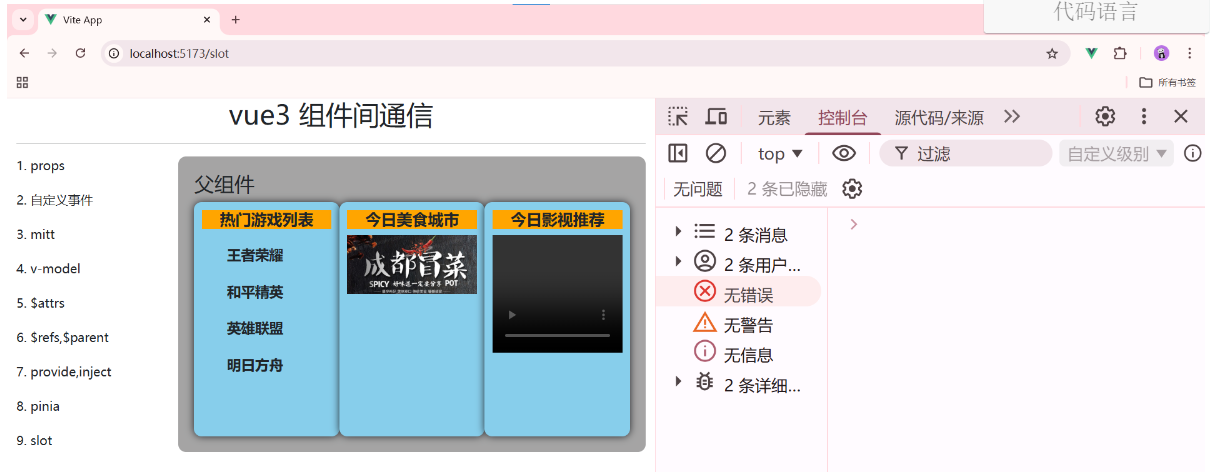
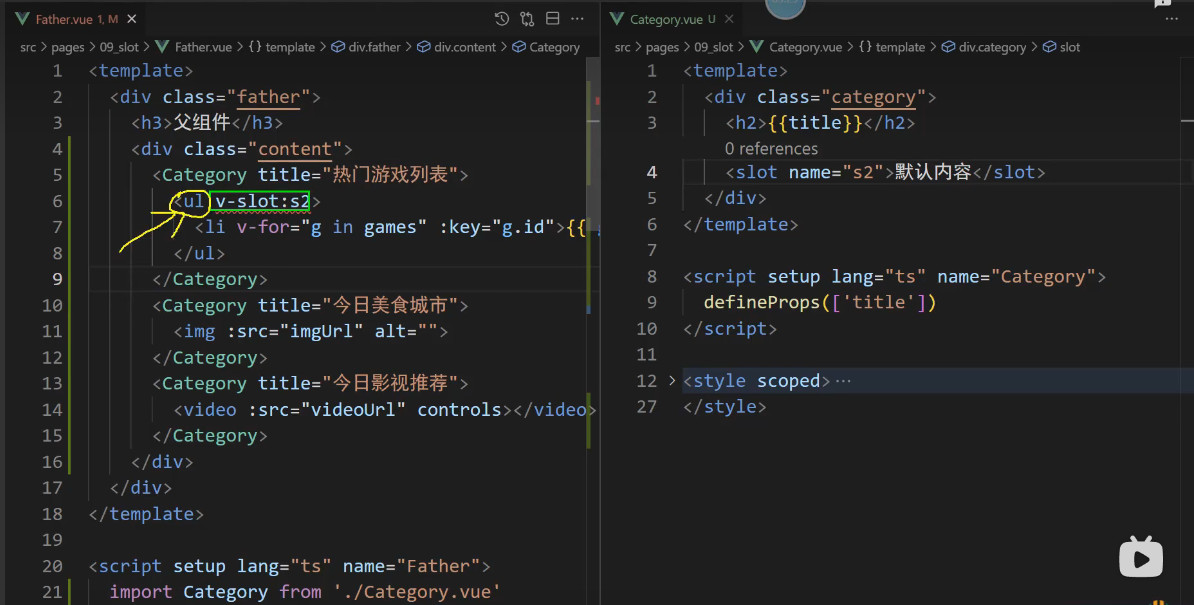
飘红表示v-slot:s2这个只能放在组件标签上或者是放在<template>标签上
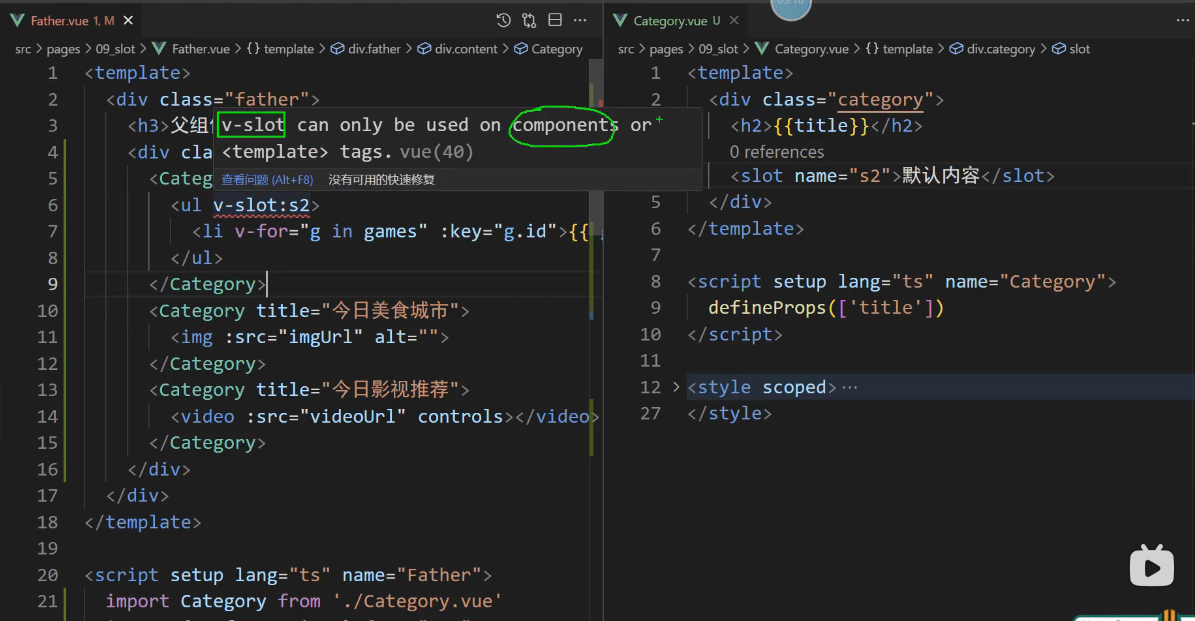
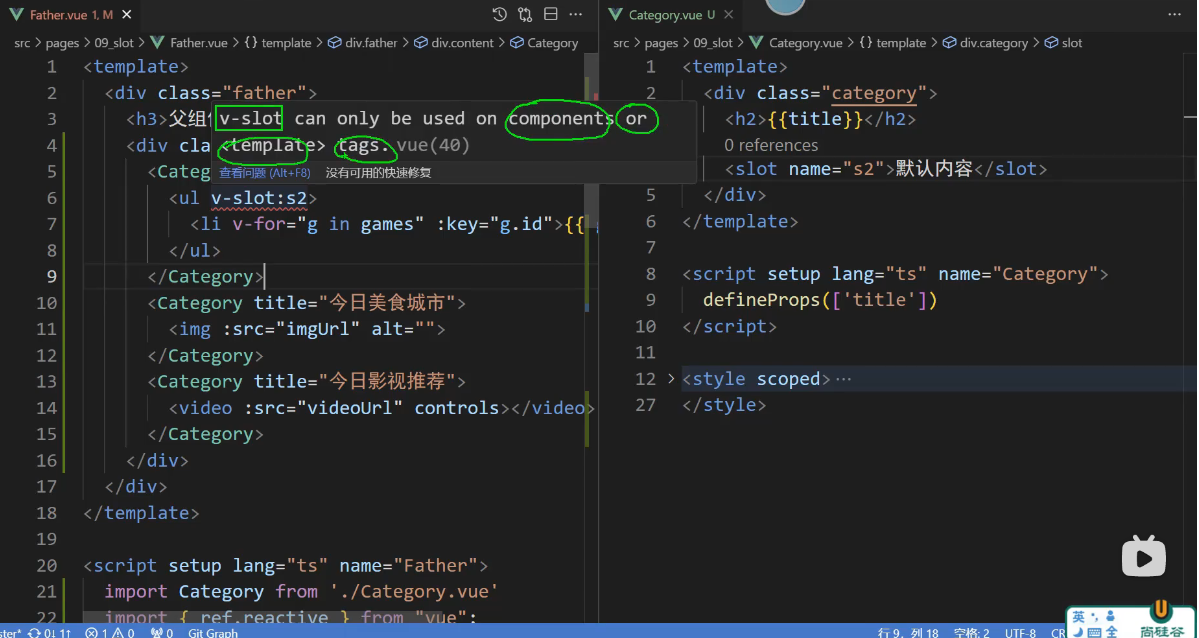
你目前将 v-slot:s2放在ul标签上,这是不允许的
063_插槽-作用域插槽
准备数据
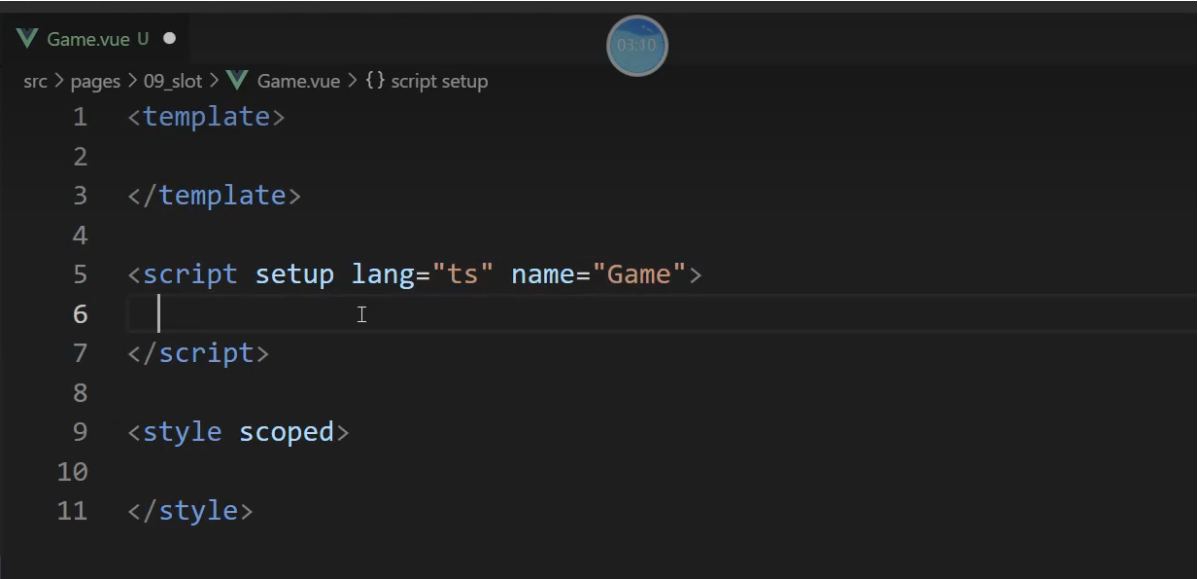
src/pages/09_slot/Game.vue
<template>

</template>

<script setup lang="ts" name="Game">

</script>

<style scoped>

</style>
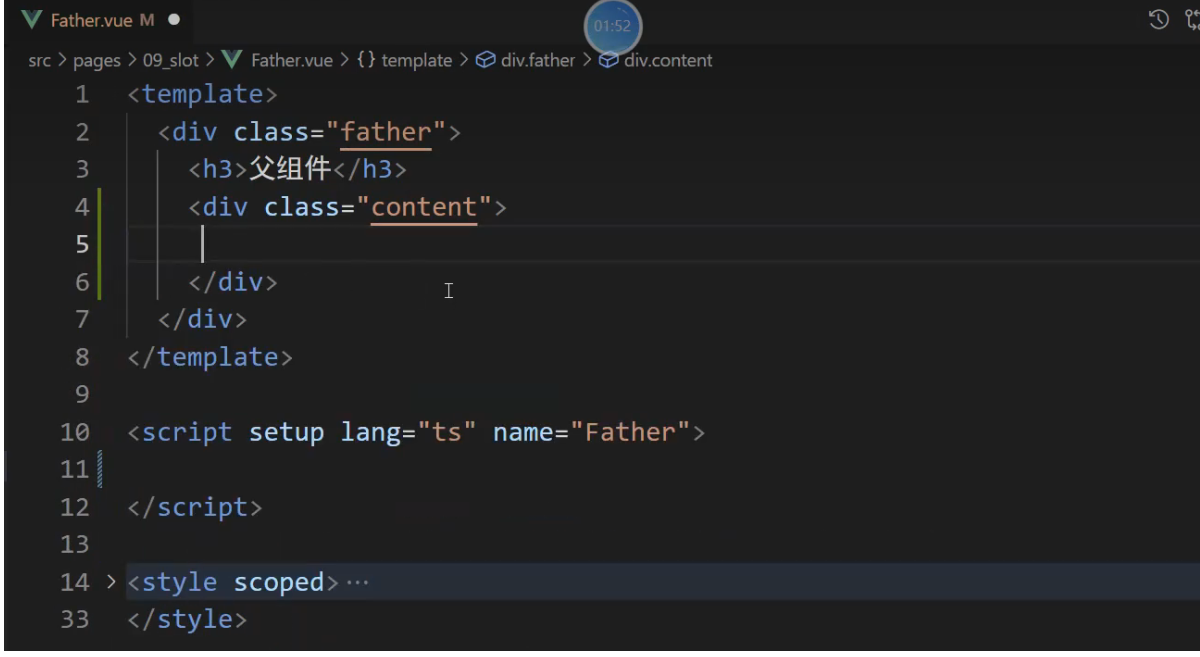
src/pages/09_slot/Father.vue
<template>
    <div class="father">
        <h3>父组件</h3>
        <div class="content">
            ??????????
        </div>
    </div>
</template>

<script setup lang="ts" name="Father">

</script>

<style scoped>
    .father {
        padding: 20px;
        background-color: rgb(165,164,164);
        border-radius: 10px;
    }
    .content {
        display: flex;
        justify-content: space-evenly;
    }

    ul {
        list-style: none;
    }
    li {
        font-size: 18px;
        font-weight: 600;
        margin: 20px 0;
    }
    img,video {
        width: 100%;
    }
    h2 {
        font-size: 20px;
        font-weight: 800;
        background-color: orange;
        text-align: center;
    }
</style>
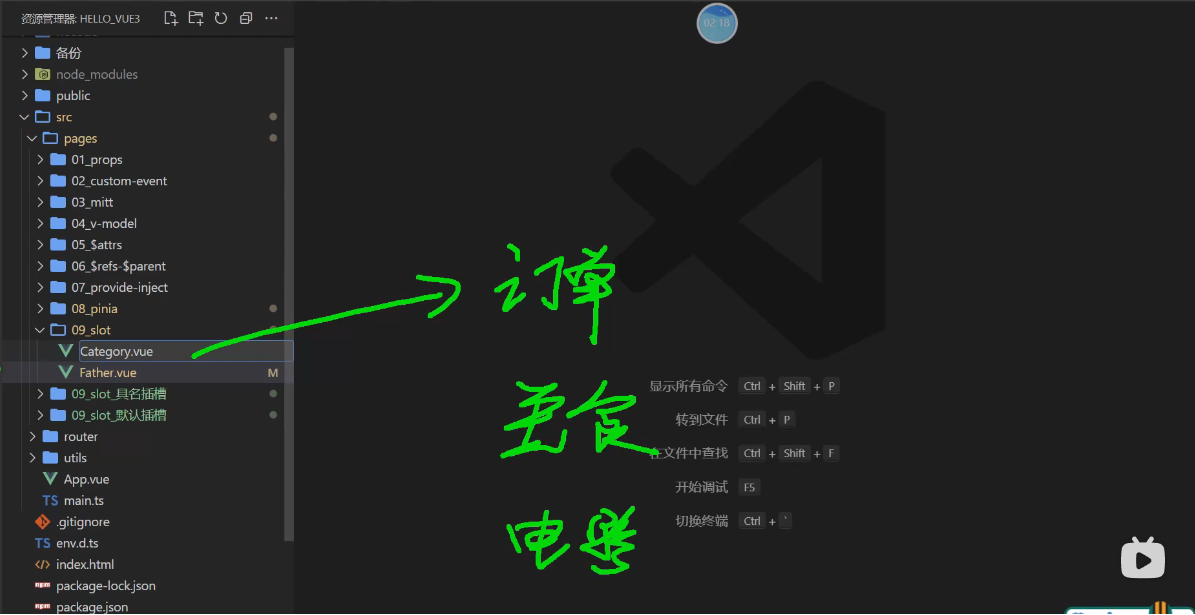
分类: 订单分类,美食分类,电影分类
Game.vue 该文件里面维护的结构,数据,样式都是与游戏有关
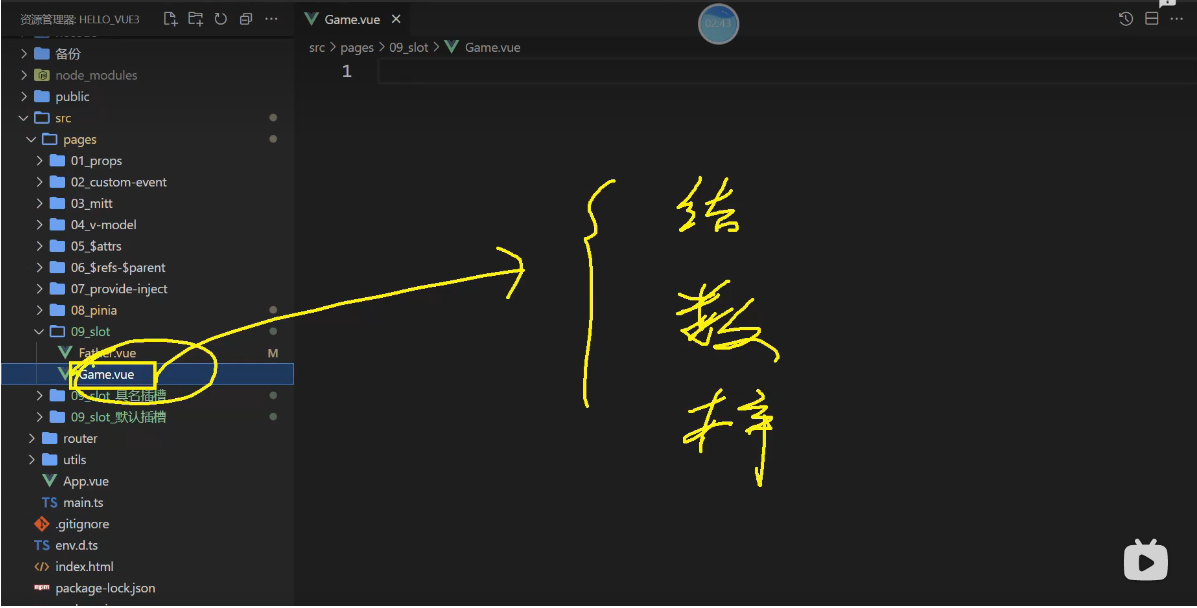
游戏相关的结构,数据,样式
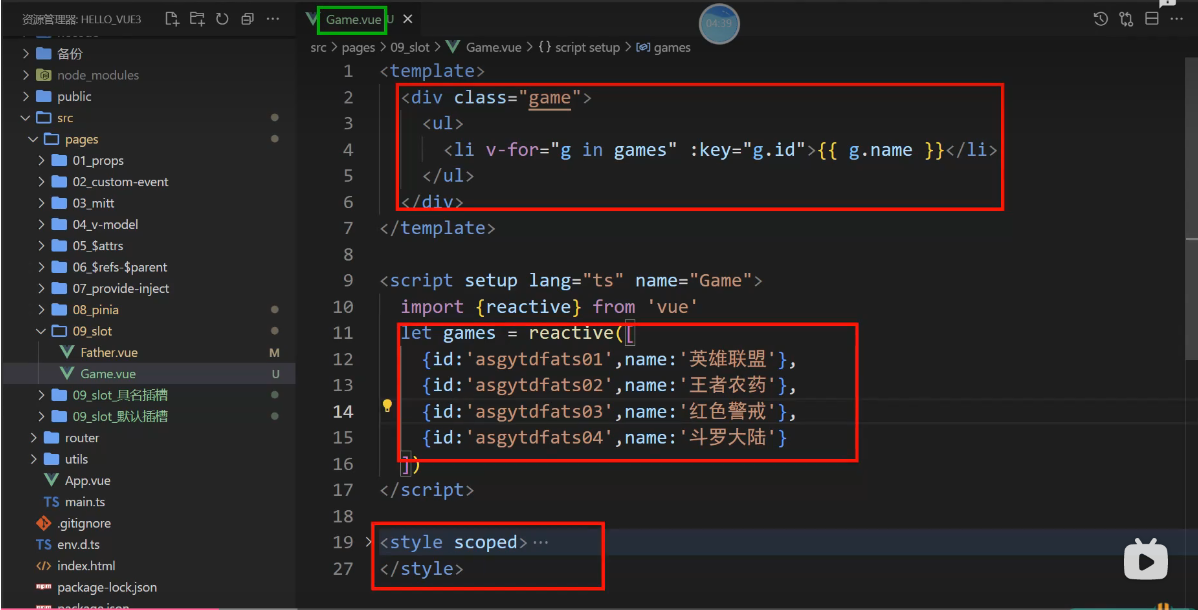
第一个是无序列表,第二个是有序列表,第三个是不列列表
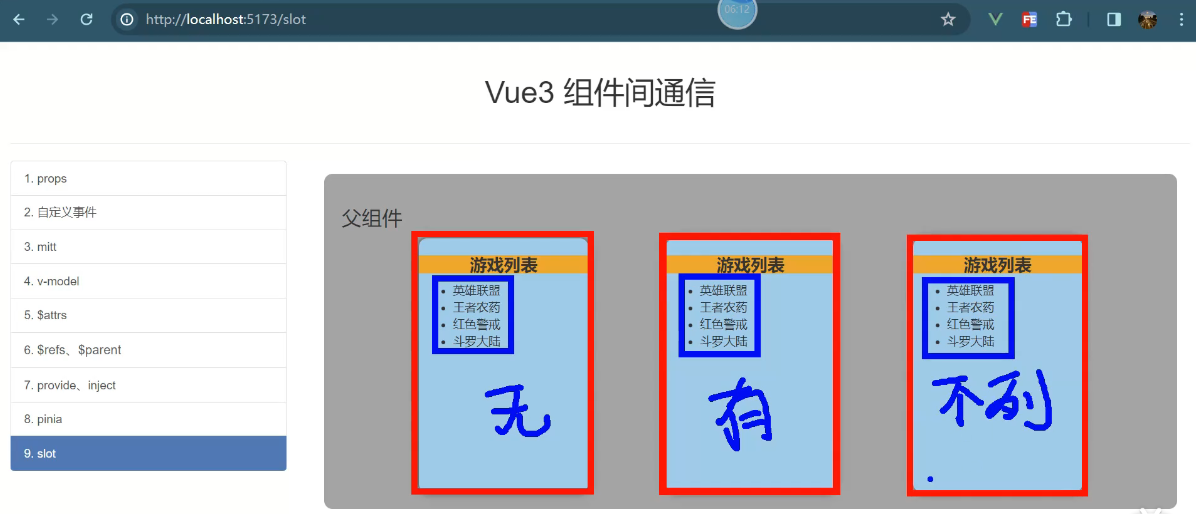
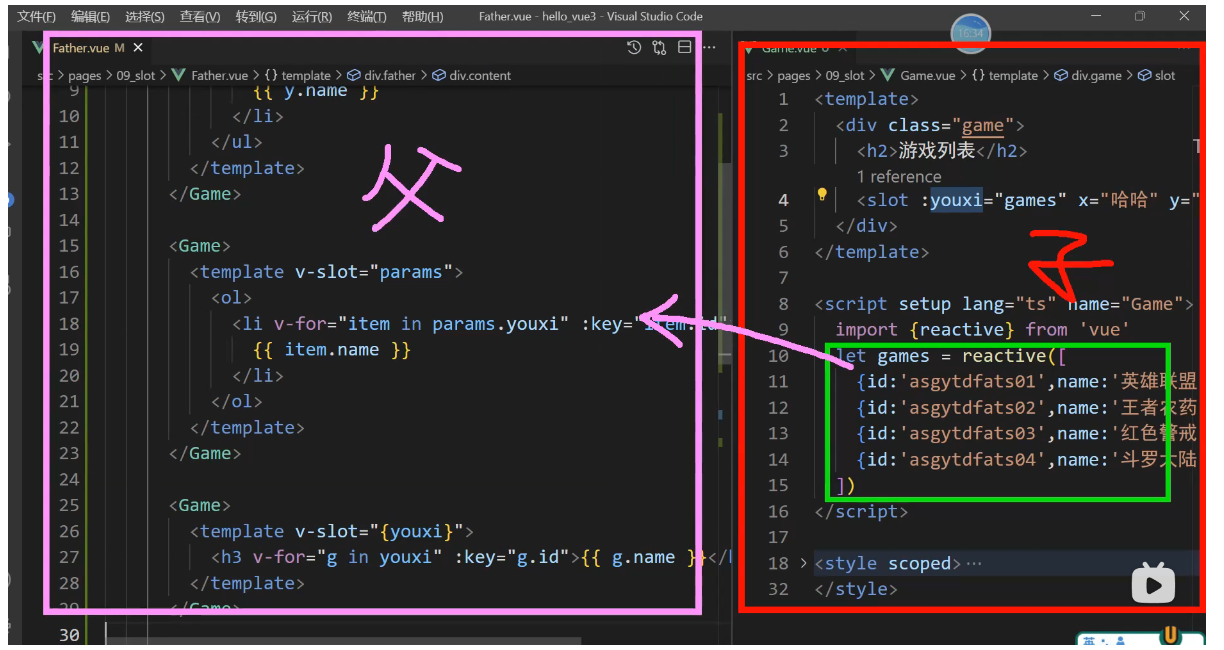
绿色里面的数据不确定
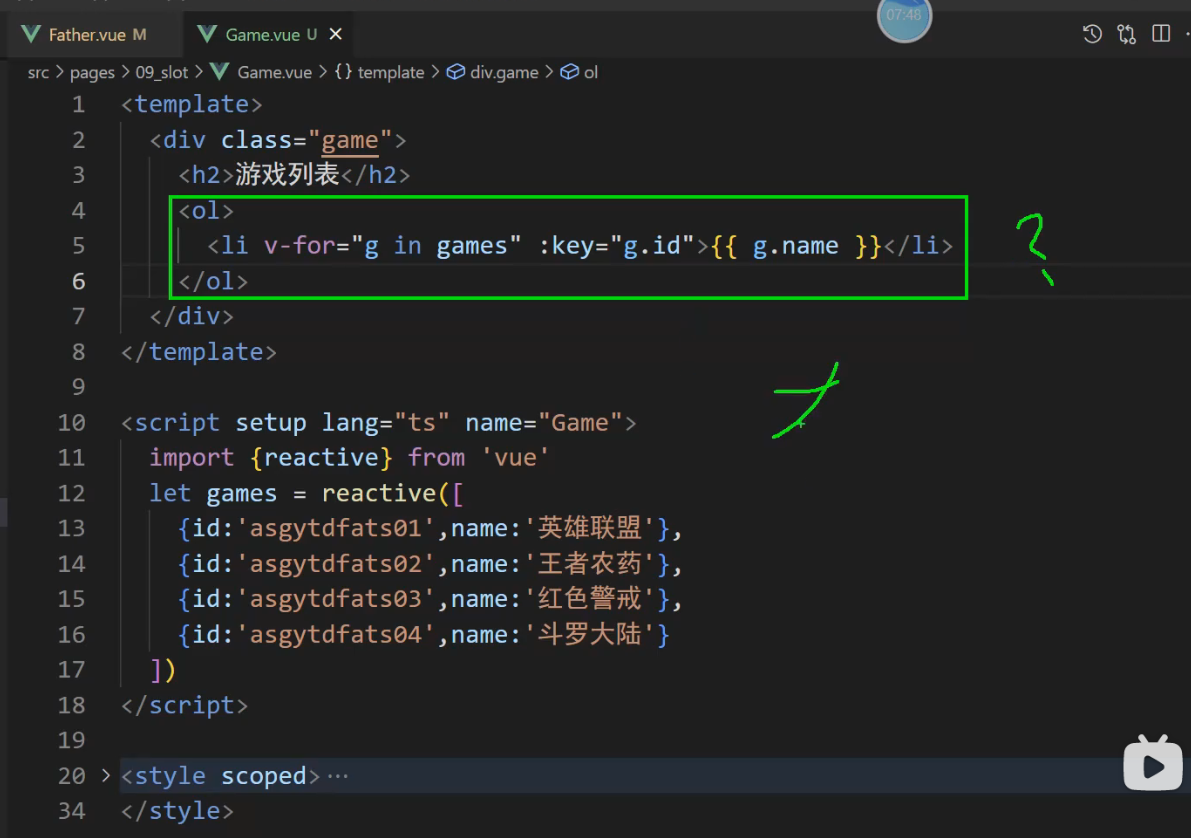
可以放插槽里面去实现
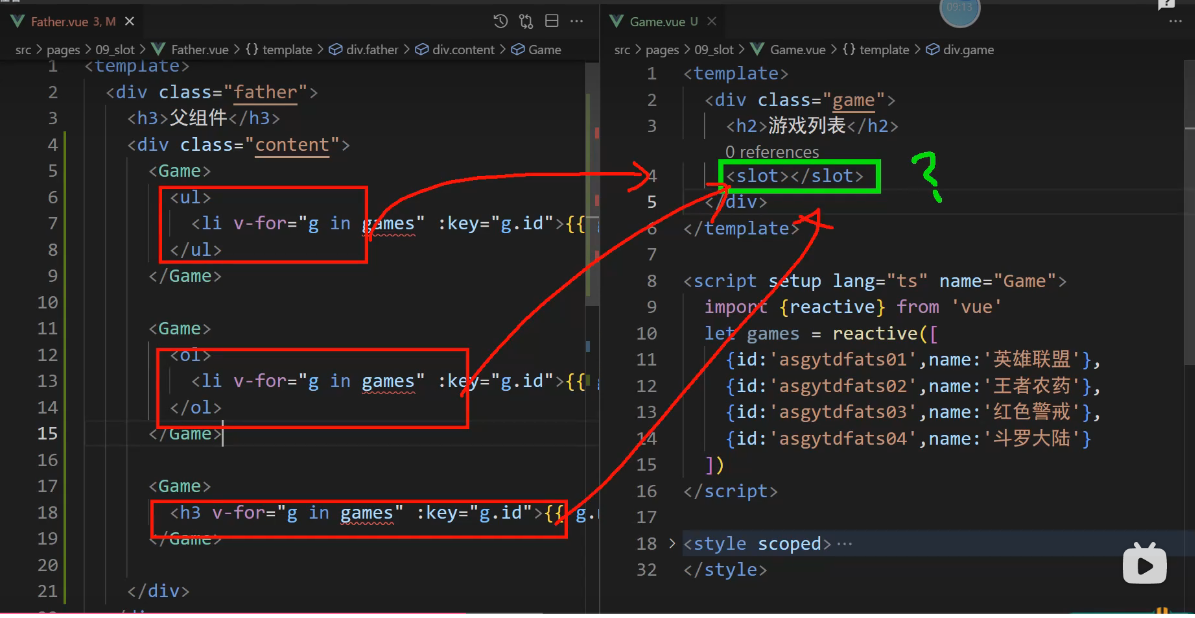
但是 games 飘红了,因为games在子组件
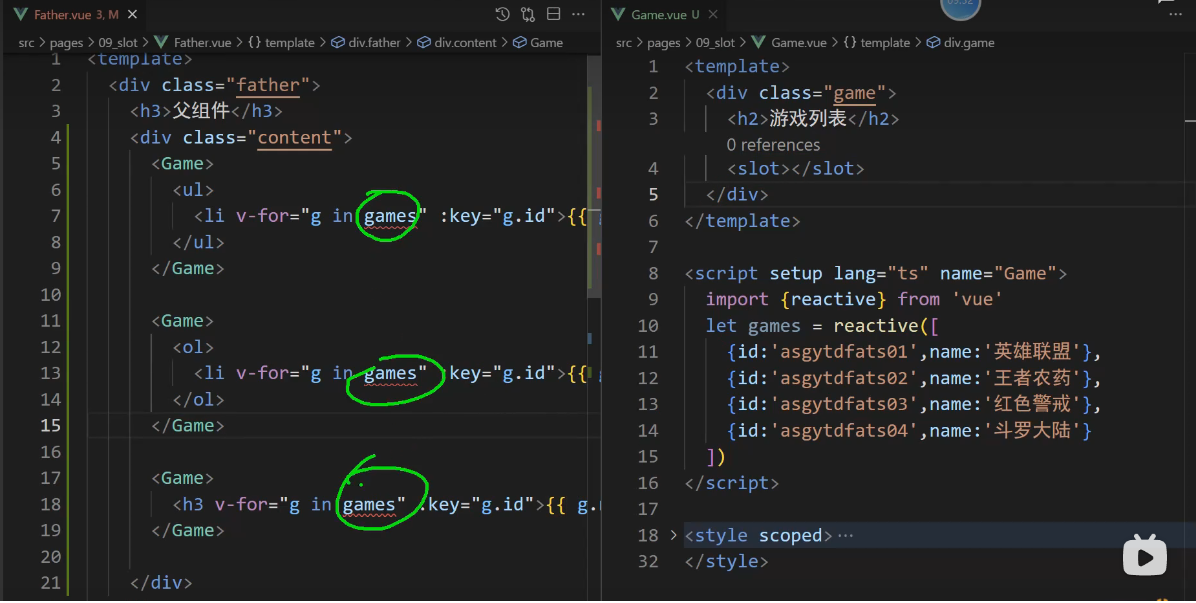
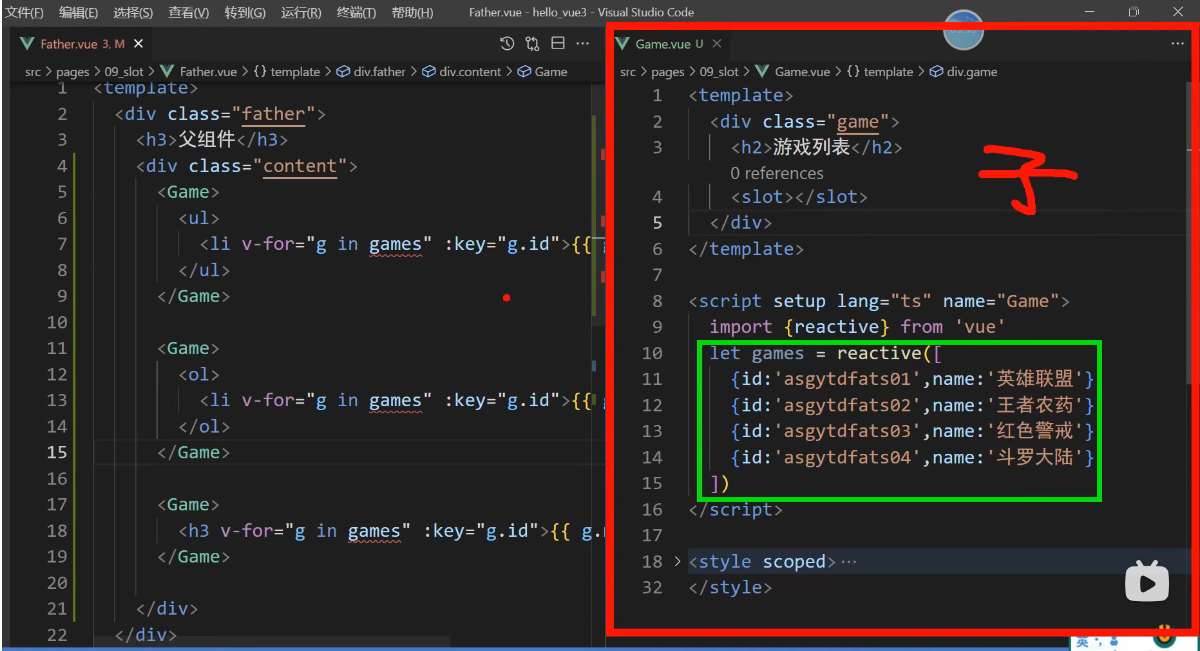
父组件要使用子组件里面的数据 父组件摸不到子组件的数据games
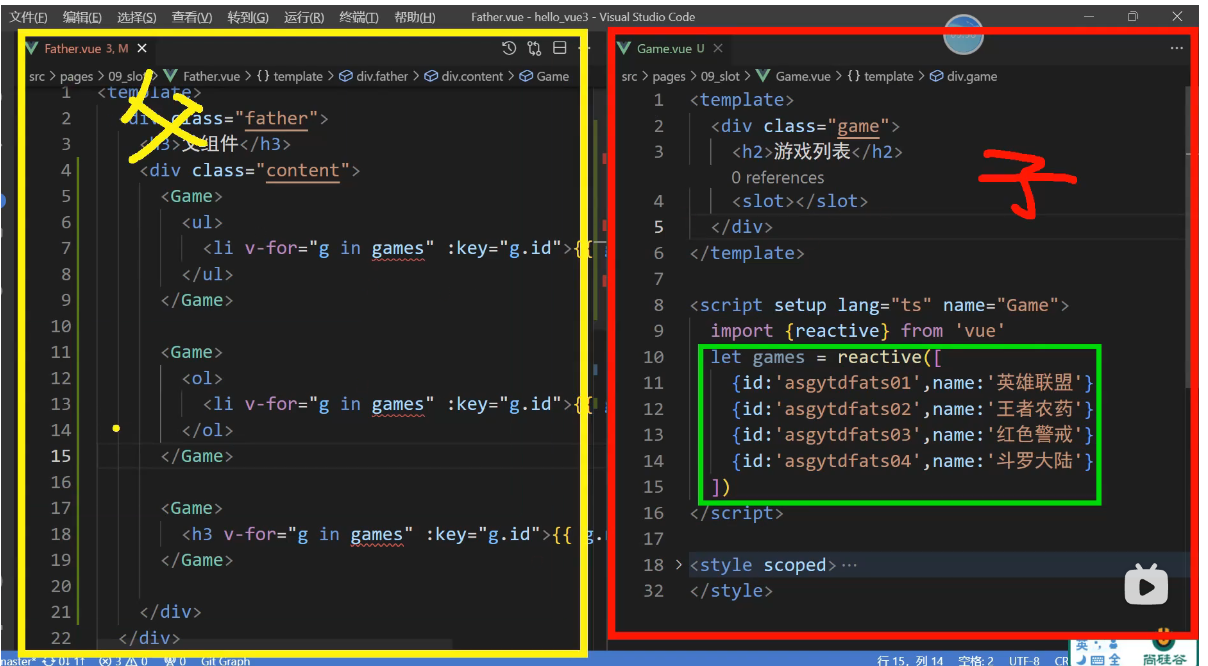
games访问不到,类似作用域的问题,数据games是在子组件,父组件是摸不到games数据的
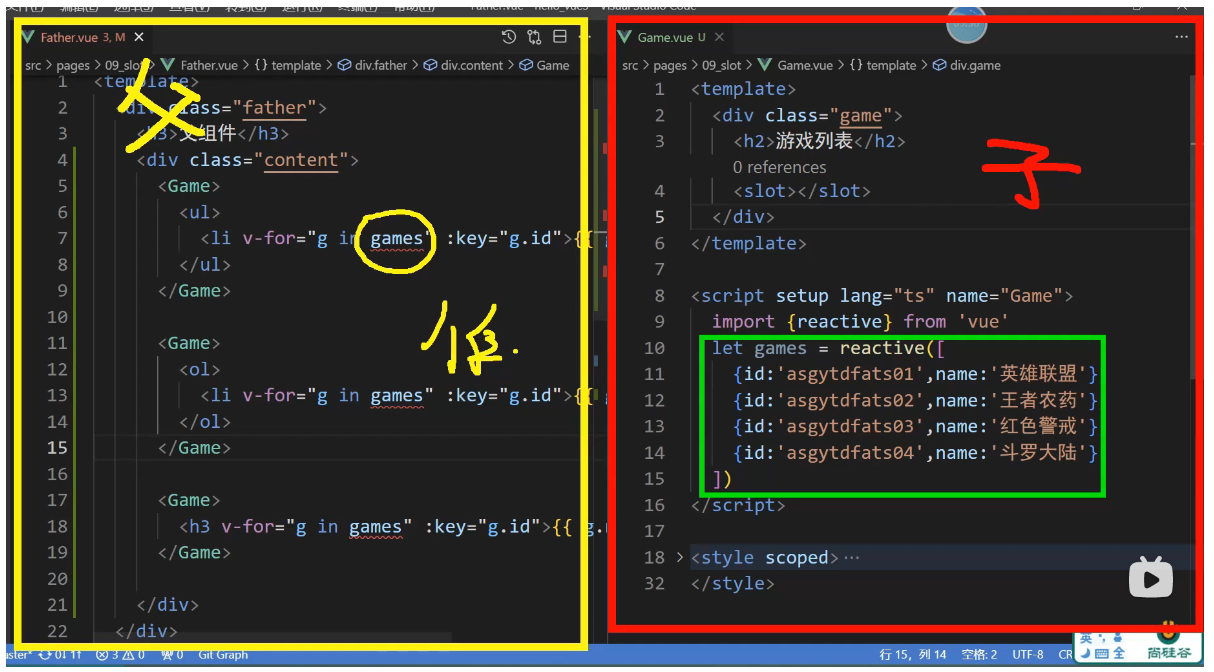
这就是作用域的问题,该如何处理
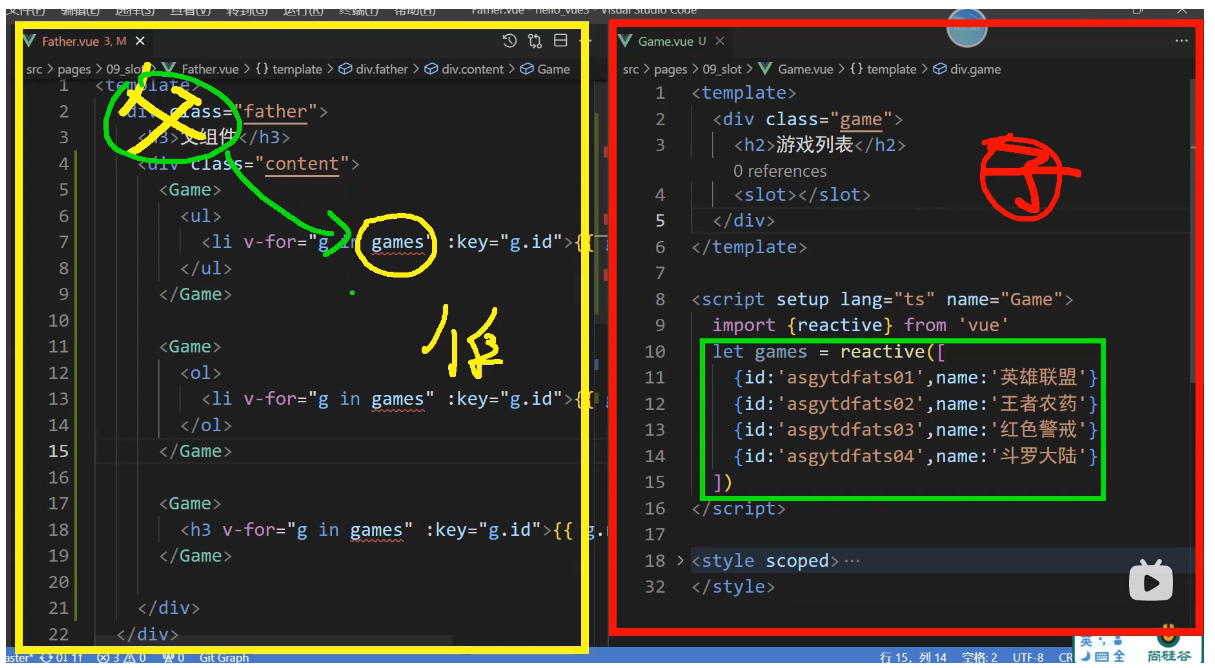
根据绿色数据生成的红色结构是由父组件决定的
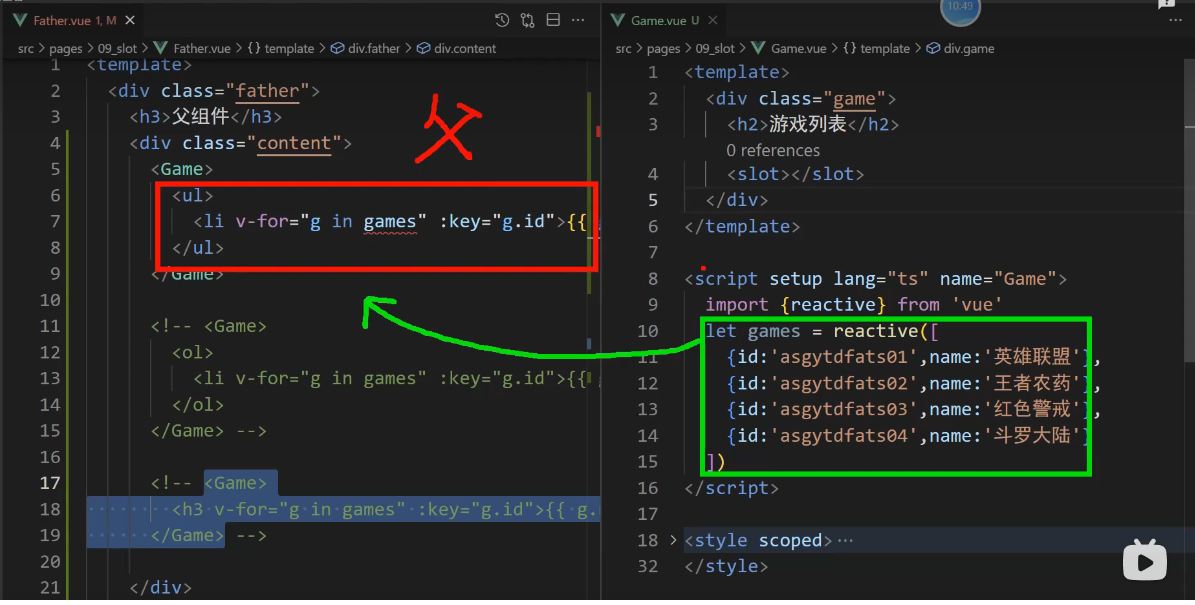
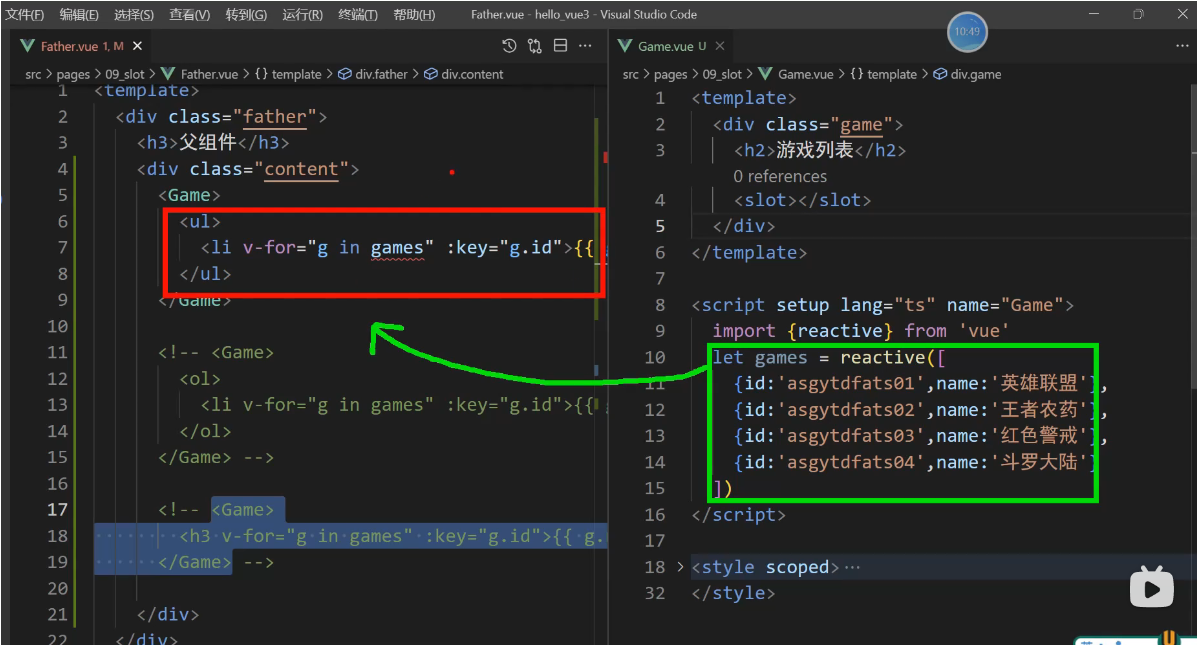
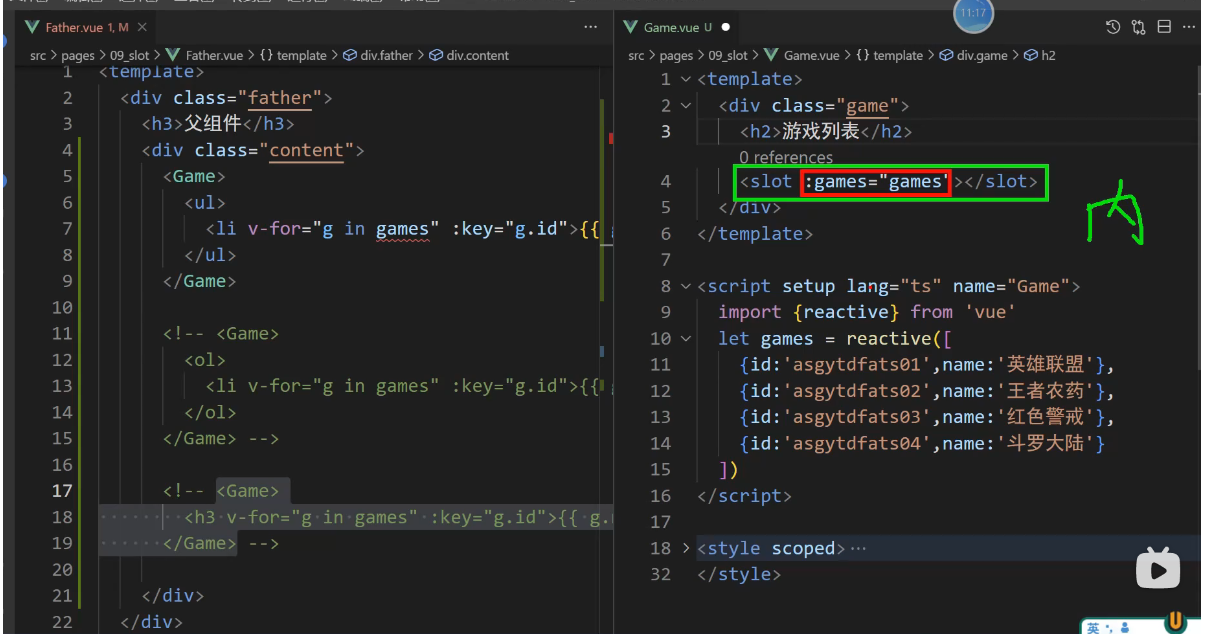
给slot组件传递props数据
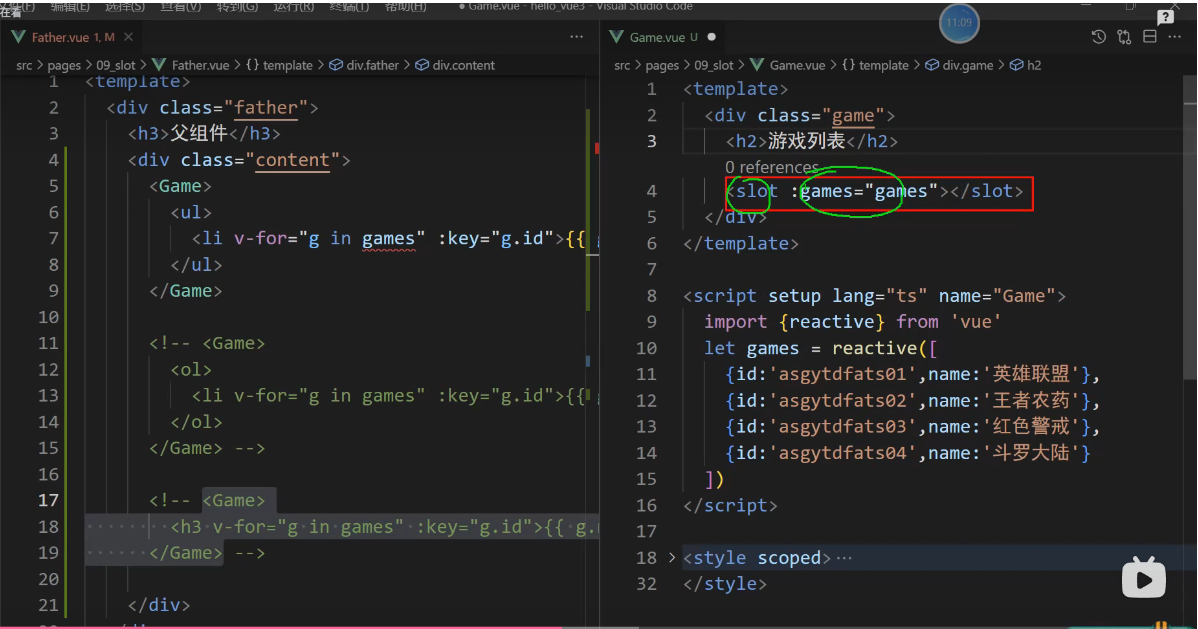
slot组件是vue里面内置的组件
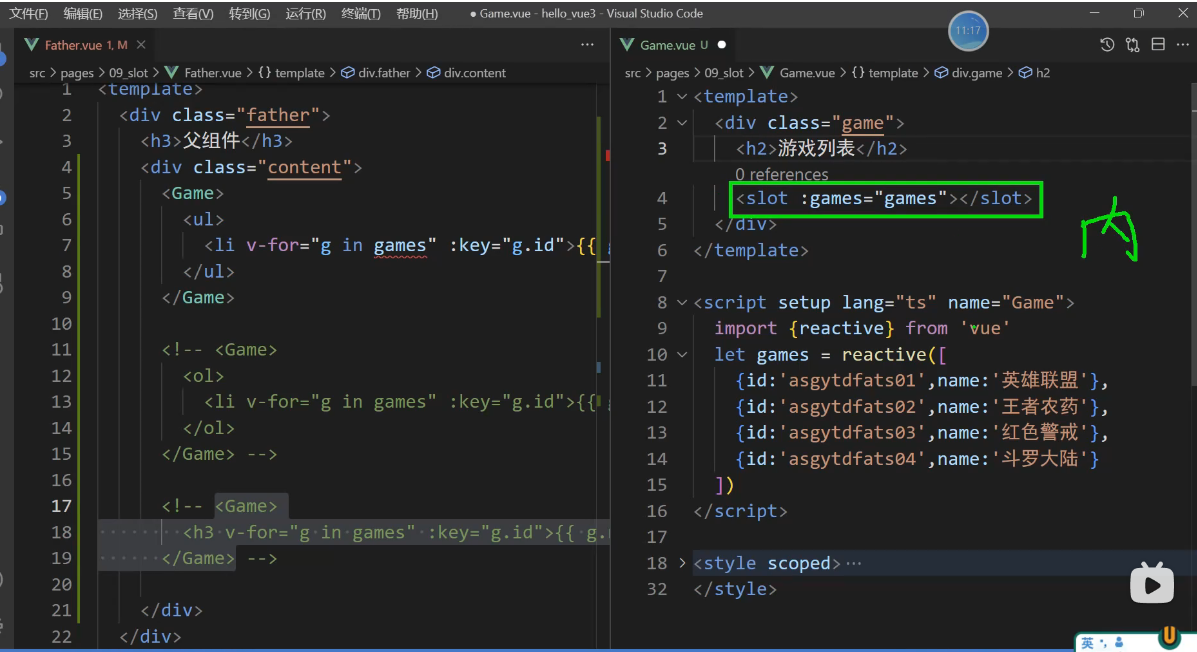
可以接收games数据
子组件是slot插槽的位置
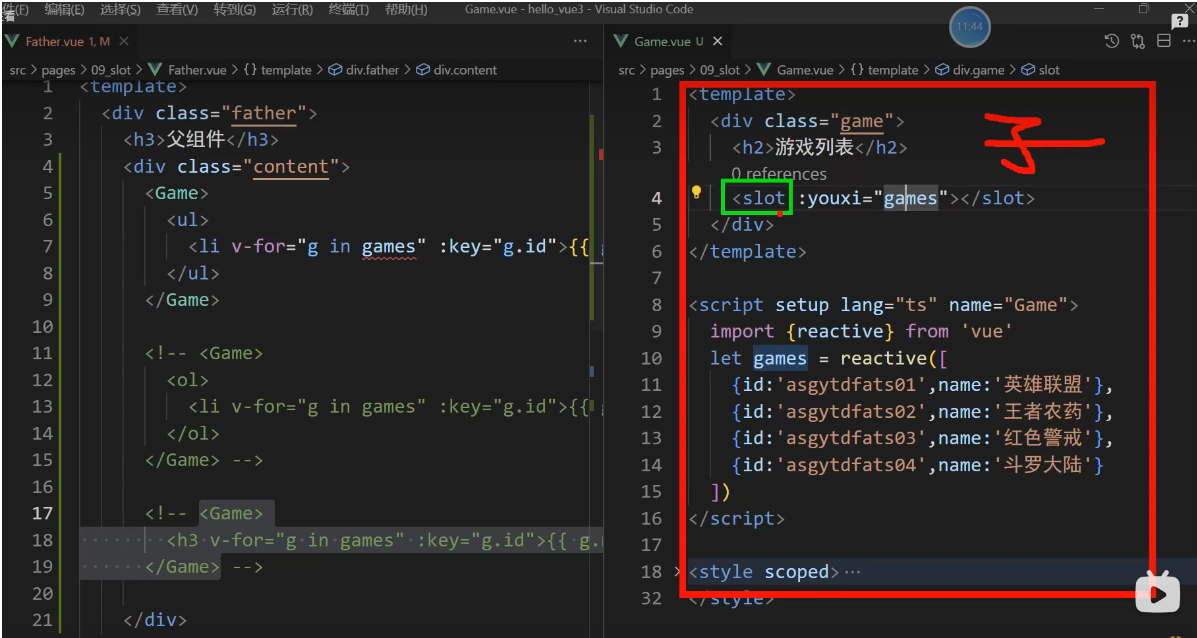
黄色部分就是在使用插槽, 父组件是slot插槽的使用者
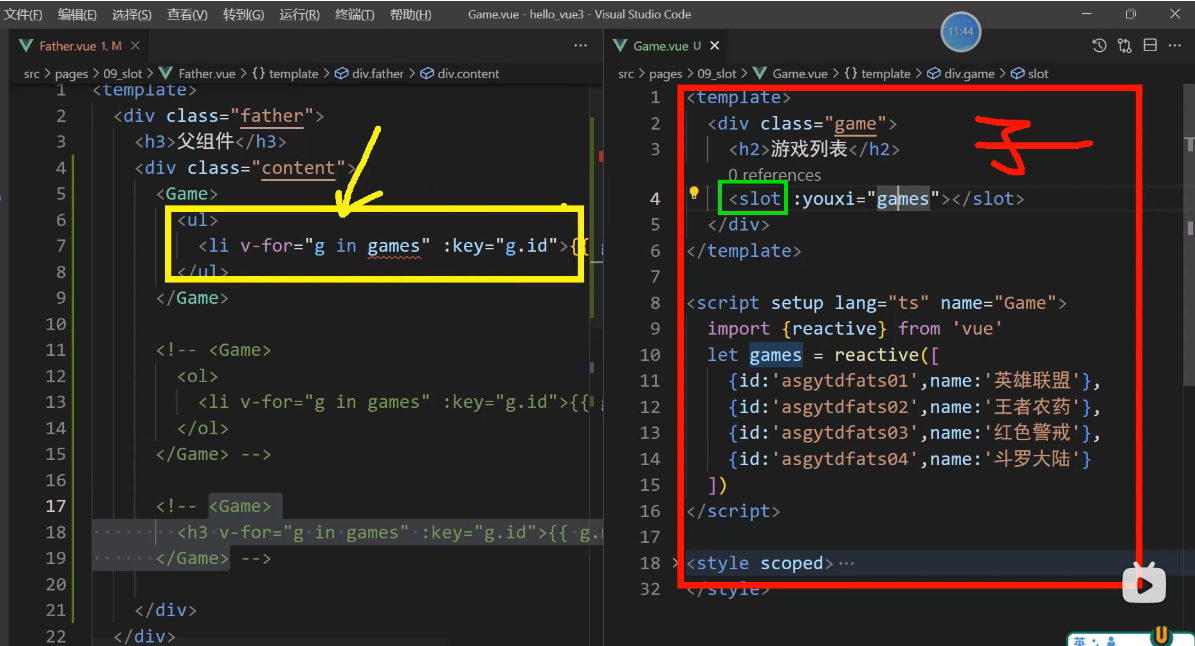
原理:
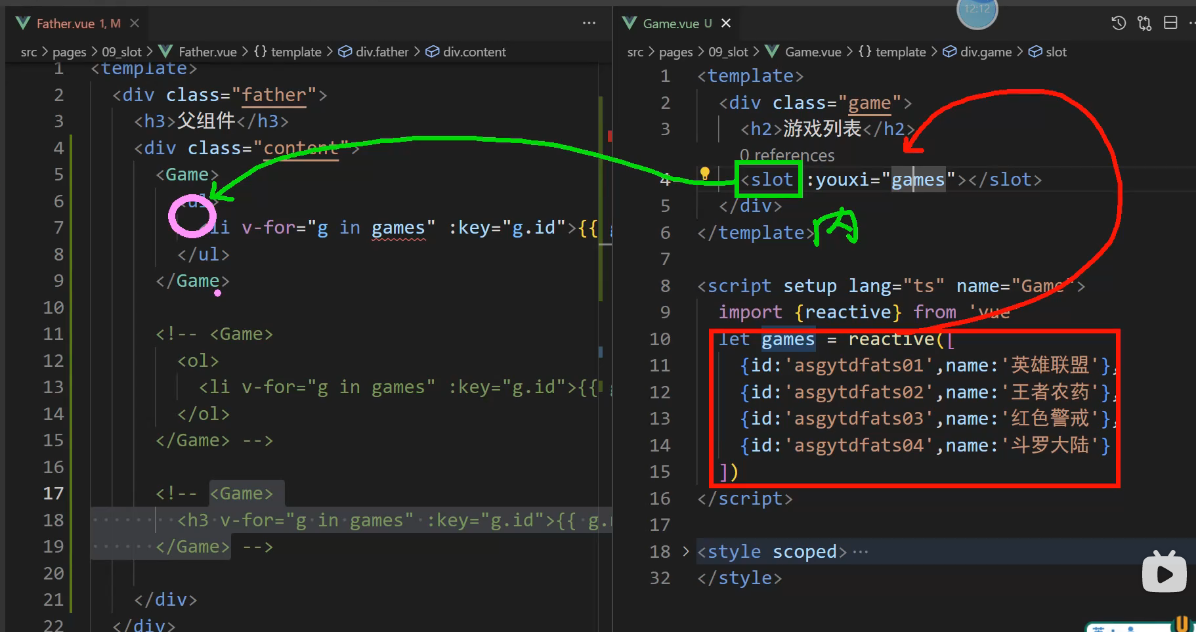
games数据在子组件,子组件通过props把games传递给内置组件slot,slot拿到games数据以后他没有扔掉,也没有吃掉,slot把games数据传递给插槽的使用者.
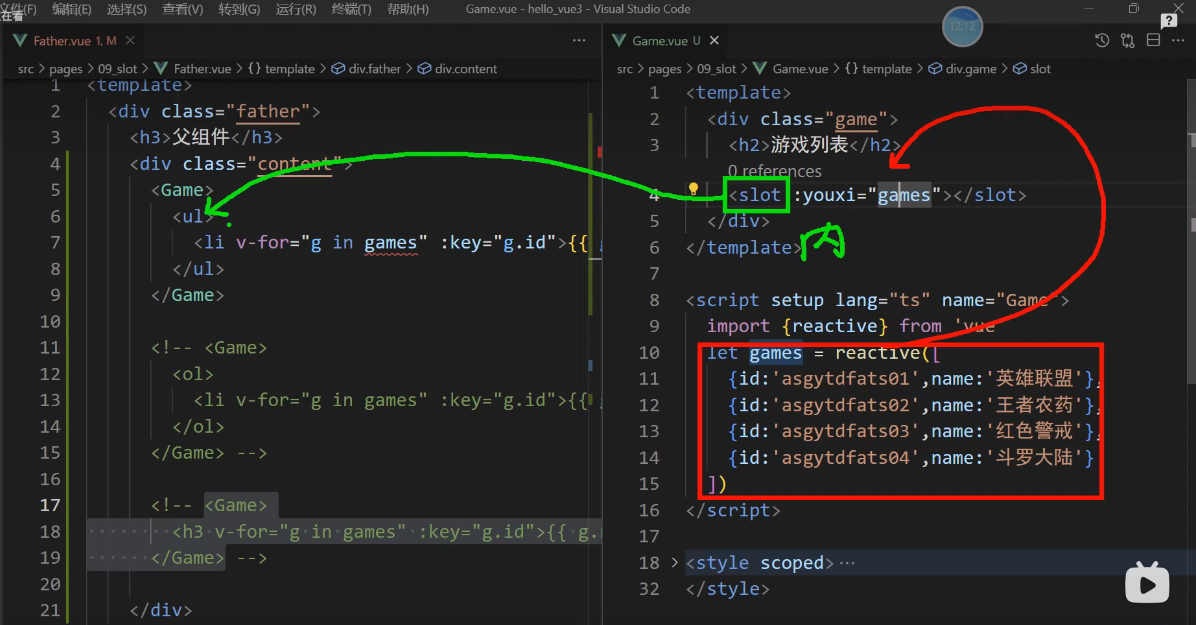
粉色小圈圈的位置是可以使用slot传递过来的games数据
你所传递的数据打包成一个对象,直接传递给a
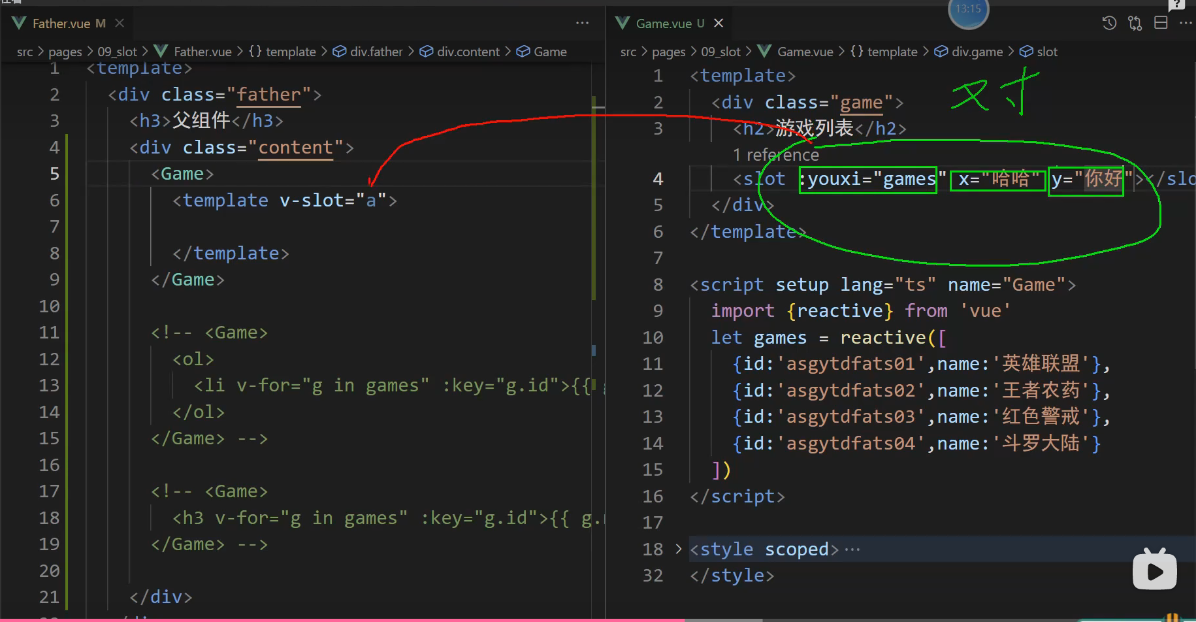
代码-效果
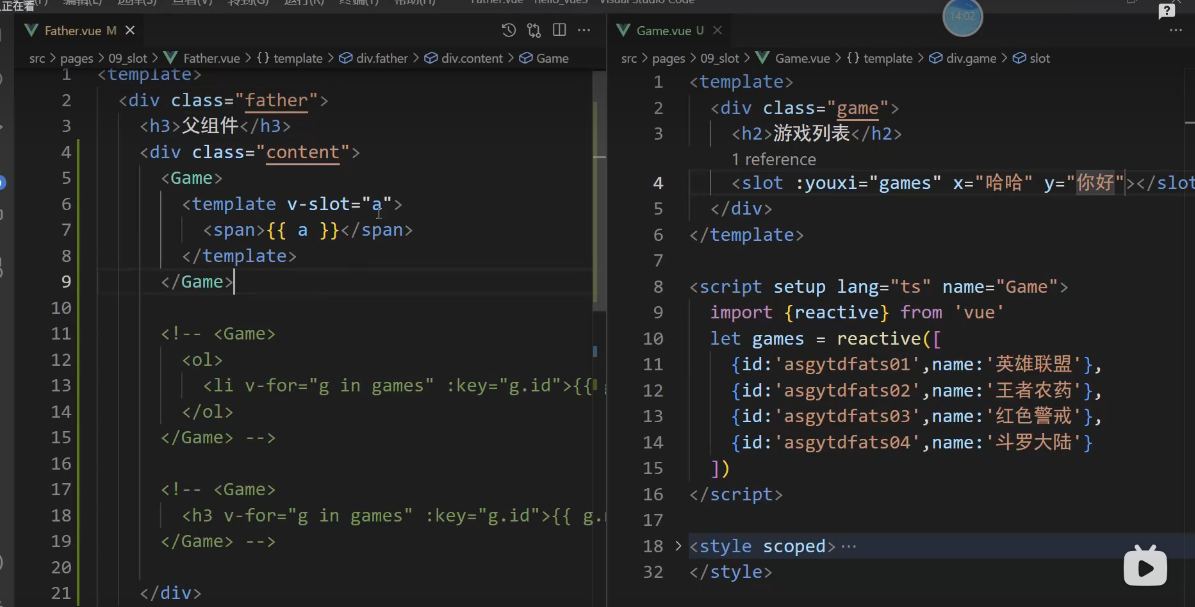
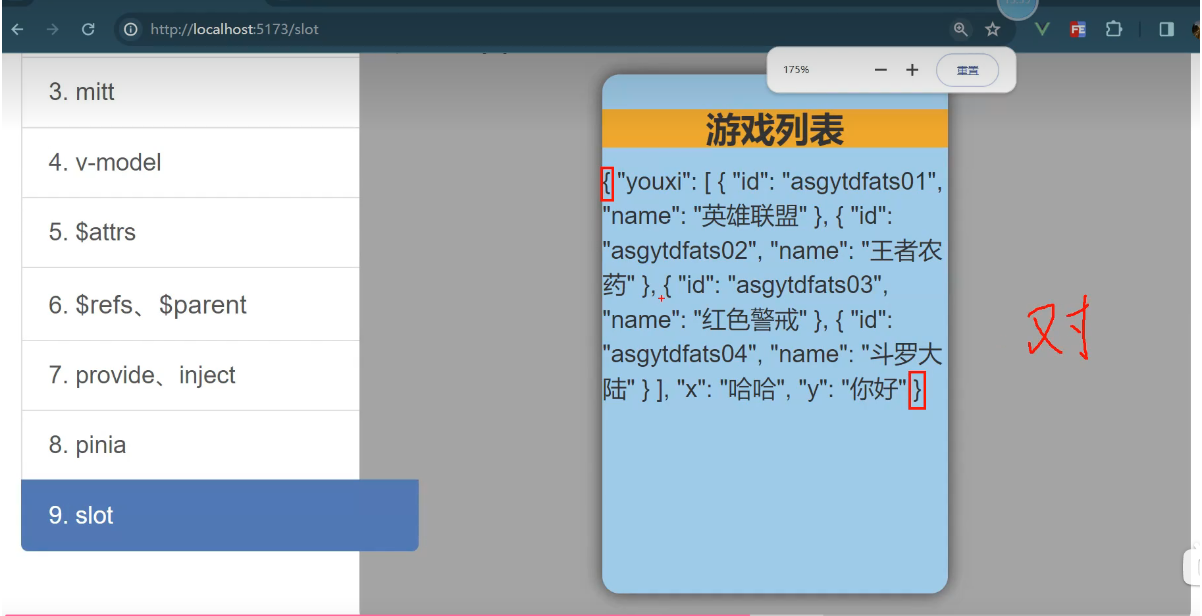
有三组 key-value 数据
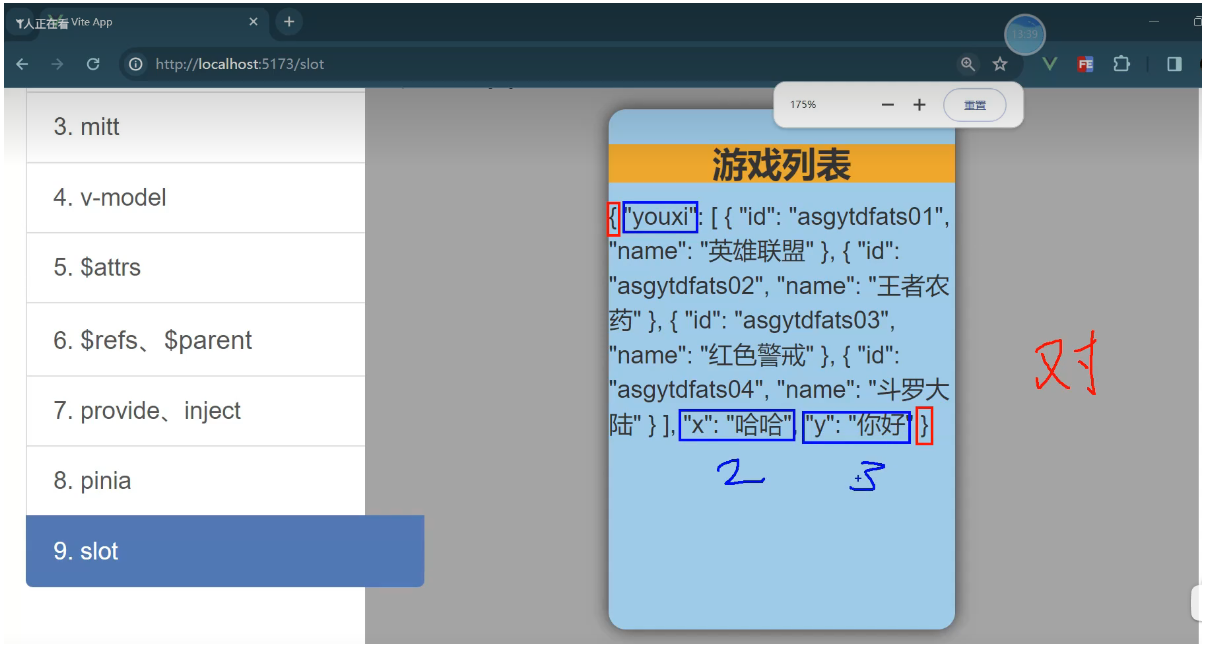
代码-效果
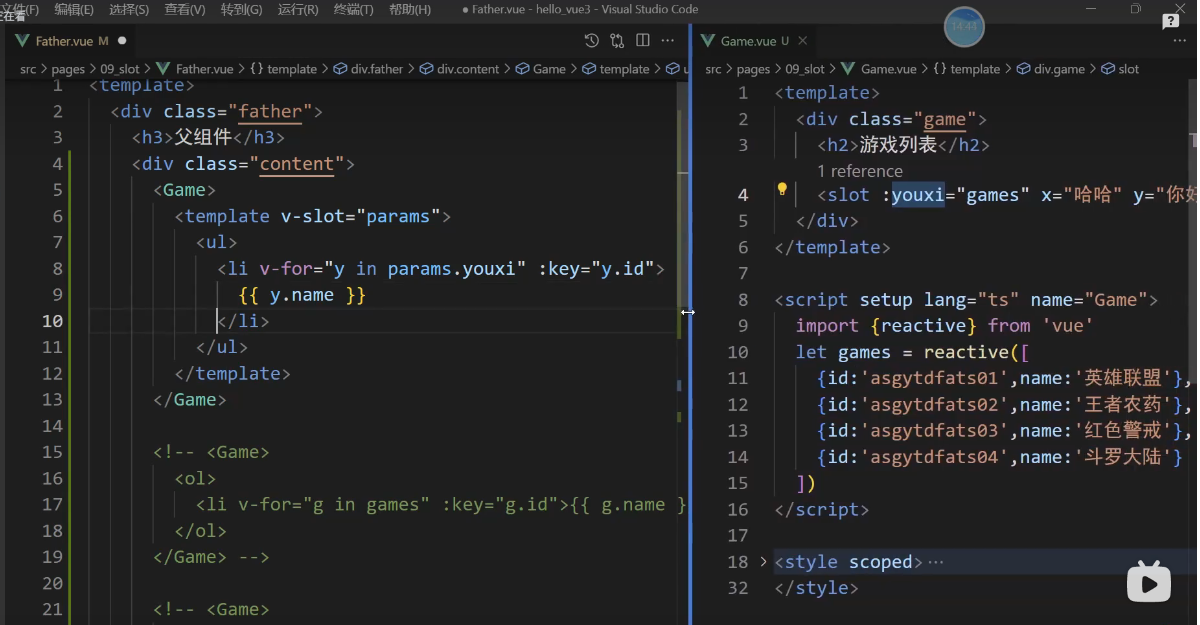
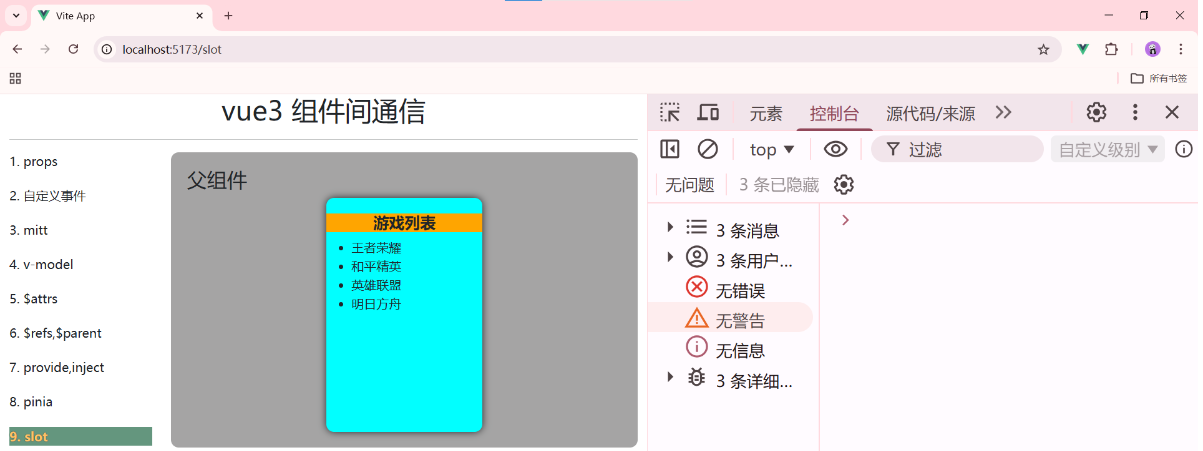
数据在子组件里面,由数据生成的结构是由父组件决定的,正是因为数据在子组件,而父组件需要拿到数据能决定结构,所以就出现了一个数据访问作用域的问题,为了解决这个问题,所以才引出了作用域插槽,这个就是作用域插槽。当然父组件里面我们要使用v-slot="params"
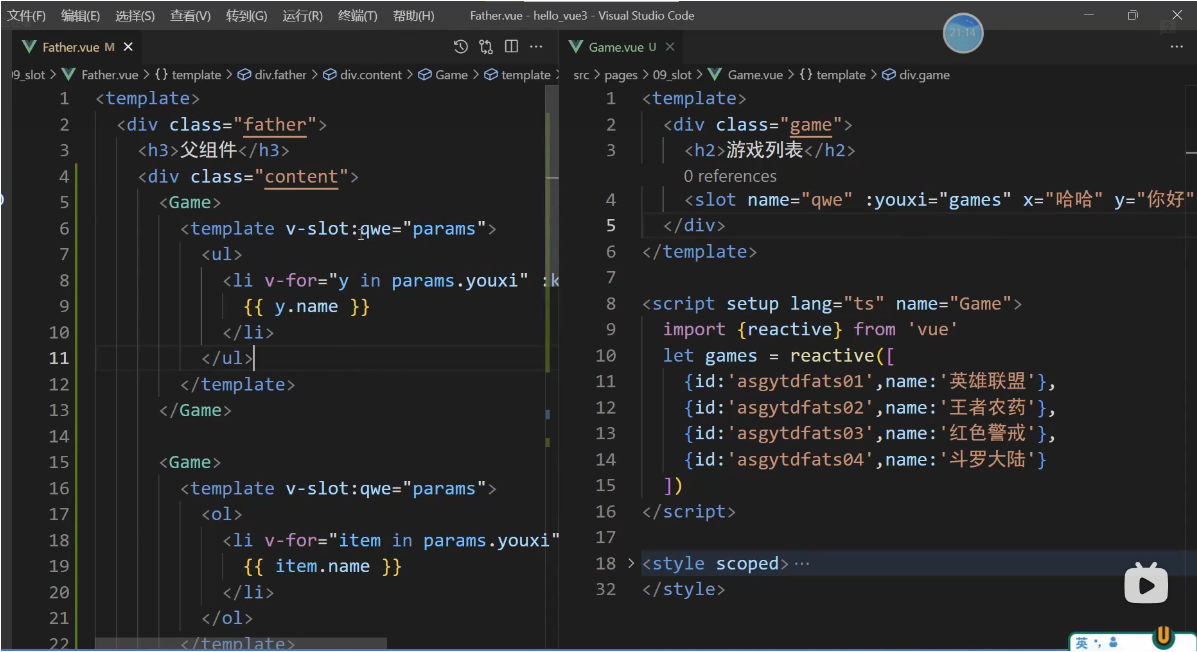
为作用域插槽取名后,需要修改的代码如下: 作用域插槽也是可以有名字的
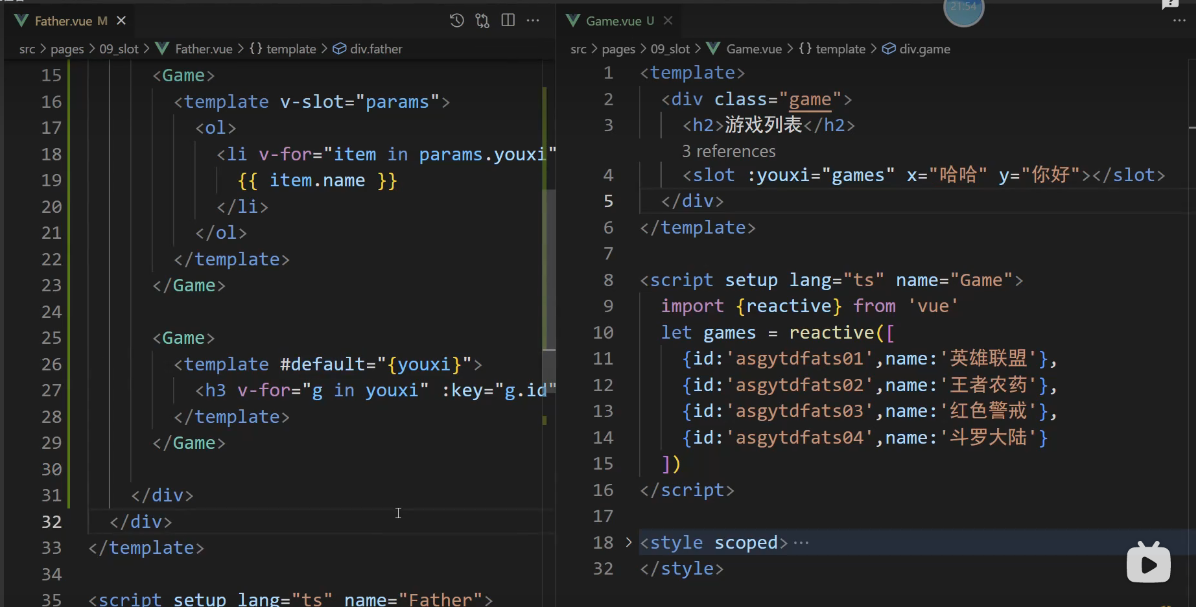
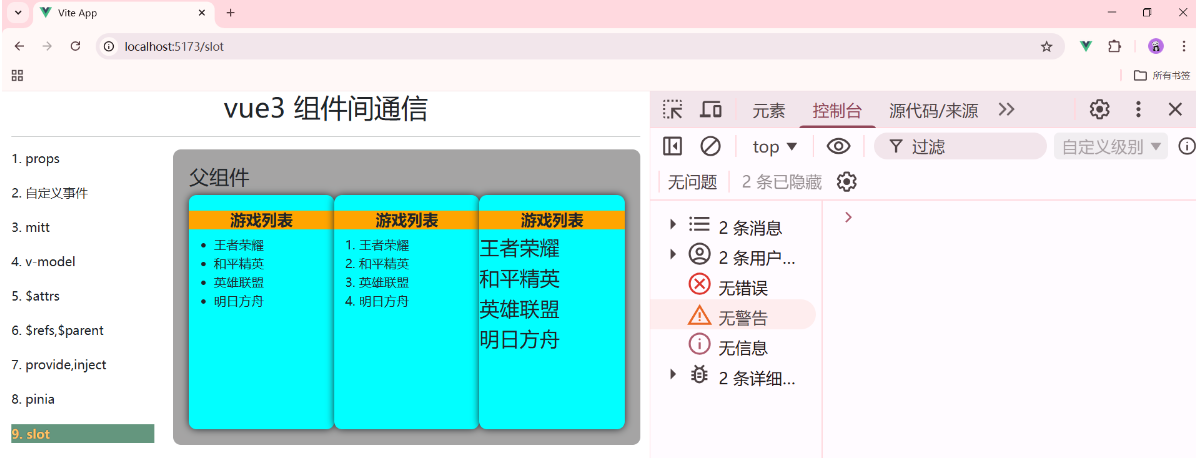
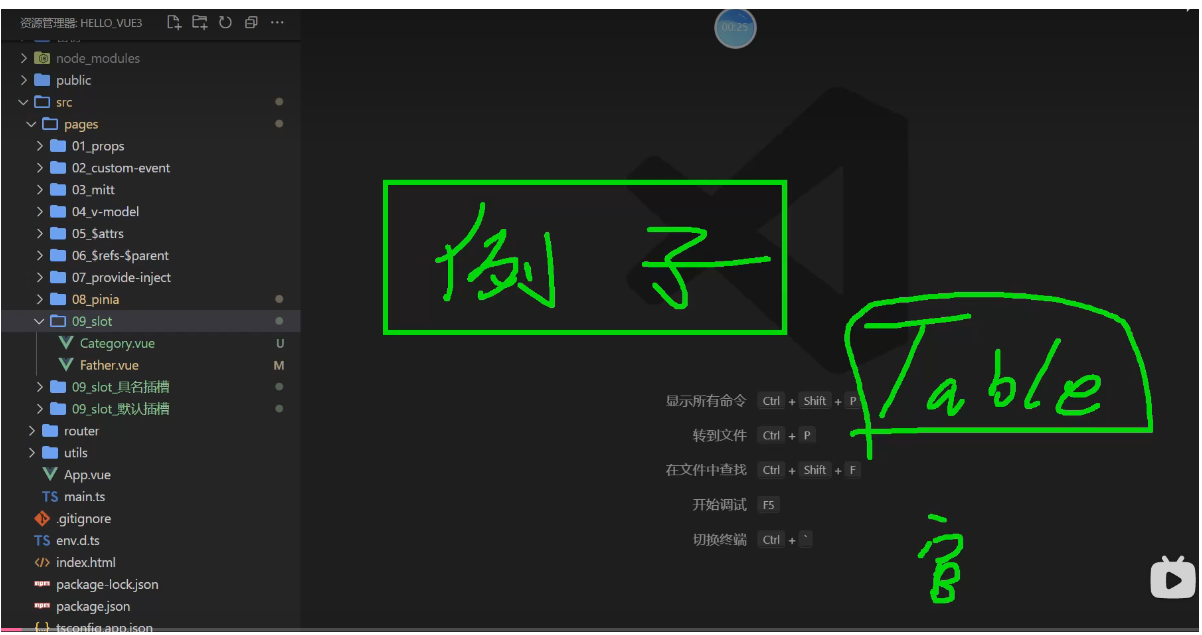
UI组件可以的对话框,table表格等都在大量使用作用域插槽
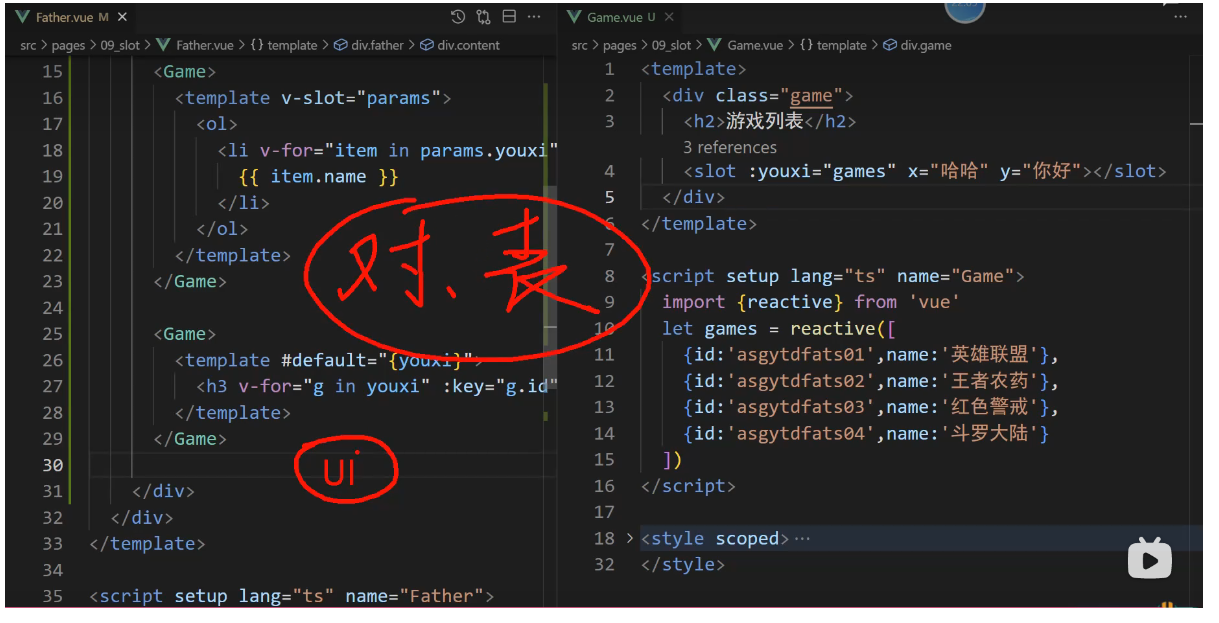
红色的是UI组件库的作者写的,程序员写的是绿色的,写的弹窗,表格等
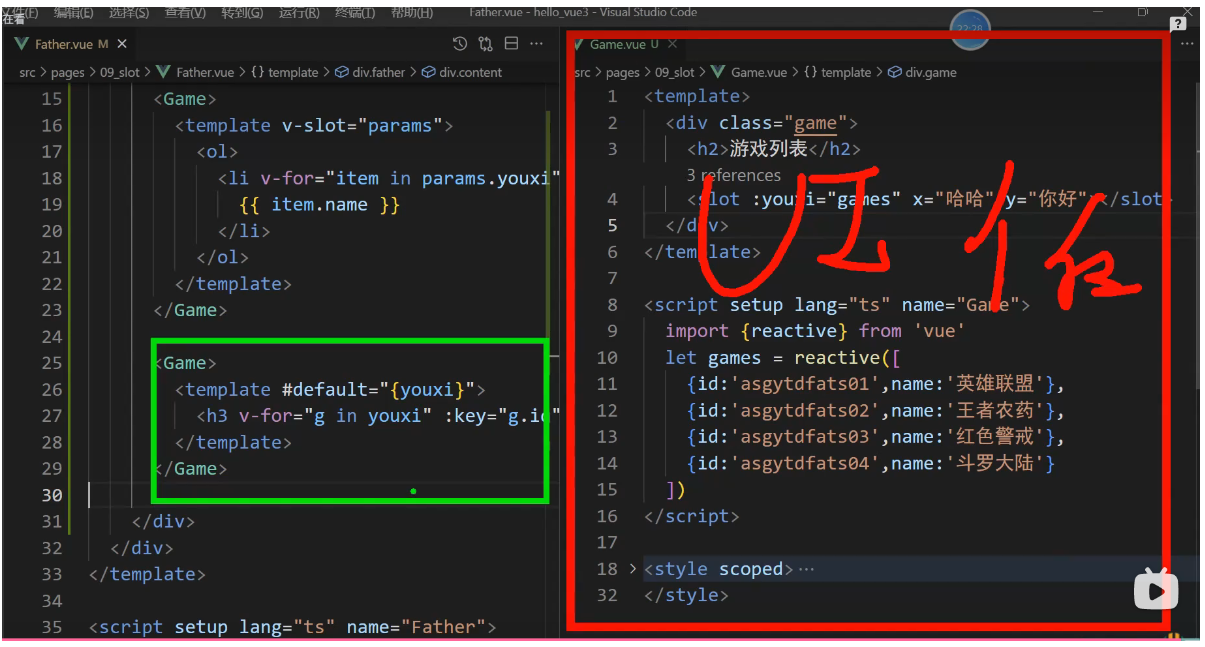
总结:
我们理解的作用域插槽,首先从作用域出发,我们实际开发中就会遇到,由子组件去维护自己的所有数据,结构,交互,都是由他自己决定的,但是有一个例外,他的结构由他的父组件决定,这个就是作用域的问题,为了解决这个问题,所以官方出了一个作用域插槽。
UI组件可以里面的对话框,表格等都大量使用作用域插槽。
_插槽-作用域插槽 实现代码如下
1, src/pages/09_slot/Father.vue
<template>
    <div class="father">
        <h3>父组件</h3>
        <div class="content">
            <Game>
                <template v-slot:qwe="params">
                    <ul>
                        <li v-for="y in params.youxi" :key="y.id">{{ y.name }}</li>
                    </ul>
                </template>
            </Game>
            <Game>
                <template v-slot:qwe="params">
                    <ol>
                        <li v-for="item in params.youxi" :key="item.id">{{ item.name }}</li>
                    </ol>
                </template>
            </Game>
            <Game>
                <!-- 将所传数据解构出来后展示数据: -->
                <template v-slot:qwe="{youxi}">
                    <h3 v-for="i in youxi" :key="i.id">{{ i.name }}</h3>
                </template>
            </Game>
        </div>
    </div>
</template>

<script setup lang="ts" name="Father">
    import Game from '@/pages/09_slot_作用域插槽/Game.vue';
</script>

<style scoped>
    .father {
        padding: 20px;
        background-color: rgb(165,164,164);
        border-radius: 10px;
    }
    .content {
        display: flex;
        justify-content: space-evenly;
    }
    img,video {
        width: 100%;
    }
</style>


2, src/pages/09_slot/Game.vue
<template>
    <div class="game">
        <h2>游戏列表</h2>
        <slot name="qwe" :youxi="games" x="哈哈" y="您好"></slot>
    </div>
</template>

<script setup lang="ts" name="Game">
    import {reactive} from "vue";

    let games = reactive([
        {id:'zg01',name:'王者荣耀'},
        {id:'zg02',name:'和平精英'},
        {id:'zg03',name:'英雄联盟'},
        {id:'zg04',name:'明日方舟'},
    ])
</script>

<style scoped>
    .game {
        width: 200px;
        height: 300px;
        background-color: aqua;
        border-radius: 10px;
        box-shadow: 0 0 10px;
    }
    h2 {
        font-size: 20px;
        font-weight: 800;
        background-color: orange;
        text-align: center;
        margin-top: 20px;
    }
    ul {
        list-style: none;
    }
    li {
        font-size: 18px;
        font-weight: 600;
        margin: 20px 0;
    }
</style>