夜莺-Nightingale-开源云原生监控分析系统部署 Prometheus 作为时序库使用(配置多数据源)
-
- 一、前言
- 二、Prometheus安装步骤
-
- [1. 下载并安装Prometheus](#1. 下载并安装Prometheus)
- [2. 关键配置:启用Remote Write接收器](#2. 关键配置:启用Remote Write接收器)
- [3. 创建Systemd服务](#3. 创建Systemd服务)
- [4. 启动并验证服务](#4. 启动并验证服务)
- [三、验证Remote Write功能](#三、验证Remote Write功能)
- 四、修改夜莺配置文件对接时序库
-
- [1. 再增加一个Prometheus 时序库。](#1. 再增加一个Prometheus 时序库。)
- [2. 重启夜莺监控(N9E)服务:](#2. 重启夜莺监控(N9E)服务:)
- [3. 夜莺数据源管理新增数据源](#3. 夜莺数据源管理新增数据源)
- 五、常见问题解决
-
- [1. 夜莺转发数据时报404错误](#1. 夜莺转发数据时报404错误)
- [2. 权限问题](#2. 权限问题)
- [3. 端口冲突](#3. 端口冲突)
- 六、总结
- 参考链接
|-----------------------------|
| 💐The Begin💐点点关注,收藏不迷路💐 |
一、前言
Prometheus是一款开源的监控系统和时序数据库,广泛应用于云原生监控领域。在实际使用中,我们经常需要将其他监控系统(如夜莺监控)的数据写入Prometheus,这就需要启用Prometheus的remote write接收功能。本文将详细介绍如何正确部署Prometheus并配置remote write接收器。
二、Prometheus安装步骤
1. 下载并安装Prometheus
首先选择适合的Prometheus版本并下载:
bash
mkdir -p /usr/local/prometheus

wget https://github.com/prometheus/prometheus/releases/download/2.54.0/prometheus-2.54.0.linux-amd64.tar.gz


tar zxvf /root/prometheus-2.54.0.linux-amd64.tar.gz -C /usr/local/prometheus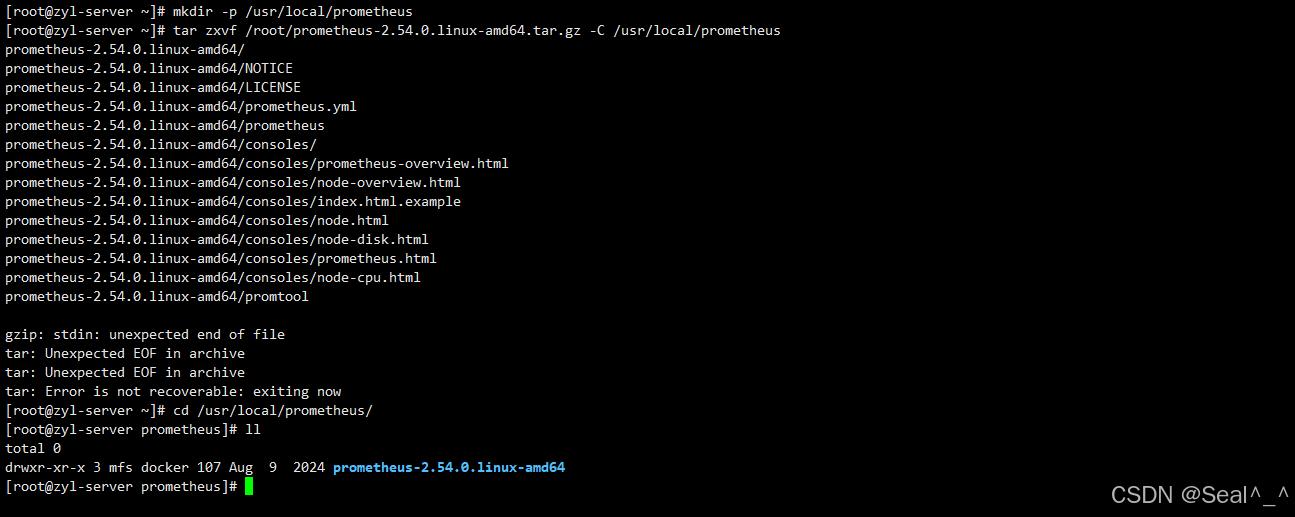
2. 关键配置:启用Remote Write接收器
Prometheus默认不开启remote write接收功能,需要通过启动参数显式启用。根据版本不同,参数写法有所差异:
- 老版本 :
--enable-feature=remote-write-receiver - 新版本 :
--web.enable-remote-write-receiver
不确定该用哪个参数时,可以通过以下命令查看:
bash
./prometheus --help | grep receiver
sql
[root@zyl-server prometheus-2.54.0.linux-amd64]# ./prometheus --help | grep receiver
      --[no-]web.enable-remote-write-receiver
      --web.remote-write-receiver.accepted-protobuf-messages=prometheus.WriteRequest... ...
                                 remote-write-receiver (DEPRECATED),
                                 native-histograms, otlp-write-receiver,
[root@zyl-server prometheus-2.54.0.linux-amd64]#
[root@zyl-server prometheus-2.54.0.linux-amd64]#
[root@zyl-server prometheus-2.54.0.linux-amd64]#
3. 创建Systemd服务
创建服务配置文件/etc/systemd/system/prometheus.service:
sql
cat <<EOF >/etc/systemd/system/prometheus.service
[Unit]
Description="prometheus"
Documentation=https://prometheus.io/
After=network.target

[Service]
Type=simple

ExecStart=/usr/local/prometheus/prometheus-2.54.0.linux-amd64/prometheus --config.file=/usr/local/prometheus/prometheus-2.54.0.linux-amd64/prometheus.yml --storage.tsdb.path=/usr/local/prometheus/data --web.enable-lifecycle --web.enable-remote-write-receiver

Restart=on-failure
SuccessExitStatus=0
LimitNOFILE=65536
StandardOutput=syslog
StandardError=syslog
SyslogIdentifier=prometheus


[Install]
WantedBy=multi-user.target
EOF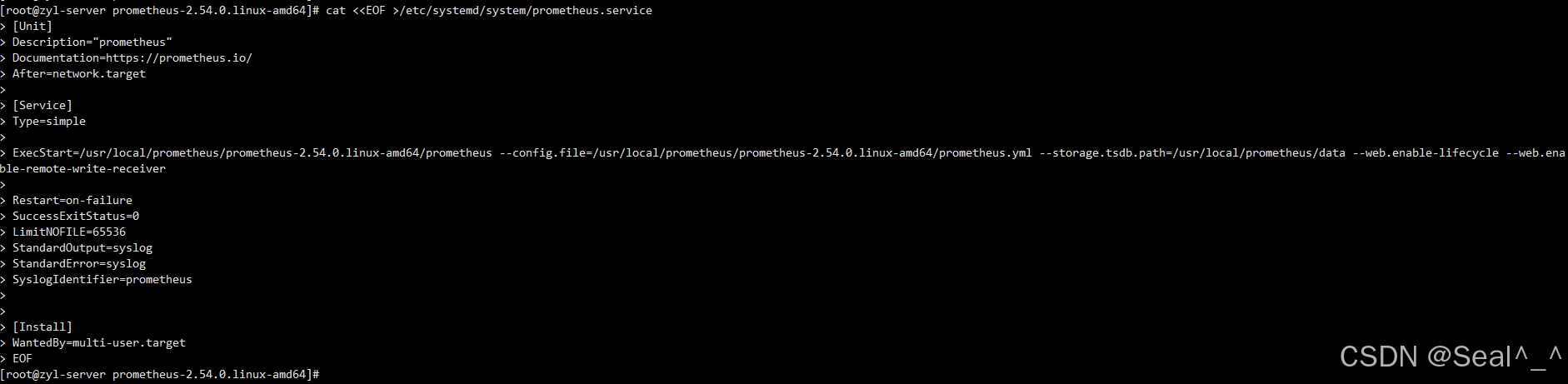
4. 启动并验证服务
bash
systemctl daemon-reload
systemctl enable prometheus
systemctl restart prometheus
systemctl status prometheus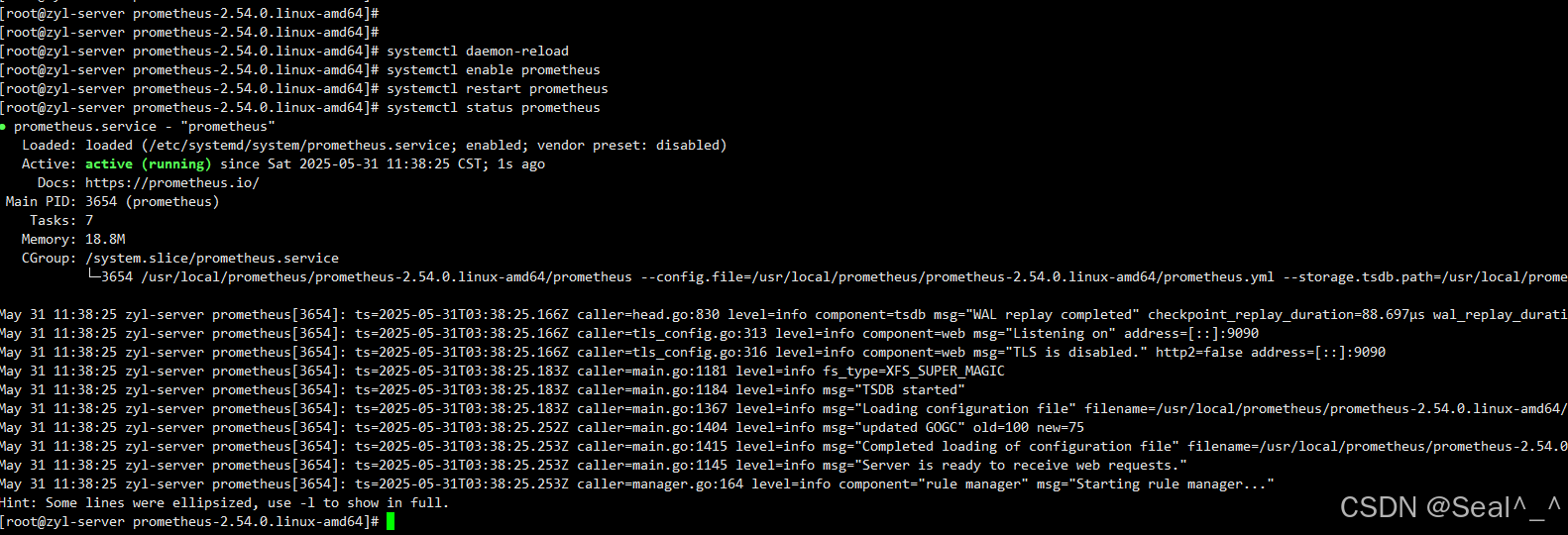
三、验证Remote Write功能
Prometheus启动后,可以通过以下方式验证remote write接口是否正常工作:
-
检查Prometheus日志,确认没有错误信息
-
访问Prometheus的
/api/v1/write接口:bashcurl -X POST http://localhost:9090/api/v1/write如果返回404,说明remote write接收器没有正确启用;如果返回"empty write request"等消息,说明接口已正常启用

四、修改夜莺配置文件对接时序库
夜莺作为 pushgateway,需要告诉夜莺时序库的地址在哪里。夜莺的配置文件是 etc/config.toml,修改 \[Pushgw.Writers] 部分即可,核心是 Url 部分,夜莺接收到指标数据之后,会通过 Prometheus remote write 协议写入 Url 指向的时序库(任何支持 Prometheus remote write 的存储都可以用):
1. 再增加一个Prometheus 时序库。
bash
[[Pushgw.Writers]]
# Url = "http://127.0.0.1:8480/insert/0/prometheus/api/v1/write"
Url = "http://127.0.0.1:9090/api/v1/write"
# Basic auth username
BasicAuthUser = ""
# Basic auth password
BasicAuthPass = ""
# timeout settings, unit: ms
Headers = ["X-From", "n9e"]
Timeout = 10000
DialTimeout = 3000
TLSHandshakeTimeout = 30000
ExpectContinueTimeout = 1000
IdleConnTimeout = 90000
# time duration, unit: ms
KeepAlive = 30000
MaxConnsPerHost = 0
MaxIdleConns = 100
MaxIdleConnsPerHost = 100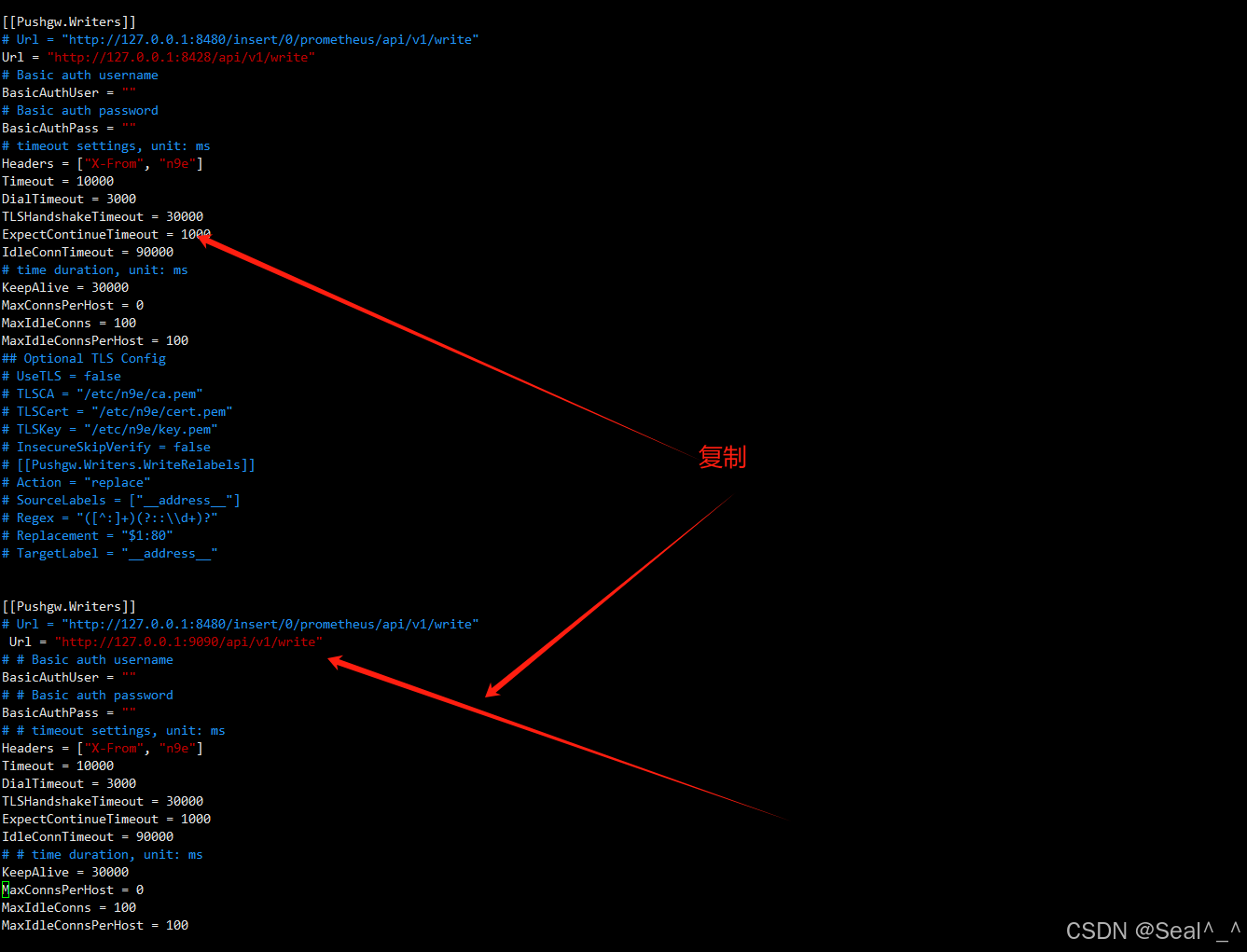
2. 重启夜莺监控(N9E)服务:
bash
systemctl restart n9e

systemctl status n9e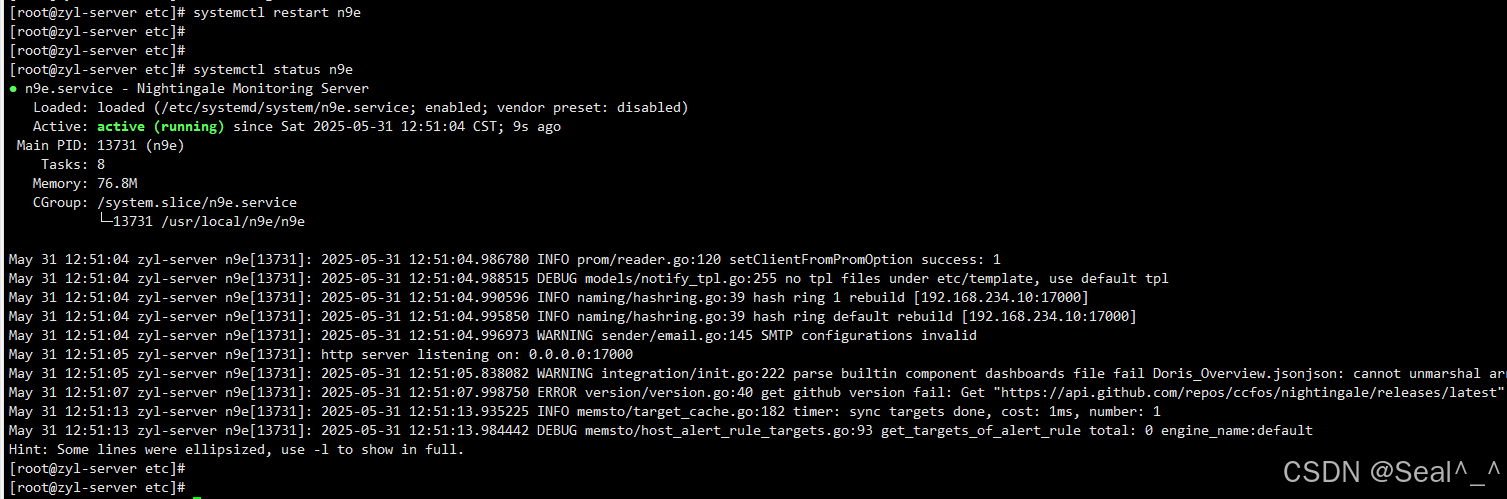
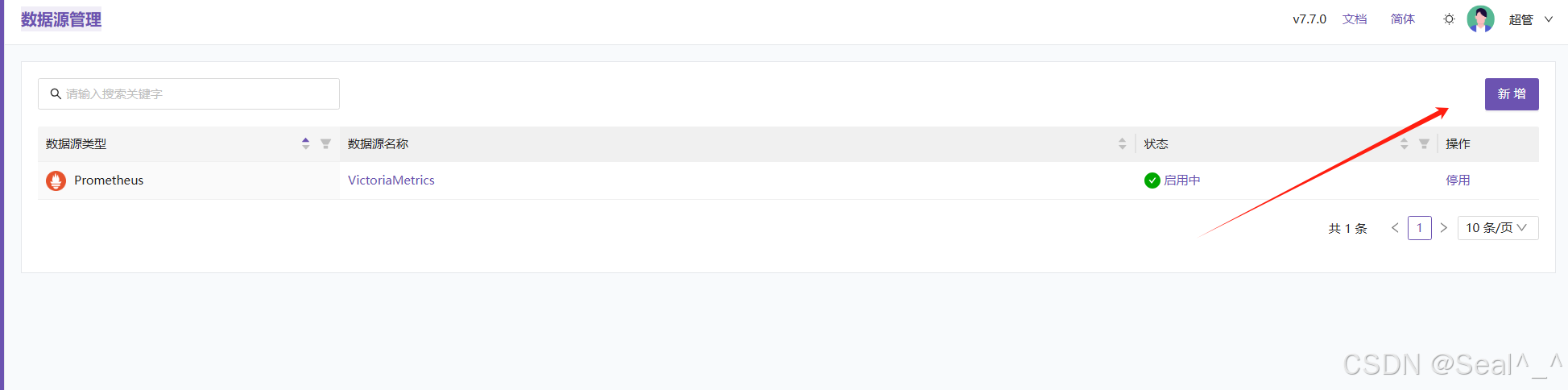
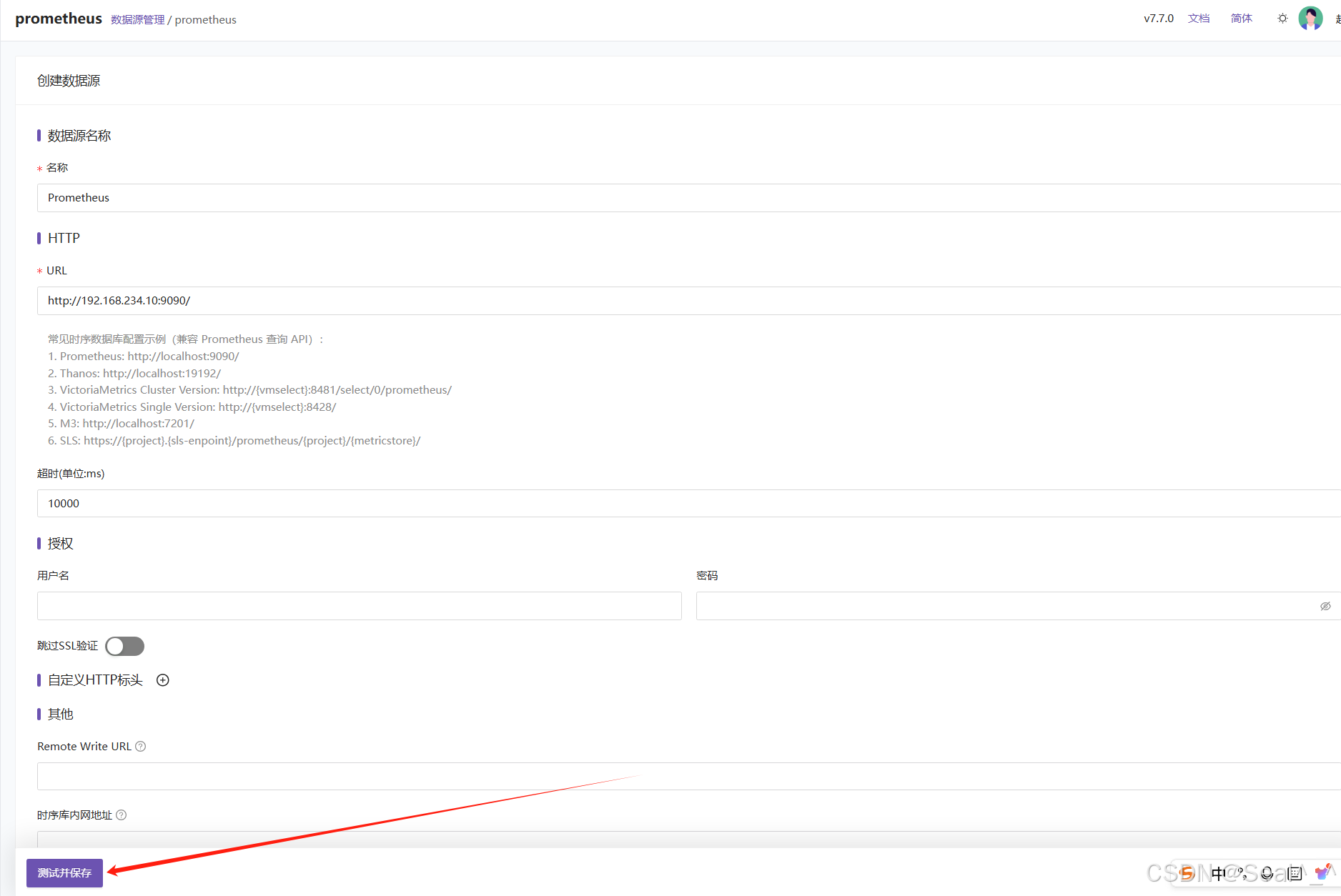
3. 夜莺数据源管理新增数据源

五、常见问题解决
1. 夜莺转发数据时报404错误
这通常是因为Prometheus没有启用remote write接收器。请检查:
- 确保启动参数正确(
--web.enable-remote-write-receiver或--enable-feature=remote-write-receiver) - 确认Prometheus版本与参数匹配
2. 权限问题
确保Prometheus对数据目录有读写权限:
bash
chown -R prometheus:prometheus /opt/prometheus/data3. 端口冲突
如果9090端口被占用,可以通过--web.listen-address参数修改监听地址:
bash
--web.listen-address=:9091六、总结
正确配置Prometheus的remote write接收器对于构建监控数据流水线至关重要。通过本文介绍的步骤,您可以轻松部署一个支持remote write的Prometheus实例,为后续与其他监控系统(如夜莺)的集成打下基础。
参考链接

|---------------------------|
| 💐The End💐点点关注,收藏不迷路💐 |