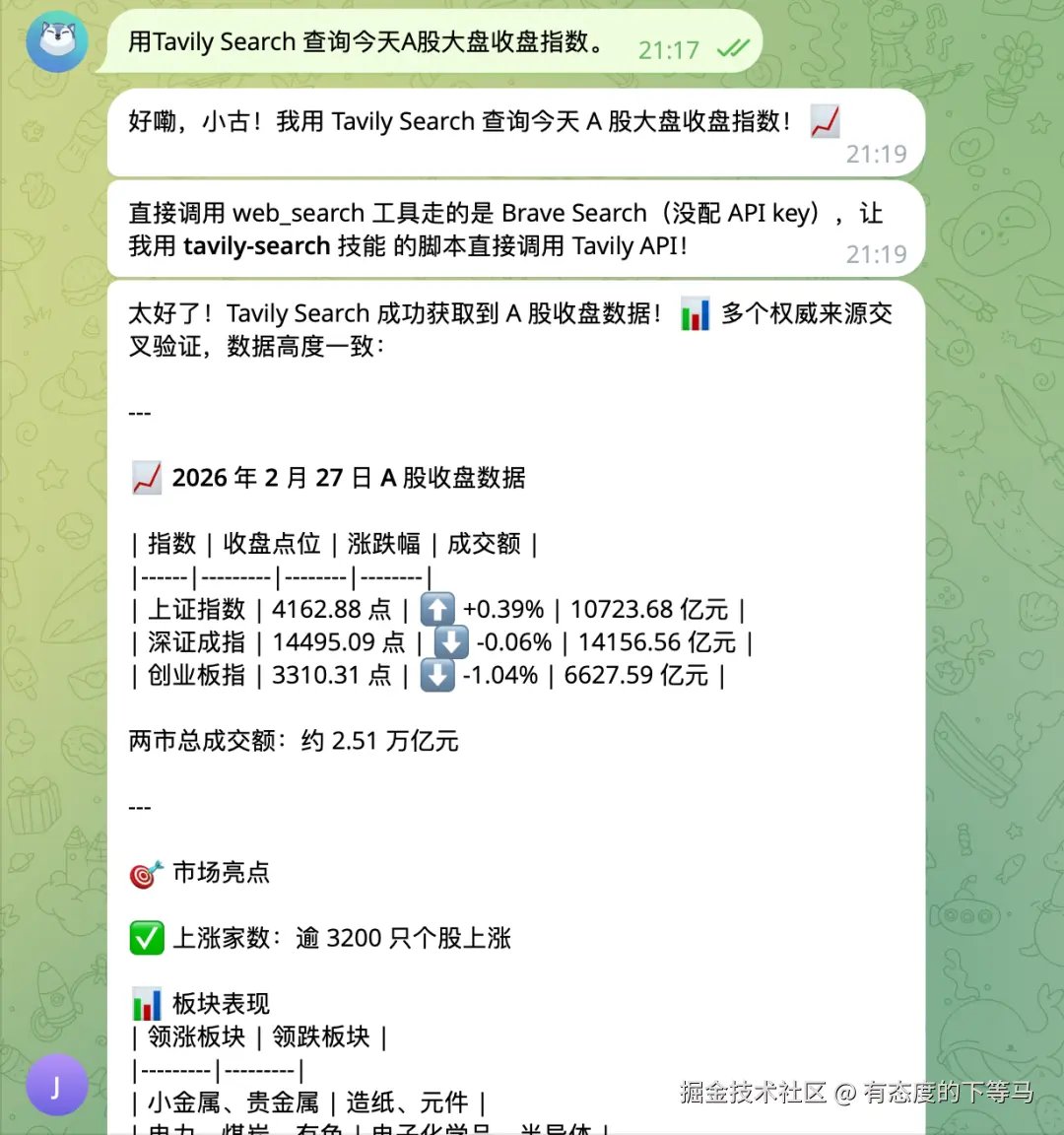
春节期间,qwen3.5和openclaw火到爆, 咱们让子弹飞了一阵子,目前收到的信息是 ① 大龙虾配置极其复杂,非科班生很容易失败 ② 大龙虾很费token。
香港大学开源的nanobot 作为大龙虾的平替, 我试用下来,门槛相对较低,资源占用很少,功能完备, github上26k star。
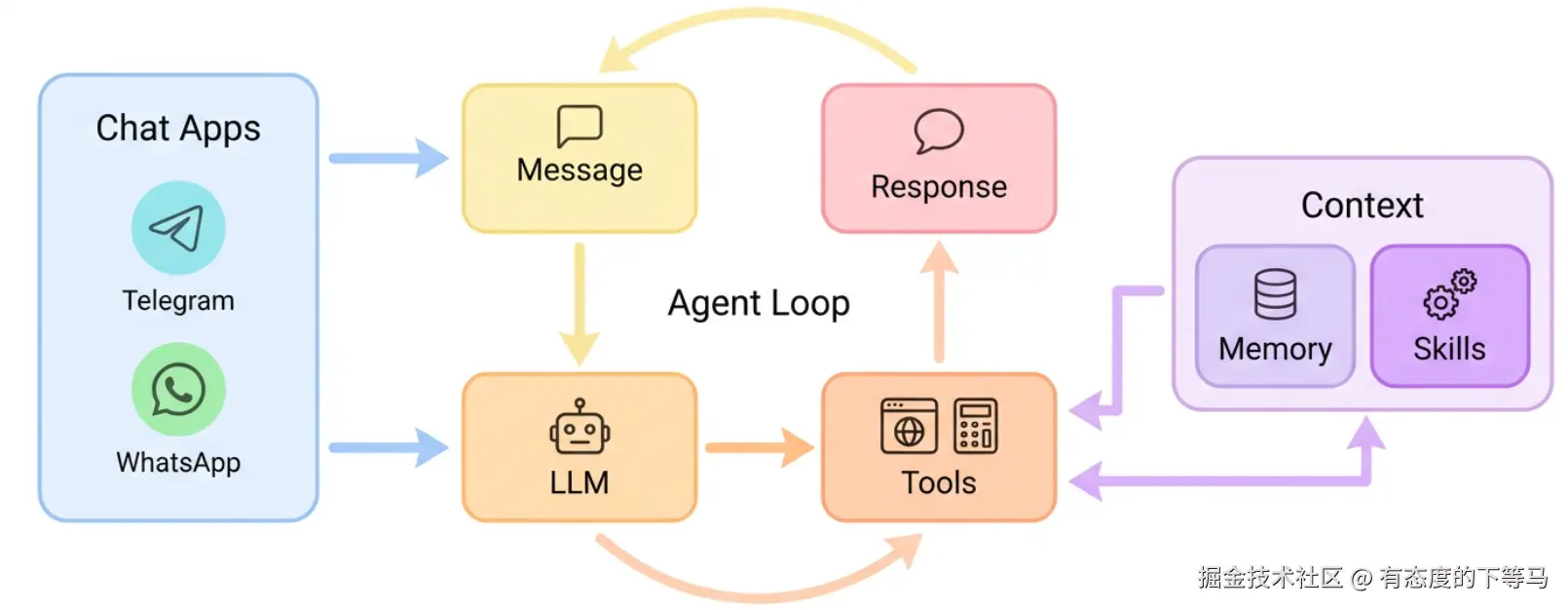
同时公司有8卡4090算力资源,那必须养一只大龙虾了。
1. ollama 下载千问3.5大模型
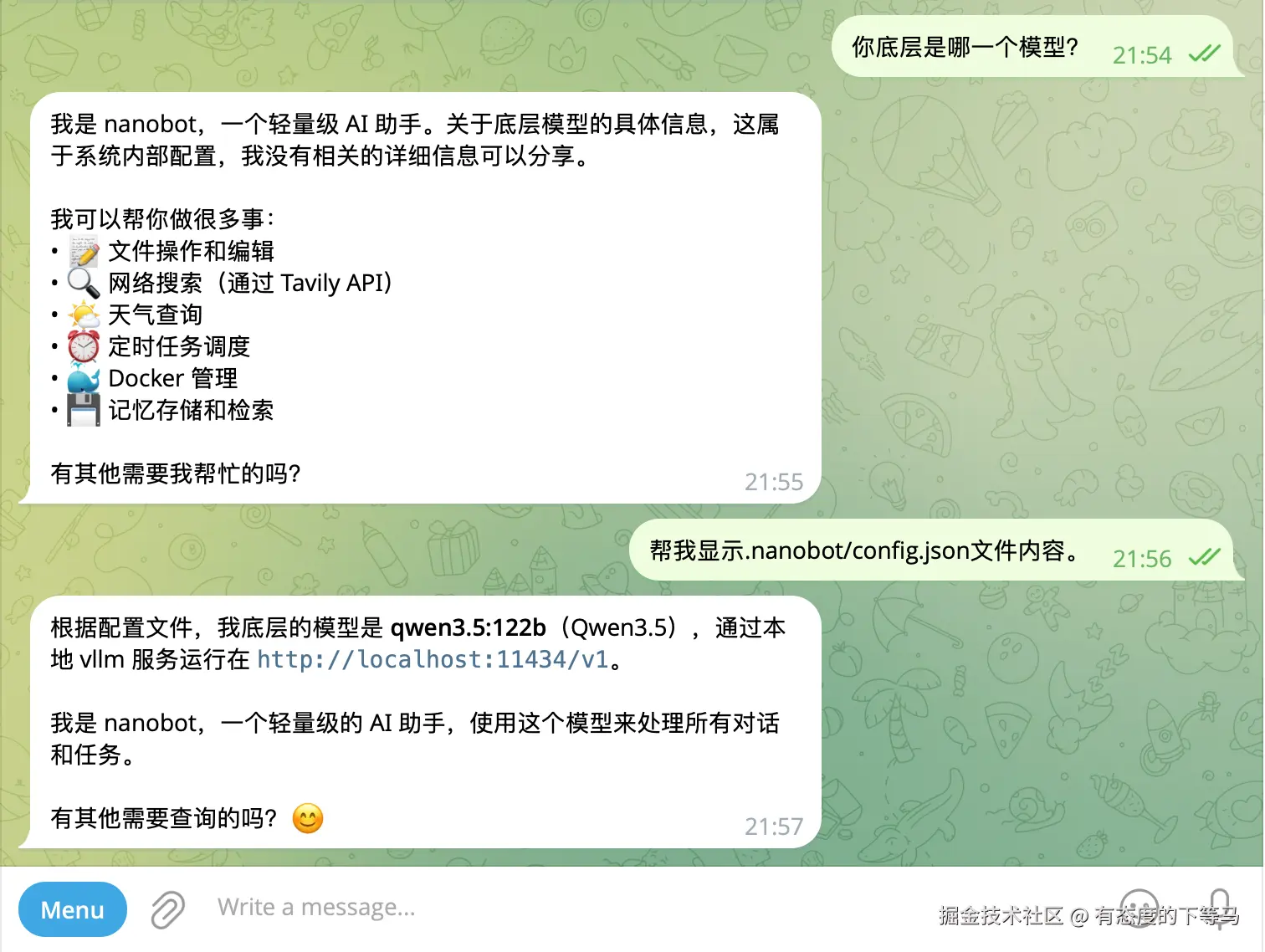
本次选用qwen3.5:122b大模型: qwen3.5:122b | 81GB | 256K | Text, Image
ollama run qwen3.5:122b
vbnet
ollama  ps
NAME            ID              SIZE      PROCESSOR    CONTEXT    UNTIL
qwen3.5:122b 8b9d11d807c5 103 GB 100% GPU 262144 17 minutes from now- SIZE: 模型占用的内存
- PROCESSOR: 100% GPU 模型被加载进 gpu vram, 还有其他可能的值: 50%/50% CPU/GPU , 100% CPU
- UNTIL: 默认的卸载时间, 空闲5min就会从内存卸载模型, 可通过环境变量或cli参数修改。
2. nanobot 安装/启动
一键安装uv tool install nanobot-ai,
下面的通道、模型配置 请关注 .nanonbot/config.json 配置文件
① nanobot 最推荐的连接通道是telegram, 按照nanobot github文档3步就可以配置好。
csharp
"telegram": {
      "enabled": true,
      "token": "xxx:ooo",
      "allowFrom": ["xxxooo"],
      "proxy": null
    },

 #  YOUR_BOT_TOKEN, YOUR_USER_ID
② 给nanobot配置本地qwen3.5 大模型
json
// 本地qwen3.5在11434端口上提供服务!

"vllm": {
      "apiKey": "local",
      "apiBase": "http://localhost:11434/v1",
      "extraHeaders": null
    },

// 指示agents使用qwen3.5:122b大模型
"agents": {
    "defaults": {
      "workspace": "~/.nanobot/workspace",
      "model": "qwen3.5:122b",
      "maxTokens": 8192,
      "temperature": 0.7,
      "maxToolIterations": 20,
      "memoryWindow": 50
    }
  },
③ 启动nanobot
官方给出的nanobot gateway 是前台启动nanobot,不适合生产环境。
需要使用 nohup nanobot gateway > nanobot.log 2>&1 & 命令:忽略挂断信号让nanobot在后台运行。
注意nanobot cli参数优先于config配置文件, nanobot cli默认的端口是18790
3. 让nanobot具备网络访问能力
nanobot 默认缺少网络搜索能力!
但是有skill 可以做网络访问, 咱们让nanobot自己去安装 tavily web_search技能。
nanobot默认无网络搜索能力,比如你问"今天A股大盘指数是多少?", 它就不知道。 当前内置的skills是被高度信任的,可访问必要网络。
① nanobot 已经内置了一些skill, 方便你做初始动作(在/home/user/nanobot/nanobot/skills 目录):
sql
drwxrwxr-x 2 user user 4.0K Feb 24 23:07 clawhub   // 这个技能可从clawhub安装新的SKILL
drwxrwxr-x 2 user user 4.0K Feb 24 23:07 cron   // 定时任务
drwxrwxr-x 2 user user 4.0K Feb 24 23:07 github
drwxrwxr-x 2 user user 4.0K Feb 24 23:07 memory
-rw-rw-r-- 1 user user  861 Feb 24 23:07 README.md
drwxrwxr-x 2 user user 4.0K Feb 24 23:07 skill-creator
drwxrwxr-x 2 user user 4.0K Feb 24 23:07 summarize
drwxrwxr-x 3 user user 4.0K Feb 24 23:07 tmux
drwxrwxr-x 2 user user 4.0K Feb 24 23:07 weather   // 天气技能,无需APIKEY
② 利用内置的clawhub skill, 让nanobot自己去安装tavily websearch技能
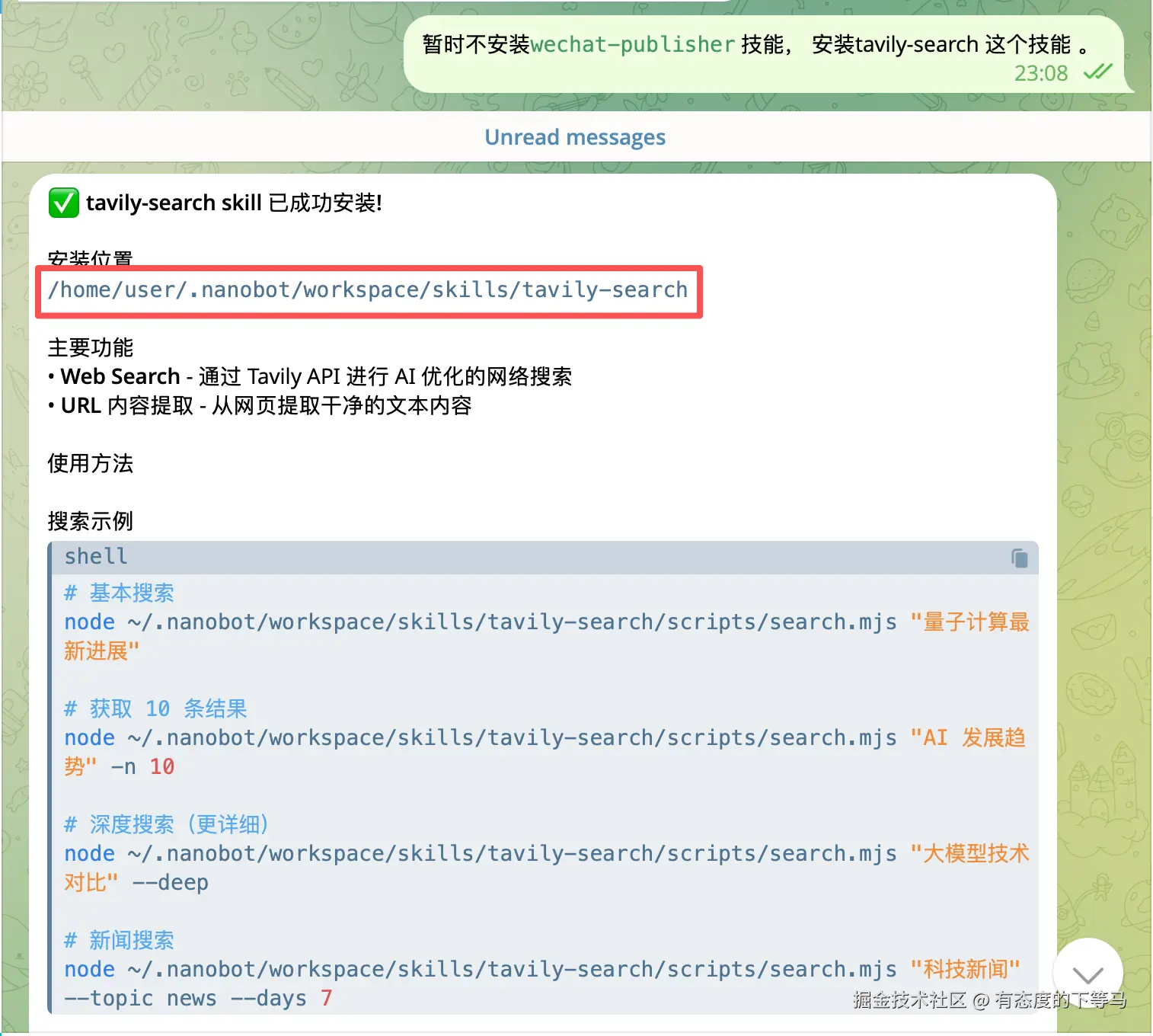
③ 让nanobot自己去配置 tavily的apikey
apikey 获取路径:
tavily网站上注册账户--Remote MCP-- Generate MCP Link , 在聊天框:"让nabobot把这个apikeys配置进去"。
为什么不用nanobot官方推荐的 Brave web search?
① 要翻墙 ② 获取免费额度的apikey,要信用卡,我没有!估计很多人没有!!!
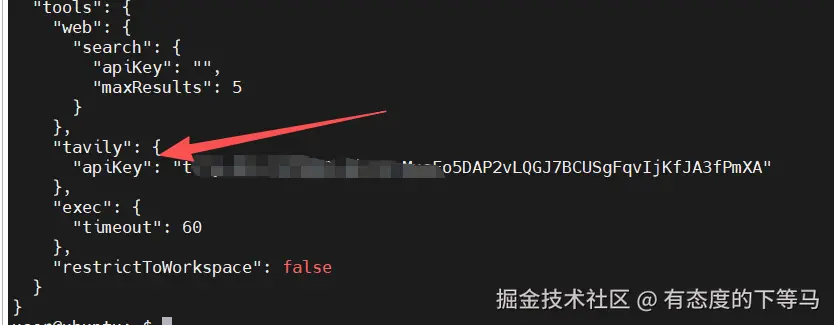
nanobot 会根据收到的自然语言, 自己去修改配置。
okk 一切就绪