近期我正基于 Dify 开发一款预约助手类应用,核心功能之一是结合百度定位 API 实现精准的位置服务。但在实际开发中发现,百度定位 API 的 GPS 定位功能对网络协议有严格要求 ------ 必须基于 HTTPS 协议才能正常调用,而前端 Vue 开发环境默认使用 HTTP 协议,直接调用会触发浏览器的安全限制,导致定位功能无法生效。
为解决这一问题,为前端 Vue 界面配置 Nginx 反向代理就显得尤为必要。通过 Nginx 配置 HTTPS 证书并做协议转发,既能满足百度定位 API 的协议要求,保证定位功能稳定运行,也能统一管理前端请求,提升应用的安全性和访问稳定性,是保障预约助手位置服务模块正常运转的关键步骤。

1 nginx下载及配置
1.1 nginx下载
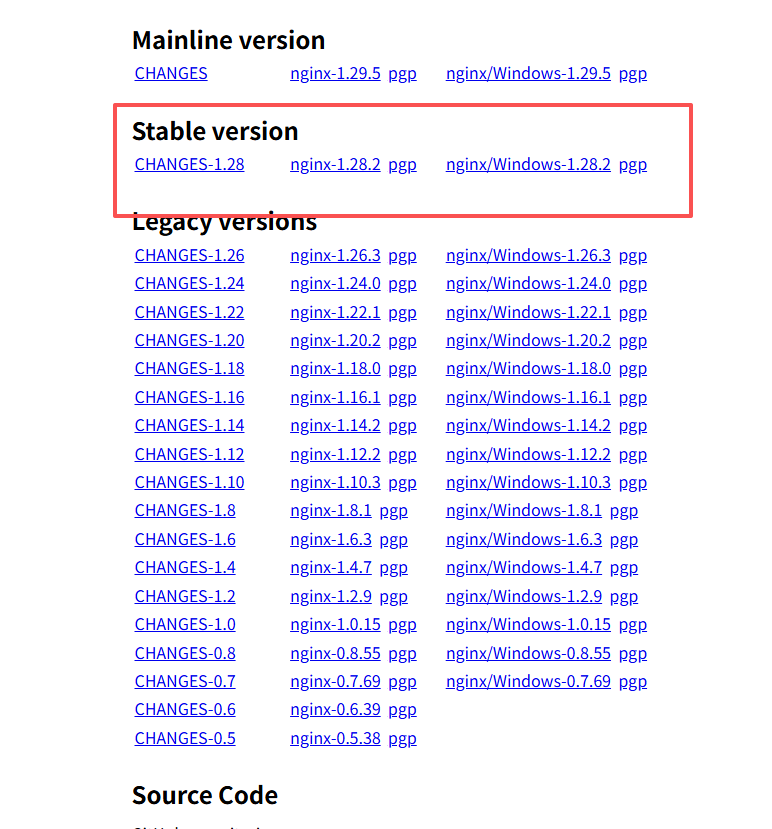
nginx下载地址:download
如图所示,根据需求选择稳定版本下载即可:
1.2 安装nginx
shell
tar -zxvf nginx-1.28.2.tar.gz
cd nginx-1.28.2
# 默认安装方式
# ./configure
# 带安装目录ssl模块的配置方式
./configure --prefix=/usr/local/nginx --with-http_stub_status_module --with-http_ssl_module
如图所示,出现 Configureation summary则表示configure成功:
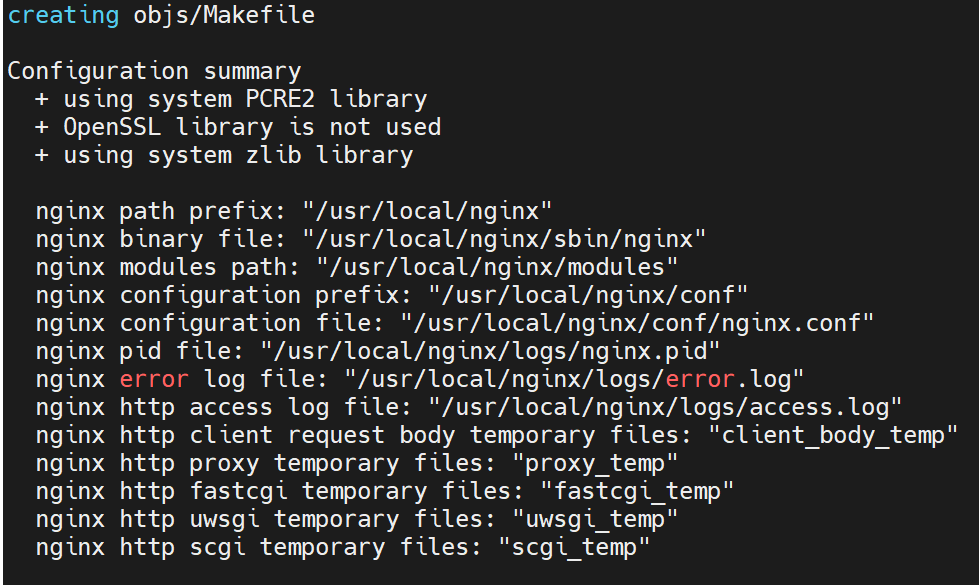
可以看到nginx会默认安装在/usr/local/nginx。
安装命令:
shell
make
sudo make install
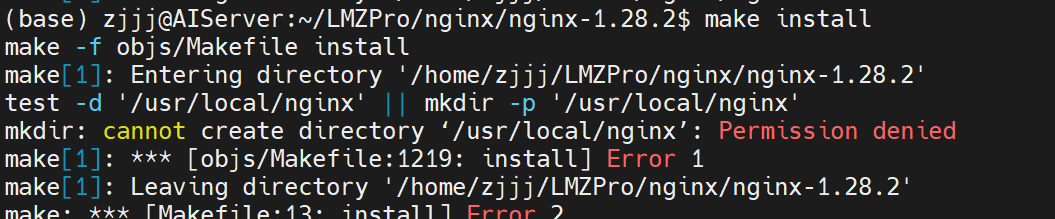
make install 时一定要加sudo,不然会报错Permission denied,如下图所示:
1.3 开启nginx
shell
cd /usr/local/nginx/sbin
sudo ./nginx -c /usr/local/nginx/conf/nginx.conf
使用你的域名或者ip去访问nginx检测是否启动成功:

如果访问不到可以根据以下方向去查找:
-
防火墙或安全组是否打开80端口
-
本地nginx是否正确启动,可使用以下命令去查看
netstat -aon|grep 80
1.4 将nginx做成服务
使用以下命令创建nginx服务配置文件:
shell
sudo vim /etc/systemd/system/nginx.service然后配置一下nginx位置:
shell
[Unit]
Description=nginx
After=network-online.target

[Service]
Type=forking

ExecStart=/usr/local/nginx/sbin/nginx -c /usr/local/nginx/conf/nginx.conf
ExecStop=/bin/kill -TERM $MAINPID
ExecReload=/bin/kill -HUP $MAINPID
KillMode=control-group
Restart=on-failure
StandardOutput=journal+console
StandardError=journal+console


[Install]
WantedBy=graphical.target
注:这里的type一定设置为forking,不然会报错,Type=simple 时 systemd 无法正确追踪 nginx 的主进程 PID
保存之后使用以下命令注册nginx为服务:
shell
# 服务注册
sudo systemctl daemon-reload
# 开机自启
sudo systemctl enable nginx
# 开启nginx
sudo systemctl start nginx
# 查看nginx
sudo systemctl status nginx
2 构建及配置Vue项目
2.1 构建Vue项目
shell
cd pro
npm run build
打包完成后,你会发现pro地下会出现一个dist目录,如下图所示:

将这个目录下的文件,全部复制到/usr/local/nginx/html/目录地下:
shell
sudo cp -r /path/to/your/pro/dist/* /usr/local/nginx/html/然后重启nginx:
shell
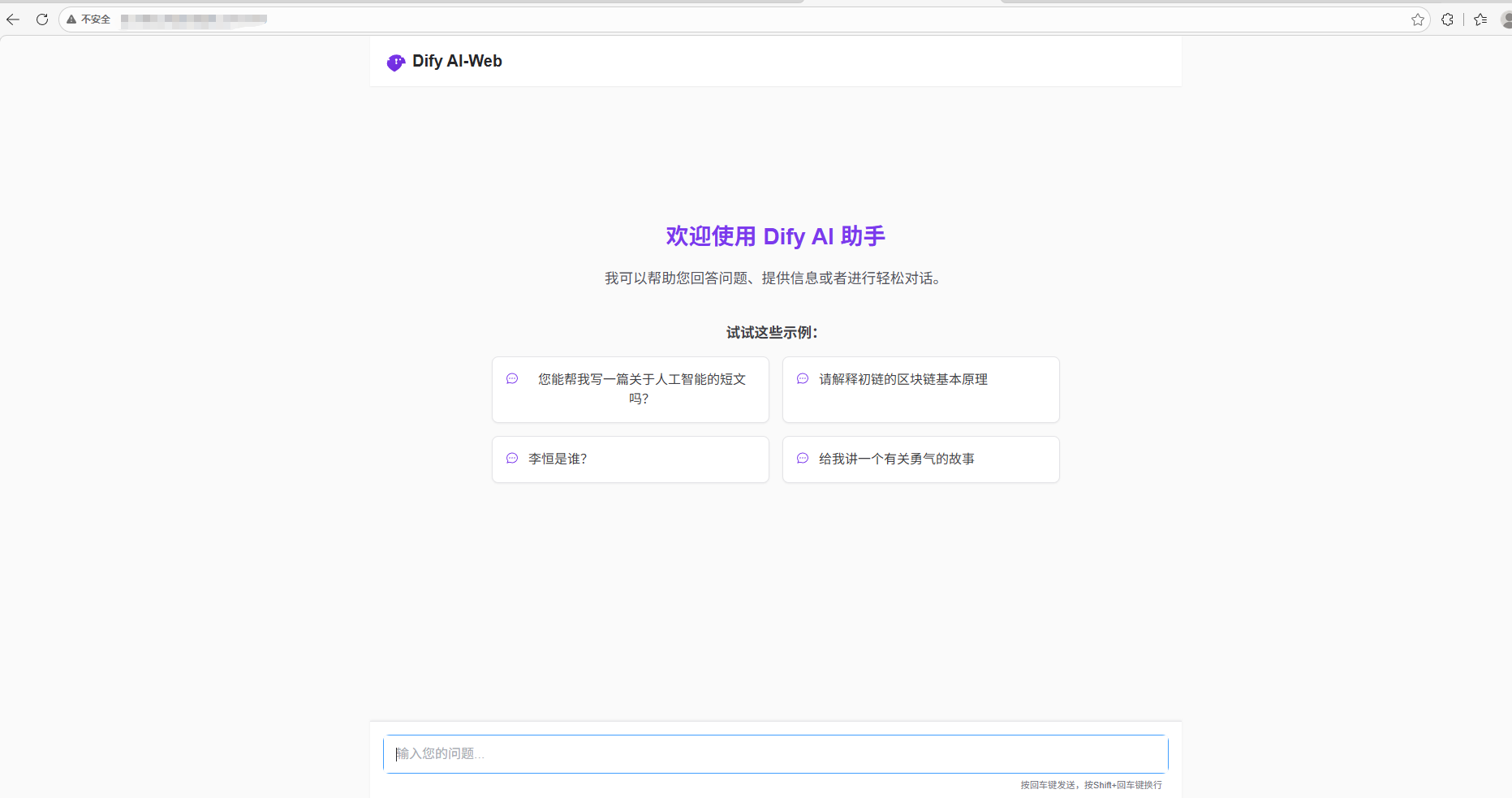
sudo systemctl restart nginx直接通过你服务器的ip或者域名查看网页是否加载成功:
2.2 将项目配置成https
shell
vim /usr/local/nginx/conf/nginx.conf打开后按照以下配置修改:
shell
worker_processes  1;

events {
    worker_connections  1024;
}

http {
    include       mime.types;
    default_type  application/octet-stream;

    sendfile        on;
    keepalive_timeout  65;

    #gzip  on;

    # 原有8080端口配置(可选:保留或重定向到HTTPS)
    server {
        listen       8080;
        server_name  xxx.com;

        # 推荐:将8080端口的请求重定向到HTTPS(443端口)
        return 301 https://$host$request_uri;

    }

    # HTTPS配置(核心)
    server {
        listen       443 ssl;
        server_name  xxx.com;

        # SSL证书配置(确保路径和权限正确)
        ssl_certificate  /usr/local/nginx/ssl/xxx.pem;
        ssl_certificate_key /usr/local/nginx/ssl/xxx.key;

        # SSL优化配置(提升安全性和兼容性)
        ssl_protocols TLSv1.2 TLSv1.3;  # 只启用安全的TLS版本
        ssl_ciphers ECDHE-RSA-AES128-GCM-SHA256:ECDHE:ECDH:AES:HIGH:!NULL:!aNULL:!MD5:!ADH:!RC4;
        ssl_prefer_server_ciphers on;  # 优先使用服务端加密套件
        ssl_session_cache shared:SSL:10m;  # 会话缓存
        ssl_session_timeout 10m;  # 会话超时时间

        # 网站核心配置(和原有8080端口一致)
        location / {
            root   html;
            index  index.html index.htm;
        }

        # 错误页面配置
        error_page   500 502 503 504  /50x.html;
        location = /50x.html {
            root   html;
        }
    }


}
这里return 301 核心是触发永久重定向,强制将 8080 端口的 HTTP 请求跳转到 443 端口的 HTTPS 请求,配置完成之后使用以下命令重启nginx:
shell
sudo systemctl restart nginx2.3 验证是否成功
使用你的域名访问:
shell
http://your_domain:8080/
https://your_domain/
即使使用http访问你的网址,也会重定向到https,如下图所示:

总结
本文围绕解决 Vue 项目调用百度定位 API 的 HTTPS 协议限制问题,完整梳理了 Nginx 从下载安装、注册系统服务,到 Vue 项目部署、HTTPS 配置的全流程。核心是通过编译带 SSL 模块的 Nginx,配置证书实现 HTTPS 访问,并利用 301 重定向强制所有请求走安全协议,既满足了第三方 API 的协议要求,也提升了项目的安全性和可维护性。整个流程兼顾实用性和规范性,适配生产环境部署需求,可直接应用于同类前端项目的 HTTPS 改造。