需要在linux系统各种搭建,集群或者单结点。
一:准备环境
linux环境,关闭防火墙。安装盘大于30G,否则会失败。
二、下载包
官网:https://pingkai.cn/download#tidb-community
部署手册:https://pingkai.cn/docs/pingkaidb/stable/production-deployment-using-tiup/
三、在线安装TIUP
tiup默认的安装路径~/.tiup,即/root/.tiup ,所有的组件都在这个下面,如果我们安装到指定的目录下:
1、指定目录
export TIUP_HOME=/data/tidb/tiup2、下载TIUP
curl --proto '=https' --tlsv1.2 -sSf https://tiup-mirrors.pingcap.com/install.sh | sh 3、声明全局环境变量
source /root/.bash_profile4、查看环境变量
[root@localhost ~]# cat .bash_profile
# .bash_profile

# Get the aliases and functions
if [ -f ~/.bashrc ]; then
        . ~/.bashrc
fi

# User specific environment and startup programs

PATH=$PATH:$HOME/bin

export PATH

export PATH=/data/tidb/tiup/bin:$PATH
如果第一次默认安装,第二次在修改了路径,此时.bash_profile文件中的路径没有删除,请手动修改,否则 which tiup 的时候无法查看。
5、验证tiup
 which  tiup

tiup --version
此时我们的tiup就安装好了,下面就可以使用 tiup cluster 命令安装各个组件了。
四、使用tiup cluster 搭建正式集群
1、创建拓扑文件,
tiup cluster template > /data/tidb/topology.yaml2、topology.yaml文件中文件路径和ip ,端口都是使用默认的
# # Global variables are applied to all deployments and used as the default value of
# # the deployments if a specific deployment value is missing.
global:
  # # The user who runs the tidb cluster.
  user: "tidb"
  # # group is used to specify the group name the user belong to if it's not the same as user.
  # group: "tidb"
  # # SSH port of servers in the managed cluster.
  ssh_port: 22
  # # Storage directory for cluster deployment files, startup scripts, and configuration files.
  deploy_dir: "/data/tidb/tidb-deploy"
  # # TiDB Cluster data storage directory
  data_dir: "/data/tidb/tidb-data"
  # # default listen_host for all components
  listen_host: 192.168.50.20
  # # Supported values: "amd64", "arm64" (default: "amd64")
  arch: "amd64"

# # Monitored variables are applied to all the machines.
monitored:
  # # The communication port for reporting system information of each node in the TiDB cluster.
  node_exporter_port: 9100
  # # Blackbox_exporter communication port, used for TiDB cluster port monitoring.
  blackbox_exporter_port: 9115


# # Server configs are used to specify the configuration of PD Servers.
pd_servers:
  # # The ip address of the PD Server.
  - host: 192.168.50.20


# # Server configs are used to specify the configuration of TiDB Servers.
tidb_servers:
  # # The ip address of the TiDB Server.
  - host: 192.168.50.20


# # Server configs are used to specify the configuration of TiKV Servers.
tikv_servers:
  # # The ip address of the TiKV Server.
  - host: 192.168.50.20


# # Server configs are used to specify the configuration of TiFlash Servers.
tiflash_servers:
  # # The ip address of the TiFlash Server.
  - host: 192.168.50.20


# # Server configs are used to specify the configuration of Prometheus Server.
monitoring_servers:
  # # The ip address of the Monitoring Server.
  - host: 192.168.50.20


# # Server configs are used to specify the configuration of Grafana Servers.
grafana_servers:
  # # The ip address of the Grafana Server.
  - host: 192.168.50.20


# # Server configs are used to specify the configuration of Alertmanager Servers.
alertmanager_servers:
  # # The ip address of the Alertmanager Server.
  - host: 192.168.50.20
3、从拓扑文件中部署一个名字为demo_tidb 版本为v8.5.5的集群
tiup cluster deploy demo_tidb v8.5.5 /data/tidb/topology.yaml --user root -p
比较慢,静静地等待就可以了。
4、成功标志

5、启动集群
--初始化启动,初始化了密码,优先使用
 tiup cluster start ontology_tidb --init

--普通启动,tidb密码为空
tiup cluster start ontology_tidb

成功了提示:started  cluster 'demo_tidb'  successfully
6、集群的其他操作
1、停止集群
tiup cluster stop demo_tidb

2、查看集群状态
tiup cluster display demo_tidb

3、销毁集群
tiup cluster destroy  demo_tidb

4.卸载tiup
   --卸载 tiup 组件
    tiup uninstall --all
   --卸载自己
   tiup uninstall --self

5、最后删除掉创建的目录文件
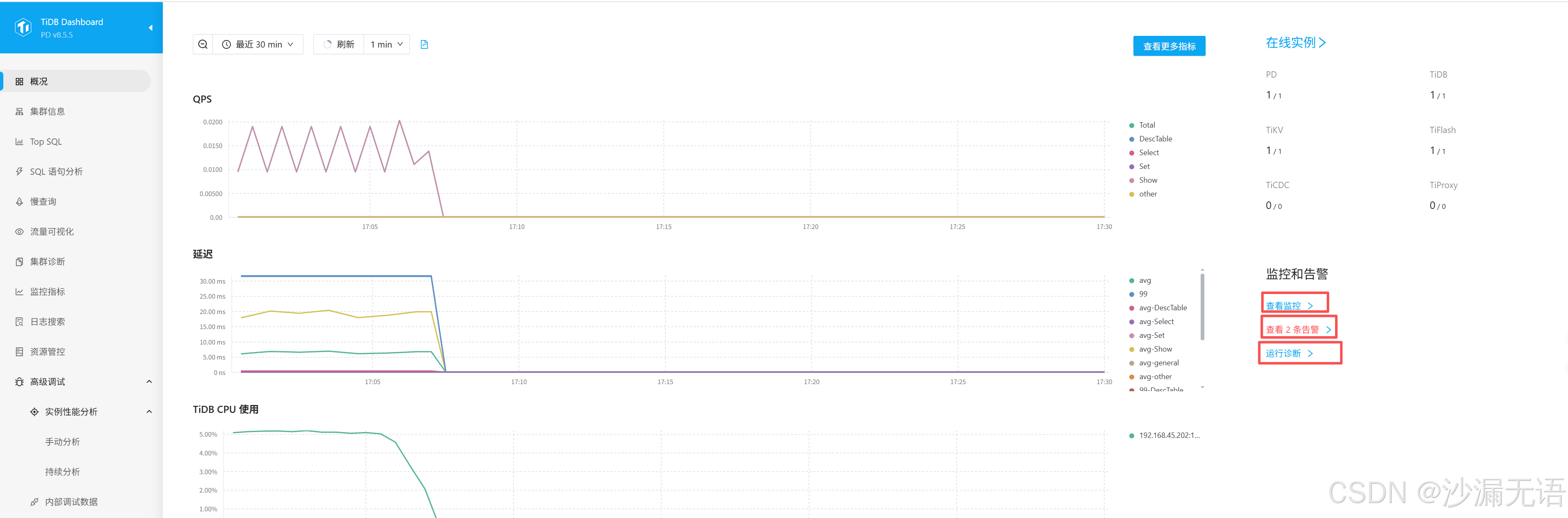
7、访问控制台
8、使用客户端连接
mysql 8.0以上驱动均可。