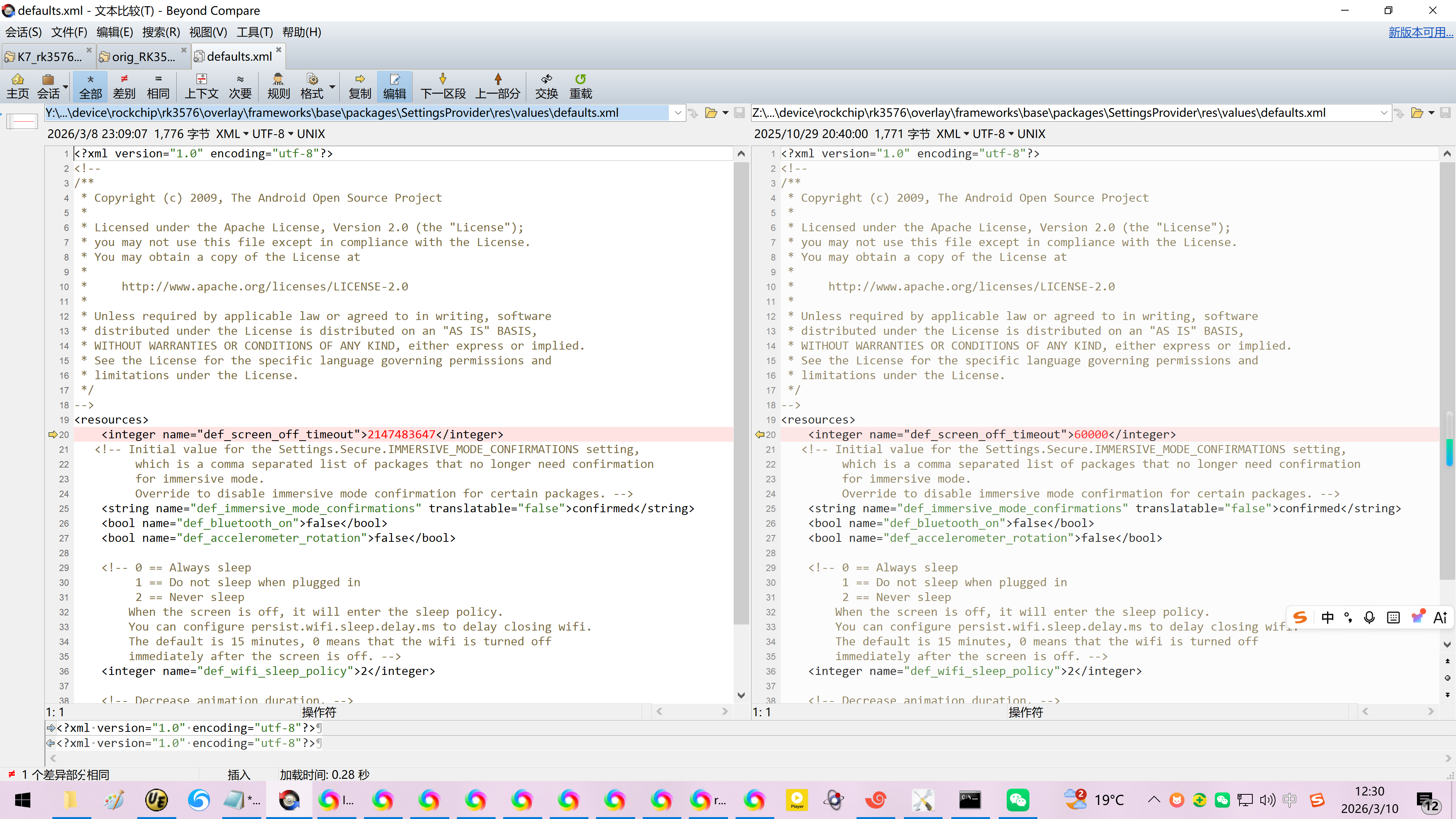
Y:\orig_RK3576+Android14\device\rockchip\rk3576\overlay\frameworks\base\packages\SettingsProvider\res\values\defaults.xml
Y:\orig_RK3576+Android14\device\rockchip\rk3576\rk3576_u\rk3576_u.mk
Y:\orig_RK3576+Android14\frameworks\base\packages\SettingsProvider\res\values\defaults.xml
20260310让瑞芯微原厂RK3576的Android14刷入乐晓电子的K7开发板时禁止休眠+锁屏
1、【这个优先级比较高,貌似这里会覆盖defaults.xml中的属性值!】
【必须修改,不然开机60s就会深度休眠了!】
Y:\orig_RK3576+Android14\device\rockchip\rk3576\overlay\frameworks\base\packages\SettingsProvider\res\values\defaults.xml
Y:\orig_RK3576+Android14\frameworks\base\packages\SettingsProvider\res\values\defaults.xml
<?xml version="1.0" encoding="utf-8"?>
<!--
/**
* Copyright (c) 2009, The Android Open Source Project
*
* Licensed under the Apache License, Version 2.0 (the "License");
* you may not use this file except in compliance with the License.
* You may obtain a copy of the License at
*
* http://www.apache.org/licenses/LICENSE-2.0
*
* Unless required by applicable law or agreed to in writing, software
* distributed under the License is distributed on an "AS IS" BASIS,
* WITHOUT WARRANTIES OR CONDITIONS OF ANY KIND, either express or implied.
* See the License for the specific language governing permissions and
* limitations under the License.
*/
-->
<resources>
<integer name="def_screen_off_timeout">60000</integer>
<!-- Initial value for the Settings.Secure.IMMERSIVE_MODE_CONFIRMATIONS setting,
which is a comma separated list of packages that no longer need confirmation
for immersive mode.
Override to disable immersive mode confirmation for certain packages. -->
<string name="def_immersive_mode_confirmations" translatable="false">confirmed</string>
<bool name="def_bluetooth_on">false</bool>
<bool name="def_accelerometer_rotation">false</bool>
<!-- 0 == Always sleep
1 == Do not sleep when plugged in
2 == Never sleep
When the screen is off, it will enter the sleep policy.
You can configure persist.wifi.sleep.delay.ms to delay closing wifi.
The default is 15 minutes, 0 means that the wifi is turned off
immediately after the screen is off. -->
<integer name="def_wifi_sleep_policy">2</integer>
<!-- Decrease animation duration. -->
<fraction name="def_window_animation_scale">50%</fraction>
<fraction name="def_window_transition_scale">50%</fraction>
</resources>
修改为:
<?xml version="1.0" encoding="utf-8"?>
<!--
/**
* Copyright (c) 2009, The Android Open Source Project
*
* Licensed under the Apache License, Version 2.0 (the "License");
* you may not use this file except in compliance with the License.
* You may obtain a copy of the License at
*
* http://www.apache.org/licenses/LICENSE-2.0
*
* Unless required by applicable law or agreed to in writing, software
* distributed under the License is distributed on an "AS IS" BASIS,
* WITHOUT WARRANTIES OR CONDITIONS OF ANY KIND, either express or implied.
* See the License for the specific language governing permissions and
* limitations under the License.
*/
-->
<resources>
<integer name="def_screen_off_timeout">2147483647</integer>
<!-- Initial value for the Settings.Secure.IMMERSIVE_MODE_CONFIRMATIONS setting,
which is a comma separated list of packages that no longer need confirmation
for immersive mode.
Override to disable immersive mode confirmation for certain packages. -->
<string name="def_immersive_mode_confirmations" translatable="false">confirmed</string>
<bool name="def_bluetooth_on">false</bool>
<bool name="def_accelerometer_rotation">false</bool>
<!-- 0 == Always sleep
1 == Do not sleep when plugged in
2 == Never sleep
When the screen is off, it will enter the sleep policy.
You can configure persist.wifi.sleep.delay.ms to delay closing wifi.
The default is 15 minutes, 0 means that the wifi is turned off
immediately after the screen is off. -->
<integer name="def_wifi_sleep_policy">2</integer>
<!-- Decrease animation duration. -->
<fraction name="def_window_animation_scale">50%</fraction>
<fraction name="def_window_transition_scale">50%</fraction>
</resources>
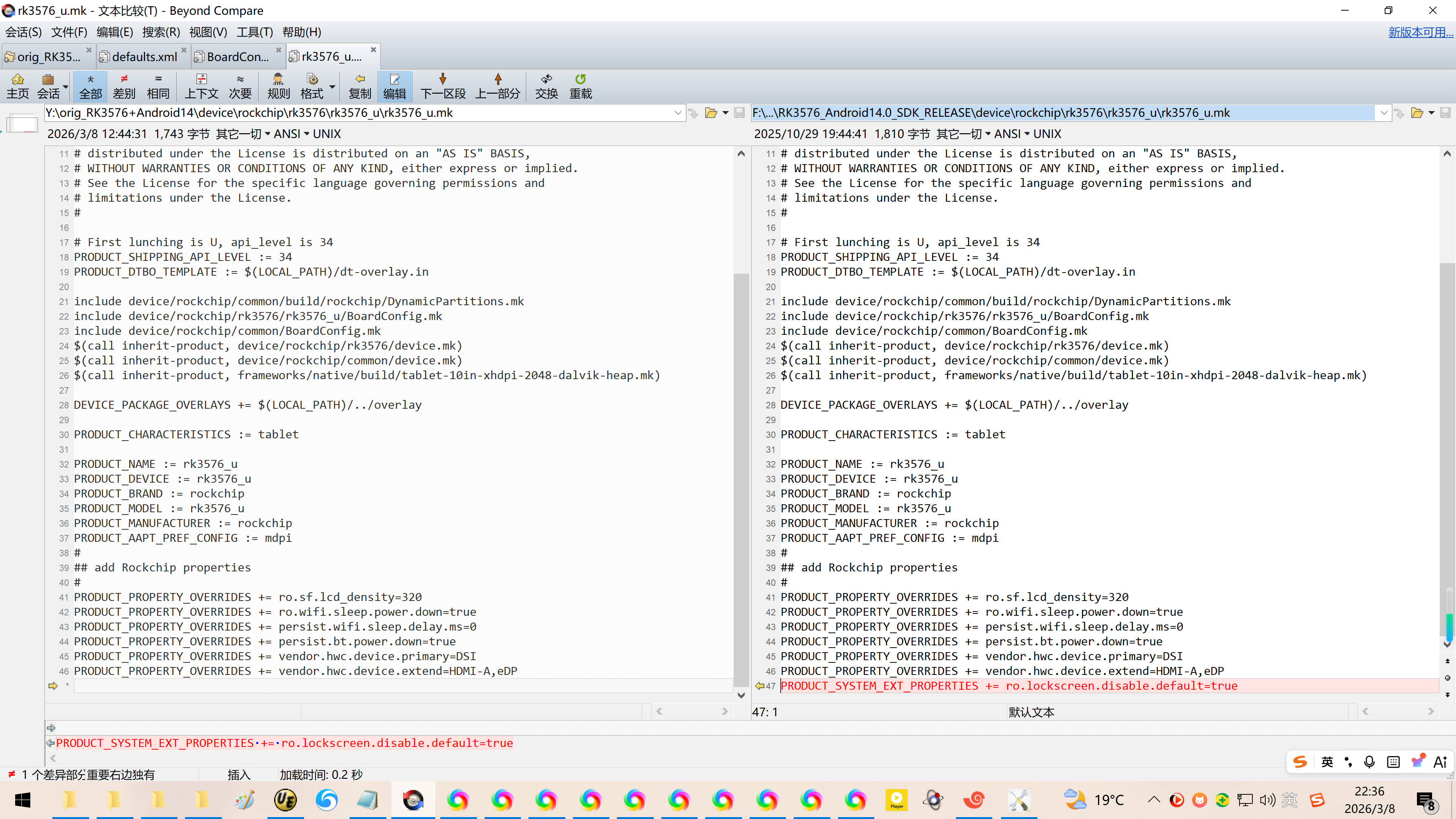
2、看名字这里配置:禁止锁屏
Y:\orig_RK3576+Android14\device\rockchip\rk3576\rk3576_u\rk3576_u.mk
Copyright 2023 The Android Open-Source Project
Licensed under the Apache License, Version 2.0 (the "License");
you may not use this file except in compliance with the License.
You may obtain a copy of the License at
http://www.apache.org/licenses/LICENSE-2.0
Unless required by applicable law or agreed to in writing, software
distributed under the License is distributed on an "AS IS" BASIS,
WITHOUT WARRANTIES OR CONDITIONS OF ANY KIND, either express or implied.
See the License for the specific language governing permissions and
limitations under the License.
First lunching is U, api_level is 34
PRODUCT_SHIPPING_API_LEVEL := 34
PRODUCT_DTBO_TEMPLATE := $(LOCAL_PATH)/dt-overlay.in
include device/rockchip/common/build/rockchip/DynamicPartitions.mk
include device/rockchip/rk3576/rk3576_u/BoardConfig.mk
include device/rockchip/common/BoardConfig.mk
$(call inherit-product, device/rockchip/rk3576/device.mk)
$(call inherit-product, device/rockchip/common/device.mk)
$(call inherit-product, frameworks/native/build/tablet-10in-xhdpi-2048-dalvik-heap.mk)
DEVICE_PACKAGE_OVERLAYS += $(LOCAL_PATH)/../overlay
PRODUCT_CHARACTERISTICS := tablet
PRODUCT_NAME := rk3576_u
PRODUCT_DEVICE := rk3576_u
PRODUCT_BRAND := rockchip
PRODUCT_MODEL := rk3576_u
PRODUCT_MANUFACTURER := rockchip
PRODUCT_AAPT_PREF_CONFIG := mdpi
add Rockchip properties
PRODUCT_PROPERTY_OVERRIDES += ro.sf.lcd_density=320
PRODUCT_PROPERTY_OVERRIDES += ro.wifi.sleep.power.down=true
PRODUCT_PROPERTY_OVERRIDES += persist.wifi.sleep.delay.ms=0
PRODUCT_PROPERTY_OVERRIDES += persist.bt.power.down=true
PRODUCT_PROPERTY_OVERRIDES += vendor.hwc.device.primary=DSI
PRODUCT_PROPERTY_OVERRIDES += vendor.hwc.device.extend=HDMI-A,eDP
PRODUCT_SYSTEM_EXT_PROPERTIES += ro.lockscreen.disable.default=true
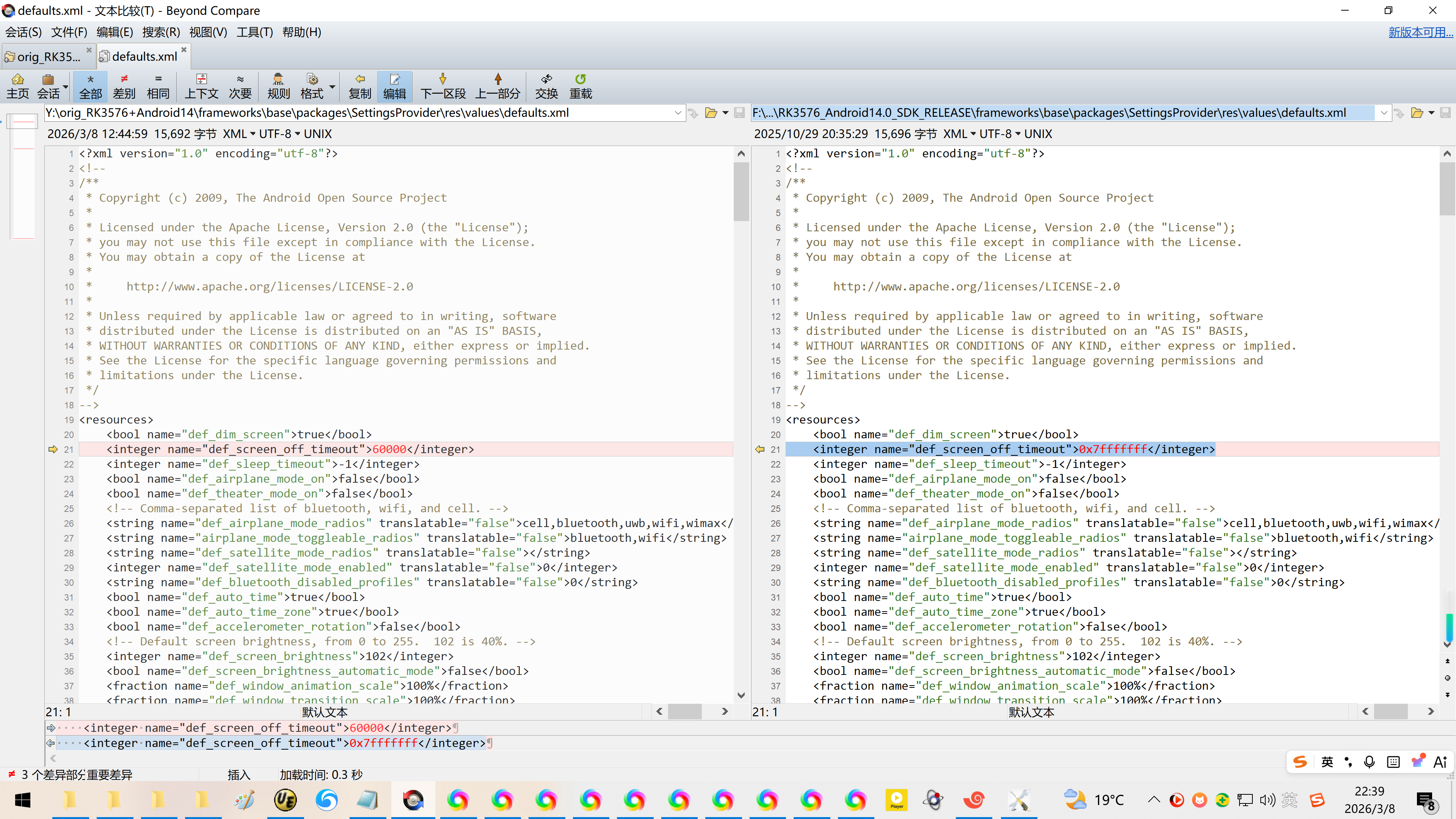
3、一般情况下,实在这里配置:禁止锁屏+永不休眠。
实测,发现defaults.xml的休眠时间会被覆盖掉!
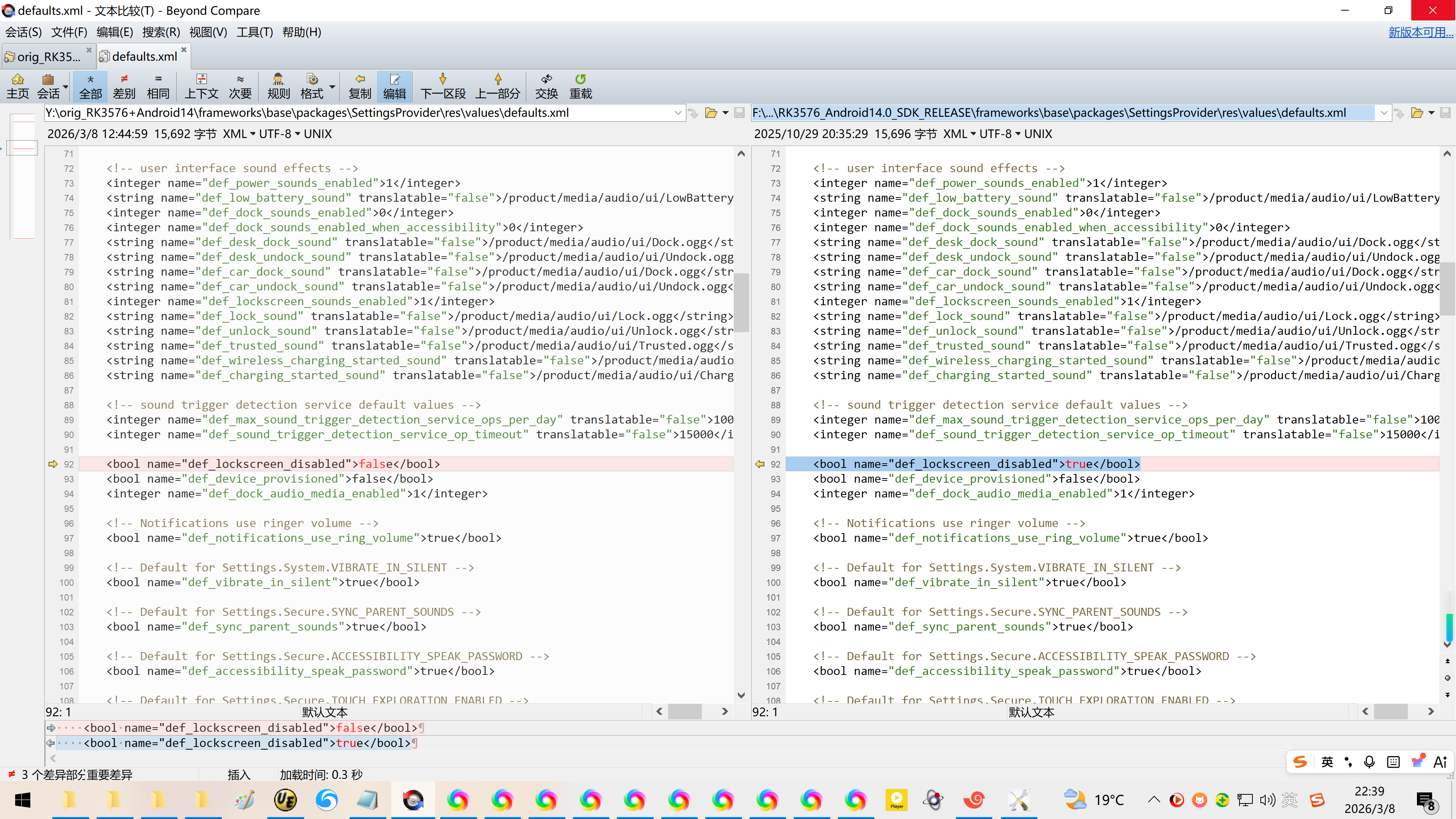
Y:\orig_RK3576+Android14\frameworks\base\packages\SettingsProvider\res\values\defaults.xml
Y:\orig_RK3576+Android14\device\rockchip\rk3576\overlay\frameworks\base\packages\SettingsProvider\res\values\defaults.xml
<integer name="def_screen_off_timeout">60000</integer>
修改为:
<integer name="def_screen_off_timeout">0x7fffffff</integer>
<bool name="def_lockscreen_disabled">false</bool>
<bool name="def_device_provisioned">false</bool>
<integer name="def_dock_audio_media_enabled">1</integer>
修改为:
<bool name="def_lockscreen_disabled">true</bool>
<bool name="def_device_provisioned">false</bool>
<integer name="def_dock_audio_media_enabled">1</integer>
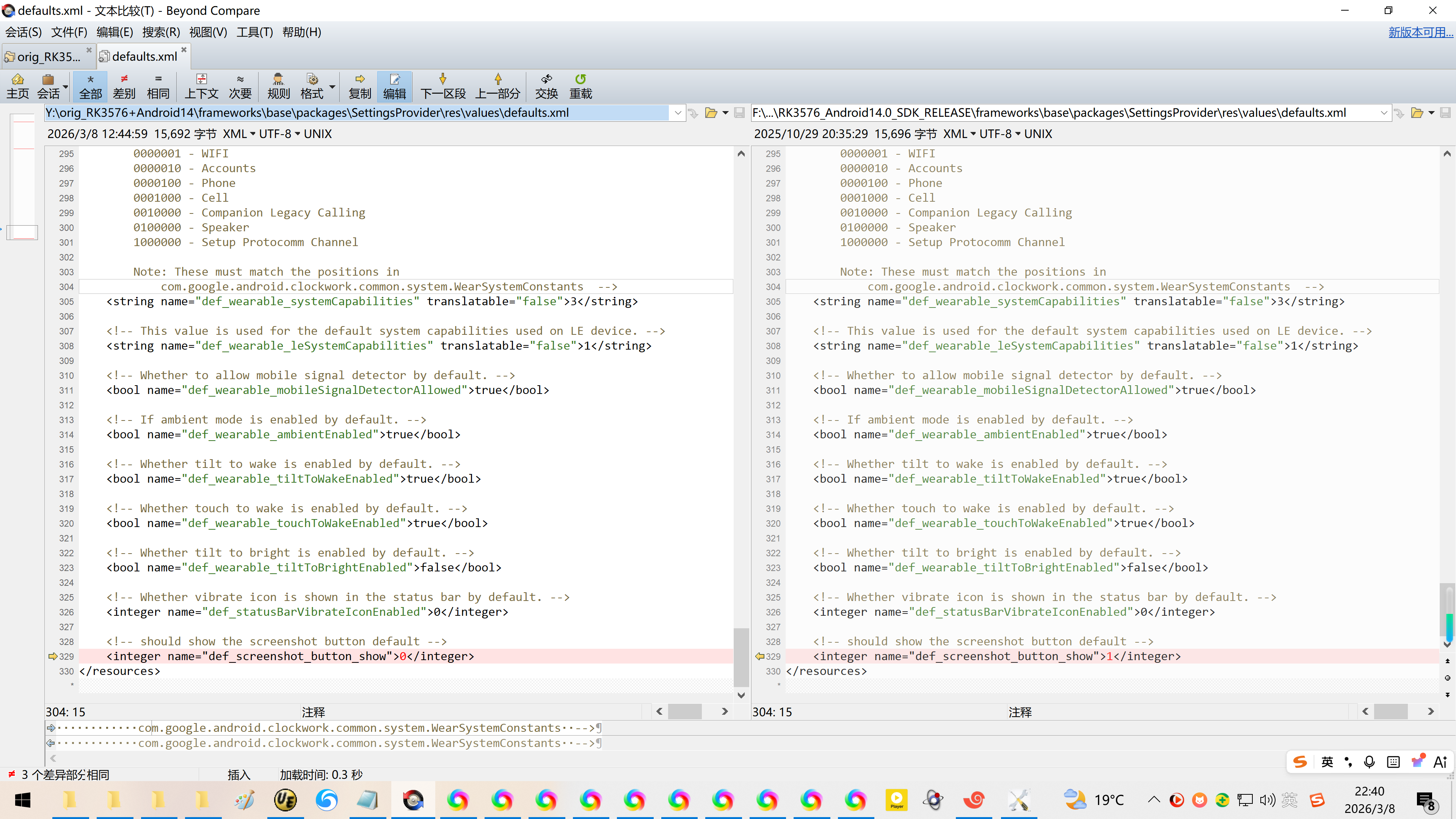
<!-- should show the screenshot button default -->
<integer name="def_screenshot_button_show">0</integer>
</resources>
修改为:
<!-- should show the screenshot button default -->
<integer name="def_screenshot_button_show">1</integer>
</resources>
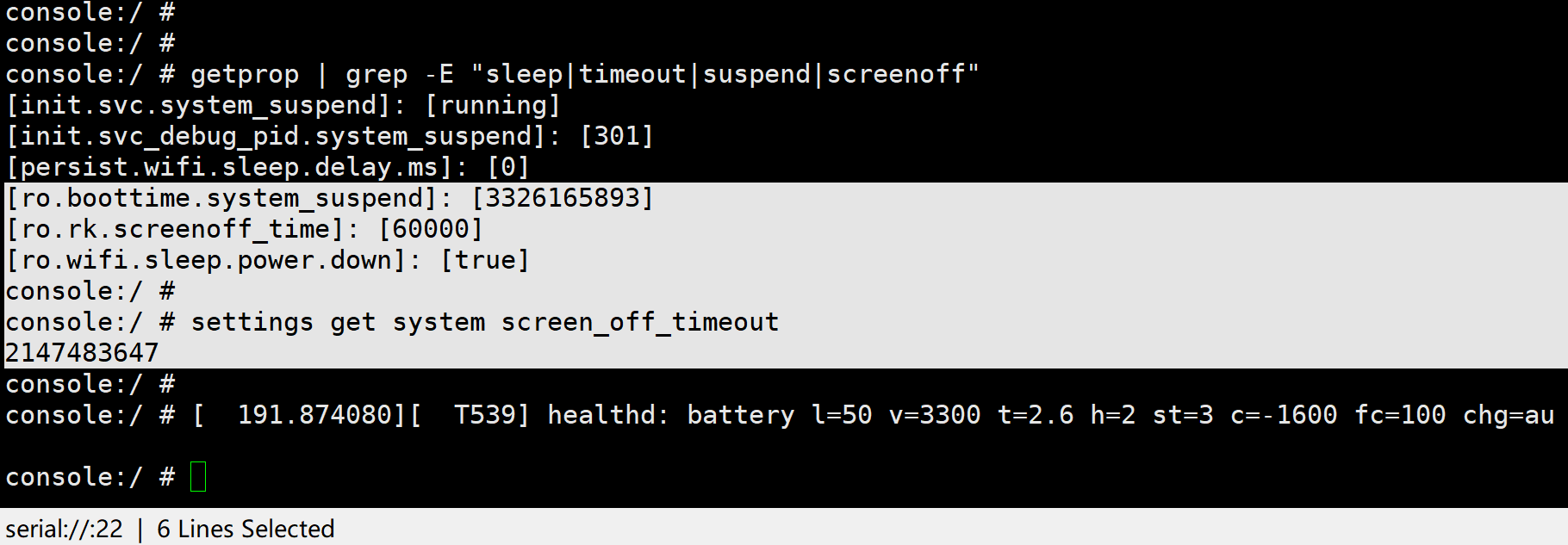
4、刷机之后确认休眠时间:
console:/ #
console:/ # getprop | grep -E "sleep|timeout|suspend|screenoff"
init.svc.system_suspend\]: \[running
init.svc_debug_pid.system_suspend\]: \[301
persist.wifi.sleep.delay.ms\]: \[0
ro.boottime.system_suspend\]: \[3326165893
ro.rk.screenoff_time\]: \[60000
ro.wifi.sleep.power.down\]: \[true
console:/ #
console:/ # settings get system screen_off_timeout
2147483647
console:/ #