javascript
//eachets 社区样式调整
var category = [
        {
          value: 47.32,
          series: "性别",
          name: "女生",
        },
        {
          value: 52.68,
          series: "性别",
          name: "男生",
        },
      ]
var grid = {
  left: 80,
  top: 20,
  right: 80,
  bottom: 15,
}
var total = 100
var datas = category.map((item) => item.value);
option = {
    backgroundColor: '#0e202d',
        xAxis: {
          max: 200,
          splitLine: {
            show: false,
          },
          axisLine: {
            show: false,
          },
          axisLabel: {
            show: false,
          },
          axisTick: {
            show: false,
          },
        },
        grid: this.grid,
        yAxis: [
          {
            type: "category",
            inverse: true, // 根据需要设置为 true 或 false
            data: category.map((item) => item.name),
            axisLine: {
              show: false,
            },
            axisTick: {
              show: false,
            },
            axisLabel: {
              show: false,
            },
          },
        ],
        series: [
          {
            // 内
            type: "bar",
            barWidth: 9,
            symbolOffset: [5, 5],
            symbolSize: [3, 13],
            legendHoverLink: false,
            silent: true,
            itemStyle: {
              normal: {
                color: (params) => {
                  var color;
                  color = {
                    type: "linear",
                    x: 0,
                    y: 0,
                    x2: 1,
                    y2: 0,
                    colorStops: [
                      {
                        offset: 0,
                        color: '#42B5F2', // 0% 处的颜色
                      },
                      {
                        offset: 1,
                        color: '#44DCE2', // 100% 处的颜色
                      },
                    ],
                  };
                  return color;
                },
              },
            },
            label: {
              normal: {
                formatter: "{b}",
                textStyle: {
                  color: "#FFFFFF",
                  fontSize: 13,
                },
                position: "left",
                distance: 5, // 向右偏移位置
                show: true,
              },
            },

            // label: {
            //   show: true,
            //   position: "insideBottomLeft",
            //   // distance: 20,
            //   offset: this.labeloffset,
            //   fontSize: 13,
            //   color: "#CFDEED",
            //   formatter: "{b}",
            // },
            data: category,
            z: 1,
            animationEasing: "elasticOut",
          },
          {
            // 分隔
            type: "pictorialBar",
            itemStyle: {
              normal: {
                color: "#1E4067",
              },
            },
            symbolRepeat: "fixed",
            symbolMargin: 2,
            symbol: "rect",
            symbolClip: true,
            symbolSize: [3, 13],
            symbolPosition: "start",
            symbolOffset: [1, -1],
            symbolBoundingData: total,
            data: new Array(category.length).fill(total),
            z: 2,
            animationEasing: "elasticOut",
          },
        //   {
        //     // 分隔
        //     type: "pictorialBar",
        //     itemStyle: {
        //         normal: {
        //             color: "#07314a"
        //         }
        //     },
        //     symbolRepeat: "fixed",
        //     symbolMargin: 2,
        //     symbol: "rect",
        //     symbolClip: true,
        //     symbolSize: [3, 13],
        //     symbolPosition: "start",
        //     symbolOffset: [1, -1],
        //     symbolBoundingData: total,
        //     data: [total, total, total, total],
        //     z: 2,
        //     animationEasing: "elasticOut",


        // },
          {
            // 外边框
            type: "pictorialBar",
            symbol: "rect",
            symbolBoundingData: total,
            itemStyle: {
              normal: {
                color: "none",
              },
            },
            label: {
              normal: {
                formatter: (params) => {
                  return params.data;
                },
                textStyle: {
                  color: '#fff',
                  fontSize: 20,
                  fontFamily: "D-DIN",
                },
                position: "right",
                distance: 5, // 向右偏移位置
                show: true,
              },
            },
            // label: {
            //   normal: {
            //     formatter: (params) => {
            //       var text;
            //       text = "{b|" + params.value + "}" + "{a|%}";
            //       return text;
            //     },
            //     rich: {
            //       a: {
            //         color: "#D8F0FF",
            //         fontSize: 12,
            //         align: "center", // 居中文本
            //         lineHeight: 20,
            //       },
            //       b: {
            //         color: "#37E6FD",
            //         fontSize: 16,
            //         lineHeight: 20,
            //         fontFamily: "D-DIN",
            //         align: "right", // 右对齐文本
            //       },
            //     },
            //     position: "insideBottomRight",
            //     //  distance: 20,
            //     offset: this.labeloffset2,
            //     fontSize: 13,
            //     show: this.showValue,
            //   },
            // },
            data: datas,
            z: 5,
            animationEasing: "elasticOut",
          },
          {
            name: "外框",
            type: "bar",
            barGap: "-120%", // 设置外框粗细
            data: new Array(category.length).fill(total), // 创建一个长度与 category 相同的数组,每个元素都是 total
            barWidth: 13,
            itemStyle: {
              normal: {
                color: "transparent", // 填充色
                barBorderColor: '#44DAE2', // 边框色
                barBorderWidth: 1, // 边框宽度
                barBorderRadius: 2, // 圆角半径
                label: {
                  // 标签显示位置
                  show: false,
                  position: "top", // insideTop 或者横向的 insideLeft
                },
              },
            },
            z: 5,
          },
        ],
      };
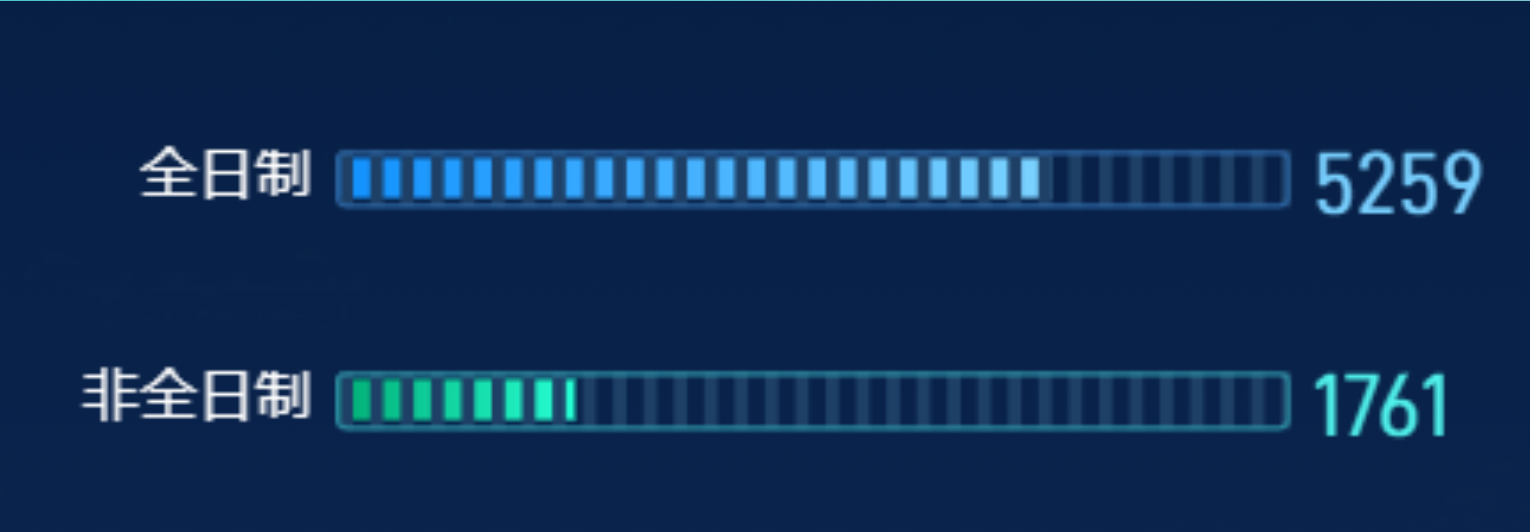
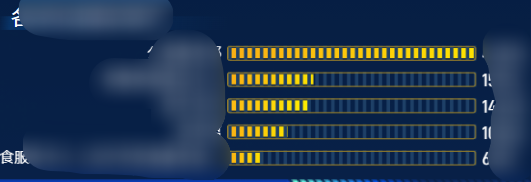
实现效果: