本节添加这些内容
-
手动输入题目解析
-
上传题目图片
-
OCR 识别文字
-
自动调用 AI 解析
-
自动写入历史记录 / 错题本
后端先装依赖
在 backend 目录执行:
pip install pillow paddleocr后端新增文件
新增 app/ocr_service.py
python
from paddleocr import PaddleOCR
from PIL import Image

ocr = PaddleOCR(use_angle_cls=True, lang="ch")


def extract_text_from_image(image_path: str) -> str:
    result = ocr.ocr(image_path, cls=True)

    lines = []
    for block in result:
        if not block:
            continue
        for item in block:
            if len(item) < 2:
                continue
            text = item[1][0].strip()
            if text:
                lines.append(text)

    return "\n".join(lines)
后端修改 app/schemas.py
只新增下面这个响应结构:
python
class OCRSolveResponse(SolveQuestionResponse):
    question: str
    ocr_text: str
后端修改 app/main.py
1)先补充 import
在顶部 import 区域,新增这几行:
javascript
import os
import tempfile
from fastapi import File, UploadFile
from app.ocr_service import extract_text_from_image
from app.schemas import OCRSolveResponse
2)新增图片解析接口
把这个接口加到 main.py 里:
ini
@app.post("/api/solve-image", response_model=OCRSolveResponse)
async def solve_image(file: UploadFile = File(...), db: Session = Depends(get_db)):
    temp_path = None
    try:
        suffix = os.path.splitext(file.filename or "")[-1] or ".png"
        with tempfile.NamedTemporaryFile(delete=False, suffix=suffix) as temp_file:
            content = await file.read()
            temp_file.write(content)
            temp_path = temp_file.name

        ocr_text = extract_text_from_image(temp_path).strip()
        if not ocr_text:
            raise HTTPException(status_code=400, detail="OCR 未识别到题目内容")

        result = solve_math_question(ocr_text)

        row = QuestionHistory(
            question=ocr_text,
            answer=result["answer"],
            steps=json.dumps(result["steps"], ensure_ascii=False),
            knowledge_points=json.dumps(result["knowledge_points"], ensure_ascii=False),
            similar_question=result["similar_question"],
            is_wrong=False,
        )
        db.add(row)
        db.commit()
        db.refresh(row)

        return OCRSolveResponse(
            id=row.id,
            question=ocr_text,
            ocr_text=ocr_text,
            answer=row.answer,
            steps=json.loads(row.steps),
            knowledge_points=json.loads(row.knowledge_points),
            similar_question=row.similar_question,
            is_wrong=row.is_wrong,
        )
    except HTTPException:
        db.rollback()
        raise
    except Exception as e:
        db.rollback()
        raise HTTPException(status_code=500, detail=str(e))
    finally:
        if temp_path and os.path.exists(temp_path):
            os.remove(temp_path)
前端修改 src/api/math.ts
1)新增 OCR 返回类型
typescript
export interface OCRSolveResponse extends HistoryItem {
  question: string
  ocr_text: string
}
2)新增图片解析接口方法
arduino
export function solveMathImage(file: File) {
  const formData = new FormData()
  formData.append('file', file)
  return request.post<OCRSolveResponse>('/api/solve-image', formData, {
    headers: {
      'Content-Type': 'multipart/form-data',
    },
  })
}
前端修改 src/App.vue
1)修改 import
python
import {
  solveMathQuestion,
  solveMathImage,
  getHistoryList,
  getWrongQuestionList,
  markWrongQuestion,
  type SolveResponse,
  type HistoryItem,
} from './api/math'
2)新增上传状态
在 script setup 里,新增:
csharp
const imageLoading = ref(false)3)新增图片上传解析方法
在 script setup 里,新增:
vbnet
const handleImageChange = async (event: Event) => {
  const target = event.target as HTMLInputElement
  const file = target.files?.[0]
  if (!file) return

  imageLoading.value = true
  try {
    const { data } = await solveMathImage(file)
    result.value = {
      ...data,
      question: data.question,
    }
    activeTab.value = 'solve'
    await loadHistory()
    await loadWrongList()
  } catch (error: any) {
    console.error('图片解析失败:', error)
    alert(error?.response?.data?.detail || '图片解析失败,请检查后端日志')
  } finally {
    imageLoading.value = false
    target.value = ''
  }
}
4)修改"题目解析"区域模板
找到 activeTab === 'solve' 这一段,在 textarea 上方插入下面这块:
ini
<div class="upload-area">
  <label class="upload-btn">
    {{ imageLoading ? '识别中...' : '上传题目图片' }}
    <input
      type="file"
      accept="image/*"
      class="file-input"
      :disabled="imageLoading"
      @change="handleImageChange"
    />
  </label>
</div>
5)补充样式
在 style scoped 里新增:
css
.upload-area {
  margin-bottom: 16px;
}

.upload-btn {
  display: inline-flex;
  align-items: center;
  padding: 10px 16px;
  background: #2080f0;
  color: #fff;
  border-radius: 8px;
  cursor: pointer;
}

.file-input {
  display: none;
}
重启
1)重启后端
lua
uvicorn app.main:app --reload --port 80002)重启前端
arduino
npm run dev预期结果
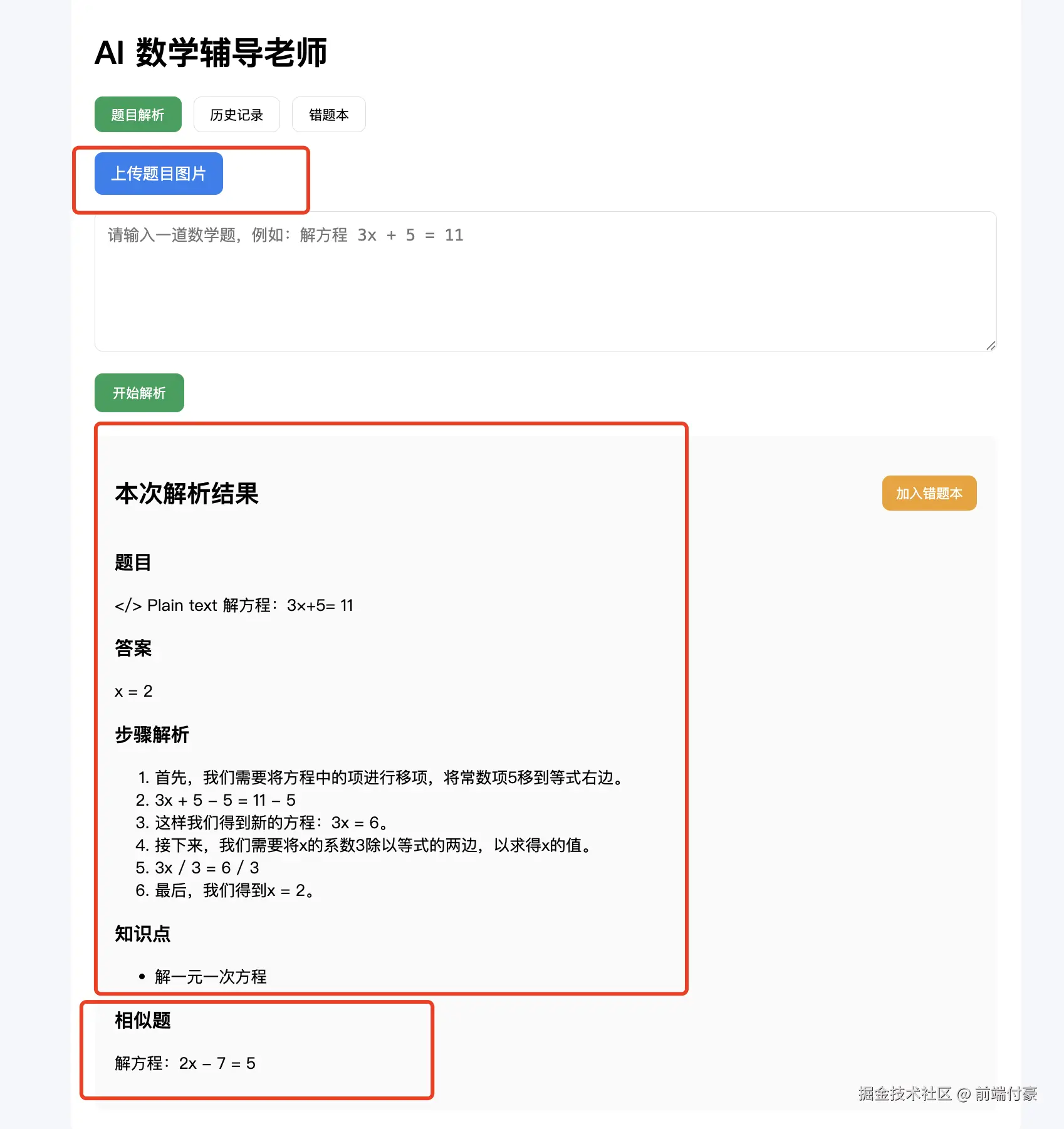
- 上传一张题目图片
- OCR 提取题目
- 自动解析
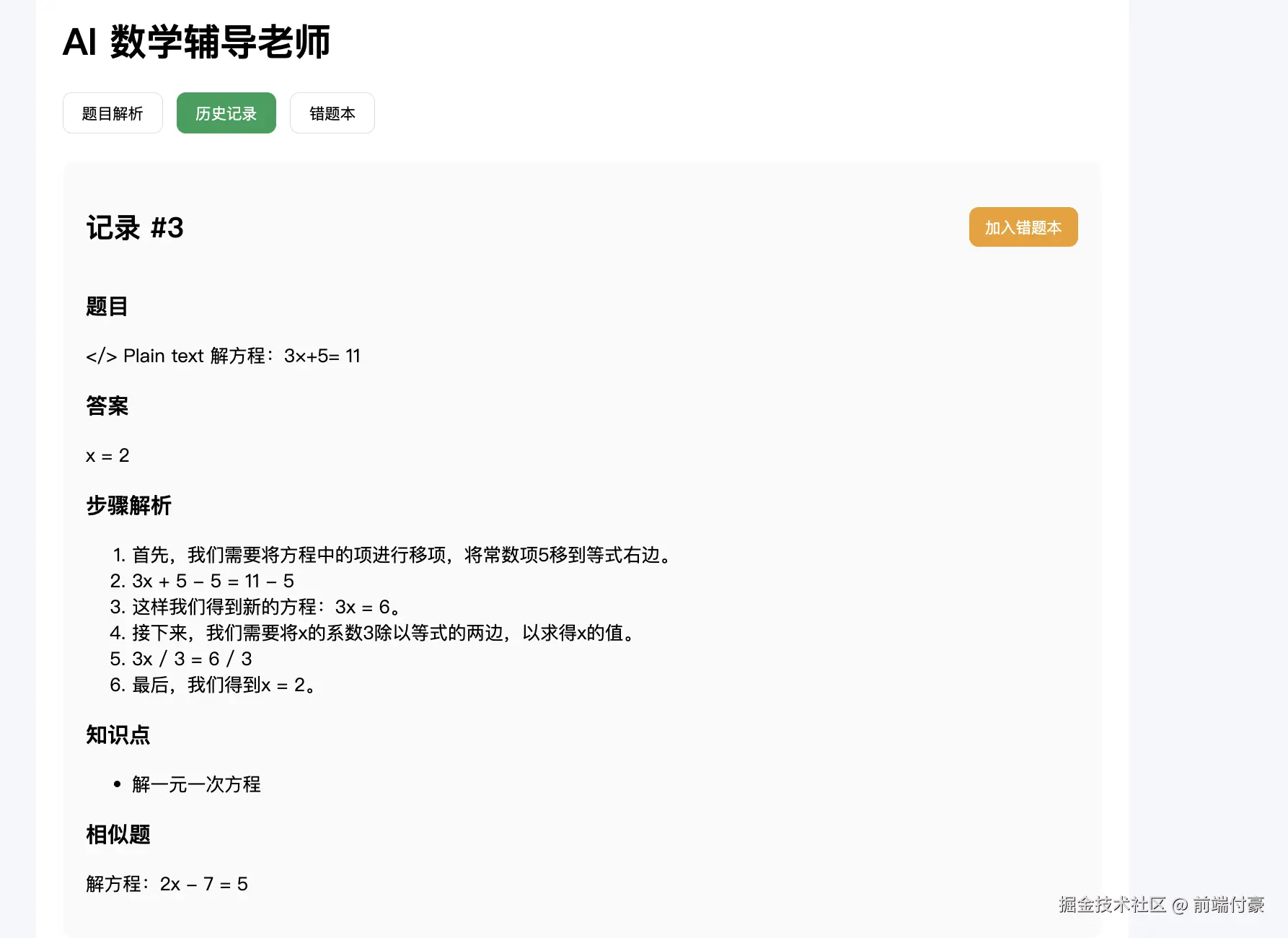
- 页面展示答案 / 步骤 / 知识点 / 相似题
- 历史记录新增一条
错误处理
arduino
import paddle ModuleNotFoundError: No module named 'paddle'解决
ini
pip install paddlepaddle==2.6.2

uvicorn app.main:app --reload --port 8000
报错
csharp
AttributeError: 'paddle.base.libpaddle.AnalysisConfig' object has no attribute 'set_optimization_level'. Did you mean: 'tensorrt_optimization_level'?PaddleOCR 和 PaddlePaddle 版本不兼容 导致的。
ini
pip uninstall paddleocr paddlepaddle -y

pip install paddlepaddle==2.6.2
pip install paddleocr==2.7.3
报错
arduino
25, in <module> import cv2 ImportError: numpy.core.multiarray failed to import解决
ini
pip uninstall -y numpy opencv-python opencv-contrib-python opencv-python-headless

pip install numpy==1.26.4
pip install opencv-python-headless==4.10.0.84
效果
上传这个图片

非常不错!!!