界面API(一)
- 一、交互
- 二、导航栏
- 三、背景
- [四、Tab bar](#四、Tab bar)
-
- 4.1、wx.showTabBarRedDot
- 4.2、wx.showTabBar
- 4.3、wx.setTabBarStyle
- 4.4、wx.setTabBarItem
- 4.5、wx.setTabBarBadge
- 4.6、wx.removeTabBarBadge
- 4.7、wx.hideTabBarRedDot
- [4.8、wx.hideTabBar(Object object)](#4.8、wx.hideTabBar(Object object))
- 五、字体
- 六、下拉刷新
- 七、滚动
- 八、动画
一、交互
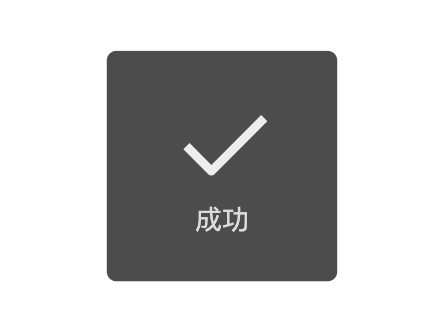
1.1、wx.showToast(提示框)
显示消息提示框
参数:Object object
| 属性 | 类型 | 默认值 | 必填 | 说明 |
|---|---|---|---|---|
title |
string | 是 | 提示的内容 | |
icon |
string | success | 否 | 图标,可选值如下: success:显示成功图标,此时 title 文本最多显示 7 个汉字长度 error:显示失败图标,此时 title 文本最多显示 7 个汉字长度 loading:显示加载图标,此时 title 文本最多显示 7 个汉字长度 none:不显示图标,此时 title 文本最多可显示两行,1.9.0及以上版本支持 |
image |
string | 否 | 自定义图标的本地路径,image 的优先级高于 icon | |
duration |
number | 1500 | 否 | 提示的延迟时间 |
mask |
boolean | false | 否 | 是否显示透明蒙层,防止触摸穿透 |
success |
function | 否 | 接口调用成功的回调函数 | |
fail |
function | 否 | 接口调用失败的回调函数 | |
complete |
function | 否 | 接口调用结束的回调函数(调用成功、失败都会执行) |
js
wx.showToast({
  title: '成功',
  icon: 'success',
  duration: 2000
})
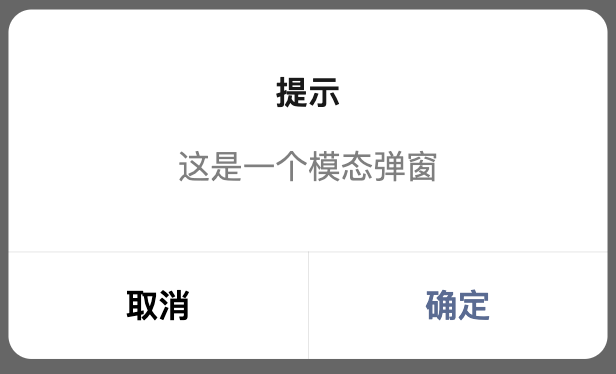
1.2、wx.showModal(模态对话框)
显示模态对话框。
参数:Object object
| 属性 | 类型 | 默认值 | 必填 | 说明 |
|---|---|---|---|---|
title |
string | 否 | 提示的标题 | |
content |
string | 否 | 提示的内容 | |
showCancel |
boolean | true | 否 | 是否显示取消按钮 |
cancelText |
string | 取消 | 否 | 取消按钮的文字,最多 4 个字符 |
cancelColor |
string | #000000 | 否 | 取消按钮的文字颜色,必须是 16 进制格式的颜色字符串 |
confirmText |
string | 确定 | 否 | 确认按钮的文字,最多 4 个字符 |
confirmColor |
string | #576B95 | 否 | 确认按钮的文字颜色,必须是 16 进制格式的颜色字符串 |
editable |
boolean | false | 否 | 是否显示输入框 |
placeholderText |
string | 否 | 显示输入框时的提示文本 | |
success |
function | 否 | 接口调用成功的回调函数 | |
fail |
function | 否 | 接口调用失败的回调函数 | |
complete |
function | 否 | 接口调用结束的回调函数(调用成功、失败都会执行) |
object.success回调函数:
参数:Object res
| 属性 | 类型 | 说明 |
|---|---|---|
| content | string | editable 为 true 时,用户输入的文本 |
| confirm | boolean | 为 true 时,表示用户点击了确定按钮 |
| cancel | boolean | 为 true 时,表示用户点击了取消(用于 Android 系统区分点击蒙层关闭还是点击取消按钮关闭) |
js
wx.showModal({
  title: '提示',
  content: '这是一个模态弹窗',
  success (res) {
    if (res.confirm) {
      console.log('用户点击确定')
    } else if (res.cancel) {
      console.log('用户点击取消')
    }
  }
})
1.3、wx.showLoading(loading提示框)
显示 loading 提示框。需主动调用 wx.hideLoading 才能关闭提示框。
参数:Object object
| 属性 | 类型 | 默认值 | 必填 | 说明 |
|---|---|---|---|---|
itle |
string | 是 | 提示的内容 | |
mask |
boolean | false | 否 | 是否显示透明蒙层,防止触摸穿透 |
success |
function | 否 | 接口调用成功的回调函数 | |
fail |
function | 否 | 接口调用失败的回调函数 | |
complete |
function | 否 | 接口调用结束的回调函数(调用成功、失败都会执行) |
js
wx.showLoading({
  title: '加载中',
})

setTimeout(function () {
  wx.hideLoading()
}, 2000)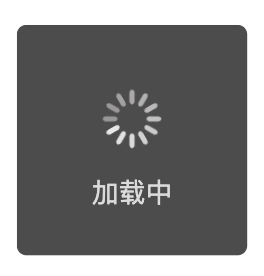
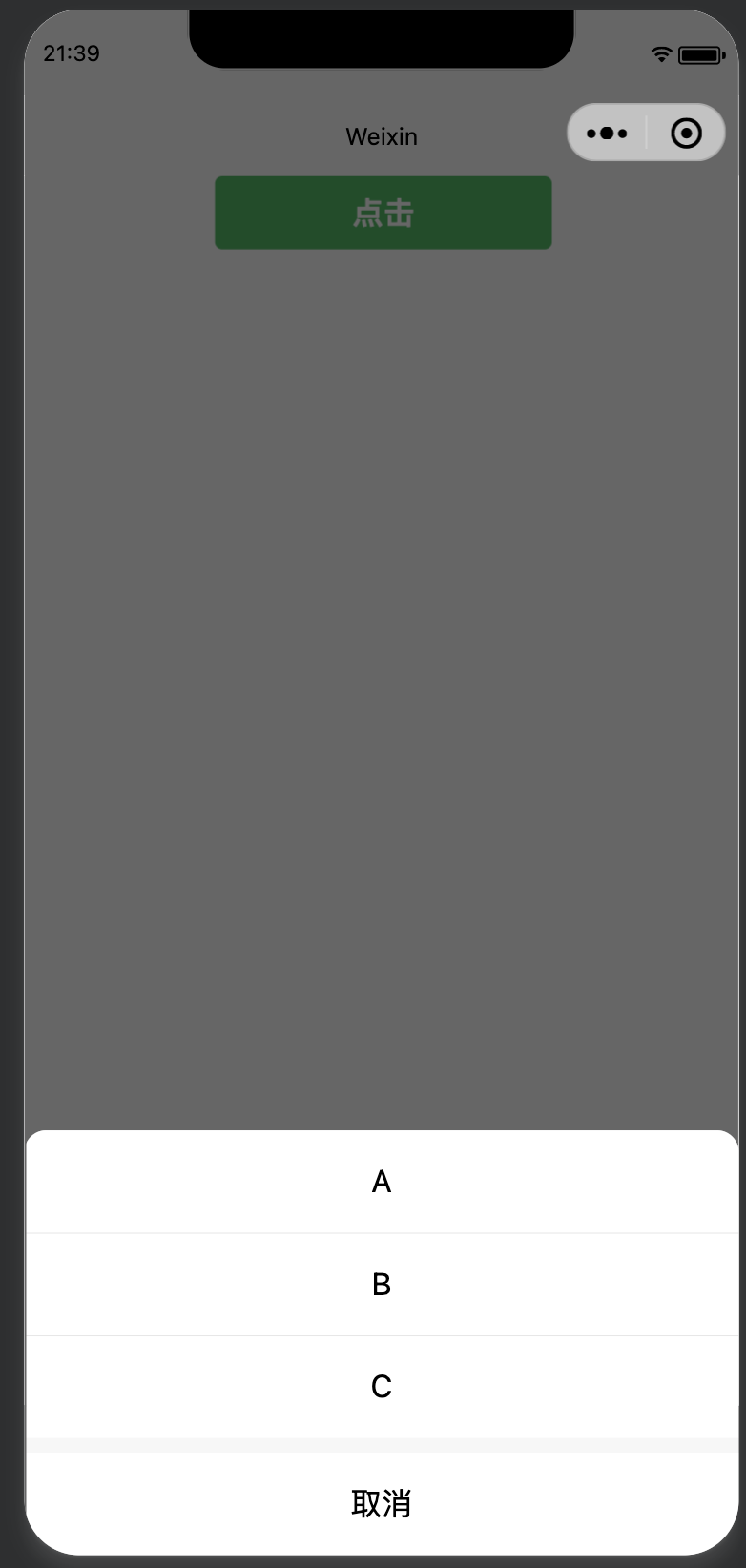
1.4、wx.showActionSheet(操作菜单)
显示操作菜单。
参数:Object object
| 属性 | 类型 | 默认值 | 必填 | 说明 |
|---|---|---|---|---|
alertText |
string | 否 | 警示文案 | |
itemList |
Array.<string> | 是 | 按钮的文字数组,数组长度最大为 6 | |
itemColor |
string | #000000 | 否 | 按钮的文字颜色 |
success |
function | 否 | 接口调用成功的回调函数 | |
fail |
function | 否 | 接口调用失败的回调函数 | |
complete |
function | 否 | 接口调用结束的回调函数(调用成功、失败都会执行) |
object.success回调函数:
参数:Object res
| 属性 | 类型 | 说明 |
|---|---|---|
| tapIndex | number | 用户点击的按钮序号,从上到下的顺序,从0开始 |
js
wx.showActionSheet({
  itemList: ['A', 'B', 'C'],
  success (res) {
    console.log(res.tapIndex)
  },
  fail (res) {
    console.log(res.errMsg)
  }
})
1.5、wx.hideToast(隐藏消息提示框)
隐藏消息提示框。
参数:Object object
| 属性 | 类型 | 默认值 | 必填 | 说明 |
|---|---|---|---|---|
noConflict |
boolean | false | 否 | 目前 toast 和 loading 相关接口可以相互混用,此参数可用于取消混用特性 |
success |
function | 否 | 接口调用成功的回调函数 | |
fail |
function | 否 | 接口调用失败的回调函数 | |
complete |
function | 否 | 接口调用结束的回调函数(调用成功、失败都会执行) |
1.6、wx.hideLoading(隐藏loading提示框)
隐藏 loading 提示框.
| 属性 | 类型 | 默认值 | 必填 | 说明 |
|---|---|---|---|---|
noConflict |
boolean | false | 否 | 目前 toast 和 loading 相关接口可以相互混用,此参数可用于取消混用特性 |
success |
function | 否 | 接口调用成功的回调函数 | |
fail |
function | 否 | 接口调用失败的回调函数 | |
complete |
function | 否 | 接口调用结束的回调函数(调用成功、失败都会执行) |
1.7、wx.enableAlertBeforeUnload(打开页面返回询问对话框)
弹窗条件:
- 当用户在小程序内非首页页面/最底层页
- 官方导航栏上的的返回
- 全屏模式下自绘返回键
- android 系统 back 键时
注意事项:
- 手势滑动返回时不做拦截
- 在任何场景下,此功能都不应拦住用户退出小程序的行为
参数:Object object
| 属性 | 类型 | 默认值 | 必填 | 说明 |
|---|---|---|---|---|
message |
string | 是 | 询问对话框内容 | |
success |
function | 否 | 接口调用成功的回调函数 | |
fail |
function | 否 | 接口调用失败的回调函数 | |
complete |
function | 否 | 接口调用结束的回调函数(调用成功、失败都会执行) |
1.8、wx.disableAlertBeforeUnload(关闭页面返回询问对话框)
参数:Object object
| 属性 | 类型 | 默认值 | 必填 | 说明 |
|---|---|---|---|---|
success |
function | 否 | 接口调用成功的回调函数 | |
fail |
function | 否 | 接口调用失败的回调函数 | |
complete |
function | 否 | 接口调用结束的回调函数(调用成功、失败都会执行) |
二、导航栏
2.1、wx.showNavigationBarLoading
在当前页面显示导航条加载动画。
参数:Object object
| 属性 | 类型 | 默认值 | 必填 | 说明 |
|---|---|---|---|---|
success |
function | 否 | 接口调用成功的回调函数 | |
fail |
function | 否 | 接口调用失败的回调函数 | |
complete |
function | 否 | 接口调用结束的回调函数(调用成功、失败都会执行) |
2.2、wx.setNavigationBarTitle
动态设置当前页面的标题。
参数:Object object
| 属性 | 类型 | 默认值 | 必填 | 说明 |
|---|---|---|---|---|
title |
string | 是 | 页面标题 | |
success |
function | 否 | 接口调用成功的回调函数 | |
fail |
function | 否 | 接口调用失败的回调函数 | |
complete |
function | 否 | 接口调用结束的回调函数(调用成功、失败都会执行) |
js
wx.setNavigationBarTitle({
  title: '当前页面'
})
2.3、wx.setNavigationBarColor
设置页面导航条颜色。
参数:Object object
| 属性 | 类型 | 默认值 | 必填 | 说明 |
|---|---|---|---|---|
frontColor |
string | 是 | 前景颜色值,包括按钮、标题、状态栏的颜色,仅支持 #ffffff 和 #000000 | |
backgroundColor |
string | 是 | 背景颜色值,有效值为十六进制颜色 | |
animation |
Object | 否 | 动画效果 | |
success |
function | 否 | 接口调用成功的回调函数 | |
fail |
function | 否 | 接口调用失败的回调函数 | |
complete |
function | 否 | 接口调用结束的回调函数(调用成功、失败都会执行) |
其中animation结构如下:
| 结构属性 | 类型 | 默认值 | 必填 | 说明 |
|---|---|---|---|---|
| duration | number | 0 | 否 | 动画变化时间,单位 ms |
| timingFunc | string | 'linear' | 否 | 动画变化方式,合法值如下: 'linear':动画从头到尾的速度是相同的 'easeln':动画以低速开始 'easeOut':动画以低速结束 'easeInOut':动画以低速开始和结束 |
js
wx.setNavigationBarColor({
  frontColor: '#ffffff',
  backgroundColor: '#ff0000',
  animation: {
    duration: 400,
    timingFunc: 'easeIn'
  }
})
2.4、wx.hideNavigationBarLoading
在当前页面隐藏导航条加载动画
参数:Object object
| 属性 | 类型 | 默认值 | 必填 | 说明 |
|---|---|---|---|---|
success |
function | 否 | 接口调用成功的回调函数 | |
fail |
function | 否 | 接口调用失败的回调函数 | |
complete |
function | 否 | 接口调用结束的回调函数(调用成功、失败都会执行) |
2.5、wx.hideHomeButton
隐藏返回首页按钮。微信7.0.7版本起,当用户打开的小程序最底层页面是非首页时,默认展示"返回首页"按钮,开发者可在页面 onShow 中调用 hideHomeButton 进行隐藏。
参数:Object object
| 属性 | 类型 | 默认值 | 必填 | 说明 |
|---|---|---|---|---|
success |
function | 否 | 接口调用成功的回调函数 | |
fail |
function | 否 | 接口调用失败的回调函数 | |
complete |
function | 否 | 接口调用结束的回调函数(调用成功、失败都会执行) |
三、背景
3.1、wx.setBackgroundTextStyle
动态设置下拉背景字体、loading 图的样式
参数:Object object
| 属性 | 类型 | 默认值 | 必填 | 说明 |
|---|---|---|---|---|
textStyle |
string | 是 | 下拉背景字体、loading 图的样式,合法值如下: dark light |
|
success |
function | 否 | 接口调用成功的回调函数 | |
fail |
function | 否 | 接口调用失败的回调函数 | |
complete |
function | 否 | 接口调用结束的回调函数(调用成功、失败都会执行) |
js
wx.setBackgroundTextStyle({
  textStyle: 'dark' // 下拉背景字体、loading 图的样式为dark
})
3.2、wx.setBackgroundColor
动态设置窗口的背景色
参数:Object object
| 属性 | 类型 | 默认值 | 必填 | 说明 |
|---|---|---|---|---|
backgroundColor |
string | 否 | 窗口的背景色,必须为十六进制颜色值 | |
backgroundColorTop |
string | 否 | 顶部窗口的背景色,必须为十六进制颜色值,仅 iOS 支持 | |
backgroundColorBottom |
string | 否 | 底部窗口的背景色,必须为十六进制颜色值,仅 iOS 支持 | |
success |
function | 否 | 接口调用成功的回调函数 | |
fail |
function | 否 | 接口调用失败的回调函数 | |
complete |
function | 否 | 接口调用结束的回调函数(调用成功、失败都会执行) |
js
wx.setBackgroundColor({
  backgroundColor: '#ffffff', // 窗口的背景色为白色
})

wx.setBackgroundColor({
  backgroundColorTop: '#ffffff', // 顶部窗口的背景色为白色
  backgroundColorBottom: '#ffffff', // 底部窗口的背景色为白色
})
四、Tab bar
4.1、wx.showTabBarRedDot
显示 tabBar 某一项的右上角的红点。
参数:Object object
| 属性 | 类型 | 默认值 | 必填 | 说明 |
|---|---|---|---|---|
index |
number | 是 | tabBar 的哪一项,从左边算起 | |
success |
function | 否 | 接口调用成功的回调函数 | |
fail |
function | 否 | 接口调用失败的回调函数 | |
complete |
function | 否 | 接口调用结束的回调函数(调用成功、失败都会执行) |
4.2、wx.showTabBar
显示 tabBar。
参数:Object object
| 属性 | 类型 | 默认值 | 必填 | 说明 |
|---|---|---|---|---|
animation |
boolean | false | 否 | 是否需要动画效果 |
success |
function | 否 | 接口调用成功的回调函数 | |
fail |
function | 否 | 接口调用失败的回调函数 | |
complete |
function | 否 | 接口调用结束的回调函数(调用成功、失败都会执行) |
4.3、wx.setTabBarStyle
动态设置 tabBar 的整体样式。
参数:Object object
| 属性 | 类型 | 默认值 | 必填 | 说明 |
|---|---|---|---|---|
color |
string | 否 | tab 上的文字默认颜色,HexColor | |
selectedColor |
string | 否 | tab 上的文字选中时的颜色,HexColor | |
backgroundColor |
string | 否 | tab 的背景色,HexColor | |
borderStyle |
string | 否 | tabBar上边框的颜色, 仅支持 black/white | |
success |
function | 否 | 接口调用成功的回调函数 | |
fail |
function | 否 | 接口调用失败的回调函数 | |
complete |
function | 否 | 接口调用结束的回调函数(调用成功、失败都会执行) |
js
wx.setTabBarStyle({
  color: '#FF0000',
  selectedColor: '#00FF00',
  backgroundColor: '#0000FF',
  borderStyle: 'white'
})
4.4、wx.setTabBarItem
动态设置 tabBar 某一项的内容,2.7.0 起图片支持临时文件和网络文件。
参数:Object object
| 属性 | 类型 | 默认值 | 必填 | 说明 |
|---|---|---|---|---|
index |
number | 是 | tabBar 的哪一项,从左边算起 | |
text |
string | 否 | tab 上的按钮文字 | |
iconPath |
string | 否 | 图片路径,icon 大小限制为 40kb,建议尺寸为 81px * 81px,当 postion 为 top 时,此参数无效 | |
selectedIconPath |
string | 否 | 选中时的图片路径,icon 大小限制为 40kb,建议尺寸为 81px * 81px ,当 postion 为 top 时,此参数无效 | |
success |
function | 否 | 接口调用成功的回调函数 | |
fail |
function | 否 | 接口调用失败的回调函数 | |
complete |
function | 否 | 接口调用结束的回调函数(调用成功、失败都会执行) |
js
wx.setTabBarItem({
  index: 0,
  text: 'text',
  iconPath: '/path/to/iconPath',
  selectedIconPath: '/path/to/selectedIconPath'
})
4.5、wx.setTabBarBadge
为 tabBar 某一项的右上角添加文本
参数:Object object
| 属性 | 类型 | 默认值 | 必填 | 说明 |
|---|---|---|---|---|
index |
number | 是 | tabBar 的哪一项,从左边算起 | |
text |
string | 是 | 显示的文本,超过 4 个字符则显示成 ... | |
success |
function | 否 | 接口调用成功的回调函数 | |
fail |
function | 否 | 接口调用失败的回调函数 | |
complete |
function | 否 | 接口调用结束的回调函数(调用成功、失败都会执行) |
js
wx.setTabBarBadge({
  index: 0,
  text: '1'
})
4.6、wx.removeTabBarBadge
移除 tabBar 某一项右上角的文本
参数:Object object
| 属性 | 类型 | 默认值 | 必填 | 说明 |
|---|---|---|---|---|
index |
number | 是 | tabBar 的哪一项,从左边算起 | |
success |
function | 否 | 接口调用成功的回调函数 | |
fail |
function | 否 | 接口调用失败的回调函数 | |
complete |
function | 否 | 接口调用结束的回调函数(调用成功、失败都会执行) |
4.7、wx.hideTabBarRedDot
隐藏 tabBar 某一项的右上角的红点
参数:Object object
| 属性 | 类型 | 默认值 | 必填 | 说明 |
|---|---|---|---|---|
index |
number | 是 | tabBar 的哪一项,从左边算起 | |
success |
function | 否 | 接口调用成功的回调函数 | |
fail |
function | 否 | 接口调用失败的回调函数 | |
complete |
function | 否 | 接口调用结束的回调函数(调用成功、失败都会执行) |
4.8、wx.hideTabBar(Object object)
隐藏 tabBar
参数:Object object
| 属性 | 类型 | 默认值 | 必填 | 说明 |
|---|---|---|---|---|
animation |
boolean | false | 否 | 是否需要动画效果 |
success |
function | 否 | 接口调用成功的回调函数 | |
fail |
function | 否 | 接口调用失败的回调函数 | |
complete |
function | 否 | 接口调用结束的回调函数(调用成功、失败都会执行) |
五、字体
5.1、wx.loadFontFace
动态加载网络字体。
参数:Object object
| 属性 | 类型 | 默认值 | 必填 | 说明 |
|---|---|---|---|---|
global |
boolean | false | 否 | 是否全局生效 |
family |
string | 是 | 定义的字体名称 | |
source |
string | 是 | 字体资源的地址,可以为 https 链接或者 Data URL。 | |
desc |
Object | 否 | 可选的字体描述符 | |
scopes |
Array | 否 | 字体作用范围,可选值为 webview / native / skyline,默认全选,设置 native 可在 Canvas 2D 下使用 | |
success |
function | 否 | 接口调用成功的回调函数 | |
fail |
function | 否 | 接口调用失败的回调函数 | |
complete |
function | 否 | 接口调用结束的回调函数(调用成功、失败都会执行) |
其中desc结构如下:
| 结构属性 | 类型 | 默认值 | 必填 | 说明 |
|---|---|---|---|---|
| style | string | 'normal' | 否 | 字体样式,可选值为 normal / italic / oblique |
| weight string | 'normal' | 否 | 字体粗细,可选值为 normal / bold / 100 / 200.../ 900 | |
| variant | string | 'normal' | 否 | 设置小型大写字母的字体显示文本,可选值为 normal / small-caps / inherit |
js
wx.loadFontFace({
  family: 'Bitstream Vera Serif Bold',
  source: 'url("https://res.wx.qq.com/t/wx_fed/base/weixin_portal/res/static/font/33uDySX.ttf")',
  success: console.log
})
5.2、wx.loadBuiltInFontFace
wx.loadBuiltInFontFace。
参数:Object object
| 属性 | 类型 | 默认值 | 必填 | 说明 |
|---|---|---|---|---|
global |
boolean | false | 否 | 是否全局生效 |
family |
string | 是 | 定义的字体名称 | |
source |
string | 是 | 字体资源的地址,可以为 https 链接或者 Data URL。,合法值如下:WeChatSanaSS WeChatSansStd |
|
scopes |
Array | 否 | 字体作用范围,可选值为 webview / native / skyline,默认全选,设置 native 可在 Canvas 2D 下使用 | |
success |
function | 否 | 接口调用成功的回调函数 | |
fail |
function | 否 | 接口调用失败的回调函数 | |
complete |
function | 否 | 接口调用结束的回调函数(调用成功、失败都会执行) |
js
wx.loadBuiltInFontFace({
  family: 'WeChatSansSS',
  source: 'WeChatSansSS',
  success: console.log
})
六、下拉刷新
6.1、wx.stopPullDownRefresh
停止当前页面下拉刷新。
参数:Object object
| 属性 | 类型 | 默认值 | 必填 | 说明 |
|---|---|---|---|---|
success |
function | 否 | 接口调用成功的回调函数 | |
fail |
function | 否 | 接口调用失败的回调函数 | |
complete |
function | 否 | 接口调用结束的回调函数(调用成功、失败都会执行) |
js
Page({
  onPullDownRefresh () {
    wx.stopPullDownRefresh()
  }
})
6.2、wx.startPullDownRefresh
开始下拉刷新。调用后触发下拉刷新动画,效果与用户手动下拉刷新一致。
参数:Object object
| 属性 | 类型 | 默认值 | 必填 | 说明 |
|---|---|---|---|---|
success |
function | 否 | 接口调用成功的回调函数 | |
fail |
function | 否 | 接口调用失败的回调函数 | |
complete |
function | 否 | 接口调用结束的回调函数(调用成功、失败都会执行) |
js
wx.startPullDownRefresh()七、滚动
7.1、wx.pageScrollTo
将页面滚动到目标位置,支持选择器和滚动距离两种方式定位。
参数:Object object
| 属性 | 类型 | 默认值 | 必填 | 说明 |
|---|---|---|---|---|
scrollTop |
number | 否 | 滚动到页面的目标位置,单位 px | |
duration |
number | 300 | 否 | |
selector |
string | 否 | 选择器 | |
offsetTop |
number | 否 | 偏移距离,需要和 selector 参数搭配使用,可以滚动到 selector 加偏移距离的位置,单位 px | |
success |
function | 否 | 接口调用成功的回调函数 | |
fail |
function | 否 | 接口调用失败的回调函数 | |
complete |
function | 否 | 接口调用结束的回调函数(调用成功、失败都会执行) |
selector 语法
selector类似于 CSS 的选择器,但仅支持下列语法。
- ID选择器:#the-id
- class选择器(可以连续指定多个):.a-class.another-class
- 子元素选择器:.the-parent > .the-child
- 后代选择器:.the-ancestor .the-descendant
- 跨自定义组件的后代选择器:.the-ancestor >>> .the-descendant
- 多选择器的并集:#a-node, .some-other-nodes
js
wx.pageScrollTo({
  scrollTop: 0,
  duration: 300
})
7.2、ScrollViewContext
增强 ScrollView 实例,可通过 wx.createSelectorQuery 的 NodesRef.node 方法获取。 仅在 scroll-view 组件开启 enhanced 属性后生效。
属性:
boolean scrollEnabled
滚动开关boolean bounces
设置滚动边界弹性 (仅在 iOS 下生效)boolean showScrollbar
设置是否显示滚动条boolean pagingEnabled
分页滑动开关boolean fastDeceleration
设置滚动减速速率 (仅在 iOS 下生效)boolean decelerationDisabled
取消滚动惯性 (仅在 iOS 下生效)
方法:
ScrollViewContext.triggerRefresh(Object object)
触发下拉刷新。ScrollViewContext.closeRefresh()
关闭下拉刷新。ScrollViewContext.triggerTwoLevel(Object object)
触发下拉二级。ScrollViewContext.closeTwoLevel(Object object)
关闭下拉二级。ScrollViewContext.scrollTo(Object object)
滚动至指定位置ScrollViewContext.scrollIntoView(string selector, object ScrollIntoViewOptions)
滚动至指定位置
js
wx.createSelectorQuery()
  .select('#scrollview')
  .node()
  .exec((res) => {
    const scrollView = res[0].node;
    scrollView.scrollEnabled = false;
  })
八、动画
8.1、wx.createAnimation
创建一个动画实例 animation。调用实例的方法来描述动画。最后通过动画实例的 export 方法导出动画数据传递给组件的 animation 属性。
参数:Object object
| 属性 | 类型 | 默认值 | 必填 | 说明 |
|---|---|---|---|---|
duration |
number | 400 | 否 | 动画持续时间,单位 ms |
timingFunction |
string | 'linear' | 否 | 动画的效果,可选值如下: 'linear':动画从头到尾的速度是相同的 'ease':动画以低速开始,然后加快,在结束前变慢 'ease-in':动画以低速开始 'ease-in-out':动画以低速开始和结束 'ease-out':动画以低速结束 'step-start':动画第一帧就跳至结束状态直到结束 'step-end':动画一直保持开始状态,最后一帧跳到结束状态 |
delay |
number | 0 | 否 | 动画延迟时间,单位 ms |
transformOrigin |
string | '50% 50% 0' | 否 |
8.2、Animation
动画对象
方法
Object Animation.export()
导出动画队列。export 方法每次调用后会清掉之前的动画操作。Animation Animation.step(Object object)
表示一组动画完成。可以在一组动画中调用任意多个动画方法,一组动画中的所有动画会同时开始,一组动画完成后才会进行下一组动画。Animation Animation.matrix()
同 transform-function matrixAnimation Animation.matrix3d()
同 transform-function matrix3dAnimation Animation.rotate(number angle)
从原点顺时针旋转一个角度Animation Animation.rotate3d(number x, number y, number z, number angle)
从 固定 轴顺时针旋转一个角度Animation Animation.rotateX(number angle)
从 X 轴顺时针旋转一个角度Animation Animation.rotateY(number angle)
从 Y 轴顺时针旋转一个角度Animation Animation.rotateZ(number angle)
从 Z 轴顺时针旋转一个角度Animation Animation.scale(number sx, number sy)
缩放Animation Animation.scale3d(number sx, number sy, number sz)
缩放Animation Animation.scaleX(number scale)
缩放 X 轴Animation Animation.scaleY(number scale)
缩放 Y 轴Animation Animation.scaleZ(number scale)
缩放 Z 轴Animation Animation.skew(number ax, number ay)
对 X、Y 轴坐标进行倾斜Animation Animation.skewX(number angle)
对 X 轴坐标进行倾斜Animation Animation.skewY(number angle)
对 Y 轴坐标进行倾斜Animation Animation.translate(number tx, number ty)
平移变换Animation Animation.translate3d(number tx, number ty, number tz)
对 xyz 坐标进行平移变换Animation Animation.translateX(number translation)
对 X 轴平移Animation Animation.translateY(number translation)
对 Y 轴平移Animation Animation.translateZ(number translation)
对 Z 轴平移Animation Animation.opacity(number value)
设置透明度Animation Animation.backgroundColor(string value)
设置背景色Animation Animation.width(number|string value)
设置宽度Animation Animation.height(number|string value)
设置高度Animation Animation.left(number|string value)
设置 left 值Animation Animation.right(number|string value)
设置 right 值Animation Animation.top(number|string value)
设置 top 值Animation Animation.bottom(number|string value)
设置 bottom 值
示例:
html
<view animation="{{animationData}}" style="background:red;height:100rpx;width:100rpx"></view>
js
Page({
  data: {
    animationData: {}
  },
  onShow: function(){
    var animation = wx.createAnimation({
      duration: 1000,
      timingFunction: 'ease',
    })

    this.animation = animation

    animation.scale(2,2).rotate(45).step()

    this.setData({
      animationData:animation.export()
    })

    setTimeout(function() {
      animation.translate(30).step()
      this.setData({
        animationData:animation.export()
      })
    }.bind(this), 1000)
  },
  rotateAndScale: function () {
    // 旋转同时放大
    this.animation.rotate(45).scale(2, 2).step()
    this.setData({
      animationData: this.animation.export()
    })
  },
  rotateThenScale: function () {
    // 先旋转后放大
    this.animation.rotate(45).step()
    this.animation.scale(2, 2).step()
    this.setData({
      animationData: this.animation.export()
    })
  },
  rotateAndScaleThenTranslate: function () {
    // 先旋转同时放大,然后平移
    this.animation.rotate(45).scale(2, 2).step()
    this.animation.translate(100, 100).step({ duration: 1000 })
    this.setData({
      animationData: this.animation.export()
    })
  }
})