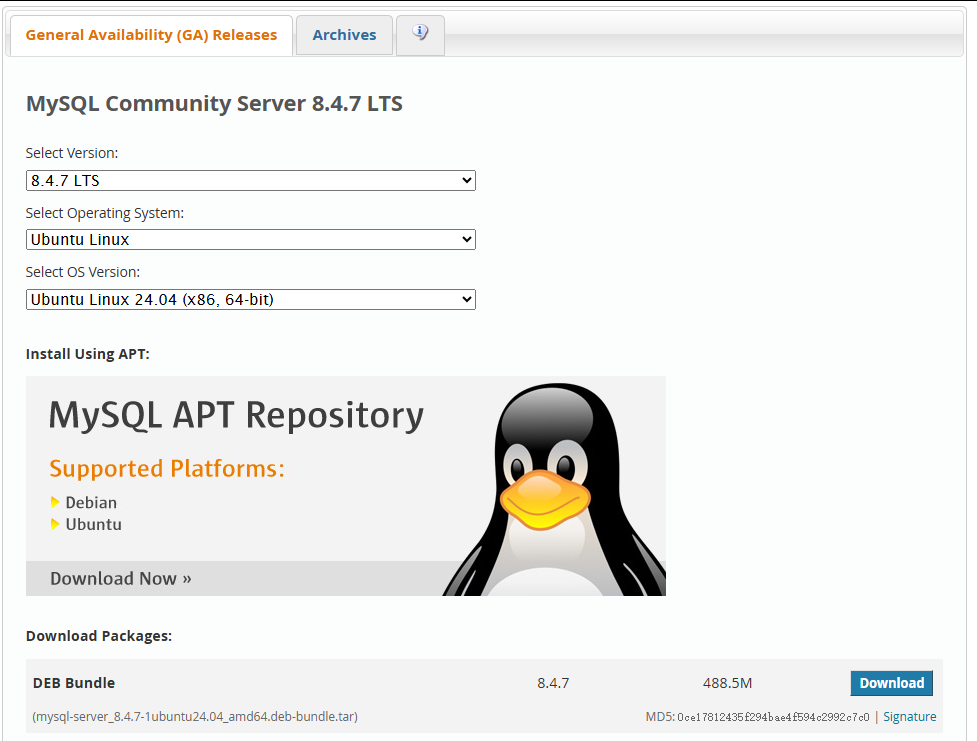
安装Mysql 8.4.7版本,详见下:
官方安装文档:
- 下载Mysql 8.4.7
bash
mkdir -p software && cd software && wget https://cdn.mysql.com//Downloads/MySQL-8.4/mysql-server_8.4.7-1ubuntu24.04_amd64.deb-bundle.tar- 安装依赖
bash
sudo apt-get install -y apt-utils
sudo apt-get install -y libmecab2
bash
tar -xvf mysql-server_8.4.7-1ubuntu24.04_amd64.deb-bundle.tar- 配置root密码
bash
sudo dpkg-preconfigure mysql-community-server_*.deb说明:要求输入2次root的密码
- 安装mysql
bash
sudo dpkg -i mysql-{common,community-client-plugins,community-client-core,community-client,client,community-server-core,community-server,server}_*.deb- 修改配置文件
bash
vim /etc/mysql/mysql.conf.d/mysqld.cnf
bash
# cache in MySQL. Start at 70% of total RAM for dedicated server, else 10%.
# innodb_buffer_pool_size = 128M
#
# Remove leading # to turn on a very important data integrity option: logging
# changes to the binary log between backups.
# log_bin
#
# Remove leading # to set options mainly useful for reporting servers.
# The server defaults are faster for transactions and fast SELECTs.
# Adjust sizes as needed, experiment to find the optimal values.
# join_buffer_size = 128M
# sort_buffer_size = 2M
# read_rnd_buffer_size = 2M
pid-file		= /var/run/mysqld/mysqld.pid
socket			= /var/run/mysqld/mysqld.sock
datadir		= /var/lib/mysql
log-error	= /var/log/mysql/mysqld.log


# Disabling symbolic-links is recommended to prevent assorted security risks
symbolic-links=0

#慢日志
slow_query_log=ON
long_query_time=5
slow_query_log_file=/var/log/mysql-slow.log

##设置缓冲池实例为8个
innodb_buffer_pool_instances=8
#为所有线程打开的表的数量
table_open_cache=65536

#### Threads ###
innodb_purge_threads=4
innodb_page_cleaners=8
innodb_read_io_threads=16
innodb_write_io_threads=16

#### Buffer Cache ###
##### Global ###
##设置缓冲池大小为
innodb_buffer_pool_size=24G
innodb_buffer_pool_chunk_size=128M
innodb_change_buffering=ALL
innodb_change_buffer_max_size=25

#### Connections ###
back_log=1500
max_connections=10000
max_connect_errors=100000
open_files_limit=65535
table_definition_cache=10000
thread_cache_size=1000
#connect_timeout=30
#interactive_timeout=3600
#wait_timeout=3600
#net_read_timeout=86400
#net_write_timeout=86400


### InnoDB Engine ###
###事务隔离级别,默认为可重复读,mysql默认可重复读级别(此级别下可能参数很多间隙锁,影响性能)
transaction_isolation=READ-COMMITTED

# 服务端使用的字符集默认为UTF8
character-set-server=utf8mb4

# 不区分表名大小写
lower_case_table_names=1

# 默认使用"mysql_native_password"插件认证
mysql_native_password=ON
#MySQL 8.4 以上版本
authentication_policy=mysql_native_password
#MySQL 8.0-8.3 版本
#default_authentication_plugin=mysql_native_password

# 关闭DNS解析
skip_name_resolve=ON

# 单个数据包(网络传输或 SQL 语句)的最大值,不建议超过1G,默认值64M
max_allowed_packet=960M

##########################################
sql_mode=STRICT_TRANS_TABLES,NO_ZERO_IN_DATE,NO_ZERO_DATE,ERROR_FOR_DIVISION_BY_ZERO,NO_ENGINE_SUBSTITUTION
# 取消了 ONLY_FULL_GROUP_BY 为了兼容老代码

# 全文检索
innodb_ft_total_cache_size=1600M
innodb_ft_cache_size=80M
innodb_ft_min_token_size=2
ft_min_word_len=2
ngram_token_size=2

[mysql]
# 设置mysql客户端默认字符集
default-character-set=utf8mb4