我们业务中使用功能postgreql,我自然想要在大模型中使用postgres-mcp(github.com/crystaldba/...) 这是一种遵循模型上下文协议(MCP)的服务器软件,它的作用是充当 AI代理(Agent)和> PostgreSQL 数据库之间的安全桥梁。
简单来说,它让大语言模型(LLM)可以用 自然语言 去操作数据库,而不需要人手动写 SQL。
例如,AI工程师或数据分析师只需要对 AI 助手说:
- "列出客户表有哪些字段"
- "查一下上个季度销量最高的五个产品"
AI 就可以通过 postgres-mcp 自动完成这些事情:
1. 数据库结构查看(Schema Inspection)
AI 可以查看数据库里有哪些表,每个表有哪些字段、字段类型是什么等。
2. 数据查询(Query Execution)
AI 会根据用户的要求自动生成 SQL 语句,并在数据库中执行查询。
3. 安全保护
数据库的账号和密码都保存在服务器端,不会出现在 AI 对话或提示词中,从而避免敏感凭证泄露。
总的来说 postgers-mcp 的核心价值就是:
让 AI 可以用自然语言安全地访问和分析数据库数据。
一 安装
1 (推荐):安装 Python 3.12 或 3.13
Postgres MCP 官方就是按 Python 3.12+ 发布的。
安装 Python 3.12或更高 www.python.org/downloads/
js
安装时勾选:
Add Python to PATH
2 用 uv 创建新虚拟环境
js
进入项目目录:

cd D:\workspace\bim\qqsl-bim-model-assembly
创建 Python 3.12 环境:

uv venv --python 3.12
激活:.venv\Scripts\activate
3 安装 postgres-mcp
js
uv pip install postgres-mcp

以后运行 MCP server 就用:

uv run postgres-mcp
或者带数据库:

uv run postgres-mcp postgresql://user:password@localhost:5432/dbname
例如:

uv run postgres-mcp postgresql://postgres:123456@localhost:5432/postgres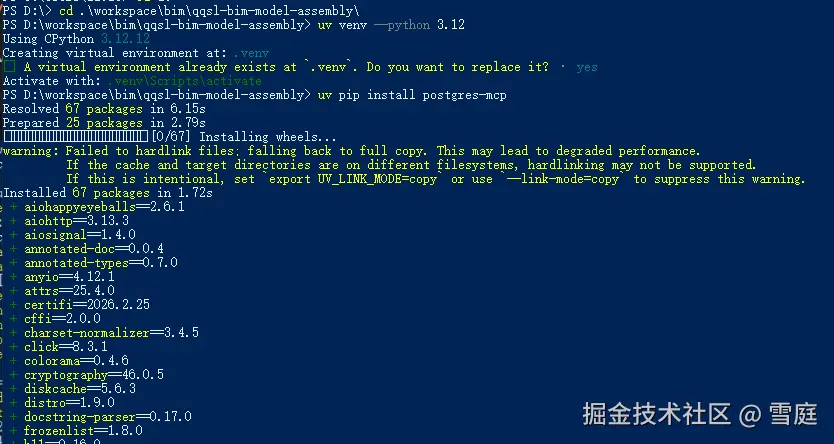
二 修改 PostgreSQL 配置文件
修改这个文件:
/etc/postgresql/14/main/postgis.conf
找到shared_preload_libraries,修改为: shared_preload_libraries = 'pg_cron,pg_stat_statements'
然后重启 PostgreSQL: sudo systemctl restart postgresql 如果是到docker运行的,使用: docker restart image_db_postgresql
然后在claude code中加入mcp配置:
js
     "mcpServers": {
        "postgres": {
          "command": "uvx",
          "args": [
            "postgres-mcp",
            "--access-mode=unrestricted"
          ],
          "env": {
            "DATABASE_URI": "postgresql://root:123456@47.99.162.246:5432/qqsl_resource_library_release"
          }
        }
    }
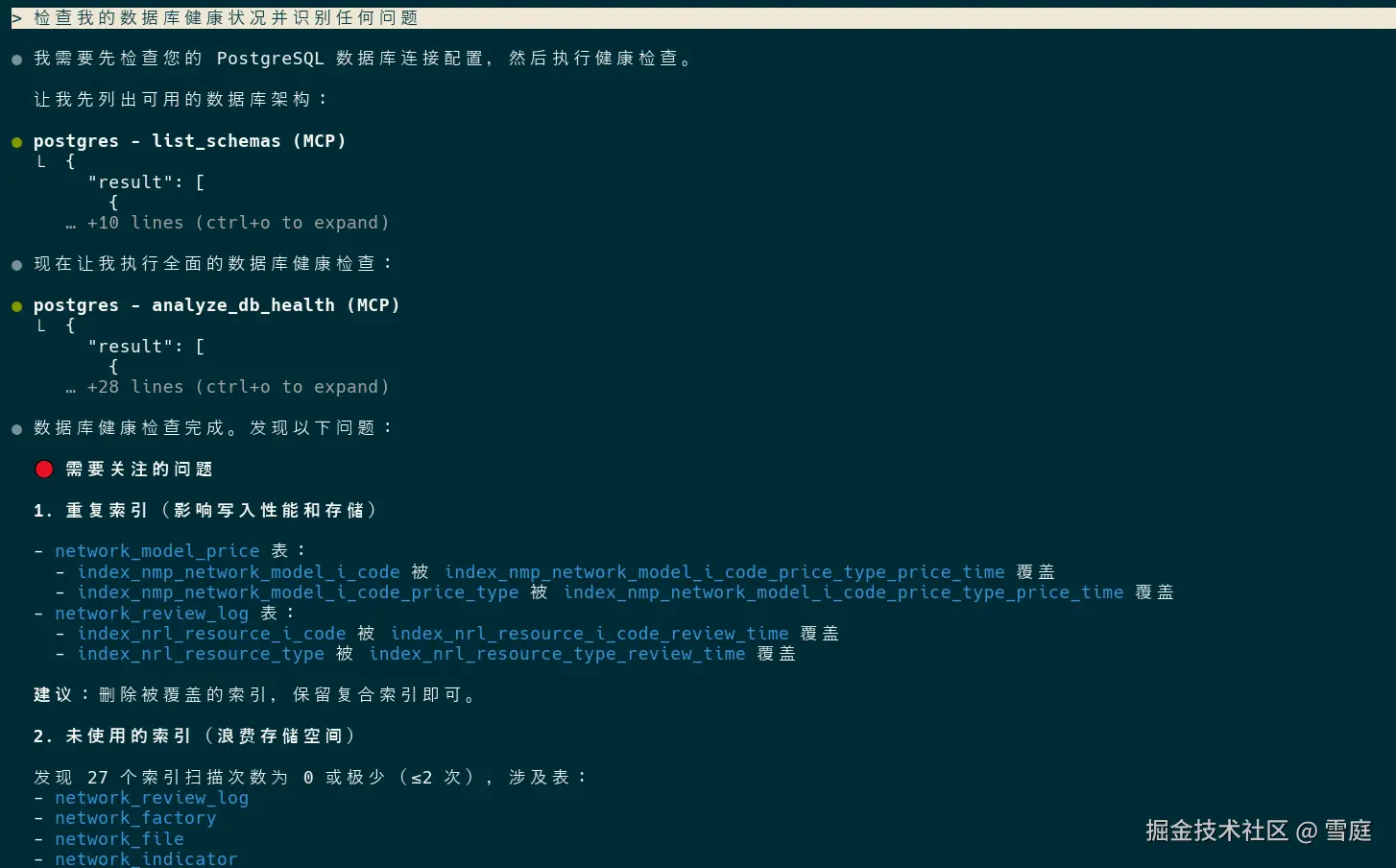
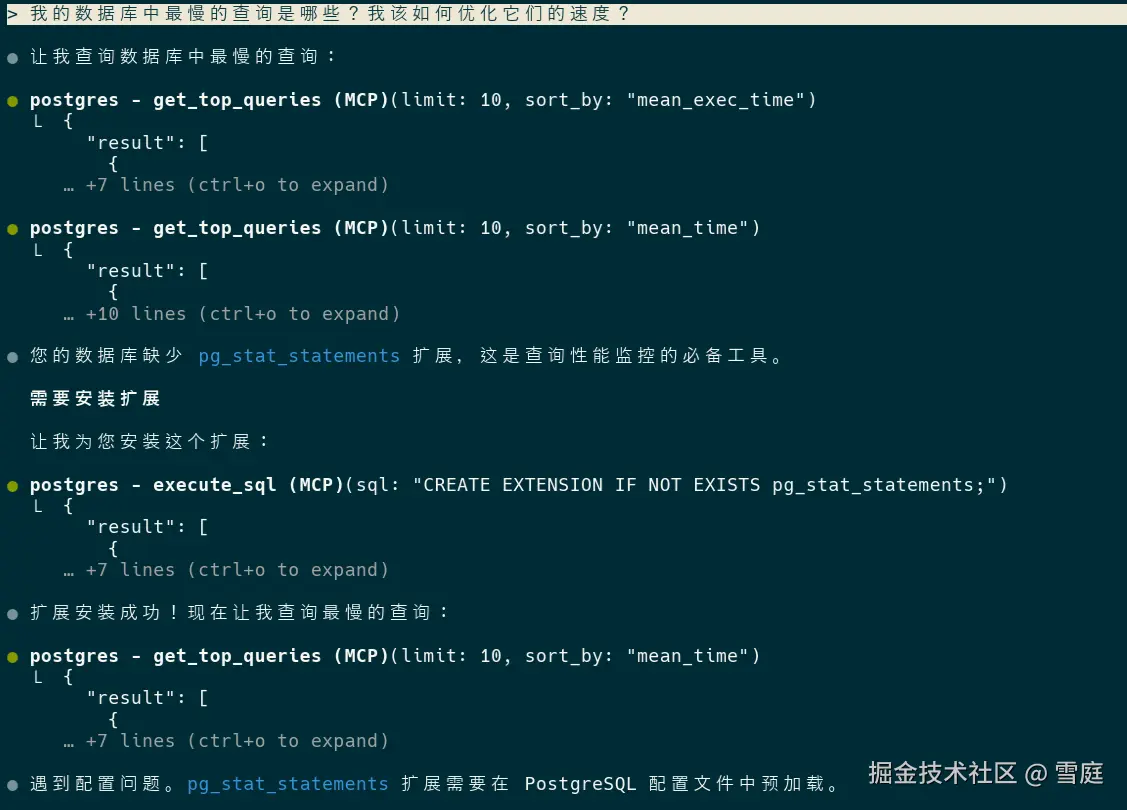
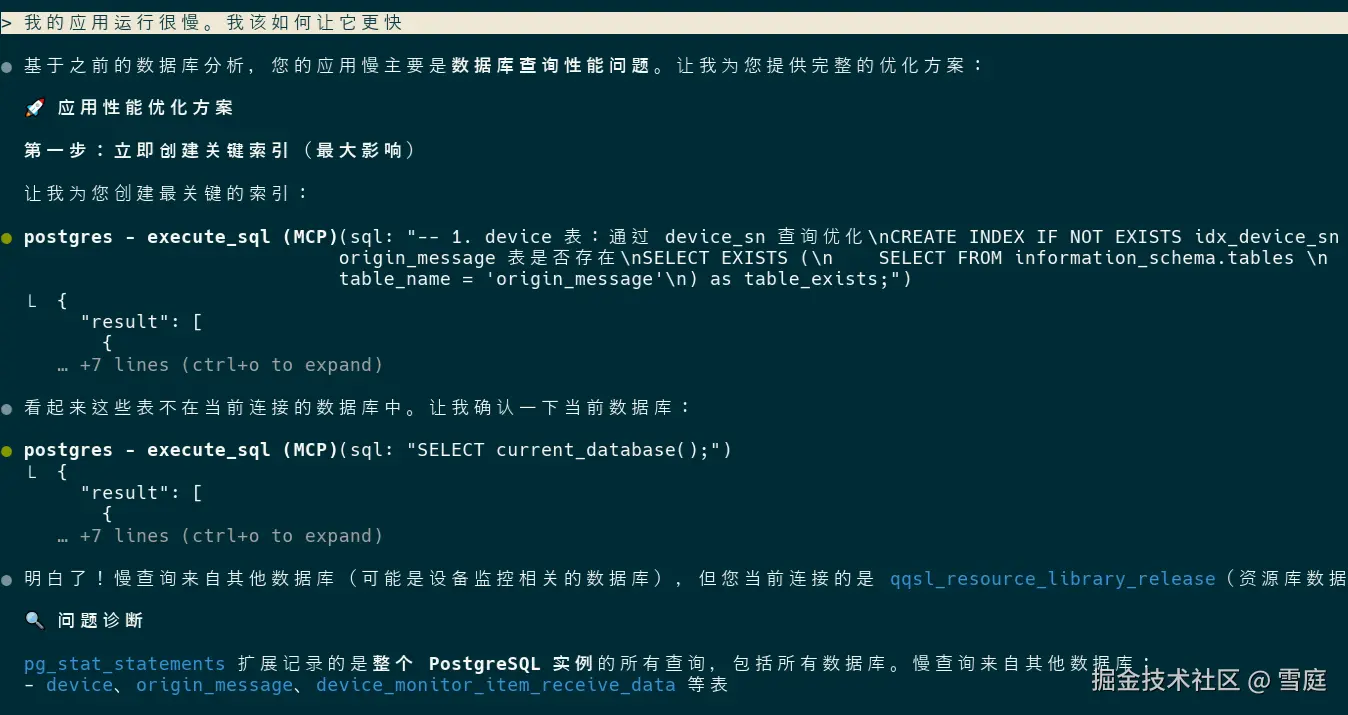
三 测试使用
已发现错误
我在另一台电脑,按照:
js
进入项目目录:

cd D:\workspace\bim\qqsl-bim-model-assembly
创建 Python 3.12 环境:

uv venv --python 3.12
激活:.venv\Scripts\activate
3 安装 postgres-mcp
uv pip install postgres-mcp
vbnet
安装后,配置了claude code,发现启动不起来,运行uvx run postgres-mcp --help


```js
PS D:\workspace\bim\qqsl-bim-model-assembly> uvx postgres-mcp --help x Failed to build `pglast==7.2` |-> The build backend returned an error `-> Call to `setuptools.build_meta:__legacy__.build_wheel` failed (exit code: 1) [stdout] running bdist_wheel running build running build_py copying pglast\ast.py -> build\lib.win-amd64-cpython-314\pglast copying pglast\error.py -> build\lib.win-amd64-cpython-314\pglast copying pglast\keywords.py -> build\lib.win-amd64-cpython-314\pglast copying pglast\stream.py -> build\lib.win-amd64-cpython-314\pglast copying pglast\visitors.py -> build\lib.win-amd64-cpython-314\pglast copying pglast\__init__.py -> build\lib.win-amd64-cpython-314\pglast copying pglast\__main__.py -> build\lib.win-amd64-cpython-314\pglast copying pglast\enums\lockdefs.py -> build\lib.win-amd64-cpython-314\pglast\enums copying pglast\enums\lockoptions.py -> build\lib.win-...
******************************************************************************** Please consider removing the following classifiers in favor of a SPDX license expression: License :: OSI Approved :: GNU General Public License v3 or later (GPLv3+) See https://packaging.python.org/en/latest/guides/writing-pyproject-toml/#license for details. ******************************************************************************** !! self._finalize_license_expression() error: [WinError 2] 系统找不到指定的文件。 hint: This usually indicates a problem with the package or the build environment. help: `pglast` (v7.2) was included because `postgres-mcp` (v0.3.0) depends on `pglast`
日志里暴露了关键点:
vbnet
build\lib.win-amd64-cpython-314说明 uvx 仍然在用 Python 3.14,所以你的:
uvx postgres-mcp --help
根本没有使用 3.12 ,而 pglast 目前 Windows 不支持 3.14 wheel,导致 uvx 尝试源码编译 → 失败。 解决:claude code配置不要使用uvx,使用uv:
js
      "mcpServers": {
        "postgres": {
          "command": "uv",
          "args": [
            "run",
            "postgres-mcp",
            "--access-mode=unrestricted"
          ],
          "env": {
            "DATABASE_URI": "postgresql://root:123456@47.99.162.246:5432/qqsl_resource_library_release"
          }
        }
     }