简介
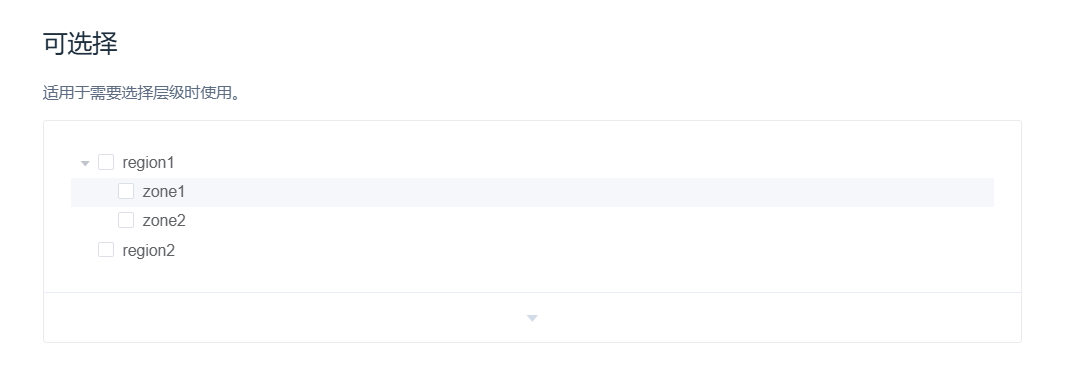
el-tree 标签是 Element UI 提供的树形控件组件,可以用于一些树形结构数据的展示。
本文介绍如何结合后端接口,使用该空间完成一些展示/选中逻辑。
查询数据
如下,后端接口返回了下面这样结构的数据,是一个 部门-用户列表 的结构。
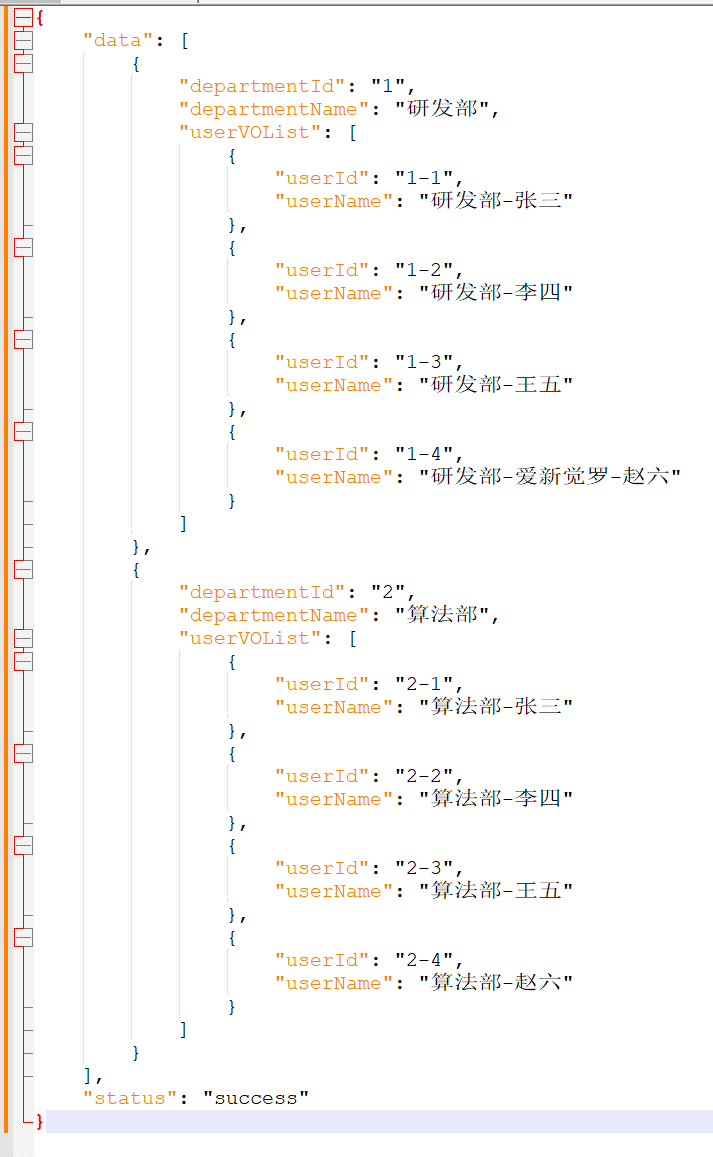
如下,将接口返回数据与组件展示的数据进行绑定,在 props 中对数据结构进行解析。
html
<template>
  <div>
    <el-tree
        :data="treeData"
        :props="props"
        show-checkbox>
    </el-tree>
  </div>
</template>

<script>
import axios from 'axios'

export default {
  data() {
    return {
      props: {
        label: function (node) {
          // 如果有 userVOList 属性,说明是部门节点,使用 departmentName
          // 如果没有 userVOList 属性,说明是用户节点,使用 userName
          return node.userVOList ? node.departmentName : node.userName;
        },
        children: 'userVOList'
      },
      treeData: []
    };
  },

  mounted() {
    this.loadTreeData();
  },
  /**
   * 调用后端接口
   */
  methods: {
    loadTreeData() {
      axios.post('http://localhost:8080/departments')
          .then(response => {
            if (response.data.status === 'success') {
              this.treeData = response.data.data;
            }
          })
          .catch(error => {
            console.error('加载数据失败:', error);
          });
    }
  }
};
</script>
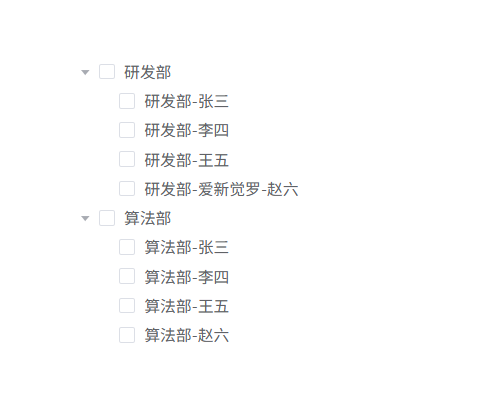
启动项目,此时前端展示的数据就是后端返回的。
选中提交
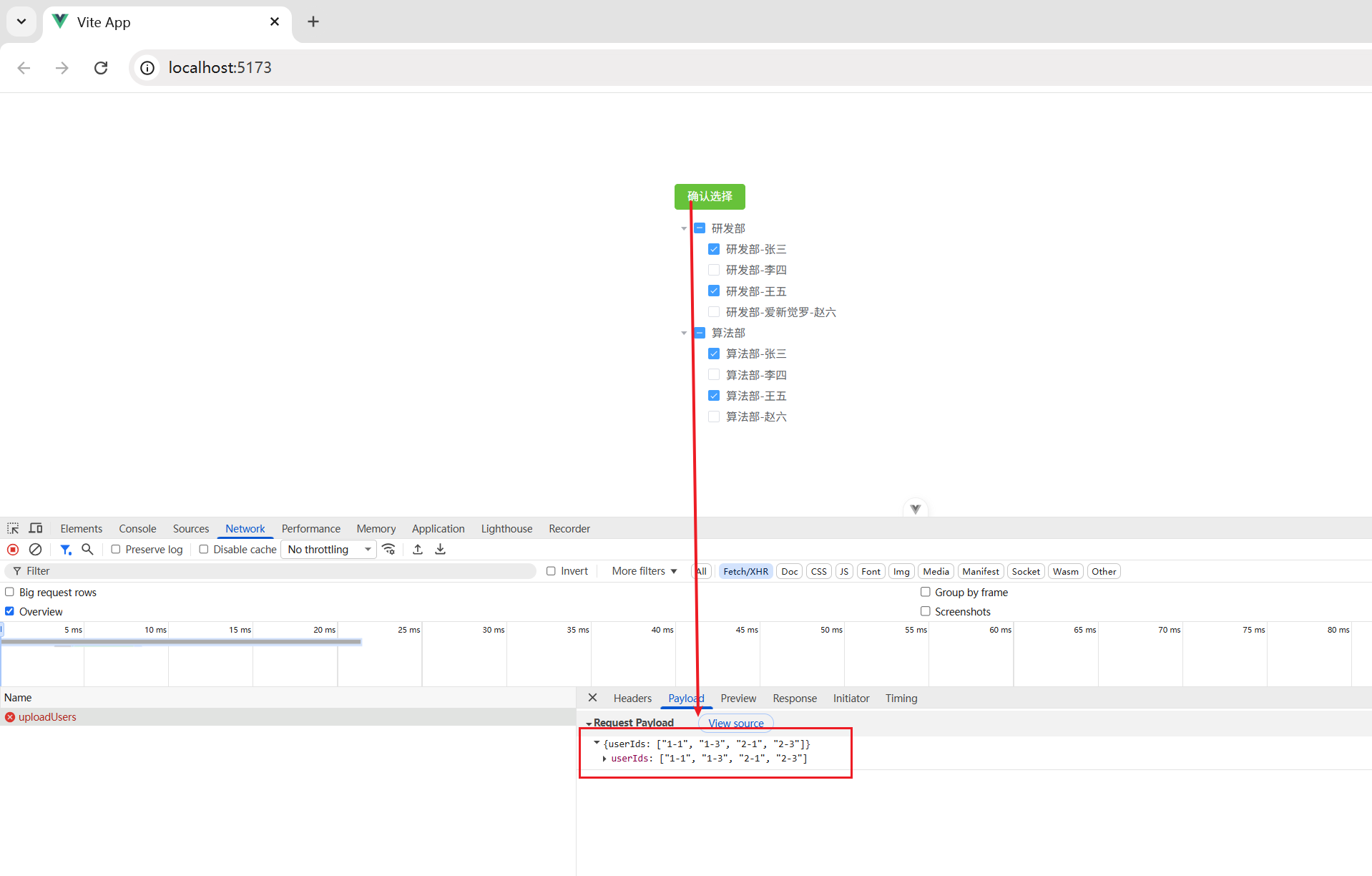
要求选中某些用户,点击确定时,将选中的用户 userId 集合传递给后端,做某些操作,这是一个很常见的场景。
前端代码修改成如下。
html
<template>
  <div>
    <!-- 确认 -->
    <el-button type="success" @click="openDialog" style="margin-bottom: 10px;">
      确认选择
    </el-button>

    <!-- 数据 -->
    <el-tree
        ref="tree"
        :props="props"
        :data="treeData"
        show-checkbox
        style="width: 300px;">
    </el-tree>

    <!-- 确认对话框 -->
    <el-dialog
        title="确认选择"
        v-model="dialogVisible"
        width="500px">
      <span>确定要提交选中的用户吗?</span>
      <template #footer>
        <span class="dialog-footer">
          <el-button @click="handleCancel">取消</el-button>
          <el-button type="primary" @click="handleConfirm">确认</el-button>
        </span>
      </template>
    </el-dialog>
  </div>
</template>

<script>
import axios from 'axios'

export default {
  data() {
    return {
      props: {
        label: function (node) {
          // 如果有 userVOList 属性,说明是部门节点,使用 departmentName
          // 如果没有 userVOList 属性,说明是用户节点,使用 userName
          return node.userVOList ? node.departmentName : node.userName;
        },
        children: 'userVOList'
      },
      treeData: [],
      dialogVisible: false,
      selectedUserIds: []
    };
  },
  mounted() {
    this.loadTreeData();
  },
  methods: {
    /**
     * 加载部门和用户数据到树结构
     */
    loadTreeData() {
      axios.post('http://localhost:8080/departments')
          .then(response => {
            if (response.data.status === 'success') {
              this.treeData = response.data.data;
            }
          })
          .catch(error => {
            console.error('加载数据失败:', error);
          });
    },

    /**
     * 打开确认对话框
     */
    openDialog() {
      this.dialogVisible = true;
    },

    /**
     * 处理确认提交选中的用户ID
     */
    handleConfirm() {
      // 获取选中的节点
      const checkedNodes = this.$refs.tree.getCheckedNodes(true);

      // 过滤出用户节点(没有userVOList属性的节点)
      this.selectedUserIds = checkedNodes
          .filter(node => !node.userVOList)
          .map(node => node.userId);

      // 调用后端接口
      this.uploadUsers();

      // 关闭对话框
      this.dialogVisible = false;
    },

    /**
     * 处理取消提交选中的用户ID
     */
    handleCancel() {
      this.dialogVisible = false;
    },

    /**
     * 提交选中的用户ID到后端
     */
    uploadUsers() {
      // 调用后端接口
      axios.post('http://localhost:8080/uploadUsers', {
        userIds: this.selectedUserIds
      })
          .then(response => {
            console.log('接口调用成功:', response.data);
            this.$message.success('提交成功');
          })
          .catch(error => {
            console.error('接口调用失败:', error);
            this.$message.error('提交失败');
          });
    }
  }
};
</script>
启动项目,选中某些用户,点击 确认选择,可见调用接口时,将选中的用户 ID 放到集合中作为参数传递了。