hello~ 很高兴见到大家! 这次带来的是Linux系统中关于进程间通信这部分的一些知识点,如果对你有所帮助的话,可否留下你宝贵的三连呢?
个 人 主 页 : 默|笙

文章目录
- 一、命名管道
-
- [1.1 介绍](#1.1 介绍)
- [1.2 使用命名管道](#1.2 使用命名管道)
一、命名管道
1.1 介绍
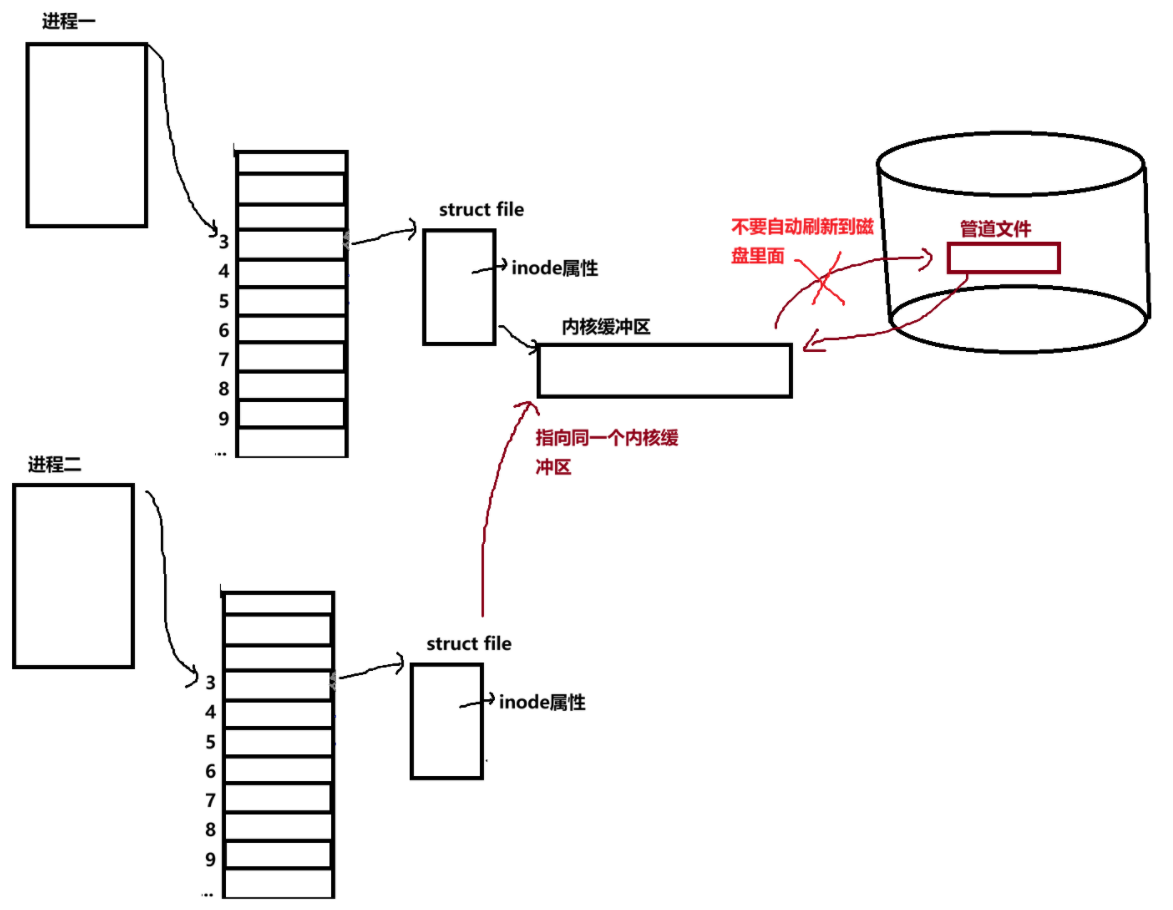
- 命名管道是管道里面除开匿名管道的另一种,它负责处理不具有血缘关系的进程之间的通信。匿名管道的限制就是必须要有血缘关系。
- 进程间要实现通信,必须访问同一份共享资源(即打开同一个文件,文件相关的核心数据结构和内核缓冲区只会存在一份)。对于无血缘关系的进程来说,由于不会继承父进程的文件描述符,想要通过文件实现通信,就必须明确知道该文件的路径和名称。
- 普通文件的内核缓冲区会自动将数据刷新到磁盘,但命名管道不需要这种自动刷盘的特性(它需要将数据给到另一个进程而不是给磁盘),仅需借助文件的路径和文件名属性让进程找到共享资源,因此衍生出了管道文件这种特殊文件类型 ------ 其磁盘上的实际存储内容始终为空。(路径+文件名 = 唯一inode)
- 匿名管道仅保留 "用于进程通信的内核内存块" 这一核心功能,无需文件的路径和名称属性,因此它仅存在于内核空间中,不会在磁盘上留下实体。
- 命名管道与匿名管道的核心区别在于存储形态:匿名管道仅存在于内核空间,而命名管道会以管道文件的形式真实存在于磁盘中,管道文件正是命名管道的物理载体。
- 至于命名管道的5个特点和4个通信情况,这个匿名管道一样。
1.2 使用命名管道
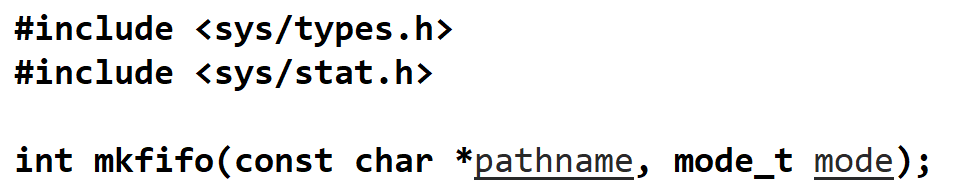
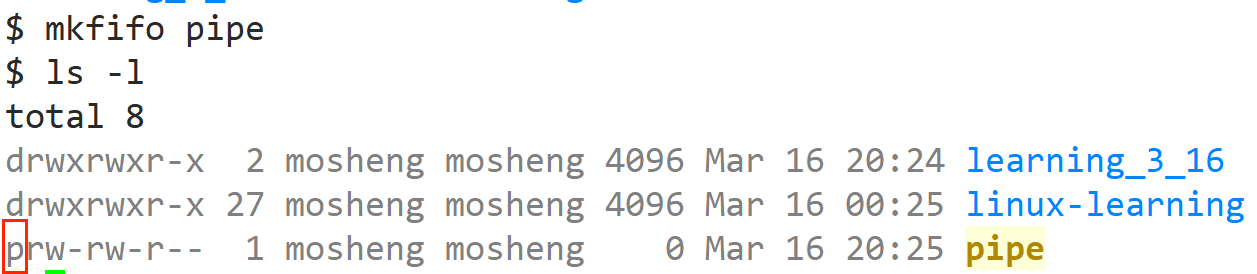
- 系统提供了 mkfifo 接口用于创建命名管道。该接口有两种使用方式:一是直接在命令行中执行 mkfifo 命令创建,二是在程序代码中调用 mkfifo() 函数创建;其核心参数包含两个:第一个参数是管道文件的路径(含文件名),第二个参数是该管道文件的访问权限(如 0664,它会受 到umask 权限掩码影响)。
-
这样就创建出了名为 pipe 的管道文件,用 ls -l 查看可以看到文件属性以 p 开头,表示这是管道文件。

-
我们可以使用 unlink 接口来间接删除文件(文件会由OS删除),字面意思就是去掉文件名和文件路径之间的联系。

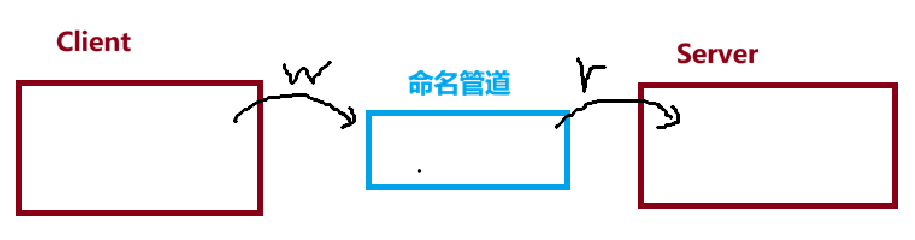
- 我们就可以使用这个命名管道在不同进程之间进行通信。接下来我们来完成一段Client进程往命名管道里写,Server从命名管道里读的一段代码,实现这两个进程之间的通信。
cpp
//Pipe.hpp
#pragma once
#include <iostream>
#include <string>
#include <sys/stat.h>
#include <sys/types.h>
#include <errno.h>
#include <cstdlib>
#include <cstring>
#include <unistd.h>
#include <fcntl.h>

enum
{
    OK = 0,
    MKFIFO_ERROR,
    OPEN_ERROR
};

#define ForRead 1
#define ForWrite 2

const std::string gcommfile = "./fifo";

class Fifo
{
public:
    Fifo(const std::string &commfile = gcommfile) : _commfile(commfile), _fd(-1), _mode(0666)
    {
    }
    ~Fifo()
    {
    }
    void Build()
    {
        umask(0);

        int n = mkfifo(_commfile.c_str(), _mode);
        if (n < 0)
        {
            std::cerr << "mkfifo error" << strerror(errno) << "errno:"
                      << errno << std::endl;

            exit(MKFIFO_ERROR);
        }
        std::cout << "mkfifo success" << std::endl;
    }

    void Open(int mode)
    {
        if (mode == ForRead)
        {
            _fd = open(_commfile.c_str(), O_RDONLY);
        }
        else if (mode == ForWrite)
        {
            _fd = open(_commfile.c_str(), O_WRONLY);
        }
        else
        {
        }
        if (_fd < 0)
        {
            std::cerr << "open error" << strerror(errno) << "errno:"
                      << errno << std::endl;
            exit(OPEN_ERROR);
        }
        else
        {
            std::cout << "open success" << std::endl;
        }
    }

    //发送信息
    void Send(const std::string& msgin)
    {
        ssize_t n = write(_fd, msgin.c_str(), sizeof(msgin));
        (void)n;
    }
    //接收信息
    int Recv(std::string* msgout)
    {
        char buffer[128];
        ssize_t n = read(_fd, buffer, sizeof(buffer) - 1);
        if (n > 0)
        {
            buffer[n] = 0;
            *msgout = buffer;
            return n;
        }
        else if (n == 0)
        {
            return 0;
        }
        else
        {
            return -1;
        }
    }
    void Delete()
    {
        // unlink可以用来删除文件
        int n = unlink(_commfile.c_str());
        (void)n;
        std::cout << "Unlink:" << _commfile << std::endl;
    }

private:
    std::string _commfile;
    int _fd;
    int _mode;
};
cpp
//Client.cc
#include "Pipe.hpp"

int main()
{
    Fifo pipe;
    pipe.Build();
    pipe.Open(ForWrite);
    while (true)
    {
        std::cout << "Please Enter@ ";
        std::string s;
        std::getline(std::cin, s);
        pipe.Send(s);
    }
    return 0;
}
cpp
//Server.cc
#include "Pipe.hpp"

int main()
{
    Fifo pipe;
    pipe.Open(ForRead);
    std::string s;
    while (true)
    {
        int n = pipe.Recv(&s);
        if (n > 0)
            std::cout << "Client say:" << s << std::endl;
        else
            break;
    }
    pipe.Delete();
    return 0;
}- 这里需要特别说明:命名管道如果只单方面以读(r)或写(w)模式打开,进程会阻塞在 open() 调用处,直到有另一个进程打开该管道的另一端(读端对应写端,写端对应读端),程序才会继续执行后续逻辑。
今天的分享就到此结束啦,如果对读者朋友们有所帮助的话,可否留下宝贵的三连呢~~
让我们共同努力, 一起走下去!