十二、相机的方向和位置
setView
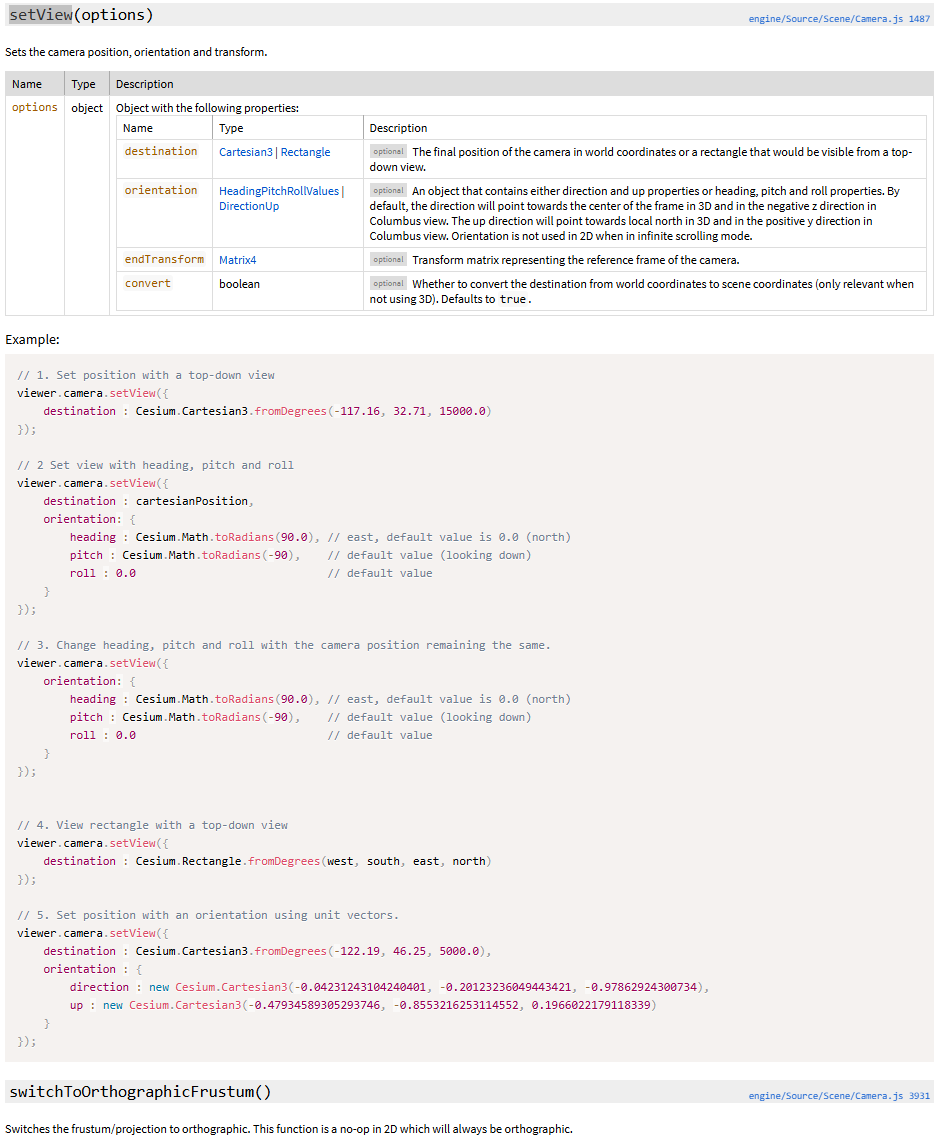
相机位置
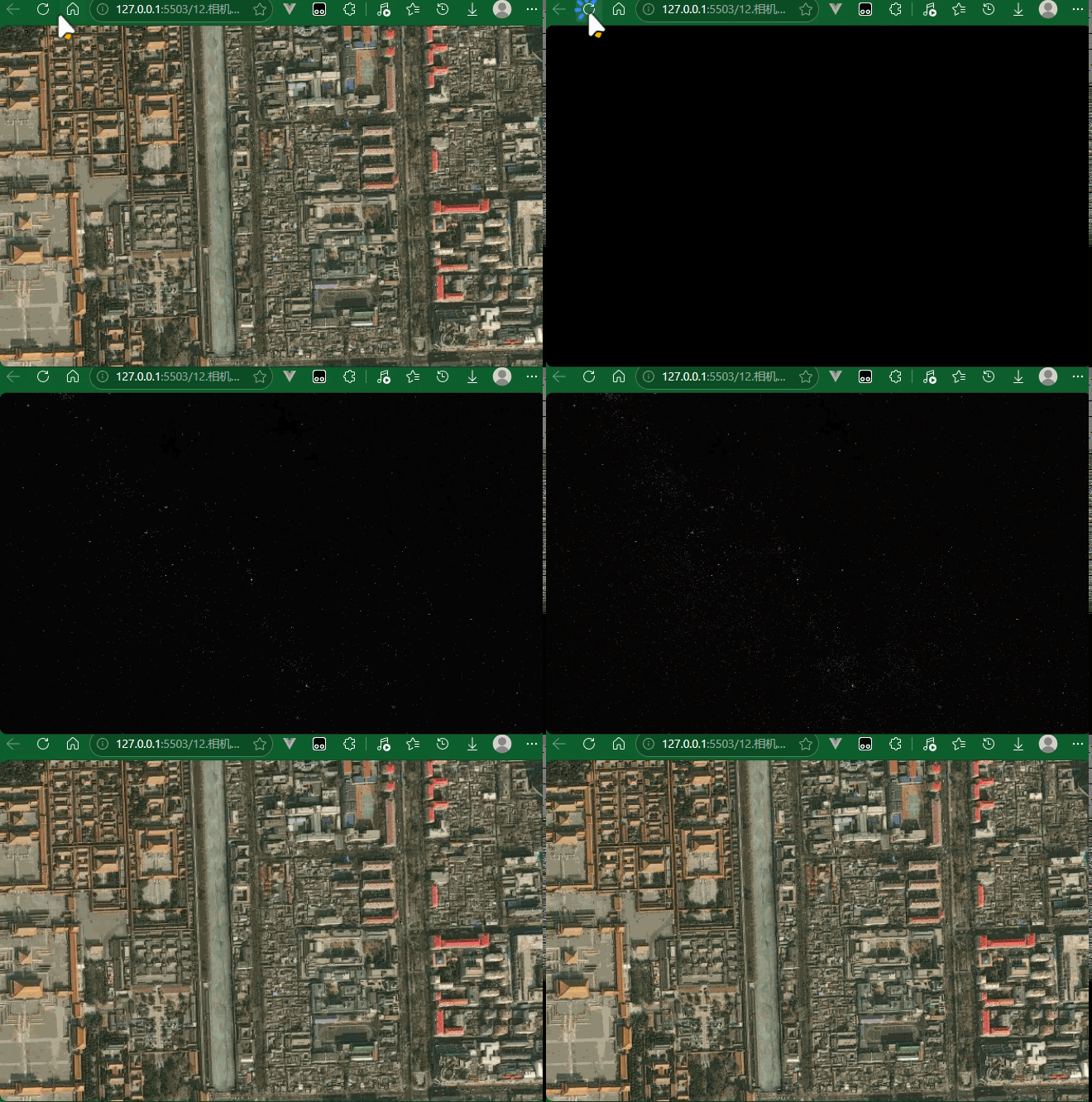
javascript
viewer.camera.setView({
  destination: Cesium.Cartesian3.fromDegrees(116.397, 39.917, 1000),
});
相机方向
javascript
俯视地面 (pitch = -90°)      平视地平线 (pitch = 0°)
      ↓                            →
    [相机]                       [相机]
      |
    地面                         地平线 ──────


航向角 heading:
        0° (北)
          ↑
  270° ←  |  → 90° (东)
          ↓
180° (南)| 参数 | 名称 | 含义 | 取值范围 | 示例 |
|---|---|---|---|---|
| heading | 航向角 | 水平方向的旋转,类似指南针方向 | 0° ~ 360° | 0° = 正北, 90° = 正东 |
| pitch | 俯仰角 | 相机"抬头/低头"的角度 | -90° ~ 90° | -90° = 垂直俯视, 0° = 平视 |
| roll | 翻滚角 | 相机侧向倾斜 | -180° ~ 180° | 0° = 水平, 45° = 向右倾斜 |
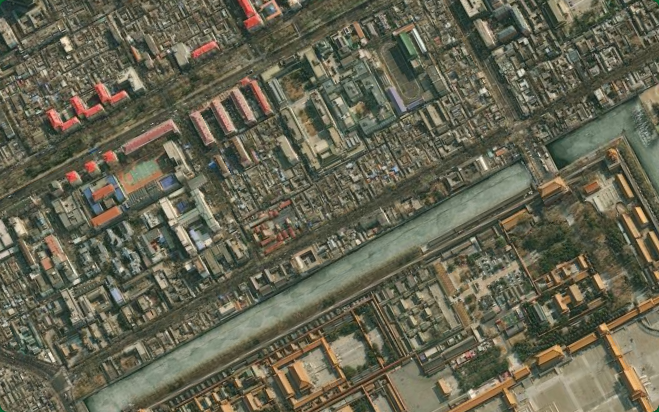
javascript
viewer.camera.setView({
  destination: Cesium.Cartesian3.fromDegrees(116.397, 39.917, 1000),
  orientation: {
    heading: Cesium.Math.toRadians(0),
    pitch: Cesium.Math.toRadians(-90),
    roll: 90,
  },
});
常用方法对比
| 方法 | 特点 | 适用场景 |
|---|---|---|
setView() |
立即切换,无动画 | 快速定位 |
flyTo() |
平滑飞行动画 | 用户体验更好 |
lookAt() |
锁定目标点观察 | 围绕某点旋转 |
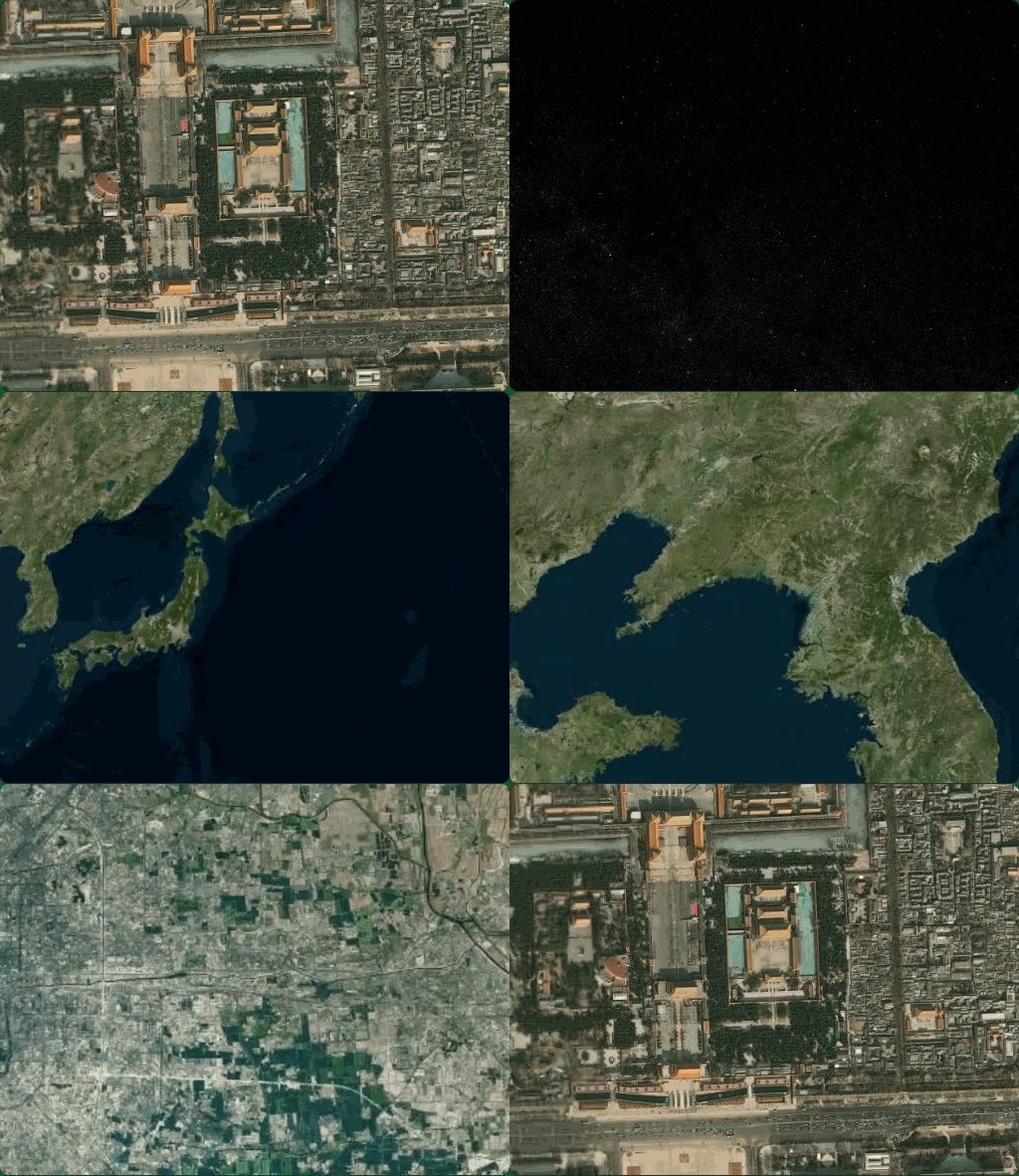
使用 flyTo 替代 setView
javascript
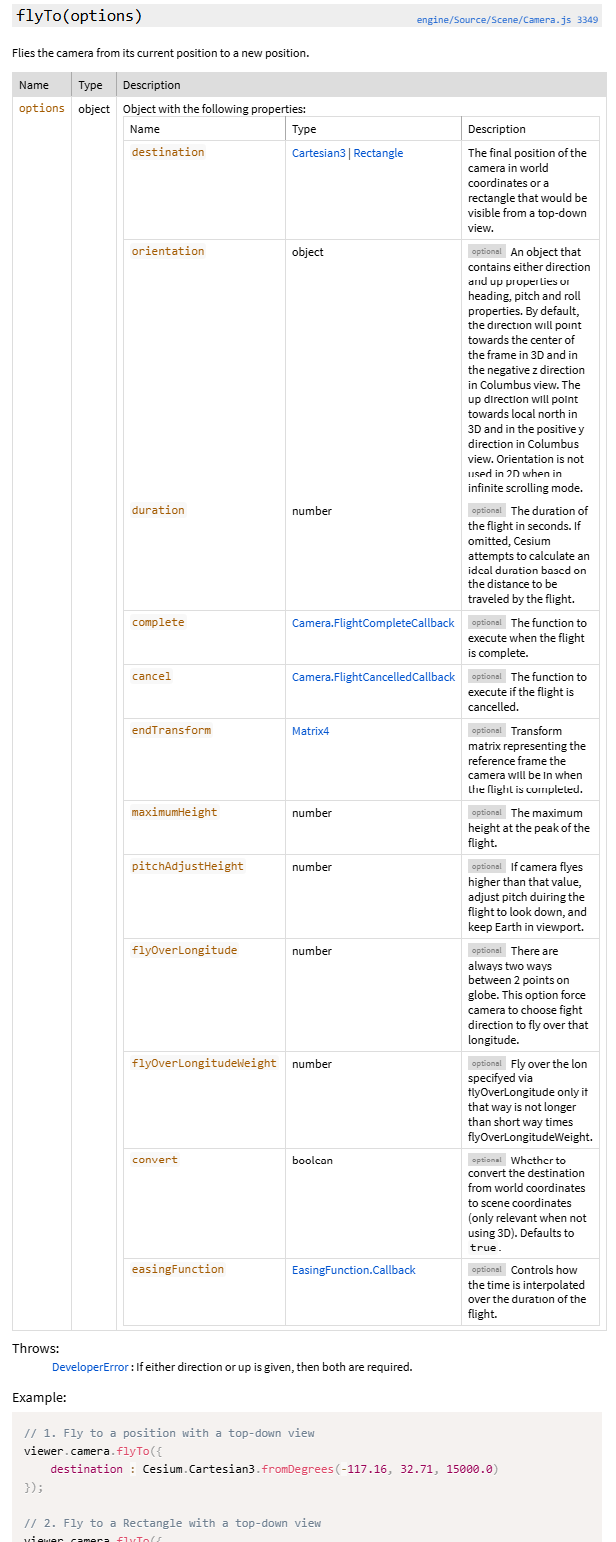
viewer.camera.flyTo({
  destination: Cesium.Cartesian3.fromDegrees(116.393428, 39.90923, 1000),
  orientation: {
    heading: Cesium.Math.toRadians(0), // 东北方向
    pitch: Cesium.Math.toRadians(-90), // 斜视角度
    roll: 0,
  },
  duration: 3, // 飞行动画时长(秒)
});
实时获取相机信息
javascript
// 获取当前相机位置(Cartesian3 世界坐标)
const position = viewer.camera.position;
console.log(position);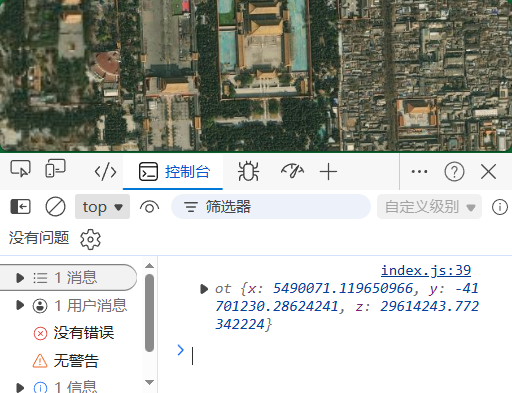
javascript
// 获取当前相机方向
const heading = viewer.camera.heading;  // 弧度
const pitch = viewer.camera.pitch;
const roll = viewer.camera.roll;
console.log(heading, pitch, roll);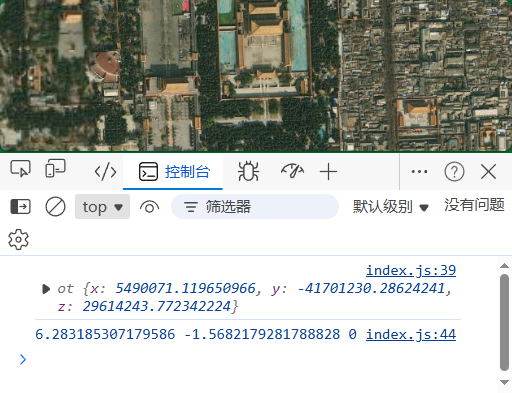
十三、相机动画与相机动态交互
相机移动方法对比
javascript
setView()          flyTo()           lookAt()
   │                  │                 │
   ▼                  ▼                 ▼
瞬间切换 平滑飞行动画 锁定目标点观察| 方法 | 动画 | 特点 | 适用场景 |
|---|---|---|---|
setView() |
无 | 立即切换位置 | 初始化、快速定位 |
flyTo() |
有 | 平滑飞行轨迹 | 场景漫游、用户体验 |
lookAt() |
有 | 围绕目标旋转 | 观察特定物体 |
flyTo() --- 飞行动画
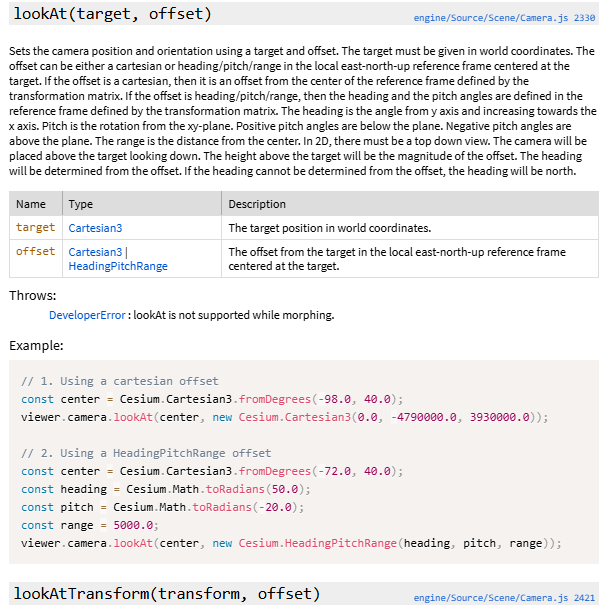
lookAt() --- 锁定目标观察
javascript
// 锁定目标点,相机围绕该点旋转
const center = Cesium.Cartesian3.fromDegrees(116.393428, 39.90923, 1000);

viewer.camera.lookAt(
  center,  // 目标点
  new Cesium.HeadingPitchRange(
    Cesium.Math.toRadians(0),    // heading
    Cesium.Math.toRadians(-30),  // pitch
    1000                          // 距离(米)
  )
);

// 解除锁定
// viewer.camera.lookAtTransform(Cesium.Matrix4.IDENTITY);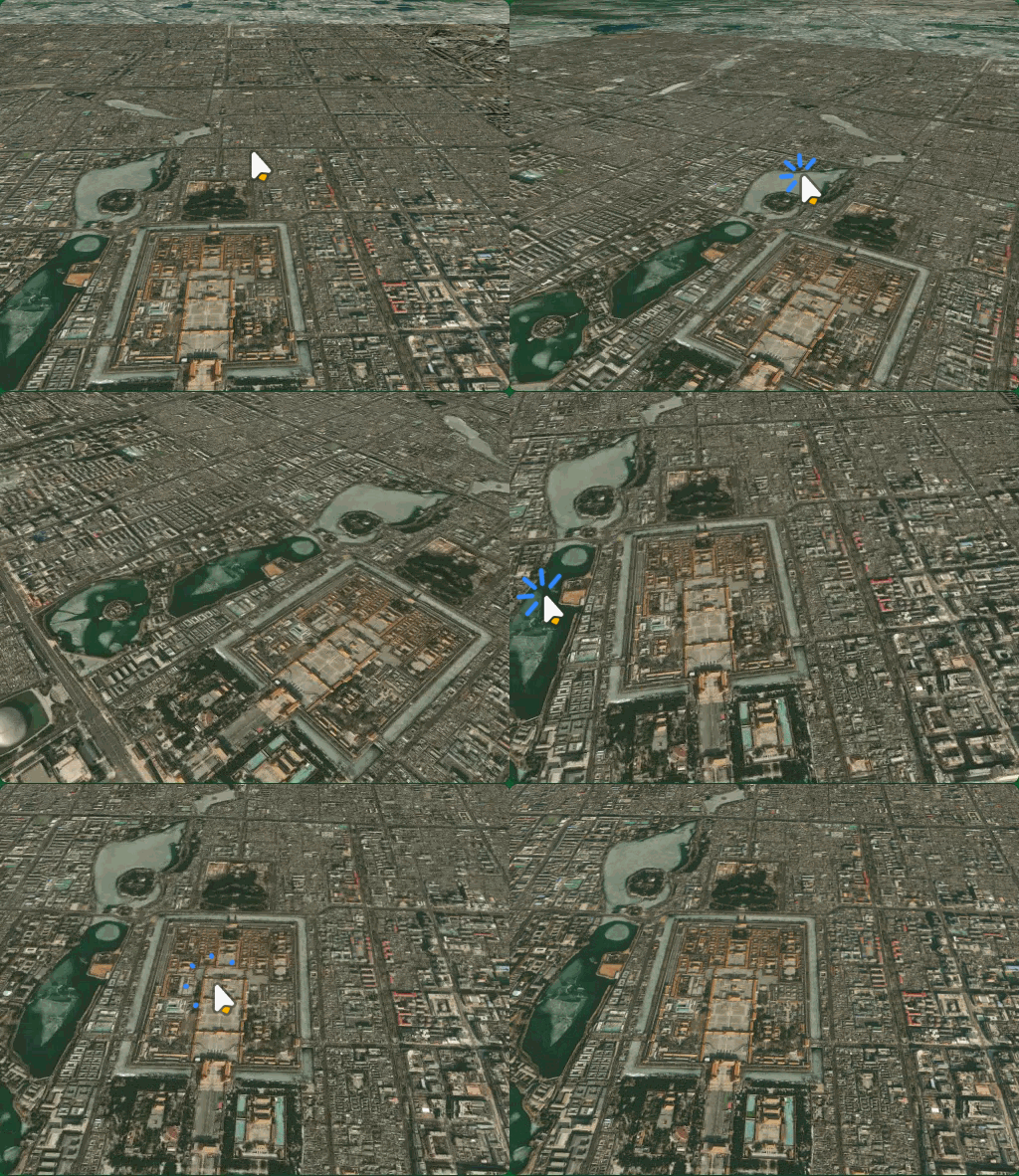
javascript
            相机
              ●
             /|
            / |
           /  | 距离
          /   |
         /pitch
        ●─────
       目标点

相机只能围绕目标点旋转,不能移动位置
相机事件监听
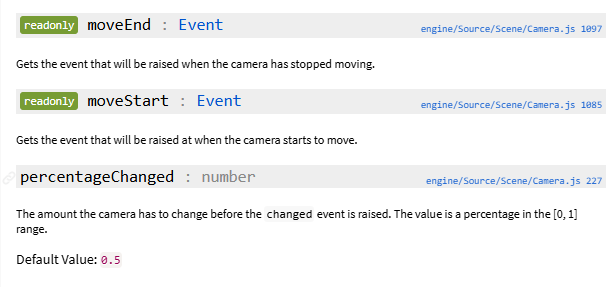
moveEnd、moveStart
javascript
viewer.camera.flyTo({
 ....
});

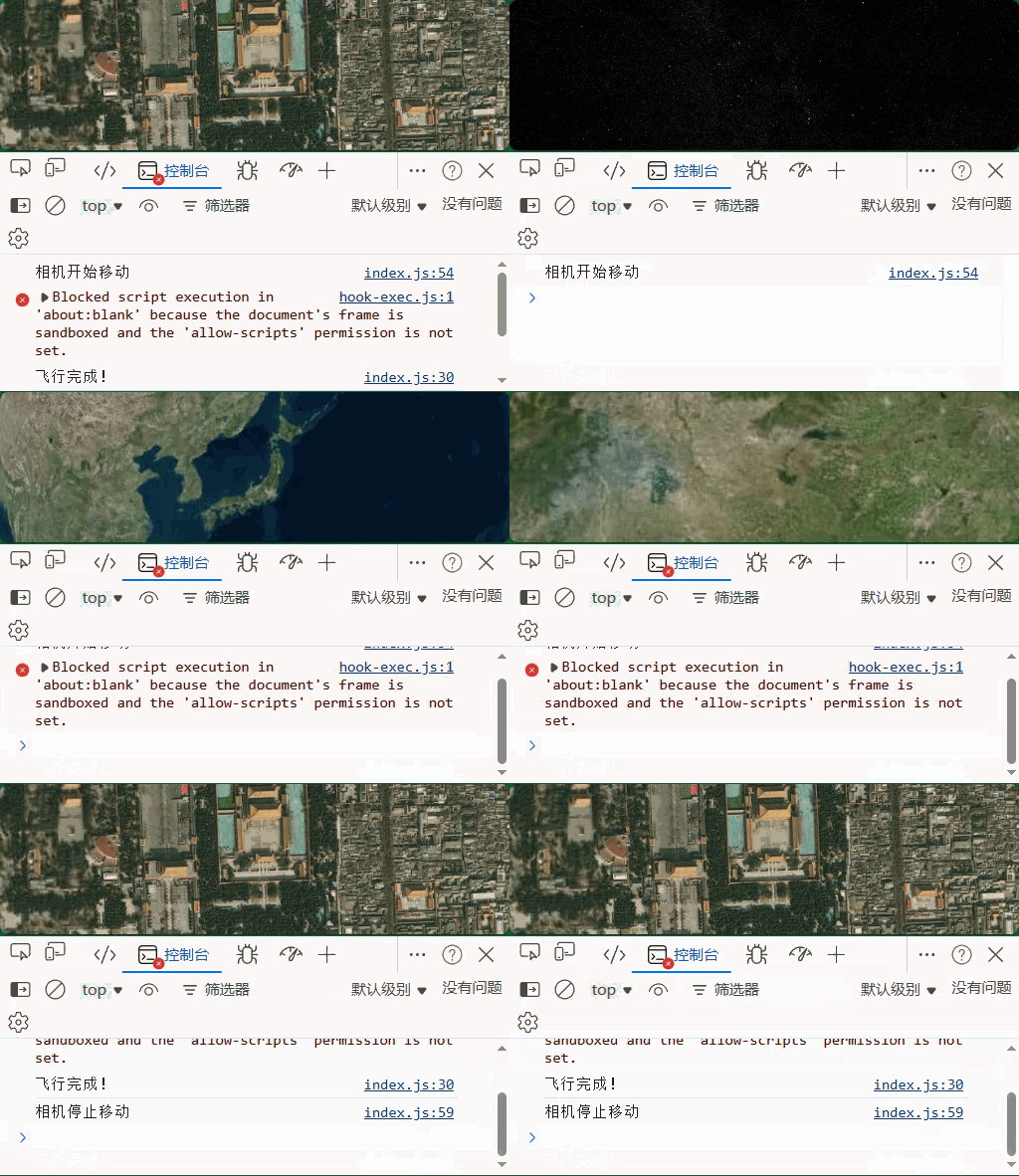
// 1. 相机移动开始
viewer.camera.moveStart.addEventListener(function () {
  console.log("相机开始移动");
});

// 2. 相机移动结束
viewer.camera.moveEnd.addEventListener(function () {
  console.log("相机停止移动");
});
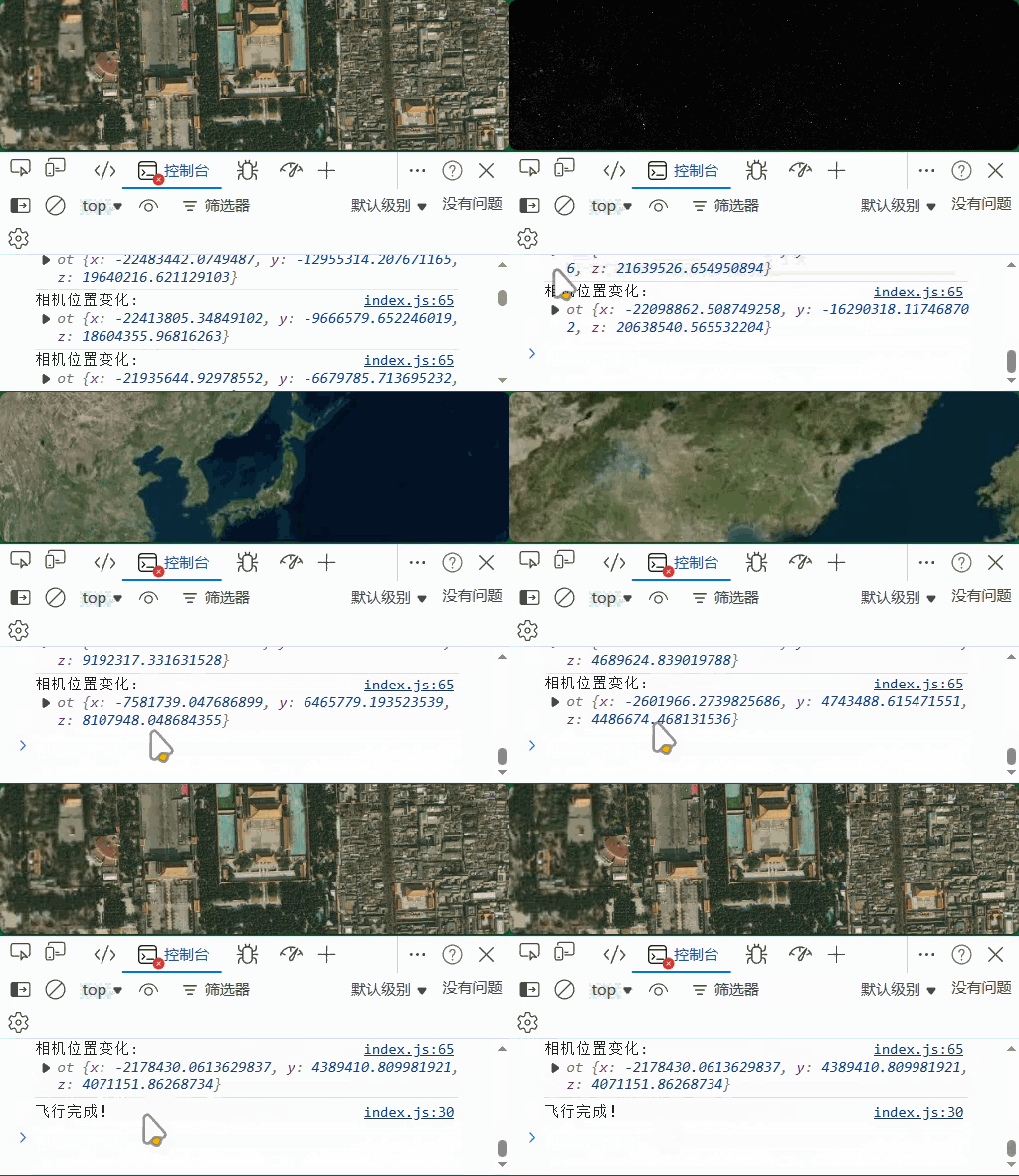
changed

javascript
// 3. 相机变化(每帧触发)
viewer.camera.changed.addEventListener(function() {
  const position = viewer.camera.position;
  console.log("相机位置变化:", position);
});
javascript
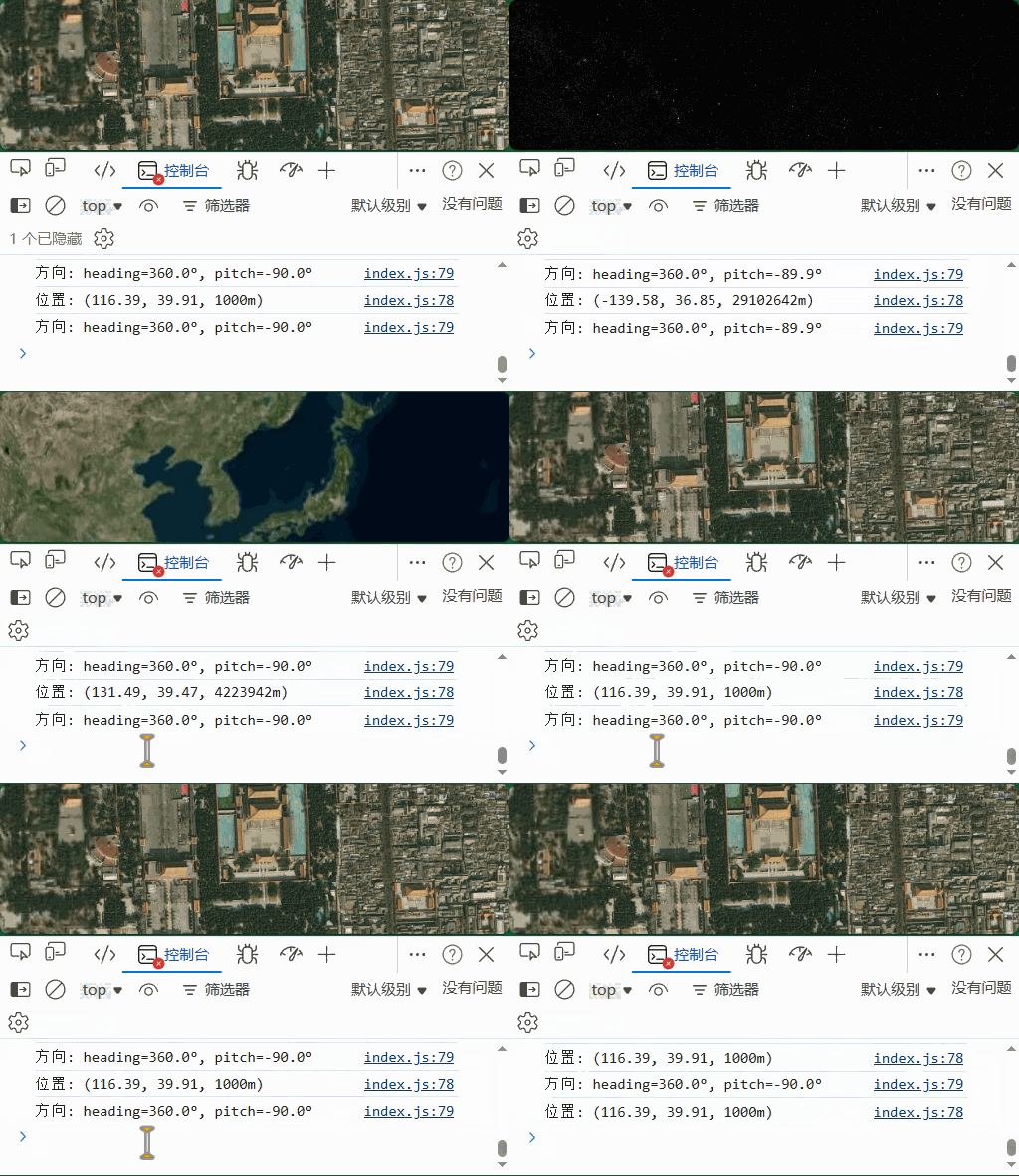
// 4. 实时监听相机状态(场景渲染时触发)
viewer.scene.postRender.addEventListener(function() {
  // 获取相机当前位置和方向
  const cartographic = Cesium.Cartographic.fromCartesian(viewer.camera.position);
  const lon = Cesium.Math.toDegrees(cartographic.longitude);
  const lat = Cesium.Math.toDegrees(cartographic.latitude);
  const height = cartographic.height;
  const heading = Cesium.Math.toDegrees(viewer.camera.heading);
  const pitch = Cesium.Math.toDegrees(viewer.camera.pitch);

  console.log(`位置: (${lon.toFixed(2)}, ${lat.toFixed(2)}, ${height.toFixed(0)}m)`);
  console.log(`方向: heading=${heading.toFixed(1)}°, pitch=${pitch.toFixed(1)}°`);
});
move
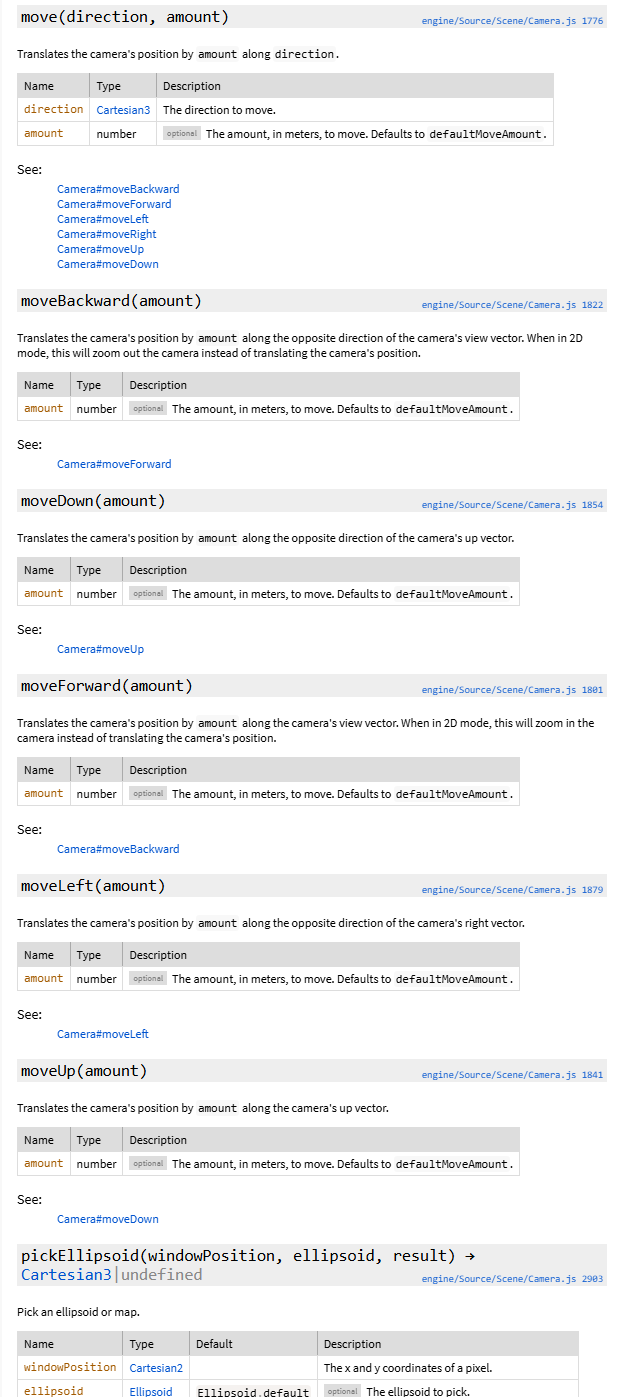
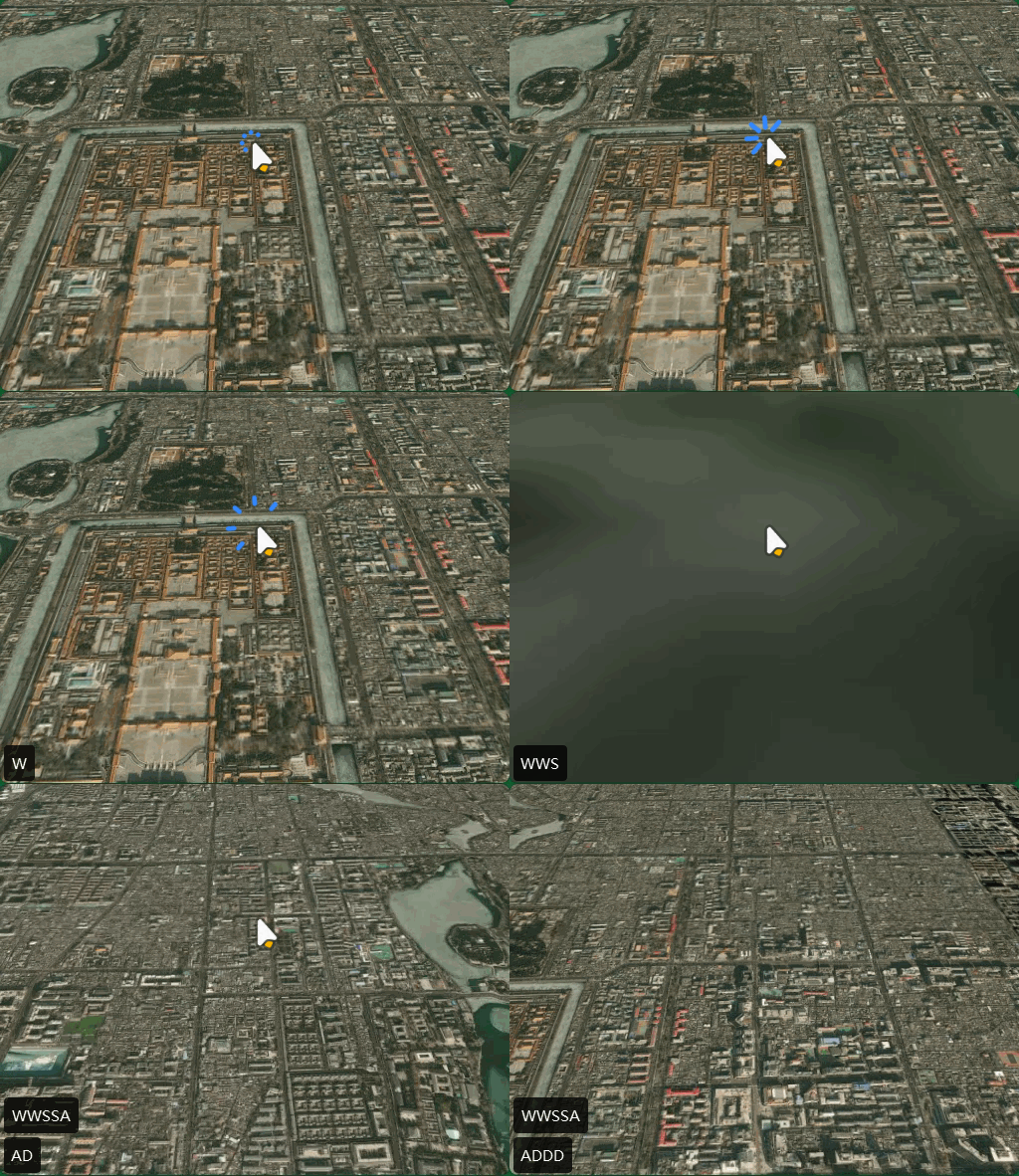
javascript
// 设置初始相机位置,避免无效状态
viewer.camera.setView({
  destination: Cesium.Cartesian3.fromDegrees(116.393428, 39.90923, 10000),
  orientation: {
    heading: 0,
    pitch: Cesium.Math.toRadians(-45),
    roll: 0,
  },
});
document.addEventListener("keydown", function (e) {
  const moveAmount = 1000; // 移动量(米)

  switch (e.key) {
    case "w":
    case "W":
      viewer.camera.moveForward(moveAmount); // 前进
      break;
    case "s":
    case "S":
      viewer.camera.moveBackward(moveAmount); // 后退
      break;
    case "a":
    case "A":
      viewer.camera.moveLeft(moveAmount); // 左移
      break;
    case "d":
    case "D":
      viewer.camera.moveRight(moveAmount); // 右移
      break;
  }
});
look
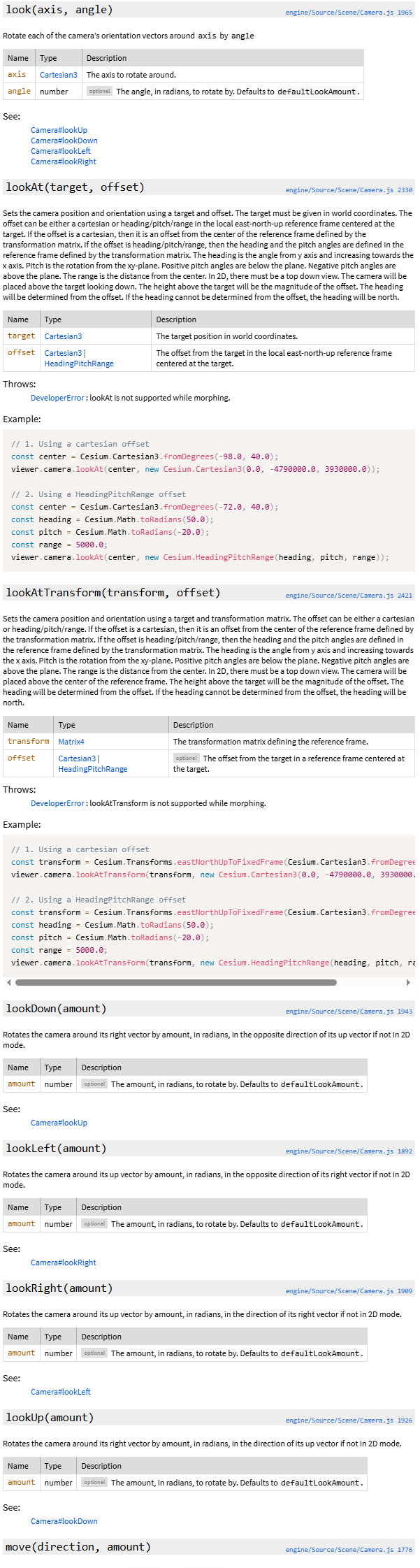
javascript
    case "q":
    case "Q":
      viewer.camera.lookLeft(Cesium.Math.toRadians(5)); // 左转
      break;
    case "e":
    case "E":
      viewer.camera.lookRight(Cesium.Math.toRadians(5)); // 右转
      break;
    case "r":
    case "R":
      viewer.camera.lookUp(Cesium.Math.toRadians(5)); //
      break;
    case "f":
    case "F":
      viewer.camera.lookDown(Cesium.Math.toRadians(5)); //
      break;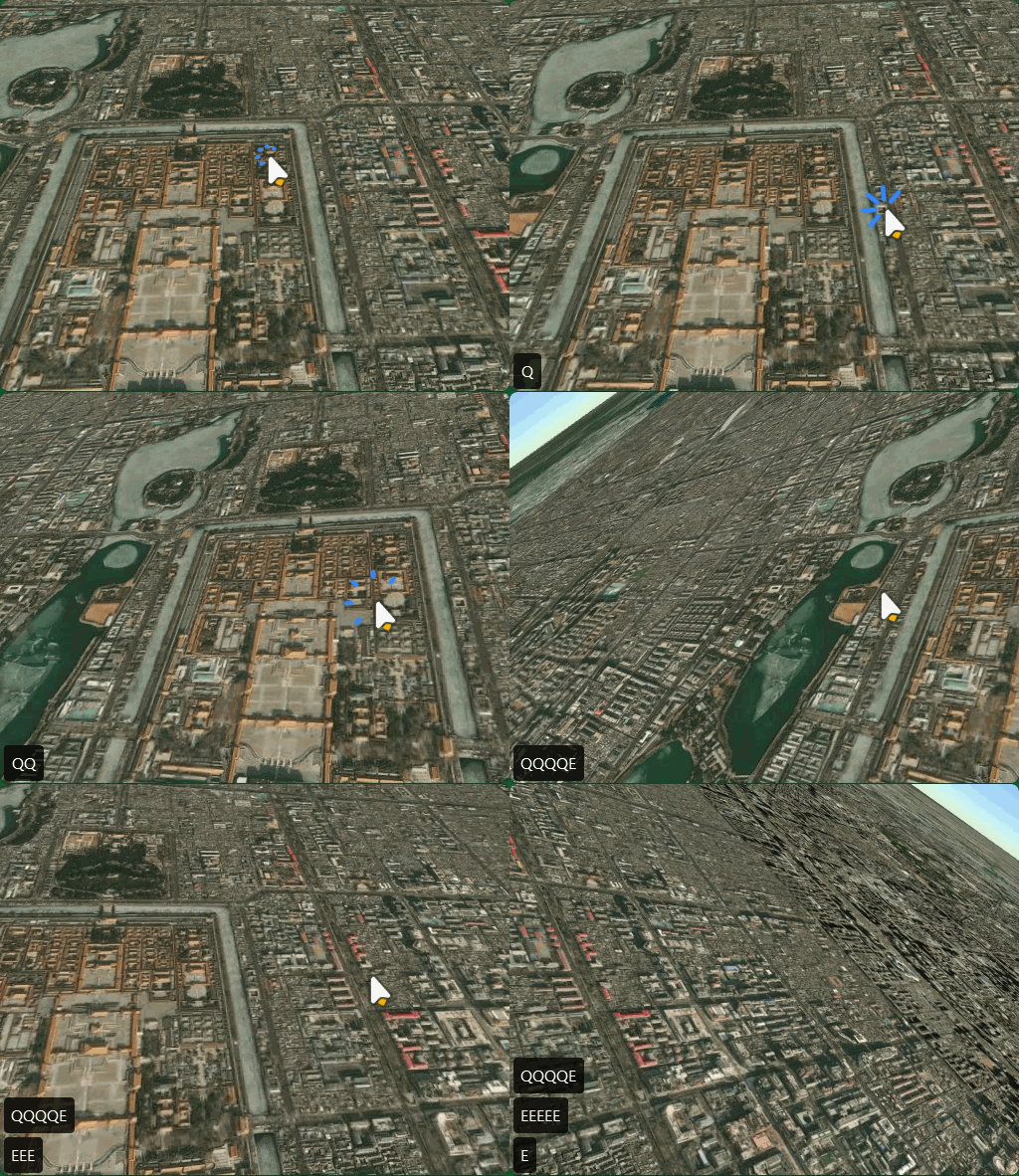
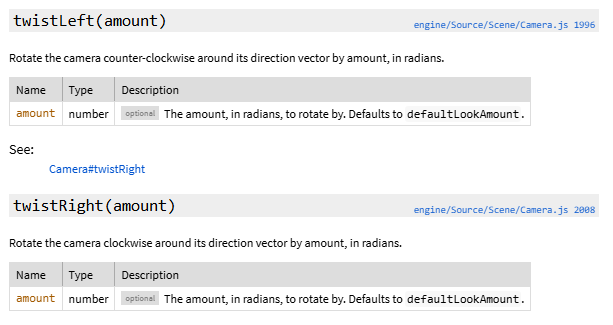
twistLeft
javascript
    case "g":
    case "G":
      viewer.camera.twistLeft(Cesium.Math.toRadians(5)); //
      break;
    case "h":
    case "H":
      viewer.camera.twistRight(Cesium.Math.toRadians(5)); //
      break;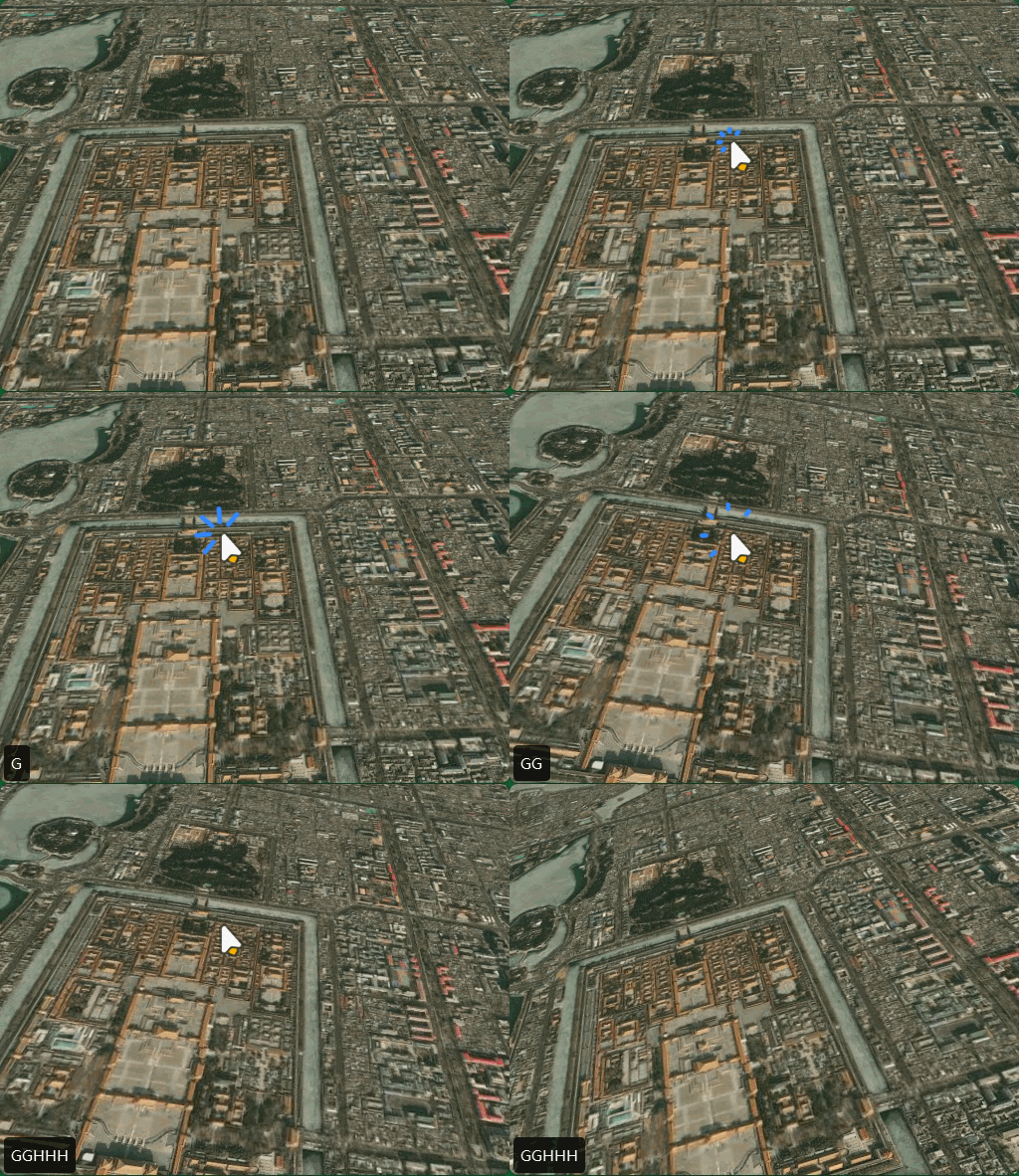
十四、添加物体与3D建筑物
javascript
// 北京
const position = Cesium.Cartesian3.fromDegrees(116.397428, 39.90923, 1000);
// 广州塔
const position1 = Cesium.Cartesian3.fromDegrees(113.3191, 23.109, 1000);
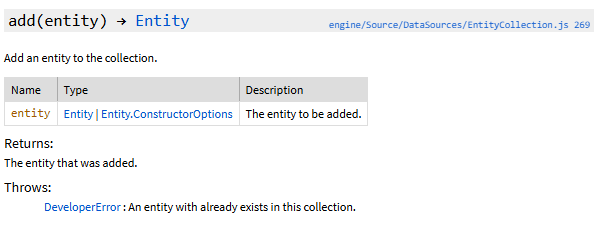
EntityCollection - Cesium Documentation
点
PointGraphics - Cesium Documentation
| Name | Type | Attributes | Default | Description |
|---|---|---|---|---|
show |
Property | boolean | <optional> | true | A boolean Property specifying the visibility of the point. |
pixelSize |
Property | number | <optional> | 1 | A numeric Property specifying the size in pixels. |
heightReference |
Property | HeightReference | <optional> | HeightReference.NONE | A Property specifying what the height is relative to. |
color |
Property | Color | <optional> | Color.WHITE | A Property specifying the Color of the point. |
outlineColor |
Property | Color | <optional> | Color.BLACK | A Property specifying the Color of the outline. |
outlineWidth |
Property | number | <optional> | 0 | A numeric Property specifying the the outline width in pixels. |
scaleByDistance |
Property | NearFarScalar | <optional> | A NearFarScalar Property used to scale the point based on distance. | |
translucencyByDistance |
Property | NearFarScalar | <optional> | A NearFarScalar Property used to set translucency based on distance from the camera. | |
distanceDisplayCondition |
Property | DistanceDisplayCondition | <optional> | A Property specifying at what distance from the camera that this point will be displayed. | |
disableDepthTestDistance |
Property | number | <optional> | A Property specifying the distance from the camera at which to disable the depth test to. | |
splitDirection |
Property | SplitDirection | <optional> | A Property specifying the SplitDirection split to apply to this point. |
javascript
// ========== 添加点 ==========
viewer.entities.add({
  name: "北京标记点",
  position: Cesium.Cartesian3.fromDegrees(116.397428, 39.90923, 0),
  point: {
    pixelSize: 10, // 点的大小(像素)
    color: Cesium.Color.RED, // 颜色
    outlineColor: Cesium.Color.WHITE, // 轮廓颜色
    outlineWidth: 2, // 轮廓宽度
    heightReference: Cesium.HeightReference.CLAMP_TO_GROUND, // 贴地
  },
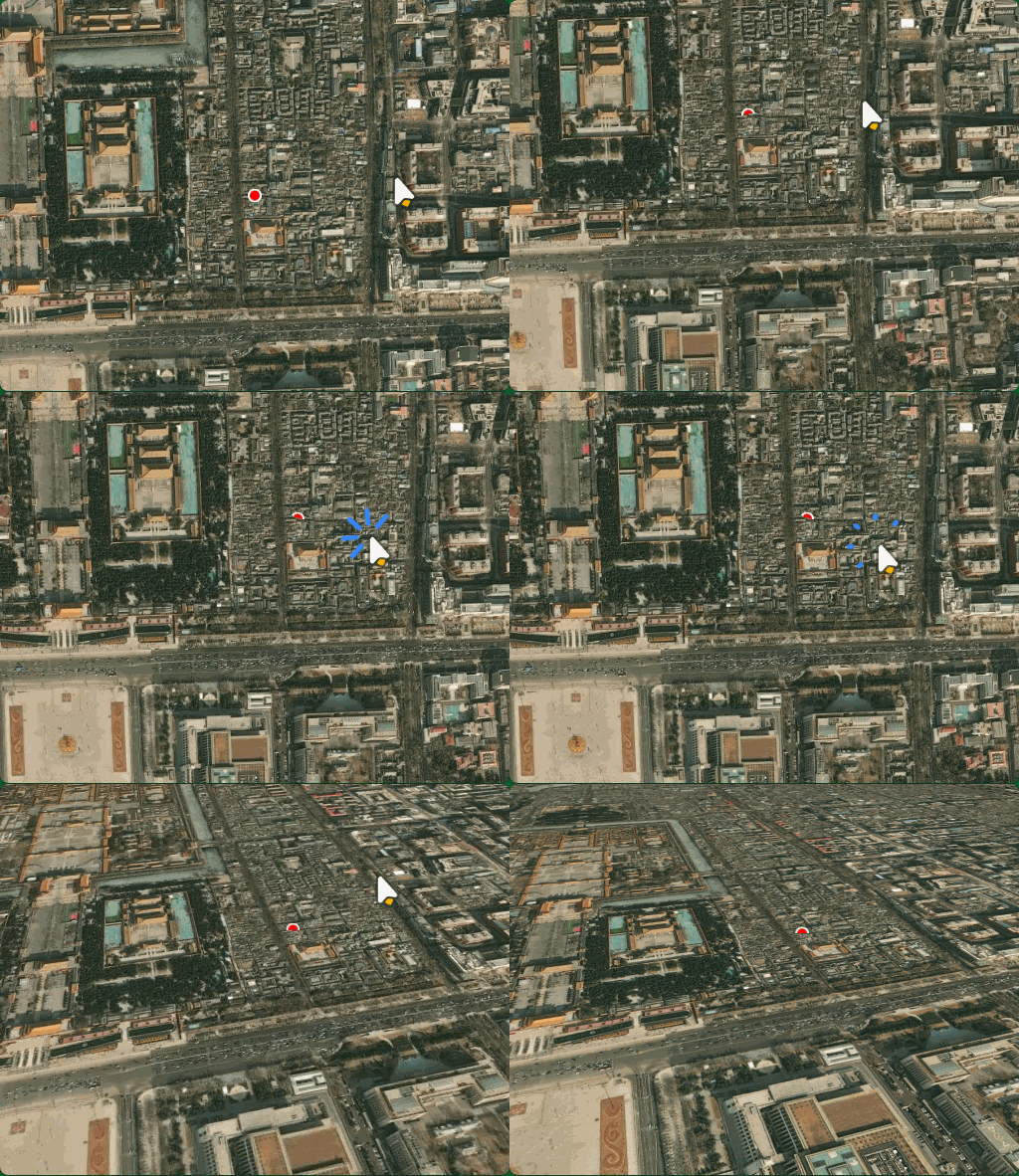
});
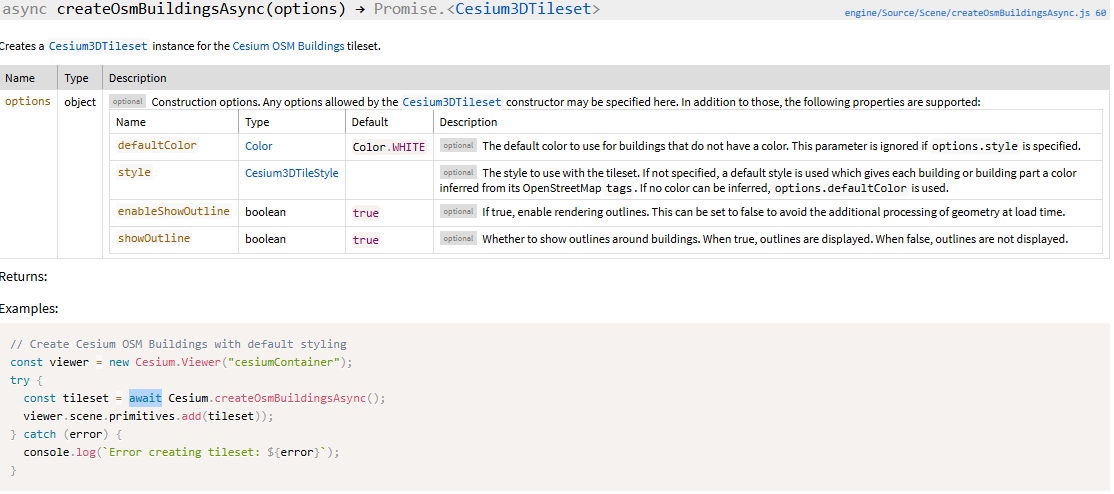
添加3D模型(来自 OpenStreetMap
javascript
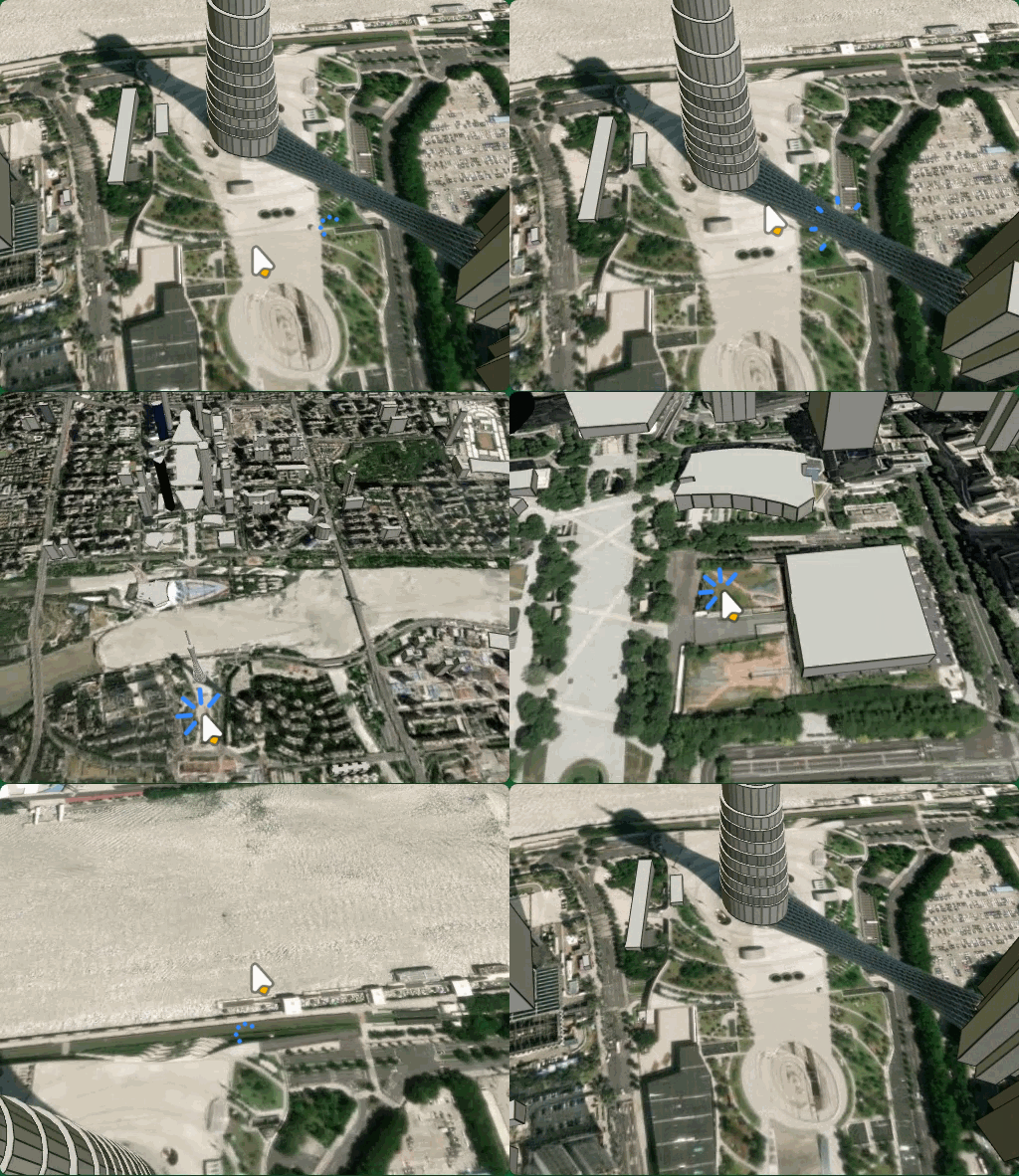
添加全球 3D 建筑物(来自 OpenStreetMap)
const osmBuildings = viewer.scene.primitives.add(
  await Cesium.createOsmBuildingsAsync()
);
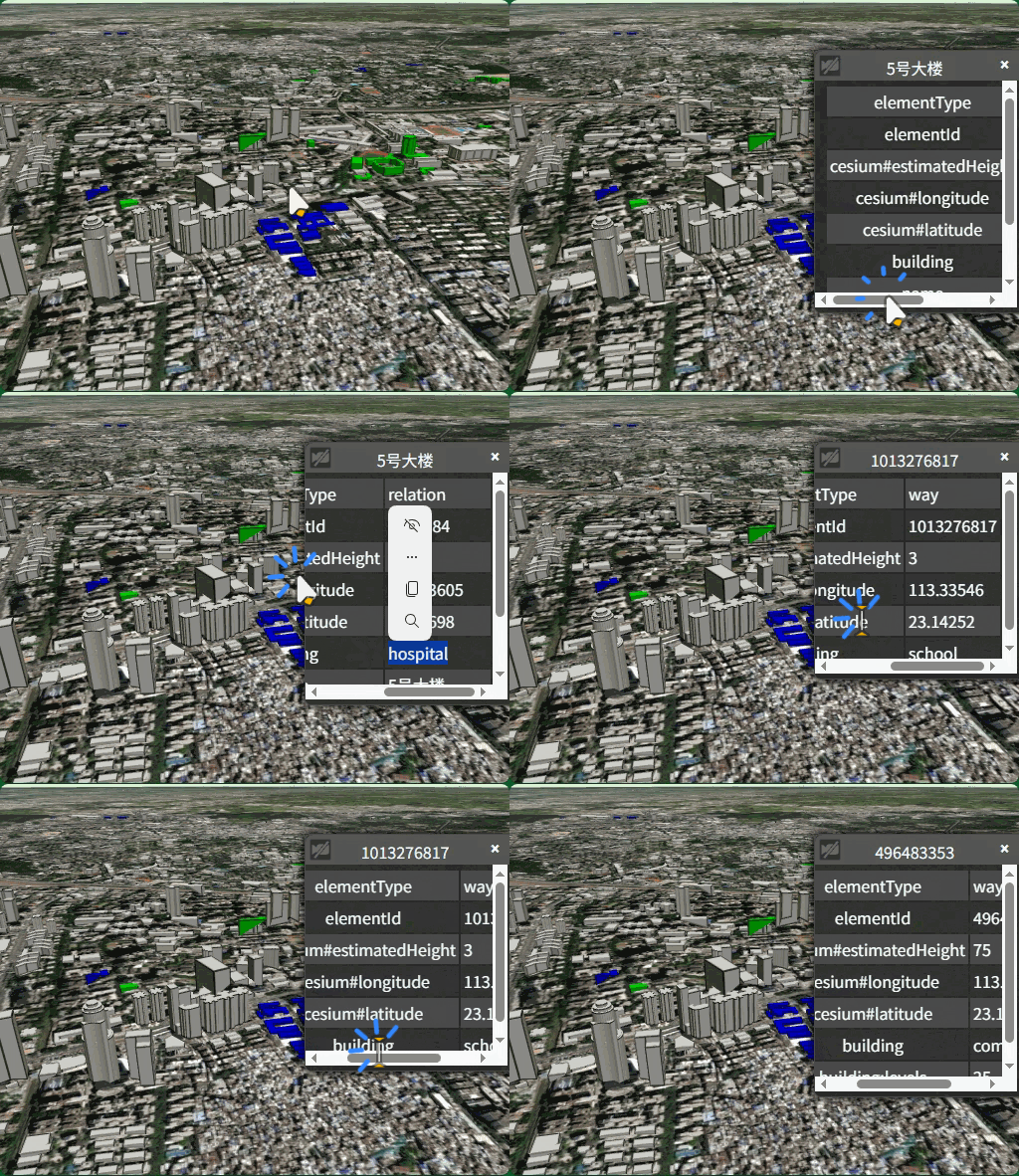
设置建筑样式
Cesium3DTileStyle - Cesium Documentation
ConditionsExpression - Cesium Documentation
javascript
    style: new Cesium.Cesium3DTileStyle({
      color: {
        conditions: [
          ["${feature['building']} === 'hospital'", "color('#0000FF')"],
          ["${feature['building']} === 'school'", "color('#00FF00')"],
          [true, "color('#ffffff')"]
        ]
      }
    })
整体
javascript
//  添加3D模型
const osmBuildings = viewer.scene.primitives.add(
  await Cesium.createOsmBuildingsAsync({
    style: new Cesium.Cesium3DTileStyle({
      color: {
        conditions: [
          ["${feature['building']} === 'hospital'", "color('#0000FF')"],
          ["${feature['building']} === 'school'", "color('#00FF00')"],
          [true, "color('#ffffff')"],
        ],
      },
    }),
  })
);
十五、标签与广告牌
标签
LabelGraphics - Cesium Documentation
javascript
// 添加文字标签和广告牌
viewer.entities.add({
  name: "北京标记点",
  position: Cesium.Cartesian3.fromDegrees(116.397428, 39.90923, 0),
  label: {
    text: "北京",
    font: "24px Arial",
    fillColor: Cesium.Color.RED, // 颜色
    outlineColor: Cesium.Color.WHITE, // 轮廓颜色
    outlineWidth: 2, // 轮廓宽度
    style: Cesium.LabelStyle.FILL_AND_OUTLINE, // 样式
    pixelOffset: new Cesium.Cartesian2(0, -20), // 偏移量
    horizontalOrigin: Cesium.HorizontalOrigin.CENTER, // 水平对齐方式
    verticalOrigin: Cesium.VerticalOrigin.BOTTOM, // 贴地
  },
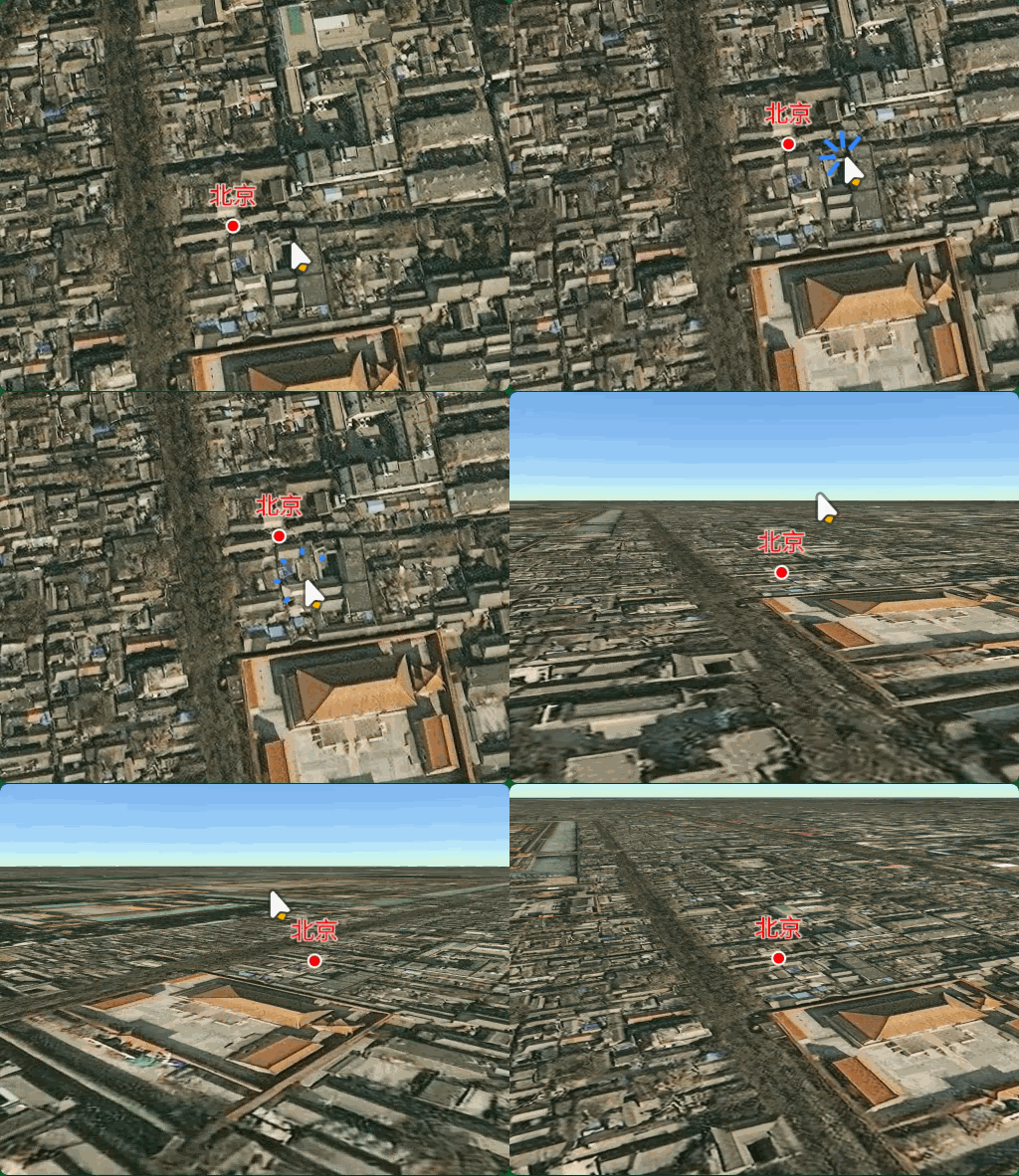
});
javascript
// ========== 添加点 ==========
viewer.entities.add({
  name: "广州塔标记点",
  position: Cesium.Cartesian3.fromDegrees(113.3191, 23.109, 600),
  point: {
    pixelSize: 10, // 点的大小(像素)
    color: Cesium.Color.BLUE, // 颜色
    outlineColor: Cesium.Color.WHITE, // 轮廓颜色
    outlineWidth: 2, // 轮廓宽度
  },
});

// 添加文字标签和广告牌
viewer.entities.add({
  name: "广州塔标记点",
  position: Cesium.Cartesian3.fromDegrees(113.3191, 23.109, 600),
  label: {
    text: "广州塔",
    font: "24px Arial",
    fillColor: Cesium.Color.BLUE, // 颜色
    outlineColor: Cesium.Color.WHITE, // 轮廓颜色
    outlineWidth: 2, // 轮廓宽度
    style: Cesium.LabelStyle.FILL_AND_OUTLINE, // 样式
    pixelOffset: new Cesium.Cartesian2(0, -20), // 偏移量
    horizontalOrigin: Cesium.HorizontalOrigin.CENTER, // 水平对齐方式
    verticalOrigin: Cesium.VerticalOrigin.BOTTOM, // 贴地
  },
});
//  添加3D模型
const osmBuildings = viewer.scene.primitives.add(
  await Cesium.createOsmBuildingsAsync()
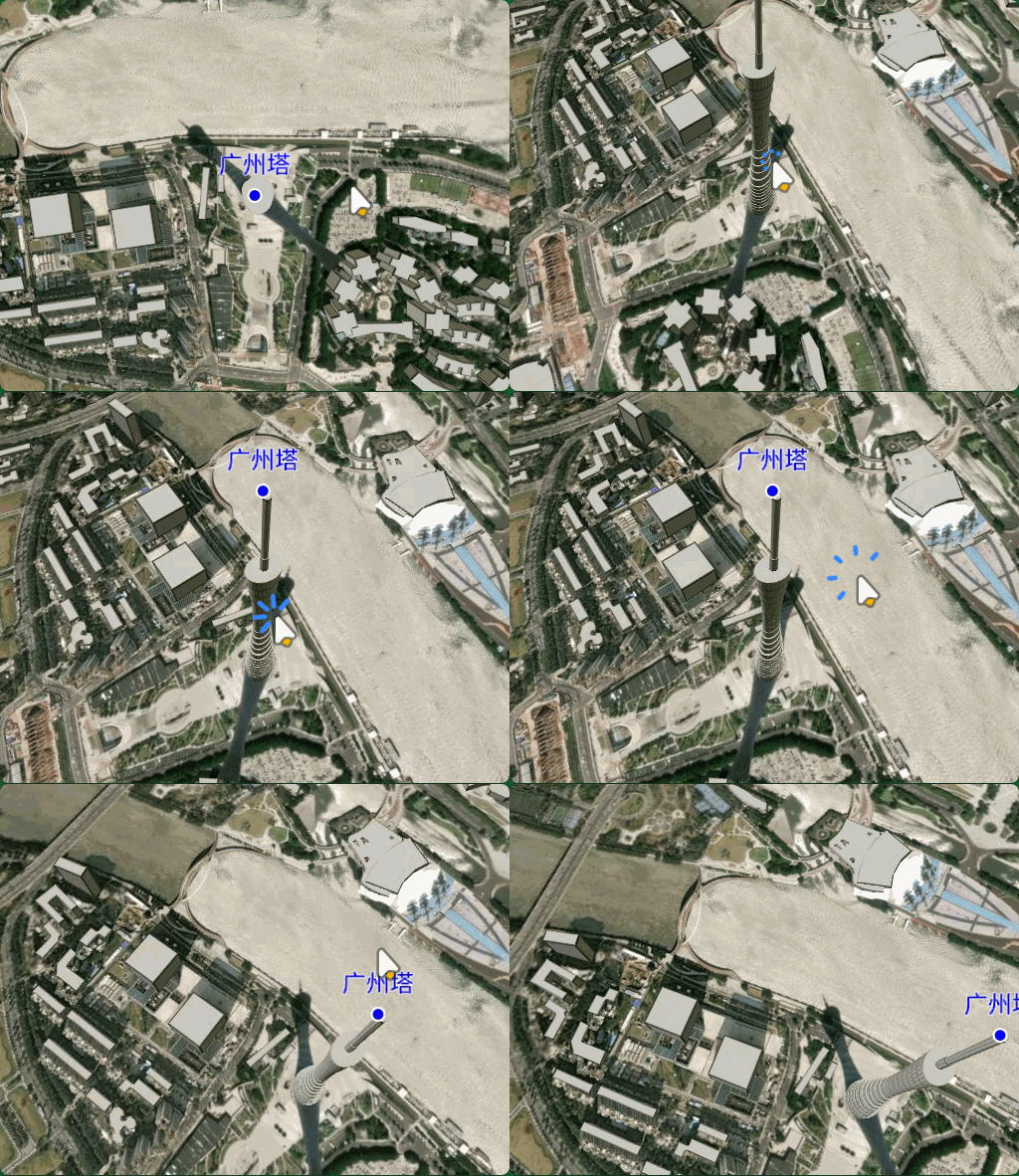
);
广告牌
javascript
// 添加文字标签和广告牌
viewer.entities.add({
  name: "广州塔标记点",
  position: Cesium.Cartesian3.fromDegrees(113.3191, 23.109, 700),
  label: {
    text: "广州塔",
    font: "24px Arial",
    fillColor: Cesium.Color.BLUE, // 颜色
    outlineColor: Cesium.Color.WHITE, // 轮廓颜色
    outlineWidth: 2, // 轮廓宽度
    style: Cesium.LabelStyle.FILL_AND_OUTLINE, // 样式
    pixelOffset: new Cesium.Cartesian2(0, -20), // 偏移量
    horizontalOrigin: Cesium.HorizontalOrigin.CENTER, // 水平对齐方式
    verticalOrigin: Cesium.VerticalOrigin.BOTTOM, // 贴地
  },
  billboard: {
    image: "../../img/广州塔.png",
    width: 50,
    height: 50,
    horizontalOrigin: Cesium.HorizontalOrigin.TOP, // 水平对齐方式
    verticalOrigin: Cesium.VerticalOrigin.CENTER,
  },
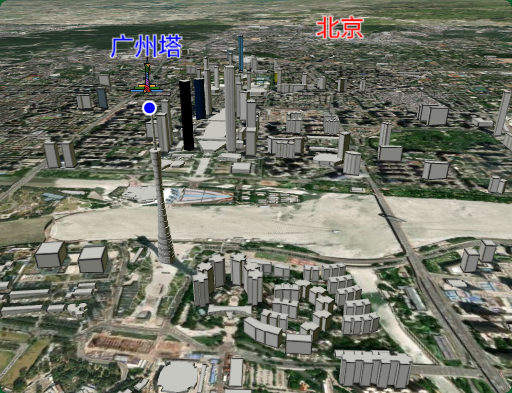
});
十六、3D模型添加与设置
添加 GLTF/GLB 3D模型
ModelGraphics - Cesium Documentation
javascript
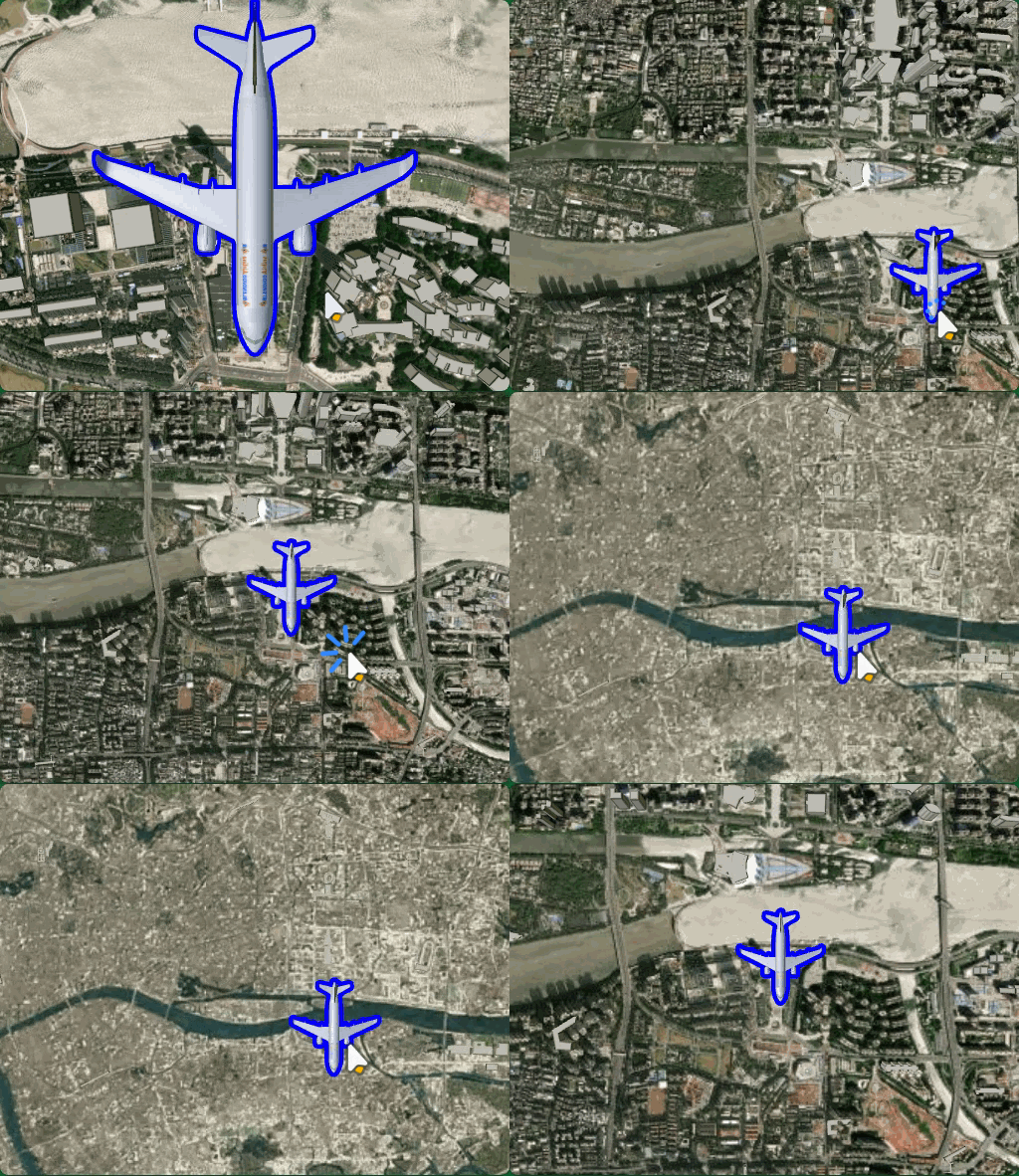
viewer.entities.add({
  position: Cesium.Cartesian3.fromDegrees(113.3191, 23.109, 900),
  model: {
    uri: "../../飞机.glb", // 模型路径
    minimumPixelSize:128, // 最小像素尺寸
  },
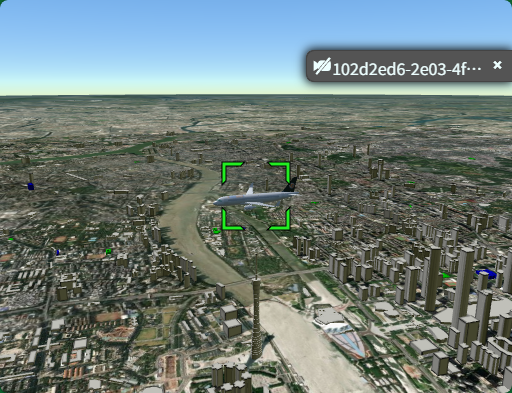
});
javascript
viewer.entities.add({
  position: Cesium.Cartesian3.fromDegrees(113.3191, 23.109, 900),
  model: {
    uri: "../../飞机.glb", // 模型路径
    minimumPixelSize: 128, // 最小像素尺寸
    silhouetteSize: 5,
    silhouetteColor: Cesium.Color.BLUE, // 模型轮廓颜色
    // 设置相机距离模型的距离显示
    distanceDisplayCondition: new Cesium.DistanceDisplayCondition(0, 10000),
  },
});
十七、椭圆_走廊_圆柱体添加与设置
椭圆
EllipseGraphics - Cesium Documentation
javascript
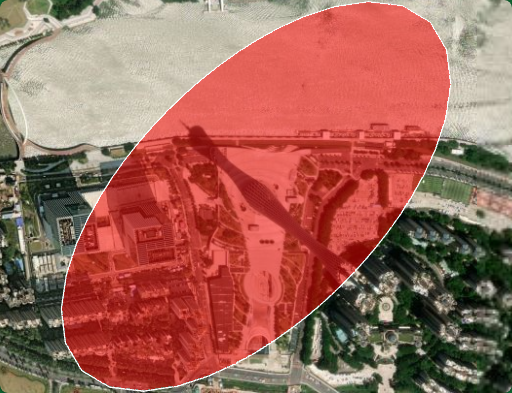
// 添加椭圆
viewer.entities.add({
  name: "椭圆示例",
  position: Cesium.Cartesian3.fromDegrees(113.3191, 23.109, 0), // 位置
  ellipse: {
    semiMinorAxis: 250.0, // 短半轴(米)
    semiMajorAxis: 500.0, // 长半轴(米)
    height: 100.0, // 离地高度(米)
    material: Cesium.Color.RED.withAlpha(0.5), // 材质颜色
    outline: true, // 是否显示轮廓线
    outlineColor: Cesium.Color.WHITE, // 轮廓线颜色
    rotation: Cesium.Math.toRadians(45), // 旋转角度
  },
});
走廊
CorridorGraphics - Cesium Documentation
javascript
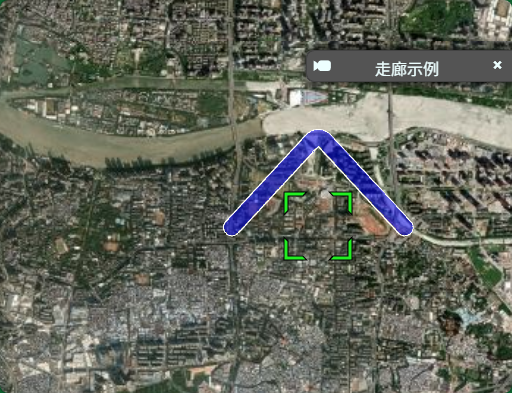
// 添加走廊
viewer.entities.add({
  name: "走廊示例",
  corridor: {
    positions: Cesium.Cartesian3.fromDegreesArray([
      113.31, 23.10,
      113.32, 23.11,
      113.33, 23.10,
    ]),
    width: 200.0,                    // 宽度(米)
    material: Cesium.Color.BLUE.withAlpha(0.5),
    outline: true,
    outlineColor: Cesium.Color.WHITE,
    height: 50.0,                    // 离地高度
  },
});
圆柱体
CylinderGraphics - Cesium Documentation
javascript
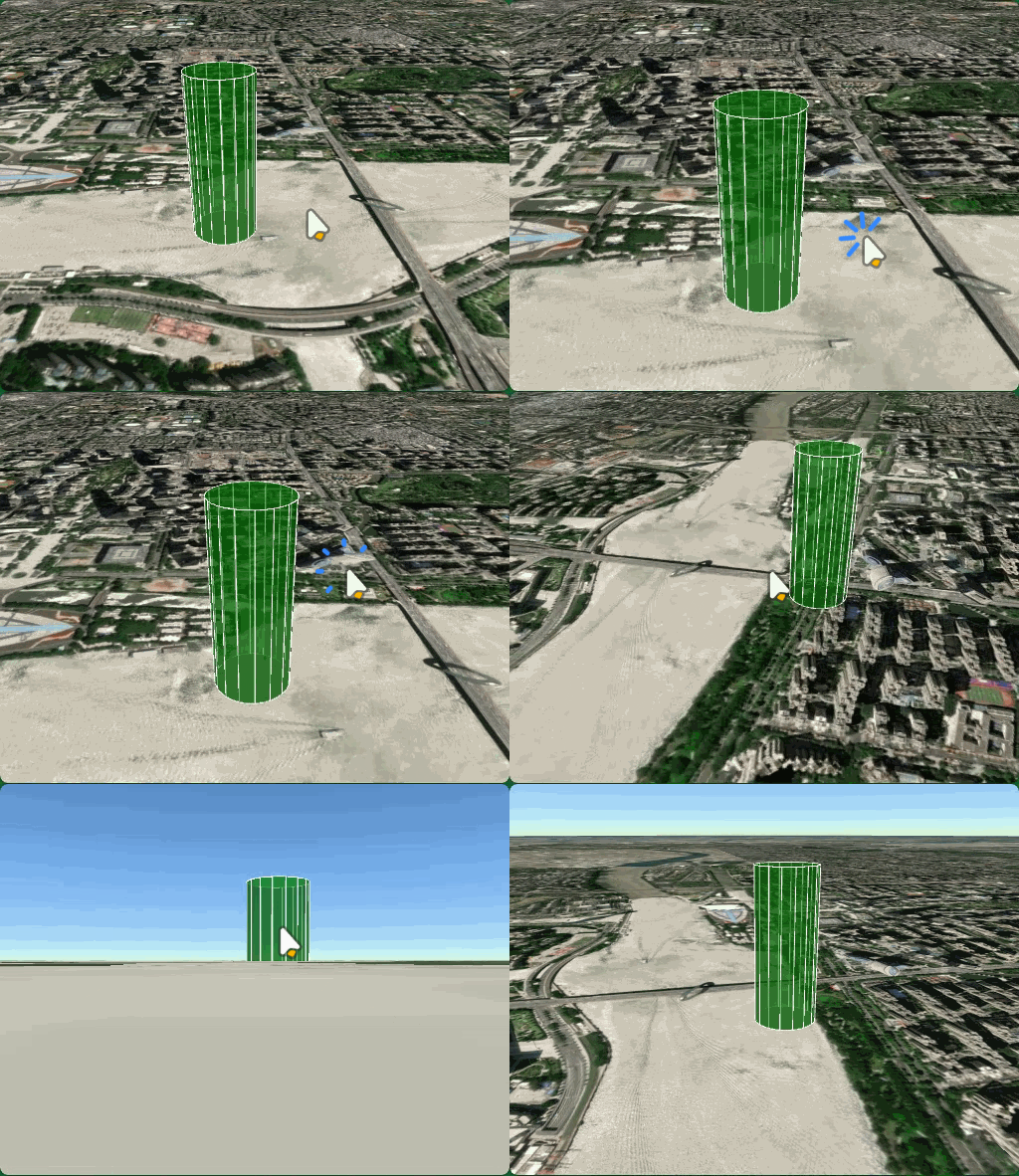
// 添加圆柱体
viewer.entities.add({
  name: "圆柱体示例",
  position: Cesium.Cartesian3.fromDegrees(113.325, 23.115, 0),
  cylinder: {
    length: 500.0,                   // 高度(米)
    topRadius: 100.0,                // 顶部半径
    bottomRadius: 100.0,             // 底部半径
    material: Cesium.Color.GREEN.withAlpha(0.5),
    outline: true,
    outlineColor: Cesium.Color.WHITE,
  },
});
javascript
topRadius: 0, // 顶部半径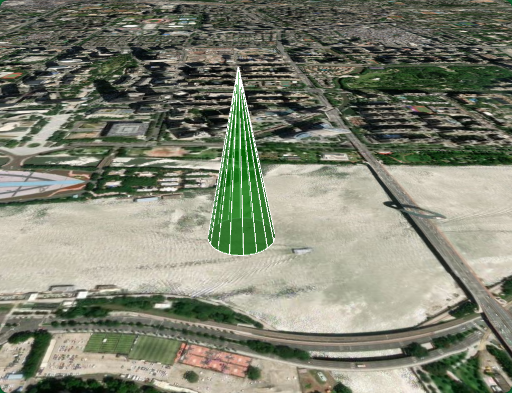
十八、多边形_体积折线_矩形_椭球体设置
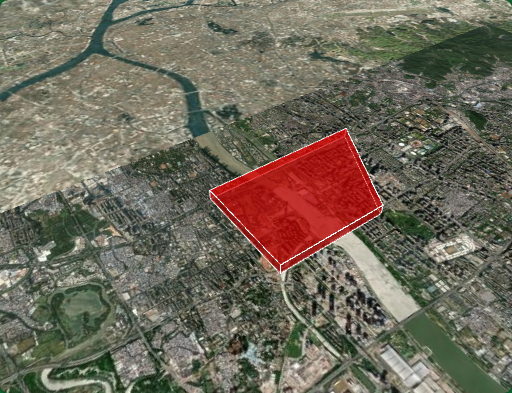
多边形
PolygonGraphics - Cesium Documentation
javascript
// 添加多边形
viewer.entities.add({
  name: "多边形示例",
  polygon: {
    hierarchy: Cesium.Cartesian3.fromDegreesArray([
      113.31, 23.10,
      113.33, 23.10,
      113.33, 23.12,
      113.31, 23.13,
    ]),
    height: 100.0,                    // 离地高度(米)
    extrudedHeight: 300.0,            // 拉伸高度(创建立体效果)
    material: Cesium.Color.RED.withAlpha(0.5),
    outline: true,
    outlineColor: Cesium.Color.WHITE,
    fill: true,
  },
});
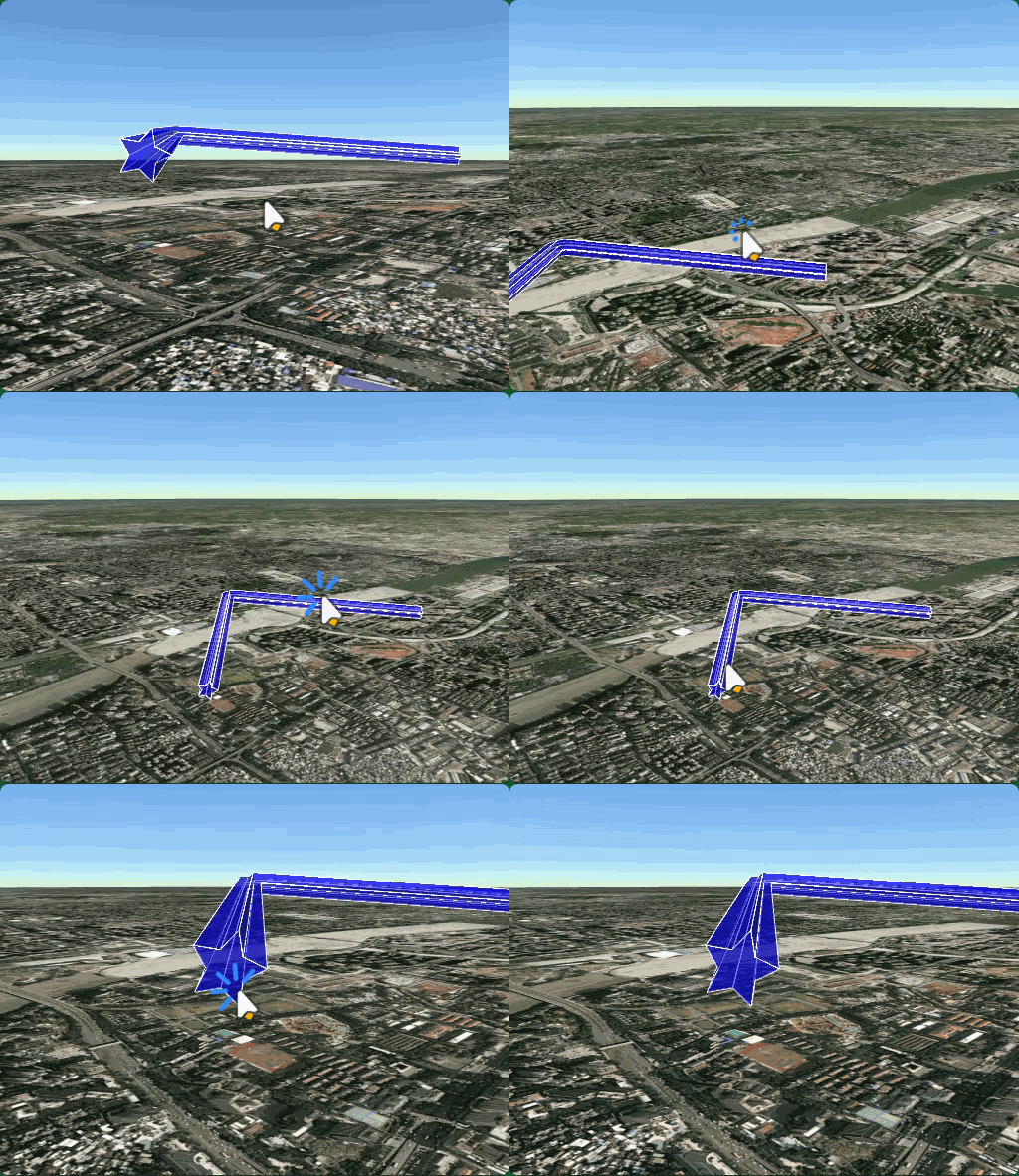
体积折线
体积折线是沿路径延伸的立体管状形状,可自定义横截面:
PolylineVolumeGraphics - Cesium Documentation
javascript
// 定义横截面形状(星形)
function computeStarShape(outerRadius, innerRadius, points) {
  const shape = [];
  for (let i = 0; i < points * 2; i++) {
    const radius = i % 2 === 0 ? outerRadius : innerRadius;
    const angle = (i * Math.PI) / points;
    shape.push(new Cesium.Cartesian2(
      Math.cos(angle) * radius,
      Math.sin(angle) * radius
    ));
  }
  return shape;
}

// 添加体积折线
viewer.entities.add({
  name: "体积折线示例",
  polylineVolume: {
    positions: Cesium.Cartesian3.fromDegreesArrayHeights([
      113.31, 23.10, 200,
      113.32, 23.11, 300,
      113.33, 23.10, 200,
    ]),
    shape: computeStarShape(50, 25, 5),  // 星形横截面
    material: Cesium.Color.BLUE.withAlpha(0.5),
    outline: true,
    outlineColor: Cesium.Color.WHITE,
  },
});
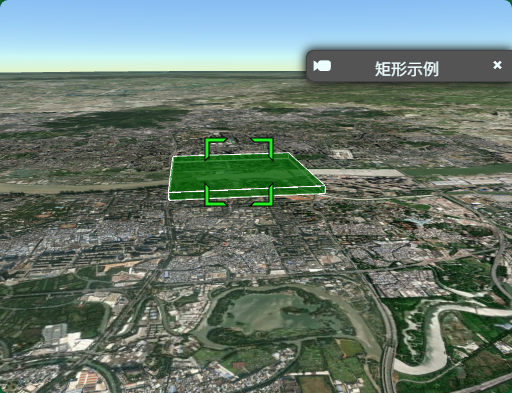
矩形
RectangleGraphics - Cesium Documentation
矩形是由西、南、东、北坐标定义的矩形区域:
javascript
// 添加矩形
viewer.entities.add({
  name: "矩形示例",
  rectangle: {
    coordinates: Cesium.Rectangle.fromDegrees(
      113.31, 23.10,  // 西、南
      113.33, 23.12   // 东、北
    ),
    height: 50.0,                     // 离地高度
    extrudedHeight: 150.0,            // 拉伸高度
    material: Cesium.Color.GREEN.withAlpha(0.5),
    outline: true,
    outlineColor: Cesium.Color.WHITE,
    fill: true,
  },
});
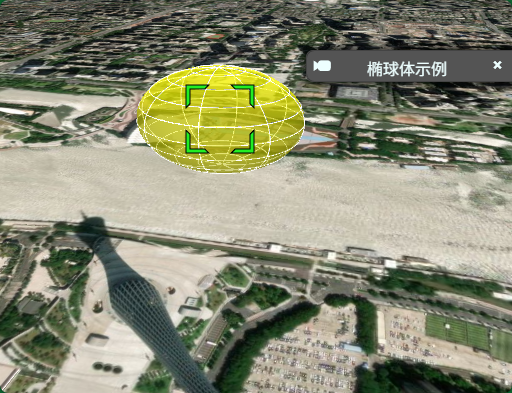
椭球体
EllipsoidGraphics - Cesium Documentation
椭球体是三维立体形状,可创建球形或椭球形:
javascript
// 添加椭球体
viewer.entities.add({
  name: "椭球体示例",
  position: Cesium.Cartesian3.fromDegrees(113.32, 23.11, 200),
  ellipsoid: {
    radii: new Cesium.Cartesian3(100, 80, 60),  // X、Y、Z 方向半径
    material: Cesium.Color.YELLOW.withAlpha(0.5),
    outline: true,
    outlineColor: Cesium.Color.WHITE,
    fill: true,
  },
});
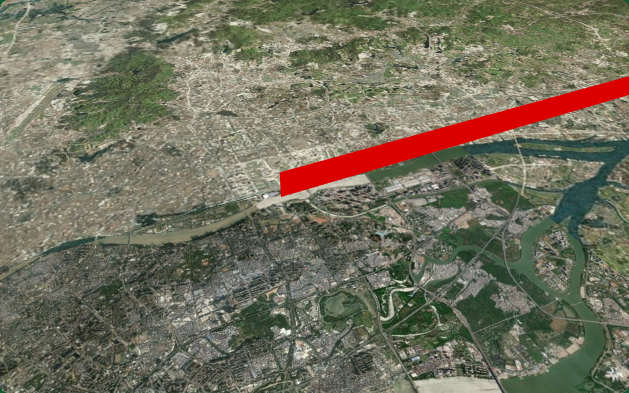
墙
WallGraphics - Cesium Documentation
javascript
viewer.entities.add({
  name: "Red wall at height",
  wall: {
    positions: Cesium.Cartesian3.fromDegreesArrayHeights([
      113.32, 23.11, 200.0, 120.32, 23.11, 200.0,
    ]),
    minimumHeights: [1000.0, 1000.0],
    material: Cesium.Color.RED,
  },
});
常用公共属性
| 属性 | 说明 |
|---|---|
material |
材质/颜色,支持纯色、图片、条纹等 |
outline |
是否显示轮廓线 |
outlineColor |
轮廓线颜色 |
height |
离地高度(米) |
extrudedHeight |
拉伸高度(创建立体效果) |
fill |
是否填充 |