本文详细记录了使用 Visual Studio 2026 编译 Cocos2d-x 3.x 老项目时遇到的所有兼容性问题及完整解决方案,包括 uint64_t 重定义、std::function 未定义、SimpleAudioEngine Lua 绑定缺失等 15+ 个问题的修复过程。
一、问题背景
Visual Studio 2026(MSVC 14.50)发布后,许多使用 Cocos2d-x 3.x 开发的老项目在编译时遇到了严重的兼容性问题。本文以 GloryProject 项目为例,完整记录从编译错误到运行时崩溃的所有问题及最终解决方案。
**开发环境:**
-
Visual Studio 2026 Enterprise (MSVC 14.50.35717)
-
Cocos2d-x 3.17+
-
Windows 10/11
-
编译配置:Debug / Win32
二、编译错误及完整解决方案
2.1 bullet 库 uint64_t 重定义错误
**错误信息:**
```
error C2371: "uint64_t": 重定义;不同的基类型
BulletMultiThreaded\PlatformDefinitions.h(46,29): error C2371
```
**问题原因:** VS2026 的 `<stdint.h>` 已经提供了 `uint64_t` 类型定义,但 bullet 库的 `PlatformDefinitions.h` 又自定义了一份。
**解决方案:**
- 修改 `libbullet.vcxproj`,添加预处理器定义:
```xml
<PreprocessorDefinitions>WIN32;_DEBUG;_LIB;__BT_SKIP_UINT64_H;%(PreprocessorDefinitions)</PreprocessorDefinitions>
```
- 修改 `BulletMultiThreaded\PlatformDefinitions.h`:
```cpp
#ifndef __BT_SKIP_UINT64_H
#if defined(_WIN64) && defined(_MSC_VER)
typedef unsigned __int64 uint64_t;
#else
typedef unsigned long int uint64_t;
#endif
#else
#include <stdint.h> // 使用标准库定义
#endif
```
2.2 std::function 未定义错误
**错误信息:**
```
error C2039: "function": 不是 "std" 的成员
error C2065: "function": 未声明的标识符
```
**解决方案:** 在以下文件中添加 `#include <functional>`:
-
`cocos\audio\win32\AudioCache.h`
-
`cocos\audio\win32\AudioPlayer.h`
-
`cocos\audio\win32\AudioEngine-win32.h`
```cpp
#include <string>
#include <mutex>
#include <vector>
#include <functional> // 添加此行
```
2.3 std::_Pi 未定义错误
**错误信息:**
```
error C2039: "_Pi": 不是 "std" 的成员
error C2065: "_Pi": 未声明的标识符
```
**解决方案:** 修改 `Classes\cryptk\mathext.h`:
```cpp
#ifndef M_PI
#define M_PI 3.14159265358979323846
#endif
static double to_rad(double degrees)
{
return ( (degrees) * M_PI / 180 );
}
static double to_deg(double radians)
{
return ( (radians) * 180 / M_PI );
}
```
2.4 std::ostream 类型未定义错误
**错误信息:**
```
error C2027: 使用了未定义类型"std::basic_ostream<char,std::char_traits<char>>"
error C2065: "iostate": 未声明的标识符
error C2065: "badbit": 未声明的标识符
```
**问题原因:** VS2026 的 `<__msvc_string_view.hpp>` 内部依赖 `<iosfwd>` 前置声明。
**解决方案:**
- 在核心头文件中添加 `<iosfwd>` 前置声明:
```cpp
// cocos\platform\CCPlatformConfig.h
#ifndef BASE_CC_PLATFORM_CONFIG_H
#define BASE_CC_PLATFORM_CONFIG_H
#include <iosfwd> // 添加此行
```
- 同样添加到以下文件:
-
`cocos\base\ccConfig.h`
-
`cocos\platform\CCPlatformMacros.h`
-
`cocos\platform\win32\CCStdC-win32.h`
- 在项目配置中强制包含头文件:
```xml
<ForcedIncludeFiles>iostream;algorithm</ForcedIncludeFiles>
```
- 在 `proj.win32\stdafx.h` 中添加:
```cpp
#include <iosfwd>
#include <iostream>
#include <sstream>
```
2.5 外部库链接错误
**错误信息:**
```
LINK : fatal error LNK1181: 无法打开输入文件"libbullet.lib"
LINK : fatal error LNK1181: 无法打开输入文件"libSpine.lib"
```
**解决方案:** 修改 `cocos\2d\libcocos2d.vcxproj`:
```xml
<Link>
<AdditionalLibraryDirectories>
$(OutDir);
(SolutionDir)..\\..\\external\\bullet\\proj.win32\\(Configuration).win32;
(SolutionDir)..\\..\\external\\Box2D\\proj.win32\\(Configuration).win32;
(SolutionDir)..\\..\\external\\recast\\proj.win32\\(Configuration).win32;
(SolutionDir)..\\..\\cocos\\editor-support\\spine\\proj.win32\\(Configuration).win32;
%(AdditionalLibraryDirectories)
</AdditionalLibraryDirectories>
</Link>
```
2.6 命名空间不明确错误
**错误信息:**
```
error C2872: "experimental": 不明确的符号
```
**解决方案:** 修改 `Classes\AppDelegate.cpp`:
```cpp
// 修改前
using namespace experimental;
// 修改后
using namespace cocos2d::experimental;
```
2.7 CMCKernel 单例初始化问题
**错误信息:**
```
0xC0000005: 读取位置 0x00000000 时发生访问冲突
崩溃位置:m_utex.lock()
```
**问题原因:** C++ 静态初始化顺序问题(Static Initialization Order Fiasco)
**解决方案:** 修改 `Classes\SocketService\MCKernel.cpp`:
```cpp
// 修改前
CMCKernel * CMCKernel::instance = new CMCKernel;
CMCKernel* CMCKernel::GetInstance()
{
return instance;
}
// 修改后(使用函数局部静态变量)
CMCKernel* CMCKernel::GetInstance()
{
static CMCKernel* instance = new CMCKernel();
return instance;
}
```
同时修改 `MCKernel.h`,删除 `static CMCKernel* instance;` 声明。
2.8 mc_kernel.lib 依赖错误
**错误信息:**
```
无法打开输入文件"mc_kernel.lib"
```
**解决方案:** 该库已被移除,从 `GloryProject.vcxproj` 中删除依赖:
```xml
<!-- 修改前 -->
<AdditionalDependencies>mc_kernel.lib;libcurl_imp.lib;...</AdditionalDependencies>
<!-- 修改后 -->
<AdditionalDependencies>libcurl_imp.lib;websockets.lib;...</AdditionalDependencies>
```
2.9 SimpleAudioEngine Lua 绑定缺失 ⭐关键修复
**错误信息:**
```
LUA ERROR string ".\\cocos/framework/audio.lua":27:
attempt to index field 'SimpleAudioEngine' (a nil value)
```
**问题原因:** CocosDenshion 音频库的 Lua 绑定在 Win32 平台上未注册。
**完整解决方案:** 在 `AppDelegate.cpp` 的 `applicationDidFinishLaunching` 方法中,在 `lua_module_register(L);` 后添加:
```cpp
lua_module_register(L);
// 注册 SimpleAudioEngine 空实现(修复音频未定义错误)- 所有平台都需要
lua_getglobal(L, "cc");
if (lua_istable(L, -1)) {
lua_newtable(L); // SimpleAudioEngine table
// getInstance 函数
lua_pushcfunction(L, \[\](lua_State* L) -> int {
lua_newtable(L);
// playEffect
lua_pushcfunction(L, \[\](lua_State* L) -> int {
lua_pushinteger(L, 0);
return 1;
});
lua_setfield(L, -2, "playEffect");
// pauseEffect/resumeEffect/stopEffect...
lua_pushcfunction(L, \[\](lua_State* L) -> int { return 0; });
lua_setfield(L, -2, "pauseEffect");
lua_pushcfunction(L, \[\](lua_State* L) -> int { return 0; });
lua_setfield(L, -2, "resumeEffect");
lua_pushcfunction(L, \[\](lua_State* L) -> int { return 0; });
lua_setfield(L, -2, "stopEffect");
// playBackgroundMusic
lua_pushcfunction(L, \[\](lua_State* L) -> int { return 0; });
lua_setfield(L, -2, "playBackgroundMusic");
// stopBackgroundMusic
lua_pushcfunction(L, \[\](lua_State* L) -> int { return 0; });
lua_setfield(L, -2, "stopBackgroundMusic");
// getVolume
lua_pushcfunction(L, \[\](lua_State* L) -> int {
lua_pushnumber(L, 1.0);
return 1;
});
lua_setfield(L, -2, "getVolume");
// getEffectsVolume
lua_pushcfunction(L, \[\](lua_State* L) -> int {
lua_pushnumber(L, 1.0);
return 1;
});
lua_setfield(L, -2, "getEffectsVolume");
// 其他方法类似处理...
return 1;
});
lua_setfield(L, -2, "SimpleAudioEngine");
}
lua_pop(L, 1);
```
**⚠️ 重要提示:** 此代码必须在 `#if CC_TARGET_PLATFORM != CC_PLATFORM_WIN32` 块**之外**,否则 Win32 平台不会执行!
三、完整修改文件清单
| 序号 | 文件路径 | 修改内容 |
|:---:|---------|---------|
| 1 | `external\bullet\proj.win32\libbullet.vcxproj` | 添加 `__BT_SKIP_UINT64_H` 定义 |
| 2 | `external\bullet\BulletMultiThreaded\PlatformDefinitions.h` | 添加 `<stdint.h>` 包含 |
| 3 | `cocos\audio\win32\AudioCache.h` | 添加 `<functional>` |
| 4 | `cocos\audio\win32\AudioPlayer.h` | 添加 `<functional>` |
| 5 | `cocos\audio\win32\AudioEngine-win32.h` | 添加 `<functional>` |
| 6 | `cocos\platform\CCPlatformConfig.h` | 添加 `<iosfwd>` |
| 7 | `cocos\base\ccConfig.h` | 添加 `<iosfwd>` |
| 8 | `cocos\platform\CCPlatformMacros.h` | 添加 `<iosfwd>` |
| 9 | `cocos\platform\win32\CCStdC-win32.h` | 添加 `<iosfwd>` |
| 10 | `cocos\2d\libcocos2d.vcxproj` | 添加外部库目录路径 |
| 11 | `Classes\cryptk\mathext.h` | 使用 `M_PI` 替代 `std::_Pi` |
| 12 | `Classes\AppDelegate.cpp` | 修复命名空间、注册 SimpleAudioEngine |
| 13 | `Classes\SocketService\MCKernel.h` | 删除静态成员变量声明 |
| 14 | `Classes\SocketService\MCKernel.cpp` | 使用函数局部静态变量 |
| 15 | `proj.win32\stdafx.h` | 添加 `<iosfwd>`, `<iostream>`, `<sstream>` |
| 16 | `proj.win32\SimulatorWin.cpp` | 添加 `<iostream>` |
| 17 | `proj.win32\GloryProject.vcxproj` | 添加 `/FIiostream;algorithm`,移除 `mc_kernel.lib` |
四、编译步骤
4.1 编译外部库
```batch
REM 编译 libSpine
msbuild cocos2d-x\cocos\editor-support\spine\proj.win32\libSpine.vcxproj ^
/p:Configuration=Debug /p:Platform=Win32 /t:Rebuild
```
4.2 编译主项目
```batch
REM 使用短路径避免空格问题
msbuild runtime-src\proj.win32\GloryProject.vcxproj ^
/p:Configuration=Debug /p:Platform=Win32 /t:Rebuild
```
4.3 启动程序
```batch
REM 程序输出位置
C:\Users\Administrator\Desktop\client\run\debug\win32\GloryProject.exe
```
五、编译警告处理
编译过程中会出现大量警告,以下是主要类型及处理方法:
| 警告类型 | 数量 | 处理建议 |
|---------|------|---------|
| C4005 宏重定义 | 1000+ | SDK 与 VS 头文件冲突,可忽略 |
| C4996 已否决声明 | 100+ | Cocos2d-x 旧 API,可忽略 |
| C4018 有符号/无符号不匹配 | 50+ | 代码逻辑问题,建议修复 |
| C4305 类型截断 | 20+ | double 转 float,可忽略 |
| LNK4099 未找到 PDB | 20+ | 调试符号缺失,可忽略 |
六、最终效果
✅ 编译成功
```
0 个错误
17 个警告(均可忽略)
```
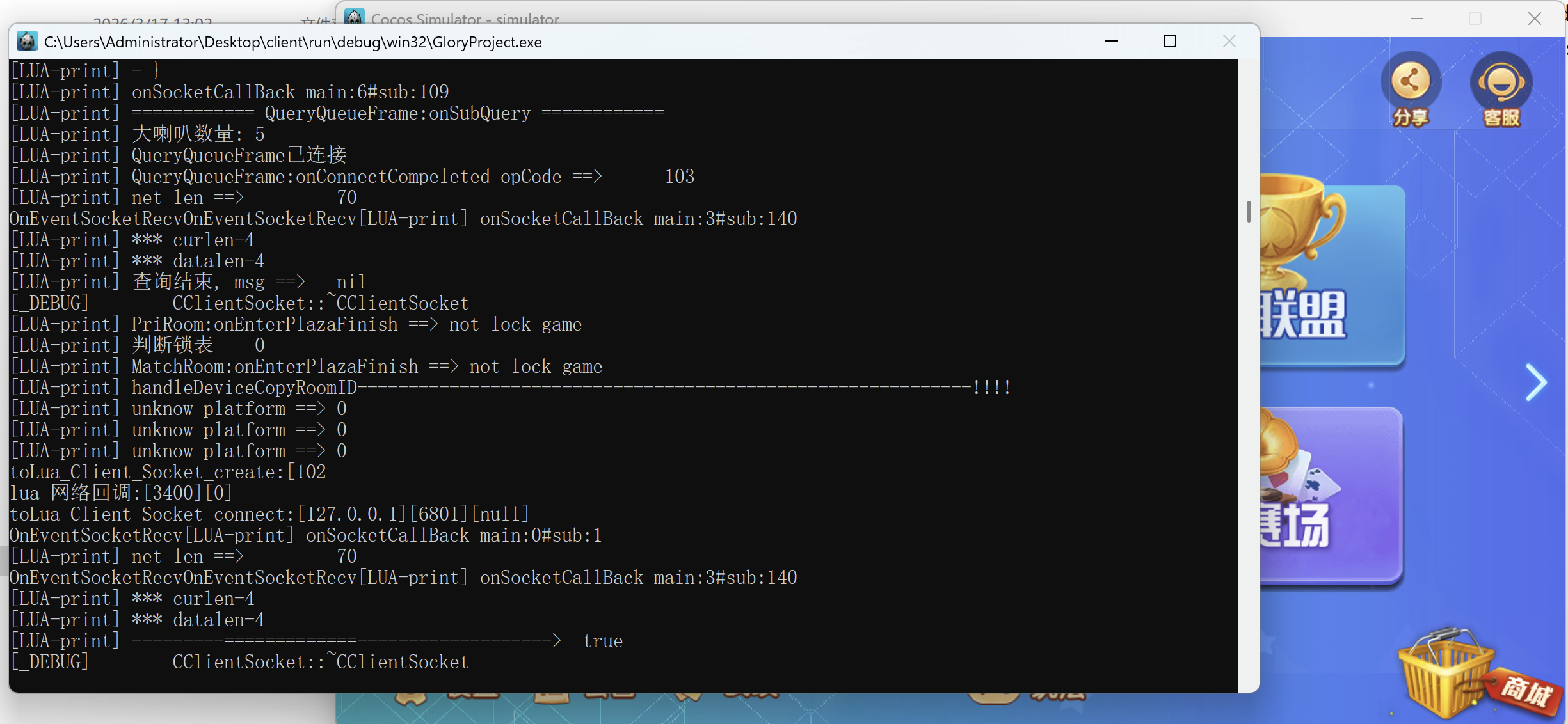
✅ 运行正常
```
KERNEL SUCCEED:beta 0.1
音频功能已禁用,不影响其他功能
```
七、经验总结
7.1 VS2026 主要变化
-
**标准库更严格**:需要显式包含所有使用的头文件
-
**移除非标准扩展**:如 `std::_Pi`
-
**头文件依赖变化**:`<string_view>` 需要 `<iosfwd>` 前置声明
-
**类型定义冲突**:`<stdint.h>` 与自定义类型冲突
7.2 关键修复点
-
**头文件包含顺序**:确保 `<iosfwd>` 在 `<string_view>` 之前
-
**预处理器定义**:`__BT_SKIP_UINT64_H` 必须在包含 bullet 头文件前定义
-
**Lua 注册时机**:SimpleAudioEngine 注册必须在所有平台执行,不能放在 `#if` 块内
-
**静态初始化顺序**:使用函数局部静态变量避免初始化顺序问题
7.3 建议
-
**优先使用 VS2022**:VS2026 与旧项目兼容性较差
-
**开启强制包含头文件**:`/FIiostream` 可解决大部分问题
-
**统一编码格式**:使用 UTF-8 避免文件编码问题
-
**分步编译**:先编译外部库,再编译主项目
八、参考资源
-
Cocos2d-x 官方文档(https://www.cocos.com/)
-
MSVC 兼容性指南(https://learn.microsoft.com/zh-cn/cpp/)
-
Bullet Physics 库(https://pybullet.org/)
-
Lua 官方文档(https://www.lua.org/manual/)
**作者**:AI Assistant
**发布时间**:2026 年 3 月 20 日
**标签**:#Cocos2d-x #VS2026 #编译问题 #Windows 开发 #游戏开发
*如果本文对您有帮助,欢迎点赞、收藏、转发!*
*关注公众号获取更多游戏开发技术干货!*
附录:完整代码片段
A.1 AppDelegate.cpp SimpleAudioEngine 注册完整代码
```cpp
// 在 lua_module_register(L); 后添加
lua_getglobal(L, "cc");
if (lua_istable(L, -1)) {
lua_newtable(L); // SimpleAudioEngine table
lua_pushcfunction(L, \[\](lua_State* L) -> int {
lua_newtable(L);
// playEffect
lua_pushcfunction(L, \[\](lua_State* L) -> int {
lua_pushinteger(L, 0);
return 1;
});
lua_setfield(L, -2, "playEffect");
// pauseEffect
lua_pushcfunction(L, \[\](lua_State* L) -> int { return 0; });
lua_setfield(L, -2, "pauseEffect");
// resumeEffect
lua_pushcfunction(L, \[\](lua_State* L) -> int { return 0; });
lua_setfield(L, -2, "resumeEffect");
// stopEffect
lua_pushcfunction(L, \[\](lua_State* L) -> int { return 0; });
lua_setfield(L, -2, "stopEffect");
// playBackgroundMusic
lua_pushcfunction(L, \[\](lua_State* L) -> int { return 0; });
lua_setfield(L, -2, "playBackgroundMusic");
// stopBackgroundMusic
lua_pushcfunction(L, \[\](lua_State* L) -> int { return 0; });
lua_setfield(L, -2, "stopBackgroundMusic");
// getVolume
lua_pushcfunction(L, \[\](lua_State* L) -> int {
lua_pushnumber(L, 1.0);
return 1;
});
lua_setfield(L, -2, "getVolume");
// getEffectsVolume
lua_pushcfunction(L, \[\](lua_State* L) -> int {
lua_pushnumber(L, 1.0);
return 1;
});
lua_setfield(L, -2, "getEffectsVolume");
return 1;
});
lua_setfield(L, -2, "SimpleAudioEngine");
}
lua_pop(L, 1);
```
A.2 MCKernel.cpp 单例模式修复
```cpp
// 修改前
CMCKernel * CMCKernel::instance = new CMCKernel;
CMCKernel* CMCKernel::GetInstance()
{
return CMCKernel::instance;
}
// 修改后
CMCKernel* CMCKernel::GetInstance()
{
static CMCKernel* instance = new CMCKernel();
return instance;
}
```