根本不能一键配置,配置都过时了😅
天翼云自带的openclaw配置版本太低了,需要严格要求以下格式:
1.打开~/.openclaw/openclaw.json
添加红框中的内容: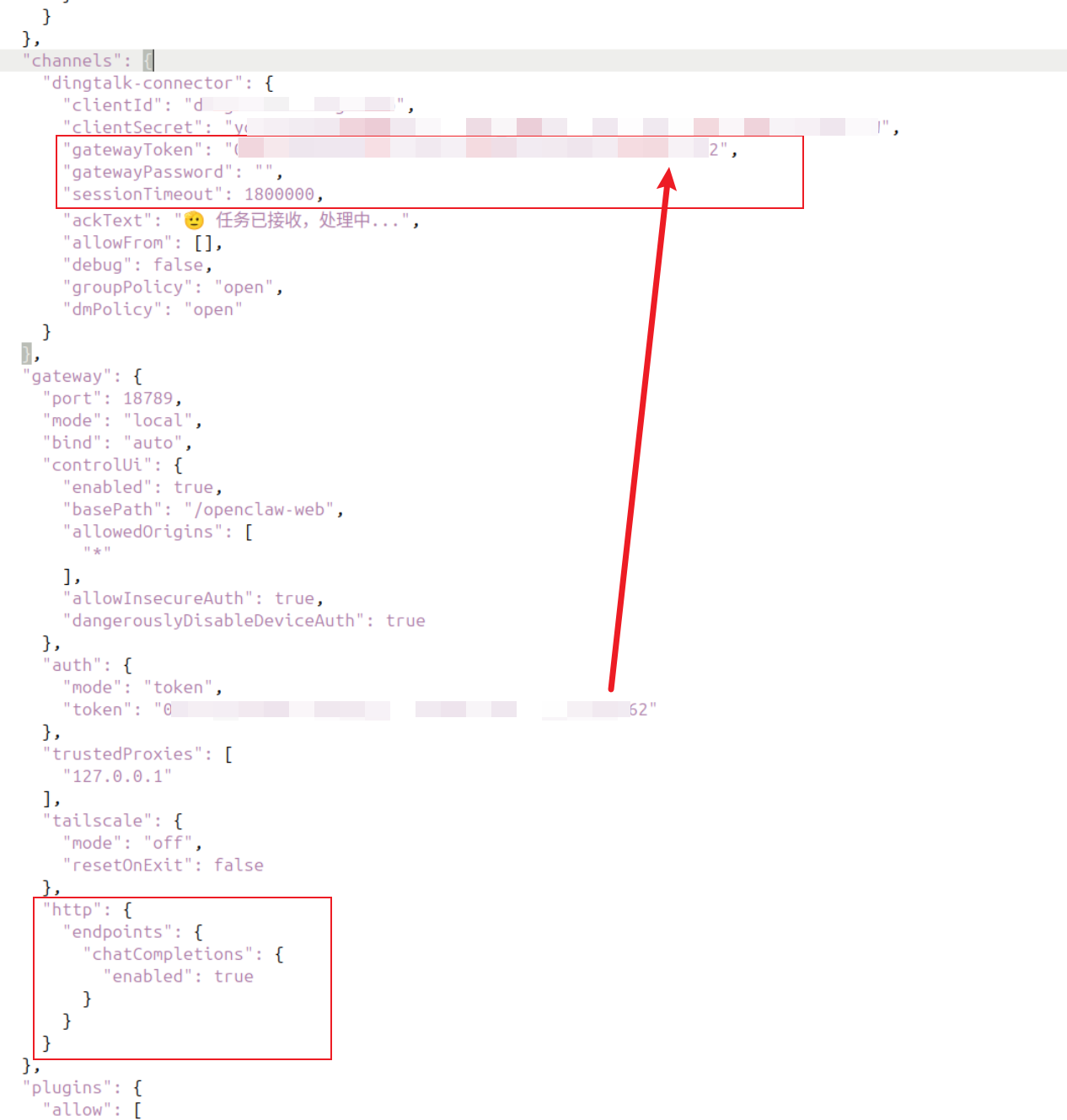
也就是钉钉官网手册格式:
{
  "channels": {
    "dingtalk-connector": {
      "clientId": "钉钉应用的Client Secret",       // 必选:填入上方的 钉钉 Client ID
      "clientSecret": "钉钉应用的Client Secret", // 必选:填入上方的 Client Secret
      "gatewayToken": "Gateway 认证 token",  // 必选:Gateway 认证 token, openclaw.json配置中 gateway.auth.token 的值
      "gatewayPassword": "",              // 可选:Gateway 认证 password(与 token 二选一)
      "sessionTimeout": 1800000           // 可选:会话超时(ms),默认 30 分钟
    }
  },
  "gateway": { // gateway通常是已有的节点,配置时注意把http部分追加到已有节点下
    "auth": {
      "mode": "token",
      "token": "Gateway 认证 token" // 必选:一般是安装时默认就有
    },
    "http": {
      "endpoints": {
        "chatCompletions": {
          "enabled": true // 必选
        }
      }
    }
  }
}你也可参考如下链接:https://open.dingtalk.com/document/dingstart/install-openclaw-locally#938506c3c0ufy
关联解决一下问题:
响应中断: Gateway error: 404 - Not Found,
响应中断: Gateway error: 401 - {"error":{"message":"Unauthorized","type":"unauthorized"}}