首先进行FastAPI Flask Django
|------|---------------|---------|--------|
| 对比维度 | FastAPI | Flask | Django |
| 性能 | 高(异步支持) | 中 | 较低(同步) |
| 异步支持 | 内置async/await | 需扩展 | 不原生 |
| 数据验证 | Pydantic自动校验 | 手动处理 | ORM级验证 |
| 自动文档 | 自动生成 | 需插件 | 需扩展 |
| 使用场景 | API,微服务,AI推理 | 小型web项目 | 大型网站 |
FastAPI基础
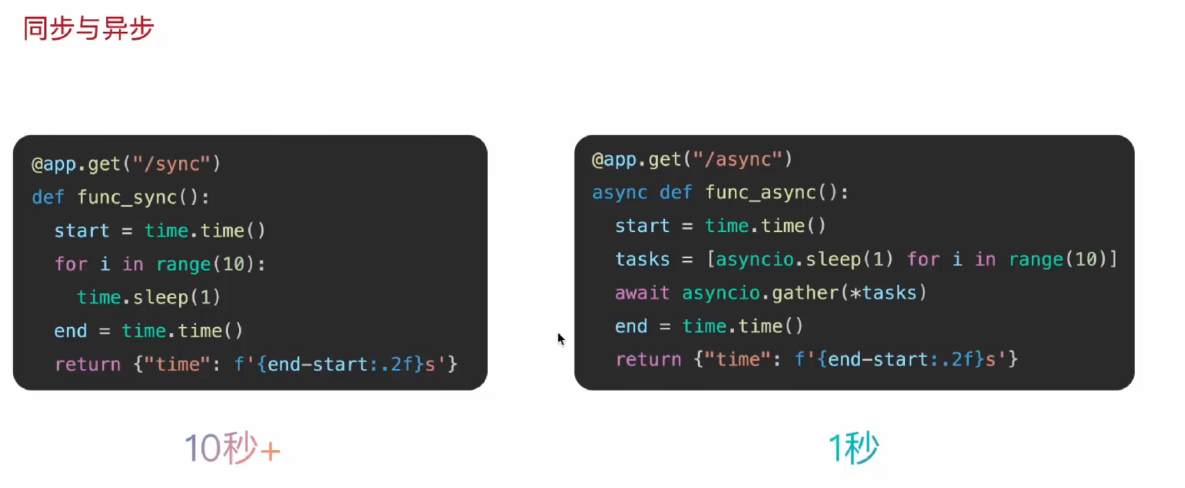
为什么异步比同步快10s呢?
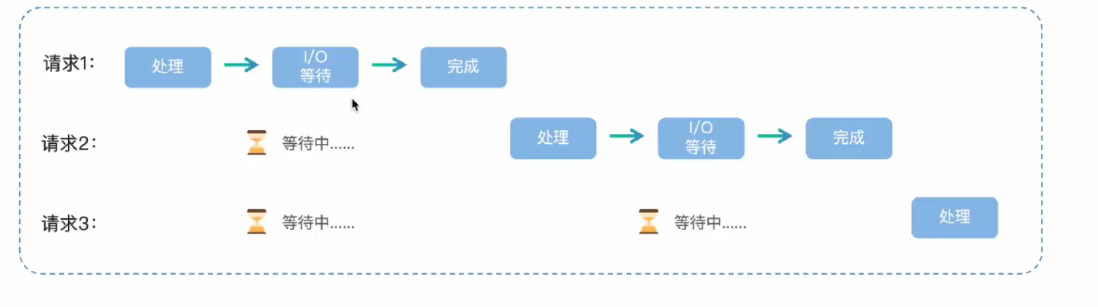
同步的执行流程
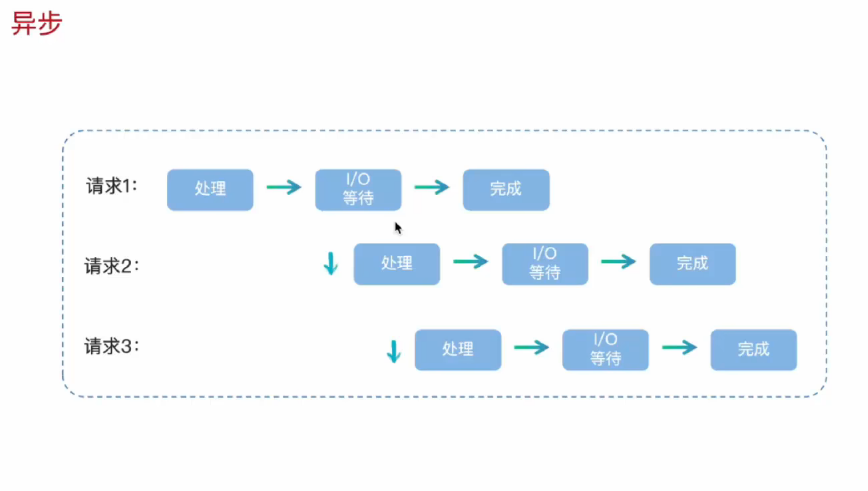
异步:
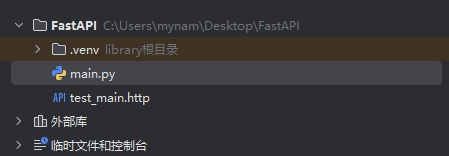
第一次创建FastAPI项目
from fastapi import FastAPI

#创建FastAPI实例
app = FastAPI()

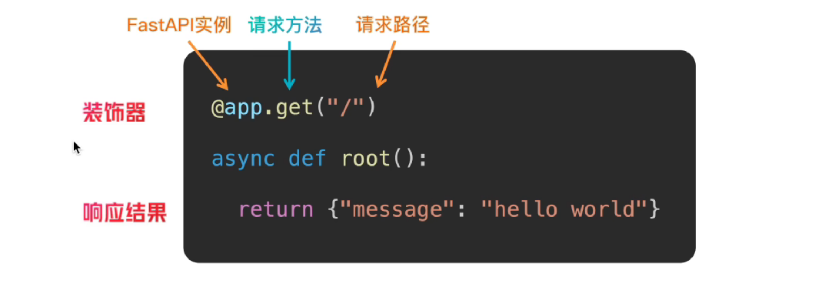
@app.get("/")
async def root():
    return {"message": "Hello World"}


@app.get("/hello/{name}")
async def say_hello(name: str):
    return {"message": f"Hello {name}"}
标红的app是实例名有大用处
为什么创建虚拟环境
隔离项目运行环境,避免依赖冲突,保持全局环境的干净和稳定
怎么运行FastAPI项目
run 项目 就是点击绿色的按钮
uvicorn main:app --reload --reload 更改代码自动重启服务器
怎么访问FastAPI交互式文档
路由
FastAPI的路由定义基于Python的装饰器模式
同一接口逻辑,根据参数不同返回不同的数据
参数就是客户端发送请求时附带的额外信息和指令
参数的作用是让同一个接口能根据不同的输入,返回不同的输出,实现动态交互
|----|---------------------|--------------------|---------------|
| | 路径参数 | 查询参数 | 请求体 |
| 位置 | URL路径的一部分/book/{id} | URL?之后k1=v1&k2=v2 | HTTP请求的消息体中 |
| 作用 | 指向唯一的,特定的资源 | 对资源集合进行过虑,排序,分页等操作 | 创建,更新资源携带大量数据 |
| 方法 | GET | GET | POST,PUT |
需求:以用户id为路径参数设计URL,要求响应结果包含用户id和名称(普通用户id)
@app.get("/{user_id}/{id}")
async def get_user(user_id:str,id:int):
    return {"user_id":user_id,"id":id}
路径参数- 类型注解Path:
FastAPI允许为参数声明额外的信息和校验
|-----------------------|-----------------|
| Path参数 | 说明 |
| ... | 必填 |
| gt/ge lt/le | 大于/大于等于 小于/小于等于 |
| description | 描述 |
| min_length max_length | 长度限制 |
@app.get("book/{id}")
async def get_book(id:int = Path(...,gt=0,lt=100,description="书本")):
    return {"id":id,"title":f"这是第{id}本书"}
... 好像代表id是必填的
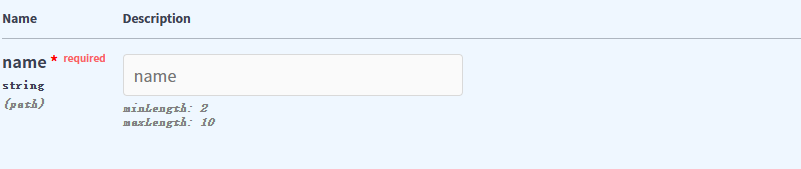
description里面填的,会在上面显示,但是小于和大于啊这些的,如果超出范围,发送的请求会返回错误

需求: 查看书籍的作者,路径参数name,长度范围
@app.get("/author/{name}")
async def get_name(name:str = Path(...,min_length=2,max_length=10)):
    return {"name":name}
路径参数出现在什么位置
URL路径的一部分 /book/{id}
如何为路径参数添加类型注解
Pyhton原生注解和Path注解
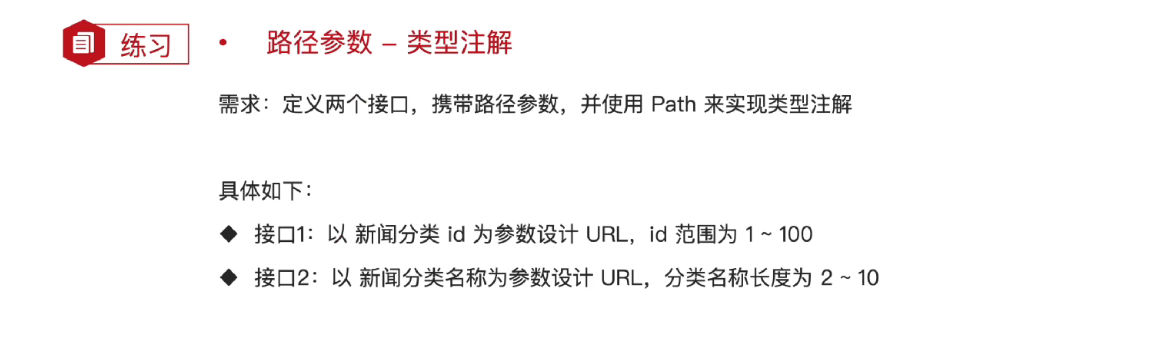
@app.get("/{new_id}")
async def get_new_id(new_id:int = Path(...,gt=1,lt=100)):
    return {"new_id":new_id}

@app.get("/{new_name}")
async def get_new_name(new_name:str = Path(...,min_length=2,max_length=10)):
    return {"new_name":new_name}
@app.get("/{new_id}")
async def get_new_id(new_id:int = Path(...,gt=1,lt=100)):
    return {"new_id":new_id}

@app.get("/{new_name}")
async def get_new_name(new_name:str = Path(...,min_length=2,max_length=10)):
    return {"new_name":new_name}
查询参数:
声明的参数不是路径参数时,路径操作函数会把该参数自动解释为查询参数
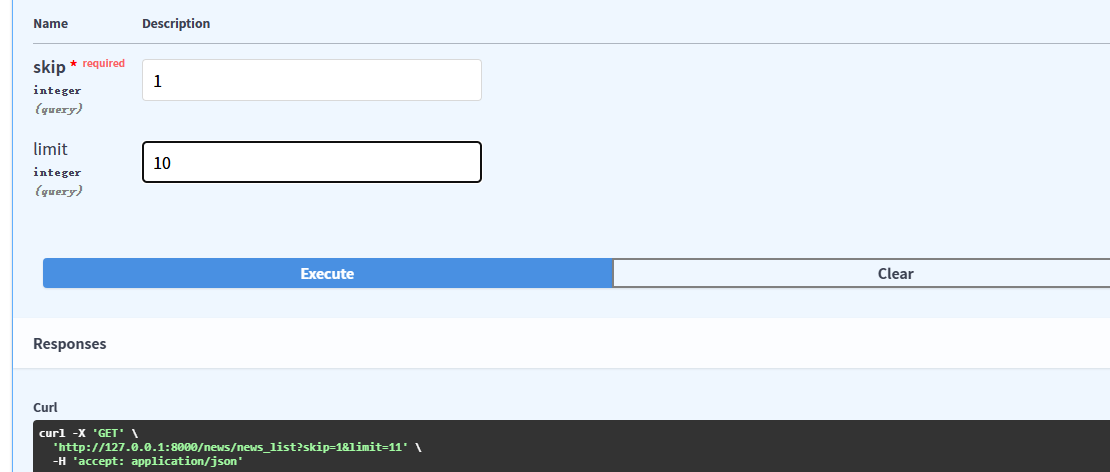
# 需求 查询新闻->分页 skip:跳过的记录数,limit:返回的记录数 10
@app.get("/news/news_list")
async def get_name_list(skip:int,limit:int = 10):
    return {"skip":skip,"limit":limit}
查询参数出现在什么位置
URL?之后,k1=v1&k2=v2
如何为查询参数添加类型注解?
Pyhton原生注解和Query注解(参数和Path一样)

@app.get("/library")
async def get_price(
        name: str = Query("Python", min_length=3, max_length=255),
      price: float = Query(..., gt=50, lt=100)
):
    return {"name":name,"price":price}
请求体参数
在HTTP协议中,一个完整的请求有三部分组成:
1.请求行: 包含方法,URL,协议版本
2.请求头: 元数据信息
3.请求体: 实际要发送的数据内容
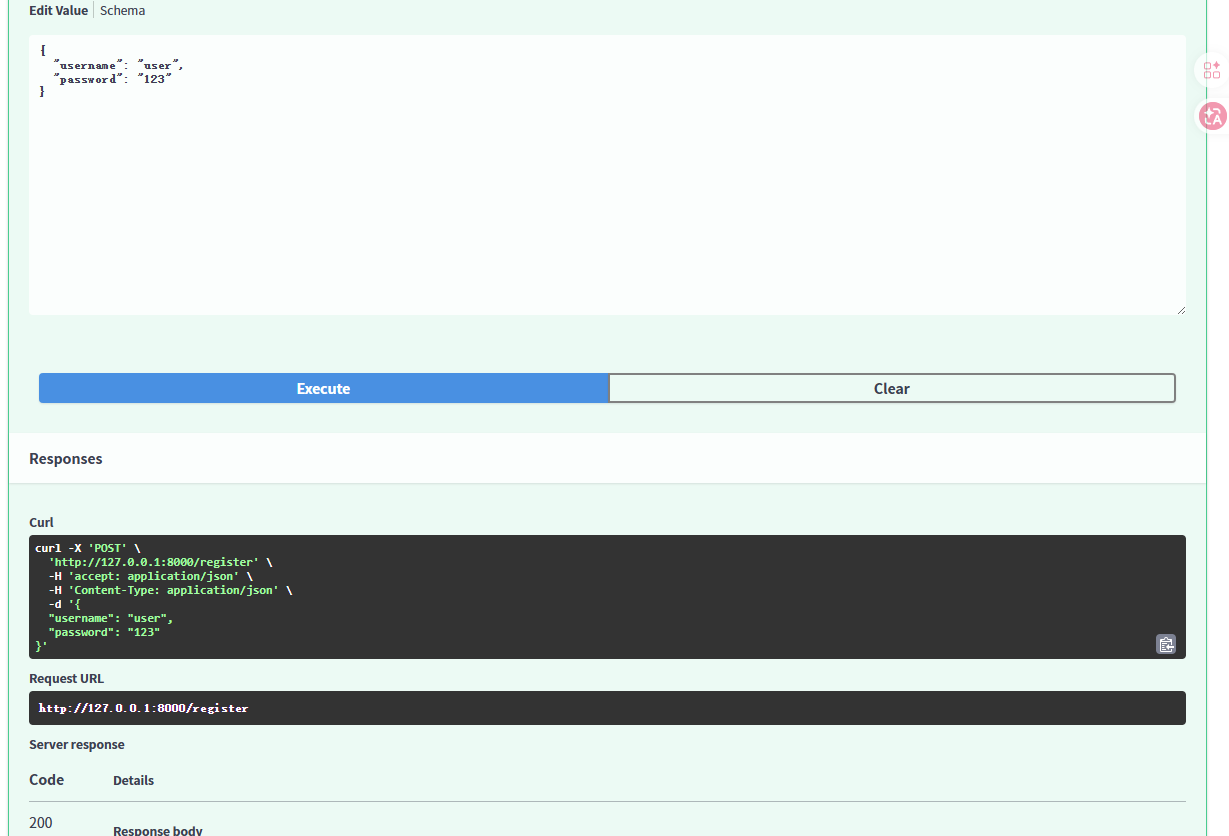
from pydantic import BaseModel
class User(BaseModel):
    username: str
    password: str

@app.post("/register")
async def register(user: User):
    return user
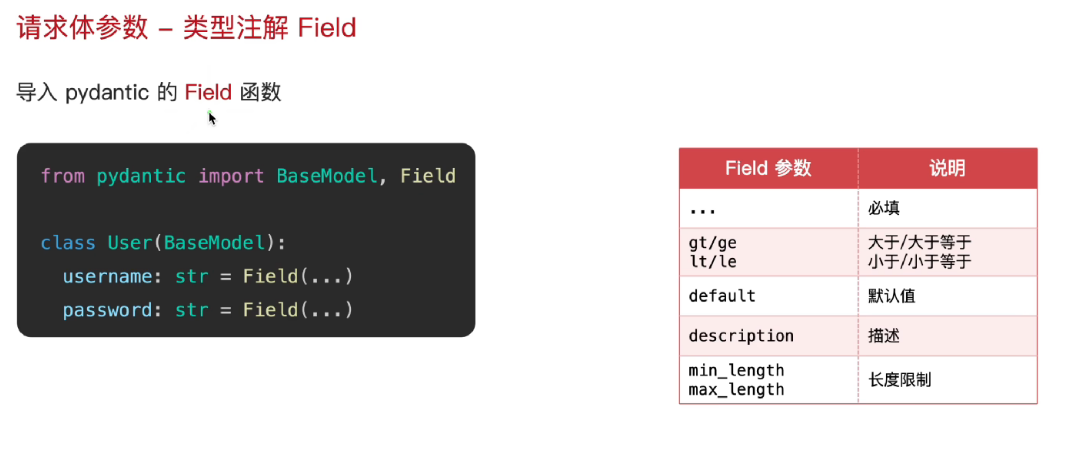
请求体类型的参数注解Field:
导入pydantic的Field函数
请求参数的作用是什么?
创建,更新资源
如何定义,使用请求体参数?

如何为请求体参数添加类型注解?
Python原生注解和Field注解
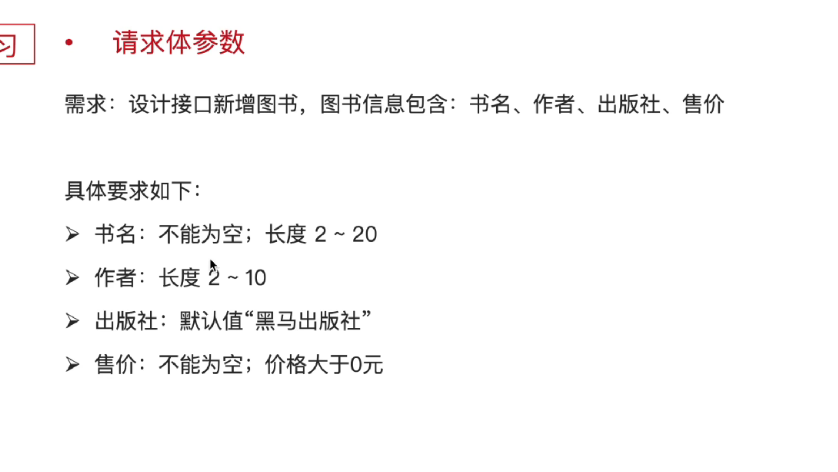
class User(BaseModel):
    book_name: str = Field(...,min_length=2,max_length=20)
    name:str =Field(...,min_length=2,max_length=10)
    res:str = Field(default="黑马出版社")
    price:int = Field(...,gt=0)

@app.post("/book")
async def get_book(user:User):
    return user
响应类型
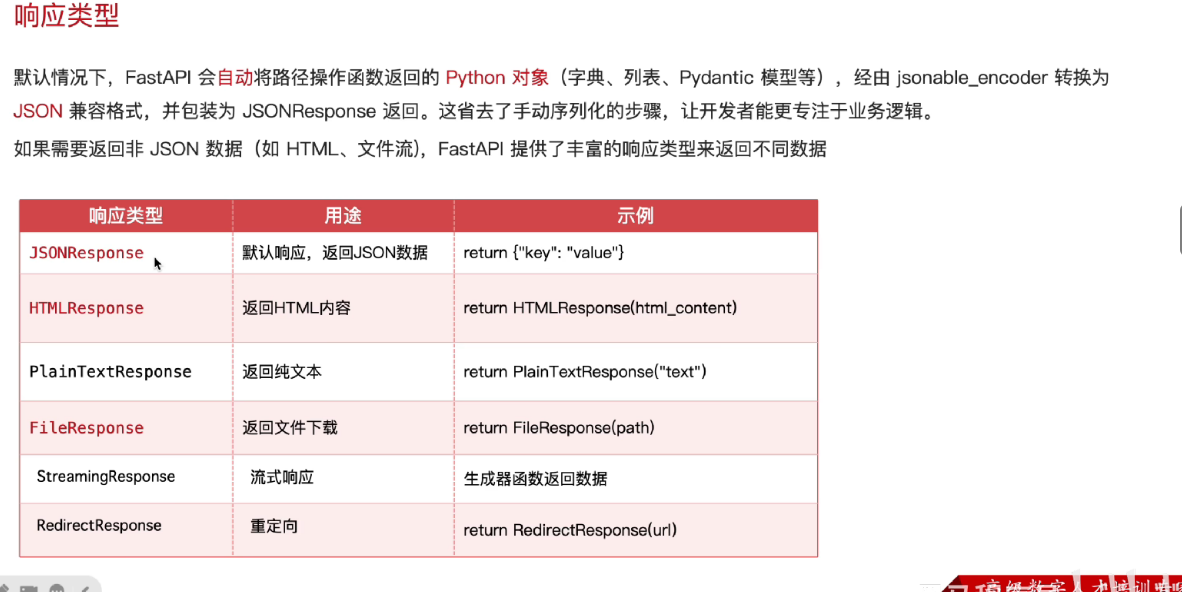
响应类型设置方式
装饰器中指定响应类
场景: 固定返回类型(HTML,纯文本等)
返回响应对象
场景:文本下载,图片,流失响应
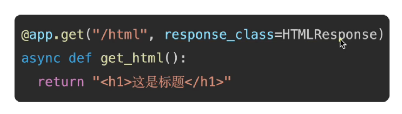
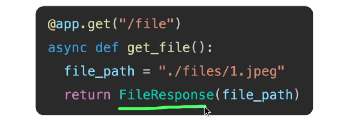
装饰器中指定相应类
from fastapi.responses import HTMLResponse
@app.get("/html",response_class=HTMLResponse)
async def get_html():
    return """
    <html>
        <body>
            <h1>这是HTML</h1>
        </body>
    </html>
    """
响应文件格式
FileResponse 是FastAPI提供的专门用于高效返回文件内容的响应类。它能够智能处理文件路径,媒体类型推断,范围请求和缓存头部,是服务静态文件的推荐方式
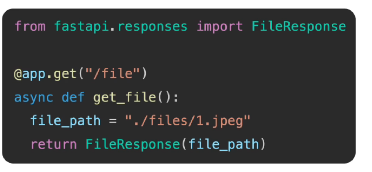
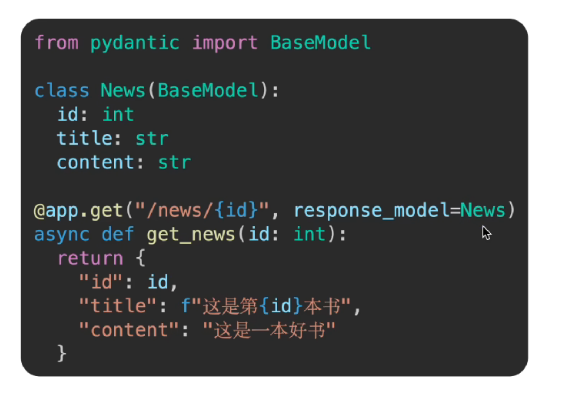
自定义响应数据类型
response_model是路径操作装饰器的关键参数,它通过一个Pydanticc模型来严格定义和约束API端点的输出格式。
response_model 指定的是News的返回类型
异常处理
对于客户端引发的错误,应使用fastapi.HTTPException来中断正常处理流程,并返回标准错误响应
from fastapi import HTTPException

@app.get("/news/{id}")
async def get_news(id:int):
    id_list = [1,2,3,4,5,6]
    if id not in id_list:
        raise HTTPException(status_code=404,detail="新闻不存在")

    return {"id":id}