AI -- 实现多轮对话且将消息数据持久化到 Redis 示例
- [实现多轮对话且将消息数据持久化到 Redis 示例](#实现多轮对话且将消息数据持久化到 Redis 示例)
-
- [简单描述 ChatMemory 、ChatMemoryRepository 、MessageWindowChatMemory](#简单描述 ChatMemory 、ChatMemoryRepository 、MessageWindowChatMemory)
- 代码:
-
- 1、添加依赖
- 2、配置Redis连接
- 3、controller
- [4、自定义 ChatMemory Bean](#4、自定义 ChatMemory Bean)
- [5、实现 ChatMemoryRepository 接口,重写方法](#5、实现 ChatMemoryRepository 接口,重写方法)
- 测试:
-
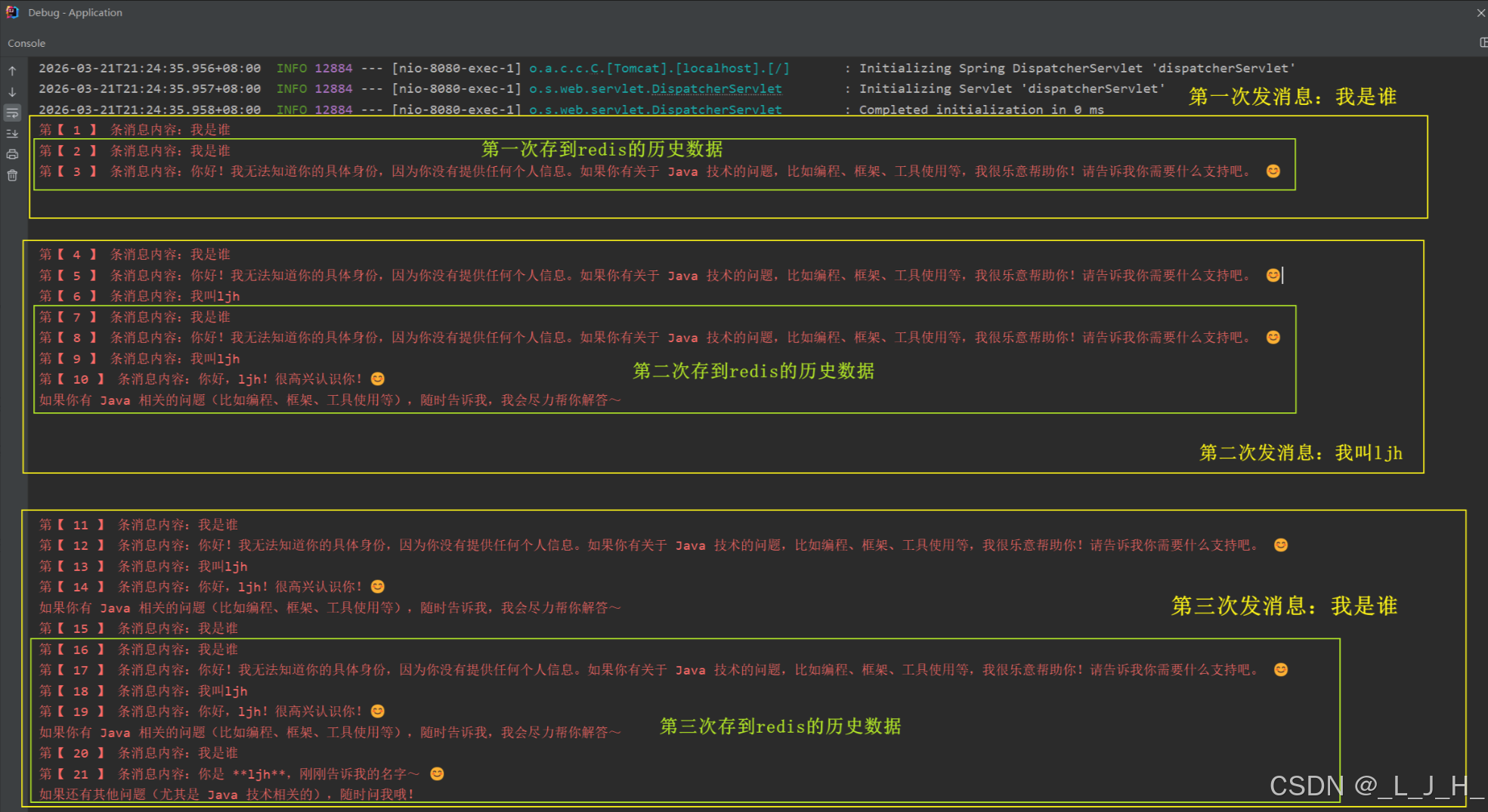
- [第一次发送消息:数据持久化到 redis 的全过程](#第一次发送消息:数据持久化到 redis 的全过程)
- 发送三次消息的打印:
实现多轮对话且将消息数据持久化到 Redis 示例
简单描述 ChatMemory 、ChatMemoryRepository 、MessageWindowChatMemory
ChatMemory 是上层对话历史管理接口,它负责提供"聊天记忆"的读取、写入和裁剪能力,是业务层调用聊天记忆的统一入口,而不关心底层存储实现。
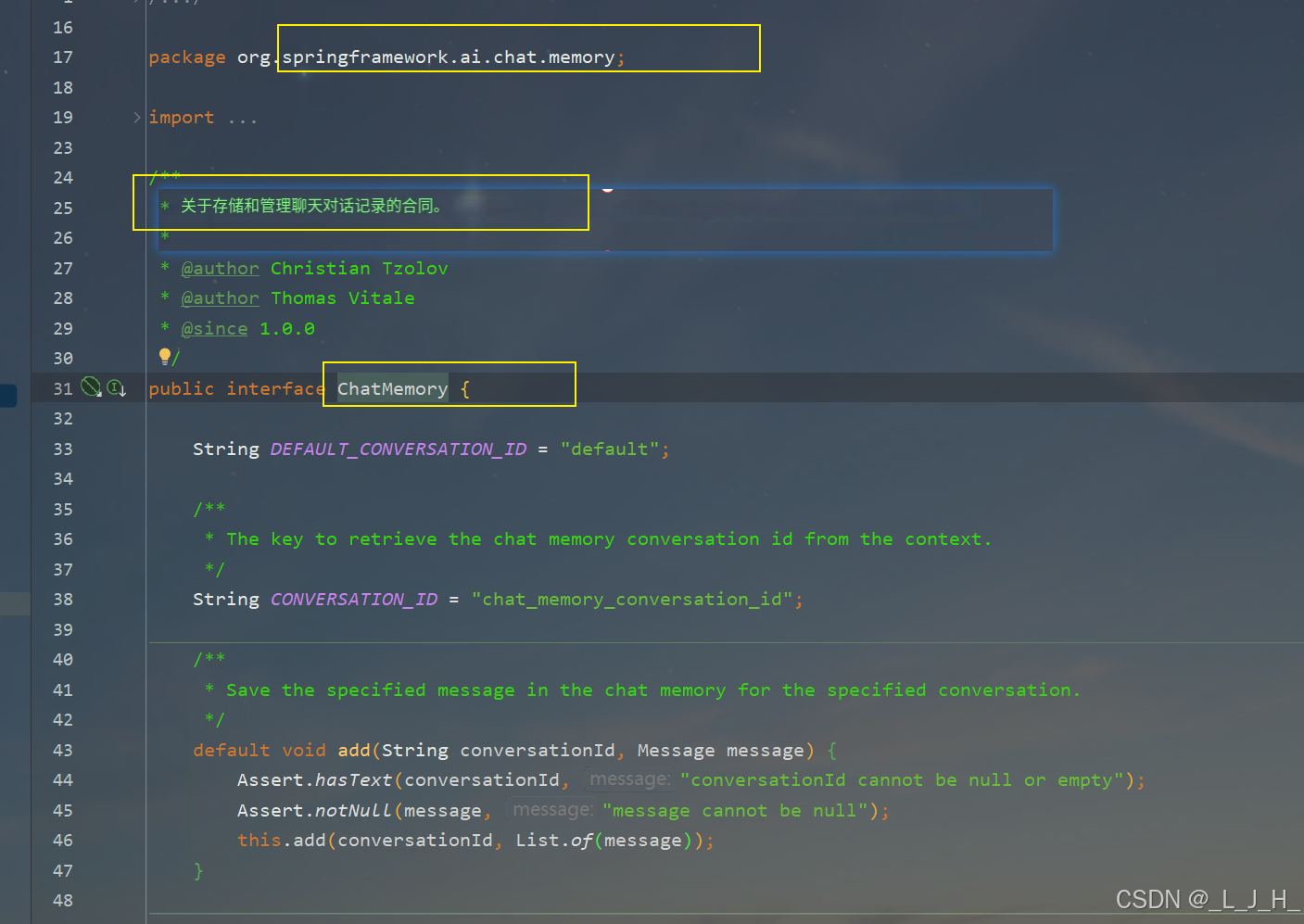
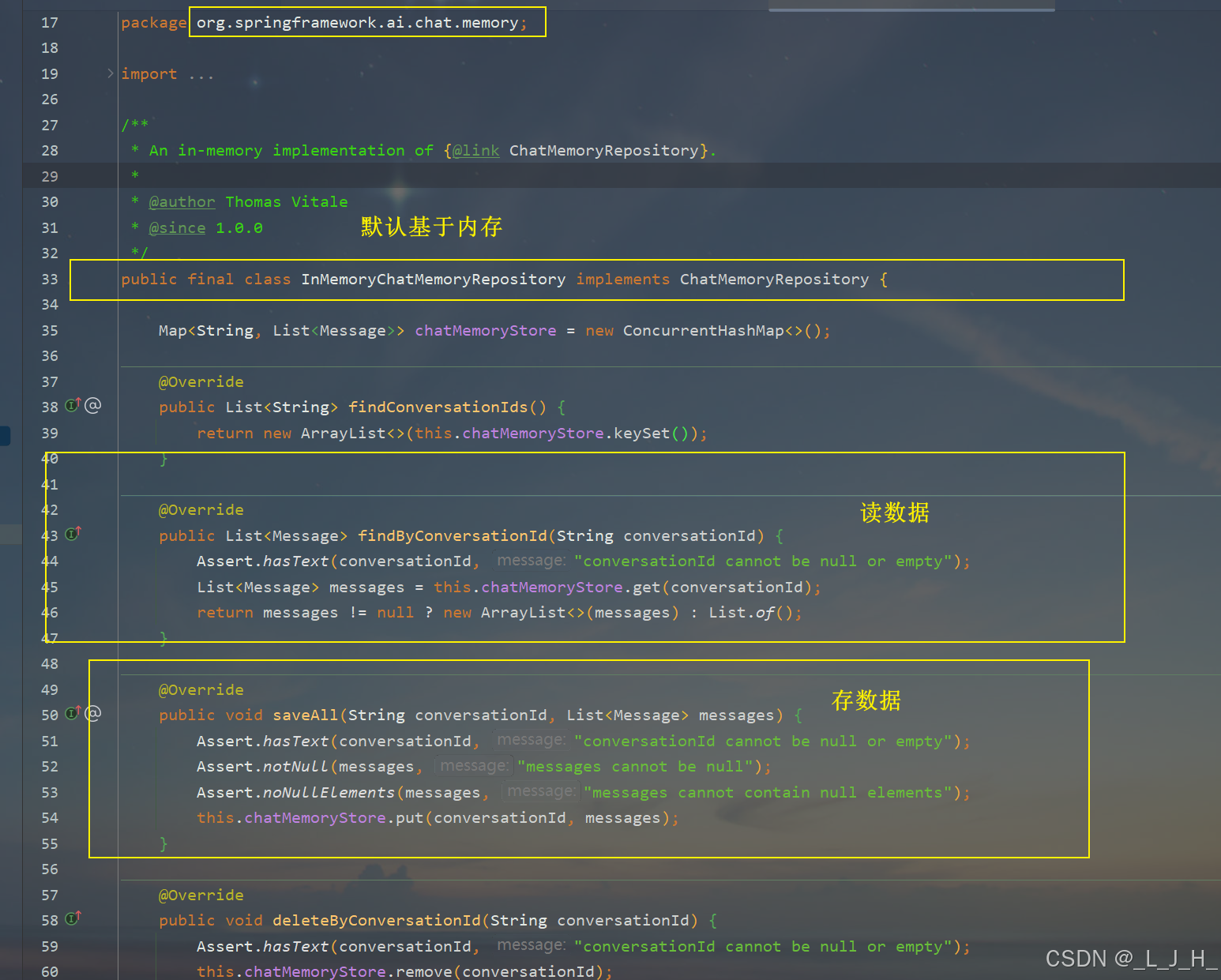
ChatMemoryRepository 是聊天消息的存储接口,只负责"存/取/删消息",不关心裁剪、业务逻辑或多轮对话,只做纯存储操作。-- 数据默认是存在内存中。
ChatMemory 是高层接口,负责管理和操作对话"内存",而 ChatMemoryRepository 是底层接口,负责实际的消息存储。ChatMemory 内部依赖 ChatMemoryRepository 来读写数据
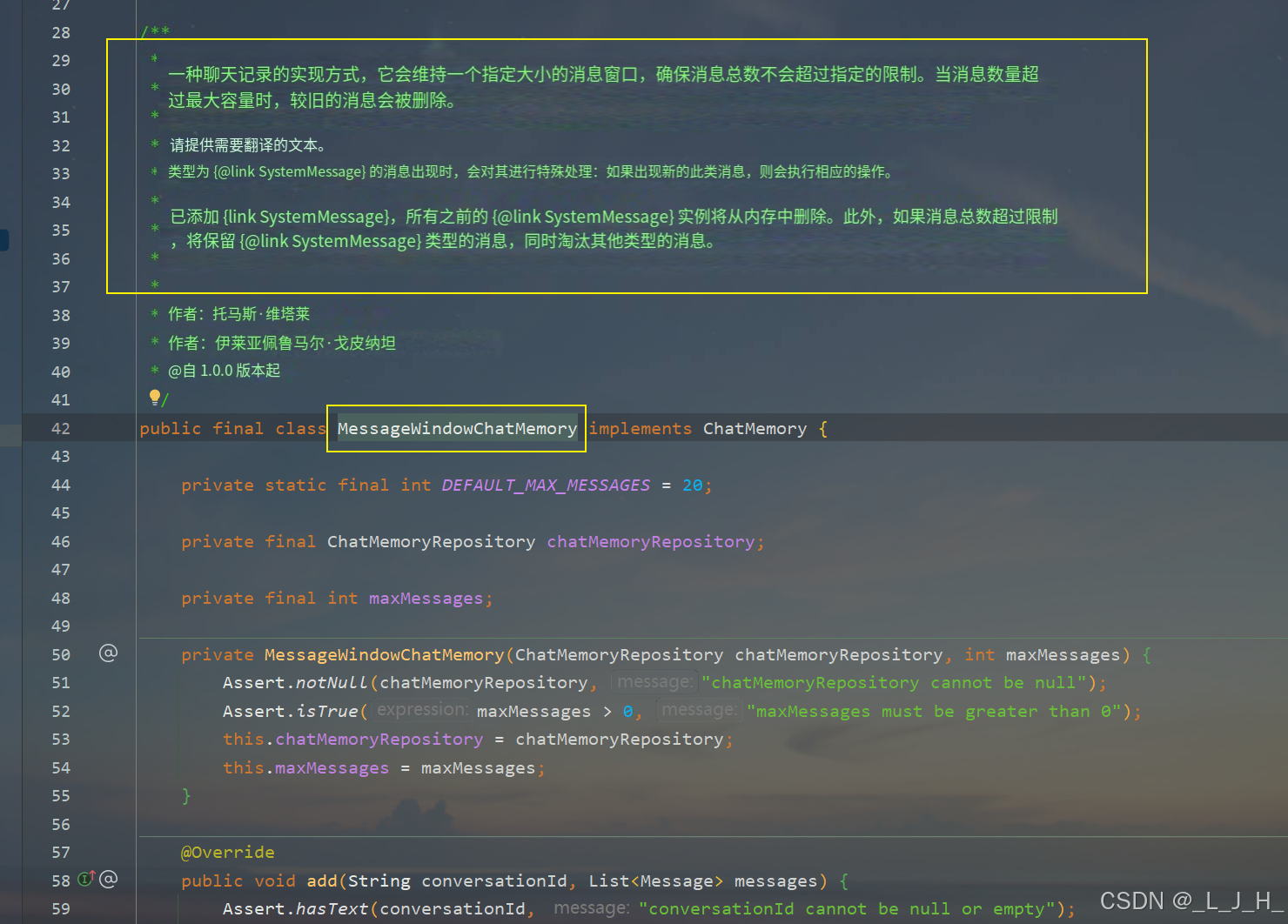
MessageWindowChatMemory 是 ChatMemory 的实现类(业务层封装),负责对聊天消息进行"窗口裁剪",也就是只保留最近 N 条消息,并对外提供统一的聊天记忆接口。
ChatMemory、MessageWindowChatMemory、ChatMemoryRepository 三者的关系:
ChatMemory 接口由 MessageWindowChatMemory 实现,负责负责裁剪消息、管理多轮上下文,内部调用 ChatMemoryRepository 完成实际存储(存在内存中)。
为了将聊天数据持久化到 Redis,我们自定义了 RedisChatMemoryRepository 实现 ChatMemoryRepository 接口,从而替换默认存储,使消息保存在 Redis 中
代码:
1、添加依赖
java
<dependency>
  <groupId>org.springframework.boot</groupId>
  <artifactId>spring-boot-starter-data-redis</artifactId>
</dependency>
2、配置Redis连接
这里我是自己在linux弄一个redis,这个就自行处理就好
java
spring:
  ai:
    openai:
      base-url: 用的 DeepSeek
      # 注意:个人学习就可以直接把api key 写到配置类,生产就不行
      api-key: xxxxxxxxxxxxxxxxxxxxxxxxxx自己的api key
      chat:
        options:
          model: deepseek-chat        # DeepSeek-V3 的模型名
          temperature: 0.7            # 创意度,0-2,越高越随机
          max-tokens: 2048        # 最大输出 Token 数
          top-p: 1.0              # top-p 是核采样参数,用于限制模型在概率累计达到 p 的候选词集合中进行随机采样,从而控制生成文本的多样性。

  data:
    # Redis 配置
    redis:
      # 虚拟机
      host: xxxxxxxxxx
      port: 6379
      password: xxxxxxxxxxx
      database: 0
3、controller
java
package cn.ljh.springai.controller.chatmemory;

import org.springframework.ai.chat.client.ChatClient;
import org.springframework.ai.chat.client.advisor.MessageChatMemoryAdvisor;
import org.springframework.ai.chat.memory.ChatMemory;
import org.springframework.ai.chat.memory.MessageWindowChatMemory;
import org.springframework.web.bind.annotation.GetMapping;
import org.springframework.web.bind.annotation.RequestMapping;
import org.springframework.web.bind.annotation.RequestParam;
import org.springframework.web.bind.annotation.RestController;

/**
 * 用 redis 存储
 *
 * @author lujinhong
 * @since 2026/3/20  星期五
 */
@RestController
@RequestMapping("/redis-memory-chat")
public class MemoryChatController_03 {

    private final ChatClient chatClient;

    // 这里有参构造器注入的其实已经是我自定义的那个 ChatMemory 的 bean 了,这个bean的数据是存在redis里面的。
    private final ChatMemory chatMemory;

    // 有参构造器
    public MemoryChatController_03(ChatClient.Builder builder , ChatMemory chatMemory) {
        this.chatMemory = chatMemory;
        this.chatClient = builder
                .defaultSystem("你是一个 Java 技术助手")
                .build();
    }

    /**
     * 多轮对话接口
     */
    @GetMapping("/chat")
    public String chat(
            @RequestParam String message,
            @RequestParam(defaultValue = "default") String conversationId) {

        return chatClient.prompt()
                .user(message)
                // 核心:advisors = 一组"请求增强器 / 拦截器",在调用大模型之前,对 prompt 做增强,"自动帮你拼聊天记录"
                .advisors(MessageChatMemoryAdvisor.builder(chatMemory)
                        .conversationId(conversationId)
                        .build())
                .call()
                .content();
    }
}
4、自定义 ChatMemory Bean
java
package cn.ljh.springai.config;

import cn.ljh.springai.memory.RedisChatMemoryRepository;
import com.fasterxml.jackson.databind.ObjectMapper;
import org.springframework.ai.chat.memory.ChatMemory;
import org.springframework.ai.chat.memory.MessageWindowChatMemory;
import org.springframework.context.annotation.Bean;
import org.springframework.context.annotation.Configuration;
import org.springframework.data.redis.core.StringRedisTemplate;

/**
 * @author lujinhong
 * @since 2026-03-21
 */

@Configuration
public class ChatMemoryConfig {

    /**
     * 自定义 ChatMemory Bean(基于 Redis 持久化)。
     *
     * 原因说明:
     * 1. Spring AI 的默认 ChatMemory Bean 使用了 @ConditionalOnMissingBean(ChatMemory.class) 这个条件注解,
     *    只有在容器中不存在 ChatMemory 类型的 Bean 时才会创建。
     * 2. 这里我们自定义了 ChatMemory Bean,所以 Spring 容器发现已有 Bean,
     *    默认的 ChatMemory Bean 就不会被创建。
     *
     * 功能说明:
     * - 使用 RedisChatMemoryRepository 进行消息持久化
     * - 最多保留 20 条消息
     */
    // Bean 注册好之后,Controller 直接注入 ChatMemory 使用,代码和内存版完全一样,只是底层换成了 Redis
    @Bean
    public ChatMemory chatMemory(StringRedisTemplate stringRedisTemplate, ObjectMapper objectMapper) {

        RedisChatMemoryRepository redisChatMemoryRepository
                = new RedisChatMemoryRepository(stringRedisTemplate, objectMapper);

        // 底层走 Redis 持久化,上层限制最多保留 20 条消息
        MessageWindowChatMemory messageWindowChatMemory = MessageWindowChatMemory.builder()
                .chatMemoryRepository(redisChatMemoryRepository)
                .maxMessages(20)
                .build();
        return messageWindowChatMemory;
    }
}
5、实现 ChatMemoryRepository 接口,重写方法
java
package cn.ljh.springai.memory;

import com.fasterxml.jackson.core.JsonProcessingException;
import com.fasterxml.jackson.databind.ObjectMapper;
import org.springframework.ai.chat.memory.ChatMemoryRepository;
import org.springframework.ai.chat.messages.AssistantMessage;
import org.springframework.ai.chat.messages.Message;
import org.springframework.ai.chat.messages.UserMessage;
import org.springframework.data.redis.core.StringRedisTemplate;

import java.util.ArrayList;
import java.util.List;
import java.util.Set;
import java.util.concurrent.TimeUnit;

/**
 * 持久化储存:把数据存到redis中
 *
 * 实现 ChatMemoryRepository 接口,将聊天消息以 JSON 形式存储到 Redis 中,并提供会话消息的读取、保存和删除能力
 *
 * <p>
 * ChatMemoryRepository --纯存储层,负责读写所有消息,不做裁剪
 * MessageWindowChatMemory -- 包装 Repository ,对外暴露 chatMemory ,负责按条数裁剪
 * <p>
 * "裁剪"在聊天上下文中,通常指 控制会话消息的数量,避免数据无限增长。
 * 举例:
 * Redis 中一个会话可能有 1000 条消息
 * 你只希望对话上下文保留最近 20 条(或者最近 N 条)消息来做模型输入
 * 裁剪操作就是 取出最近 N 条消息 或 删除过旧消息
 * <p>
 * 发送消息只会用到:findByConversationId 和 saveAll 这两个方法
 *
 * @author lujinhong
 * @since 2026-03-20
 */

public class RedisChatMemoryRepository implements ChatMemoryRepository {

    // 前缀
    private static final String KEY_PREFIX = "chat_memory";

    // redis 客户端
    private final StringRedisTemplate redisTemplate;

    // 工具类:对象 和 JSON 格式互转
    private final ObjectMapper objectMapper;

    int i = 1;

    // 有参构造器注入
    public RedisChatMemoryRepository(StringRedisTemplate redisTemplate, ObjectMapper objectMapper) {
        this.redisTemplate = redisTemplate;
        this.objectMapper = objectMapper;
    }


    /**
     * 返回所有会话 ID(扫描 Redis 中匹配前缀的 key)
     * 作用:扫描 Redis 中所有以 chat_memory 前缀开头的 key,并返回对应的会话 ID 列表。
     * 注意点:返回的是 key 去掉前缀后的部分,即真正的 conversationId。
     */
    @Override
    public List<String> findConversationIds() {
        Set<String> keys = redisTemplate.keys(KEY_PREFIX + "*");
        List<String> list = keys.stream().map(key -> key.substring(KEY_PREFIX.length())).toList();
        return list;
    }

    /**
     *
     * 发送消息会先执行这个方法,然后再执行 saveAll方法
     *
     * 返回该会话的全部消息,裁剪逻辑由外层 MessageWindowChatMemory 处理
     * <p>
     * 作用:根据会话 ID 从 Redis 中取出该会话的全部消息,并将 JSON 字符串反序列化为 Message 对象列表(UserMessage 或 AssistantMessage)
     * 特点:不做裁剪,裁剪逻辑交给外层 MessageWindowChatMemory 去处理。
     */
    @Override
    public List<Message> findByConversationId(String conversationId) {
        String key = KEY_PREFIX + ":" + conversationId;
        // 获取 Redis 这个 List 里的"所有元素"
        List<String> range = redisTemplate.opsForList().range(key, 0, -1);
        List<Message> messages = new ArrayList<>();
        for (String s : range) {
            try {
                // 把 JSON 字符串 → 转成 Java 对象(反序列化)
                MessageRecord messageRecord = objectMapper.readValue(s, MessageRecord.class);
                if ("USER".equals(messageRecord.role())) {
                    messages.add(new UserMessage(messageRecord.content()));
                } else if ("ASSISTANT".equals(messageRecord.role())) {
                    messages.add(new AssistantMessage(messageRecord.content()));
                }
            } catch (JsonProcessingException e) {
                throw new RuntimeException(e);
            }
        }
        return messages;
    }

    /**
     * 作用:保存一整个会话的消息列表到 Redis。追加消息并刷新过期时间
     * 具体操作:
     * 1、先删除 Redis 中原有的这个会话的 key。
     * 2、遍历消息,将每条消息封装成 MessageRecord 并序列化成 JSON 存到 Redis List 的右侧(尾部)。
     * 3、给 key 设置过期时间 5 天。
     * 效果:保证每次保存都是"全量覆盖",并且 Redis 中数据不会无限增长
     */
    @Override
    public void saveAll(String conversationId, List<Message> messages) {

        String key = KEY_PREFIX + ":" + conversationId;
        // 先删除历史数据,不然就会出现重复消息一直添加进去(比如:1,12,123,如果不把前面是删掉,就会出现 1 1 2 1 2 3 这种重复数据)
        // 直接删除数据,然后重新全量写入
        redisTemplate.delete(key);
        // 存数据
        for (Message message : messages) {
            System.err.println("第【 " + i++ + " 】 条消息内容:" + message.getText());
            MessageRecord messageRecord = new MessageRecord(message.getMessageType().name(), message.getText());
            // redisTemplate.opsForList() 操作 redis 里面的 list 列表:把 messageRecord 插入到 Redis List 的"右边(尾部)"
            try {
                redisTemplate.opsForList().rightPush(key, objectMapper.writeValueAsString(messageRecord));
            } catch (JsonProcessingException e) {
                throw new RuntimeException(e);
            }
        }
        // key 的过期时间:5天
        redisTemplate.expire(key, 5, TimeUnit.DAYS);
    }

    /**
     * 删除会话
     * 作用:删除指定会话的所有消息(直接删除 Redis 对应的 key)
     */
    @Override
    public void deleteByConversationId(String conversationId) {
        redisTemplate.delete(KEY_PREFIX + ":" + conversationId);
    }

    // 定义一个消息记录对象
    // 作用:作为存储到 Redis 的中间格式,包含 role(用户或助手)和 content(消息文本)。
    // 特点:简洁、可序列化为 JSON,用于在 Redis 中存储和读取。
    record MessageRecord(String role, String content) {
    }

}
测试:
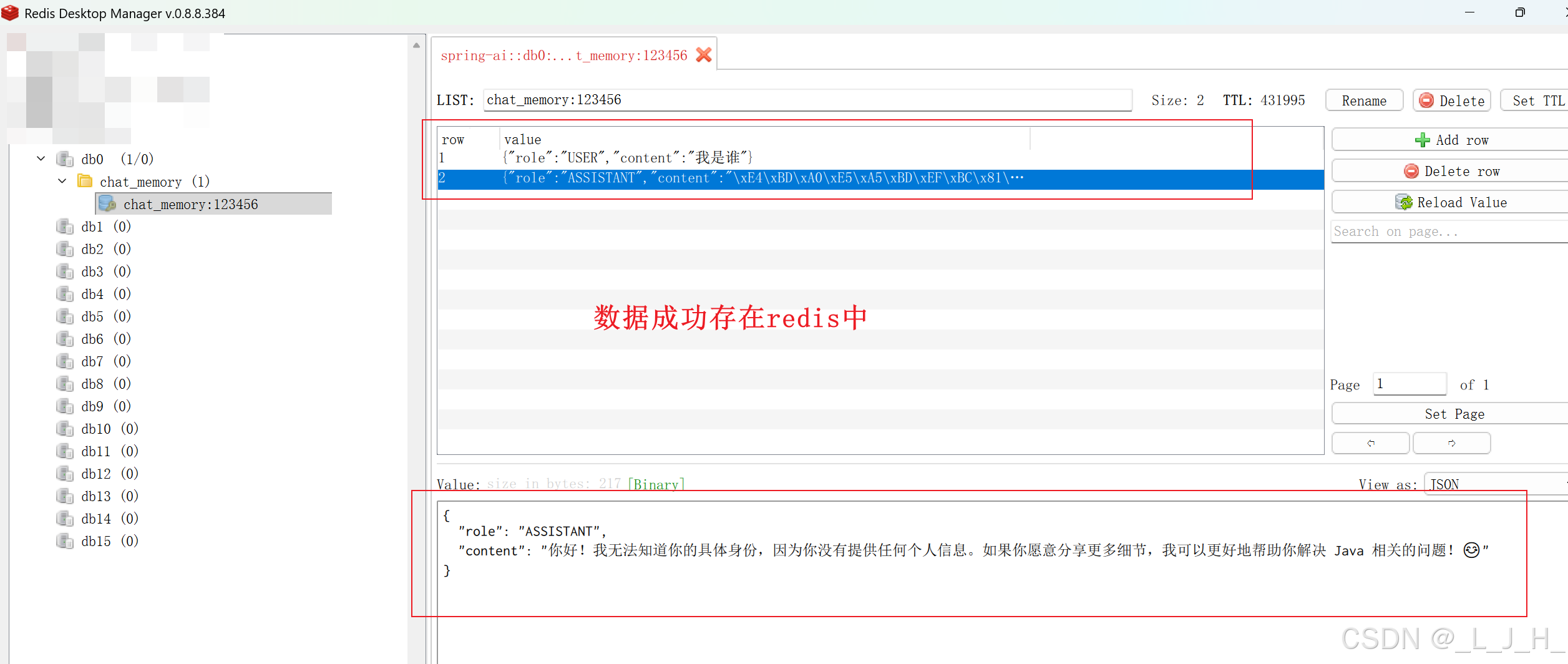
第一次发送消息:数据持久化到 redis 的全过程
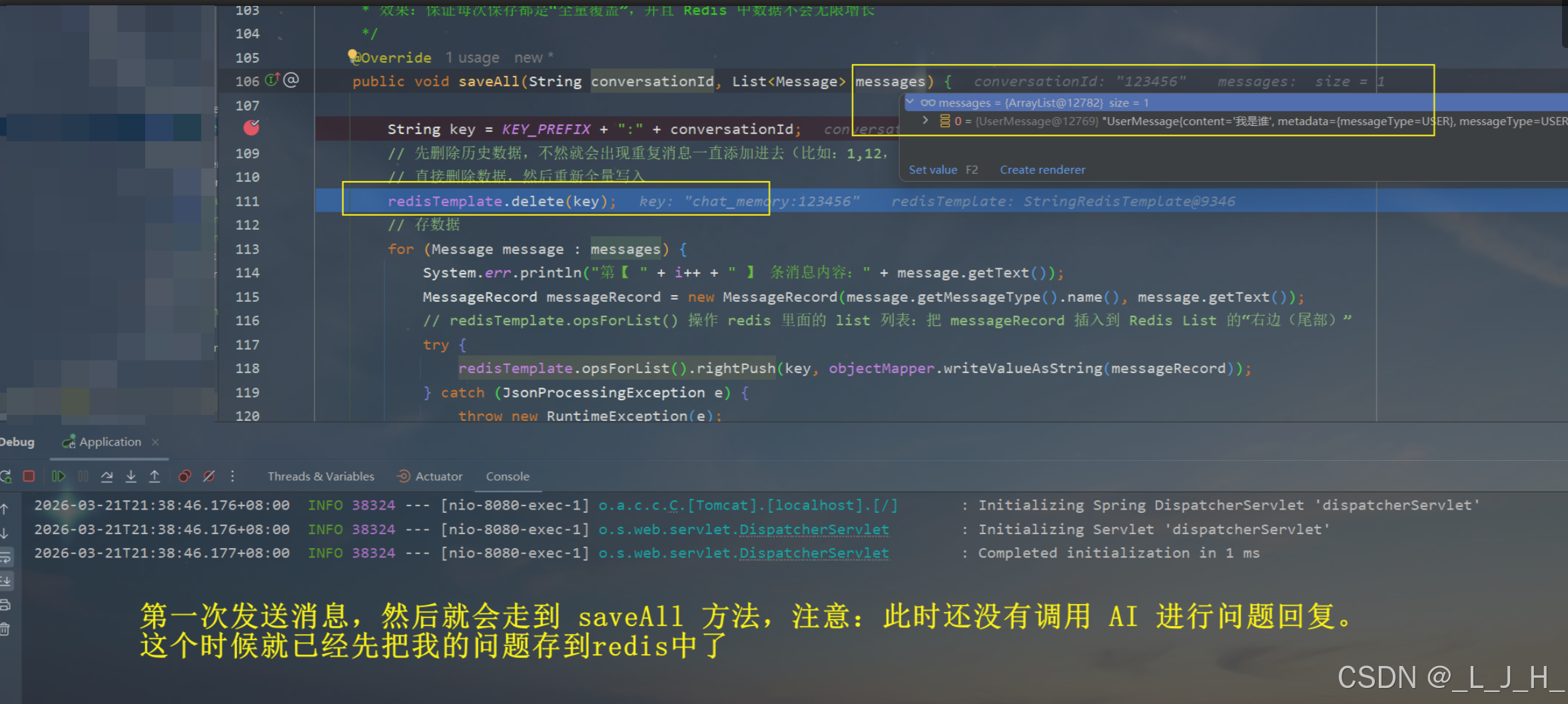
这个时候就得到 AI 的响应了
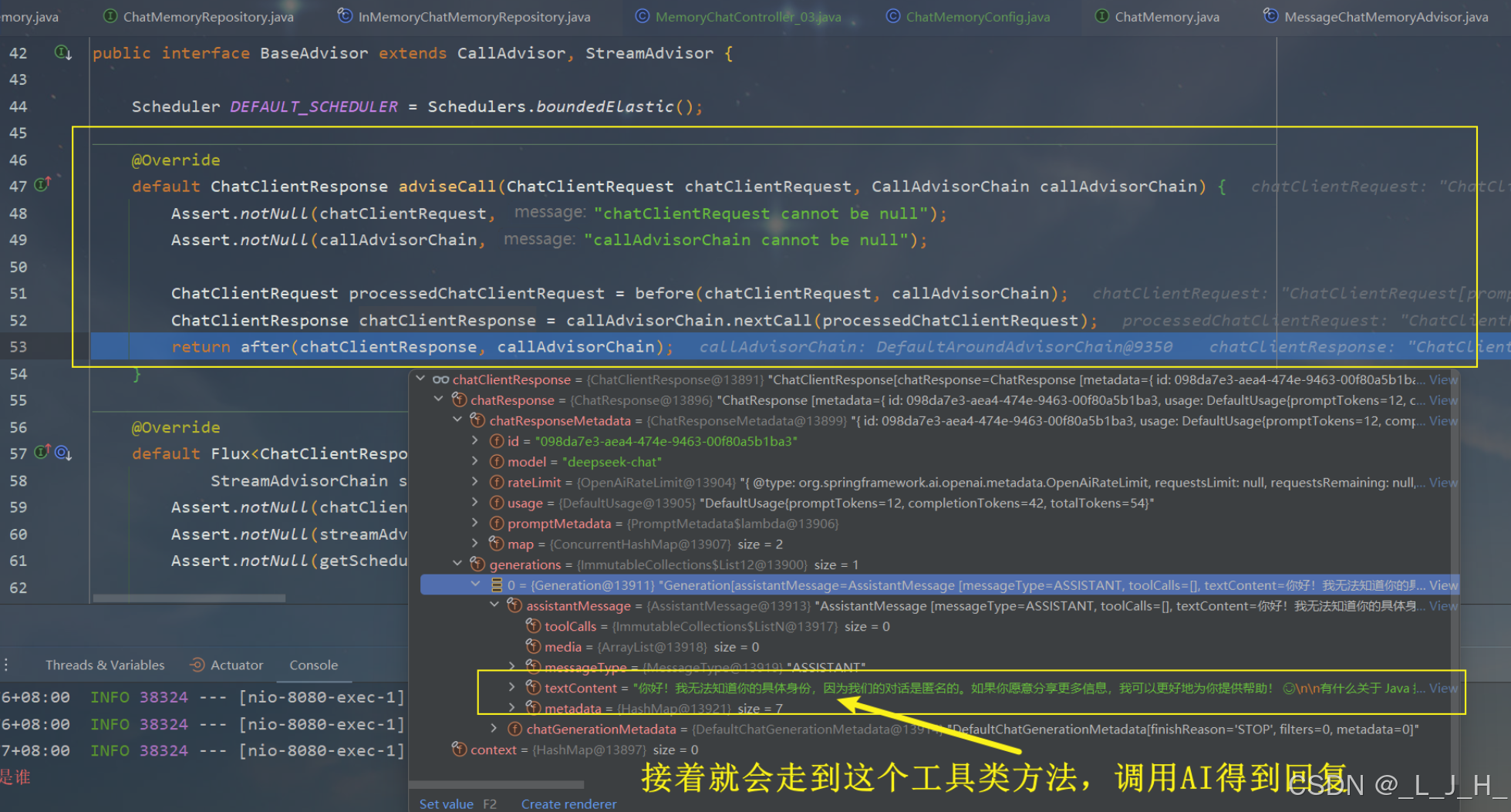
接着准备删除旧数据,重新全量写入(提问+回答的数据)
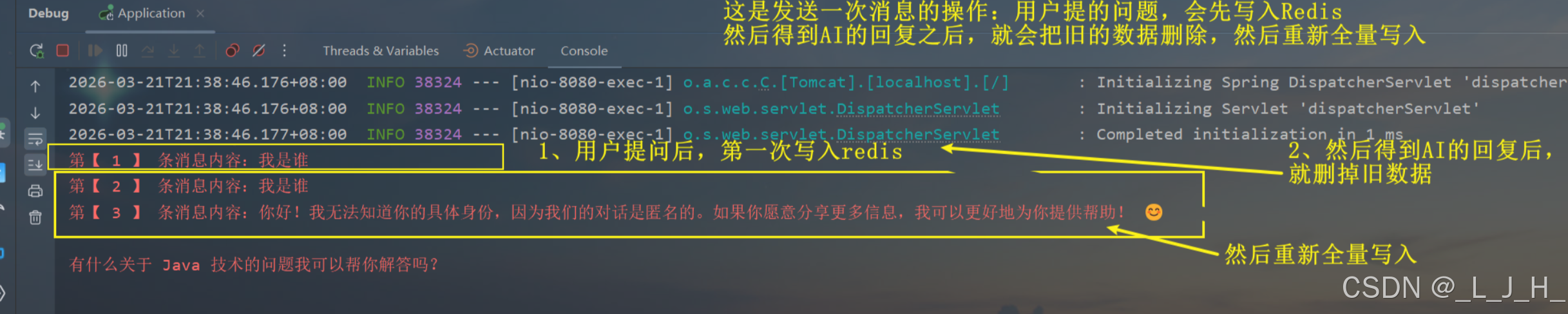
顺序是这样的:我发送第一条消息:我是谁
1、把用户发送的消息【我是谁】,存到redis中
2、然后代码继续走,接着得到AI的响应后,此时messages就有两条数据:一条我问的,一条AI回复的
3、然后就走到saveAll 方法,把刚存到redis的消息删掉,然后重新把这两条消息全量写入
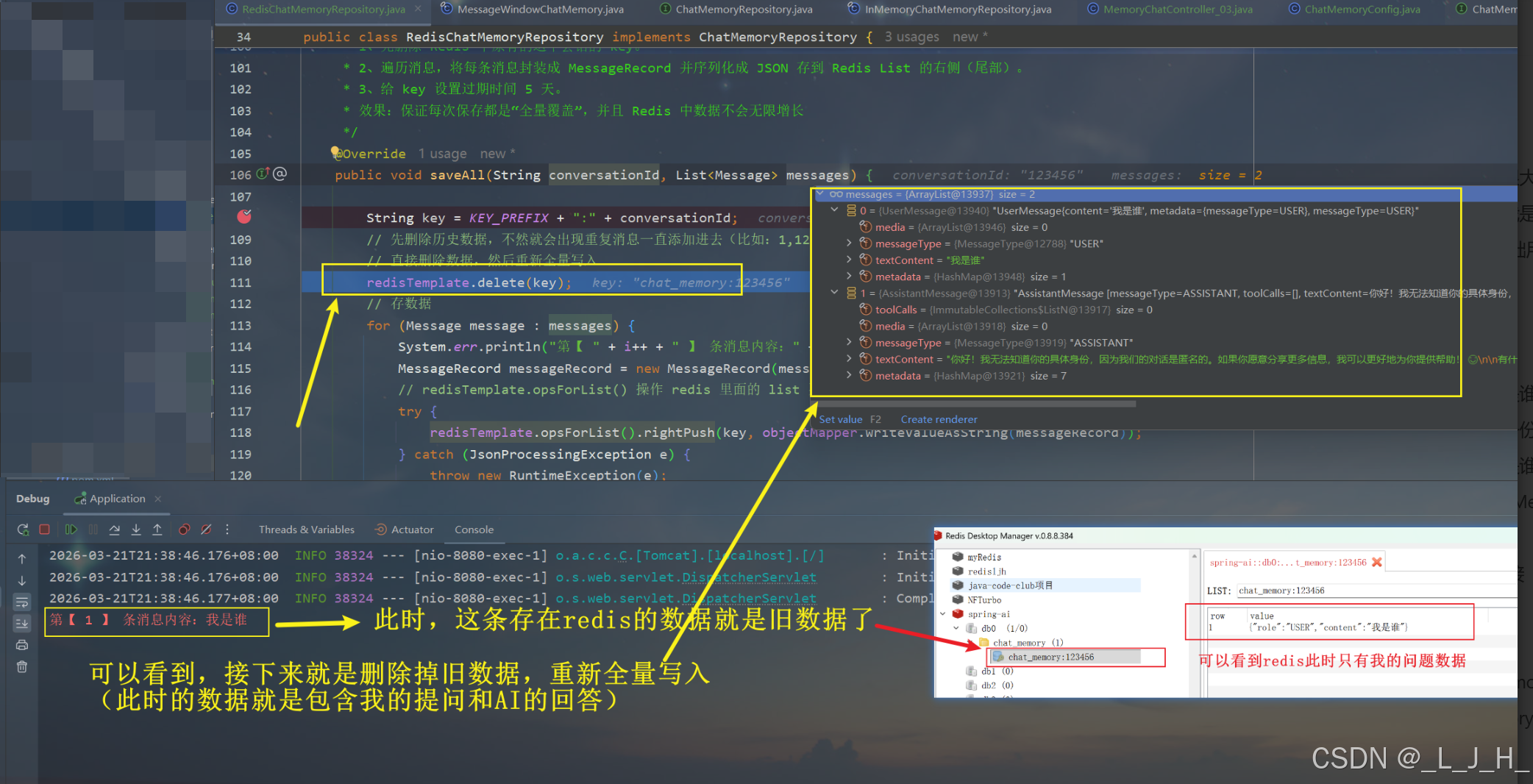
第一次发送消息的全过程,消息就是这么写入和删除的,然后再全量写入
发送三次消息的打印:
这个是发送三次消息的打印:
通过打印看看,每次发送消息,得到回复后,都会删除掉历史数据,然后重新全量写入。