NVIDIA构建了从芯片设计到终端产品的完整技术栈,涵盖架构定义、芯片制造、驱动开发、工具链构建及最终产品商业化。其核心竞争力不仅在于GPU电路设计,而是"芯片+驱动+CUDA+库+工具链+系统平台+生态"的全栈能力。正如年报所示,NVIDIA定位为全栈计算基础设施公司,而非单纯的IP授权商。
这种商业模式与Arm/Mali的GPU IP授权模式存在本质差异。NVIDIA选择自主开发芯片、板卡、系统及软件订阅服务,以获取更完整的价值链收益。其财报显示核心业务按计算与网络、图形等产品平台划分,而非通用GPU IP授权。若采用授权模式,客户集成方案可能导致性能表现参差不齐,这将损害NVIDIA最重视的性能确定性和平台一致性。
Intel同样坚持自主定义核心计算IP的战略,其年报强调Xeon、Core等处理器设计能力是业务核心,并将制程工艺、封装技术列为关键资产。两家企业的共同点在于:掌握核心计算IP的定义权,保持产品差异化优势,维护利润控制权。
(1字节|半字节)对象在画面中的最大尺寸通常无法达到理论极限值
通道大小,一字节,或者半字节,字节的单位,一个像素的基准,8位刚好是256,half 字节128,所以效果有一定的丢失
体育直播、快速运动画面里,720p 的实际观感常常会比 1080i 更干净 。
这就是字幕里那句"sacrificing resolution for better movement"的意思:牺牲静态分辨率,换更好的动态表现。
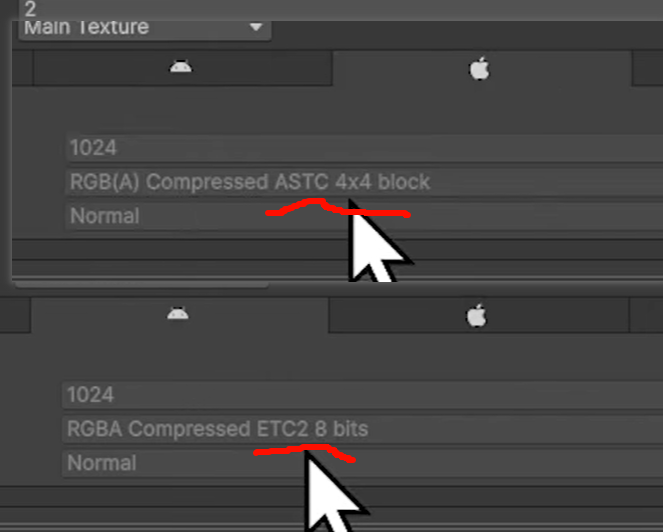
压缩贴图适应不同的平台。例如:
- Windows可以压缩成DDS,其中DDS细分DX1~DX5共5种格式,每种应用场景略有不同,但它们只能用于DirectX。
- Android可以压缩成ETC1(不带Alpha)或ETC2(可带Alpha)。
- iOS可以压缩成PVRTC格式。
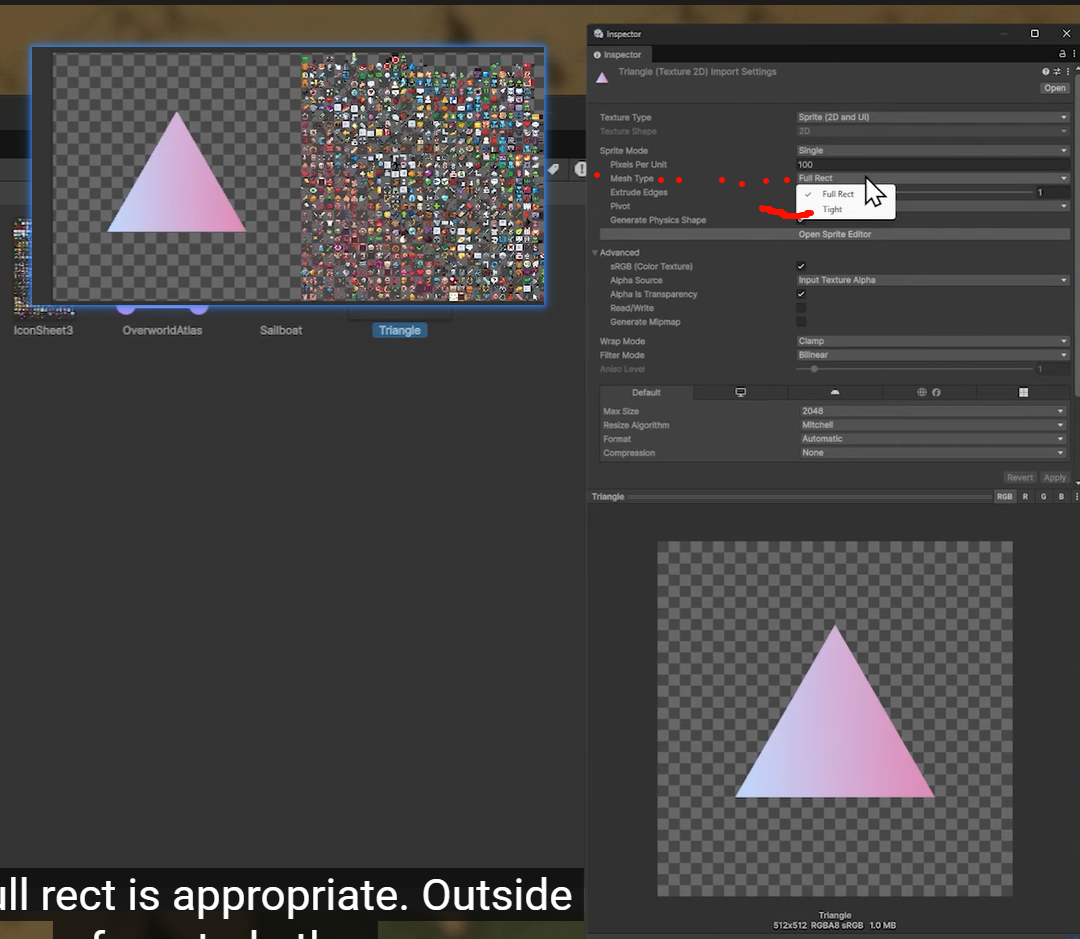
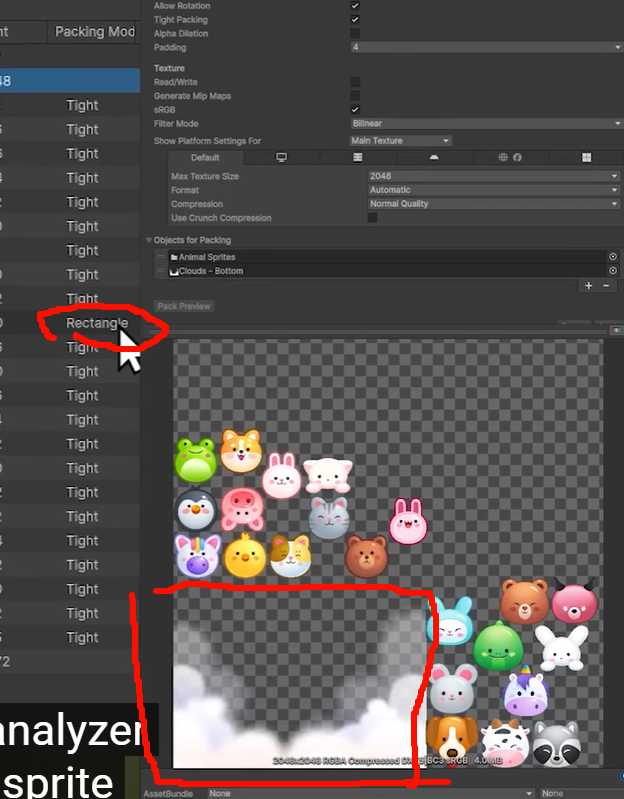
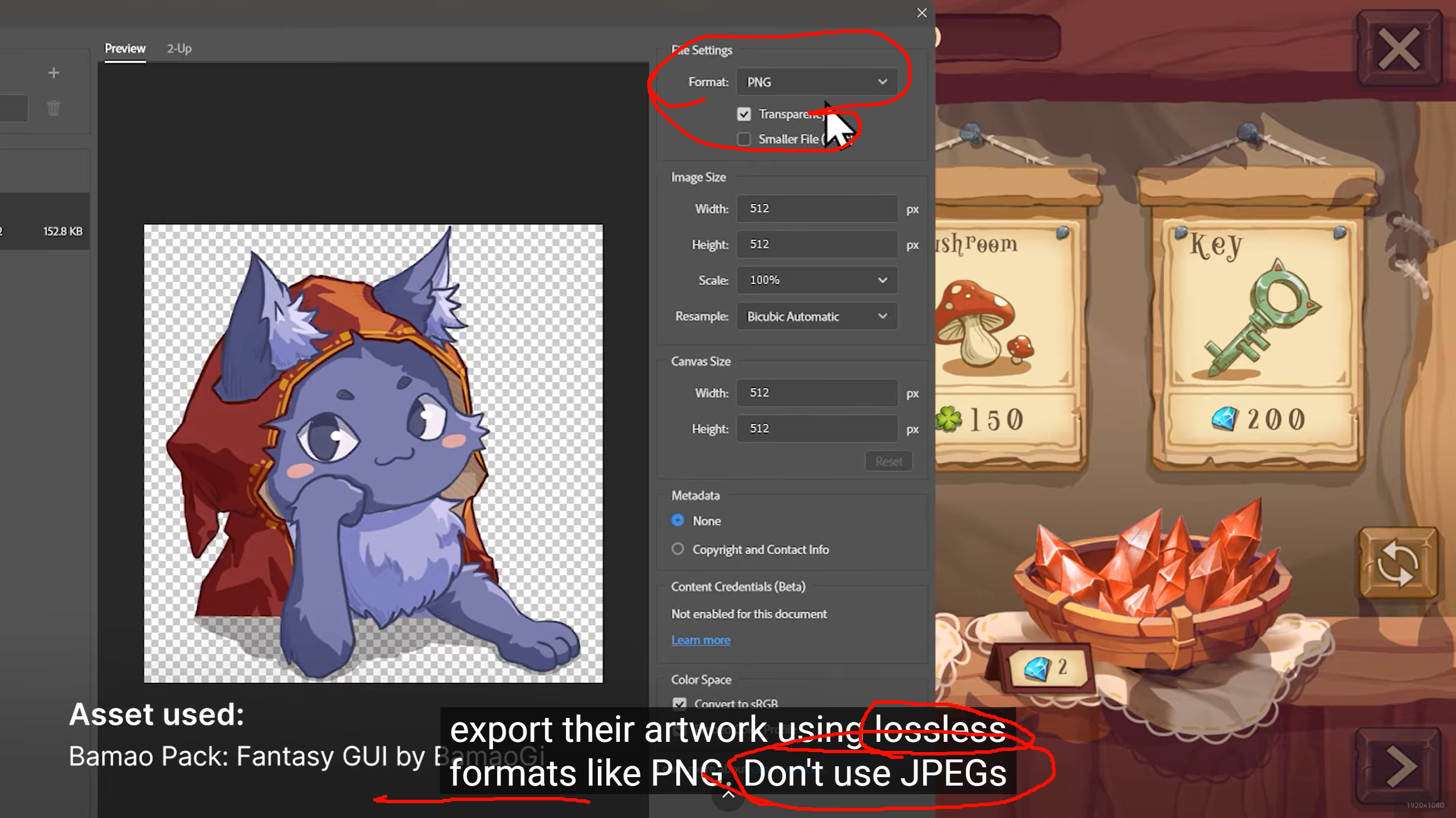
避免使用JPG/高压缩率的PNG/GIF等低质量格式。因为当前主流商业引擎在游戏发布过程中,会自动压缩所有纹理,而保留原画质的纹理可以减少纹理压缩后的画质损失。纹理元素通过变换可组合成复合纹理。上下左右对称的背景图可以用4张相同贴图实例通过旋转/翻转后获得。可能超出设备支持的最大尺寸。出现大片空白像素(如下图)。限制图集的最大尺寸(通常不要超过2048x2048)生成图集的资源有:UI界面,道具图标,角色头像,技能图标,序列帧,特效等等。Unity 2022.3 LTS 里,Sprite Packer 已经是 deprecated 的旧方案 。Unity 官方明确写了:从 2020.1 起 Sprite Packer 就已弃用 ,新项目默认走 Sprite Atlas 系统,而不是旧的 Sprite Packer。现有老项目还能继续用,但它不再是推荐主线。Unity 2022.2 起,Sprite Atlas V2 默认启用;在 2022.3 里,V2 已经是正常主线路径。官方说明里提到,启用 V2 后,已有的 Sprite Atlas V1 会自动迁移到 V2。
Secondary Texture 在 Unity 里可以理解为:
绑定在同一个 Sprite 上的附加纹理。
主 Sprite 一般是:
- BaseColor / Albedo / Diffuse 这张主图
而 Secondary Texture 则是给这个 Sprite 额外挂上的其他贴图,例如:
-
NormalMap
-
MaskMap
-
EmissionMask
-
自定义效果图
Unity 官方文档对它的定义是:你可以给每个 Sprite 或 Sprite Sheet 添加最多 8 张 Secondary Textures;它们会和主 Sprite 使用相同的 UV 坐标进行采样,所以这些附加贴图必须和主图在空间上对齐。
-
MaskTex -
NormalMap
意思是这张 foliage sprite 除了主颜色贴图之外,还额外挂了:
-
一张 mask
-
一张 normal
这样 shader 在渲染这个 Sprite 时,就不只采样主图,还可以顺手采样这些附加图,做出更复杂的 2D 光照或特效。Unity Manual+1
它的关键点有几个:
第一,不是独立显示的第二张 Sprite 图 。
它不是让你多画一层 sprite,而是给同一个 sprite 提供额外材质数据。
它通常是给 Shader 用的 。
例如 2D Light、法线光照、遮罩、溶解、风摆、湿润度、边缘高亮等,都可以把数据塞进 secondary texture。Unity 文档也提到,一些 Unity 包会给出推荐的贴图命名,供它们的 shader 直接识别使用。
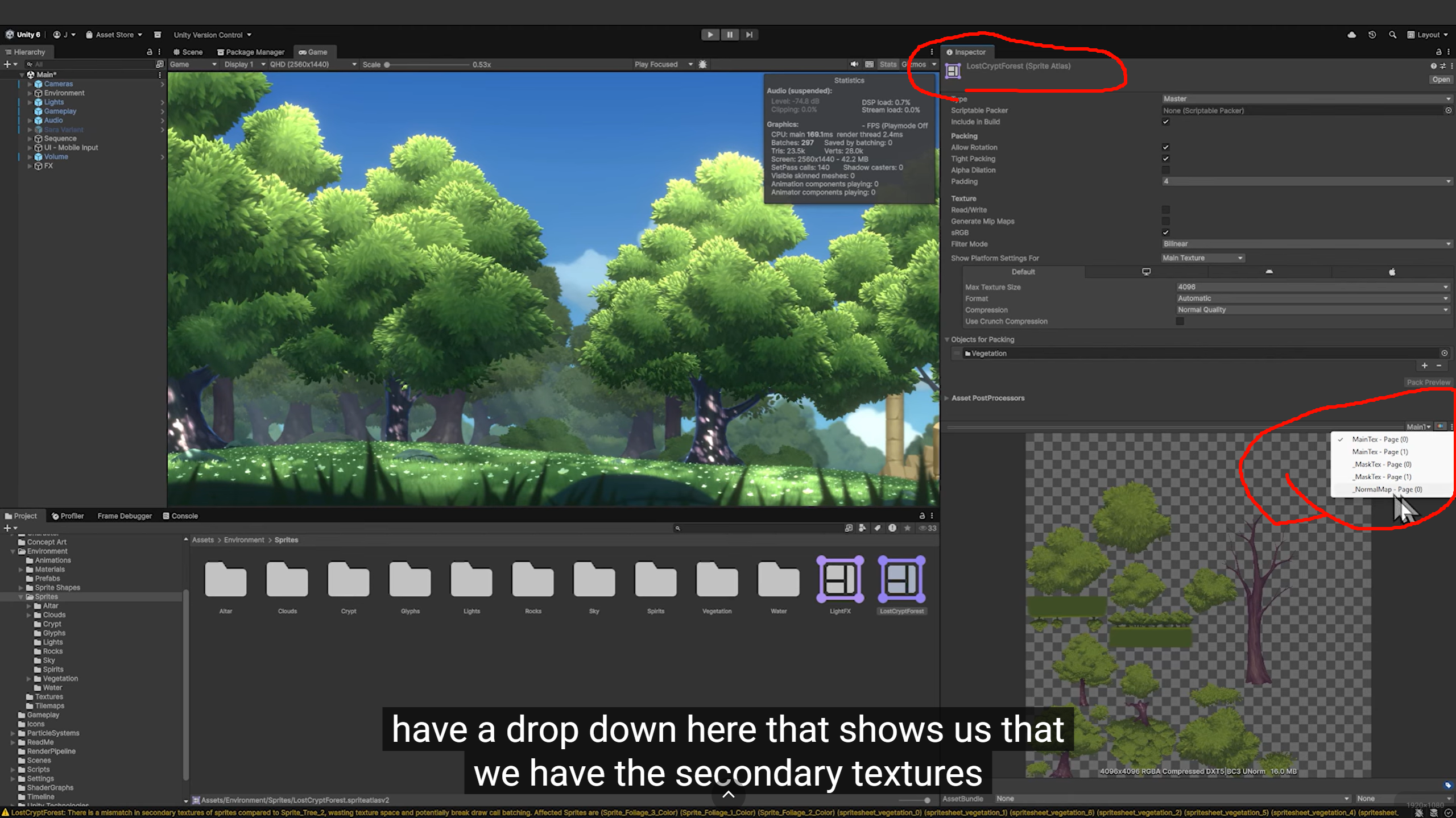
Secondary Textures 是附加到 Sprite 上供 Shader 采样的,目前只支持 Sprite Renderer。
右下角那个下拉框里能看到:
-
MainTex - Page(0)
-
MaskTex - Page(0)
-
NormalMap - Page(0)
这说明它不是只有一张 atlas,而是:
每个 Secondary Texture 名称,各自都有一张对应的 packed page。
也就是可以理解成:
-
主颜色图 -> 一张 atlas
-
mask -> 一张 atlas
-
normal -> 一张 atlas
但这些 atlas 之间不是独立乱打的,而是按同一批 Sprite 的布局关系同步打包。
这样 shader 用同一个 sprite 的 atlas UV 去采样 _MainTex、_MaskTex、_NormalMap 时,位置才能完全对应。同一批 Sprite 的布局关系同步打包
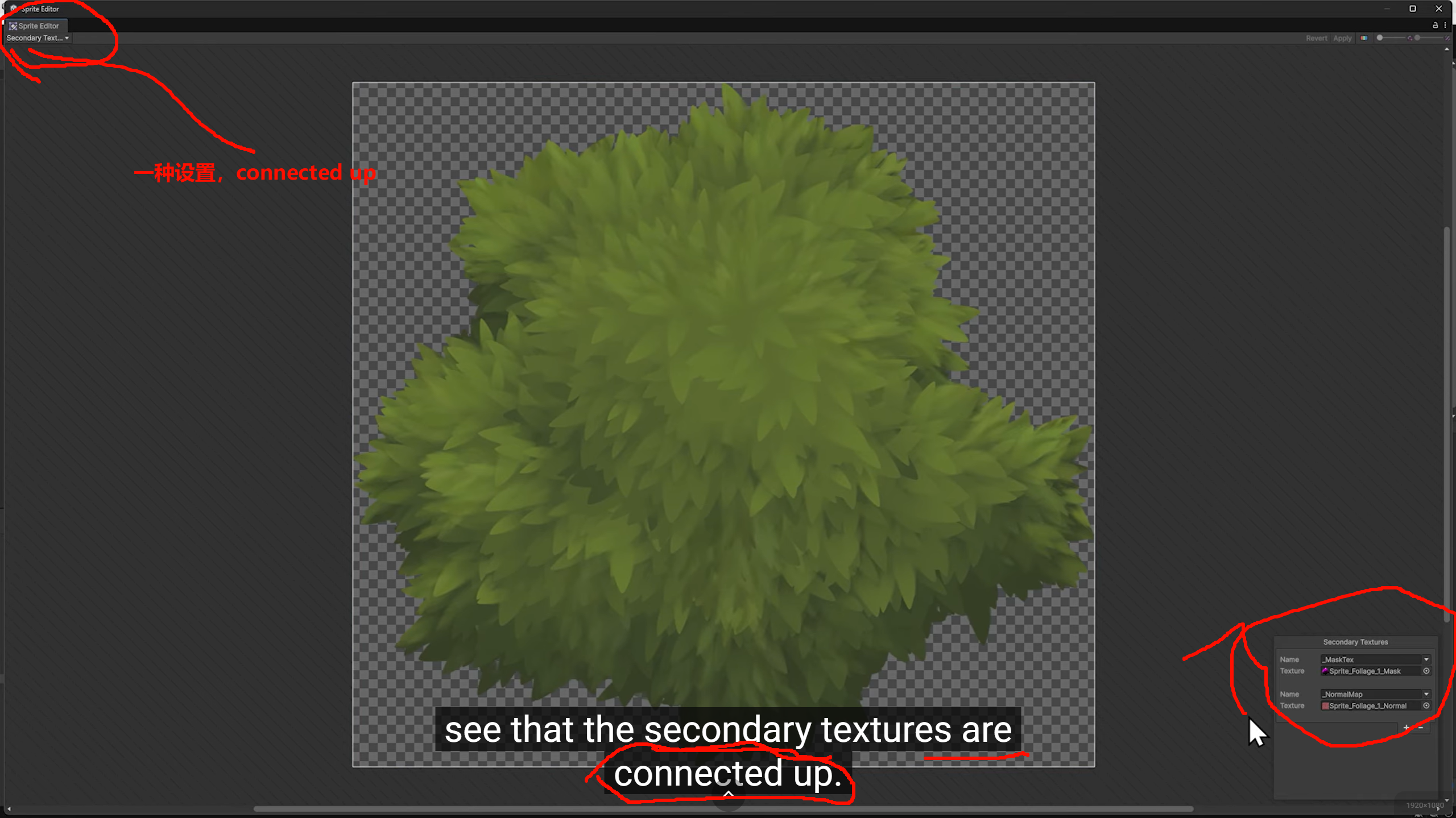
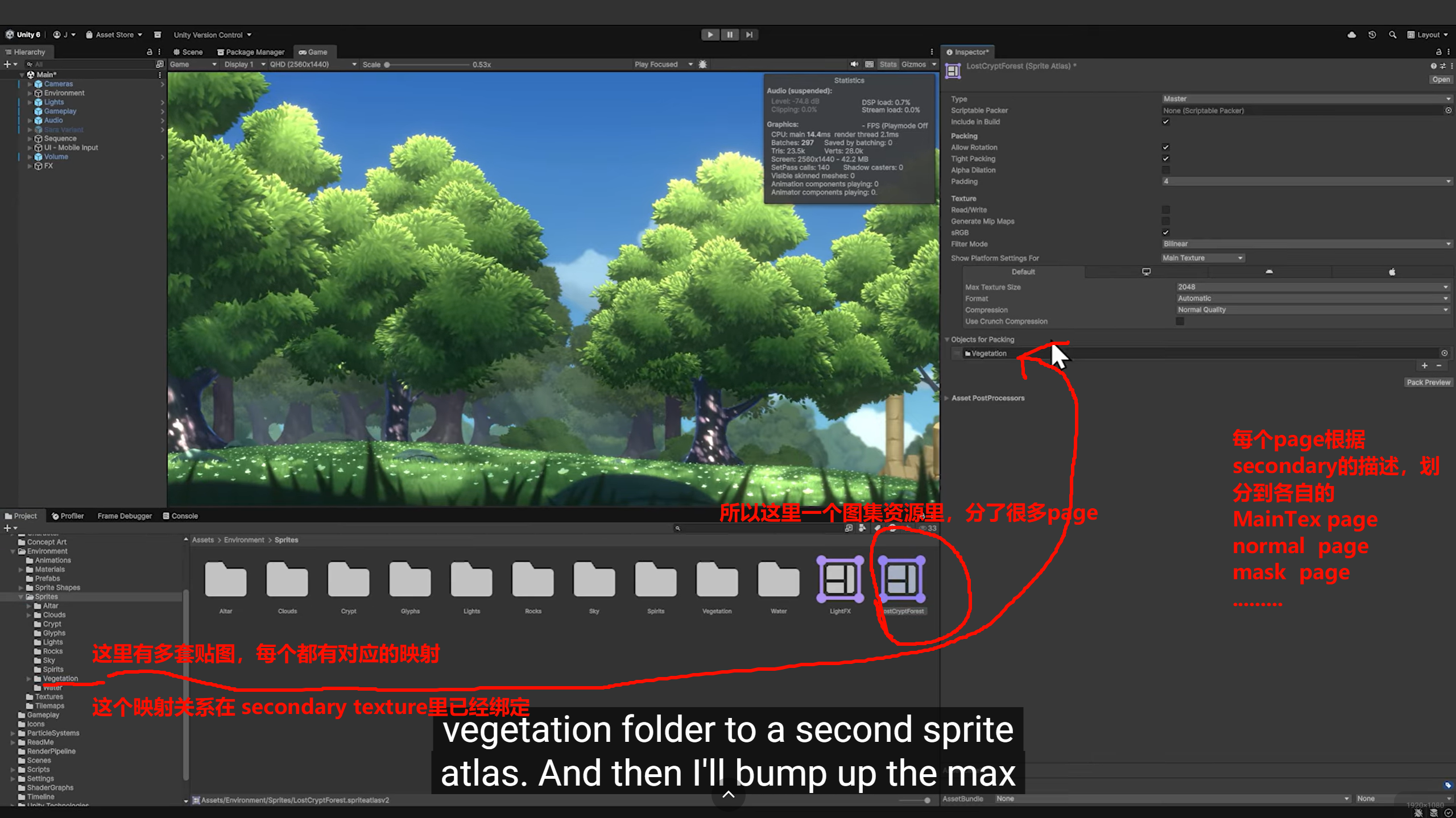
普通 atlas 关心"把图放进去";Secondary Texture atlas 关心"多张图之间必须保持像素语义对齐"。
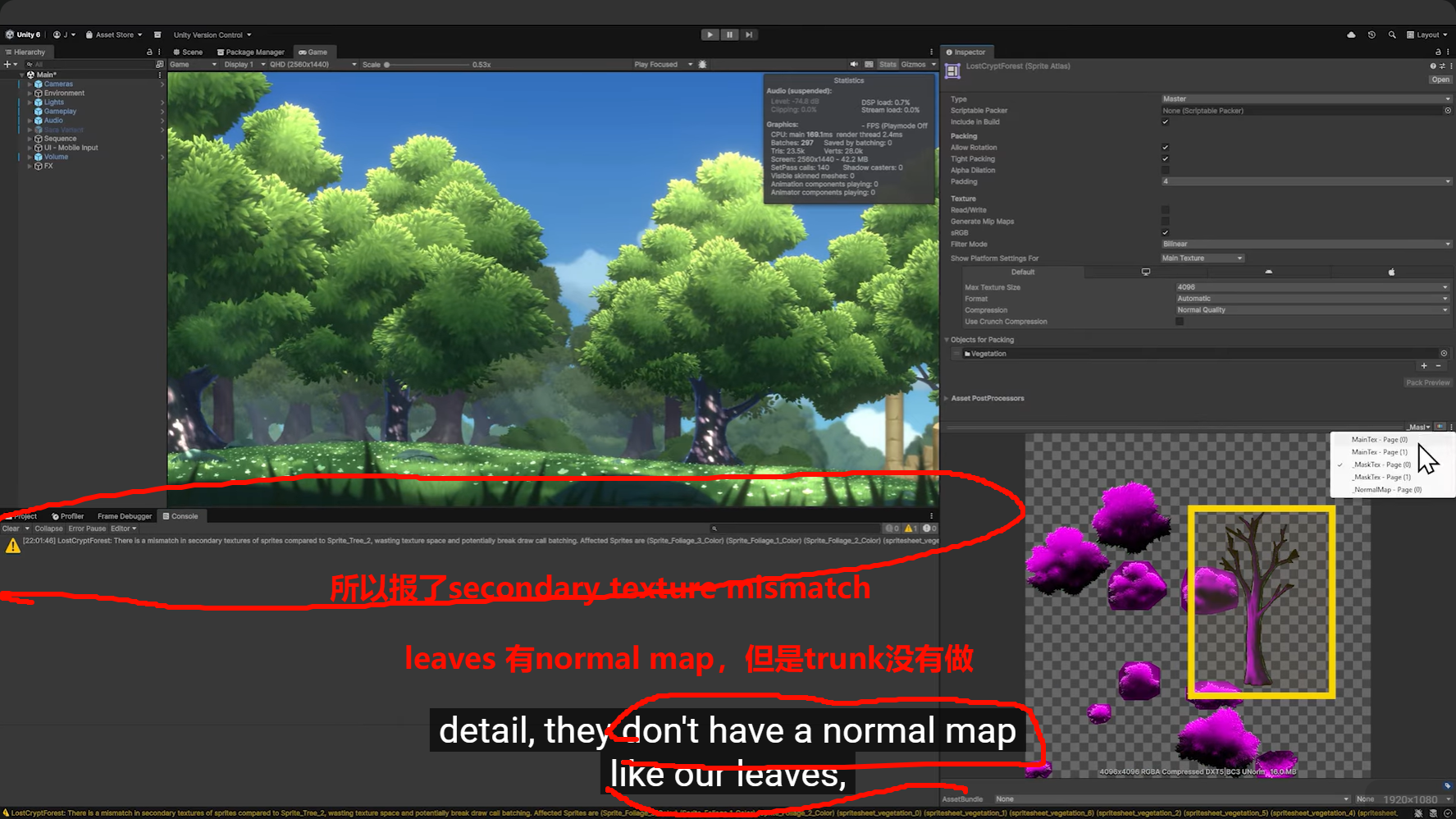
为什么 MainTex 会有 3 个 page?
因为这一组要打进 MainTex 的 sprite,一张 atlas 放不下,或者 packer 因为尺寸、tight packing、padding、最大纹理尺寸限制等原因,把它拆成了多张 atlas。
-
Max Texture Size不够大 -
sprite 数量太多
-
sprite 尺寸偏大
-
开了 tight packing 后仍然塞不下
-
padding 占了不少面积
-
某些 sprite 不能很好拼接
-
平台限制导致单张 atlas 不能再大
所以:
一个 page = 一张实际生成出来的 atlas 纹理。
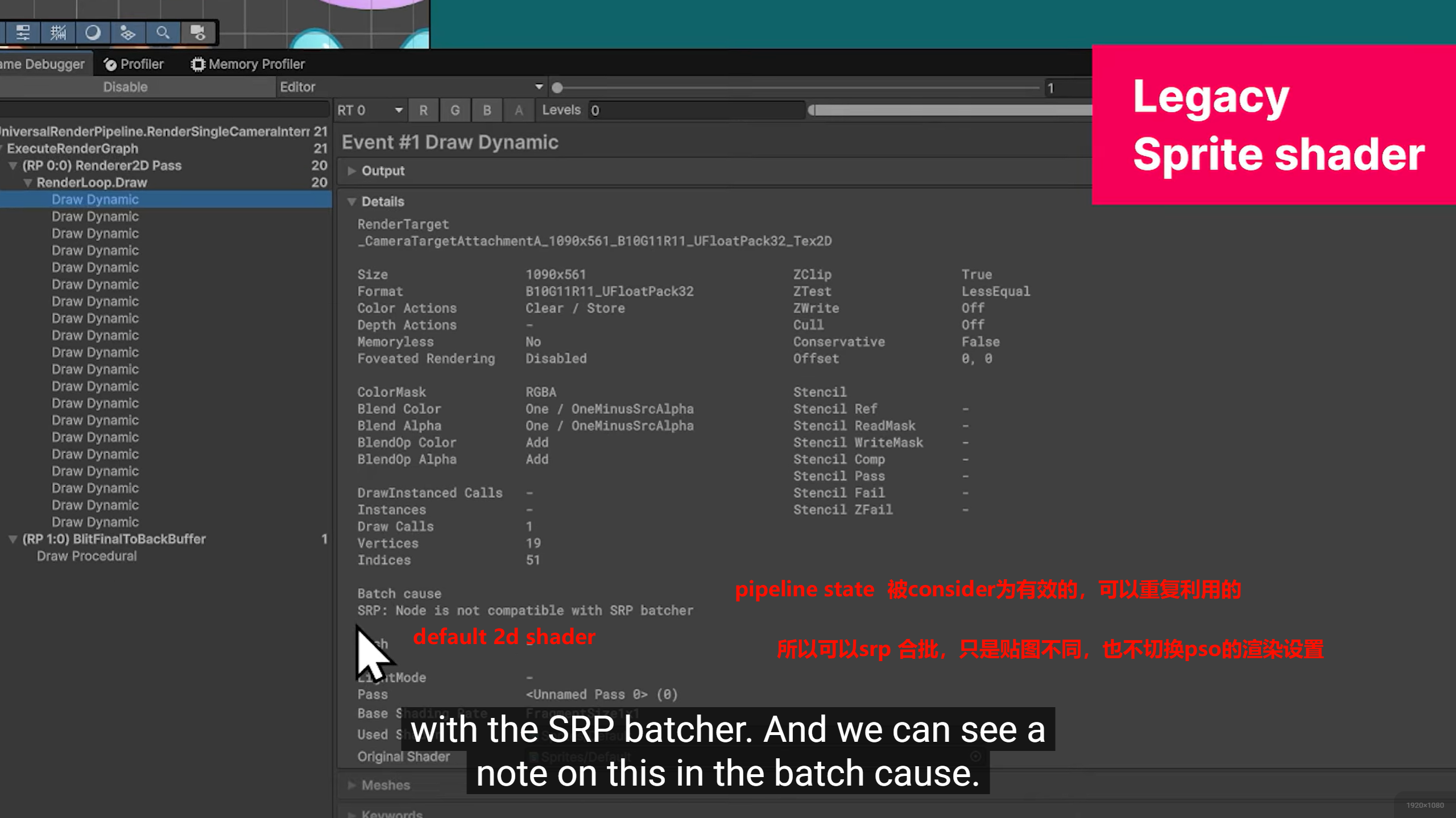
Dynamic / Static Batching
这两类才更接近传统意义上的 减少 draw call 数量。
比如多个小 mesh:
-
材质相同
-
条件满足
Unity 可能把它们合并后一起提交。
-
同 mesh
-
同 material
-
仅少量 per-instance 数据不同
这种情况下,可以一批实例一起画。
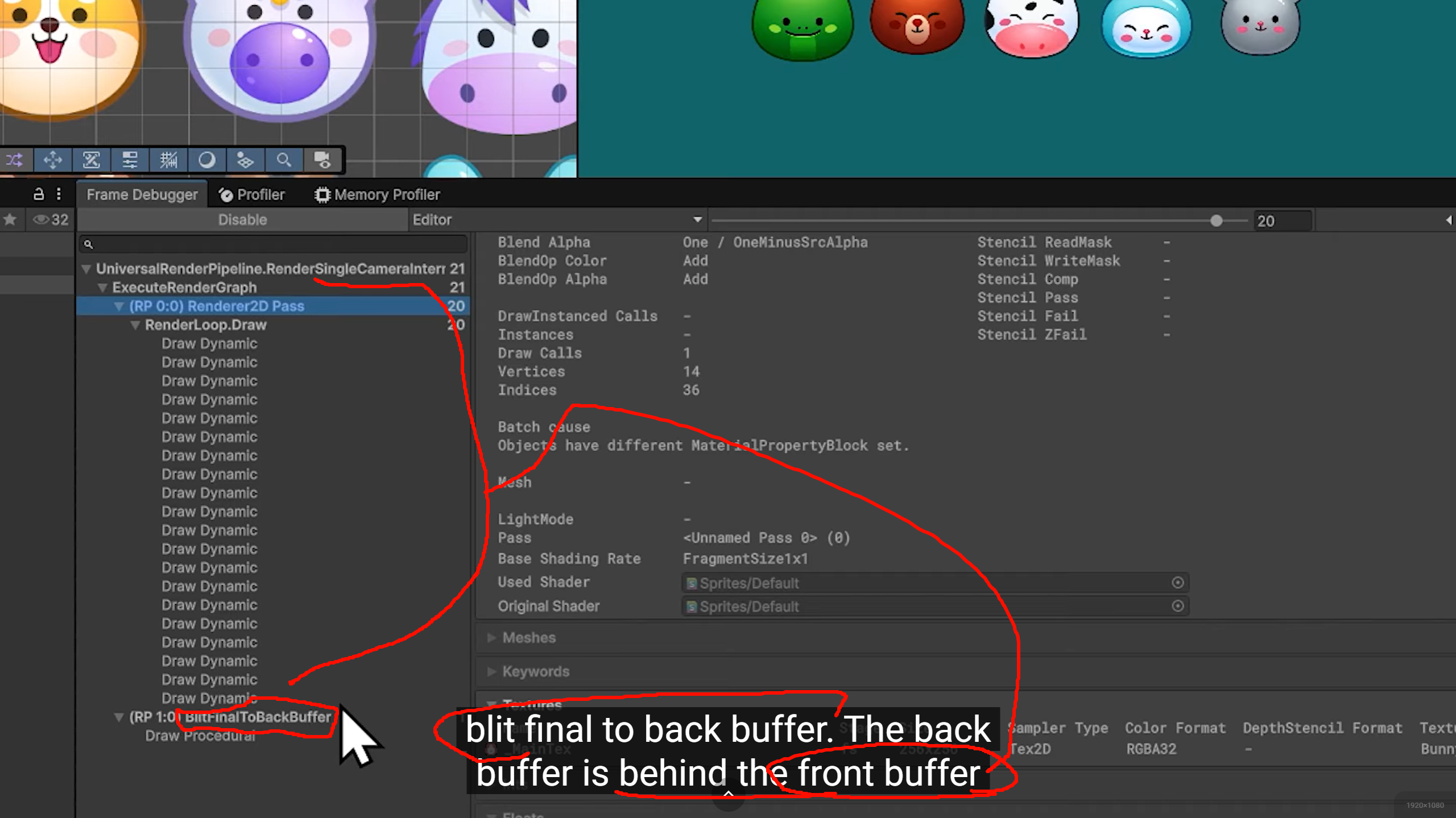

A material constant buffer (or
cbuffer in HLSL) is a GPU resource that stores uniform data---such as colors, transformation matrices, or shader parameters---shared across many shader invocations to improve rendering performance . It allows grouping data together to minimize binding costs, rather than updating parameters individually.They are often updated dynamically per material or per frame,utilizing CPU-to-GPU memory mapping to pass data structures
memory mapping to pass data structures
Unity Implementation: In Unity, MaterialPropertyBlock.SetConstantBuffer or Material.SetConstantBuffer can be used to override default shader values, allowing custom GPU buffers to set shader properties directly.. At its core, a material is treated as a collection of properties---textures, colors, and numerical parameters---that the GPU uses to determine how light interacts with the pixels of an object.
GPU-Driven Rendering Concepts
- Draw Calls: A command to draw an object using a specific material.
材质非"材质",gpu 眼里的"材质"
Shader BindingDraw command is sent:Switching shaders is one of the most expensive operations, often increasing draw call time by up to 175%.
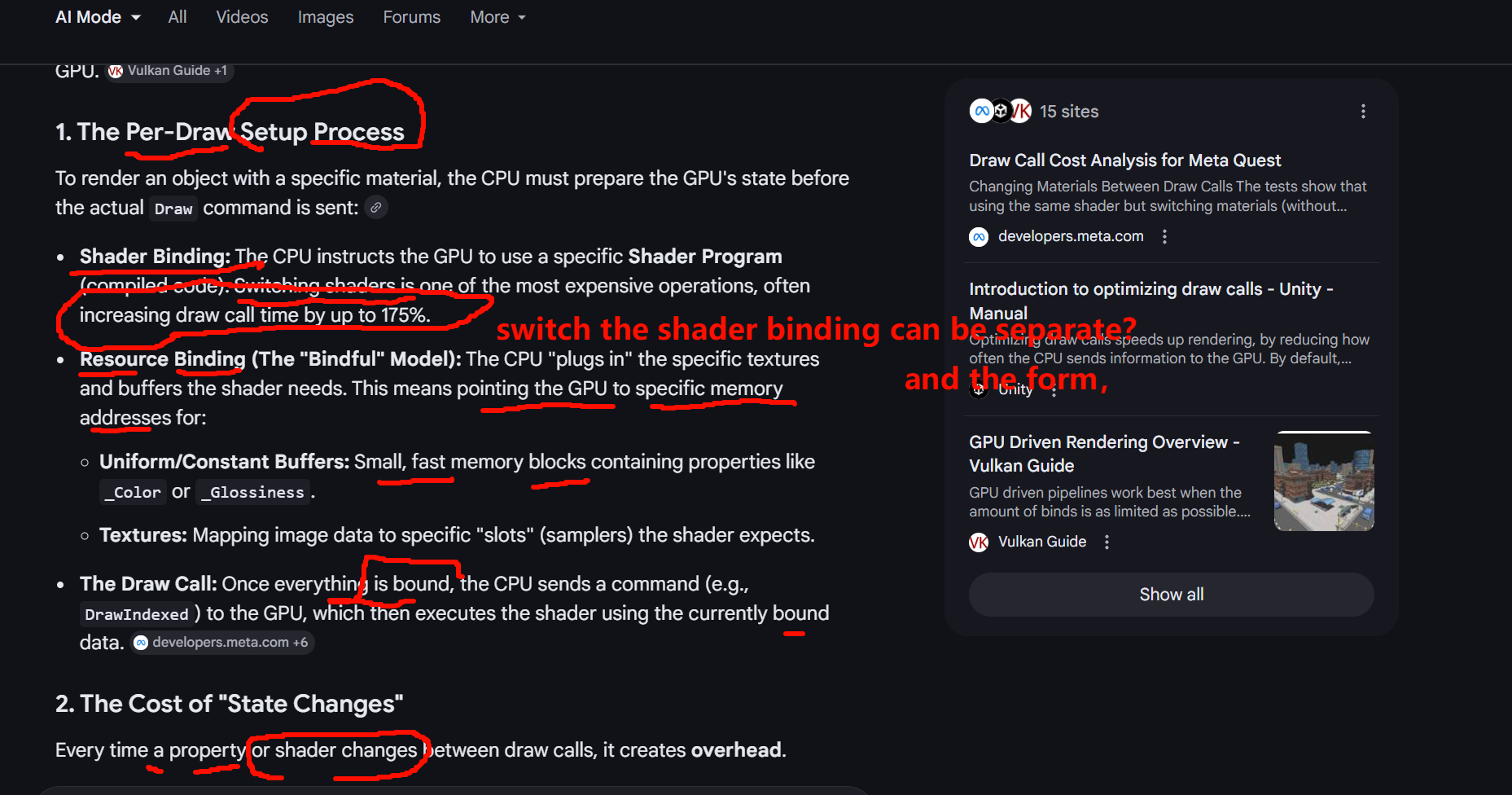
shader is not part of all material , plus resource binding though , make it a whole
SRP Batcher 的重点其实是:
让使用同一 shader variant 的多个材质,在 CPU 侧更高效地连续提交。
多个小 mesh:
- 材质相同

GPU instancing and static batching both reduce draw callsUse GPU instancing for many moving objects sharing the same mesh/material (e.g., trees, enemies).static batching for many non-moving objects (e.g., buildings, environment)Best For: Numerous moving, animated, or identical objects (grass, particles, trees).GPU InstancingRequirements: Shared mesh and material. Enables different per-instance properties (color, position).
Static Batching
- Best For: Immovable environment pieces (buildings, rocks, large scenery).
- Requirements: Objects must be marked as "Static" and share the same material.
SRP Batcherby reducing constant buffer updates.Requirements: Objects must share the same shader variant, and materials cannot use MaterialPropertyBlocks .Combines meshes of non-moving objects into one, decreasing the number of draw calls to the GPU.Static BatchingRequirements: Objects must be marked as "Batching Static" and share the same material.
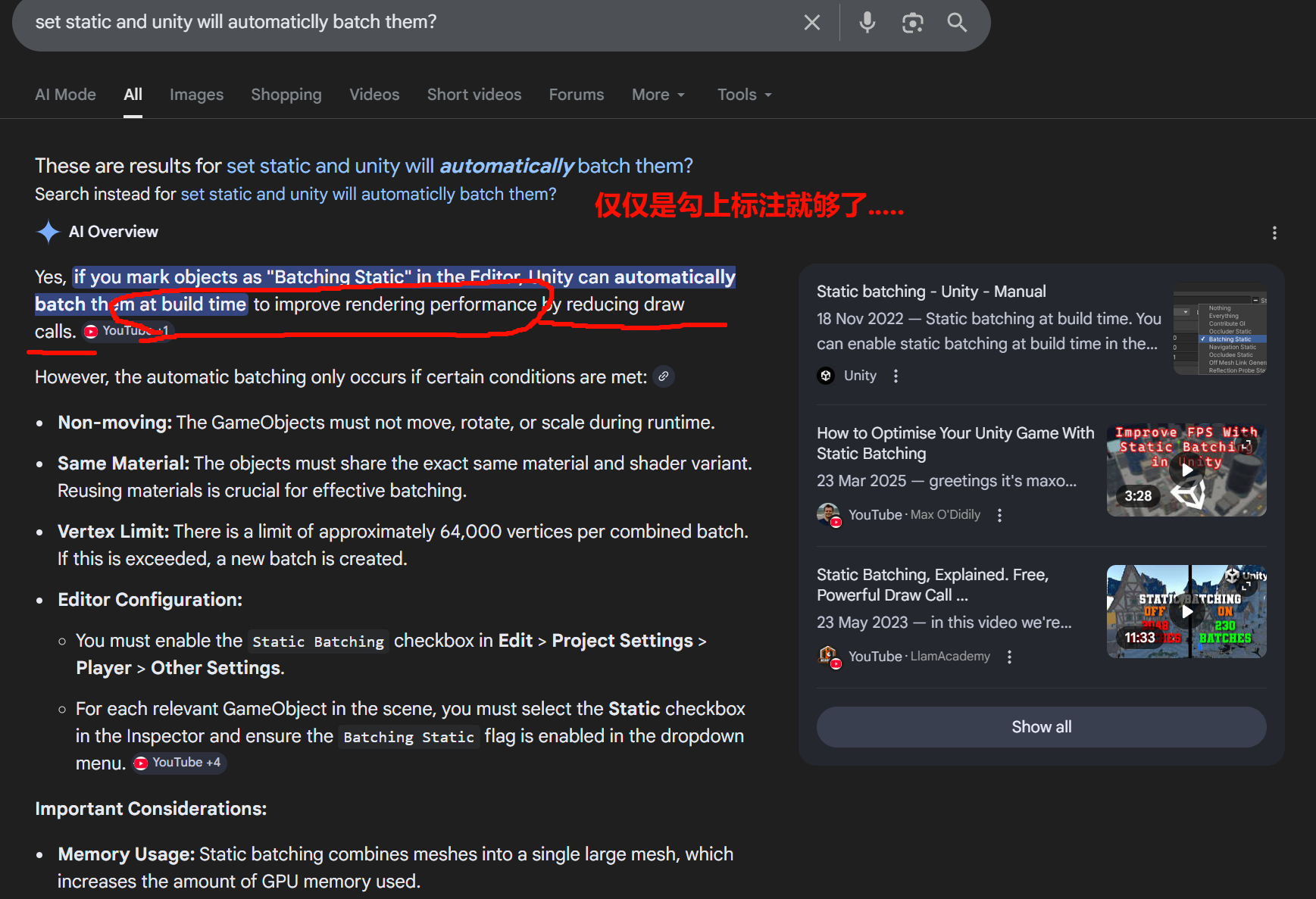
Key Requirements & Limitations
- Shared Material : Objects must use the same material and shader to be batched together.
No Movement : Once an object is statically batched, you cannot change its Transform (position, rotation, or scale) at runtime.Mesh Limits: Each batch has a limit (historically 64,000 vertices), though Unity will simply create multiple batches if needed.
Memory Usage : Static batching combines meshes into one large internal mesh, which can significantly increase memory usage and build size.
Individual Culling : Even though they are batched for rendering, Unity can stillcull individual objects if they are outside the camera's view.
Batching at Runtime
If you are instantiating objects at runtime (e.g., procedurally generated levels), the "Static" checkbox in the Editor won't work on its own . You must ++use the StaticBatchingUtility.Combine() method in your script to manually trigger the batching process.++
changes how that data is stored:tells the GPU to "draw this same data 50 times at these 50 different positions." This is very memory-efficient.To reduce draw calls, Unity combines all those individual objects into one giant, new mesh at build time. If you have 50 trees, Unity creates a new internal mesh that literally contains 50,000 vertices (the data for all 50 trees baked together).Data Duplication: Unity creates a unique copy of the vertex data for every single object in the batch and inserts it into the combined mesh.These massive combined meshes are saved into your scene/level data within the build,rather than just referencing the original small asset once.
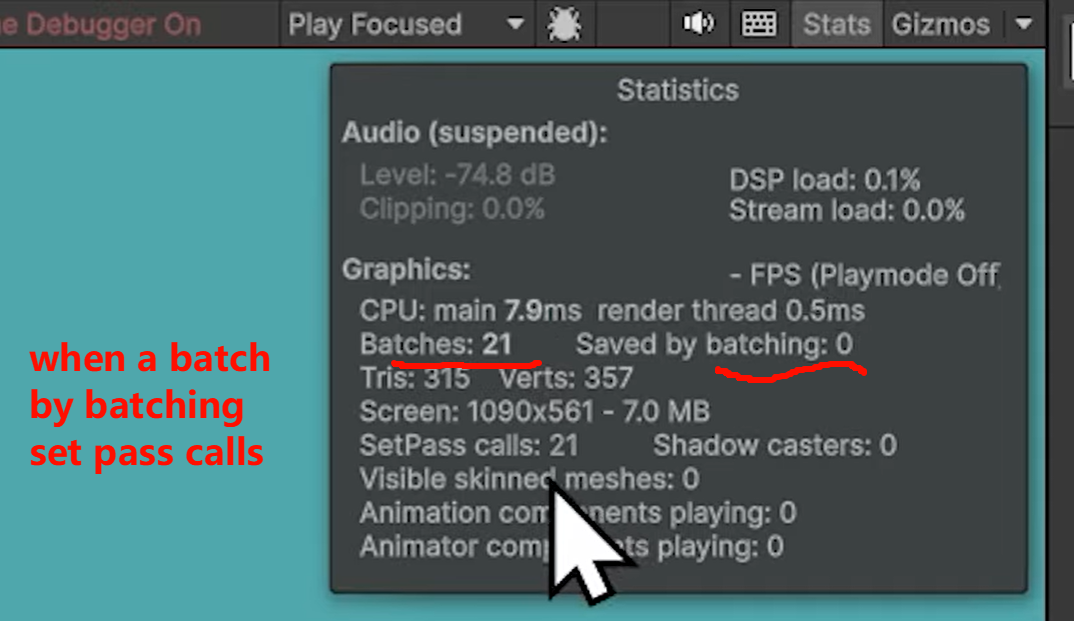
unity gpu one batch can contain several passes
In Unity, the "Saved by Batching" metric in the Stats window
indicates the number of draw calls that were avoided (saved) by combining multiple objects into fewer batches .

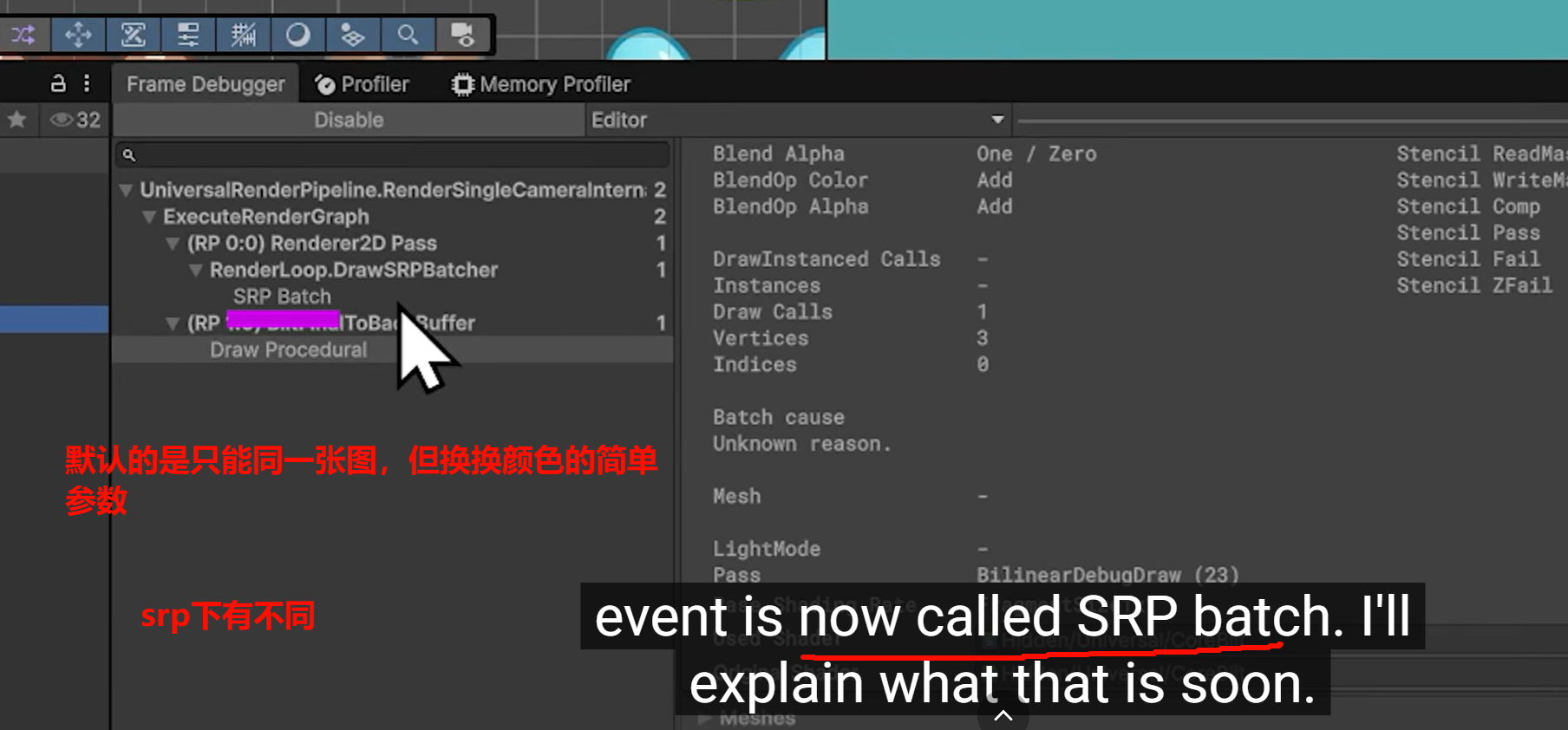
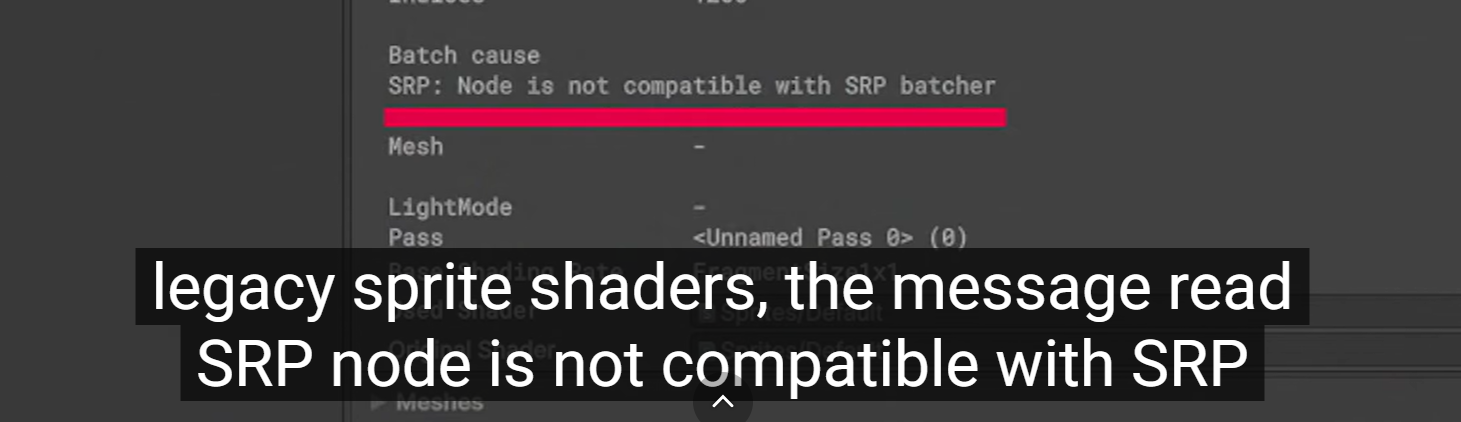
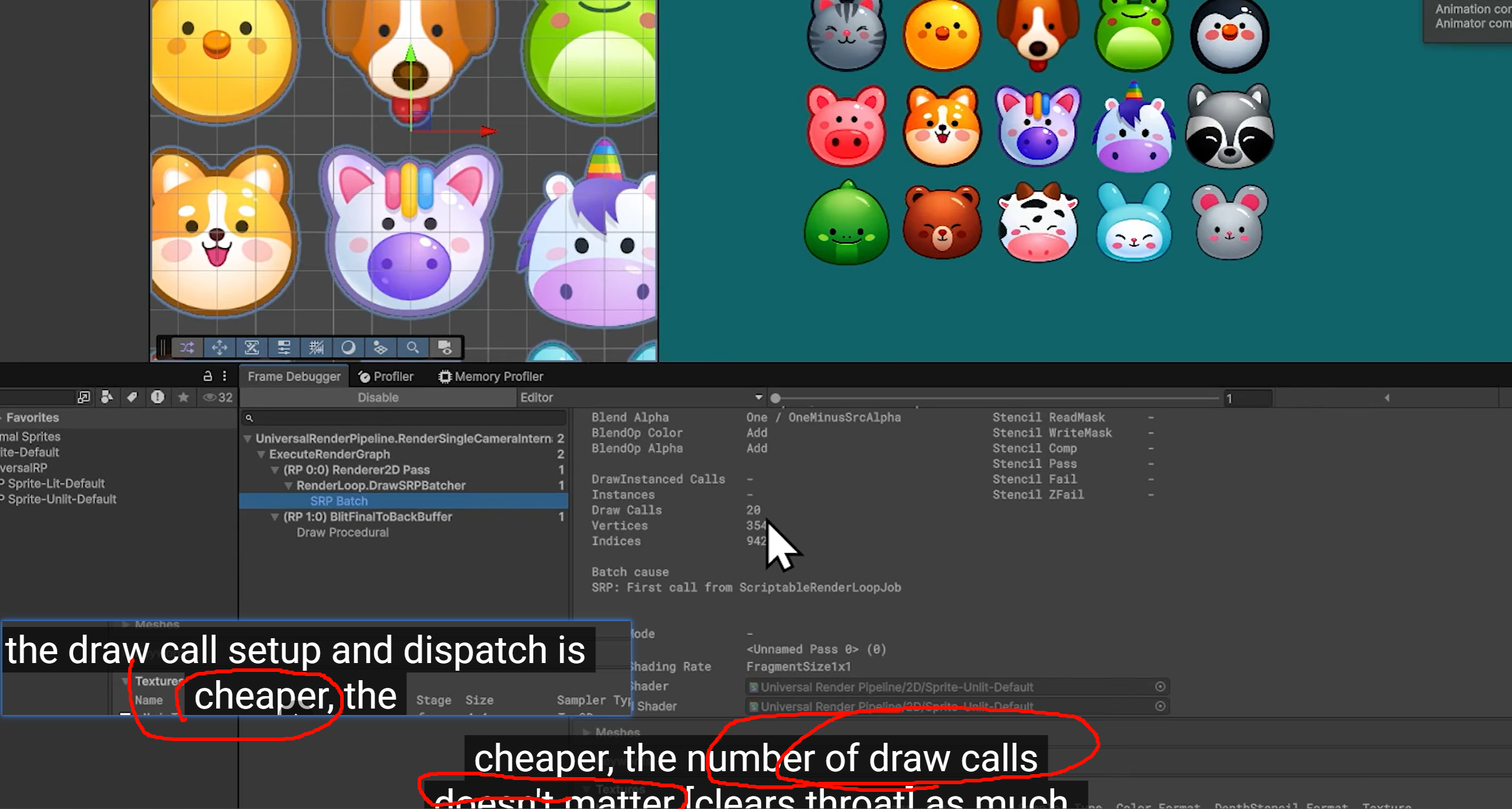
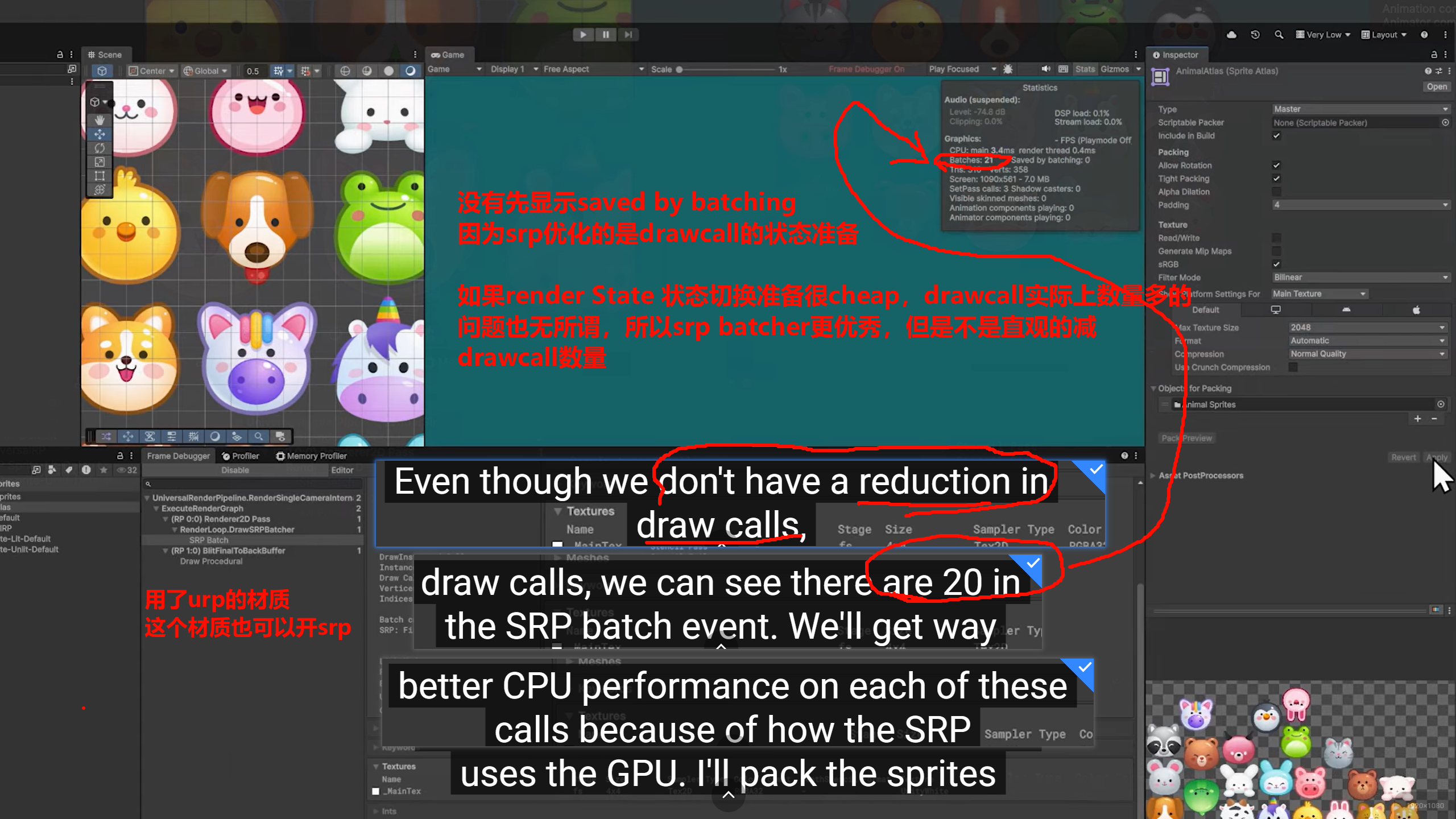
A specialized rendering loop that speeds up CPU time to send draw commands to the GPU, primarily by caching material data.
Texture Atlases and the SRP Batcher can coexist and work together.
get the full benefit of a texture atlas, multiple objects
should share the same material asset . different models (like a chair and a table) to use that one image
shader to run
transparency to handle
render state change -------------to swap the texture
With an Atlas +(Pluuuus!) ++Same Material++ : Because all objects share one material and one texture, the ++GPU doesn't++ need to change++its state(GPU's State!GPU don't change it, cause the cpu didn't send the new state that gpu need to use,,,so GPU just KEEPINGG SO) between++ them. It can draw many objects in a single "batch," which is muchfaster for the CPU.
使用了altas和没有使用的区别
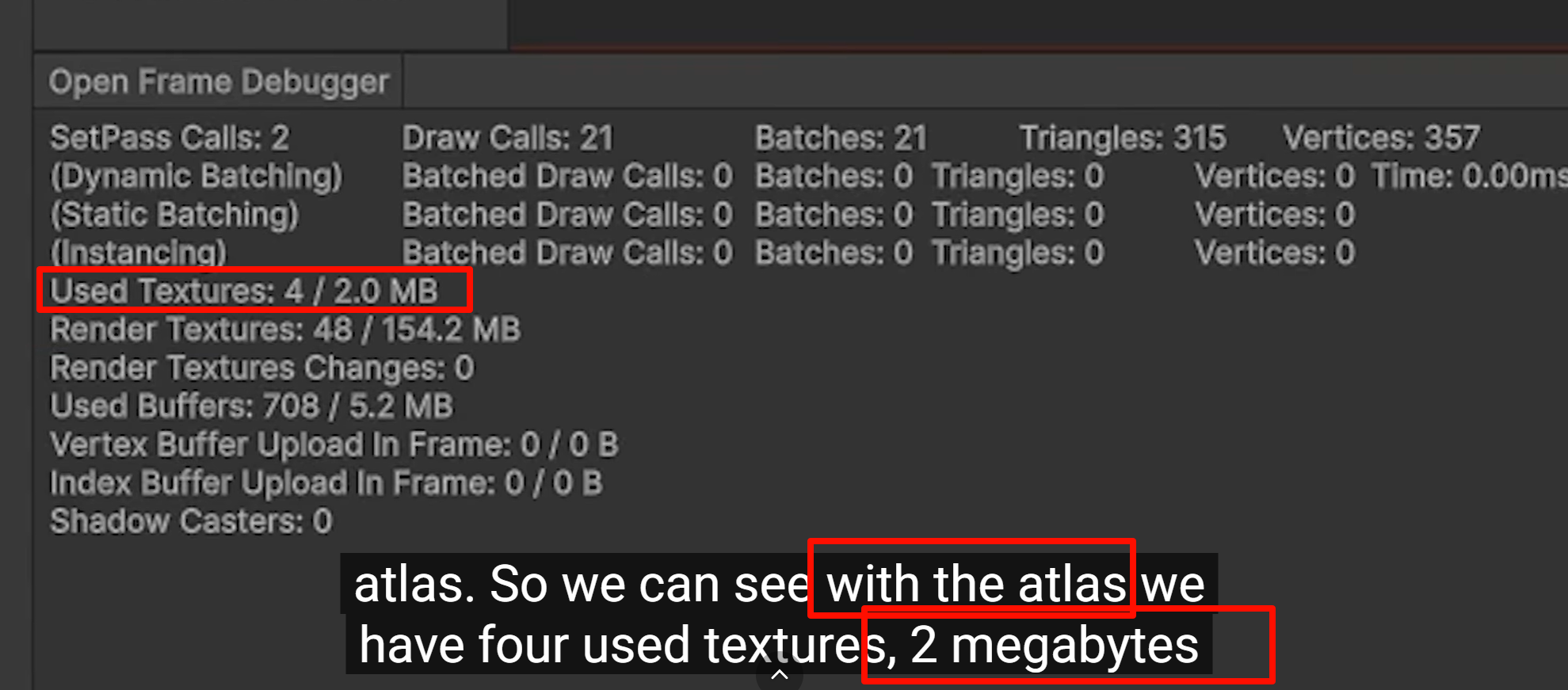
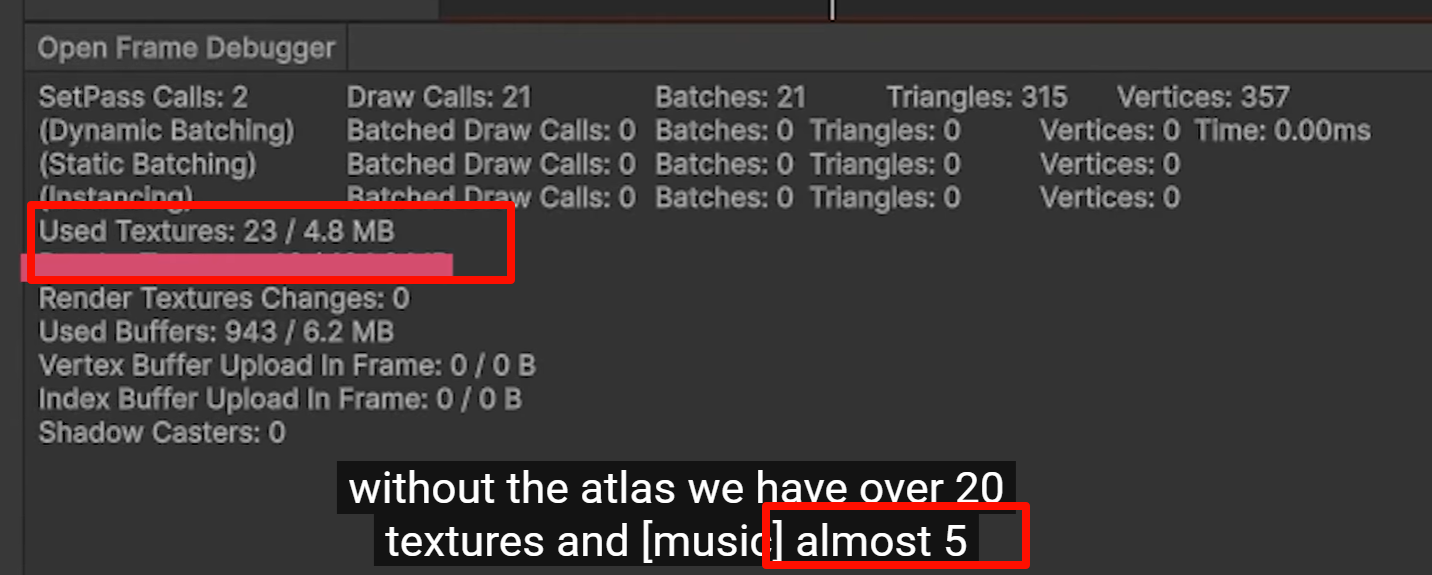
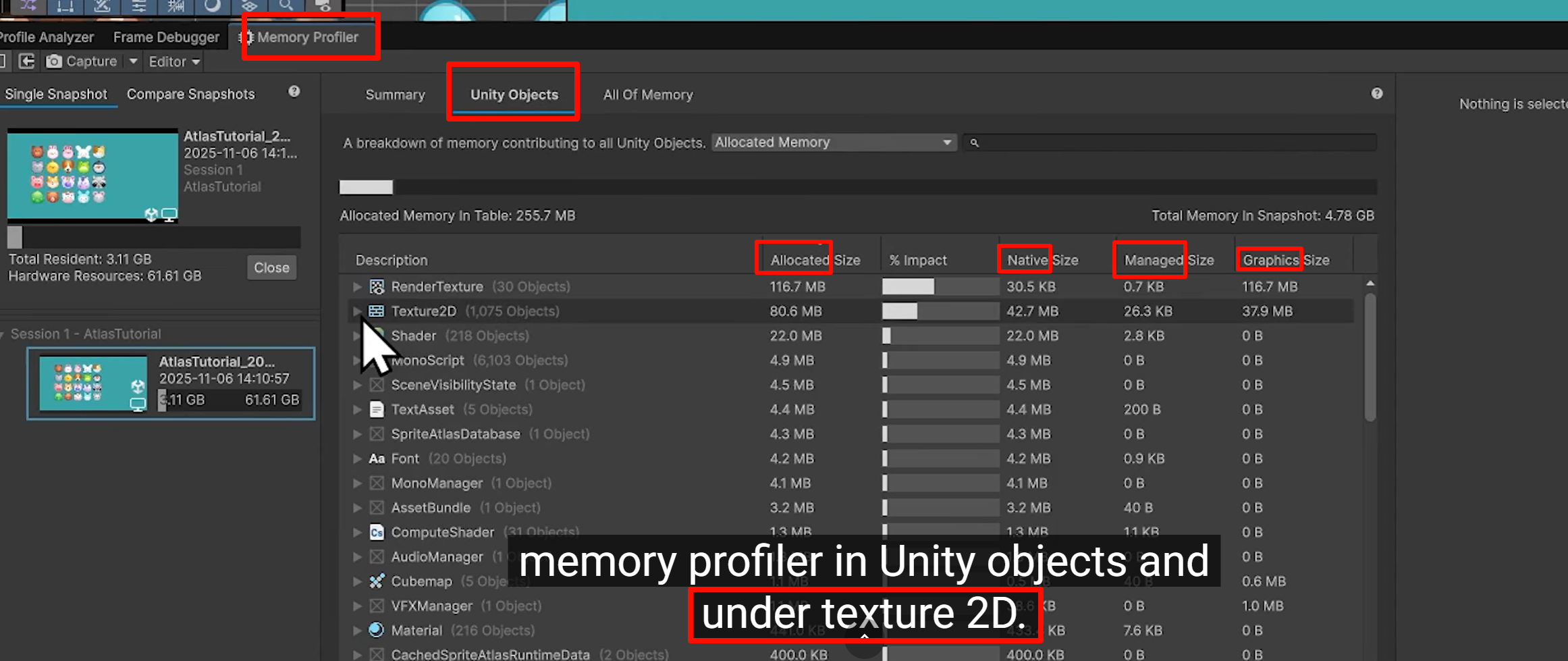
If your objects use the same material but different textures , they are technically not using the "same material" in Unity's eyes
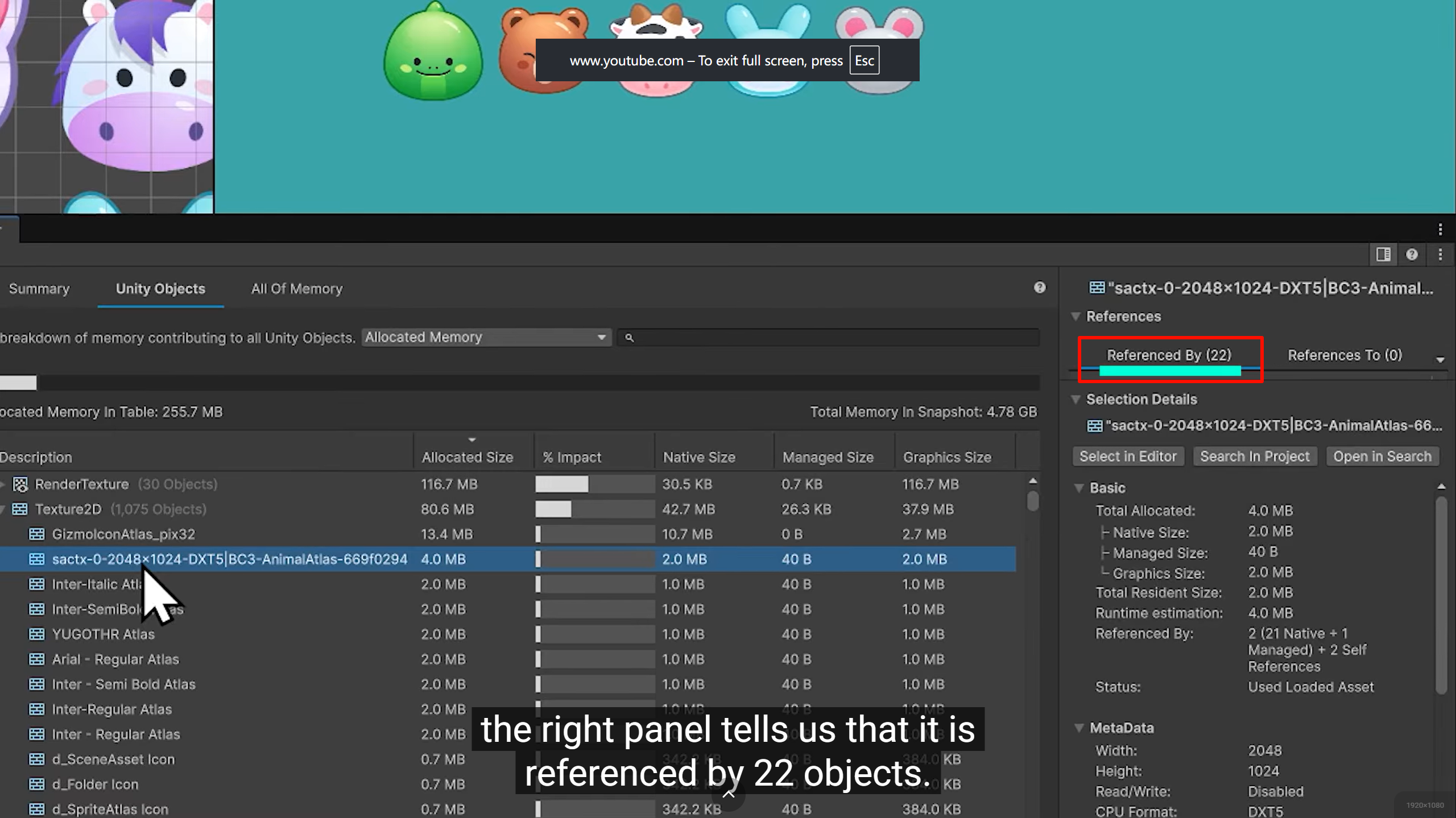
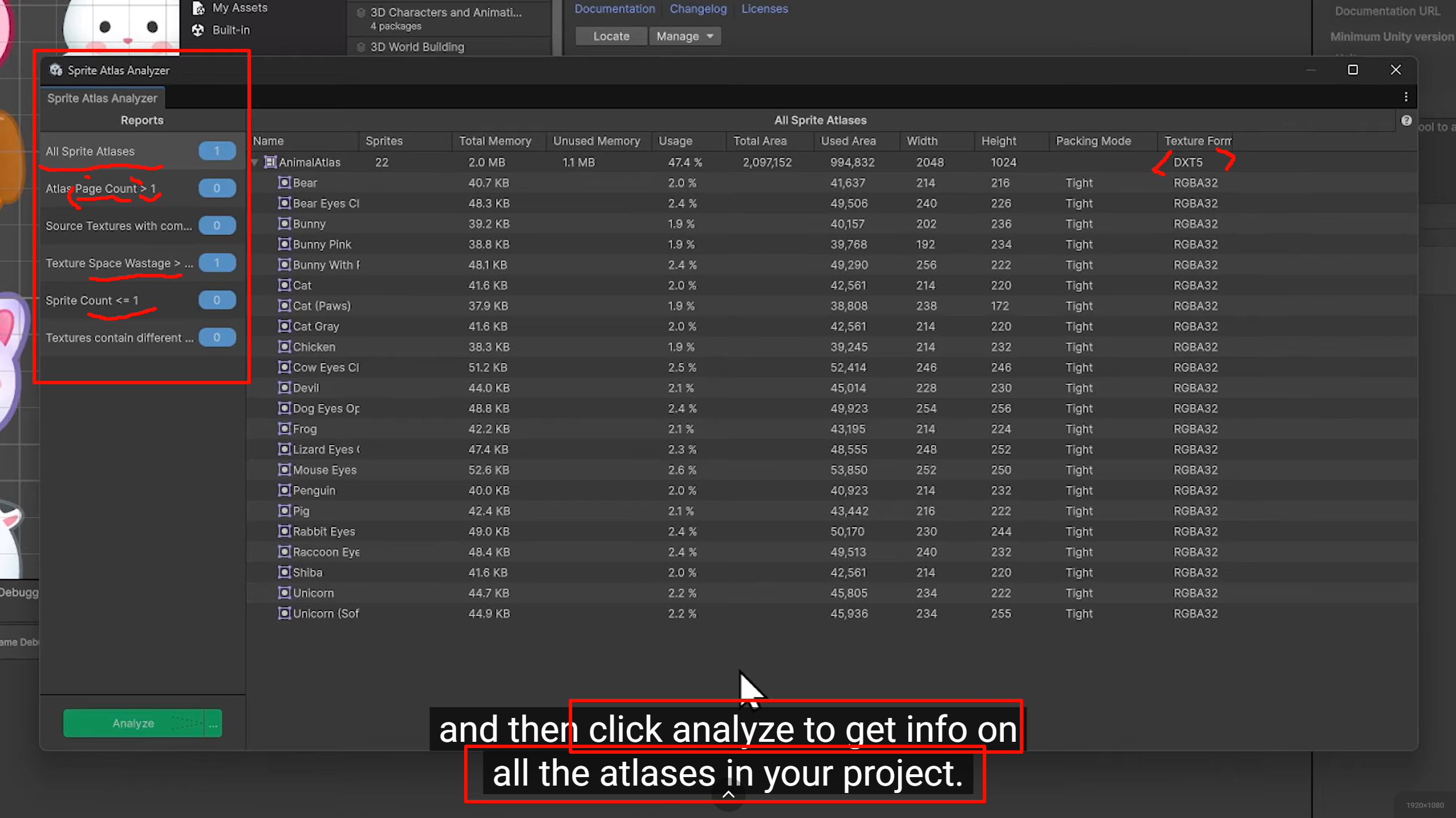
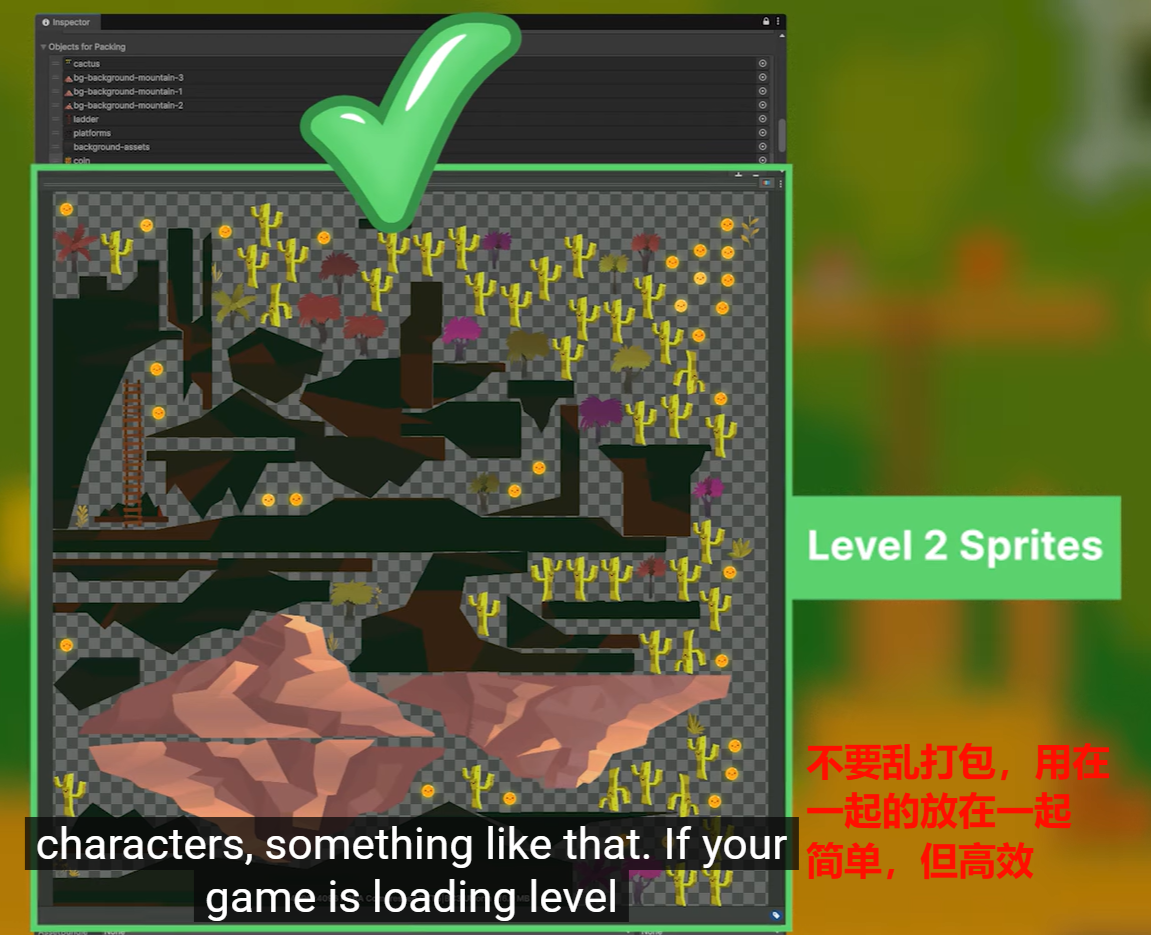
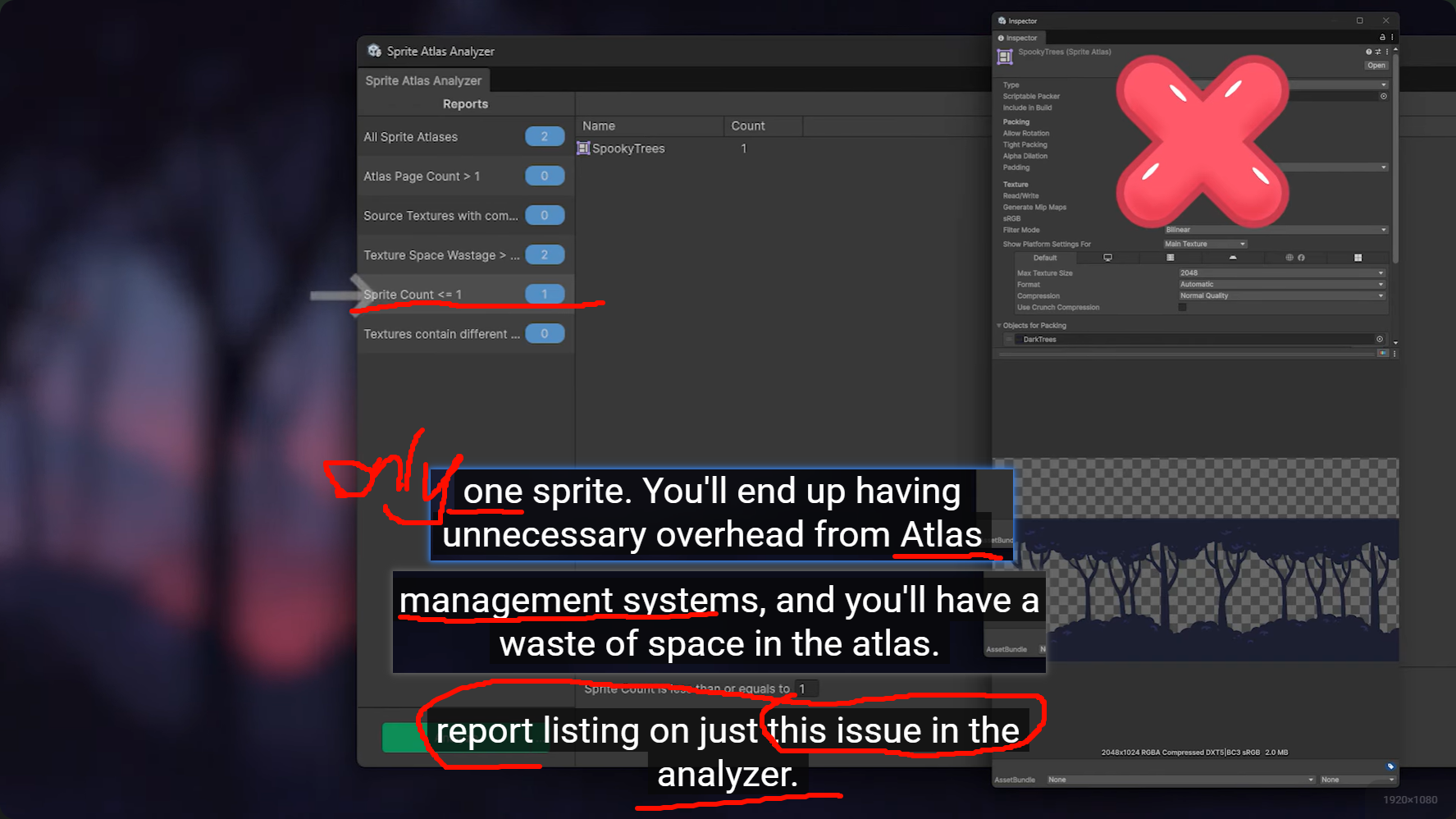
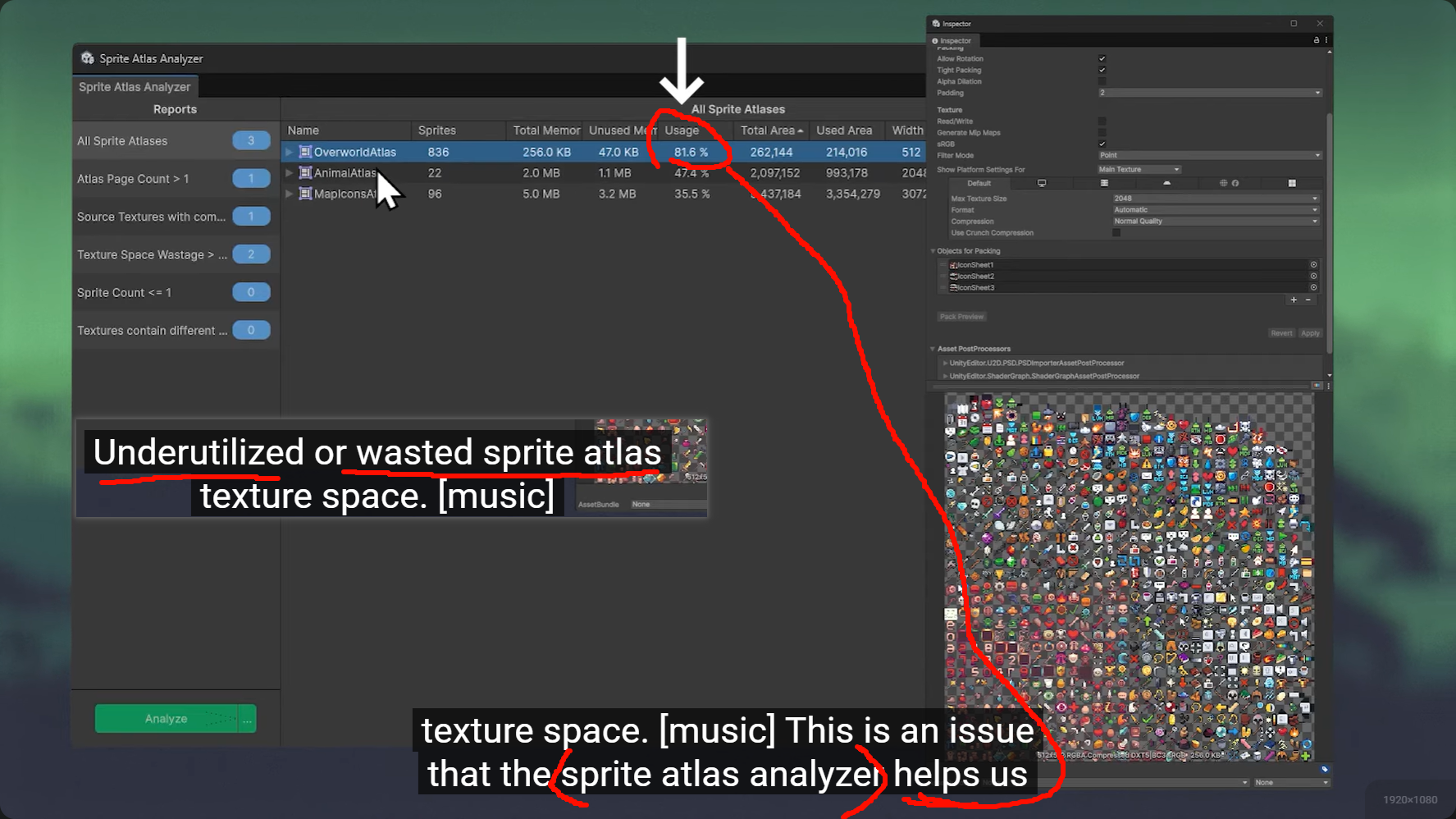
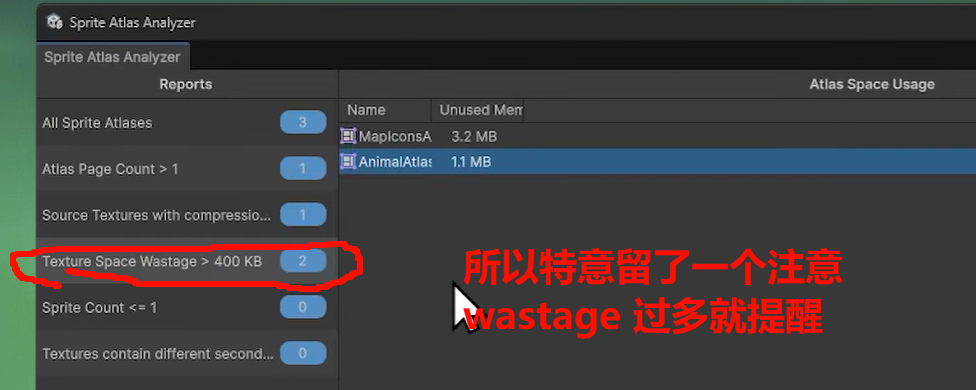
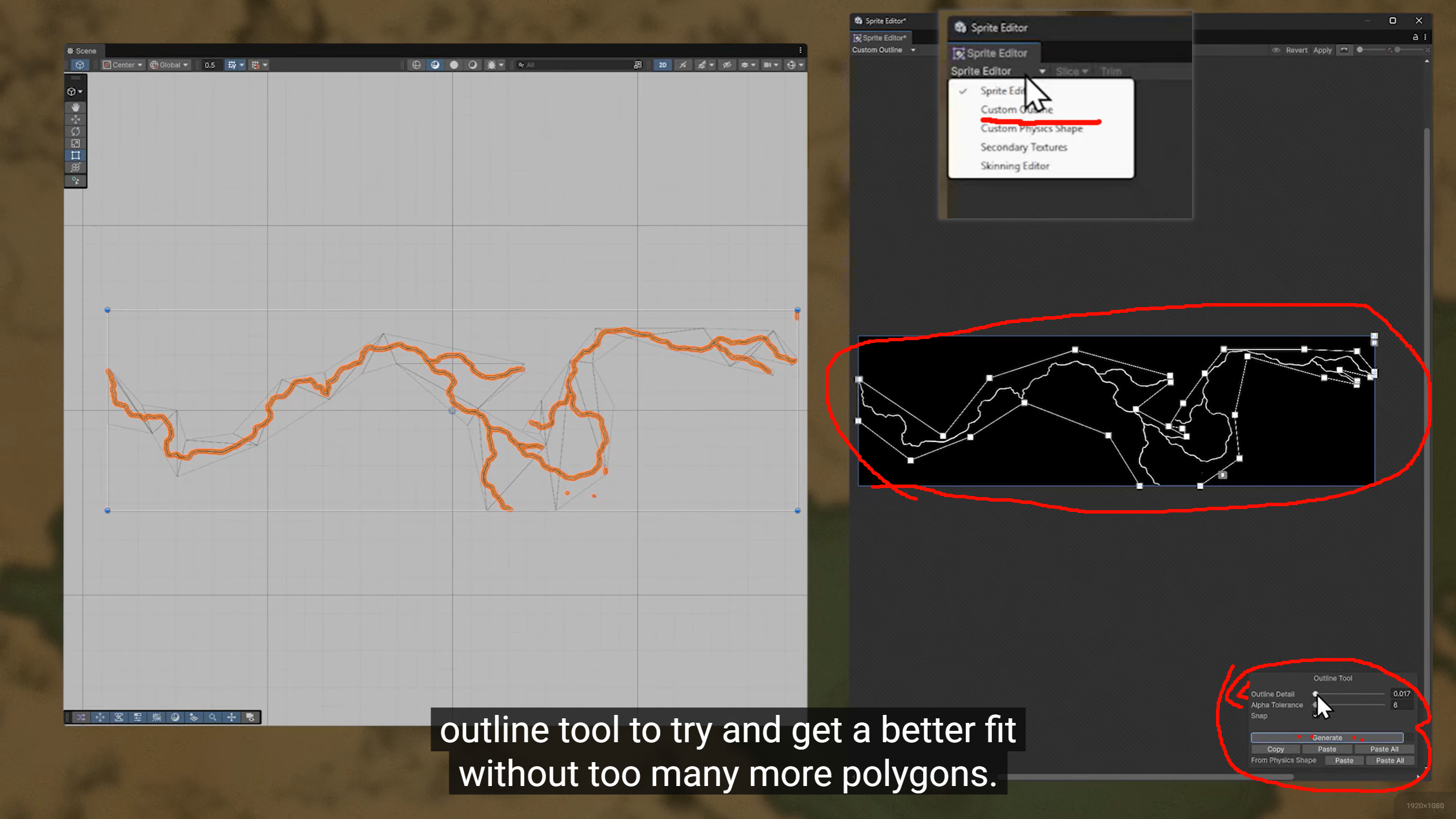
最主要的问题,在Atlas 界面里都设置上了,
也有担心创建的altas 过多的,所以会提示你超出一个MainTex 的图集文件有哪些
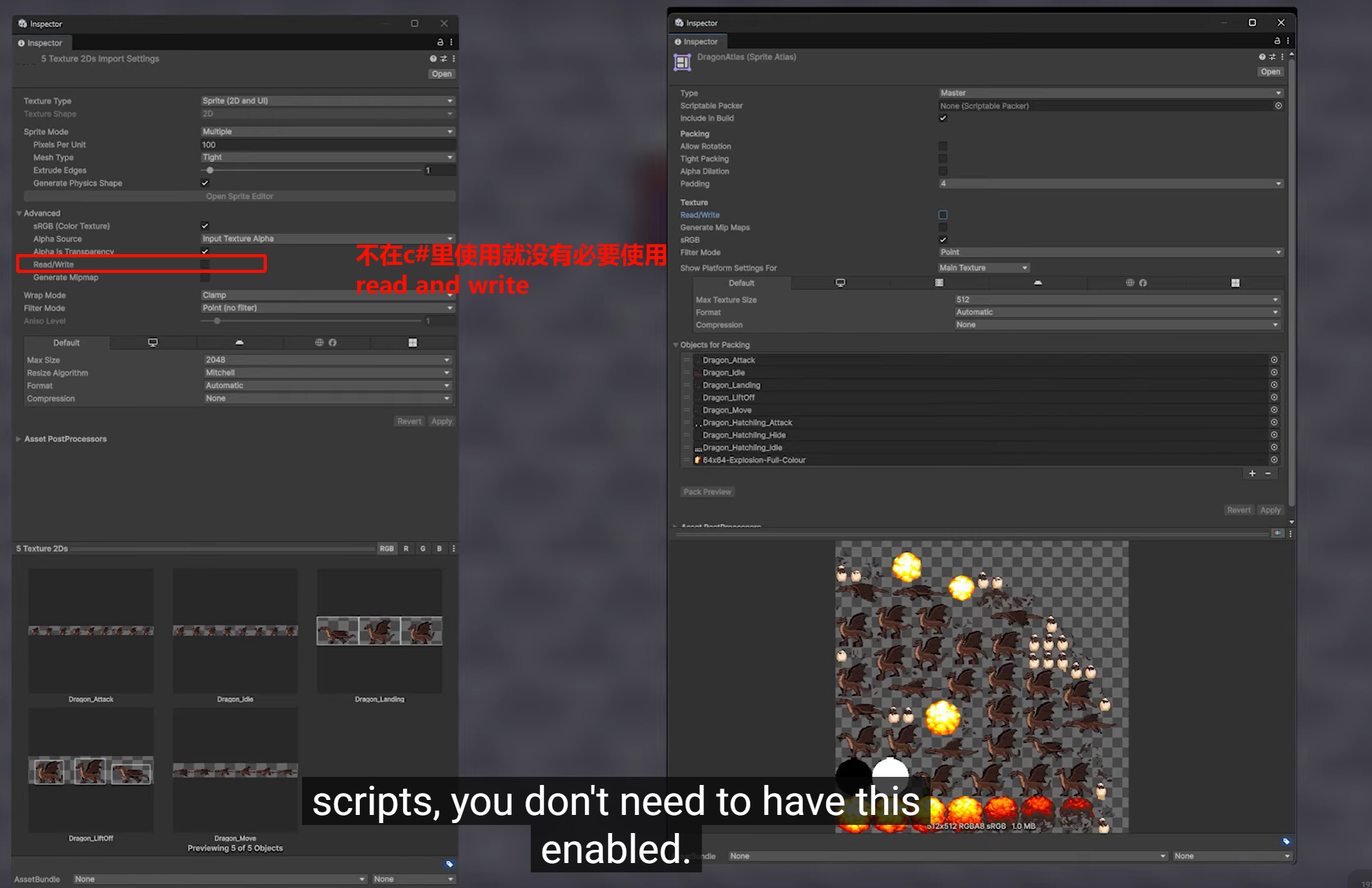
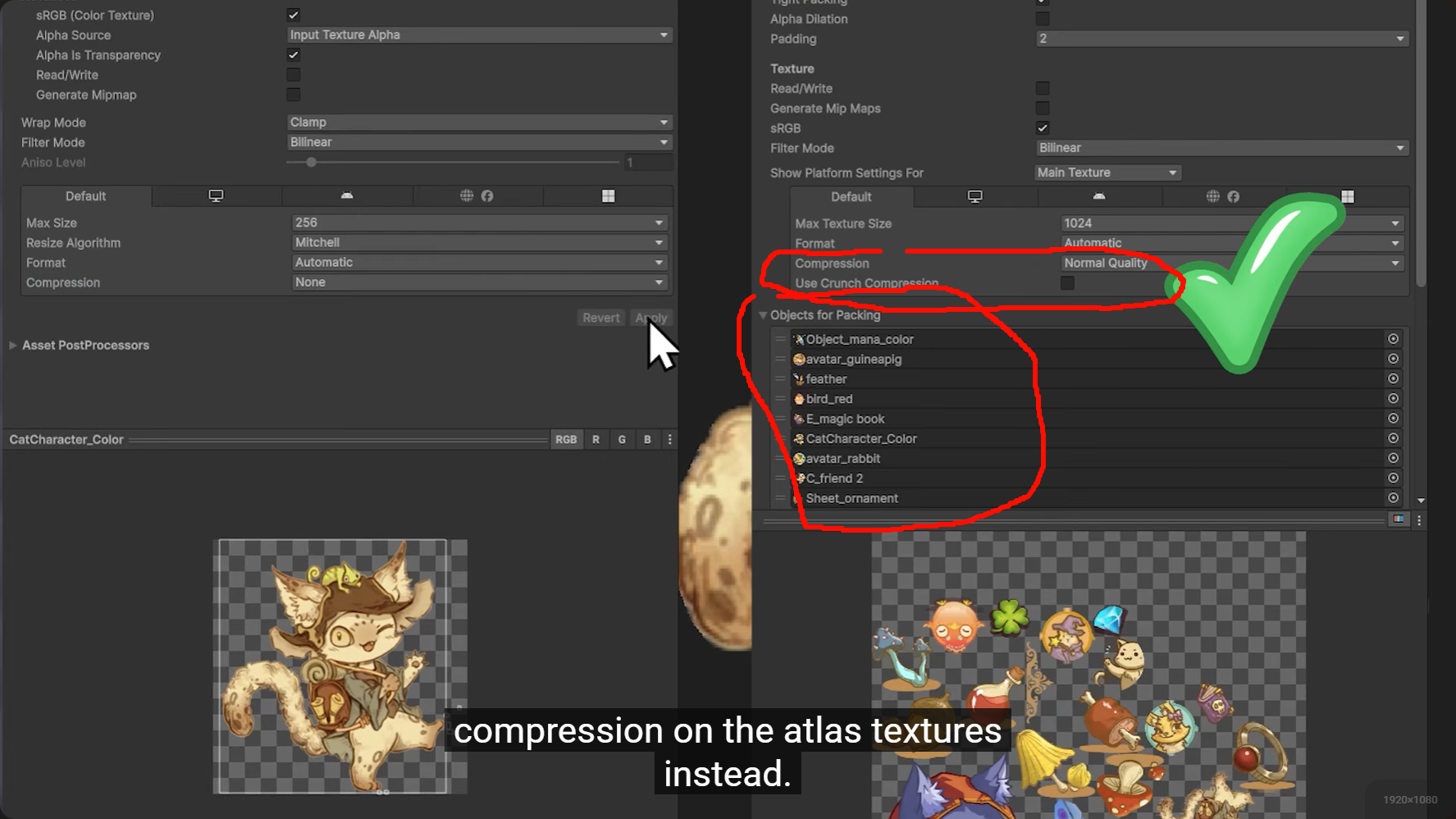
开启了 read/write 会double memory usage,因为会把原来那张和图集里这部分都加载上


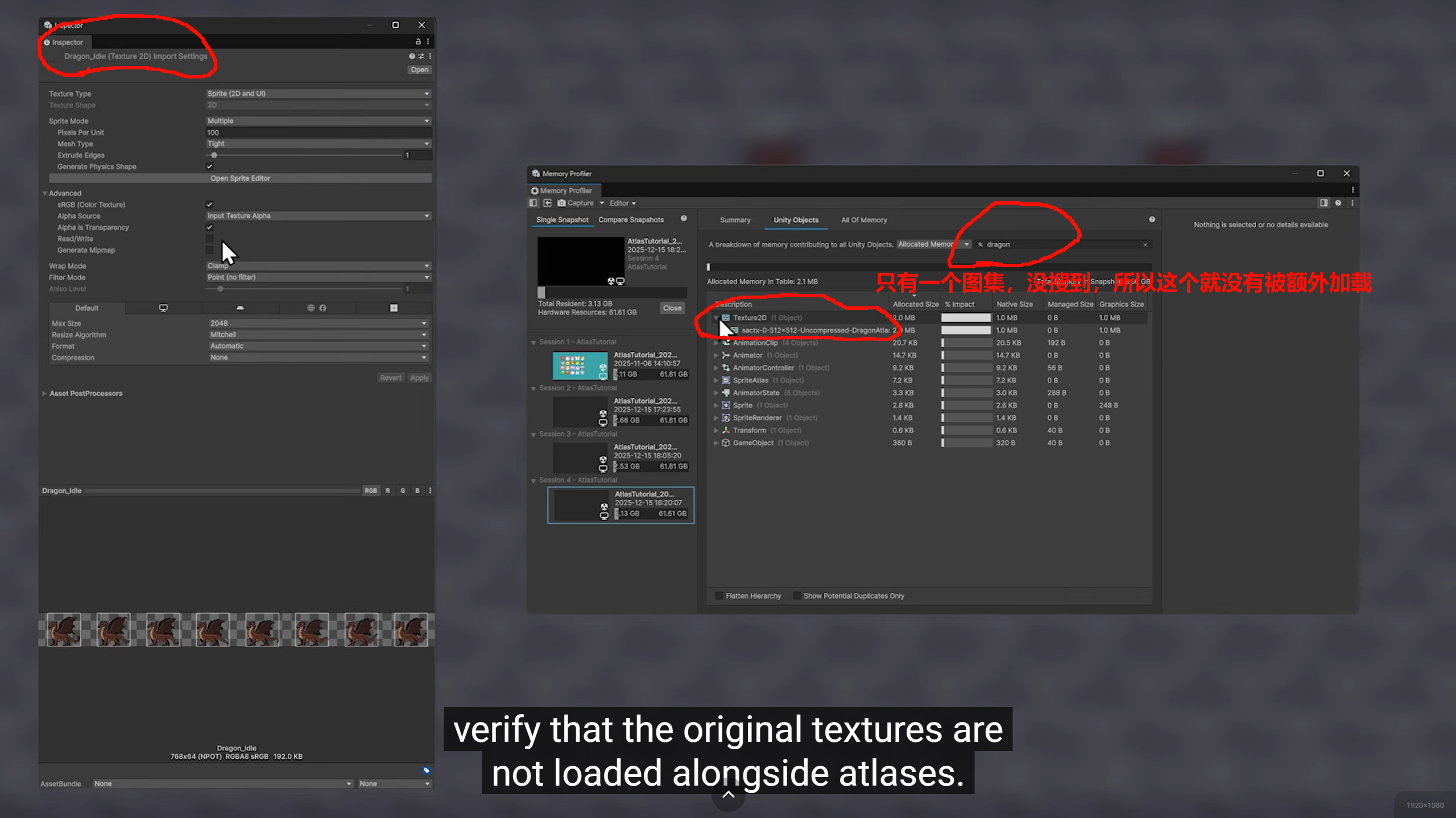
图集也是可以压缩的,所以原图和图集如果都压缩,那就双重压缩,

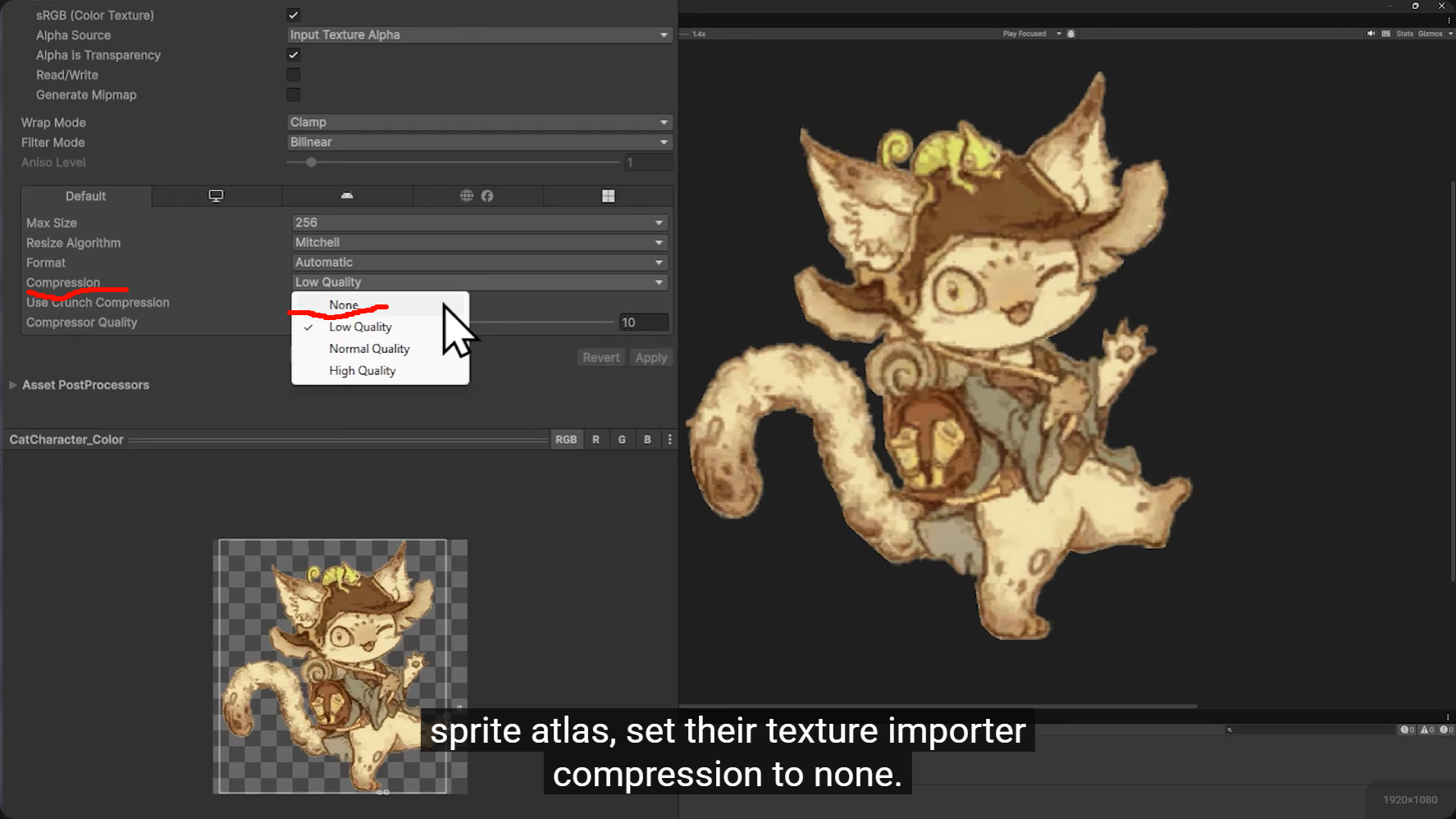
压缩,就整个图集一起压缩,图片也是可以多选同时设置为不压缩的,所以不用担心要一个一个点
sprite Atlas analyzer 实际上也会把原图设置成压缩形式的图片报给你,所以图集资源问题,真的打包就完了,打完就往sprite Atlas analyzer里看,。居然这么完善
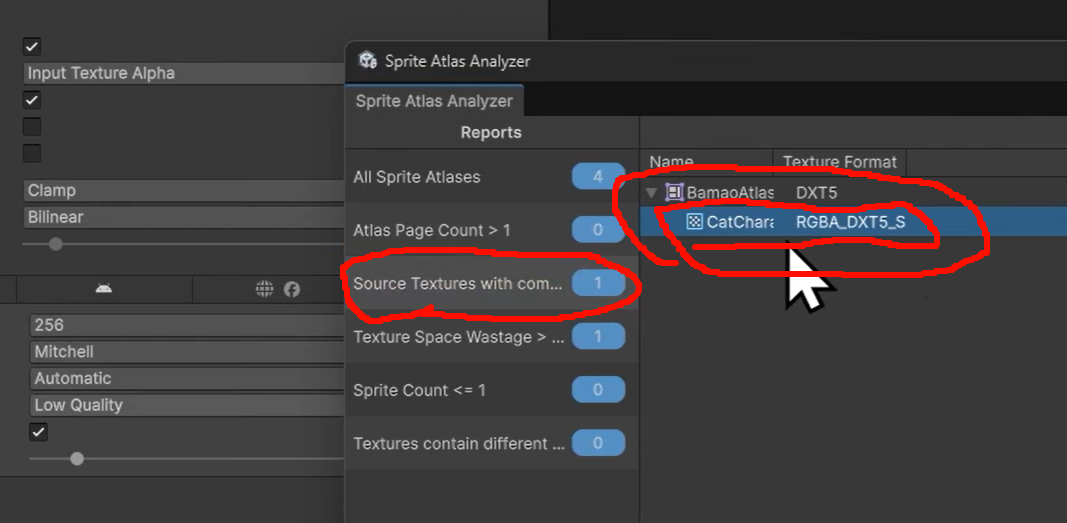
所以从上到下,
图集里有几套图的,
图集里的图有原图被压缩的
图集的图wastage很大的
只有一张图在一整个图集里的
Textures contain different secondary texture counts in Sprite Atlas.
有些图用了 secondary texture管理绑定,有些没有
打图的时候没有的图集也报出来
only for large project with a lot of atlases.
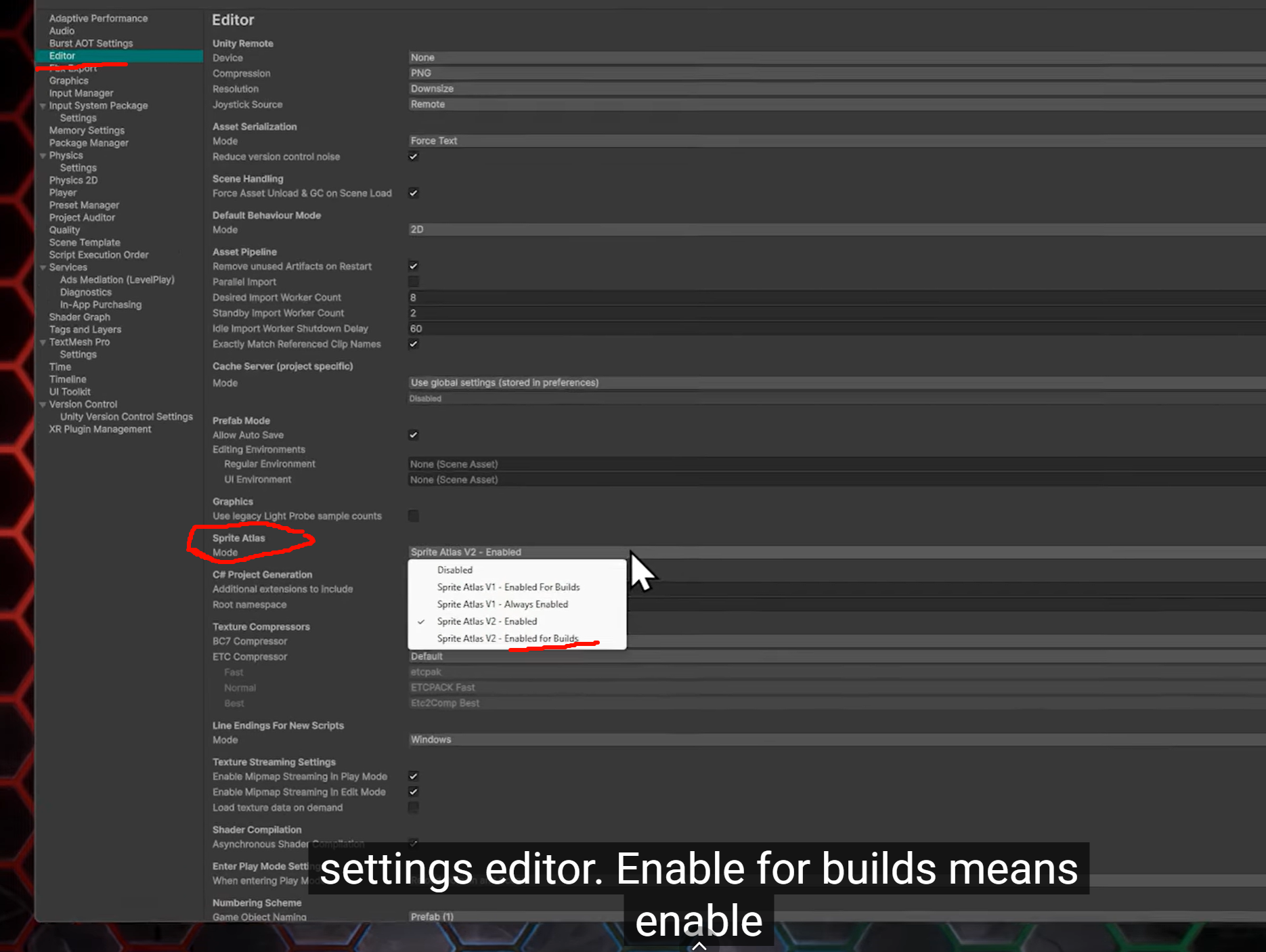
It's not using enable only in build
当项目每次点击play都要等很久的话,就启用
所以这也是为什么放在editor设置里的原因
enable only in builds. Unity每次点运行时 checks all the atlases and sprite references
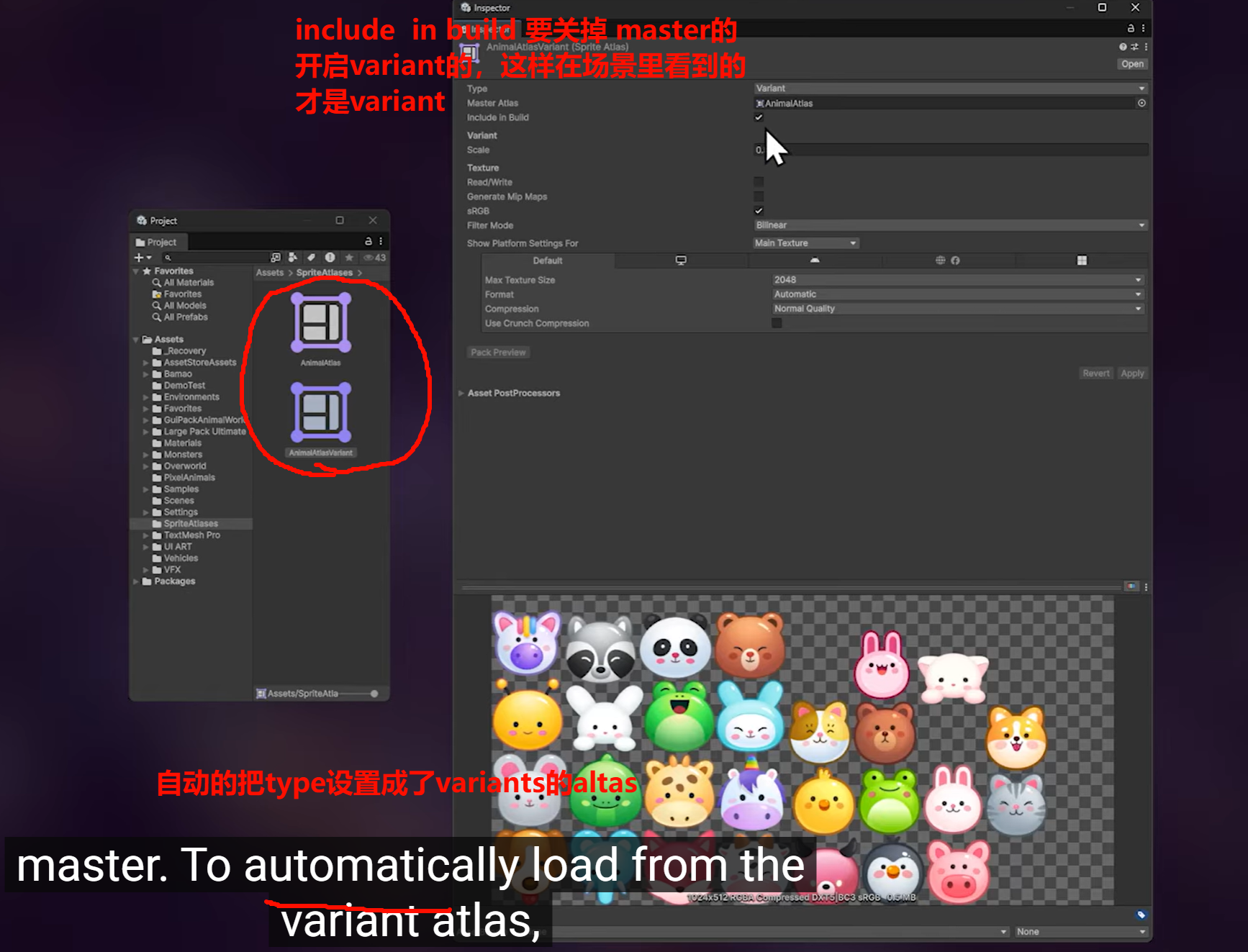
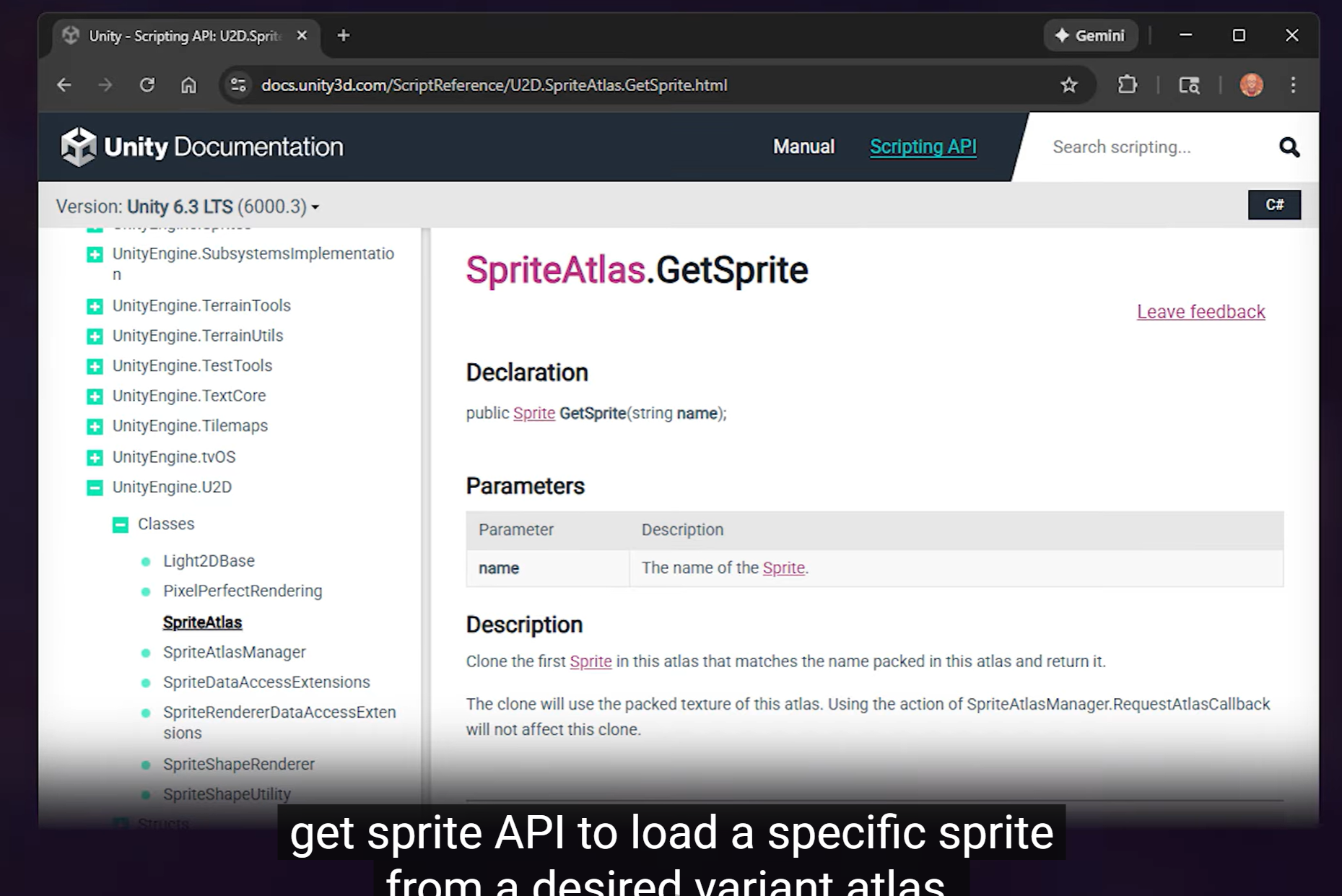
也可以通过api调用某个variant 下的sprite,
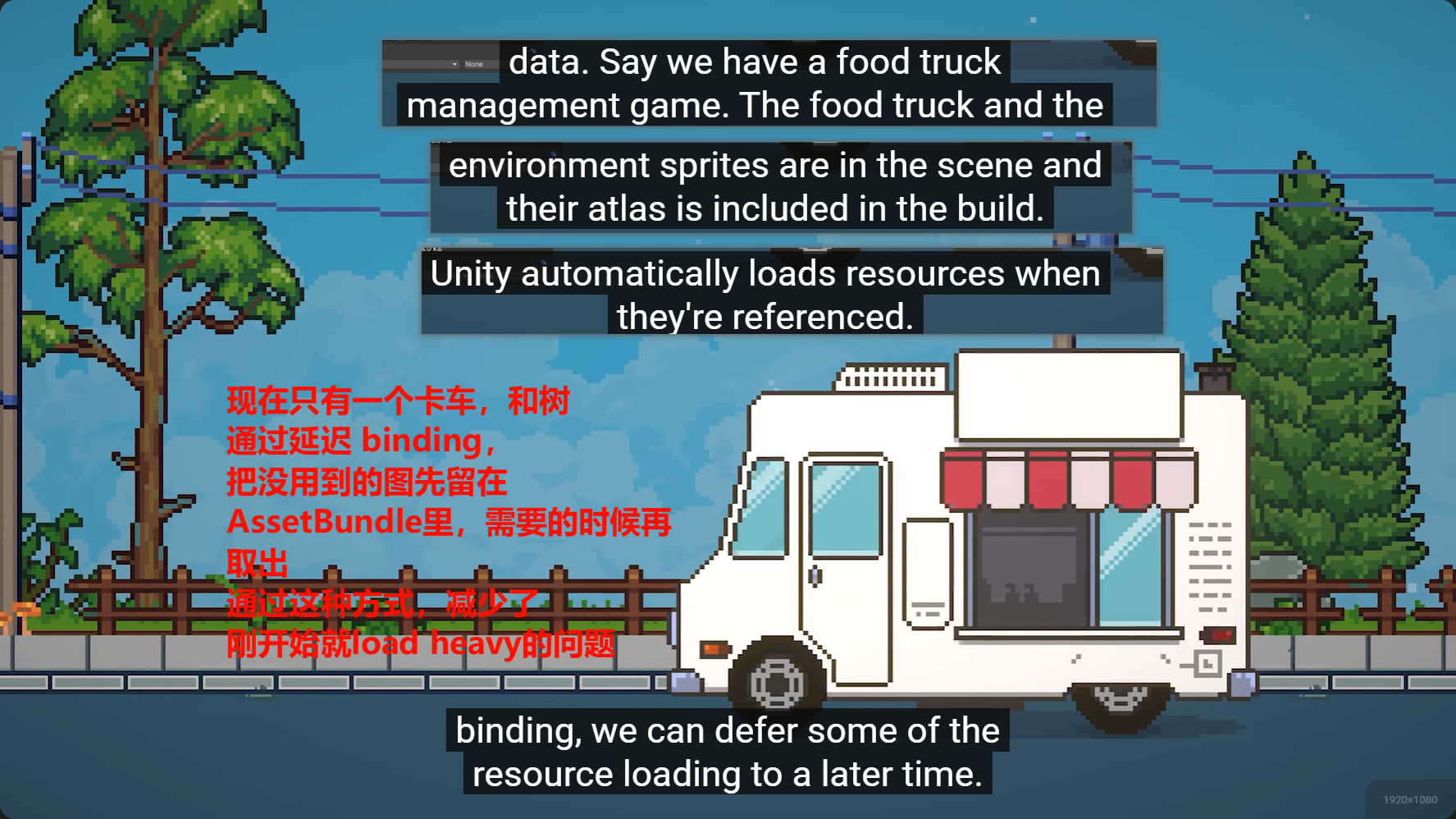
which means a far smaller game
initially.
taking up space on their device if theyhaven't played much yet.
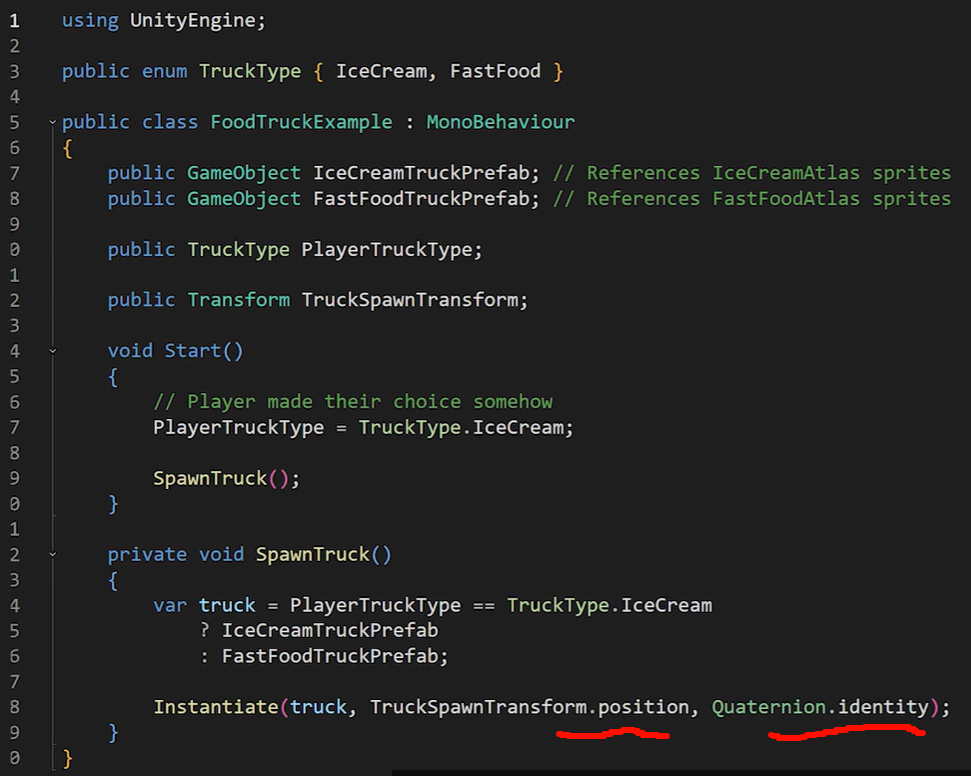
我们不需要使用某个 具体的sprite altas去得到sprite ,因为使用prefab里,prefab可以找到 正确的引用
也可以通过AssetBundle和addressable去得到Atlas
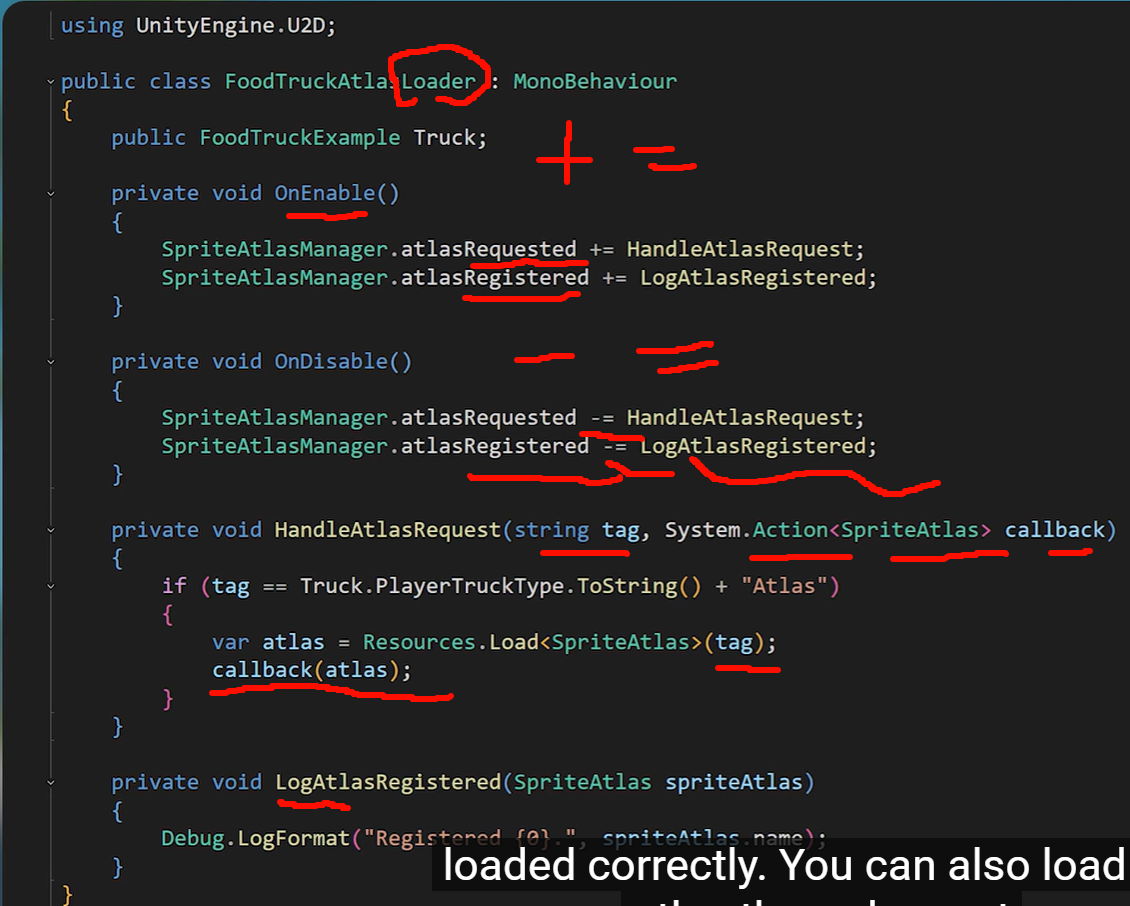
Unity's AssetBundles and Addressables work together to optimize game performance by:
- Managing memory efficiently
- Reducing initial download size
- Enabling dynamic content updates
Key Features:
AssetBundles:
- Package content into compressed, separable files
- Serve as the underlying data containers
Addressables:
- Provide a streamlined management layer over AssetBundles
- Automate complex processes including:
- Dependency management
- Asset loading
- Remote hosting
Core Advantages:
-
Simplified Workflow:
- Load assets with single-line commands:
Addressables.LoadAssetAsync<T>("MyAsset") - Use intuitive addressing system instead of direct path references
- Load assets with single-line commands:
-
Smart Dependency Handling:
- Automatically resolves and loads required dependencies
- Ensures proper loading order (e.g., when Asset A requires Asset B)
-
Flexible Asset Management:
- Seamlessly relocate assets (local ↔ remote) without code changes
- Update asset configurations directly in the editor
-
Optimized Performance:
- Load/unload assets on demand
- Prevent unnecessary memory usage
Implementation Insight:
- AssetBundles handle the actual data storage
- Addressables provide the high-level management system that orchestrates them
一个 prefab 为什么会连带拉起大量纹理和 shader;
你要能分析资源对渲染性能和显存的影响。比如:
贴图、Mesh、Material、ShaderVariant 是怎么随 bundle/addressable group 被组织的;
加载一个 prefab 为什么会连带拉起大量纹理和 shader;
场景切换后为什么显存不回收;
异步加载时主线程为什么仍然会 spike;
AB/Addressables 分组不合理为什么会导致重复依赖和包体膨胀。
异步加载时主线程为什么仍然会 spike;AB/Addressables 分组不合理为什么会导致重复依赖和包体膨胀。构建策略、远端热更、catalog 更新、内容版本管理、自动化打包、CDN 部署。
这些更偏技术美术/客户端基础设施/工具链/工程架构,首帧卡、切场景卡、异步实例化卡,不只是 CPU/GPU 渲染本身,常常是资源解压、反序列化、依赖加载、shader warmup、贴图上传造成的。图集用于分发,Unity 官方建议先关闭该 Atlas 的 Include in Build ,否则它会默认进主包并在运行时自动加载,不适合你做独立分发或热更。关闭后,需要你用脚本做 Late Binding 来加载并绑定图集。官方还专门给了通过 SpriteAtlasManager.atlasRequested 从 AssetBundle 加载图集的做法。
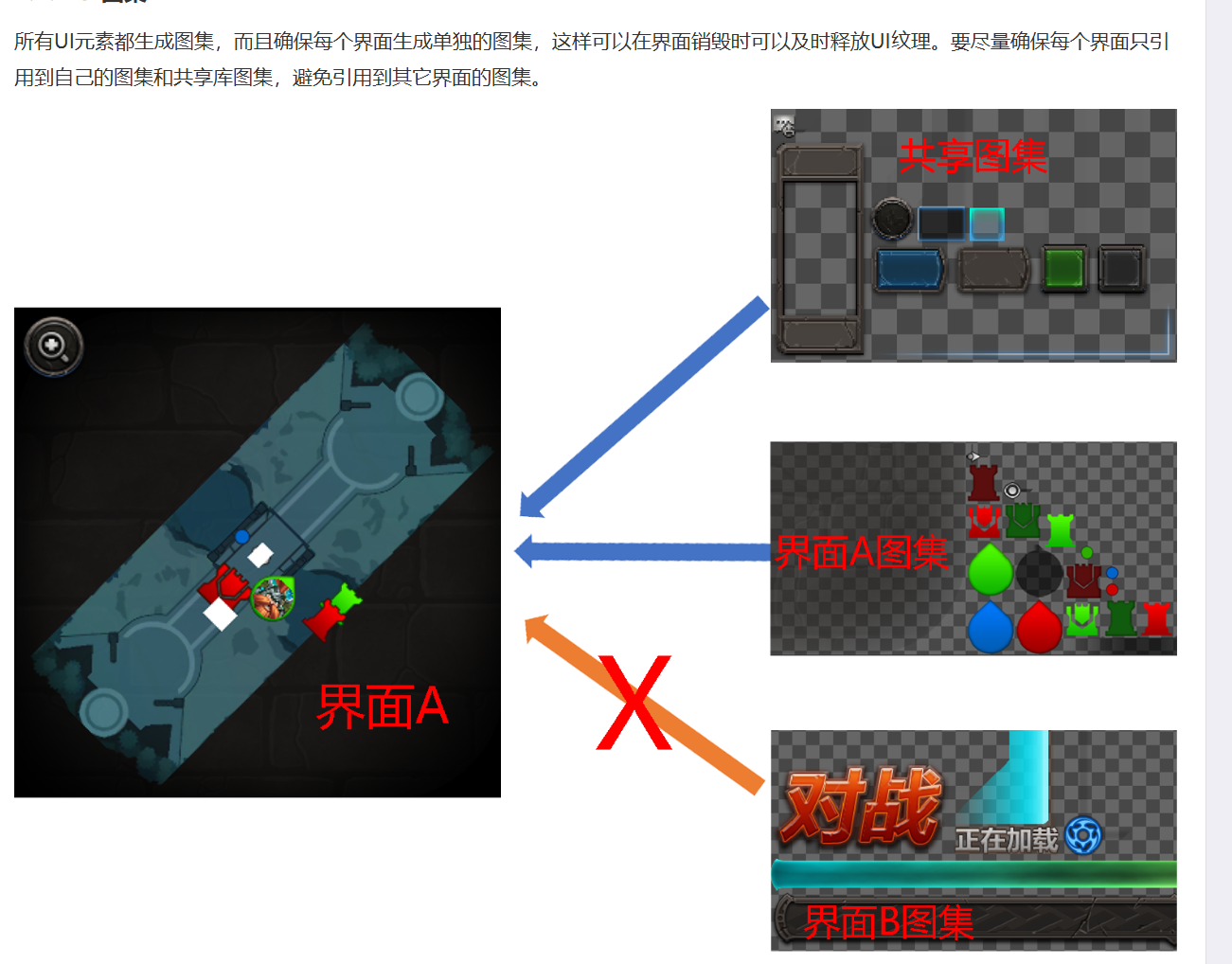
保证美术制作的UI只引用到自身图集和共享图集?引用的图集超过2个便是不合格。字体是性能的杀手毫不为过有阴影/描边/发光等效果,三角形数量扩大数倍之多(下图)。
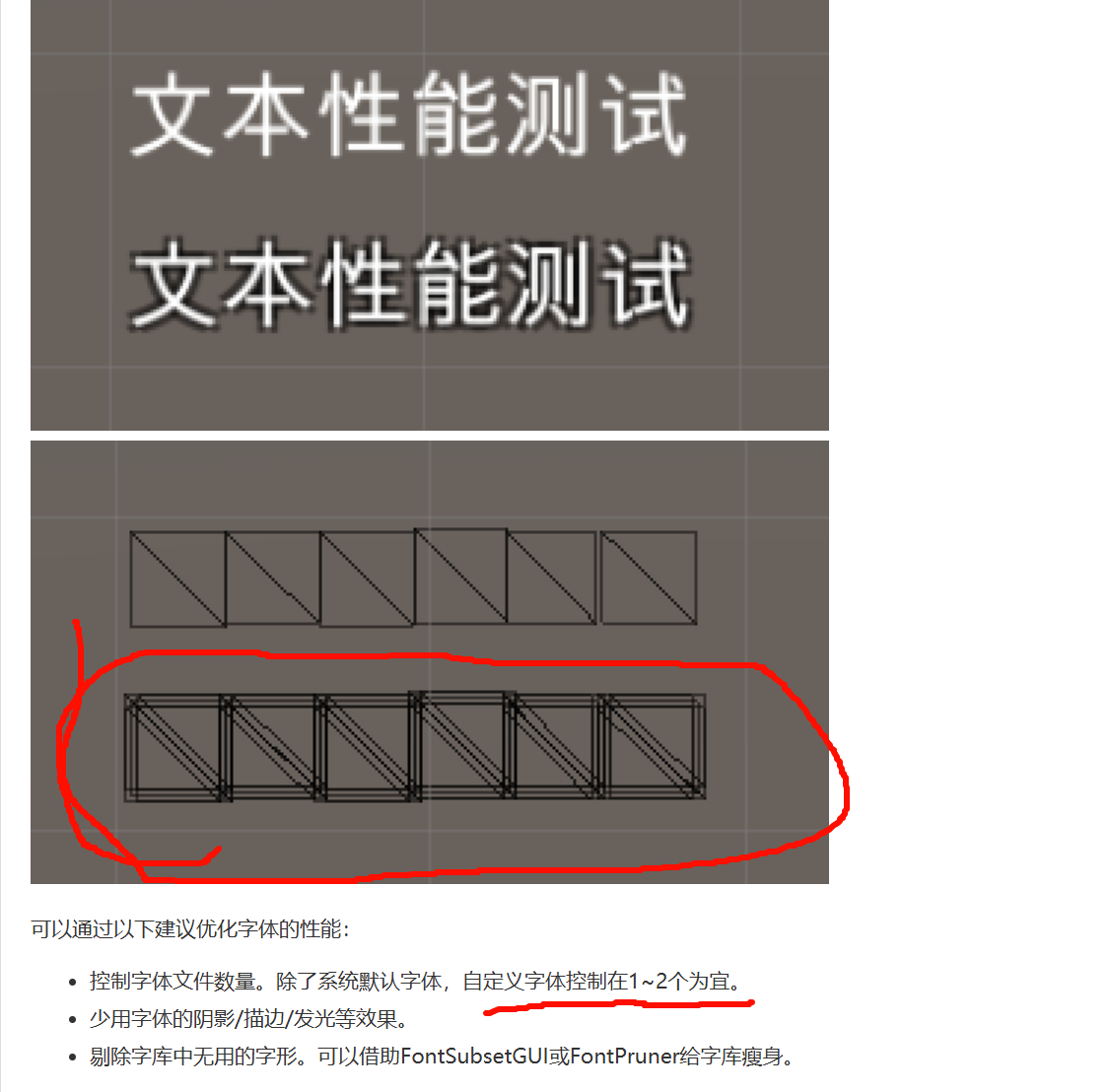
一个字符通常就是一个 quad,顶点数和索引数增长是线性的。几十字、几百字这种文本,mesh 内存通常不至于直接冲到几十 MB。压缩至16位浮点数。
优化粒子属性。关闭阴影,关闭光照;若可以去掉纹理的Alpha通道,并关闭Alpha Blend和Alpha Test;禁用粒子的高级特效。如模型粒子/模型发射器/粒子碰撞体等。单个粒子的发射数量不超过50个。尽量不用Alpha Test。尽量使用已有的材质,提高合并渲染的优化概率。材质优先用Mobile目录下的材质。不用模型做粒子,如果使用,要控制模型面数在100以内,最大粒子数在5以内。小型特效(如受击特效、Buff特效)的面数和顶点数在80以内,贴图在64*64以内,材质数2个以内。中型特效(如技能特效)的面数和顶点数在150以内,贴图在128*128以内,材质数4个以内。大型特效(如全局特效、大火球)的面数和顶点数在300以内,贴图在256*256以内,材质数6个以内。材质若控制不好,会破坏引擎的合批优化,提高渲染消耗。所以在项目前期,就有必要对材质做管理和规范。
定期检查新加入的材质是否与已有的重复。如果有相似的材质,则删除重复的。这个工作可以由主程或主美执行,也可以通过工具协助检查。由主程或主美执行,各个画质等级制作不同的资源。主要的一部分工作是CPU,CPU性能优化好了,离目标就成功了一半。缓存计算是空间换时间的经典应用耗费大量CPU计算而计算结果无需每帧变化的逻辑。复杂数学计算。Sin/Cos/Pow/Sqrt等运算要花费一定计算量,如果是第一次计算,可以将结果缓存起来,下次遇到相同的计算,直接从缓存中取值。物理模拟结果。物体的物理模拟过程耗费大量计算,但有些物体模拟完之后就处于静止状态,可以将它之前的模拟结果存下来,防止每帧更新计算。防止每帧更新计算,防止每帧更新计算主流商业引擎都支持这种优化。查找的节点很深,将显著增加遍历次数,此时很有必要将查找结果缓存起来。缓存法利用空间换时间的思想,会增加内存开销;而预处理是将时间转移的思想,它并不会增加内存消耗。启动程序后/加载场景时/切换界面前/进入战斗前等时机预先计算或加载Timer机制触发,每隔固定时间触发一次更新。协程没有多线程的副作用。故而也可以用于限帧操作限帧法简单粗暴
主次法
建立一个IO线程