<!DOCTYPE html>
<html>

<head>
    <meta charset="utf-8">
    <meta name="viewport" content="width=device-width, initial-scale=1">
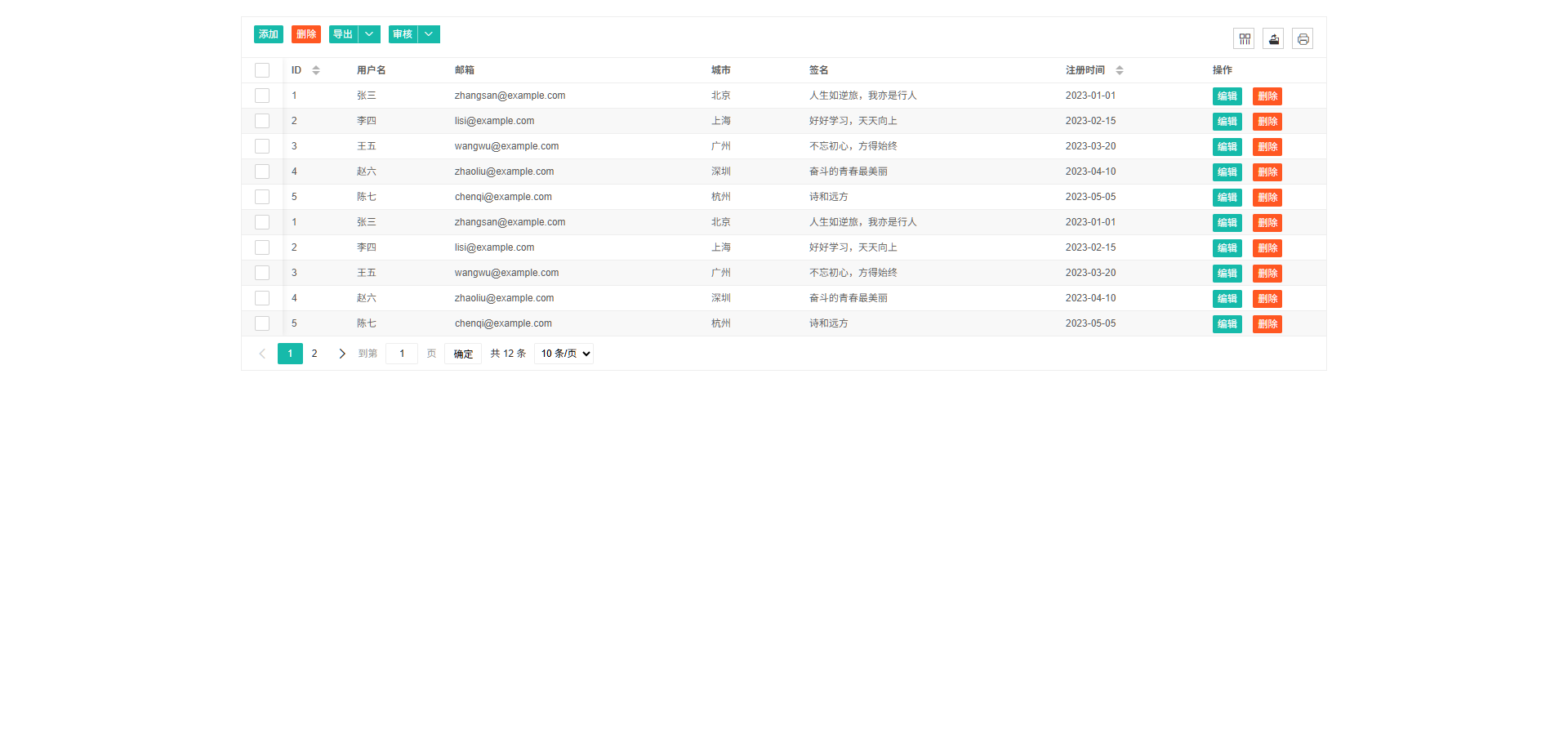
    <title>Layui 表格 · 隔行变色无边框</title>
    <!-- 引入 layui 样式 -->
    <link rel="stylesheet" href="/lib/layui-2.13.5/css/layui.css" media="all">
</head>
<style>
    body {
        padding: 20px;
    }

    .layui-table-tool .layui-btn-group {
        position: relative;
    }

    /* 自定义下拉面板样式 */
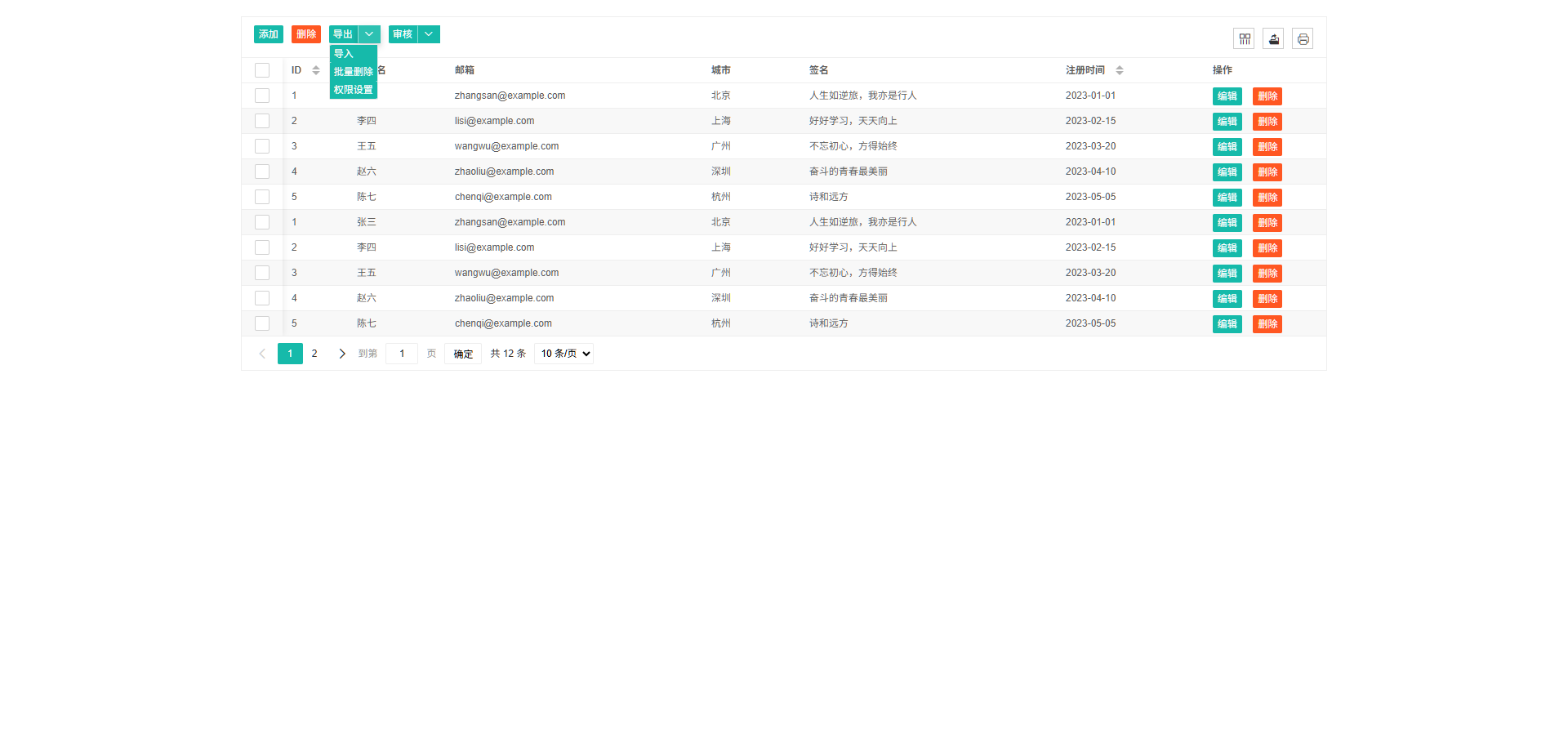
    .custom-dropdown-panel {
        position: absolute;
        top: 23px;
        /* 根据按钮高度调整 */
        left: 0;
        /* background: #fff; */
        /* border: 1px solid #e6e6e6; */
        border-radius: 2px;
        /* box-shadow: 0 2px 4px rgba(0, 0, 0, 0.1); */
        z-index: 999;
        /* min-width: 120px; */
        display: none;
        /* 默认隐藏 */
    }

    .custom-dropdown-panel .layui-btn {
        display: block;
        width: 100%;
        margin: 0;
        border-radius: 0;
        border-bottom: 1px solid #f6f6f6;
        text-align: left;
    }
</style>

<body>

    <div class="layui-container">
        <!-- 表格容器,由 table 模块渲染 -->
        <table id="demoTable" lay-filter="demoTable"></table>
    </div>

    <!-- 引入 layui 核心库 -->
    <script src="/lib/layui-2.13.5/layui.js" charset="utf-8"></script>
    <script src="/js/lay-config.js?v=2.0.0" charset="utf-8"></script>
    <script src="/lib/axio/axios.min.js"></script>

    <!-- 自定义工具栏模板(通常隐藏) -->
    <script type="text/html" id="toolbarDemo">
    <div class="layui-btn-container">
        <button class="layui-btn layui-btn-xs" lay-event="add">添加</button>
        <button class="layui-btn layui-btn-xs layui-btn-danger" lay-event="delete">删除</button>
         <div class="layui-btn-group" style="position: relative;">
            <button type="button" class="layui-btn layui-btn-xs" lay-event="mainAction">主要操作</button>
            <button type="button" class="layui-btn layui-btn-xs" lay-event="dropdownArrow" id="dropdownArrowBtn">
                <i class="layui-icon layui-icon-down"></i>
            </button>
            <!-- 自定义下拉面板,放置带有 lay-event 的按钮 -->
            <div id="customDropdown" class="custom-dropdown-panel">
                <button type="button" class="layui-btn layui-btn-xs" lay-event="export">导出</button>
                <button type="button" class="layui-btn layui-btn-xs" lay-event="batchDel">批量删除</button>
                <button type="button" class="layui-btn layui-btn-xs" lay-event="permission">权限设置</button>
            </div>
        </div>
    </div>
</script>
    <!-- 头部按钮 -->
    <div class="layui-hide toptoolbar">
        <div class="layui-btn-container tanletoolbar"></div>
    </div>

    <!-- 操作列模板(用于演示列自定义) -->
    <script type="text/html" id="colDemo">
    <a class="layui-btn layui-btn-xs" lay-event="edit">编辑</a>
    <a class="layui-btn layui-btn-xs layui-btn-danger" lay-event="del">删除</a>
</script>
    <script>
        var tpl = [
            '{{# layui.each(d, function(index, item){ }}',
            '  {{# if(item.type === "btn"){ }}',
            '    <button class="layui-btn layui-btn-xs {{ item.btnClass }}" lay-event="{{ item.event }}">{{ item.text }}</button>',
            '  {{# } else if(item.type === "dropdown"){ }}',
            '    <div class="layui-btn-group" style="position: relative;">',
            '      <button type="button" class="layui-btn layui-btn-xs {{ item.btnClass }}" lay-event="{{ item.event }}">{{ item.text }}</button>',
            '      <button type="button" class="layui-btn layui-btn-xs" lay-event="{{ item.event }}_dropdown" id="dropdownArrow{{ index }}">',
            '        <i class="layui-icon layui-icon-down"></i>',
            '      </button>',
            '      <div id="dropdownPanel{{ index }}" class="custom-dropdown-panel" style="display: none; position: absolute; background: #fff; border: 1px solid #e6e6e6; border-radius: 2px; z-index: 999;">',
            '        {{# layui.each(item.items, function(j, sub){ }}',
            '          <button type="button" class="layui-btn layui-btn-xs" lay-event="{{ sub.event }}" style="display: block; width: 100%; border: none;">{{ sub.text }}</button>',
            '        {{# }); }}',
            '      </div>',
            '    </div>',
            '  {{# } }}',
            '{{# }); }}'
        ].join('');

        layui.use(['table', 'dropdown', 'laytpl'], function () {
            var table = layui.table;
            var dropdown = layui.dropdown;
            var laytpl = layui.laytpl;
            var $ = layui.$;
            var data = [
                { type: "btn", text: "添加", event: "add", btnClass: "layui-btn-xs" },
                { type: "btn", text: "删除", event: "delete", btnClass: "layui-btn-xs layui-btn-danger" },
                {
                    type: "dropdown",
                    text: "导出",
                    event: "mainAction",
                    btnClass: "layui-btn-xs",
                    items: [
                        { text: "导入", event: "export" },
                        { text: "批量删除", event: "batchDel" },
                        { text: "权限设置", event: "permission" }
                    ]
                },
                {
                    type: "dropdown",
                    text: "审核",
                    event: "mainAction33",
                    btnClass: "layui-btn-xs",
                    items: [
                        { text: "反审核", event: "export" },
                        { text: "下推", event: "batchDel" },
                    ]
                }
            ]

            laytpl(tpl).render(data, function (html) {
                let fun_btns_wrapper = $('.toptoolbar').find('.tanletoolbar');
                fun_btns_wrapper.append(html);
            });
            // 渲染表格
            table.render({
                elem: '#demoTable',          // 容器 id
                page: true,                           // 开启分页
                limit: 10,                              // 每页默认显示数量
                limits: [10, 10, 20, 50],               // 每页显示条数选择项
                layout: ['count', 'prev', 'page', 'next', 'limit', 'skip'], // 分页组件布局

                // ----- 外观属性 -----
                even: true,                            // 开启隔行变色(斑马纹)
                skin: 'line',                           // 表格风格:line(行边框),我们将配合CSS无边框
                size: 'sm',                              // 表格尺寸:sm 小尺寸 / lg 大尺寸
                loading: true,                           // 是否显示加载进度条
                title: '用户信息数据表',                  // 表格标题(用于无障碍阅读或导出)
                text: {                                   // 自定义文本
                    none: '哎呀,暂时没有找到数据'        // 空数据提示
                },
                defaultToolbar: ['filter', 'exports', 'print'], // 默认工具栏(筛选列、导出、打印)
                toolbar: '.toptoolbar',                  // 绑定自定义工具栏模板
                cols: [[                        // 列定义
                    { type: 'checkbox', fixed: 'left' },
                    { field: 'id', title: 'ID', width: 80, unresize: true, sort: true },
                    { field: 'username', title: '用户名', width: 120 },
                    { field: 'email', title: '邮箱', minWidth: 200 },
                    { field: 'city', title: '城市', width: 120 },
                    { field: 'sign', title: '签名', minWidth: 200 },
                    { field: 'createTime', title: '注册时间', width: 180, sort: true },
                    { title: '操作', width: 150, toolbar: '#colDemo', fixed: 'right' } // 操作列
                ]],
                data: [                         // 示例数据
                    { id: 1, username: '张三', email: 'zhangsan@example.com', city: '北京', sign: '人生如逆旅,我亦是行人', createTime: '2023-01-01' },
                    { id: 2, username: '李四', email: 'lisi@example.com', city: '上海', sign: '好好学习,天天向上', createTime: '2023-02-15' },
                    { id: 3, username: '王五', email: 'wangwu@example.com', city: '广州', sign: '不忘初心,方得始终', createTime: '2023-03-20' },
                    { id: 4, username: '赵六', email: 'zhaoliu@example.com', city: '深圳', sign: '奋斗的青春最美丽', createTime: '2023-04-10' },
                    { id: 5, username: '陈七', email: 'chenqi@example.com', city: '杭州', sign: '诗和远方', createTime: '2023-05-05' },
                    { id: 1, username: '张三', email: 'zhangsan@example.com', city: '北京', sign: '人生如逆旅,我亦是行人', createTime: '2023-01-01' },
                    { id: 2, username: '李四', email: 'lisi@example.com', city: '上海', sign: '好好学习,天天向上', createTime: '2023-02-15' },
                    { id: 3, username: '王五', email: 'wangwu@example.com', city: '广州', sign: '不忘初心,方得始终', createTime: '2023-03-20' },
                    { id: 4, username: '赵六', email: 'zhaoliu@example.com', city: '深圳', sign: '奋斗的青春最美丽', createTime: '2023-04-10' },
                    { id: 5, username: '陈七', email: 'chenqi@example.com', city: '杭州', sign: '诗和远方', createTime: '2023-05-05' },
                    { id: 6, username: '刘八', email: 'liuba@example.com', city: '成都', sign: '少不入川', createTime: '2023-06-18' },
                    { id: 6, username: '刘八', email: 'liuba@example.com', city: '成都', sign: '少不入川', createTime: '2023-06-18' },
                ],

            });

            // 监听工具栏事件
            table.on('toolbar(demoTable)', function (obj) {
                var event = obj.event;
                var config = obj.config;
                if (event === 'mainAction') {
                    layer.msg('点击了主按钮');
                    var checkStatus = table.checkStatus(config.id);
                    console.log('选中数据:', checkStatus.data);
                }
                else // 处理下拉箭头点击(事件名以 _dropdown 结尾)
                    if (event.endsWith('_dropdown')) {
                        var mainEvent = event.replace('_dropdown', ''); // 获取主按钮事件名
                        // 通过主按钮事件名找到对应的按钮组
                        var $group = $('[lay-event="' + mainEvent + '"]').closest('.layui-btn-group');
                        var $panel = $group.find('.custom-dropdown-panel');
                        // 隐藏其他面板
                        $('.custom-dropdown-panel').not($panel).hide();
                        $panel.toggle();
                        return; // 箭头本身不触发其他操作
                    }

                    else {
                        // 下拉面板中的按钮事件
                        layer.msg('点击了【' + event + '】按钮');
                        var checkStatus = table.checkStatus(config.id);
                        console.log('当前选中行:', checkStatus.data, '事件:', event);
                        // 根据 event 执行不同操作
                        switch (event) {
                            case 'export':
                                // 导出逻辑
                                break;
                            case 'batchDel':
                                // 批量删除
                                break;
                            case 'permission':
                                // 权限设置
                                break;
                            case 'approve':
                                // 审核通过
                                break;
                        }
                        // 点击后可以隐藏面板
                        $('.custom-dropdown-panel').hide();
                    }
            });

            // 点击其他地方隐藏下拉面板
            // 点击页面其他区域关闭下拉面板
            $(document).on('click', function (e) {
                if (!$(e.target).closest('.layui-btn-group').length) {
                    $('.custom-dropdown-panel').hide();
                }
            });
        });
    </script>

</body>

</html>