hello hello💕,这里是洋不写bug~😄,欢迎大家点赞👍👍,关注😍😍,收藏🌹🌹
在Java中,线程的知识非常多,博主预计写九篇博客左右,来解析线程知识,这篇博客是线程部分的第二篇,这篇博客主要解析藏线程的特点,线程的运行和终止控制,线程的状态几方面来进一步解析线程,使用jdk监视台来查看线程状态的代码在上篇线程博客中有提到,还不会的铁汁们可以看下第一篇线程博客
🎆个人主页:洋不写bug的博客
🎆所属专栏:JavaEE学习
🎆铁汁们对于JavaEE的各种常用核心语法,都可以在上面的前端专栏学习,专栏正在持续更新中🏀,有问题可以写在评论区或者私信我哦~
1,线程命名
如果创建了很多线程,每个线程有不同的任务,这时候在线程显示工具看(具体怎么使用上篇博客有提到),就是thread-0,thread-1,thread-2...就很容易分不清楚
线程中有很多属性,就有name这个属性,我们就可以给线程命名,这个命名可以是中文,也可以是英文
使用最简单的lambda方法来创建线程,在lambda方法最后加上名字,这里给这个线程命名为"我的线程",代码如下所示:
java
public class Demo05 {
    public static void main(String[] args) throws InterruptedException {
        Thread t = new Thread(() -> {
            while (true){
                System.out.println("hello thread");
                try {
                    Thread.sleep(1000);
                } catch (InterruptedException e) {
                     e.printStackTrace();
                }
            }
    },"我的线程");
        t.start();

}
}
这时候在监视平台上就能看到我们创建的这个线程(具体方法在上篇线程入门博客中有提到)
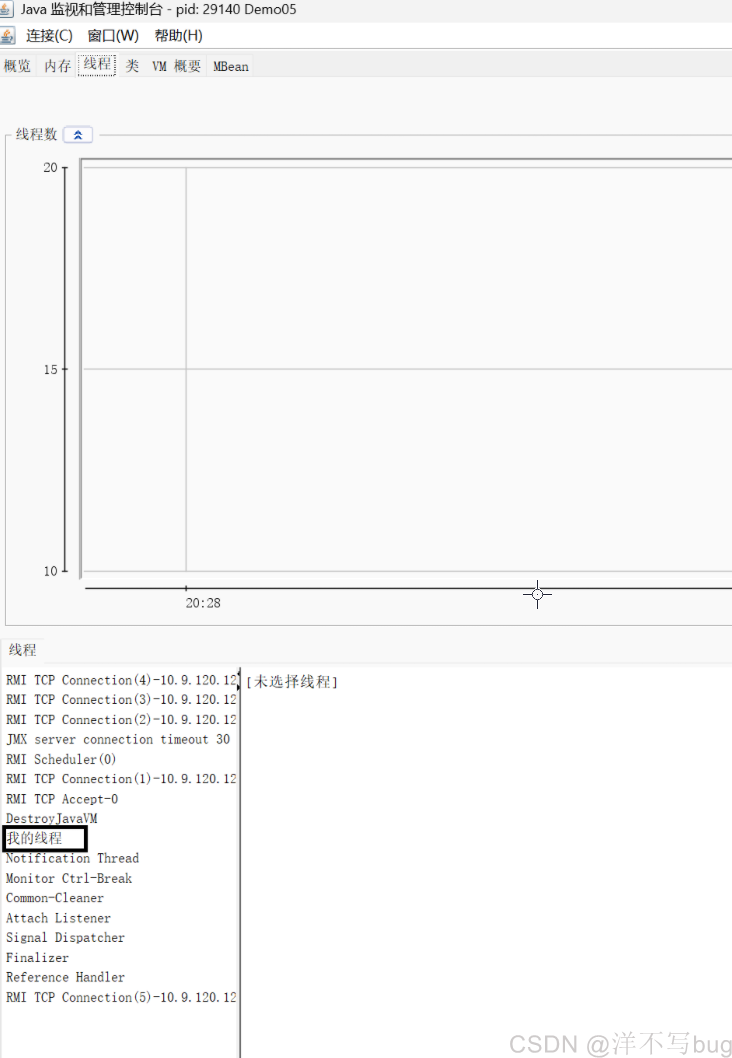
不知道铁汁们有没有发现一个问题,监视平台中没有主线程,只有我们创建的这个线程,那这是为什么呢?
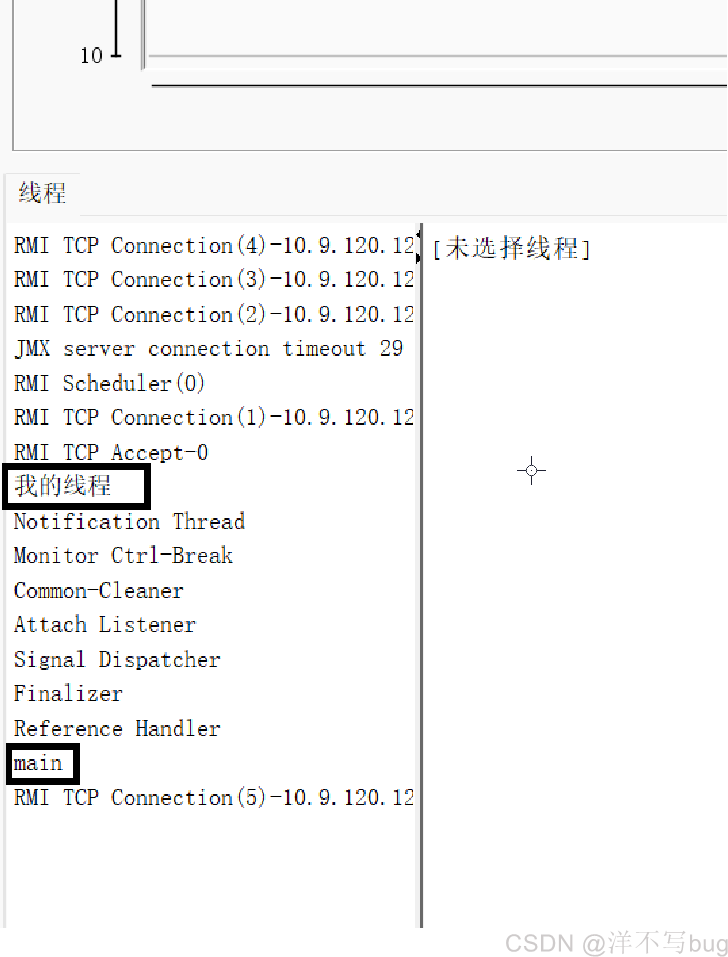
这是因为start方法执行完,创建完新的线程,main方法就自动结束了,那对应的主线程就会自动销毁,想要主线程不销毁,只需要在mian方法中写一个无限循环即可如下所示:
java
public class Demo05 {
    public static void main(String[] args) throws InterruptedException {
        Thread t = new Thread(() -> {
            while (true){
                System.out.println("hello thread");
                try {
                    Thread.sleep(1000);
                } catch (InterruptedException e) {
                     e.printStackTrace();
                }
            }
    },"我的线程");
        t.start();
        while (true){
            System.out.println("hello main");
            Thread.sleep(1000);
        }
}
}
2,前台和后台线程
线程有几个常见的属性,如下图:
之前进程博客中提到的:进程状态,进程优先级,进程上下文,进程的记账信息...,这些东西其实准确来说,都是线程中的
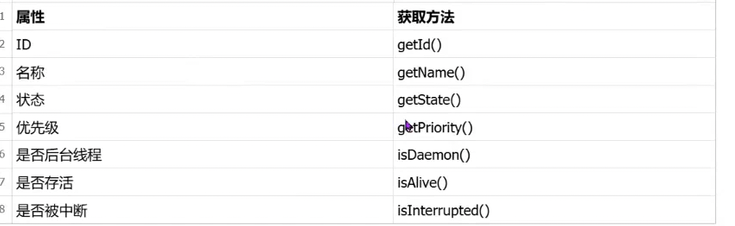
前台线程和后台线程的概念也很简单:
-
前台线程:线程没运行完,进程就不会结束(线程能够阻止进程的结束)
-
后台线程:线程没运行完,进程可以结束(线程不能阻止进程的结束),后台线程又称为守护线程,守护的英语就是daemon
-
铁汁们一看,就知道这个前台线程比后台线程厉害
在酒桌文化中,领导就类似于前台线程,其他人喝好了,领导还想继续喝,那酒局就不会结束🐵
就拿刚刚的测试来举例子(如下图),这个进程中有这么多线程,只有我们程序的两个线程是前台线程,其他都是后台线程'
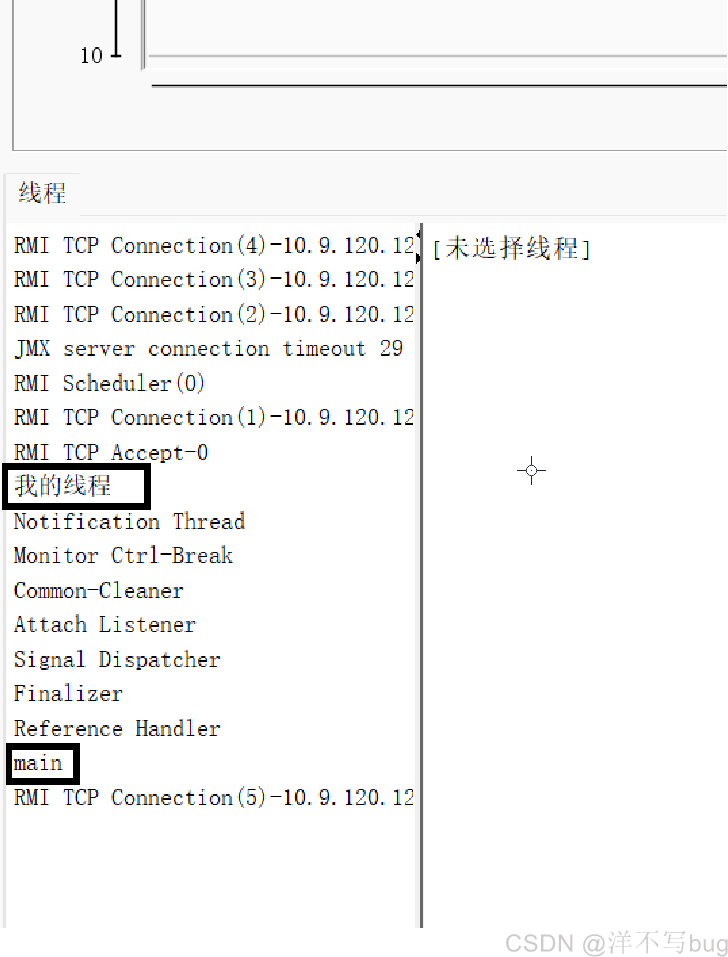
在程序中可以使用isDaemon方法来看线程是前台线程还是后台线程,后台线程方法返回true,前台线程方法返回false,代码如下所示:
sqlSystem.out.println("是否是后台线程" + t.isDaemon());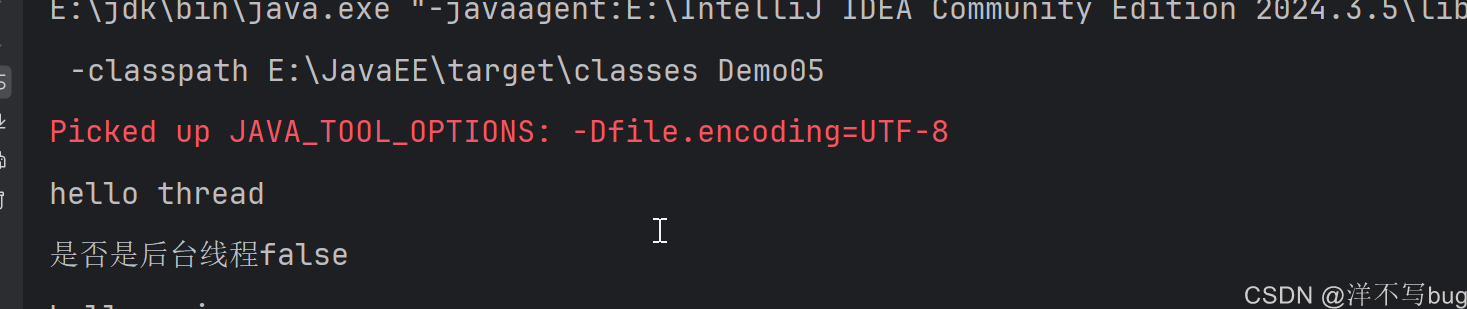
当然,也可以把创建的线程设置为后台线程,使用setDaemon方法来创建,设置线程类型要写在创建线程之前(也就是写在start方法前面),如下所示:
javapublic class Demo05 { public static void main(String[] args) throws InterruptedException { Thread t = new Thread(() -> { while (true){ System.out.println("hello thread"); try { Thread.sleep(1000); } catch (InterruptedException e) { e.printStackTrace(); } } },"我的线程"); t.setDaemon(true); t.start(); System.out.println("是否是后台线程" + t.isDaemon()); while (true){ System.out.println("hello main"); Thread.sleep(1000); } } }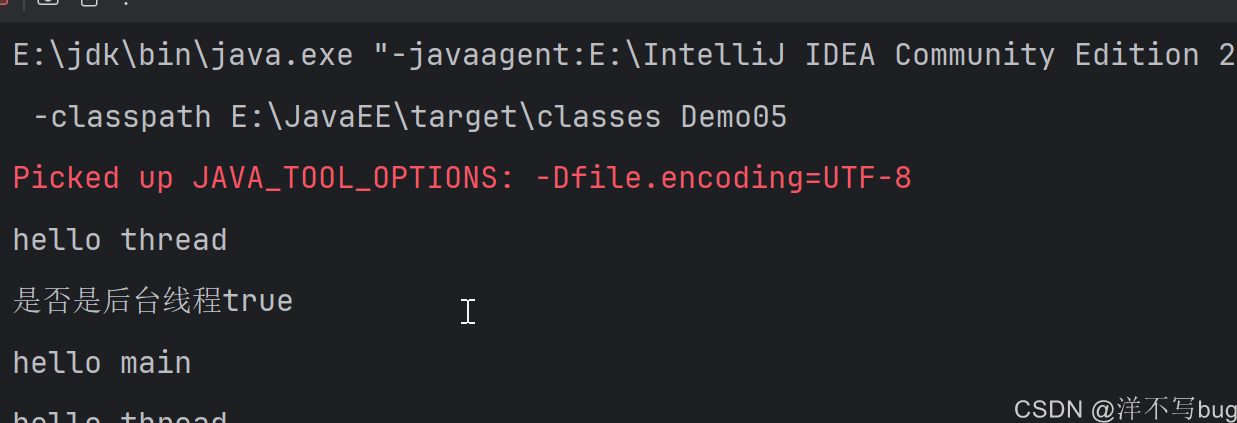
前台线程和后台线程的使用情况如下:
-
如果一个线程的任务很重要,这个任务必须要做完的,那这个线程就是前台线程
-
如果一个线程做的任务无关紧要/周期性无期限的执行,就应该设置为后台线程 就比如JVM的垃圾回收机制,python日志收集线程 ------ 这些线程不执行核心业务逻辑,只是默默为执行核心逻辑的用户线程 "保驾护航",因此后台线程又称为守护线程
3,线程运行特点
启动start的动作是非常快的,执行完start后,就会立刻向下执行,不会有任何的阻塞等待,如下所示:
java
public class Demo_05 {
    public static void main(String[] args) {
        Thread t = new Thread(() ->{
            System.out.println("hello thread");
        });
        t.start();
        System.out.println("hello main");
    }
}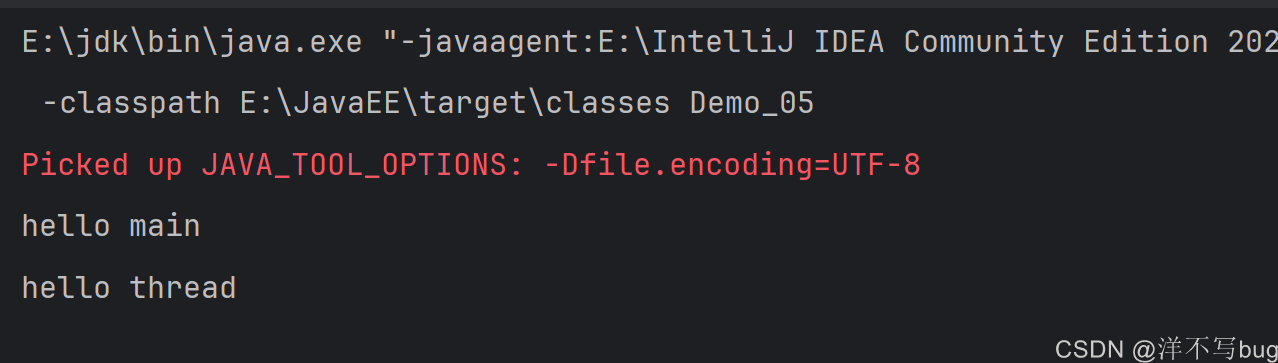
运行这个代码大部分情况下都是先打印main,但start之后,main线程和t线程是并发执行的,所以少部分情况下会先打印thread
另外,一个线程对象只能start一次,下面这段代码start两次,就会抛出非法线程状态异常,如下所示:
java
public class Demo_05 {
    public static void main(String[] args) {
        Thread t = new Thread(() ->{
            System.out.println("hello thread");
        });
        t.start();
        t.start();
        System.out.println("hello main");
    }
}
第一次执行了start之后,线程就是就绪/阻塞状态了,start方法中会对线程状态进行了判断,如果线程是就绪/阻塞状态,就不能再start了
4,终止线程
正常情况下,一个线程需要把入口方法执行完,才能够使线程结束,但是有时候,我们会希望线程提前结束(尤其是线程在sleep中),就需要配合线程本身和代码来实现
最简单的就是搞个boolean变量,来控制线程的开始和终止
java
public class Demo_06 {

    private static boolean flag = true;
    public static void main(String[] args) throws InterruptedException {
        Thread t = new Thread(() ->{
            while (flag){
                System.out.println("hello thread");
                try {
                    Thread.sleep(1000);
                } catch (InterruptedException e) {
                    e.printStackTrace();
                }
            }
        });
        t.start();
        System.out.println("hello main");
        Thread.sleep(3000);
        flag = false;
        System.out.println("t线程结束");

    }
}
更多使用的还是直接使用线程内置的标志位 isInterruptted(),也就是在Thread对象中,包含了一个boolean变量,如果为false,说明没人去尝试终止这个线程,如果为true,说明有人尝试去终止
但是这里在lambda表达式的while中直接使用却会报错,因为这个lambda表达式的定义,是在new Thread之前的,所以这个t对象在while中调用的时候还没有被初始化呢,如下所示:
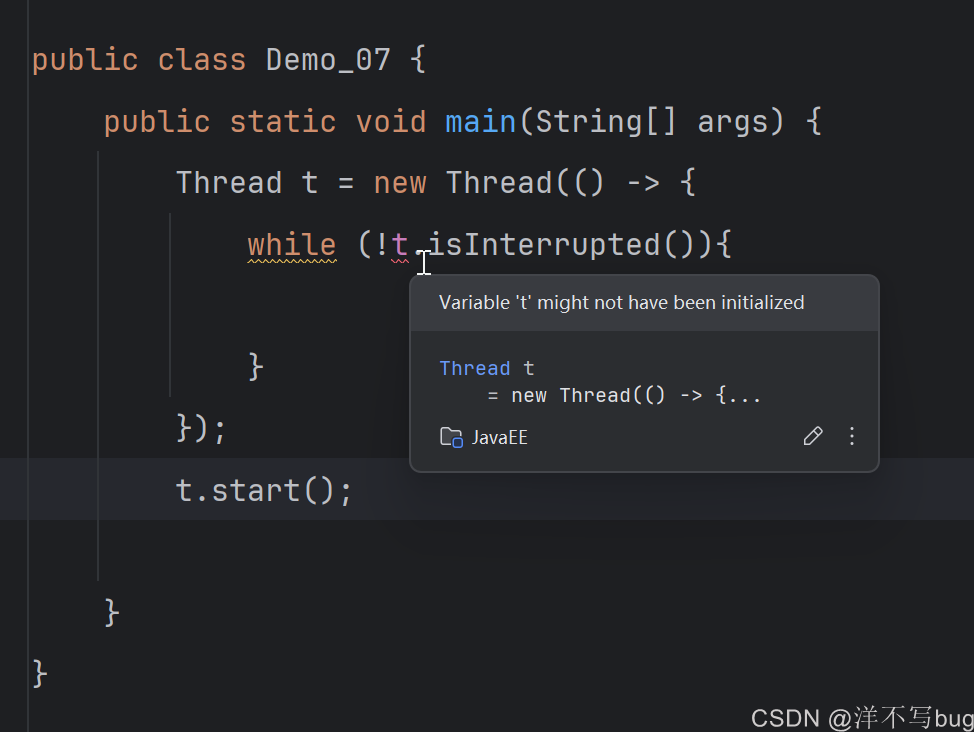
解决这个问题,就需要换种写法,使用Thread类的静态方法 currentThread()
哪个线程调用currentThread方法,这个方法就返回哪个线程的引用
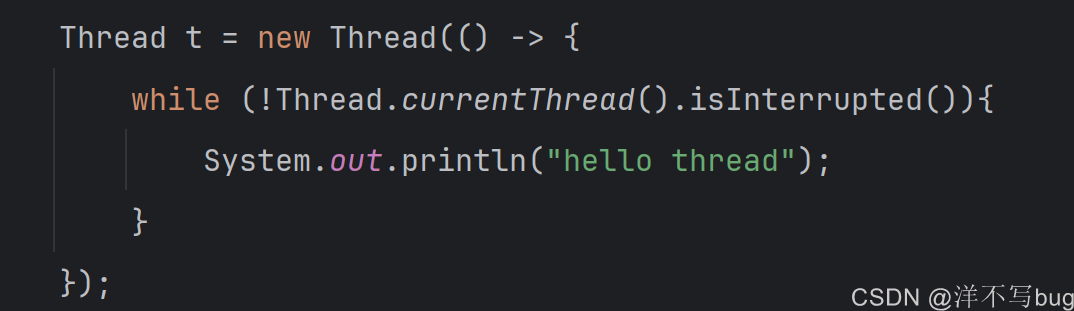
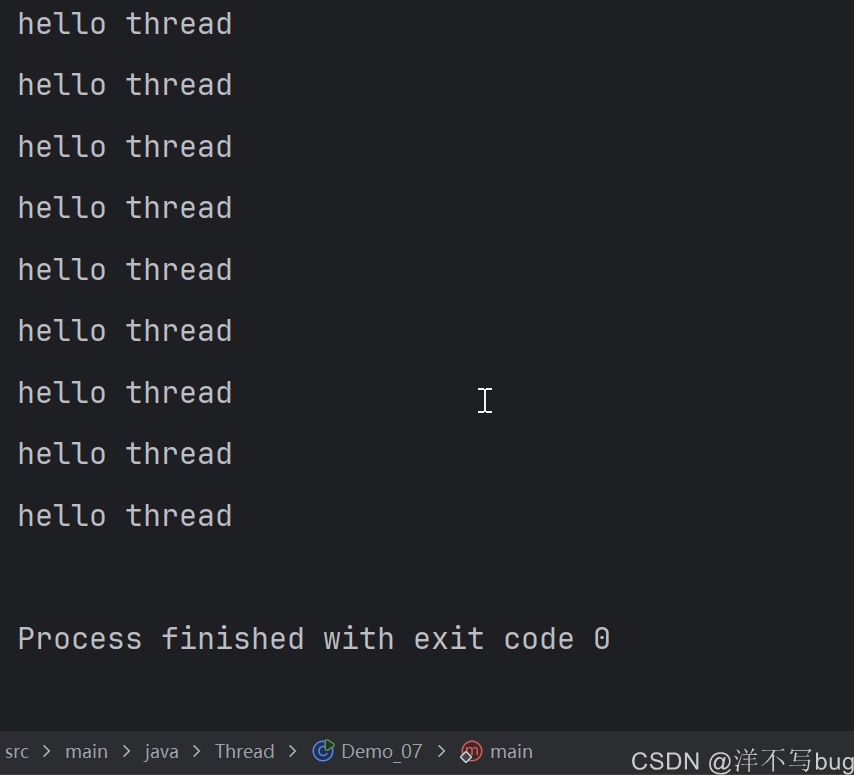
线程对象还有个interrupt方法,调用后可以将线程的中断状态修改为true,进而while循环就会跳出,线程就会结束,终止线程经常会使用这样的办法,代码如下所示:
java
package Thread;

public class Demo_07 {
    public static void main(String[] args) throws InterruptedException {
        Thread t = new Thread(() -> {
            while (!Thread.currentThread().isInterrupted()){
                System.out.println("hello thread");
            }
        });
        t.start();
        Thread.sleep(2000);
        t.interrupt();
    }
}
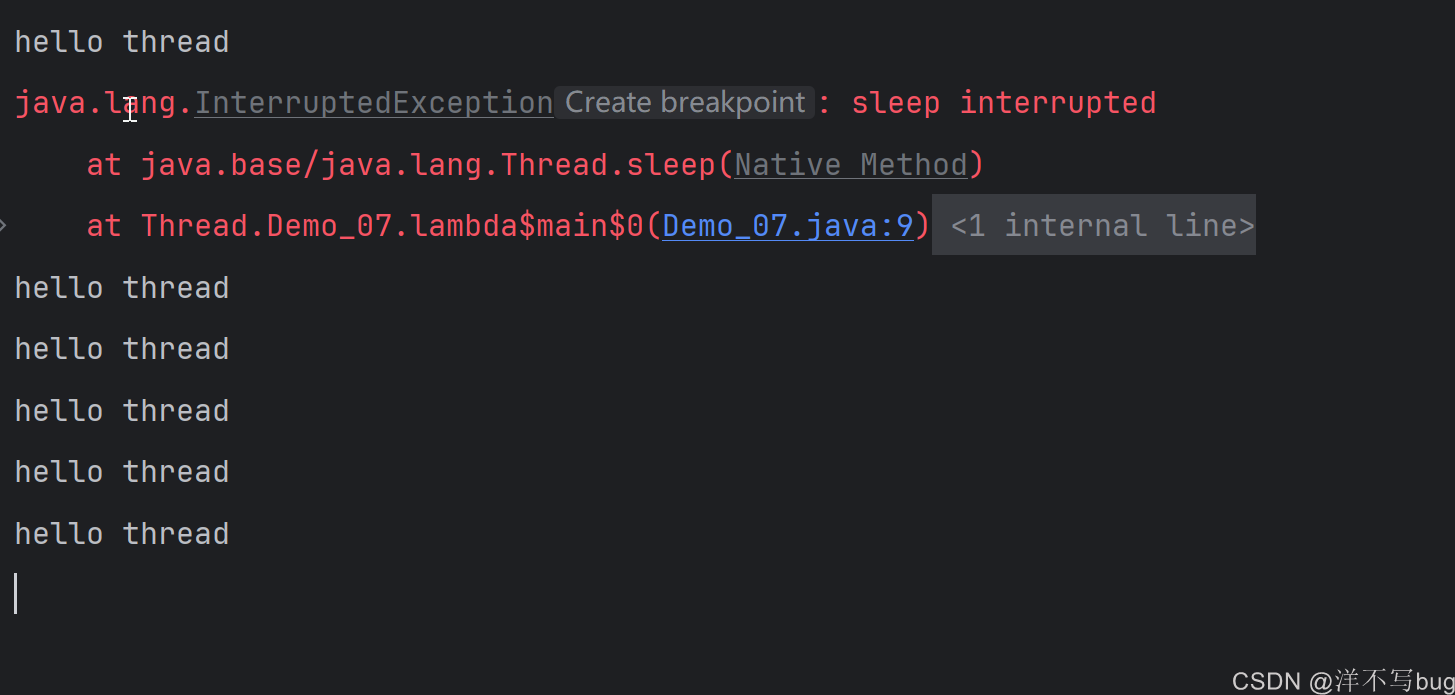
有的铁汁可能觉得刚刚打印的hello thread太多了,那我们在while方法中加个sleep,让线程1s打印一次,我们预测这里是打印大概三次hello thread,然后线程结束
但是运行代码却会报出异常,并且会无限的打印hello thead,这是为什么呢?
java
package Thread;

public class Demo_07 {
    public static void main(String[] args) throws InterruptedException {
        Thread t = new Thread(() -> {
            while (!Thread.currentThread().isInterrupted()){
                System.out.println("hello thread");
                try {
                    Thread.sleep(1000);
                } catch (InterruptedException e) {
                    e.printStackTrace();
                }
            }
        });
        t.start();
        Thread.sleep(2000);
        t.interrupt();
    }
}
在线程终止这里,有个这样的设定:
如果线程t正在sleep,调用interrupt方法后,sleep就会被提前唤醒,sleep提前唤醒之后,就会抛出异常 ,这里代码中捕获异常后,打印异常的信息
无限打印是因为当sleep方法被提前唤醒后,就会把isInterrupted标志位给重置为false,后面标志位一直为flase,while语句就会一直打印hello thread
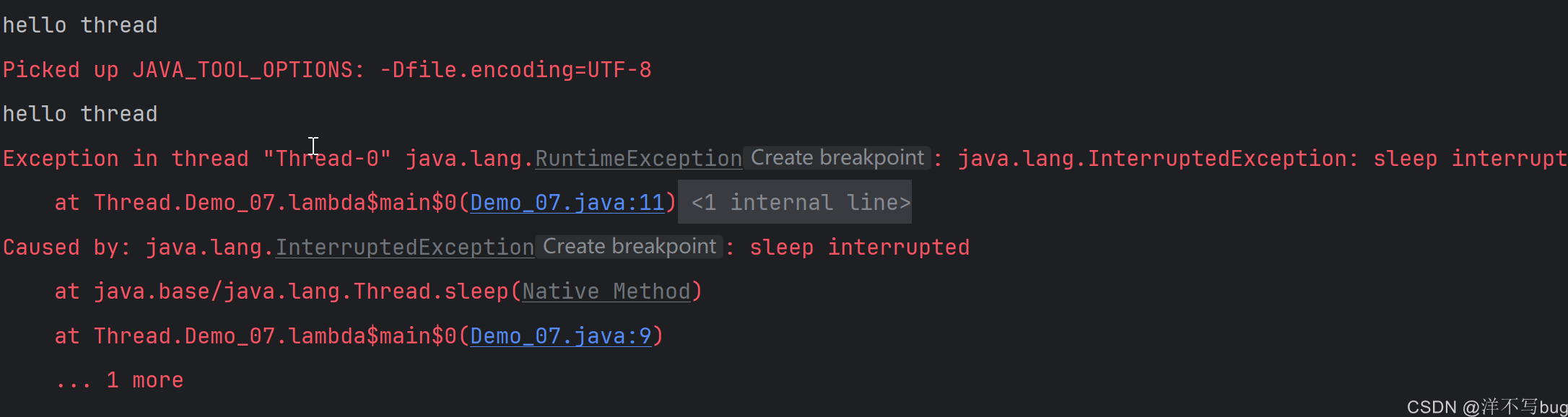
有使用IDEA编程的铁汁,自动补全catch语句,那catch异常后就会抛出一个RuntimeException(e),这个RuntimeException(e)是非检查异常,也就是一旦抛出
程序就会终止,就会强制杀死线程,这种写法在Java中是非常不推荐的,代码如下:
java
package Thread;

public class Demo_07 {
    public static void main(String[] args) throws InterruptedException {
        Thread t = new Thread(() -> {
            while (!Thread.currentThread().isInterrupted()){
                System.out.println("hello thread");
                try {
                    Thread.sleep(1000);
                } catch (InterruptedException e) {
                    throw new RuntimeException(e);
                }
            }
        });
        t.start();
        Thread.sleep(2000);
        t.interrupt();
    }
}
例如线程在操作数据库,如果在操作到一半的时候强行终止这个线程,那就会导致对数据库的修改只进行了一半,产生"脏数据"。
这个地方的异常处理部分也可以使用break来跳出while循环,进而结束线程,通常会在break前加善后程序,这就相当于善后完成后再终止线程,比直接强硬终止线程要好的多
java
package Thread;

public class Demo_07 {
    public static void main(String[] args) throws InterruptedException {
        Thread t = new Thread(() -> {
            while (!Thread.currentThread().isInterrupted()){
                System.out.println("hello thread");
                try {
                    Thread.sleep(1000);
                } catch (InterruptedException e) {
                    //添加善后程序
                    break;
                }
            }
        });
        t.start();
        Thread.sleep(2000);
        t.interrupt();
    }
}
总结下,控制线程的结束就是通过interrupt方法,使用这个方法分为两种情况:
- t线程没有执行sleep等阻塞操作,t的isInterrupted()方法返回true,通过循环条件来结束t线程
- t线程中进行了sleep等阻塞操作,如果sleep被提前唤醒,就会抛出InterruptedException,同时也会把isInterrupted()的返回结果改为flase,我们catch异常后,决定执行怎样的操作
5,线程等待
在前面的线程运行特点中,提到了同时调用两个线程后,哪个先执行是不确定的(无法确定到底是先打印hello thread 还是hello main),这种随机的事情对于程序员写代码时不太好的,我们有时希望线程的执行顺序能够固定下来
这时候就可以使用线程等待操作,让一个线程先执行,一个线程后执行,后执行的线程必须等到先执行的线程结束后再执行
线程等待使用的就是join方法,join方法会造成阻塞(凡是会造成阻塞的都会抛出这个异常),抛出 InterruptedException ,需要处理一下
在t线程中每1s打印一次hello thread,打印5次,在t.start()后面加上个t.join()
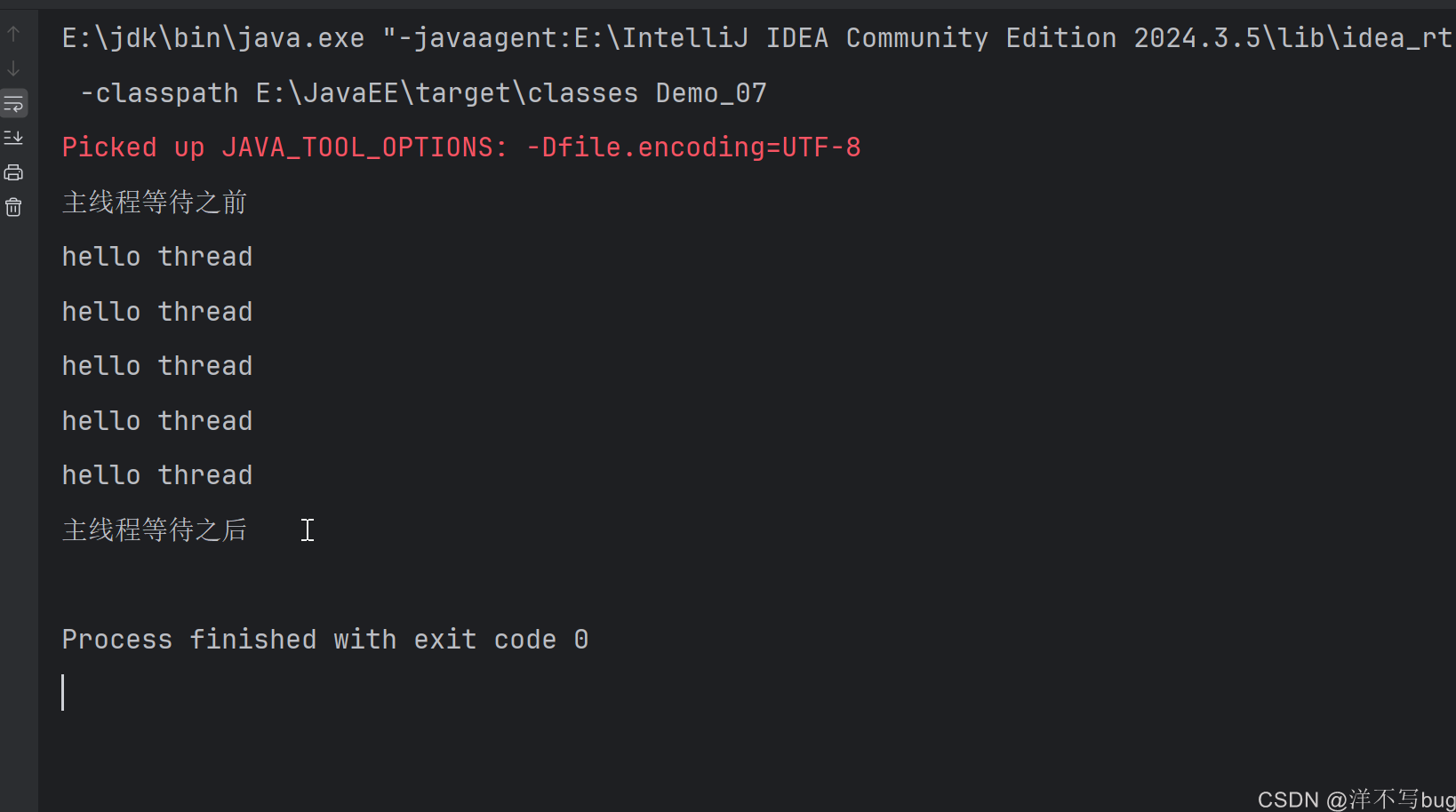
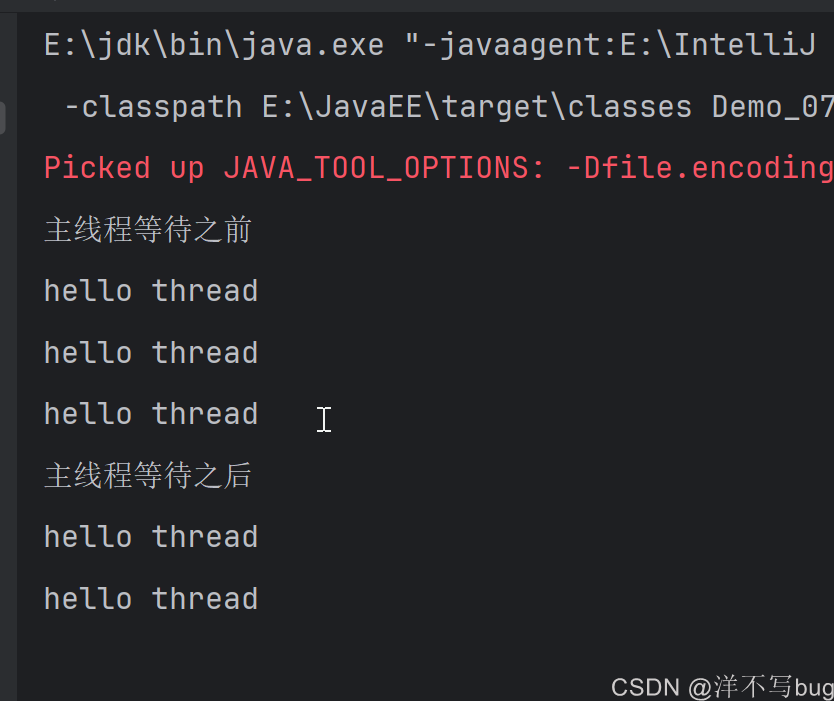
执行到t.start时,t线程和主线程同时执行,接着主线程继续向下执行,执行到t.join()的时候,就需要阻塞等待t线程,等待t线程结束之后,主线程才能执行剩余的部分,这种情况就是main线程等待t线程代码如下所示:
java
public class Demo_07 {
    public static void main(String[] args) throws InterruptedException {
        Thread t = new Thread(() -> {
            for(int i = 0;i < 5;i++){
                System.out.println("hello thread");
                try {
                    Thread.sleep(1000);
                } catch (InterruptedException e) {
                    break;
                }
            }
        });
        t.start();
        System.out.println("主线程等待之前");
        t.join();
        System.out.println("主线程等待之后");
    }

}
当然,如果t线程早就已经结束了,那这个join方法就相当于没什么用了,例如延迟6s再执行main线程,如下所示:
java
public class Demo_07 {
    public static void main(String[] args) throws InterruptedException {
        Thread t = new Thread(() -> {
            for(int i = 0;i < 5;i++){
                System.out.println("hello thread");
                try {
                    Thread.sleep(1000);
                } catch (InterruptedException e) {
                    e.printStackTrace();
                }
            }
        });
        t.start();
        Thread.sleep(6000);
        System.out.println("主线程等待之前");
        t.join();
        System.out.println("主线程等待之后");
    }
}
总结下
- 哪个线程的引用调用join方法,哪个线程就是被等的一方,例如t线程调用join方法,那main线程就要到t线程执行结束,才能执行
- 哪个线程中调用join,哪个线程就是等待的一方,在上面的代码中,join方法是在主线程中调用的,那主线程就需要等待
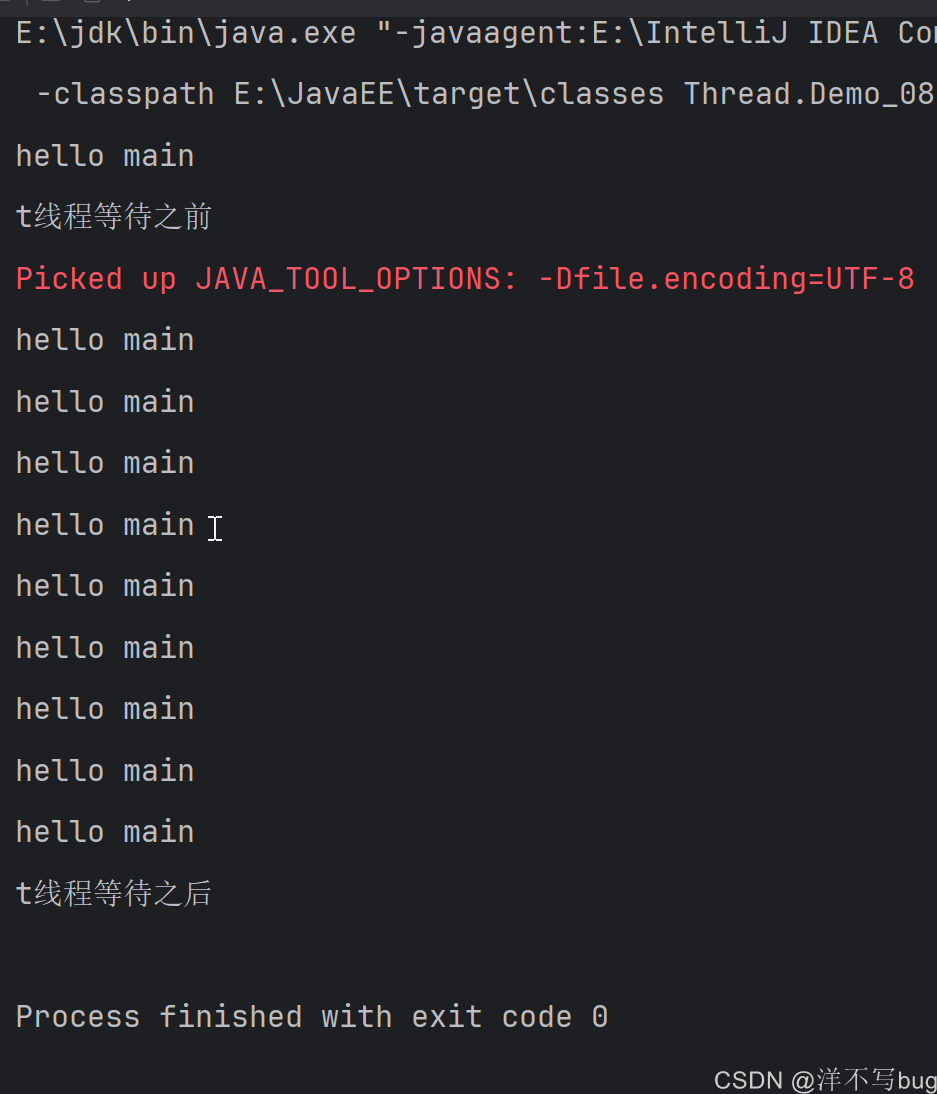
也可以让t线程等main线程,首先在main方法中用currentThread()方法拿到一个main线程的引用,接着在t线程中使用main线程的引用来调用join方法,这时候t线程就需要阻塞,等待main线程执行结束后,t线程再继续执行,代码如下所示
java
public class Demo_08 {
    public static void main(String[] args) throws InterruptedException {
        Thread mainThread = Thread.currentThread();
        Thread t = new Thread(() ->{
            System.out.println("t线程等待之前");
            try {
                mainThread.join();
            } catch (InterruptedException e) {
                e.printStackTrace();
            }
            System.out.println("t线程等待之后");

        });
        t.start();
        for(int i = 0;i < 10;i++){
            System.out.println("hello main");
            Thread.sleep(1000);
        }
    }
}
join默认情况是死等,只要前一个线程结束,后一个线程就会一直等待,那如果第一个线程会一直循环,那第二个线程就一直不会执行,我们有时候并不想这样
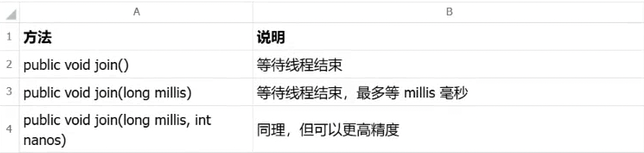
因此,join还有重载版本,传入时间参数,指定等待的最大时间,超过这个时间,等待的线程就不等了,直接执行,在实际开发中,使用join基本上都是带着参数的
join含参重载有两个版本,一个是精确到ms,一个是精确到纳秒,基本上使用精确到ms的就行,精确到纳秒也不准,因为计算机本身调用线程就会有几ms的误差😂😅
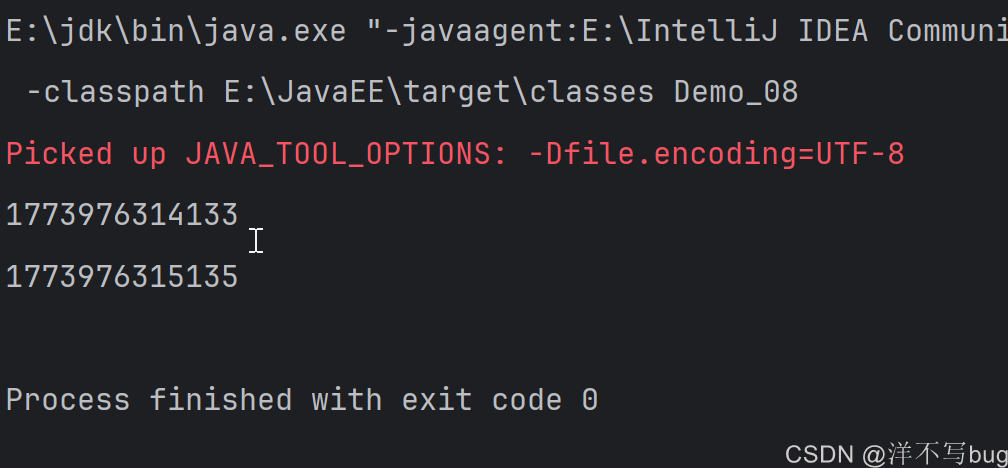
可以通过时间戳来看下误差,这里的误差是2ms(不同的计算机误差也不同,有的误差会有10ms左右,都是正常的)
java
public class Demo_08 {
    public static void main(String[] args) throws InterruptedException {
        System.out.println(System.currentTimeMillis());
        Thread.sleep(1000);
        System.out.println(System.currentTimeMillis());
    }
}
含参数的join代码如下所示,这里主线程等待t线程最多就是3000ms,超过了主线程就开始往下执行
java
public class Demo_07 {
    public static void main(String[] args) throws InterruptedException {
        Thread t = new Thread(() -> {
            for(int i = 0;i < 5;i++){
                System.out.println("hello thread");
                try {
                    Thread.sleep(1000);
                } catch (InterruptedException e) {
                    e.printStackTrace();
                }
            }
        });
        t.start();
        System.out.println("主线程等待之前");
        t.join(3000);
        System.out.println("主线程等待之后");
    }
}
6,线程的状态
线程的状态可以分为以下6种
- NEW: 安排了工作, 还未开始行动
- RUNNABLE: 可工作的. 又可以分成正在工作中和即将开始工作.
- BLOCKED: 这几个都表示排队等着其他事情
- WAITING: 这几个都表示排队等着其他事情
- TIMED_WAITING: 这几个都表示排队等着其他事情
- TERMINATED: 工作完成了.
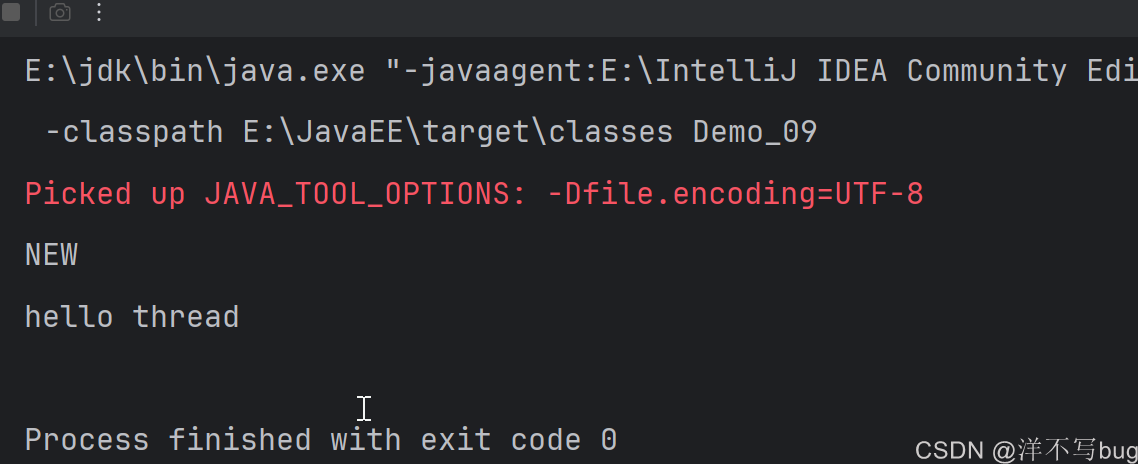
NEW状态就是Thread对象创建了,但是还没有start,可以用getState方法来查看线程的状态,代码如下所示:
java
public class Demo_09 {
    public static void main(String[] args) {
        Thread  t = new Thread(()->{
            System.out.println("hello thread");
        });
        System.out.println(t.getState());
        t.start();
    }
}
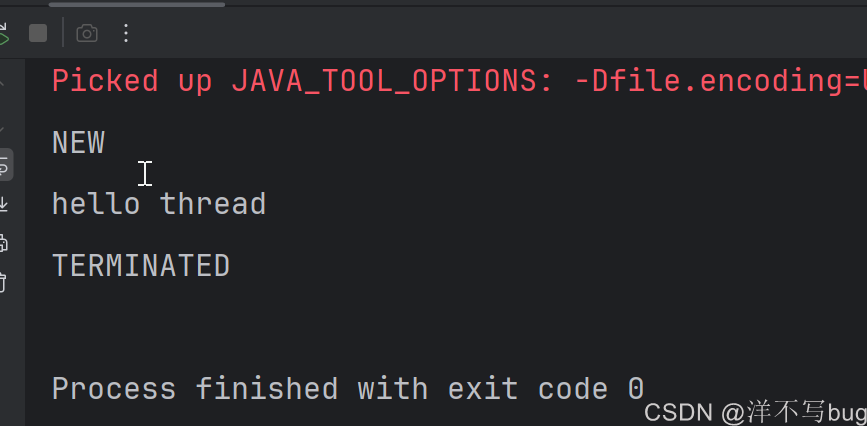
TERMINATED就是线程的工作完成了,但是Thread对象还在(线程的生命周期和Thread对象的生命周期是不一样的),可以在main线程中使用join方法,这样就能保证后面对于t线程状态的查看是在t线程已经结束的情况下
java
public class Demo_09 {
    public static void main(String[] args) throws InterruptedException {
        Thread  t = new Thread(()->{
            System.out.println("hello thread");
        });
        System.out.println(t.getState());
        t.start();
        t.join();
        System.out.println(t.getState());
    }
}
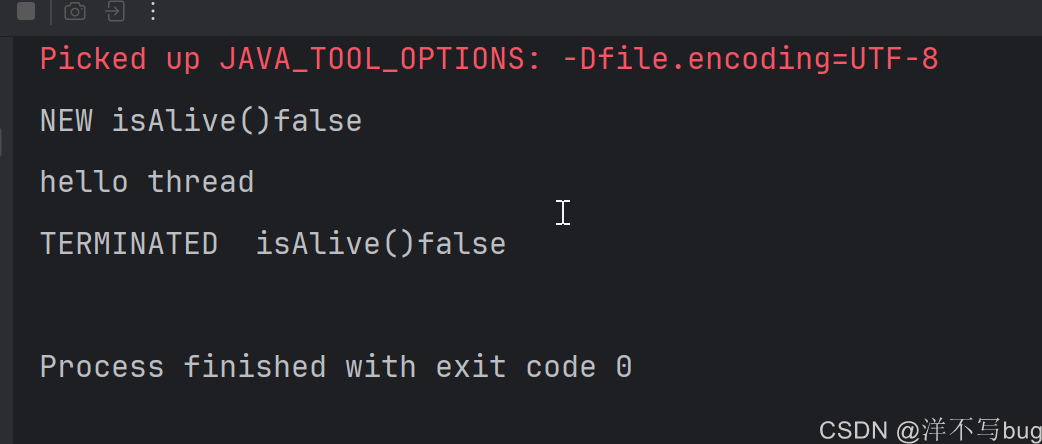
线程还有个方法叫做isAlive(),用来判断线程是否在存活状态,结果是true和false,NEW状态和TERMINATED状态一个还没开始执行,一个执行完了,它们都不处于存活状态
在六种状态中,只有NEW状态和TERMINATED状态的线程是非存活的,isAlive()方法的返回值是flase,其他都是true,测试代码如下所示:
java
public class Demo_09 {
    public static void main(String[] args) throws InterruptedException {
        Thread  t = new Thread(()->{
            System.out.println("hello thread");
        });
        System.out.println(t.getState() + "\tisAlive()" + t.isAlive());
        t.start();
        t.join();
        System.out.println(t.getState() + "\tisAlive()" + t.isAlive());
    }
}
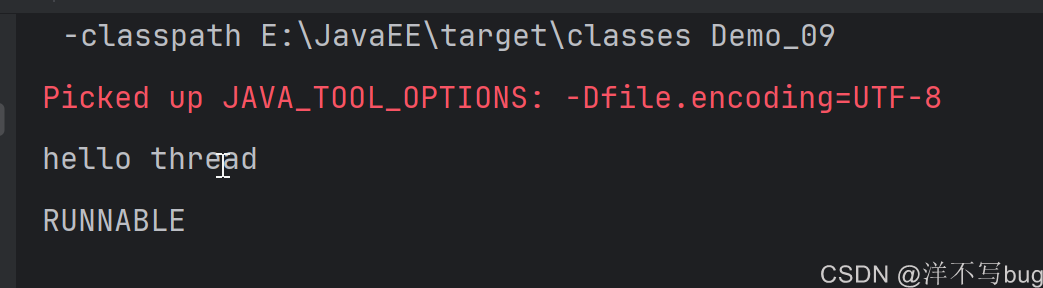
Runnable状态:就绪状态和正在执行的状态的结合
代码中只要不触发阻塞操作,执行的线程就都是Runnable状态,如下所示:
java
public class Demo_09 {
    public static void main(String[] args) throws InterruptedException {
        Thread  t = new Thread(()->{
            System.out.println("hello thread");
        });
        t.start();
        System.out.println(t.getState());
    }
}
接下来就是三种阻塞状态,本篇博客中只解析TIMED_WAITING状态和WAITING状态,BlOCKED会在后面博客提到锁的时候再解析
- TIMED_WAITING:有超时时间的阻塞,如Thread.sleep(时长)、join(时长)
- WAITING:无超时时间的阻塞,如join()、wait()(无参)
- BlOCKED:加锁产生的阻塞(这个阻塞会在后面博客中解析)
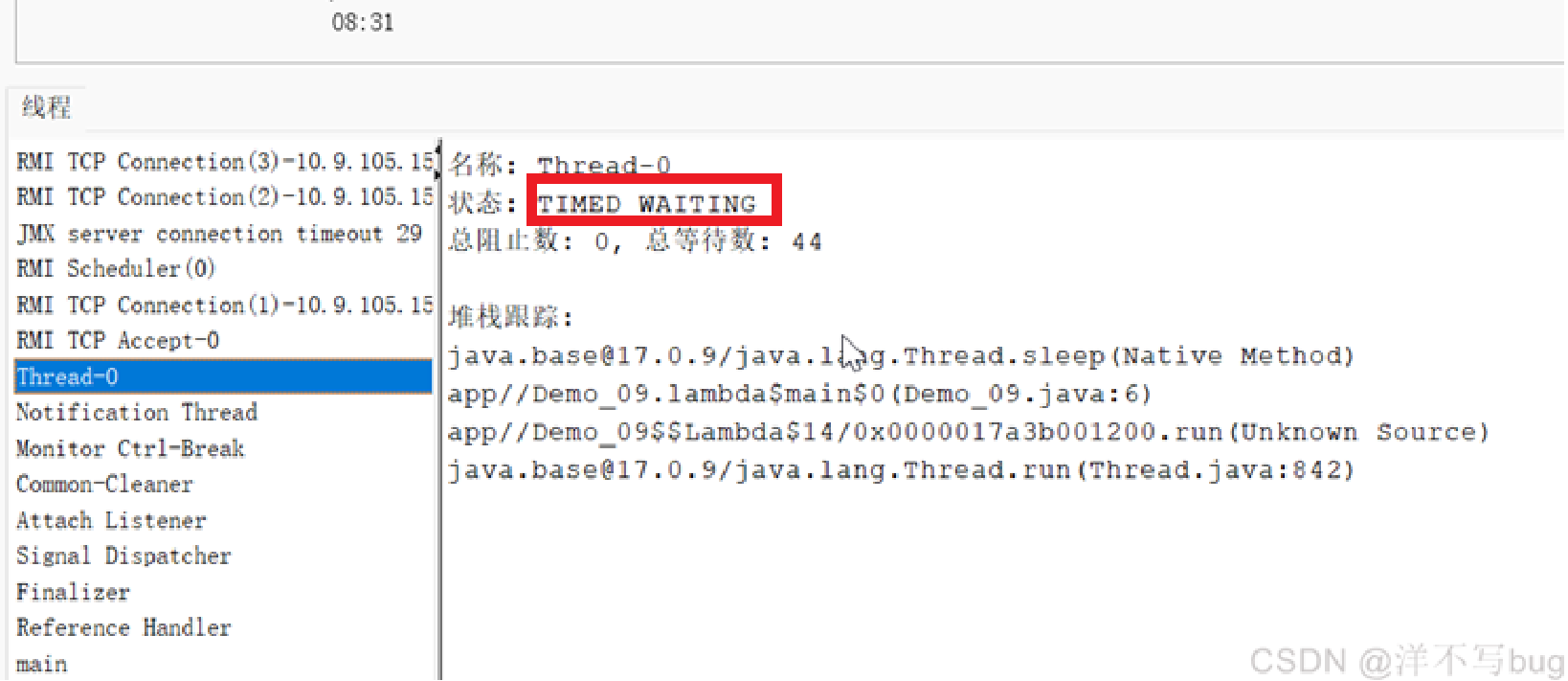
执行下面这段程序,结果显示t的状态就是TIMED_WAITING(程序判断阻塞只看有没有超时时间的阻塞,这里程序就是根据线程t中的sleep加了超时时间,并不会看里面的while循环)
java
public class Demo_09 {
    public static void main(String[] args) throws InterruptedException {
        Thread  t = new Thread(()->{
            while (true){
                try {
                    Thread.sleep(1000);
                } catch (InterruptedException e) {
                    e.printStackTrace();
                }
            }

        });
        t.start();
        Thread.sleep(1000);
        System.out.println(t.getState());
        t.join();
    }
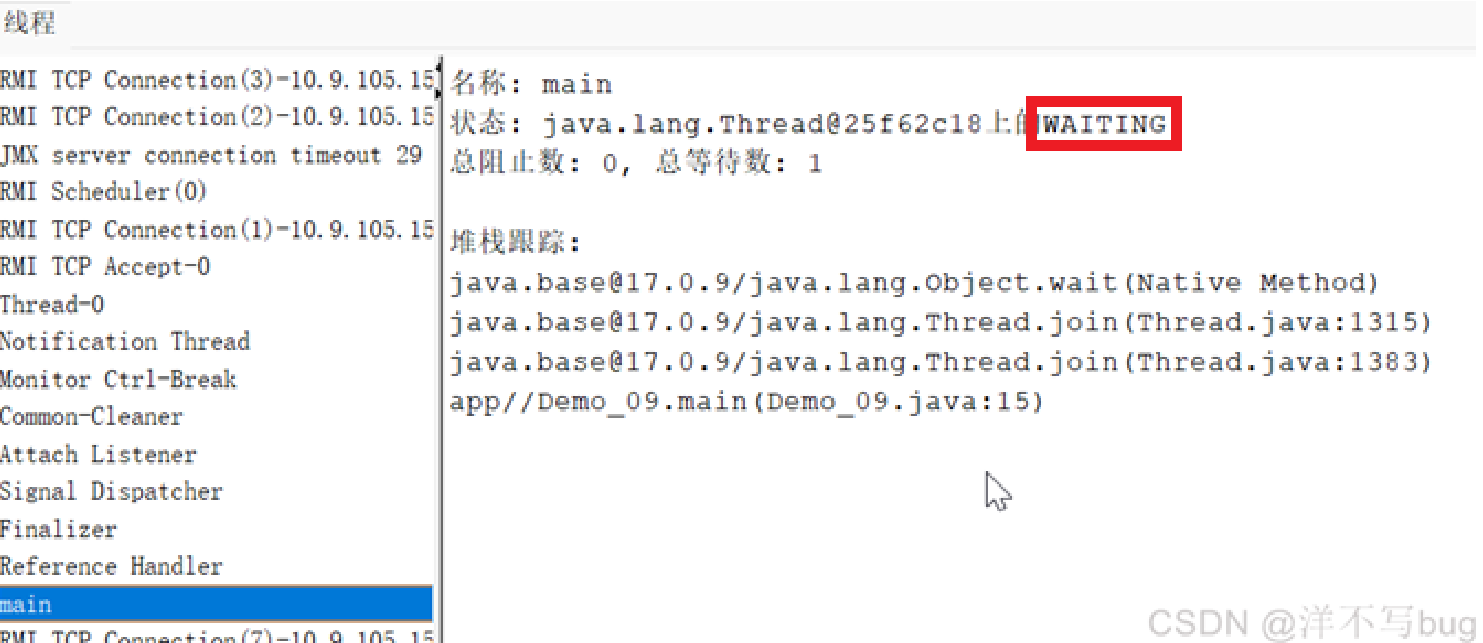
}这段程序中,main线程的状态就是WAITING状态(因为t.join并没有加超时时间,只要t线程不结束,main线程就要一直等待),只是不好加上打印代码来看,这时候就可以把代码运行上,通过监视平台来看,Thread-0(t)线程的状态是TIMED_WAITING,main线程的状态是WAITING
结语💕💕
线程的第一篇和第二篇解析博客,都是线程中最最基础的内容,我们之所以学习线程的状态,是为了以后在程序出现bug的时候方便调试,现在AI编程大大提高了我们的编程效率,我们写代码的时间减少了,调试代码的时间增加了
AI对于复杂程序bug的调试,迄今为止 AI 不能直接 "自动调用" 本地 / 远程的调试器(如 Java 的 jdb、IDEA 调试器) 主动调试代码,只能通过静态的分析代码,因此一些项目的程序调试还是要靠我们自己
以上就是今天的所有内容啦~完结撒花~🥳🎉🎉