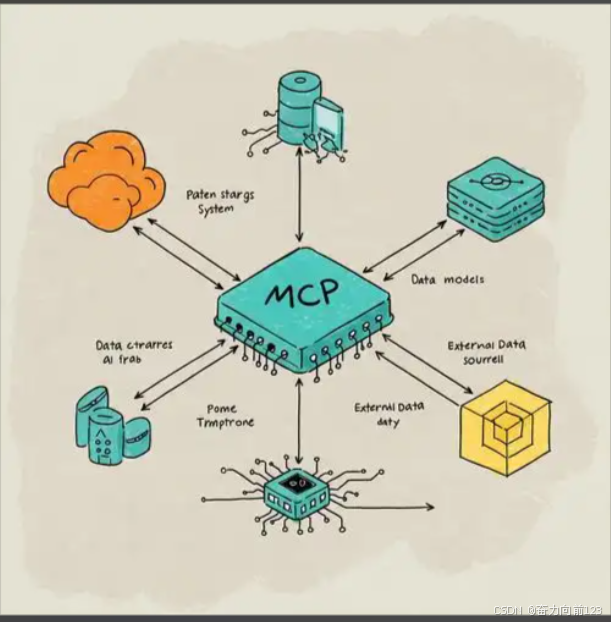
我们通过MCP通过模型去调用外部工具,那么外部工具如何设计,让MCP能够调用到呢
本文介绍了一个基于Python的MCP服务器实现,用于查询深圳当天天气。该服务器通过HTTP接口提供天气数据查询服务,主要特点包括:1) 使用Python标准库http.server实现;2) 集成OpenWeatherMap天气API;3) 返回JSON格式的天气数据,包含温度、湿度、风速等关键信息。实现步骤包括:配置API密钥、构建请求URL、处理API响应等。服务器运行后可通过/weather/shenzhen路径获取深圳天气数据,为MCP模型提供标准化的外部工具调用接口。
用python实现一个查询深圳当天天气的MCP服务器
python
import http.server
import socketserver
import json
import urllib.request
import urllib.parse

# 天气API配置
API_KEY = "YOUR_API_KEY"  # 请替换为实际的API密钥
WEATHER_API_URL = "http://api.openweathermap.org/data/2.5/weather"

class WeatherHandler(http.server.BaseHTTPRequestHandler):
    def do_GET(self):
        # 解析请求路径
        if self.path == "/weather/shenzhen":
            try:
                # 构建API请求URL
                params = {
                    "q": "Shenzhen,CN",
                    "appid": API_KEY,
                    "units": "metric",  # 使用摄氏度
                    "lang": "zh_cn"  # 使用中文
                }
                url = WEATHER_API_URL + "?" + urllib.parse.urlencode(params)

                # 发送API请求
                with urllib.request.urlopen(url) as response:
                    data = json.loads(response.read().decode())

                # 处理天气数据
                weather_info = {
                    "city": data.get("name"),
                    "temperature": data.get("main", {}).get("temp"),
                    "humidity": data.get("main", {}).get("humidity"),
                    "weather": data.get("weather", [{}])[0].get("description"),
                    "wind_speed": data.get("wind", {}).get("speed"),
                    "pressure": data.get("main", {}).get("pressure"),
                    "timestamp": data.get("dt")
                }

                # 发送响应
                self.send_response(200)
                self.send_header("Content-type", "application/json")
                self.end_headers()
                self.wfile.write(json.dumps(weather_info, ensure_ascii=False).encode("utf-8"))

            except Exception as e:
                # 处理错误
                self.send_response(500)
                self.send_header("Content-type", "application/json")
                self.end_headers()
                error_info = {"error": str(e)}
                self.wfile.write(json.dumps(error_info).encode("utf-8"))
        else:
            # 处理其他路径
            self.send_response(404)
            self.send_header("Content-type", "application/json")
            self.end_headers()
            error_info = {"error": "Not Found"}
            self.wfile.write(json.dumps(error_info).encode("utf-8"))

def run_server(port=8000):
    """运行天气查询服务器"""
    handler = WeatherHandler
    with socketserver.TCPServer(("", port), handler) as httpd:
        print(f"天气查询服务器运行在 http://localhost:{port}")
        print(f"查询深圳天气: http://localhost:{port}/weather/shenzhen")
        httpd.serve_forever()

if __name__ == "__main__":
    # 运行服务器,默认端口8000
    run_server()
服务器功能
- 基于Python标准库实现的HTTP服务器
- 使用OpenWeatherMap API获取深圳天气数据
- 提供RESTful API接口
- 返回JSON格式的天气信息
使用步骤
-
获取API密钥:
- 访问 OpenWeatherMap官网 注册账号
- 获取免费的API密钥
- 将代码中的
API_KEY = "YOUR_API_KEY"替换为实际的API密钥
-