摘要: 本文以
djangotutorial项目为例,详细讲解如何将 Django 项目从本地开发环境部署到远程 Linux 服务器。覆盖服务器环境准备、Nginx 反向代理配置、Systemd 服务管理、生产环境settings.py修改,以及常见问题的排查思路。部署完成后,项目可通过域名或 IP 对外提供服务。
版本与环境(本文按此配置书写):
- Django:6.0.2
- Python:3.12
- 前端:React + Vite
- 服务器系统:CentOS 8(命令与 Ubuntu/Debian 基本等价)
- 服务器用户:普通用户
部署模式选择与版本矩阵
在执行下面的步骤前,请先确认你的目标服务器环境,选择合适的部署轨道:
- 现代轨(推荐于新环境)
- Python 3.12、Django 5.2+/6.x、Node 18/20、Vite 6/7
- 适用于有权限升级系统、内存资源充足的服务器
- 兼容轨(面向受限服务器,当前目标)
- Python 3.6.8、Django 3.2.x(LTS)、Node 16.20.2、Vite 4.x
- SQLite 系统版本过低时,使用 pysqlite3-binary 提供新版本 SQLite
- 前端构建链需降级(Vite/ESLint/Vitest/Playwright 等)
后文保留现代轨示例,同时在关键位置补充"兼容轨"的差异步骤与版本约束。请务必按所选轨道执行相应命令与版本固定,避免不可复现的问题。
一、环境准备
1.1 服务器端安装基础依赖
bash
# CentOS 8
curl -fsSL https://rpm.nodesource.com/setup_18.x | sudo bash -
sudo yum install -y nodejs python3 python3-devel gcc git

# 启用 epel 并安装 Nginx
sudo yum install -y epel-release
sudo yum install -y nginx

# 启用并启动 Nginx
sudo systemctl enable nginx
sudo systemctl start nginx
注意: 如果使用 Ubuntu/Debian,将
yum install替换为apt install即可。兼容轨提示(Node 16.20.2):
- 如果服务器 Node 仅有 16.x,建议前端采用本地构建后上传产物(见下文"前端构建(兼容轨)")。
- 若必须在服务器构建,请将前端依赖降级到 Node 16 兼容版本(Vite 4.x 等)。
1.2 创建项目目录并上传代码
bash
# 在服务器上创建项目目录(建议使用 /var/www 或 /home 下的普通用户目录)
sudo mkdir -p /var/www/djangotutorial
sudo chown -R $USER:$USER /var/www/djangotutorial

# 将本地项目上传到服务器(可在本地执行)
scp -r D:/Work/Django/djangotutorial/* user@your_server_ip:/var/www/djangotutorial/
1.3 配置 Python 虚拟环境
bash
cd /var/www/djangotutorial

# 创建虚拟环境
python3 -m venv .venv

# 激活虚拟环境
source .venv/bin/activate

# 安装依赖(项目根目录已有 requirements.txt)
pip install -r requirements.txt
requirements.txt 已通过 python_version 等环境标记区分不同 Python 版本的依赖范围:
- 现代轨(Python ≥3.10):安装 Django 5.2+、Vite 6/7 等现代版本
- 兼容轨(Python 3.6.8):自动选择 Django 3.2.x、DRF 3.14.x、simplejwt 4.1--<4.5、django-cors-headers 3.x、Pillow 8.4--<10、gunicorn 20.1 等
兼容轨额外说明(Py3.6):
升级工具链(只在 Py<3.7 执行):
bashpython -m pip install --upgrade "pip<22.4" "setuptools<60" "wheel<0.39"
避免新版 pip/工具在 Py3.6 下不兼容。
二、生产环境 settings.py 修改
2.1 创建生产环境配置文件
文件路径:
D:\Work\Django\djangotutorial\djangotutorial\settings_production.py
项目已支持通过环境变量切换生产配置,最关键的几项:
python
import os
from pathlib import Path

BASE_DIR = Path(__file__).resolve().parent.parent

# ========== 核心安全配置 ==========
SECRET_KEY = os.environ.get(
    "DJANGO_SECRET_KEY",
    "django-insecure-请在生产环境替换为随机密钥"
)

DEBUG = os.environ.get("DJANGO_DEBUG", "False") == "True"

ALLOWED_HOSTS = os.environ.get(
    "DJANGO_ALLOWED_HOSTS",
    "your_domain.com,www.your_domain.com"
).split(",")

# ========== 生产环境必须关闭 DEBUG ==========
# 关闭后 Django 不再显示详细错误页面
# 错误信息写入日志而非返回给用户
2.2 关键配置项说明
INSTALLED_APPS(确保已安装的核心应用):
python
INSTALLED_APPS = [
    "corsheaders",           # CORS 跨域支持
    "rest_framework",        # DRF API 框架
    "rest_framework_simplejwt",  # JWT 鉴权
    "simpleui",              # Admin 主题(可选)
    # 你的业务应用
    "polls.apps.PollsConfig",
    "blog.apps.BlogConfig",
    "portfolio.apps.PortfolioConfig",
    "lab_management.apps.LabManagementConfig",
    # Django 内置应用
    "django.contrib.admin",
    "django.contrib.auth",
    "django.contrib.contenttypes",
    "django.contrib.sessions",
    "django.contrib.messages",
    "django.contrib.staticfiles",
]
STATIC 和 MEDIA 配置:
python
# STATIC_URL 和 STATIC_ROOT 必须区分
# 开发环境:DEBUG=True 时 Django 自动从各 app 的 static/ 目录查找静态文件
# 生产环境:DEBUG=False 时所有静态文件由 Nginx 直接提供服务

STATIC_URL = "/static/"
STATIC_ROOT = BASE_DIR / "staticfiles"   # collectstatic 收集到的目标目录

MEDIA_URL = "/media/"
MEDIA_ROOT = BASE_DIR / "media"           # 用户上传文件存储目录
生产环境环境变量建议值:
bash
# 在服务器上设置(可写入 /etc/environment 或 Systemd service 文件)
export DJANGO_DEBUG=False
export DJANGO_SECRET_KEY="你的随机密钥"
export DJANGO_ALLOWED_HOSTS="your_domain.com,www.your_domain.com"
ALLOWED_HOSTS 提示: 首次上线建议同时加入服务器 IP(例如
112.126.28.128),并保留环境变量覆盖能力,避免解析未生效时被 400。
2.3 SQLite 版本兼容(兼容轨)
适用场景: 服务器系统 SQLite 版本较老(如 3.7.17),而 Django 3.2 需要 ≥3.8.3。
-
本项目已在 requirements 增加:
pysqlite3-binary==0.4.6; python_version<"3.7" and sys_platform!="win32" -
并在
manage.py、djangotutorial/wsgi.py、djangotutorial/asgi.py中注入:pythonimport pysqlite3 as _pysqlite3 import sys as _sys _sys.modules["sqlite3"] = _pysqlite3
这样可在不升级系统 SQLite 的前提下满足 Django 要求。
验证:
bash
python -c "import sqlite3; print(sqlite3.sqlite_version)"
# 输出应 ≥ 3.8.3
python manage.py check
三、配置 Systemd 服务(守护 Django 进程)
3.1 创建 Service 文件
文件路径: /etc/systemd/system/djangotutorial.service
ini
[Unit]
Description=Gunicorn daemon for Django Tutorial Project
After=network.target

[Service]
User=root
Group=root
WorkingDirectory=/var/www/djangotutorial
EnvironmentFile=/etc/djangotutorial.env
ExecStart=/var/www/djangotutorial/.venv/bin/gunicorn \
    --workers 3 \
    --bind unix:/var/www/djangotutorial/djangotutorial.sock \
    --timeout 120 \
    --access-logfile /var/www/djangotutorial/logs/access.log \
    --error-logfile /var/www/djangotutorial/logs/error.log \
    djangotutorial.wsgi:application

Restart=always
RestartSec=5

[Install]
WantedBy=multi-user.target
说明:
djangotutorial.wsgi:application中的djangotutorial是项目配置包目录名,即djangotutorial\djangotutorial\wsgi.py中的wsgi.py文件暴露的 application 对象。安全建议: 实际部署请使用非 root 用户(如
www-data/ 自建appuser),并确保 Unix Socket 的拥有者与 Nginx 运行用户匹配,避免 502 与权限问题。
3.2 创建日志目录并重载 Systemd
bash
sudo mkdir -p /var/www/djangotutorial/logs

# 重载 Systemd 配置
sudo systemctl daemon-reload

# 启用并启动服务
sudo systemctl enable djangotutorial
sudo systemctl start djangotutorial

# 检查服务状态
sudo systemctl status djangotutorial
四、配置 Nginx 反向代理
4.1 创建 Nginx 配置文件
文件路径: /etc/nginx/conf.d/djangotutorial.conf
nginx
server {
    listen 80;
    server_name your_domain_or_ip;

    # ========== 静态文件(由 Nginx 直接服务)==========
    location /static/ {
        alias /var/www/djangotutorial/staticfiles/;
        # 生产环境可添加缓存头
        expires 30d;
        add_header Cache-Control "public, immutable";
    }

    # ========== 用户上传文件 ==========
    location /media/ {
        alias /var/www/djangotutorial/media/;
    }

    # ========== 前端构建产物(如果有独立前端)==========
    location /frontend/ {
        alias /var/www/djangotutorial/frontend/dist/;
        try_files $uri $uri/ /index.html;
    }

    # ========== 动态请求转发给 Gunicorn ==========
    location / {
        proxy_set_header Host $http_host;
        proxy_set_header X-Real-IP $remote_addr;
        proxy_set_header X-Forwarded-For $proxy_add_x_forwarded_for;
        proxy_set_header X-Forwarded-Proto $scheme;
        proxy_redirect off;

        # Gunicorn 通过 Unix Socket 通信(比 TCP 更高效)
        proxy_pass http://unix:/var/www/djangotutorial/djangotutorial.sock;
    }
}
4.2 验证并重载 Nginx
bash
# 检查 Nginx 配置语法
sudo nginx -t

# 重载配置
sudo systemctl reload nginx
2.5 前端构建(兼容轨:Node 16.20.2)
依赖版本固定:
- vite → ^4.5.3
- @vitejs/plugin-react → 3.1.0
- vite-tsconfig-paths → ^4.2.1
- vitest → ^0.29.x
- eslint → ^8.57.x
- @typescript-eslint/parser 与 eslint-plugin → ^5.62.x
- jsdom → ^22.x
- @playwright/test / playwright → ^1.40.x(若无需 e2e 可移除)
方案 A:服务器构建(Node 16)
bash
cd /var/www/djangotutorial/frontend
rm -rf node_modules package-lock.json
npm install
npm run build
方案 B:本地构建 + 上传产物(低内存推荐)
bash
# 在本地 Node 16 环境
cd frontend
rm -rf node_modules package-lock.json
npm install && npm run build

# 上传 dist 到服务器
scp -r dist user@your_server_ip:/var/www/djangotutorial/frontend/
验证:构建完成后,Nginx 可直接从 /var/www/djangotutorial/frontend/dist/ 提供前端静态文件。
五、首次部署与初始化
5.1 执行数据库迁移
bash
cd /var/www/djangotutorial
source .venv/bin/activate
python manage.py migrate
5.2 收集静态文件
bash
# 将所有 app 的静态文件收集到 STATIC_ROOT 目录
python manage.py collectstatic --noinput
5.3 创建初始管理员账号
bash
# 交互式创建超级管理员
python manage.py createsuperuser

# 如果项目提供了初始化命令(参考 D:\Work\Django\djangotutorial)
python manage.py init_default_accounts
5.4 验证部署
bash
# 检查 Gunicorn Socket 是否正常创建
ls -la /var/www/djangotutorial/djangotutorial.sock

# 查看 Gunicorn 日志
tail -f /var/www/djangotutorial/logs/error.log

# 用 curl 本地测试
curl -H "Host: your_domain_or_ip" http://127.0.0.1/
六、自动化部署脚本
项目根目录已有 deploy.sh(djangotutorial\deploy.sh),在服务器上执行即可完成拉取代码→安装依赖→构建前端→迁移数据库→收集静态文件→重启服务的一条龙部署:
bash
cd /var/www/djangotutorial

# 添加执行权限
chmod +x deploy.sh

# 自动化部署(会检测端口、创建虚拟环境、执行迁移)
./deploy.sh
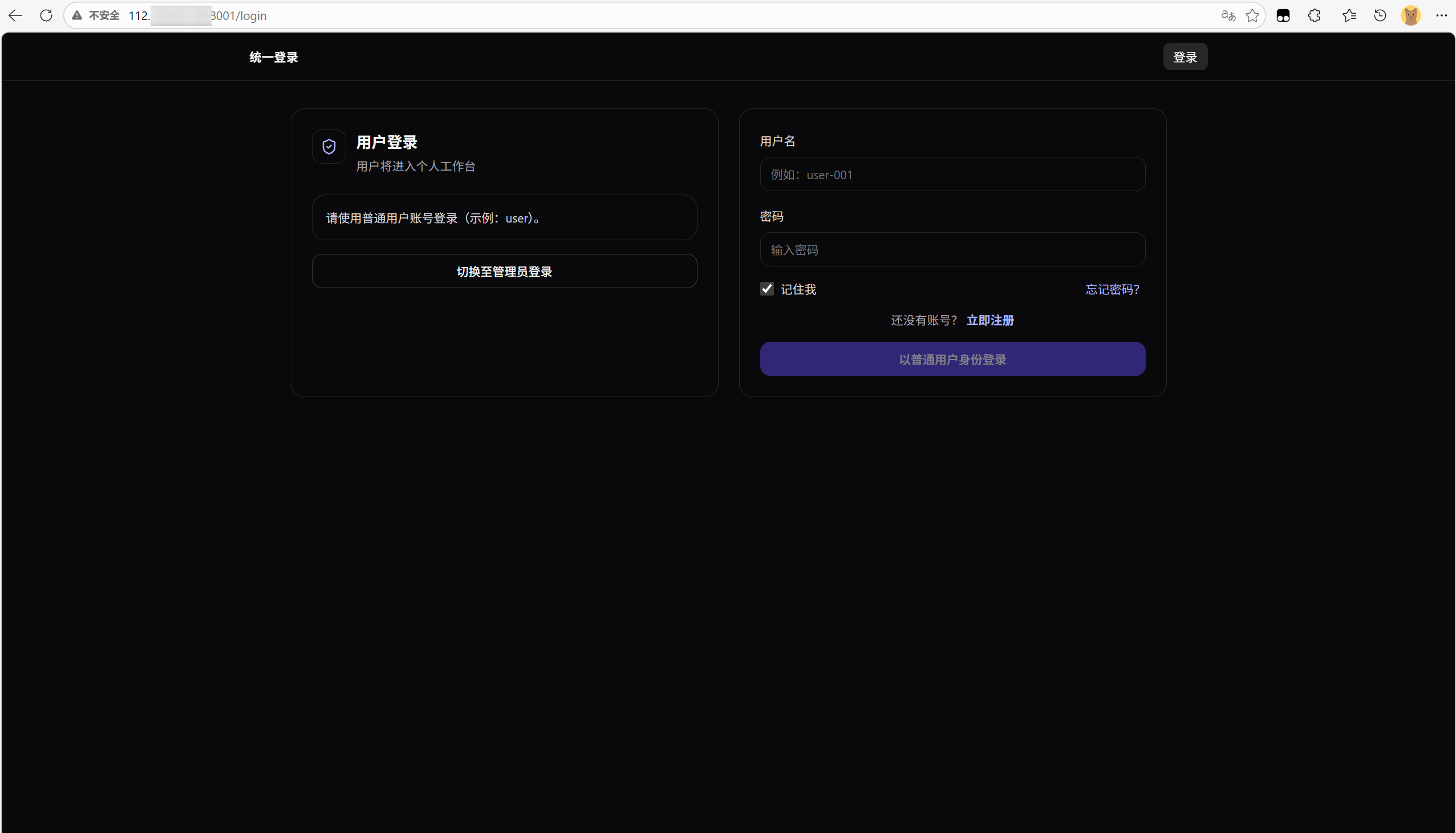
部署结果:
重要: 部署前建议在本地完成测试,确保
DEBUG=False环境下项目能正常运行。
七、常见问题排查
1) 502 Bad Gateway
现象: 浏览器访问返回 502。
排查步骤:
bash
# 1. 检查 Gunicorn 是否正在运行
sudo systemctl status djangotutorial

# 2. 检查 Socket 文件是否存在
ls -la /var/www/djangotutorial/djangotutorial.sock

# 3. 查看 Gunicorn 错误日志
cat /var/www/djangotutorial/logs/error.log

# 4. 手动启动 Gunicorn 看是否有报错
source .venv/bin/activate
gunicorn djangotutorial.wsgi:application --bind unix:/var/www/djangotutorial/djangotutorial.sock --timeout 120 --log-file -
常见原因:
- Gunicorn 启动失败(Python 依赖缺失、端口被占用)
- Socket 文件权限不足(检查
djangotutorial.sock的所有者是否为 Nginx 运行用户) - Django 代码有报错(Gunicorn 日志中会体现)
2) 静态文件 404
现象: CSS/JS 文件加载失败,控制台显示 404。
排查步骤:
bash
# 1. 确认 STATIC_ROOT 目录存在且有内容
ls -la /var/www/djangotutorial/staticfiles/

# 2. 确认 Nginx 配置的 alias 路径与 STATIC_ROOT 一致
# 3. 重新执行 collectstatic
python manage.py collectstatic --noinput
典型错误配置:
nginx
# ❌ 错误:Nginx alias 路径末尾没有斜杠,导致路径拼接错误
location /static/ {
    alias /var/www/djangotutorial/staticfiles;  # 缺少 /
}

# ✅ 正确
location /static/ {
    alias /var/www/djangotutorial/staticfiles/;
}
3) DEBUG=False 后页面样式异常
原因: 生产环境 Django 不再自动提供静态文件服务,所有静态资源需由 Nginx 提供。
解决:
- 确保已执行
python manage.py collectstatic - 确保 Nginx 配置中
location /static/指向STATIC_ROOT - 清除浏览器缓存后重试
4) 数据库迁移后数据丢失
原因: 使用 SQLite 且 DEBUG=True 时数据库文件路径可能与生产环境不一致。
解决:
- 生产环境建议使用 MySQL/PostgreSQL,路径在
settings.py中明确指定 - 切换数据库前务必备份:
cp db.sqlite3 db.sqlite3.bak - 迁移前先检查
DATABASES配置是否正确
5) ALLOWED_HOSTS 配置错误导致全部拒绝
现象: 访问网站返回 400 Bad Request。
python
# settings.py 中 ALLOWED_HOSTS 必须包含请求的 Host 头
ALLOWED_HOSTS = os.environ.get(
    "DJANGO_ALLOWED_HOSTS",
    "your_domain.com,www.your_domain.com,112.126.28.128"
).split(",")
提示: 首次部署时建议同时把服务器 IP 加进去,避免域名解析前的访问被拦截。
6) CORS 问题(前后端分离项目)
现象: API 请求被浏览器拦截,控制台显示 CORS policy。
python
# settings.py 中配置 CORS 白名单
CORS_ALLOWED_ORIGINS = os.environ.get(
    "DJANGO_CORS_ALLOWED_ORIGINS",
    "https://your_domain.com,http://your_domain.com"
).split(",")
bash
# 生产环境切勿使用通配符 *
# ❌ CORS_ALLOWED_ORIGINS = ["*"]  # 仅开发环境可用
7) Node/Vite 版本不匹配(构建时报 Node≥18)
现象: Vite 提示需要 Node 18+。
解决:
- 将 Vite 降级到 4.x,并同步降级 @vitejs/plugin-react 等(详见"前端构建(兼容轨)")。
- 或升级服务器 Node 至 18/20(现代轨)。
验证:node -v 输出 16.x 且 npm run build 成功完成。
8) pip 安装失败(Py3.6 环境)
现象: 安装新版 pip/setuptools/wheel 或某些包失败。
解决:
bash
python -m pip install --upgrade "pip<22.4" "setuptools<60" "wheel<0.39"
pip install -r requirements.txt验证:依赖安装全部成功,python manage.py check 无报错。
9) SQLite 版本不足(OperationalError/功能缺失)
现象: 迁移或运行时报与 SQLite 版本相关的错误。
解决: 启用 pysqlite3-binary 并在入口处替换 sqlite3(本项目已内置)。
验证:
bash
python -c "import sqlite3; print(sqlite3.sqlite_version)"
# 应 ≥ 3.8.3
八、总结
部署 Django 项目到远程服务器的核心流程:
- 服务器环境准备 → 安装 Nginx、Python、Node.js(前端构建)
- 上传代码 + 配置虚拟环境 →
python3 -m venv .venv && pip install -r requirements.txt - 修改 settings.py 生产配置 →
DEBUG=False、配置ALLOWED_HOSTS、正确设置STATIC_ROOT - 配置 Systemd → 用 Gunicorn 托管 Django 进程,Unix Socket 与 Nginx 通信
- 配置 Nginx → 反向代理转发动态请求,直接服务静态文件
- 迁移 + 初始化 →
migrate、collectstatic、createsuperuser - 验证 → 检查 502、静态文件、CORS 等常见问题
整个流程的自动化脚本已在 deploy.sh 中实现。后续维护只需在本地更新代码后执行 ./deploy.sh 即可完成一键部署。
参考仓库: