问题描述
在使用 Element UI 的 el-date-picker 组件,并且 type 设置为 daterange 时,在 el-row 和 el-col 布局中遇到了宽度异常的问题:
- 初始宽度异常:日期选择器的宽度不符合预期,要么过宽要么过窄
- 缩放时不适应:当浏览器窗口缩放时,日期选择器的宽度不能自适应调整
- 布局错位:在某些情况下,日期选择器会超出容器范围
问题分析
经过分析,发现问题出在 el-date-picker 组件本身的宽度设置上。当在 el-row 和 el-col 布局中使用时,el-date-picker 没有正确继承父容器的宽度,导致宽度计算错误。
复现步骤
- 在
el-row和el-col布局中使用el-date-picker - 设置
type="daterange" - 观察宽度显示异常
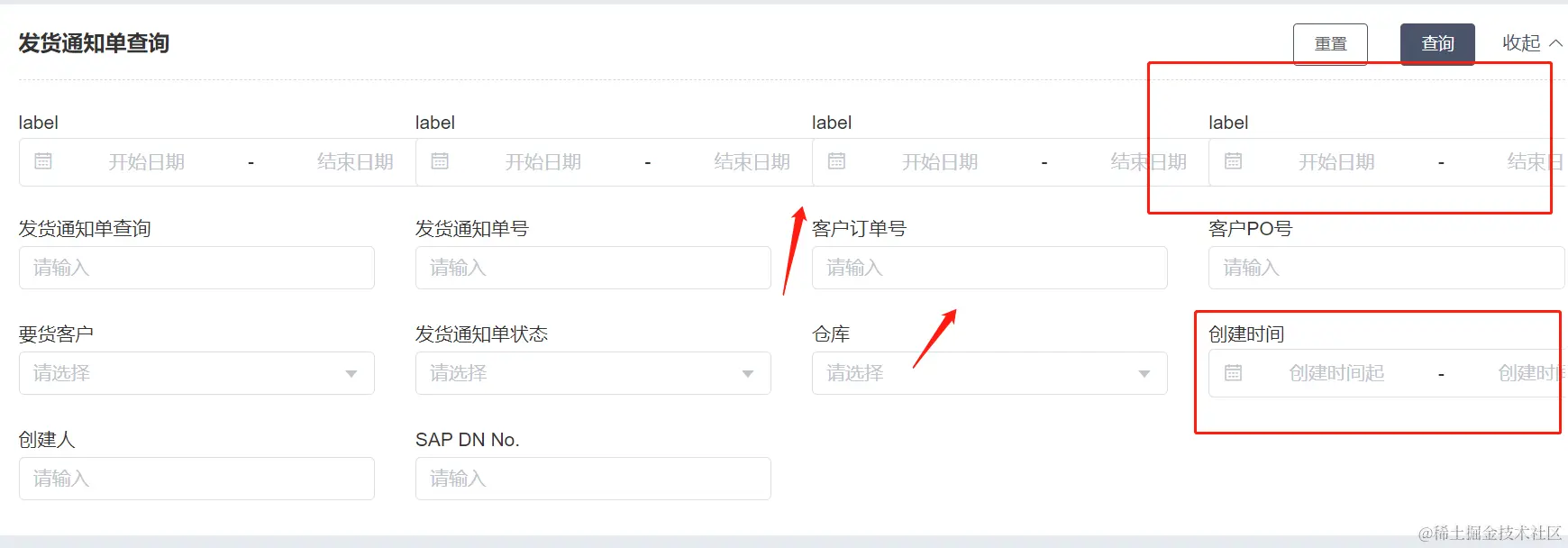
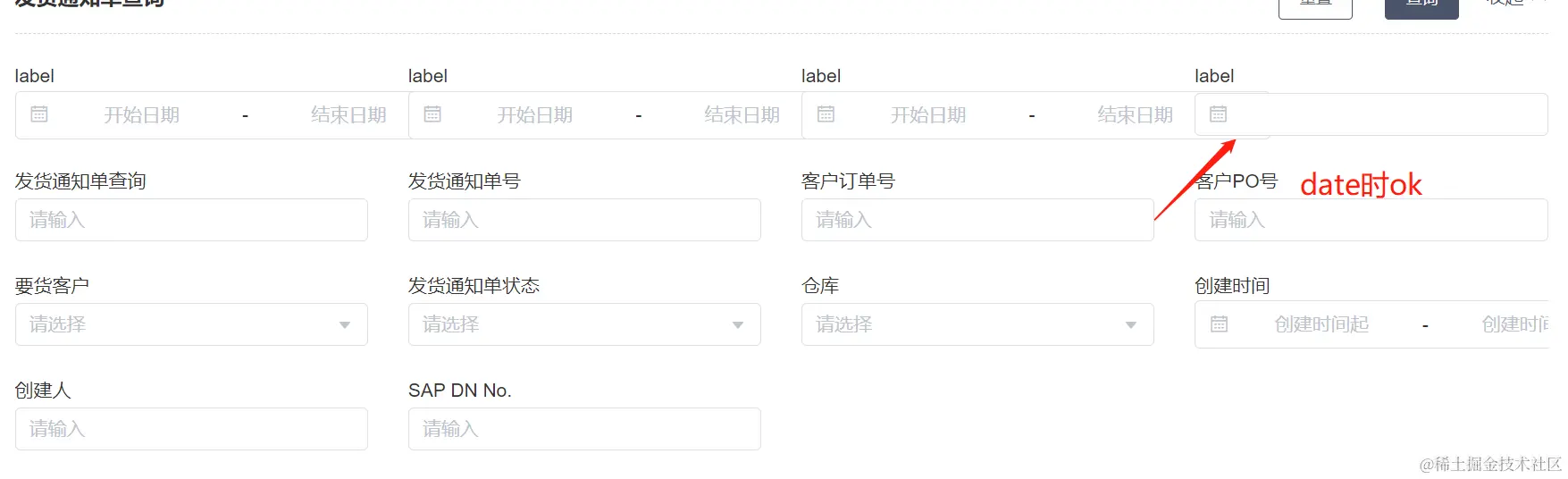 4. 缩放浏览器窗口,观察宽度不能自适应调整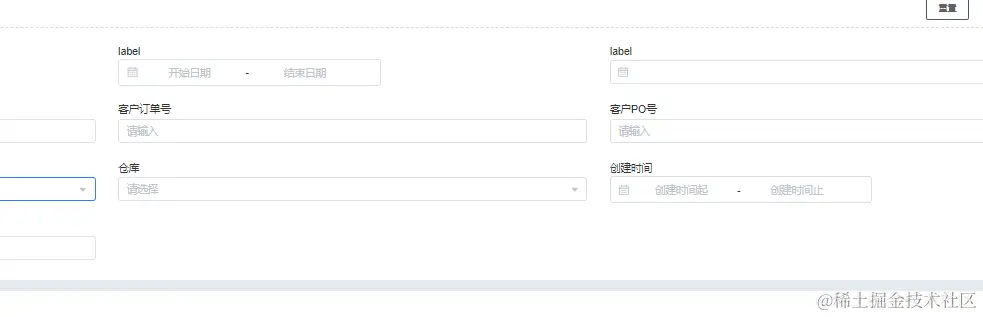
解决方案
发现问题,给类名.list-schema-form .el-form-item加上背景不是form item的问题,是el-date-picker
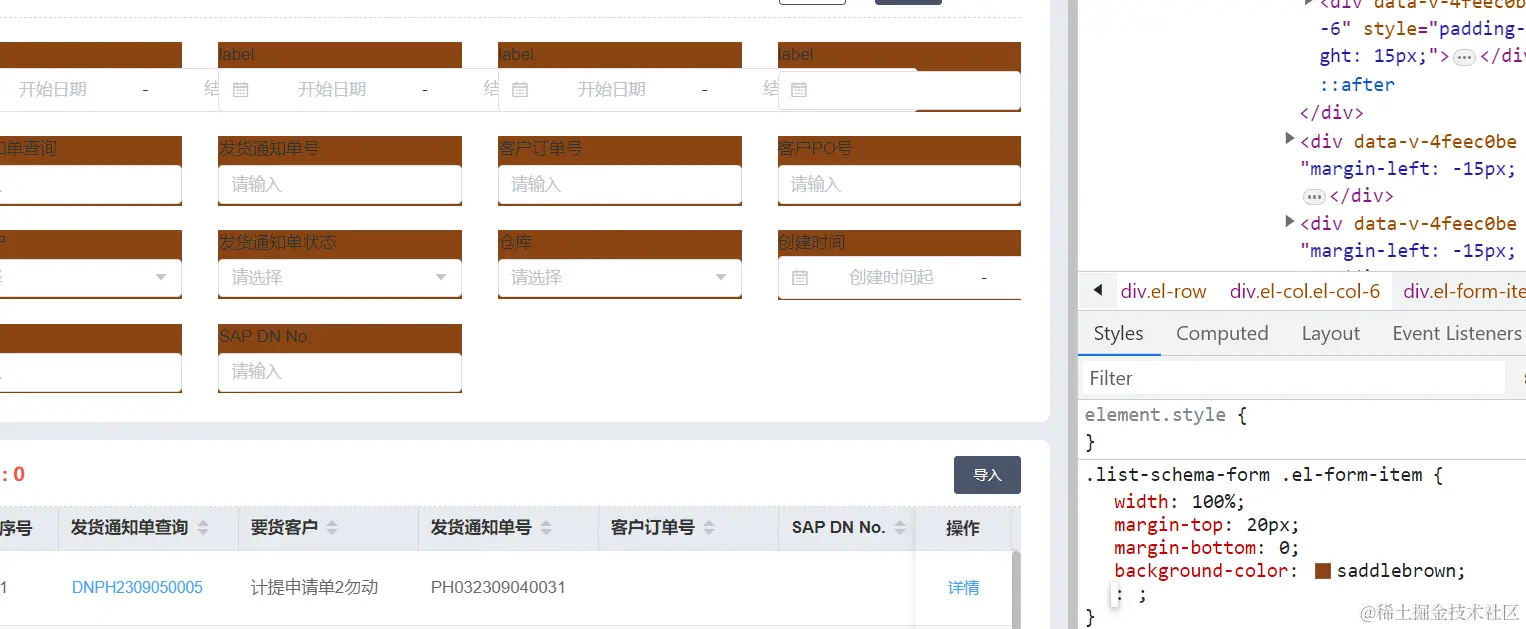
经过测试,发现最简单有效的解决方案是给 el-date-picker 组件添加 width="auto" 属性。 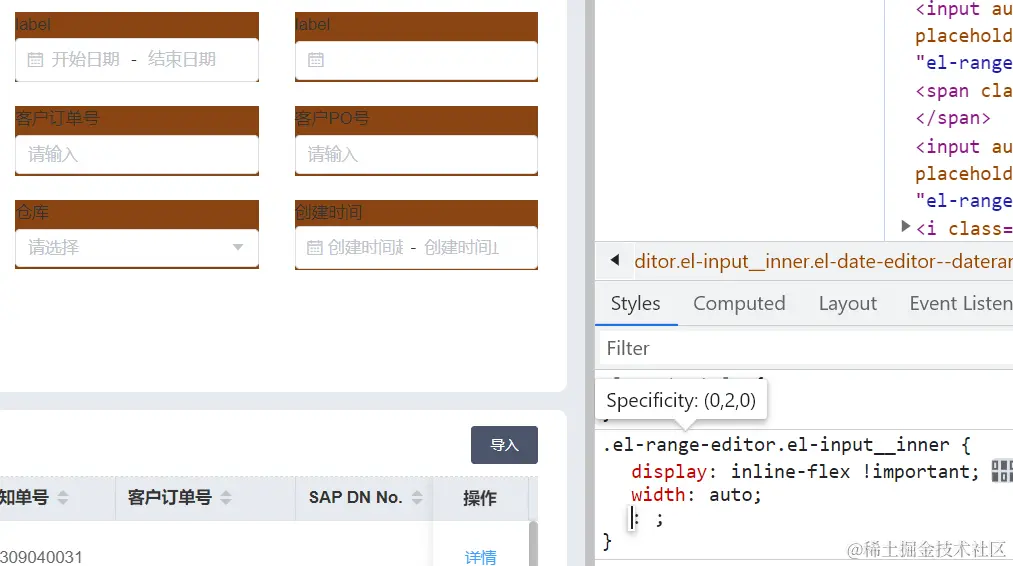
代码示例
问题代码
vue
<template>
  <el-row :gutter="20">
    <el-col :span="12">
      <el-form :model="form" class="list-schema-form">
        <el-form-item label="日期范围">
          <el-date-picker
            v-model="form.dateRange"
            type="daterange"
            range-separator="至"
            start-placeholder="开始日期"
            end-placeholder="结束日期"
          />
        </el-form-item>
      </el-form>
    </el-col>
  </el-row>
</template>

<script>
export default {
  data() {
    return {
      form: {
        dateRange: []
      }
    }
  }
}
</script>

<style scoped>
.list-schema-form {
  background: #fff;
  padding: 20px;
}
</style>
解决方案
vue
<template>
  <el-row :gutter="20">
    <el-col :span="12">
      <el-form :model="form" class="list-schema-form">
        <el-form-item label="日期范围">
          <el-date-picker
            v-model="form.dateRange"
            type="daterange"
            range-separator="至"
            start-placeholder="开始日期"
            end-placeholder="结束日期"
            width="auto" <!-- 添加这一行 -->
          />
        </el-form-item>
      </el-form>
    </el-col>
  </el-row>
</template>
原理分析
当设置 width="auto" 时,el-date-picker 会自动继承父容器的宽度,从而在 el-col 布局中正确显示。同时,当浏览器窗口缩放时,由于 el-col 会根据栅格系统自动调整宽度,el-date-picker 也会随之调整,实现自适应效果。
其他可能的解决方案
除了设置 width="auto" 外,还有以下几种可能的解决方案:
- 设置固定宽度 :直接给
el-date-picker设置固定宽度,如width="300px" - 使用 CSS 样式 :通过 CSS 样式控制宽度,如
.el-date-picker { width: 100%; } - 使用 slot 自定义 :使用
el-date-picker的 slot 来自定义输入框部分
然而,这些方案都不如 width="auto" 简洁有效,因为它们要么需要硬编码宽度,要么需要额外的样式代码。
测试效果
修复前
- 日期选择器宽度异常,不符合预期
- 缩放时宽度不能自适应
- 可能出现布局错位
修复后
- 日期选择器宽度正确继承父容器宽度
- 缩放时宽度能够自适应调整
- 布局显示正常
总结
在使用 Element UI 的 el-date-picker 组件,并且 type 设置为 daterange 时,在 el-row 和 el-col 布局中遇到宽度问题是一个常见的 bug。通过简单地给 el-date-picker 添加 width="auto" 属性,可以有效地解决这个问题,使日期选择器能够正确继承父容器的宽度,并在浏览器窗口缩放时自适应调整。
这个解决方案简单、有效,不需要额外的样式代码,是解决此类问题的最佳实践。
适用场景
- 使用 Element UI 的
el-date-picker组件 - 设置
type="daterange" - 在
el-row和el-col布局中使用 - 需要日期选择器宽度自适应父容器
技术栈
- 前端框架:Vue
- UI 库:Element UI ,ElementSchemaForm
- 布局:Element UI Layout 布局(el-row, el-col)