十九、Primitive创建图像物体
Entity vs Primitive 的区别
| 特性 | Entity | Primitive |
|---|---|---|
| 易用性 | 简单、高层 API | 复杂、底层 API |
| 性能 | 适合少量物体 | 适合大量物体,性能更优 |
| 灵活性 | 有限 | 高度灵活,可自定义着色器 |
| 使用场景 | 快速开发、少量图形 | 大规模数据可视化、高性能需求 |
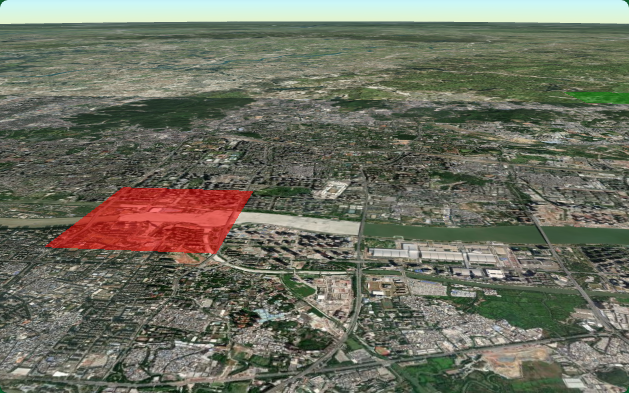
Primitive 创建矩形实例
javascript
/**
 * 创建一个矩形几何实例并添加到场景中
 * 使用Cesium库在地球上绘制一个半透明的红色矩形区域
 */
const rectangleInstance = new Cesium.GeometryInstance({
  // 定义几何体的基本形状和属性
  geometry: new Cesium.RectangleGeometry({
    // 使用经纬度坐标定义矩形范围
    rectangle: Cesium.Rectangle.fromDegrees(113.31, 23.1, 113.33, 23.12),
    // 设置矩形高度为100米
    height: 100.0,
    // 指定顶点格式,使用每实例颜色渲染
    vertexFormat: Cesium.PerInstanceColorAppearance.VERTEX_FORMAT,
  }),
  // 定义几何实例的属性,这里设置颜色
  attributes: {
    // 创建一个红色半透明的颜色属性
    color: Cesium.ColorGeometryInstanceAttribute.fromColor(
      Cesium.Color.RED.withAlpha(0.5)
    ),
  },
});

// 在场景中添加一个基础图元(Primitive)
viewer.scene.primitives.add(
  // 创建一个新的Cesium基础图元,并设置其属性
  new Cesium.Primitive({
    // 设置几何实例,这里使用矩形实例
    geometryInstances: rectangleInstance,
    // 设置外观,使用每实例颜色外观,并设置为平面显示
    appearance: new Cesium.PerInstanceColorAppearance({
      flat: true, // 设置为平面显示,不应用光照效果
    }),
  })
);
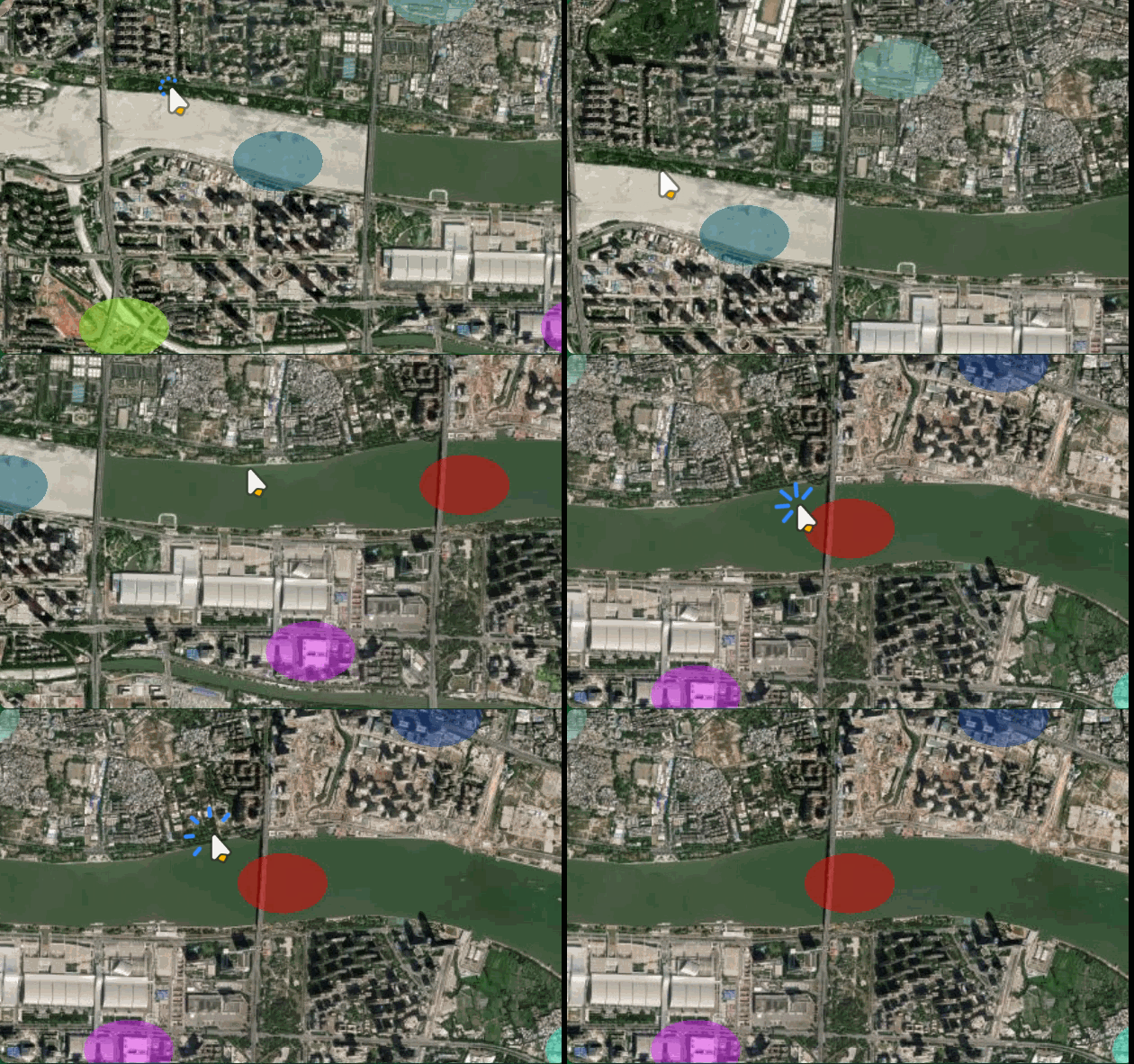
Primitive 创建多个圆/椭圆
javascript
// 批量创建多个椭圆实例
const instances = [];
for (let i = 0; i < 10; i++) {
  const lon = 113.30 + i * 0.01;
  const lat = 23.10 + (i % 3) * 0.01;

  instances.push(
    new Cesium.GeometryInstance({
      geometry: new Cesium.EllipseGeometry({
        center: Cesium.Cartesian3.fromDegrees(lon, lat),
        semiMinorAxis: 200.0,
        semiMajorAxis: 300.0,
        height: 50.0,
        vertexFormat: Cesium.PerInstanceColorAppearance.VERTEX_FORMAT,
      }),
      attributes: {
        color: Cesium.ColorGeometryInstanceAttribute.fromColor(
          Cesium.Color.fromRandom({ alpha: 0.5 })
        ),
      },
    })
  );
}

// 一次添加所有实例(高性能)
viewer.scene.primitives.add(
  new Cesium.Primitive({
    geometryInstances: instances,
    appearance: new Cesium.PerInstanceColorAppearance({
      flat: true,
    }),
  })
);
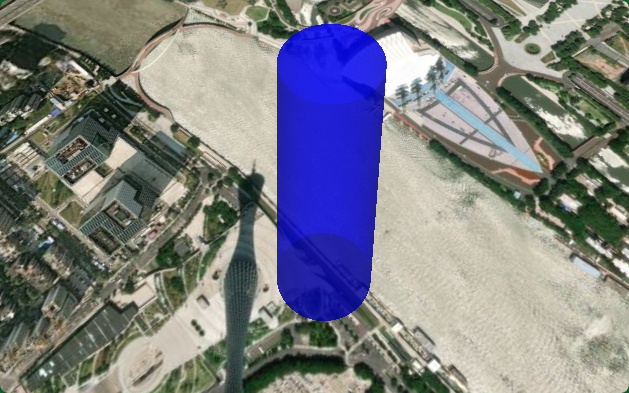
Primitive 创建圆柱体
javascript
/**
 * 创建一个圆柱体几何实例并添加到场景中
 * 使用Cesium库创建一个带有特定颜色和位置的圆柱体
 */
const cylinderInstance = new Cesium.GeometryInstance({
  // 定义圆柱体的几何形状
  geometry: new Cesium.CylinderGeometry({
    length: 500.0,        // 圆柱体的高度
    topRadius: 50.0,      // 圆柱体顶部半径
    bottomRadius: 80.0,   // 圆柱体底部半径
    vertexFormat: Cesium.PerInstanceColorAppearance.VERTEX_FORMAT,  // 顶点格式
  }),
  // 计算模型矩阵,确定圆柱体的位置
  modelMatrix: Cesium.Matrix4.multiplyByTranslation(
    // 将经纬度转换为固定坐标系,并设置东-北-上坐标系
    Cesium.Transforms.eastNorthUpToFixedFrame(
      Cesium.Cartesian3.fromDegrees(113.32, 23.11)  // 经纬度坐标
    ),
    new Cesium.Cartesian3(0, 0, 250),  // 在垂直方向上偏移250米
    new Cesium.Matrix4()               // 结果矩阵
  ),
  // 定义圆柱体的颜色属性
  attributes: {
    color: Cesium.ColorGeometryInstanceAttribute.fromColor(
      Cesium.Color.BLUE.withAlpha(0.6)  // 蓝色,透明度为0.6
    ),
  },
});

// 将圆柱体添加到场景中
viewer.scene.primitives.add(
  new Cesium.Primitive({
    geometryInstances: cylinderInstance,  // 使用之前创建的几何实例
    appearance: new Cesium.PerInstanceColorAppearance({
      closed: true,  // 设置为闭合几何体
    }),
  })
);
颜色修改
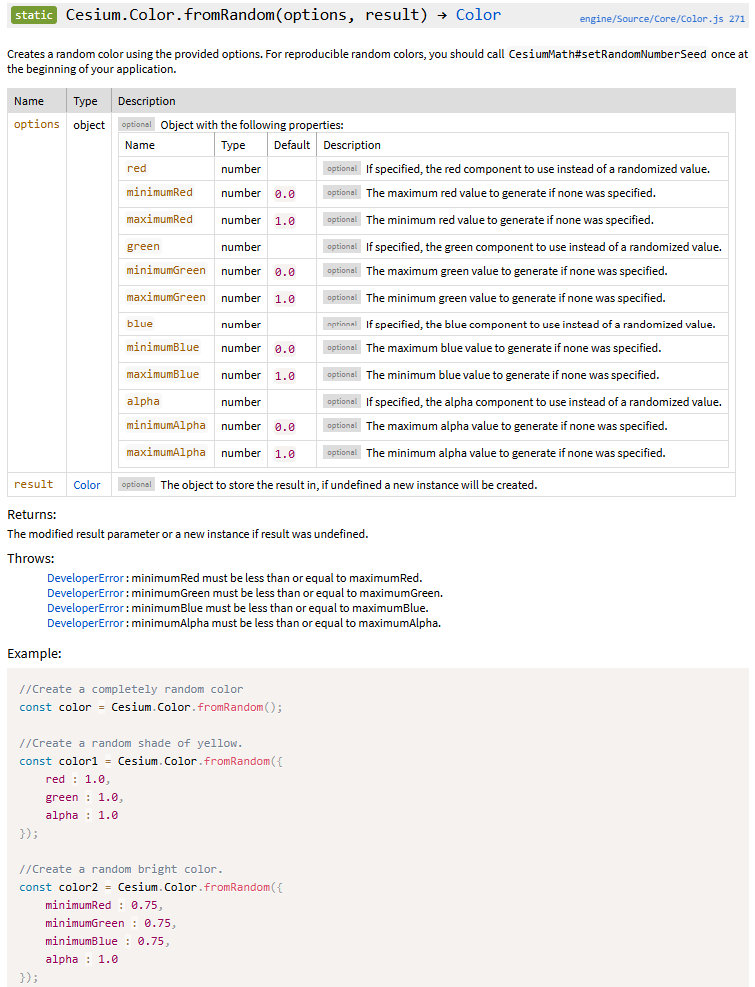
javascript
Cesium.ColorGeometryInstanceAttribute.fromColor(
         Cesium.Color.fromRandom({ alpha: 0.5 })
二十、与entity和primitive物体交互
Entity 交互
Entity 交互比较简单,Cesium 提供了 ScreenSpaceEventHandler 和内置的 pickedObject 机制:
ScreenSpaceEventHandler - Cesium Documentation
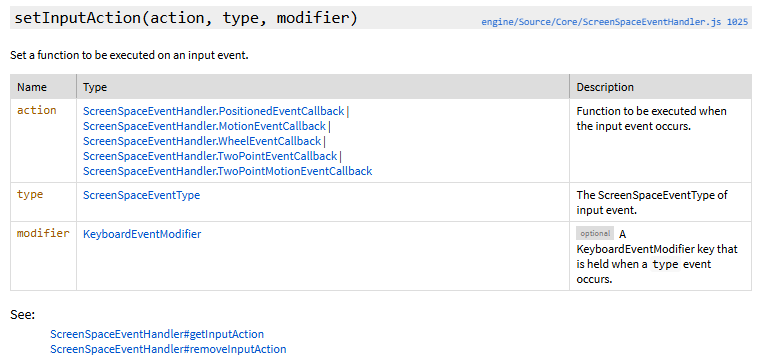
action,type必填
该枚举类型用于对鼠标事件进行分类:向下、向上、单击、双击、移动以及按住按钮时移动。
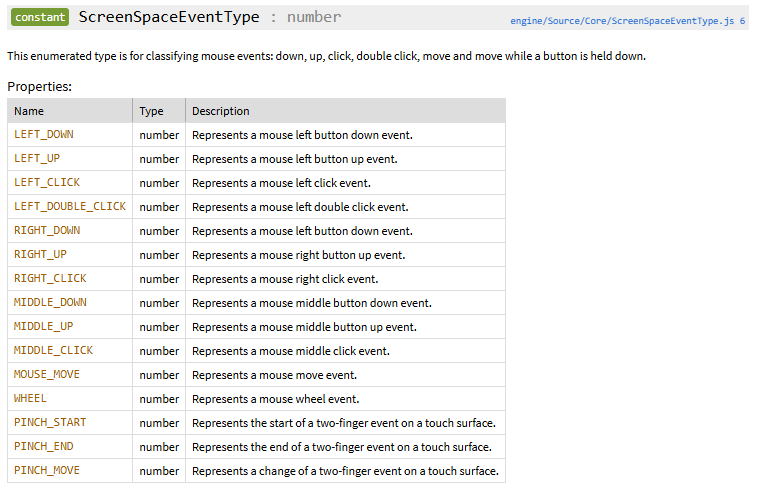
鼠标点击 Entity
javascript
// 创建屏幕空间事件处理器
const handler = new Cesium.ScreenSpaceEventHandler(viewer.scene.canvas);

handler.setInputAction(function (event) {
  // 获取点击位置拾取的对象
  const pickedObject = viewer.scene.pick(event.position);
  console.log(pickedObject);
  //
  if (Cesium.defined(pickedObject) && Cesium.defined(pickedObject.id)) {
    const entity = pickedObject.id;

    // 检查是否是 Entity
    if (entity instanceof Cesium.Entity) {
      console.log("点击了 Entity:", entity.name);

      // 改变 Entity 颜色
      if (entity.rectangle) {
        entity.rectangle.material = Cesium.Color.YELLOW.withAlpha(0.8);
      }
    }
  }
}, Cesium.ScreenSpaceEventType.LEFT_CLICK);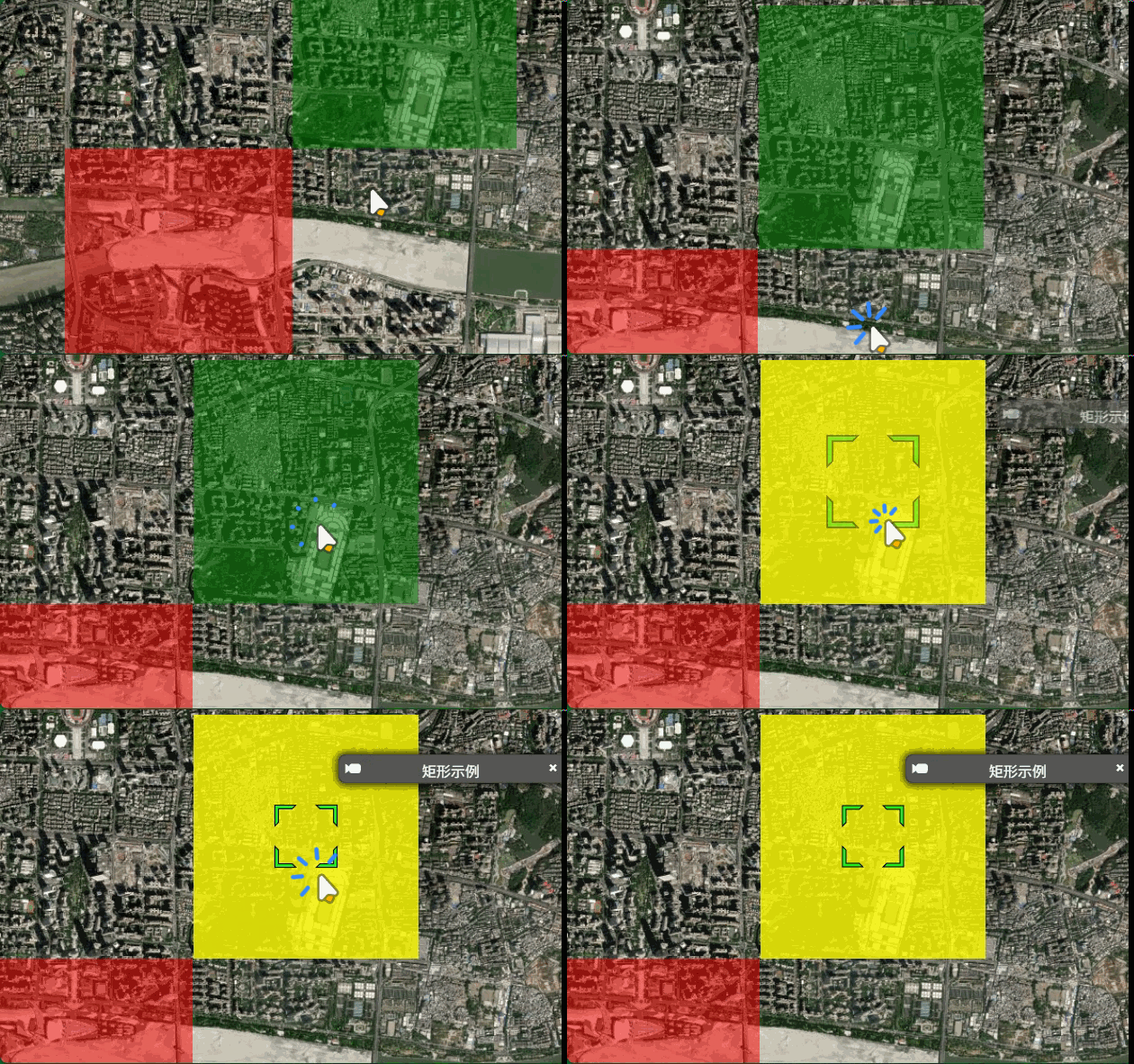
鼠标悬停 Entity
javascript
// 鼠标悬停 Entity
handler.setInputAction(function (movement) {
  const pickedObject = viewer.scene.pick(movement.endPosition);

  if (Cesium.defined(pickedObject) && pickedObject.id instanceof Cesium.Entity) {
    // 鼠标悬停在 Entity 上
    document.body.style.cursor = "pointer";
    console.log("悬停在:", pickedObject.id.name);

  } else {
    document.body.style.cursor = "default";
  }
}, Cesium.ScreenSpaceEventType.MOUSE_MOVE);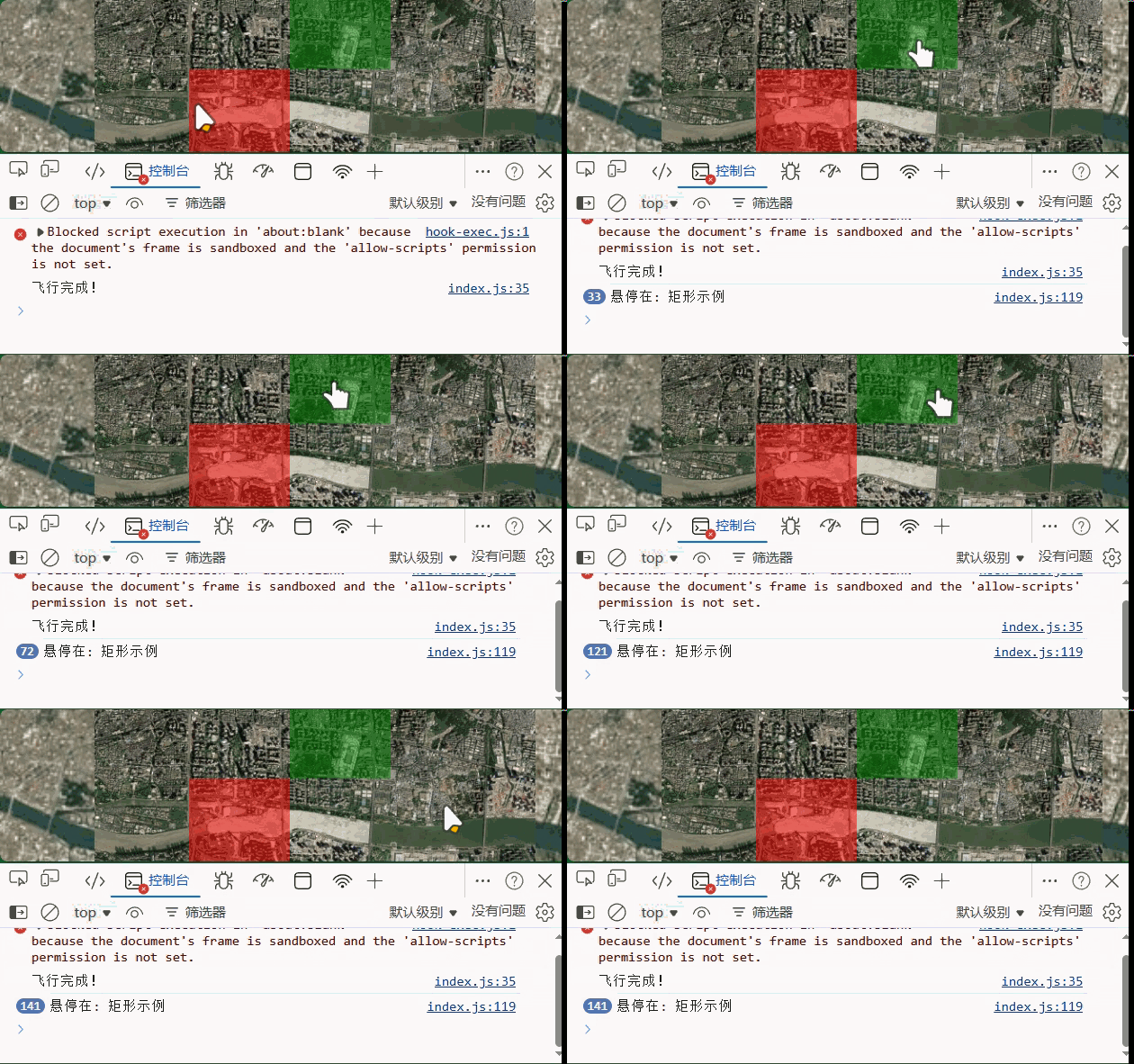
Entity 双击缩放
javascript
// 双击飞向 Entity
handler.setInputAction(function (event) {
  const pickedObject = viewer.scene.pick(event.position);

  if (Cesium.defined(pickedObject) && pickedObject.id instanceof Cesium.Entity) {
    viewer.flyTo(pickedObject.id);
  }
}, Cesium.ScreenSpaceEventType.LEFT_DOUBLE_CLICK);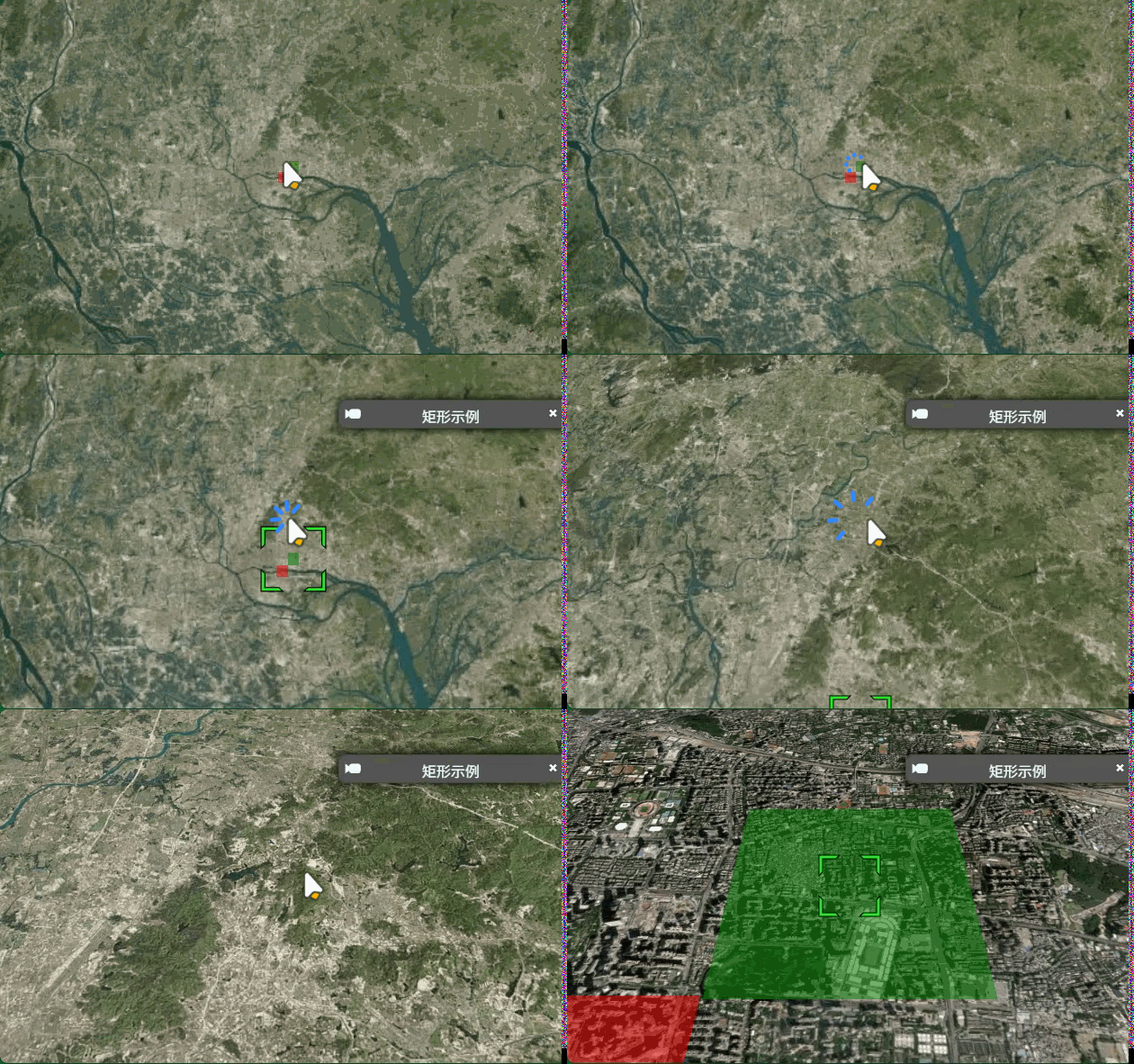
Primitive 交互
Primitive 交互需要额外设置 id 属性来识别物体
不加id的primitive
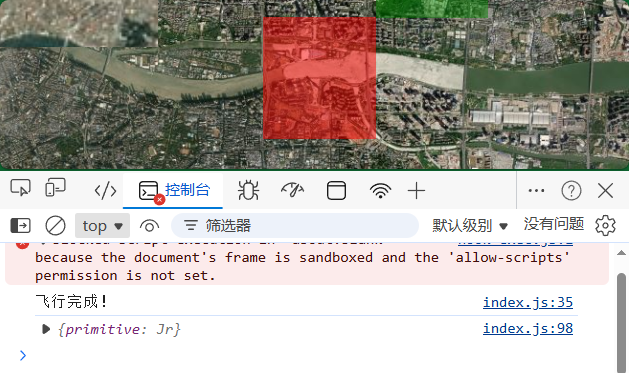
在 Cesium 中,Entity 是一个高层抽象,它内部实际上会被转换成 Primitive 来进行渲染。
因此:
javascript
handler.setInputAction(function (event) {
  const pickedObject = viewer.scene.pick(event.position);

  if (!Cesium.defined(pickedObject)) return;

  // 先判断是否是 Entity
  if (pickedObject.id instanceof Cesium.Entity) {
    console.log("点击了 Entity:", pickedObject.id.name);
    // 处理 Entity 交互...
  }
  // 再判断是否是用户创建的 Primitive(排除 Entity 内部的 Primitive)
  else if (pickedObject.primitive instanceof Cesium.Primitive) {
    console.log("点击了 Primitive:", pickedObject.id);
    // 处理 Primitive 交互...
    // 获取 Primitive 实例
    const primitive = pickedObject.primitive;

    // 改变颜色 - 需要获取属性并设置新值
    const colorAttribute = primitive.getGeometryInstanceAttributes(
      pickedObject.id
    );
    colorAttribute.color = Cesium.ColorGeometryInstanceAttribute.toValue(
      Cesium.Color.RED.withAlpha(0.8)
    );
  }
}, Cesium.ScreenSpaceEventType.LEFT_CLICK);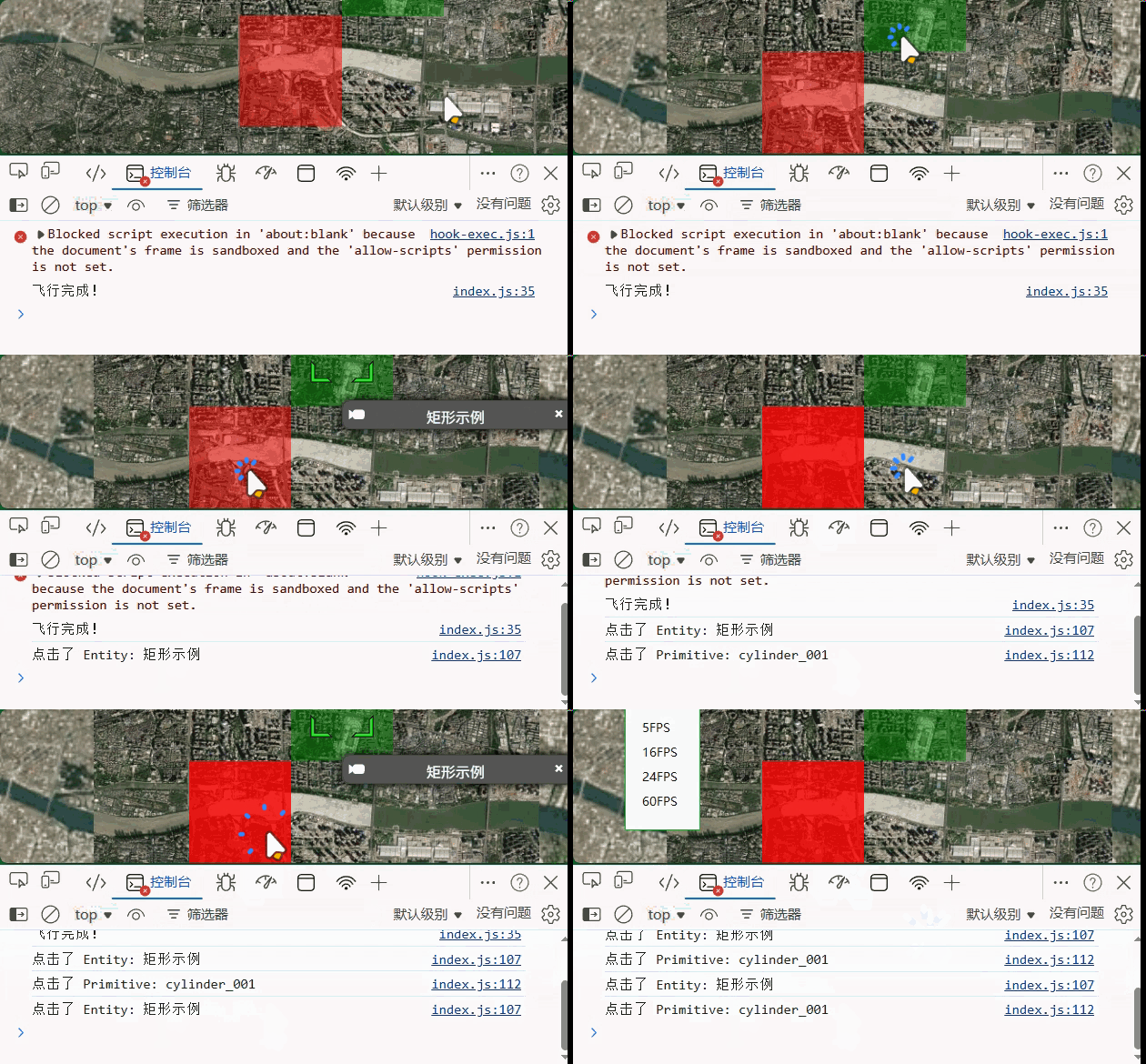
二十一、entity材质
Material - Cesium Documentation
MaterialProperty - Cesium Documentation
材质类型概览
| 材质类型 | 说明 | 适用场景 |
|---|---|---|
Color |
纯色 | 基础着色 |
Image |
图片纹理 | 贴图、地面标识 |
Stripe |
条纹图案 | 警戒区域 |
Checkerboard |
棋盘格 | 分隔区域 |
Grid |
网格 | 显示区域划分 |
PolylineGlow |
发光线 | 路线高亮 |
PolylineArrow |
箭头线 | 方向指示 |
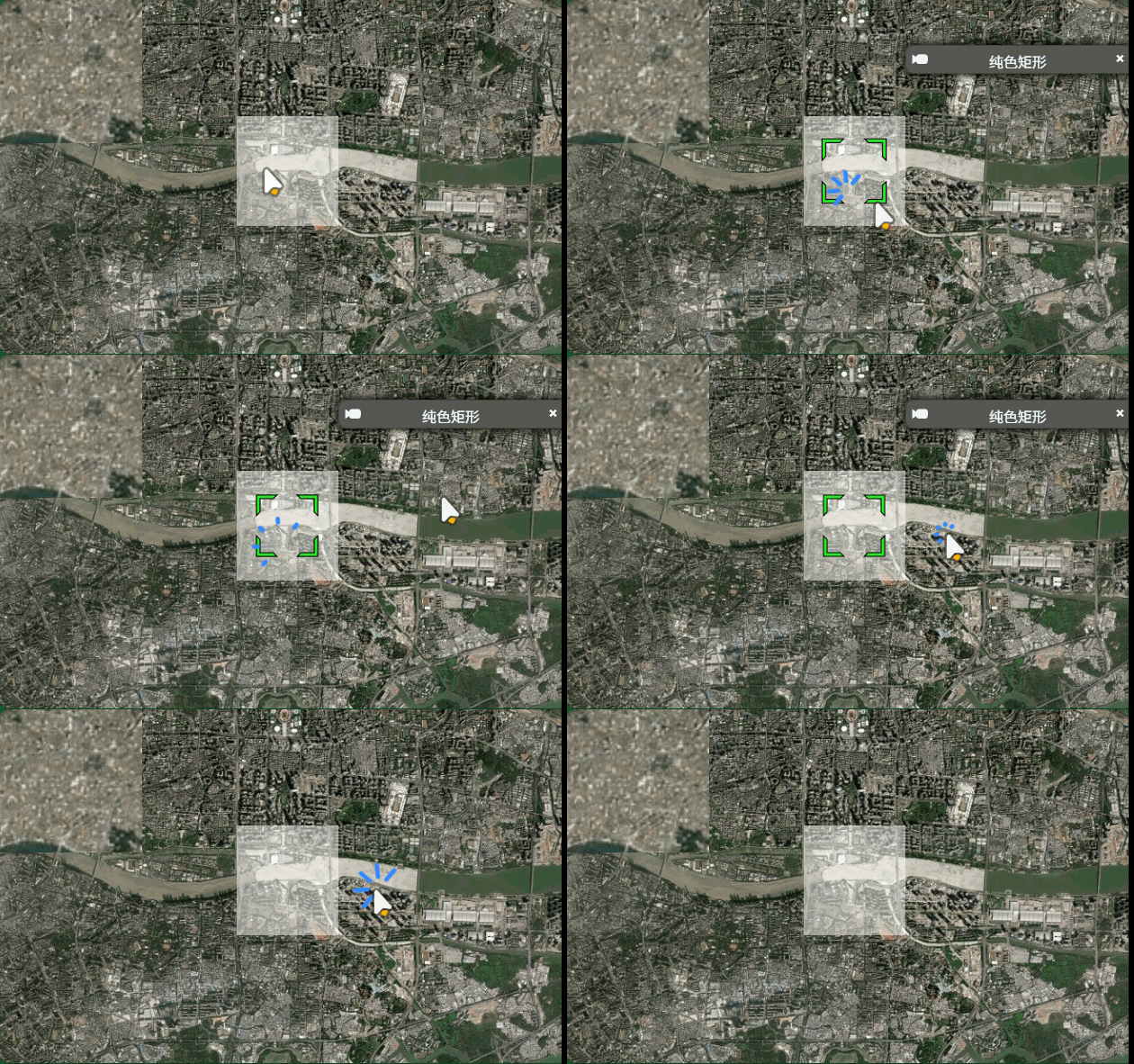
纯色材质
javascript
const material = new Cesium.ColorMaterialProperty(
  new Cesium.Color(1.0, 1.0, 1.0, 0.5)
);
viewer.entities.add({
  name: "纯色矩形",
  rectangle: {
    coordinates: Cesium.Rectangle.fromDegrees(113.31, 23.1, 113.33, 23.12),
    height: 100.0,
    material: material, // 白色半透明
  },
});
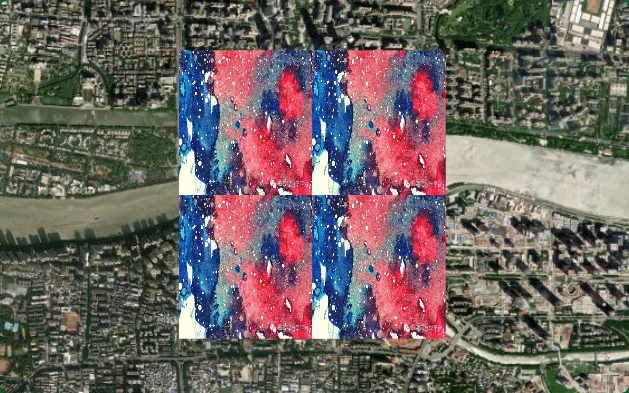
图片材质
javascript
const material = new Cesium.ImageMaterialProperty({
  image: "../../img/水彩.png", // 图片路径
  repeat: new Cesium.Cartesian2(2.0, 2.0), // 重复次数
});
viewer.entities.add({
  name: "图片纹理矩形",
  rectangle: {
    coordinates: Cesium.Rectangle.fromDegrees(113.31, 23.1, 113.33, 23.12),
    height: 100.0,
    material: material,
  },
});
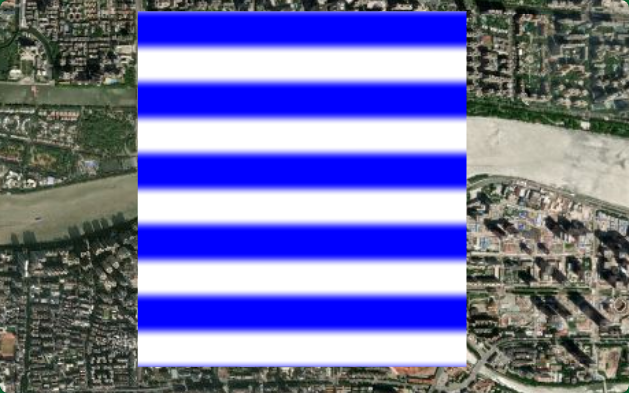
条纹材质
javascript
// 条纹材质
const material = new Cesium.StripeMaterialProperty({
  evenColor: Cesium.Color.WHITE, // 偶数条颜色
  oddColor: Cesium.Color.BLUE, // 奇数条颜色
  repeat: 10, // 重复次数
  orientation: Cesium.StripeOrientation.HORIZONTAL, // 方向
});
viewer.entities.add({
  name: "条纹矩形",
  rectangle: {
    coordinates: Cesium.Rectangle.fromDegrees(113.31, 23.1, 113.33, 23.12),
    height: 100.0,
    material: material,
  },
});
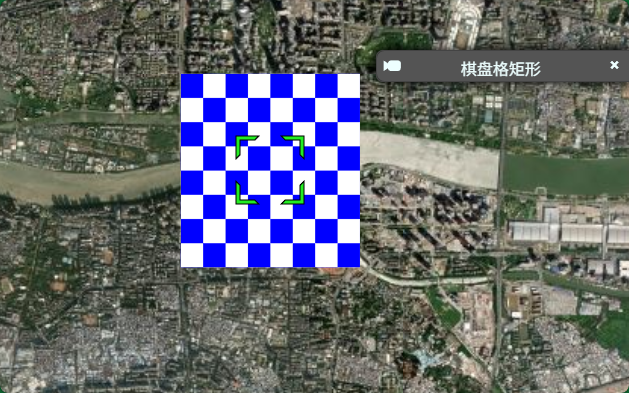
棋盘格材质
javascript
// 棋盘格材质
const material = new Cesium.CheckerboardMaterialProperty({
  evenColor: Cesium.Color.WHITE, // 偶数条颜色
  oddColor: Cesium.Color.BLUE, // 奇数条颜色
  repeat: new Cesium.Cartesian2(8, 8), // 重复次数
});
viewer.entities.add({
  name: "棋盘格矩形",
  rectangle: {
    coordinates: Cesium.Rectangle.fromDegrees(113.31, 23.1, 113.33, 23.12),
    height: 100.0,
    material: material,
  },
});
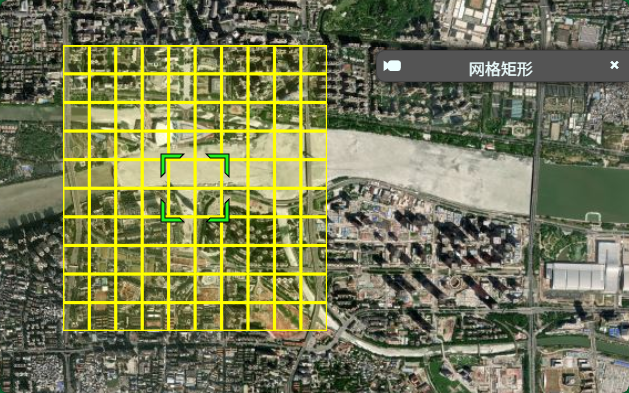
网格材质
javascript
// 网格材质
const material = new Cesium.GridMaterialProperty({
  color: Cesium.Color.YELLOW, // 网格线颜色
  cellAlpha: 0.1, // 单元格透明度
  lineCount: new Cesium.Cartesian2(10, 10), // 网格数量
  lineThickness: new Cesium.Cartesian2(2.0, 2.0), // 线宽
});

viewer.entities.add({
  name: "网格矩形",
  rectangle: {
    coordinates: Cesium.Rectangle.fromDegrees(113.31, 23.1, 113.33, 23.12),
    height: 100.0,
    material: material,
  },
});
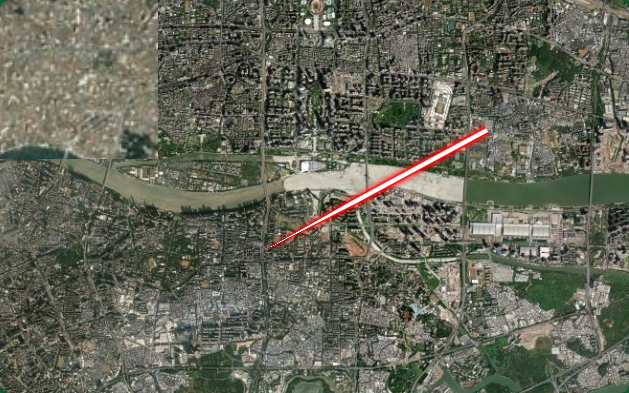
折线发光材质
javascript
// 折线发光材质
const material = new Cesium.PolylineGlowMaterialProperty({
  glowPower: 0.2, // 发光强度
  taperPower: 0.7, // 渐变强度
  color: Cesium.Color.RED, // 发光颜色
});
viewer.entities.add({
  name: "发光折线",
  polyline: {
    positions: Cesium.Cartesian3.fromDegreesArray([
      113.31, 23.1, 113.35, 23.12,
    ]),
    width: 20,
    material: material,
  },
});
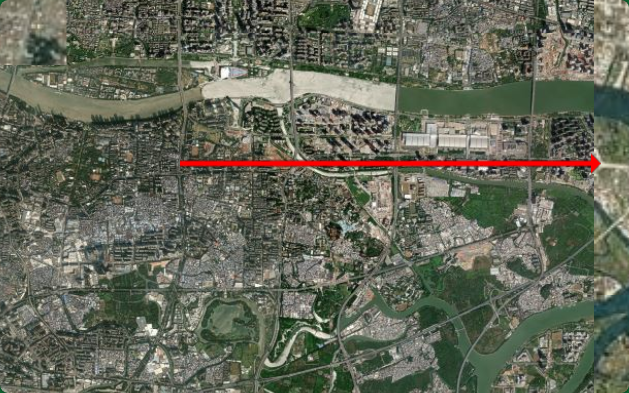
折线箭头材质
javascript
// 折线箭头材质
const material = new Cesium.PolylineArrowMaterialProperty(Cesium.Color.RED);
viewer.entities.add({
  name: "箭头折线",
  polyline: {
    positions: Cesium.Cartesian3.fromDegreesArray([113.31, 23.1, 113.38, 23.1]),
    width: 20,
    material: material,
  },
});
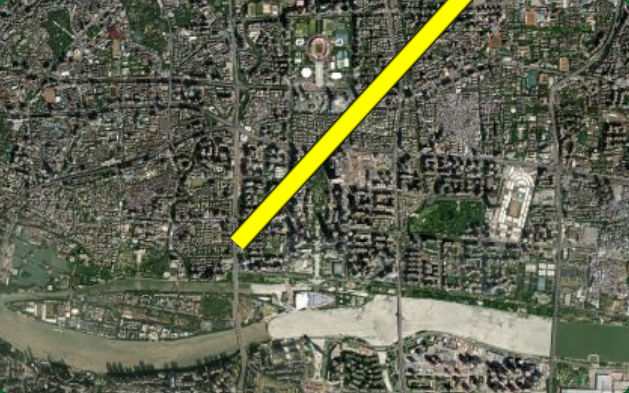
折线轮廓材质
javascript
// 折线轮廓材质
const material = new Cesium.PolylineOutlineMaterialProperty({
  color: Cesium.Color.YELLOW,
  outlineColor: Cesium.Color.BLACK,
  outlineWidth: 3,
});
viewer.entities.add({
  name: "轮廓折线",
  polyline: {
    positions: Cesium.Cartesian3.fromDegreesArray([
      114.31, 24.12, 113.31, 23.12,
    ]),
    width: 20,
    material: material,
  },
});
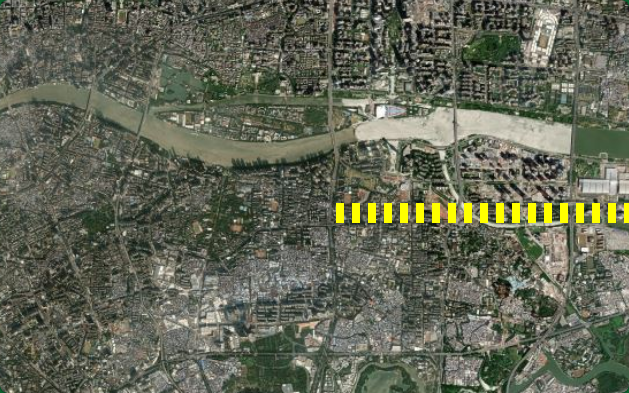
虚线
javascript
// 虚线
const material = new Cesium.PolylineDashMaterialProperty({
  dashPattern: 255.0, // 虚线图案(位掩码)
  dashLength: 16.0, // 虚线长度
  color: Cesium.Color.YELLOW,
});
viewer.entities.add({
  name: "虚线",
  polyline: {
    positions: Cesium.Cartesian3.fromDegreesArray([113.31, 23.1, 113.41, 23.1]),
    width: 20,
    material: material,
  },
});
二十二、primitive材质
Appearance - Cesium Documentation
Appearance 类型对比总览
| Appearance | 适用几何体 | 特点 | 使用场景 |
|---|---|---|---|
| PerInstanceColorAppearance | 所有几何体 | 每个实例独立颜色,性能最优 | 大量物体批量渲染 |
| MaterialAppearance | 所有几何体 | 支持丰富材质(图片、条纹等) | 需要纹理效果 |
| EllipsoidSurfaceAppearance | 贴地几何体 | 优化贴地渲染,自动计算纹理坐标 | 地面覆盖物 |
| PolylineColorAppearance | 折线 | 折线专用,支持每段颜色 | 多彩折线 |
| PolylineMaterialAppearance | 折线 | 折线专用,支持材质 | 发光线、纹理线 |
| DebugAppearance | 所有几何体 | 显示法线、线框等调试信息 | 开发调试 |
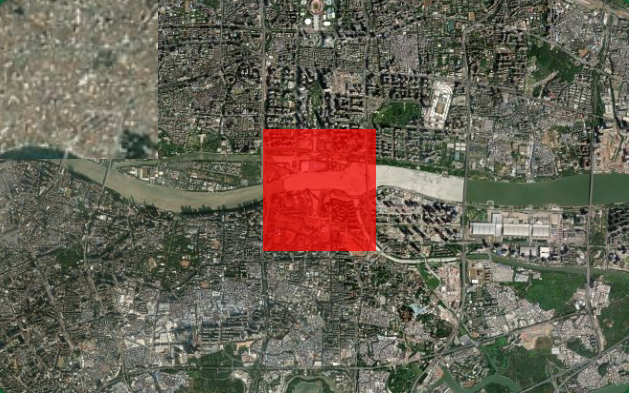
PerInstanceColorAppearance
javascript
const instance = new Cesium.GeometryInstance({
  id: "rect_001",
  geometry: new Cesium.RectangleGeometry({
    rectangle: Cesium.Rectangle.fromDegrees(113.31, 23.10, 113.33, 23.12),
    height: 100,
    vertexFormat: Cesium.PerInstanceColorAppearance.VERTEX_FORMAT,  // 必须指定
  }),
  attributes: {
    color: Cesium.ColorGeometryInstanceAttribute.fromColor(
      Cesium.Color.RED.withAlpha(0.7)
    ),
  },
});

viewer.scene.primitives.add(
  new Cesium.Primitive({
    geometryInstances: instance,
    appearance: new Cesium.PerInstanceColorAppearance({
      flat: true,           // 平面着色(无光照)
      translucent: true,    // 支持透明
      closed: false,        // 非闭合几何体
    }),
  })
);
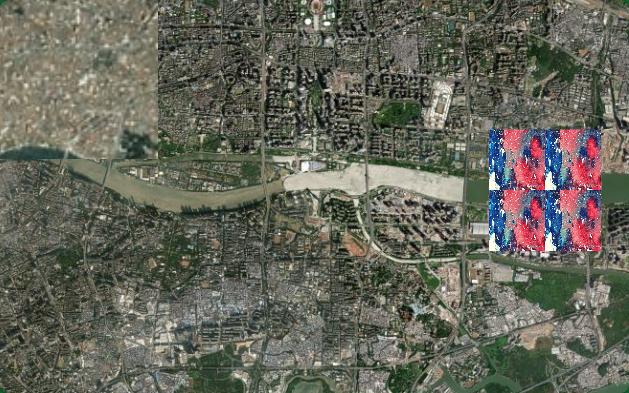
MaterialAppearance
javascript
const instance = new Cesium.GeometryInstance({
  id: "rect_material",
  geometry: new Cesium.RectangleGeometry({
    rectangle: Cesium.Rectangle.fromDegrees(113.35, 23.1, 113.37, 23.12),
    height: 100,
    vertexFormat:
      Cesium.MaterialAppearance.MaterialSupport.TEXTURED.vertexFormat,
  }),
});

viewer.scene.primitives.add(
  new Cesium.Primitive({
    geometryInstances: instance,
    appearance: new Cesium.MaterialAppearance({
      // 使用图片材质
      material: Cesium.Material.fromType("Image", {
        image: "../../img/水彩.png",
        repeat: new Cesium.Cartesian2(2, 2),
      }),
      flat: true,
    }),
  })
);
MaterialAppearance 支持的材质类型
javascript
// 1. 纯色材质
material: Cesium.Material.fromType("Color", {
  color: Cesium.Color.BLUE.withAlpha(0.5),
})

// 2. 图片材质
material: Cesium.Material.fromType("Image", {
  image: "./img/texture.jpg",
  repeat: new Cesium.Cartesian2(1, 1),
})

// 3. 条纹材质
material: Cesium.Material.fromType("Stripe", {
  evenColor: Cesium.Color.WHITE,
  oddColor: Cesium.Color.BLUE,
  repeat: 10,
})

// 4. 棋盘格材质
material: Cesium.Material.fromType("Checkerboard", {
  evenColor: Cesium.Color.WHITE,
  oddColor: Cesium.Color.BLACK,
  repeat: new Cesium.Cartesian2(5, 5),
})

// 5. 网格材质
material: Cesium.Material.fromType("Grid", {
  color: Cesium.Color.YELLOW,
  cellAlpha: 0.1,
  lineCount: new Cesium.Cartesian2(10, 10),
  lineThickness: new Cesium.Cartesian2(2, 2),
})
EllipsoidSurfaceAppearance
javascript
const instance = new Cesium.GeometryInstance({
  id: "surface_rect",
  geometry: new Cesium.RectangleGeometry({
    rectangle: Cesium.Rectangle.fromDegrees(113.31, 23.14, 113.33, 23.16),
    // 不设置 height,贴地
    vertexFormat: Cesium.EllipsoidSurfaceAppearance.VERTEX_FORMAT,
  }),
});

viewer.scene.primitives.add(
  new Cesium.Primitive({
    geometryInstances: instance,
    appearance: new Cesium.EllipsoidSurfaceAppearance({
      material: Cesium.Material.fromType("Stripe", {
        evenColor: Cesium.Color.YELLOW,
        oddColor: Cesium.Color.ORANGE,
        repeat: 8,
      }),
      aboveGround: false,  // 是否在地形之上
    }),
  })
);
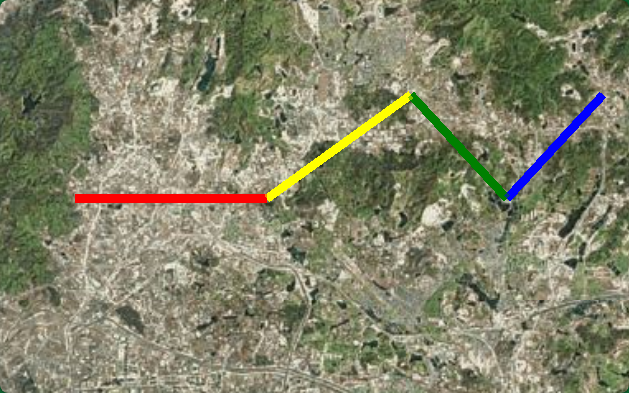
PolylineColorAppearance
折线专用,每段可以独立颜色。
javascript
const polylineInstance = new Cesium.GeometryInstance({
  id: "color_polyline",
  geometry: new Cesium.PolylineGeometry({
    positions: Cesium.Cartesian3.fromDegreesArray([
      113.31, 23.18,
      113.35, 23.18,
      113.38, 23.20,
    ]),
    width: 5.0,
    vertexFormat: Cesium.PolylineColorAppearance.VERTEX_FORMAT,
  }),
  attributes: {
    color: Cesium.ColorGeometryInstanceAttribute.fromColor(
      Cesium.Color.CYAN
    ),
  },
});

viewer.scene.primitives.add(
  new Cesium.Primitive({
    geometryInstances: polylineInstance,
    appearance: new Cesium.PolylineColorAppearance({
      translucent: false,
    }),
  })
);
javascript
// ========== 每段独立颜色的折线 ==========

// 定义折线点坐标
const points = [
  { lon: 113.31, lat: 23.18, color: Cesium.Color.RED },
  { lon: 113.35, lat: 23.18, color: Cesium.Color.YELLOW },
  { lon: 113.38, lat: 23.20, color: Cesium.Color.GREEN },
  { lon: 113.40, lat: 23.18, color: Cesium.Color.BLUE },
  { lon: 113.42, lat: 23.20, color: Cesium.Color.MAGENTA },
];

// 为每段创建独立的 GeometryInstance
const segmentInstances = [];
for (let i = 0; i < points.length - 1; i++) {
  segmentInstances.push(
    new Cesium.GeometryInstance({
      id: `segment_${i}`,
      geometry: new Cesium.PolylineGeometry({
        positions: Cesium.Cartesian3.fromDegreesArray([
          points[i].lon, points[i].lat,
          points[i + 1].lon, points[i + 1].lat,
        ]),
        width: 8.0,
        vertexFormat: Cesium.PolylineColorAppearance.VERTEX_FORMAT,
      }),
      attributes: {
        color: Cesium.ColorGeometryInstanceAttribute.fromColor(
          points[i].color  // 每段使用不同颜色
        ),
      },
    })
  );
}

// 批量添加所有线段(性能优化:合并为一个 draw call)
viewer.scene.primitives.add(
  new Cesium.Primitive({
    geometryInstances: segmentInstances,  // 数组形式传入多个实例
    appearance: new Cesium.PolylineColorAppearance({
      translucent: true,
    }),
  })
);
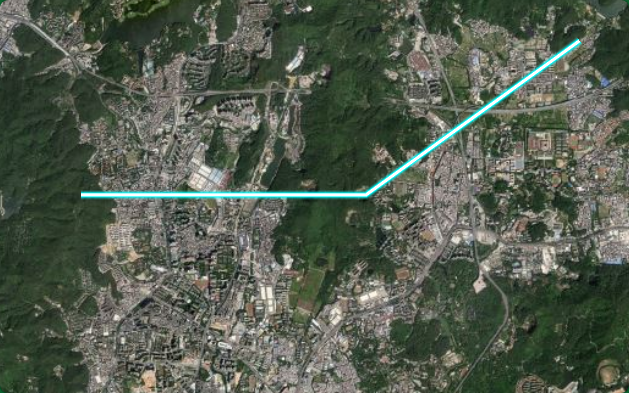
PolylineMaterialAppearance
折线专用,支持材质效果,如发光、虚线等。
javascript
const glowPolyline = new Cesium.GeometryInstance({
  id: "glow_polyline",
  geometry: new Cesium.PolylineGeometry({
    positions: Cesium.Cartesian3.fromDegreesArray([
      113.31, 23.20,
      113.35, 23.20,
      113.38, 23.22,
    ]),
    width: 10.0,
    vertexFormat: Cesium.PolylineMaterialAppearance.VERTEX_FORMAT,
  }),
});

viewer.scene.primitives.add(
  new Cesium.Primitive({
    geometryInstances: glowPolyline,
    appearance: new Cesium.PolylineMaterialAppearance({
      material: Cesium.Material.fromType("PolylineGlow", {
        color: Cesium.Color.CYAN,
        glowPower: 0.3,
        taperPower: 1.0,
      }),
    }),
  })
);
PolylineMaterialAppearance 支持的材质
javascript
// 发光材质
material: Cesium.Material.fromType("PolylineGlow", {
  color: Cesium.Color.CYAN,
  glowPower: 0.3,
})

// 箭头材质
material: Cesium.Material.fromType("PolylineArrow", {
  color: Cesium.Color.RED,
})

// 轮廓材质
material: Cesium.Material.fromType("PolylineOutline", {
  color: Cesium.Color.YELLOW,
  outlineColor: Cesium.Color.BLACK,
  outlineWidth: 2,
})
二十三、纹理贴图材质
Material - Cesium Documentation
纹理贴图材质类型概览
| 材质类型 | 说明 | 典型用途 |
|---|---|---|
| Image | 基础图片纹理 | 地面覆盖、贴图 |
| DiffuseMap | 漫反射贴图 | 3D 模型漫反射 |
| AlphaMap | 透明度贴图 | 局部透明效果 |
| SpecularMap | 高光贴图 | 金属反光效果 |
| EmissionMap | 自发光贴图 | 发光物体 |
| NormalMap | 法线贴图 | 表面凹凸细节 |
| BumpMap | 凹凸贴图 | 表面凹凸效果 |
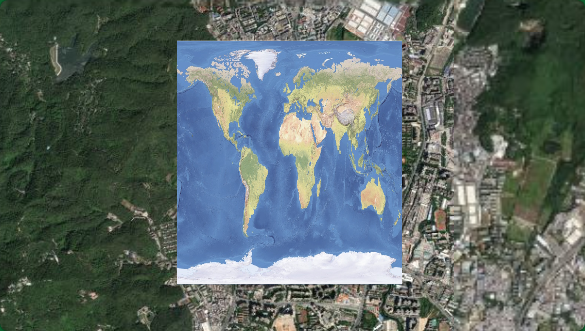
DiffuseMap(漫反射贴图)
javascript
viewer.scene.primitives.add(
  new Cesium.Primitive({
    geometryInstances: new Cesium.GeometryInstance({
      geometry: new Cesium.RectangleGeometry({
        rectangle: Cesium.Rectangle.fromDegrees(113.31, 23.18, 113.33, 23.20),
        height: 100,
        vertexFormat: Cesium.MaterialAppearance.MaterialSupport.TEXTURED.vertexFormat,
      }),
    }),
    appearance: new Cesium.MaterialAppearance({
      material: Cesium.Material.fromType("DiffuseMap", {
        image: "./img/worldimage.jpg",
        channels: "rgb",  // 使用 RGB 通道
        repeat: new Cesium.Cartesian2(1.0, 1.0),
      }),
    }),
  })
);
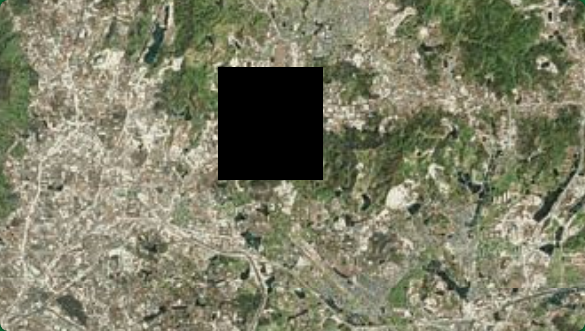
AlphaMap(透明度贴图)
AlphaMap 通常与颜色组合使用,不是单独使用
javascript
// 使用灰度图控制透明度
viewer.scene.primitives.add(
  new Cesium.Primitive({
    geometryInstances: new Cesium.GeometryInstance({
      geometry: new Cesium.RectangleGeometry({
        rectangle: Cesium.Rectangle.fromDegrees(113.35, 23.18, 113.37, 23.20),
        height: 100,
        vertexFormat: Cesium.MaterialAppearance.MaterialSupport.TEXTURED.vertexFormat,
      }),
    }),
    appearance: new Cesium.MaterialAppearance({
      material: Cesium.Material.fromType("AlphaMap", {
        image: "./img/alpha_mask.png",  // 灰度图:白色=不透明,黑色=透明
        channel: "r",  // 使用红色通道
        repeat: new Cesium.Cartesian2(1.0, 1.0),
      }),
    }),
  })
);
NormalMap(法线贴图)
需要专门的法线贴图图片
javascript
// 法线贴图:增加表面细节,模拟凹凸效果
viewer.scene.primitives.add(
  new Cesium.Primitive({
    geometryInstances: new Cesium.GeometryInstance({
      geometry: new Cesium.RectangleGeometry({
        rectangle: Cesium.Rectangle.fromDegrees(113.31, 23.22, 113.33, 23.24),
        height: 100,
        vertexFormat:
          Cesium.MaterialAppearance.MaterialSupport.TEXTURED.vertexFormat,
      }),
    }),
    appearance: new Cesium.MaterialAppearance({
      material: Cesium.Material.fromType("NormalMap", {
        image: "../../img/xxx.png",
        channels: "rgb",
        strength: 1, // 凹凸强度 (0.0 ~ 1.0)
        repeat: new Cesium.Cartesian2(1.0, 1.0),
      }),
    }),
  })
);
BumpMap(凹凸贴图)
javascript
// BumpMap(凹凸贴图)
viewer.scene.primitives.add(
  new Cesium.Primitive({
    geometryInstances: new Cesium.GeometryInstance({
      geometry: new Cesium.RectangleGeometry({
        rectangle: Cesium.Rectangle.fromDegrees(113.35, 23.22, 113.37, 23.24),
        height: 100,
        vertexFormat:
          Cesium.MaterialAppearance.MaterialSupport.TEXTURED.vertexFormat,
      }),
    }),
    appearance: new Cesium.MaterialAppearance({
      material: Cesium.Material.fromType("BumpMap", {
        image: "../../img/worldimage.jpg",
        channel: "r",
        strength: 0.5, // 凹凸强度
        repeat: new Cesium.Cartesian2(1.0, 1.0),
      }),
    }),
  })
);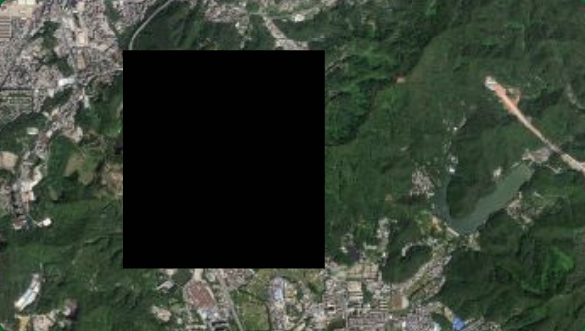
| 材质类型 | 设计目的 | 单独使用效果 |
|---|---|---|
NormalMap |
配合其他材质使用 | 全黑(无颜色) |
BumpMap |
配合其他材质使用 | 全黑(无颜色) |
AlphaMap |
配合其他材质使用 | 全透明(无颜色) |
| 需求 | 推荐方案 |
|---|---|
| 显示图片 | Image 材质 |
| 显示图片 + 光照 | DiffuseMap 材质 |
| 图片 + 凹凸效果 | 自定义材质(组合 diffuse + normal) |
| 真正的法线/凹凸 | 需要 3D 模型或自定义着色器 |
如果您只想显示图片,使用 Image 或 DiffuseMap 材质即可,不需要 BumpMap 或 NormalMap
二十四、Fabric 自定义着色器材质
Fabric 材质结构
javascript
const customMaterial = new Cesium.Material({
  fabric: {
    type: "CustomMaterialName",        // 材质类型名称(可选,用于缓存)
    uniforms: {                        // 外部传入参数
      // 自定义参数
    },
    components: {                      // 输出分量
      diffuse: "...",                  // 漫反射颜色
      alpha: "...",                    // 透明度
      specular: "...",                 // 高光强度
      shininess: "...",                // 高光锐度
      emission: "...",                 // 自发光
      normal: "...",                   // 法线
    },
    source: "..."  // 或使用完整的 GLSL 源码(高级用法)
  }
});
components 分量详解
| 分量 | 类型 | 说明 | 影响效果 |
|---|---|---|---|
diffuse |
vec3 |
漫反射颜色 | 基础颜色 |
alpha |
float |
透明度 (0.0~1.0) | 半透明效果 |
specular |
float |
高光强度 | 金属反光 |
shininess |
float |
高光锐度 | 高光聚焦程度 |
emission |
vec3 |
自发光颜色 | 不受光照影响 |
normal |
vec3 |
法线方向 | 表面凹凸 |
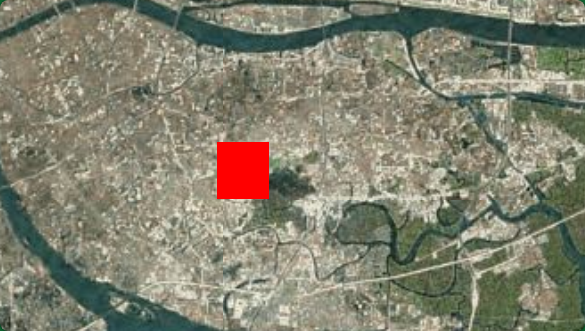
SolidColor
javascript
// ============================================
// 1. 纯色材质 - 使用 components 定义
// ============================================
const solidColor = new Cesium.Material({
  fabric: {
    type: "SolidColor",
    uniforms: {
      color: Cesium.Color.RED,
    },
    components: {
      diffuse: "color.rgb",
      alpha: "color.a",
    },
  },
});
// 使用
const rectangle1 = new Cesium.GeometryInstance({
  geometry: new Cesium.RectangleGeometry({
    rectangle: Cesium.Rectangle.fromDegrees(113.29, 23.08, 113.3, 23.09),
    height: 100.0,
    vertexFormat: Cesium.MaterialAppearance.VERTEX_FORMAT,
  }),
});

viewer.scene.primitives.add(
  new Cesium.Primitive({
    geometryInstances: rectangle1,
    appearance: new Cesium.MaterialAppearance({
      material: solidColor,
    }),
  })
);
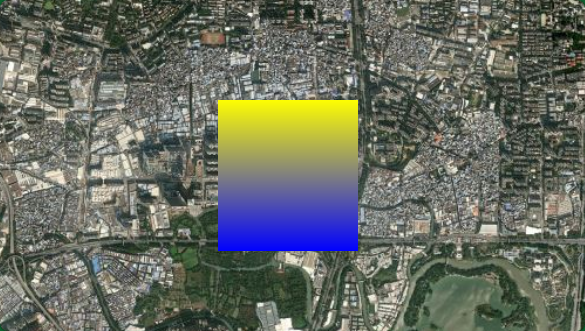
GradientColor
javascript
// ============================================
// 2. 渐变色材质 - 通过 components 组合
// ============================================
const gradientColor = new Cesium.Material({
  fabric: {
    type: "GradientColor",
    uniforms: {
      color1: Cesium.Color.BLUE,
      color2: Cesium.Color.YELLOW,
    },
    components: {
      diffuse: "mix(color1.rgb, color2.rgb, materialInput.st.t)",
      alpha: "1.0",
    },
  },
});
// 使用
const rectangle2 = new Cesium.GeometryInstance({
  geometry: new Cesium.RectangleGeometry({
    rectangle: Cesium.Rectangle.fromDegrees(113.3, 23.08, 113.31, 23.09),
    height: 100.0,
    vertexFormat: Cesium.MaterialAppearance.VERTEX_FORMAT,
  }),
});

viewer.scene.primitives.add(
  new Cesium.Primitive({
    geometryInstances: rectangle2,
    appearance: new Cesium.MaterialAppearance({
      material: gradientColor,
    }),
  })
);
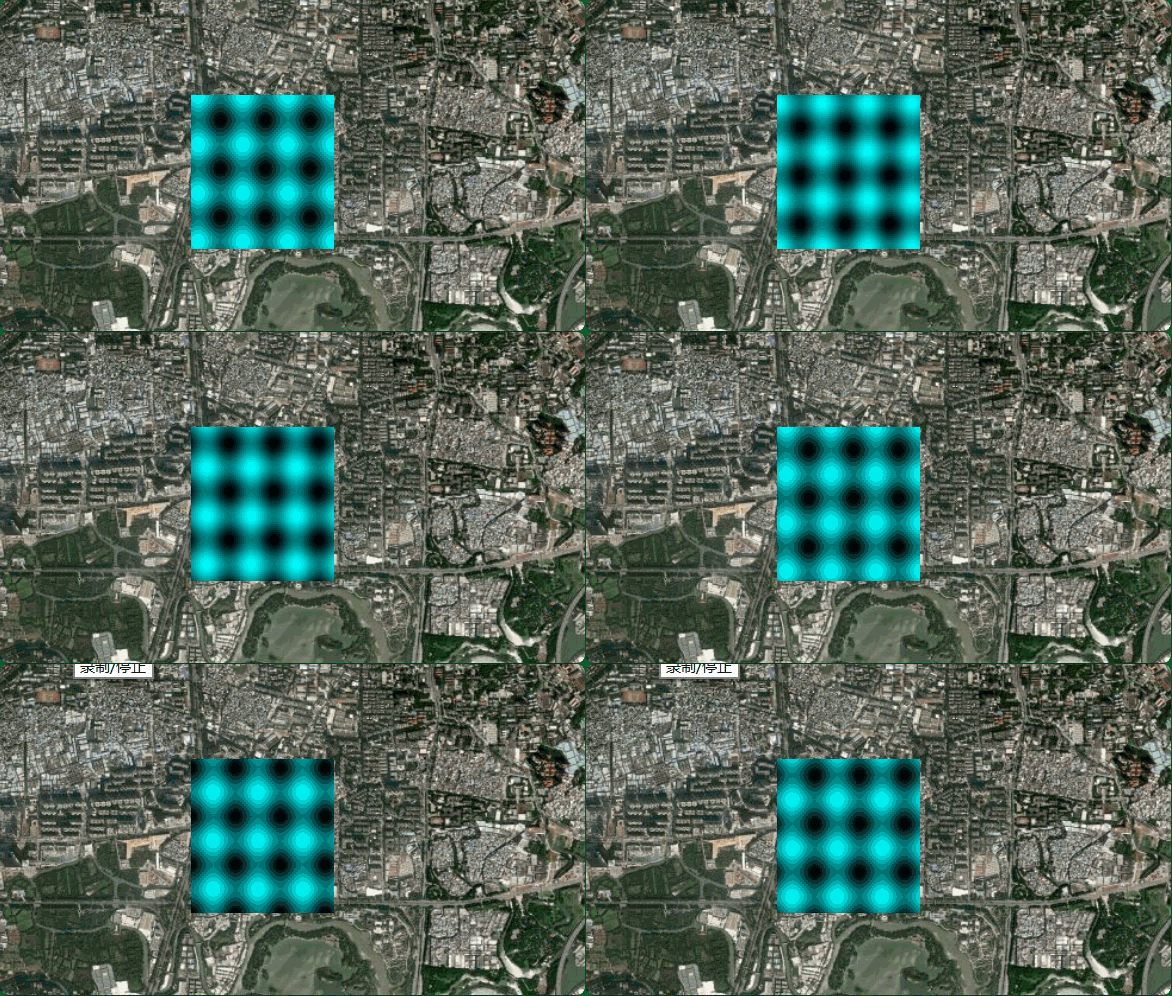
动态波纹材质
javascript
// ============================================
// 3. 动态波纹材质 - 使用 source 自定义着色器
// ============================================
const waveMaterial = new Cesium.Material({
  fabric: {
    type: "WaveMaterial",
    uniforms: {
      color: Cesium.Color.CYAN,
      speed: 5.0,
      amplitude: 0.5,
    },
    source: `
      czm_material czm_getMaterial(czm_materialInput materialInput)
      {
        czm_material material = czm_getDefaultMaterial(materialInput);

        // 获取纹理坐标
        vec2 st = materialInput.st;

        // 计算波纹效果
        float wave = sin(st.x * 20.0 - speed * czm_frameNumber / 60.0) * amplitude;
        wave += sin(st.y * 20.0 - speed * czm_frameNumber / 60.0) * amplitude;

        // 归一化到0-1范围
        wave = wave * 0.5 + 0.5;

        material.diffuse = color.rgb * wave;
        material.alpha = color.a;

        return material;
      }
    `,
  },
});
//使用
const rectangle3 = new Cesium.GeometryInstance({
  geometry: new Cesium.RectangleGeometry({
    rectangle: Cesium.Rectangle.fromDegrees(113.31, 23.08, 113.32, 23.09),
    height: 100.0,
    vertexFormat: Cesium.MaterialAppearance.VERTEX_FORMAT,
  }),
});

viewer.scene.primitives.add(
  new Cesium.Primitive({
    geometryInstances: rectangle3,
    appearance: new Cesium.MaterialAppearance({
      material: waveMaterial,
    }),
  })
);
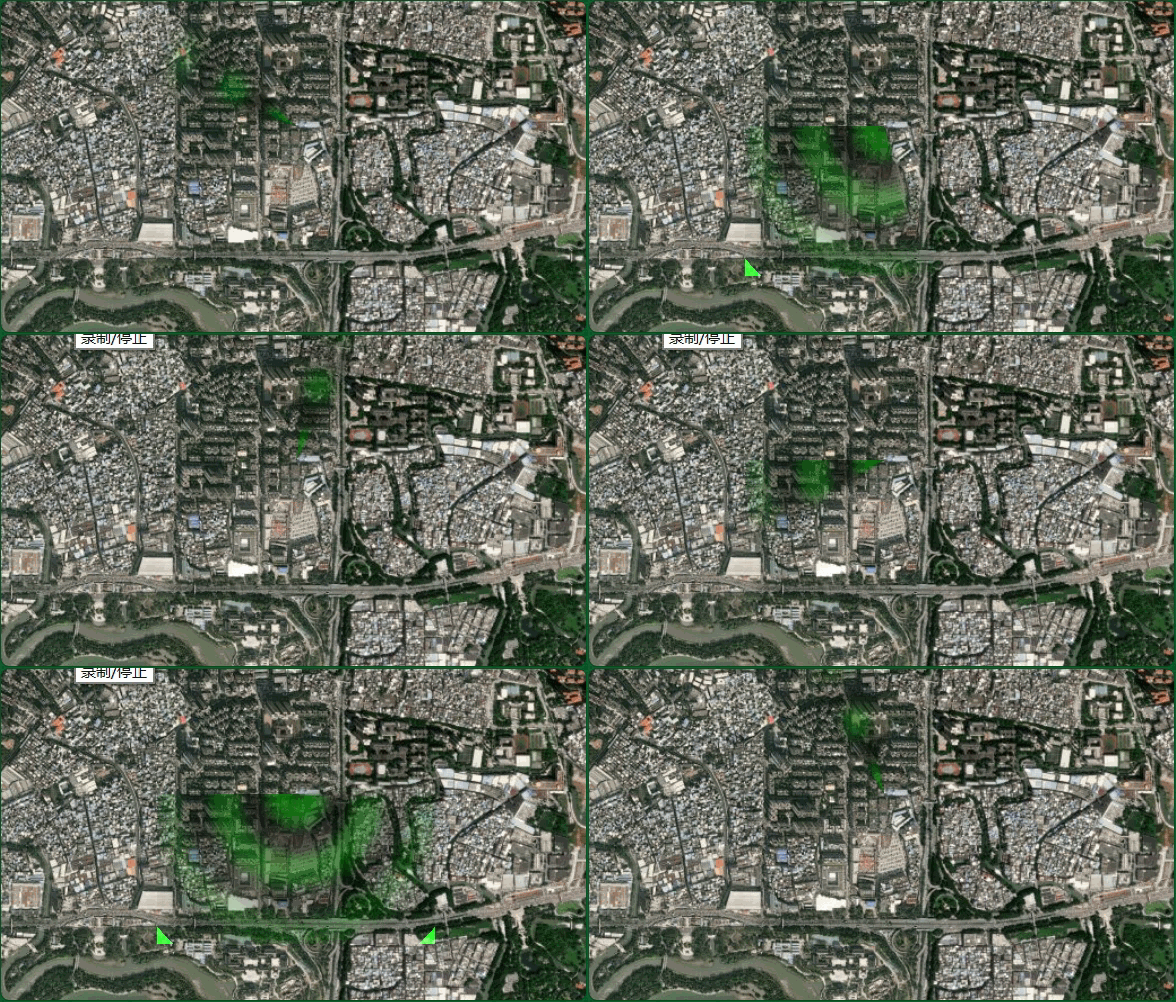
ScanMaterial
javascript
// ============================================
// 4. 扫描线材质 - 雷达扫描效果
// ============================================
const scanMaterial = new Cesium.Material({
  fabric: {
    type: "ScanMaterial",
    uniforms: {
      color: Cesium.Color.GREEN.withAlpha(0.8),
      speed: 1.0,
    },
    source: `
      czm_material czm_getMaterial(czm_materialInput materialInput)
      {
        czm_material material = czm_getDefaultMaterial(materialInput);

        vec2 st = materialInput.st;

        // 计算到中心的距离和角度
        vec2 center = vec2(0.5, 0.5);
        float dist = distance(st, center);
        float angle = atan(st.y - center.y, st.x - center.x);

        // 扫描角度随时间变化
        float scanAngle = mod(speed * czm_frameNumber / 60.0, 6.283185307);

        // 扫描效果 - 只在特定角度范围内显示
        float angleDiff = abs(angle - scanAngle);
        if (angleDiff > 3.141592653) angleDiff = 6.283185307 - angleDiff;

        float scan = 1.0 - smoothstep(0.0, 0.5, angleDiff);

        // 圆环效果
        float ring = sin(dist * 30.0) * 0.5 + 0.5;

        material.diffuse = color.rgb * scan * ring;
        material.alpha = color.a * scan * (1.0 - dist * 1.5);

        return material;
      }
    `,
  },
});
// 使用
const rectangle4 = new Cesium.GeometryInstance({
  geometry: new Cesium.RectangleGeometry({
    rectangle: Cesium.Rectangle.fromDegrees(113.32, 23.08, 113.33, 23.09),
    height: 100.0,
    vertexFormat: Cesium.MaterialAppearance.VERTEX_FORMAT,
  }),
});

viewer.scene.primitives.add(
  new Cesium.Primitive({
    geometryInstances: rectangle4,
    appearance: new Cesium.MaterialAppearance({
      material: scanMaterial,
    }),
  })
);
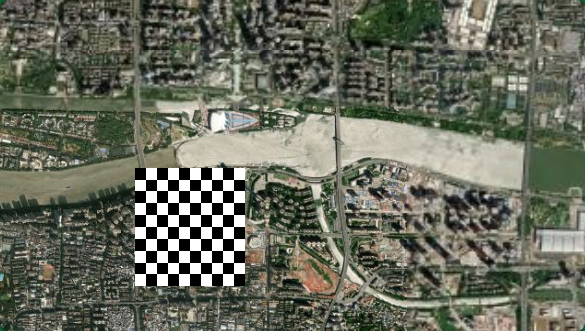
格子图案材质 - 使用 components
javascript
// ============================================
// 5. 格子图案材质 - 使用 components
// ============================================
const checkerMaterial = new Cesium.Material({
  fabric: {
    type: "CustomChecker",
    uniforms: {
      color1: Cesium.Color.WHITE,
      color2: Cesium.Color.BLACK,
      repeat: 10.0,
    },
    source: `
      czm_material czm_getMaterial(czm_materialInput materialInput)
      {
        czm_material material = czm_getDefaultMaterial(materialInput);

        vec2 st = materialInput.st * repeat;

        // 棋盘格计算
        float checker = mod(floor(st.x) + floor(st.y), 2.0);

        material.diffuse = mix(color1.rgb, color2.rgb, checker);
        material.alpha = 1.0;

        return material;
      }
    `,
  },
});
//使用
const rectangle7 = new Cesium.GeometryInstance({
  geometry: new Cesium.RectangleGeometry({
    rectangle: Cesium.Rectangle.fromDegrees(113.31, 23.1, 113.32, 23.11),
    height: 100.0,
    vertexFormat: Cesium.MaterialAppearance.VERTEX_FORMAT,
  }),
});

viewer.scene.primitives.add(
  new Cesium.Primitive({
    geometryInstances: rectangle7,
    appearance: new Cesium.MaterialAppearance({
      material: checkerMaterial,
    }),
  })
);
GLSL
二十五、Appearance编写着色器修改外观
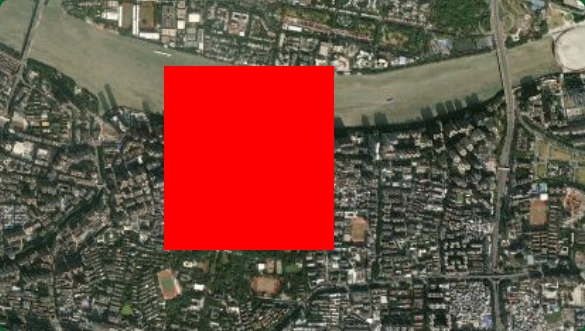
MaterialAppearance + 自定义材质
javascript
// MaterialAppearance + 自定义材质
viewer.scene.primitives.add(
  new Cesium.Primitive({
    geometryInstances: new Cesium.GeometryInstance({
      geometry: new Cesium.RectangleGeometry({
        rectangle: Cesium.Rectangle.fromDegrees(113.29, 23.1, 113.3, 23.11),
        height: 100.0,
        vertexFormat: Cesium.MaterialAppearance.VERTEX_FORMAT,
      }),
    }),
    appearance: new Cesium.MaterialAppearance({
      material: new Cesium.Material({
        fabric: {
          type: "CustomMaterial",
          uniforms: {},
          source: `
            czm_material czm_getMaterial(czm_materialInput materialInput)
            {
              czm_material material = czm_getDefaultMaterial(materialInput);
              material.diffuse = vec3(1.0, 0.0, 0.0);
              material.alpha = 1.0;
              return material;
            }
          `,
        },
      }),
    }),
  })
);
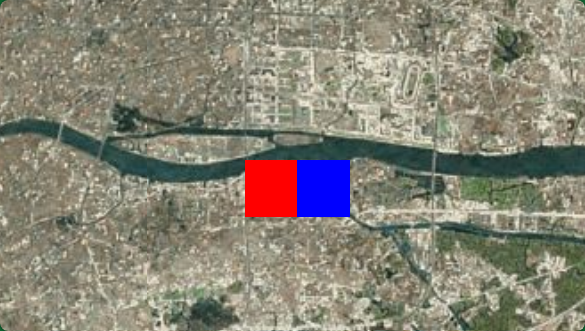
PerInstanceColorAppearance(按实例着色)
javascript
// PerInstanceColorAppearance(按实例着色)
viewer.scene.primitives.add(
  new Cesium.Primitive({
    geometryInstances: [
      new Cesium.GeometryInstance({
        geometry: new Cesium.RectangleGeometry({
          rectangle: Cesium.Rectangle.fromDegrees(113.31, 23.1, 113.32, 23.11),
          height: 100.0,
          vertexFormat: Cesium.PerInstanceColorAppearance.VERTEX_FORMAT,
        }),
        attributes: {
          color: Cesium.ColorGeometryInstanceAttribute.fromColor(
            Cesium.Color.RED
          ),
        },
      }),
      new Cesium.GeometryInstance({
        geometry: new Cesium.RectangleGeometry({
          rectangle: Cesium.Rectangle.fromDegrees(113.32, 23.1, 113.33, 23.11),
          height: 100.0,
          vertexFormat: Cesium.PerInstanceColorAppearance.VERTEX_FORMAT,
        }),
        attributes: {
          color: Cesium.ColorGeometryInstanceAttribute.fromColor(
            Cesium.Color.BLUE
          ),
        },
      }),
    ],
    appearance: new Cesium.PerInstanceColorAppearance({
      flat: true, // 平面着色(不计算光照)
    }),
  })
);
两种修改外观的方式
| 方式 | 层级 | 特点 | 适用场景 |
|---|---|---|---|
| Material | 材质层 | 封装好的材质系统,专注颜色/纹理效果 | 需要 Fabric 材质、纹理、动画效果 |
| Appearance | 外观层 | 控制完整渲染管线,包括顶点/片元着色器 | 需要自定义顶点变换、光照计算 |
关系图
javascript
Primitive
    └── Appearance (控制渲染管线)
            ├── vertexShaderSource  (顶点着色器)
            ├── fragmentShaderSource (片元着色器)
            └── material (可选,MaterialAppearance 专用)
                    └── fabric 材质定义
选择建议
javascript
只需要修改颜色/纹理/动画?
    └── 是 → Material + MaterialAppearance

需要自定义顶点变换或光照?
    └── 是 → Appearance + 自定义着色器

每个实例不同颜色?
    └── 是 → PerInstanceColorAppearance