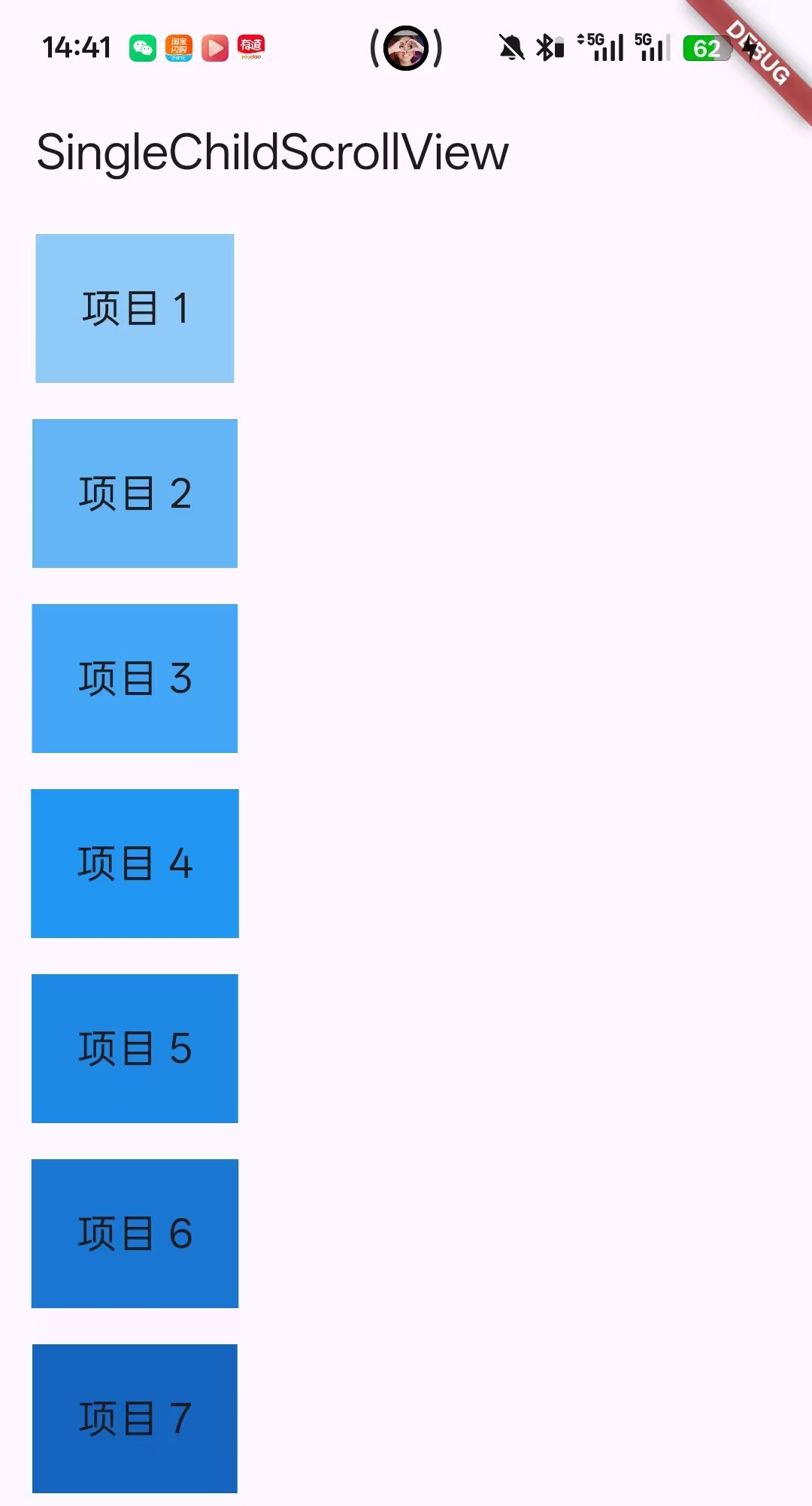
基础用法
Dart
 body: SingleChildScrollView(  // ← 包裹需要滚动的内容
          child: Column(
            children: [
              for (int i = 1; i <= 50; i++)
                Container(
                  margin: EdgeInsets.all(8),
                  padding: EdgeInsets.all(20),
                  color: Colors.blue[100 * (i % 9 + 1)],
                  child: Text(
                    "项目 $i",
                    style: TextStyle(fontSize: 18),
                  ),
                ),
            ],
          ),
        ),
效果图
SingleChildScrollView中的参数
Dart
    super.key,
    this.scrollDirection = Axis.vertical, //滚动方向
    this.reverse = false, //是否反向滚动
    this.padding, //内边距
    this.primary, //是否使用主滚动视图 ,参数为true,false
    this.physics, //滚动物理效果
    this.controller, //滚动控制器
    this.child, //子组件
    this.dragStartBehavior = DragStartBehavior.start,
    this.clipBehavior = Clip.hardEdge,
    this.hitTestBehavior = HitTestBehavior.opaque,
    this.restorationId, //状态恢复ID
    this.keyboardDismissBehavior, //键盘行为
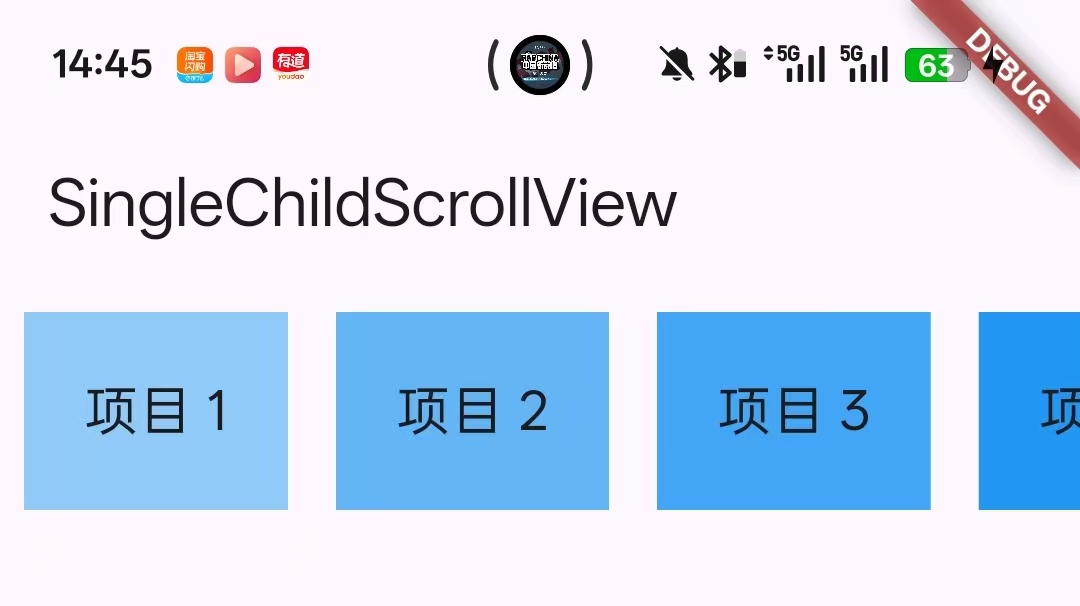
①改变滚动方向
把垂直滚动改为水平滑动,Column改为Row
代码
Dart
return MaterialApp(
      home: Scaffold(
        appBar: AppBar(title: Text("SingleChildScrollView")),
        body: SingleChildScrollView(  // ← 包裹需要滚动的内容
          scrollDirection: Axis.horizontal, //水平滑动
          child: Row(
            children: [
              for (int i = 1; i <= 50; i++)
                Container(
                  margin: EdgeInsets.all(8),
                  padding: EdgeInsets.all(20),
                  color: Colors.blue[100 * (i % 9 + 1)],
                  child: Text(
                    "项目 $i",
                    style: TextStyle(fontSize: 18),
                  ),
                ),
            ],
          ),
        ),
      ),
    );
效果图
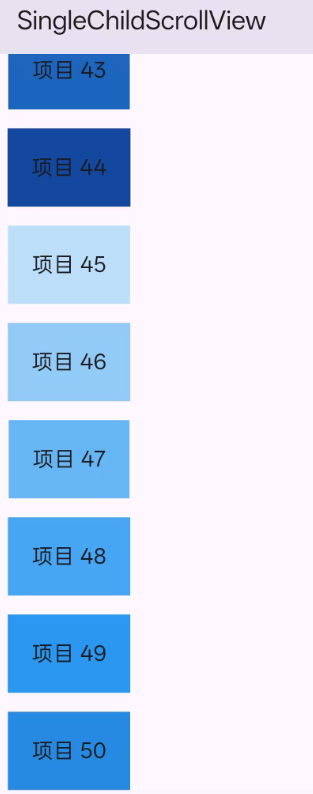
②设置反向滚动
Dart
return MaterialApp(
      home: Scaffold(
        appBar: AppBar(title: Text("SingleChildScrollView")),
        body: SingleChildScrollView(
          reverse: true, //反向滚动
          child: Column(
            children: [
              for (int i = 1; i <= 50; i++)
                Container(
                  margin: EdgeInsets.all(8),
                  padding: EdgeInsets.all(20),
                  color: Colors.blue[100 * (i % 9 + 1)],
                  child: Text(
                    "项目 $i",
                    style: TextStyle(fontSize: 18),
                  ),
                ),
            ],
          ),
        ),
      ),
    );
效果图:一开始就显示滑动到了底部
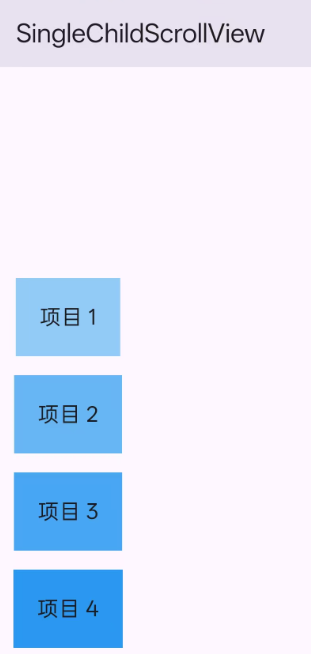
③设置内边距
代码
Dart
return MaterialApp(
      home: Scaffold(
        appBar: AppBar(title: Text("SingleChildScrollView")),
        body: SingleChildScrollView(
          padding: EdgeInsets.only(top: 200), //反向滚动
          child: Column(
            children: [
              for (int i = 1; i <= 50; i++)
                Container(
                  margin: EdgeInsets.all(8),
                  padding: EdgeInsets.all(20),
                  color: Colors.blue[100 * (i % 9 + 1)],
                  child: Text(
                    "项目 $i",
                    style: TextStyle(fontSize: 18),
                  ),
                ),
            ],
          ),
        ),
      ),
    );
效果图
④使用物理滚动效果
根据自己需要的效果做相关的选择
Dart
// 1. 默认物理效果(Android 风格)
ScrollPhysics physics = ClampingScrollPhysics();

// 2. 弹跳物理效果(iOS 风格)
ScrollPhysics physics = BouncingScrollPhysics();

// 3. 始终可滚动
ScrollPhysics physics = AlwaysScrollableScrollPhysics();

// 4. 永远不可滚动
ScrollPhysics physics = NeverScrollableScrollPhysics();

// 5. 固定效果(无惯性)
ScrollPhysics physics = FixedExtentScrollPhysics();
⑤滚动控制器
后面再写