本文为OpenClaw 通过 Openrouter 免费接入 MiMo-V2-Pro
1 注册openrouter账号,创建 API key
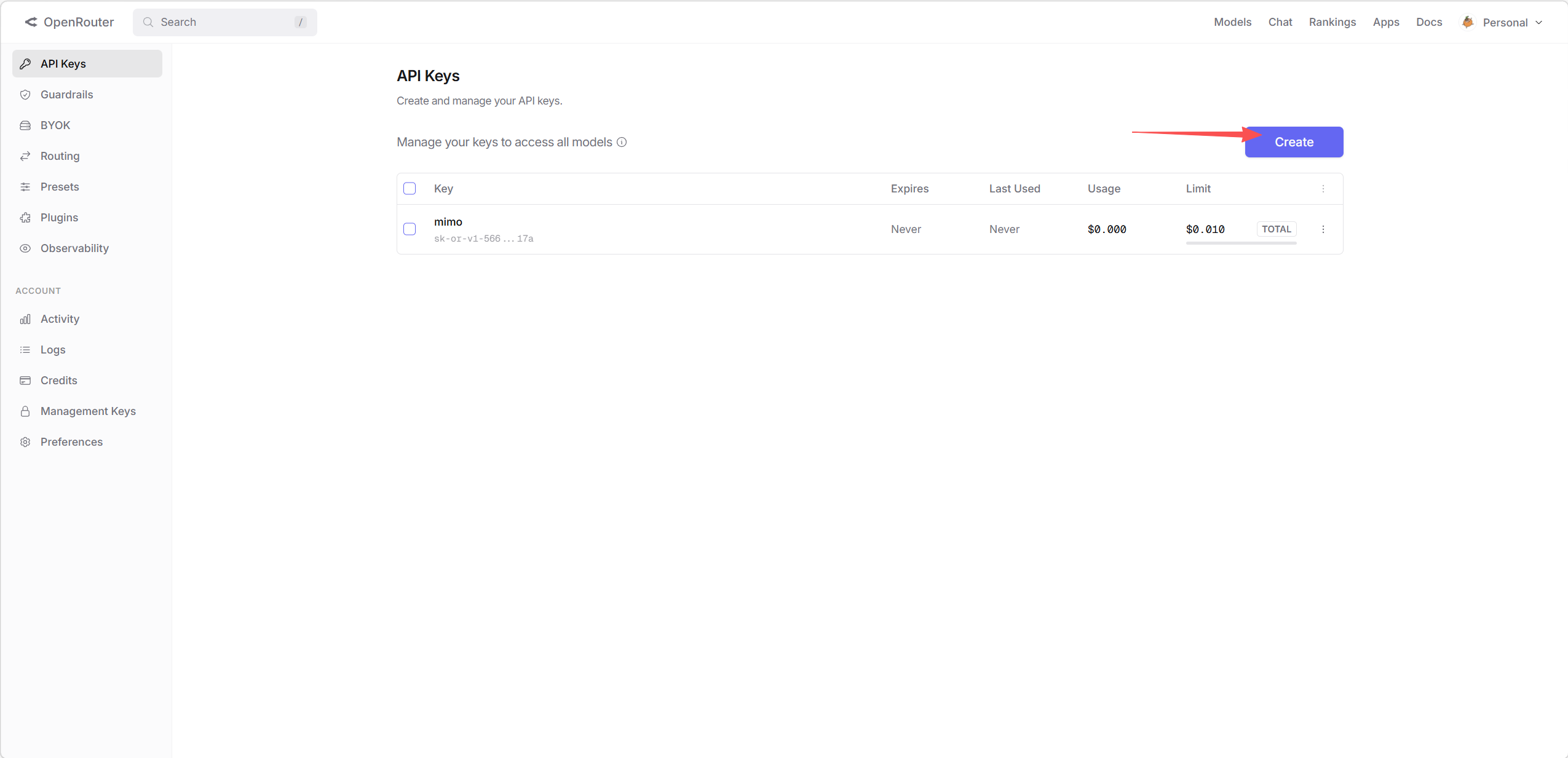
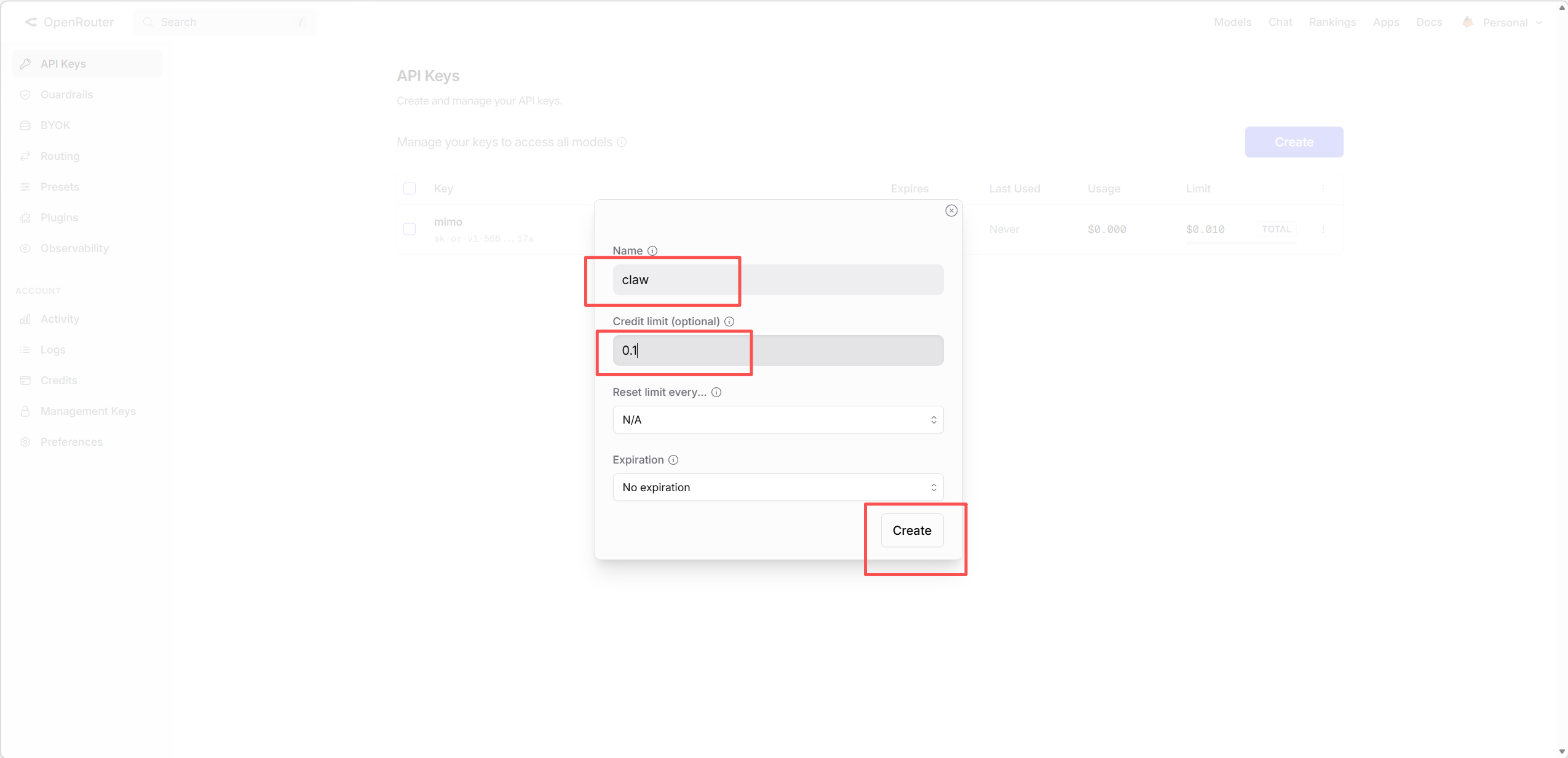
保存api,后面初始化步骤需要填入
2 使用一键安装脚本安装openclaw
bash
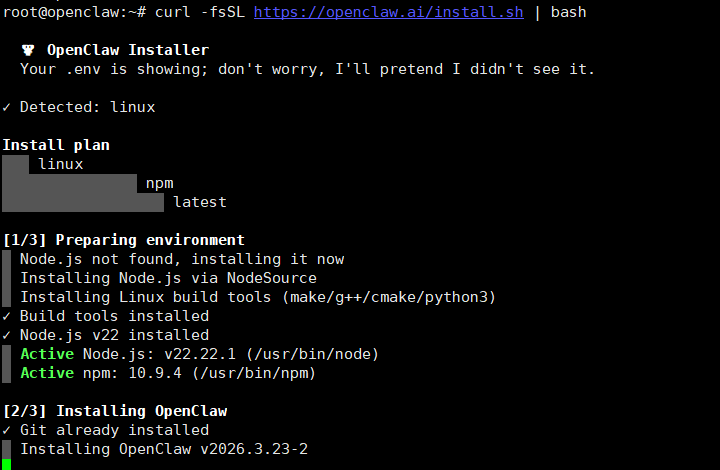
curl -fsSL https://openclaw.ai/install.sh | bash等待环境安装,环境准备好后进入初始化
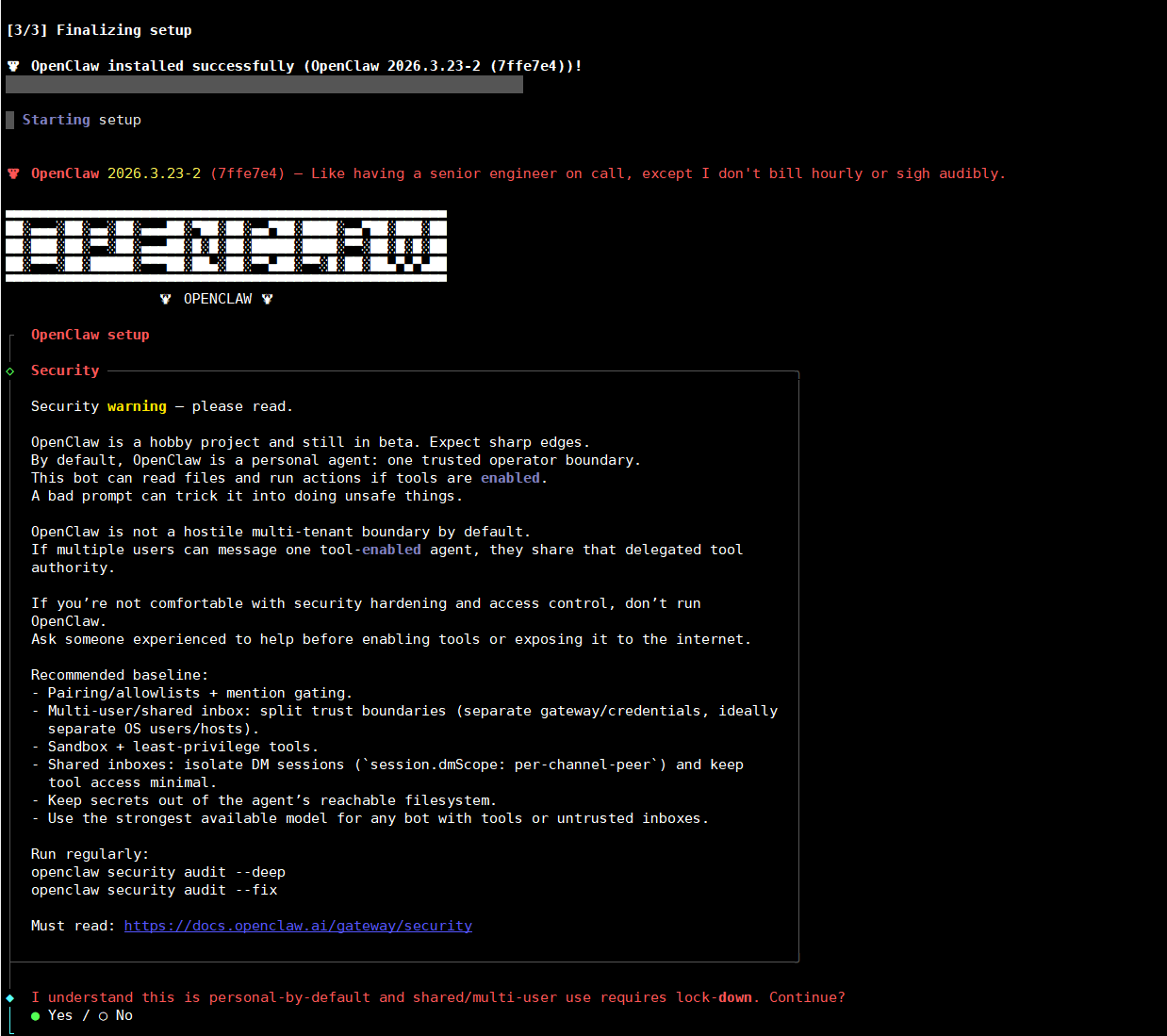
输入yes,回车
默认QuickStart回车
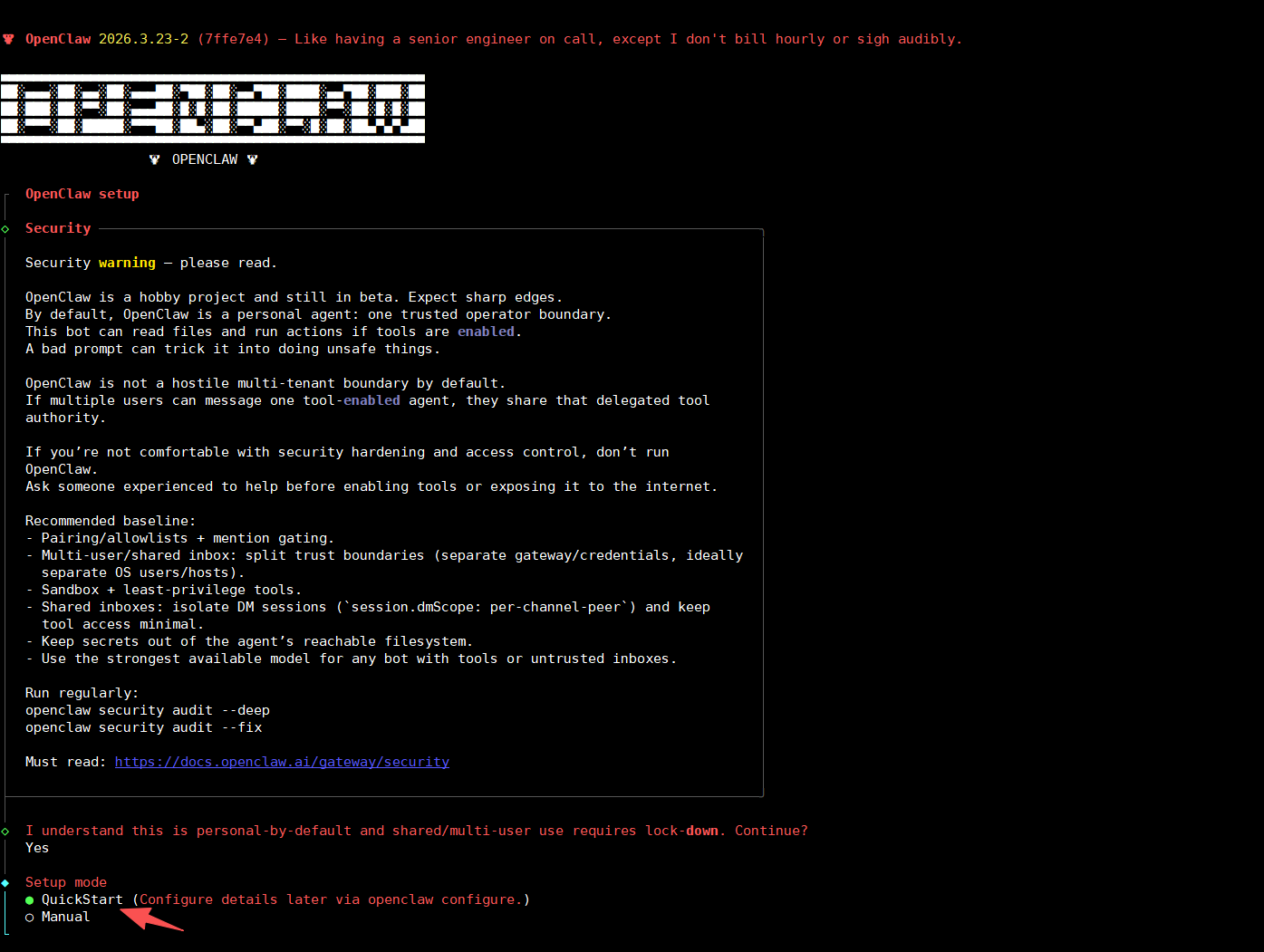
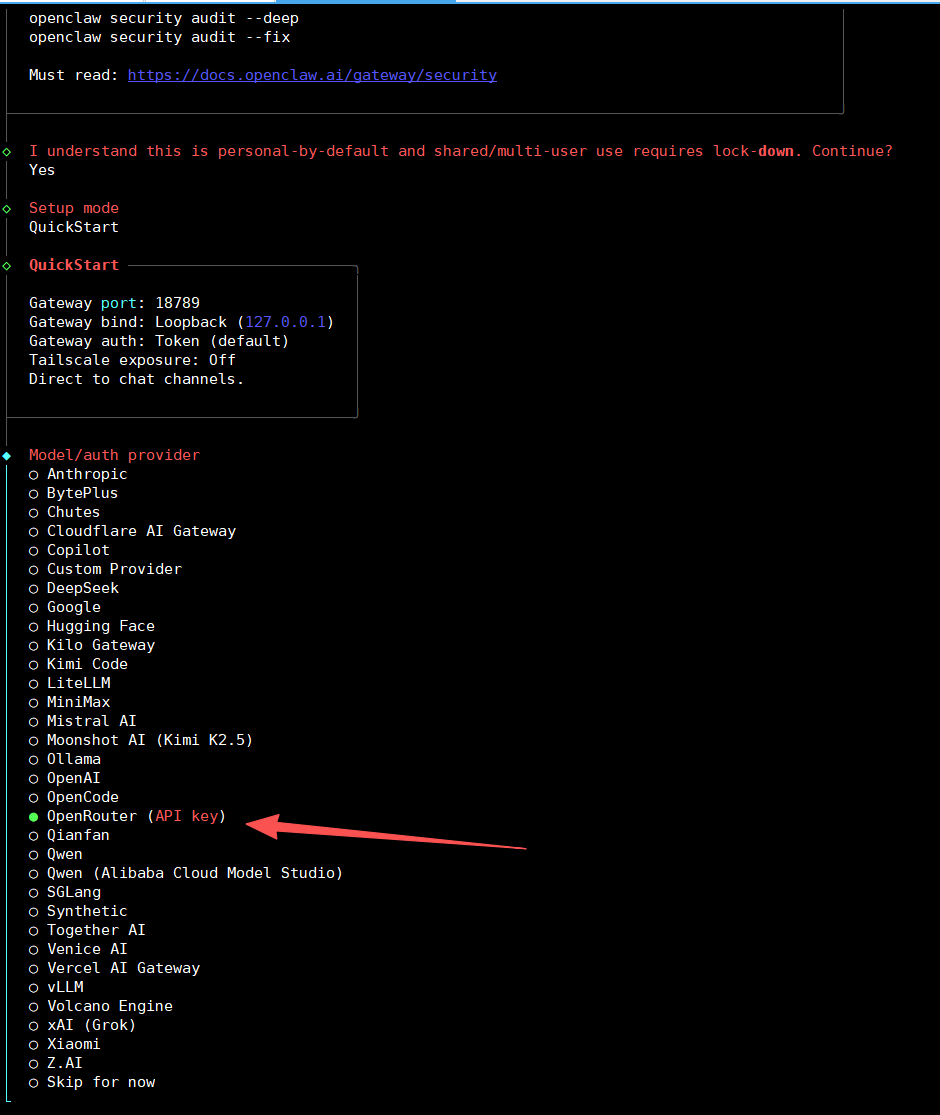
选择openrouter的api后回车
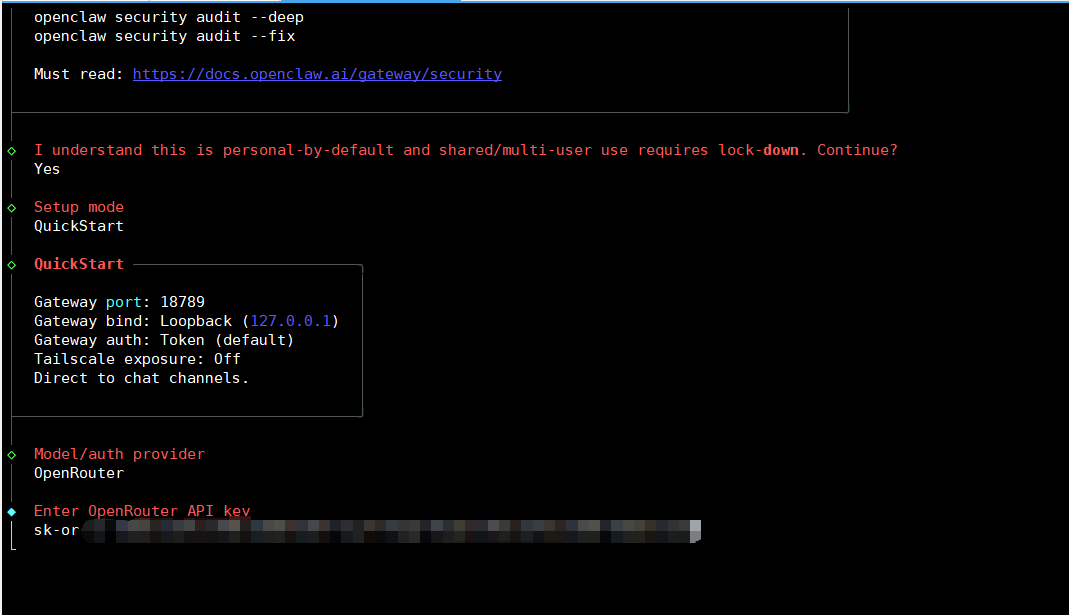
粘贴之前获取的api后下一步
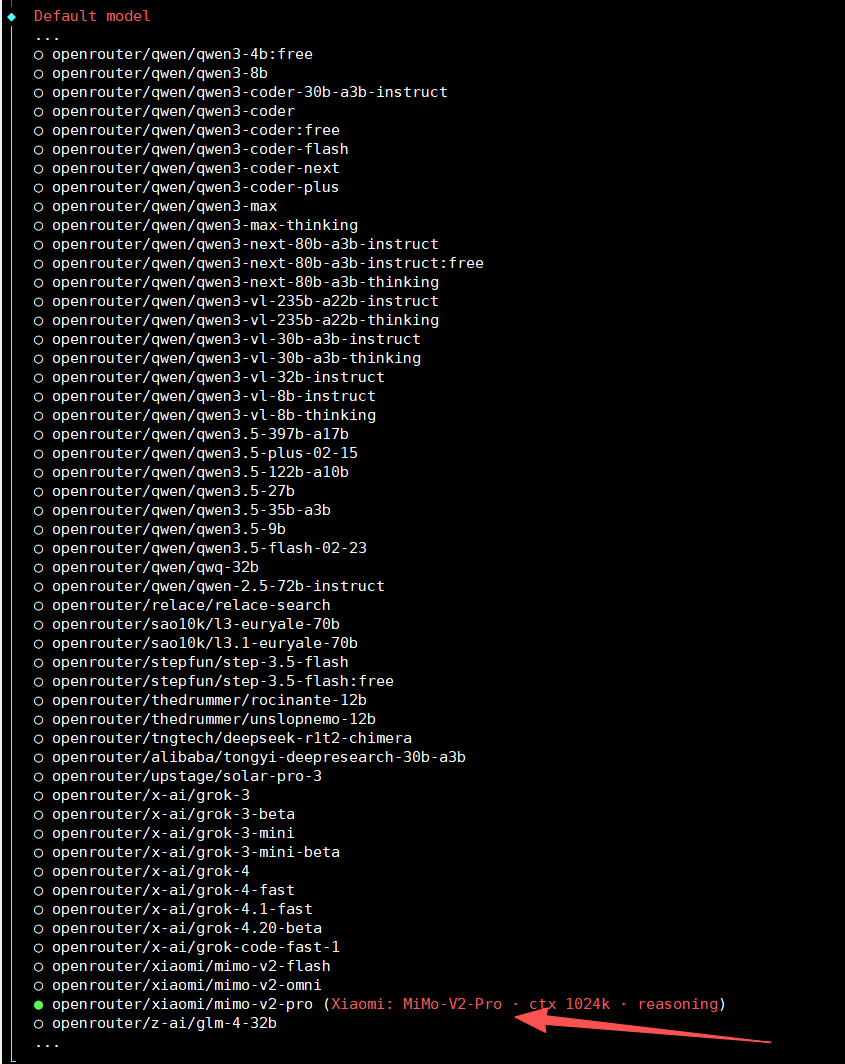
上下键移动找到mimov2模型后回车
消息渠道跳过,后面需要再配置
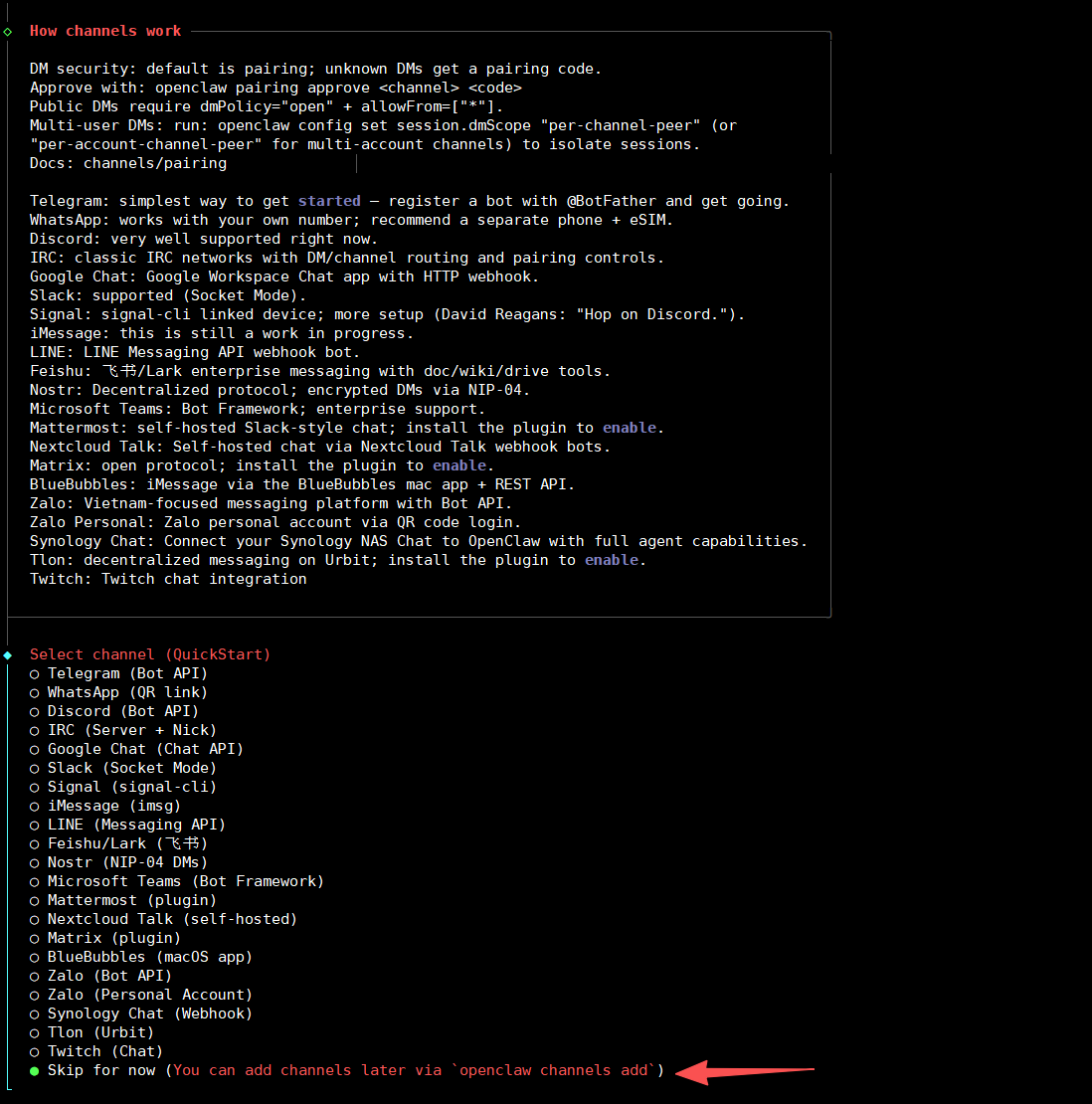
搜索功能跳过
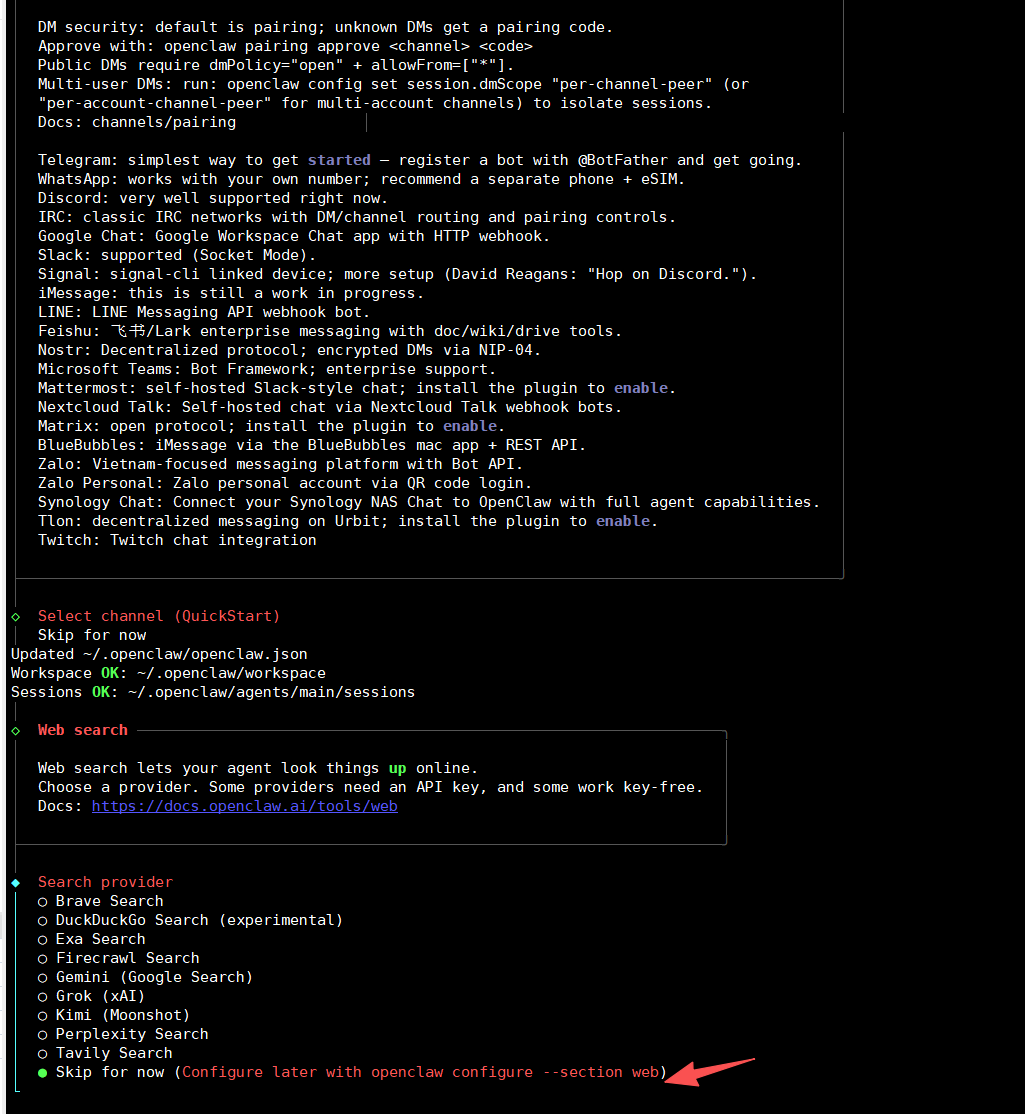
插件跳过,后面需要再加
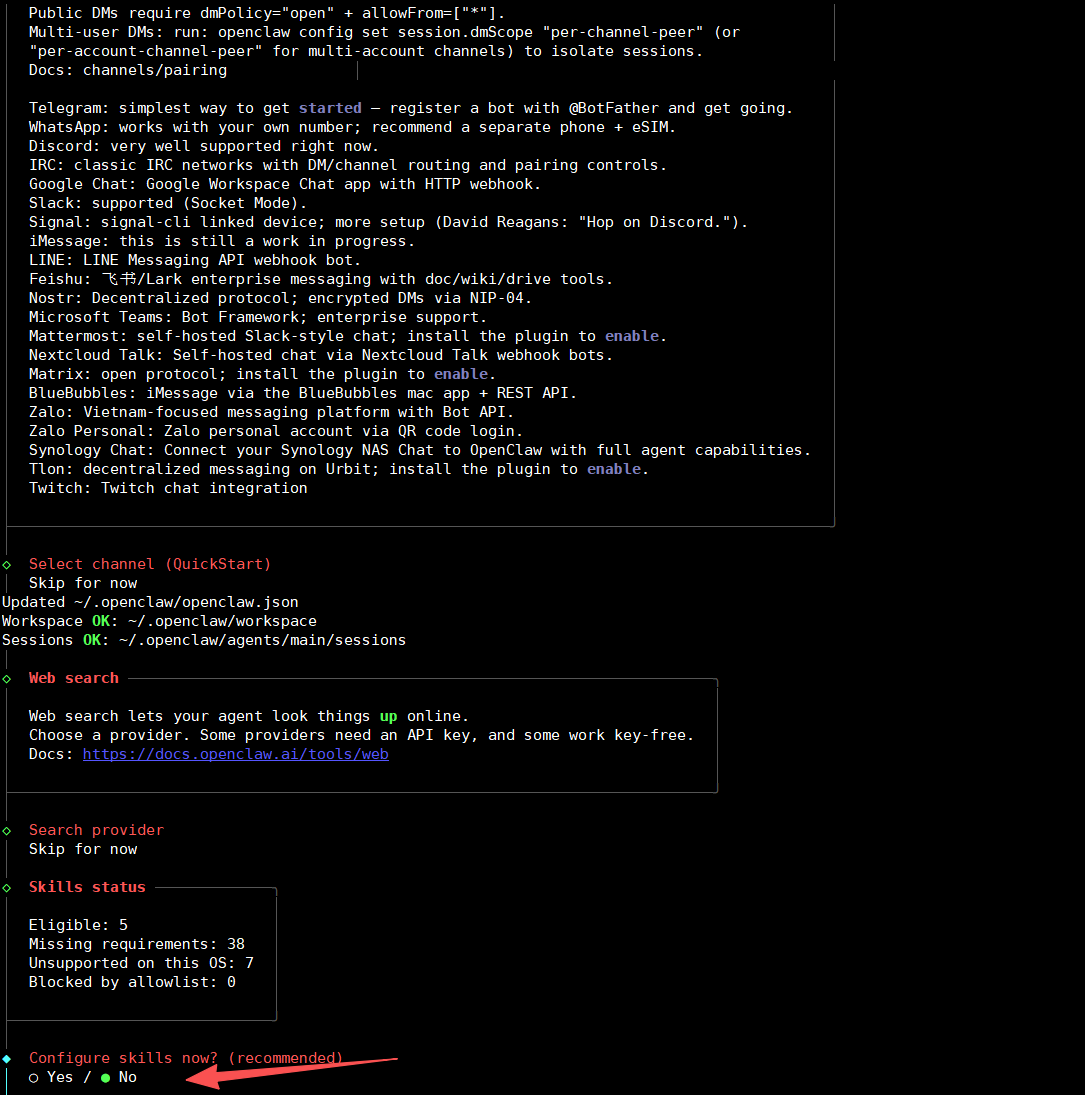
钩子不需要,空格选择回车执行,跳过
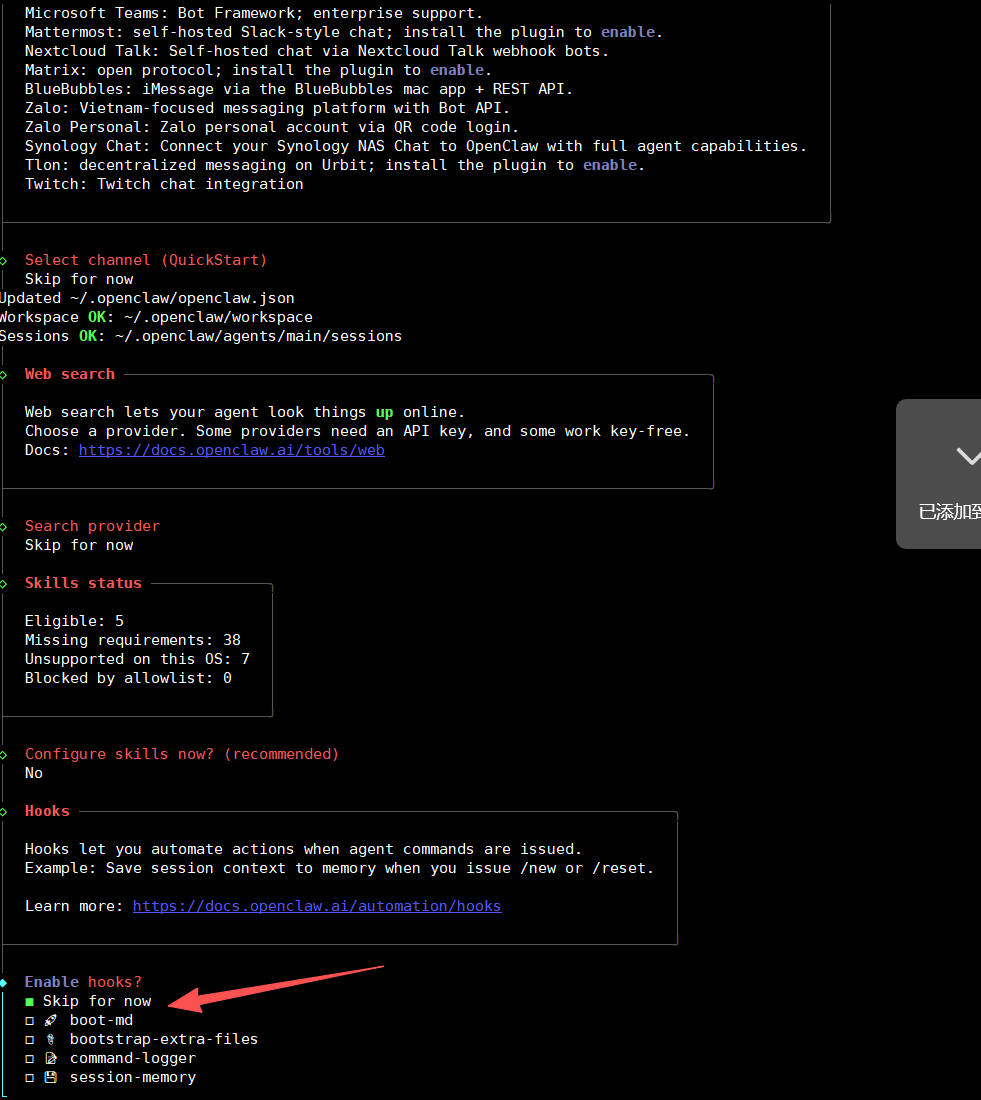
选择webui界面,后续通过windows浏览器访问web页面
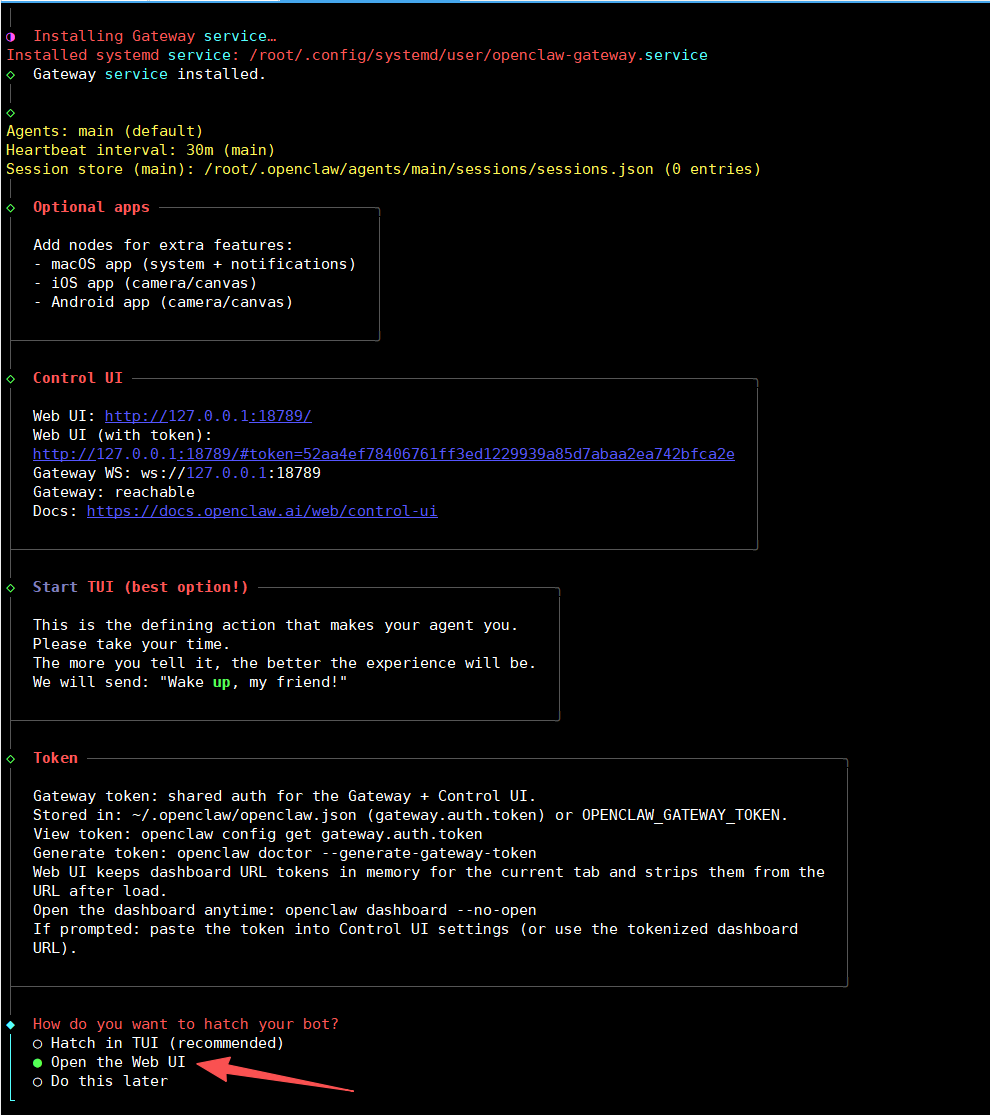
初始化完成页面
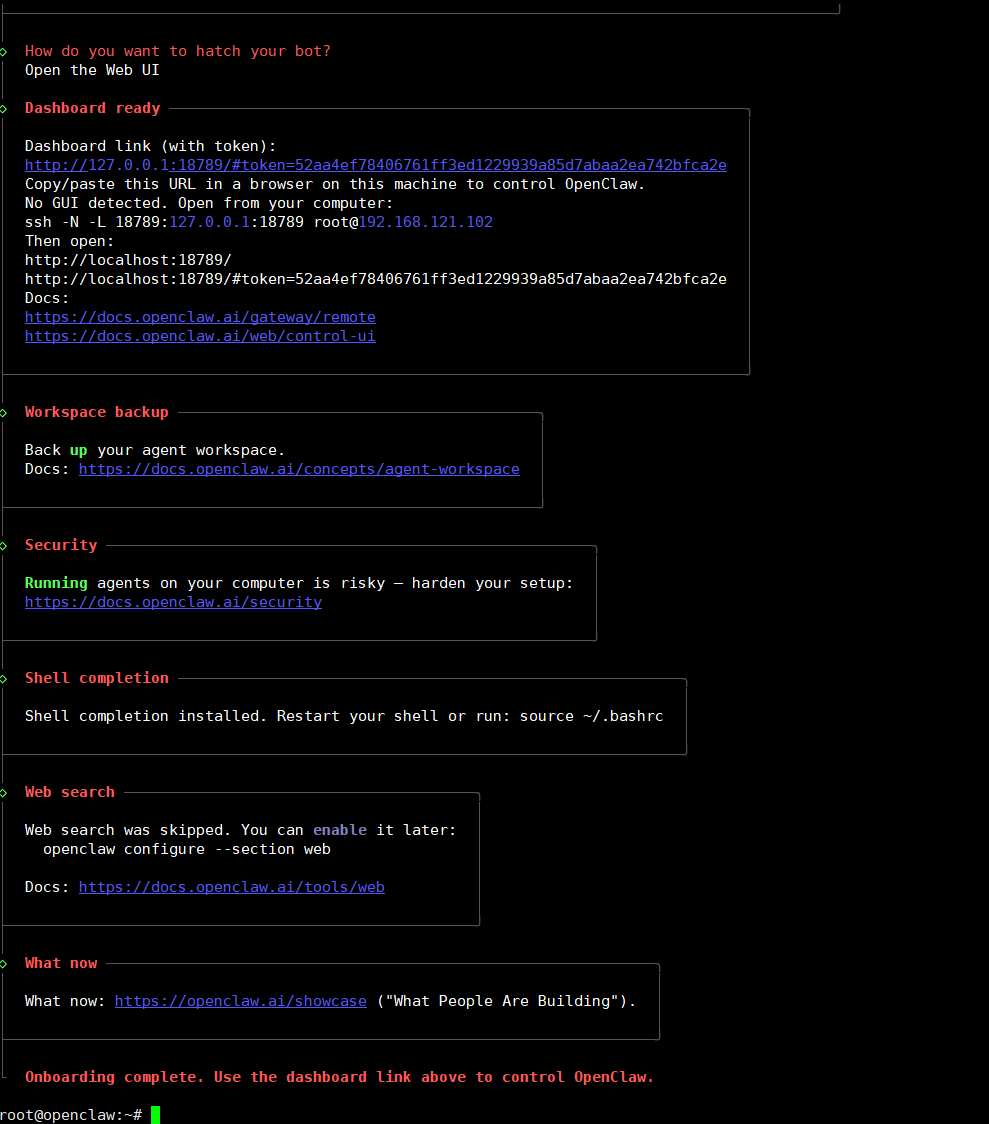
bash
# 浏览器访问地址
http://127.0.0.1:18789/#token=52aa4ef78406761ff3ed1229939a85d7abaa2ea742bfca2e
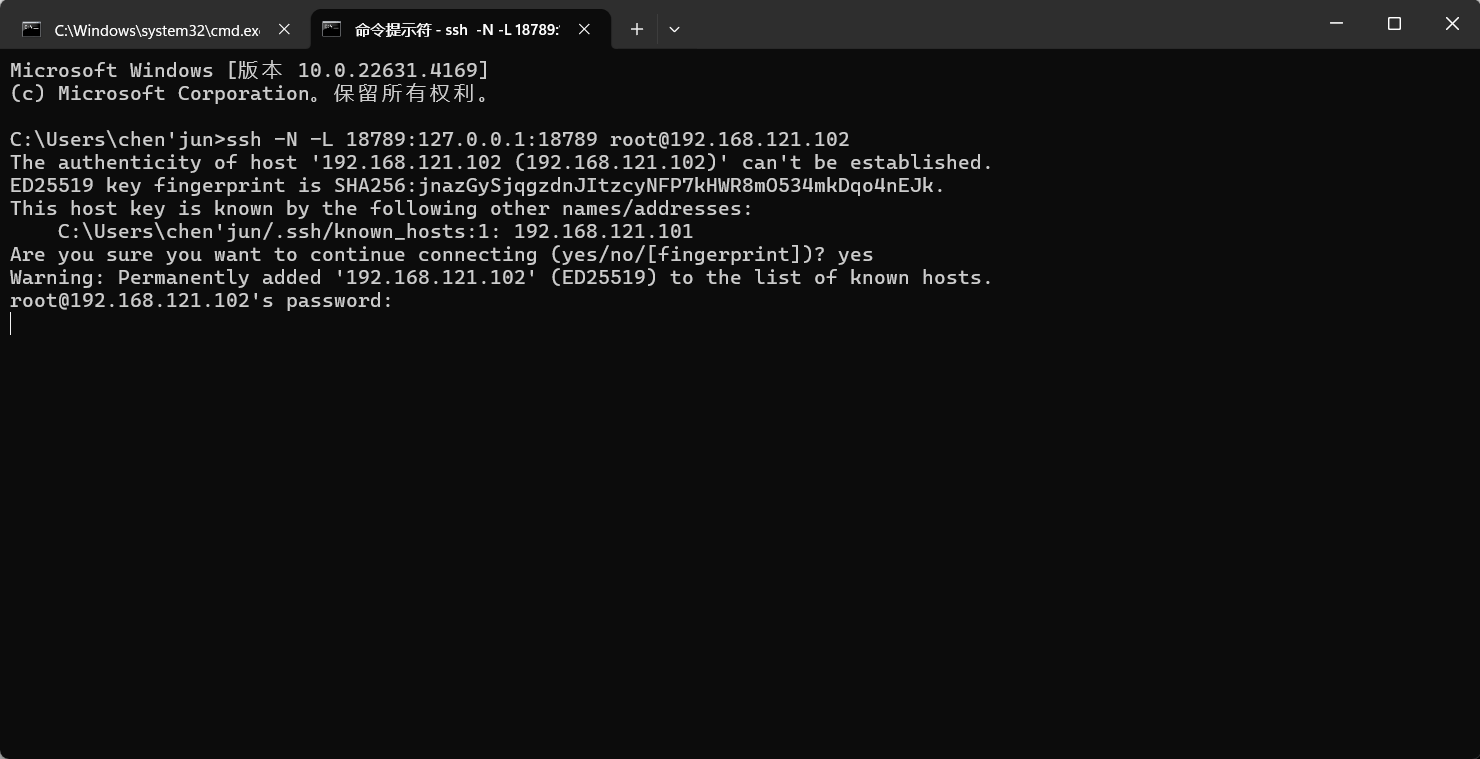
# windows cmd ssh连接
ssh -N -L 18789:127.0.0.1:18789 root@192.168.121.102
完整步骤
bash
root@openclaw:~# curl -fsSL https://openclaw.ai/install.sh | bash
🦞 OpenClaw Installer
Your .env is showing; don't worry, I'll pretend I didn't see it.
✓ Detected: linux
Install plan
OS: linux
Install method: npm
Requested version: latest
[1/3] Preparing environment
· Node.js not found, installing it now
· Installing Node.js via NodeSource
· Installing Linux build tools (make/g++/cmake/python3)
✓ Build tools installed
✓ Node.js v22 installed
· Active Node.js: v22.22.1 (/usr/bin/node)
· Active npm: 10.9.4 (/usr/bin/npm)
[2/3] Installing OpenClaw
✓ Git already installed
· Installing OpenClaw v2026.3.23-2
✓ OpenClaw npm package installed
✓ OpenClaw installed
[3/3] Finalizing setup
🦞 OpenClaw installed successfully (OpenClaw 2026.3.23-2 (7ffe7e4))!
The lobster has landed. Your terminal will never be the same.
· Starting setup
🦞 OpenClaw 2026.3.23-2 (7ffe7e4) --- Like having a senior engineer on call, except I don't bill hourly or sigh audibly.
▄▄▄▄▄▄▄▄▄▄▄▄▄▄▄▄▄▄▄▄▄▄▄▄▄▄▄▄▄▄▄▄▄▄▄▄▄▄▄▄▄▄▄▄▄▄▄▄▄▄▄▄
██░▄▄▄░██░▄▄░██░▄▄▄██░▀██░██░▄▄▀██░████░▄▄▀██░███░██
██░███░██░▀▀░██░▄▄▄██░█░█░██░█████░████░▀▀░██░█░█░██
██░▀▀▀░██░█████░▀▀▀██░██▄░██░▀▀▄██░▀▀░█░██░██▄▀▄▀▄██
▀▀▀▀▀▀▀▀▀▀▀▀▀▀▀▀▀▀▀▀▀▀▀▀▀▀▀▀▀▀▀▀▀▀▀▀▀▀▀▀▀▀▀▀▀▀▀▀▀▀▀▀
🦞 OPENCLAW 🦞
┌ OpenClaw setup
│
◇ Security ─────────────────────────────────────────────────────────────────────────────────╮
│ │
│ Security warning --- please read. │
│ │
│ OpenClaw is a hobby project and still in beta. Expect sharp edges. │
│ By default, OpenClaw is a personal agent: one trusted operator boundary. │
│ This bot can read files and run actions if tools are enabled. │
│ A bad prompt can trick it into doing unsafe things. │
│ │
│ OpenClaw is not a hostile multi-tenant boundary by default. │
│ If multiple users can message one tool-enabled agent, they share that delegated tool │
│ authority. │
│ │
│ If you're not comfortable with security hardening and access control, don't run │
│ OpenClaw. │
│ Ask someone experienced to help before enabling tools or exposing it to the internet. │
│ │
│ Recommended baseline: │
│ - Pairing/allowlists + mention gating. │
│ - Multi-user/shared inbox: split trust boundaries (separate gateway/credentials, ideally │
│ separate OS users/hosts). │
│ - Sandbox + least-privilege tools. │
│ - Shared inboxes: isolate DM sessions (`session.dmScope: per-channel-peer`) and keep │
│ tool access minimal. │
│ - Keep secrets out of the agent's reachable filesystem. │
│ - Use the strongest available model for any bot with tools or untrusted inboxes. │
│ │
│ Run regularly: │
│ openclaw security audit --deep │
│ openclaw security audit --fix │
│ │
│ Must read: https://docs.openclaw.ai/gateway/security │
│ │
├────────────────────────────────────────────────────────────────────────────────────────────╯
│
◇ I understand this is personal-by-default and shared/multi-user use requires lock-down. Continue?
│ Yes
│
◇ Setup mode
│ QuickStart
│
◇ QuickStart ─────────────────────────╮
│ │
│ Gateway port: 18789 │
│ Gateway bind: Loopback (127.0.0.1) │
│ Gateway auth: Token (default) │
│ Tailscale exposure: Off │
│ Direct to chat channels. │
│ │
├──────────────────────────────────────╯
│
◇ Model/auth provider
│ OpenRouter
│
◇ Enter OpenRouter API key
│
│
◇ Model configured ─────────────────────╮
│ │
│ Default model set to openrouter/auto │
│ │
├────────────────────────────────────────╯
│
◇ Default model
│ openrouter/xiaomi/mimo-v2-pro
│
◇ Channel status ───────────────────╮
│ │
│ Telegram: needs token │
│ Discord: needs token │
│ IRC: needs host + nick │
│ Slack: needs tokens │
│ Signal: needs setup │
│ signal-cli: missing (signal-cli) │
│ iMessage: needs setup │
│ imsg: missing (imsg) │
│ LINE: needs token + secret │
│ Accounts: 0 │
│ WhatsApp: not configured │
│ Google Chat: not configured │
│ Feishu: installed │
│ Google Chat: installed │
│ Nostr: installed │
│ Microsoft Teams: installed │
│ Mattermost: installed │
│ Nextcloud Talk: installed │
│ Matrix: installed │
│ BlueBubbles: installed │
│ Zalo: installed │
│ Zalo Personal: installed │
│ Synology Chat: installed │
│ Tlon: installed │
│ Twitch: installed │
│ WhatsApp: installed │
│ │
├────────────────────────────────────╯
│
◇ How channels work ───────────────────────────────────────────────────────────────────────╮
│ │
│ DM security: default is pairing; unknown DMs get a pairing code. │
│ Approve with: openclaw pairing approve <channel> <code> │
│ Public DMs require dmPolicy="open" + allowFrom=["*"]. │
│ Multi-user DMs: run: openclaw config set session.dmScope "per-channel-peer" (or │
│ "per-account-channel-peer" for multi-account channels) to isolate sessions. │
│ Docs: channels/pairing │
│ │
│ Telegram: simplest way to get started --- register a bot with @BotFather and get going. │
│ WhatsApp: works with your own number; recommend a separate phone + eSIM. │
│ Discord: very well supported right now. │
│ IRC: classic IRC networks with DM/channel routing and pairing controls. │
│ Google Chat: Google Workspace Chat app with HTTP webhook. │
│ Slack: supported (Socket Mode). │
│ Signal: signal-cli linked device; more setup (David Reagans: "Hop on Discord."). │
│ iMessage: this is still a work in progress. │
│ LINE: LINE Messaging API webhook bot. │
│ Feishu: 飞书/Lark enterprise messaging with doc/wiki/drive tools. │
│ Nostr: Decentralized protocol; encrypted DMs via NIP-04. │
│ Microsoft Teams: Bot Framework; enterprise support. │
│ Mattermost: self-hosted Slack-style chat; install the plugin to enable. │
│ Nextcloud Talk: Self-hosted chat via Nextcloud Talk webhook bots. │
│ Matrix: open protocol; install the plugin to enable. │
│ BlueBubbles: iMessage via the BlueBubbles mac app + REST API. │
│ Zalo: Vietnam-focused messaging platform with Bot API. │
│ Zalo Personal: Zalo personal account via QR code login. │
│ Synology Chat: Connect your Synology NAS Chat to OpenClaw with full agent capabilities. │
│ Tlon: decentralized messaging on Urbit; install the plugin to enable. │
│ Twitch: Twitch chat integration │
│ │
├───────────────────────────────────────────────────────────────────────────────────────────╯
│
◇ Select channel (QuickStart)
│ Skip for now
Updated ~/.openclaw/openclaw.json
Workspace OK: ~/.openclaw/workspace
Sessions OK: ~/.openclaw/agents/main/sessions
│
◇ Web search ─────────────────────────────────────────────────────────────────╮
│ │
│ Web search lets your agent look things up online. │
│ Choose a provider. Some providers need an API key, and some work key-free. │
│ Docs: https://docs.openclaw.ai/tools/web │
│ │
├──────────────────────────────────────────────────────────────────────────────╯
│
◇ Search provider
│ Skip for now
│
◇ Skills status ─────────────╮
│ │
│ Eligible: 5 │
│ Missing requirements: 38 │
│ Unsupported on this OS: 7 │
│ Blocked by allowlist: 0 │
│ │
├─────────────────────────────╯
│
◇ Configure skills now? (recommended)
│ No
│
◇ Hooks ──────────────────────────────────────────────────────────────────╮
│ │
│ Hooks let you automate actions when agent commands are issued. │
│ Example: Save session context to memory when you issue /new or /reset. │
│ │
│ Learn more: https://docs.openclaw.ai/automation/hooks │
│ │
├──────────────────────────────────────────────────────────────────────────╯
│
◇ Enable hooks?
│ Skip for now
Config overwrite: /root/.openclaw/openclaw.json (sha256 81fdafc17b41f2619a492274fd53ec88935fdbec2328f32b633b2ffbe1d402b1 -> c76f25ff6c6e1cf02bbc3759f49756abc4a80dedaca15332c23c50f1d3497b46, backup=/root/.openclaw/openclaw.json.bak)
│
◇ Systemd ────────────────────────────────────────────────────────────────────────────────╮
│ │
│ Linux installs use a systemd user service by default. Without lingering, systemd stops │
│ the user session on logout/idle and kills the Gateway. │
│ Enabling lingering now (may require sudo; writes /var/lib/systemd/linger). │
│ │
├──────────────────────────────────────────────────────────────────────────────────────────╯
│
◇ Systemd ─────────────────────────────╮
│ │
│ Enabled systemd lingering for root. │
│ │
├───────────────────────────────────────╯
│
◇ Gateway service runtime ────────────────────────────────────────────╮
│ │
│ QuickStart uses Node for the Gateway service (stable + supported). │
│ │
├──────────────────────────────────────────────────────────────────────╯
│
◑ Installing Gateway service...
Installed systemd service: /root/.config/systemd/user/openclaw-gateway.service
◇ Gateway service installed.
│
◇
Agents: main (default)
Heartbeat interval: 30m (main)
Session store (main): /root/.openclaw/agents/main/sessions/sessions.json (0 entries)
│
◇ Optional apps ────────────────────────╮
│ │
│ Add nodes for extra features: │
│ - macOS app (system + notifications) │
│ - iOS app (camera/canvas) │
│ - Android app (camera/canvas) │
│ │
├────────────────────────────────────────╯
│
◇ Control UI ─────────────────────────────────────────────────────────────────────╮
│ │
│ Web UI: http://127.0.0.1:18789/ │
│ Web UI (with token): │
│ http://127.0.0.1:18789/#token=52aa4ef78406761ff3ed1229939a85d7abaa2ea742bfca2e │
│ Gateway WS: ws://127.0.0.1:18789 │
│ Gateway: reachable │
│ Docs: https://docs.openclaw.ai/web/control-ui │
│ │
├──────────────────────────────────────────────────────────────────────────────────╯
│
◇ Start TUI (best option!) ─────────────────────────────────╮
│ │
│ This is the defining action that makes your agent you. │
│ Please take your time. │
│ The more you tell it, the better the experience will be. │
│ We will send: "Wake up, my friend!" │
│ │
├────────────────────────────────────────────────────────────╯
│
◇ Token ────────────────────────────────────────────────────────────────────────────────────╮
│ │
│ Gateway token: shared auth for the Gateway + Control UI. │
│ Stored in: ~/.openclaw/openclaw.json (gateway.auth.token) or OPENCLAW_GATEWAY_TOKEN. │
│ View token: openclaw config get gateway.auth.token │
│ Generate token: openclaw doctor --generate-gateway-token │
│ Web UI keeps dashboard URL tokens in memory for the current tab and strips them from the │
│ URL after load. │
│ Open the dashboard anytime: openclaw dashboard --no-open │
│ If prompted: paste the token into Control UI settings (or use the tokenized dashboard │
│ URL). │
│ │
├────────────────────────────────────────────────────────────────────────────────────────────╯
│
◇ How do you want to hatch your bot?
│ Open the Web UI
│
◇ Dashboard ready ────────────────────────────────────────────────────────────────╮
│ │
│ Dashboard link (with token): │
│ http://127.0.0.1:18789/#token=52aa4ef78406761ff3ed1229939a85d7abaa2ea742bfca2e │
│ Copy/paste this URL in a browser on this machine to control OpenClaw. │
│ No GUI detected. Open from your computer: │
│ ssh -N -L 18789:127.0.0.1:18789 root@192.168.121.102 │
│ Then open: │
│ http://localhost:18789/ │
│ http://localhost:18789/#token=52aa4ef78406761ff3ed1229939a85d7abaa2ea742bfca2e │
│ Docs: │
│ https://docs.openclaw.ai/gateway/remote │
│ https://docs.openclaw.ai/web/control-ui │
│ │
├──────────────────────────────────────────────────────────────────────────────────╯
│
◇ Workspace backup ────────────────────────────────────────╮
│ │
│ Back up your agent workspace. │
│ Docs: https://docs.openclaw.ai/concepts/agent-workspace │
│ │
├───────────────────────────────────────────────────────────╯
│
◇ Security ──────────────────────────────────────────────────────╮
│ │
│ Running agents on your computer is risky --- harden your setup: │
│ https://docs.openclaw.ai/security │
│ │
├─────────────────────────────────────────────────────────────────╯
│
◇ Shell completion ────────────────────────────────────────────────────────╮
│ │
│ Shell completion installed. Restart your shell or run: source ~/.bashrc │
│ │
├───────────────────────────────────────────────────────────────────────────╯
│
◇ Web search ───────────────────────────────────────╮
│ │
│ Web search was skipped. You can enable it later: │
│ openclaw configure --section web │
│ │
│ Docs: https://docs.openclaw.ai/tools/web │
│ │
├────────────────────────────────────────────────────╯
│
◇ What now ─────────────────────────────────────────────────────────────╮
│ │
│ What now: https://openclaw.ai/showcase ("What People Are Building"). │
│ │
├────────────────────────────────────────────────────────────────────────╯
│
└ Onboarding complete. Use the dashboard link above to control OpenClaw.3 测试
bash
root@openclaw:~# openclaw tui

🦞 OpenClaw 2026.3.23-2 (7ffe7e4) --- Your .env is showing; don't worry, I'll pretend I didn't see it.

 openclaw tui - ws://127.0.0.1:18789 - agent main - session main

 session agent:main:main


 你是什么模型


 我当前使用的模型是 openrouter/xiaomi/mimo-v2-pro,通过 OpenRouter 调用。
 connected | idle
 agent main | session main (openclaw-tui) | openrouter/xiaomi/mimo-v2-pro | think low | tokens 12k/1.0m (1%)
4 Windows访问web
win+r 输入cmd打开windows终端页面
输入ssh -N -L 18789:127.0.0.1:18789 root@192.168.121.102
输入yes输入密码,挂起是正常的
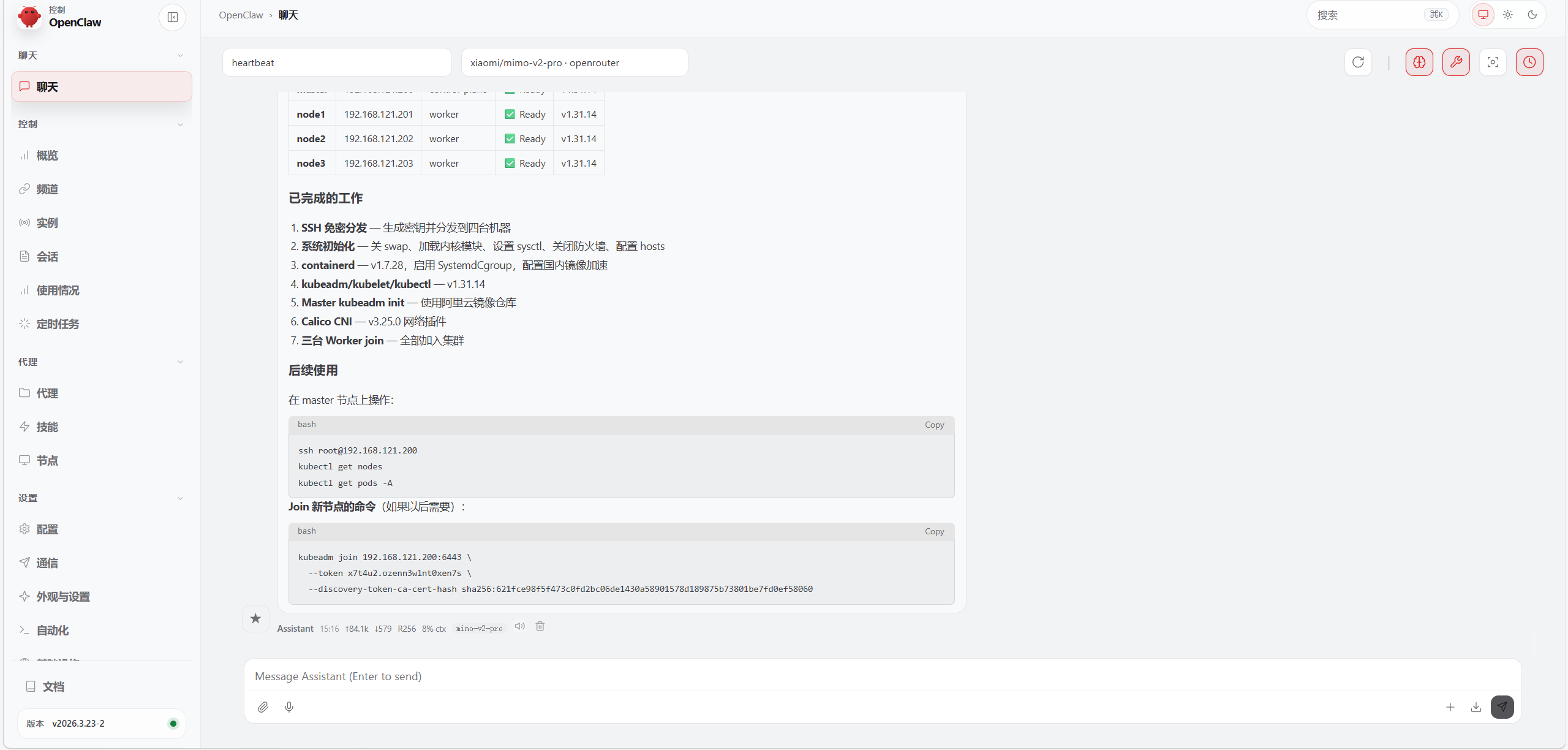
浏览器访问http://127.0.0.1:18789/#token=52aa4ef78406761ff3ed1229939a85d7abaa2ea742bfca2e
5 扩展-飞书机器人渠道
可自行前往官方文档查看
OpenClaw 飞书官方插件使用指南(公开版) - 飞书云文档