1. Overview 概述
GAMSE(Galaxy and Mass Spectrograph Executor)是一款专为高分辨率光谱仪设计的数据缩减软件包。它为完整的高分辨光谱缩减工作流程提供了全面的工具包,包括过扫描校正、偏置减法、阶次检测、平场校正、背景减法以及光谱的最优提取。https://github.com/wangleon/gamse/tree/ff0bb2e8c7561b3adfc389c07fe412c3cf6fc023
2.命令行界面
GAMSE 提供了一个名为 gamse 的命令行工具,在 echelle 数据缩减工作流中为不同任务提供多个子命令。该界面旨在引导用户完成典型的缩减过程,从设置到数据分析。
3.日志与教程
1.config 配置
为特定仪器生成新的配置文件
bash
(py37) chaoxu@astro-xu:/media/chaoxu/Ubda/20260131$ gamse config
List of supported instruments:
[1] Fraunhofer/FOCES
[2] Xinglong216/HRS
[3] Keck-I/HIRES
[4] APF/Levy
[5] Subaru/HDS
[6] LAMOST/HRS
[7] Lijiang2.4m/LiRES
[8] MPG/ESO-2.2m/FEROS
[9] CFHT/ESPaDOnS
[10] VLT/UVES
[11] VLT/ESPRESSO
Select the instrument: 7
Date of observation [2026-01-31]:
Config file written to LiRES.2026-01-31.cfg
选择自己的终端仪器,如LIRES
2.list 列表
扫描原始数据目录并生成观察日志文件
bash
(py37) chaoxu@astro-xu:/media/chaoxu/Ubda/20260131$ gamse list
Load congfig file: "LiRES.2026-01-31.cfg"
  - fileid        type  object       exptime         obsdate         gain speed binning    nsat   q95
Traceback (most recent call last):
  File "/home/chaoxu/anaconda3/envs/py37/bin/gamse", line 38, in <module>
    main()
  File "/home/chaoxu/anaconda3/envs/py37/bin/gamse", line 20, in main
    make_obslog()
  File "/home/chaoxu/anaconda3/envs/py37/lib/python3.7/site-packages/gamse/pipelines/__init__.py", line 168, in make_obslog
    func()
  File "/home/chaoxu/anaconda3/envs/py37/lib/python3.7/site-packages/gamse/pipelines/lires/__init__.py", line 210, in make_obslog
    for fname in sorted(os.listdir(rawpath)):
FileNotFoundError: [Errno 2] No such file or directory: 'rawdata'出错了,创建新目录并将数据移至新目录(rawdata)中
bash
(py37) chaoxu@astro-xu:/media/chaoxu/Ubda/20260131$ gamse list
Load congfig file: "LiRES.2026-01-31.cfg"
  - fileid        type  object       exptime         obsdate         gain speed binning    nsat   q95
Traceback (most recent call last):
  File "/home/chaoxu/anaconda3/envs/py37/bin/gamse", line 38, in <module>
    main()
  File "/home/chaoxu/anaconda3/envs/py37/bin/gamse", line 20, in main
    make_obslog()
  File "/home/chaoxu/anaconda3/envs/py37/lib/python3.7/site-packages/gamse/pipelines/__init__.py", line 168, in make_obslog
    func()
  File "/home/chaoxu/anaconda3/envs/py37/lib/python3.7/site-packages/gamse/pipelines/lires/__init__.py", line 266, in make_obslog
    obsdate = logtable[0]['obsdate'][0:10]
  File "/home/chaoxu/anaconda3/envs/py37/lib/python3.7/site-packages/astropy/table/table.py", line 1869, in __getitem__
    return self.Row(self, item)
  File "/home/chaoxu/anaconda3/envs/py37/lib/python3.7/site-packages/astropy/table/row.py", line 40, in __init__
    .format(index, len(table)))
IndexError: index 0 out of range for table with length 0
然后有新的错误,可能是fits文件识别的问题
bash
(py37) chaoxu@astro-xu:/media/chaoxu/Ubda/20260131$ cd /media/chaoxu/Ubda/20260131/rawdata
for f in *.fit; do mv "$f" "${f}s"; done
重新运行之后得到下面的结果
bash
(py37) chaoxu@astro-xu:/media/chaoxu/Ubda/20260131$ gamse list
Load congfig file: "LiRES.2026-01-31.cfg"
  - fileid        type  object       exptime         obsdate         gain speed binning    nsat   q95
Traceback (most recent call last):
  File "/home/chaoxu/anaconda3/envs/py37/bin/gamse", line 38, in <module>
    main()
  File "/home/chaoxu/anaconda3/envs/py37/bin/gamse", line 20, in main
    make_obslog()
  File "/home/chaoxu/anaconda3/envs/py37/lib/python3.7/site-packages/gamse/pipelines/__init__.py", line 168, in make_obslog
    func()
  File "/home/chaoxu/anaconda3/envs/py37/lib/python3.7/site-packages/gamse/pipelines/lires/__init__.py", line 219, in make_obslog
    info    = parse_objectstring(head['OBJECT'])
  File "/home/chaoxu/anaconda3/envs/py37/lib/python3.7/site-packages/astropy/io/fits/header.py", line 157, in __getitem__
    card = self._cards[self._cardindex(key)]
  File "/home/chaoxu/anaconda3/envs/py37/lib/python3.7/site-packages/astropy/io/fits/header.py", line 1746, in _cardindex
    raise KeyError(f"Keyword {keyword!r} not found.")
KeyError: "Keyword 'OBJECT' not found."是的,头文件中居然没有object?
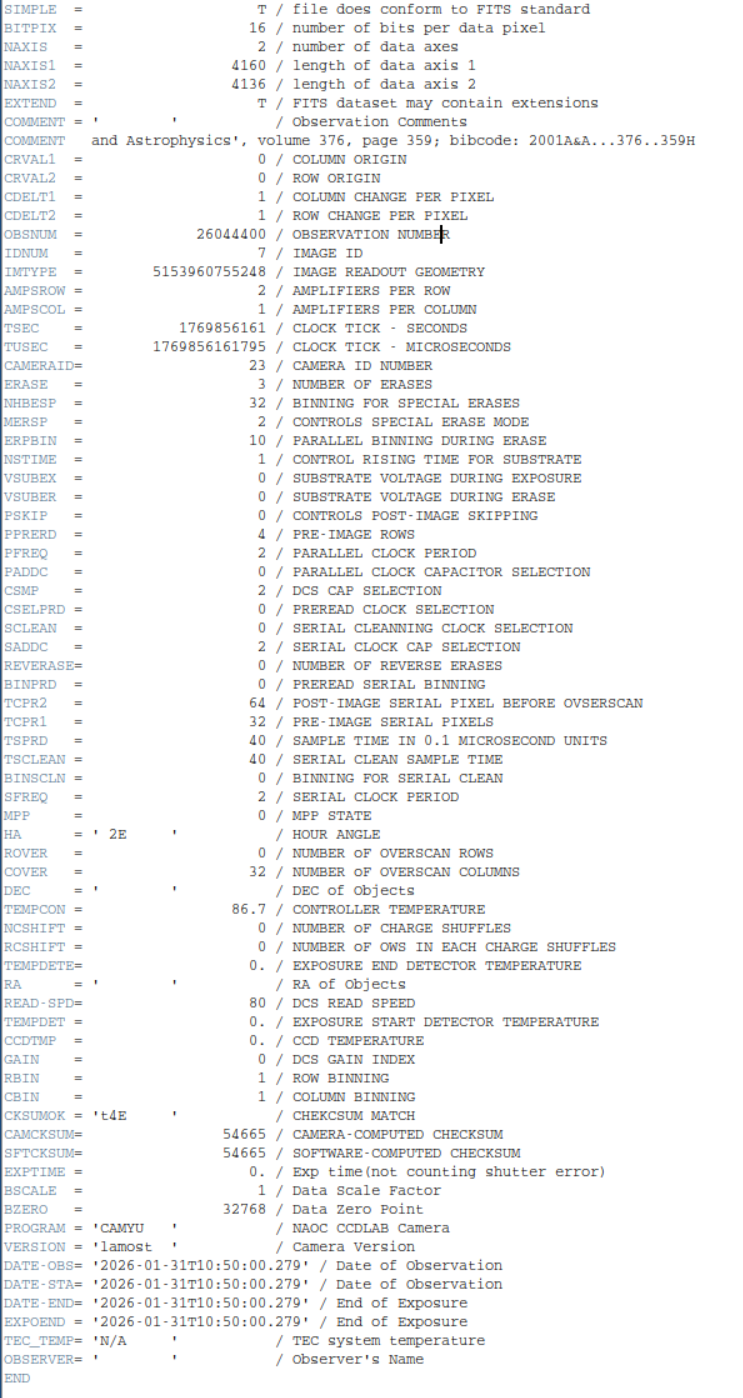
幸好有 DATE-STA 和 EXPTIME:这两个关键字是存在的,所以日期和曝光时间没问题
python
import os
from astropy.io import fits

rawpath = 'rawdata'
files = sorted([f for f in os.listdir(rawpath) if f.endswith('.fits')])

# --- 你可以在这里预设一些常见的对应关系,节省输入时间 ---
# 格式为 '文件名开头几个字': '标准天体名'
name_map = {
    'star_1': 'star1_name',
    'star_2': 'star2_name',
}

print(f"准备处理 {len(files)} 个文件...")

for fname in files:
    fpath = os.path.join(rawpath, fname)
    name_lower = fname.lower()

    # 1. 自动判断基础类型
    if 'bias' in name_lower:
        obj = 'BIAS'
    elif 'flat' in name_lower:
        obj = 'FLAT'
    elif 'thar' in name_lower:
        obj = 'THAR'
    else:
        # 2. 尝试从预设字典里查找
        obj = None
        for key, value in name_map.items():
            if name_lower.startswith(key):
                obj = value
                break

        # 3. 如果字典里也没有,则手动询问
        if obj is None:
            print(f"\n>>> 无法自动识别文件: {fname}")
            user_input = input(f"请输入该文件的 OBJECT 名称 (直接回车则使用文件名 '{fname.replace('.fits','')}'): ").strip()
            if user_input:
                obj = user_input
            else:
                obj = fname.replace('.fits', '')

    # 4. 写入 FITS 头文件
    try:
        with fits.open(fpath, mode='update') as hdul:
            header = hdul[0].header
            header.set('OBJECT', obj, 'Object name')
            header.set('TELESCOP', 'Lijiang2.4m')
            header.set('INSTRUME', 'LiRES')
            hdul.flush()
            print(f"已保存: {fname} -> {obj}")
    except Exception as e:
        print(f"处理 {fname} 时出错: {e}")

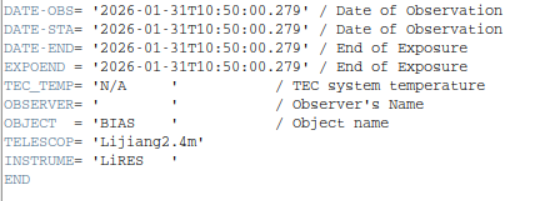
print("\n所有文件处理完毕!现在可以运行 gamse list 了。")ai写个代码加上object,效果如下,
bash
(py37) chaoxu@astro-xu:/media/chaoxu/Ubda/20260131$ gamse list
Load congfig file: "LiRES.2026-01-31.cfg"
  - fileid        type  object       exptime         obsdate         gain speed binning    nsat   q95
Traceback (most recent call last):
  File "/home/chaoxu/anaconda3/envs/py37/bin/gamse", line 38, in <module>
    main()
  File "/home/chaoxu/anaconda3/envs/py37/bin/gamse", line 20, in main
    make_obslog()
  File "/home/chaoxu/anaconda3/envs/py37/lib/python3.7/site-packages/gamse/pipelines/__init__.py", line 168, in make_obslog
    func()
  File "/home/chaoxu/anaconda3/envs/py37/lib/python3.7/site-packages/gamse/pipelines/lires/__init__.py", line 219, in make_obslog
    info    = parse_objectstring(head['OBJECT'])
  File "/home/chaoxu/anaconda3/envs/py37/lib/python3.7/site-packages/gamse/pipelines/lires/__init__.py", line 151, in parse_objectstring
    count = int(mobj.group(1))
AttributeError: 'NoneType' object has no attribute 'group'
OBJECT还是有问题?这里尝试运行了之前培训班的数据,得到了一些启发
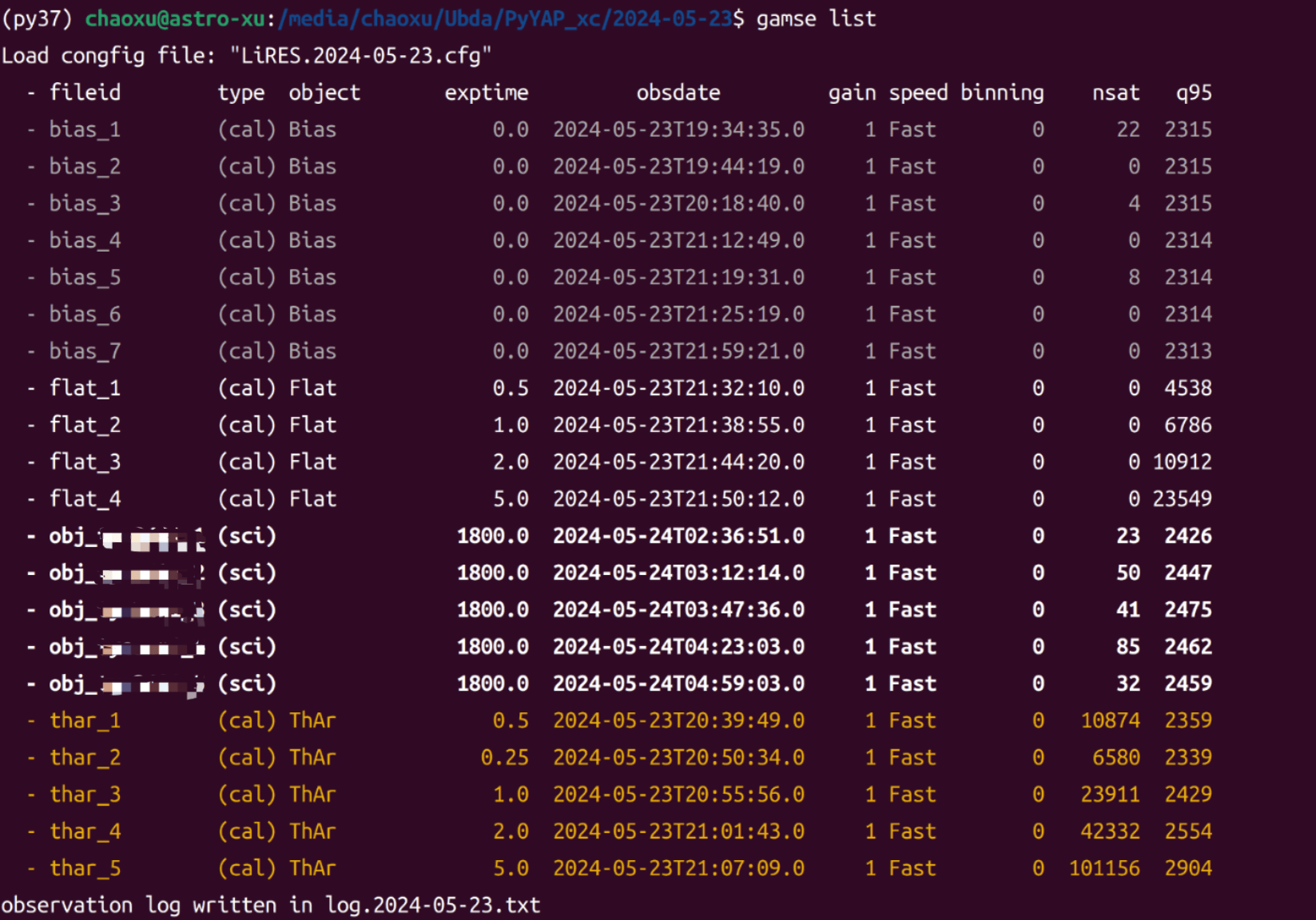
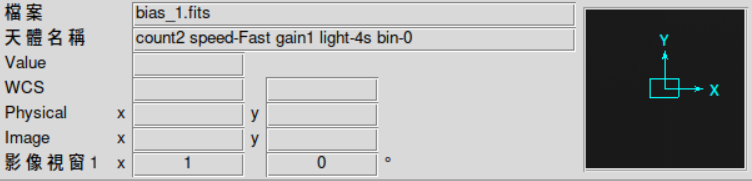
这里将object改成了这个'count2 speed-Fast gain1 light-4s bin-0'
之后居然可以成功运行,(文件名排序有点bug,但问题不大)
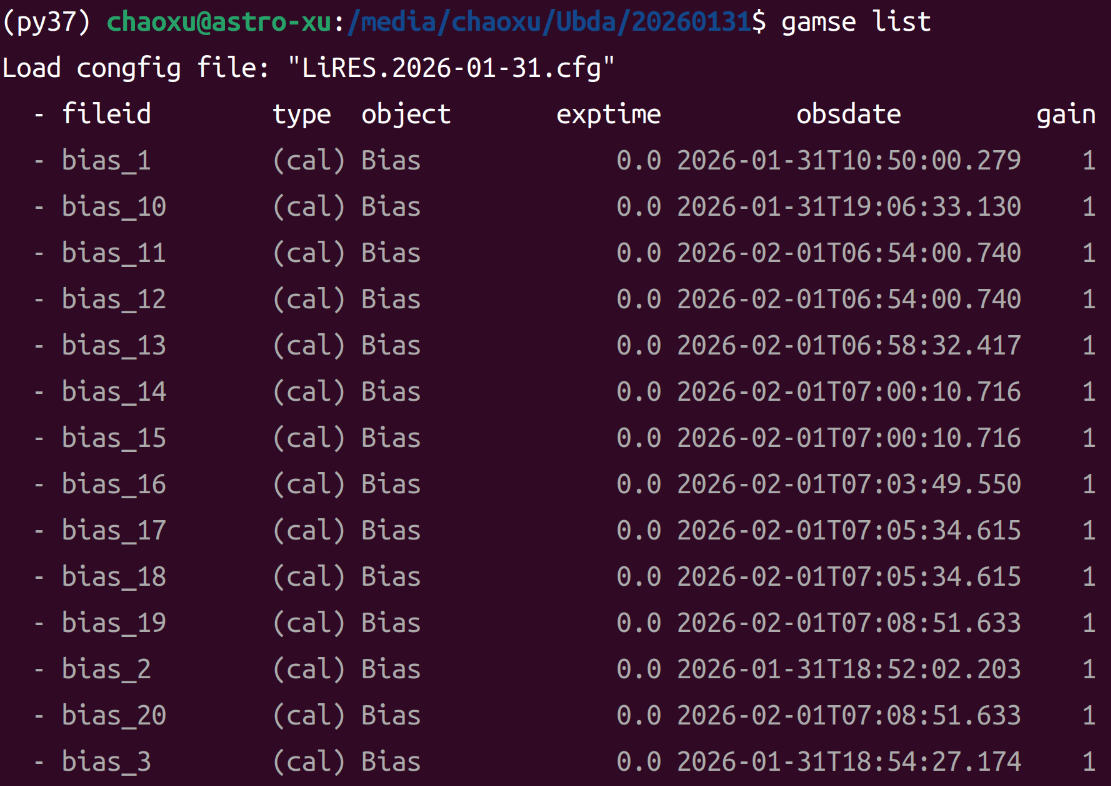
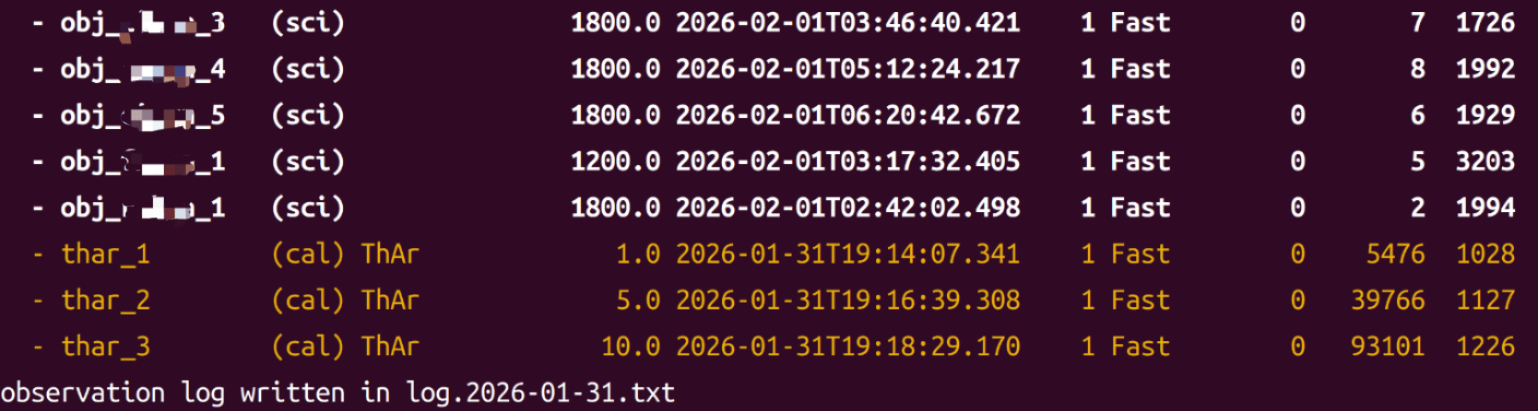
这里AI读了下原代码,给出了一些相关的解释
python
def parse_objectstring(string):
    # 定义正则表达式模式
    pattern = ('count(\d+) speed\-([a-zA-Z]+) gain(\d) '
                '([a-zA-Z]+)\-(\d+)s bin\-\-?(\d)')
    mobj = re.match(pattern, string)

    # 这里就是你之前报错的地方:如果 string 不符合上面的 pattern,mobj 就是 None
    count = int(mobj.group(1))
    speed = mobj.group(2)
    gain = int(mobj.group(3))
    mode = mobj.group(4)
    exptime = mobj.group(5)
    binning = int(mobj.group(6))

    return {'count': count, 'speed': speed, 'gain': gain, 'mode': mode,
'exptime': exptime, 'binning': binning}gamse/gamse/pipelines/lires/init.py中的这部分是代码最核心的循环部分:
只处理以 .fits 结尾的文件(这就是之前为什么必须把 .fit 改为 .fits的原因)
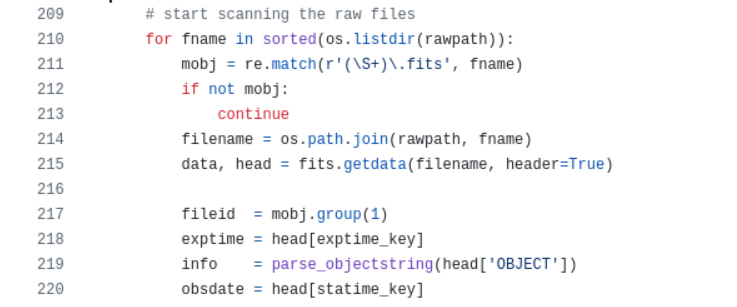
info = parse_objectstring(...): 这就是之前报错的地方。
它强行调用正则表达式函数,去解析 OBJECT 里的 gain, speed, binning等信息
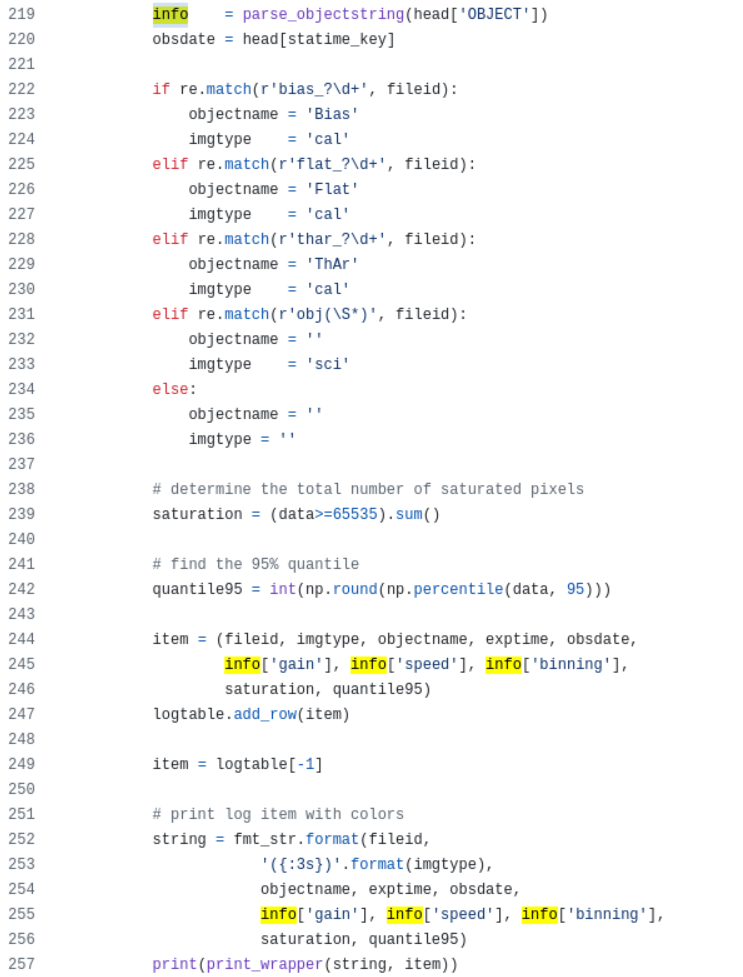
python
for fname in sorted(os.listdir(rawpath)): # 1. 遍历文件夹
    mobj = re.match(r'(\S+)\.fits', fname) # 2. 正则匹配
    if not mobj:
        continue
    # ...
    fileid  = mobj.group(1) # 3. 提取捕获组内容
python
        if re.match(r'bias_?\d+', fileid):
            objectname = 'Bias'
            imgtype    = 'cal'
        elif re.match(r'flat_?\d+', fileid):
            objectname = 'Flat'
            imgtype    = 'cal'
        elif re.match(r'thar_?\d+', fileid):
            objectname = 'ThAr'
            imgtype    = 'cal'
        elif re.match(r'obj(\S*)', fileid):
            objectname = ''
            imgtype    = 'sci'
        else:
            objectname = ''
            imgtype = ''
之前的代码中count = int(mobj.group(1)),
但通过上述代码,mobj.group(1)变成了文件名,所以这里也需要改文件名
所以决定 imgtype 和 objectname 的逻辑,是通过文件名来判断的,而不是 FITS 头!
-
文件名包含 bias -> 显示为 Bias,类型为 cal(校准帧)。
-
文件名包含 flat -> 显示为 Flat,类型为 cal。
-
文件名包含 obj -> 显示名为空,类型为 sci(科学帧)。
所以这里不用纠结 count2 speed-Fast gain1 light-4s bin-0
如果以后不再手动修改 OBJECT 这么复杂的长字符串,有两个选择:
选择 A:继续用你之前的"万能字符串"
只要把 OBJECT 改成类似 'count1 speed-Fast gain1 light-1s bin-1',程序就能动。
选择 B:修改 lires/init.py 源码(推荐)
把 parse_objectstring 改得更宽容一些。例如:
python
def parse_objectstring(string):
    try:
        # 原有的复杂解析逻辑...
        # (保持原样)
    except:
        # 如果解析失败,给一套默认值,防止程序崩溃
        return {'count': 0, 'speed': 'Fast', 'gain': 1, 'mode': 'unknown',
                'exptime': 0, 'binning': 1}
3.split 拆分
根据帧类型将观测日志拆分成独立文件。这对于在削减前整理数据非常有用。
运行时却有如下报错:
bash
(py37) chaoxu@astro-xu:/media/chaoxu/Ubda/PyYAP_xc/2024-05-23$ gamse split
Unknown Instrument: Lijiang2.4m - LiRES在主程序gamse/gamse/pipelines/init.py中
python
def split_obslog():
    """
    """
    for fname in os.listdir(os.curdir):
        if fname.endswith('.cfg'):
            config_file = fname
            break

    config = configparser.ConfigParser(
                inline_comment_prefixes = (';','#'),
                interpolation = configparser.ExtendedInterpolation(),
                )
    config.read(config_file)

    # find the telescope and instrument name
    section = config['data']
    telescope  = section['telescope']
    instrument = section['instrument']

    for row in instrument_lst:
        if telescope == row[1] and instrument == row[2]:
            modulename = row[0]
            submodule = importlib.import_module('.'+modulename, __package__)
            if hasattr(submodule, 'split_obslog'):
                func = getattr(submodule, 'split_obslog')
                func()
                exit()

    print('Unknown Instrument: {} - {}'.format(telescope, instrument))
虽然仪器名(Lijiang2.4m/LiRES)在 instrument_lst 列表中,
但由于 lires 这个子模块内部并没有定义 split_obslog 这个函数,
程序跑完了整个循环都没能 exit(),最后执行了末尾的:
print('Unknown Instrument: {} - {}'.format(telescope, instrument))
4.reduce 缩减
对原始数据运行完整的数据缩减流程
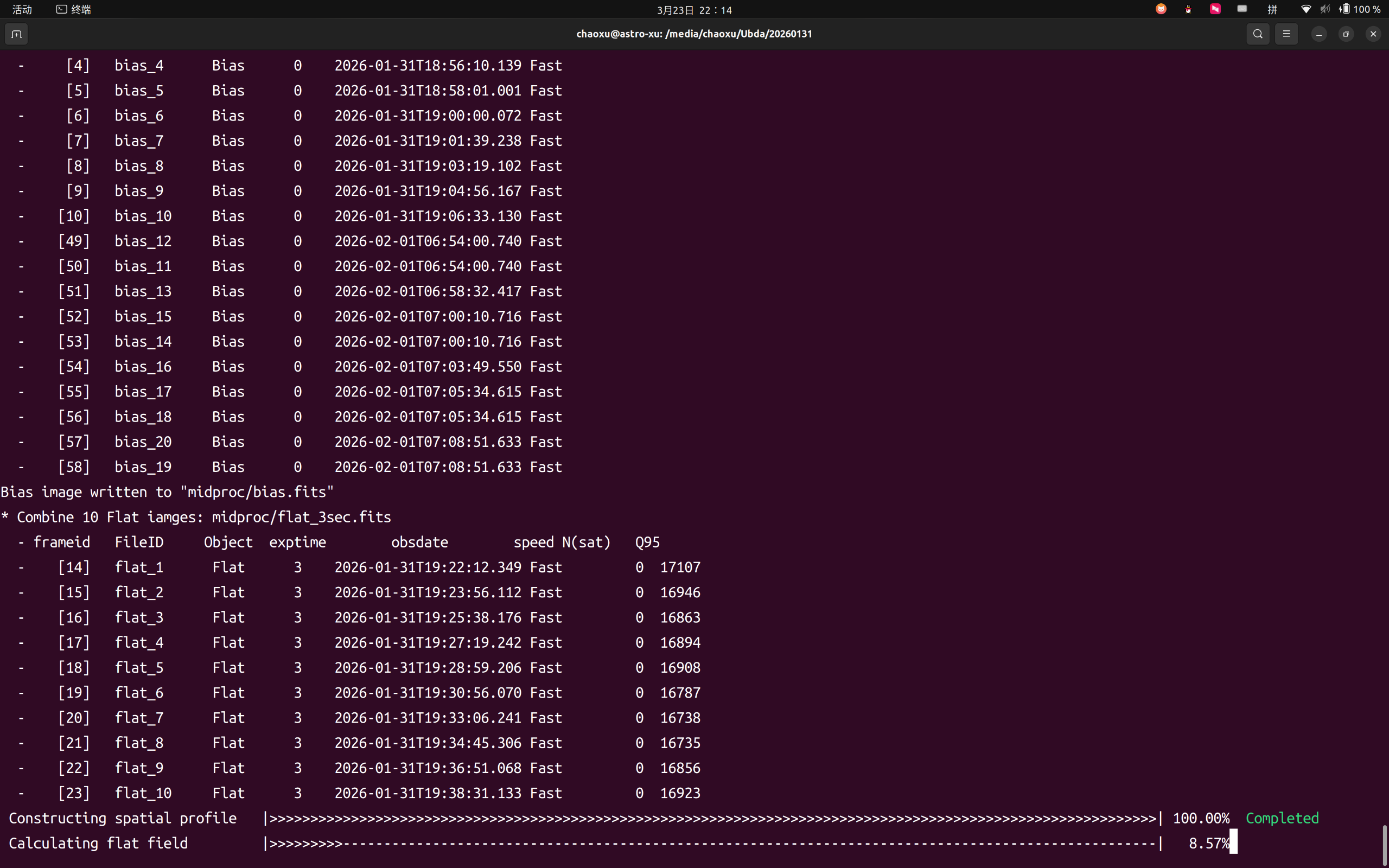
貌似开始成功运行,就是有点慢(电脑风扇一直响
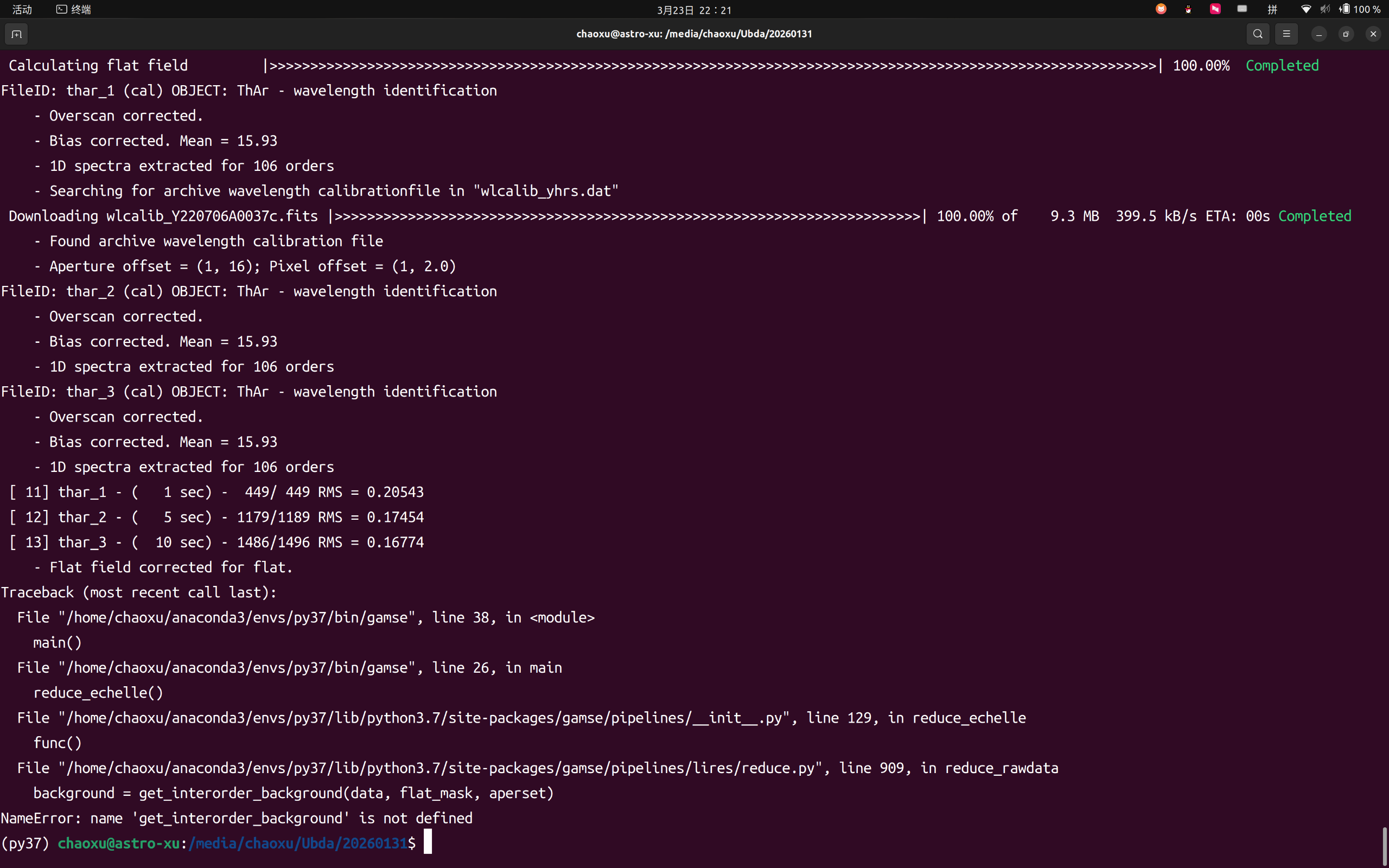
get_interorder_background 是一个用于扣除**阶间本底(Inter-order background)**的函数
这里报错缺失可能是在代码重构时疏忽了,或者是版本不匹配导致的。
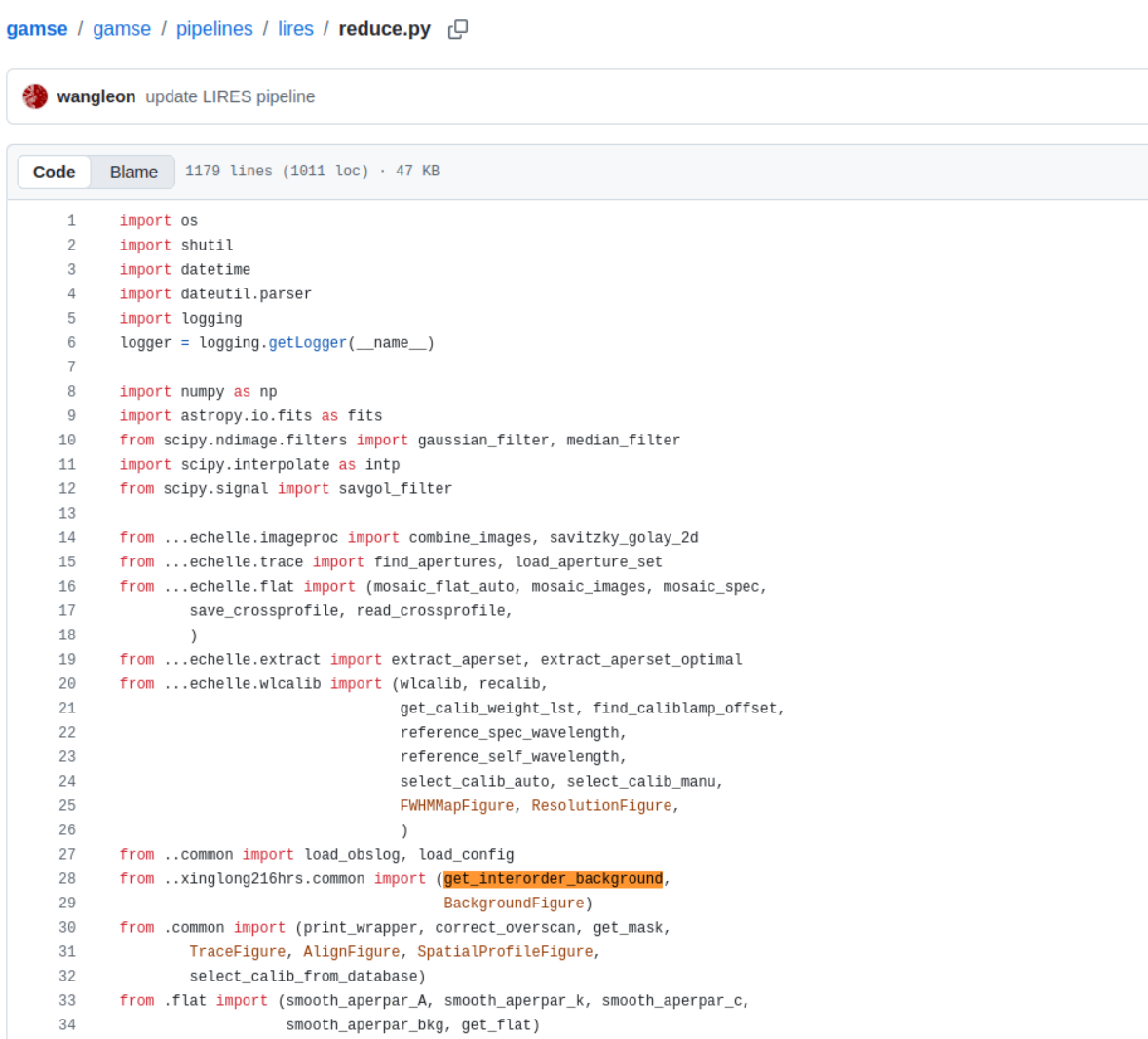
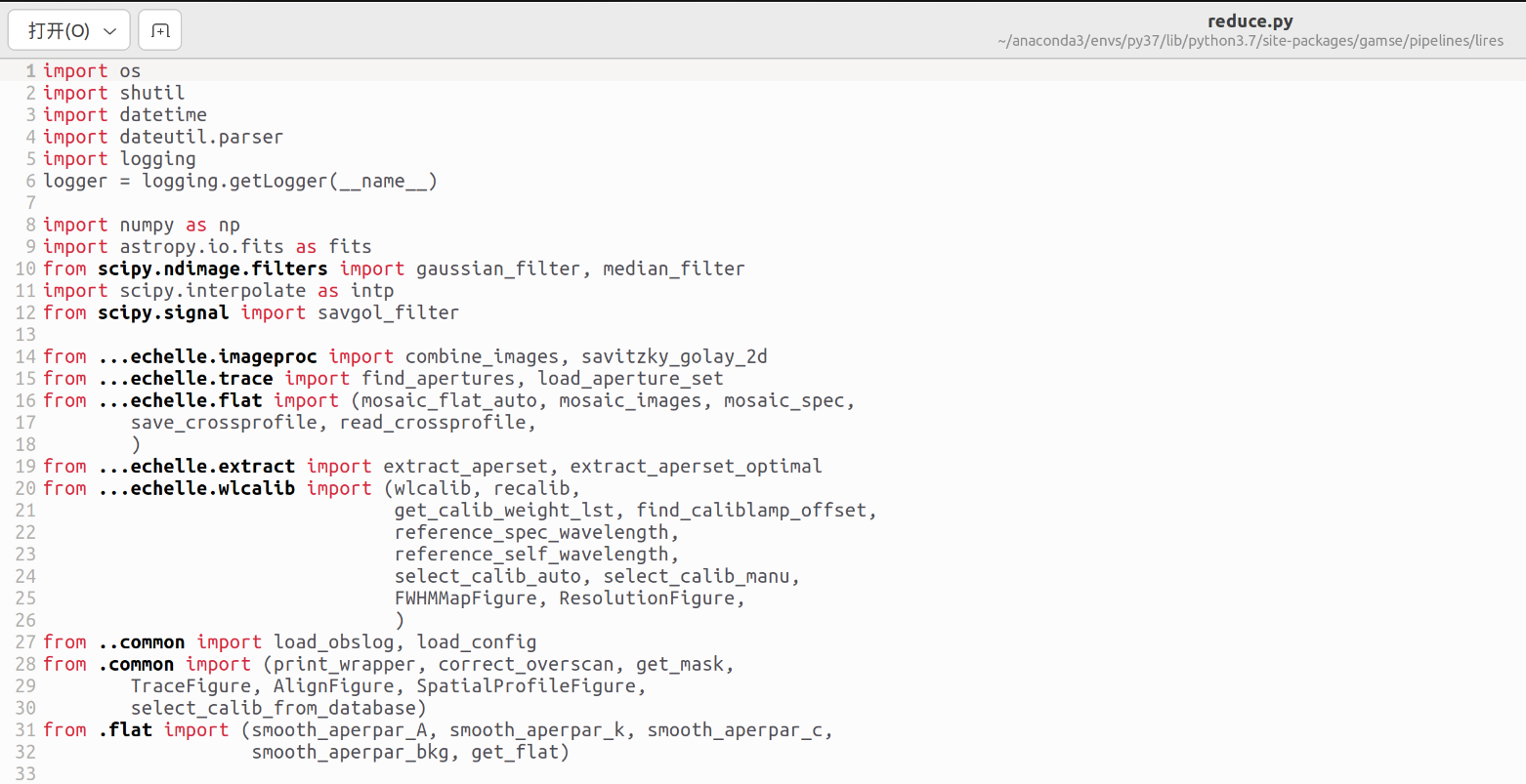
对比一下github,发现最新版的文件中加了一个这个函数。
所以我们这里用最新版的文件替换原文件夹中的文件。
重新运行之后继续报错:
bash
Traceback (most recent call last):
  File "/home/chaoxu/anaconda3/envs/py37/bin/gamse", line 38, in <module>
    main()
  File "/home/chaoxu/anaconda3/envs/py37/bin/gamse", line 26, in main
    reduce_echelle()
  File "/home/chaoxu/anaconda3/envs/py37/lib/python3.7/site-packages/gamse/pipelines/__init__.py", line 129, in reduce_echelle
    func()
  File "/home/chaoxu/anaconda3/envs/py37/lib/python3.7/site-packages/gamse/pipelines/lires/reduce.py", line 1148, in reduce_rawdata
    exptime = head[exptime_key],
  File "/home/chaoxu/anaconda3/envs/py37/lib/python3.7/site-packages/gamse/echelle/wlcalib.py", line 1584, in get_calib_weight_lst
    weight_lst[0] = 1.0
IndexError: index 0 is out of bounds for axis 0 with size 0
这里在四个月前也更新了其他的一些东西。同样替换一下,使用最新版本

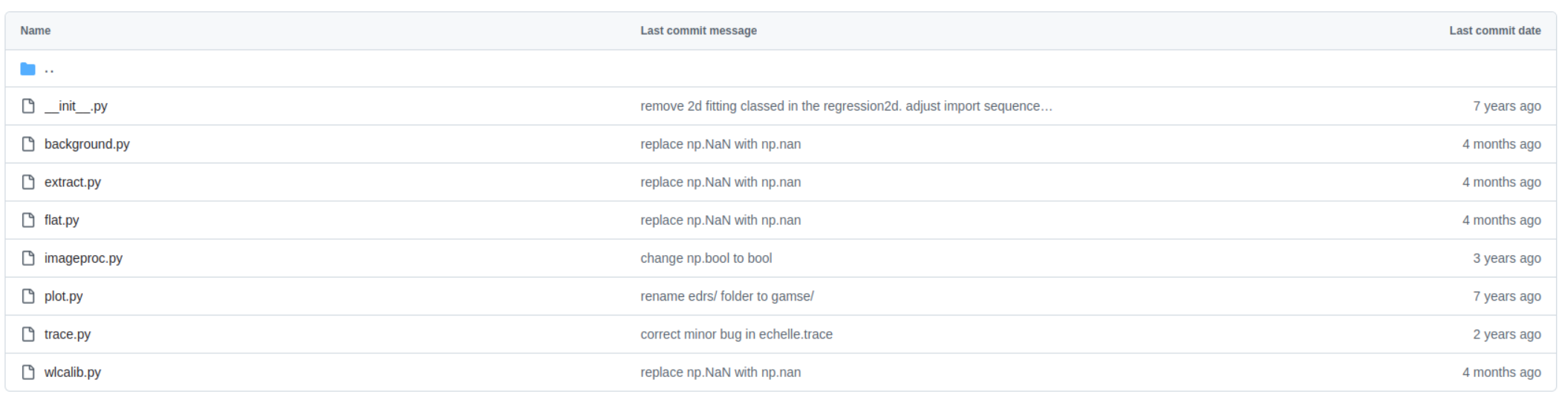
还是有问题?这个RMS没有达到程序允许的值
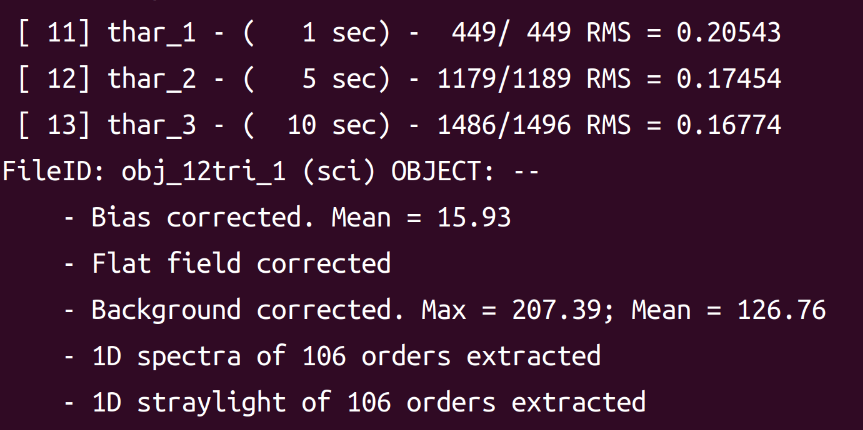
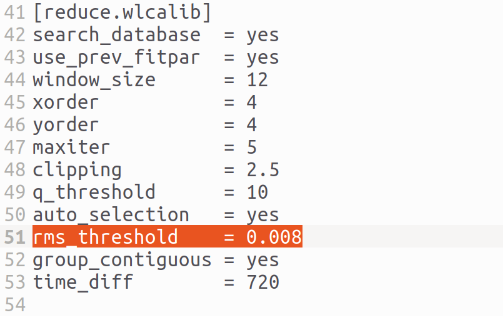
5.gamse_ident 交互定标
这里猜想可能是辅助定标的文件不太对,选择手动定标先
直接运行交互式定标工具gamse_ident
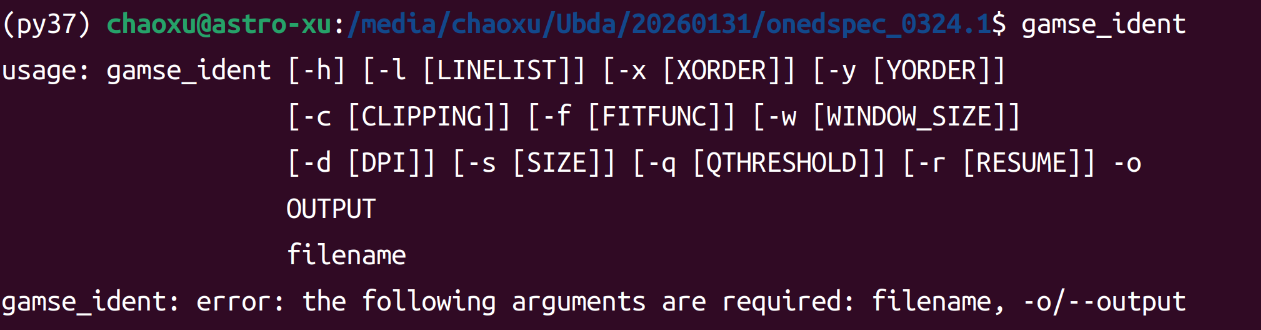
这里给出了一些提示及后面可以接的一些参数
bash
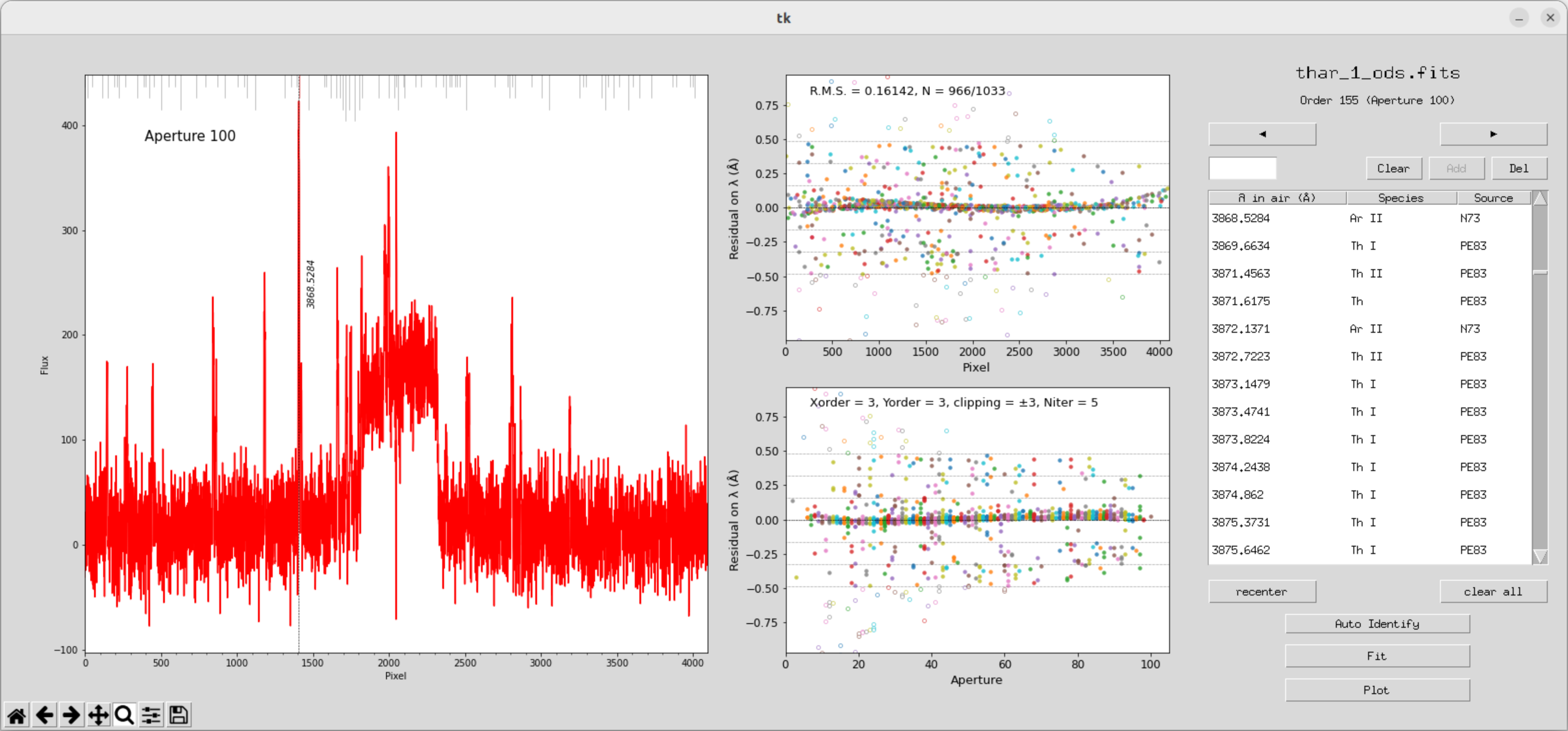
gamse_ident -l ThAr -w 23 -o wlcalib_yhrs.fits -s 1000 -d 72 thar_1_ods.fits运行之后可以得到这样的一个窗口,可以与tharmap进行对比
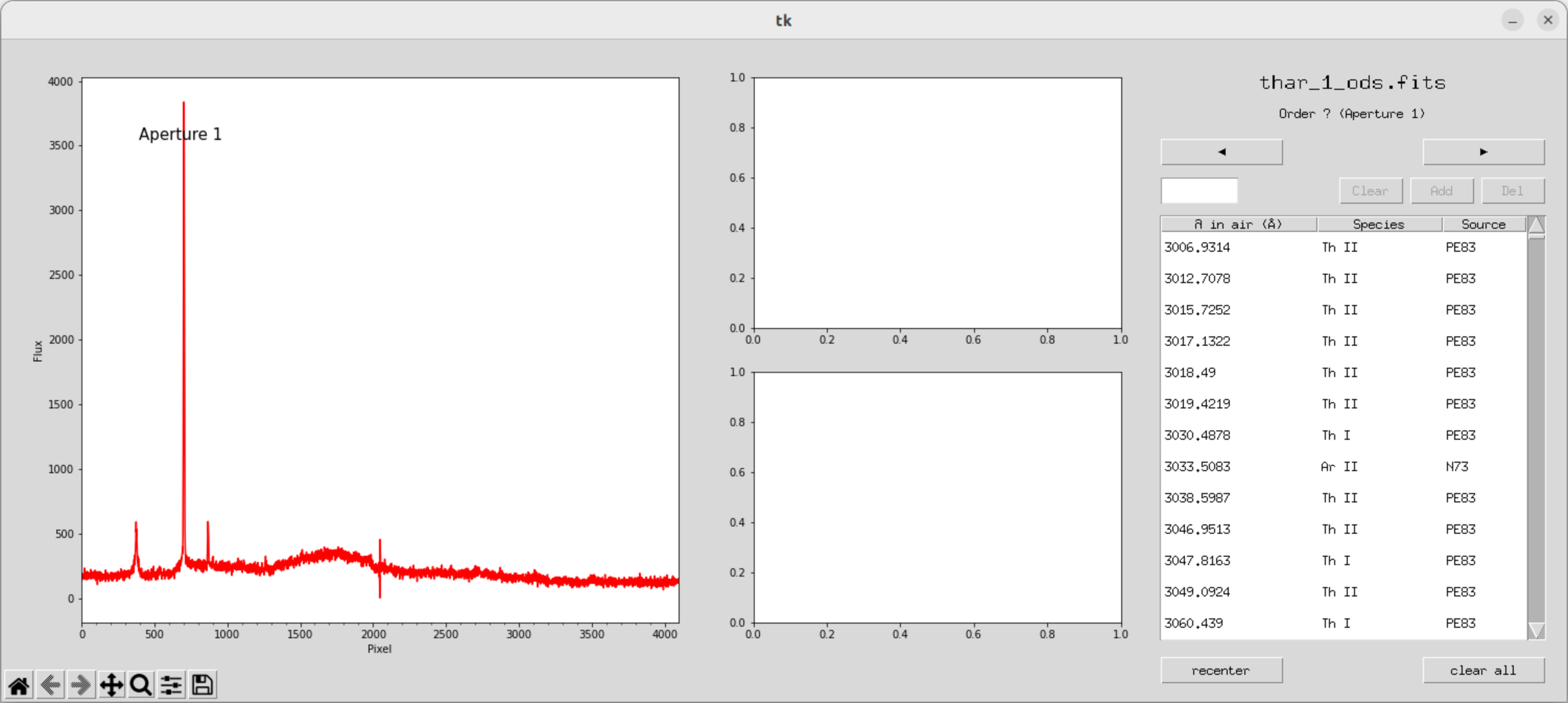
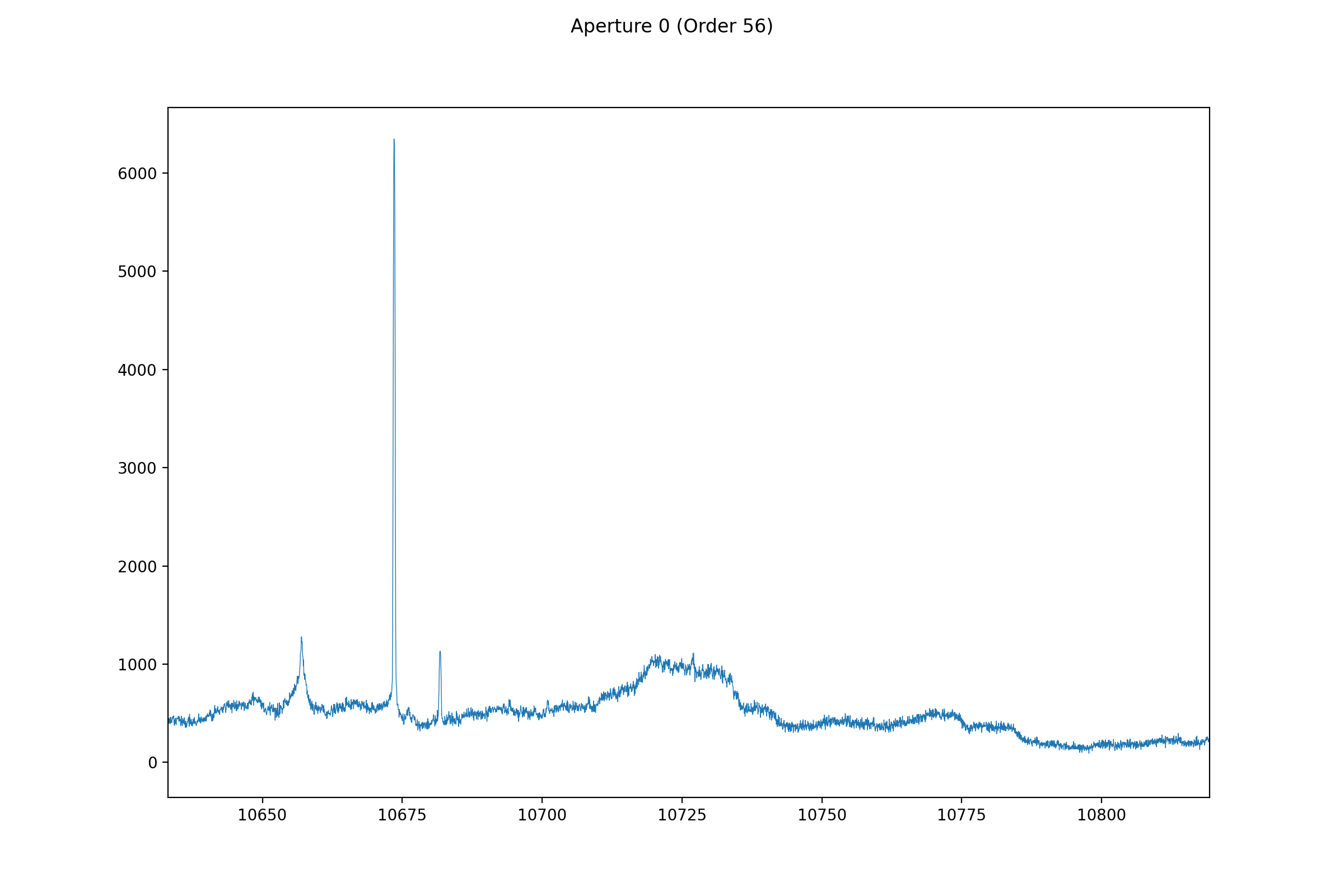
从6500A三条谱线开始证认
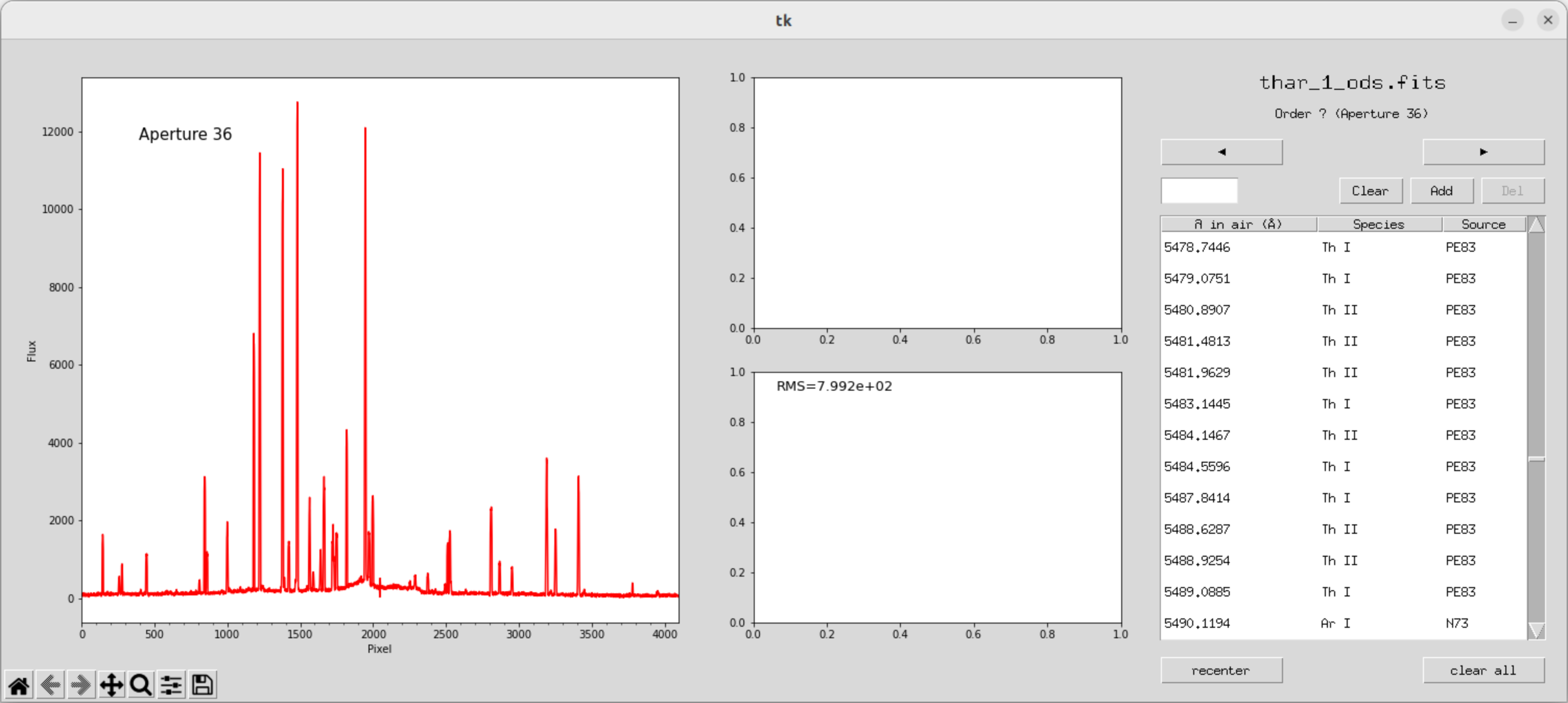
双击谱线找到对应值,确认,add
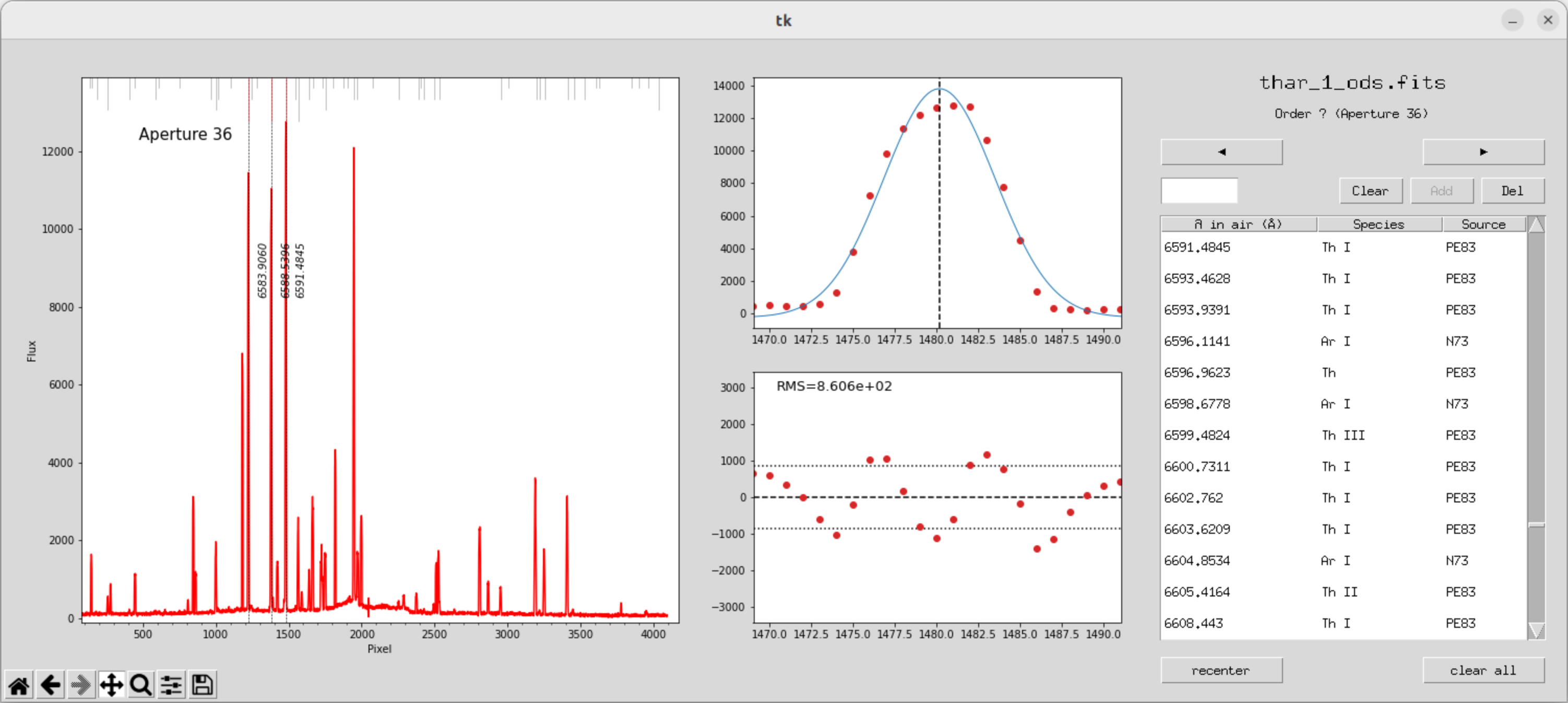
这里出现了一个很蠢的bug,因为图像大小的问题,有些按键没显示出来不能拟合和plot
bash
gamse_ident -l ThAr -w 23 -o wlcalib_yhrs_1.fits -s 1200 -d 72 thar_1_ods.fits 输入以上指令,重新开始定标
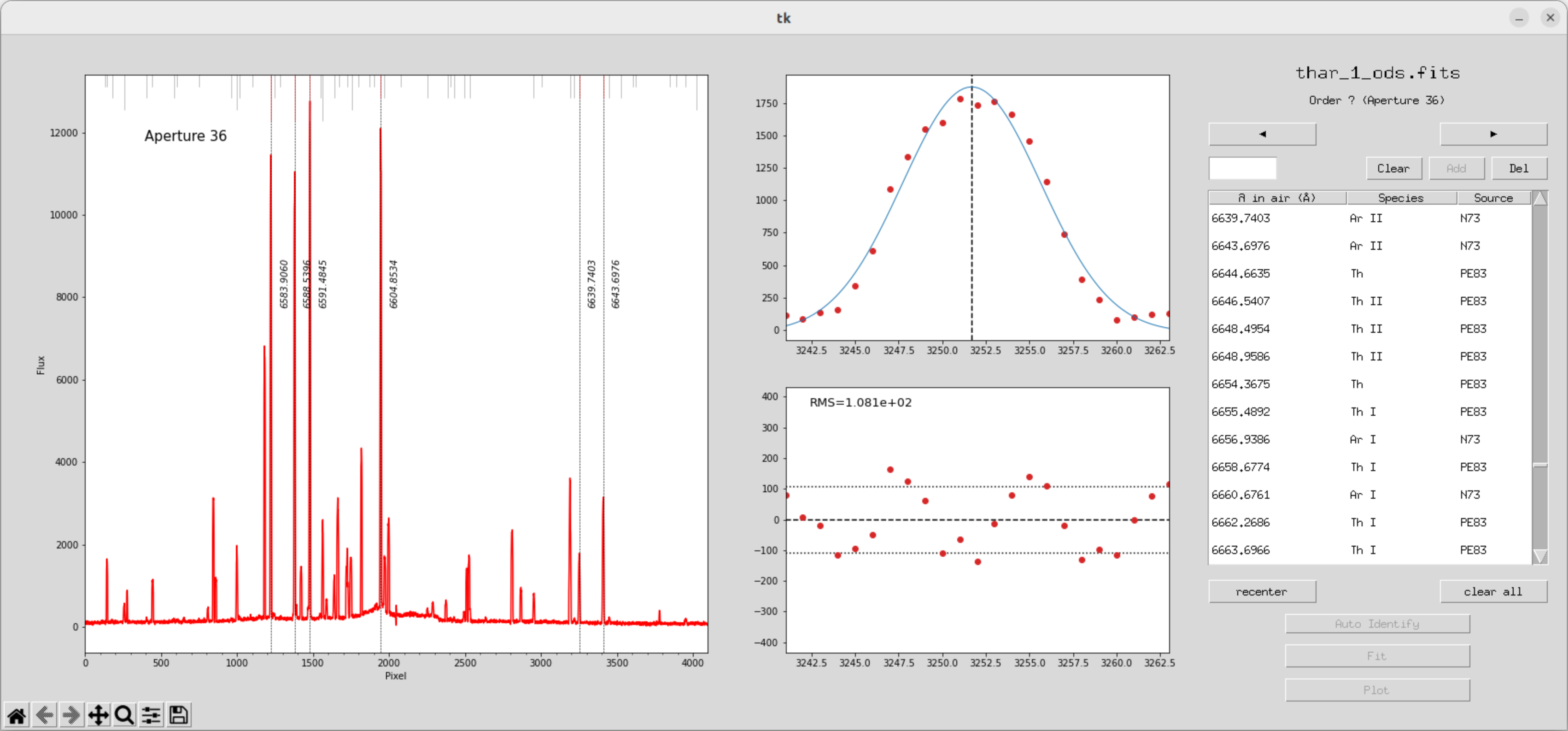
当我们标定了一些极次之后就可以开始拟合
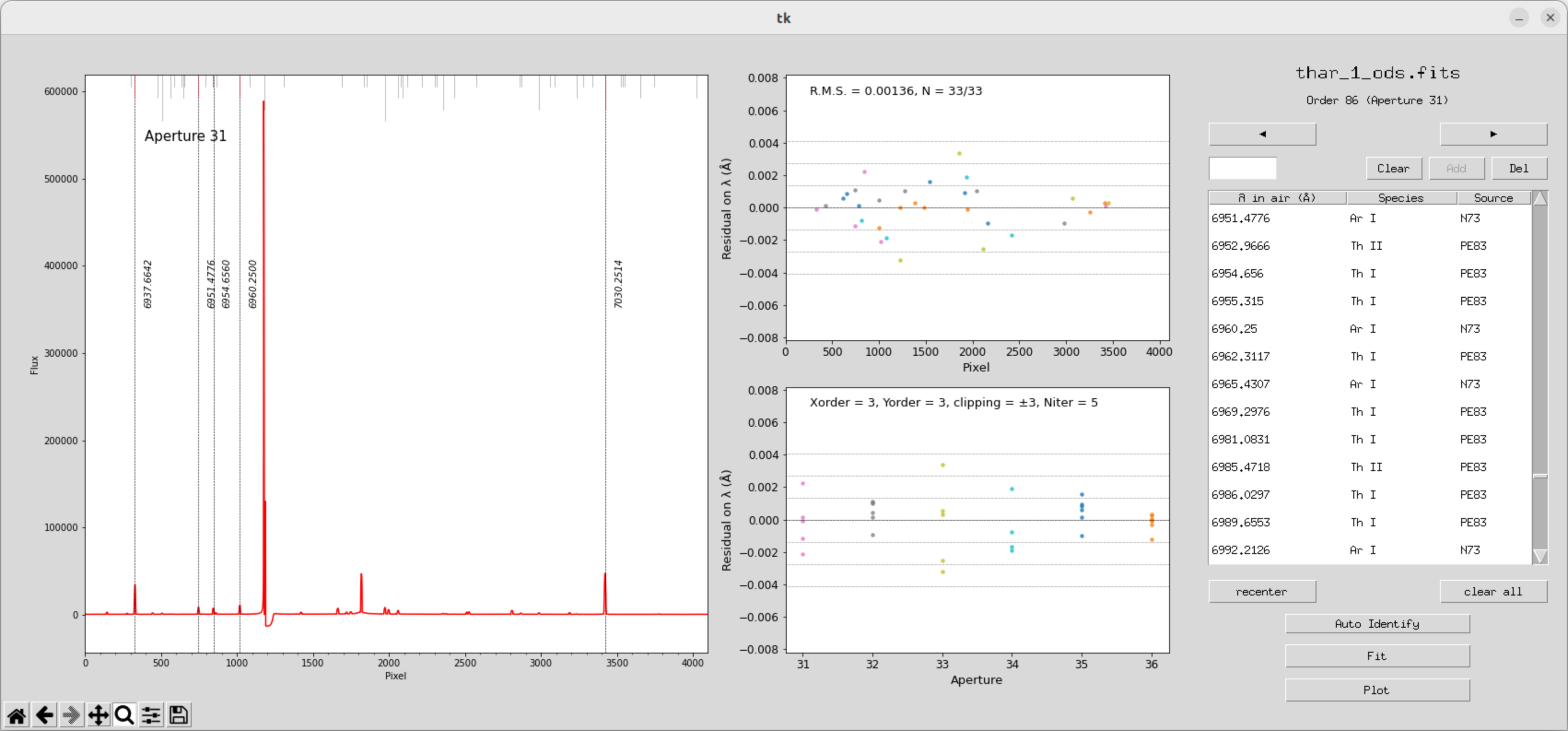
拟合完之后,我们发现到其他极次,上面也会自动做好标定
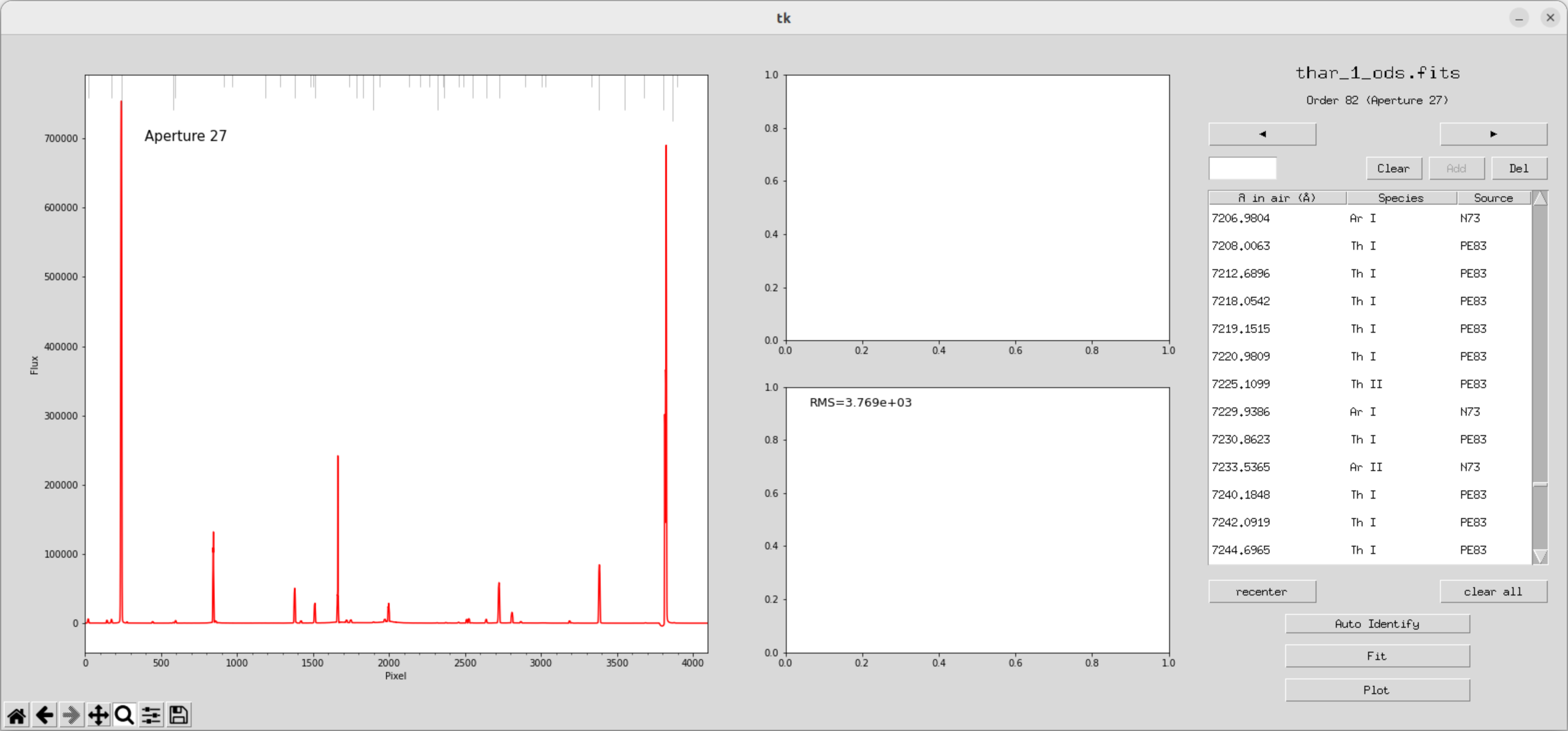
一定程度后可以开始自动拟合
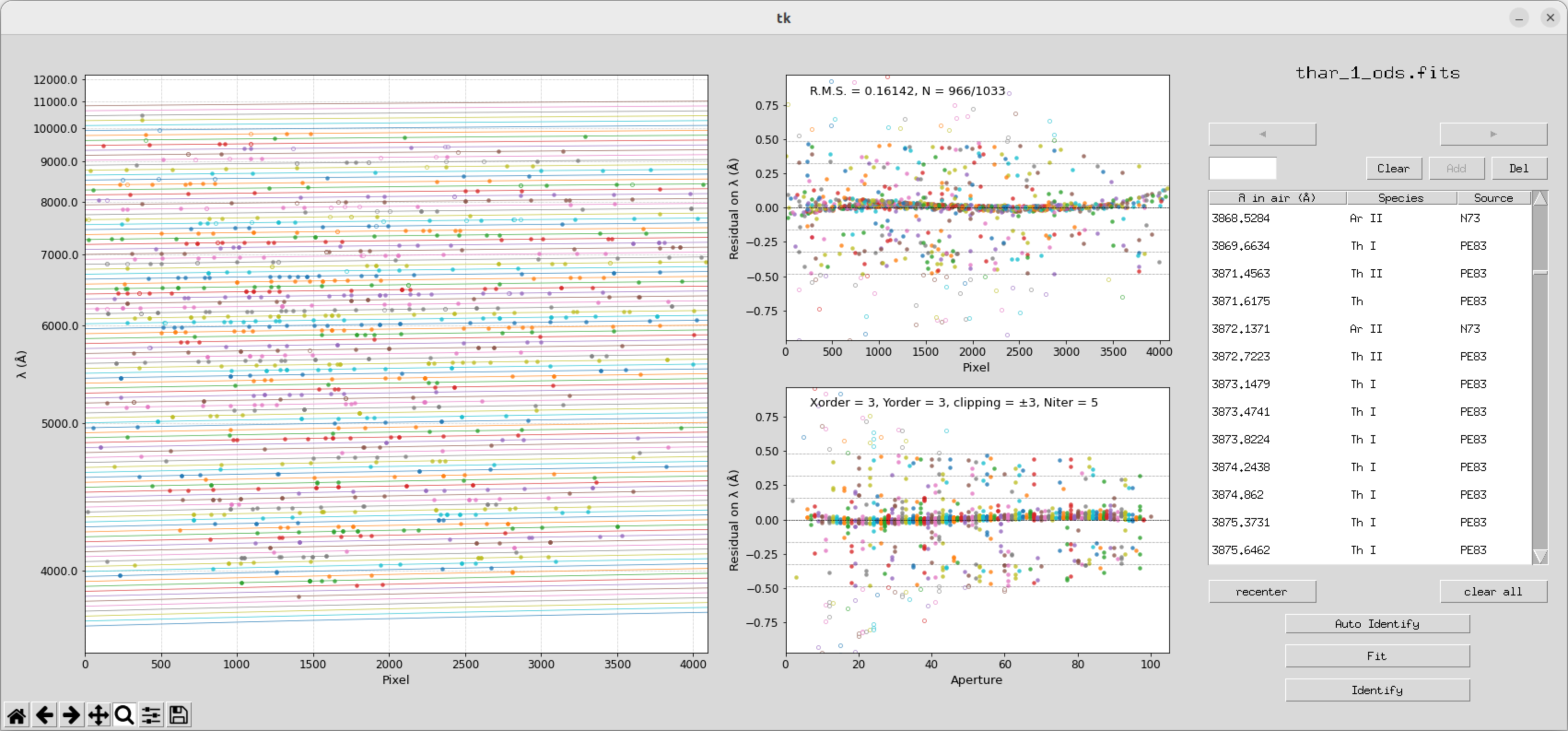
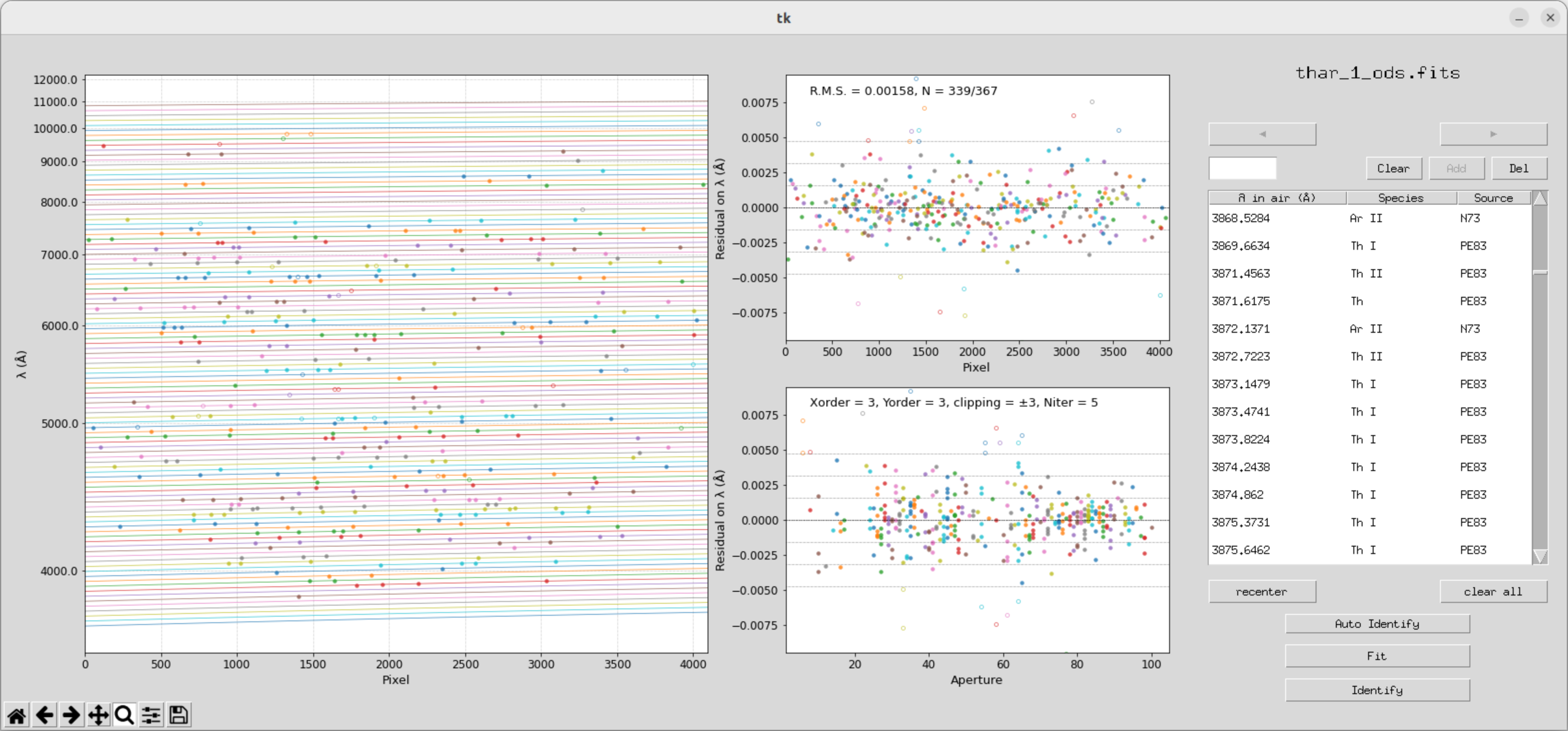
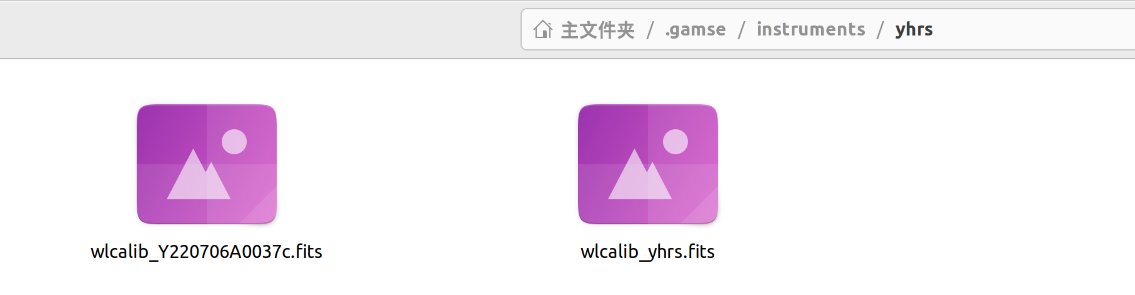
执行完拟合之后,目录文件夹会出现以下文件
(刚才的自动拟和效果其实并不是最优,可以重新再拟合一遍)

这里我们需要将这个fits文件放到data/calib/wlcalib_yhrs.dat文件中
添加后如下图所示

-
ntot: 总谱线数(在 gamse_ident 结束时的输出里有)。
-
nuse: 参与拟合的谱线数(在输出里有)。
-
stddev: 你的 RMS 误差(例如 0.00158)。
-
md5: 在终端运行 md5sum yhrs.fits 来获得
之后,search_database = yes 便可重新运行,
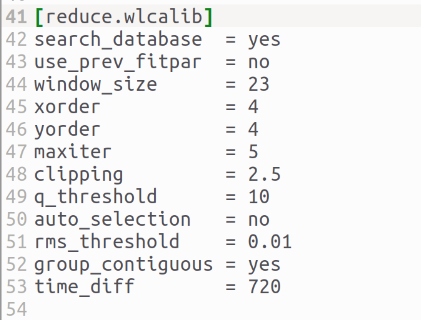
(py37) chaoxu@astro-xu:/media/chaoxu/Ubda/20260131$ gamse reduce这个地方如果offset为0说明正好能对上
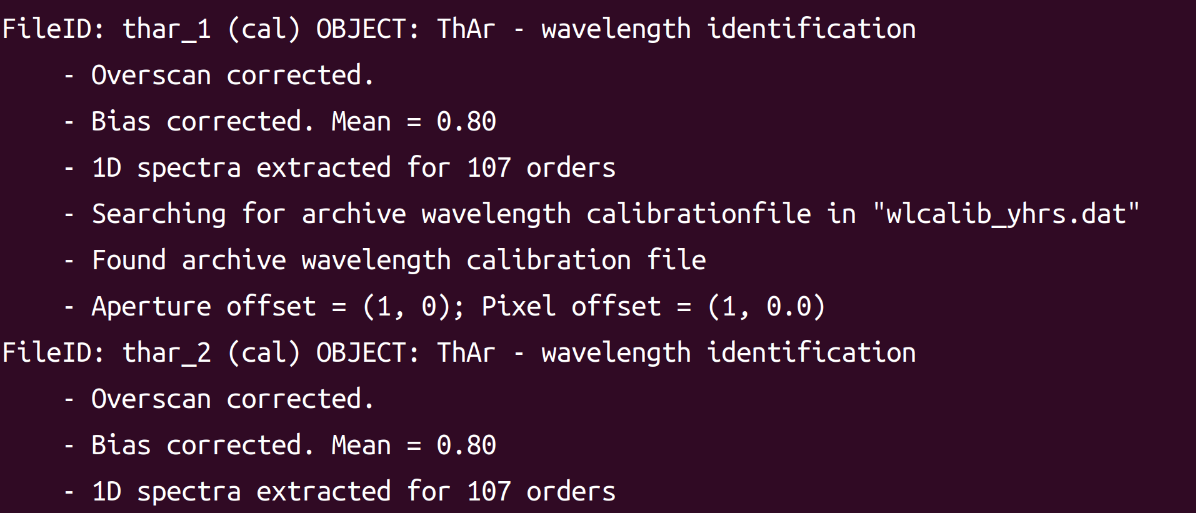
然后它会自动选择最好的灯谱作为参考
这个地方其实还有很多问题,手动完成波长定标的文件还是会出现问题。
对此我在这个问题上耗费了一定时间,因为当时这个包并不能通过pip下载。所以这里忽略了一些更新的细节,这个定标完成后的参考文件是有一定bug的。
具体我们可以写一个程序,读取一下fist文件。
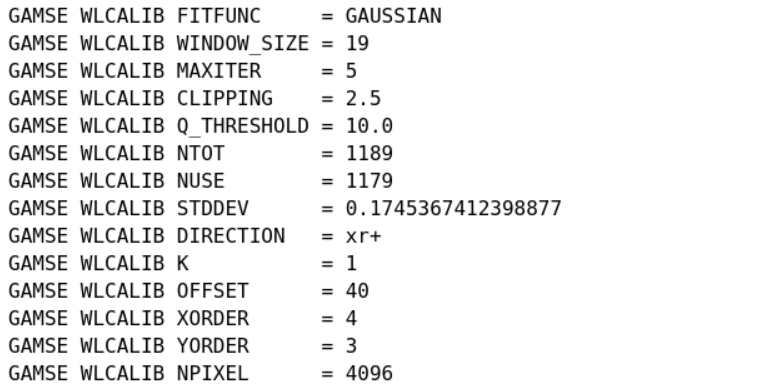
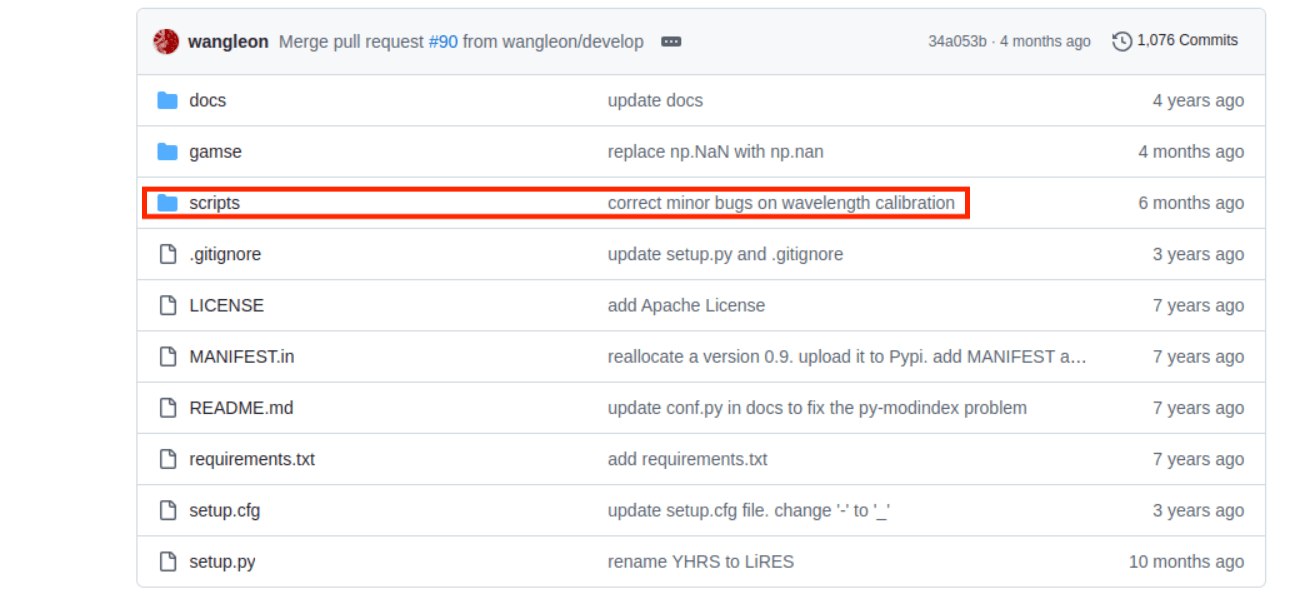
我们会发现,他会在后台偷偷自己做一个拟合(这个拟和还非常差劲
但是具体是怎么实现的不太清楚,王靓老师在6个月之前也更改了这个bug,这里我们还是把原文件直接copy过来。
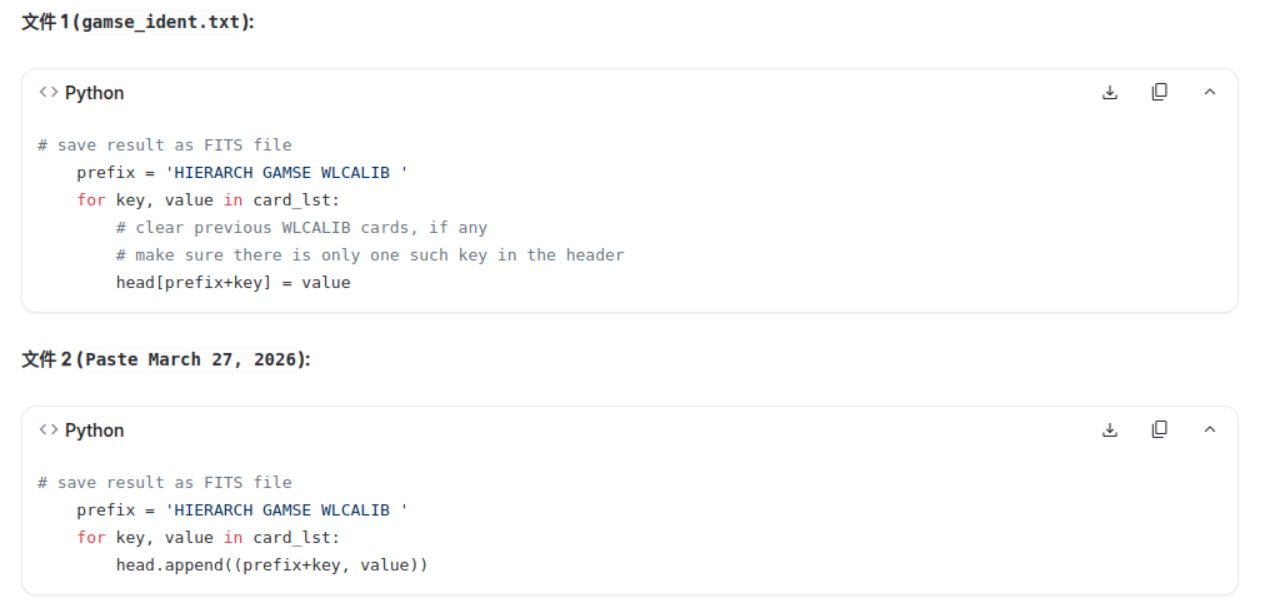
AI 总结:第二个代码虽然表面上把系数写进去了,但它造成了 Header 关键词重复。由于 FITS 读取机制通常"只认第一个",导致你辛苦计算的新系数被困在文件末尾,变成了一堆永远不会被读取到的"死数据"。(大概应该是这么回事吧)
然后使用新代码生成的定标文件作为参考文件
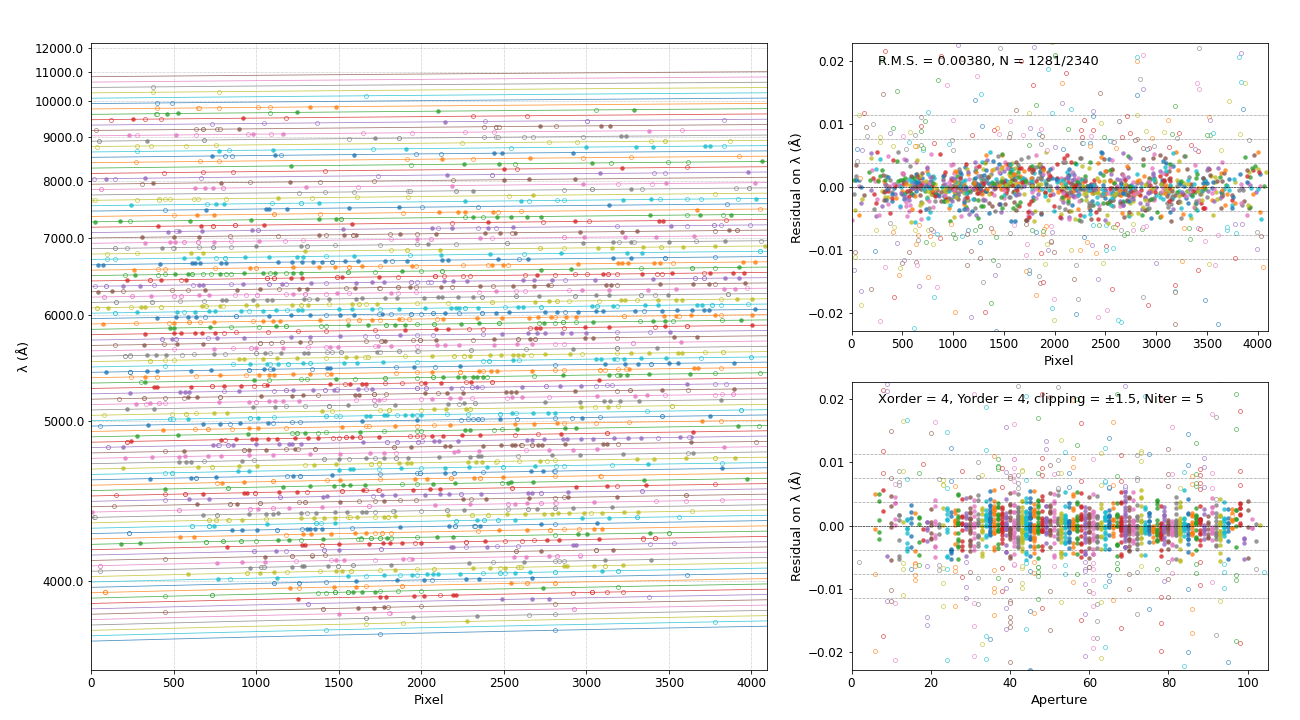
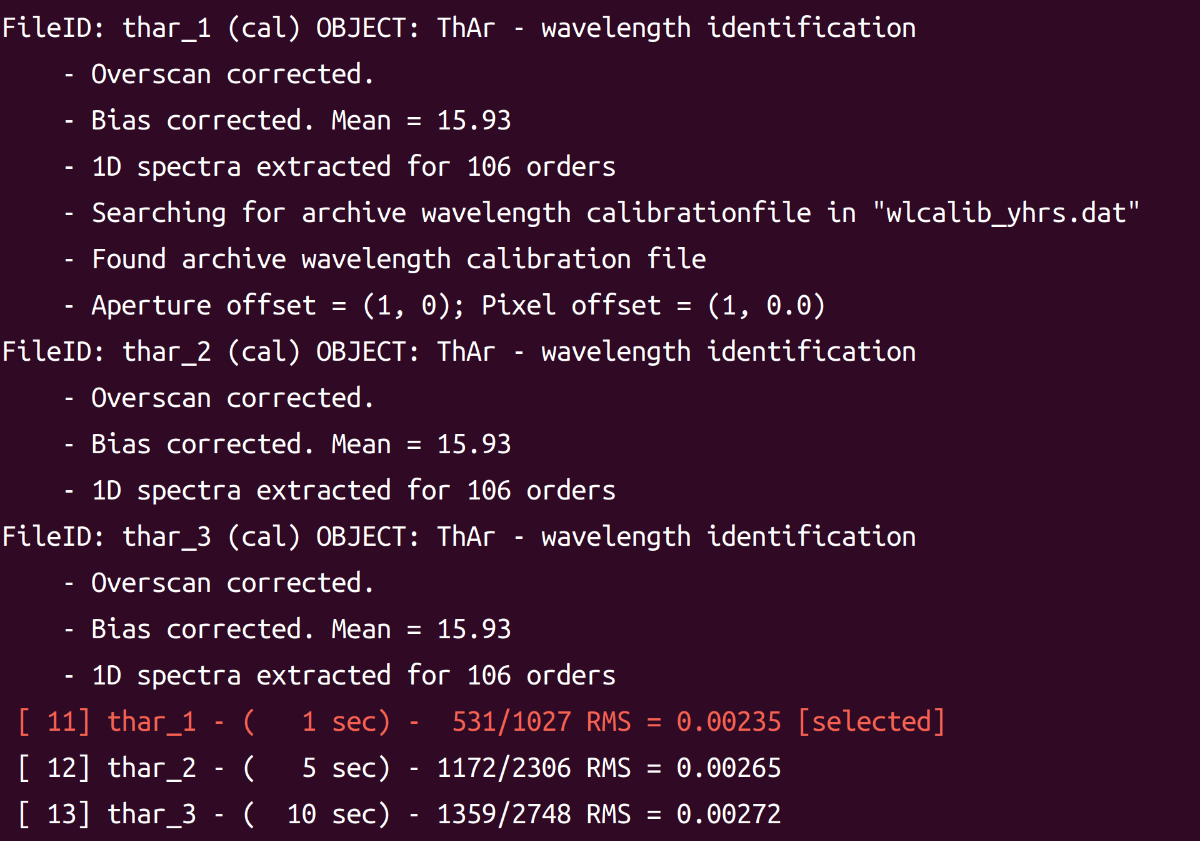
然后我们就看到成功运行并选择了最好的定标结果作为定标参考。
6.gamse show 显示
gamse show 命令可以 弹出窗口显示一维光谱
(py37) chaoxu@astro-xu:/media/chaoxu/Ubda/20260131/onedspec$ gamse show your_obj_name_ods.fits后面可以接一维光谱的名字或者观测日志的帧ID。
界面允许通过上下方向键在order间切换。
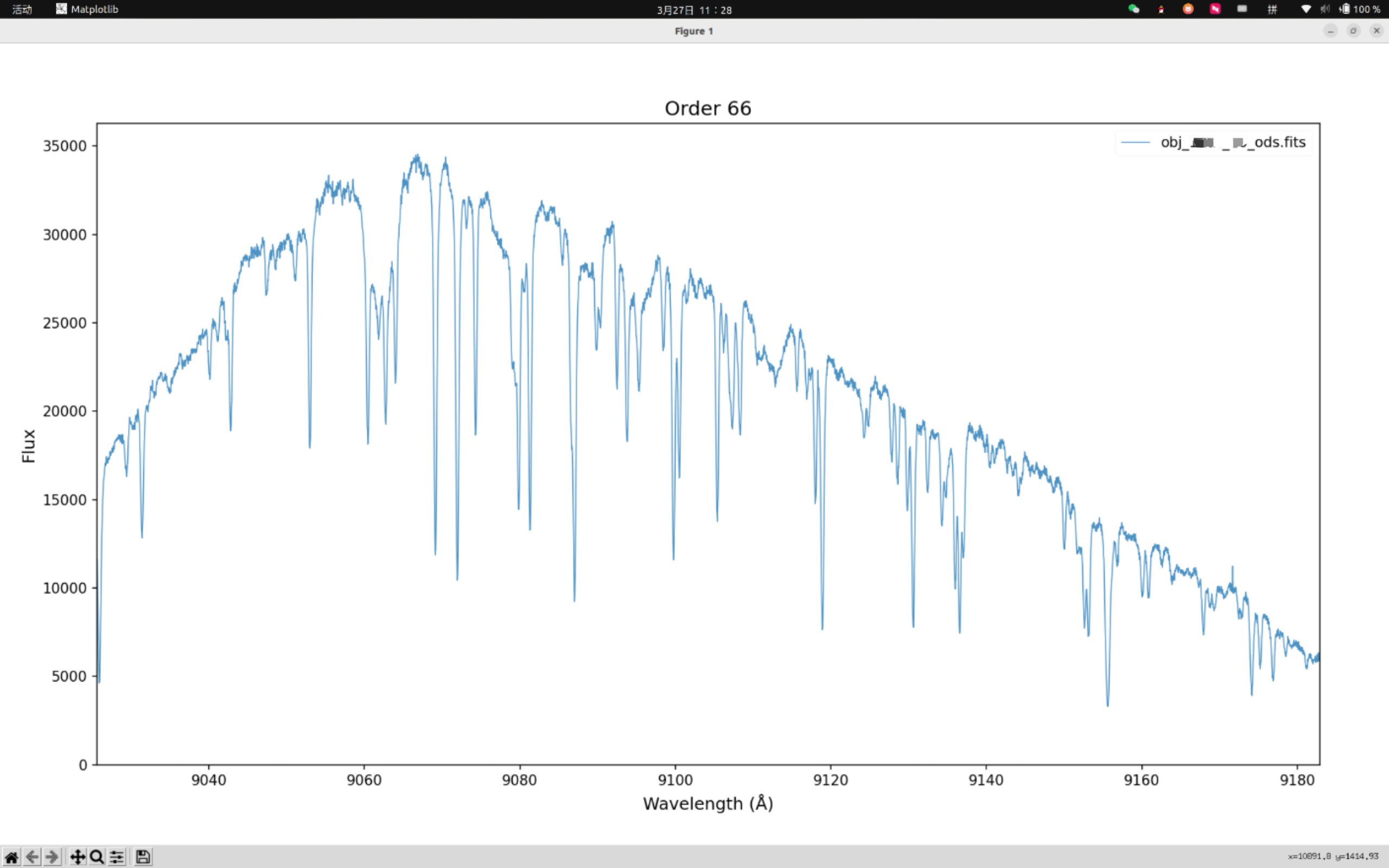
也可以画出全部order,
python
import astropy.io.fits as fits
import matplotlib.pyplot as plt
import numpy as np

filename = "obj_name_ods.fits"
h = fits.open(filename)
t = h[1].data
h.close()


fig, ax = plt.subplots(figsize=(20, 8))

for row in t:
    wavelength = row["wavelength"]
    flux = row["flux"]
    ax.plot(wavelength, flux, lw=0.5)

# 在 plt.show() 之前添加
# ax.set_ylim(-1000, 20000)  # 根据你的连续谱高度调整数值,比如设为 20000

ax.set_xlabel("Wavelength (Angstrom)")
ax.set_ylabel("Flux (erg/s/cm^2/Angstrom)")
ax.set_title("Spectrum of Object ")

plt.show()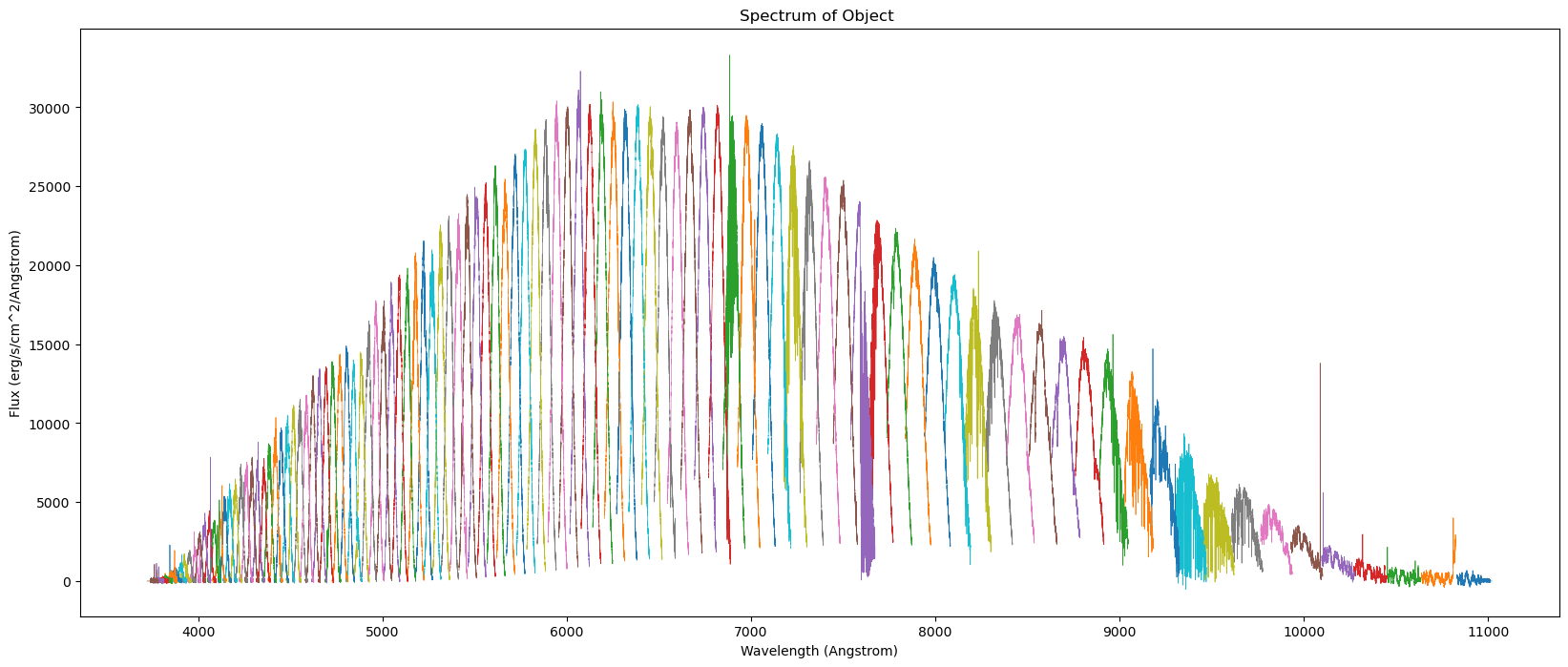
只是归一化这一步需要自己做了
7.gamse convert 转换
将一维光谱从 FITS 格式转换为 ASCII 文本文件
ASCII 文件保存在以输入 FITS 文件命名的子目录中
(py37) chaoxu@astro-xu:/media/chaoxu/Ubda/20260131$ gamse convert 4.下载
建议直接从原代码下载
本文主要参考了了以下资料: