技术范围:SpringBoot、Vue、SSM、HLMT、Jsp、PHP、Nodejs、Python、爬虫、数据可视化、小程序、安卓app、大数据、物联网、机器学习等设计与开发。
主要内容:免费功能设计、开题报告、任务书、中期检查PPT、系统功能实现、代码编写、论文编写和辅导、论文降重、长期答辩答疑辅导、腾讯会议一对一专业讲解辅导答辩、模拟答辩演练、和理解代码逻辑思路。
🍅文末获取源码联系🍅
🍅文末获取源码联系🍅
🍅文末获取源码联系🍅
👇🏻 精彩专栏推荐订阅👇🏻 不然下次找不到哟
《课程设计专栏》
《Java专栏》
《Python专栏》⛺️心若有所向往,何惧道阻且长
文章目录
在软件开发的学习与实践中,通过参与功能完善的实战项目,能够有效提升技术能力。
推荐采用 SpringBoot+MyBatis+Vue+ElementUI+MySQL 技术栈,该组合适用于课程设计、大作业、毕业设计、项目练习等多种场景,可帮助开发者系统掌握前后端开发流程与数据库设计,快速积累项目经验。
一、运行环境与开发工具
- 运行环境
Java:版本需≥8,建议使用 Java JDK 1.8,该版本经过实测运行稳定,其他版本理论上也能兼容。
MySQL:版本需≥5.7,5.7 或 8.0 版本均可正常使用。
Node.js:版本需≥14,特别提醒,若未学习过 Node.js,不建议尝试该前后端分离项目,以免在搭建和运行过程中遇到困难。 - 开发工具
后端:eclipse、idea、myeclipse、sts 等开发工具都可完成配置运行,其中 IDEA 凭借强大的功能和便捷的操作,是推荐使用的开发工具。
前端:WebStorm、VSCode、HBuilderX 等工具均适用,可根据个人使用习惯选择。
二、环境要求
运行环境:优先选择 Java JDK 1.8,系统在该平台上完成了大量测试,运行稳定性最佳。
IDE 环境:IDEA、Eclipse、Myeclipse 等均能满足开发需求,IDEA 在智能代码补全、项目管理等方面表现出色,更受开发者青睐。
硬件环境:Windows 7/8/10 系统,内存 1G 以上即可;Mac OS 系统同样支持。
数据库:MySql 5.7 或 8.0 版本都能正常使用,可根据实际情况选择。
项目类型:本项目是 Maven 项目,方便进行项目依赖管理和构建。
三、技术栈
后端:基于 SpringBoot 框架进行快速开发,结合 MyBatis 实现数据持久化操作,高效处理业务逻辑与数据库交互。
前端:采用 Vue 构建用户界面,搭配 ElementUI 组件库,打造美观、易用的交互界面。
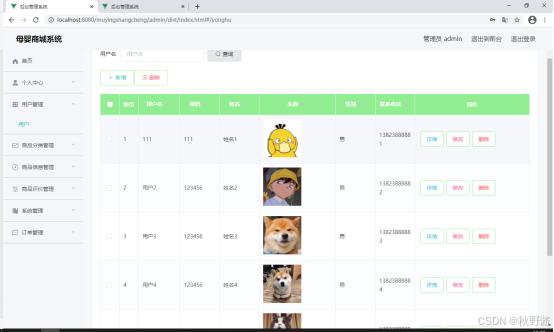
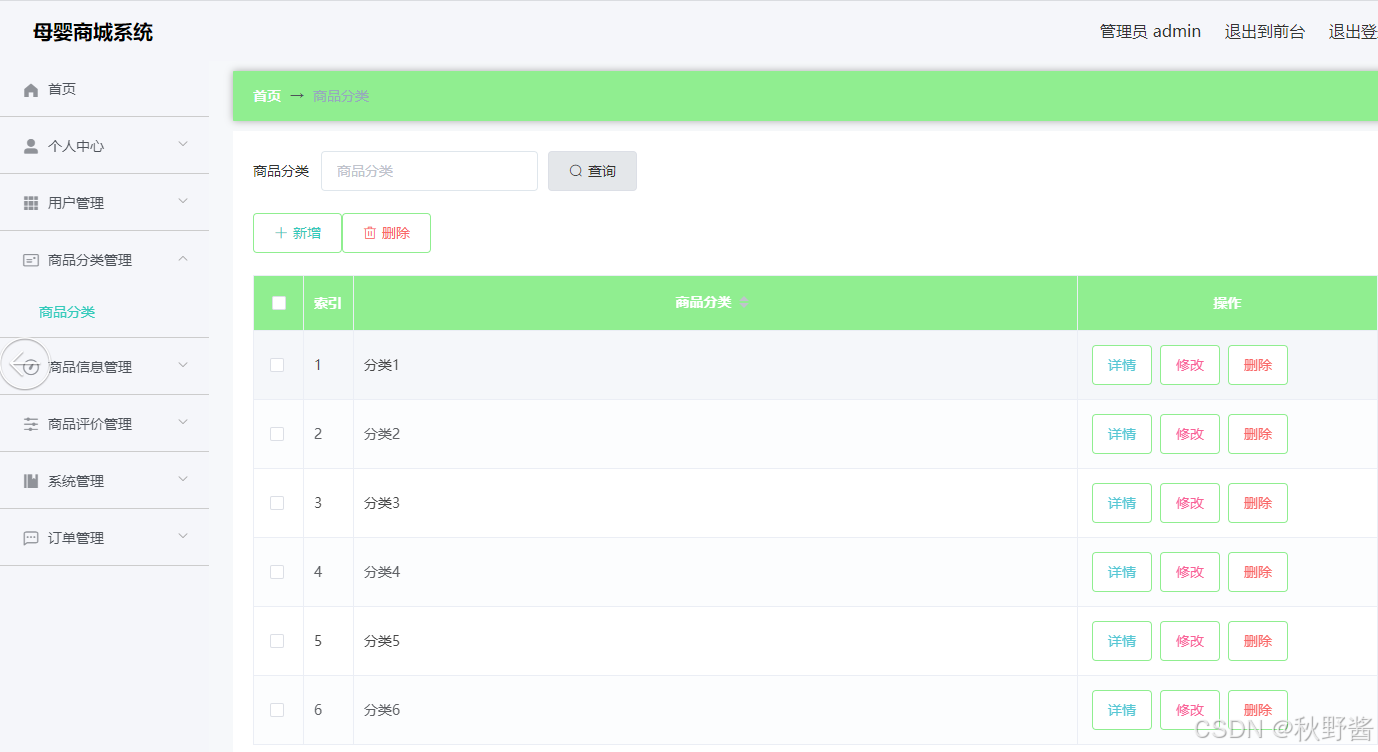
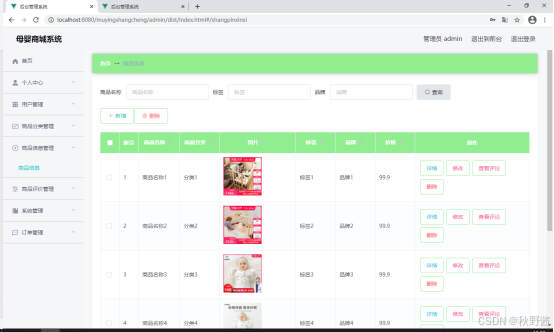
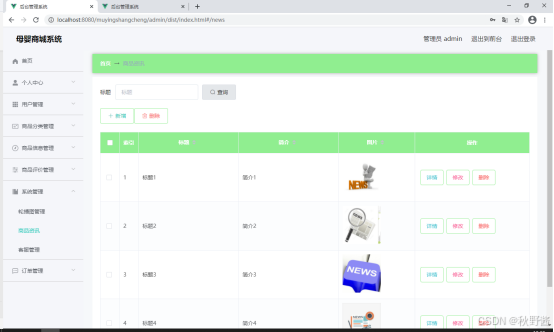
四、功能页面展示
五、部分代码展示
com.muying
├── common          # 通用类(统一返回、分页、常量)
├── controller      # 控制层
├── entity          # 实体类
├── mapper          # 数据访问层
├── service         # 业务层
│   └── impl        # 业务实现类
└── MuyingApplication.java  # 启动类

package com.muying.controller;

import com.baomidou.mybatisplus.core.conditions.query.LambdaQueryWrapper;
import com.baomidou.mybatisplus.extension.plugins.pagination.Page;
import com.muying.common.Result;
import com.muying.entity.News;
import com.muying.service.NewsService;
import org.springframework.web.bind.annotation.*;
import javax.annotation.Resource;
import java.util.List;

@RestController
@RequestMapping("/news")
public class NewsController {

    @Resource
    private NewsService newsService;

    // 1. 分页+条件查询(按标题模糊搜索)
    @GetMapping("/page")
    public Result<Page<News>> page(
            @RequestParam(defaultValue = "1") Integer current,
            @RequestParam(defaultValue = "10") Integer size,
            @RequestParam(required = false) String title) {
        Page<News> page = new Page<>(current, size);
        LambdaQueryWrapper<News> wrapper = new LambdaQueryWrapper<>();
        if (title != null && !title.isEmpty()) {
            wrapper.like(News::getTitle, title);
        }
        wrapper.orderByDesc(News::getCreateTime);
        Page<News> result = newsService.page(page, wrapper);
        return Result.success(result);
    }

    // 2. 新增资讯
    @PostMapping("/add")
    public Result<String> add(@RequestBody News news) {
        news.setCreateTime(System.currentTimeMillis());
        newsService.save(news);
        return Result.success("新增成功");
    }

    // 3. 批量删除
    @DeleteMapping("/delete/batch")
    public Result<String> deleteBatch(@RequestBody List<Long> ids) {
        newsService.removeByIds(ids);
        return Result.success("删除成功");
    }

    // 4. 单个删除
    @DeleteMapping("/delete/{id}")
    public Result<String> delete(@PathVariable Long id) {
        newsService.removeById(id);
        return Result.success("删除成功");
    }

    // 5. 修改资讯
    @PutMapping("/update")
    public Result<String> update(@RequestBody News news) {
        newsService.updateById(news);
        return Result.success("修改成功");
    }

    // 6. 根据ID查询详情
    @GetMapping("/{id}")
    public Result<News> getById(@PathVariable Long id) {
        News news = newsService.getById(id);
        return Result.success(news);
    }
}

import request from '@/utils/request'

// 分页查询
export const getNewsPage = (params) => {
  return request({
    url: '/news/page',
    method: 'get',
    params
  })
}

// 新增
export const addNews = (data) => {
  return request({
    url: '/news/add',
    method: 'post',
    data
  })
}

// 批量删除
export const deleteNewsBatch = (ids) => {
  return request({
    url: '/news/delete/batch',
    method: 'delete',
    data: ids
  })
}

// 单个删除
export const deleteNews = (id) => {
  return request({
    url: `/news/delete/${id}`,
    method: 'delete'
  })
}

// 修改
export const updateNews = (data) => {
  return request({
    url: '/news/update',
    method: 'put',
    data
  })
}

// 详情查询
export const getNewsDetail = (id) => {
  return request({
    url: `/news/${id}`,
    method: 'get'
  })
}