1.电影院排座位
忘记如何用:nth-child()

css
/* TODO:待补充代码 */
body {
  display: flex;
}
.seat-area {
  display: flex;
  /* 允许子元素换行 */
  flex-wrap: wrap;
  margin-top: 40px;
  width: 480px;
}
.seat {
  display: flex;
  margin-right: 10px;
  margin-top: 10px;
}
/* 选中其中8n-6的元素 */
.seat:nth-child(8n-6) {
  margin-right: 30px;
}
.seat:nth-child(8n-2) {
  margin-right: 30px;
}
2.图片水印生成
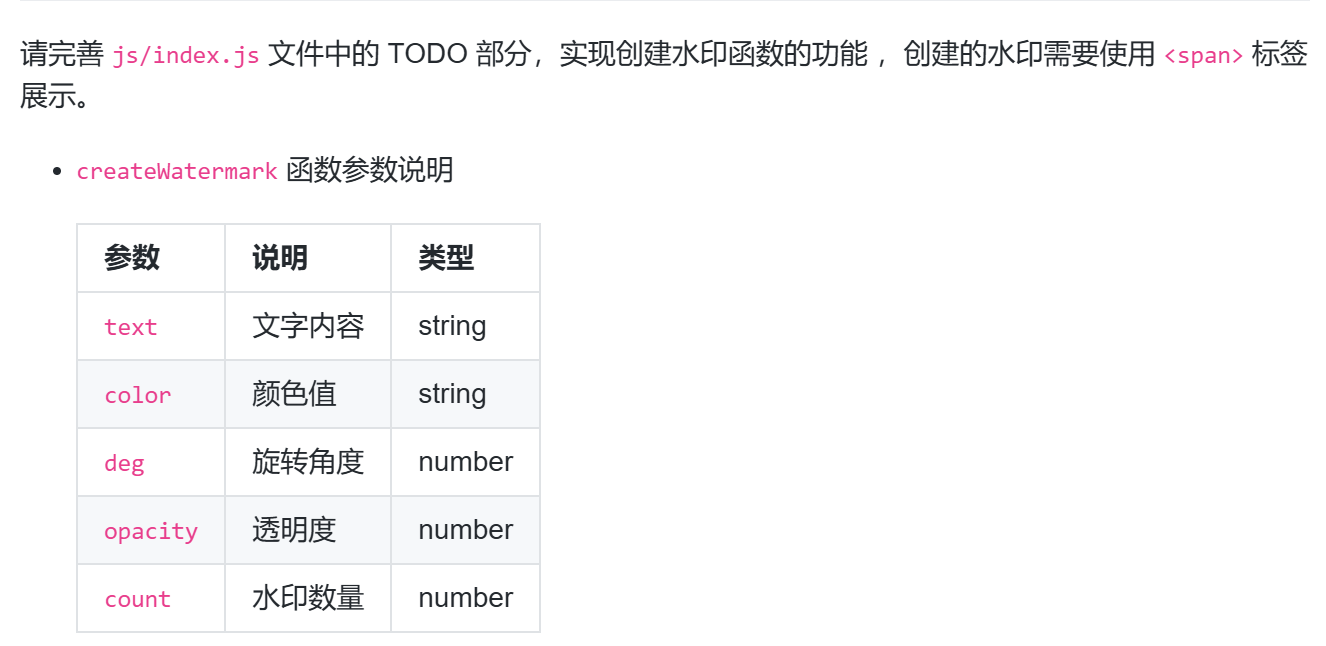
没有认真看,没看到要用<span>标签展示,以及对deg的不理解
javascript
  // TODO: 根据输入参数创建文字水印
  // 用for循环生成需要数量的元素
  for (let i = 0; i < count; i++) {
    // 创建span元素
    const span = document.createElement("span")
    // 设置span的内容 颜色 旋转角度 透明度
    span.innerHTML = text
    span.style.color = color
    // transform: rotate():让元素绕中心旋转指定角度
    span.style.transform = `rotate(${deg}deg)`
    span.style.opacity = opacity
    // 把设置好的span元素,添加到父元素container
    container.appendChild(span)
  }
  return container;
}
3.收集帛书碎片

javascript
function collectPuzzle(...puzzles) {
  // TODO:在这里写入具体的实现逻辑
  // 对所有的拼图进行收集,获取不同拼图类型的结果,并返回
  // 初始化一个空数组
  const list =[]
  // 遍历每个人的拼图数组
  puzzles.forEach(item => {
    // 遍历每人的每一片拼图数组
    item.forEach(itemx => {
      // 判断新数组是否包含这个元素
      // 没有包含这个元素
      if (!list.includes(itemx)) {
        // 往新数组添加这个元素
        list.push(itemx)
      }
      // 否则直接返回新数组
      else {
        return list
      }
    })
  })
  // 最后返回最终结果的数组
  return list
}
4.自适应页面
css
@media screen and (max-width:800px) {
  .menu {
    margin: 0;
  }
  label.menu-btn {
    display: block;
    color: #fff;
    height: 54px;
    margin-left: 20px;
    line-height: 54px;
  }
  .collapse {
    display: none;
    flex-direction: column;
    position: fixed;
    width: 100%;
    background-color: #252525;
  }
  .menu li {
    display: flex;
    flex-direction: column;
  }
  .menu:hover .collapse {
    display: flex;
  }
  .dropdown:hover ul {
    display: contents;
  }
  .dropdown li {
    background-color: #fff;
  }
  #tutorials .row {
    display: flex;
    flex-direction: column;
    align-items: center;
  }
  .row:nth-of-type(1) {
    margin-top: 45px;
  }
  .row {
    display: flex;
    flex-direction: column;
  }
}
5.全球新冠疫情数据统计
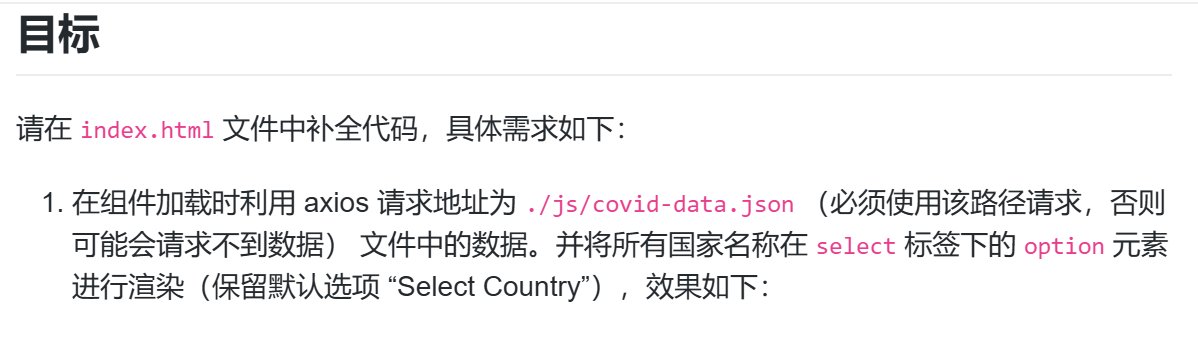
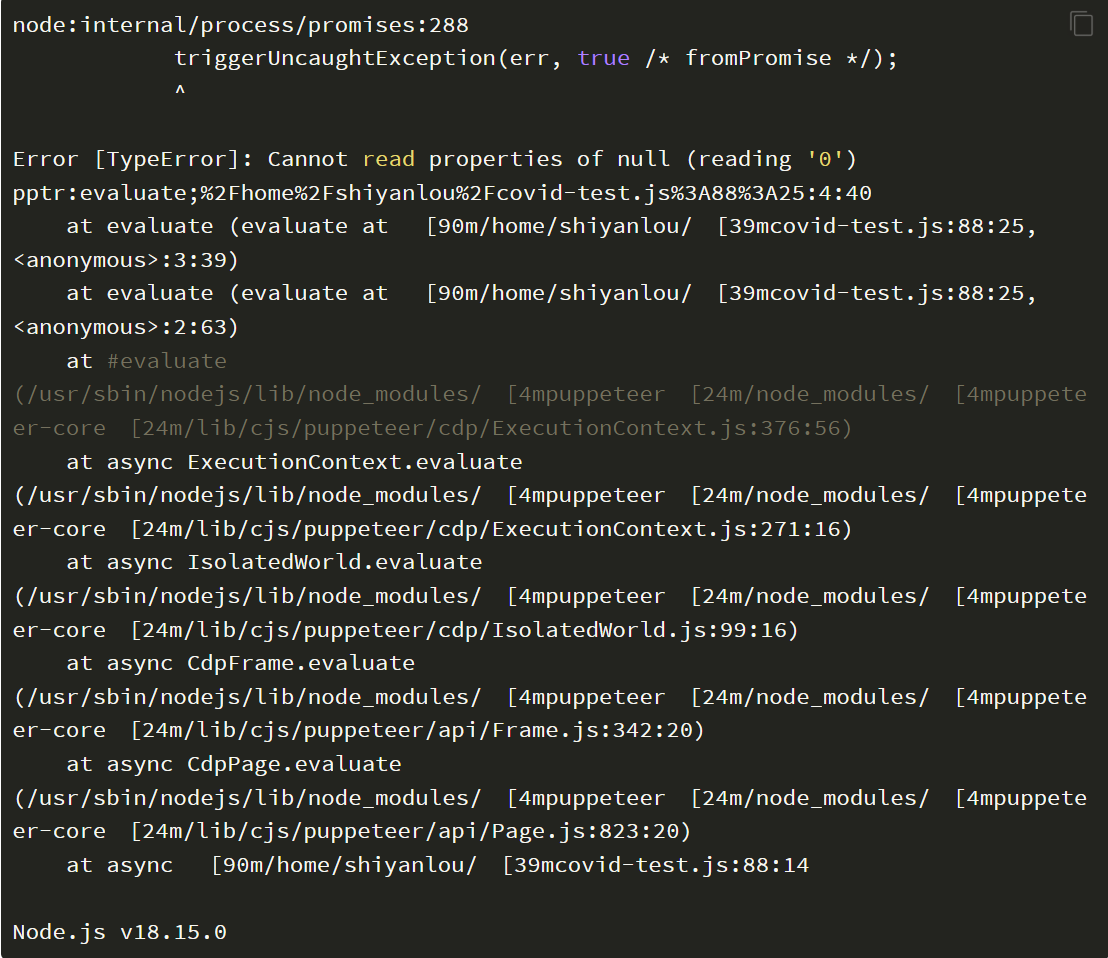
一直报错看不懂啊啊啊


javascript
<!DOCTYPE html>
<html>

<head>
  <meta charset="UTF-8" />
  <title>全球新冠疫情数据统计</title>
  <meta name="viewport" content="width=device-width,initial-scale=1,minimum-scale=1,maximum-scale=1,user-scalable=no" />
  <link rel="stylesheet" type="text/css" href="css/style.css" />
  <script src="js/axios.js"></script>
  <script src="js/vue.js" type="text/javascript" charset="utf-8"></script>
  <script src="js/echarts.min.js" type="text/javascript" charset="utf-8"></script>
</head>

<body>
  <div id="app">
    <header>
      <div>
        全球新冠疫情数据统计
      </div>
    </header>
    <main>
      <!-- TODO: 请修改以下代码实现不同国家的数据展示功能 -->
      <div class="title">
        <h2>{{ conuntryName }}
        </h2>
      </div>
      <div class="boxes">
        <div class="box1">
          <h3>确诊</h3>
          <div class="number">
            <span class="font-bold">新增:{{ newConfirmed }}</span>

          </div>
          <div class="number">
            <span class="font-bold">总计: {{ TotalConfirmed }}</span>

          </div>
        </div>
        <div class="box2">
          <h3>死亡</h3>
          <div class="number">
            <span class="font-bold">新增:{{ newConfirmed }}</span>

          </div>
          <div class="number">
            <span class="font-bold">总计:{{ totalDeaths }}</span>

          </div>
        </div>
      </div>
      <select @change="ch" v-model="selCountry">
        <option value="">Select Country</option>
        <!-- 请在此渲染所有国家选项 -->
        <option :value="item" v-for="item in countryArray" :key="item">{{ item }}</option>
      </select>
      <div id="chart" style="width: 100%; height: 50vh;"></div>
    </main>
  </div>
</body>

<script>
  var vm = new Vue({
    el: "#app",
    data: {
      covidDates:[],
      countryArray: [],
      conuntryName: '请选择国家',
      newConfirmed: 0,
      totalConfirmed: 0,
      newDeaths: 0,
      totalDeaths: 0,
      selCountry: "",
    },
    methods: {
      // TODO: 请修改该函数代码实现题目要求
      ch () {
        console.log("selCountry", this.selCountry)

        if(this.selCountry == '') {
          this.newConfirmed = 0
          this.totalConfirmed = 0
          this.newDeaths = 0
          this.totalDeaths = 0
          this.conuntryName = "请选择国家"
        } else {
          for (let item of this.covidDates) {
            if (item.Country === this.selCountry) {
              this.newConfirmed = item.NewConfirmed
              this.totalConfirmed = item.TotalConfirmed
              this.newDeaths = item.NewDeaths
              this.totalDeaths = item.TotalDeaths
              this.conuntryName = this.selCountry
            }
          }
        }
      },
      initChart() {
        const conuntryName =[]
        const totalConfirmed = []
        console.log("initChart covidDatas:", this.covidDates);
        for (let item of this.covidDates) {
          console.log("initChart item", item)
          conuntryNames.push(item.CountryCode)
          totalConfirmed.push(item.totalConfirmed)
        }
        // 初始化图表
        this.chart = echarts.init(document.getElementById("chart"));
        this.chartOptions = {
          title: {
            text: "全球感染人数前30国家累计确诊人数统计",
            x: 'center',
          },
        };
        // 调用此方法设置 echarts 数据
        this.chart.setOption(this.chartOptions);
      },
    },
    // TODO: 请在此添加代码实现组件加载时数据请求的功能
    mounted() {
      axios.get("./js/covid-data.json").then((res) => {
        console.log("data:", res.data)
        this.covidDates = res.data

        for (let item of res.data) {
          this.countryArray.push(item.Country)
        }
        this.initChart();
      })
    },
  });
</script>

</html>