概要
通过在命令行窗口打印部分报文信息,发现:设备向外发送BLE蓝牙低功耗广播,设备的UUID和Name不在同一条广播报文里
UUID是通用唯一标识符
一、设备
1、发送报文的设备
能够发送BLE蓝牙低功耗广播的设备。本篇使用的是周围环境中的未知设备。
2、接收报文的设备
本篇使用一台Windows11电脑
二、代码
cpp
#include <iostream>
#include <windows.h>
#include <winrt/Windows.Foundation.h>
#include <winrt/Windows.Foundation.Collections.h>
#include <winrt/Windows.Devices.Bluetooth.Advertisement.h>
#include <winrt/Windows.Storage.Streams.h>
#include <atomic>
#include <string>
#include <sstream>
#include <vector>
#include <mutex>
#include <iomanip>
#include <chrono>

using namespace winrt;
using namespace Windows::Foundation;
using namespace Windows::Devices::Bluetooth::Advertisement;
using namespace Windows::Storage::Streams;

BluetoothLEAdvertisementWatcher g_watcher{nullptr};

std::string BluetoothAddressToString(uint64_t address){
    std::stringstream ss;
    ss << std::setw(2) << std::setfill('0') << std::hex
        << ((address >> 40) & 0xFF) << ":"
        << ((address >> 32) & 0xFF) << ":"
        << ((address >> 24) & 0xFF) << ":"
        << ((address >> 16) & 0xFF) << ":"
        << ((address >> 8)  & 0xFF) << ":"
        << (address         & 0xFF);
    return ss.str();
}

std::string WStringToUtf8(const std::wstring& wstr)
{
    if(wstr.empty()){
        return "";
    }
    int size=WideCharToMultiByte(CP_UTF8,0,wstr.c_str(),-1,nullptr,0,nullptr,nullptr);
    std::string str(size-1,0);
    WideCharToMultiByte(CP_UTF8,0,wstr.c_str(),-1,&str[0],size,nullptr,nullptr);
    return str;
}

void OnAdvertisementReceived(BluetoothLEAdvertisementWatcher sender, BluetoothLEAdvertisementReceivedEventArgs args)
{
    std::string sout="";
    auto now = std::chrono::system_clock::now();
    auto ms = std::chrono::duration_cast<std::chrono::milliseconds>(now.time_since_epoch()).count()%10000;
    std::string mac = BluetoothAddressToString(args.BluetoothAddress());
    sout+="[";
    sout+=std::to_string(ms);
    sout+= "ms]";
    sout+= mac;
    sout+= " ";
    std::wstring name = args.Advertisement().LocalName().c_str();
    if(!name.empty()){
        sout+= WStringToUtf8(name)+" ";
    }else{
        sout+="[Empty name]";
    }
    sout+="UUIDS: ";
    for(const auto& uuid : args.Advertisement().ServiceUuids()){
        sout+= WStringToUtf8(winrt::to_hstring(uuid).c_str());
    }
    std::cout<<sout<<std::endl;
    std::cout<<std::flush;
}
int main()
{
    winrt::init_apartment(winrt::apartment_type::multi_threaded);
    std::cout<<"Starting BLE Scanner......"<<std::endl;
    g_watcher = BluetoothLEAdvertisementWatcher();
    g_watcher.ScanningMode(BluetoothLEScanningMode::Active);
    g_watcher.Received(OnAdvertisementReceived);
    g_watcher.Start();
    std::cout<<"Scanning.....Press Enter to stop."<<std::endl;
    std::cin.get();
    g_watcher.Stop();
    std::cout<<"Stopped."<<std::endl;
    return 0;
}
三、编译链接
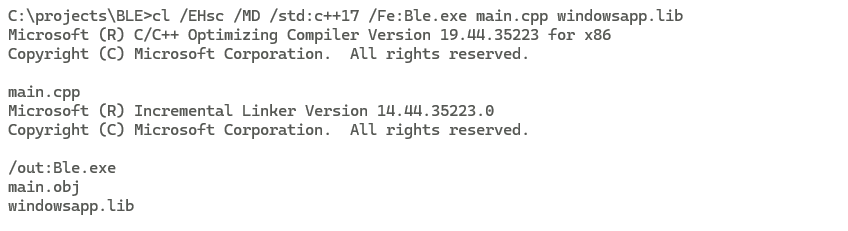
1、动态编译
cl /EHsc /MD /std:c++17 /Fe:Ble.exe main.cpp windowsapp.lib
查看文件大小和依赖
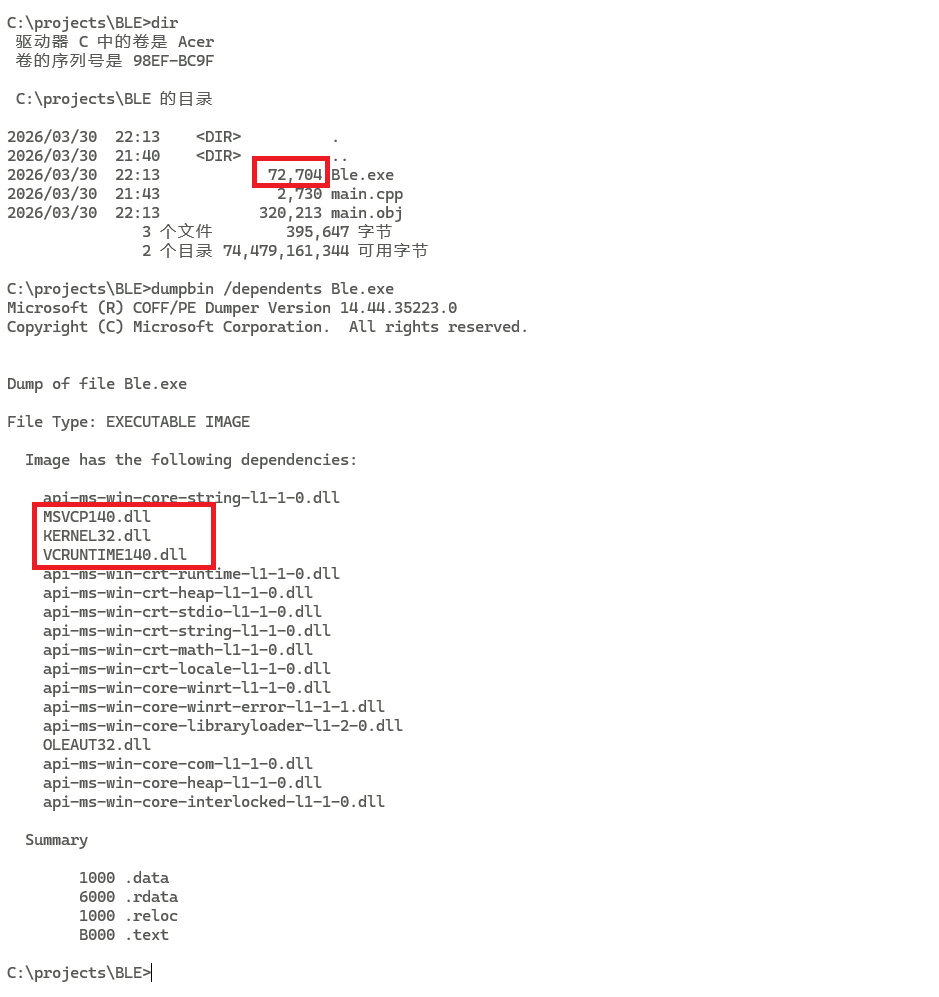
dir
dumpbin /dependents Ble.exe
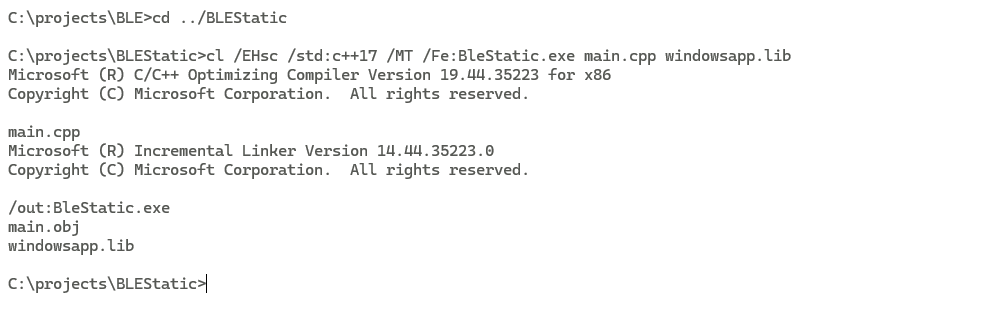
2、静态编译
cl /EHsc /std:c++17 /MT /Fe:BleStatic.exe main.cpp windowsapp.lib
查看文件大小和依赖
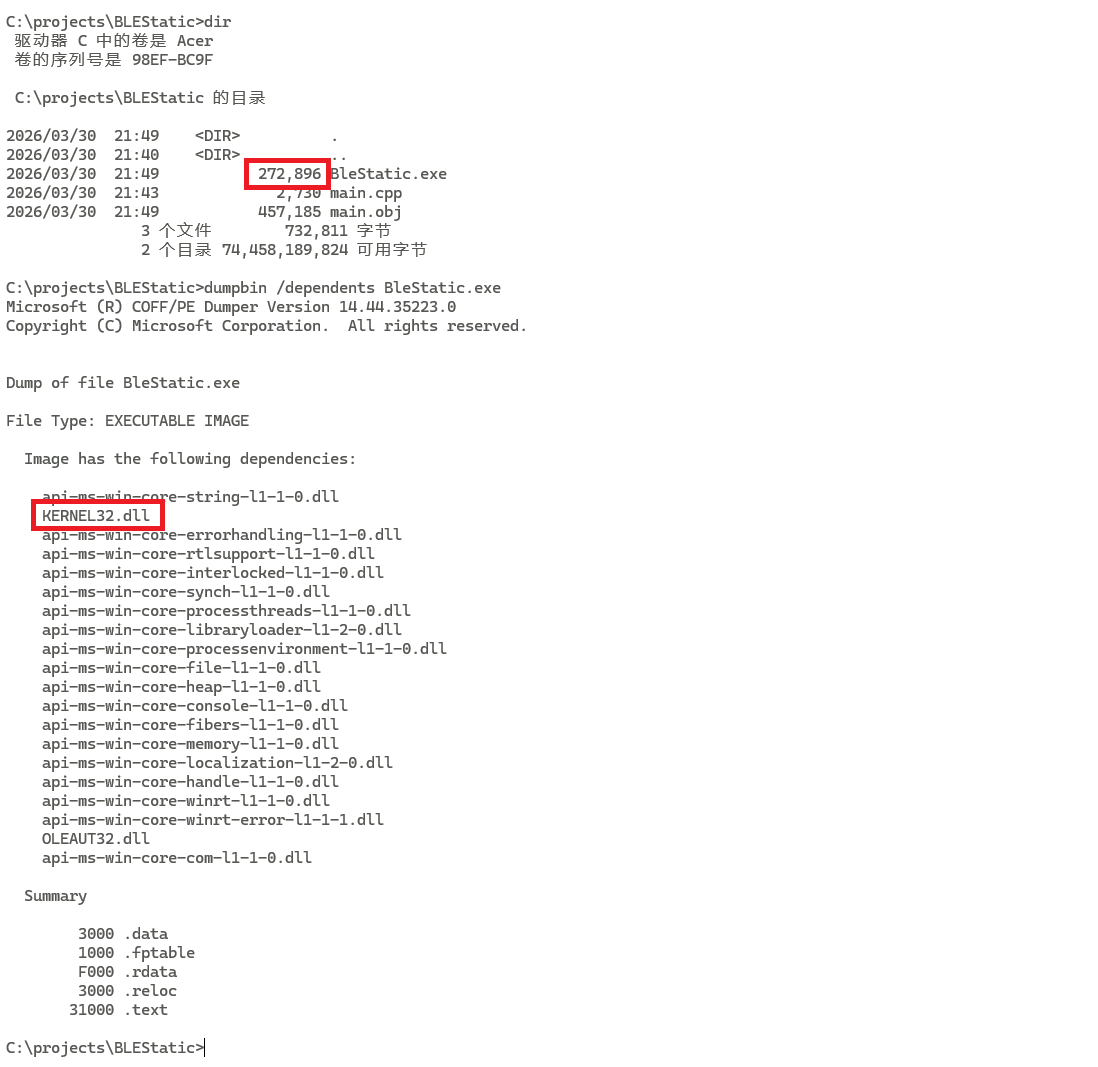
dir
dumpbin /dependents BleStatic.exe
3、关于静态链接的说明
当使用/MT进行静态编译时,并不是生成了一个完全独立、不依赖任何系统DLL的程序
C++标准库(MSVCP140.dll)和C++运行时支持(VCRUNTIME140.dll)被静态打包进了.exe
Windows API依然是动态链接的。windowsapp.lib本质上是一个导入库(Import Library),里面是函数名,符号什么的。
也就是说,即使加了/MT,程序依然只能在Windows上运行,且依赖系统组件
四、在开发环境上演示
在开发环境Windows11上运行程序
1、动态链接的程序
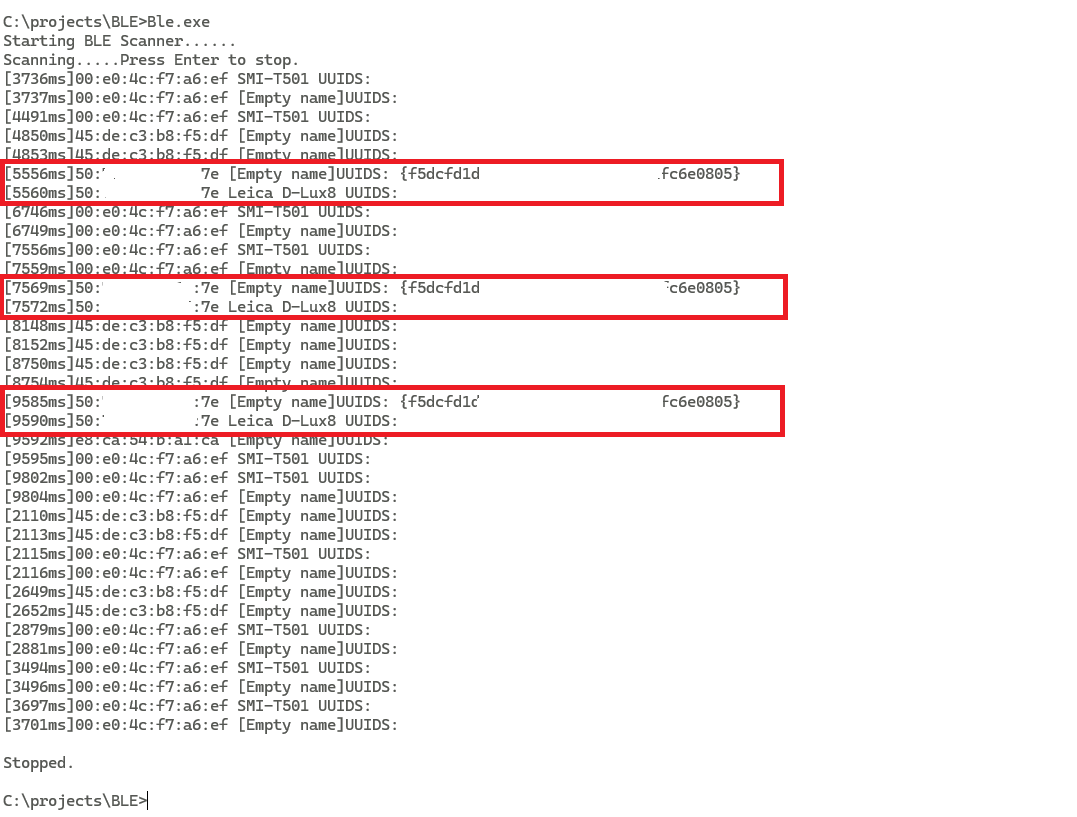
可以明显看到,同一个设备(同一mac地址)发送过来的广播报文,总是先出现有uuid的报文,后出现有name的报文。uuid和name并不在同一条报文里。
2、静态链接的程序
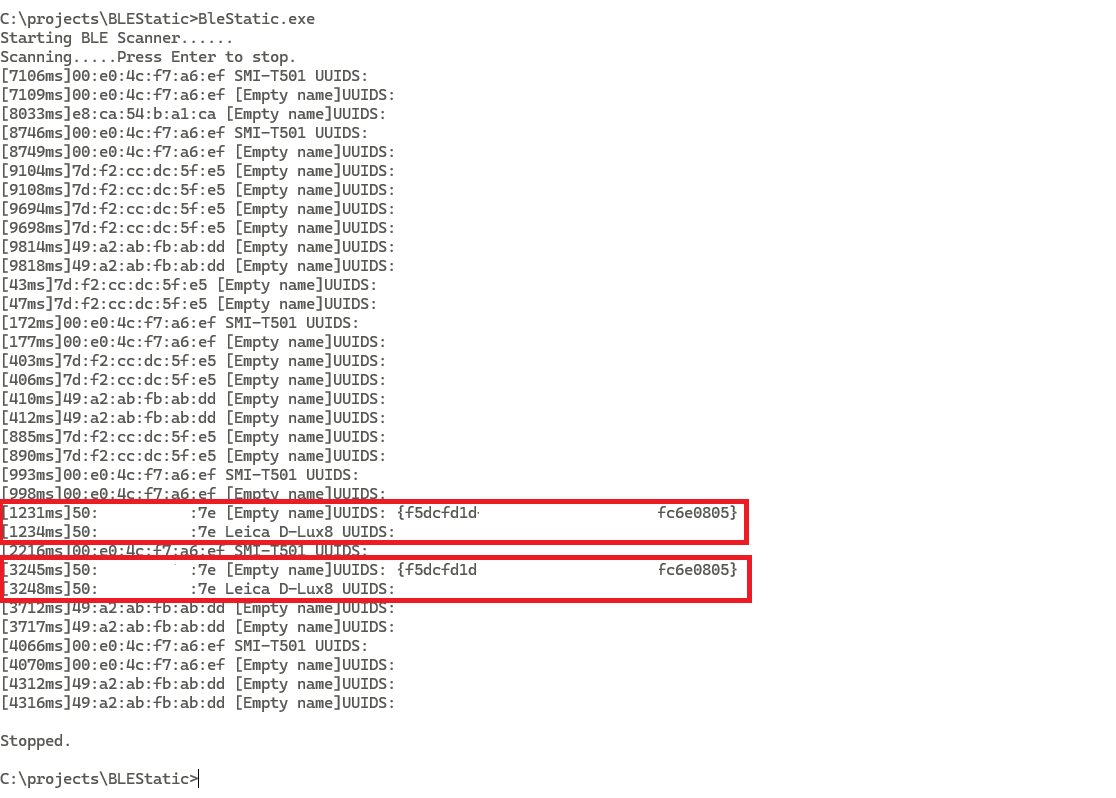
可以看到,静态链接的程序运行效果和动态链接的程序运行效果是一样的
五、在非开发环境上演示
将程序复制到另一台没有开发环境的Windows10电脑上运行
1、动态链接的程序
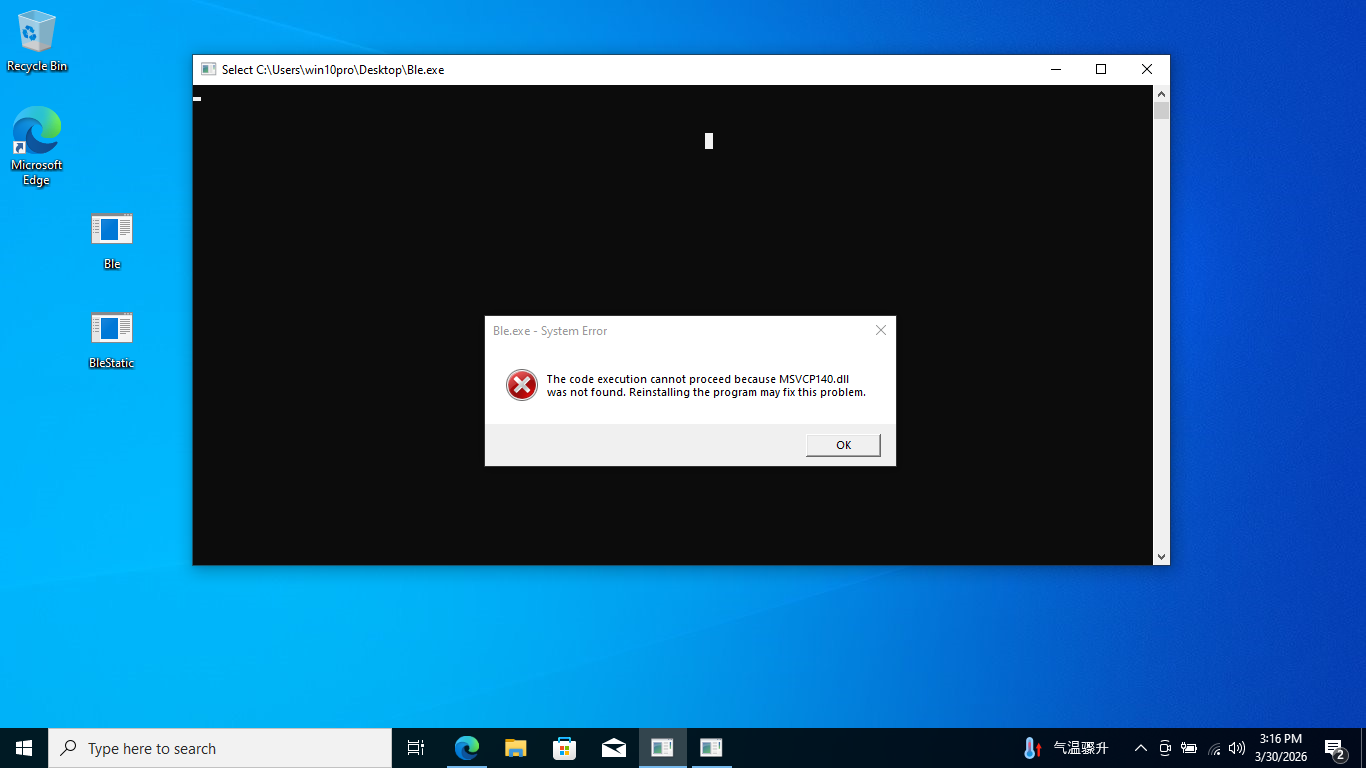
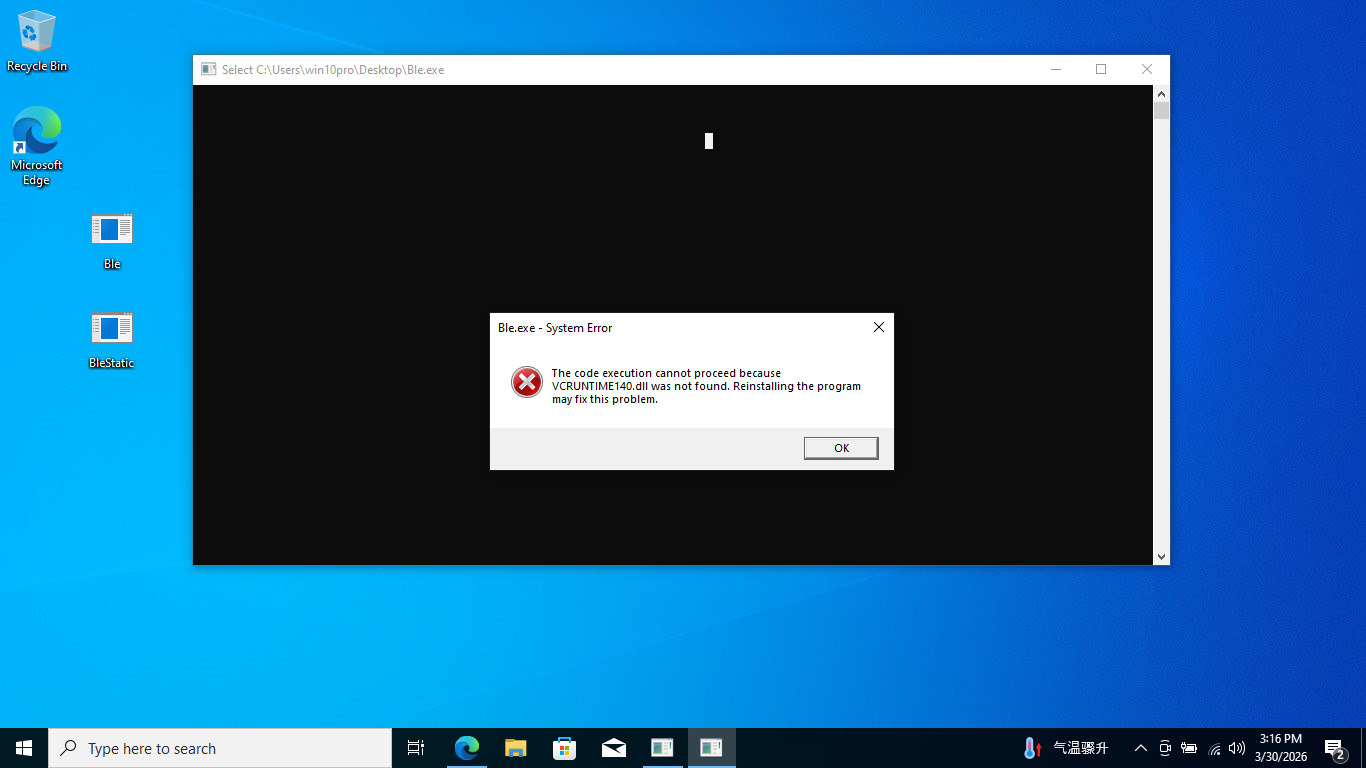
可以看到,程序由于找不到MSVCP140.dll和VCRUNTIME140.dlll而无法运行
2、静态链接的程序
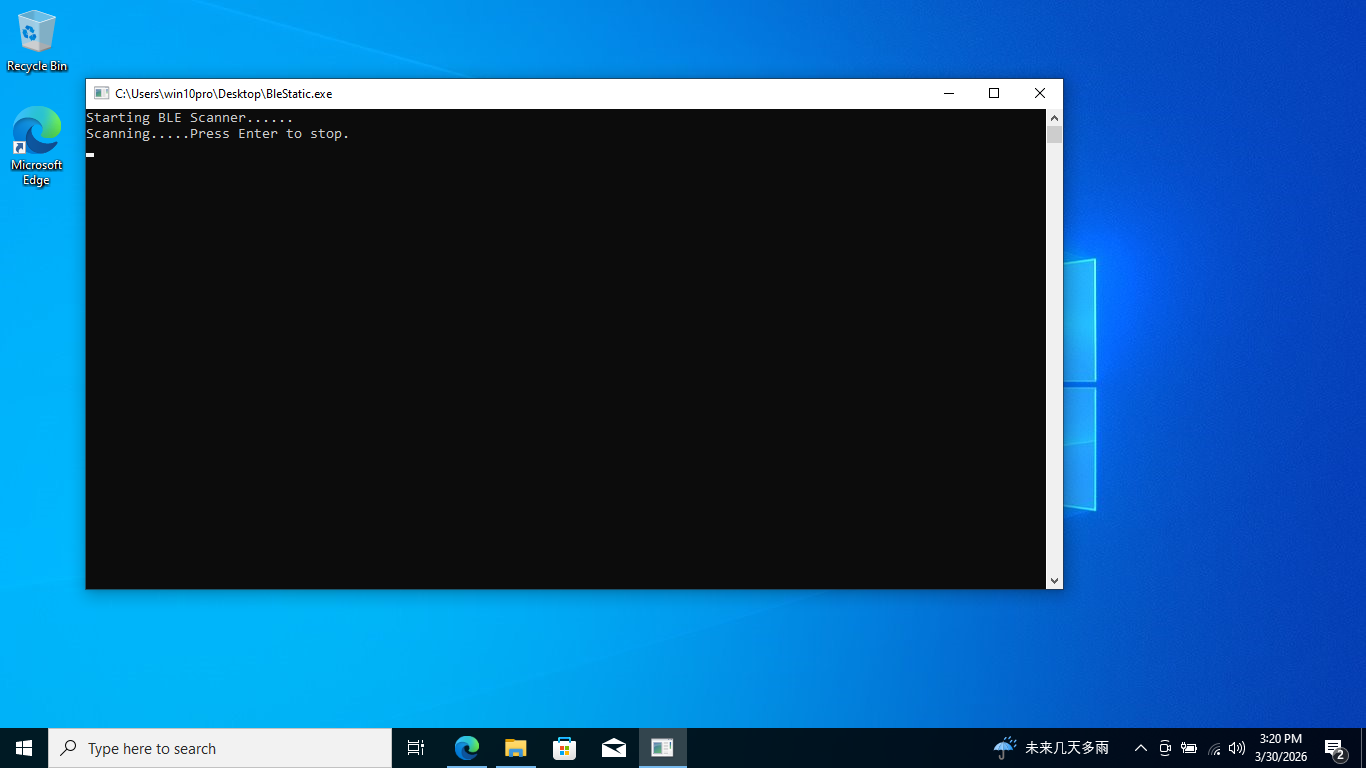
程序能够运行,但扫描不到设备。
按Enter键程序不能正常退出。
按两次Enter键之后,窗口关闭。