1.简述
后续补充
2.开始
2.1.下载或者克隆项目内容到本地
https://codeload.github.com/Gideon-Duong/dify/zip/refs/heads/main
bash
git clone https://github.com/Gideon-Duong/dify.git2.2.安装docker环境
bash
# 安装依赖
sudo apt update
sudo apt install -y ca-certificates curl gnupg lsb-release

# 添加阿里云的 GPG 密钥
curl -fsSL https://mirrors.aliyun.com/docker-ce/linux/ubuntu/gpg | sudo gpg --dearmor -o /usr/share/keyrings/docker-archive-keyring.gpg

# 添加阿里云的 Docker CE 仓库
echo "deb [arch=$(dpkg --print-architecture) signed-by=/usr/share/keyrings/docker-archive-keyring.gpg] https://mirrors.aliyun.com/docker-ce/linux/ubuntu $(lsb_release -cs) stable" | sudo tee /etc/apt/sources.list.d/docker.list > /dev/null

# 安装 Docker Engine 和 Compose 插件
sudo apt update
sudo apt install -y docker-ce docker-ce-cli containerd.io docker-compose-plugin
2.3.Dify环境下载与挂起
测试DaoCloud源是否可用,决定能不能部署完成:
bash
docker pull docker.m.daocloud.io/library/hello-world:latest下面是一气呵成步骤,如果源挂了就game over了:
bash
cd dify
cd docker
cp .env.example .env

# 逐个拉取,避免限流
docker pull docker.m.daocloud.io/library/postgres:15-alpine
docker pull docker.m.daocloud.io/library/redis:6-alpine
docker pull docker.m.daocloud.io/library/nginx:latest
docker pull docker.m.daocloud.io/langgenius/dify-api:1.0.0
docker pull docker.m.daocloud.io/langgenius/dify-web:1.0.0
docker pull docker.m.daocloud.io/langgenius/dify-sandbox:0.2.10
docker pull docker.m.daocloud.io/langgenius/dify-plugin-daemon:0.0.3-local
docker pull docker.m.daocloud.io/semitechnologies/weaviate:1.19.0
docker pull docker.m.daocloud.io/ubuntu/squid:latest

# 将拉取的镜像重命名为原始名称(Docker Compose 需要)
docker tag docker.m.daocloud.io/library/postgres:15-alpine postgres:15-alpine
docker tag docker.m.daocloud.io/library/redis:6-alpine redis:6-alpine
docker tag docker.m.daocloud.io/library/nginx:latest nginx:latest
docker tag docker.m.daocloud.io/langgenius/dify-api:1.0.0 langgenius/dify-api:1.0.0
docker tag docker.m.daocloud.io/langgenius/dify-web:1.0.0 langgenius/dify-web:1.0.0
docker tag docker.m.daocloud.io/langgenius/dify-sandbox:0.2.10 langgenius/dify-sandbox:0.2.10
docker tag docker.m.daocloud.io/langgenius/dify-plugin-daemon:0.0.3-local langgenius/dify-plugin-daemon:0.0.3-local
docker tag docker.m.daocloud.io/semitechnologies/weaviate:1.19.0 semitechnologies/weaviate:1.19.0
docker tag docker.m.daocloud.io/ubuntu/squid:latest ubuntu/squid:latest

docker compose up -d
2.4.这是自用本地文件的安装命令
bash
# 解压完dify库之后的一次性操作
cd dify/docker
cp .env.example .env
docker load -i dify-images.tar
docker compose up -d
2.5.改端口重启然后打开UI界面
bash
# 如果 EXPOST_NGINX_PORT 已存在,修改其值;否则在文件末尾添加
if grep -q "^EXPOSE_NGINX_PORT=" .env; then
    sed -i 's/^EXPOSE_NGINX_PORT=.*/EXPOSE_NGINX_PORT=8080/' .env
else
    echo "EXPOSE_NGINX_PORT=8080" >> .env
fi

# 重启服务
docker compose down && docker compose up -d
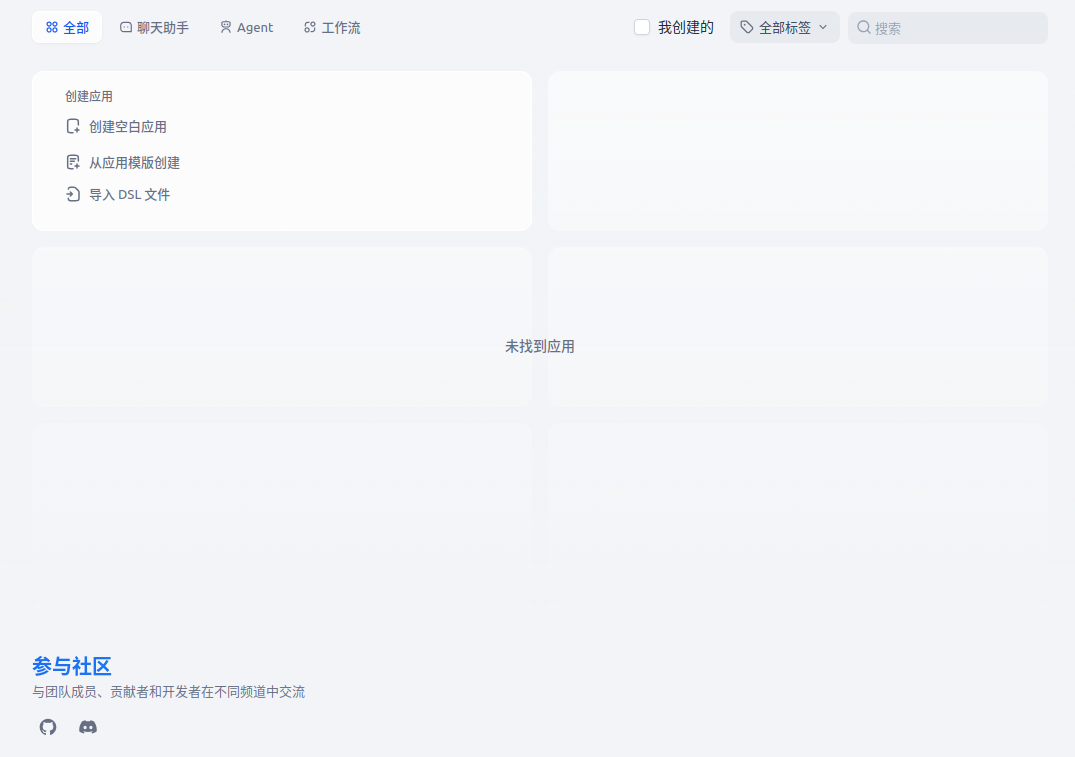
然后访问 http://localhost:8080 即可
 64
64
3.总结
难点:docker国内镜像源很多用不了