简介
我们推出 dots.mocr。该模型不仅在同规模模型中实现了标准多语言文档解析的最先进(SOTA)性能,更擅长将结构化图形(如图表、UI布局、科学图示等)直接转换为SVG代码。其核心能力涵盖定位、识别、语义理解与交互对话。
同期发布的 dots.mocr-svg 是专为稳健的图像-SVG解析任务优化的衍生版本。
更多细节请参阅研究论文。
性能评估
1. 文档解析
1.1 最新模型间不同基准的Elo评分
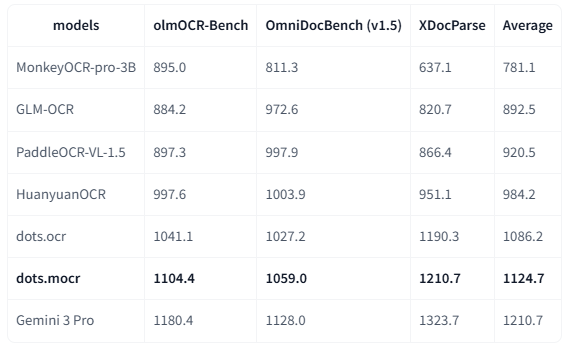
备注:
1.2 olmOCR-基准
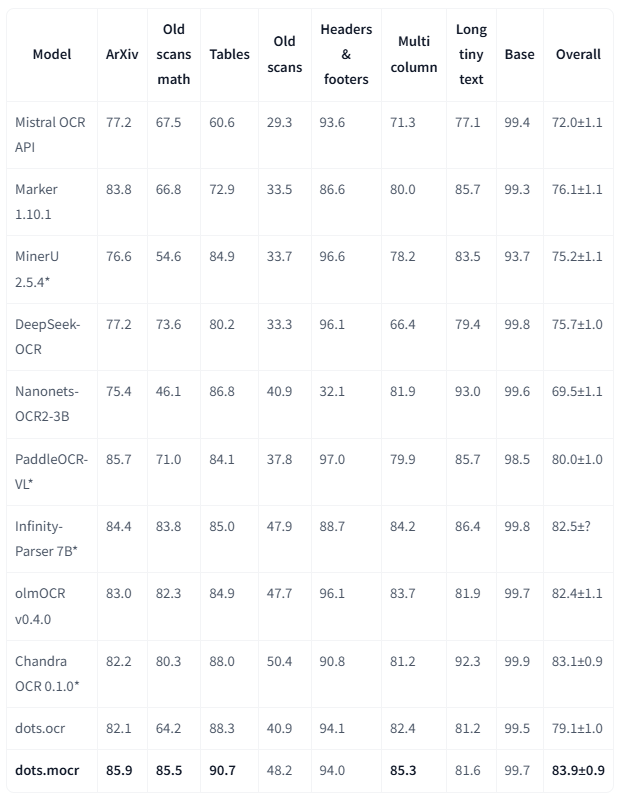
注意:
- 指标数据来自olmocr以及我们内部的评估结果。
- 我们删除了结果Markdown中的页眉(Page-header)和页脚(Page-footer)单元格。
1.3 其他基准测试
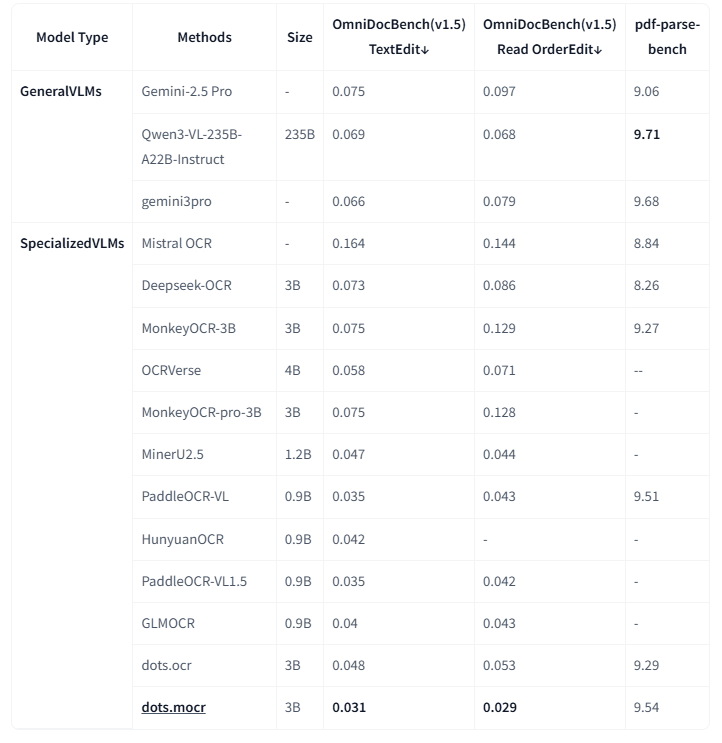
注意:
- 指标数据来源于OmniDocBench及其他模型论文。pdf-parse-bench结果由Qwen3-VL-235B-A22B-Instruct复现。
- 因对检测与匹配协议高度敏感,OmniDocBench1.5的公式与表格指标暂未列出。
2. 结构化图形解析
视觉语言(如图表、图形、化学式、标识)凝结了密集的人类知识。dots.mocr 通过将这些元素直接解析为SVG代码,实现了对它们的统一解读。
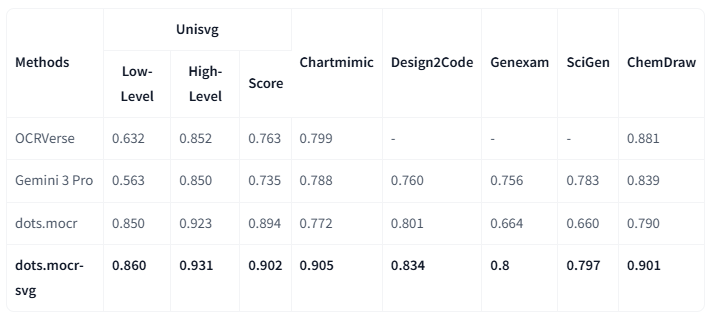
注:
3. 通用视觉任务
| Model | CharXiv_descriptive | CharXiv_reasoning | OCR_Reasoning | infovqa | docvqa | ChartQA | OCRBench | AI2D | CountBenchQA | refcoco |
|---|---|---|---|---|---|---|---|---|---|---|
| Qwen3vl-2b-instruct | 62.3 | 26.8 | - | 72.4 | 93.3 | - | 85.8 | 76.9 | 88.4 | - |
| Qwen3vl-4b-instruct | 76.2 | 39.7 | - | 80.3 | 95.3 | - | 88.1 | 84.1 | 84.9 | - |
| dots.mocr | 77.4 | 55.3 | 22.85 | 73.76 | 91.85 | 83.2 | 86.0 | 82.16 | 94.46 | 80.03 |
快速开始
1. 安装
安装 dots.mocr
shell
conda create -n dots_mocr python=3.12
conda activate dots_mocr

git clone https://github.com/rednote-hilab/dots.mocr.git
cd dots.mocr

# Install pytorch, see https://pytorch.org/get-started/previous-versions/ for your cuda version
# pip install torch==2.7.0 torchvision==0.22.0 torchaudio==2.7.0 --index-url https://download.pytorch.org/whl/cu128
# install flash-attn==2.8.0.post2 for faster inference
pip install -e .
如果在安装过程中遇到问题,可以尝试使用我们的 Docker 镜像 来简化配置,并按照以下步骤操作:
下载模型权重
💡注意: 请使用不带英文句号的目录名称(例如用
DotsMOCR而非dots.mocr)作为模型保存路径。这是在我们完成与 Transformers 集成前的临时解决方案。
shell
python3 tools/download_model.py

# with modelscope
python3 tools/download_model.py --type modelscope
2. 部署
vLLM推理
我们强烈推荐使用vLLM进行部署和推理。自vLLM 0.11.0版本起,Dots OCR已正式集成至vLLM框架并完成性能验证 ,您可以直接使用vLLM官方镜像(例如vllm/vllm-openai:v0.11.0)来部署模型服务端。
shell
# Launch vLLM model server
## dots.mocr
CUDA_VISIBLE_DEVICES=0 vllm serve rednote-hilab/dots.mocr --tensor-parallel-size 1 --gpu-memory-utilization 0.9 --chat-template-content-format string --served-model-name model --trust-remote-code

## dots.mocr-svg
CUDA_VISIBLE_DEVICES=0 vllm serve rednote-hilab/dots.mocr-svg --tensor-parallel-size 1 --gpu-memory-utilization 0.9 --chat-template-content-format string --served-model-name model --trust-remote-code

# vLLM API Demo
# See dots_mocr/model/inference.py and dots_mocr/utils/prompts.py for details on parameter and prompt settings
# that help achieve the best output quality.
## document parsing
python3 ./demo/demo_vllm.py --prompt_mode prompt_layout_all_en
## web parsing
python3 ./demo/demo_vllm.py --prompt_mode prompt_web_parsing --image_path ./assets/showcase/origin/webpage_1.png
## scene spoting
python3 ./demo/demo_vllm.py --prompt_mode prompt_scene_spotting --image_path ./assets/showcase/origin/scene_1.jpg
## image parsing with svg code
python3 ./demo/demo_vllm_svg.py --prompt_mode prompt_image_to_svg
## general qa
python3 ./demo/demo_vllm_general.py
Hugginface 推理
shell
python3 demo/demo_hf.pyHuggingface 推理细节
python
import torch
from transformers import AutoModelForCausalLM, AutoProcessor, AutoTokenizer
from qwen_vl_utils import process_vision_info
from dots_mocr.utils import dict_promptmode_to_prompt

model_path = "./weights/DotsMOCR"
model = AutoModelForCausalLM.from_pretrained(
    model_path,
    attn_implementation="flash_attention_2",
    torch_dtype=torch.bfloat16,
    device_map="auto",
    trust_remote_code=True
)
processor = AutoProcessor.from_pretrained(model_path, trust_remote_code=True)

image_path = "demo/demo_image1.jpg"
prompt = """Please output the layout information from the PDF image, including each layout element's bbox, its category, and the corresponding text content within the bbox.

1. Bbox format: [x1, y1, x2, y2]

2. Layout Categories: The possible categories are ['Caption', 'Footnote', 'Formula', 'List-item', 'Page-footer', 'Page-header', 'Picture', 'Section-header', 'Table', 'Text', 'Title'].

3. Text Extraction & Formatting Rules:
    - Picture: For the 'Picture' category, the text field should be omitted.
    - Formula: Format its text as LaTeX.
    - Table: Format its text as HTML.
    - All Others (Text, Title, etc.): Format their text as Markdown.

4. Constraints:
    - The output text must be the original text from the image, with no translation.
    - All layout elements must be sorted according to human reading order.

5. Final Output: The entire output must be a single JSON object.
"""

messages = [
        {
            "role": "user",
            "content": [
                {
                    "type": "image",
                    "image": image_path
                },
                {"type": "text", "text": prompt}
            ]
        }
    ]

# Preparation for inference
text = processor.apply_chat_template(
    messages,
    tokenize=False,
    add_generation_prompt=True
)
image_inputs, video_inputs = process_vision_info(messages)
inputs = processor(
    text=[text],
    images=image_inputs,
    videos=video_inputs,
    padding=True,
    return_tensors="pt",
)

inputs = inputs.to("cuda")

# Inference: Generation of the output
generated_ids = model.generate(**inputs, max_new_tokens=24000)
generated_ids_trimmed = [
    out_ids[len(in_ids) :] for in_ids, out_ids in zip(inputs.input_ids, generated_ids)
]
output_text = processor.batch_decode(
    generated_ids_trimmed, skip_special_tokens=True, clean_up_tokenization_spaces=False
)
print(output_text)
使用CPU进行Huggingface推理
请参考CPU推理指南
3. 文档解析
基于vLLM服务器,您可以通过以下命令解析图片或PDF文件:
bash
# Parse all layout info, both detection and recognition
# Parse a single image
python3 dots_mocr/parser.py demo/demo_image1.jpg
# Parse a single PDF
python3 dots_mocr/parser.py demo/demo_pdf1.pdf  --num_thread 64  # try bigger num_threads for pdf with a large number of pages

# Layout detection only
python3 dots_mocr/parser.py demo/demo_image1.jpg --prompt prompt_layout_only_en

# Parse text only, except Page-header and Page-footer
python3 dots_mocr/parser.py demo/demo_image1.jpg --prompt prompt_ocr
基于Transformers ,您可以使用上述相同命令解析图片或PDF文件,只需添加--use_hf true参数。
注意:transformers速度慢于vllm。如需在demo/*中使用transformers,请在
DotsMOCRParser(..,use_hf=True)中添加use_hf=True参数。
输出结果
- 结构化布局数据 (
demo_image1.json): 包含检测到的布局元素的JSON文件,涵盖边界框、类别及提取文本。 - 处理后的Markdown文件 (
demo_image1.md): 由所有检测单元格拼接文本生成的Markdown文件。- 另提供
demo_image1_nohf.md版本,该版本去除页眉页脚以兼容Omnidocbench等基准测试。
- 另提供
- 布局可视化 (
demo_image1.jpg): 标注检测边界框后的原始图片。
4. 演示
欢迎体验在线演示。
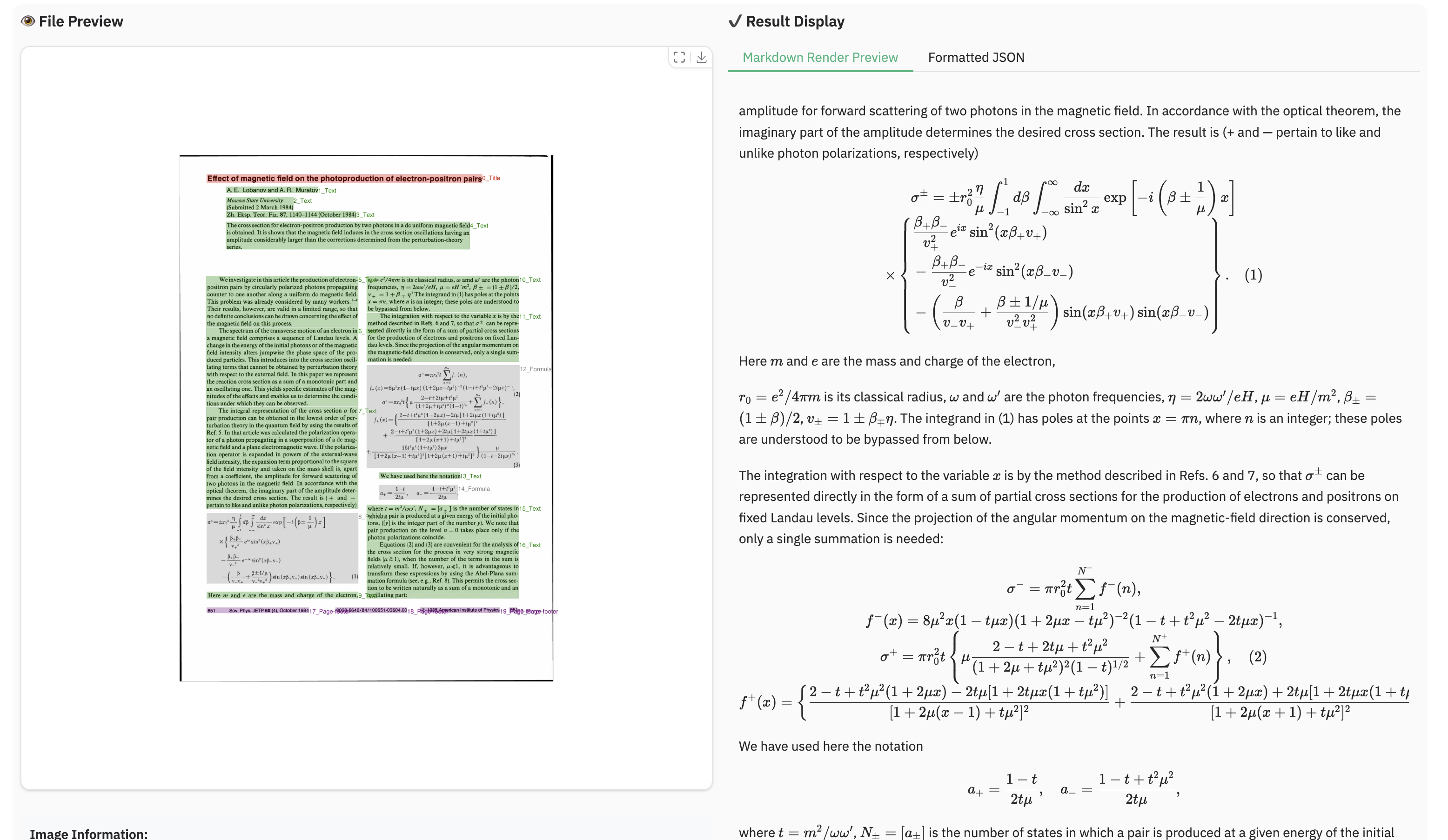
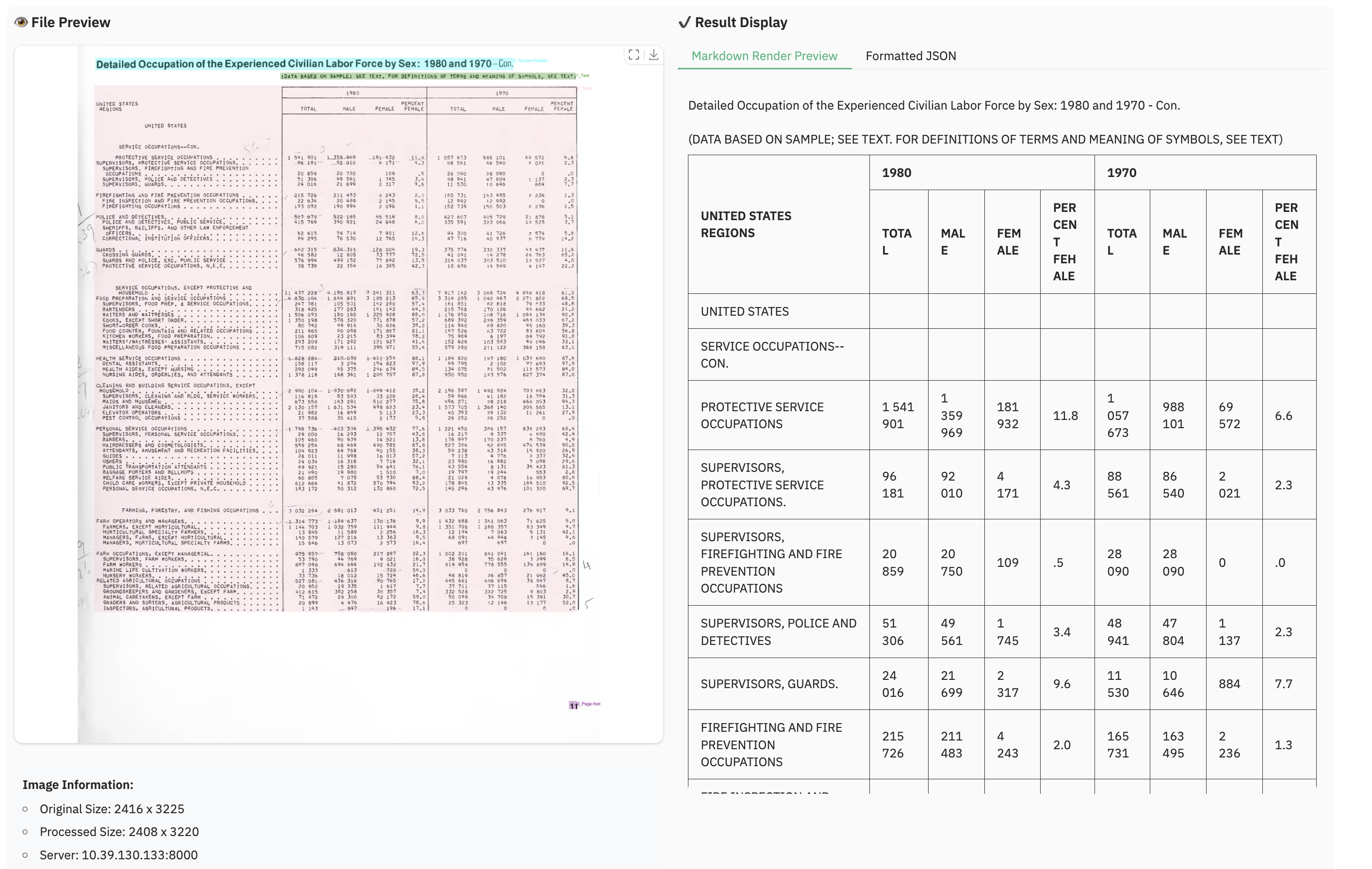
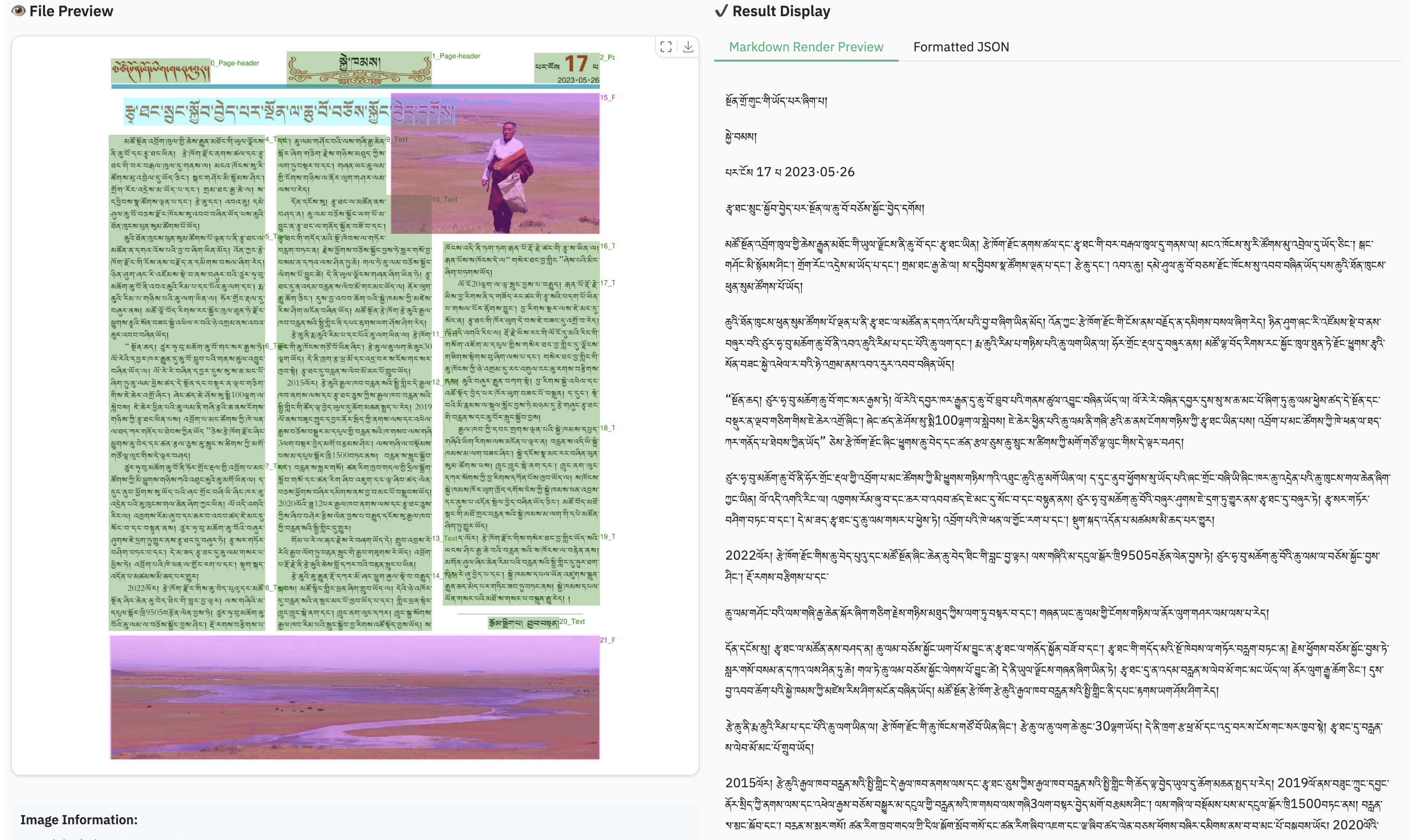
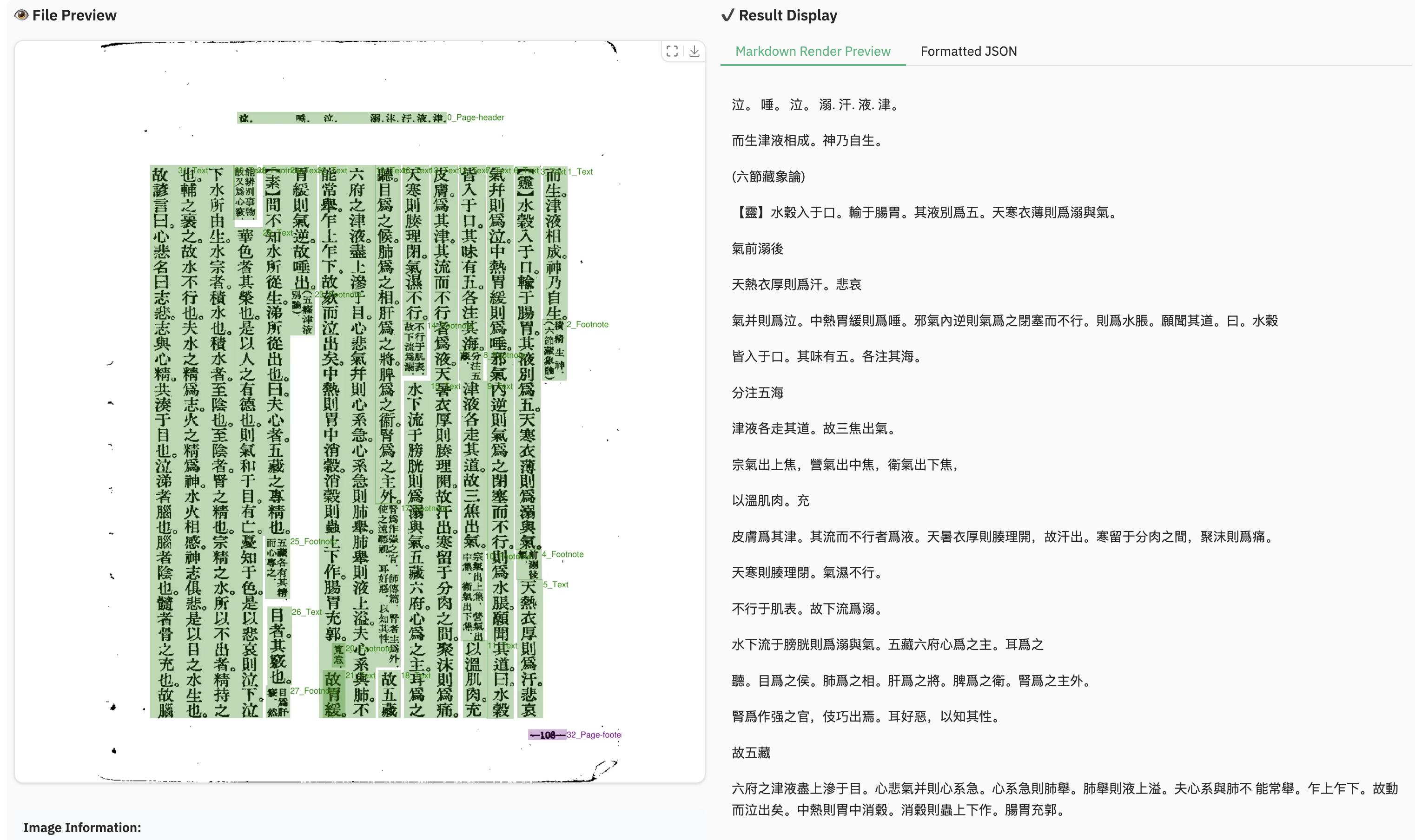
文档解析示例
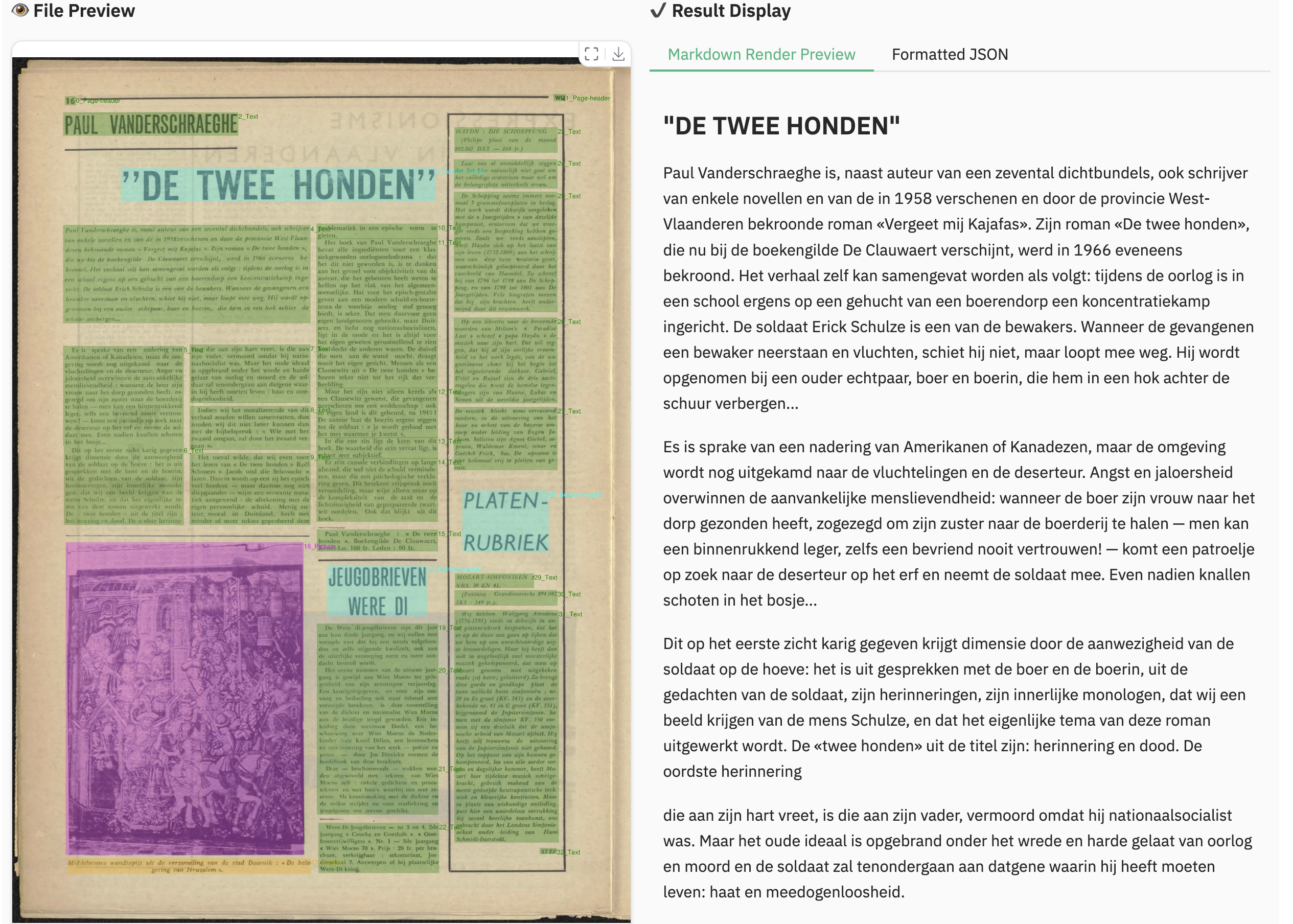
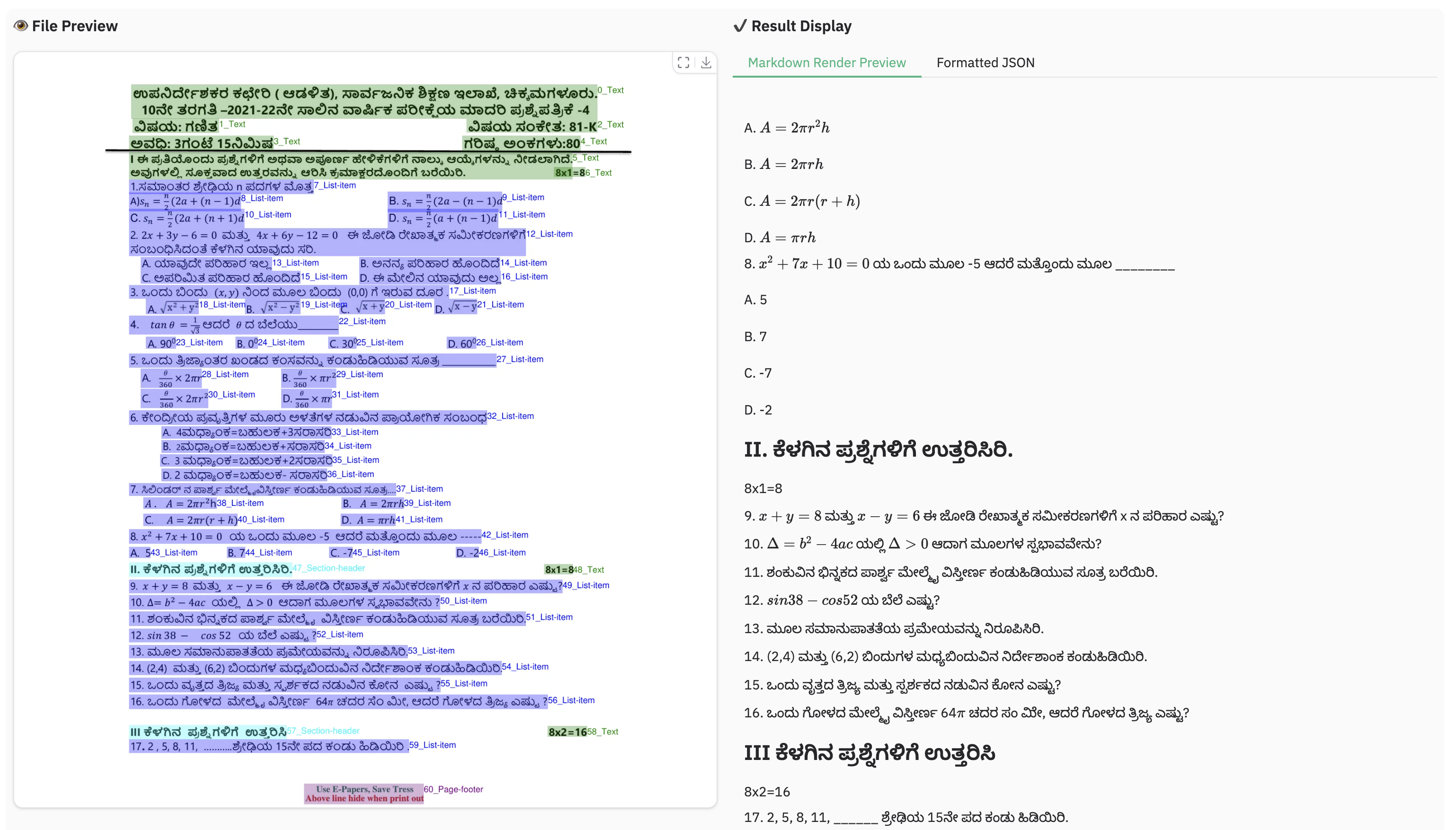
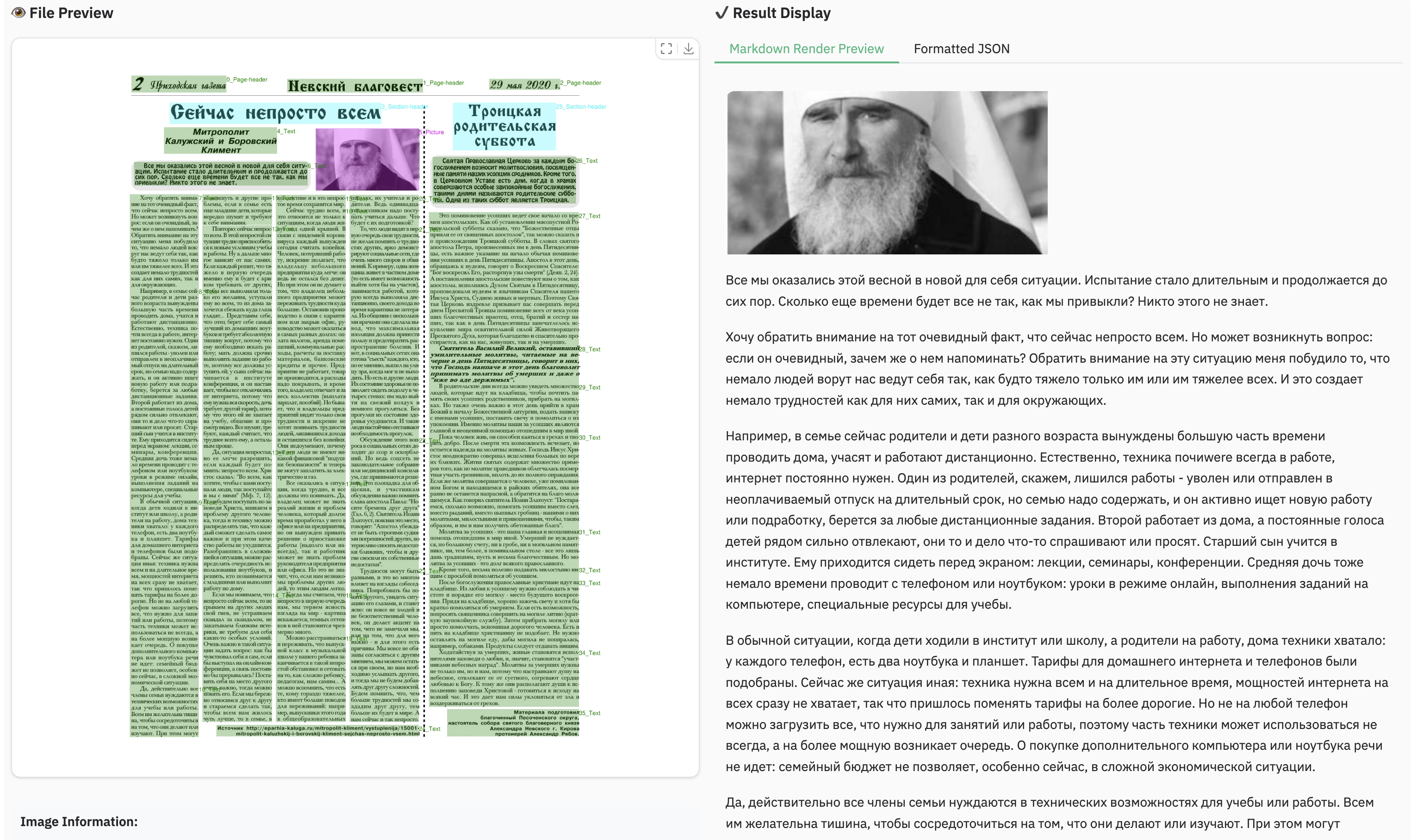
图像解析示例
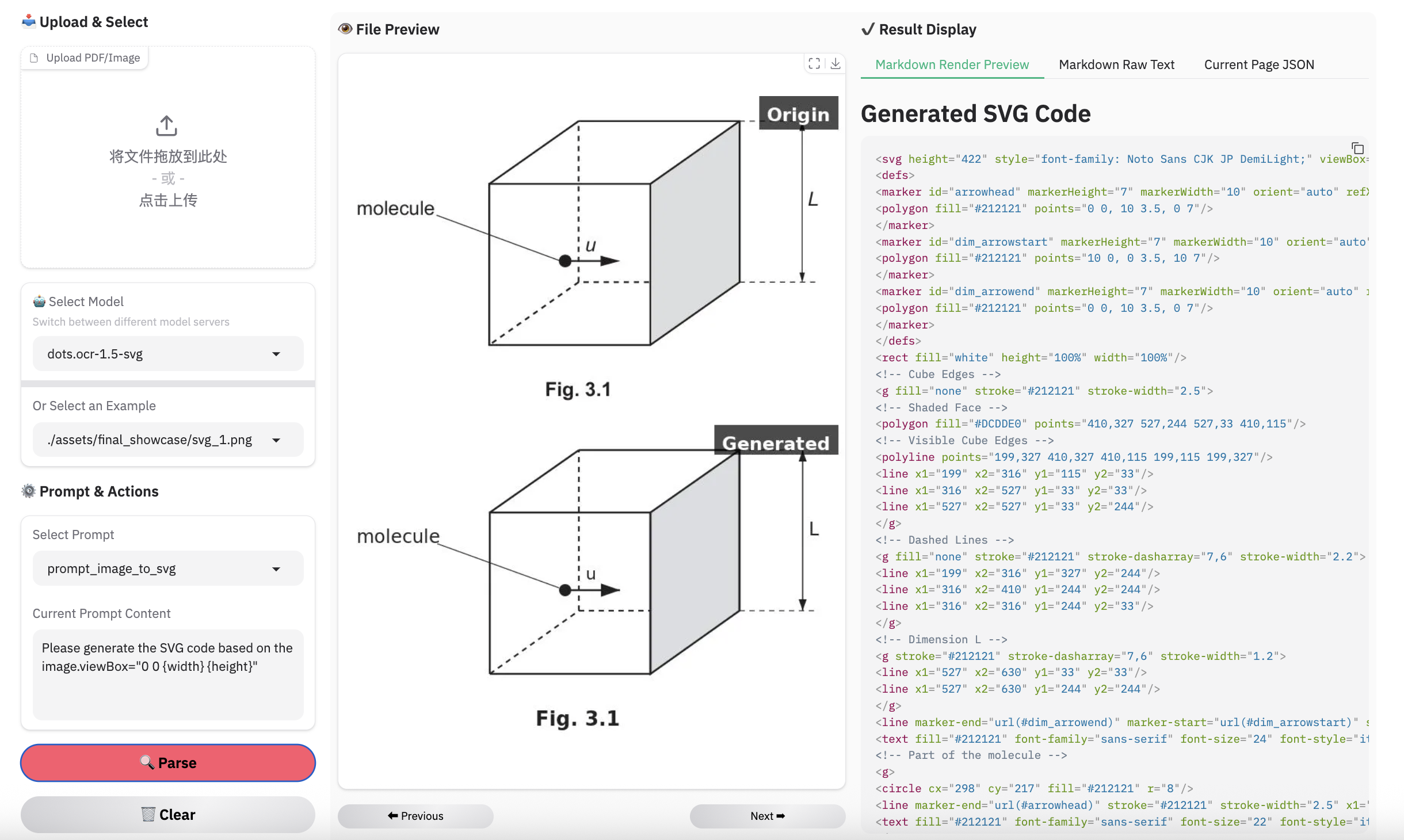
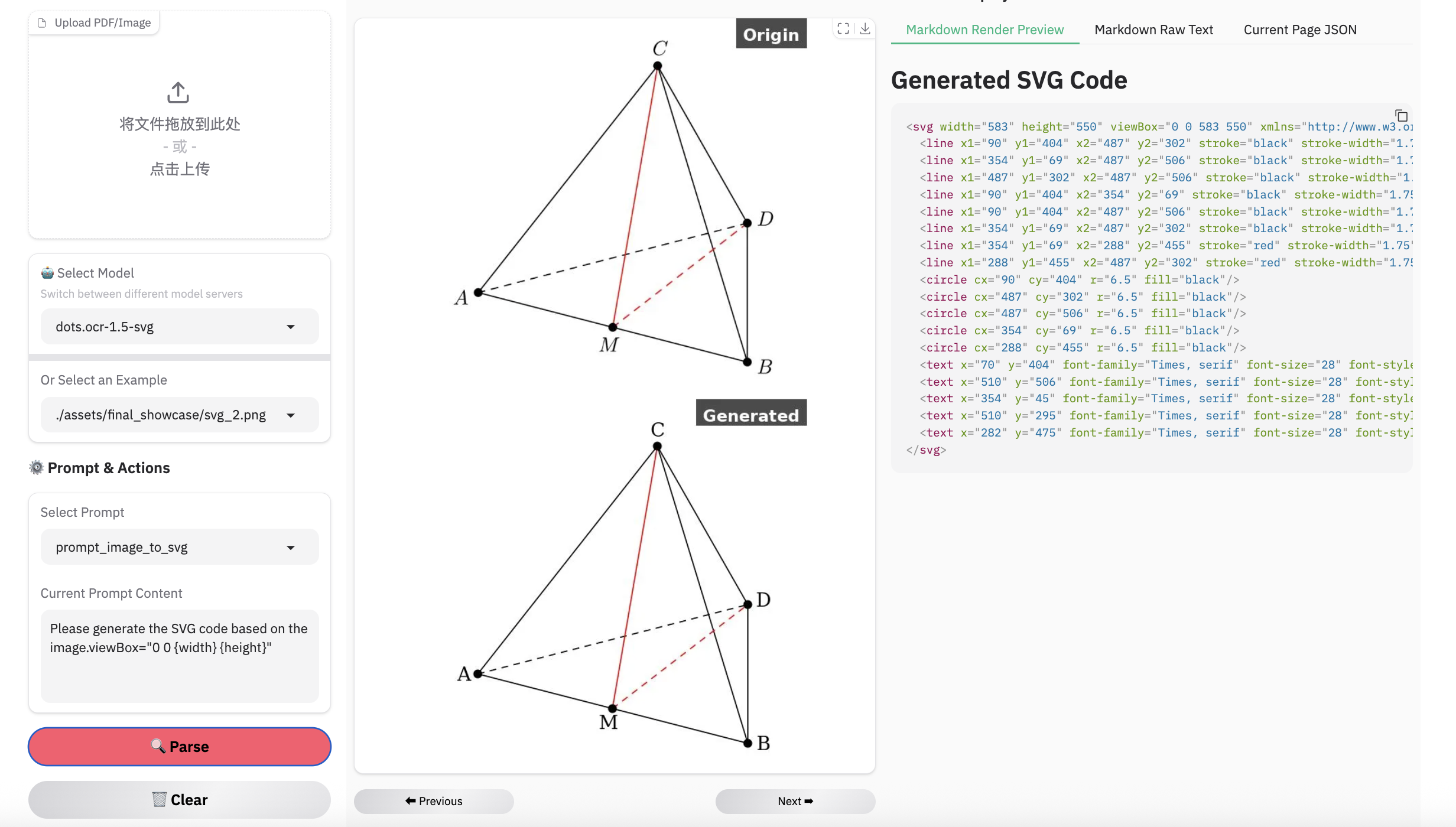
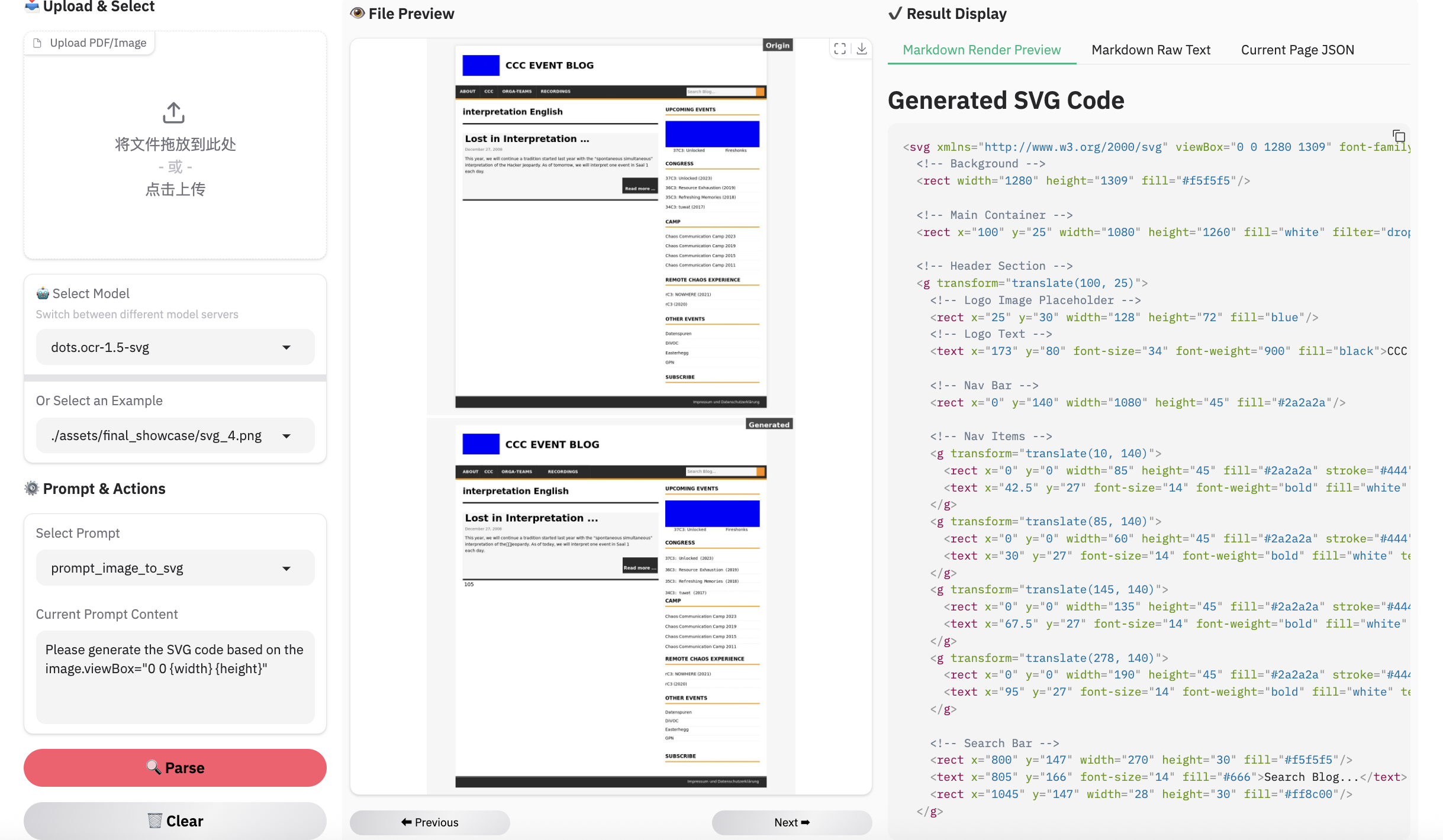
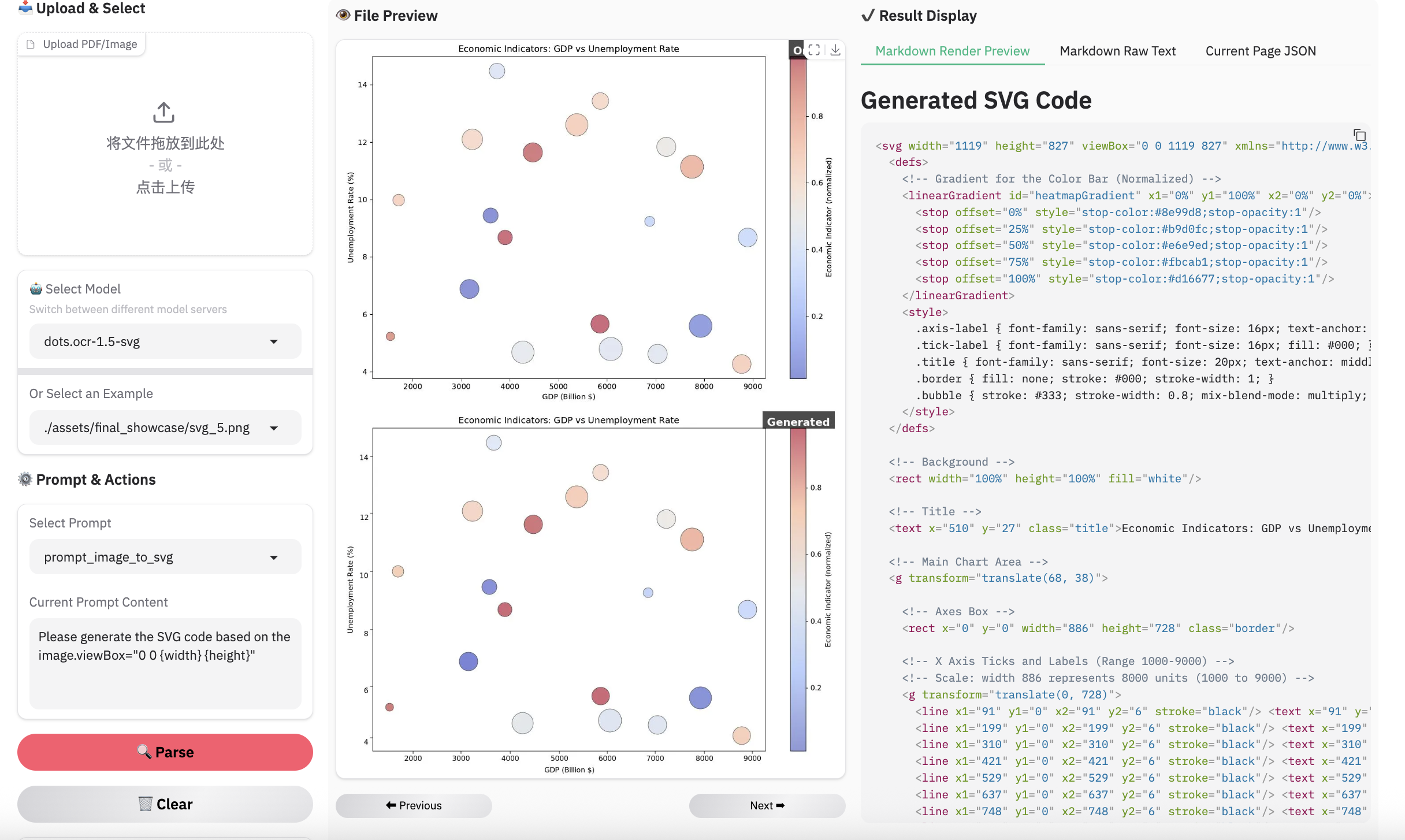
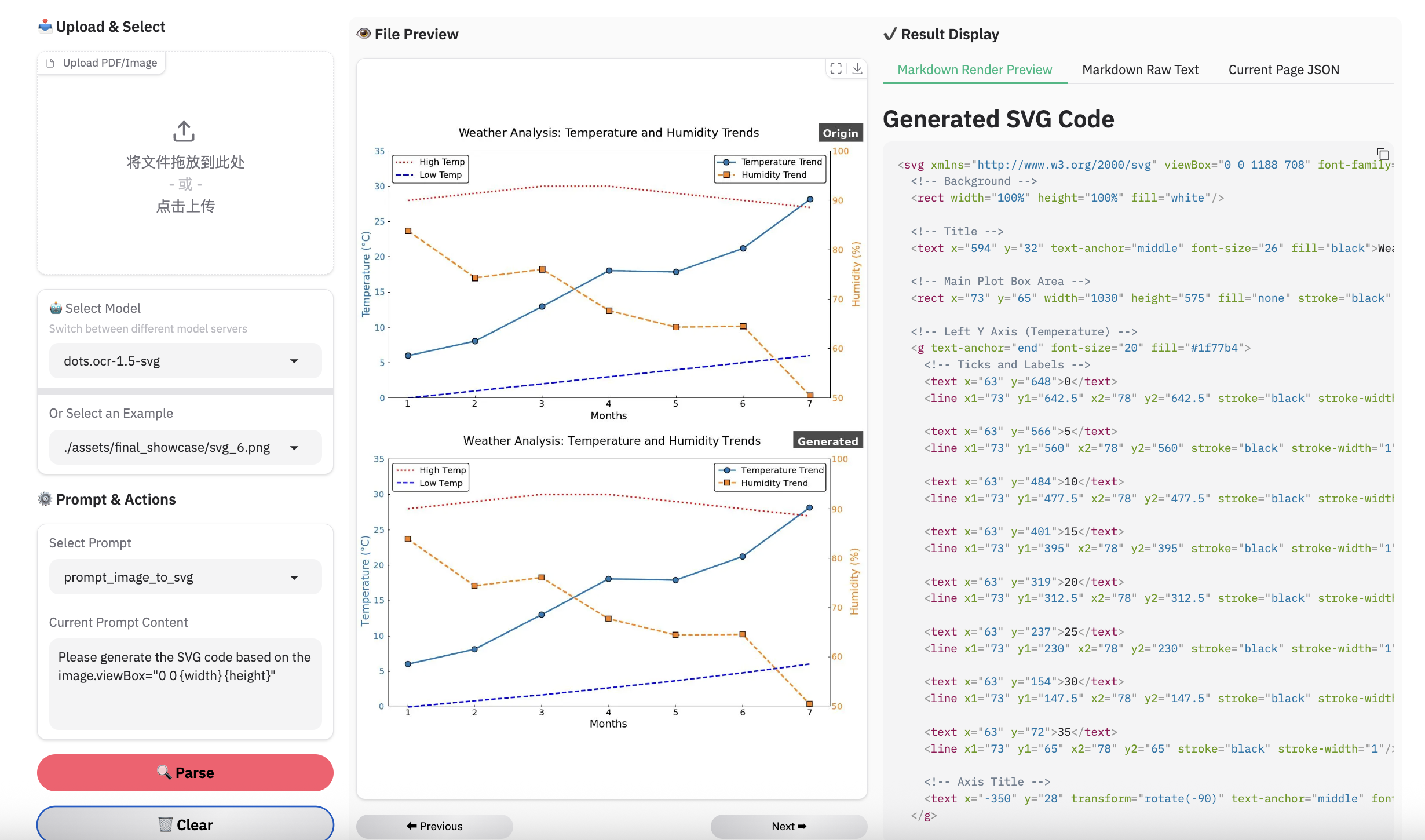
注意:
- 用dots.mocr-svg推理
网页解析示例
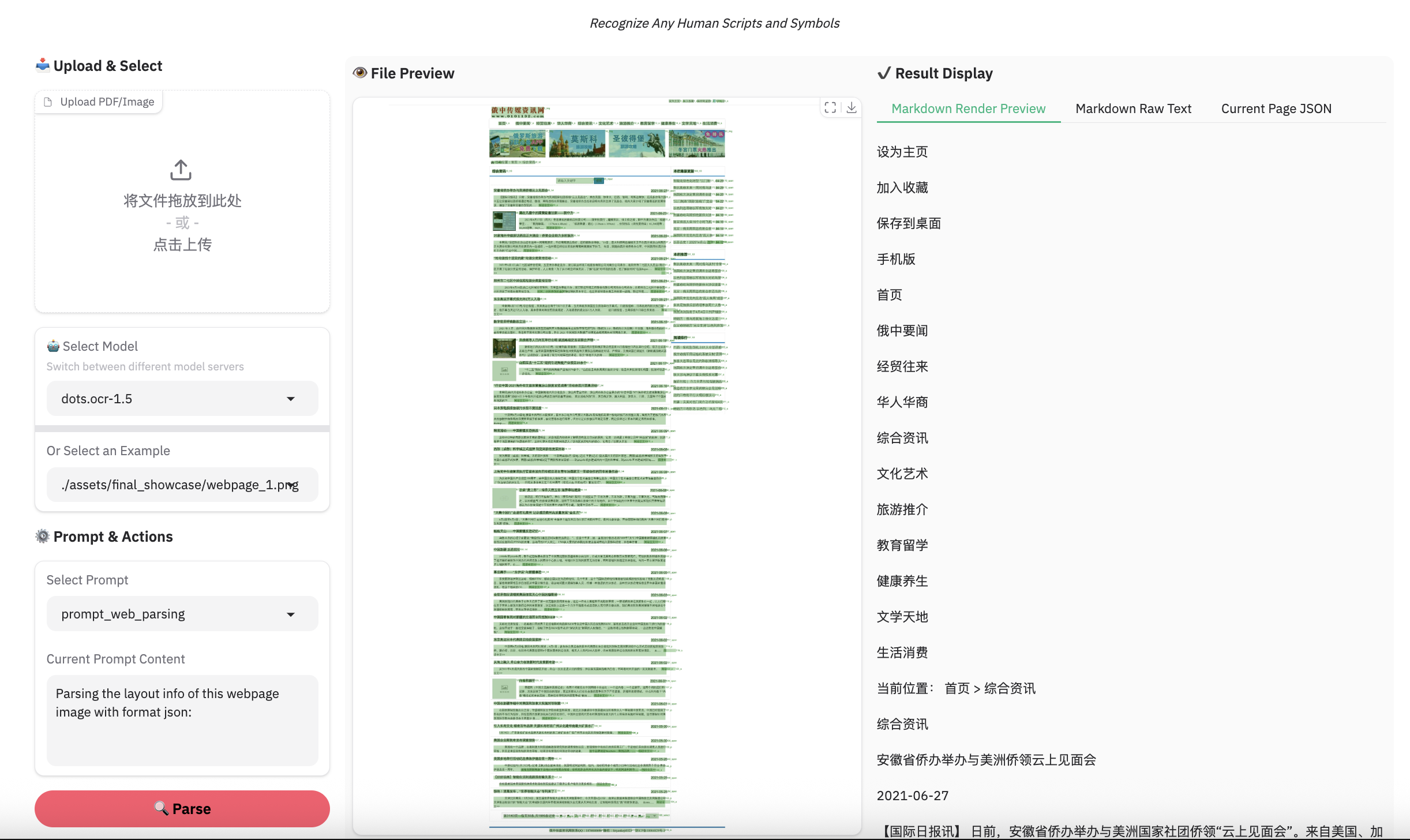
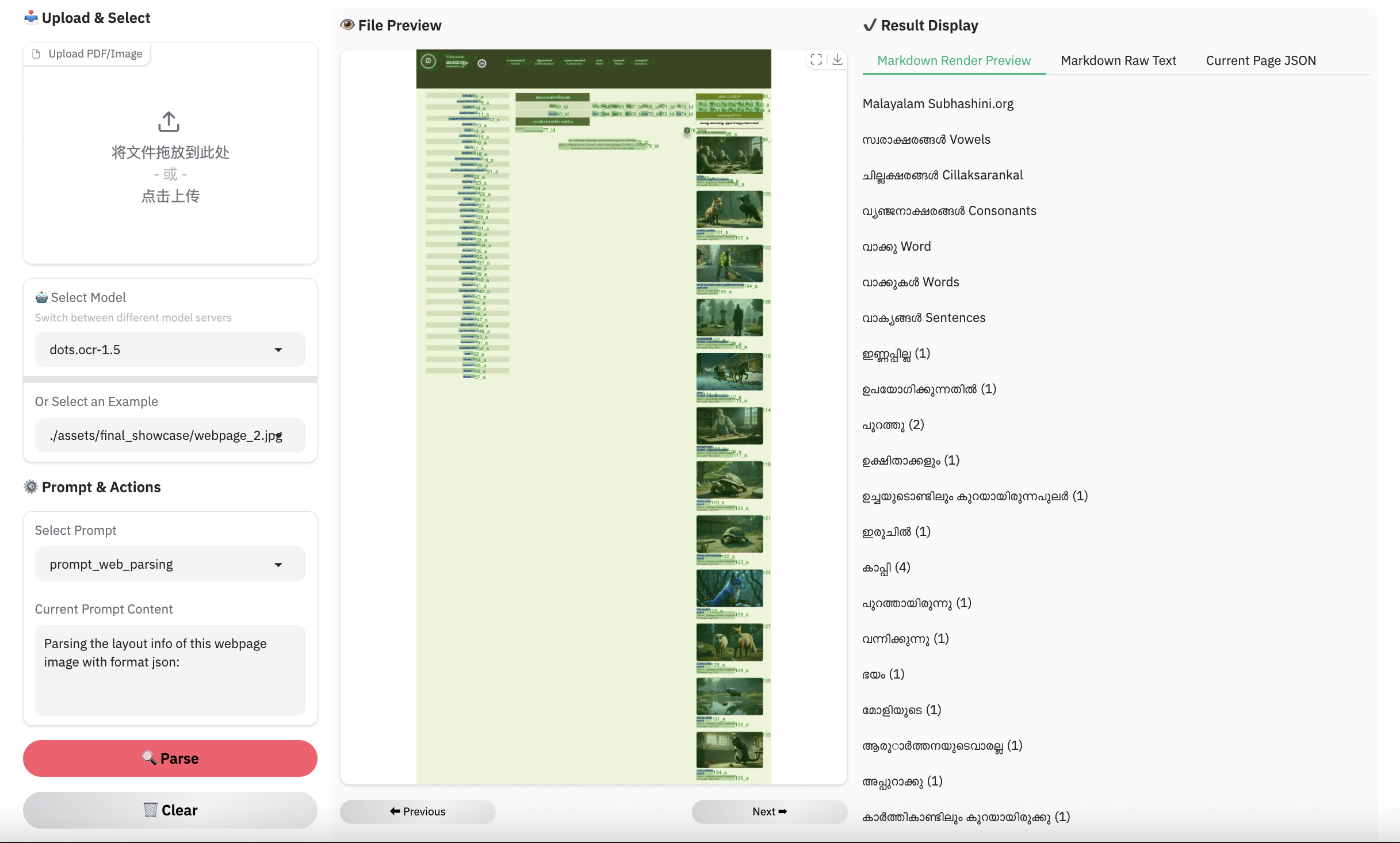
场景识别示例
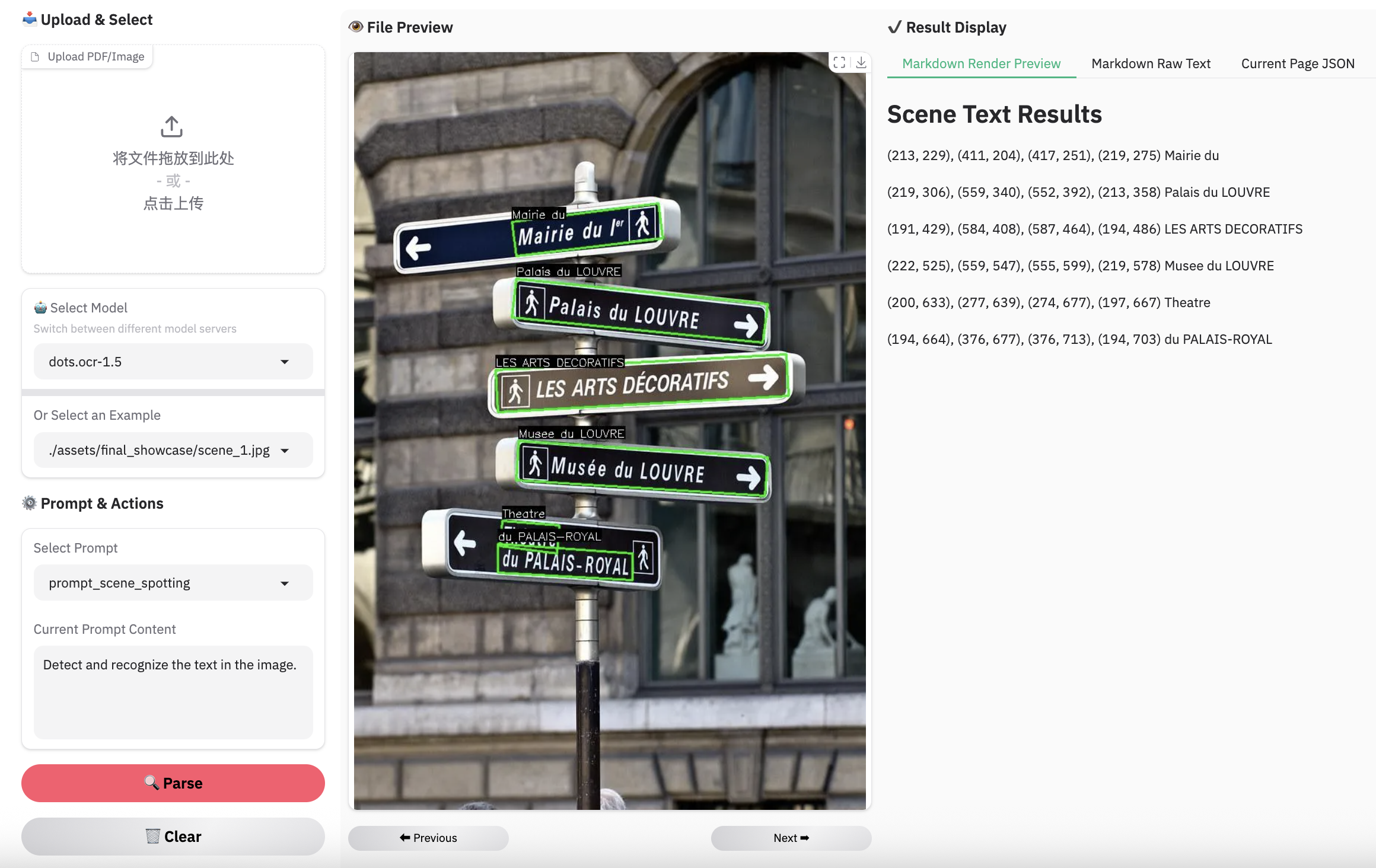
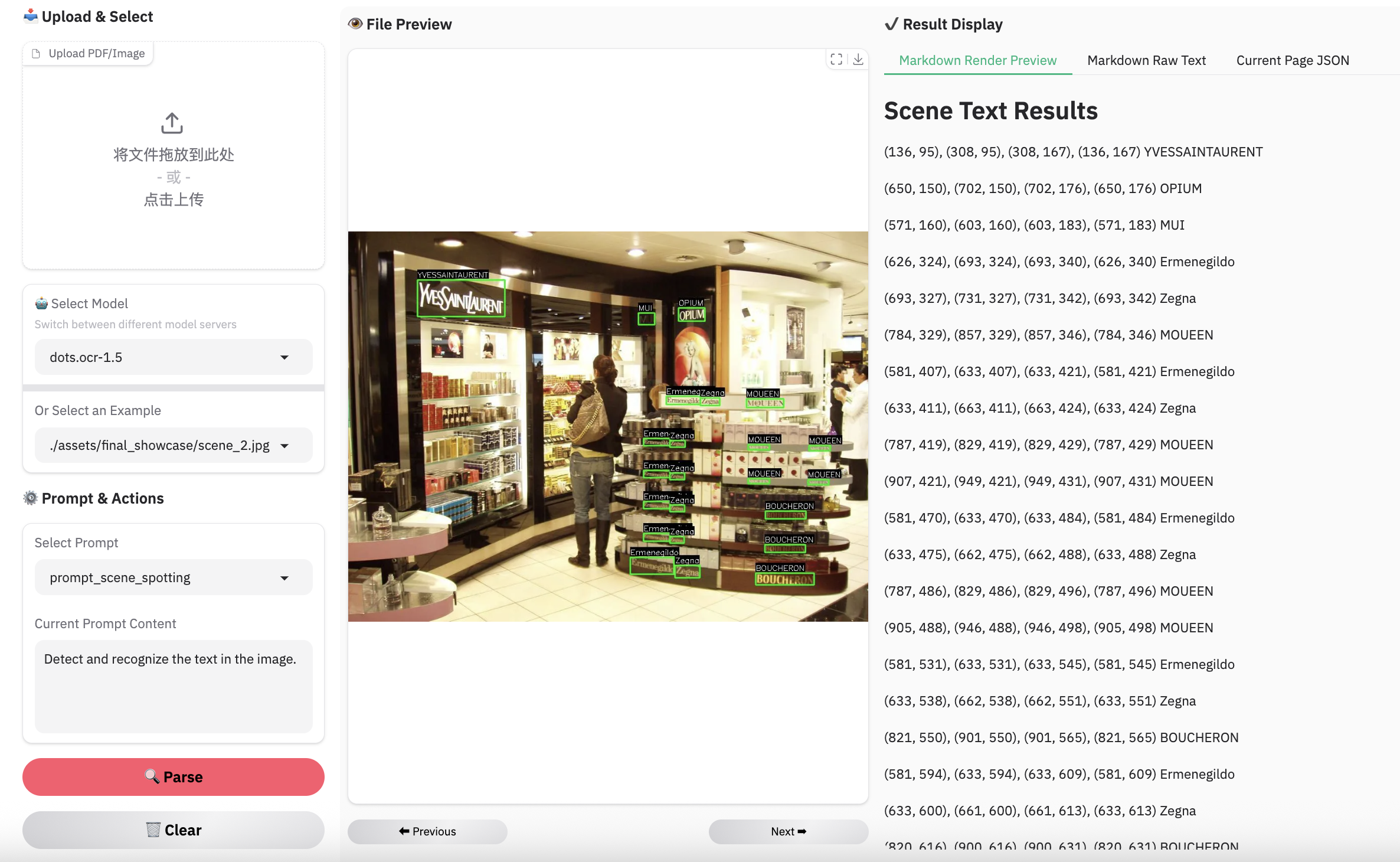
局限性与未来工作
-
复杂文档元素:
- 表格与公式:鉴于模型的精简架构,复杂表格和数学公式的提取仍是一项具有挑战性的任务。
- 图片:我们采用SVG代码表示法来解析结构化图形,但其性能尚未达到理想的鲁棒性水平。
-
解析失败:虽然相比前一版本我们已降低解析失败率,但此类问题仍可能偶尔出现。我们将持续致力于在后续更新中进一步解决这些边缘案例。
引用
BibTeX
@misc{zheng2026multimodalocrparsedocuments,
      title={Multimodal OCR: Parse Anything from Documents},
      author={Handong Zheng and Yumeng Li and Kaile Zhang and Liang Xin and Guangwei Zhao and Hao Liu and Jiayu Chen and Jie Lou and Jiyu Qiu and Qi Fu and Rui Yang and Shuo Jiang and Weijian Luo and Weijie Su and Weijun Zhang and Xingyu Zhu and Yabin Li and Yiwei ma and Yu Chen and Zhaohui Yu and Guang Yang and Colin Zhang and Lei Zhang and Yuliang Liu and Xiang Bai},
      year={2026},
      eprint={2603.13032},
      archivePrefix={arXiv},
      primaryClass={cs.CV},
      url={https://arxiv.org/abs/2603.13032},
}