文章目录
- 一、目标
- 二、安装依赖
- 三、版本控制
- [四、Gateway 适配](#四、Gateway 适配)
-
- [1. 添加依赖](#1. 添加依赖)
- [2. 排除依赖](#2. 排除依赖)
- [五、spring-boot 适配](#五、spring-boot 适配)
-
- [1. 直接排除 tomcat](#1. 直接排除 tomcat)
- [2. 引入 tongweb 依赖](#2. 引入 tongweb 依赖)
- 六、启动成功
一、目标
使用内嵌式 TongWeb 只需要改造项目的 pom 文件即可,目标就是去除 Tomcat ,替换为 TongWeb。
二、安装依赖
bash
TongWeb Vx.x.xx/
├── TongWeb Vx.x.xx
├── TongWebx.x.x.x_xx/
│   ├── 安装工程介质/
│   │   ├── tongweb-embed-x.x.x.x_xx/
│   │   │   ├── lib/
│   │   │   └── installMavenJar.bat
│   │   │   └── ...
│   │   ├── ...
│   ├── 示例工程/
│   ├── 用户手册与配置示例/
Windows 环境直接执行上面展示的那个 installMavenJar.bat 就可以把嵌入式 TongWeb 的依赖安装到本地 Maven 仓库。
三、版本控制
xml
<properties>
······
<tongweb.version.updator>8.0.E.8</tongweb.version.updator>
······
</properties>

<dependencyManagement>
 <!-- 确保在spring-boot/cloud-dependencies前面 -->
   <dependency>
      <groupId>com.tongweb</groupId>
      <artifactId>tongweb-embed-dependencies</artifactId>
      <version>${tongweb.version.updator}</version>
      <type>pom</type>
      <scope>import</scope>
    </dependency>
    ······
</dependencyManagement>
四、Gateway 适配
1. 添加依赖
xml
<dependency>
  <groupId>com.tongweb.springboot</groupId>
  <artifactId>tongweb-spring-boot-starter-2.x</artifactId>
</dependency>
<dependency>
  <groupId>com.tongweb</groupId>
  <artifactId>tongweb-spring-boot-reactor-starter</artifactId>
  <exclusions>
    <exclusion>
      <groupId>io.netty</groupId>
      <artifactId>netty-resolver-dns-native-macos</artifactId>
    </exclusion>
  </exclusions>
</dependency>
2. 排除依赖
原生依赖排除相关内容
xml
<dependency>
            <groupId>org.springframework.cloud</groupId>
            <artifactId>spring-cloud-starter-gateway</artifactId>
            <exclusions>
                <exclusion>
                    <groupId>io.projectreactor.ipc</groupId>
                    <artifactId>reactor-netty</artifactId>
                </exclusion>
                <exclusion>
                    <groupId>io.projectreactor.addons</groupId>
                    <artifactId>reactor-extra</artifactId>
                </exclusion>
                <exclusion>
                    <groupId>io.projectreactor.netty</groupId>
                    <artifactId>reactor-netty-http</artifactId>
                </exclusion>
                <exclusion>
                    <groupId>io.projectreactor.netty</groupId>
                    <artifactId>reactor-netty</artifactId>
                </exclusion>
                <exclusion>
                    <groupId>io.projectreactor</groupId>
                    <artifactId>reactor-core</artifactId>
                </exclusion>
            </exclusions>
</dependency>
<dependency>
            <groupId>org.springframework.boot</groupId>
            <artifactId>spring-boot-starter-webflux</artifactId>
            <exclusions>
                <exclusion>
                    <groupId>io.projectreactor.netty</groupId>
                    <artifactId>reactor-netty-http</artifactId>
                </exclusion>
                <exclusion>
                    <groupId>io.projectreactor.netty</groupId>
                    <artifactId>reactor-netty</artifactId>
                </exclusion>
                <exclusion>
                    <groupId>io.projectreactor</groupId>
                    <artifactId>reactor-core</artifactId>
                </exclusion>
                <exclusion>
                    <groupId>io.projectreactor.ipc</groupId>
                    <artifactId>reactor-netty</artifactId>
                </exclusion>
            </exclusions>
</dependency>
五、spring-boot 适配
1. 直接排除 tomcat
xml
<dependency>
  <groupId>org.springframework.boot</groupId>
  <artifactId>spring-boot-starter-web</artifactId>
  <exclusions>
    <!--排除tomcat依赖-->
    <exclusion>
      <groupId>org.springframework.boot</groupId>
      <artifactId>spring-boot-starter-tomcat</artifactId>
    </exclusion>
  </exclusions>
</dependency>
2. 引入 tongweb 依赖
xml
<dependency>
   <groupId>com.tongweb.springboot</groupId>
   <artifactId>tongweb-spring-boot-starter-2.x</artifactId>
</dependency>
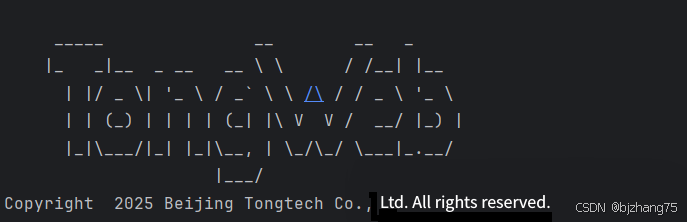
六、启动成功