概述
Pinia 是 Vue.js 的官方状态管理库,可以把它看作是 Vuex 的升级版。它提供了更简洁的 API 和更好的 TypeScript 支持,已经成为 Vue 生态中推荐的状态管理方案。Pinia基本三要素:
- store ,数据,用户自定义数据存储在store
- getters,获取数据或进行加工后的数据,类似计算属性computed
- actions,修改数据的方法
Pinia存储读取数据的基本方法
-
安装Pinia,npm install pinia
-
在main.ts引入Pinia,创建引用实例
-
创建Fish组件,数据name,price,site
-
创建store文件夹,创建useFishStore,存储Fish组件数据
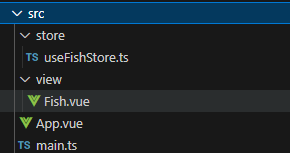
文件结构目录
main.ts代码:import { createApp } from 'vue'
import App from './App.vue'
import { createPinia } from 'pinia'
const app = createApp(App)
const pinia = createPinia()
app.use(pinia)
app.mount('#app')
Fis组件代码
<template>
  <div>
    <h2>鱼类:{{ store.name }}</h2>
    <h2>价格:{{ store.price }}</h2>
    <h2>位置:{{ store.site }}</h2>
  </div>
</template>
<script setup lang="ts">
import { useFishStore } from '@/store/useFishStore'
const store = useFishStore();
</script>
useFishStore.ts代码
import { defineStore } from 'pinia'
export const useFishStore = defineStore('fish', {
  state: () => ({
    name: '鲫鱼',
    price: 10,
    site:'河里'
  })
})
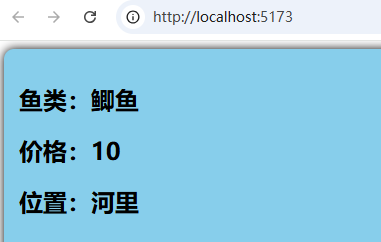
运行效果
Pinia修改数据的三种方法
- 直接修改
- 通过$patch方法修改
- 通过actions修改
直接修改数据
Fish组件
<template>
  <div>
    <h2>鱼类:{{ store.name }}</h2>
    <h2>价格:{{ store.price }}</h2>
    <h2>位置:{{ store.site }}</h2>
    <button @click="changeFish()">修改鱼的数据</button>
  </div>
</template>
<script setup lang="ts">
import { useFishStore } from '@/store/useFishStore'
const store = useFishStore();
function changeFish() {
  store.name += '~';
  store.price += 10;
  store.site+='!'

}
</script>
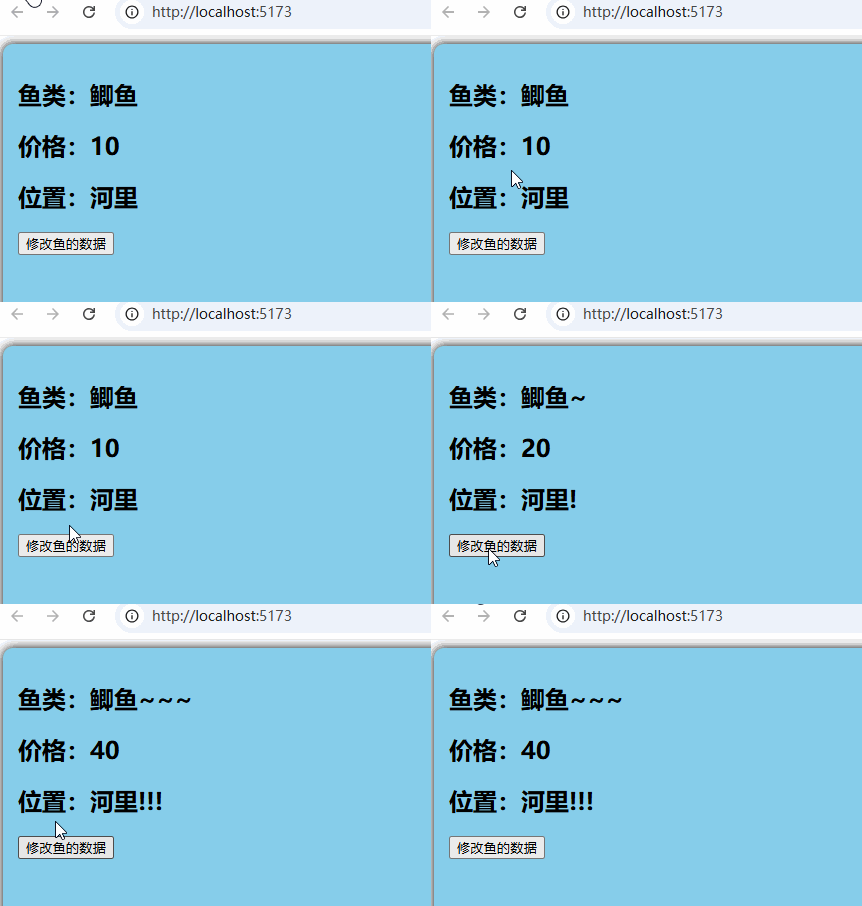
修改效果如下:
通过$patch方法修改
Fish组件源码
<template>
  <div>
    <h2>鱼类:{{ store.name }}</h2>
    <h2>价格:{{ store.price }}</h2>
    <h2>位置:{{ store.site }}</h2>
    <button @click="changeFish()">修改鱼的数据</button>
  </div>
</template>
<script setup lang="ts">
import { useFishStore } from '@/store/useFishStore'
const store = useFishStore();
function changeFish() {
   store.$patch({
    name: '带鱼',
    price: 300,
    site:'海里'
  });
}
</script>
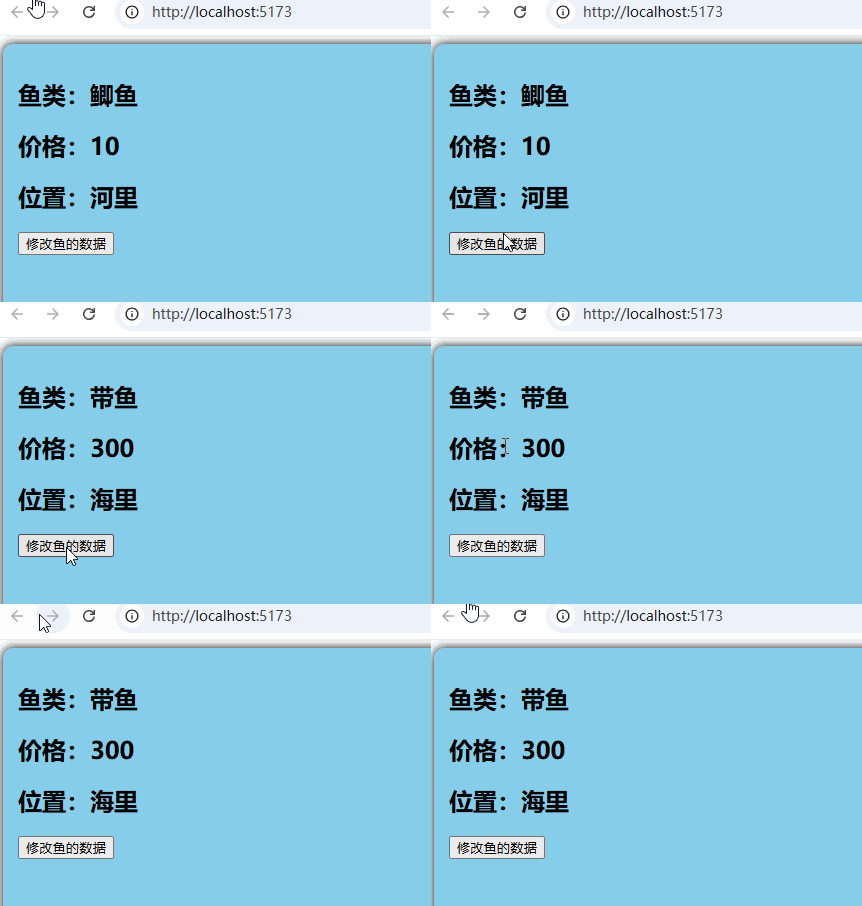
修改效果如图:
通过actions修改
useFishStore增加actions,添加方法changeFish
import { defineStore } from 'pinia'
export const useFishStore = defineStore('fish', {
  state: () => ({
    name: '鲫鱼',
    price: 10,
    site:'河里'
  }),
  actions: {
    changeFish(fish: any) {
      this.name = fish.name;
      this.price = fish.price;
      this.site = fish.site
    }
  }
})
Fish组件代码
<template>
  <div>
    <h2>鱼类:{{ store.name }}</h2>
    <h2>价格:{{ store.price }}</h2>
    <h2>位置:{{ store.site }}</h2>
    <button @click="changeFish()">修改鱼的数据</button>
  </div>
</template>
<script setup lang="ts">
import { useFishStore } from '@/store/useFishStore'
const store = useFishStore();
function changeFish() {
  store.changeFish({
    name: '带鱼',
    price: 300,
    site: '海里'
  });
}
</script>
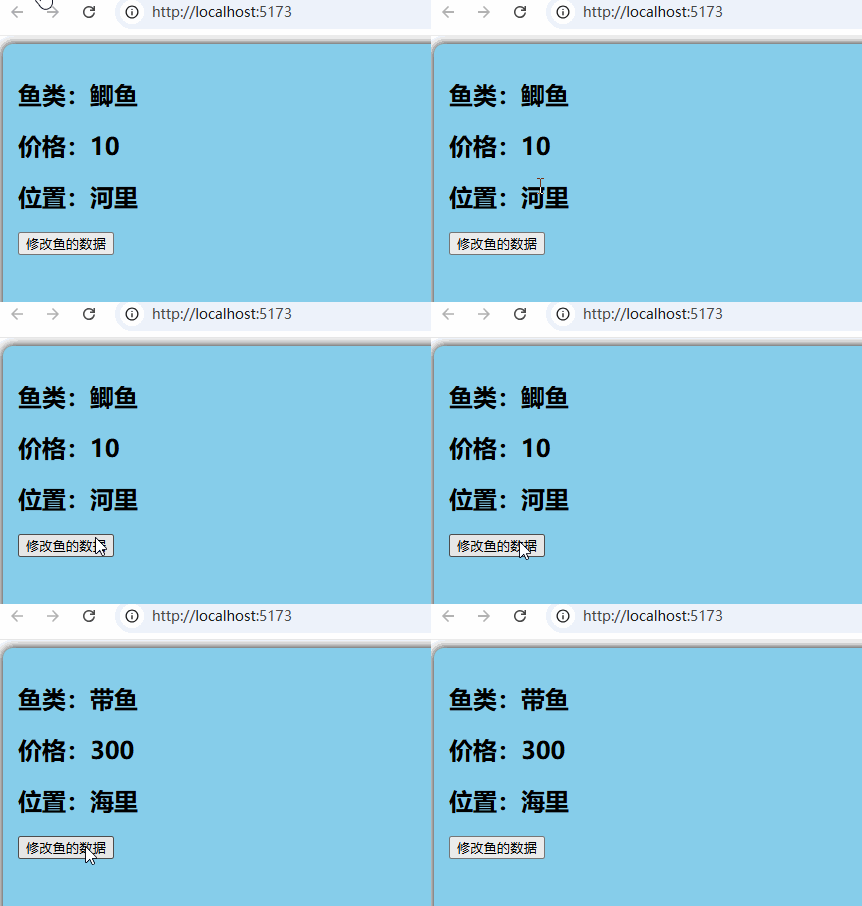
运行效果如下:
Pinia函数storeToRefs应用
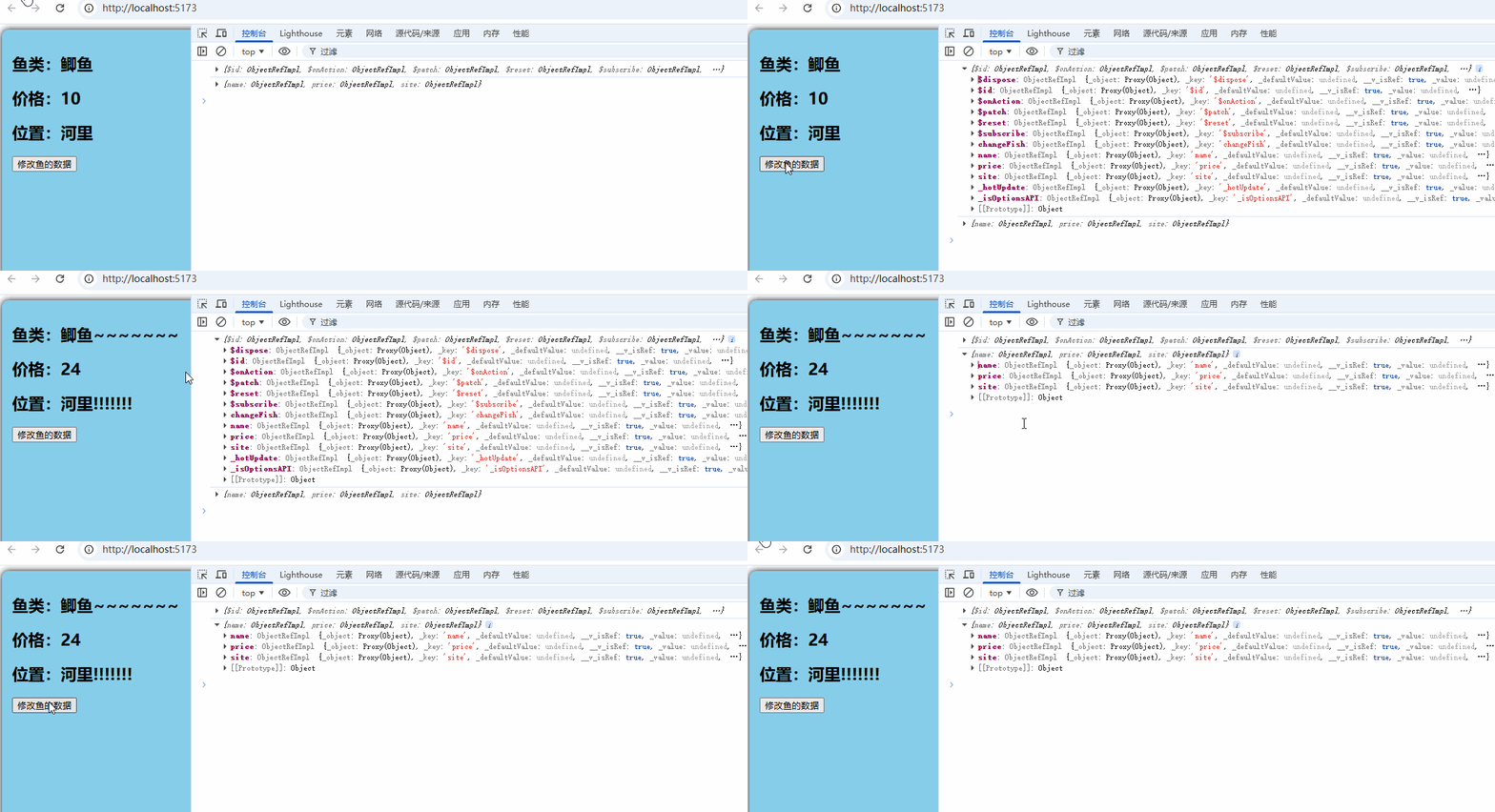
在Fish引用useFishStore,从useFishStore()直接解析数据,会丢失响应式,需要使用toRefs转换,但toRefs会将所有成员变成响应式对象。storeToRefs只会将数据转换成响应式对象。
Fish组件代码
<template>
  <div>
    <h2>鱼类:{{ name }}</h2>
    <h2>价格:{{ price }}</h2>
    <h2>位置:{{ site }}</h2>
    <button @click="changeFish()">修改鱼的数据</button>
  </div>
</template>
<script setup lang="ts">
import { useFishStore } from '@/store/useFishStore'
import { toRefs } from 'vue';
import { storeToRefs } from 'pinia'
console.log(toRefs(useFishStore()));
console.log(storeToRefs(useFishStore()));
let { name, price, site } = storeToRefs(useFishStore());

function changeFish() {
  name.value += '~';
  price.value += 2;
  site.value += '!';

}
</script>
运行效果如图,注意控制台打印的日志:
Getters用法
类似组件的 computed,对state 数据进行派生计算。state数据发生改变,调用getters函数。
useFishStore.ts代码:
import { defineStore } from 'pinia'
export const useFishStore = defineStore('fish', {
  state: () => ({
    name: '鲫鱼',
    price: 10,
    site:'河里'
  }),
  actions: {
    changeFish(fish: any) {
      this.name = fish.name;
      this.price = fish.price;
      this.site = fish.site
    }
  },
  getters: {
    changeprice():number {
      return this.price * 20;
    },
    changesite():string {
      return this.name+'在'+this.site+'游泳'
    }
  }
})注意changeprice():number,ts语法检查,函数返回类型为number。
Fish组件代码
<template>
  <div>
    <h2>鱼类:{{ name }}</h2>
    <h2>价格:{{ price }}新价格:{{ changeprice }}</h2>
    <h2>位置:{{ site }}新位置:{{ changesite }}</h2>
    <button @click="changeFish()">修改鱼的数据</button>
  </div>
</template>
<script setup lang="ts">
import { useFishStore } from '@/store/useFishStore'
import { toRefs } from 'vue';
import { storeToRefs } from 'pinia'
console.log(toRefs(useFishStore()));
console.log(storeToRefs(useFishStore()));
let { name, price, site,changeprice,changesite } = storeToRefs(useFishStore());

function changeFish() {
  name.value += '~';
  price.value += 2;
  site.value += '!';

}
</script>
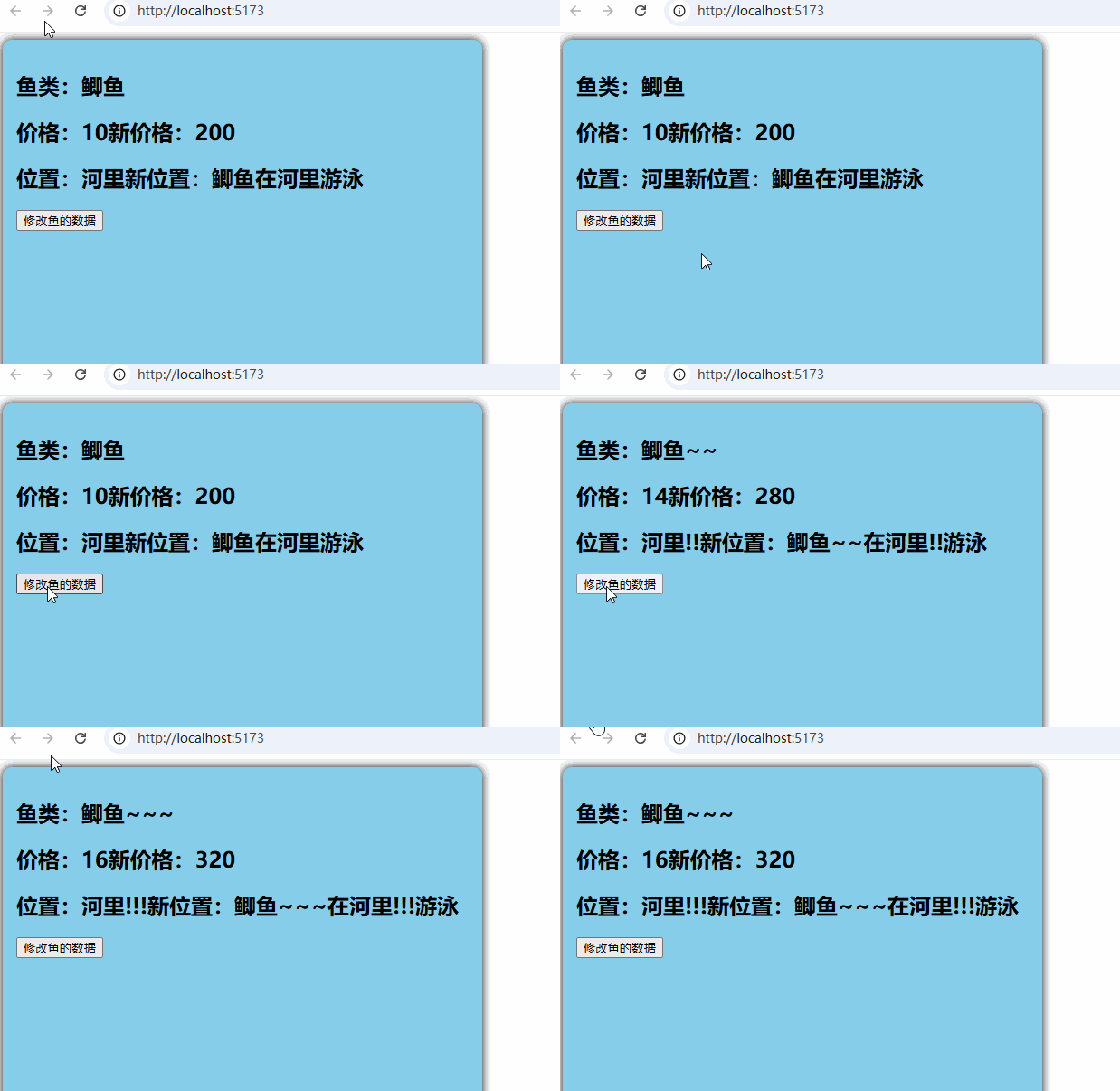
运行效果如图:
$subscribe用法
subscribe订阅信息,当数据发生变化,回调subscribe订阅信息,当数据发生变化,回调subscribe订阅信息,当数据发生变化,回调subscribe函数设定的回调函数,该函数有两个参数:一是事件信息,一是修改后的数据数据。
$subscribe用于两组件的数据通信,Fish组件数据发生变化时,通知Cat组件。
import { defineStore } from 'pinia'
export const useFishStore = defineStore('fish', {
  state: () => ({
    name: '鲫鱼',
    price: 10,
    site:'河里'
  }),
  actions: {
    changeFish(fish: any) {
      this.name = fish.name;
      this.price = fish.price;
      this.site = fish.site
    }
  }
})
Fish组件:
<template>
  <div>
    <h2>鱼类:{{ name }}</h2>
    <h2>价格:{{ price }}</h2>
    <h2>位置:{{ site }}</h2>
    <button @click="changeFish()">修改鱼的数据</button>
  </div>
</template>
<script setup lang="ts">
import { useFishStore } from '@/store/useFishStore'
import { storeToRefs } from 'pinia'
let store = useFishStore()
let { name, price, site } = storeToRefs(store);
function changeFish() {
  name.value += '~';
  price.value += 2;
  site.value += '!';

}
</script>
Cat组件
<template>
  <div>
    <h2>鱼类:{{ name }}</h2>
    <h2>价格:{{ price }}</h2>
    <h2>位置:{{ site }}</h2>
  </div>
</template>
<script setup lang="ts">
import { useFishStore } from '@/store/useFishStore'
import { ref } from 'vue';
let name = ref('');
let price = ref(0);
let site=ref('')
let store = useFishStore();
store.$subscribe((mutate, state) => {
  console.log(mutate);
  console.log(state);
  name.value = state.name;
  price.value = state.price;
  site.value = state.site;
});

</script>
效果如图:
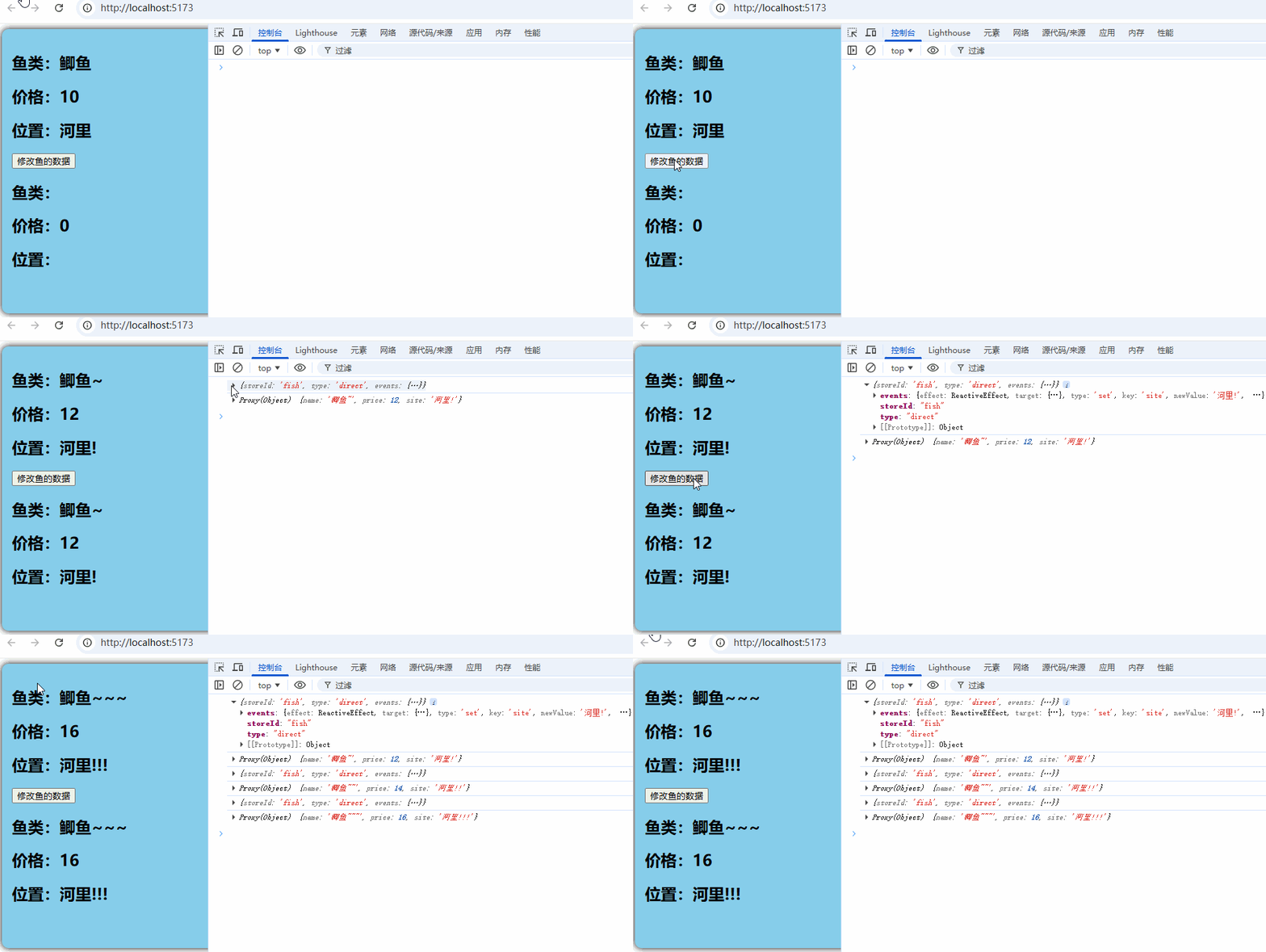
注意控制台打印的数据
Pinia组合式写法
组合式是vue3中新语法,有以下优势,
-
轻松提取和组合业务逻辑
-
使用所有 Vue 组合式 API(ref、computed、watch、生命周期等)
-
逻辑可以聚合在一起,而不是分散在不同配置项中
import { defineStore } from 'pinia'
import { computed, ref } from 'vue';
export const useFishStore = defineStore('fish', () => {
let name = ref('鲫鱼');
let price = ref(10);
let site = ref('河里');
function changeFish(fish: any) {
console.log(fish)
name.value = fish.name;
price.value = fish.price;
site.value = fish.site;
}
let calcPrice = computed(() => {
return price.value * 2;}) return { name, price,site,changeFish,calcPrice };})
Fish组件
<template>
  <div>
    <h2>鱼类:{{ name }}</h2>
    <h2>价格:{{ price }}新价格:{{ calcPrice }}</h2>
    <h2>位置:{{ site }}</h2>
    <button @click="changeFish()">修改鱼的数据</button>
  </div>
</template>
<script setup lang="ts">
import { useFishStore } from '@/store/useFishStore'
import { storeToRefs } from 'pinia'
let store = useFishStore()
let { name, price, site ,calcPrice} = storeToRefs(store);
function changeFish() {
  store.changeFish({ name: '带鱼', price: 11, site: '海里' })

}
</script>
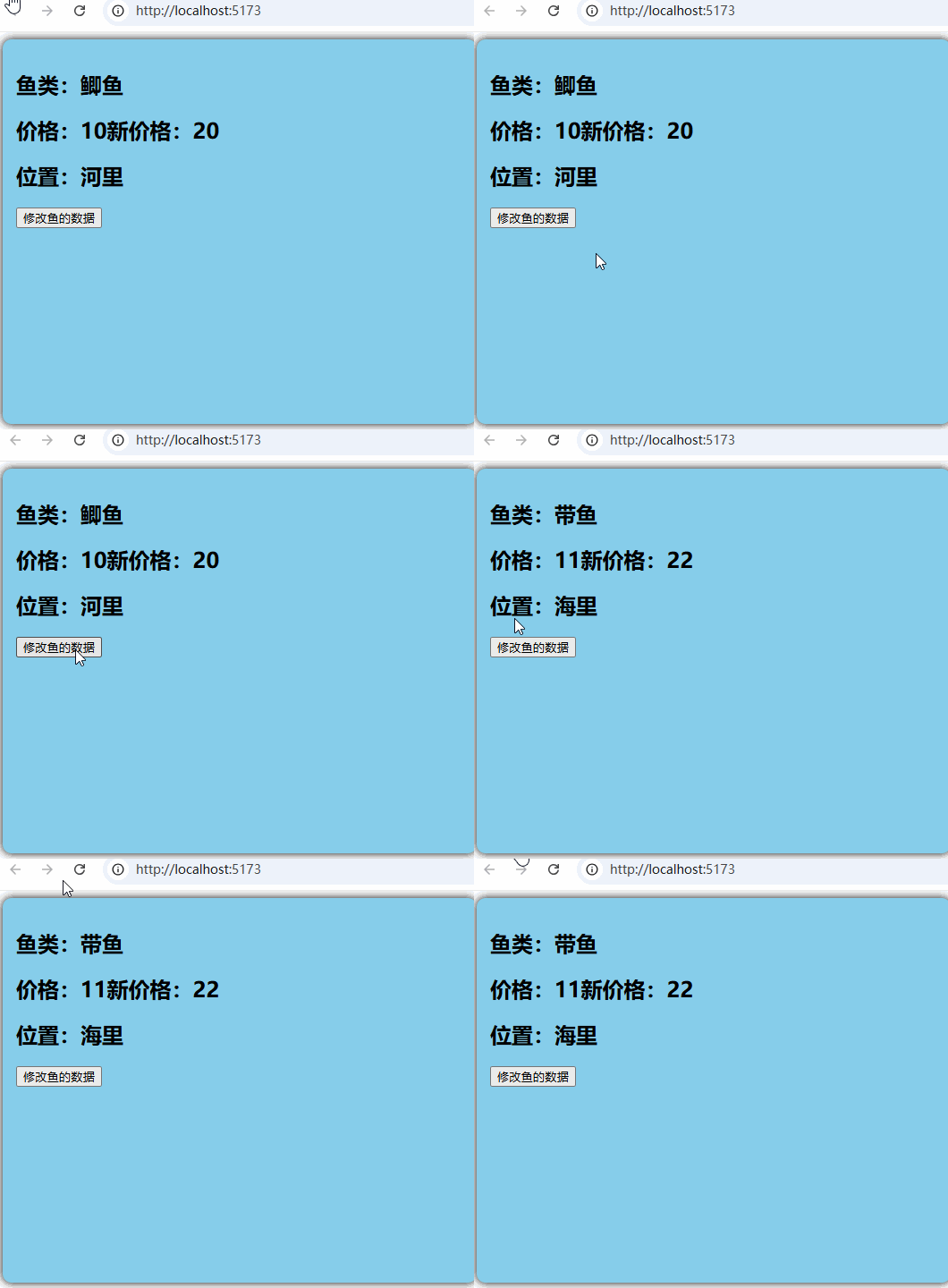
运行效果