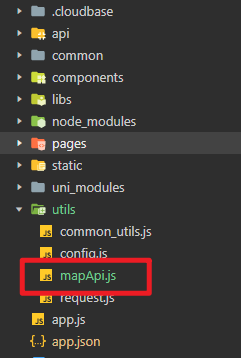
新建mapApi.js:
// utils/mapApi.js
const QQ_MAP_KEY = '********************'

// 获取两点之间的路线
const getRouteBetweenPoints = (from, to, mode = 'walking') => {
  return new Promise((resolve, reject) => {
    wx.request({
      url: `https://apis.map.qq.com/ws/direction/v1/${mode}/`,
      data: {
        from: `${from.latitude},${from.longitude}`,
        to: `${to.latitude},${to.longitude}`,
        key: QQ_MAP_KEY
      },
      success(res) {
        if (res.data.status === 0) {
          resolve(res.data.result.routes[0])
        } else {
          reject(new Error(res.data.message))
        }
      },
      fail: reject
    })
  })
}

// 解压polyline坐标点(腾讯地图返回的是压缩数据)
const decodePolyline = (polyline) => {
  const points = []
  for (let i = 2; i < polyline.length; i++) {
    polyline[i] = polyline[i - 2] + polyline[i] / 1000000
  }
  for (let j = 0; j < polyline.length; j++) {
    points.push({
      latitude: parseFloat(polyline[j].toFixed(6)),
      longitude: parseFloat(polyline[j + 1].toFixed(6))
    })
    j++
  }
  return points
}

module.exports = {
  getRouteBetweenPoints,
  decodePolyline
}
具体页面js:
// pages/route/route.js
const mapApi = require('../../utils/mapApi.js')

Page({
  data: {
    markers: [],
    polyline: [],
    centerLat: 0,
    centerLng: 0
  },

  async onLoad() {
    // 你的5个经纬度点
    const points = [
      { latitude: 39.9042, longitude: 116.4074, title: '起点' },
      { latitude: 39.9142, longitude: 116.4174, title: '途经点1' },
      { latitude: 39.9242, longitude: 116.4274, title: '途经点2' },
      { latitude: 39.9342, longitude: 116.4374, title: '途经点3' },
      { latitude: 39.9442, longitude: 116.4474, title: '终点' }
    ]

    // 添加标记点
    const markers = points.map((point, index) => ({
      id: index,
      latitude: point.latitude,
      longitude: point.longitude,
      title: point.title,
      iconPath: index === 0 ? '/images/start.png' :
                 index === points.length - 1 ? '/images/end.png' : '/images/waypoint.png',
      width: 30,
      height: 30
    }))

    this.setData({ markers })

    // 依次获取相邻两点之间的路线
        // 依次获取相邻两点之间的路线,控制并发频率为每秒3次
        let allRoutePoints = []

        // 简化的并发控制实现
        const delay = (ms) => new Promise(resolve => setTimeout(resolve, ms))

        for (let i = 0; i < points.length - 1; i++) {
          try {
            console.log(`正在获取第 ${i+1} 段路线...`)

            // 每处理3个请求后等待1秒
            if (i > 0 && i % 3 === 0) {
              console.log('达到并发限制,等待1秒...')
              await delay(1000)
            }

            const route = await mapApi.getRouteBetweenPoints(points[i], points[i + 1], 'walking')
            const decodedPoints = mapApi.decodePolyline(route.polyline)
            allRoutePoints = allRoutePoints.concat(decodedPoints)
            console.log(`第 ${i+1} 段路线获取成功,当前总点数:${allRoutePoints.length}`)
          } catch (error) {
            console.error(`获取第 ${i+1} 段路线失败:`, error)
          }
        }


    // 配置路线
    this.setData({
      polyline: [{
        points: allRoutePoints,
        color: '#2E8B57',
        width: 5,
        borderColor: '#FFF',
        borderWidth: 1,
        arrowLine: true
      }],
      centerLat: points[0].latitude,
      centerLng: points[0].longitude
    })
  }
})
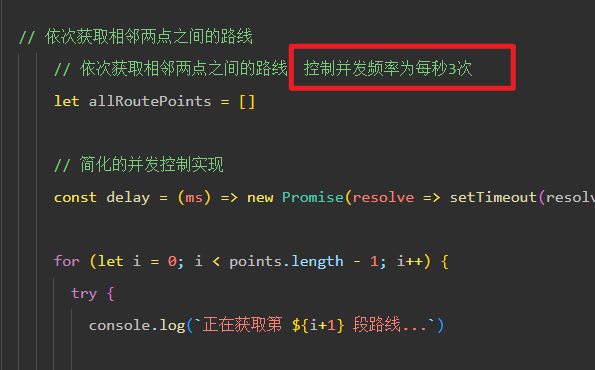
注意,由于调用api service接口有并发要求,每秒调用的次数不能超过5次,所以目前设置在每秒3次:
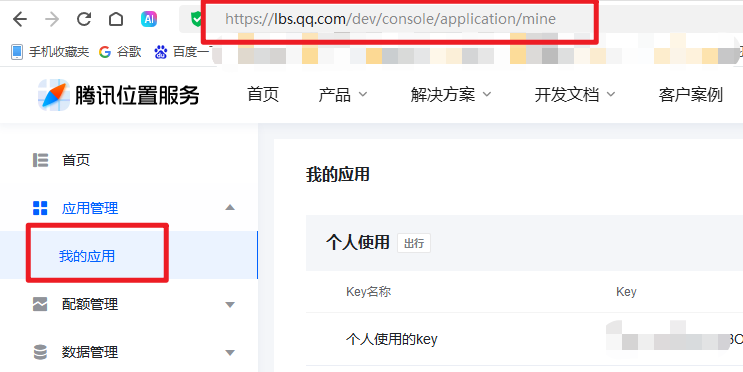
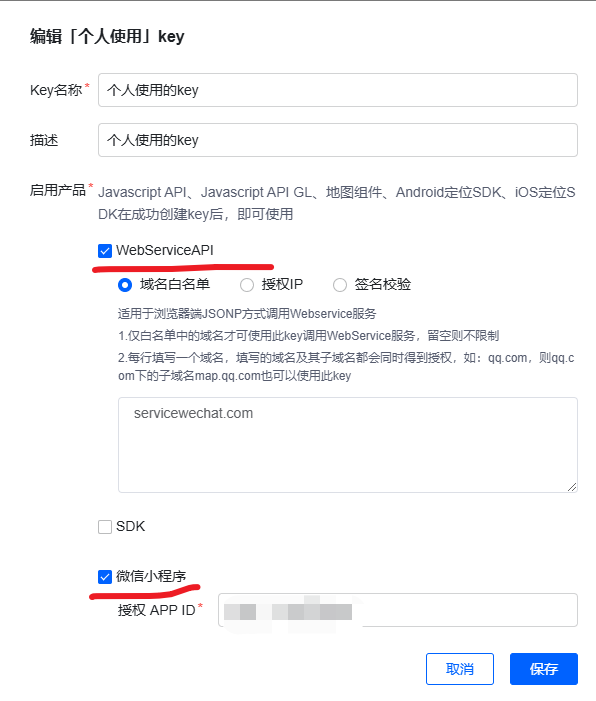
创建key: