目录
[新建Spring Boot项目并编写一个接口](#新建Spring Boot项目并编写一个接口)
[导入 Spring Boot 相关的依赖](#导入 Spring Boot 相关的依赖)
应用springbootdemo.yaml创建deployment
[扩容deployment pod](#扩容deployment pod)
前提条件
- 拥有Kubernetes集群环境,可参考:Kubernetes集群搭建
- 掌握Docker镜像知识,可参考:Docker镜像的使用
- 理解Kubernetes基本部署知识,可参考:使用Kubernetes部署第一个应用
- 有一定的Java、Spring Boot编程基础
新建Spring Boot项目并编写一个接口
新建Spring Boot项目及编写相关功能,这里编写一个Hello World接口。
环境说明:jdk8+, maven3+, IDEA2022
新建Maven工程
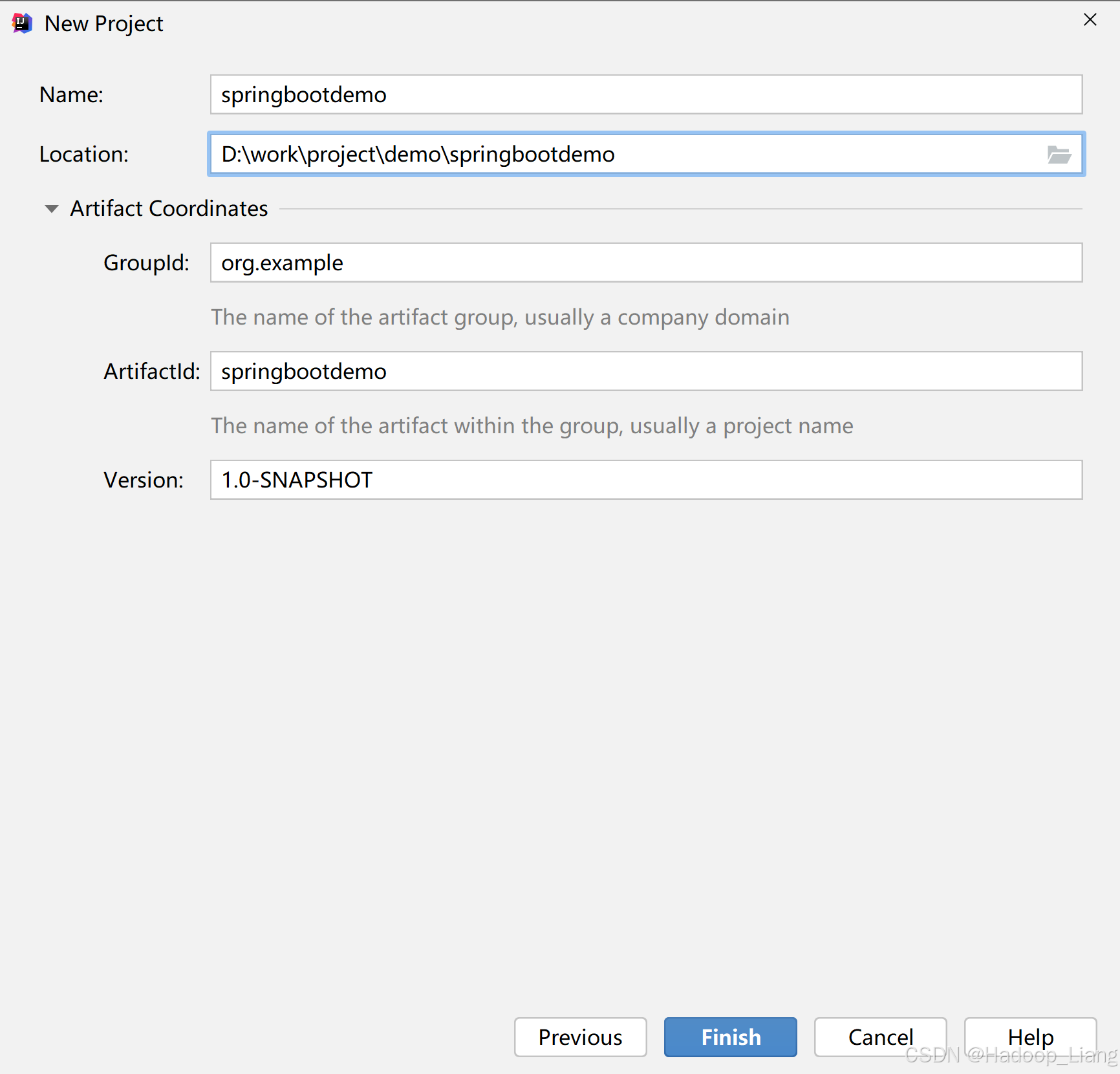
打开IDEA,File-->New,新建Maven项目,项目名称例如springbootdemo
导入 Spring Boot 相关的依赖
在该 Maven 项目的 pom.xml 中添加以下配置,在 一行之前添加Spring Boot 相关的依赖及打包插件。
    <!-- 打包格式 -->
    <packaging>jar</packaging>

    <parent>
        <groupId>org.springframework.boot</groupId>
        <artifactId>spring-boot-starter-parent</artifactId>
        <version>2.4.5</version>
        <relativePath/>
    </parent>

    <dependencies>
        <dependency>
            <groupId>org.springframework.boot</groupId>
            <artifactId>spring-boot-starter-web</artifactId>
        </dependency>
        <dependency>
            <groupId>org.springframework.boot</groupId>
            <artifactId>spring-boot-starter-test</artifactId>
            <scope>test</scope>
        </dependency>
    </dependencies>


    <!-- 打包插件 -->
    <build>
        <plugins>
            <plugin>
                <groupId>org.springframework.boot</groupId>
                <artifactId>spring-boot-maven-plugin</artifactId>
                <configuration>
                    <executable>true</executable>
                    <layout>JAR</layout>
                </configuration>
                <executions>
                    <execution>
                        <goals>
                            <goal>repackage</goal>
                        </goals>
                        <configuration>
                            <attach>false</attach>
                        </configuration>
                    </execution>
                </executions>
            </plugin>
        </plugins>
    </build>
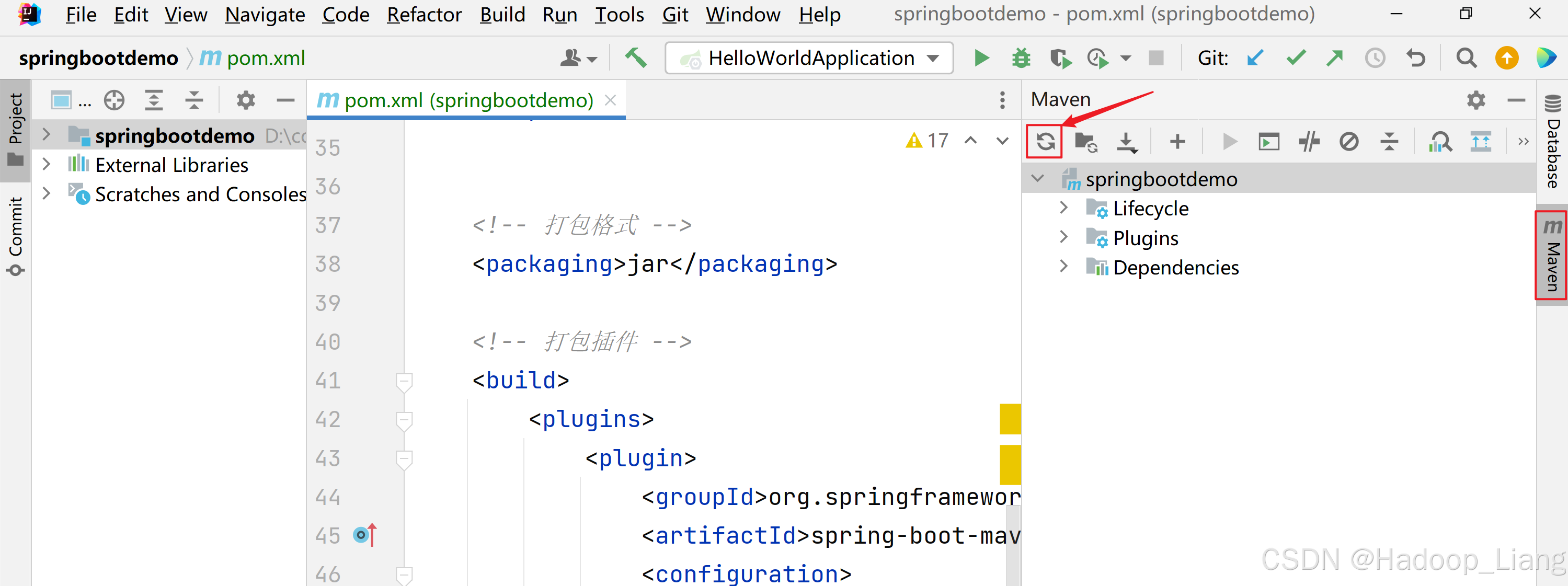
刷新依赖
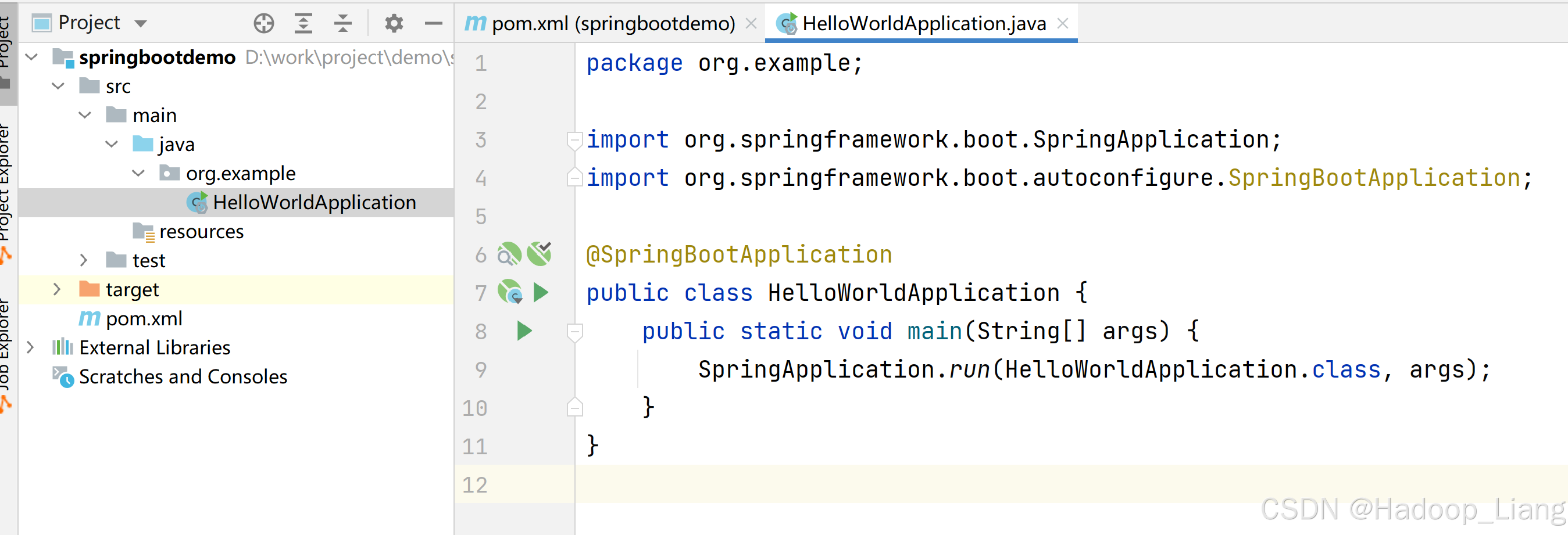
在src/main/java目录下,新建包org.example
在org.example包下新建启动类HelloWorldApplication
package org.example;

import org.springframework.boot.SpringApplication;
import org.springframework.boot.autoconfigure.SpringBootApplication;

@SpringBootApplication
public class HelloWorldApplication {
    public static void main(String[] args) {
        SpringApplication.run(HelloWorldApplication.class, args);
    }
}
启动项目
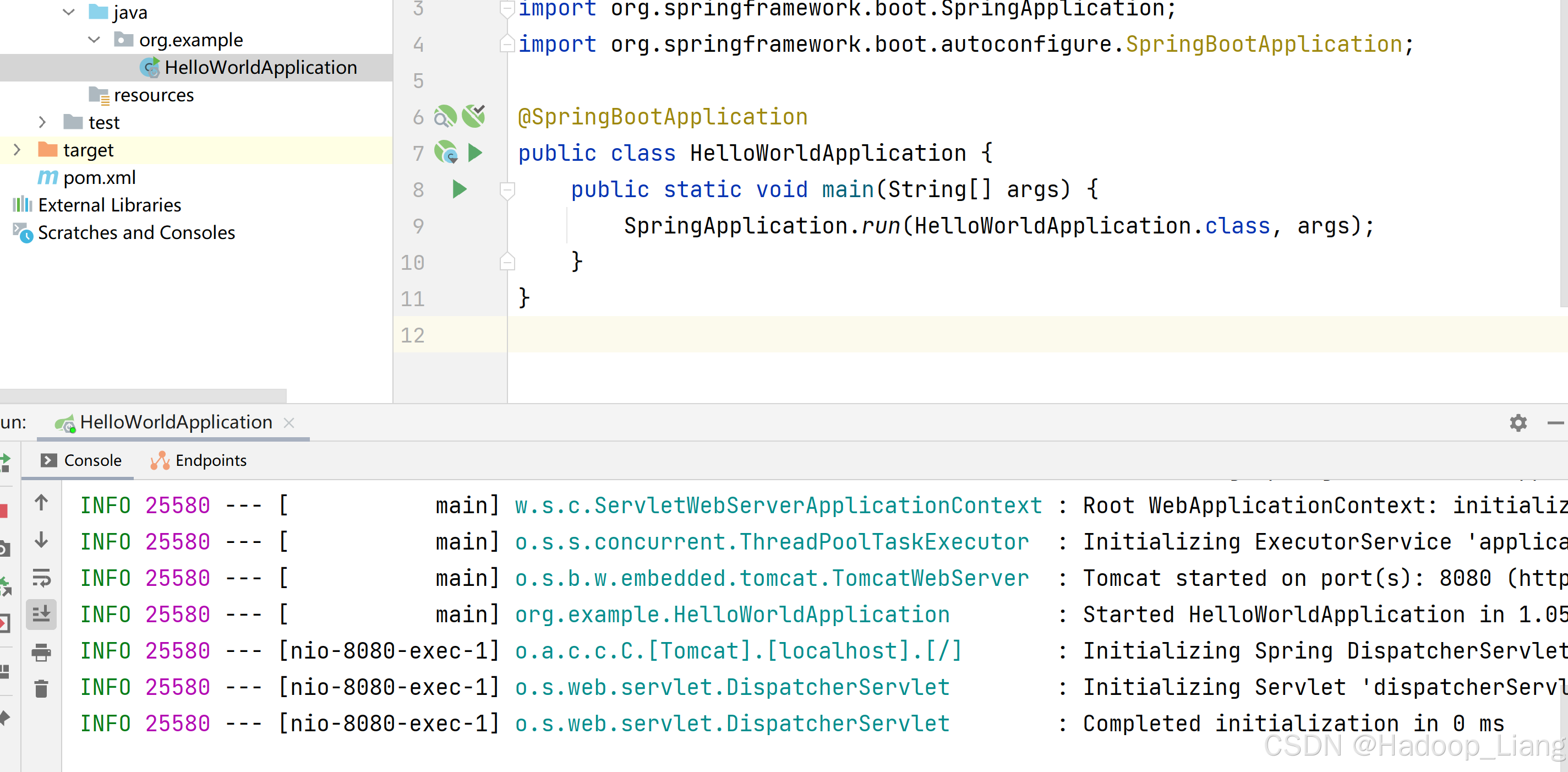
点击HelloWorldApplication.java第7行或第8行的绿色三角形启动项目
或者命令方式运行如下:
MacOS/Linux:
./mvnw spring-boot:run
Windows:
mvnw spring-boot:run
编写Controller
为了看到效果,在org.example下新建controller包,然后新建一个控制类HelloController
package org.example.controller;

import org.springframework.stereotype.Controller;
import org.springframework.web.bind.annotation.RequestMapping;
import org.springframework.web.bind.annotation.ResponseBody;

@Controller
public class HelloController {

    @ResponseBody
    @RequestMapping("/hello")
    public String hello(){
        return "Hello World";
    }
}
测试接口
重新运行项目
浏览器访问
效果如下:
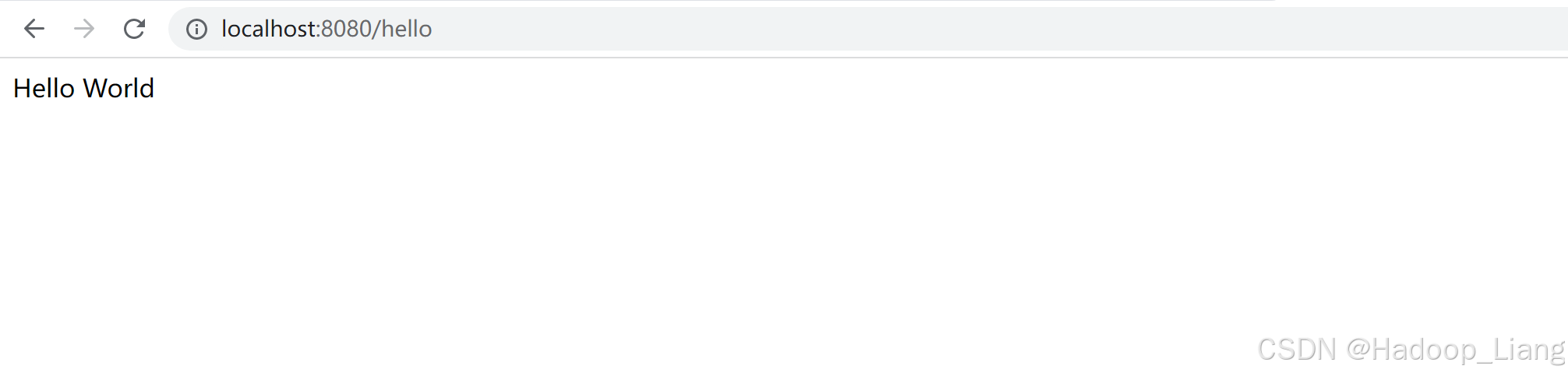
看到Hello World,说明接口正常。
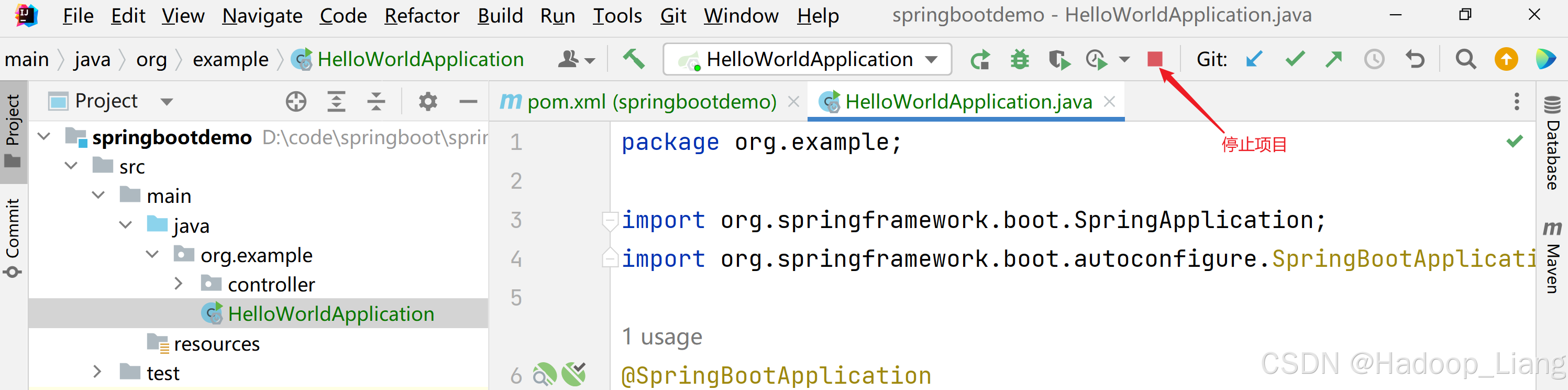
停止运行项目。
构建镜像
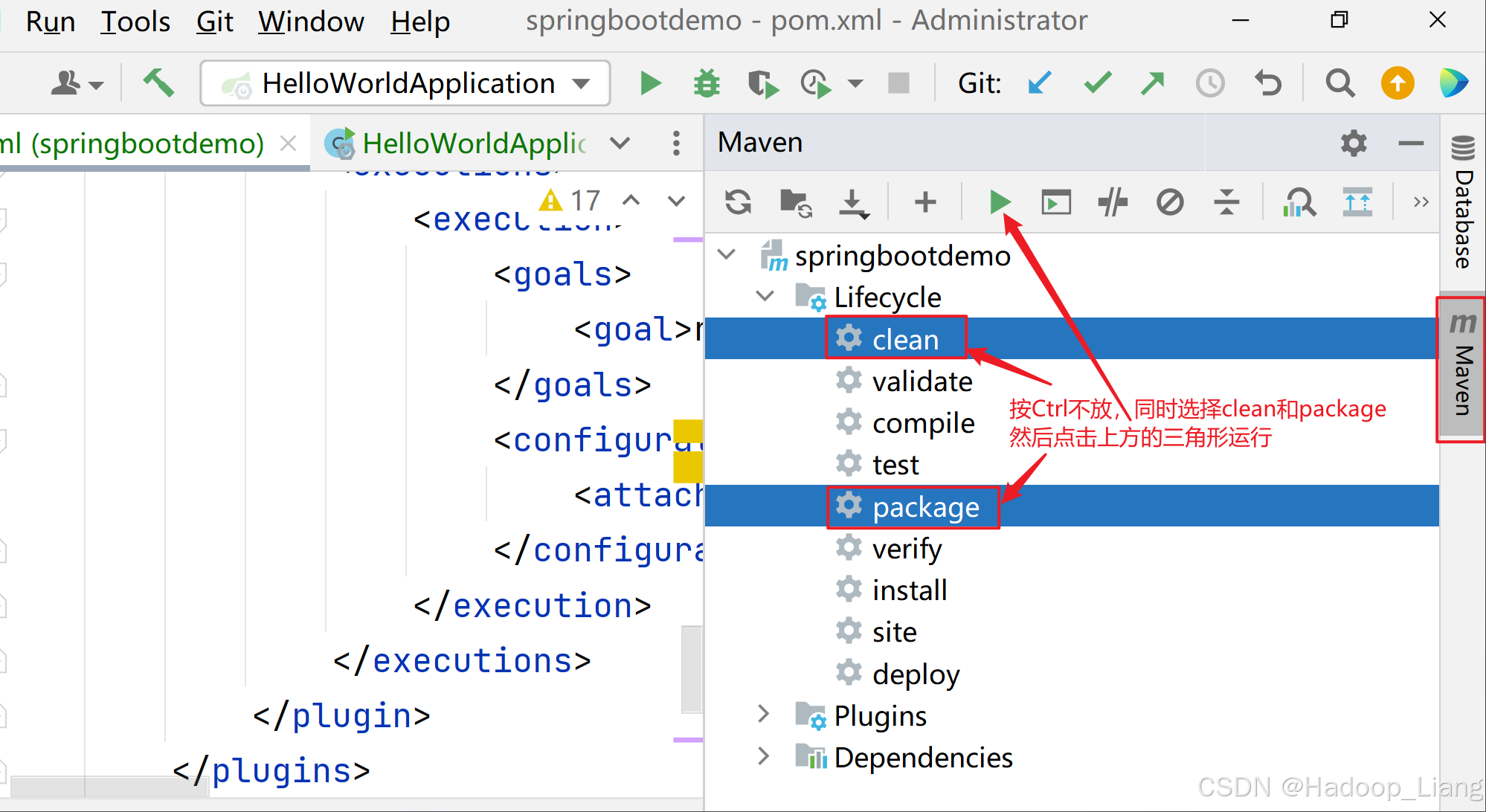
打jar包
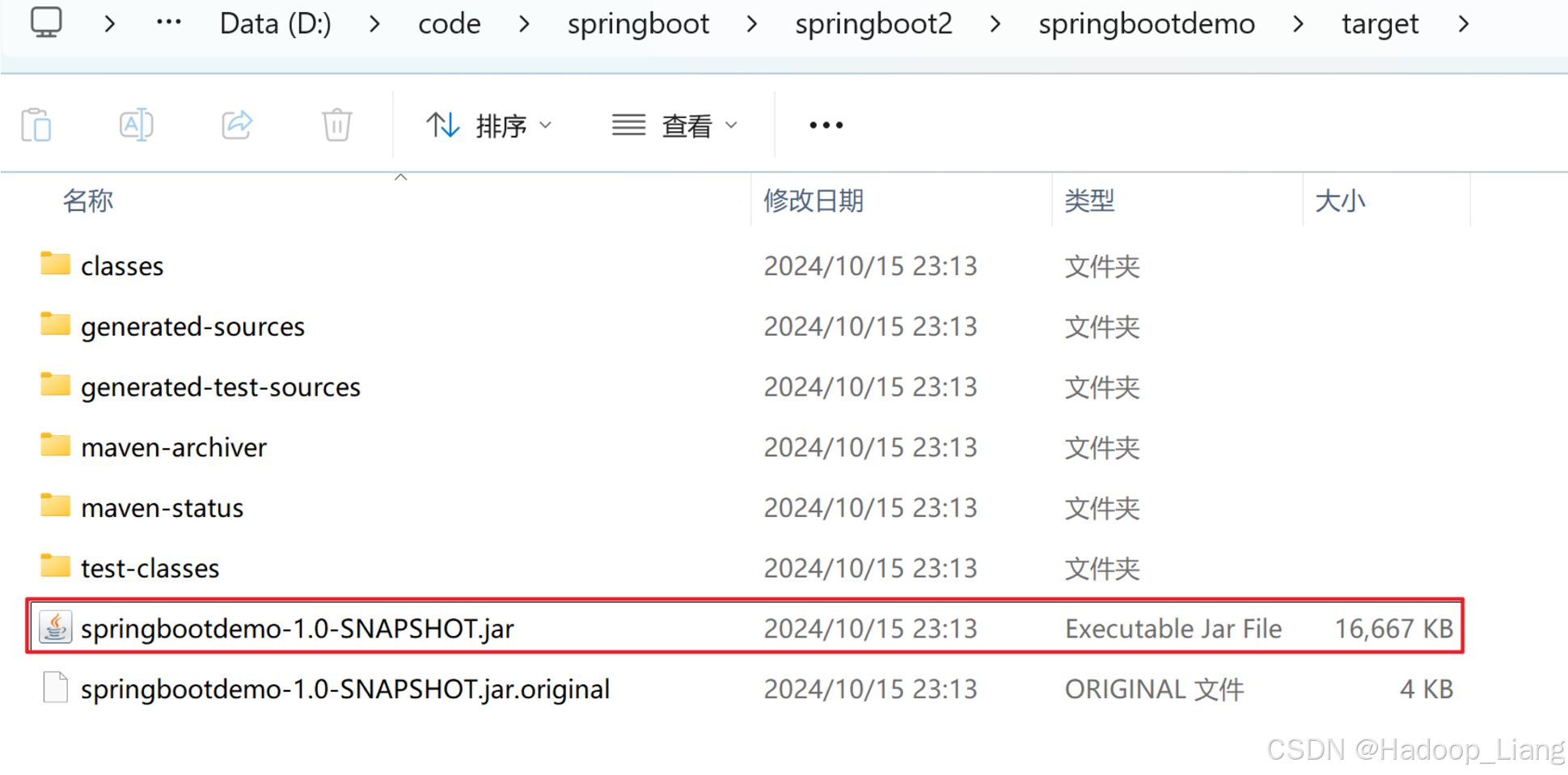
在项目的target目录下看到jar包如下
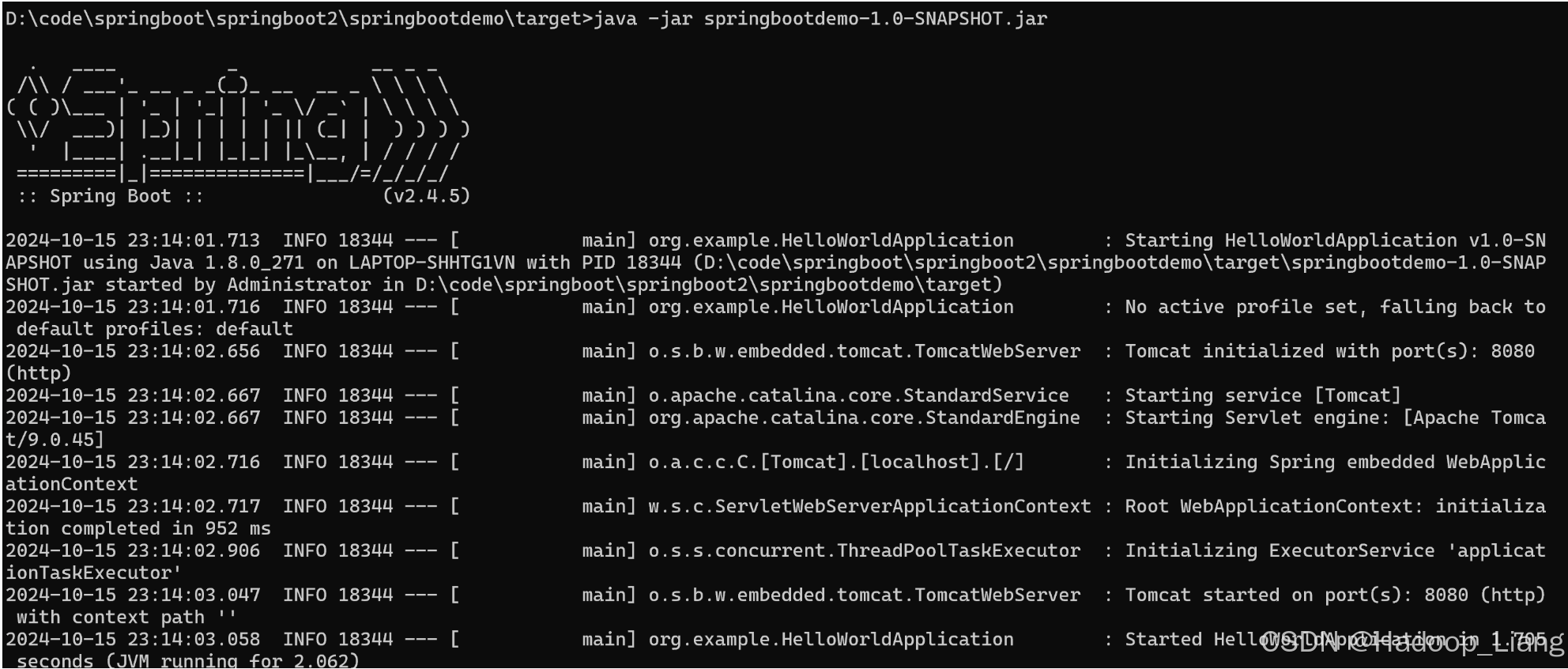
本地命令行运行jar包
cmd进入jar包所在目录,执行如下命令
D:codespringbootspringboot2springbootdemo arget>java -jar springbootdemo-1.0-SNAPSHOT.jar
浏览器访问
返回数据正常,说明jar包可用。
在cmd命令行按Ctrl+c停止项目,或者直接关闭cmd命令窗口。
新建Dockerfile文件
在工程目录下,新建Dockerfile文件,文件内容如下
FROM openjdk:8-jdk-alpine
ADD ./target/springbootdemo-1.0-SNAPSHOT.jar app.jar
ENTRYPOINT ["java", "-jar", "app.jar", "&"]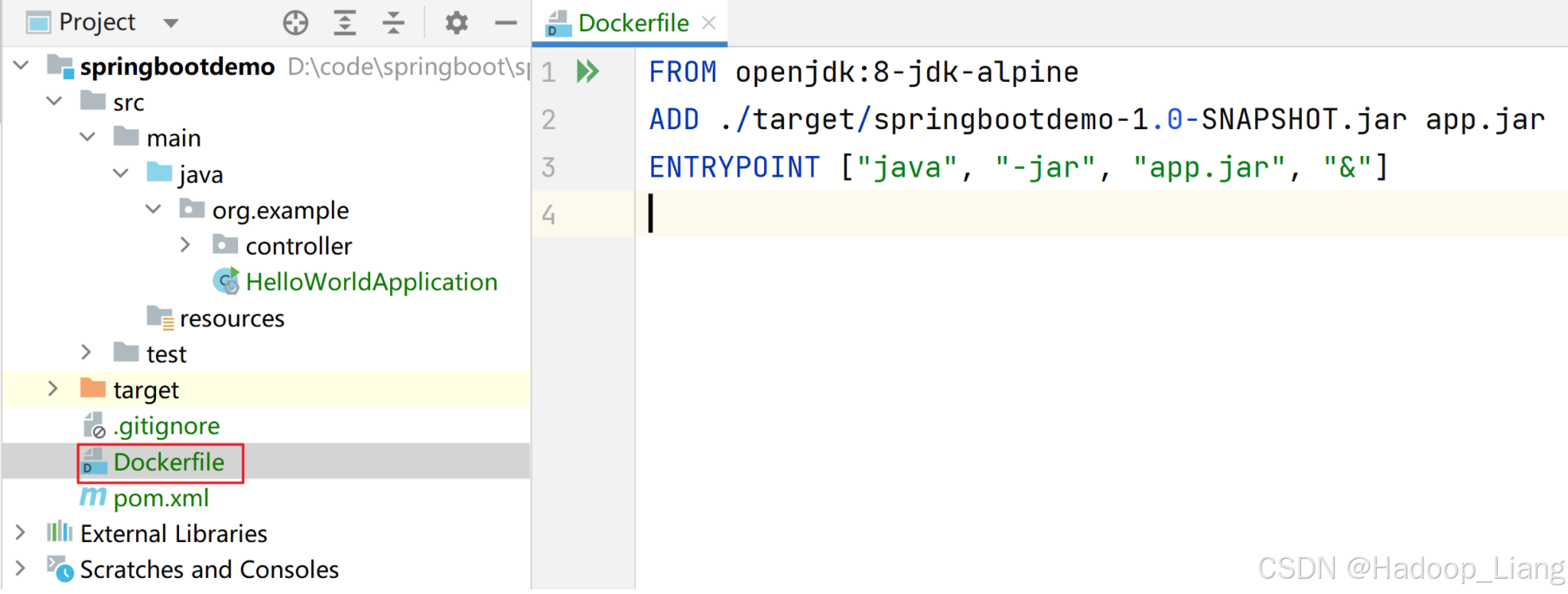
Docker在Linux下,需要把Dockerfile和target的jar包上传到Linux,再构建镜像。
Linux目录准备
在Linux下创建工作目录
root@k8s-master01 \~# mkdir -p test/springbootapp
root@k8s-master01 \~# cd test/springbootapp
root@k8s-master01 test#
上传Dockerfile和target目录到Linux
上传Dockerfile和target目录到Linux的/test/springbootapp目录
root@k8s-master01 springbootapp# ls
Dockerfile target
root@k8s-master01 springbootapp# ls target/
classes generated-test-sources maven-status springbootdemo-1.0-SNAPSHOT.jar.original
generated-sources maven-archiver springbootdemo-1.0-SNAPSHOT.jar test-classes
root@k8s-master01 springbootapp#
制作镜像
docker build -t springbootdemo:v1 .
操作过程
root@k8s-master01 springbootapp# docker build -t springbootdemo:v1 .
+ Building 579.2s (7/7) FINISHED docker:default
=> internal load build definition from Dockerfile 0.0s
=> => transferring dockerfile: 163B 0.0s
=> internal load metadata for docker.io/library/openjdk:8-jdk-alpine 169.8s
=> internal load .dockerignore 0.0s
=> => transferring context: 2B 0.0s
=> internal load build context 0.1s
=> => transferring context: 17.07MB 0.1s
=> 1/2 FROM docker.io/library/openjdk:8-jdk-alpine@sha256:94792824df2df33402f201713f932b58cb9de94a0cd524164a0f228334 407.7s
=> => resolve docker.io/library/openjdk:8-jdk-alpine@sha256:94792824df2df33402f201713f932b58cb9de94a0cd524164a0f22833435 0.0s
=> => sha256:f910a506b6cb1dbec766725d70356f695ae2bf2bea6224dbe8c7c6ad4f3664a2 238B / 238B 38.2s
=> => sha256:c2274a1a0e2786ee9101b08f76111f9ab8019e368dce1e325d3c284a0ca33397 70.73MB / 70.73MB 402.1s
=> => sha256:94792824df2df33402f201713f932b58cb9de94a0cd524164a0f2283343547b3 1.64kB / 1.64kB 0.0s
=> => sha256:44b3cea369c947527e266275cee85c71a81f20fc5076f6ebb5a13f19015dce71 947B / 947B 0.0s
=> => sha256:a3562aa0b991a80cfe8172847c8be6dbf6e46340b759c2b782f8b8be45342717 3.40kB / 3.40kB 0.0s
=> => sha256:e7c96db7181be991f19a9fb6975cdbbd73c65f4a2681348e63a141a2192a5f10 2.76MB / 2.76MB 42.6s
=> => extracting sha256:e7c96db7181be991f19a9fb6975cdbbd73c65f4a2681348e63a141a2192a5f10 0.4s
=> => extracting sha256:f910a506b6cb1dbec766725d70356f695ae2bf2bea6224dbe8c7c6ad4f3664a2 0.0s
=> => extracting sha256:c2274a1a0e2786ee9101b08f76111f9ab8019e368dce1e325d3c284a0ca33397 4.6s
=> 2/2 ADD ./target/springbootdemo-1.0-SNAPSHOT.jar app.jar 1.4s
=> exporting to image 0.2s
=> => exporting layers 0.2s
=> => writing image sha256:00bb52a626f8e486a884f956ff944bcbecedb39329476a41fa7f5dbb1587dd5f 0.0s
=> => naming to docker.io/library/springbootdemo:v1 0.0s
root@k8s-master01 springbootapp#
查看镜像
root@k8s-master01 springbootapp# docker images
REPOSITORY TAG IMAGE ID CREATED SIZE
springbootdemo v1 00bb52a626f8 About a minute ago 122MB
registry.aliyuncs.com/google_containers/kube-apiserver v1.31.1 6bab7719df10 2 months ago 94.2MB
registry.aliyuncs.com/google_containers/kube-controller-manager v1.31.1 175ffd71cce3 2 months ago 88.4MB
registry.aliyuncs.com/google_containers/kube-scheduler v1.31.1 9aa1fad94157 2 months ago 67.4MB
registry.aliyuncs.com/google_containers/kube-proxy v1.31.1 60c005f310ff 2 months ago 91.5MB
calico/typha v3.28.1 a19ab150aded 3 months ago 71.3MB
calico/kube-controllers v3.28.1 9d19dff735fa 3 months ago 79.3MB
calico/cni v3.28.1 f6d76a1259a8 3 months ago 209MB
calico/node v3.28.1 8bbeb9e1ee32 3 months ago 365MB
registry.aliyuncs.com/google_containers/coredns v1.11.3 c69fa2e9cbf5 3 months ago 61.8MB
registry.aliyuncs.com/google_containers/etcd 3.5.15-0 2e96e5913fc0 3 months ago 148MB
registry.aliyuncs.com/google_containers/pause 3.10 873ed7510279 5 months ago 736kB
hello-world latest d2c94e258dcb 18 months ago 13.3kB
registry.aliyuncs.com/google_containers/pause 3.8 4873874c08ef 2 years ago 711kB
能看到springbootdemo:v1镜像。
测试镜像
使用Docker命令测试运行镜像
docker run -d -p 8080:8080 --name springbootdemo springbootdemo:v1
命令行访问
root@k8s-master01 springbootapp# curl localhost:8080/hello
Hello Worldroot@k8s-master01 springbootapp#
浏览器访问虚拟机ip:8080/hello
http://192.168.204.101:8080/hello

能访问,说明镜像正常。
删除容器
root@k8s-master01 springbootapp# docker rm -f springbootdemo
上传镜像
上传镜像到镜像仓库,这里使用阿里云镜像仓库为例。
登录阿里云,进入控制台,找到容器镜像服务,创建命名空间,创建创库名称,根据操作指南进行操作,详细步骤可参考:Docker镜像的使用
上传镜像命令
$ docker login --username= registry.cn-shenzhen.aliyuncs.com
$ docker tag ImageId registry.cn-shenzhen.aliyuncs.com/mytest_ns/springbootdemo:镜像版本号
$ docker push registry.cn-shenzhen.aliyuncs.com/mytest_ns/springbootdemo:镜像版本号
注意:需要换成自己的账号名称
操作
登录阿里云
root@k8s-master01 springbootapp# docker login --username= registry.cn-shenzhen.aliyuncs.com
Password:
WARNING! Your password will be stored unencrypted in /root/.docker/config.json.
Configure a credential helper to remove this warning. See
https://docs.docker.com/engine/reference/commandline/login/#credential-stores
Login Succeeded
查看docker镜像id
root@k8s-master01 springbootapp# docker images
REPOSITORY TAG IMAGE ID CREATED SIZE
springbootdemo v1 00bb52a626f8 15 minutes ago 122MB
registry.aliyuncs.com/google_containers/kube-apiserver v1.31.1 6bab7719df10 2 months ago 94.2MB
registry.aliyuncs.com/google_containers/kube-scheduler v1.31.1 9aa1fad94157 2 months ago 67.4MB
registry.aliyuncs.com/google_containers/kube-controller-manager v1.31.1 175ffd71cce3 2 months ago 88.4MB
registry.aliyuncs.com/google_containers/kube-proxy v1.31.1 60c005f310ff 2 months ago 91.5MB
calico/typha v3.28.1 a19ab150aded 3 months ago 71.3MB
calico/kube-controllers v3.28.1 9d19dff735fa 3 months ago 79.3MB
calico/cni v3.28.1 f6d76a1259a8 3 months ago 209MB
calico/node v3.28.1 8bbeb9e1ee32 3 months ago 365MB
registry.aliyuncs.com/google_containers/coredns v1.11.3 c69fa2e9cbf5 3 months ago 61.8MB
registry.aliyuncs.com/google_containers/etcd 3.5.15-0 2e96e5913fc0 3 months ago 148MB
registry.aliyuncs.com/google_containers/pause 3.10 873ed7510279 5 months ago 736kB
hello-world latest d2c94e258dcb 18 months ago 13.3kB
registry.aliyuncs.com/google_containers/pause 3.8 4873874c08ef 2 years ago 711kB
对镜像打标签
root@k8s-master01 springbootapp# docker tag 00bb52a626f8 registry.cn-shenzhen.aliyuncs.com/mytest_ns/springbootdemo:v1
root@k8s-master01 springbootapp# docker images
REPOSITORY TAG IMAGE ID CREATED SIZE
registry.cn-shenzhen.aliyuncs.com/mytest_ns/springbootdemo v1 00bb52a626f8 16 minutes ago 122MB
springbootdemo v1 00bb52a626f8 16 minutes ago 122MB
registry.aliyuncs.com/google_containers/kube-apiserver v1.31.1 6bab7719df10 2 months ago 94.2MB
registry.aliyuncs.com/google_containers/kube-scheduler v1.31.1 9aa1fad94157 2 months ago 67.4MB
registry.aliyuncs.com/google_containers/kube-controller-manager v1.31.1 175ffd71cce3 2 months ago 88.4MB
registry.aliyuncs.com/google_containers/kube-proxy v1.31.1 60c005f310ff 2 months ago 91.5MB
calico/typha v3.28.1 a19ab150aded 3 months ago 71.3MB
calico/kube-controllers v3.28.1 9d19dff735fa 3 months ago 79.3MB
calico/cni v3.28.1 f6d76a1259a8 3 months ago 209MB
calico/node v3.28.1 8bbeb9e1ee32 3 months ago 365MB
registry.aliyuncs.com/google_containers/coredns v1.11.3 c69fa2e9cbf5 3 months ago 61.8MB
registry.aliyuncs.com/google_containers/etcd 3.5.15-0 2e96e5913fc0 3 months ago 148MB
registry.aliyuncs.com/google_containers/pause 3.10 873ed7510279 5 months ago 736kB
hello-world latest d2c94e258dcb 18 months ago 13.3kB
registry.aliyuncs.com/google_containers/pause 3.8 4873874c08ef 2 years ago 711kB
上传镜像
root@k8s-master01 springbootapp# docker push registry.cn-shenzhen.aliyuncs.com/mytest_ns/springbootdemo:v1
The push refers to repository registry.cn-shenzhen.aliyuncs.com/mytest_ns/springbootdemo
7217cf1a65b2: Pushed
ceaf9e1ebef5: Pushed
9b9b7f3d56a0: Pushed
f1b5933fe4b5: Pushed
v1: digest: sha256:360f8ce8a2358fca237f6fd884cf58a3f9184c3fa08f9b475a35fe0bc2bb93bc size: 1159
root@k8s-master01 springbootapp#
查看上传成功的镜像
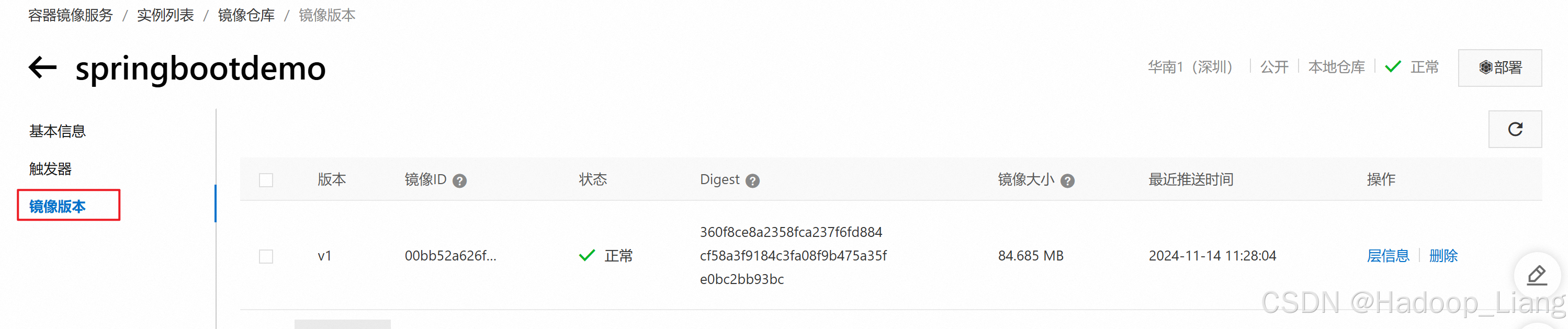
镜像大小是压缩过后的大小。
准备yaml文件
# 生成springbootdemo.yaml
[root@k8s-master01 ~]# kubectl create deployment springboothello --image=registry.cn-shenzhen.aliyuncs.com/mytest_ns/springbootdemo:v1 --dry-run=client -o yaml > springbootdemo.yaml

# 查看yaml文件
[root@k8s-master01 ~]# ls
...  springbootdemo.yaml  ...

# 查看springbootdemo.yaml内容
[root@k8s-master01 ~]# cat springbootdemo.yaml
apiVersion: apps/v1
kind: Deployment
metadata:
  creationTimestamp: null
  labels:
    app: springboothello
  name: springboothello
spec:
  replicas: 1
  selector:
    matchLabels:
      app: springboothello
  strategy: {}
  template:
    metadata:
      creationTimestamp: null
      labels:
        app: springboothello
    spec:
      containers:
      - image: registry.cn-shenzhen.aliyuncs.com/mytest_ns/springbootdemo:v1
        name: springbootdemo
        resources: {}
status: {}
创建deployment
应用springbootdemo.yaml创建deployment
root@k8s-master01 \~# kubectl apply -f springbootdemo.yaml
deployment.apps/springboothello created
查看deployment
root@k8s-master01 \~# kubectl get deployment
NAME READY UP-TO-DATE AVAILABLE AGE
springboothello 0/1 1 0 12s
查看deployment详情
root@k8s-master01 \~# kubectl describe deployment springboothello
Name: springboothello
Namespace: default
CreationTimestamp: Thu, 14 Nov 2024 12:28:11 +0800
Labels: app=springboothello
Annotations: deployment.kubernetes.io/revision: 1
Selector: app=springboothello
Replicas: 1 desired | 1 updated | 1 total | 1 available | 0 unavailable
StrategyType: RollingUpdate
MinReadySeconds: 0
RollingUpdateStrategy: 25% max unavailable, 25% max surge
Pod Template:
Labels: app=springboothello
Containers:
springbootdemo:
Image: registry.cn-shenzhen.aliyuncs.com/mytest_ns/springbootdemo:v1
Port:
Host Port:
Environment:
Mounts:
Volumes:
Node-Selectors:
Tolerations:
Conditions:
Type Status Reason
Available True MinimumReplicasAvailable
Progressing True NewReplicaSetAvailable
OldReplicaSets:
NewReplicaSet: springboothello-747b759b88 (1/1 replicas created)
Events:
Type Reason Age From Message
Normal ScalingReplicaSet 103s deployment-controller Scaled up replica set springboothello-747b759b88 to 1
查看pod
root@k8s-master01 \~# kubectl get pods
NAME READY STATUS RESTARTS AGE
springboothello-747b759b88-v8t54 1/1 Running 0 2m59s
root@k8s-master01 \~# kubectl get pods -o wide
NAME READY STATUS RESTARTS AGE IP NODE NOMINATED NODE READINESS GATES
springboothello-747b759b88-v8t54 1/1 Running 0 3m52s 10.244.85.192 k8s-node01
root@k8s-master01 \~#
访问测试
集群内,命令访问
root@k8s-master01 \~# curl 10.244.85.192:8080/hello
Hello Worldroot@k8s-master01 \~#
root@k8s-node01 \~# curl 10.244.85.192:8080/hello
Hello Worldroot@k8s-node01 \~#
root@k8s-node02 \~# curl 10.244.85.192:8080/hello
Hello Worldroot@k8s-node02 \~#
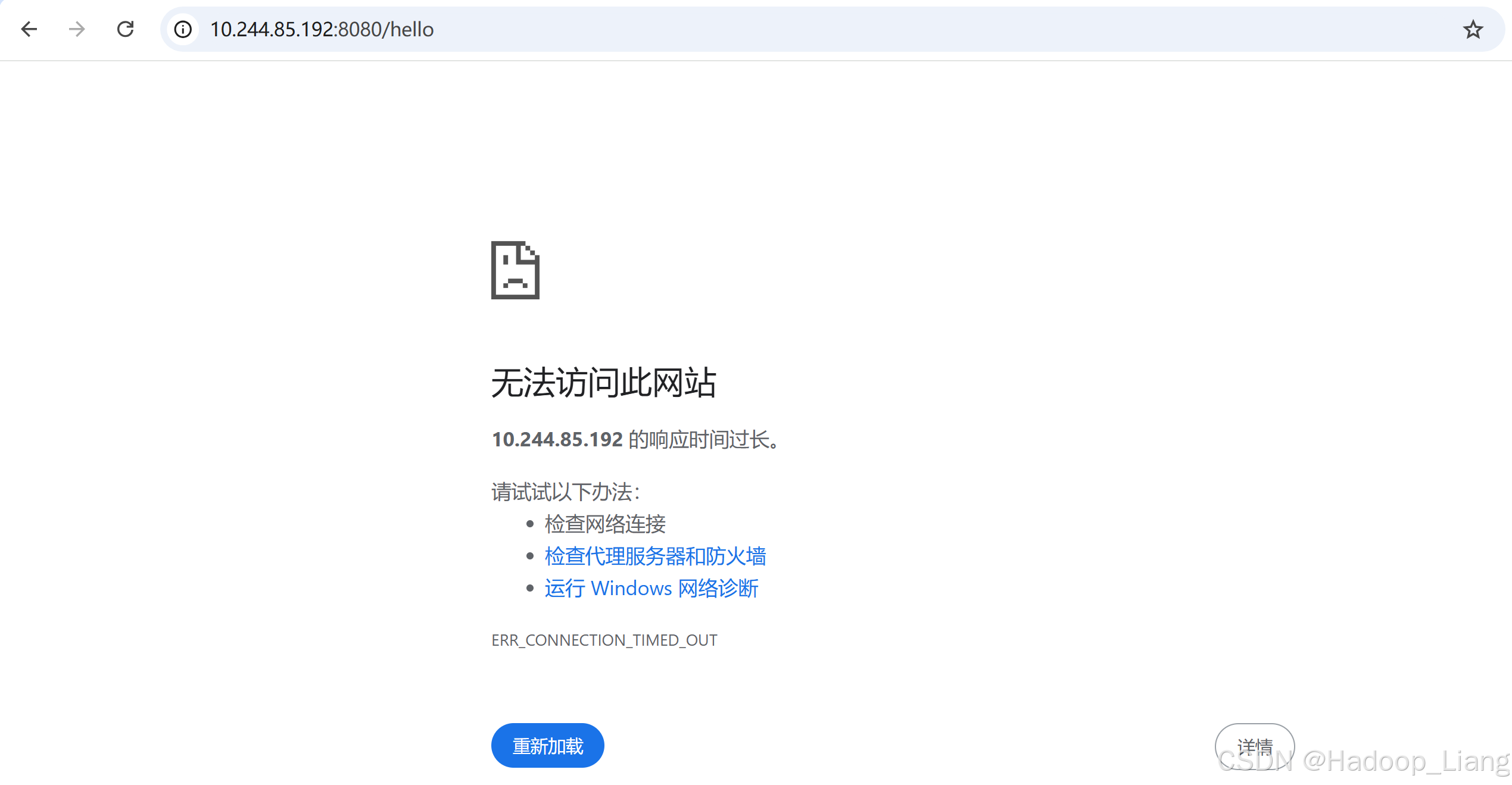
注意:此时只能在集群内部使用。如果用集群外的浏览器访问,访问不了
扩容deployment pod
pod扩容为3
[root@k8s-makubectl scale deployment springboothello --replicas=3
deployment.apps/springboothello scaled
查看pods,还有容器正在创建
root@k8s-master01 \~# kubectl get pods -o wide
NAME READY STATUS RESTARTS AGE IP NODE NOMINATED NODE READINESS GATES
springboothello-747b759b88-cs9dv 1/1 Running 0 6s 10.244.85.196 k8s-node01
springboothello-747b759b88-jzlpm 0/1 ContainerCreating 0 6s k8s-node02
springboothello-747b759b88-v8t54 1/1 Running 0 112m 10.244.85.192 k8s-node01
查看pods,成功如下
root@k8s-master01 \~# kubectl get pods -o wide
NAME READY STATUS RESTARTS AGE IP NODE NOMINATED NODE READINESS GATES
springboothello-747b759b88-cs9dv 1/1 Running 0 3m8s 10.244.85.196 k8s-node01
springboothello-747b759b88-jzlpm 1/1 Running 0 3m8s 10.244.58.194 k8s-node02
springboothello-747b759b88-v8t54 1/1 Running 0 115m 10.244.85.192 k8s-node01
root@k8s-master01 \~#
公布应用程序
对外暴露应用
对外暴露应用
root@k8s-master01 \~# kubectl expose deployment springboothello --port=8080 --target-port=8080 --type=NodePort
命令参数说明
-
expose:这是kubectl的一个子命令,用于创建一个新的服务来暴露一个资源(如 Deployment、Pod 等)。 -
deployment springboothello:指定要暴露的资源是名为springboothello的 Deployment。这意味着该服务会将流量路由到这个 Deployment 所管理的 Pod 集合上。 -
--port=8080:定义了服务在集群内部监听的端口号为 8080。当其他服务或 Pod 在集群内部要访问这个服务时,会使用这个端口。 -
--target-port=8080:指定了流量最终要被转发到后端 Pod 上的端口号也是 8080。也就是说,从服务的 8080 端口接收到的流量会被转发到对应的 Deployment 所管理的 Pod 的 8080 端口上。 -
--type=NodePort:设置服务的类型为 NodePort。这种类型的服务会在集群中的每个节点(Node)上开放一个指定范围(通常是 30000 - 32767)内的随机端口,外部客户端可以通过访问集群中任意节点的该随机端口来访问到服务背后的应用(这里就是springboothelloDeployment 所管理的 Pod 运行的应用)。
查看服务
查看service
root@k8s-master01 \~# kubectl get svc
NAME TYPE CLUSTER-IP EXTERNAL-IP PORT(S) AGE
kubernetes ClusterIP 10.0.0.1 443/TCP 60d
springboothello NodePort 10.1.199.196 8080:30582/TCP 8s
root@k8s-master01 \~#
从service中,可以看到springboothello的Service CLUSTER-IP为10.1.199.196,PORT8080映射为30582端口
访问测试
命令访问ServiceCLUSTER-IP:8080/hello
root@k8s-master01 \~# curl 10.1.199.196:8080/hello
Hello Worldroot@k8s-master01 \~#
命令访问K8S机器IP:30582
root@k8s-master01 \~# curl 192.168.204.101:30582/hello
Hello Worldroot@k8s-master01 \~#
root@k8s-master01 \~# curl 192.168.204.102:30582/hello
Hello Worldroot@k8s-master01 \~#
root@k8s-master01 \~# curl 192.168.204.103:30582/hello
Hello Worldroot@k8s-master01 \~#
浏览器访问
192.168.204.101:30582/hello
192.168.204.102:30582/hello
192.168.204.103:30582/hello
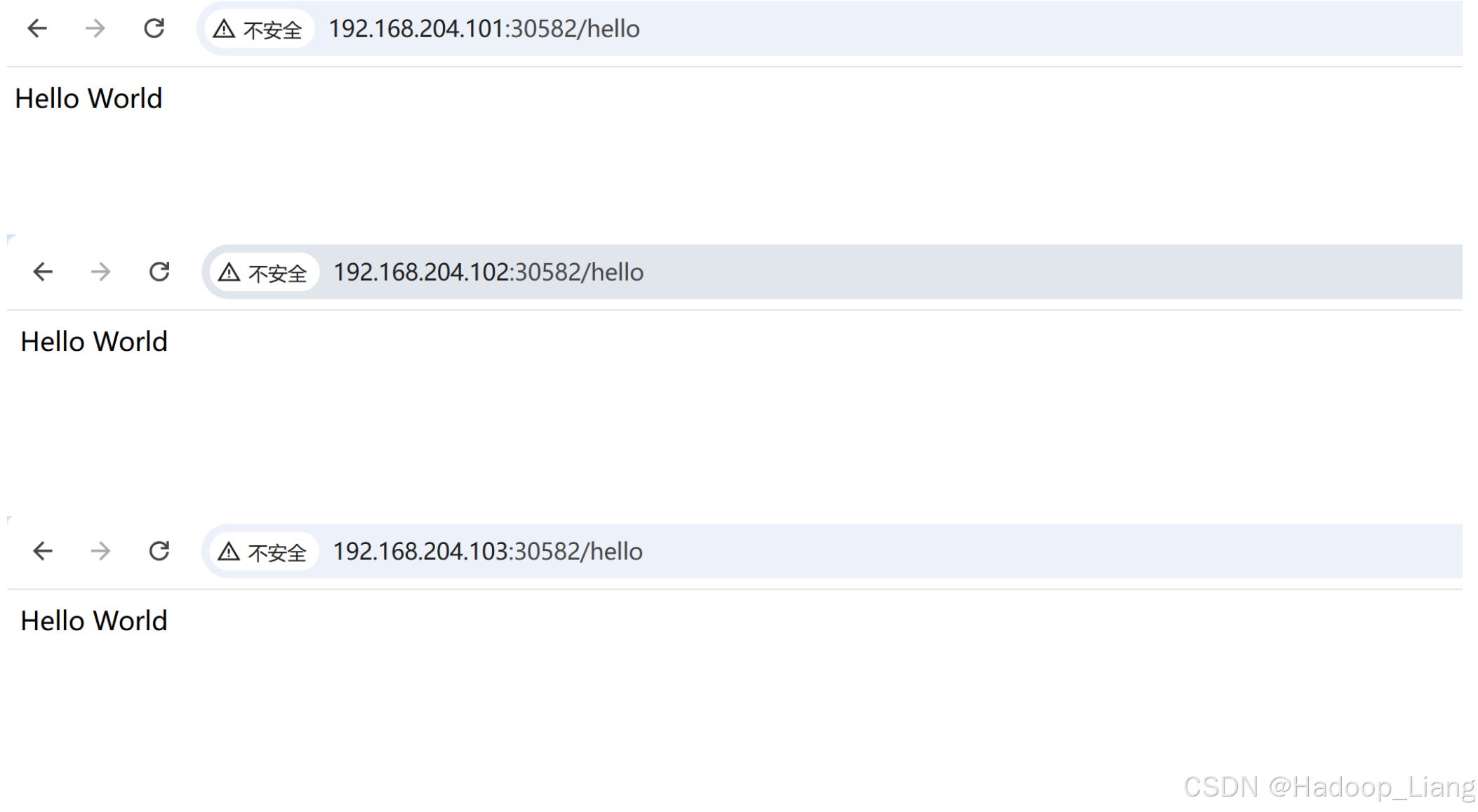
看到能正常返回数据,说明公布应用程序成功。
至此,已成功使用Kubernetes部署Spring Boot项目。
完成! enjoy it!