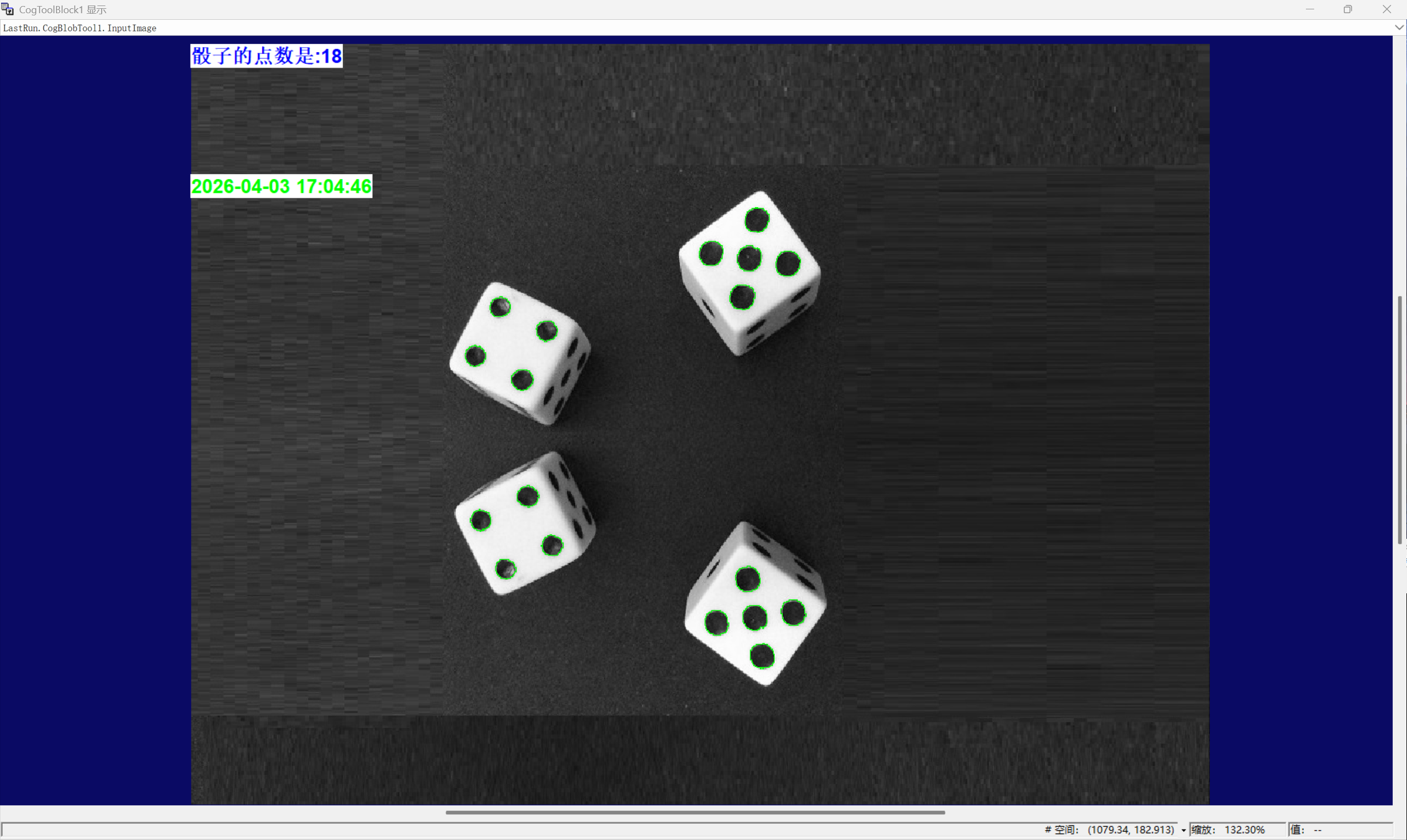
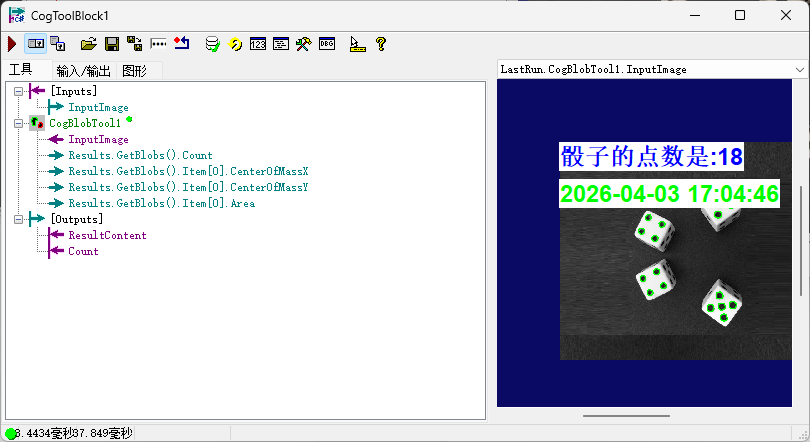
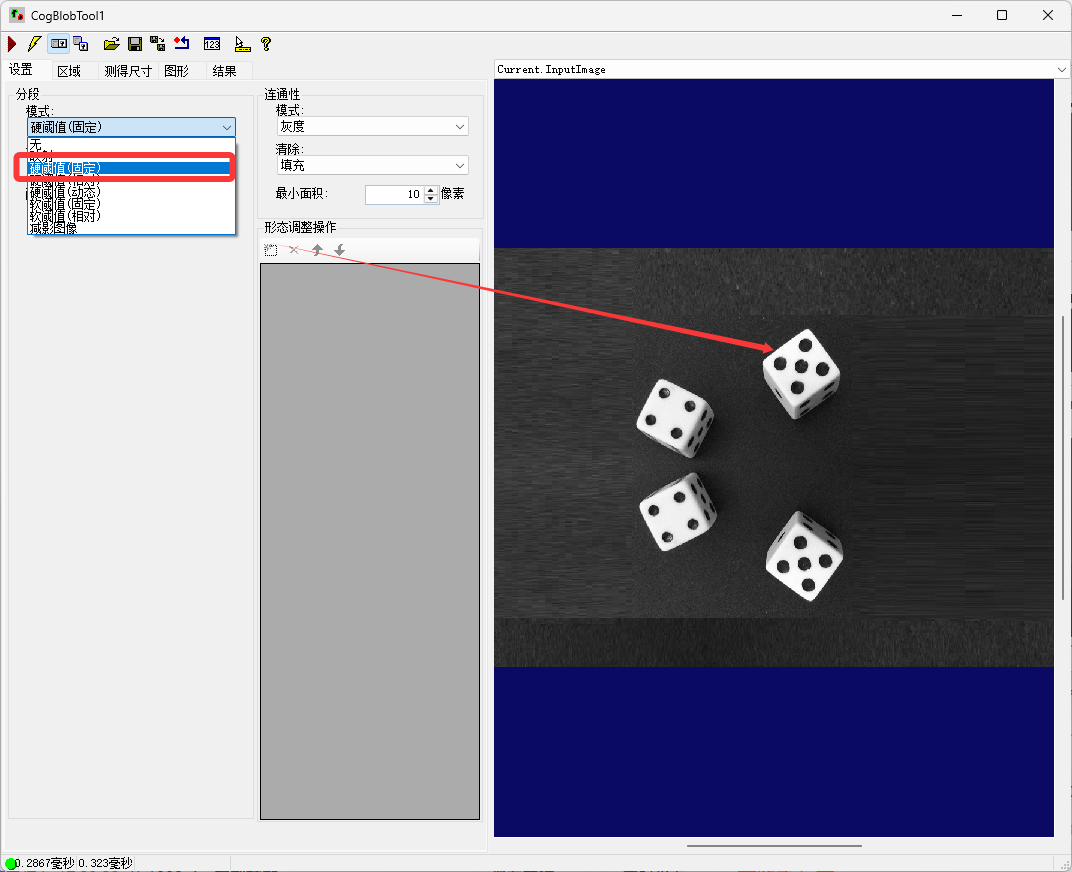
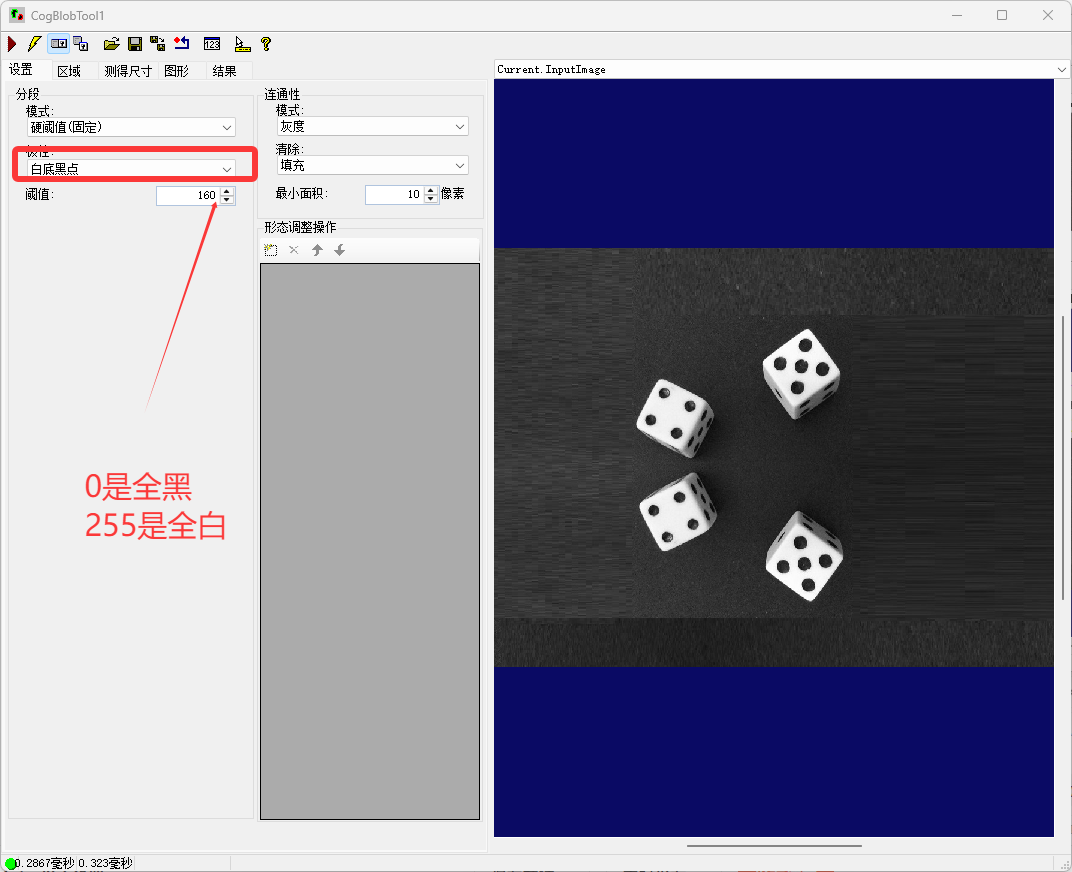
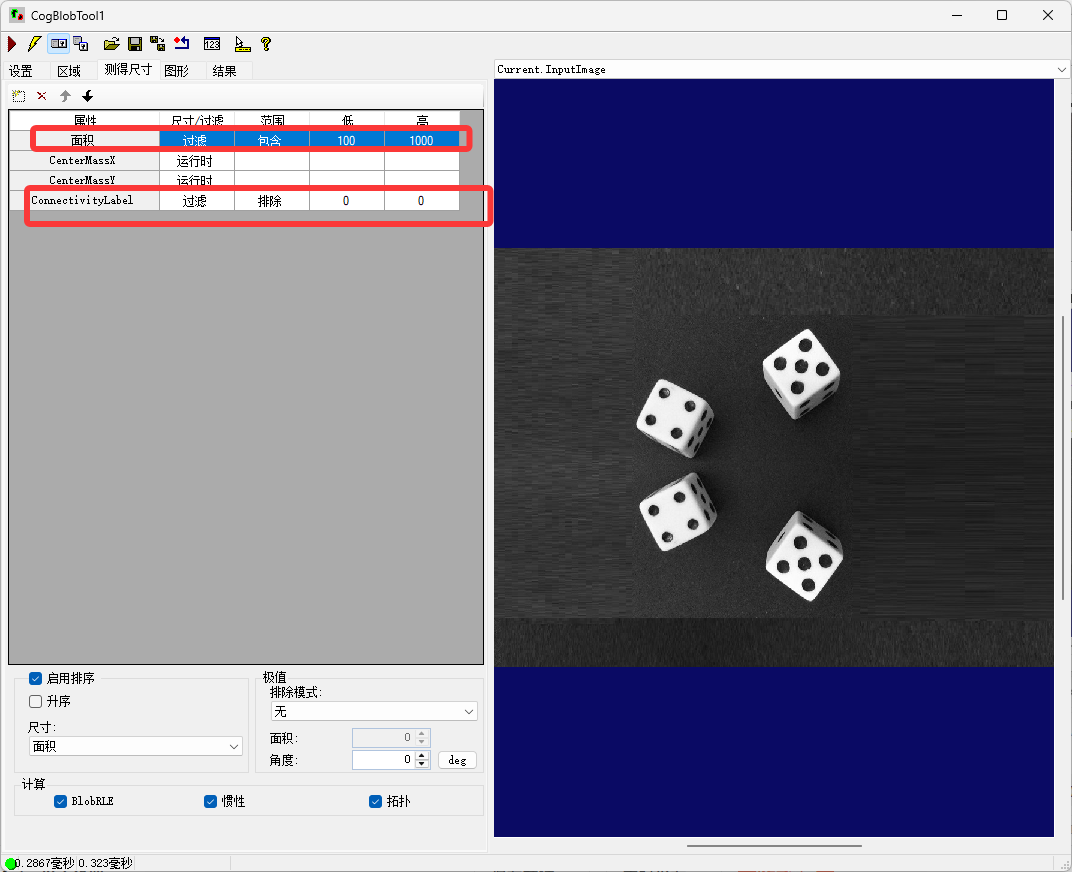
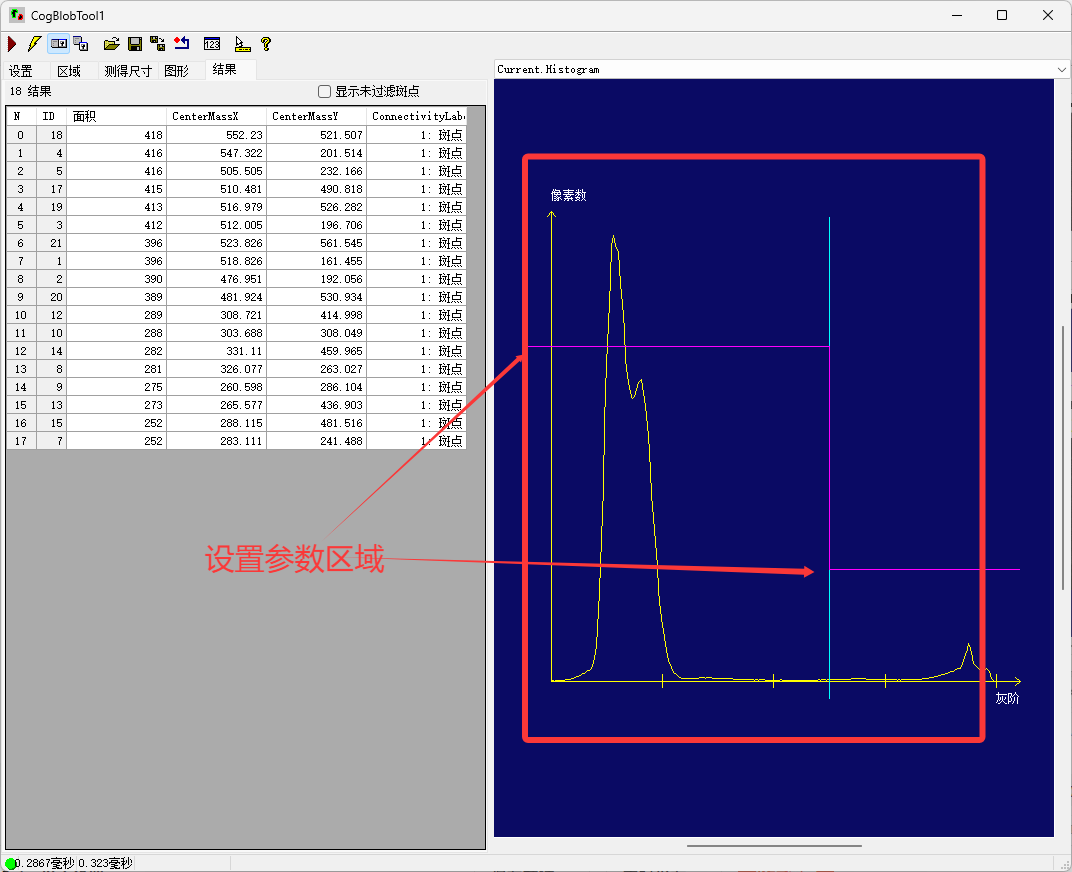
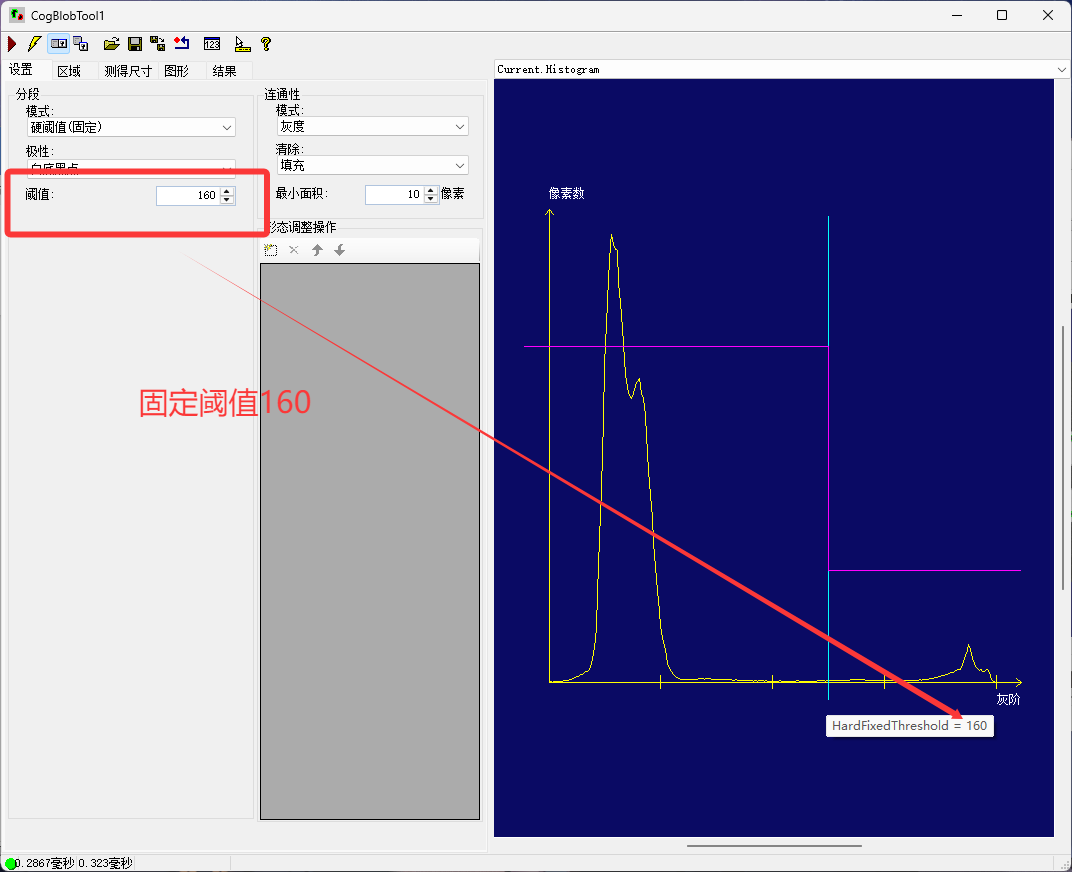
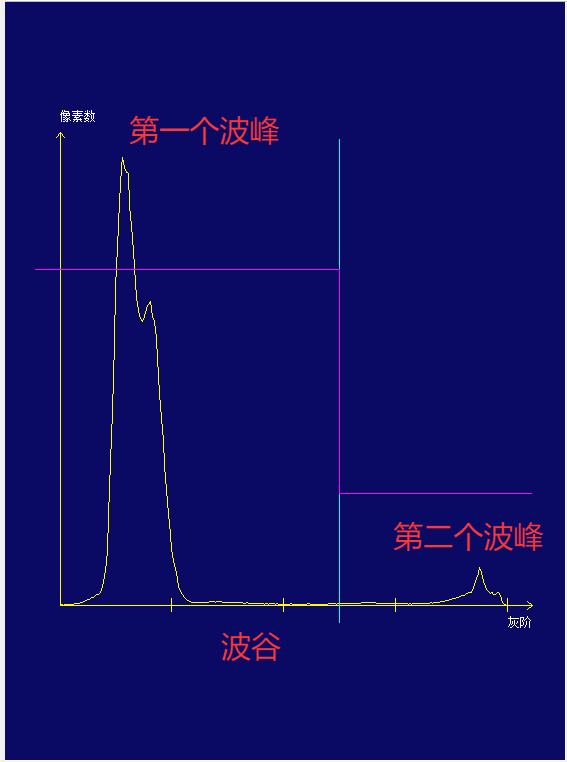
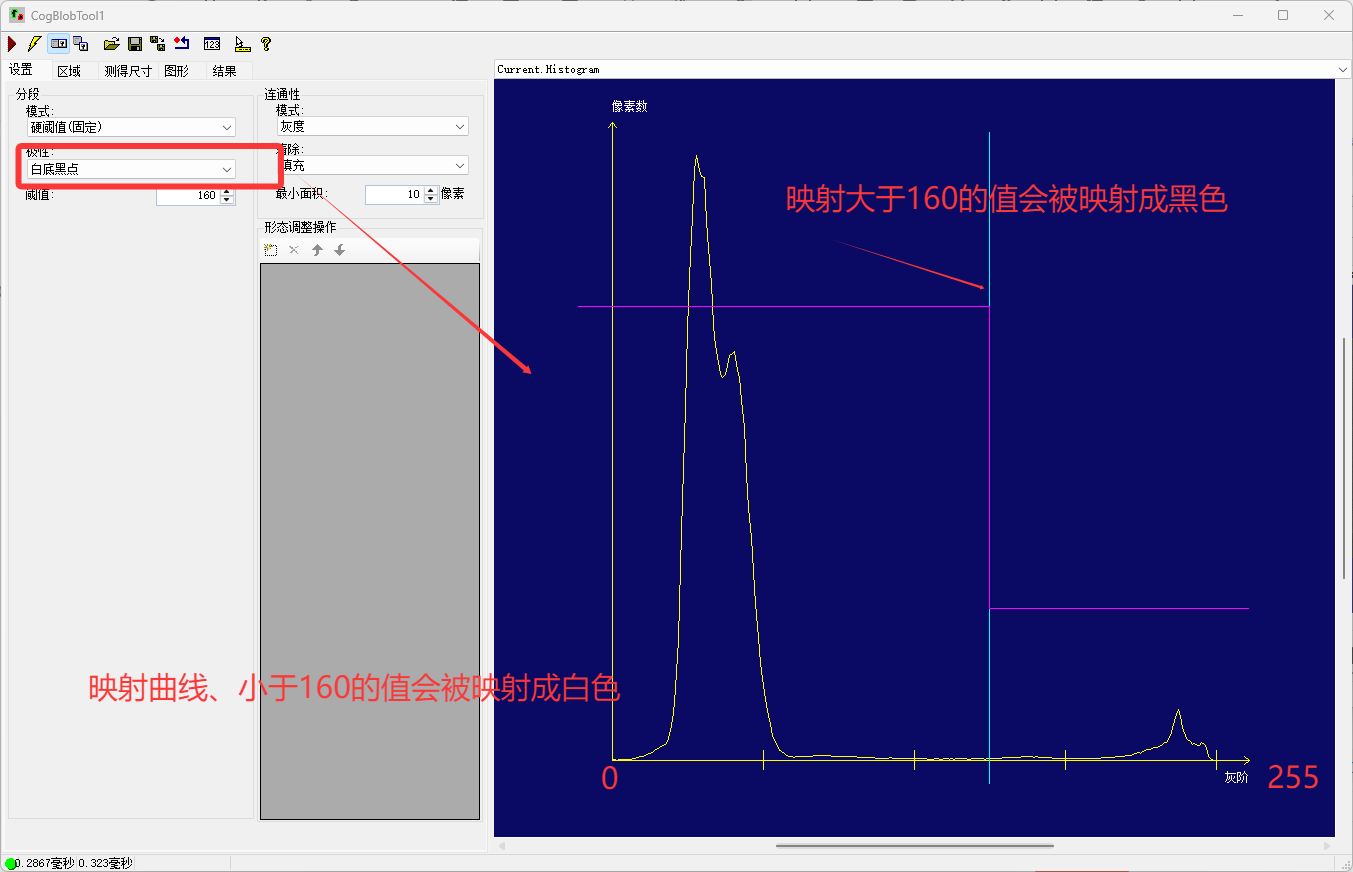
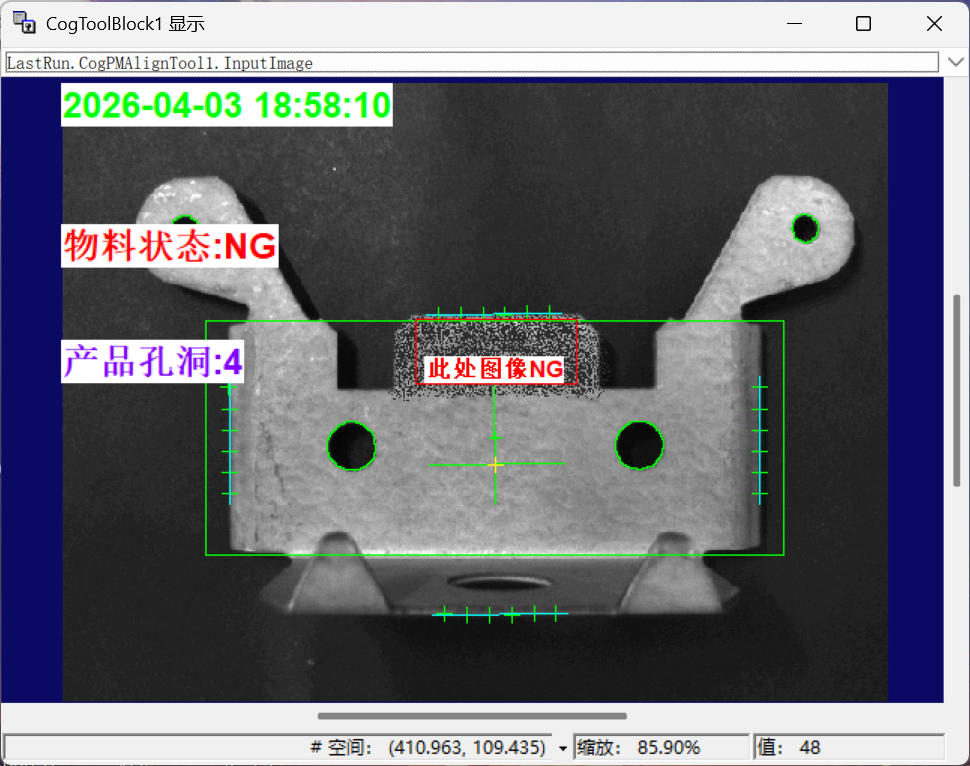
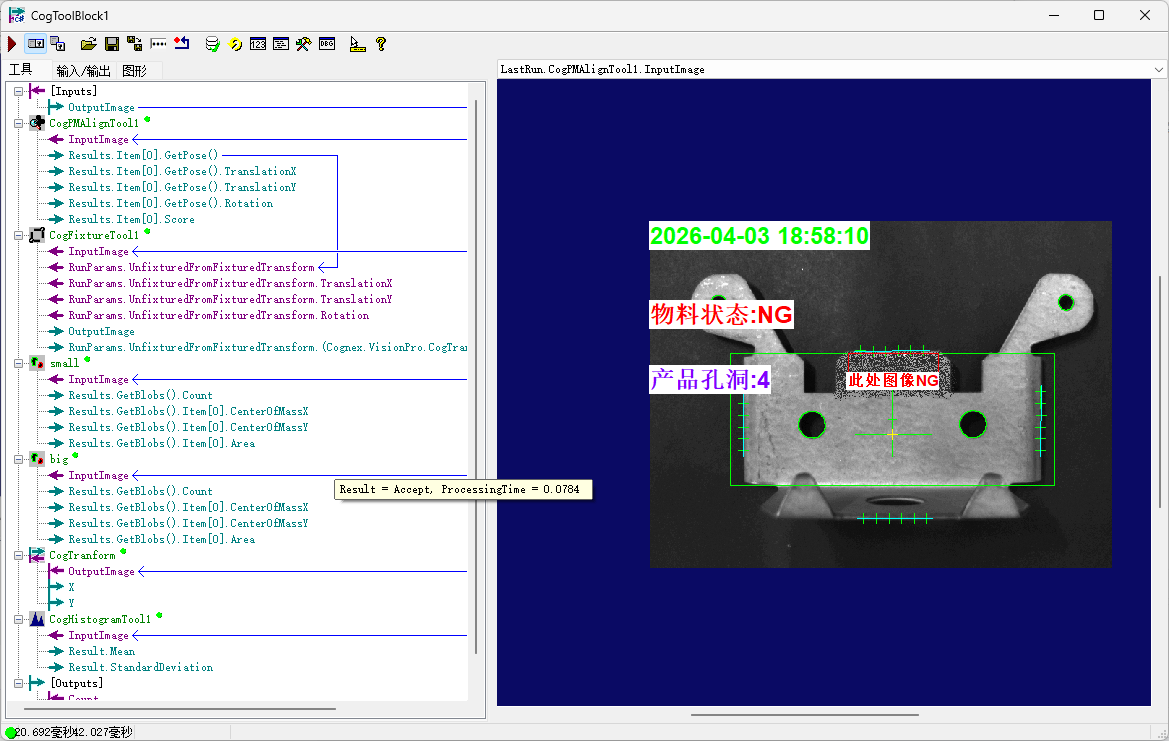
#region namespace imports
using System;
using System.Collections;
using System.Drawing;
using System.IO;
using System.Windows.Forms;
using Cognex.VisionPro;
using Cognex.VisionPro.ToolBlock;
using Cognex.VisionPro3D;
using Cognex.VisionPro.Dimensioning;
using Cognex.VisionPro.ImageProcessing;
using Cognex.VisionPro.Blob;
#endregion
public class CogToolBlockAdvancedScript : CogToolBlockAdvancedScriptBase
{
#region Private Member Variables
private Cognex.VisionPro.ToolBlock.CogToolBlock mToolBlock;
#endregion
private CogGraphicCollection dt = new CogGraphicCollection();
/// <summary>
/// Called when the parent tool is run.
/// Add code here to customize or replace the normal run behavior.
/// </summary>
/// <param name="message">Sets the Message in the tool's RunStatus.</param>
/// <param name="result">Sets the Result in the tool's RunStatus</param>
/// <returns>True if the tool should run normally,
/// False if GroupRun customizes run behavior</returns>
public override bool GroupRun(ref string message, ref CogToolResultConstants result)
{
// To let the execution stop in this script when a debugger is attached, uncomment the following lines.
// #if DEBUG
// if (System.Diagnostics.Debugger.IsAttached) System.Diagnostics.Debugger.Break();
// #endif
dt.Clear();
CogImageConvertTool imageconvert = new CogImageConvertTool();
imageconvert.InputImage = null;
imageconvert.InputImage = mToolBlock.Inputs["InputImage"].Value as ICogImage;
imageconvert.RunParams.RunMode = CogImageConvertRunModeConstants.Intensity;
imageconvert.Run();
CogBlobTool blob = mToolBlock.Tools["CogBlobTool1"]as CogBlobTool;
mToolBlock.Outputs["ResultContent"].Value = "";
mToolBlock.Outputs["Count"].Value = "";
// Run each tool using the RunTool function
if(imageconvert.RunStatus.Result == CogToolResultConstants.Accept)
{
blob.InputImage = imageconvert.OutputImage;
blob.Run();
foreach(ICogTool tool in mToolBlock.Tools)
if(tool.RunStatus.Result == CogToolResultConstants.Accept)
{
mToolBlock.RunTool(tool, ref message, ref result);
mToolBlock.Outputs["Count"].Value = blob.Results.GetBlobs().Count;
mToolBlock.Outputs["ResultContent"].Value ="骰子的点数是:"+mToolBlock.Outputs["Count"].Value;
string text = mToolBlock.Outputs["ResultContent"].Value as string;
dt.Add(createlabel(text, 25, 0, 0, CogColorConstants.Blue));
dt.Add(createlabel(DateTime.Now.ToString("yyyy-MM-dd HH:mm:ss"), 25, 0, 120, CogColorConstants.Green));
}
}
return false;
}
private CogGraphicLabel createlabel(string text, float size, double x, double y, CogColorConstants color)
{
CogGraphicLabel label = new CogGraphicLabel();
label.Font = new Font("Arial", size, FontStyle.Bold, GraphicsUnit.Pixel);
label.Color = color;
label.Alignment = CogGraphicLabelAlignmentConstants.TopLeft;
label.BackgroundColor = CogColorConstants.White;
label.SetXYText(x, y, text);
return label;
}
#region When the Current Run Record is Created
/// <summary>
/// Called when the current record may have changed and is being reconstructed
/// </summary>
/// <param name="currentRecord">
/// The new currentRecord is available to be initialized or customized.</param>
public override void ModifyCurrentRunRecord(Cognex.VisionPro.ICogRecord currentRecord)
{
}
#endregion
#region When the Last Run Record is Created
/// <summary>
/// Called when the last run record may have changed and is being reconstructed
/// </summary>
/// <param name="lastRecord">
/// The new last run record is available to be initialized or customized.</param>
public override void ModifyLastRunRecord(Cognex.VisionPro.ICogRecord lastRecord)
{
foreach(ICogGraphic s in dt)
{
mToolBlock.AddGraphicToRunRecord(s, lastRecord, "CogBlobTool1.InputImage", "script");
}
}
#endregion
#region When the Script is Initialized
/// <summary>
/// Perform any initialization required by your script here
/// </summary>
/// <param name="host">The host tool</param>
public override void Initialize(Cognex.VisionPro.ToolGroup.CogToolGroup host)
{
// DO NOT REMOVE - Call the base class implementation first - DO NOT REMOVE
base.Initialize(host);
// Store a local copy of the script host
this.mToolBlock = ((Cognex.VisionPro.ToolBlock.CogToolBlock)(host));
}
#endregion
}
载具判断案例
工具
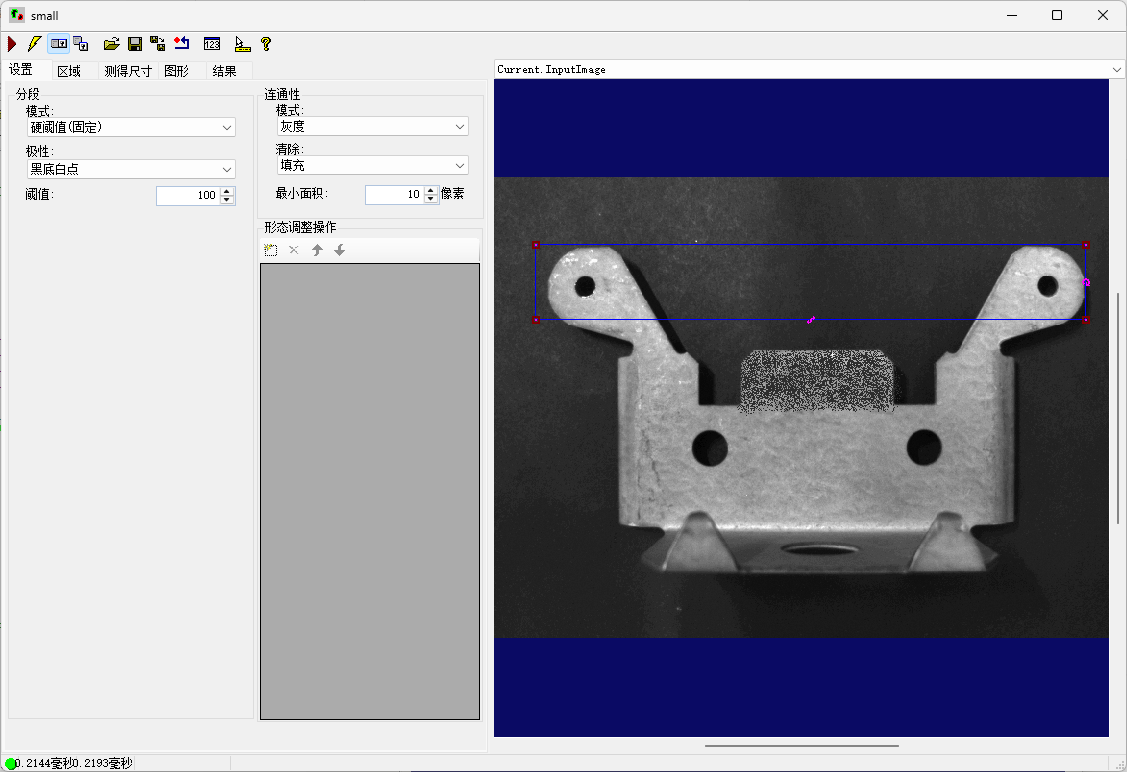
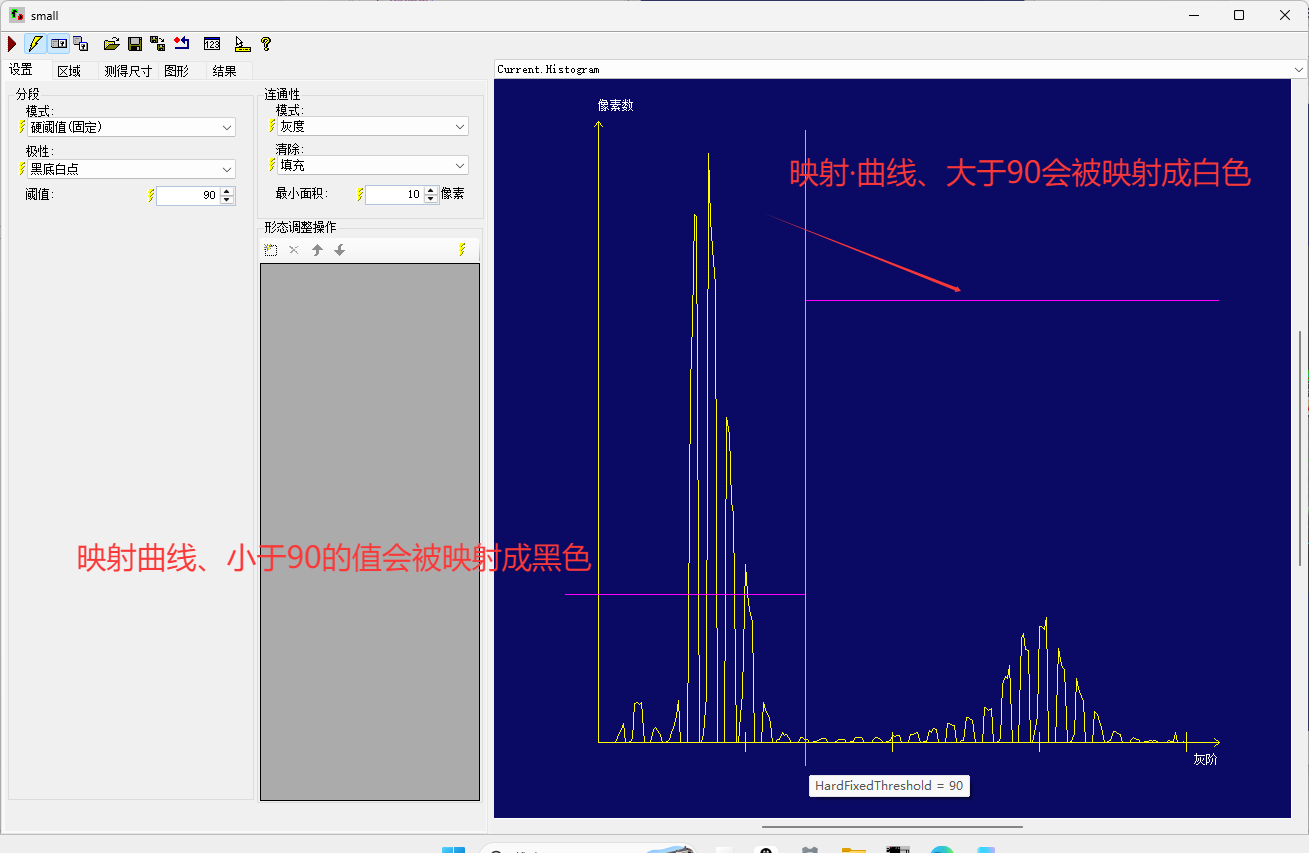
Blob
脚本
声明工具· 并添加集合
cs复制代码
private CogGraphicCollection dt = new CogGraphicCollection();
dt.Clear();
mToolBlock.Outputs["Count"].Value = "";
mToolBlock.Outputs["Result"].Value = "";
CogPMAlignTool pma = mToolBlock.Tools["CogPMAlignTool1"]as CogPMAlignTool;
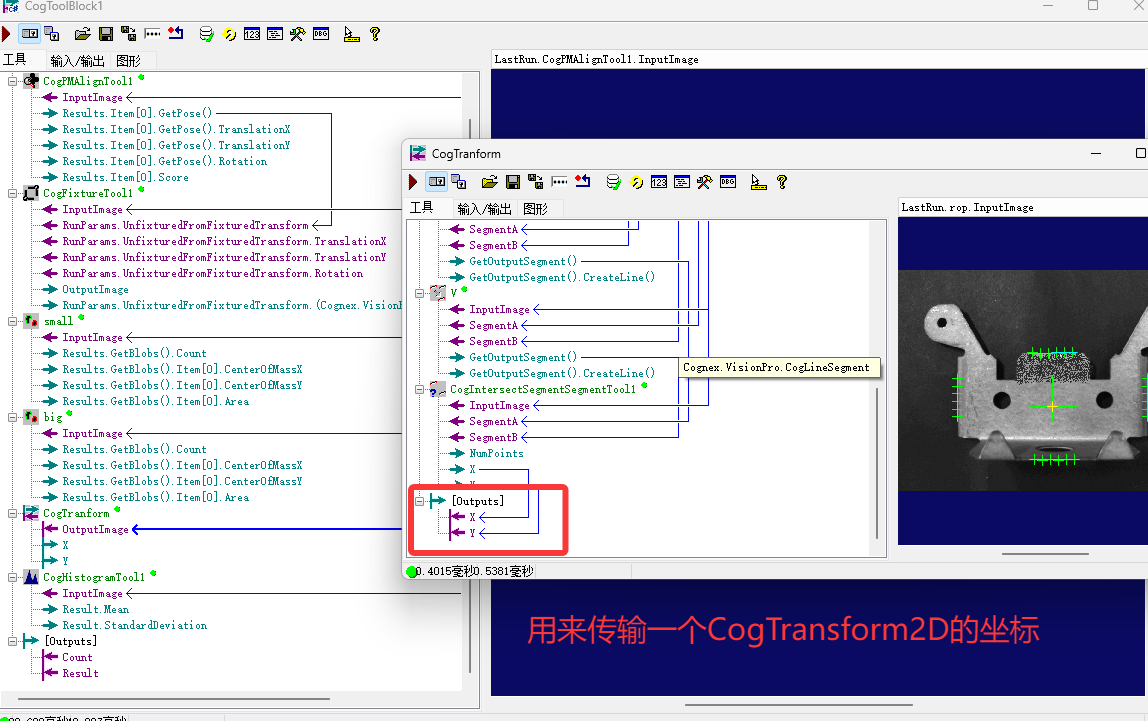
CogToolBlock tb = mToolBlock.Tools["CogTranform"]as CogToolBlock;
CogBlobTool small = mToolBlock.Tools["small"]as CogBlobTool;
CogBlobTool big = mToolBlock.Tools["big"]as CogBlobTool;
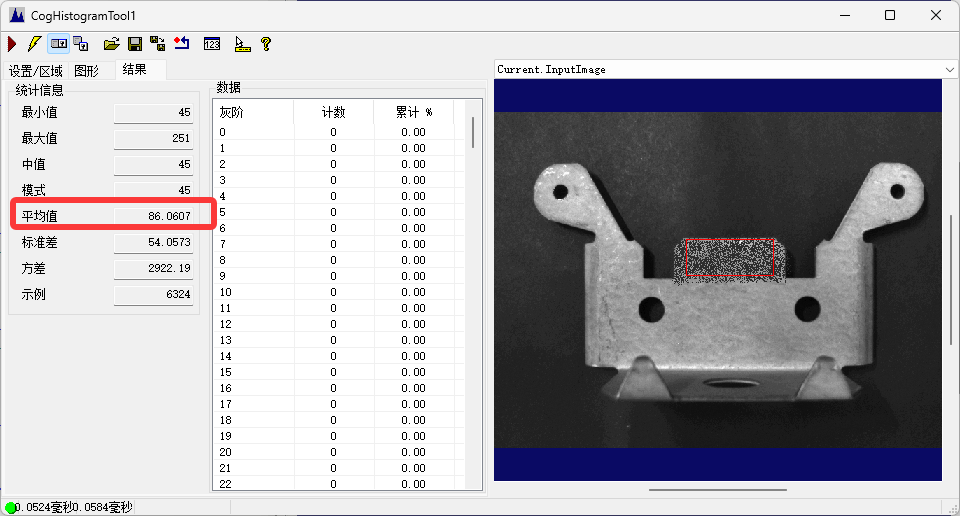
CogHistogramTool histogram = mToolBlock.Tools["CogHistogramTool1"]as CogHistogramTool;
pma.Run();
int count = 0;
bool state = true;
double x = (double)tb.Outputs["X"].Value;
double y = (double)tb.Outputs["Y"].Value;
判断值并圈写框
cs复制代码
if(pma.RunStatus.Result == CogToolResultConstants.Accept)
    {
      foreach(ICogTool tool in mToolBlock.Tools)
        mToolBlock.RunTool(tool, ref message, ref result);
       count = small.Results.GetBlobs().Count + big.Results.GetBlobs().Count;
      if(histogram.Result.Mean < 110)
      {
        state = false;
        CogTransform2DLinear transform1 = new CogTransform2DLinear();

        CogRectangleAffine res = histogram.Region as CogRectangleAffine;
        transform1.TranslationX = res.CenterX + x;
        transform1.TranslationY = res.CenterY + y;
        res.Color = CogColorConstants.Red;

        CogHistogramTool his = new CogHistogramTool();
        his.Name = histogram.Name;
        his.Region = res;
        dt.Add(res);
        dt.Add(createlabel("此处图像NG", 15, transform1.TranslationX, transform1.TranslationY, CogColorConstants.Red));
      }

    }
foreach(ICogGraphic s in dt)
{
mToolBlock.AddGraphicToRunRecord(s, lastRecord, "CogPMAlignTool1.InputImage", "lastRecord");
}
All_脚本
cs复制代码
#region namespace imports
using System;
using System.Collections;
using System.Drawing;
using System.IO;
using System.Windows.Forms;
using Cognex.VisionPro;
using Cognex.VisionPro.ToolBlock;
using Cognex.VisionPro3D;
using Cognex.VisionPro.PMAlign;
using Cognex.VisionPro.CalibFix;
using Cognex.VisionPro.Blob;
using Cognex.VisionPro.ImageProcessing;
#endregion
public class CogToolBlockAdvancedScript : CogToolBlockAdvancedScriptBase
{
#region Private Member Variables
private Cognex.VisionPro.ToolBlock.CogToolBlock mToolBlock;
#endregion
private CogGraphicCollection dt = new CogGraphicCollection();
/// <summary>
/// Called when the parent tool is run.
/// Add code here to customize or replace the normal run behavior.
/// </summary>
/// <param name="message">Sets the Message in the tool's RunStatus.</param>
/// <param name="result">Sets the Result in the tool's RunStatus</param>
/// <returns>True if the tool should run normally,
/// False if GroupRun customizes run behavior</returns>
public override bool GroupRun(ref string message, ref CogToolResultConstants result)
{
// To let the execution stop in this script when a debugger is attached, uncomment the following lines.
// #if DEBUG
// if (System.Diagnostics.Debugger.IsAttached) System.Diagnostics.Debugger.Break();
// #endif
dt.Clear();
mToolBlock.Outputs["Count"].Value = "";
mToolBlock.Outputs["Result"].Value = "";
CogPMAlignTool pma = mToolBlock.Tools["CogPMAlignTool1"]as CogPMAlignTool;
CogToolBlock tb = mToolBlock.Tools["CogTranform"]as CogToolBlock;
CogBlobTool small = mToolBlock.Tools["small"]as CogBlobTool;
CogBlobTool big = mToolBlock.Tools["big"]as CogBlobTool;
CogHistogramTool histogram = mToolBlock.Tools["CogHistogramTool1"]as CogHistogramTool;
// Run each tool using the RunTool function
pma.Run();
int count = 0;
bool state = true;
double x = (double)tb.Outputs["X"].Value;
double y = (double)tb.Outputs["Y"].Value;
if(pma.RunStatus.Result == CogToolResultConstants.Accept)
{
foreach(ICogTool tool in mToolBlock.Tools)
mToolBlock.RunTool(tool, ref message, ref result);
count = small.Results.GetBlobs().Count + big.Results.GetBlobs().Count;
if(histogram.Result.Mean < 110)
{
state = false;
CogTransform2DLinear transform1 = new CogTransform2DLinear();
CogRectangleAffine res = histogram.Region as CogRectangleAffine;
transform1.TranslationX = res.CenterX + x;
transform1.TranslationY = res.CenterY + y;
res.Color = CogColorConstants.Red;
CogHistogramTool his = new CogHistogramTool();
his.Name = histogram.Name;
his.Region = res;
dt.Add(res);
dt.Add(createlabel("此处图像NG", 15, transform1.TranslationX, transform1.TranslationY, CogColorConstants.Red));
}
}
dt.Add(createlabel(DateTime.Now.ToString("yyyy-MM-dd HH:mm:ss"), 25, 0, 0, CogColorConstants.Green));
    dt.Add(createlabel("物料状态:" + (state ? "OK" : "NG"), 25, 0, 110, state ? CogColorConstants.Blue : CogColorConstants.Red));
    dt.Add(createlabel("产品孔洞:" + count, 25, 0, 200, CogColorConstants.Purple));
    mToolBlock.Outputs["Count"].Value = count;
    mToolBlock.Outputs["Result"].Value = state ? "OK" : "NG";
return false;
}
 private CogGraphicLabel createlabel(string text, float size, double x, double y, CogColorConstants color)
  {
    CogGraphicLabel label = new CogGraphicLabel();
    label.Color = color;
    if(!text.Contains("此处图像"))
    {
      label.Alignment = CogGraphicLabelAlignmentConstants.TopLeft;
    }
    label.BackgroundColor = CogColorConstants.White;
    label.Font = new Font("Arial", size, FontStyle.Bold, GraphicsUnit.Pixel);
    label.SetXYText(x, y, text);
    return label;
  }
#region When the Current Run Record is Created
/// <summary>
/// Called when the current record may have changed and is being reconstructed
/// </summary>
/// <param name="currentRecord">
/// The new currentRecord is available to be initialized or customized.</param>
public override void ModifyCurrentRunRecord(Cognex.VisionPro.ICogRecord currentRecord)
{
}
#endregion
#region When the Last Run Record is Created
/// <summary>
/// Called when the last run record may have changed and is being reconstructed
/// </summary>
/// <param name="lastRecord">
/// The new last run record is available to be initialized or customized.</param>
public override void ModifyLastRunRecord(Cognex.VisionPro.ICogRecord lastRecord)
{
foreach(ICogGraphic s in dt)
    {
      mToolBlock.AddGraphicToRunRecord(s, lastRecord, "CogPMAlignTool1.InputImage", "lastRecord");
    }
}
#endregion
#region When the Script is Initialized
/// <summary>
/// Perform any initialization required by your script here
/// </summary>
/// <param name="host">The host tool</param>
public override void Initialize(Cognex.VisionPro.ToolGroup.CogToolGroup host)
{
// DO NOT REMOVE - Call the base class implementation first - DO NOT REMOVE
base.Initialize(host);
// Store a local copy of the script host
this.mToolBlock = ((Cognex.VisionPro.ToolBlock.CogToolBlock)(host));
}
#endregion
}