背景
mobaxterm本身是很好用的,可以支持远程终端也改成默认支持Windows本地终端,而且有强大的宏功能,可以保存很多常用命令
mobaxterm自带的宏虽然好用,但是如果有成百上千个快捷命令需要保存,需要分文件夹归类整理维护修改就要点击很多次才能编辑,非常不方便;而且还有宏保存后重启莫名其妙变成空宏丢失的bug;
xshell虽然也支持保存很多明文的命令行片段,但是导入导出编辑也是非常不方便,因此一直想要找个替代方案,刚好琢磨出来了个pytest(可替换自带的unitest)+pywinauto+pycharm制作mobaxterm 字符串快捷发送器
本身没什么神奇的的,pycharm每个测试用例都会有执行按钮,刚好一键点击发送,python三引号字符串加\保存原始命令用于后期编辑,pywinauto用于获取当前mobaxterm当前活动的终端窗口,可以不抢占焦点发送(本来想搞成锁定第一个或者第几个的,可能还需要pywin32而且不直观,不如直接给定窗口handle指定了 )
python
import pytest
from pywinauto.application import Application

COM = None
HANDLE = 8591430

"""
#方案1 锁定当前活动窗口
"""


@pytest.fixture(autouse=True, scope='module')
def lock_current_window():
    global COM
    app = Application(backend="win32")
    app.connect(class_name="TMobaXtermForm")
    main_win = app.window(class_name="TMobaXtermForm")
    COM = app.window(class_name="TMobaXtermForm").child_window(class_name="CMoTTY").wrapper_object()


"""
备选方案、直接窗口handle锁定,需要手动获取窗口句柄,对全局变量赋值
"""


@pytest.fixture(scope='module')
def lock_window_with_handle():
    print("------------")
    global COM
    app = Application(backend="win32")
    app.connect(handle=HANDLE)
    COM = app.window(handle=HANDLE).wrapper_object()


def test_llllls():
    COM.send_chars('''\
dddddddddddd22
ddddddddddddddd222
ddddddddddddddddddddd222
dddddddddddddddddddddddd22222
丧失士大夫

''')
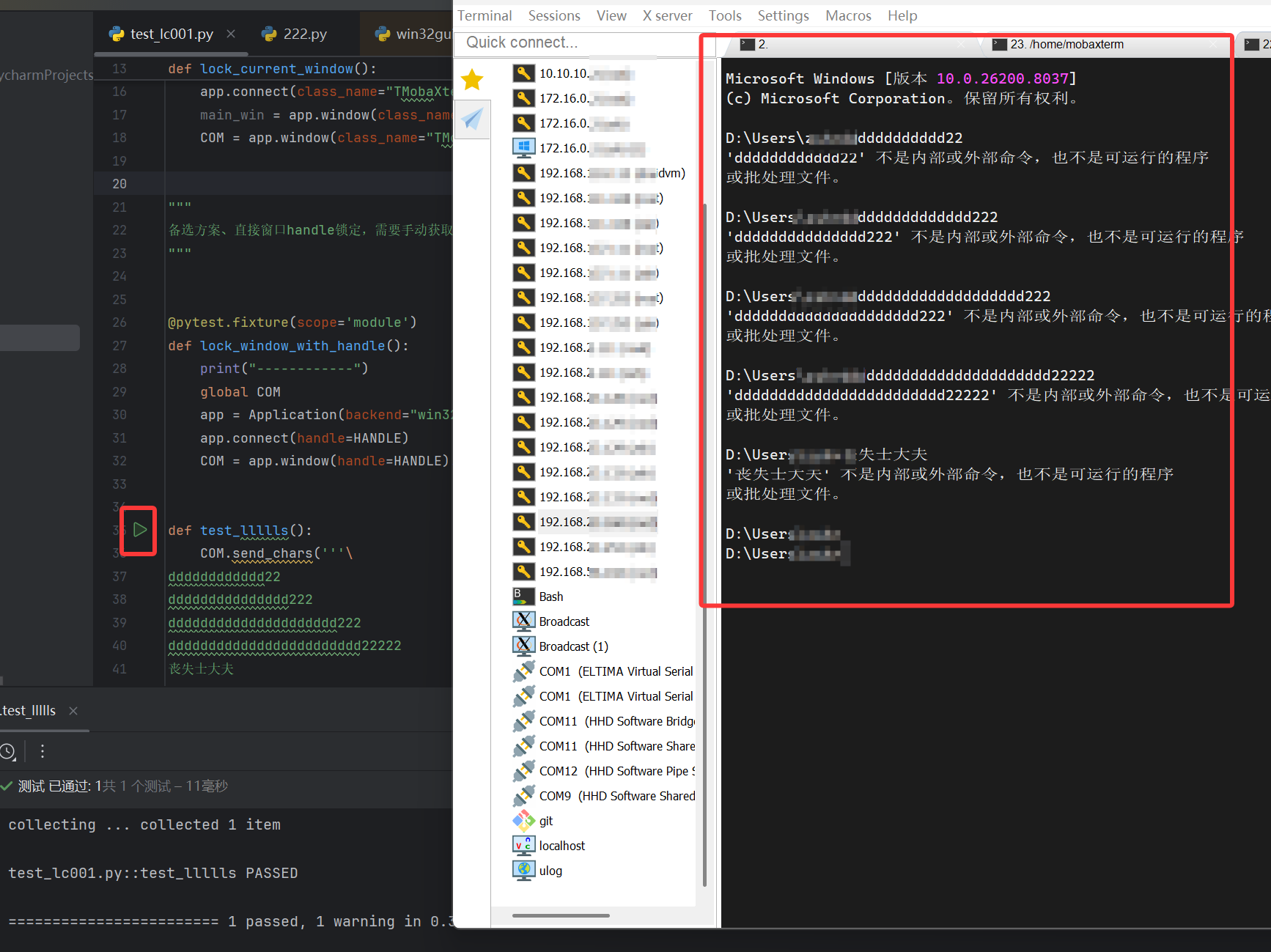
效果展示
可以后台发哦,只是为了演示方便
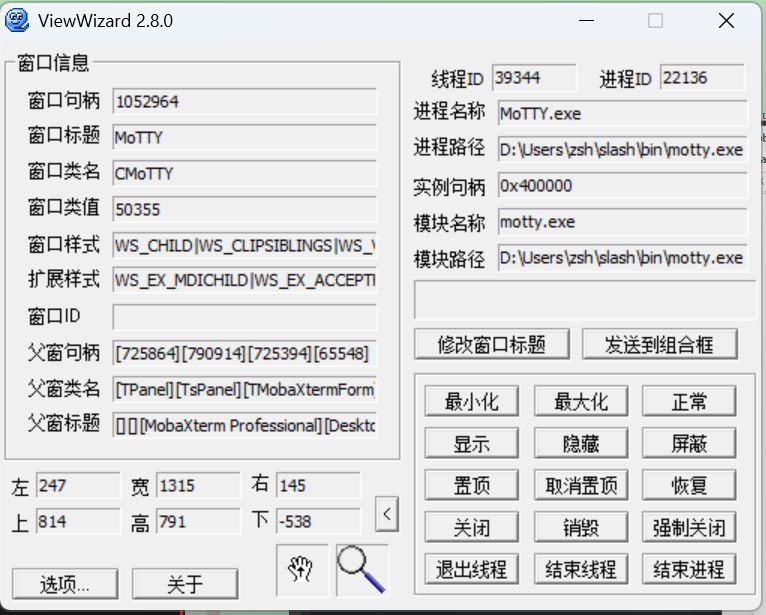
方案2需要用 ViewWizard、spy++等工具获取句柄直接绑定
把方案1的fixture改成autouse=Ture;方案2的改成False或者直接给他删了也行
当然也可以写个锁定第几个标签页的fixture需要的自己用下面的自己改下就行
python
import win32gui
import win32con


def find_children_by_class(hwnd_parent, target_class):
    """
    遍历 hwnd_parent 下所有层级子窗口
    返回类名 == target_class 的所有窗口句柄列表
    """
    hwnd_list = []

    def callback(hwnd, extra):
        # 获取窗口类名
        cls = win32gui.GetClassName(hwnd)
        if cls == target_class:
            hwnd_list.append(hwnd)
        # 返回 True 继续遍历
        return True
    # 核心 API
    win32gui.EnumChildWindows(hwnd_parent, callback, None)
    return hwnd_list
if __name__ == '__main__':

    main_hwnd = win32gui.FindWindow("TMobaXtermForm",None)
    # print(hex(main_hwnd))
    # first_ts_panel = win32gui.GetWindow(main_hwnd,win32con.GW_CHILD)
    # print(hex(first_ts_panel))
    # last_ts_panel = win32gui.GetWindow(first_ts_panel,win32con.GW_HWNDLAST)
    # print(hex(last_ts_panel))
    # tt_panel = win32gui.GetWindow(last_ts_panel,win32con.GW_CHILD)
    # print(hex(tpanel))
    # last_tab = win32gui.GetWindow(,win32con.GW_HWNDLAST)
    # print(hex(last_tab))
    tabs = find_children_by_class(main_hwnd,"CMoTTY")
    print(tabs)
    print([hex(x) for x in tabs])
    #最新创建的窗口句柄
    tabs[0]
踩坑记录
###控件身上其实是有整个组件树的handle的不知道为啥放在隐藏方法上。。。。。
python
print(main_win._ctrl_identifiers())


<pywinauto.application.Application object at 0x0000017561373830>
{<hwndwrapper.HwndWrapper - '', TsTreeView, 3017424>: ['TsTreeView', 'TsTreeView0', 'TsTreeView1'], <hwndwrapper.HwndWrapper - '', TsPanel, 2365612>: ['TsPanel', 'TsPanel0', 'TsPanel1'], <win32_controls.StaticWrapper - '', Static, 2430942>: ['Static', 'Static0', 'Static1'], <hwndwrapper.HwndWrapper - '', TsPanel, 790844>: ['TsPanel2'], <hwndwrapper.HwndWrapper - 'HintPanel', TsBitBtn, 662396>: ['HintPanelTsBitBtn', 'TsBitBtn', 'HintPanel'], <hwndwrapper.HwndWrapper - '', TsPanel, 659886>: ['TsPanel3'], <hwndwrapper.HwndWrapper - '', TsPageControl, 659744>: ['TsPageControl', 'TsPageControl0', 'TsPageControl1'], <win32_controls.StaticWrapper - '', Static, 790832>: ['Static2'], <hwndwrapper.HwndWrapper - '', TsPanel, 594342>: ['TsPanel4'], <win32_controls.EditWrapper - '  Quick connect...', Edit, 463066>: ['Edit'], <hwndwrapper.HwndWrapper - '', TChromeTabs, 659892>: ['TChromeTabs'], <hwndwrapper.HwndWrapper - '', TsPageControl, 1379534>: ['TsPageControl2'], <hwndwrapper.HwndWrapper - 'SheetView', TsTabSheet, 526008>: ['TsTabSheet', 'SheetView', 'SheetViewTsTabSheet', 'TsTabSheet0', 'TsTabSheet1'], <hwndwrapper.HwndWrapper - 'SheetTools', TsTabSheet, 528482>: ['TsTabSheet2', 'SheetToolsTsTabSheet', 'SheetTools'], <common_controls.UpDownWrapper - '', UpDown, 7867780>: ['UpDown'], <hwndwrapper.HwndWrapper - '', TsPanel, 528552>: ['TsPanel5'], <hwndwrapper.HwndWrapper - '', TsPanel, 790734>: ['TsPanel6'], <hwndwrapper.HwndWrapper - '', TsPanel, 528758>: ['TsPanel7'], <hwndwrapper.HwndWrapper - '', TsPanel, 528752>: ['TsPanel8'], <hwndwrapper.HwndWrapper - '', TsPageControl, 2297036>: ['TsPageControl3'], <hwndwrapper.HwndWrapper - '', TsTabSheet, 1056176>: ['TsTabSheet3'], <hwndwrapper.HwndWrapper - '', TsTabSheet, 528654>: ['TsTabSheet4'], <hwndwrapper.HwndWrapper - '', TsScrollBox, 659596>: ['TsScrollBox', 'TsScrollBox0', 'TsScrollBox1'], <hwndwrapper.HwndWrapper - '', TsTabSheet, 1180394>: ['TsTabSheet5'], <hwndwrapper.HwndWrapper - '', TsListView, 1118338>: ['TsListView'], <common_controls.HeaderWrapper - '', Header, 2168502>: ['Header'], <hwndwrapper.HwndWrapper - '', TsTabSheet, 594116>: ['TsTabSheet6'], <hwndwrapper.HwndWrapper - '', TsPanel, 1904420>: ['TsPanel9'], <hwndwrapper.HwndWrapper - '', TsTreeView, 659898>: ['TsTreeView2'], <hwndwrapper.HwndWrapper - '', TsTabSheet, 1380434>: ['TsTabSheet7'], <hwndwrapper.HwndWrapper - '', TsScrollBox, 1183354>: ['TsScrollBox2'], <hwndwrapper.HwndWrapper - '', TsTabSheet, 1442054>: ['TsTabSheet8'], <hwndwrapper.HwndWrapper - '', TsPanel, 463408>: ['TsPanel10'], <hwndwrapper.HwndWrapper - '', TsTreeView, 528914>: ['TsTreeView3'], <hwndwrapper.HwndWrapper - '', TsPanel, 790914>: ['TsPanel11'], <hwndwrapper.HwndWrapper - '', TsPanel, 858630>: ['TsPanel12'], <win32_controls.ListBoxWrapper - '', ListBox, 659796>: ['ListBox'], <win32_controls.StaticWrapper - '', Static, 725864>: ['Static3'], <hwndwrapper.HwndWrapper - 'MoTTY', CMoTTY, 1058160>: ['MoTTYCMoTTY', 'MoTTY', 'CMoTTY', 'MoTTYCMoTTY0', 'MoTTYCMoTTY1', 'MoTTY0', 'MoTTY1', 'CMoTTY0', 'CMoTTY1'], <hwndwrapper.HwndWrapper - 'MoTTY', CMoTTY, 337308>: ['MoTTYCMoTTY2', 'MoTTY2', 'CMoTTY2'], <hwndwrapper.HwndWrapper - 'MoTTY', CMoTTY, 1516962>: ['MoTTYCMoTTY3', 'MoTTY3', 'CMoTTY3'], <hwndwrapper.HwndWrapper - 'MoTTY', CMoTTY, 795970>: ['MoTTYCMoTTY4', 'MoTTY4', 'CMoTTY4'], <hwndwrapper.HwndWrapper - 'MoTTY', CMoTTY, 856408>: ['MoTTYCMoTTY5', 'MoTTY5', 'CMoTTY5']}
uiautomation 发送字符串会把焦点定位在发送字符串的窗口。。。。。
而且也不支持换行这些直接发送需要用{ENTER}等。。。。
python
import comtypes
import uiautomation as auto
import time
import subprocess

# 设置全局搜索超时时间 (秒)
auto.uiautomation.SetGlobalSearchTimeout(10)  # 默认是10秒
windowsAPI=comtypes.client.CreateObject("{ff48dba4-60ef-4201-aa87-54103eef594e}", interface=comtypes.client.GetModule("UIAutomationCore.dll").IUIAutomation)

# 打印控件的详细信息,方便调试


if __name__ == '__main__':

    # ele = windowsAPI.ElementFromHandle(4263768)
    # ele = auto.Control.CreateControlFromElement(4263768)
    ele = auto.ControlFromHandle(4263768)
    notepad_window = auto.WindowControl(searchDepth=1,element=ele )
    notepad_window.SendKeys("你好,UIAutomation 世界!{Enter}", interval=0.05)
    # auto.ShowWindow(4263768)
    # notepad_window = auto.WitomandowControl(searchDepth=1, ClassName="Notepad", Name="无标题 - Notepad")
    # 如果记事本已打开文件,Name 会是 "文件名 - 记事本"
    # notepad_window = auto.WindowControl(searchDepth=1, ClassName="Notepad", RegexName=".*记事本") # 使用正则匹配标题
刚开始没有找到从句柄直接创建控件的方法auto.ControlFromHandle
不过也收获了不不少,原来这些工具是直接从dll格式com组件直接捞取的Windows提供的原生API。
用keypresser的api估计也行,他自带的这个获取窗口handle获取的是父级的,发送不了字符串
顺便说已经
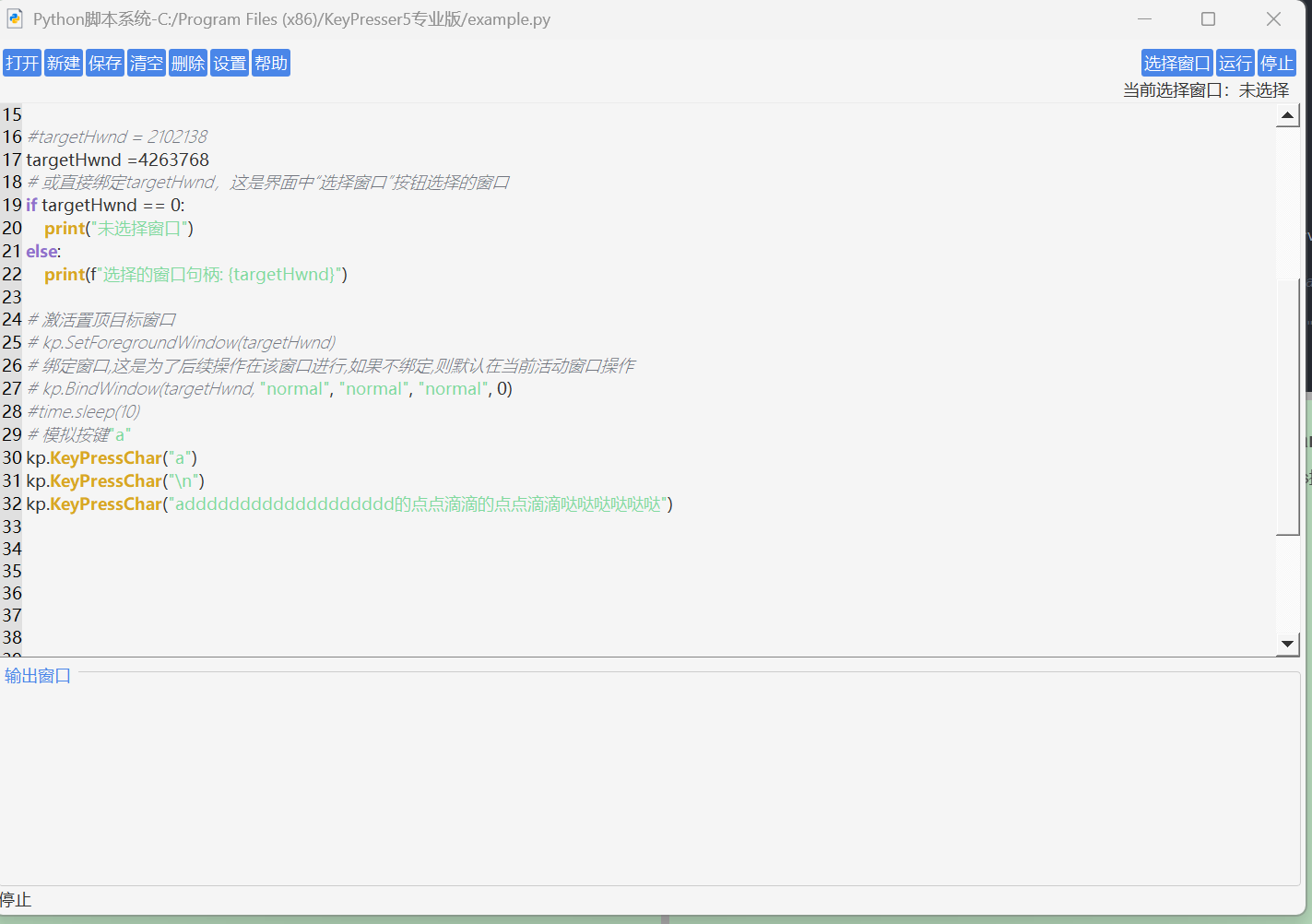
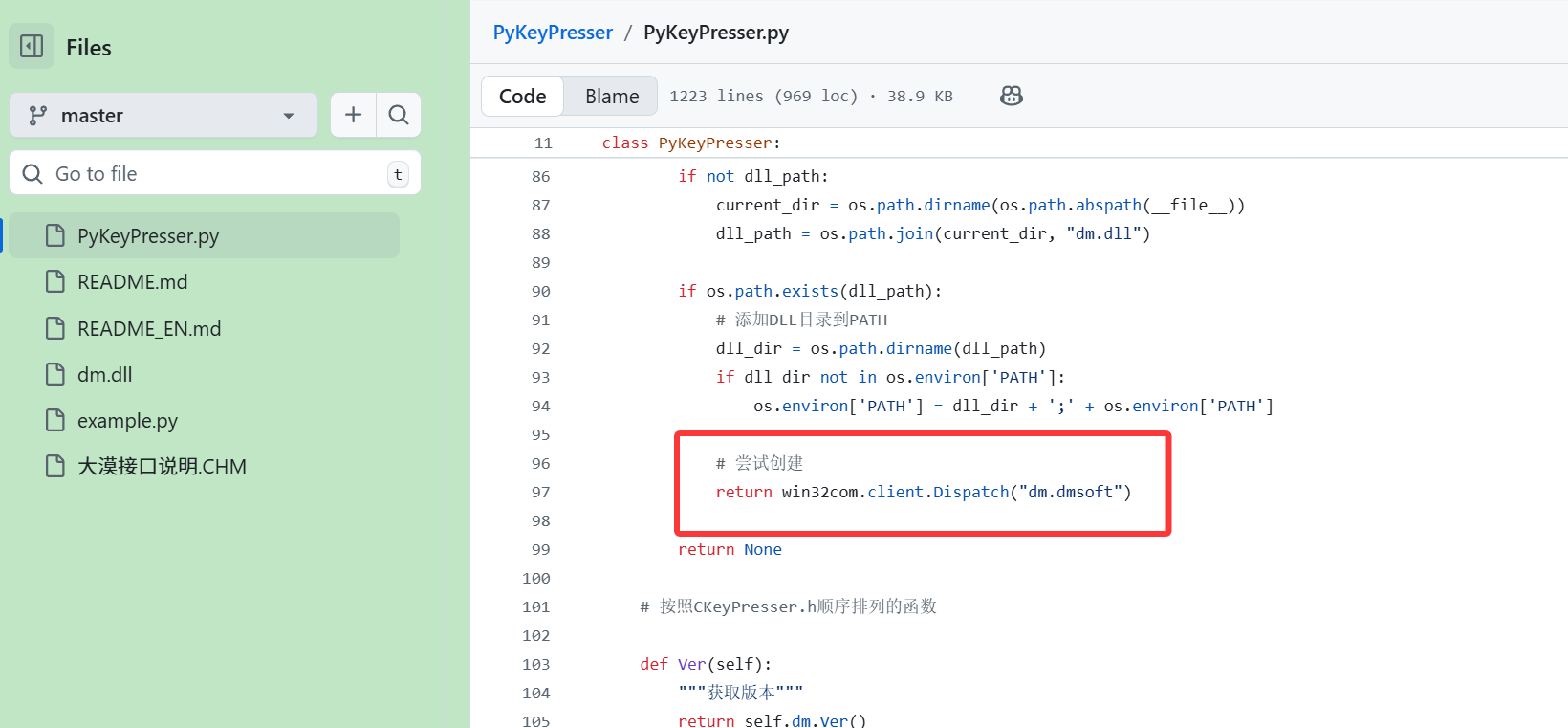
他里面用的大漠插件的dLL可玩性应该更高
python
"""
DM COM接口Python包装类
基于CKeyPresser.h自动生成,函数顺序与CKeyPresser.h保持一致
支持多种创建方式,包括免注册调用
"""
import win32com.client
import time
import os
import sys

class PyKeyPresser:
    def __init__(self, dll_path=None, use_registration_fallback=True):
        """
        初始化DM COM对象
        Args:
            dll_path: dm.dll文件路径,如果为None则自动查找
            use_registration_fallback: 如果注册失败,是否尝试免注册方法
        """
        self.dm = None
        self.creation_method = None

        # 尝试多种创建方法
        creation_methods = [
            self._create_with_registration,
            self._create_with_path,
            self._create_with_alternative_progids,
            self._create_with_dll_direct
        ]

        for method in creation_methods:
            try:
                self.dm = method(dll_path)
                if self.dm:
                    self.creation_method = method.__name__
                    print(f"成功使用 {method.__name__} 创建DM对象")
                    break
            except Exception as e:
                print(f"{method.__name__} 失败: {e}")
                continue

        if not self.dm:
            if use_registration_fallback:
                # 尝试免注册方法
                try:
                    from dm_unregistered import create_dm_from_dll
                    self.dm = create_dm_from_dll()
                    if self.dm:
                        self.creation_method = "unregistered_com"
                        print("使用免注册COM方法创建成功")
                except Exception as e:
                    print(f"免注册方法失败: {e}")

            if not self.dm:
                raise Exception("所有DM对象创建方法都失败了")

    def _create_with_registration(self, dll_path):
        """标准注册方式创建"""
        return win32com.client.Dispatch("dm.dmsoft")

    def _create_with_path(self, dll_path):
        """设置DLL路径后创建"""
        if dll_path and os.path.exists(dll_path):
            dll_dir = os.path.dirname(dll_path)
            if dll_dir not in os.environ['PATH']:
                os.environ['PATH'] = dll_dir + ';' + os.environ['PATH']
        return win32com.client.Dispatch("dm.dmsoft")