一、漏洞描述
elfverify 工具通常用于验证 ELF 文件的完整性,确保文件未被篡改,然统信UOS20桌面专业版存在elfverify高危绕过漏洞,攻击者可能会利用这一点来加载恶意代码或修改系统设置,从而危及系统的安全性。本次影响 :内核版本4.19,需升级到:4.19.90-5430;Deepin和统信UOS是Debian衍生版,可使用APT工具进行在线或离线升级,UOS官网已发布漏洞报告和修复建议,并给出补丁包1050_kernel-4.19_amd64.tar.gz,本次漏洞整个内核需要升级,详情见UT-2025-0007。
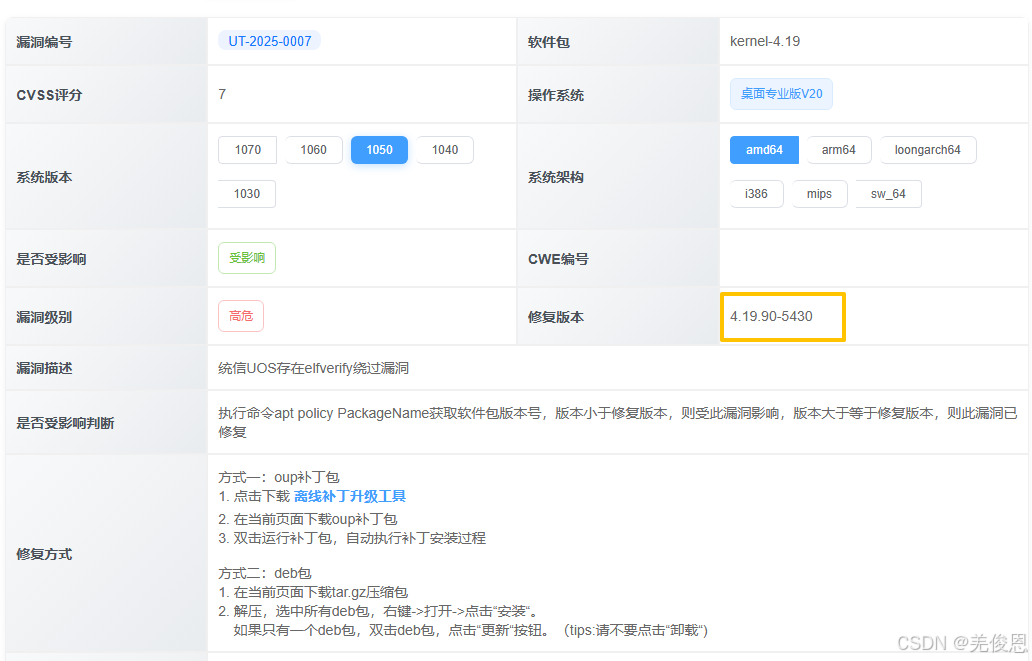
关联资源 :统信桌面专业版【漏洞修复】问题处理、CNVD漏洞查询
二、升级
bash
#查询当前配置
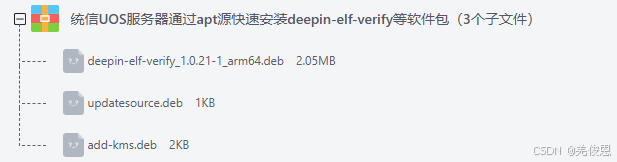
dpkg -l | grep deepin-elf-verify
dpkg -s deepin-elf-verify
apt policy deepin-elf-verify  #查看 deepin-elf-verify 的可用版本和当前版本,Candidate:可以升级到的版本(即最新可用版本)
apt show deepin-elf-verify #显示软件包的详细信息,包括版本号、依赖关系、大小等
#本次补丁包里含有2个文件
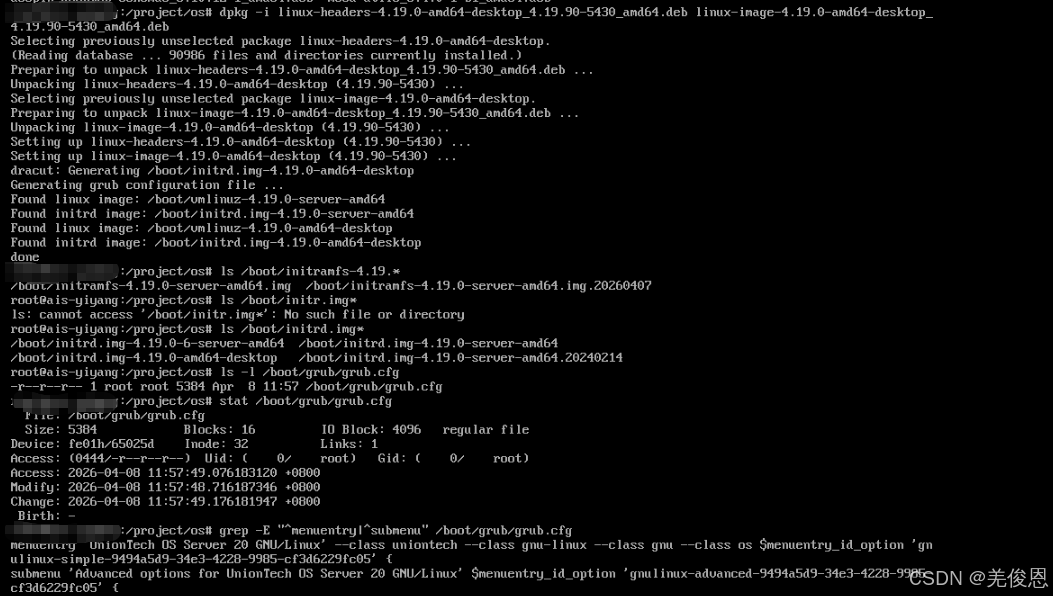
linux-headers-4.19.0-amd64-desktop_4.19.90-5430_amd64.deb
linux-image-4.19.0-amd64-desktop_4.19.90-5430_amd64.deb

#离线处理
sudo dpkg -i linux-image-unsigned-*.deb linux-modules-*.deb linux-headers-*.deb  #安装后会Generating grub configuration file

apt --fix-broken install #依赖错误,自动修复

sudo grub-editenv list  ## 查看当前GRUB的默认启动项
sudo update-grub  #生成新的 /boot/grub/grub.cfg,输出类似如下
Sourcing file `/etc/default/grub'
Sourcing file `/etc/default/grub.d/99-uos.cfg'
Generating grub configuration file ...
Found linux image: /boot/vmlinuz-4.19.90-5430  #列出所有检测到的内核版本
Found initrd image: /boot/initrd.img-4.19.90-5430
Found linux image: /boot/vmlinuz-4.19.0-14-amd64
Found initrd image: /boot/initrd.img-4.19.0-14-amd64  #列出initrd 镜像文件
Found UOS Desktop 20 /boot/efi/EFI/uos/grubx64.efi
done
sudo reboot

#手动编译
#wget https://cdn.kernel.org/pub/linux/kernel/v4.x/linux-4.19.99.tar.xz
wget https://cdn.kernel.org/pub/linux/kernel/v4.x/linux-4.19.90.tar.xz #但本次不是大版本升级属于小版本,且属于发行商的漏洞
tar -xzf  linux-4.19.99.tar.xz -C /home/user/src/#解压至/home/user/src/目录
cd home/user/src/
make mrproper #彻底清理旧文件

sudo apt install build-essential libssl-dev libelf-dev libncurses5-dev
cp /boot/config-$(uname -r)  .config
vim scripts/config --set-str CONFIG_LOCALVERSION "-5430" #设置本地版本号,使其符合你需要的 4.19.90-5430
make olddefconfig #自动将旧配置适配到新内核,并采用所有默认选项,并手动启用关键硬件支持
或make menuconfig #定制内核模块

#编译内核
make -j$(nproc) bindeb-pkg LOCALVERSION=-uos;#生成带-uos后缀的DEB包,适配UOS签名验证流程
#编译模块
编译模块
make modules -j$(nproc)
sudo make modules_install #安装模块到 /lib/modules/4.19.90-5430

sudo dpkg -i ../linux-image-4.19.90-uos_4.19.90-uos-1_amd64.deb ../linux-headers-4.19.90-uos_4.19.90-uos-1_amd64.deb

sudo update-grub && sudo reboot

#
uos-security-check --list
uos-security-check --check CVE-2024-1234
dpkg --get-selections | grep linux-image

#验证
grep -E "^menuentry|^submenu" /boot/grub/grub.cfg
vim /etc/default/grub #设置默认启动项