ubuntu20.04安装nvidia显卡驱动及pytorch
硬件接线
显卡为5060Ti-16G。
先电脑断电,显卡插到主板卡槽上,插好了的话卡扣会自动扣上,拧好机箱上固定显卡的螺丝,插电源线就可以开机了。
注意:
1、电源线一定要是电池自带的,不能混用。
2、如果电脑开机黑屏,把显示器的线接到显卡上。
安装驱动,自动安装
1、确认型号:
bash
lspci | grep -i nvidia输出
bash
01:00.0 VGA compatible controller: NVIDIA Corporation Device 2d04 (rev a1)
01:00.1 Audio device: NVIDIA Corporation Device 22eb (rev a1)
如果自动安装驱动:sudo ubuntu-drivers autoinstall
会显示:No drivers found for installation.
需要更新源:
bash
sudo add-apt-repository ppa:graphics-drivers/ppa
sudo apt update
2、安装驱动
查看推荐版本
bash
ubuntu-drivers devices
bash
== /sys/devices/pci0000:00/0000:00:01.0/0000:01:00.0 ==
modalias : pci:v000010DEd00002D04sv00001771sd0000205Ebc03sc00i00
vendor   : NVIDIA Corporation
driver   : nvidia-driver-570 - third-party non-free
driver   : nvidia-driver-570-open - third-party non-free
driver   : nvidia-driver-580-open - third-party non-free recommended
driver   : nvidia-driver-580 - third-party non-free
driver   : xserver-xorg-video-nouveau - distro free builtin
安装:
bash
sudo apt install nvidia-driver-580-open等待一会,完成后重启。
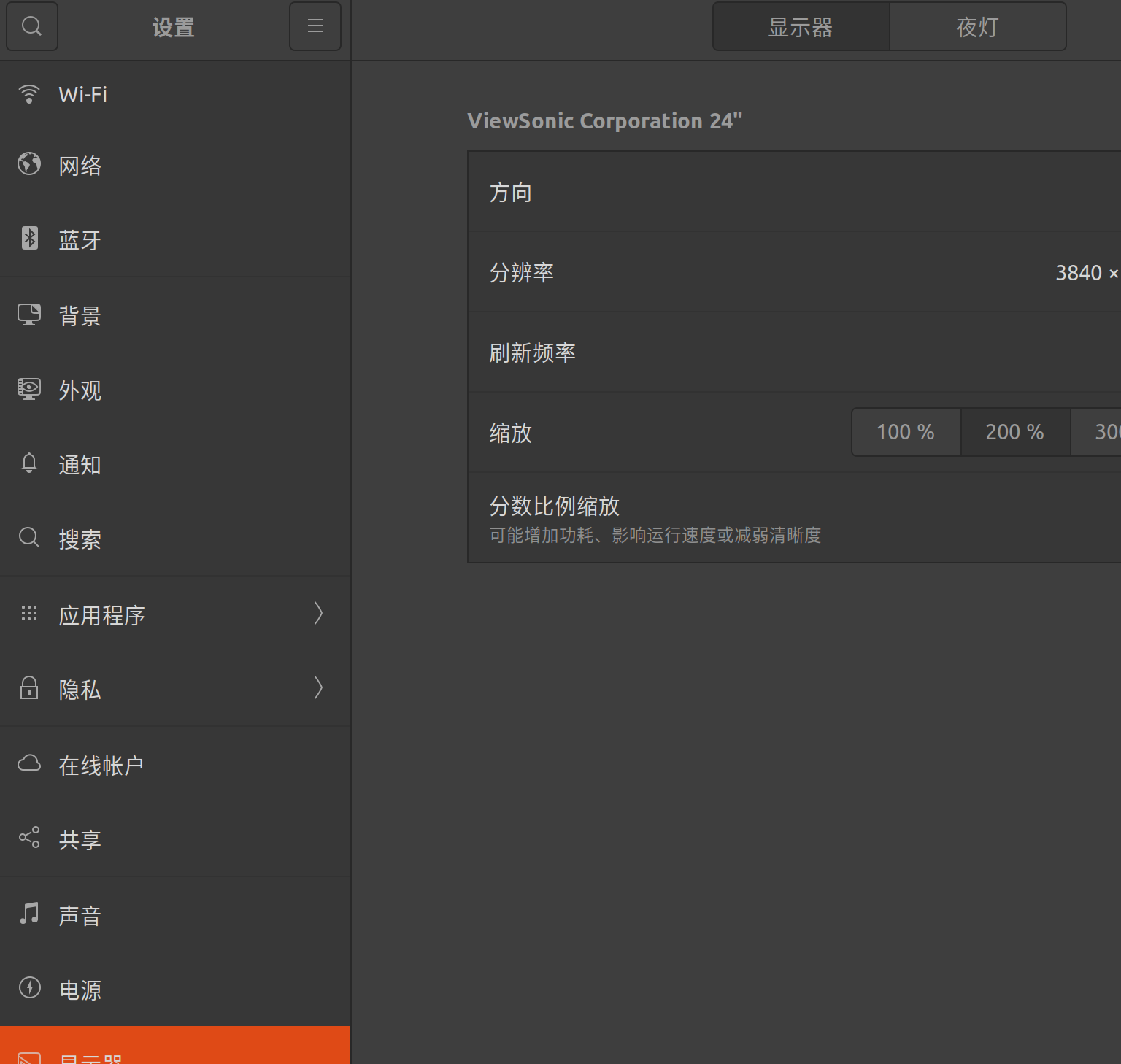
如果重启发现字特别小,则修改显示设置。
在桌面,右键修改显示设置:
 打开终端,查看显卡:
bash
nvidia-smi
bash
Tue Apr  7 10:06:57 2026
+-----------------------------------------------------------------------------------------+
| NVIDIA-SMI 580.126.09             Driver Version: 580.126.09     CUDA Version: 13.0     |
+-----------------------------------------+------------------------+----------------------+
| GPU  Name                 Persistence-M | Bus-Id          Disp.A | Volatile Uncorr. ECC |
| Fan  Temp   Perf          Pwr:Usage/Cap |           Memory-Usage | GPU-Util  Compute M. |
|                                         |                        |               MIG M. |
|=========================================+========================+======================|
|   0  NVIDIA GeForce RTX 5060 Ti     Off |   00000000:01:00.0  On |                  N/A |
|  0%   40C    P5              8W /  180W |     953MiB /  16311MiB |     31%      Default |
|                                         |                        |                  N/A |
+-----------------------------------------+------------------------+----------------------+

+-----------------------------------------------------------------------------------------+
| Processes:                                                                              |
|  GPU   GI   CI              PID   Type   Process name                        GPU Memory |
|        ID   ID                                                               Usage      |
|=========================================================================================|
|    0   N/A  N/A            1615      G   /usr/lib/xorg/Xorg                      325MiB |
|    0   N/A  N/A            1932      G   /usr/bin/gnome-shell                    156MiB |
|    0   N/A  N/A           12911      G   ...l/sunlogin/bin/sunloginclient          9MiB |
|    0   N/A  N/A           49731      G   /usr/lib/firefox/firefox                380MiB |
+-----------------------------------------------------------------------------------------+
可以看到cuda的版本13.0。
安装CUDA Toolkit
如果未安装会显示:
bash
nvcc --version
bash
Command 'nvcc' not found, but can be installed with:

sudo apt install nvidia-cuda-toolkit
安装:
bash
wget https://developer.download.nvidia.com/compute/cuda/repos/ubuntu2004/x86_64/cuda-ubuntu2004.pin
sudo cp cuda-ubuntu2004.pin /etc/apt/preferences.d/cuda-repository-pin-600
wget https://developer.download.nvidia.com/compute/cuda/12.8.0/local_installers/cuda-repo-ubuntu2004-12-8-local_12.8.0-570.86.10-1_amd64.deb
sudo dpkg -i cuda-repo-ubuntu2004-12-8-local_12.8.0-570.86.10-1_amd64.deb
sudo cp /var/cuda-repo-ubuntu2004-12-8-local/cuda-600F024F-keyring.gpg /usr/share/keyrings/
sudo apt-get update
sudo apt-get -y install cuda-toolkit-12-8
临时添加path:
bash
export PATH=/usr/local/cuda-12.8/bin:$PATH
nvcc --version
输出:
bash
nvcc: NVIDIA (R) Cuda compiler driver
Copyright (c) 2005-2025 NVIDIA Corporation
Built on Wed_Jan_15_19:20:09_PST_2025
Cuda compilation tools, release 12.8, V12.8.61
Build cuda_12.8.r12.8/compiler.35404655_0
安装pytorch
查看网页,找适配的安装版本和语句。
激活python虚拟环境:
bash
source /home/ubuntu/virtualenv/df_env/bin/activate安装:
bash
pip3 install torch torchvision --index-url https://download.pytorch.org/whl/cu128测试
python
#!/usr/bin/env python3
# -*- coding: utf-8 -*-

import torch
import sys

def main():
    print("=" * 50)
    print("GPU 环境验证")
    print("=" * 50)

    # Python 版本
    print(f"Python 版本: {sys.version}")

    # PyTorch 版本
    print(f"PyTorch 版本: {torch.__version__}")

    # CUDA 是否可用
    cuda_available = torch.cuda.is_available()
    print(f"CUDA 可用: {cuda_available}")

    if cuda_available:
        # GPU 数量
        gpu_count = torch.cuda.device_count()
        print(f"GPU 数量: {gpu_count}")

        # 当前 GPU 名称
        current_gpu = torch.cuda.current_device()
        gpu_name = torch.cuda.get_device_name(current_gpu)
        print(f"当前 GPU: {gpu_name}")

        # CUDA 计算能力
        cap = torch.cuda.get_device_capability(current_gpu)
        print(f"CUDA 计算能力: {cap[0]}.{cap[1]}")

        # 显存信息
        total_mem = torch.cuda.get_device_properties(current_gpu).total_memory / 1e9
        print(f"总显存: {total_mem:.2f} GB")

        # 简单张量运算测试
        print("\n执行 GPU 张量运算测试...")
        try:
            x = torch.randn(1000, 1000).cuda()
            y = torch.randn(1000, 1000).cuda()
            z = x @ y  # 矩阵乘法
            print(f"运算成功,结果形状: {z.shape}")
            print(f"结果设备: {z.device}")
            print("✅ GPU 工作正常")
        except Exception as e:
            print(f"❌ GPU 运算失败: {e}")
    else:
        print("⚠️ CUDA 不可用,PyTorch 将使用 CPU 运行")
        print("可能的原因:")
        print("1. 未安装 NVIDIA 驱动")
        print("2. PyTorch 版本未包含 CUDA 支持(请安装 cu118/cu124/cu126 等版本)")
        print("3. 驱动与 CUDA 版本不兼容")

    # 可选:测试 CPU 与 GPU 速度对比
    if cuda_available:
        print("\n性能对比 (CPU vs GPU):")
        import time

        size = 5000
        a = torch.randn(size, size)
        b = torch.randn(size, size)

        # CPU
        start = time.time()
        c_cpu = a @ b
        cpu_time = time.time() - start

        # GPU
        a_gpu = a.cuda()
        b_gpu = b.cuda()
        torch.cuda.synchronize()
        start = time.time()
        c_gpu = a_gpu @ b_gpu
        torch.cuda.synchronize()
        gpu_time = time.time() - start

        print(f"CPU 时间: {cpu_time:.4f} 秒")
        print(f"GPU 时间: {gpu_time:.4f} 秒")
        print(f"加速比: {cpu_time / gpu_time:.2f}x")

    print("\n" + "=" * 50)
    print("验证完成")
    print("=" * 50)

if __name__ == "__main__":
    main()