在把C++类/函数编译成动态链接库过程中,Windows 默认所有函数、类都不导出。虽然程序确实被编译成DLL了,但是由于类/函数不写进符号表,因此,外部程序找不到它。
我们可以写一个小程序测试一下:
my_print.h:
cpp
#pragma once

class MyPrint {
public:
  MyPrint();
  void PrintHello();
};my_print.cpp:
cpp
#include "my_print.h"
#include <iostream>

MyPrint::MyPrint() {

}

void MyPrint::PrintHello() {
  std::cout << "hello" << std::endl;
}主函数,main.cpp:
cpp
#include "my_print.h"

int main()
{
  MyPrint my_print;
  my_print.PrintHello();

  return 0;
}我们希望把类MyPrint编译为dll,同时main.cpp编译成可执行程序,调用这个动态链接库。我们在CMakeLists.txt中写:
cpp
cmake_minimum_required (VERSION 3.10)

project ("test")

# 强制 MSVC 使用 UTF-8 编码
if (MSVC)
    add_compile_options("/utf-8")
endif()

# 编译动态库
add_library(my_print_lib SHARED "my_print.cpp" "my_print.h")
# 编译可执行文件
add_executable(test "main.cpp")
# 链接动态库
target_link_libraries(test PRIVATE my_print_lib)
VS中使用MSVC编译器编译成功,但运行后报错:
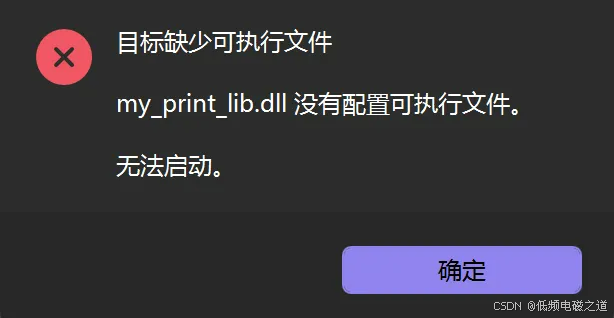
编译目录下面是存在DLL文件my_print_lib.dll,但为什么会报这个错误呢?这是因为Linux/macOS中默认所有类/函数都公开,外部随便调用,但Windows中默认所有函数都隐藏,你不主动声明导出,外部根本找不到函数。我们需要改造一下my_print.h,加入导出宏:
cpp
#pragma once

// 必须加导出/导入宏,Windows 动态库才能正常使用
#ifdef _WIN32        // 判断当前编译平台是否为 Windows 系统
#  ifdef MYLIB       // 判断是否正在编译生成动态库(MYLIB 为自定义宏)
#    define DLL_TYPE __declspec(dllexport)  // 定义为导出符号,用于生成 DLL
#  else              // 否则为使用动态库的场景
#    define DLL_TYPE __declspec(dllimport)  // 定义为导入符号,用于调用 DLL
#  endif             // 结束 MYLIB 宏判断
#else                // 非 Windows 平台(Linux/macOS 等)
#  define DLL_TYPE   // 类 Unix 系统无需导入导出,宏定义为空
#endif

class DLL_TYPE MyPrint {
public:
  MyPrint();
  void PrintHello();
};同时我们还需要修改CMakeLists.txt文件:
cpp
cmake_minimum_required (VERSION 3.10)

project ("test")

# 强制 MSVC 使用 UTF-8 编码
if (MSVC)
    add_compile_options("/utf-8")
endif()

# 编译动态库
add_library(my_print_lib SHARED "my_print.cpp" "my_print.h")
target_compile_definitions(my_print_lib PRIVATE MYLIB)
# 编译可执行文件
add_executable(test "main.cpp")
# 链接动态库
target_link_libraries(test PRIVATE my_print_lib)最重要的是在编译my_print_lib这个库的时候,定义一个叫MYLIB的宏,只给库内部使用。
清理编译目录后再次编译运行,程序成功运行,输出hello。我们在编译的目录下面除了my_print_lib.dll外,还可以找到一个my_print_lib.lib文件,这个文件用于在编译期帮助链接器完成符号解析,运行期引导程序加载 DLL 并调用真实函数。