通过设置 merge-cells={ row: 第几行开始, col: 第几列开始, rowspan: 合并多少行, colspan: 合并多少列 } 配置合并规则
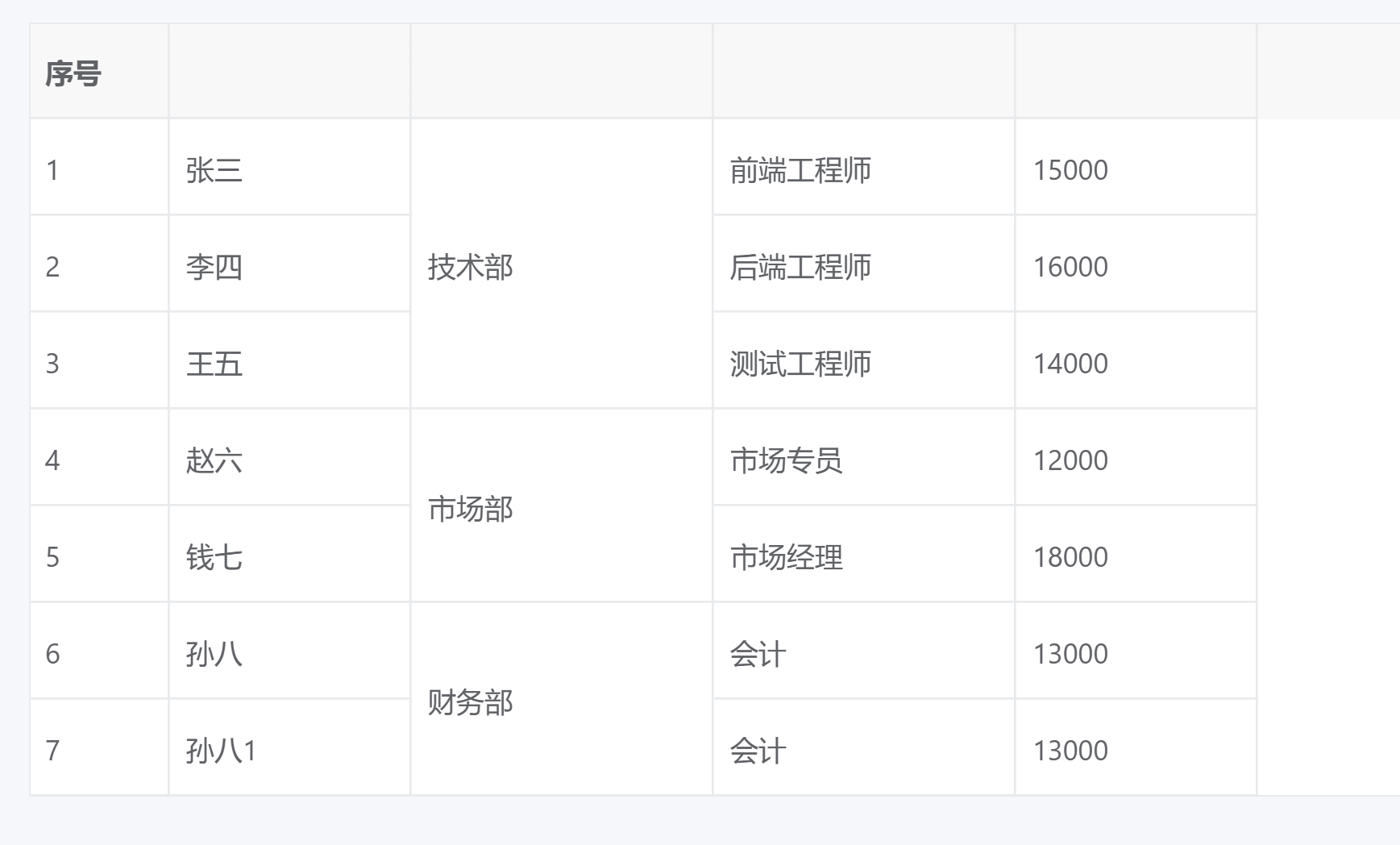
html
<vxe-grid v-bind="gridOptions"></vxe-grid>
javascript
/**
 * 生成合并单元格配置的函数
 * @param {Array} data - 表格数据数组
 * @param {string} field - 要合并的字段名
 * @param {number} columnIndex - 字段对应的列索引
 * @returns {Array} 合并单元格配置数组
 */
const generateMergeCells = (data, field, columnIndex) => {
  // 数据为空时返回空数组
  if (!data || data.length === 0) return []

  const mergeCells = []
  let currentValue = data[0][field] // 当前比较的值
  let startRow = 0 // 开始合并的行索引
  let count = 1 // 连续相同值的行数

  // 遍历数据,找出连续相同值的行
  for (let i = 1; i < data.length; i++) {
    if (data[i][field] === currentValue) {
      // 当前值与上一个值相同,增加计数
      count++
    } else {
      // 当前值与上一个值不同
      if (count > 1) {
        // 如果有连续相同值,添加合并配置
        mergeCells.push({
          row: startRow, // 开始行
          col: columnIndex, // 列索引
          rowspan: count, // 合并行数
          colspan: 1 // 合并列数
        })
      }
      // 更新当前值和起始行
      currentValue = data[i][field]
      startRow = i
      count = 1
    }
  }

  // 处理最后一组连续相同值
  if (count > 1) {
    mergeCells.push({
      row: startRow,
      col: columnIndex,
      rowspan: count,
      colspan: 1
    })
  }

  return mergeCells
}

/**
 * 表格数据
 * 包含员工的基本信息,用于演示合并单元格功能
 */
const tableData = reactive([
  { id: 1, name: '张三', department: '技术部', position: '前端工程师', salary: 15000 },
  { id: 2, name: '李四', department: '技术部', position: '后端工程师', salary: 16000 },
  { id: 3, name: '王五', department: '技术部', position: '测试工程师', salary: 14000 },
  { id: 4, name: '赵六', department: '市场部', position: '市场专员', salary: 12000 },
  { id: 5, name: '钱七', department: '市场部', position: '市场经理', salary: 18000 },
  { id: 6, name: '孙八', department: '财务部', position: '会计', salary: 13000 },
  { id: 7, name: '孙八1', department: '财务部', position: '会计', salary: 13000 },
])

/**
 * 计算合并单元格配置
 * 基于tableData中的department字段自动生成合并配置
 */
const mergeCells = computed(() => {
  return generateMergeCells(tableData, 'department', 2)
})

/**
 * 表格配置选项
 * 包含表格的列定义、数据和合并单元格配置
 */
const gridOptions = reactive({
  border: true, // 显示表格边框
  columns: [
    { type: 'seq', width: 70, title: '序号' }, // 序号列
    { field: 'name', title: '姓名', width: 120, slots: { header: 'header_name' } }, // 姓名字段,支持表头编辑
    { field: 'department', title: '部门', width: 150, slots: { header: 'header_department' } }, // 部门字段,支持表头编辑和单元格合并
    { field: 'position', title: '职位', width: 150, slots: { header: 'header_position' } }, // 职位字段,支持表头编辑
    { field: 'salary', title: '薪资', width: 120, slots: { header: 'header_salary' } }, // 薪资字段,支持表头编辑
  ],
  data: tableData, // 表格数据
  // 合并单元格配置 - 根据数据自动生成
  mergeCells: mergeCells.value,
})

/**
 * 监听数据变化,更新合并单元格配置
 * 使用深度监听确保数据嵌套变化时也能触发更新
 * 通过创建数组副本作为监听源,确保数组变化能被检测到
 */
watch(() => [...tableData], () => {
  gridOptions.mergeCells = generateMergeCells(tableData, 'department', 2)
}, { deep: true })