我遇到最大的问题:
1、如何打包war,在tomcat下的webapps能够正常访问。
2、vue的配置和nginx的配置。
一、JAVA端
1、修改配置文件,jar改为war。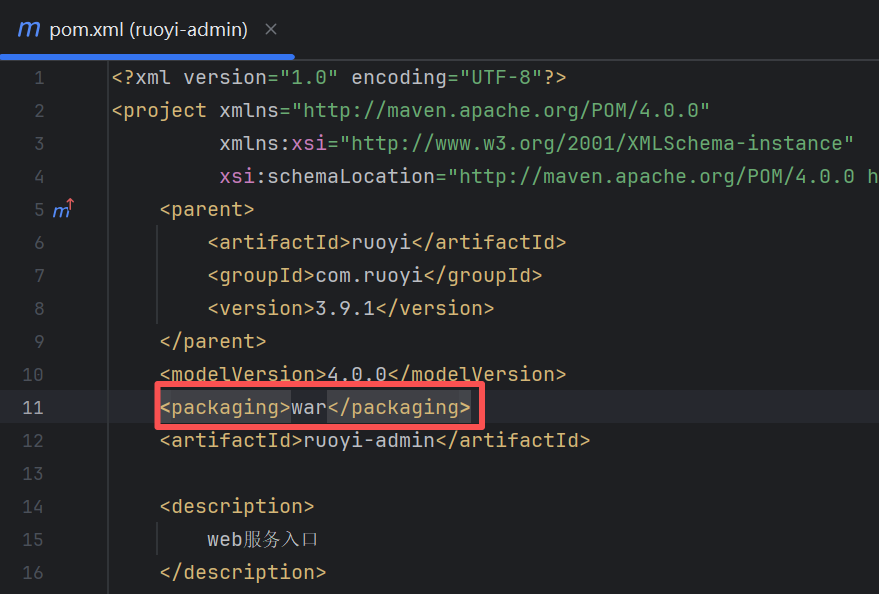
2、修改Application文件
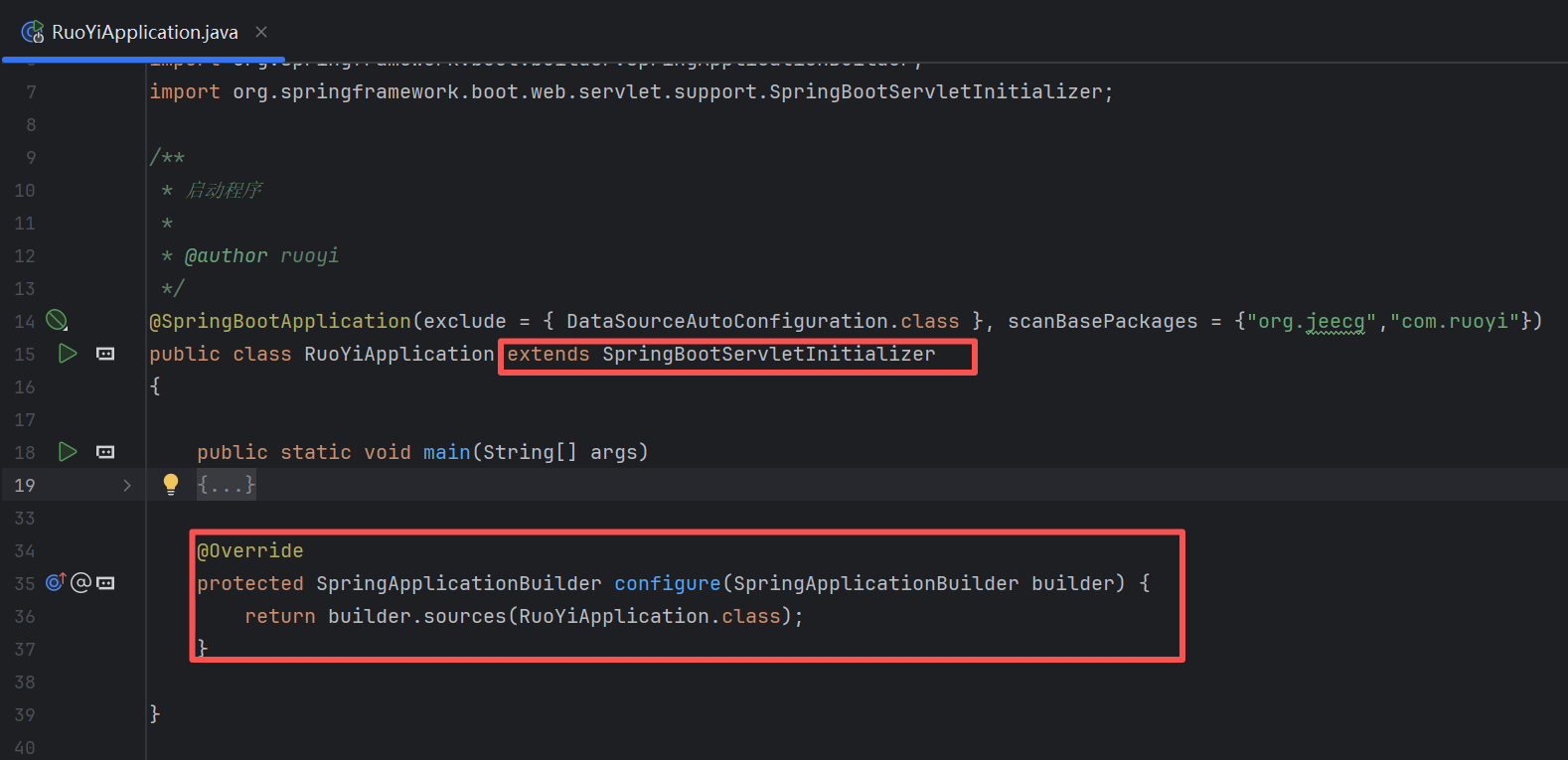
3、端口号修改为自己需要的。下面红框除了端口,其他三个都需要配置war包。不然我打包的war包非常大,并且放到tomcat下的webapps后,不解析。
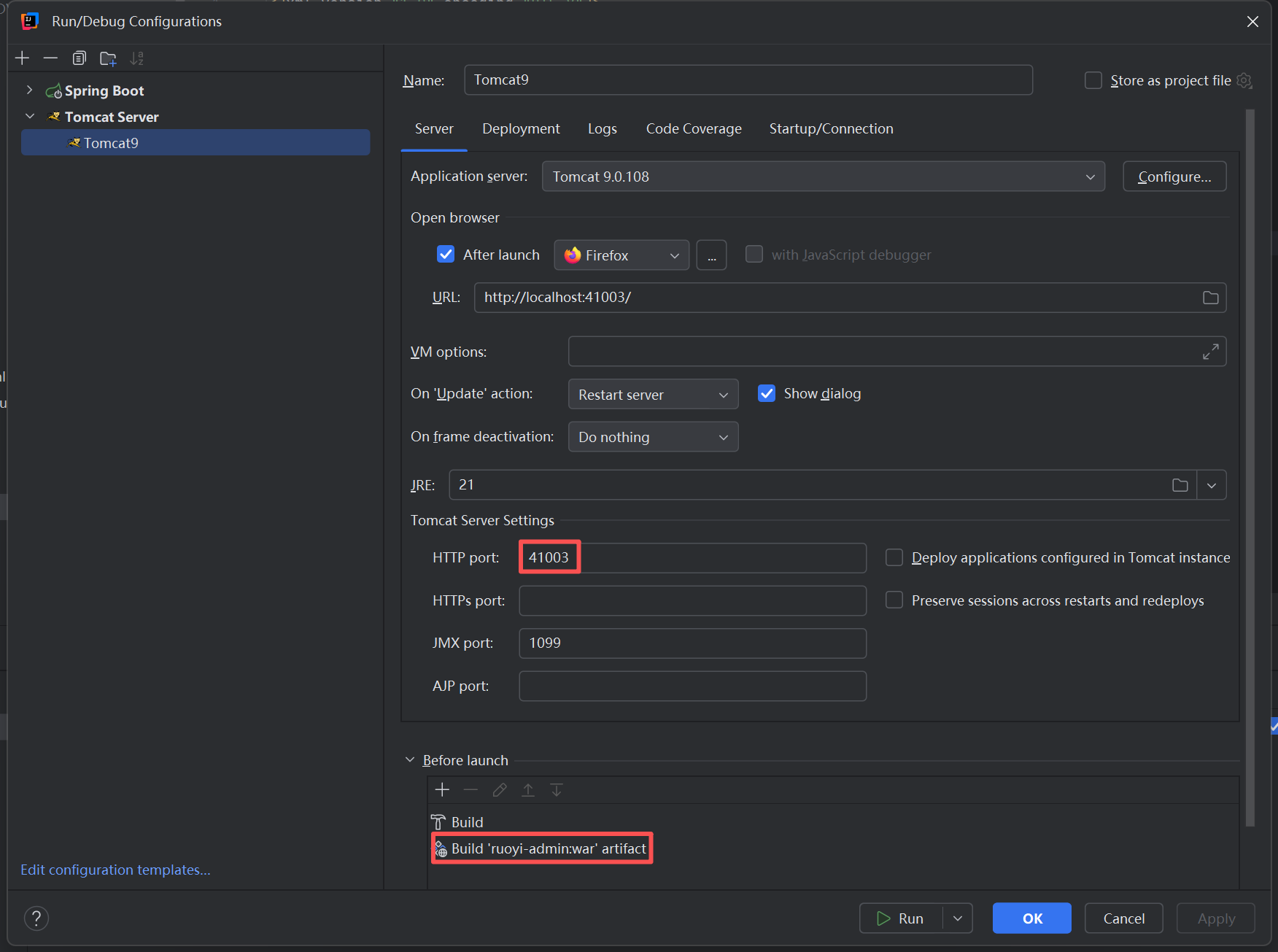
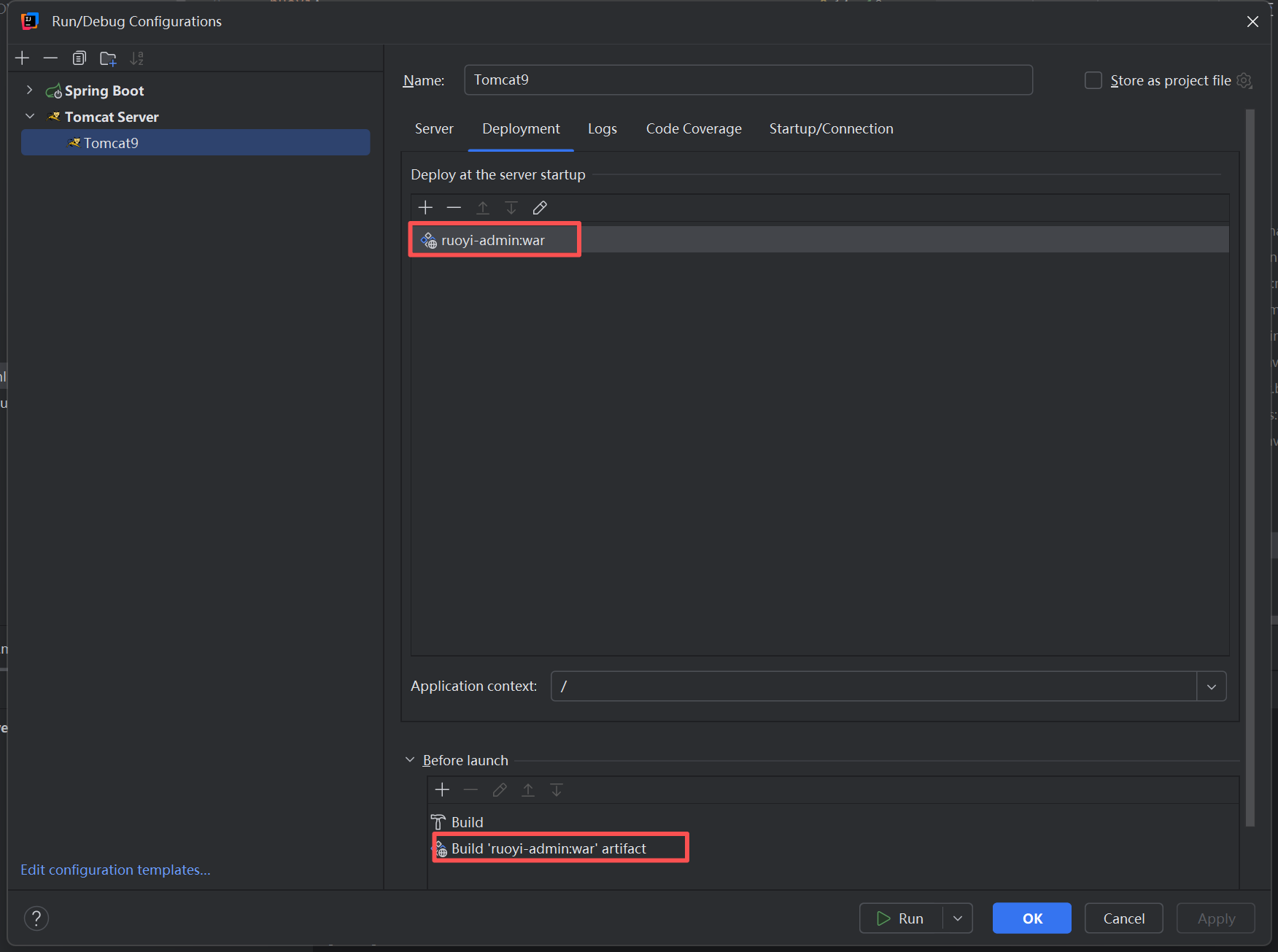
4、修改配置文件中的端口号
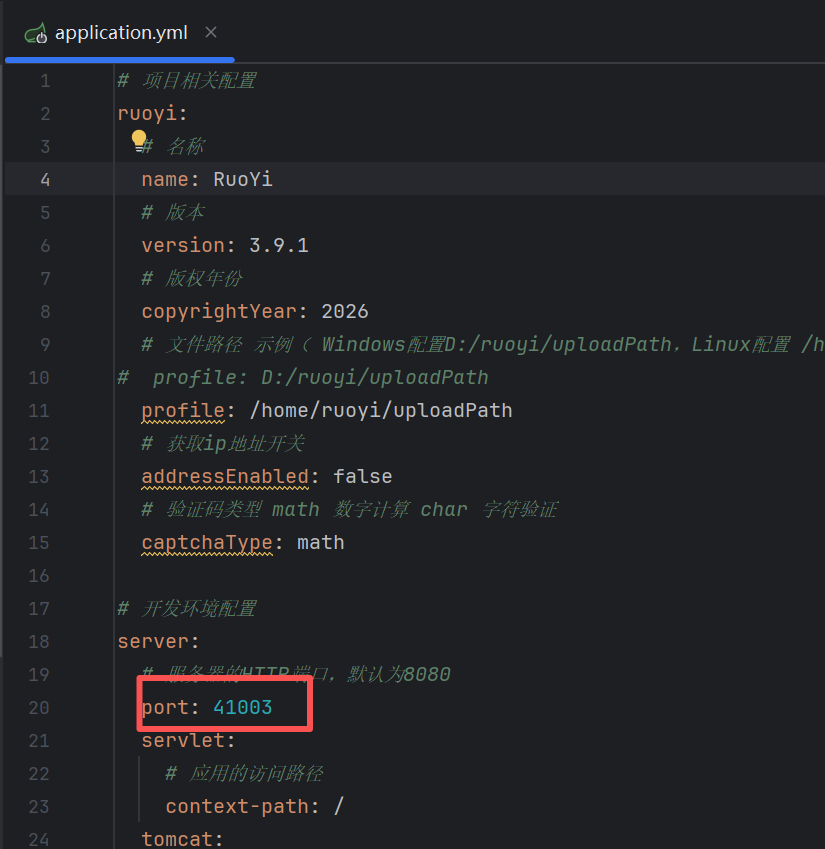
5、修改tomcat配置文件,加入端口号。
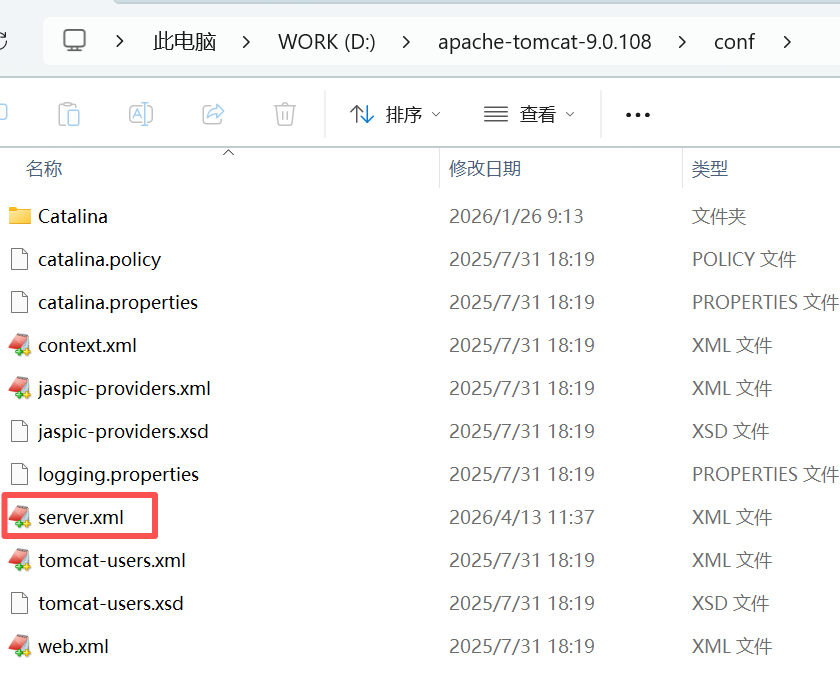
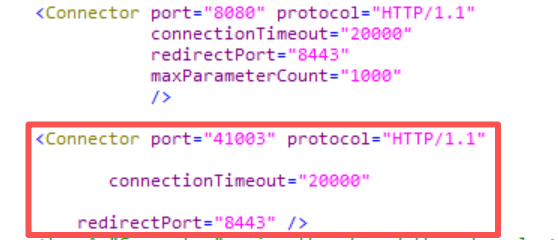
6、启动tomcat。
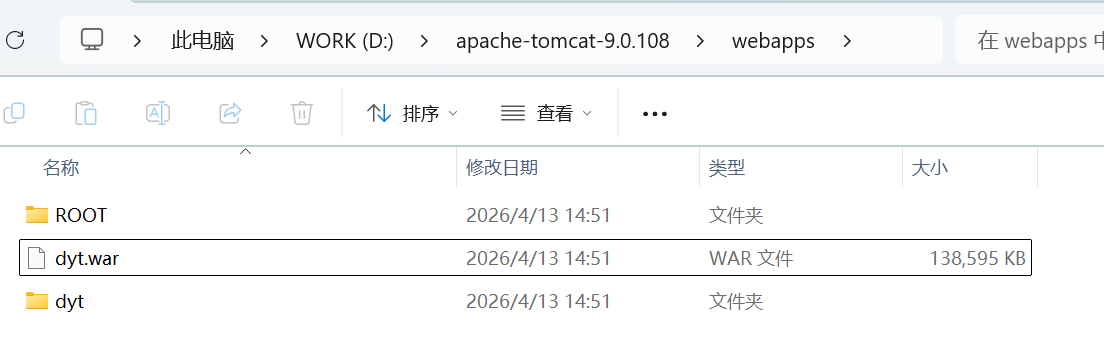
7、打包方法。我是使用下面的打包方式:
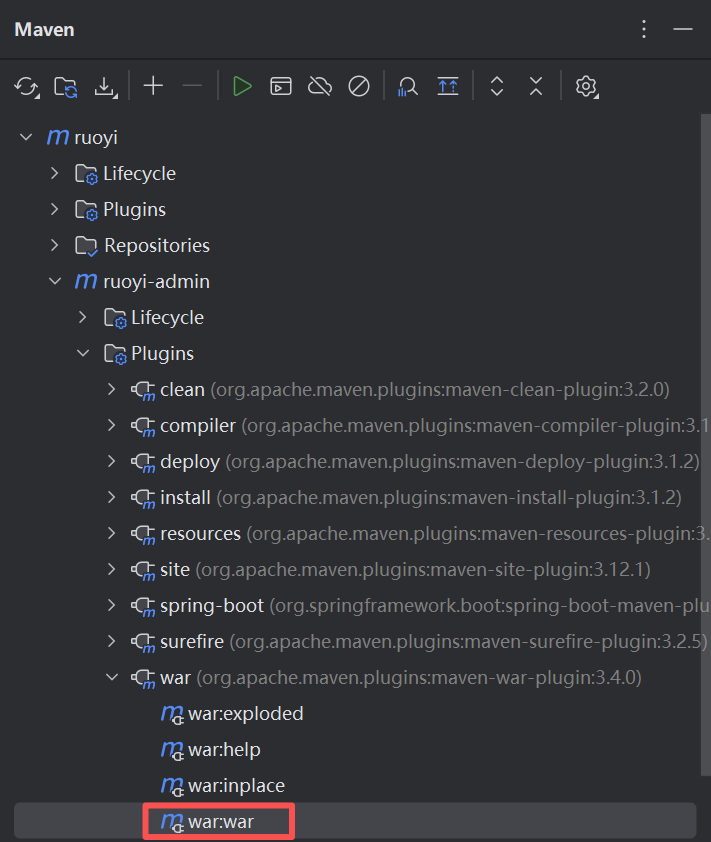
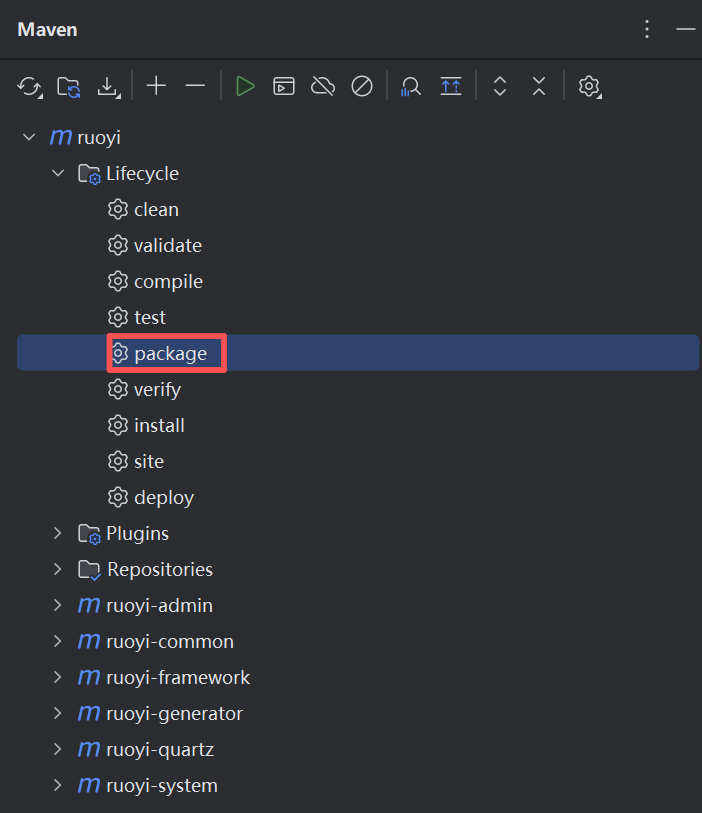
如果使用package方式。出来的war包,tomcat解析不出来。可能是我没有找对方法。
二、VUE端
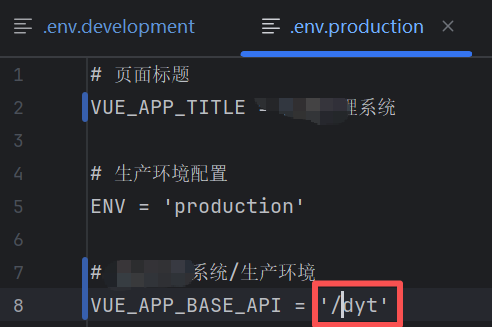
1、修改pro配置文件。
2、修改nginx配置文件:
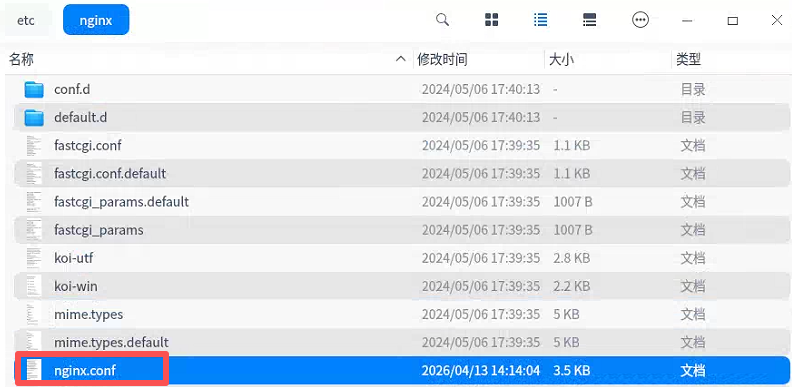
# For more information on configuration, see:
#   * Official English Documentation: http://nginx.org/en/docs/
#   * Official Russian Documentation: http://nginx.org/ru/docs/

#user nginx;
user root;
worker_processes auto;
error_log /var/log/nginx/error.log;
pid /run/nginx.pid;

# Load dynamic modules. See /usr/share/doc/nginx/README.dynamic.
include /usr/share/nginx/modules/*.conf;

events {
    worker_connections 1024;
}

http {
    log_format  main  '$remote_addr - $remote_user [$time_local] "$request" '
                      '$status $body_bytes_sent "$http_referer" '
                      '"$http_user_agent" "$http_x_forwarded_for"';

    access_log  /var/log/nginx/access.log  main;

    sendfile            on;
    tcp_nopush          on;
    tcp_nodelay         on;
    keepalive_timeout   65;
    types_hash_max_size 2048;

    include             /etc/nginx/mime.types;
    default_type        application/octet-stream;

    # Load modular configuration files from the /etc/nginx/conf.d directory.
    # See http://nginx.org/en/docs/ngx_core_module.html#include
    # for more information.
    include /etc/nginx/conf.d/*.conf;


server {
    listen 40003;
    server_name _;
    charset utf-8;

    # 前端项目根目录(正确写法)
    root /usr/share/nginx/html/dyt;
    index index.html;

    # 前端调用 /dyt/xxx → 自动转发到 41002 后端
    location /dyt/ {
        proxy_pass http://127.0.0.1:41003;
        proxy_set_header Host $host;
        proxy_set_header X-Real-IP $remote_addr;
        proxy_set_header X-Forwarded-For $proxy_add_x_forwarded_for;
        proxy_set_header X-Forwarded-Proto $scheme;
	 # 3. 禁用缓存,强制走代理,不返回静态资源
        proxy_cache off;
        expires -1;
    }

    # 前端页面
    location / {
        try_files $uri $uri/ /index.html;
    }

    error_page 500 502 503 504 /50x.html;
    location = /50x.html {
        root /usr/share/nginx/html;
    }
}


}
问题:有可能出现下面的问题,需要在上面的nginx配置文件中使用: user root;
Uncaught SyntaxError: Unexpected token '<'