目录
前言
在Java开发中,如果我们需要读取本地配置文件、上传下载图片,还是进行网络通信,都离不开一个核心概念------I/O 流(Input/Output Stream)。
一、IO流的分类
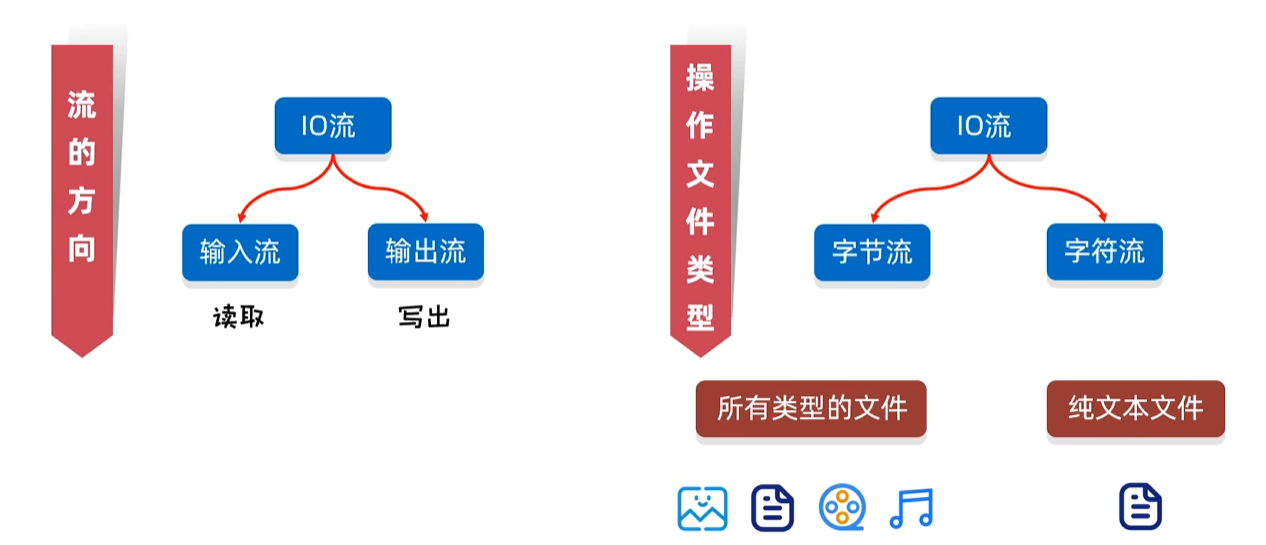
| 类别 | 读数据(输入流) | 写数据(输出流) | 适用场景 |
| 字节流 (Byte) | InputStream | OutputStream | 处理所有类型的文件(图片、音频、视频、压缩包等)。它是万能的,底层都是按字节(8 bit)传输。 |
| 字符流 (Character) | Reader |
Writer |
专门用来处理纯文本文件(.txt、.java、.xml 等)。它在底层做了字符编码的转换,避免了中文乱码。 |
|---|
指南:如果你不知道文件是什么类型,或者要拷贝图片、音频,无脑用字节流 。如果你确定要处理的是纯文本,且需要按行读取,强烈建议用字符流。
1.字节输出流(FileOutputStream)
操作本地文件的字节输出流,可以把程序中的数据写到本地文件中。
步骤:
- 创建字节输出流对象
- 细节1:参数表示的路径可以是字符串或者File对象
- 细节2:如果文件不存在,在执行方法后会新建一个文件,但是要保证父级路径是存在的
- 细节3:如果文件已经存在,则会清空文件,写入程序的内容;如果想要接着写,要将FileOutPutStream的第二个参数append设置为true。
- 写数据
- 释放资源
- 每次使用完流之后都要释放资源。
①基本用法
FileOutputStream fos = new FileOutputStream("src\\a.txt");
fos.write(97);
fos.close();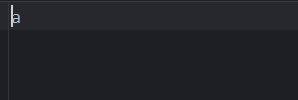
②写数据的三种方式
| 方法 | 说明 |
| void write(int b) | 一次写一个字节的数据 |
| void write(byte\[\] b) | 一次写一个字节数组的数据 |
| void write(byte\[\] b, int off, int len) | 一次写一个字节数组的部分数据 |
|---|
③换行和续写
换行:
FileOutputStream fos = new FileOutputStream("src\\a.txt");
String str1 = "hello Java";
byte[] bytes1 = str1.getBytes();
fos.write(bytes1);

String wrap = "\\r\\n";
byte\[\] bytes2 = wrap.getBytes();
fos.write(bytes2);

String str2 = "Bye Java";
byte[] bytes3 = str2.getBytes();
fos.write(bytes3);
fos.close();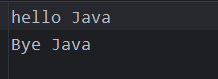
续写:
将FileOutPutStream的第二个参数append设置为true。

FileOutputStream fos = new FileOutputStream("src\\\\a.txt",true);
String str1 = "continue hello Java";
byte[] bytes1 = str1.getBytes();
fos.write(bytes1);

String wrap = "\r\n";
byte[] bytes2 = wrap.getBytes();
fos.write(bytes2);

String str2 = "Continue Bye Java";
byte[] bytes3 = str2.getBytes();
fos.write(bytes3);
fos.close();
2.字节输入流(FileInputStream)
操作本地文件的字节输入流,可以把本地文件中的数据读取到程序中来。
步骤:
- 创建字节输入流对象
- 细节1:如果文件不存在,直接报错。
- 读数据
- 细节1:一次读一个字节,读出的是数据在ASCII上对应的数字。
- 细节2:读到文件数据的末尾,read会返回-1。
- 释放资源
- 每次使用完流之后都要释放资源。
①FileInputStream的循环读取
由于read读到文件数据的末尾时会返回-1,因此可以将该条件作为循环读取结束的条件。
由于读取的是数据的ASCII数字,因此可以使用数据类型的强转。
最后记得释放资源。
FileInputStream fis = new FileInputStream("src\\a.txt");
int b = 0;
while((b = fis.read()) != -1){
    System.out.print((char)b);
}
fis.close();
3.练习:文件拷贝
核心思想:边读边写。
细节:先开的流永远最后释放资源。
该方法只能实现小文件的拷贝。
原因:该方法实现原理是一个字节一个字节的读取。
public class Test {
    public static void main(String[] args) throws IOException {
        FileInputStream fis = new FileInputStream("src\\a.txt");
        FileOutputStream fos = new FileOutputStream("src\\a_copy.txt");
        int b;
        while((b = fis.read()) != -1){
            fos.write(b);
        }

        fos.close();
        fis.close();
    }
}
①解决文件拷贝速度慢的方式
可以通过FileInputStream 中的 read(byte\[\] buffer)重载的方法,实现读取多个字节。
通常这个buffer数组的大小为1024的整数倍,建议一次读5MB(1024 *1024 *5)。
java
        FileInputStream fis = new FileInputStream("src\\a.txt");
        byte[] bytes = new byte[2];

        int len1 = fis.read(bytes);
        System.out.println(len1);
        String str1 = new String(bytes);
        System.out.println(str1);


        int len2 = fis.read(bytes);
        System.out.println(len2);
        String str2 = new String(bytes);
        System.out.println(str2);

        int len3 = fis.read(bytes);
        System.out.println(len3);
        String str3 = new String(bytes);
        System.out.println(str3);

        int len4 = fis.read(bytes);
        System.out.println(len4);
        String str4 = new String(bytes);
        System.out.println(str4);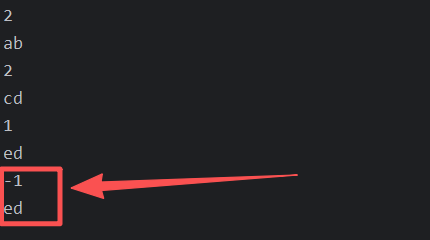
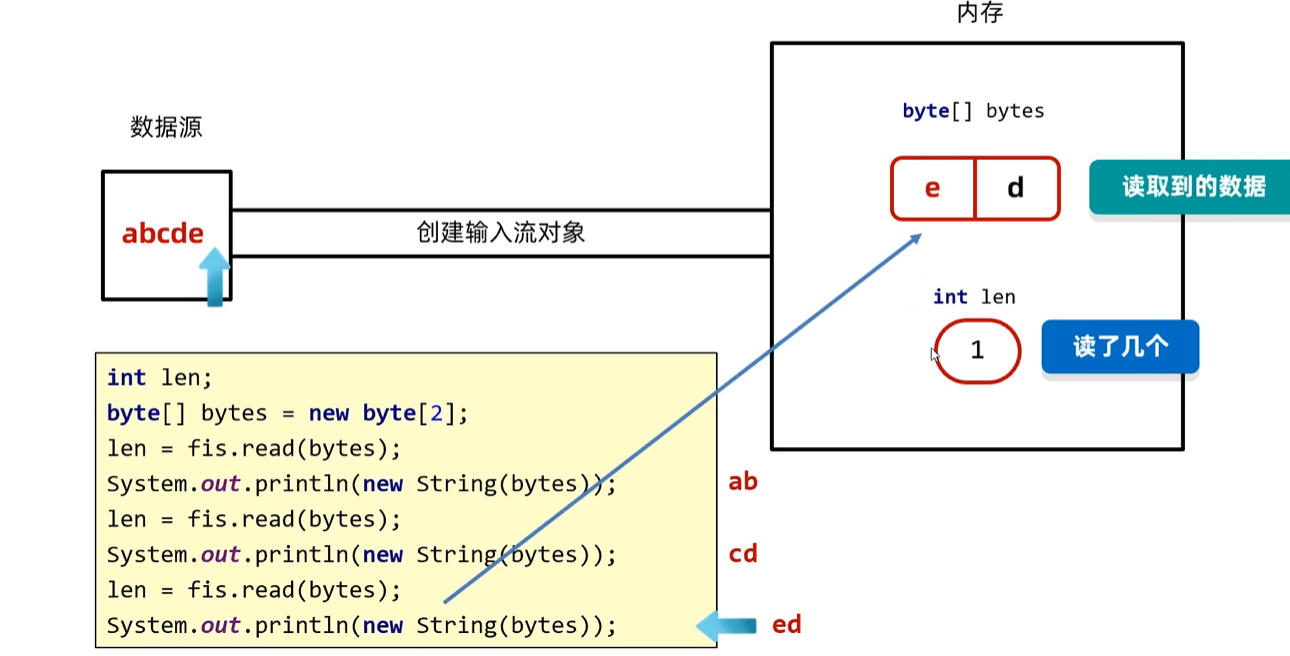
Q1:为什么读取的length为1,但是打印了两个字符。
Q2:为什么length为-1了,但是还能打印出字符。
A:原因就在于当只读取到一个数据时,bytes数组只更新了第一个,而第二个还是之前存留的值;当没有数据读取时,length会输出-1,但是bytes数组因为没有读取到数据因此没有更新,还是之前存留的值。
改进:
我们可以使用得到的len长度变量来限制输出的长度。
java
public class Test {
    public static void main(String[] args) throws IOException {
        FileInputStream fis = new FileInputStream("src\\a.txt");
        byte[] bytes = new byte[2];

        int len1 = fis.read(bytes);
        System.out.println(len1);
        String str1 = new String(bytes, 0, len1);
        System.out.println(str1);


        int len2 = fis.read(bytes);
        System.out.println(len2);
        String str2 = new String(bytes, 0, len2);
        System.out.println(str2);

        int len3 = fis.read(bytes);
        System.out.println(len3);
        String str3 = new String(bytes, 0, len3);
        System.out.println(str3);
文件拷贝改进:
java
    public static void main(String[] args) throws IOException {
        FileInputStream fis = new FileInputStream("src\\a.txt");
        FileOutputStream fos = new FileOutputStream("src\\b.txt");

        int len;
        byte[] bytes = new byte[1024];
        while((len = fis.read(bytes)) != -1){
            fos.write(bytes, 0, len);
        }